key VAUXHALL VIVA 2016.5 User Guide
[x] Cancel search | Manufacturer: VAUXHALL, Model Year: 2016.5, Model line: VIVA, Model: VAUXHALL VIVA 2016.5Pages: 197, PDF Size: 5.27 MB
Page 28 of 197
26Keys, doors and windowsExterior mirrors
Mirrors
The shape of the mirrors makes
objects appear smaller, which will
affect the ability to estimate
distances.
Electric adjustment
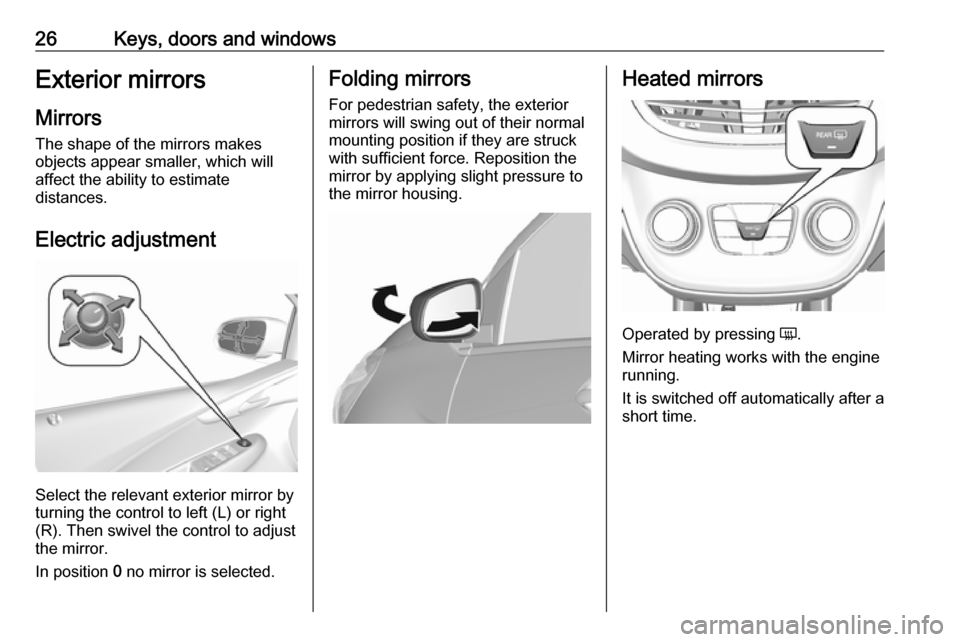
Select the relevant exterior mirror by
turning the control to left (L) or right
(R). Then swivel the control to adjust
the mirror.
In position 0 no mirror is selected.
Folding mirrors
For pedestrian safety, the exterior
mirrors will swing out of their normal
mounting position if they are struck
with sufficient force. Reposition the
mirror by applying slight pressure to
the mirror housing.Heated mirrors
Operated by pressing Ü.
Mirror heating works with the engine
running.
It is switched off automatically after a
short time.
Page 29 of 197
Keys, doors and windows27Interior mirrors
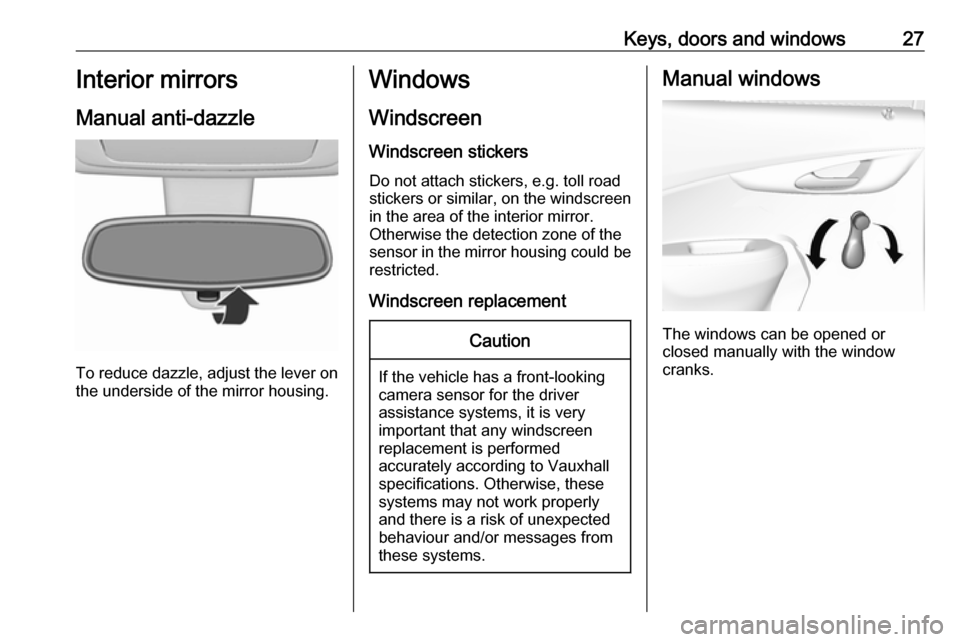
Manual anti-dazzle
To reduce dazzle, adjust the lever on the underside of the mirror housing.
Windows
Windscreen
Windscreen stickers Do not attach stickers, e.g. toll road
stickers or similar, on the windscreen
in the area of the interior mirror.
Otherwise the detection zone of the
sensor in the mirror housing could be
restricted.
Windscreen replacementCaution
If the vehicle has a front-looking
camera sensor for the driver
assistance systems, it is very
important that any windscreen
replacement is performed
accurately according to Vauxhall
specifications. Otherwise, these systems may not work properly
and there is a risk of unexpected
behaviour and/or messages from
these systems.
Manual windows
The windows can be opened or
closed manually with the window
cranks.
Page 30 of 197
28Keys, doors and windowsPower windows9Warning
Take care when operating the
power windows. Risk of injury,
particularly to children.
Be careful when closing the
windows. Ensure that nothing
becomes trapped in them as they
move.
Operable with ignition on (position 2)
3 104.
Retained power off 3 105.
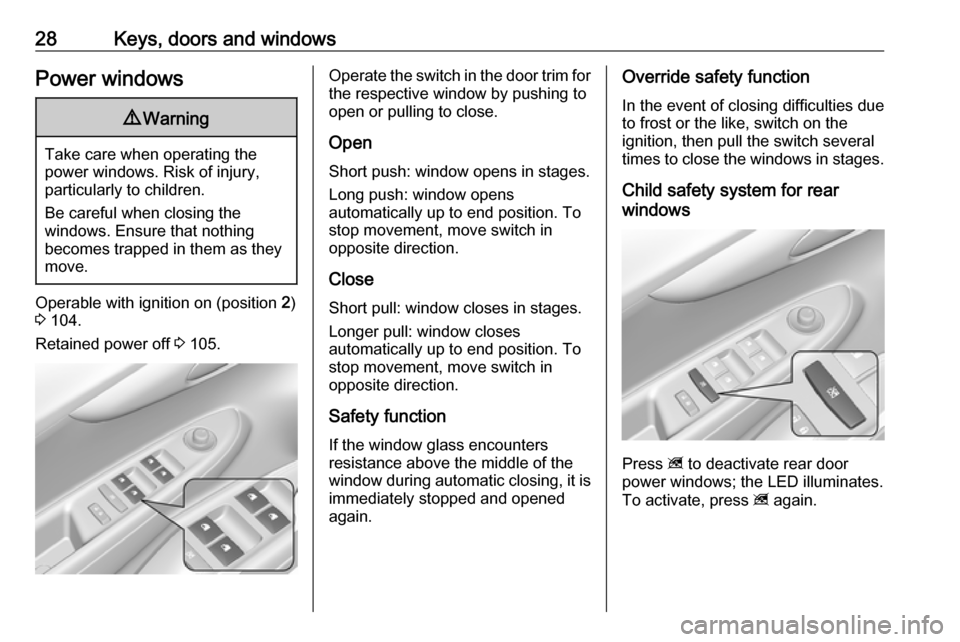
Operate the switch in the door trim for
the respective window by pushing to
open or pulling to close.
Open
Short push: window opens in stages. Long push: window opens
automatically up to end position. To stop movement, move switch in
opposite direction.
Close
Short pull: window closes in stages. Longer pull: window closes
automatically up to end position. To
stop movement, move switch in
opposite direction.
Safety function
If the window glass encounters
resistance above the middle of the
window during automatic closing, it is
immediately stopped and opened
again.Override safety function
In the event of closing difficulties due
to frost or the like, switch on the
ignition, then pull the switch several times to close the windows in stages.
Child safety system for rear
windows
Press z to deactivate rear door
power windows; the LED illuminates.
To activate, press z again.
Page 31 of 197
Keys, doors and windows29OverloadIf the windows are repeatedly
operated at short intervals, the
window operation is disabled for
some time.
Initialising the power windows
If the windows cannot be opened or
closed automatically (e.g. after
disconnecting the vehicle battery),
activate the window electronics as
follows:
1. Close the doors.
2. Switch on ignition.
3. Close the window completely and
operate the button for an
additional two seconds.
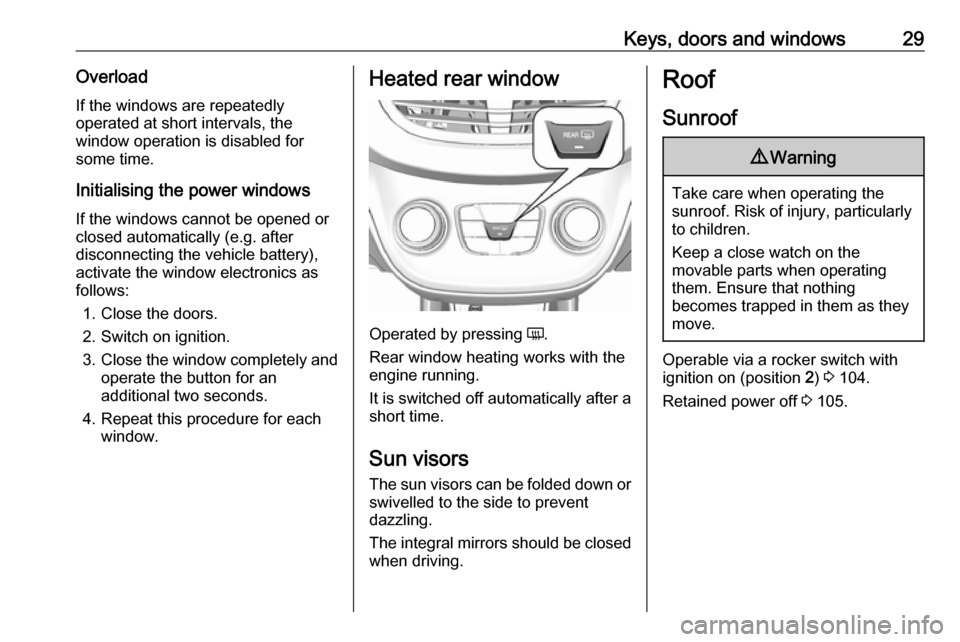
4. Repeat this procedure for each window.Heated rear window
Operated by pressing Ü.
Rear window heating works with the engine running.
It is switched off automatically after a
short time.
Sun visors
The sun visors can be folded down or swivelled to the side to prevent
dazzling.
The integral mirrors should be closed
when driving.
Roof
Sunroof9 Warning
Take care when operating the
sunroof. Risk of injury, particularly to children.
Keep a close watch on the
movable parts when operating
them. Ensure that nothing
becomes trapped in them as they
move.
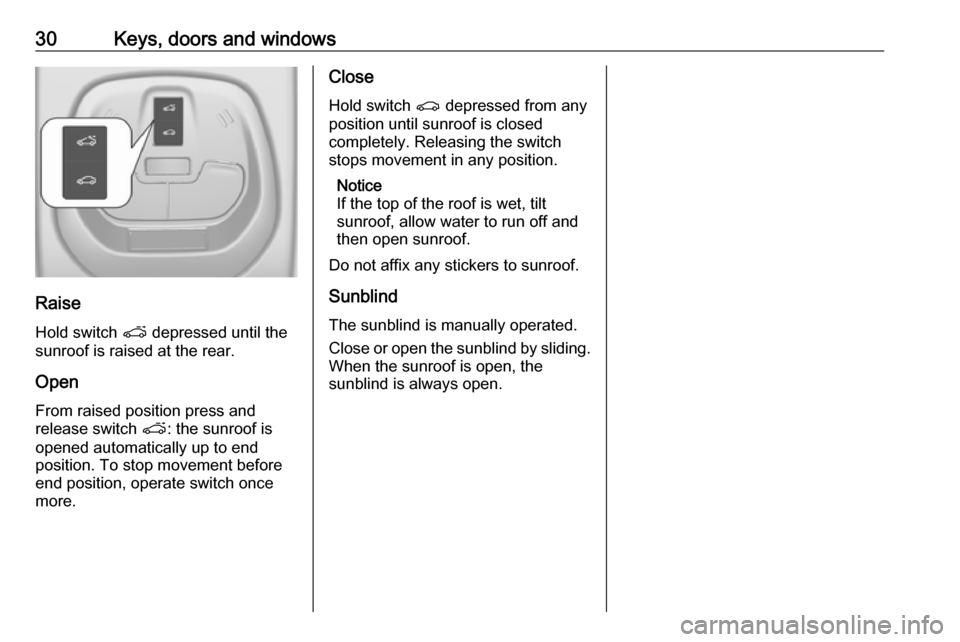
Operable via a rocker switch with
ignition on (position 2) 3 104.
Retained power off 3 105.
Page 32 of 197
30Keys, doors and windows
Raise
Hold switch p depressed until the
sunroof is raised at the rear.
Open
From raised position press and
release switch p: the sunroof is
opened automatically up to end
position. To stop movement before
end position, operate switch once
more.
Close
Hold switch r depressed from any
position until sunroof is closed
completely. Releasing the switch
stops movement in any position.
Notice
If the top of the roof is wet, tilt
sunroof, allow water to run off and
then open sunroof.
Do not affix any stickers to sunroof.
Sunblind
The sunblind is manually operated.
Close or open the sunblind by sliding. When the sunroof is open, the
sunblind is always open.
Page 44 of 197
42Seats, restraints9Warning
Keep the area in which the airbag
inflates clear of obstructions.
The hooks on the handles in the
roof frame are only suitable for
hanging up light articles of
clothing, without coat hangers. Do not keep any items in these
clothes.
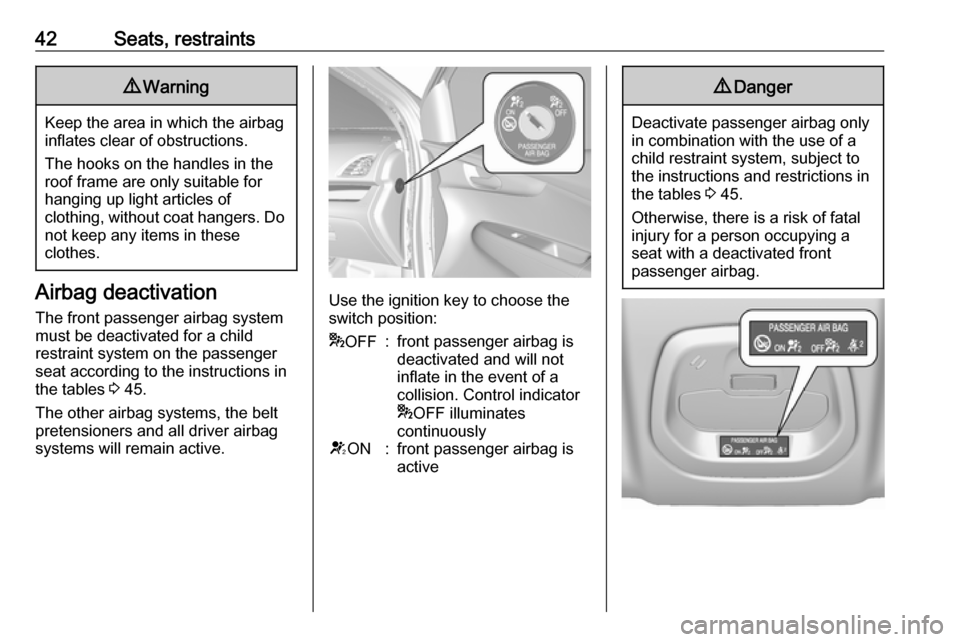
Airbag deactivation
The front passenger airbag system must be deactivated for a child
restraint system on the passenger
seat according to the instructions in
the tables 3 45.
The other airbag systems, the belt
pretensioners and all driver airbag
systems will remain active.Use the ignition key to choose the switch position:
* OFF:front passenger airbag is
deactivated and will not
inflate in the event of a
collision. Control indicator
* OFF illuminates
continuouslyV ON:front passenger airbag is
active9 Danger
Deactivate passenger airbag only
in combination with the use of a
child restraint system, subject to
the instructions and restrictions in
the tables 3 45.
Otherwise, there is a risk of fatal
injury for a person occupying a
seat with a deactivated front
passenger airbag.
Page 74 of 197

72Instruments and controls9Warning
When the engine is off,
considerably more force is needed
to brake and steer.
During an Autostop, the brake
servo unit will still be operational.
Do not remove key until vehicle is stationary, otherwise the steeringwheel lock could engage
unexpectedly.
Check oil level before seeking the
assistance of a workshop 3 134.
Low fuel
Y illuminates or flashes yellow.
Illuminates
Level in fuel tank is too low.
Flashes
Fuel used up. Refuel immediately.
Never run the fuel tank dry.
Refuelling 3 127.
Catalytic converter 3 110.
Immobiliser
d flashes yellow.
Fault in the immobiliser system. The
engine cannot be started.
Reduced engine power # illuminates yellow.
The engine power is limited. Consult
a workshop.
Exterior light
8 illuminates green.
The exterior lights are on 3 88.
High beam C illuminates blue.
Illuminated when high beam is on or
during headlight flash 3 88.
Fog light > illuminates green.
The front fog lights are on 3 90.Rear fog light
r illuminates yellow.
The rear fog light is on 3 90.
Cruise control
m illuminates white or green.
Illuminates white The system is on.
Illuminates green
Cruise control is active.
Cruise control 3 119.
Speed limiter
L illuminates in the Driver
Information Centre when Speed
limiter is active. Set speed is indicated alongside L symbol.
Speed limiter 3 121.
Bonnet open
/ illuminates yellow.
Illuminates when the bonnet is open.
Stop-start system 3 106.
Page 84 of 197
82Instruments and controlsVehicle personalisationThe vehicle's behaviour can be
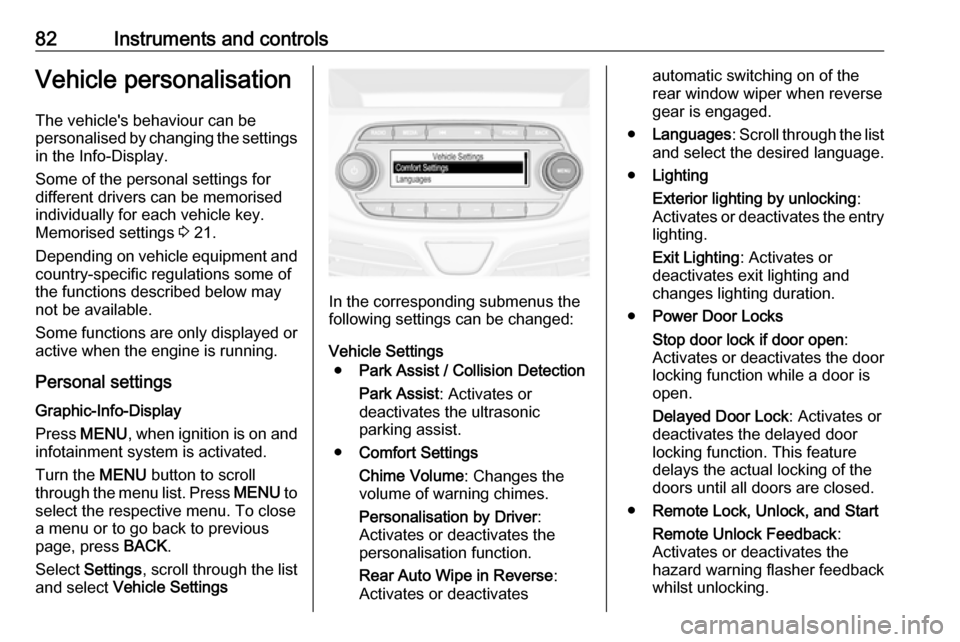
personalised by changing the settings in the Info-Display.
Some of the personal settings for
different drivers can be memorised
individually for each vehicle key.
Memorised settings 3 21.
Depending on vehicle equipment and
country-specific regulations some of
the functions described below may
not be available.
Some functions are only displayed or
active when the engine is running.
Personal settings Graphic-Info-Display
Press MENU , when ignition is on and
infotainment system is activated.
Turn the MENU button to scroll
through the menu list. Press MENU to
select the respective menu. To close a menu or to go back to previous
page, press BACK.
Select Settings , scroll through the list
and select Vehicle Settings
In the corresponding submenus the
following settings can be changed:
Vehicle Settings ● Park Assist / Collision Detection
Park Assist : Activates or
deactivates the ultrasonic
parking assist.
● Comfort Settings
Chime Volume : Changes the
volume of warning chimes.
Personalisation by Driver :
Activates or deactivates the
personalisation function.
Rear Auto Wipe in Reverse :
Activates or deactivates
automatic switching on of the
rear window wiper when reverse
gear is engaged.
● Languages : Scroll through the list
and select the desired language.
● Lighting
Exterior lighting by unlocking :
Activates or deactivates the entry
lighting.
Exit Lighting : Activates or
deactivates exit lighting and
changes lighting duration.
● Power Door Locks
Stop door lock if door open :
Activates or deactivates the door locking function while a door is
open.
Delayed Door Lock : Activates or
deactivates the delayed door
locking function. This feature
delays the actual locking of the
doors until all doors are closed.
● Remote Lock, Unlock, and Start
Remote Unlock Feedback :
Activates or deactivates the
hazard warning flasher feedback whilst unlocking.
Page 88 of 197

86Instruments and controlsSmartphone app
With the My Vauxhall smartphone
app, some vehicle functions can be
operated remotely.
The following functions are available: ● Lock or unlock vehicle.
● Honk horn or flash lights.
● Check fuel level, engine oil life and tyre pressure (only with tyre
pressure monitoring system).
● Send navigation destination to the vehicle, if equipped with a
built-in navigation system.
● Locate vehicle on a map.
● Manage Wi-Fi settings.
To operate these functions, download the app from Apple's App Store or
Google Play Store.
Remote control
If desired, use any phone to call an
advisor, who can remotely operate
specific vehicle functions. Find the
respective OnStar phone number on
our country-specific website.The following functions are available:
● Lock or unlock vehicle.
● Provide information on the vehicle location.
● Honk horn or flash lights.
Stolen vehicle assistance
If the vehicle is stolen, report the theft
to the authorities and request OnStar
stolen vehicle assistance. Use any
phone to call an advisor. Find the
respective OnStar phone number on
our country-specific website.
OnStar can provide support in
locating and recovering the vehicle.Theft alert
When the anti-theft alarm system is
triggered, a notification is sent to
OnStar. You are then informed about
this event by text message or email.Restart prevention
By sending remote signals, OnStar can prevent the vehicle from
restarting once it has been turned off.On-demand diagnostics
At any time e.g. if the vehicle displays a vehicle message, press Z to
contact an advisor and ask to
complete a real-time diagnostic check
to directly determine the issue.
Depending on the results, the advisor
will provide further support.
Diagnostic report
The vehicle automatically transmits
diagnostic data to OnStar which
sends a monthly email report to you
and your preferred workshop.
Notice
The workshop notification function
can be disabled in your account.
The report contains the status of key
operating systems of the vehicle like
engine, transmission, airbags, ABS,
and other major systems. It also
provides information on possible
maintenance items and tyre pressure (only with tyre pressure monitoring
system).
To look at the information in greater
detail, select the link within the email
and log in to your account.
Page 95 of 197

Lighting93Lighting features
Exit lighting Path lighting
Headlights, tail lights and number plate lights illuminate the surrounding area for an adjustable time after
leaving the vehicle.
Activating
1. Switch off the ignition.
2. Remove the ignition key.
3. Open driver's door.
4. Pull the turn signal lever.
5. Close the driver's door.
If the driver's door is not closed the
lights switch off after two minutes.
Exit lighting is switched off
immediately if the turn signal lever is
pulled while the driver's door is open.
Activation, deactivation and duration
of this function can be changed in the Info-Display. Vehicle personalisation
3 82.
The settings can be saved for the key being used 3 21.
Battery discharge protection
Switching off electric lights
To prevent discharge of the vehicle
battery when the ignition is switched off, some interior lights are switched
off automatically after some time.