display VAUXHALL VIVA 2019 User Guide
[x] Cancel search | Manufacturer: VAUXHALL, Model Year: 2019, Model line: VIVA, Model: VAUXHALL VIVA 2019Pages: 189, PDF Size: 5.22 MB
Page 67 of 189
Instruments and controls65
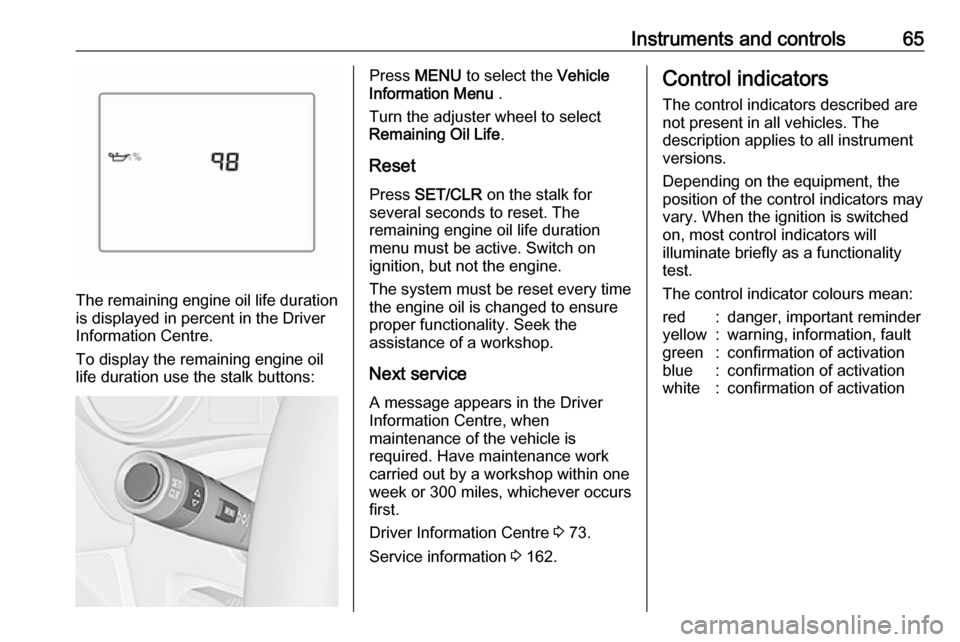
The remaining engine oil life duration
is displayed in percent in the Driver
Information Centre.
To display the remaining engine oil
life duration use the stalk buttons:
Press MENU to select the Vehicle
Information Menu .
Turn the adjuster wheel to select
Remaining Oil Life .
Reset Press SET/CLR on the stalk for
several seconds to reset. The
remaining engine oil life duration
menu must be active. Switch on
ignition, but not the engine.
The system must be reset every time
the engine oil is changed to ensure
proper functionality. Seek the
assistance of a workshop.
Next service A message appears in the Driver
Information Centre, when
maintenance of the vehicle is
required. Have maintenance work
carried out by a workshop within one
week or 300 miles, whichever occurs first.
Driver Information Centre 3 73.
Service information 3 162.Control indicators
The control indicators described are
not present in all vehicles. The
description applies to all instrument
versions.
Depending on the equipment, the
position of the control indicators may vary. When the ignition is switched
on, most control indicators will
illuminate briefly as a functionality
test.
The control indicator colours mean:red:danger, important reminderyellow:warning, information, faultgreen:confirmation of activationblue:confirmation of activationwhite:confirmation of activation
Page 71 of 189
Instruments and controls69The front passenger airbag is
deactivated 3 43.9 Danger
Risk of fatal injury for a child using
a child restraint system together
with activated front passenger
airbag.
Risk of fatal injury for an adult
person with deactivated front
passenger airbag.
Charging system
p illuminates red.
Illuminates when the ignition is
switched on and extinguishes shortly
after the engine starts.
Illuminates when the engine is
running
Stop, switch off engine. Vehicle
battery is not charging. Engine
cooling may be interrupted. The
brake servo unit may cease to be
effective. Seek the assistance of a
workshop.
Malfunction indicator light
Z illuminates or flashes yellow.
Illuminates when the ignition is
switched on and extinguishes shortly
after the engine starts.
Illuminates when the engine is
running
Fault in the emission control system. The permitted emission limits may be exceeded. Seek the assistance of a
workshop immediately.
Flashes when the engine is
running
Fault that could lead to catalytic converter damage. Ease up on the
accelerator until the flashing stops.
Seek the assistance of a workshop
immediately.
Service vehicle soon
g illuminates yellow.
Additionally, a warning code is
displayed in the Driver Information
Centre.
The vehicle requires a service.Seek the assistance of a workshop. Vehicle messages 3 79.
Brake and clutch system
R illuminates red.
The brake and clutch fluid level is too low, when manual parking brake is
not applied 3 129.9 Warning
Stop. Do not continue your
journey. Consult a workshop.
Illuminates when the manual parking
brake is applied and ignition is
switched on 3 111.
Operate pedal - illuminates or flashes yellow.
Illuminates
Clutch pedal must be depressed to
start the engine in Autostop mode.
Stop-start system 3 105.
Page 75 of 189
Instruments and controls73Door openN illuminates.
A door or the tailgate is open.Displays
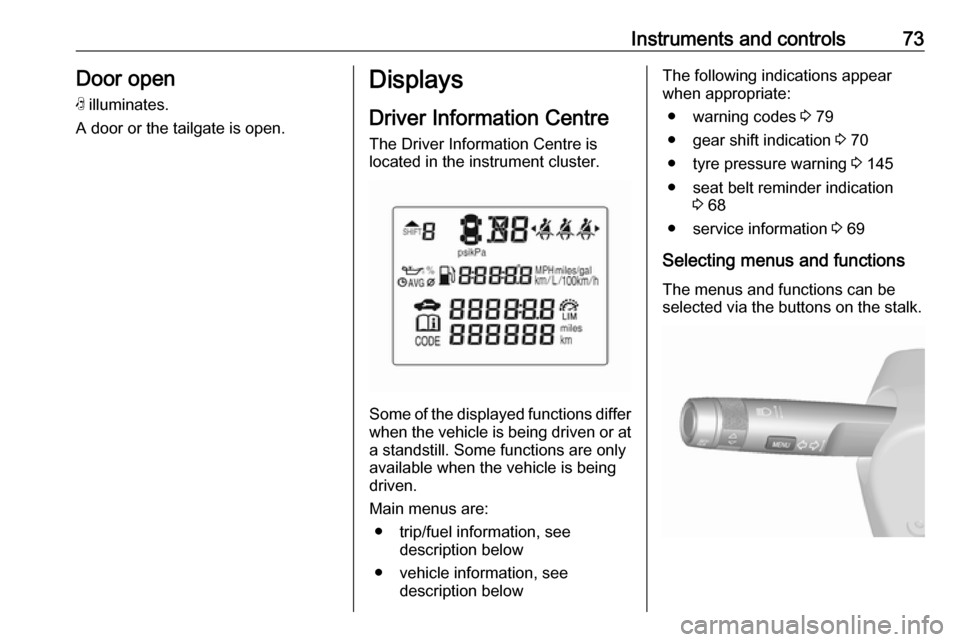
Driver Information Centre The Driver Information Centre is
located in the instrument cluster.
Some of the displayed functions differ
when the vehicle is being driven or at a standstill. Some functions are only
available when the vehicle is being
driven.
Main menus are: ● trip/fuel information, see description below
● vehicle information, see description below
The following indications appear
when appropriate:
● warning codes 3 79
● gear shift indication 3 70
● tyre pressure warning 3 145
● seat belt reminder indication 3 68
● service information 3 69
Selecting menus and functions The menus and functions can be
selected via the buttons on the stalk.
Page 76 of 189

74Instruments and controlsPress MENU to switch between the
main menus or to return from a
submenu to the next higher menu
level.
Turn the adjuster wheel to select a
submenu of the main menu or to set a numeric value.
Press SET/CLR to select a function or
to confirm a message.
Vehicle and service messages are
popped-up in the Driver Information
Centre if required. Confirm messages by pressing SET/CLR.
Vehicle messages 3 79.
Trip/Fuel information
Possible pages are:
Trip odometer
Trip odometer displays the current
distance since a certain reset.
Trip odometer counts up to
9999.9 miles and then restarts at 0.
To reset, press SET/CLR for a few
seconds.
Page 77 of 189

Instruments and controls75Fuel range
Range is calculated from current fuel
tank level and current consumption.
The display shows average values.
After refuelling, the range is updated
automatically after a brief delay.
When the fuel level in the tank is low,
a message appears on the display
and control indicator Y in the fuel
gauge illuminates.
When the tank must be refuelled
immediately, a warning code appears and remains on the display.
Additionally, control indicator Y
flashes in the fuel gauge 3 72.
Average vehicle speed
Display of average speed. The
measurement can be reset at any
time.
To reset, press SET/CLR for a few
seconds while viewing this page.
Instantaneous fuel economy
Display of the instantaneous
consumption.
Average fuel economy
Page 78 of 189

76Instruments and controlsDisplay of average consumption. Themeasurement can be reset at any
time and starts with a default value.
To reset, press SET/CLR for a few
seconds while viewing this page.
Timer
Indicates driving time since last reset.
To stop or start timer press
SET/CLR .
To reset press and hold SET/CLR for
a few seconds.
Vehicle information
Possible pages are: ● unit
● remaining engine oil life indication
● tyre pressure
● tyre loading
Unit
Press SET/CLR while page is
displayed. Select metric (unit 1) or
imperial (unit 2) by turning the
adjuster wheel. Press SET/CLR to set
the unit of measurement.
Remaining oil life
Indicates an estimate of the oil's
useful life. The number in percentage means the current remaining oil life
and indicates when to change the
engine oil and filter 3 64.
Page 79 of 189
Instruments and controls77Tyre pressure
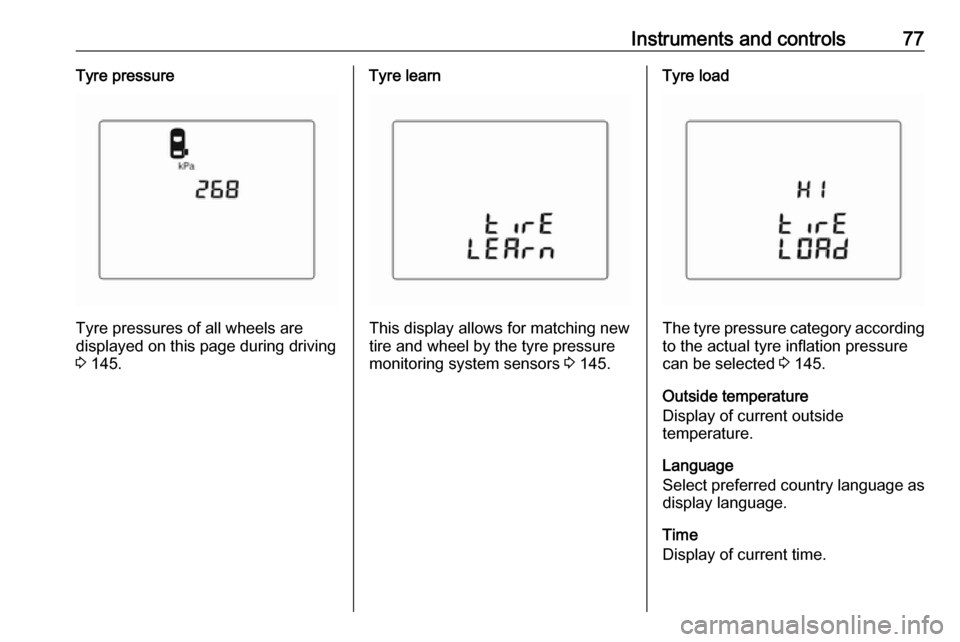
Tyre pressures of all wheels are
displayed on this page during driving 3 145.
Tyre learn
This display allows for matching new
tire and wheel by the tyre pressure
monitoring system sensors 3 145.
Tyre load
The tyre pressure category according
to the actual tyre inflation pressure
can be selected 3 145.
Outside temperature
Display of current outside
temperature.
Language
Select preferred country language as
display language.
Time
Display of current time.
Page 80 of 189
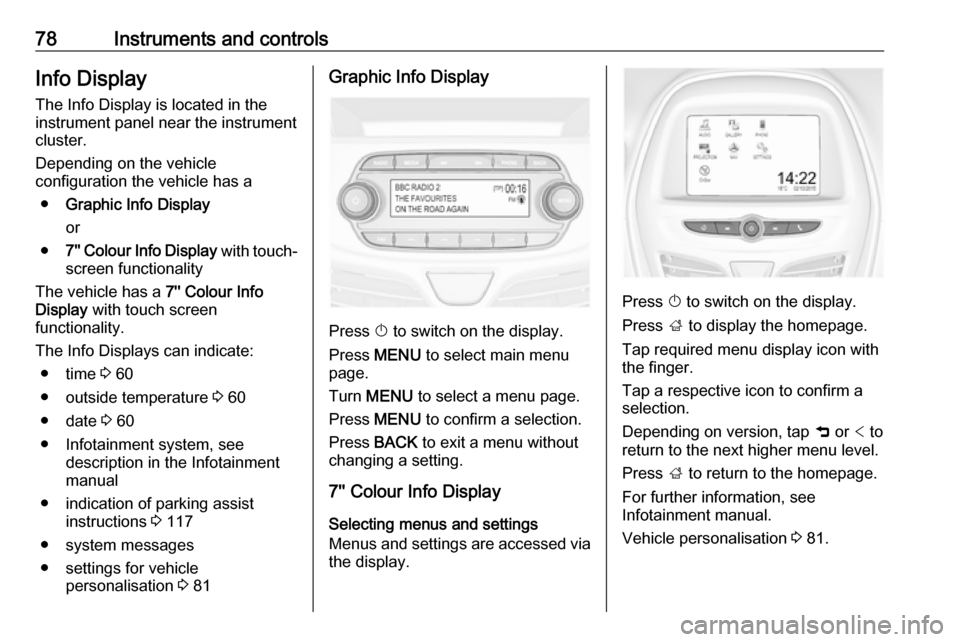
78Instruments and controlsInfo DisplayThe Info Display is located in the
instrument panel near the instrument
cluster.
Depending on the vehicle
configuration the vehicle has a
● Graphic Info Display
or
● 7'' Colour Info Display with touch-
screen functionality
The vehicle has a 7'' Colour Info
Display with touch screen
functionality.
The Info Displays can indicate: ● time 3 60
● outside temperature 3 60
● date 3 60
● Infotainment system, see description in the Infotainment
manual
● indication of parking assist instructions 3 117
● system messages
● settings for vehicle personalisation 3 81Graphic Info Display
Press X to switch on the display.
Press MENU to select main menu
page.
Turn MENU to select a menu page.
Press MENU to confirm a selection.
Press BACK to exit a menu without
changing a setting.
7'' Colour Info Display
Selecting menus and settings
Menus and settings are accessed via
the display.
Press X to switch on the display.
Press ; to display the homepage.
Tap required menu display icon with
the finger.
Tap a respective icon to confirm a
selection.
Depending on version, tap 9 or < to
return to the next higher menu level.
Press ; to return to the homepage.
For further information, see
Infotainment manual.
Vehicle personalisation 3 81.
Page 81 of 189

Instruments and controls79Valet mode
Some functions of the Driver
Information Centre and the Info
Display can be limited for some
drivers.
Activation or deactivation of valet
mode can be set in the menu
Settings in the vehicle personalisation
menu.
Vehicle personalisation 3 81.
For more information see
Infotainment manual.Vehicle messages
Messages are indicated mainly in the
Driver Information Centre, in some
cases together with a warning chime.
Press SET/CLR , MENU or turn the
adjuster wheel to confirm a message.
Vehicle messages in Driver
Information Centre
The vehicle messages are displayed
as code numbers.
No.Vehicle message3Engine coolant level low4Air conditioning off11Brakes worn12Vehicle overloaded13Compressor overheated
Page 82 of 189

80Instruments and controlsNo.Vehicle message15Centre high-mounted brake
light failure16Brake light failure17Headlight levelling malfunction18Left low beam failure19Rear fog light failure20Right low beam failure21Left sidelight failure22Right sidelight failure23Reversing light failure24Number plate light failure25Left front turn light failure26Left rear turn light failure27Right front turn light failure28Right rear turn light failure35Replace battery in radio remote
control36ESC InitialisingNo.Vehicle message49Lane departure warning unavailable52Change timing belt56Tyre pressure imbalance on
front axle57Tyre pressure imbalance on
rear axle59Open, then close driver window60Open, then close front
passenger window61Open, then close left rear
window62Open, then close right rear
window65Theft attempted66Service anti-theft alarm system67Service steering wheel lock68Service power steering75Service air conditioningNo.Vehicle message77Service lane departure warning79Top up engine oil81Service transmission / trans‐
mission malfunction82Change engine oil soon84Engine power reduced89Service vehicle soon90Service brake assist95Service airbag145Check washer fluid level151Press clutch to start174Low vehicle battery258Parking assist off
Vehicle messages on
Colour Info Display
Some important messages appear
additionally in the
Colour Info Display. Some messages only pop-up for a few seconds.