Auto VAUXHALL VIVA 2019 Owner's Guide
[x] Cancel search | Manufacturer: VAUXHALL, Model Year: 2019, Model line: VIVA, Model: VAUXHALL VIVA 2019Pages: 189, PDF Size: 5.22 MB
Page 85 of 189
Instruments and controls83
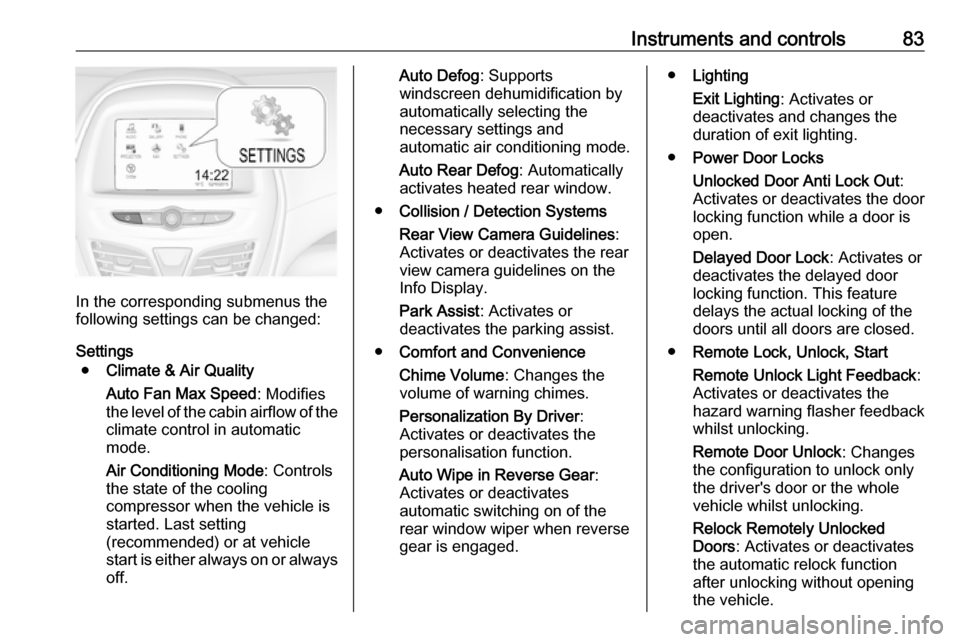
In the corresponding submenus the
following settings can be changed:
Settings ● Climate & Air Quality
Auto Fan Max Speed : Modifies
the level of the cabin airflow of the climate control in automatic
mode.
Air Conditioning Mode : Controls
the state of the cooling
compressor when the vehicle is
started. Last setting
(recommended) or at vehicle
start is either always on or always
off.
Auto Defog : Supports
windscreen dehumidification by
automatically selecting the
necessary settings and
automatic air conditioning mode.
Auto Rear Defog : Automatically
activates heated rear window.
● Collision / Detection Systems
Rear View Camera Guidelines :
Activates or deactivates the rear
view camera guidelines on the
Info Display.
Park Assist : Activates or
deactivates the parking assist.
● Comfort and Convenience
Chime Volume : Changes the
volume of warning chimes.
Personalization By Driver :
Activates or deactivates the
personalisation function.
Auto Wipe in Reverse Gear :
Activates or deactivates
automatic switching on of the
rear window wiper when reverse gear is engaged.● Lighting
Exit Lighting : Activates or
deactivates and changes the
duration of exit lighting.
● Power Door Locks
Unlocked Door Anti Lock Out :
Activates or deactivates the door
locking function while a door is open.
Delayed Door Lock : Activates or
deactivates the delayed door
locking function. This feature
delays the actual locking of the
doors until all doors are closed.
● Remote Lock, Unlock, Start
Remote Unlock Light Feedback :
Activates or deactivates the
hazard warning flasher feedback whilst unlocking.
Remote Door Unlock : Changes
the configuration to unlock only
the driver's door or the whole
vehicle whilst unlocking.
Relock Remotely Unlocked
Doors : Activates or deactivates
the automatic relock function
after unlocking without opening the vehicle.
Page 87 of 189

Instruments and controls85SOS button
Press [ to establish a priority
emergency connection to a specially
trained emergency advisor.
Status LED
Green: The system is ready with activated transmission of the vehicle
location.
Green flashing: The system is on a
call.
Red: A problem arose.
Off: The system is ready with
deactivated transmission of the
vehicle location or the system is in
standby mode.
Red / green flashing for a short period
of time: The transmission of the
vehicle location has been
deactivated.
OnStar services
General services
If you need any information e.g.
opening hours, points of interest and
destinations or if you need any
support e.g. in the case of a vehiclebreakdown, a flat tyre and empty fuel
tank, press Z to establish a
connection to an advisor.
Emergency services
In the case of an emergency situation,
press [ and talk to an advisor. The
advisor then contacts emergency or
assistance service providers and
directs them to your vehicle.
In the case of an accident with
activation of airbags or belt
tensioners, an automatic emergency
call is established. The advisor is
immediately connected to your
vehicle to see whether help is
needed.
Wi-Fi hotspot
The Wi-Fi hotspot of the vehicle
provides internet connectivity with a
maximum speed of 4G/LTE.
Notice
The Wi-Fi hotspot functionality is not available for all markets.
Notice
Some mobile devices connect to Wi-
Fi hotspots automatically and use
mobile data capacity in thebackground, even if they are not in
use. This includes automatic
updates, downloads, as well as
programme or app synchronisation
traffic. The data volume purchased
via OnStar might be consumed
rapidly. Turn off automatic
synchronisations in the settings of
your device.
Up to seven devices may be
connected.
To connect a mobile device with the
Wi-Fi hotspot:
1. Press j and then select Wi-Fi
settings on the Info Display. The settings displayed include the Wi- Fi hotspot name (SSID),
password and connection type.
2. Start a Wi-Fi network search on your mobile device.
3. Select your vehicle hotspot (SSID) when listed.
4. When prompted, enter the password on your mobile device.
Page 88 of 189

86Instruments and controlsNotice
To change the SSID or password,
press Z and talk to an advisor or log
in to your account.
To switch off the Wi-Fi hotspot
functionality, press Z to call an
advisor.
Smartphone app
With the My Vauxhall smartphone
app, some vehicle functions can be
operated remotely.
The following functions are available: ● Lock or unlock vehicle.
● Honk horn or flash lights.
● Check fuel level, engine oil life and tyre pressure (only with tyre
pressure monitoring system).
● Send navigation destination to the vehicle, if equipped with a
built-in navigation system.
● Locate vehicle on a map.
● Manage Wi-Fi settings.
To operate these functions, download
the app from App Store ®
or
Google Play™ Store.Remote control
If desired, use any phone to call an
advisor, who can remotely operate
specific vehicle functions. Find the respective OnStar phone number on
our country-specific website.
The following functions are available: ● Lock or unlock vehicle.
● Provide information on the vehicle location.
● Honk horn or flash lights.
Stolen vehicle assistance
If the vehicle is stolen, report the theft to the authorities and request OnStar
stolen vehicle assistance. Use any
phone to call an advisor. Find the
respective OnStar phone number on
our country-specific website.
OnStar can provide support in
locating and recovering the vehicle.Theft alert
When the anti-theft alarm system is
triggered, a notification is sent to
OnStar. You are then informed about
this event by text message or email.Restart prevention
By sending remote signals, OnStar
can prevent the vehicle from
restarting once it has been turned off.
On-demand diagnostics
At any time e.g. if the vehicle displays a vehicle message, press Z to
contact an advisor and ask to
complete a real-time diagnostic check
to directly determine the issue.
Depending on the results, the advisor
will provide further support.
Diagnostic report
The vehicle automatically transmits
diagnostic data to OnStar which
sends a monthly email report to you
and your preferred workshop.
Notice
The workshop notification function
can be disabled in your account.
The report contains the status of key
operating systems of the vehicle like
engine, transmission, airbags, ABS,
and other major systems. It also
provides information on possible
Page 91 of 189
Lighting89Headlight range adjustment
Manual headlight range
adjustment
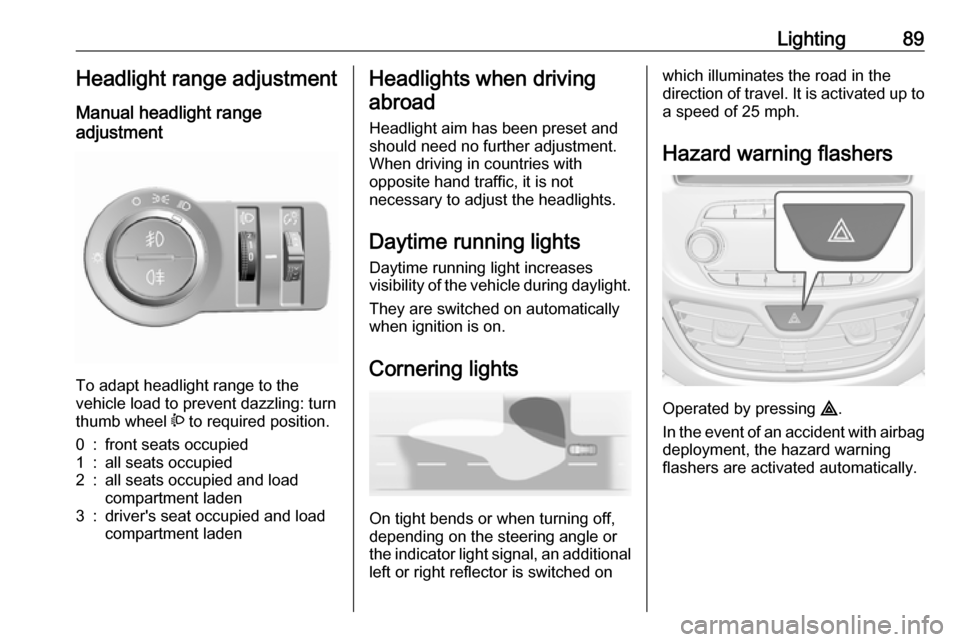
To adapt headlight range to the
vehicle load to prevent dazzling: turn
thumb wheel ? to required position.
0:front seats occupied1:all seats occupied2:all seats occupied and load
compartment laden3:driver's seat occupied and load
compartment ladenHeadlights when driving
abroad
Headlight aim has been preset and
should need no further adjustment.
When driving in countries with
opposite hand traffic, it is not
necessary to adjust the headlights.
Daytime running lights Daytime running light increases
visibility of the vehicle during daylight.
They are switched on automatically
when ignition is on.
Cornering lights
On tight bends or when turning off,
depending on the steering angle or
the indicator light signal, an additional left or right reflector is switched on
which illuminates the road in the
direction of travel. It is activated up to
a speed of 25 mph.
Hazard warning flashers
Operated by pressing ¨
.
In the event of an accident with airbag
deployment, the hazard warning
flashers are activated automatically.
Page 94 of 189
92LightingInterior lights
When opening a door, the courtesy
light automatically switches on and
then off after a delay.
When exterior lighting has been on,
courtesy light will turn on when
ignition is switched off.
Notice
In the event of an accident with
airbag deployment, the courtesy lights are turned on automatically.
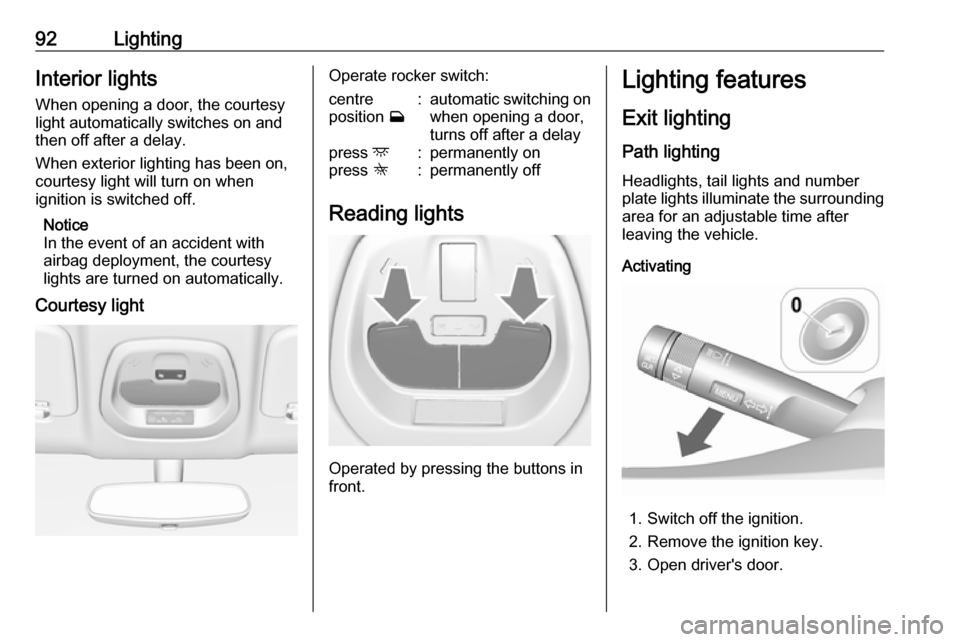
Courtesy lightOperate rocker switch:centre
position w:automatic switching on
when opening a door,
turns off after a delaypress d:permanently onpress K:permanently off
Reading lights
Operated by pressing the buttons in
front.
Lighting features
Exit lighting
Path lighting Headlights, tail lights and number
plate lights illuminate the surrounding area for an adjustable time after
leaving the vehicle.
Activating
1. Switch off the ignition.
2. Remove the ignition key.
3. Open driver's door.
Page 95 of 189

Lighting934. Pull the stalk.
5. Close the driver's door.
If the driver's door is not closed the
lights switch off after 2 minutes.
Exit lighting is switched off
immediately if the stalk is pulled while
the driver's door is open.
Activation, deactivation and duration of this function can be changed in the
Info Display.
Vehicle personalisation 3 81.
The settings can be saved for the key being used 3 20.
Battery discharge protection Switching off electric lights
To prevent discharge of the vehicle
battery when the ignition is switched
off, some interior lights are switched
off automatically after some time.
Page 98 of 189

96Climate controlJ:to windscreen and foot well,
with a small amount of air being directed to front door windowsV:to windscreen and front door
windows (air conditioning is
activated in the background to
help preventing windows from
fogging)
Intermediate settings are possible.
Cooling A/C
Press A/C to switch on cooling. The
LED in the button illuminates to
indicate activation. Cooling is only
functional when the engine is running
and climate control fan is switched on.
Press A/C again to switch off cooling.
The air conditioning system cools and
dehumidifies (dries) as soon as the
outside temperature is slightly above
the freezing point. Therefore
condensation may form and drip from under the vehicle.
If no cooling or drying is required,
switch off the cooling system for fuel
saving reasons.
Activated cooling may inhibit
Autostops.
Stop-start system 3 105.
Air recirculation system 4
Press 4 to activate air recirculation
mode. The LED in the button
illuminates to indicate activation.
Press 4 again to deactivate air
recirculation mode.9 Warning
Driving with recirculation mode for
a prolonged period of time can
make you sleepy. Periodically turn to the outside air mode for fresh
air.
The exchange of fresh air is
reduced in air recirculation mode.
In operation without cooling the air humidity increases, so the
windows may mist up. The quality
of the passenger compartment air
deteriorates, which may cause the
vehicle occupants to feel drowsy.
In warm and very humid ambient air
conditions, the windscreen may mist
up from outside, when cold air is
directed towards it. If windscreen
mists up from outside, activate
windscreen wiper and deactivate V.
Maximum cooling Briefly open the windows so that hot
air can disperse quickly.
● Switch on cooling A/C.
● Switch on Air recirculation system 4.
● Set temperature control to coldest level.
● Set fan speed to highest level.
● Set air distribution control to M.
● Open all vents.
Demisting and defrosting the
windows V
● Set air distribution control to V.
● Set temperature control to warmest level.
● Set fan speed to highest level.
● Switch on heated rear window Ü.
● Open side air vents as required and direct them towards the doorwindows.
Page 99 of 189
Climate control97If air distribution is set to V, A/C
operates and air recirculation mode will be set to demisting / defrosting
regardless of indicator status.
Notice
If V is pressed while the engine is
running, an Autostop will be inhibited
until V is pressed again.
If V is pressed while the engine is
in an Autostop, the engine will restart automatically.
Stop-start system 3 105.
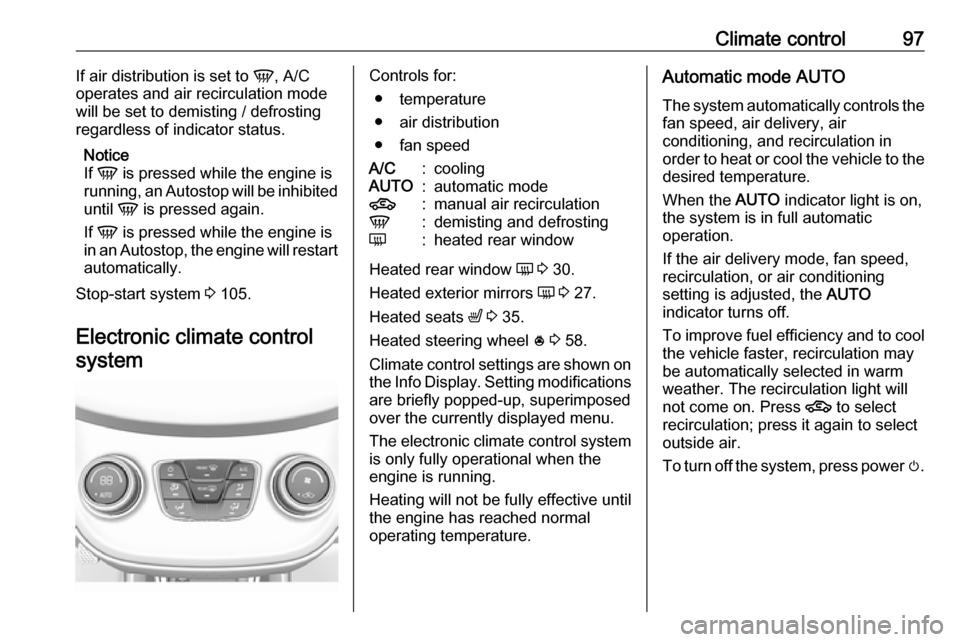
Electronic climate control systemControls for: ● temperature
● air distribution
● fan speedA/C:coolingAUTO:automatic mode4:manual air recirculationV:demisting and defrostingÜ:heated rear window
Heated rear window Ü 3 30.
Heated exterior mirrors Ü 3 27.
Heated seats ß 3 35.
Heated steering wheel * 3 58.
Climate control settings are shown on the Info Display. Setting modifications
are briefly popped-up, superimposed
over the currently displayed menu.
The electronic climate control system is only fully operational when the
engine is running.
Heating will not be fully effective until
the engine has reached normal
operating temperature.
Automatic mode AUTO
The system automatically controls the
fan speed, air delivery, air
conditioning, and recirculation in
order to heat or cool the vehicle to the
desired temperature.
When the AUTO indicator light is on,
the system is in full automatic
operation.
If the air delivery mode, fan speed,
recirculation, or air conditioning
setting is adjusted, the AUTO
indicator turns off.
To improve fuel efficiency and to cool
the vehicle faster, recirculation may
be automatically selected in warm
weather. The recirculation light will
not come on. Press 4 to select
recirculation; press it again to select
outside air.
To turn off the system, press power m.
Page 100 of 189

98Climate controlBasic setting for maximum comfort:● Press AUTO. The LED in the
button illuminates to indicate activation.
● Open all air vents to allow optimised air distribution in
Automatic mode.
● Set the preselected temperature.
Recommended temperature is
22 °C.
Temperature preselection
Set temperature to the desired value.
It is indicated on the display in the
temperature control.
For reasons of comfort, change
temperature only in small increments.
If the minimum temperature Lo is set,
the climate control system runs at maximum cooling, if cooling A/C is
active.
If the maximum temperature Hi is set,
the climate control system runs at
maximum heating.
Recommended temperature is 22 °C .Notice
If A/C is switched on, reducing the
set cabin temperature can cause the engine to restart from an Autostop or
inhibit an Autostop.
Stop-start system 3 105.
Demisting and defrosting the
windows V
● Press V. The LED in the button
illuminates to indicate activation.
● Temperature and air distribution are set automatically and the fan
runs at high speed.
● Switch on heated rear window Ü.
● To return to previous mode: press V. To return to Automatic
mode: press AUTO.
Notice
If V is pressed while the engine is
running, an Autostop will be inhibited
until V is pressed again.
If V is pressed while the engine is
in an Autostop, the engine will restart
automatically.
Stop-start system 3 105.Air recirculation system 4
Press 4 to activate air recirculation
mode. The LED in the button
illuminates to indicate activation.
Press 4 again to deactivate air
recirculation mode.9 Warning
Driving with recirculation mode for
a prolonged period of time can
make you sleepy. Periodically turn
to the outside air mode for fresh
air.
The exchange of fresh air is
reduced in air recirculation mode.
In operation without cooling the air humidity increases, so the
windows may mist up. The quality
of the passenger compartment air
deteriorates, which may cause the
vehicle occupants to feel drowsy.
In warm and very humid ambient air
conditions, the windscreen may mist
up from outside, when cold air is
directed towards it. If windscreen
mists up from outside, activate
windscreen wiper and deactivate V.
Page 101 of 189
Climate control99Manual settingsClimate control system settings can
be changed by activating the buttons
and rotary knobs as follows.
Changing a setting will deactivate
Automatic mode.
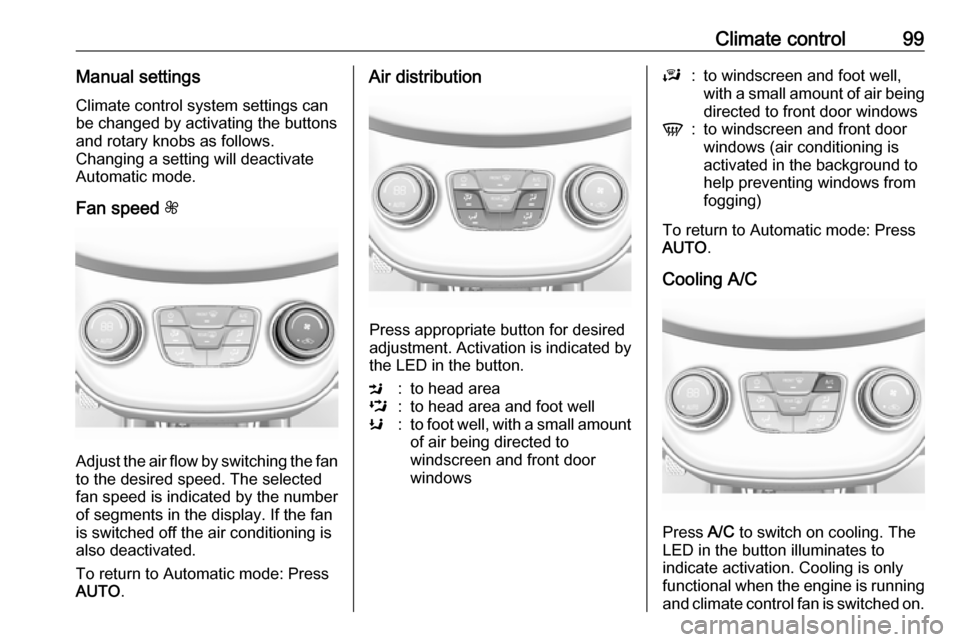
Fan speed Z
Adjust the air flow by switching the fan
to the desired speed. The selected
fan speed is indicated by the number
of segments in the display. If the fan
is switched off the air conditioning is also deactivated.
To return to Automatic mode: Press
AUTO .
Air distribution
Press appropriate button for desired
adjustment. Activation is indicated by the LED in the button.
M:to head areaL:to head area and foot wellK:to foot well, with a small amount
of air being directed to
windscreen and front door
windowsJ:to windscreen and foot well,
with a small amount of air being
directed to front door windowsV:to windscreen and front door
windows (air conditioning is
activated in the background to
help preventing windows from
fogging)
To return to Automatic mode: Press
AUTO .
Cooling A/C
Press A/C to switch on cooling. The
LED in the button illuminates to
indicate activation. Cooling is only
functional when the engine is running and climate control fan is switched on.