door lock VAUXHALL VIVARO 2014.5 Owner's Guide
[x] Cancel search | Manufacturer: VAUXHALL, Model Year: 2014.5, Model line: VIVARO, Model: VAUXHALL VIVARO 2014.5Pages: 189, PDF Size: 4.16 MB
Page 88 of 189
86Instruments and controls
Illuminates when a door is not fully
closed.Information displays
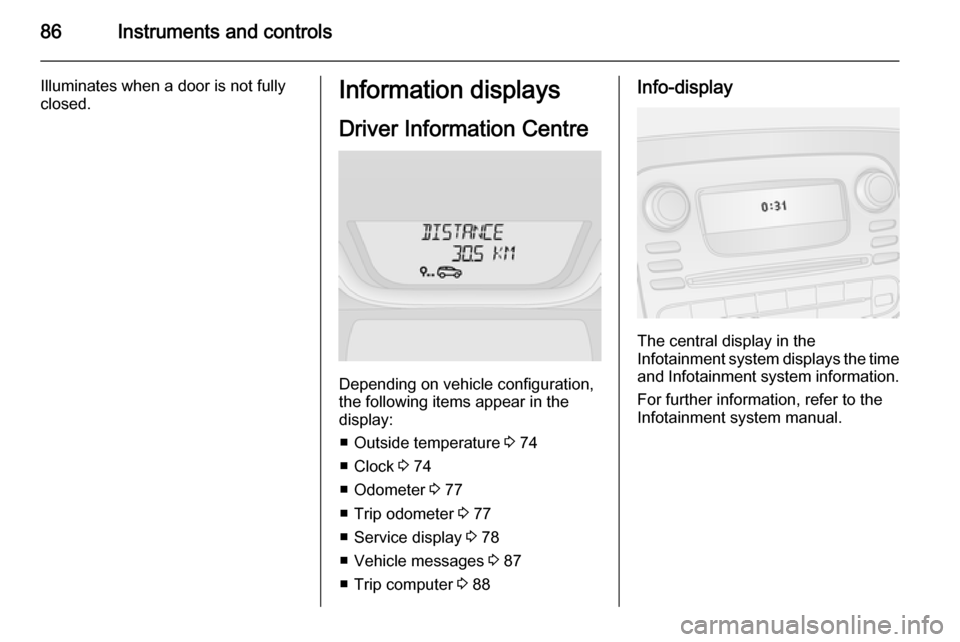
Driver Information Centre
Depending on vehicle configuration,
the following items appear in the
display:
■ Outside temperature 3 74
■ Clock 3 74
■ Odometer 3 77
■ Trip odometer 3 77
■ Service display 3 78
■ Vehicle messages 3 87
■ Trip computer 3 88
Info-display
The central display in the
Infotainment system displays the time and Infotainment system information.
For further information, refer to the
Infotainment system manual.
Page 89 of 189

Instruments and controls87Vehicle messages
Messages are displayed in the Driver
Information Centre and may be
accompanied by illumination of
control indicator F or C in the
instrument cluster.
Information messages Information messages regarding,
e.g. engine starting conditions, stop-
start system, parking brake
application, central locking, steering
wheel lock etc. provide the current
status of certain vehicle functions and
instructions for use.
Fault messages Fault messages regarding, e.g. fuel
filter, airbags, exhaust emissions etc.
are displayed together with control
indicator F. Drive with caution and
seek the assistance of a workshop as
soon as possible.
To remove fault messages from the
display, press button on end of wiper
lever. After a few seconds the
message may disappearautomatically and F remains
illuminated. The fault will then be
stored in the on board system.
Warning messagesWarning messages regarding, e.g.
engine, battery or brake system
failure, are displayed together with
control indicator C and may be
accompanied by a warning chime.
Stop engine immediately and seek
the assistance of a workshop.
Fuel economy messages
Fuel economy messages provide tips to improve fuel efficiency. Journeys
can be saved in the system memory,
enabling you to compare
performances.
Refer to Infotainment system manual
for further information.
Fuel economy rating 3 88.
Warning chimes
A corresponding message may also
appear in the Driver Information
Centre when a warning chime is
sounded.When starting the engine or
whilst driving: ■ If seat belt is not fastened 3 47.
■ During operation of the turn and lane-change signals 3 93.
■ During illumination of certain control indicators.
■ If the parking assist detects an object 3 124.
■ If the vehicle speed briefly exceeds
a set limit 3 123.
■ If a door or the bonnet is not properly closed when vehicle
exceeds a certain speed.
■ If the electronic key is outside of the
detection range.
Electronic key system 3 21, Power
button 3 110.
When the vehicle is parked and/ or the driver's door is opened: ■ If the key has been left in the ignition.
■ If the electronic key has been left in
the card reader.
Page 97 of 189

Lighting95
Rear courtesy lightsThe upper load compartment lights
can be set to illuminate when the side or rear doors are opened, or switched
on constantly.
Operate rocker switch:
press 7=offcentre posi‐
tion=automatic
switching on and offpress d=on
With the rocker switch in its central
position, the light functions as a
courtesy light and illuminates when
the side or rear doors are opened.
When the doors are closed, the
courtesy light extinguishes after a
delay.
Load compartment lighting The lower load compartment lights
come on when the load compartment
is opened.
Glove box lighting
The glovebox light comes on when
the glovebox is opened.Lighting features
Entry lighting
Welcome lighting Vehicle lights are switched on for a
short time to facilitate locating the
vehicle when it is dark.
Remote control operation
Lights switch on when unlocking the
vehicle with the remote control.
Electronic key system operation
Press electronic key button t. Press
again to switch off.
Page 112 of 189
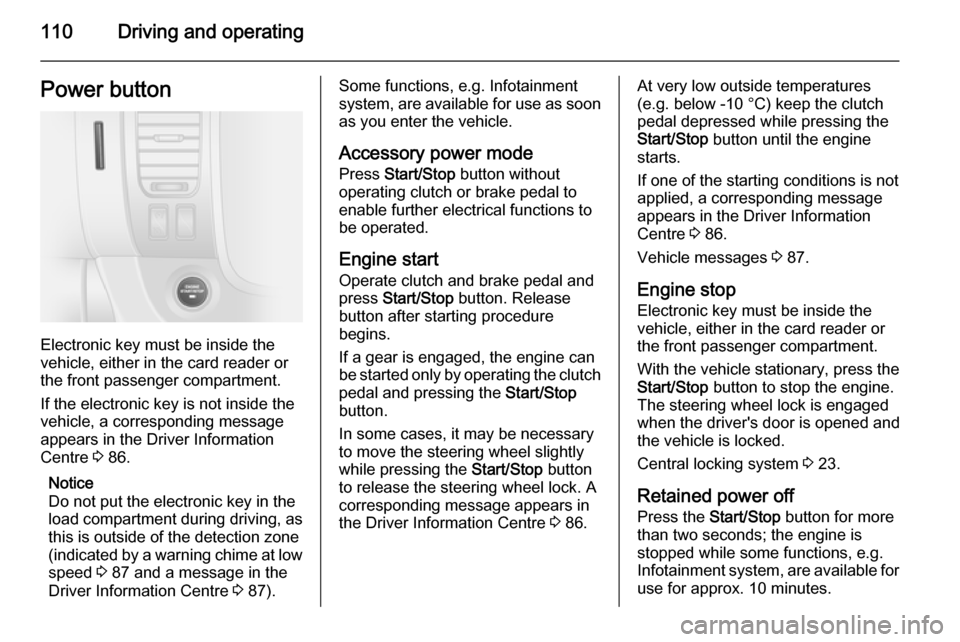
110Driving and operatingPower button
Electronic key must be inside the
vehicle, either in the card reader or
the front passenger compartment.
If the electronic key is not inside the
vehicle, a corresponding message
appears in the Driver Information
Centre 3 86.
Notice
Do not put the electronic key in the
load compartment during driving, as
this is outside of the detection zone
(indicated by a warning chime at low
speed 3 87 and a message in the
Driver Information Centre 3 87).
Some functions, e.g. Infotainment
system, are available for use as soon as you enter the vehicle.
Accessory power mode
Press Start/Stop button without
operating clutch or brake pedal to enable further electrical functions to
be operated.
Engine start Operate clutch and brake pedal and
press Start/Stop button. Release
button after starting procedure
begins.
If a gear is engaged, the engine can
be started only by operating the clutch
pedal and pressing the Start/Stop
button.
In some cases, it may be necessary
to move the steering wheel slightly
while pressing the Start/Stop button
to release the steering wheel lock. A
corresponding message appears in
the Driver Information Centre 3 86.At very low outside temperatures
(e.g. below -10 °C) keep the clutch
pedal depressed while pressing the
Start/Stop button until the engine
starts.
If one of the starting conditions is not
applied, a corresponding message
appears in the Driver Information
Centre 3 86.
Vehicle messages 3 87.
Engine stop Electronic key must be inside the
vehicle, either in the card reader or
the front passenger compartment.
With the vehicle stationary, press the
Start/Stop button to stop the engine.
The steering wheel lock is engaged
when the driver's door is opened and the vehicle is locked.
Central locking system 3 23.
Retained power off
Press the Start/Stop button for more
than two seconds; the engine is
stopped while some functions, e.g.
Infotainment system, are available for
use for approx. 10 minutes.
Page 113 of 189
Driving and operating111
These functions stop working when
the driver's door is opened and the
vehicle is locked.
Notice
Always take the electronic key with you when exiting the vehicle.
The electronic key being left in the
card reader is indicated by a warning
chime 3 87 and a message in the
Driver Information Centre 3 87 when
the driver's door is opened.9 Danger
Never leave an electronic key
inside the vehicle when children or animals are left in the vehicle, to
avoid unintended operation of
windows, doors or engine. Risk of
fatal injury.
Fault
If the engine cannot be started, the
cause may be one of the following:
■ Fault in electronic key.
■ Electronic key out of reception range.
■ Battery voltage too low.
■ Overload of the central locking system by operating at frequentintervals, the power supply is
interrupted for a short time.
■ Interference from higher-power radio waves from other sources.
Battery replacement 3 19.
Central locking system 3 23.
Electronic key system 3 21.
Starting the engine
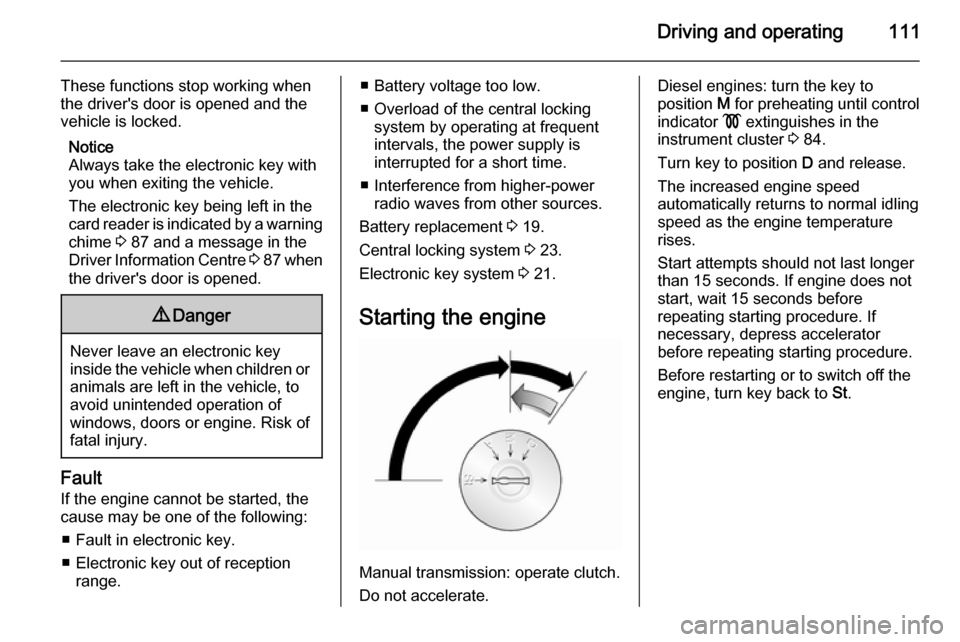
Manual transmission: operate clutch.
Do not accelerate.
Diesel engines: turn the key to
position M for preheating until control
indicator ! extinguishes in the
instrument cluster 3 84.
Turn key to position D and release.
The increased engine speed
automatically returns to normal idling
speed as the engine temperature
rises.
Start attempts should not last longer
than 15 seconds. If engine does not
start, wait 15 seconds before
repeating starting procedure. If
necessary, depress accelerator
before repeating starting procedure.
Before restarting or to switch off the
engine, turn key back to St.
Page 130 of 189
128Driving and operating
Notice
To ensure the fuel level is displayed
correctly, the ignition must be
switched off before refuelling. Avoid
minor fuel top-ups (e.g. less than
5 litres) to ensure accurate readings.
The fuel filler flap is located on the left-
hand side of the vehicle.
The fuel filler flap can only be opened
if the vehicle is unlocked and the left-
hand door is opened.
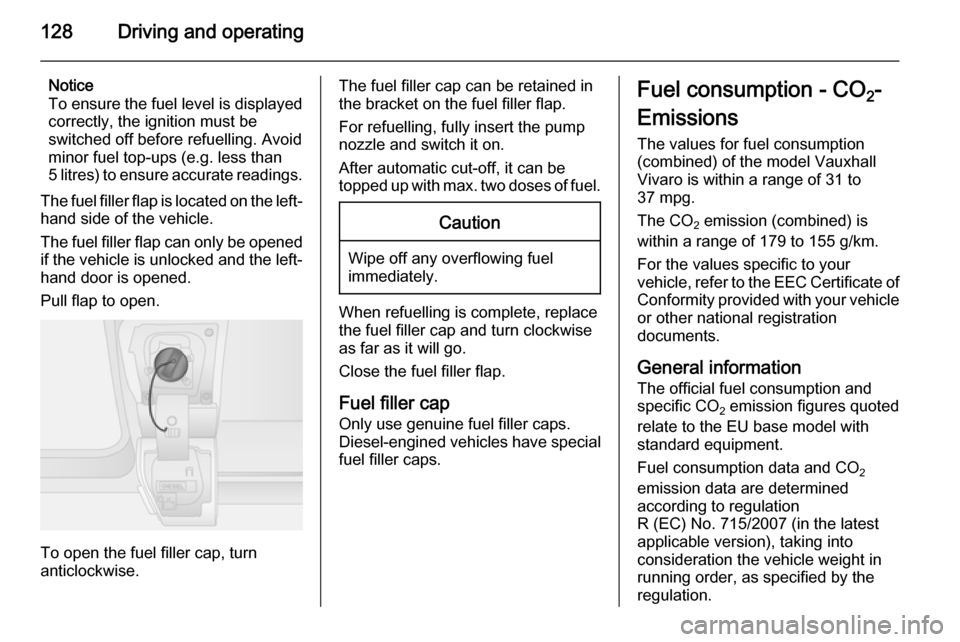
Pull flap to open.
To open the fuel filler cap, turn
anticlockwise.
The fuel filler cap can be retained in
the bracket on the fuel filler flap.
For refuelling, fully insert the pump
nozzle and switch it on.
After automatic cut-off, it can be
topped up with max. two doses of fuel.Caution
Wipe off any overflowing fuel
immediately.
When refuelling is complete, replace
the fuel filler cap and turn clockwise
as far as it will go.
Close the fuel filler flap.
Fuel filler cap
Only use genuine fuel filler caps. Diesel-engined vehicles have special
fuel filler caps.
Fuel consumption - CO 2-
Emissions The values for fuel consumption
(combined) of the model Vauxhall
Vivaro is within a range of 31 to
37 mpg.
The CO 2 emission (combined) is
within a range of 179 to 155 g/km.
For the values specific to your
vehicle, refer to the EEC Certificate of
Conformity provided with your vehicle
or other national registration
documents.
General information The official fuel consumption and
specific CO 2 emission figures quoted
relate to the EU base model with
standard equipment.
Fuel consumption data and CO 2
emission data are determined
according to regulation
R (EC) No. 715/2007 (in the latest
applicable version), taking into
consideration the vehicle weight in
running order, as specified by the
regulation.
Page 133 of 189

Vehicle care131Vehicle careGeneral Information...................131
Vehicle checks ........................... 132
Bulb replacement .......................139
Electrical system ........................144
Vehicle tools .............................. 148
Wheels and tyres .......................149
Jump starting ............................. 159
Towing ....................................... 161
Appearance care .......................162General Information
Accessories and vehicle
modifications
We recommend the use of Genuine Parts and Accessories and factory
approved parts specific for your
vehicle type. We cannot assess or guarantee reliability of other products
- even if they have a regulatory or
otherwise granted approval.
Do not make any modifications to the electrical system, e.g. changes of
electronic control units (chip tuning).
Vehicle storage Storage for a long period of time
If the vehicle is to be stored for several months:
■ Wash and wax the vehicle.
■ Have the wax in the engine compartment and underbody
checked.
■ Clean and preserve rubber seals.
■ Fill up fuel tank completely.■ Change the engine oil.
■ Drain the washer fluid reservoir.
■ Check the coolant antifreeze and corrosion protection.
■ Adjust tyre pressure to the value specified for full load.
■ Park vehicle in a dry, well ventilated
place. Engage first or reverse gear. Prevent the vehicle from rolling.
■ Do not apply the parking brake.
■ Open the bonnet, close all doors and lock the vehicle.
■ Disconnect the clamp from the negative terminal of the vehicle
battery. Beware that all systems are
not functional, e.g. anti-theft alarm
system.
Putting back into operation When the vehicle is to be put back into
operation:
■ Connect the clamp to the negative terminal of the vehicle battery.
Activate the electronics of the
power windows.
■ Check tyre pressure.
Page 141 of 189

Vehicle care139Wiper blade replacementWiper blades on the windscreen
Lift the wiper arm, press button to
disengage the wiper blade and
remove.
Attach new wiper blade slightly
angled to the wiper arm and push until
it engages.
Lower wiper arm carefully.
Wiper blade on the rear window Lift wiper arm, rotate wiper blade and
detach.
Bulb replacement
Switch off the ignition and turn off the
relevant switch or close the doors.
Only hold a new bulb at the base. Do not touch the bulb glass with bare
hands.
Use only the same bulb type for
replacement.
Bulb check
After a bulb replacement, switch on
the ignition, operate and check the
lights.Headlights
Low beam and high beam
1. Remove protective cover by rotating it anticlockwise.
2. Remove harness connector.
3. Release retaining clip and remove
bulb.
4. Renew bulb and install retaining clip ensuring that bulb is in correctorientation.
5. Install harness connector and protective cover.
Page 143 of 189
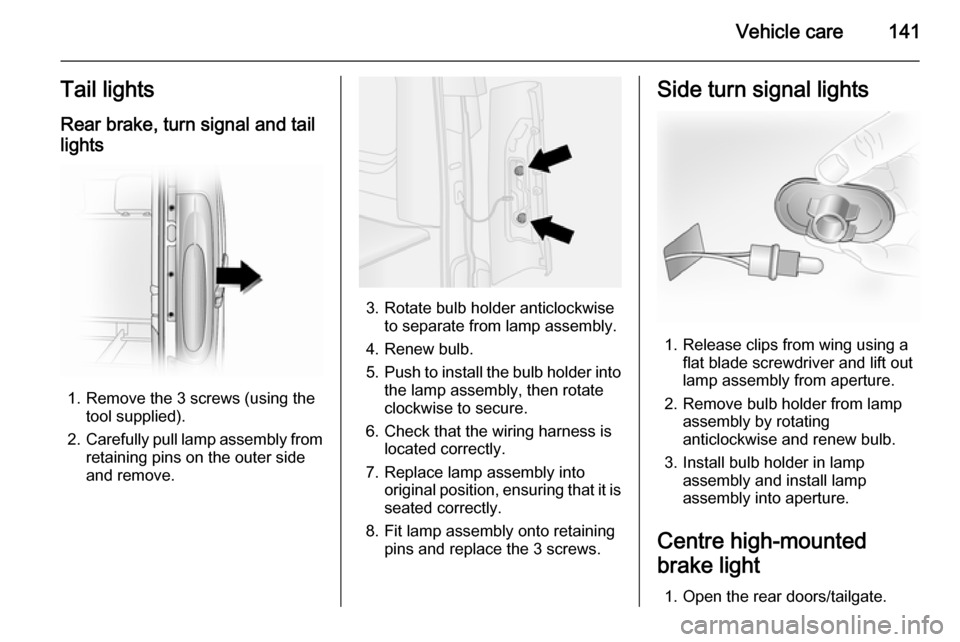
Vehicle care141Tail lightsRear brake, turn signal and tail
lights
1. Remove the 3 screws (using the tool supplied).
2. Carefully pull lamp assembly from
retaining pins on the outer side
and remove.
3. Rotate bulb holder anticlockwise to separate from lamp assembly.
4. Renew bulb.
5. Push to install the bulb holder into
the lamp assembly, then rotate
clockwise to secure.
6. Check that the wiring harness is located correctly.
7. Replace lamp assembly into original position, ensuring that it isseated correctly.
8. Fit lamp assembly onto retaining pins and replace the 3 screws.
Side turn signal lights
1. Release clips from wing using aflat blade screwdriver and lift out
lamp assembly from aperture.
2. Remove bulb holder from lamp assembly by rotating
anticlockwise and renew bulb.
3. Install bulb holder in lamp assembly and install lamp
assembly into aperture.
Centre high-mounted
brake light
1. Open the rear doors/tailgate.
Page 144 of 189
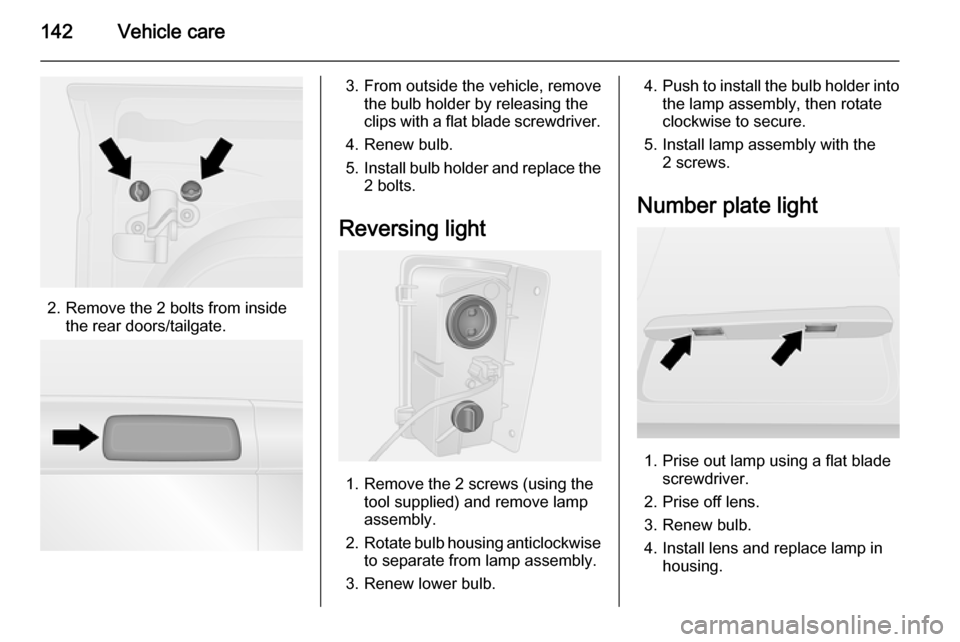
142Vehicle care
2. Remove the 2 bolts from insidethe rear doors/tailgate.
3. From outside the vehicle, removethe bulb holder by releasing the
clips with a flat blade screwdriver.
4. Renew bulb.
5. Install bulb holder and replace the
2 bolts.
Reversing light
1. Remove the 2 screws (using the tool supplied) and remove lamp
assembly.
2. Rotate bulb housing anticlockwise
to separate from lamp assembly.
3. Renew lower bulb.
4. Push to install the bulb holder into
the lamp assembly, then rotate
clockwise to secure.
5. Install lamp assembly with the 2 screws.
Number plate light
1. Prise out lamp using a flat blade screwdriver.
2. Prise off lens.
3. Renew bulb.
4. Install lens and replace lamp in housing.