lock VAUXHALL VIVARO 2014.5 Owner's Guide
[x] Cancel search | Manufacturer: VAUXHALL, Model Year: 2014.5, Model line: VIVARO, Model: VAUXHALL VIVARO 2014.5Pages: 189, PDF Size: 4.16 MB
Page 36 of 189

34Keys, doors and windows
Press electronic key button e to
activate the anti-theft alarm system.
Electronic key system 3 21.
Deactivation
Unlocking the vehicle (with button c
or the button on any exterior door handle) or switching on the ignition
deactivates the anti-theft alarm
system. Hazard warning lights flash to confirm deactivation.
The system is not deactivated when
unlocking the driver's door with the
key or with the central locking switch
in the passenger compartment.
Notice
If the alarm has been triggered,
unlocking the vehicle with the key
will not stop the alarm siren. To stop the siren, switch on the ignition. The
hazard warning lights will not flash
upon deactivation if the alarm has
been triggered.Activation without monitoring of
passenger compartment
Disable monitoring of the passenger
compartment, e.g. when animals are
being left in the vehicle, or if the
auxiliary heater has been set for a
timed or remote controlled start
3 102.
Press and hold button e on the
remote control or electronic key; an
audible signal will sound as
confirmation.
The status will remain until the doors
are unlocked.
AlarmWhen triggered, the alarm sounds via
a separate battery-backed power
sounder, and the hazard warning
lights flash simultaneously. The
number and duration of alarm signals are stipulated by legislation.
If the vehicle battery is disconnected
or its power supply is interrupted, the
alarm siren will be triggered. First
deactivate the anti-theft alarm system
if the vehicle battery must be
disconnected.To silence the alarm siren (if
triggered) and therefore deactivate
the anti-theft alarm system, reconnect vehicle battery and unlock the vehicle
or switch on the ignition.
Immobiliser
The immobiliser is part of the ignition
switch and checks whether the
vehicle is allowed to be started with
the key being used.
The immobiliser is activated
automatically after the key has been removed from the ignition switch and
also if the key is left in the ignition
switch when the engine is turned off.
If the engine cannot be started, switch off the ignition and remove key, wait
approx. 2 seconds and then repeat
the start attempt. If start attempt is
unsuccessful, attempt to start the
engine using the spare key and seek
the assistance of a workshop.
Page 37 of 189
Keys, doors and windows35
Notice
The immobiliser does not lock the
doors. You should always lock the
vehicle after leaving it and switch on the anti-theft alarm system 3 23,
3 33.Exterior mirrors
Convex shape
The convex exterior mirror contains
an aspherical area and reduces blind spots. The shape of the mirror makes objects appear smaller, which will
affect the ability to estimate
distances.
Manual adjustment
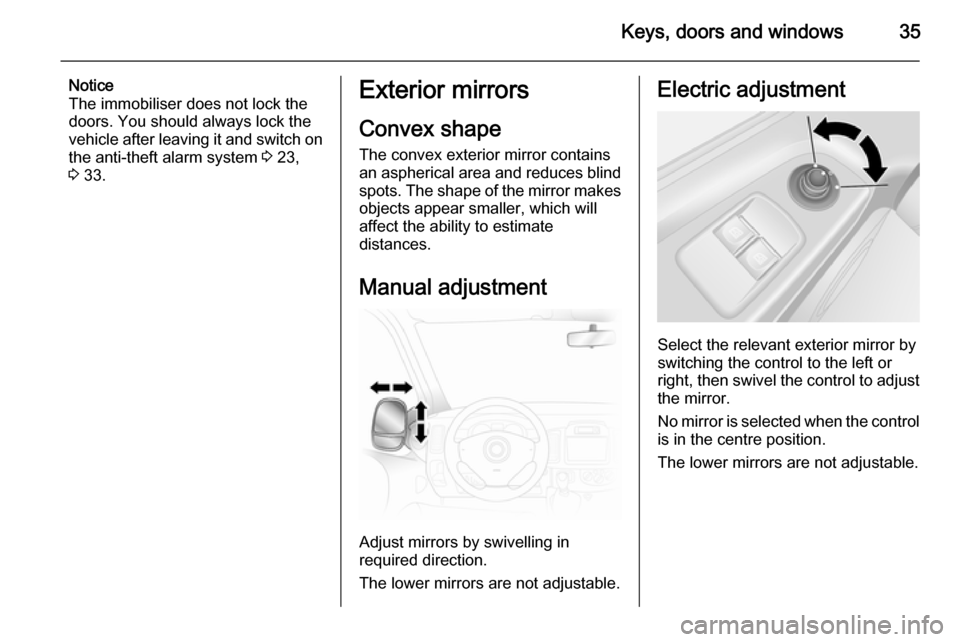
Adjust mirrors by swivelling in
required direction.
The lower mirrors are not adjustable.
Electric adjustment
Select the relevant exterior mirror by
switching the control to the left or
right, then swivel the control to adjust
the mirror.
No mirror is selected when the control is in the centre position.
The lower mirrors are not adjustable.
Page 47 of 189
Seats, restraints459Warning
Ensure that the backrest returns to
its correct position and the seat
belt buckles engage securely.
Fitting seat belt 3 48.
Folding seats
On some variants, the cargo area can
be increased by folding up the rear
seats.
9 Warning
When folding the seat use caution
- beware of moving parts. Ensure
the seat is secure when
completely folded.
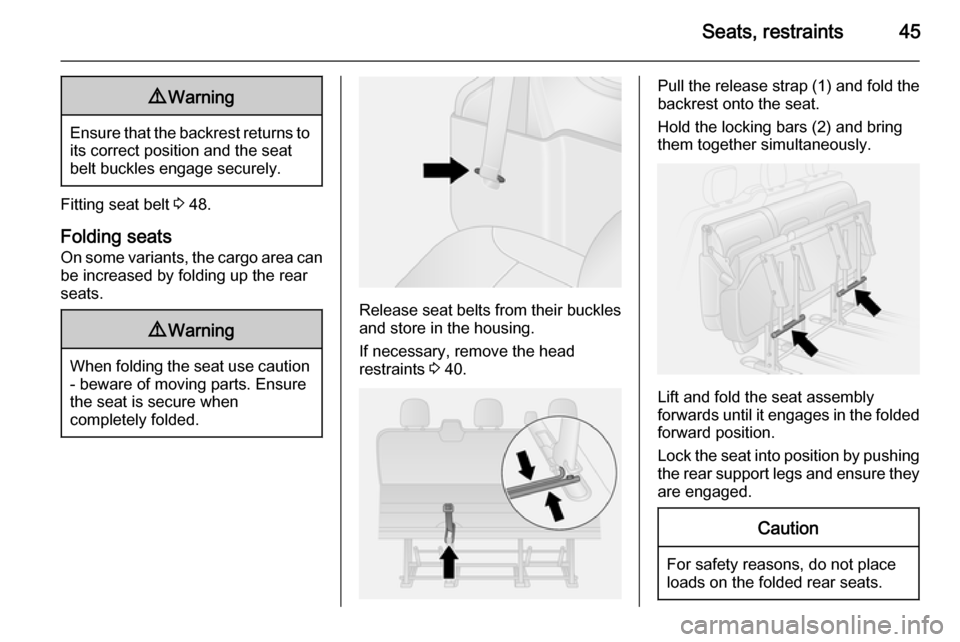
Release seat belts from their buckles and store in the housing.
If necessary, remove the head
restraints 3 40.
Pull the release strap (1) and fold the
backrest onto the seat.
Hold the locking bars (2) and bring
them together simultaneously.
Lift and fold the seat assembly
forwards until it engages in the folded
forward position.
Lock the seat into position by pushing the rear support legs and ensure they
are engaged.
Caution
For safety reasons, do not place
loads on the folded rear seats.
Page 48 of 189
46Seats, restraints
When returning the seat assembly to
its original position, pull locking bars,
carefully lower seat assembly and
ensure the rear support legs are
correctly located and latched. Raise
the backrest, and if necessary,
replace the head restraints.
Removable rear seats On some variants, the cargo area can
be increased by removing the rear
seats.
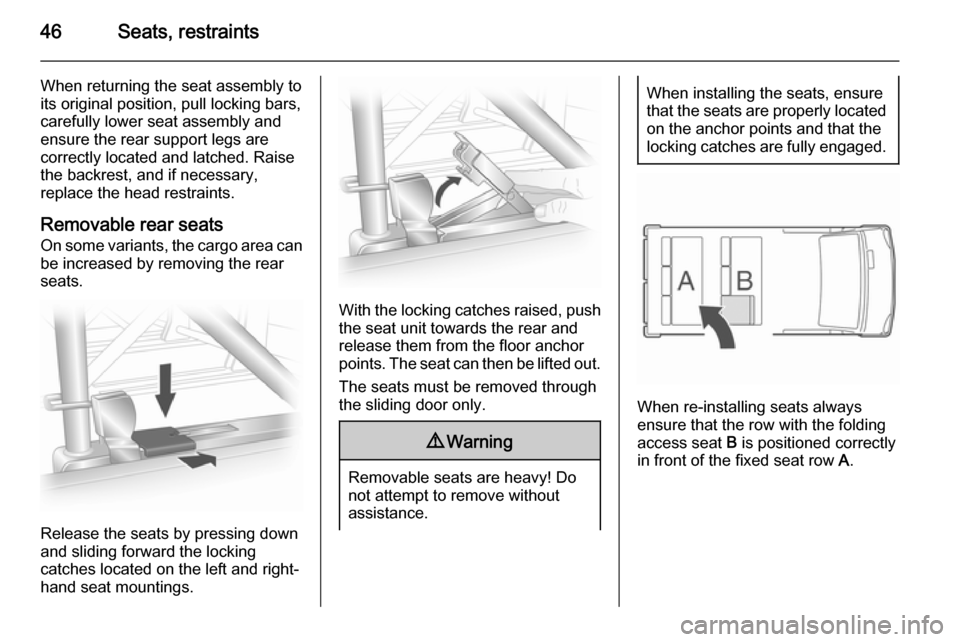
Release the seats by pressing down
and sliding forward the locking
catches located on the left and right-
hand seat mountings.
With the locking catches raised, push
the seat unit towards the rear and
release them from the floor anchor
points. The seat can then be lifted out.
The seats must be removed through
the sliding door only.
9 Warning
Removable seats are heavy! Do
not attempt to remove without
assistance.
When installing the seats, ensure that the seats are properly located
on the anchor points and that the
locking catches are fully engaged.
When re-installing seats always
ensure that the row with the folding access seat B is positioned correctly
in front of the fixed seat row A.
Page 49 of 189
Seats, restraints47Seat belts
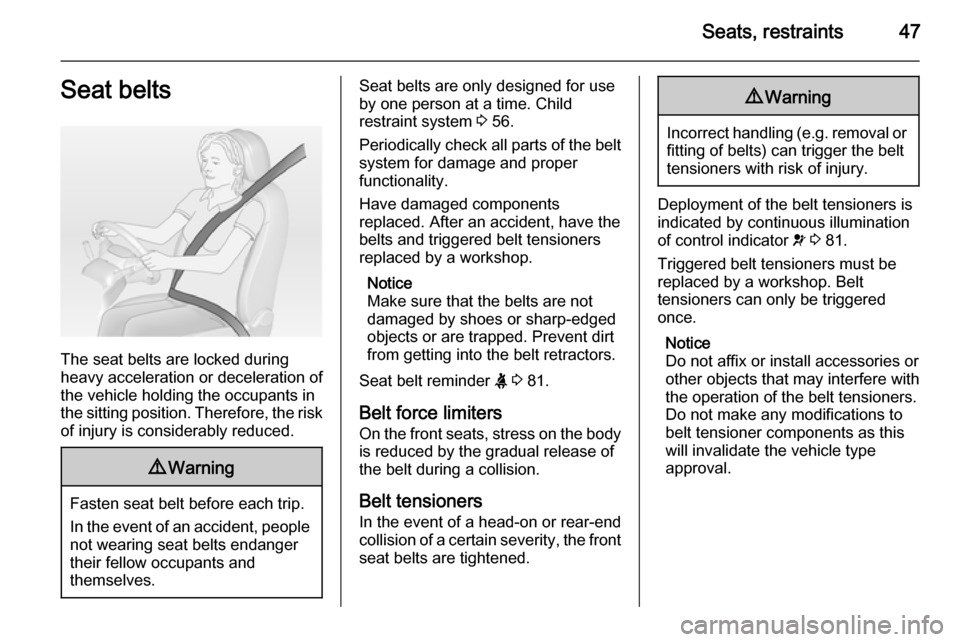
The seat belts are locked during
heavy acceleration or deceleration of
the vehicle holding the occupants in
the sitting position. Therefore, the risk of injury is considerably reduced.
9 Warning
Fasten seat belt before each trip.
In the event of an accident, people
not wearing seat belts endanger their fellow occupants and
themselves.
Seat belts are only designed for use
by one person at a time. Child
restraint system 3 56.
Periodically check all parts of the belt system for damage and proper
functionality.
Have damaged components
replaced. After an accident, have the
belts and triggered belt tensioners
replaced by a workshop.
Notice
Make sure that the belts are not
damaged by shoes or sharp-edged
objects or are trapped. Prevent dirt
from getting into the belt retractors.
Seat belt reminder X 3 81.
Belt force limiters On the front seats, stress on the body
is reduced by the gradual release of
the belt during a collision.
Belt tensioners In the event of a head-on or rear-endcollision of a certain severity, the front
seat belts are tightened.9 Warning
Incorrect handling (e.g. removal or
fitting of belts) can trigger the belt
tensioners with risk of injury.
Deployment of the belt tensioners is
indicated by continuous illumination
of control indicator v 3 81.
Triggered belt tensioners must be
replaced by a workshop. Belt
tensioners can only be triggered
once.
Notice
Do not affix or install accessories or
other objects that may interfere with
the operation of the belt tensioners.
Do not make any modifications to
belt tensioner components as this
will invalidate the vehicle type
approval.
Page 66 of 189
64StorageStorageStorage compartments................64
Load compartment .......................66
Roof rack system .........................69
Loading information .....................69Storage compartments9Warning
Do not store heavy or sharp
objects in the storage
compartments. Otherwise, the
storage compartment lid could
open and vehicle occupants could be injured by objects being thrown
around in the event of hard
braking, a sudden change in
direction or an accident.
Instrument panel storage
Storage compartments, pockets and
trays are located in the instrument
panel.
A coin holder and/or a phone holder
are located on the top of the
instrument panel.
The tray located on top of the
instrument panel has a lid.
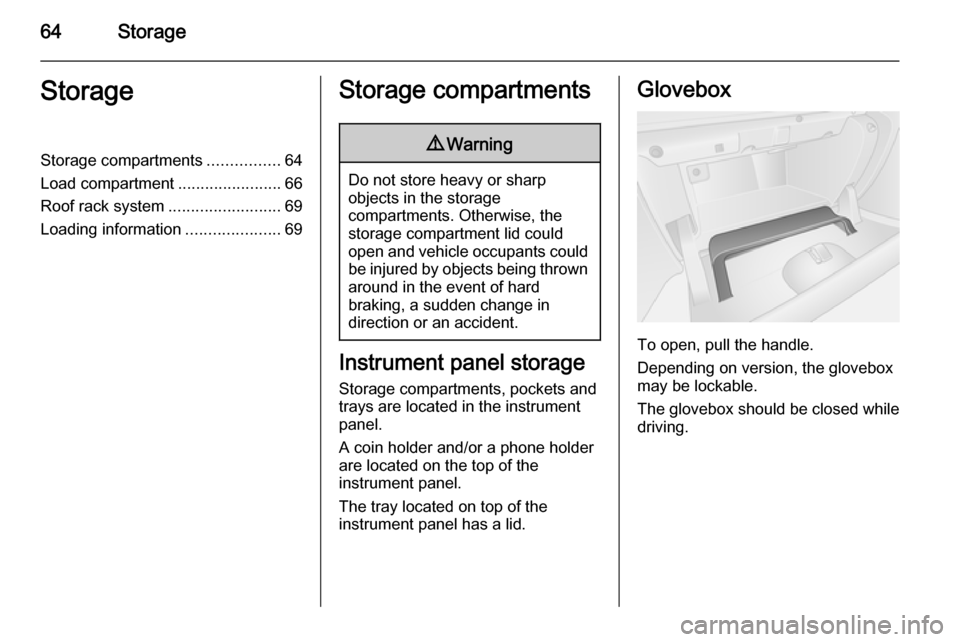
Glovebox
To open, pull the handle.
Depending on version, the glovebox
may be lockable.
The glovebox should be closed while
driving.
Page 69 of 189
Storage67
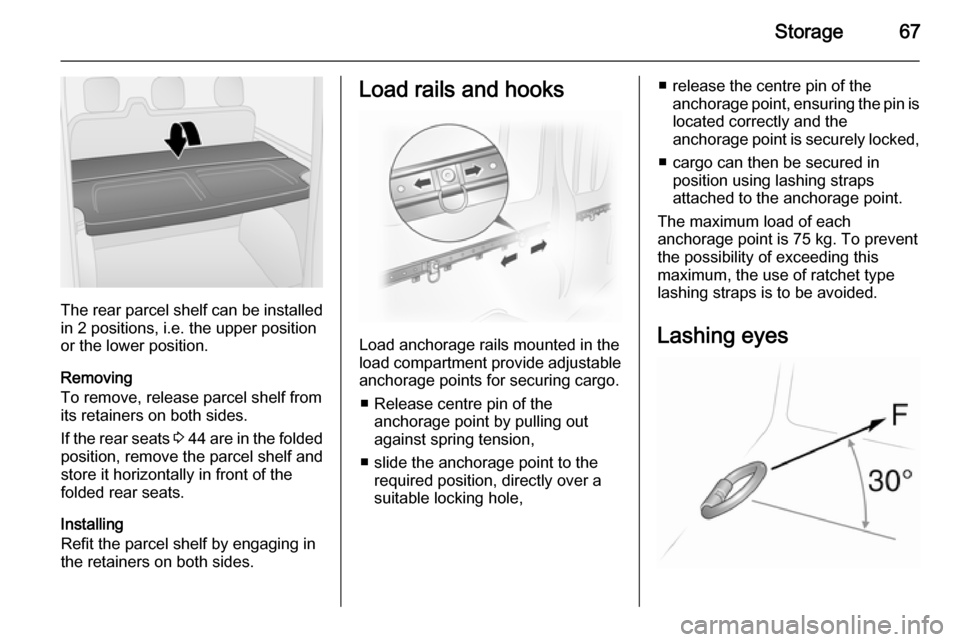
The rear parcel shelf can be installed
in 2 positions, i.e. the upper position
or the lower position.
Removing
To remove, release parcel shelf from
its retainers on both sides.
If the rear seats 3 44 are in the folded
position, remove the parcel shelf and
store it horizontally in front of the
folded rear seats.
Installing
Refit the parcel shelf by engaging in
the retainers on both sides.
Load rails and hooks
Load anchorage rails mounted in the
load compartment provide adjustable anchorage points for securing cargo.
■ Release centre pin of the anchorage point by pulling out
against spring tension,
■ slide the anchorage point to the required position, directly over a
suitable locking hole,
■ release the centre pin of the anchorage point, ensuring the pin islocated correctly and the
anchorage point is securely locked,
■ cargo can then be secured in position using lashing straps
attached to the anchorage point.
The maximum load of each
anchorage point is 75 kg. To prevent
the possibility of exceeding this
maximum, the use of ratchet type
lashing straps is to be avoided.
Lashing eyes
Page 73 of 189
Instruments and controls71Instruments and
controlsControls ....................................... 71
Warning lights, gauges and indi‐ cators ........................................... 76
Information displays .....................86
Vehicle messages ........................ 87
Trip computer ............................... 88
Tachograph .................................. 90Controls
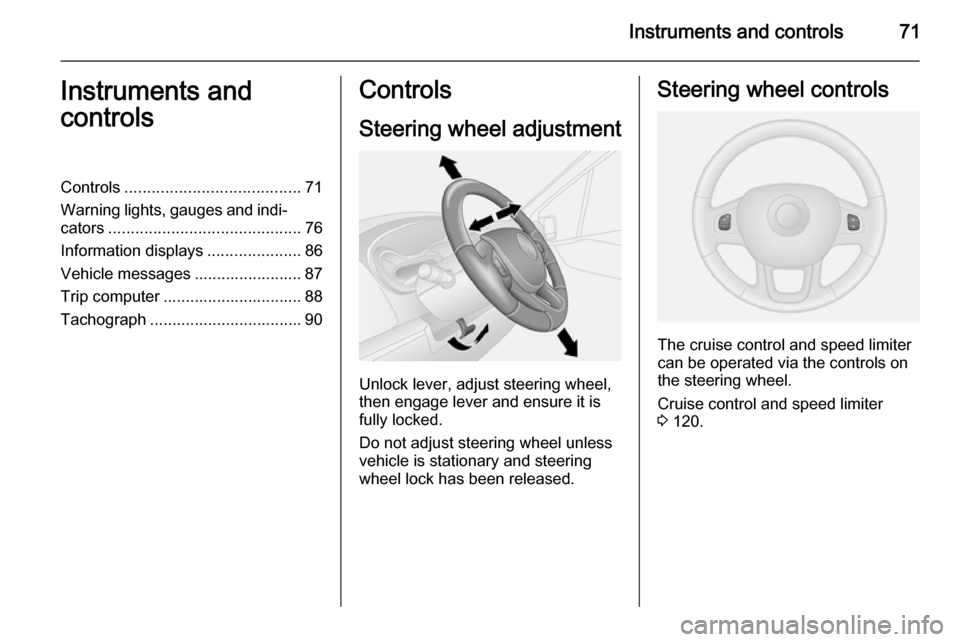
Steering wheel adjustment
Unlock lever, adjust steering wheel,
then engage lever and ensure it is fully locked.
Do not adjust steering wheel unless
vehicle is stationary and steering
wheel lock has been released.
Steering wheel controls
The cruise control and speed limiter
can be operated via the controls on
the steering wheel.
Cruise control and speed limiter
3 120.
Page 76 of 189
74Instruments and controlsOutside temperature
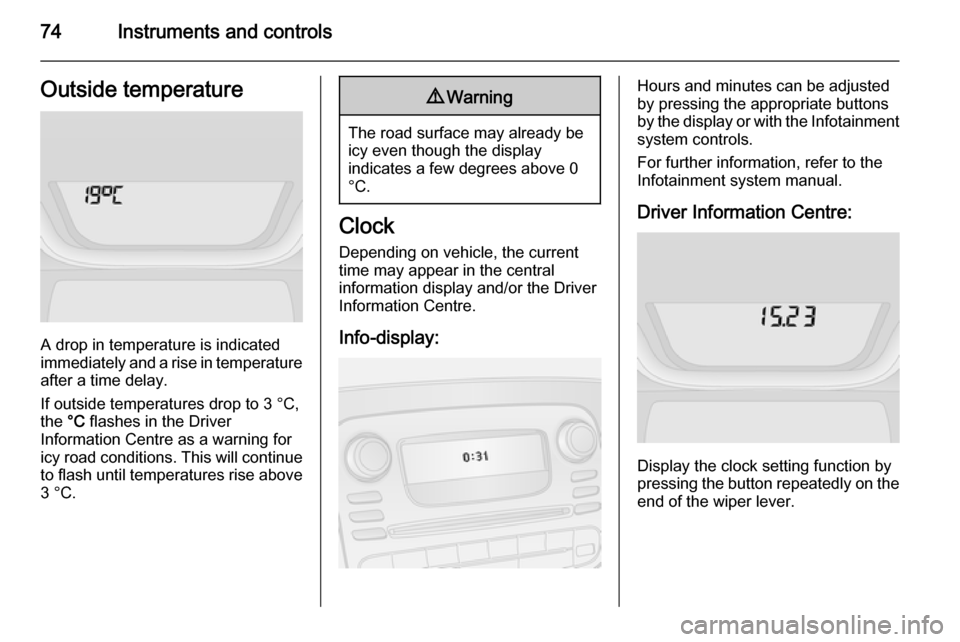
A drop in temperature is indicated
immediately and a rise in temperature
after a time delay.
If outside temperatures drop to 3 °C, the °C flashes in the Driver
Information Centre as a warning for
icy road conditions. This will continue
to flash until temperatures rise above 3 °C.
9 Warning
The road surface may already be
icy even though the display
indicates a few degrees above 0
°C.
Clock
Depending on vehicle, the current
time may appear in the central
information display and/or the Driver
Information Centre.
Info-display:
Hours and minutes can be adjusted
by pressing the appropriate buttons
by the display or with the Infotainment
system controls.
For further information, refer to the Infotainment system manual.
Driver Information Centre:
Display the clock setting function by
pressing the button repeatedly on the end of the wiper lever.
Page 85 of 189

Instruments and controls83
Illuminates together with other controlindicators (e.g., p, I and R),
accompanied by a warning chime and
a corresponding message in the
Driver Information Centre: stop
engine immediately and seek the
assistance of a workshop.
Brake system
R illuminates red.
Illuminates when the parking brake is
released if the brake fluid level is too
low 3 136.9 Warning
Stop. Do not continue your
journey. Consult a workshop.
Illuminates after the ignition is
switched on if the parking brake is
applied 3 118 and extinguishes
when the parking brake is released.
If a brake failure message appears in the Driver Information Centre, there is
a fault in the braking system. Seek the
assistance of a workshop
immediately.
Brake system 3 117.
Antilock brake system
(ABS) u illuminates yellow.
Illuminates briefly after the ignition is
switched on. The system is ready for
operation when u goes out.
If control indicator u does not go out
after a few seconds, or if it illuminates while driving, there is a fault in the
ABS. Control indicator F may also
illuminate in the instrument cluster
together a corresponding message in the Driver Information Centre. The
brake system remains operational but
without ABS regulation.
If control indicators u, F , R and C
illuminate, ABS is deactivated and a
corresponding message appears in
the Driver Information Centre. Seek
the assistance of a workshop
immediately.
Antilock brake system 3 117.Upshift
k or j illuminates.
It is recommended to shift gear when illuminated to improve fuel economy.
Electronic Stability
Program v flashes or illuminates yellow.
Illuminates briefly when the ignition is
switched on.
Flashing during driving The system is actively engaged.
Engine output may be reduced and
the vehicle may be braked
automatically to a small degree.
Illuminates while driving The system is not available. A
corresponding message also
appears in the Driver Information
Centre.
Electronic Stability Program 3 119,
Traction Control system 3 118.