lock VAUXHALL VIVARO 2014 Owner's Guide
[x] Cancel search | Manufacturer: VAUXHALL, Model Year: 2014, Model line: VIVARO, Model: VAUXHALL VIVARO 2014Pages: 173, PDF Size: 4.11 MB
Page 62 of 173
60Instruments and controlsInstruments and
controlsControls ....................................... 60
Warning lights, gauges and indi‐
cators ........................................... 65
Information displays .....................74
Vehicle messages ........................ 75
Trip computer ............................... 76
Tachograph .................................. 78Controls
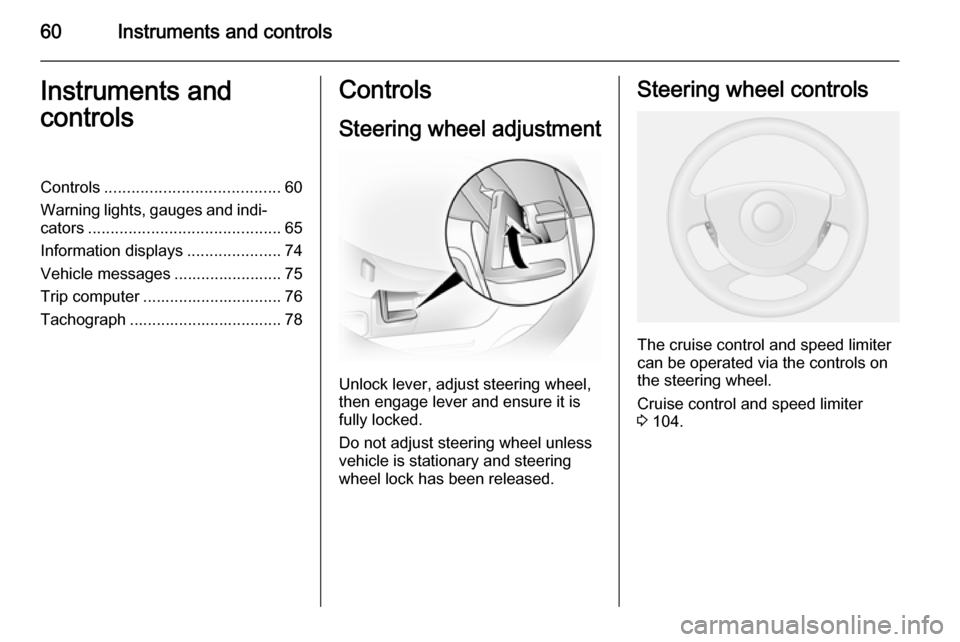
Steering wheel adjustment
Unlock lever, adjust steering wheel,
then engage lever and ensure it is fully locked.
Do not adjust steering wheel unless
vehicle is stationary and steering
wheel lock has been released.
Steering wheel controls
The cruise control and speed limiter
can be operated via the controls on
the steering wheel.
Cruise control and speed limiter
3 104.
Page 65 of 173
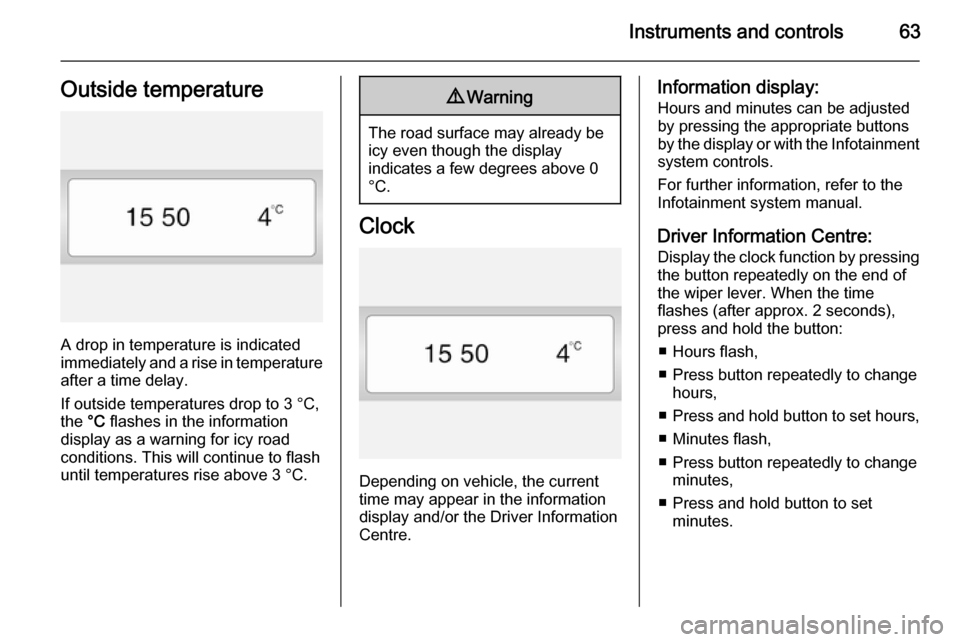
Instruments and controls63Outside temperature
A drop in temperature is indicated
immediately and a rise in temperature
after a time delay.
If outside temperatures drop to 3 °C,
the °C flashes in the information
display as a warning for icy road
conditions. This will continue to flash
until temperatures rise above 3 °C.
9 Warning
The road surface may already be
icy even though the display
indicates a few degrees above 0
°C.
Clock
Depending on vehicle, the current
time may appear in the information
display and/or the Driver Information
Centre.
Information display:
Hours and minutes can be adjusted by pressing the appropriate buttons
by the display or with the Infotainment system controls.
For further information, refer to the
Infotainment system manual.
Driver Information Centre: Display the clock function by pressingthe button repeatedly on the end of
the wiper lever. When the time
flashes (after approx. 2 seconds),
press and hold the button:
■ Hours flash,
■ Press button repeatedly to change hours,
■ Press and hold button to set hours,
■ Minutes flash,
■ Press button repeatedly to change minutes,
■ Press and hold button to set minutes.
Page 74 of 173

72Instruments and controls
If the message BRAKING FAULT
appears in the Driver Information
Centre there is a fault in the braking
system. Seek the assistance of a
workshop immediately.
Brake system 3 101.
Antilock brake system
(ABS)
u illuminates yellow.
Illuminates briefly after the ignition is
switched on. The system is ready for
operation when u goes out.
If control indicator u does not go out
after a few seconds, or if it illuminates while driving, there is a fault in the
ABS. Control indicator A may also
illuminate in the instrument cluster together with the messages CHECK
ABS and CHECK ESP in the Driver
Information Centre. The brake
system remains operational but
without ABS regulation.
If control indicators u, A , R and
C illuminate, the ABS and ESP are
deactivated and the message
BRAKING FAULT appears in theDriver Information Centre. Seek the
assistance of a workshop
immediately.
Antilock brake system 3 101.
Upshift k or j illuminates green.
It is recommended to shift gear when
illuminated to improve fuel economy.
Electronic Stability
Program
v flashes or illuminates yellow.
Illuminates for a few seconds when
the ignition is switched on.
Flashing during driving
The system is actively engaged.
Engine output may be reduced and
the vehicle may be braked
automatically to a small degree.
Illuminates while driving
The system is switched off. The
message ESP OFF will also appear in
the Driver Information Centre.ESP® Plus
3 103.
Engine coolant
temperature W illuminates red.
Illuminates when the engine is running Stop, switch off engine.Caution
Coolant temperature too high.
Check coolant level 3 119.
If there is sufficient coolant, consult a workshop.
Preheating
! illuminates yellow.
Preheating is activated. Only
activates when outside temperature
is low.
Page 75 of 173
Instruments and controls73Engine oil pressureI illuminates red.
Illuminates when the ignition is
switched on and goes out shortly after
the engine starts.
Illuminates when the engine isrunningCaution
Engine lubrication may be
interrupted. This may result in
damage to the engine and/or
locking of the drive wheels.
1. Depress clutch.
2. Select neutral gear, set selector lever to N.
3. Move out of the flow of traffic as quickly as possible without
impeding other vehicles.
4. Switch off ignition.
9 Warning
When the engine is off,
considerably more force is needed
to brake and steer.
Do not remove key until vehicle is stationary, otherwise the steeringwheel lock could engage
unexpectedly.
Check oil level before seeking
assistance of a workshop 3 117.
Low fuel
Y illuminates yellow.
Illuminates when level in fuel tank is
too low; refuel immediately 3 110
Catalytic converter 3 96.
Bleeding the diesel fuel system
3 123.
Exterior light
9 illuminates green.
Illuminated when the exterior lights
are on 3 79.
High beam
P illuminates blue.
Illuminated when high beam is on and during headlight flash 3 80.
Fog light > illuminates green.
Illuminated when the front fog lights
are on 3 81.
Rear fog light
r illuminates yellow.
Illuminated when the rear fog light is
on 3 82.
Cruise control
m , U illuminates green.
m illuminates green when a certain
speed is stored.
U illuminates green when the system
is on.
Speed limiter
U illuminates yellow.
Page 76 of 173
74Instruments and controls
U illuminates yellow when the
system is on.
Cruise control, Speed limiter 3 104.Information displays
Driver Information Centre
Depending on vehicle configuration,
the following items appear in the
display:
■ Odometer, trip odometer 3 65
■ Fuel gauge 3 66
■ Engine oil level monitor 3 67
■ Service display 3 67
■ Transmission display 3 68
■ Vehicle messages 3 75
■ Trip computer 3 76
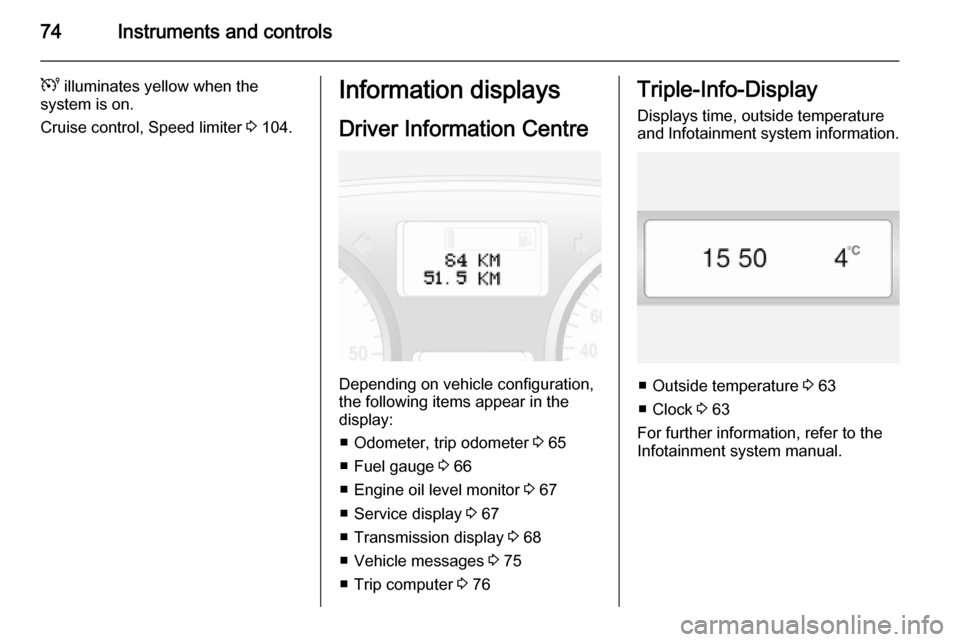
Triple-Info-Display
Displays time, outside temperature
and Infotainment system information.
■ Outside temperature 3 63
■ Clock 3 63
For further information, refer to the
Infotainment system manual.
Page 79 of 173

Instruments and controls77
■ Distance travelled
■ Average speed
■ Distance before service
■ Clock
■ Cruise control and speed limiter stored speed
■ Fault and information messages
Fuel used
Displays the amount of fuel
consumed since the last reset.
The measurement can be restarted at
any time by pressing and holding the
button.
Average consumption
The value is displayed after driving a
distance of 0.25 miles.
Average consumption is displayed,
taking into consideration the distance
travelled and the fuel used since the
last reset.
The measurement can be restarted at
any time.Instantaneous consumption
The value is displayed after reaching
a speed of 20 mph.
Range The value is displayed after driving adistance of 0.25 miles.
The range is calculated from the
current contents of the fuel tank and
the average consumption since the
last reset.
The range will not display if control
indicator Y is illuminated in the
instrument cluster 3 73.
The measurement can be restarted at
any time.
Distance travelled Displays the distance driven since the
last reset.
The measurement can be restarted at
any time.
Average speed The value is displayed after driving adistance of 0.25 miles.The average speed since the last
reset is displayed.
The measurement can be restarted at
any time.
Interruptions in the journey with the
ignition off are not included in the
calculations.
Reset trip computer information
To reset the trip computer, select one
of its functions then press and hold
the button on the end of the wiper
lever.
The following trip computer
information will be reset:
■ Fuel used
■ Average consumption
■ Range
■ Distance travelled
■ Average speed
The trip computer will reset
automatically when the maximum
value of any of the parameters is
exceeded.
Page 91 of 173

Climate control89
Teach remote control
If the vehicle battery is reconnected, the LED in the instrument panel
button illuminates and the system
configures the remote control menu
automatically. If the LED flashes,
press OK button on remote control,
select Add or AddE and confirm.
Additional remote control units may
also be configured. Press the button
until LED flashes, switch on the
remote control, select Add and
confirm.
AddE teaches the current remote
control unit exclusively and blocks all
previously configured units. Add
teaches up to 4 remote control units,
but only one unit can operate the
system at any one time.
Operation
Heating Y
Select Y in the menu bar and confirm.
The predetermined heating duration,
e.g. L 30, flashes in the display. The
factory setting is 30 minutes.To temporarily adjust the heating
duration, adjust with the q or r
button and confirm. The value can be
set from 10 to 120 minutes. Due to the
power consumption, note the heating duration.
To switch off, select Y in the menu bar
again and confirm.
Ventilation x
Select x in the menu bar and confirm.
The ventilation duration can be
accepted or adjusted. The duration
shown is accepted without
confirmation.
To switch off, select x in the menu bar
again and confirm.
Programming P
Up to 3 preset departure times can be
programmed, either during one day or
over one week.
■ Select P in the menu bar and
confirm
■ Select desired preset memory number 1, 2 or 3 and confirm
■ Select day and confirm■ Select hour and confirm
■ Select minutes and confirm
■ Select Y or x and confirm
■ If necessary, adjust the runtime duration prior to departure andconfirm
The next preset memory number to
be activated is underlined and the
weekday is displayed. Repeat the
procedure to programme the other
preset memory numbers.
Pressing button X during the
procedure will exit without storing programme adjustments.
To delete a preset departure time,
follow the steps for programming until
heating symbol Y flashes. Press
button q or r until oFF appears in
the display and confirm.
Heating stops automatically
5 minutes after the programmed
departure time.
Notice
The remote control system features
a temperature sensor which
calculates the runtime according to
the ambient temperature and the
Page 96 of 173
94Driving and operatingStarting and operating
New vehicle running-in Do not brake unnecessarily hard for
the first few journeys and after new
disc brake pads have been fitted.
During the first drive, smoke may
occur because of wax and oil
evaporating off the exhaust system.
Park the vehicle in the open for a
while after the first drive and avoid
inhaling the fumes.
During the running-in period fuel and engine oil consumption may be
higher and the cleaning process of the diesel particle filter may take
place more often.
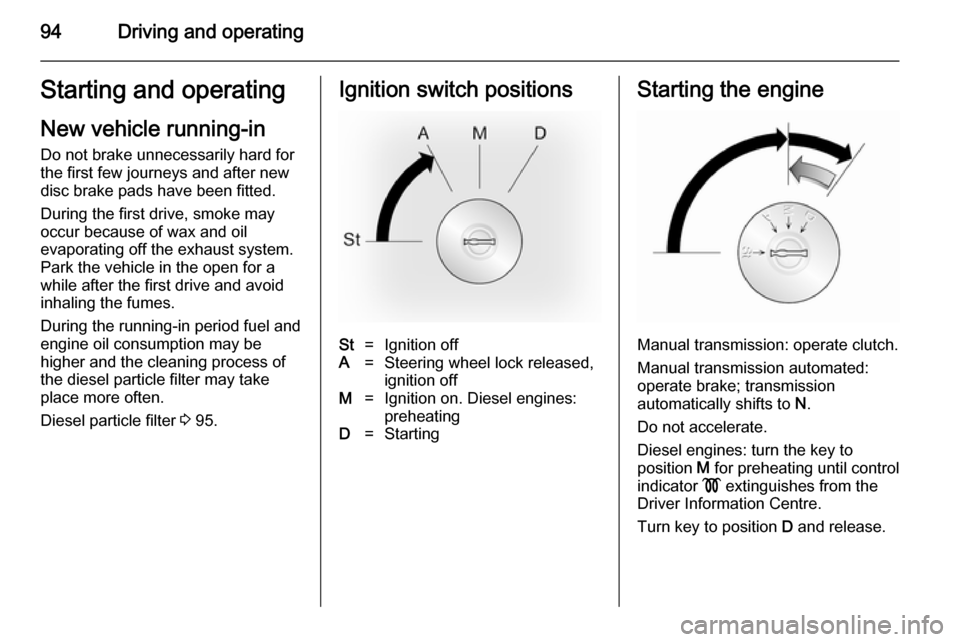
Diesel particle filter 3 95.Ignition switch positionsSt=Ignition offA=Steering wheel lock released,
ignition offM=Ignition on. Diesel engines:
preheatingD=StartingStarting the engine
Manual transmission: operate clutch.
Manual transmission automated:
operate brake; transmission
automatically shifts to N.
Do not accelerate.
Diesel engines: turn the key to
position M for preheating until control
indicator ! extinguishes from the
Driver Information Centre.
Turn key to position D and release.
Page 97 of 173

Driving and operating95
The increased engine speed
automatically returns to normal idling
speed as the engine temperature
rises.
Start attempts should not last longer
than 15 seconds. If engine does not
start, wait 15 seconds before
repeating starting procedure. If
necessary, depress accelerator
before repeating starting procedure.
Before restarting or to switch off the
engine, turn key back to St.
Overrun cut-off The fuel supply is automatically cut off
during overrun, i.e. when the vehicle
is driven with a gear engaged but
accelerator is released.
Parking ■ Do not park the vehicle on an easily
ignitable surface. The high
temperature of the exhaust system
could ignite the surface.
■ Always apply parking brake without
pressing release button. Apply as firmly as possible on a downhill oruphill slopes. Operate the foot
brake at the same time to reduce
operating force.
■ Switch off the engine and ignition. Turn the steering wheel until the
steering wheel lock is felt to
engage.
■ If the vehicle is on a level surface or
uphill slope, engage first gear
before switching off the ignition. On an uphill slope, turn the front
wheels away from the kerb.
If the vehicle is on a downhill slope,
engage reverse gear before
switching off the ignition. Turn the
front wheels towards the kerb.
■ Lock the vehicle and activate the anti-theft locking and anti-theft
alarm systems.Engine exhaust9 Danger
Engine exhaust gases contain
poisonous carbon monoxide,
which is colourless and odourless and could be fatal if inhaled.
If exhaust gases enter the interior
of the vehicle, open the windows.
Have the cause of the fault
rectified by a workshop.
Avoid driving with an open load
compartment, otherwise exhaust
gases could enter the vehicle.
Diesel particle filter
The diesel particle filter system filters
harmful soot particles out of the
exhaust gases. The system includes
a self-cleaning function that runs
automatically during driving without
any notification. The filter is cleaned
by periodically burning off the soot
particles at high temperature. This
Page 103 of 173

Driving and operating101Brakes
The brake system comprises two
independent brake circuits.
If a brake circuit fails, the vehicle can
still be braked using the other brake
circuit. However, braking effect is
achieved only when you depress the
brake pedal firmly. You need to use
considerably more force for this. The
braking distance is extended. Seek
the assistance of a workshop before
continuing your journey.
When the engine is not running, the
support of the brake servo unit
disappears once the brake pedal has
been depressed once or twice.
Braking effect is not reduced, but
braking requires significantly greater
force. It is especially important to bear this in mind when being towed.
If control indicator R illuminates in
the instrument cluster while driving and the message BRAKING FAULT
appears in the Driver Information
Centre there is a fault in the braking
system. Seek the assistance of a
workshop immediately.Control indicator R 3 71.
Vehicle messages 3 75.
Antilock brake system Antilock brake system (ABS)
prevents the wheels from locking.
ABS starts to regulate brake pressure as soon as a wheel shows a tendency
to lock. The vehicle remains
steerable, even during hard braking.
ABS control is made apparent
through a pulse in the brake pedal
and the noise of the regulation
process.
For optimum braking, keep the brake
pedal fully depressed throughout the
braking process, despite the fact that
the pedal is pulsating. Do not reduce
the pressure on the pedal.
Control indicator u 3 72.
Fault If control indicator u does not go out
a few seconds after the ignition is
switched on, or if it illuminates while driving, there is a fault in the ABS.
Control indicator A may alsoilluminate in the instrument cluster
together with the messages CHECK
ABS and CHECK ESP in the Driver
Information Centre. The brake
system remains operational but
without ABS regulation.9 Warning
If there is a fault in the ABS, the
wheels may be liable to lock due
to braking that is heavier than
normal. The advantages of ABS are no longer available. During
hard braking, the vehicle can no longer be steered and may
swerve.
If control indicators u, A , R and
C illuminate, the ABS and ESP are
deactivated and the message
BRAKING FAULT is shown in the
Driver Information Centre. Seek the
assistance of a workshop.
Have the cause of the fault remedied
by a workshop.
Vehicle messages 3 75.