wheel VAUXHALL VIVARO 2015.5 User Guide
[x] Cancel search | Manufacturer: VAUXHALL, Model Year: 2015.5, Model line: VIVARO, Model: VAUXHALL VIVARO 2015.5Pages: 203, PDF Size: 4.54 MB
Page 57 of 203
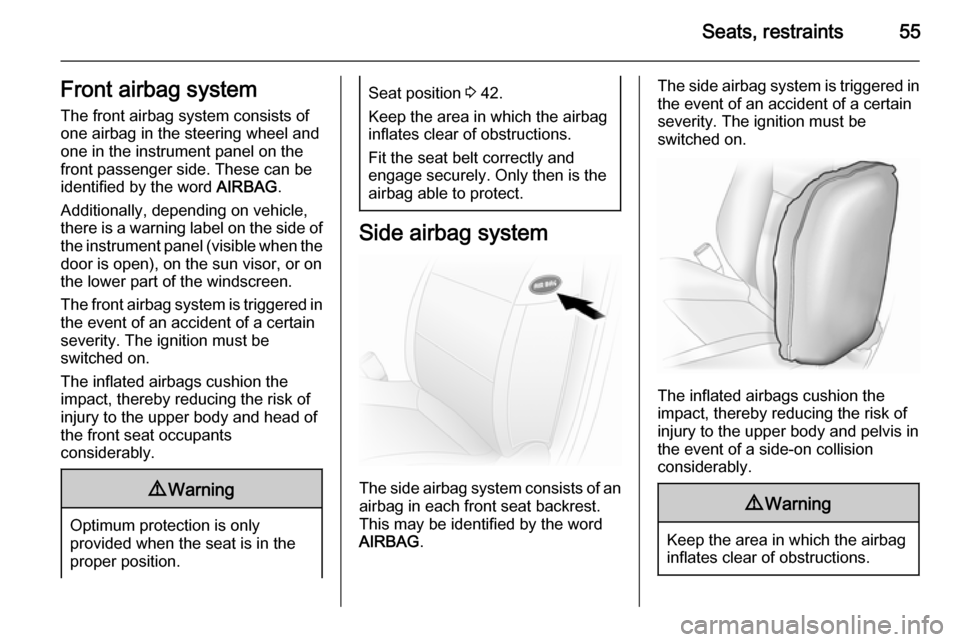
Seats, restraints55Front airbag systemThe front airbag system consists of
one airbag in the steering wheel and
one in the instrument panel on the
front passenger side. These can be
identified by the word AIRBAG.
Additionally, depending on vehicle,
there is a warning label on the side of
the instrument panel (visible when the
door is open), on the sun visor, or on
the lower part of the windscreen.
The front airbag system is triggered in
the event of an accident of a certain
severity. The ignition must be
switched on.
The inflated airbags cushion the
impact, thereby reducing the risk of
injury to the upper body and head of
the front seat occupants
considerably.9 Warning
Optimum protection is only
provided when the seat is in the
proper position.
Seat position 3 42.
Keep the area in which the airbag
inflates clear of obstructions.
Fit the seat belt correctly and
engage securely. Only then is the
airbag able to protect.
Side airbag system
The side airbag system consists of an
airbag in each front seat backrest.
This may be identified by the word
AIRBAG .
The side airbag system is triggered in
the event of an accident of a certain
severity. The ignition must be
switched on.
The inflated airbags cushion the
impact, thereby reducing the risk of
injury to the upper body and pelvis in
the event of a side-on collision
considerably.
9 Warning
Keep the area in which the airbag
inflates clear of obstructions.
Page 75 of 203
Instruments and controls73Instruments and
controlsControls ....................................... 73
Warning lights, gauges and indi‐ cators ........................................... 78
Information displays .....................88
Vehicle messages ........................ 89
Trip computer ............................... 90
Tachograph .................................. 92Controls
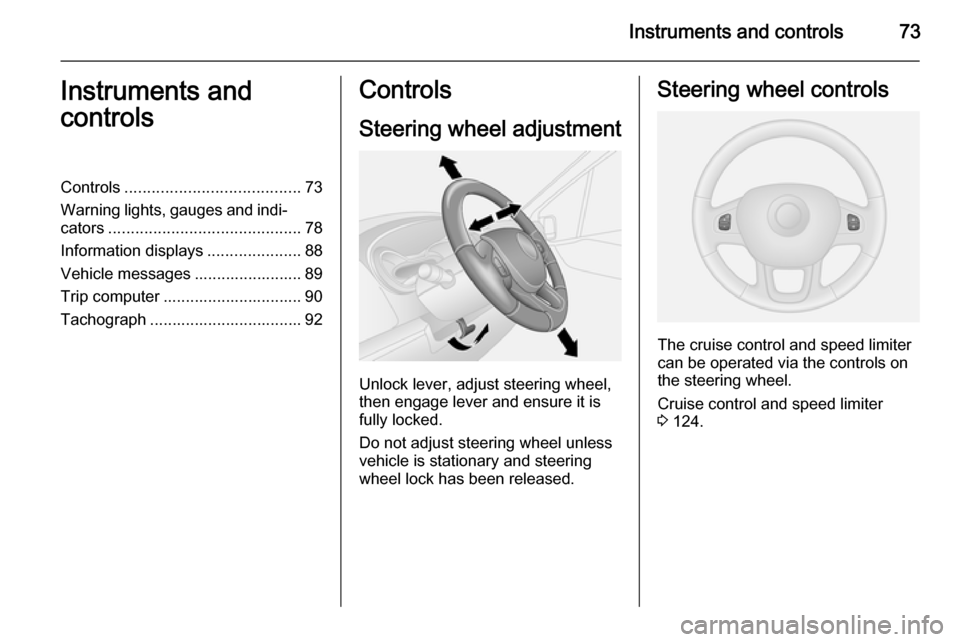
Steering wheel adjustment
Unlock lever, adjust steering wheel,
then engage lever and ensure it is fully locked.
Do not adjust steering wheel unless
vehicle is stationary and steering
wheel lock has been released.
Steering wheel controls
The cruise control and speed limiter
can be operated via the controls on
the steering wheel.
Cruise control and speed limiter
3 124.
Page 76 of 203
74Instruments and controlsHorn
Press j.
The horn will sound regardless of
ignition switch position.
Steering column controls The Infotainment system can be also
operated via the controls on the
steering column.
Further information is available in the
Infotainment system manual.
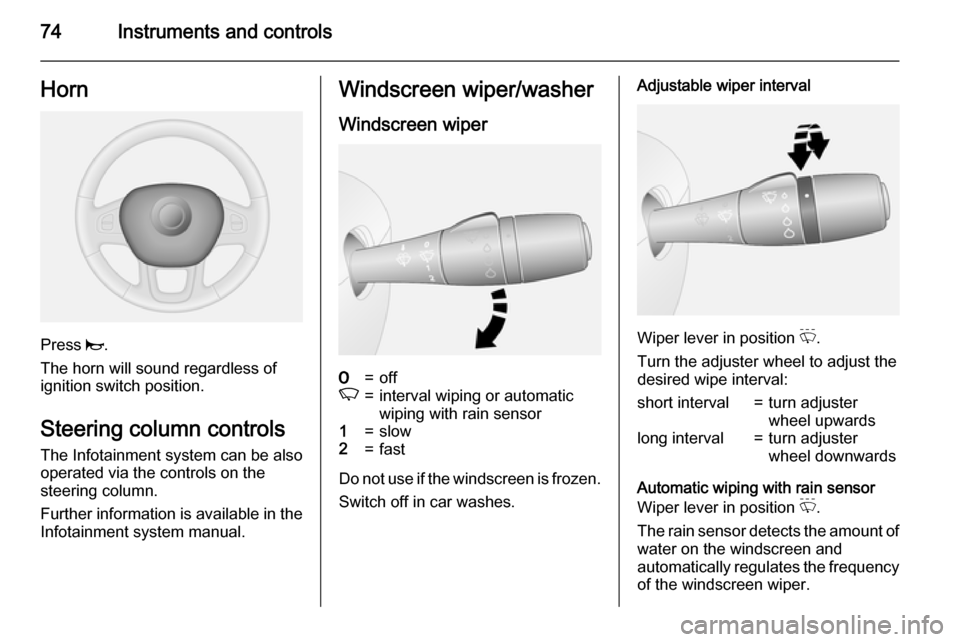
Windscreen wiper/washer
Windscreen wiper7=offK=interval wiping or automatic
wiping with rain sensor1=slow2=fast
Do not use if the windscreen is frozen.
Switch off in car washes.
Adjustable wiper interval
Wiper lever in position P.
Turn the adjuster wheel to adjust the
desired wipe interval:
short interval=turn adjuster
wheel upwardslong interval=turn adjuster
wheel downwards
Automatic wiping with rain sensor
Wiper lever in position P.
The rain sensor detects the amount of water on the windscreen and
automatically regulates the frequency
of the windscreen wiper.
Page 77 of 203
Instruments and controls75
Automatic wiping will need to be
reselected whenever the ignition has
been switched off.
Adjustable sensitivity of the rain
sensor
Turn the adjuster wheel to adjust the
sensitivity:low sensitivity=turn adjuster
wheel upwardshigh sensitivity=turn adjuster
wheel downwards
The rain sensor is located on the
windscreen. Keep the sensor free
from dust, dirt and ice.
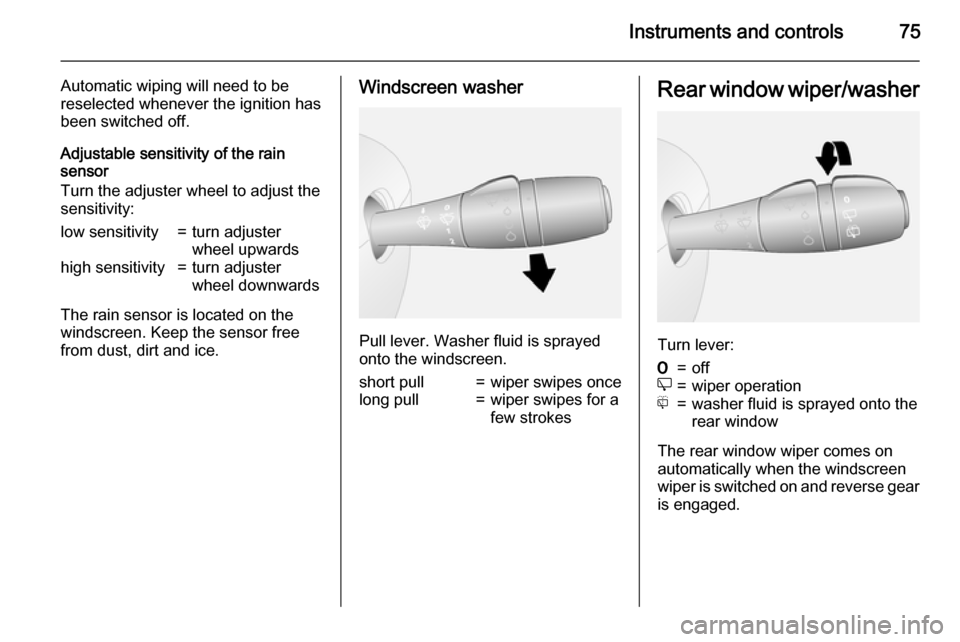
Windscreen washer
Pull lever. Washer fluid is sprayed
onto the windscreen.
short pull=wiper swipes oncelong pull=wiper swipes for a
few strokesRear window wiper/washer
Turn lever:
7=offe=wiper operationf=washer fluid is sprayed onto the
rear window
The rear window wiper comes on
automatically when the windscreen
wiper is switched on and reverse gear
is engaged.
Page 88 of 203
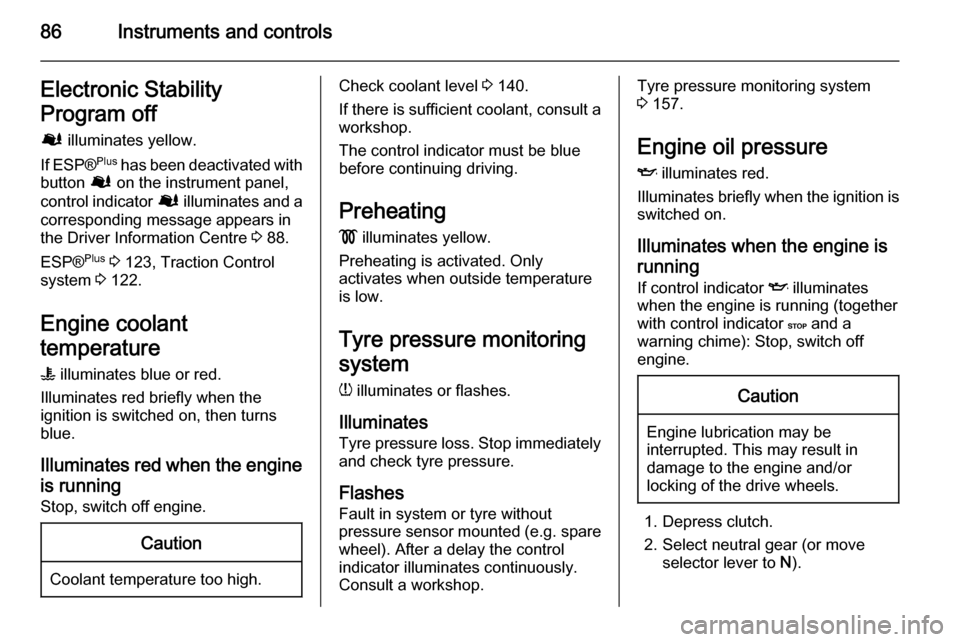
86Instruments and controlsElectronic Stability
Program off
Ø illuminates yellow.
If ESP ®Plus
has been deactivated with
button Ø on the instrument panel,
control indicator Ø illuminates and a
corresponding message appears in
the Driver Information Centre 3 88.
ESP® Plus
3 123, Traction Control
system 3 122.
Engine coolant
temperature
W illuminates blue or red.
Illuminates red briefly when the
ignition is switched on, then turns
blue.
Illuminates red when the engine
is running Stop, switch off engine.Caution
Coolant temperature too high.
Check coolant level 3 140.
If there is sufficient coolant, consult a workshop.
The control indicator must be blue
before continuing driving.
Preheating
! illuminates yellow.
Preheating is activated. Only
activates when outside temperature
is low.
Tyre pressure monitoring
system
w illuminates or flashes.
Illuminates Tyre pressure loss. Stop immediately
and check tyre pressure.
Flashes Fault in system or tyre without
pressure sensor mounted ( e.g. spare
wheel). After a delay the control
indicator illuminates continuously.
Consult a workshop.Tyre pressure monitoring system 3 157.
Engine oil pressure
I illuminates red.
Illuminates briefly when the ignition is
switched on.
Illuminates when the engine is running
If control indicator I illuminates
when the engine is running (together
with control indicator C and a
warning chime): Stop, switch off
engine.Caution
Engine lubrication may be
interrupted. This may result in
damage to the engine and/or
locking of the drive wheels.
1. Depress clutch.
2. Select neutral gear (or move selector lever to N).
Page 89 of 203
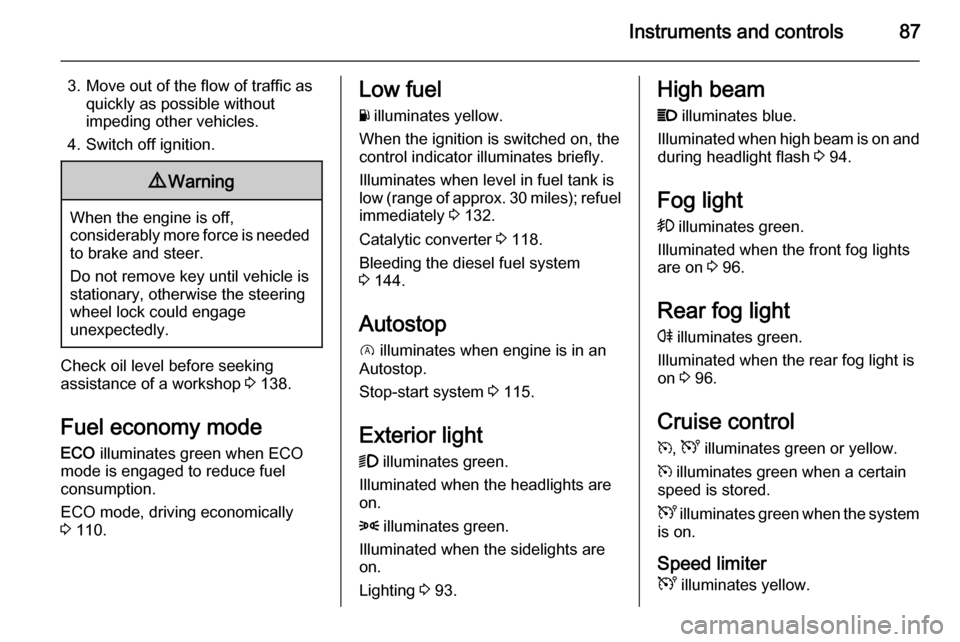
Instruments and controls87
3. Move out of the flow of traffic asquickly as possible without
impeding other vehicles.
4. Switch off ignition.9 Warning
When the engine is off,
considerably more force is needed
to brake and steer.
Do not remove key until vehicle is stationary, otherwise the steering
wheel lock could engage
unexpectedly.
Check oil level before seeking
assistance of a workshop 3 138.
Fuel economy mode
ECO illuminates green when ECO
mode is engaged to reduce fuel
consumption.
ECO mode, driving economically
3 110.
Low fuel
Y illuminates yellow.
When the ignition is switched on, the control indicator illuminates briefly.
Illuminates when level in fuel tank is
low (range of approx. 30 miles); refuel
immediately 3 132.
Catalytic converter 3 118.
Bleeding the diesel fuel system
3 144.
Autostop
D illuminates when engine is in an
Autostop.
Stop-start system 3 115.
Exterior light
9 illuminates green.
Illuminated when the headlights are on.
8 illuminates green.
Illuminated when the sidelights are
on.
Lighting 3 93.High beam
P illuminates blue.
Illuminated when high beam is on and during headlight flash 3 94.
Fog light > illuminates green.
Illuminated when the front fog lights
are on 3 96.
Rear fog light
r illuminates green.
Illuminated when the rear fog light is
on 3 96.
Cruise control
m , U illuminates green or yellow.
m illuminates green when a certain
speed is stored.
U illuminates green when the system
is on.
Speed limiter
U illuminates yellow.
Page 91 of 203

Instruments and controls89Vehicle messages
Messages are displayed in the Driver
Information Centre and may be
accompanied by illumination of
control indicator F or C in the
instrument cluster.
Information messages Information messages regarding,
e.g. engine starting conditions, stop-
start system, parking brake
application, central locking, steering
wheel lock etc. provide the current
status of certain vehicle functions and
instructions for use.
Fault messages Fault messages regarding, e.g. fuel
filter, airbags, exhaust emissions etc.
are displayed together with control
indicator F. Drive with caution and
seek the assistance of a workshop as
soon as possible.
To remove fault messages from the
display, press button on end of wiper
lever. After a few seconds the
message may disappearautomatically and F remains
illuminated. The fault will then be
stored in the on board system.
Warning messagesWarning messages regarding, e.g.
engine, battery or brake system
failure, are displayed together with
control indicator C and may be
accompanied by a warning chime.
Stop engine immediately and seek
the assistance of a workshop.
Fuel economy messages
Fuel economy messages provide tips to improve fuel efficiency. Journeys
can be saved in the system memory,
enabling you to compare
performances.
Refer to Infotainment system manual
for further information.
Fuel economy rating 3 90.
Warning chimes
A corresponding message may also
appear in the Driver Information
Centre when a warning chime is
sounded.When starting the engine or
whilst driving: ■ If seat belt is not fastened 3 48.
■ During operation of the turn and lane-change signals 3 95.
■ During illumination of certain control indicators.
■ If the parking assist detects an object 3 128.
■ If the vehicle speed briefly exceeds
a set limit 3 124, 3 128.
■ If a door or the bonnet is not properly closed when vehicle
exceeds a certain speed.
■ If there is a fault in the brake system
3 85.
■ If the vehicle battery is not charging
3 84.
■ If engine lubrication is interrupted 3 86.
■ If the electronic key is outside of the
detection range.
Electronic key system 3 21, Power
button 3 112.
Page 96 of 203
94Lighting
Daytime running lights 3 95.
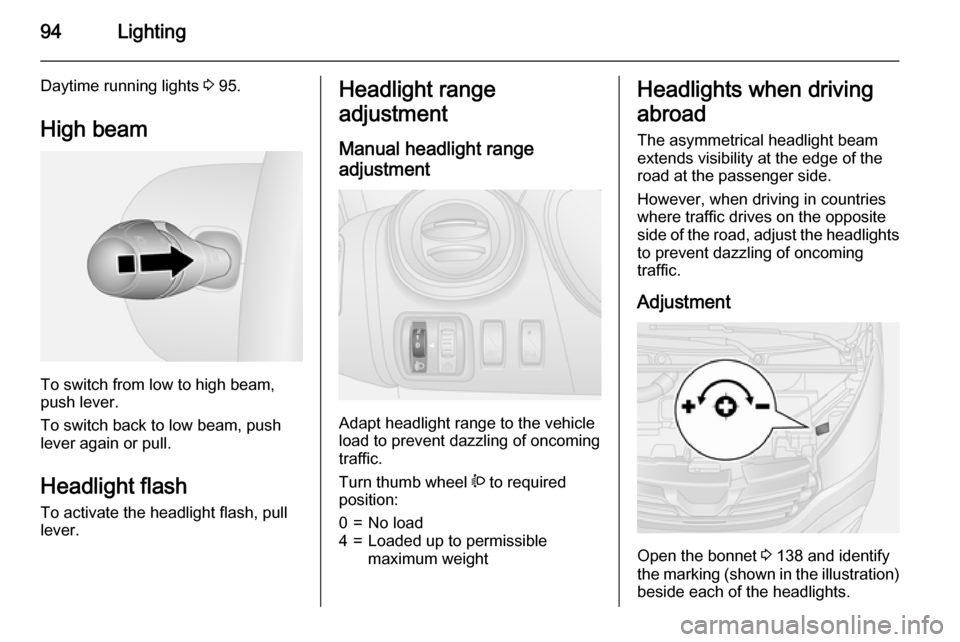
High beam
To switch from low to high beam,
push lever.
To switch back to low beam, push
lever again or pull.
Headlight flash
To activate the headlight flash, pull
lever.
Headlight range
adjustment
Manual headlight range
adjustment
Adapt headlight range to the vehicle
load to prevent dazzling of oncoming
traffic.
Turn thumb wheel ? to required
position:
0=No load4=Loaded up to permissible
maximum weightHeadlights when driving
abroad
The asymmetrical headlight beam
extends visibility at the edge of the
road at the passenger side.
However, when driving in countries
where traffic drives on the opposite
side of the road, adjust the headlights to prevent dazzling of oncoming
traffic.
Adjustment
Open the bonnet 3 138 and identify
the marking (shown in the illustration)
beside each of the headlights.
Page 97 of 203
![VAUXHALL VIVARO 2015.5 User Guide Lighting95
For each headlight:
Using a screwdriver, turn the screw
by a 1
/4 turn towards the
] symbol to
lower the beams or towards the <
symbol to raise the beams.
Ensure the headlight beams are](/img/38/19589/w960_19589-96.png "VAUXHALL VIVARO 2015.5 User Guide Lighting95
For each headlight:
Using a screwdriver, turn the screw
by a 1
/4 turn towards the
] symbol to
lower the beams or towards the <
symbol to raise the beams.
Ensure the headlight beams are")
Lighting95
For each headlight:
Using a screwdriver, turn the screw
by a 1
/4 turn towards the
] symbol to
lower the beams or towards the <
symbol to raise the beams.
Ensure the headlight beams are
returned to their original positions
when required.
Daytime running lights
Daytime running lights increase
visibility of the vehicle during daylight.
They are switched on automatically
when the ignition is switched on.
If required, the daytime running lights can be deactivated via the
Infotainment system. For further
information, refer to Infotainment
system manual.
Automatic light control 3 93.Adaptive forward lighting
Cornering light Depending on the steering angle,
vehicle speed and gear selected
when cornering, an additional light
will illuminate the corner of the road
on the respective side.
Hazard warning flashers
Operated with the ¨ button.
In the event of hard braking, the
hazard warning flashers may turn on
automatically. Switch off by pressing
the ¨ button.
Turn and lane-change
signalslever up=right turn signallever down=left turn signal
When the steering wheel is turned
back, the lever automatically returns
to its original position and the turn
signal is deactivated. This will not
happen when making a minor
steering manoeuvre such as lane
changing.
For three flashes, e.g. when changing
lanes, move lever part way to first
stop and then release.
Page 98 of 203
96Lighting
If the lever is moved past the first stop,the turn signal is switched on
constantly. Switch the turn signal off
manually by moving the lever to its
original position.
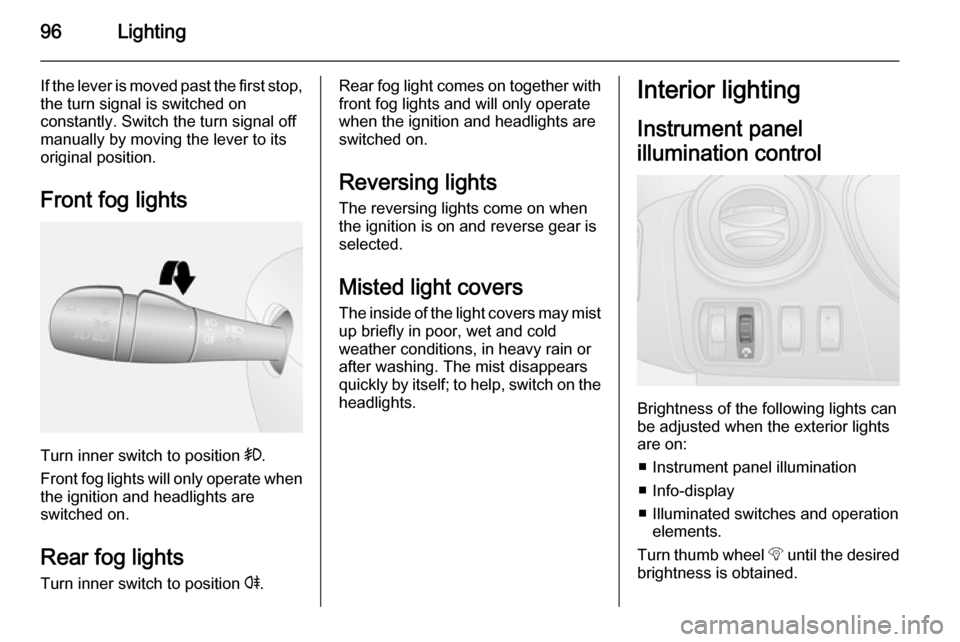
Front fog lights
Turn inner switch to position >.
Front fog lights will only operate when
the ignition and headlights are
switched on.
Rear fog lights Turn inner switch to position r.
Rear fog light comes on together with
front fog lights and will only operate
when the ignition and headlights are
switched on.
Reversing lights The reversing lights come on when
the ignition is on and reverse gear is
selected.
Misted light covers The inside of the light covers may mistup briefly in poor, wet and cold
weather conditions, in heavy rain or
after washing. The mist disappears
quickly by itself; to help, switch on the
headlights.Interior lighting
Instrument panel
illumination control
Brightness of the following lights can
be adjusted when the exterior lights
are on:
■ Instrument panel illumination
■ Info-display
■ Illuminated switches and operation elements.
Turn thumb wheel b until the desired
brightness is obtained.