phone VAUXHALL VIVARO C 2020 Infotainment system
[x] Cancel search | Manufacturer: VAUXHALL, Model Year: 2020, Model line: VIVARO C, Model: VAUXHALL VIVARO C 2020Pages: 117, PDF Size: 2.46 MB
Page 89 of 117

Introduction.................................. 90
Basic operation ............................ 96
Radio ......................................... 100
External devices ........................104
Speech recognition ....................107
Phone ........................................ 108
Index .......................................... 114Radio (Infotainment system)
Page 92 of 117

92Introduction1 LISTRadio: short press: display
stations list; long press:
update stations list ..............100
Media: short press: display
folders list; long press:
display the track listing
options ................................ 105
2 Info Display
3 Y / Z
Radio: short press:
manual station search .........100
Media: short press: select
next or previous folder,
genre, artist or playlist;
long press: scroll in a list .....105
f / gRadio: short press:
automatic station search
for the previous or next
station; long press: seek
up or down .......................... 100
Media: short press: select
previous or next track; long
press: fast forward or
rewind ................................. 105
4 1
Menu: one level back ............96
Input: delete last character
or entire entry ......................110
5 OK
Short press: confirm a
setting or open a submenu ...96
6 MENU
Short press: display home
page ...................................... 96
7 b
Short press: open menu
for tone and volume
settings .................................. 978 SRC a
Short press: toggle
between the audio sources . 100
Long press: open phone
menu if phone connected ...110
9 TA
Short press: activate or
deactivate traffic
announcements ..................101
Long press: open the TA
settings ................................ 102
10 BAND
Short press: togglebetween the wavebands .....100
11 Preset buttons
Short press: select
favourites ............................ 100
Long press: save radio
stations as favourites ..........100
Page 93 of 117
Introduction93122
Short press: toggle
through the different
display modes ....................... 94
Long press: turn display off
(while the sound remains
active) ................................... 94
13 )
If switched off: short press:
switch power on ....................94
If switched on: short press: mute system; long press:
switch power off ....................94
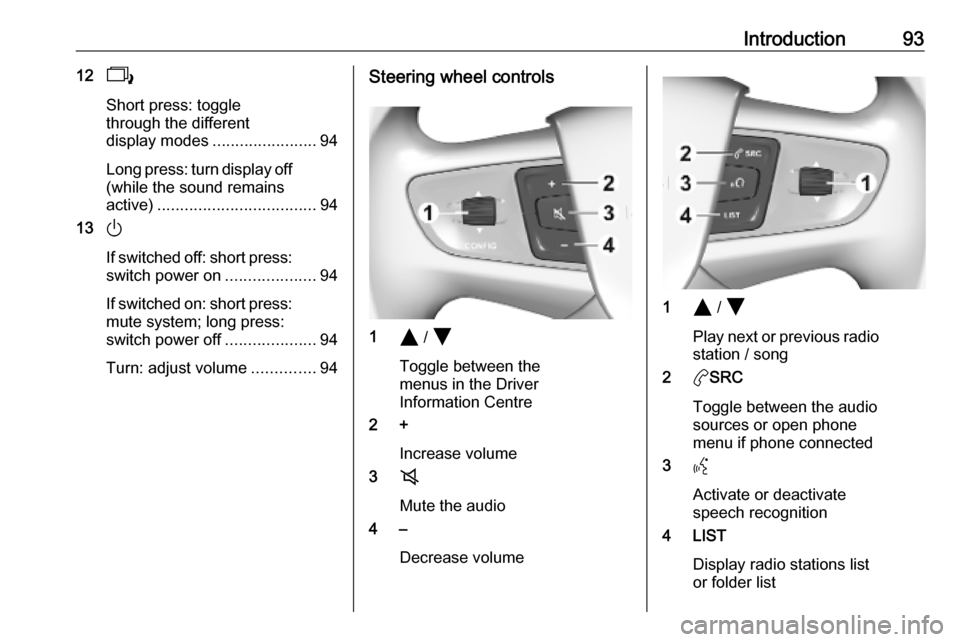
Turn: adjust volume ..............94Steering wheel controls
1Y / Z
Toggle between the
menus in the Driver
Information Centre
2 +
Increase volume
3 8
Mute the audio
4 –
Decrease volume
1Y / Z
Play next or previous radio station / song
2 aSRC
Toggle between the audio
sources or open phone
menu if phone connected
3 Y
Activate or deactivate
speech recognition
4 LIST
Display radio stations list
or folder list
Page 94 of 117

94IntroductionSteering column controls
1Y / Z
Play next or previous radio station / song
2 LIST
Display radio stations list
or folder list
3 OK
Confirm a selection in the
Info Display
4 SRC/TEL
Toggle between the audio
sources or open phone
menu if phone connectedUsage
Control elements
The Infotainment system is operated
via function buttons, navigation
buttons and menus that are shown on
the display.
Inputs are made optionally via: ● the control panel on the Infotainment system 3 91
● controls on the steering wheel 3 91
Switching the Infotainment
system on or off
Press ) briefly. After switching on,
the last selected Infotainment source
becomes active.
Notice
Some functions of the Infotainment
system are only available if ignition
is switched on or engine is running.
Press ) again to turn the system off.
Page 95 of 117
Introduction95
Automatic switch-off
If the Infotainment system is switched
on by pressing ) while the ignition is
switched off, it switches off again
automatically after a certain time.
Setting the volume
Turn ). The current setting is shown
on the display.
When the Infotainment system is switched on, the last selected volume
is set.
Speed compensated volume
When the automatic volume function
is activated 3 97, the volume is
adapted automatically to make up for the road and wind noises as you
drive.
Mute function
Press 8 on the steering wheel to
mute the audio sources.
To cancel the mute function, press
8 again.
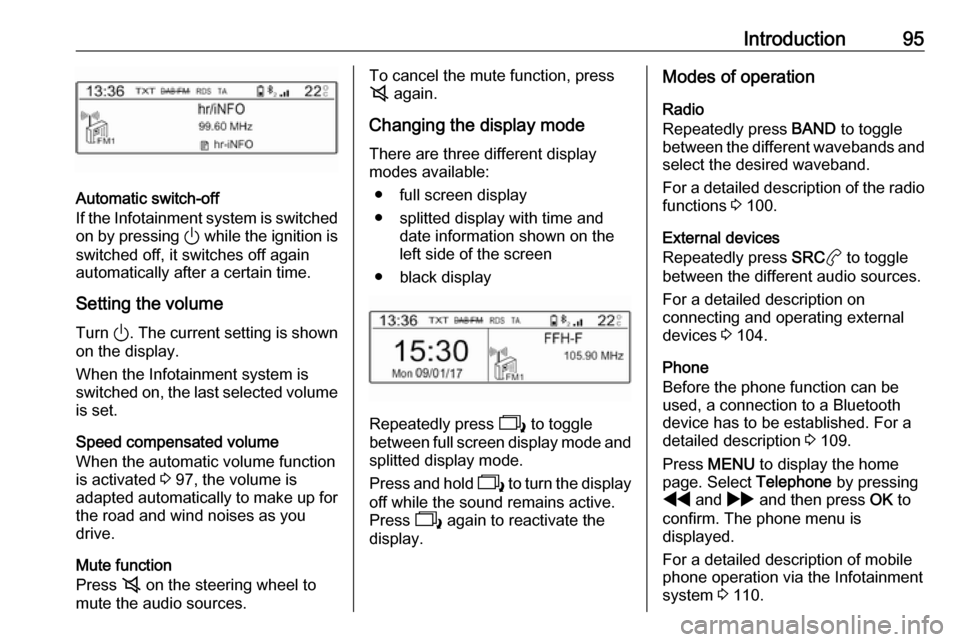
Changing the display mode There are three different display
modes available:
● full screen display
● splitted display with time and date information shown on the
left side of the screen
● black display
Repeatedly press 2 to toggle
between full screen display mode and splitted display mode.
Press and hold 2 to turn the display
off while the sound remains active.
Press 2 again to reactivate the
display.
Modes of operation
Radio
Repeatedly press BAND to toggle
between the different wavebands and
select the desired waveband.
For a detailed description of the radio functions 3 100.
External devices
Repeatedly press SRCa to toggle
between the different audio sources.
For a detailed description on
connecting and operating external
devices 3 104.
Phone
Before the phone function can be
used, a connection to a Bluetooth
device has to be established. For a detailed description 3 109.
Press MENU to display the home
page. Select Telephone by pressing
f and g and then press OK to
confirm. The phone menu is
displayed.
For a detailed description of mobile phone operation via the Infotainment
system 3 110.
Page 97 of 117
Basic operation97Press f or g to adjust the
desired value.
Press OK to confirm the set value.
The cursor then switches to the value
of the next setting. To switch to the
value of another setting, press Y,
Z , f or g . If the values of all
settings are set, select OK on the
display and press OK.
Adjusting a setting
Select the desired setting and press
OK .
Press f or g until the setting is
adjusted as desired.
Select OK on the display and press
OK to confirm the setting.
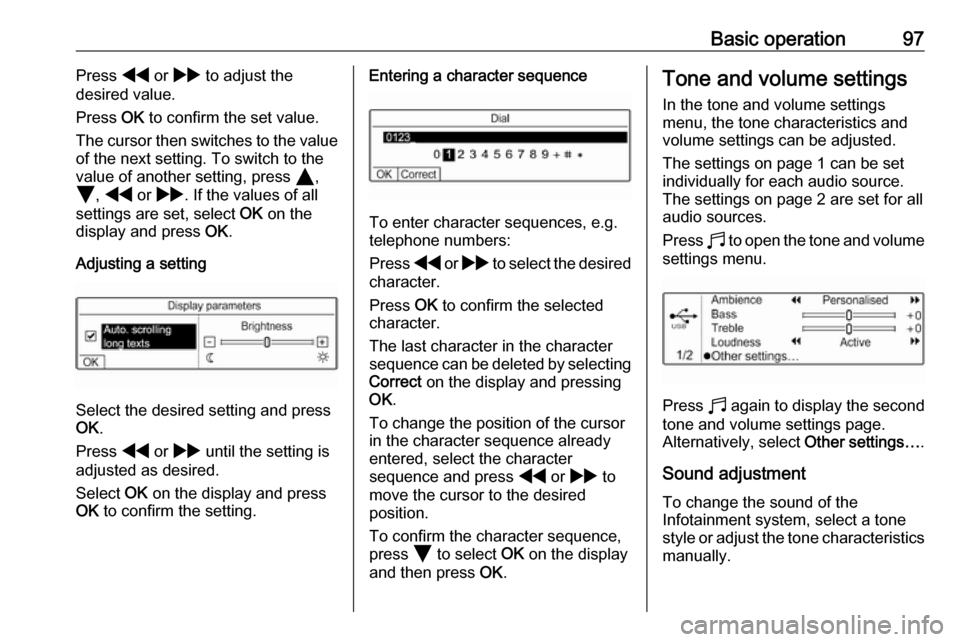
Entering a character sequence
To enter character sequences, e.g.
telephone numbers:
Press f or g to select the desired
character.
Press OK to confirm the selected
character.
The last character in the character
sequence can be deleted by selecting Correct on the display and pressing
OK .
To change the position of the cursor
in the character sequence already
entered, select the character
sequence and press f or g to
move the cursor to the desired position.
To confirm the character sequence,
press Z to select OK on the display
and then press OK.
Tone and volume settings
In the tone and volume settings
menu, the tone characteristics and volume settings can be adjusted.
The settings on page 1 can be set
individually for each audio source.
The settings on page 2 are set for all
audio sources.
Press b to open the tone and volume
settings menu.
Press b again to display the second
tone and volume settings page.
Alternatively, select Other settings….
Sound adjustment To change the sound of the
Infotainment system, select a tone
style or adjust the tone characteristics
manually.
Page 104 of 117

104External devicesExternal devicesGeneral information...................104
Playing audio ............................. 105General information
USB port
In the centre console, there is a USB
port for the connection of external
audio data sources.
Notice
The socket must always be kept
clean and dry.
Connecting a USB device
An MP3 player, USB device or SD
card (via USB connector / adapter)
can be connected to the USB port. A
USB hub is not supported. If required,
use the appropriate connection cable.
Notice
Not all auxiliary devices are
supported by the Infotainment
system. Check the compatibility list
on our website.
When connected to the USB port,
various functions of the above
devices can be operated via the
controls and menus of the
Infotainment system.The Infotainment system
automatically creates playlists upon connection.
Disconnecting a USB device
Press aSRC to select a different
audio source and then remove the
USB storage device.Caution
Avoid disconnecting the device
during playback. This may
damage the device or the
Infotainment system.
File formats
The audio equipment supports
different audio file formats.
Bluetooth music
Connecting a Bluetooth device
Bluetooth enabled audio sources
(e.g. music mobile phones, MP3
players featuring Bluetooth, etc.) can
be connected wirelessly to the
Infotainment system.
Page 105 of 117
External devices105The external Bluetooth device must
be paired to the Infotainment system
3 109.
If the device is paired but not
connected to the Infotainment
system, establish the connection via
the Connections management menu:
Press MENU and then select
Connections . Select Connections
management and then choose the
desired Bluetooth device to enter a
submenu.
To serve as audio source, the device
must be connected as media player.
Select Connect media player or
Connect telephone + media player as
desired. The device is connected.
Disconnecting a Bluetooth device
Press MENU and then select
Connections . Select Connections
management and then choose the
desired Bluetooth device to enter a
submenu.
Select Disconnect media player to
disconnect the device only as
Bluetooth audio source. In this case,
the connection for the telephone
function remains active.To completely disconnect the device,
select Disconnect telephone + media
player .
Select Yes in the message and press
OK .
Playing audio
Playing audio via the USB port
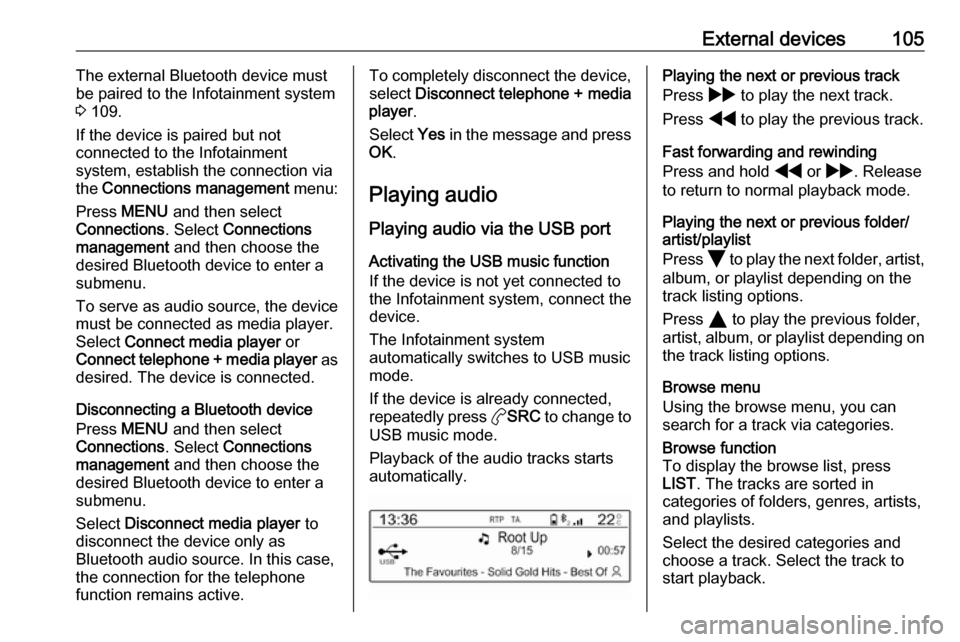
Activating the USB music function
If the device is not yet connected to
the Infotainment system, connect the
device.
The Infotainment system
automatically switches to USB music
mode.
If the device is already connected,
repeatedly press aSRC to change to
USB music mode.
Playback of the audio tracks starts automatically.Playing the next or previous track
Press g to play the next track.
Press f to play the previous track.
Fast forwarding and rewinding
Press and hold f or g . Release
to return to normal playback mode.
Playing the next or previous folder/
artist/playlist
Press Z to play the next folder, artist,
album, or playlist depending on the
track listing options.
Press Y to play the previous folder,
artist, album, or playlist depending on
the track listing options.
Browse menu
Using the browse menu, you can
search for a track via categories.Browse function
To display the browse list, press
LIST . The tracks are sorted in
categories of folders, genres, artists,
and playlists.
Select the desired categories and
choose a track. Select the track to
start playback.
Page 107 of 117

Speech recognition107Speech recognitionGeneral information...................107
Usage ........................................ 107General information
The voice pass-thru application of the Infotainment system allows access toSiri. See your smartphone
manufacturer's operating instructions
to find out whether your smartphone
supports this feature.
In order to use the voice pass-thru
application, the smartphone must be
connected via Bluetooth 3 109.
Usage
Activating speech recognition Press and hold a Y on the steering
wheel until a speech recognition
session is started.
Adjusting the volume of voice
prompts
Turn ) on the control panel or press
the volume button on the steering
wheel upwards (increase volume) Y or downwards (decrease volume)
Z .Deactivating speech recognition
Press w on the steering wheel. The
speech recognition session is ended.
Page 108 of 117

108PhonePhoneGeneral information...................108
Bluetooth connection .................109
Operation ................................... 110
Mobile phones and CB radio
equipment .................................. 112General information
The Phone function provides you with the possibility of having mobile phone conversations via a vehicle
microphone and the vehicle
loudspeakers as well as operating the
most important mobile phone
functions via the Infotainment system in the vehicle. To be able to use the
Phone function, the mobile phone
must be connected to the
Infotainment system via Bluetooth.
Not all functionalities of the Phone
function are supported by every
mobile phone. The possible
functionalities depend on the relevant
mobile phone and network provider.
You will find further information on
this in the operating instructions for
your mobile phone or you can enquire about them with your network
provider.Important information for
operation and traffic safety9 Warning
Mobile phones have effects on
your environment. For this reason safety regulations and directions
have been prepared. You should
be familiar with the related
directions before you use the
telephone function.
9 Warning
Use of the hands-free facility while
driving can be dangerous because
your concentration is reduced
when telephoning. Park your
vehicle before you use the hands- free facility. Follow the stipulations
of the country in which you find
yourself at present.
Do not forget to follow the special
regulations that apply in specific
areas and always switch off the
mobile phone if the use of mobile
phones is prohibited, if