light VOLKSWAGEN BEETLE 2014 3.G User Guide
[x] Cancel search | Manufacturer: VOLKSWAGEN, Model Year: 2014, Model line: BEETLE, Model: VOLKSWAGEN BEETLE 2014 3.GPages: 380, PDF Size: 5.78 MB
Page 19 of 380

Depending on the vehicle model, different information may be shown in the instrument cluster display
⇒ fig. 11 (3).
x Warning and information texts
x Odometer displays
x Time
x Outside temperature
x Compass display
x Open door, engine hood, or rear hatch ⇒ fig. 14
x Selector lever position, Shifting
x Gear recommendation, Shifting
x Multi-Function Indicator (MFI) and menus for different settings, Volkswagen Information System
x Service reminder display, Service reminder display
Warning and information texts
The status of various vehicle functions and components is monitored when the ignition is switched on and while driving. Malfunctions are indicated by red and yellow warning symbols with text messages in
the instrument cluster display (⇒ page Error! Bookmark not defined., Warning and indicator lights). In some cases, they may also be signaled acoustically. The display can vary depending on the instru-ment cluster model.
Type of notification Symbol color Explanation
Priority 1 warning message Red Symbol flashing or lit – sometimes with acoustic warnings.
Page 20 of 380
When the vehicle is not moving or when you are driving at very low speeds, the temperature displayed may be slightly higher than the actual outside temperature.
The measurement range is from -40 °F (-40 °C) to +122 °F (+50 °C).
Compass display (if applicable)
On vehicles equipped with compass display, the current compass direction is indicated in the instru-ment cluster display when the ignition and navigation system are switched on.
Selector lever positions
The selector lever position is shown both on the side of the selector lever and in the instrument cluster display. The respective gear may also be shown in the instrument cluster display in Drive D and Sport Drive S, as well as in Tiptronic® mode.
Gear recommendation
When the vehicle is moving, a fuel economy gear recommendation may appear in the instrument cluster display, Shifting.
WARNING
Failure to heed warning lights and instrument cluster text messages can cause the vehicle to break down in traffic and result in a collision and serious personal injury.
x Never ignore warning lights or text WARNINGS.
x Always stop the vehicle as soon as it is safe to do so.
x Park the vehicle at a safe distance from moving traffic and where no part of the hot cata-lytic converter and exhaust system can come into contact with flammable materials under the vehicle, such as dry grass, brush, spilled fuel, etc.
x A broken down vehicle presents a high accident risk for itself and others. Switch on emergency flashers and set up a warning triangle to warn oncoming traffic.
WARNING
Roads and bridges may be dangerously icy even if the outside air temperature is above freez-ing.
x If you use the outside temperature display to tell you about frost conditions, remember that roads can even ice over at temperatures above +39 °F (+4 °C). Always remember: even if the “snowflake symbol” (icy road warning) is not displayed, there could still be black ice on the road.
x Never rely exclusively on the outside temperature display.
NOTICE
Failure to heed warning lights or text WARNINGS can result in vehicle damage.
The instrument cluster displays and their arrangement may vary depending on the vehicle model and engine. For displays without warning and information messages, malfunctions are only signaled with indicator lights.
If there are multiple warning messages, the symbols are displayed for several seconds in order of importance. The symbols are displayed until the cause has been corrected.
Page 22 of 380

Type of notification Symbol color Explanation
Priority 2 warning message Yellow Symbol flashing or continuously lit – sometimes with acoustic warn-ings. Malfunctions or low operating fluid levels may cause vehicle dam-
age and vehicle breakdown ⇒ . Check malfunction as soon as possible. Contact an authorized Volkswagen dealer or an authorized Volkswagen Service Facility for assistance if necessary.
Information text – Information about various vehicle situations.
Odometer displays
The odometer indicates the total distance driven by the vehicle.
The trip odometer (Trip) shows the distance driven since the last time the trip odometer was reset. The last digit indicates 1/10 mile (100 meters).
Outside temperature display
At outside temperatures below about +39 °F (+4 °C), a “snowflake symbol” (icy road warning) appears in the display. The symbol flashes at first, then stays on until the outside temperature rises above
+43 °F (+6 °C) ⇒ .
When the vehicle is not moving or when you are driving at very low speeds, the temperature displayed may be slightly higher than the actual outside temperature.
The measurement range is from -40 °F (-40 °C) to +122 °F (+50 °C).
Compass display (if applicable)
On vehicles equipped with compass display, the current compass direction is indicated in the instru-ment cluster display when the ignition and navigation system are switched on.
Selector lever positions
The selector lever position is shown both on the side of the selector lever and in the instrument cluster display. The respective gear may also be shown in the instrument cluster display in Drive D and Sport Drive S, as well as in Tiptronic® mode.
Gear recommendation
When the vehicle is moving, a fuel economy gear recommendation may appear in the instrument cluster display, Shifting.
Alternative speed display (mph or km/h)
The alternative speed display shows the current vehicle speed in units other than the units shown on the vehicle’s speedometer. For example, if the speedometer shows mph, the alternative speed display shows a digital readout of the current vehicle speed in km/h. This feature can be especially helpful when driving in countries where speed limit signs are posted in units other than those shown on the vehicle’s speedometer.
x Start the engine.
x Press the
Page 23 of 380
WARNING
Failure to heed warning lights and instrument cluster text messages can cause the vehicle to break down in traffic and result in a collision and serious personal injury.
x Never ignore warning lights or text WARNINGS.
x Always stop the vehicle as soon as it is safe to do so.
x Park the vehicle at a safe distance from moving traffic and where no part of the hot cata-lytic converter and exhaust system can come into contact with flammable materials under the vehicle, such as dry grass, brush, spilled fuel, etc.
x A broken down vehicle presents a high accident risk for itself and others. Switch on emergency flashers and set up a warning triangle to warn oncoming traffic.
WARNING
Roads and bridges may be dangerously icy even if the outside air temperature is above freez-ing.
x If you use the outside temperature display to tell you about frost conditions, remember that roads can even ice over at temperatures above +39 °F (+4 °C). Always remember: even if the “snowflake symbol” (icy road warning) is not displayed, there could still be black ice on the road.
x Never rely exclusively on the outside temperature display.
NOTICE
Failure to heed warning lights or text WARNINGS can result in vehicle damage.
The instrument cluster displays and their arrangement may vary depending on the vehicle model and engine. For displays without warning and information messages, malfunctions are only signaled with indicator lights.
If there are multiple warning messages, the symbols are displayed for several seconds in order of importance. The symbols are displayed until the cause has been corrected.
Service reminder display
Page 28 of 380

▪ Consumption --.- mpg (l/100 km) (current fuel consumption)
▪ Av. consumption --.- mpg (l/100 km) (average fuel consumption)
▪ Range -- mi (km)
▪ Route -- mi (km)
▪ Odometer -- mi (km)
▪ Average speed --- mph (km/h)
▪ --- mph (km/h) (digital speed display)
▪ Oil temperature -- °F (°C)
▪ Coolant temperature -- °F (°C)
▪ Speed warning at --- mph (km/h)
Audio ⇒ booklet Radio or ⇒ booklet Navigation system
Navigation ⇒ booklet Navigation system
Vehicle status
Settings
▪ Language
▪ MFI data
– Travel time
– Curr. consump. (current fuel consumption)
– Avg. consump. (average fuel consumption)
– Route
– Odometer
– Average speed
– Digital speed (digital speed display)
– Oil temp.
– Coolant temp.
– Speed warning
– Back
▪ Lights & Vision
– Coming Home
– Leaving Home
– Back
▪ Time
– Hours
– Minutes
– 24 hr. mode
– Daylight save
– Back
▪ Units
– Temperature
– Consump./distance
– Back
▪ Service
– Info
– Back
▪ Factory setting
Page 33 of 380

Settings menu Function
Units Set the units in which temperature, fuel consumption, and distances should be displayed (for example, whether to show distance driven in miles or kilometers).
Service View the service reminder display
Factory setting Reset the functions in the Settings menu back to the factory settings.
Lights & Vision submenu
Page 43 of 380
To find the nearest qualified independent repair facility, locksmith, or Volkswagen dealer which can cut and code replacement vehicle keys, call the VW Customer Care Hotline at 1-800-822-8987 or visit http://www.vw.com and search for “replacement keys.”
Canadian customers can contact an authorized Volkswagen dealer or Volkswagen Service Facility or call the Volkswagen Canada Customer CARE Center at 1-800-822-8987.
NOTICE
The remote control vehicle keys contain electrical components. Protect them from damage, moisture and rough handling.
Do not press the buttons on the remote control vehicle key unless you actually want to use the function in question. Since terrain and conditions vary, pressing a button on the remote control vehicle key when it is not necessary may unlock the vehicle or set off the panic alarm, even if you think you are out of range.
Remote control vehicle key functions can be temporarily disrupted by interference from transmit-ters near the vehicle that use the same frequency range (such as radio equipment or mobile phones).
Things between the remote control vehicle key and vehicle, bad weather, as well as a weak battery can reduce the operating range.
If the remote control vehicle key buttons, Unlocking or locking the vehicle from the outside or the power locking buttons, Unlocking or locking the vehicle from the inside are pushed repeatedly in quick succession, the power locking system is switched off for a brief period to help keep it from being overloaded. The vehicle is then unlocked for about 30 seconds. Unless a door or the rear hatch is opened in this span of time, the vehicle is automatically locked afterwards.
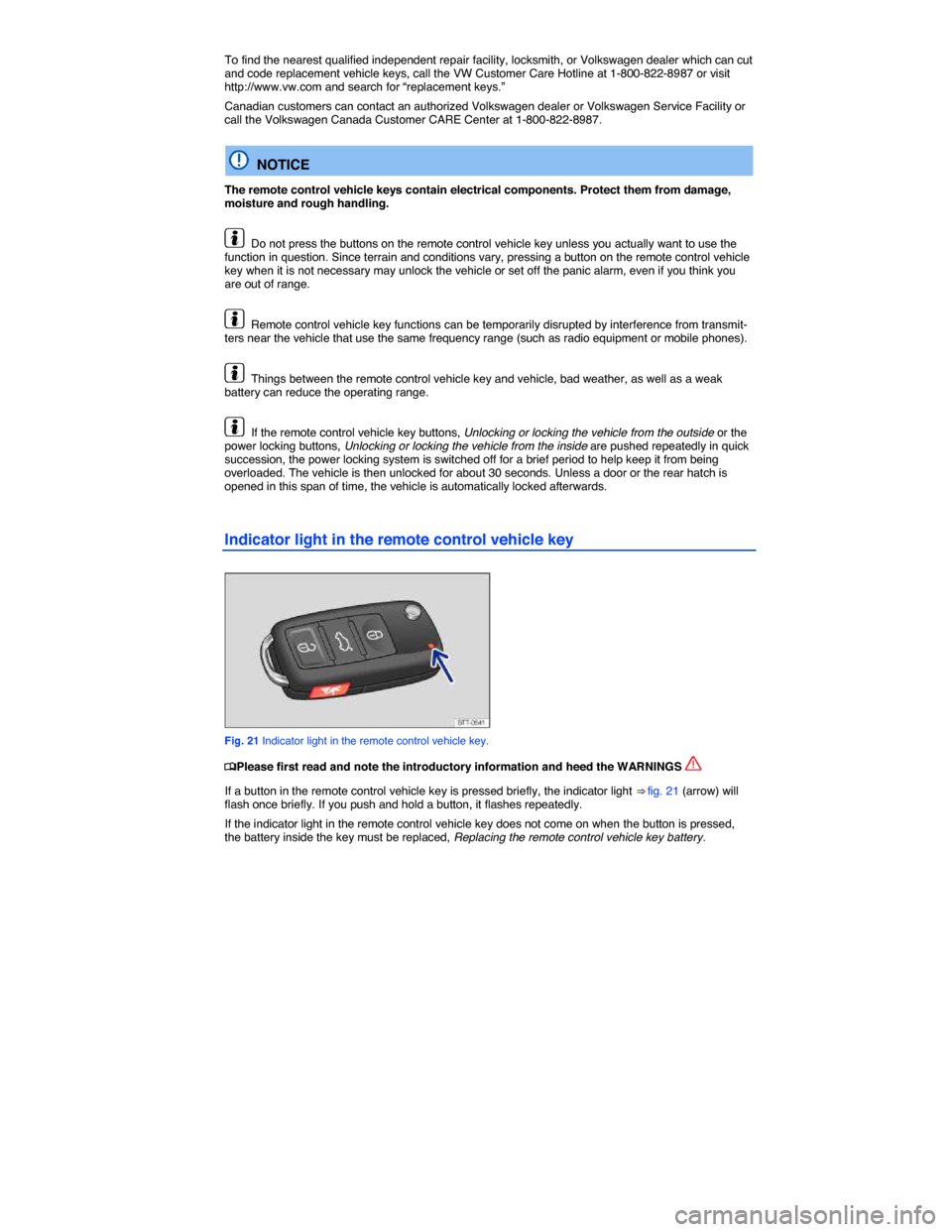
Indicator light in the remote control vehicle key
Fig. 21 Indicator light in the remote control vehicle key.
Page 47 of 380
Indicator light in the driver door
Page 49 of 380
If the vehicle was unlocked with the remote control vehicle key and the door or the rear hatch has not been opened within a few seconds, the vehicle is automatically locked again. This feature helps pre-vent you from leaving the vehicle unlocked unintentionally.
NOTICE
Check to make sure that the windows go down slightly when you unlock the vehicle. Otherwise the windows and seals could be damaged when opening the door.
Unlocking or locking the vehicle from the inside
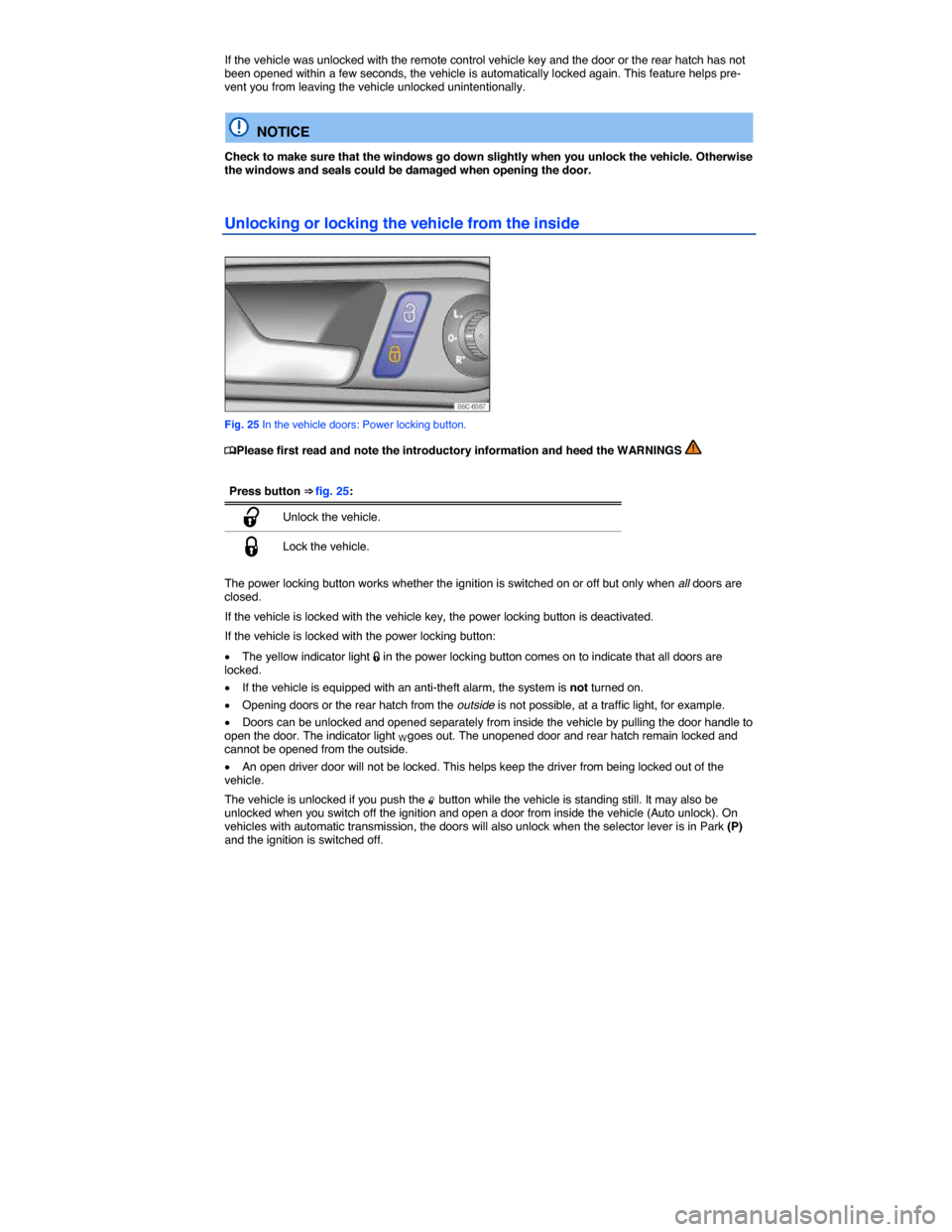
Fig. 25 In the vehicle doors: Power locking button.
Page 55 of 380

When the ignition is switched on, several warning and indicator lights come on briefly for a function check. They go out after a few seconds.
If a door is not closed properly, the vehicle icon appears in the instrument cluster display showing an
open door ⇒ fig. 13, ⇒ fig. 14, ⇒ fig. 15.
Depending on your vehicle's equipment and options, the icon may still be displayed even after the ignition is switched off as long as the key has not been taken out of the ignition. The icon in the in-strument cluster display goes out about 15 seconds after the vehicle has been locked.