radio VOLKSWAGEN GOLF 2000 Owner's Manual
[x] Cancel search | Manufacturer: VOLKSWAGEN, Model Year: 2000, Model line: GOLF, Model: VOLKSWAGEN GOLF 2000Pages: 474, PDF Size: 88.1 MB
Page 418 of 474
s
-What does it mean when . . . 4
- Automatic . . . . . . . . . . . . . . . . . . . 7
........ 5
.......... 5
-AM radio stations . . . . . . . . . . . . 6
..................... 6
-Bass ........... ............ 6
-Fader ....................... 6
- FM radio stations . . . . . . . . . . . . 6
-FADER .................... .
-Midrange
feature) . . . . . 8
. . . . . . . . . . . . 5
v
6 Warran ty ...................... 21
dependant . . . . . . . . 5
. . . . . . 5
b uttons . . . . . . . . . . . . . . . . . 8
. . . . . . 5
T
A .......................
B .......................
button .................... 6
FR ...................... 11
description . . . . . . . . . . . 22
-
. . . . . . . . . . . . . 22
Page 423 of 474
Overview
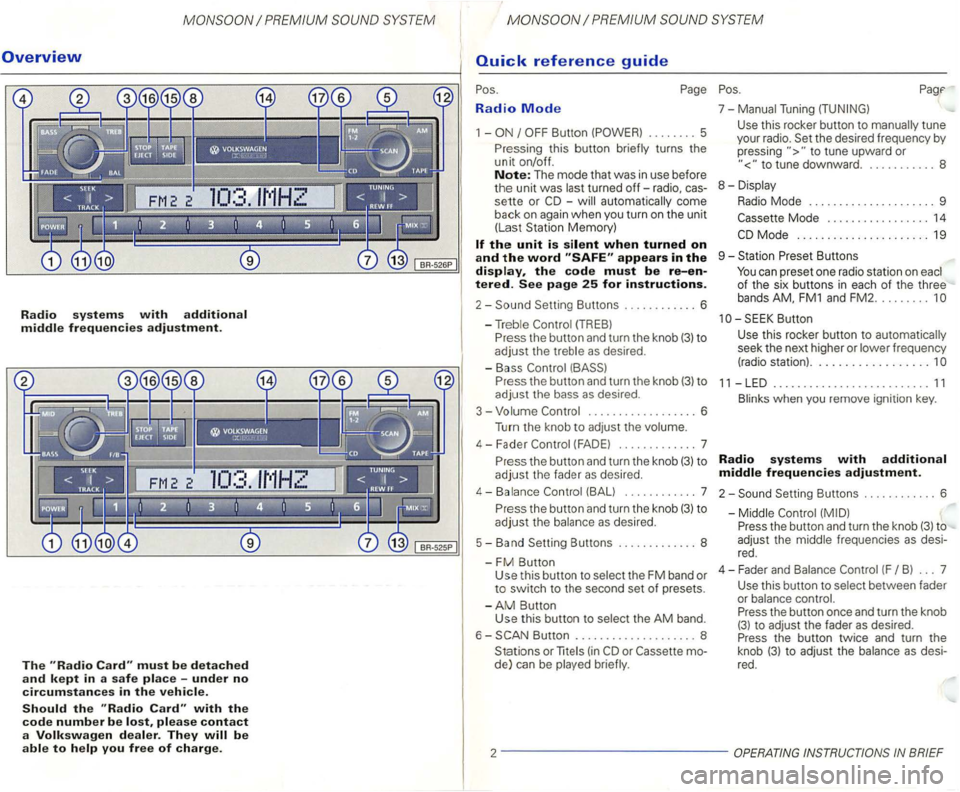
Radio systems with additional middle frequencies adjustment.
The must be detached
and kept in a safe place -under no
circumstances in the vehicle.
Should the with the
code number be please contact
a Volkswagen dealer. They
Radio Mode
1 -
-automatically come
back
on again when you turn on the unit
(Las t Station Memory)
appears in the display, the code must be re-entered. See page 25 for instructions.
2-
P ress the button and turn the knob (3) to
adjust the bass as desired .
3 - Volume
.................. 6
Turn the knob to
adjust the volume.
4 - F ader
(FAD E) ............. 7
P r
ess the button and turn the knob (3) to
adjust the fader as desired.
4-Balance (BALl ... ......... 7
P r
ess the button and turn the knob (3) to
adjust the balance as desired.
5 - Band Setting Buttons ..
........... 8
-
FM Button Use this button to select the FM band or to switch to the second set of presets.
-
AM Button
Use this button to selec t the AM band.
6 -
Button .................... 8
Stations or
lite (in
to tune upward or
to tune downward. . .......... 8
8 - Displa y
Radio Mode . . . . . . . . . . . . . . . . . . . . . 9
Mode . . . . . . . . . . . . . . . . . 14
Butt on
Use
this rocker button to automatica lly
seek the next higher or lower frequency
(radio station) ..................
11 -LED .......................... 11
Blinks when you remove ignition key.
Radio systems with additional
middle frequencies adjustment.
2-Setting Buttons ............ 6
-Middle
Press the button and turn the knob (3) to
adjust the middle frequenc ies
as desi
red .
4 - Fader an d Balance
(F B ) ... 7
Use this button to select between fader
or balance control.
Press the button once and turn the knob
(3) to adjust the fader as desired.
Press the button twice and turn the
knob
(3) t o adjust the balance as desi
red.
2 -------------
Page 425 of 474
Dmportant notes
Operating the radio
changing cassettes or reading
cassette dr iving have frequent
be heard.
Warning
Radio Reception
Depending on the surrounding terrain (i. e. poweror how far you are from the radio
broadcasting station. you may notice some
radio distortion.
you 've driven past
Convenience radio coding
For
the past one had to recode the radio man
then synchronise with
has been interrupted
the radio
it is the radio
the radio has been fitted to another ve
the word is
next to the contacts.
and keep it in a
safe
This car radio
changer*
The
compartment. by
the radio unit. the magazine
up to 6
Page 426 of 474
Radio Mode
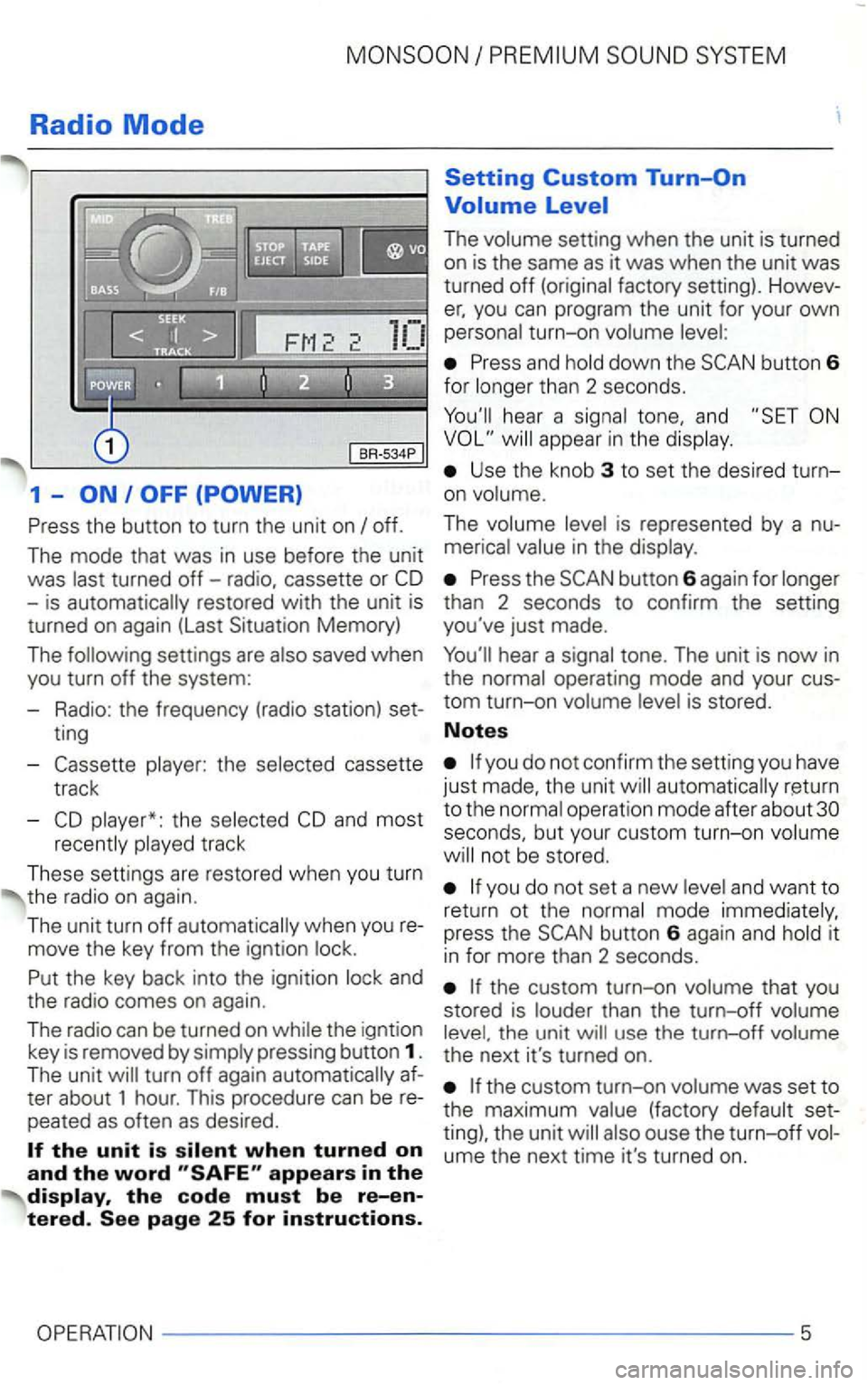
1 -
the
track
These settings are restored when you turn
the radio on
again .
The unit turn off
and
the radio comes on aga
in.
The
radi o can b e turn ed on the igntion
key is removed by
The
you can program the unit for your own turn-on
Press and
hear a tone, and
Use the knob 3 to set the desired turn
on
The
Press the
operation mode after about seconds, but your custom turn-on
not be stored.
you do not set a new and want to
return ot the it
i n for more than 2 seconds.
th e u nit
ume the next time it's turned on.
5
Page 427 of 474
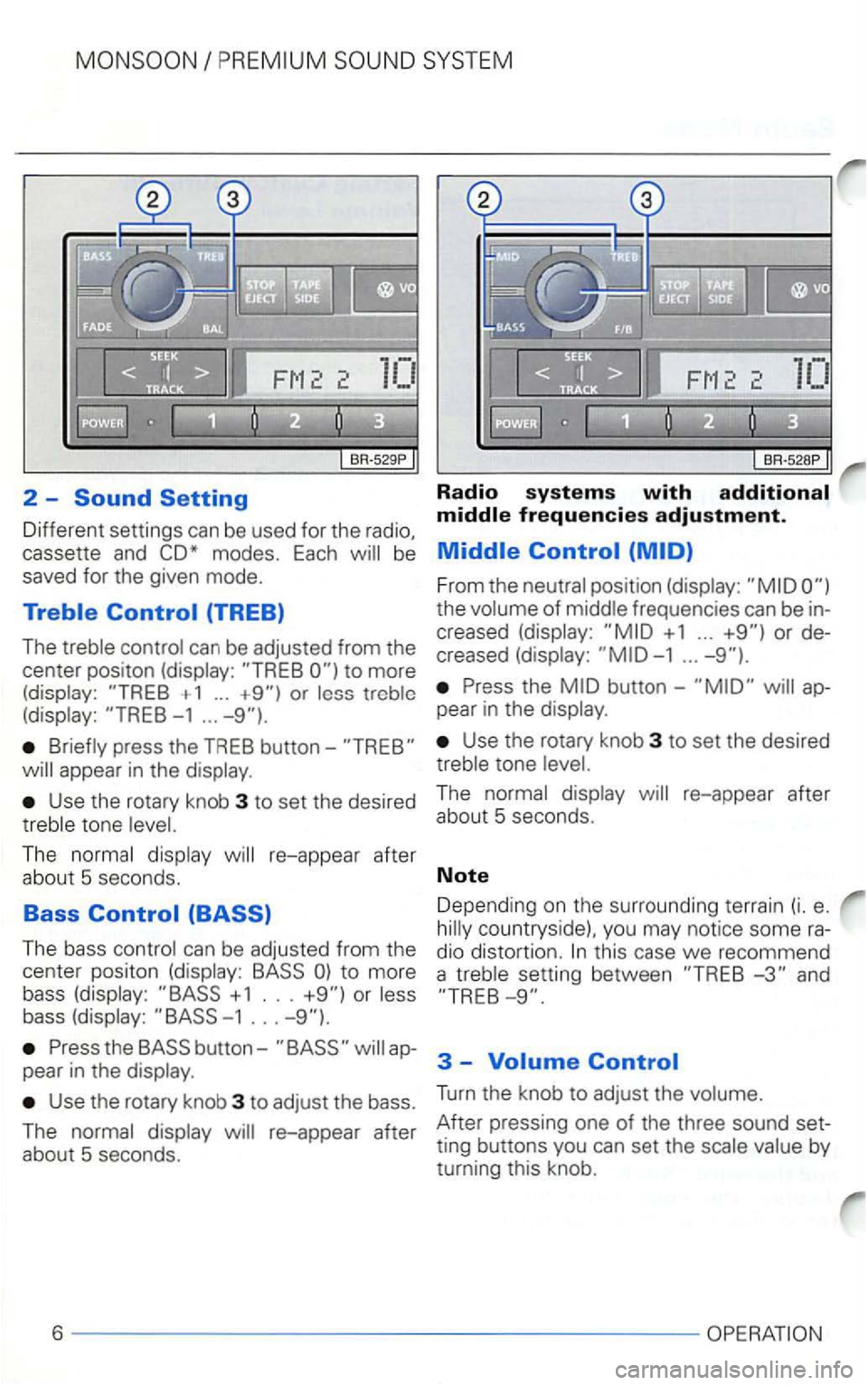
2 -Radio systems with
Different settings can be used for the radio,
saved for the given mode.
+ 1 ... or -1 ...
press the TREB button-
Use the rotary knob 3 to set the desired
The
The bass
or
button-appear in the
Use the rotary knob 3 to adjust the bass.
The
+ 1 ...
the
Use the rotary knob 3 to set the desired tone
this case we recommend
a setting between and
3 -
Turn the knob to adjust the
by
turning this knob.
6
Page 428 of 474
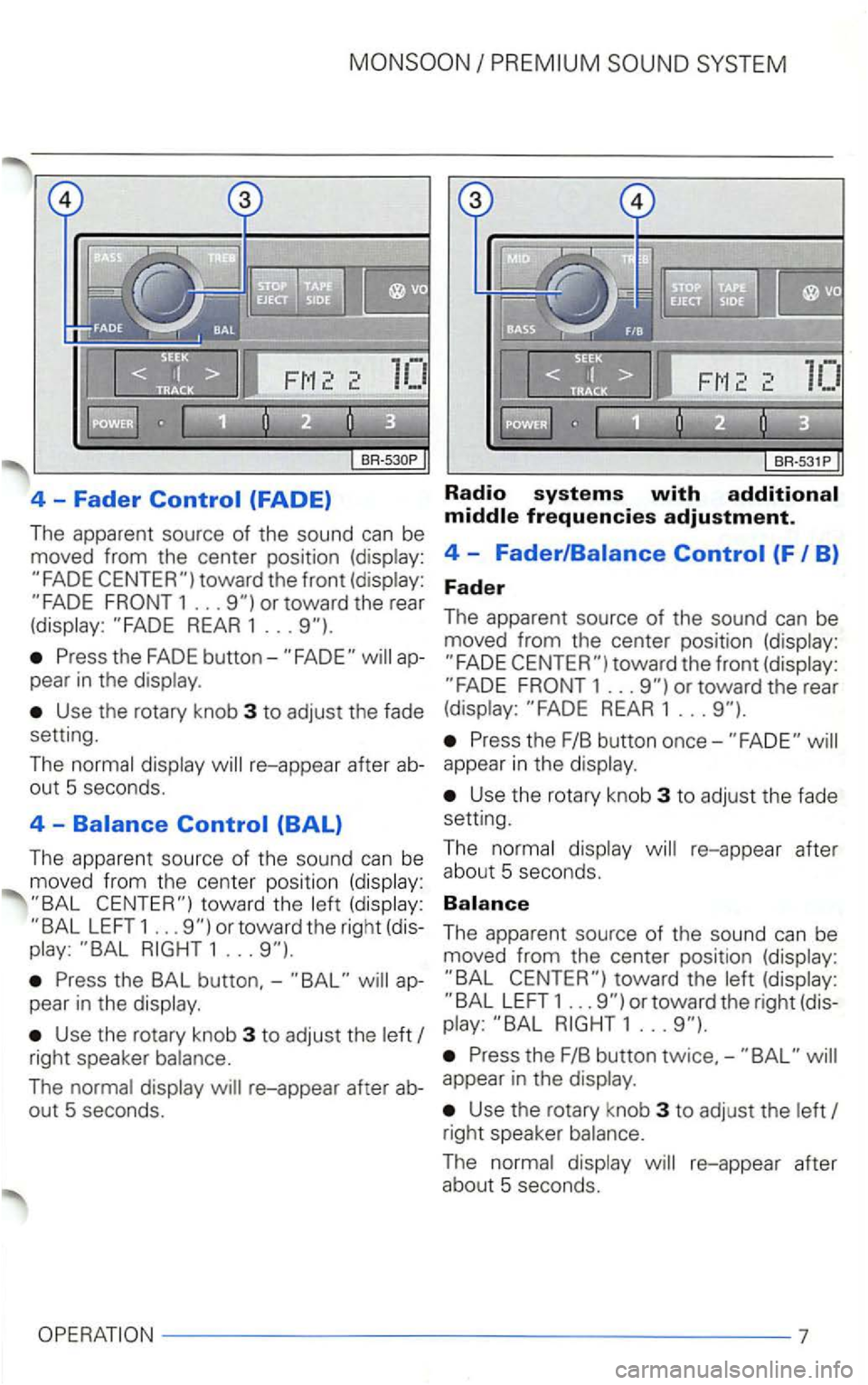
4 -Fader (FADE)
The apparent source of the sound can be
moved from the center position (display:
REAR 1 ...
Press the FADE appear in the display.
Use the rotary knob 3 to adjust the fade
setting.
The normal display
LEFT 1 ... or toward the right (dis
play: 1 ...
Press the BAL button,-ap
pear in the display .
Use the rotary knob 3 to adjust the left
Radio systems with
toward the front (display: 1 ... or toward the rear
(display: REAR 1 ...
Press the F/B button once-
Use the rotary knob 3 to adjust the fade
setting.
T he normal displ
ay re-appear after
abou t 5 seconds.
The apparent source of the sound can be
moved from the center position (display:
LEFT 1 ... or toward the right (dis
play:
right speaker balance. Press the F/B button twice,-
The normal display re-appear after ab-appear in the display.
out 5 seconds. Use the rotary knob 3 to adjust the left
right speaker balance.
The normal display re-appear after about 5 seconds.
7
Page 429 of 474
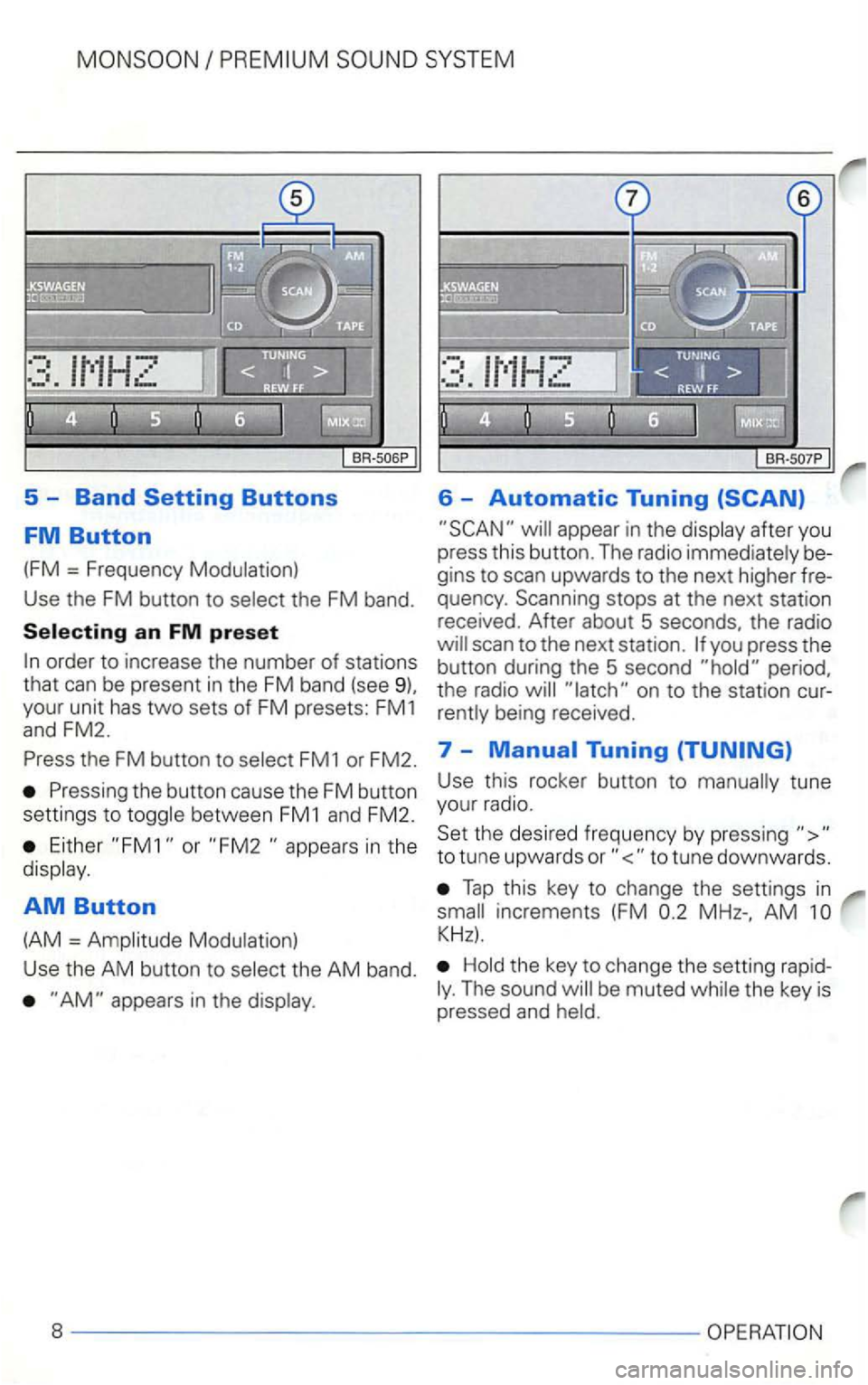
5 -Band
appear in the display after you
press this button. The radio immediately be
gins to scan upwards to the next higher fre
quency . Scanning stops at the next station
received. After about 5 seconds, the radio
the FM button to select FM1 or FM2. 7 -
Either or in the
display .
AM Button
(AM = Amplitude Modulation) Use
this rocker button to manually tune
your radio.
Set the desired frequency by pressing
Tap this key to change the settings in
AM
Hold the key to change the setting rapidThe sound
Page 430 of 474
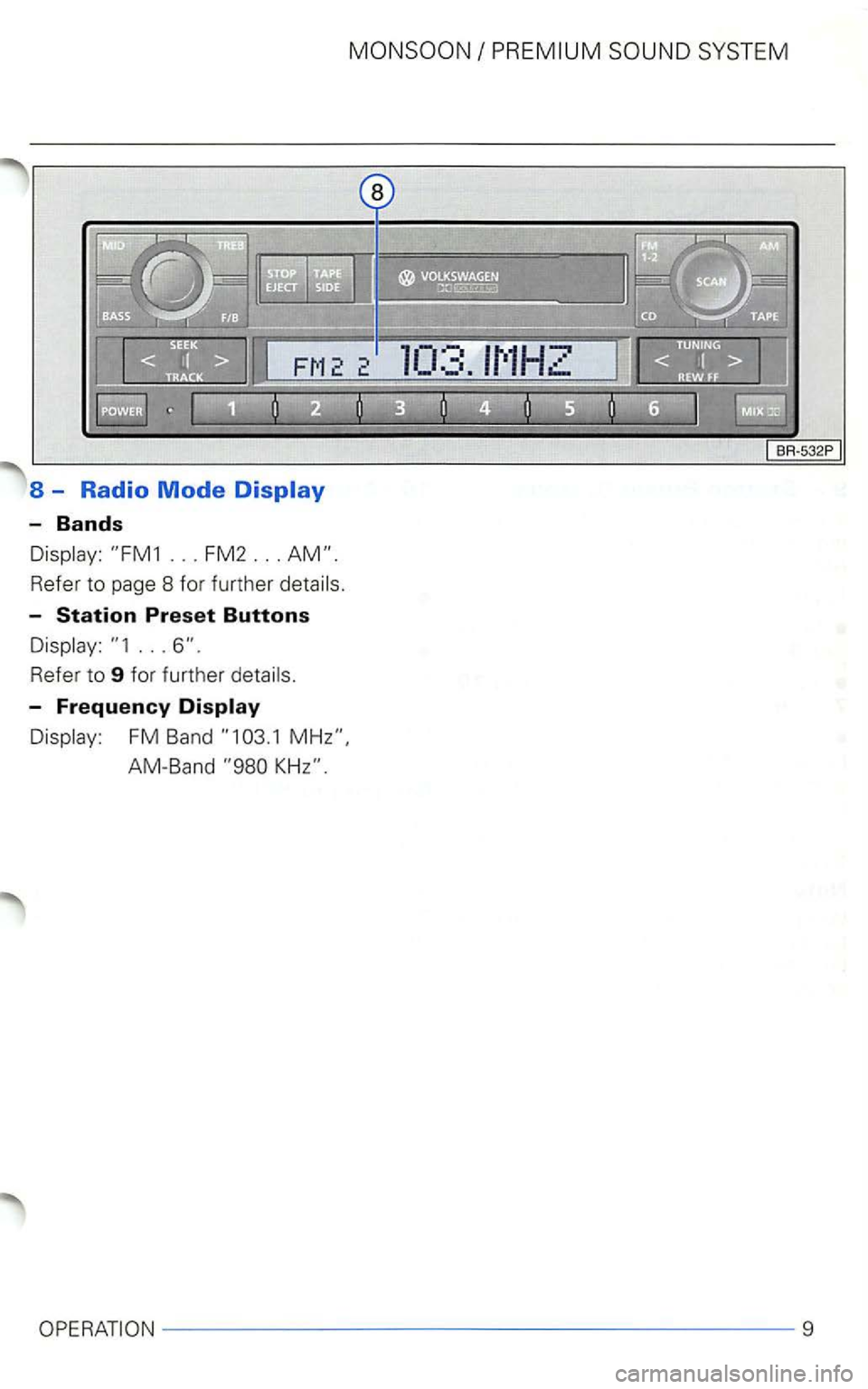
8 - Radio Mode
-Bands
Refer to page 8 for further
-
...
-Frequency Display
FM Band
9
Page 431 of 474
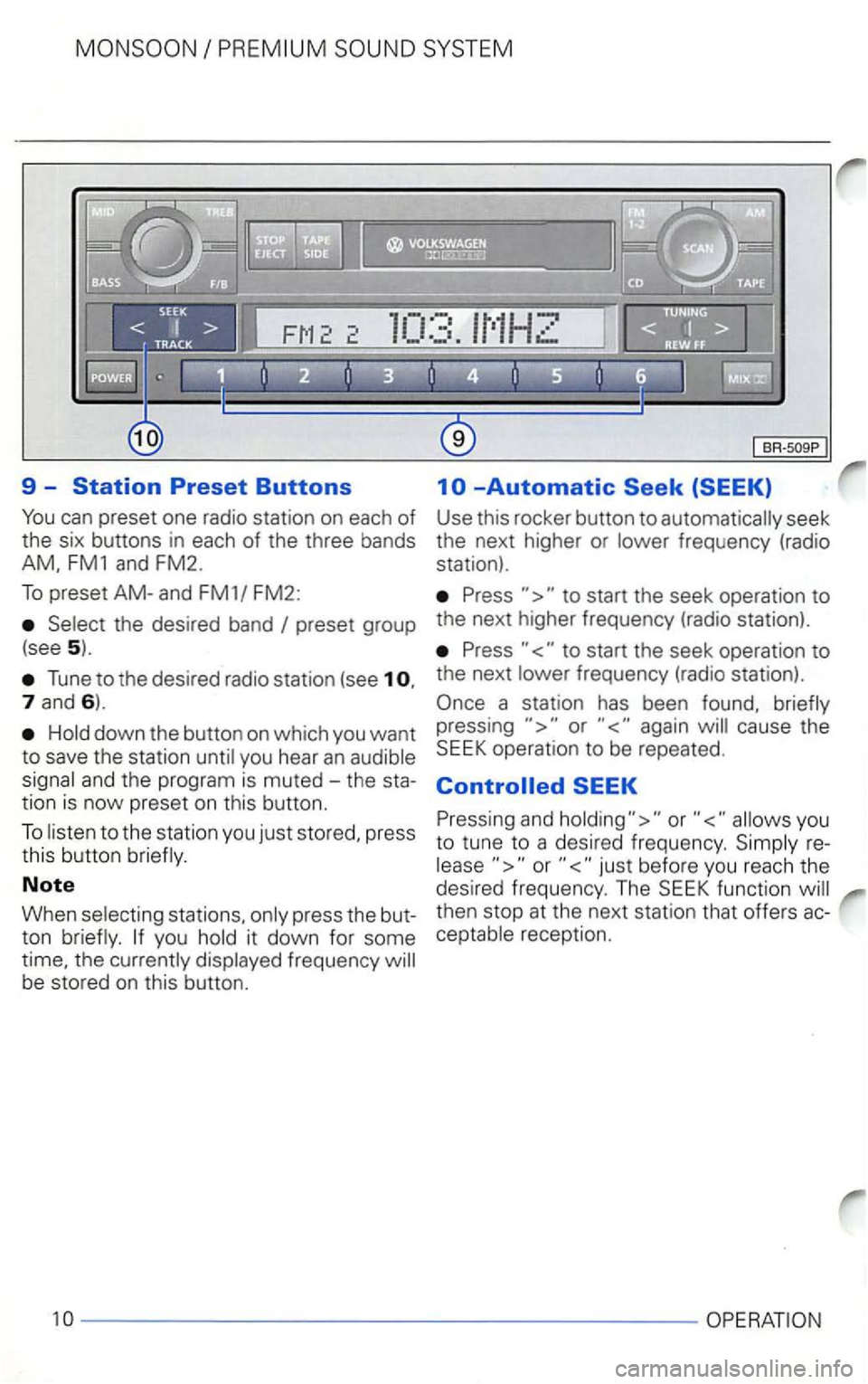
9 --Automatic
Press to start the seek operation to
preset group the next higher frequency (radio station).
(see
5). Press to start the seek operation to
Tune to the desired radio station (see 1 o. the next frequency (radio station).
7 and 6).
down the button on which you want
to save the station
you hear an
to the station you just stored, press
this button
Note
When stations, press the but
ton
frequency be stored on this button.
pressing again cause the
Pressing and
reor
then stop at the next stat ion that offers acreception.
10
------------------ ---
Page 433 of 474
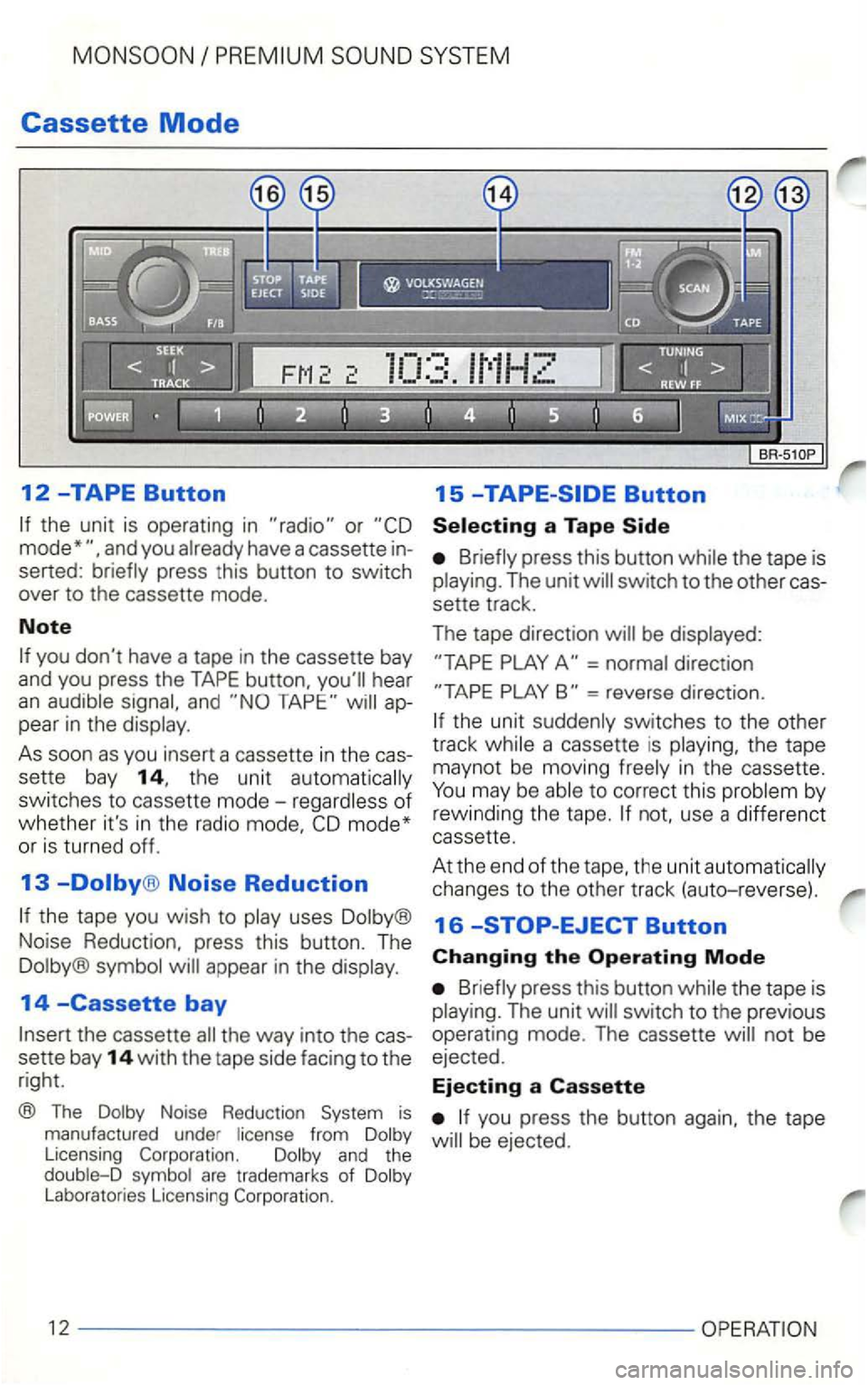
Cassette Mode
12 -TAPE Button
or
and you
you don't have a tape in the cassette bay
and you press the TAPE button. you'll hear an and appear in the
in th e radio
Noise Reduction
uses
14 -Cassette bay
the way into the cas
sette bay
14 with the tape side facing to the
right.
® The Noise Reduction from
press this button the tape is The unit
direc tion
=reverse direction.
to correct this
use a dif fere nct cassette .
At the end
of the
the tape is The unit
not be
ejected .
Ejecting a Cassette
you press the button again. the tape