radio VOLKSWAGEN GOLF 2000 User Guide
[x] Cancel search | Manufacturer: VOLKSWAGEN, Model Year: 2000, Model line: GOLF, Model: VOLKSWAGEN GOLF 2000Pages: 474, PDF Size: 88.1 MB
Page 396 of 474
PREMIUM SYSTEM
im
po rtant informat ion regarding traffic up
dates,
road conditions, weather reports,
etc .
But remember, you
For
set the of your radio
system so tha t yo u can hear from
other d
rivers at any time.
Anti-theft coding
The anti-thef t coding
it can then be
operated again after entering the correct
code -see page 19.
The radio code number and the radio
contents at the beginning of this struction
is very important that you detach this
changer *.
The
compa rtment. by
the radio unit. The magazine
in the MERKER for further tion.
option, or your
authorized can
if this
option is for your
4 - ---------------/IMPORTANT INFORMATION
Page 397 of 474
Radio
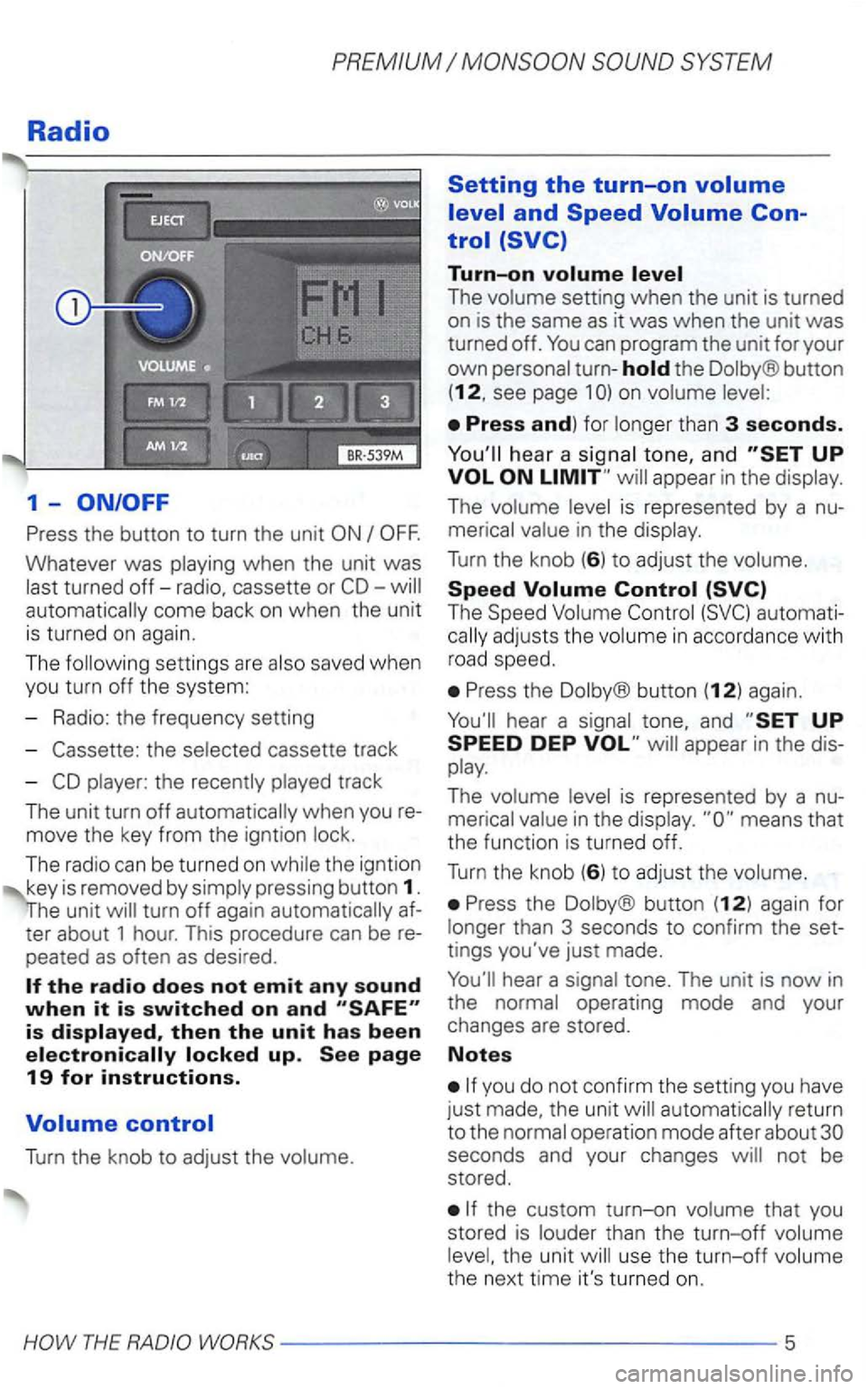
1-
Press the button to turn the unit
Whatever was playing when the unit was
last turned
off-radio, cassette or automatically come back on when the unit
is turned on again.
The following settin gs are also saved when
you turn off the system:
- Radio: the frequency setting
-
the selected cassette track
-
player: the recently played track
The unit turn
off automatically when you
move the key from the igntion lock.
The radio can be turned
on while the igntion
key is removed by simply pressing button 1.
turn off again automatically
peated as often as desired .
Turn the knob to adjust the volume.
Setting the turn-on
Turn-on
The volume setting when the unit is turned
on is the same as it was when the unit was turned off.
the Dolby® button
(12, see page 1
hea r a signal tone, and appear in the display.
The volume level is represented by a
The Speed Volume
Press the Dolby® button (12) again.
Press the Dolby ® button (12) again for
longer than 3 seconds to confirm the
tings you've just made.
automatically return
to the normal operation mode after about
the custom turn-on volume that you
stored is louder than the turn-off volume
level, the unit will use the
turn-off volume
the next time it's turned on.
Page 398 of 474
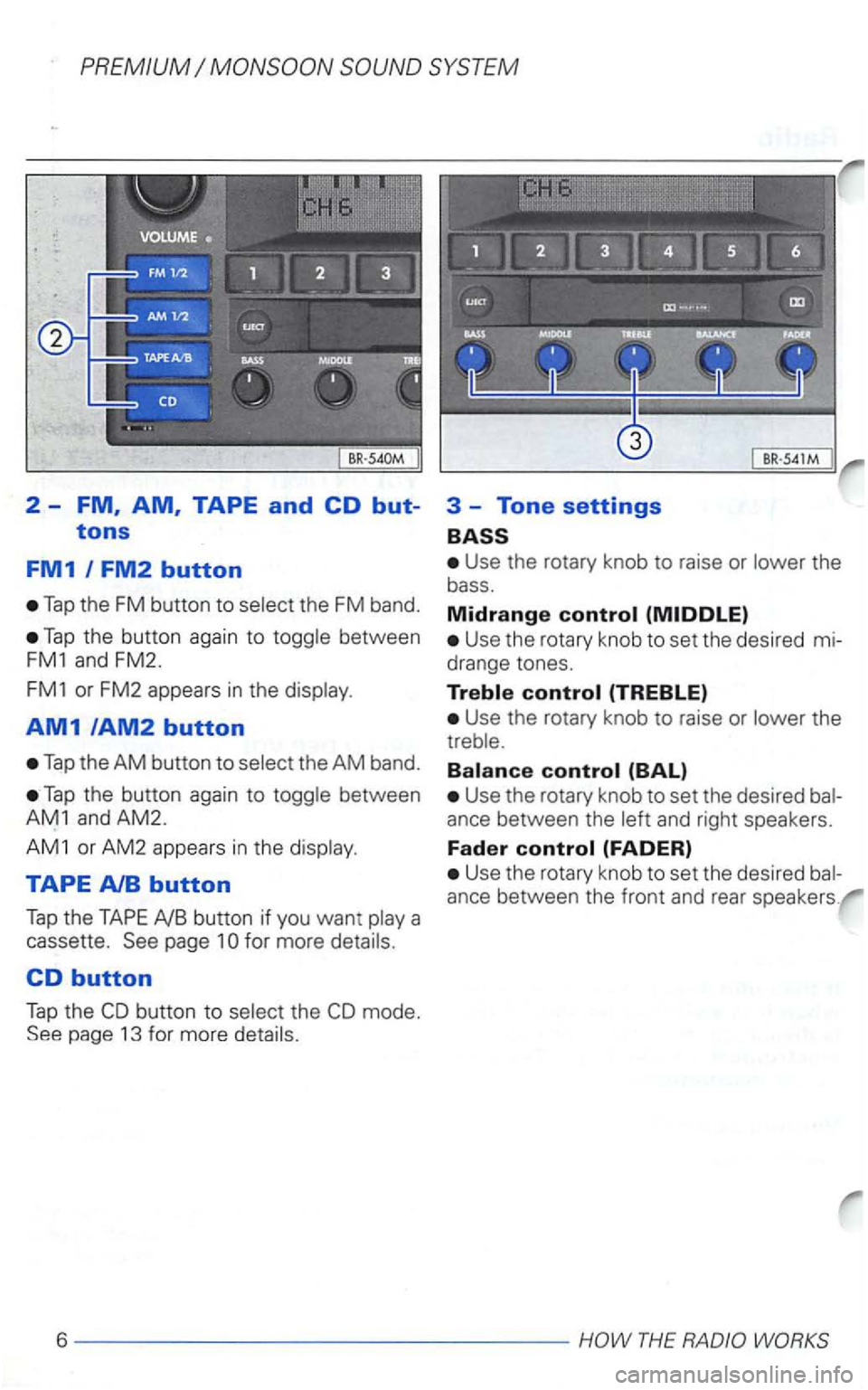
2 -FM, AM, TAPE and CD but-
tons
FM1 I FM2 button
Tap the FM button to the FM band.
Tap the button again to
AM1/AM2 button
Tap the AM button to
Tap the button again to
TAPE AlB button
Tap the TAPE AlB button if you want
CD button
Tap the the page 13 for more
3 -Tone settings
Use the rotary knob to raise or the
bass .
Midrange control
Use the rotary knob to set the desired mi
drange tones.
Treble control (TREBLE)
Use the rotary knob to raise or the
Balance control (BAL)
Use the rotary knob to set the desire d and right speakers.
Fader control (FADER)
Use the rotary knob to set the desired
ance between the front and rear speakers .
6----------------HOW THE RADIO
Page 400 of 474
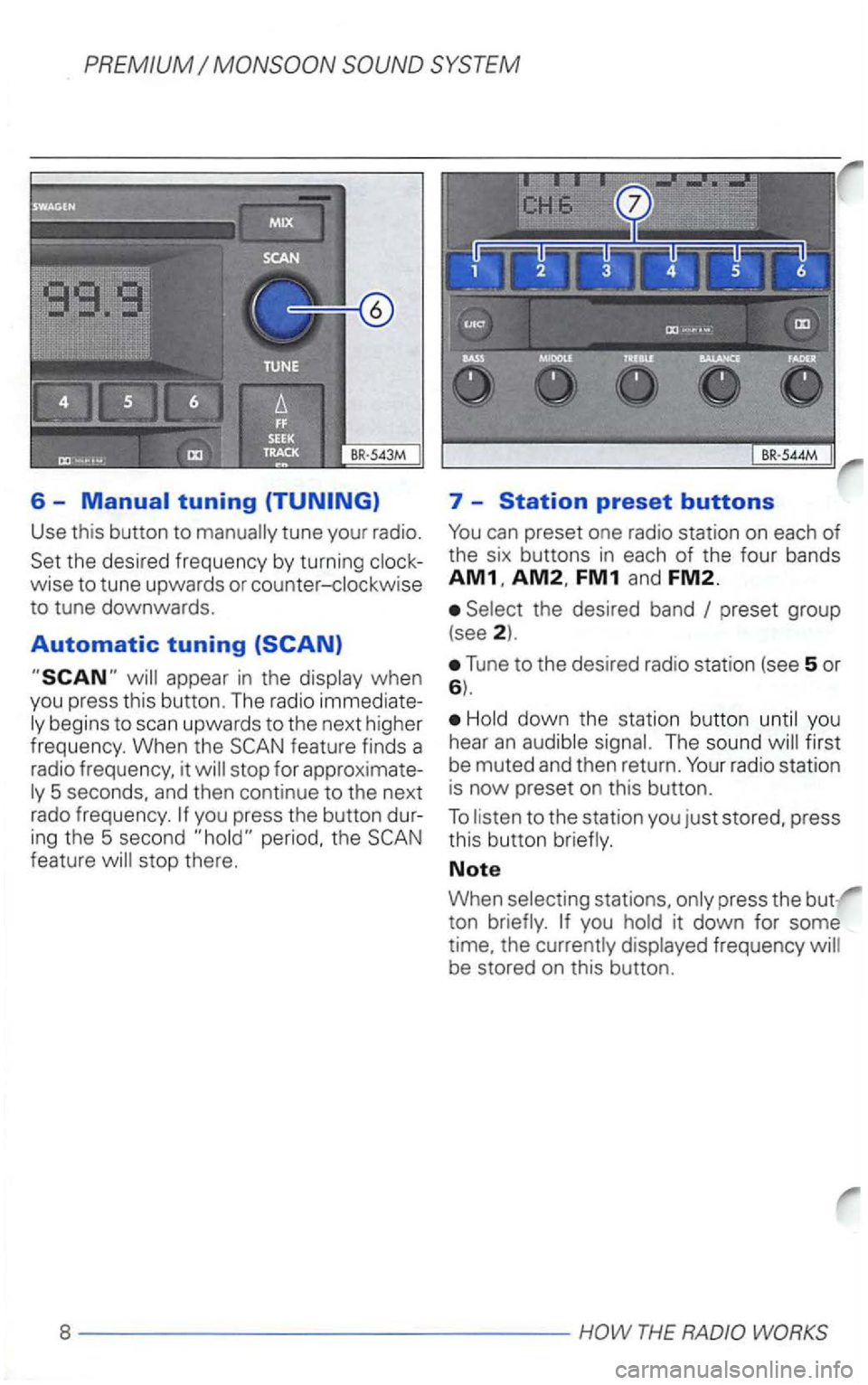
6 -Manual tuning
Use this button to
ing the 5 second period, the feature will stop there.
7 -Station preset buttons
FM1 and FM2.
Select the desired band
Tune to the desired radio station (see 5 or 6).
Hold down the station button until you
hear
an audible signal. The sound first
be muted and then return.
the currently displayed frequency
Page 405 of 474
PREMIUM
CD
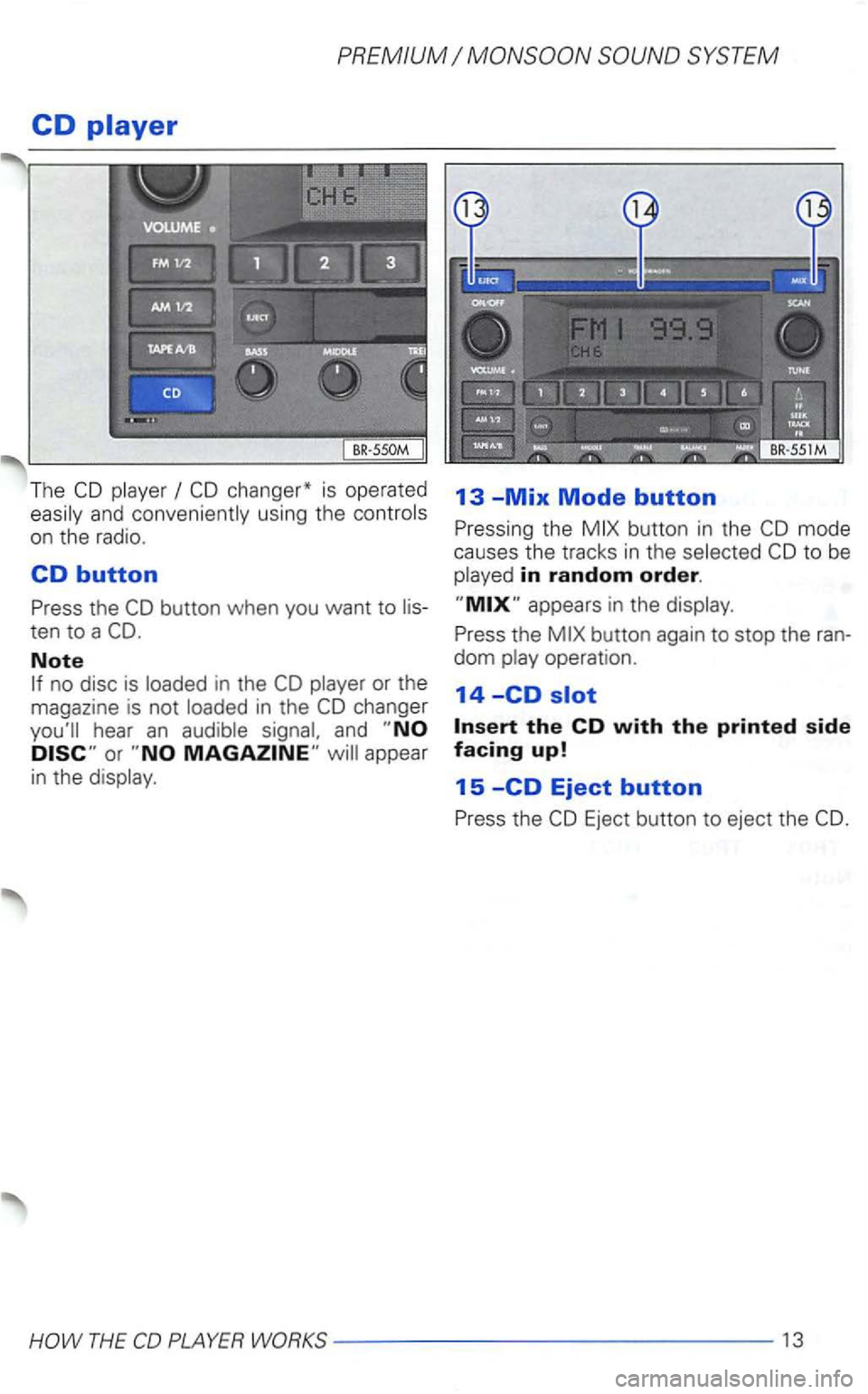
The and conveniently using the
on the radio .
CD button
Press the button when you want to
Note
and appear
in the
13 -Mix Mode button
Pressing the button in the
to be in random order.
Press the
13
Page 411 of 474
PREMIUM
Anti-theft coding
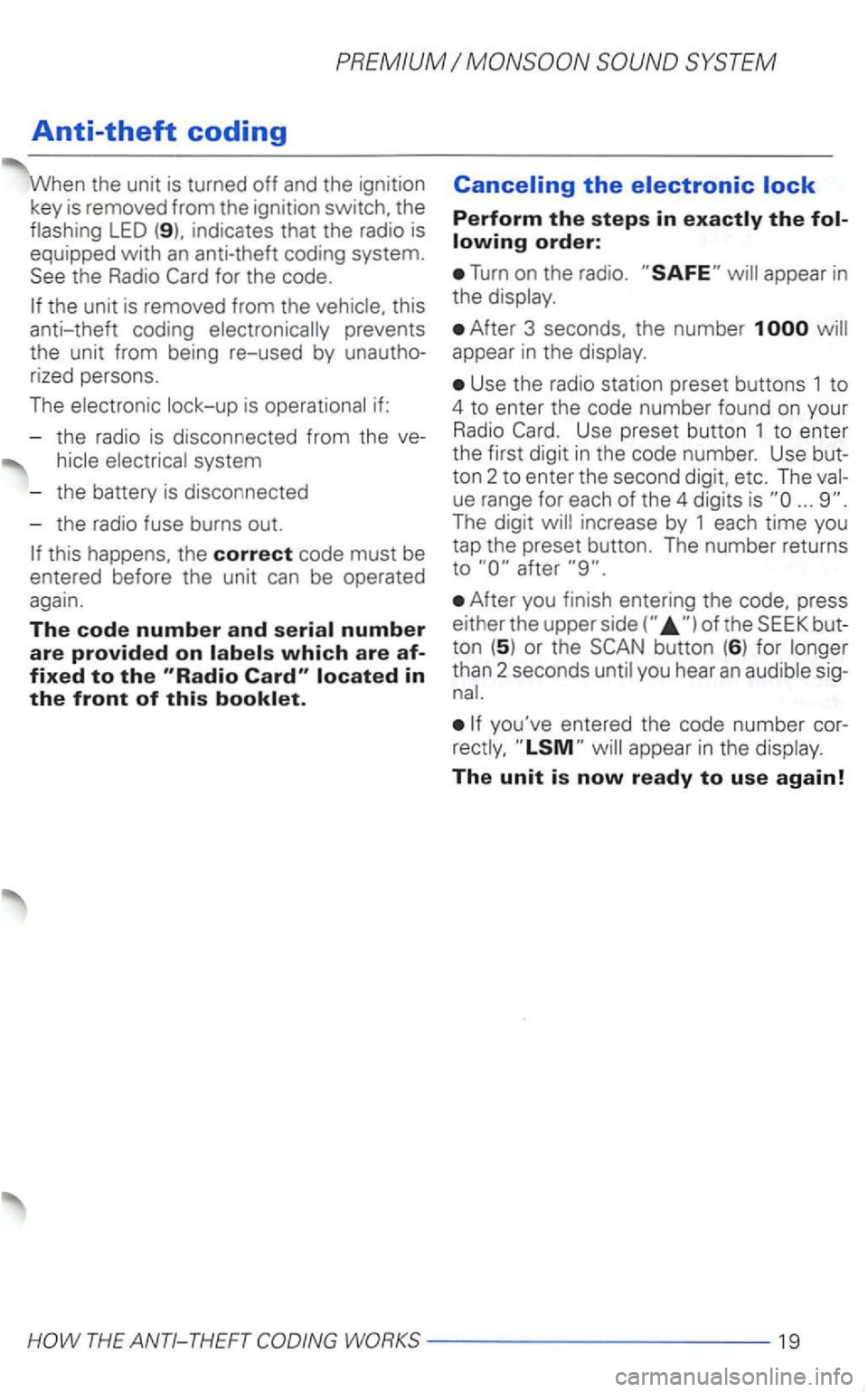
When the unit is turned off and the ignition
key is remo ved from the ignitio n switch, the
flashing
LED indicates that the radio is
equipped with
an anti-theft coding system. the Radio
Canceling the
Perform the steps in
Turn on the radio .
After 3 seconds, the number 1 will
appear in the display.
Use the radio station preset buttons 1 to
4 to enter the code number found on your Radio
ton 2 to en ter the second digit, etc. The ue range for each of the 4 digits is ...
After you finish entering the press
either the upper
you've entered the code number rectly,
Page 414 of 474
SYSTEM PREMIUM
locked whenever
the power source is
interrupted. can only
be returned to working condition by enter
ing the correct code number.
Frequency ranges
FM and AM
Band
Mom en tary-co ntac t butt ons
Fre qu ency, band, bass, balance. p re
s e t button, cassette functions. Dolby®
The cont rols and display are
AM1
and AM2. Manual tuning is possible in both
directions. Microprocesor-controlled stabi
lization of station frequencies (PLL quartz
tuning).
Cassette
Low-wear. high performance tape
auto-reverse. Music Search System
(MSS).
Dol by ® Noise Reduction, automatic
detec tion of metal cassettes.
CD changer*
Remote via radio sound system
unit.
bass controls. fader control inte
grated
in the
Watt (high)
2 x Watt (lo w)
2 x
outside interference in the FM band .
interference pulses from
the engine and other parts of the electrical
system such
as the heater wind
shield wipers and radiator fan.
® The Dolby Noise Reduction System is ma
nufactured under license from Dolby Licen
sing
Dolby and the double-D
symbol are trademark s of Dolby Laboratories
Licensing
2 2 ---- ------------
Page 415 of 474
A
Adjusting
. . . . . . . . 5
..................... 5
AM button ..................... 6
Antenna,-How to take care of . . 21
Anti-Theft protection . . . . . . . . . . . . 22
Anti-theft
do if
up
. . . . . . . . . . . . . . . . . 6
Bands received . . . . . . . . . . . . . . . . 22
-AM ............ ............. 6
(Autostore) . . . . . . . . . . . . . . . 7
..................... 6
-Bass .................... ... 6
... ................... 13
Noise Reduction . . . . . .
.....................
-Fader ....................... 6
- FM ............... .......... 6
-
.................... 5
- Radio station preset . . . . . . . . . .
8
..................... 11
- SEEK ...................... 11
-TAPE ....... ................ 6
-TAPEA/TAPEB ............
-Tone settings . . . . . . . . . . . . . . . . 6
- Track a ......................... 14
hous ing . . . . . . . . . . . . . . . 12
. . . . . . . . . . . . . . . . 1
-bay . . . . . . . . . . . . . . . 1
cassette tracks . . . . 1
-Ejecting a cassette . . . . . . . . . . 1
-Fast forward . . . . . . . . . . . . . . . 11
- Fast forward to the next track 11
- Fast reverse . . . . . . . . . . . . . . . . 11
- Fast
rewind to the previous track
11
-How can which side of my
cassette tape is being
-How do switch from one side of
a tape to the other? . . . . . . . . . . .
-function . . . . . . . . . . . . . . 11
-Tape A
Page 416 of 474
-Tips for operating . . . . . . . . . . . 12
-Tips for taking care of your cas-
settes ....................... 12
-What you see in the . . 12
-Taking care of your cas-
settes ........................ 12
in the
changer .................. 16
in the
. . . . . . . . . . . 17
- Removing
the magazine into
the
. . . . . . . . . . . 17
-. . . . . . . . . 15
. . . . . . . . . . . . . . . . 15
-
appears in the dis
play?....................
. . . . . . . . . . 1
-Random . . . . . . . . . . . . . . . 13
- Removing the
. . . . . . . . . . . . . . 15
16 -
....... 13 -Skipping backward to the previous
- Automatic scan
to the next track
14 -Skipping forward to the next
button ....... 14
when
...... 15 a ............
. . . . . . . . . . 18
. . . . . . . . . . . . . . . . . . . . 15
- Eject ing a
. . . . . . . . . . . . . . . 13
-ERROR-What does it mean
when
ERROR appears in the dis-
from the
in
the magazine . . . . . . . . . . . . . . . . 15
. . . . . . . . . . . . . . . . . . . 18
-Take care of your . . . . . . . 18
. . . . . . . . . . . . . . . . . 15
. . . . . . . . . . . . . . . . . . .
-Radio modes . . . . . . . . . . . . . . . . 9
Page 417 of 474
E
........................
Electronic lock . . . . . . . . . . . . . . . . . 19
Identification number . . . . . . . . . . . 19
Ignition lock . . . . . . . . . . . . . . . . . . . . 5
Illumination . . . . . . . . . . . . . . . . . . . . 22
Interference suppression . . . . . . . . 22
lntro scan
-What does it mean when
appears in the disp lay? . . . . . 19
M
Manual . . . . . . . . . . . . . . . . . . . 7
Manual tuning . . . . . . . . . . . . . . . . . . 8
Maximum power output . . . . . . . . 22
Midrang e contro l . . . . . . . . . . . . . . . . 6
. . . . . . . . . . . . . . . . . . 13
Mix mode ..................... 13
. . . . . . 11
..................... 11
..................
TAPE ......................
....................... 5
p
Power antennas ................ 21
Preset buttons . . . . . . . . . . . . . . . . . . 8
R
Radio 19
Radio card . . . . . . . . . . . . . . . . . . . . . 19
- Where should
keep my Radio
........................ 4
Radio code number . . . . . . . . . . . . . . 4
Radio mode . . . . . . . . . . . . . . . . . . . . 5
Radio statio n preset buttons. -How can store a radio station? . . . . . . . . 8
R
ewind ....................... 11
Roof moun ted antennas ......... 21