display VOLKSWAGEN GOLF 2008 User Guide
[x] Cancel search | Manufacturer: VOLKSWAGEN, Model Year: 2008, Model line: GOLF, Model: VOLKSWAGEN GOLF 2008Pages: 444, PDF Size: 92.7 MB
Page 188 of 444
Booklet 3 .1 Controls and Equipment
Functio n lights & Vision
Factory setting This menu resets all of these functio ns to the original factory tings.
Back Heturn to the m enu.
Tips
The menus shown in the dis play depends o n ve hicle electronics and the options installed on
Applies to with sound system
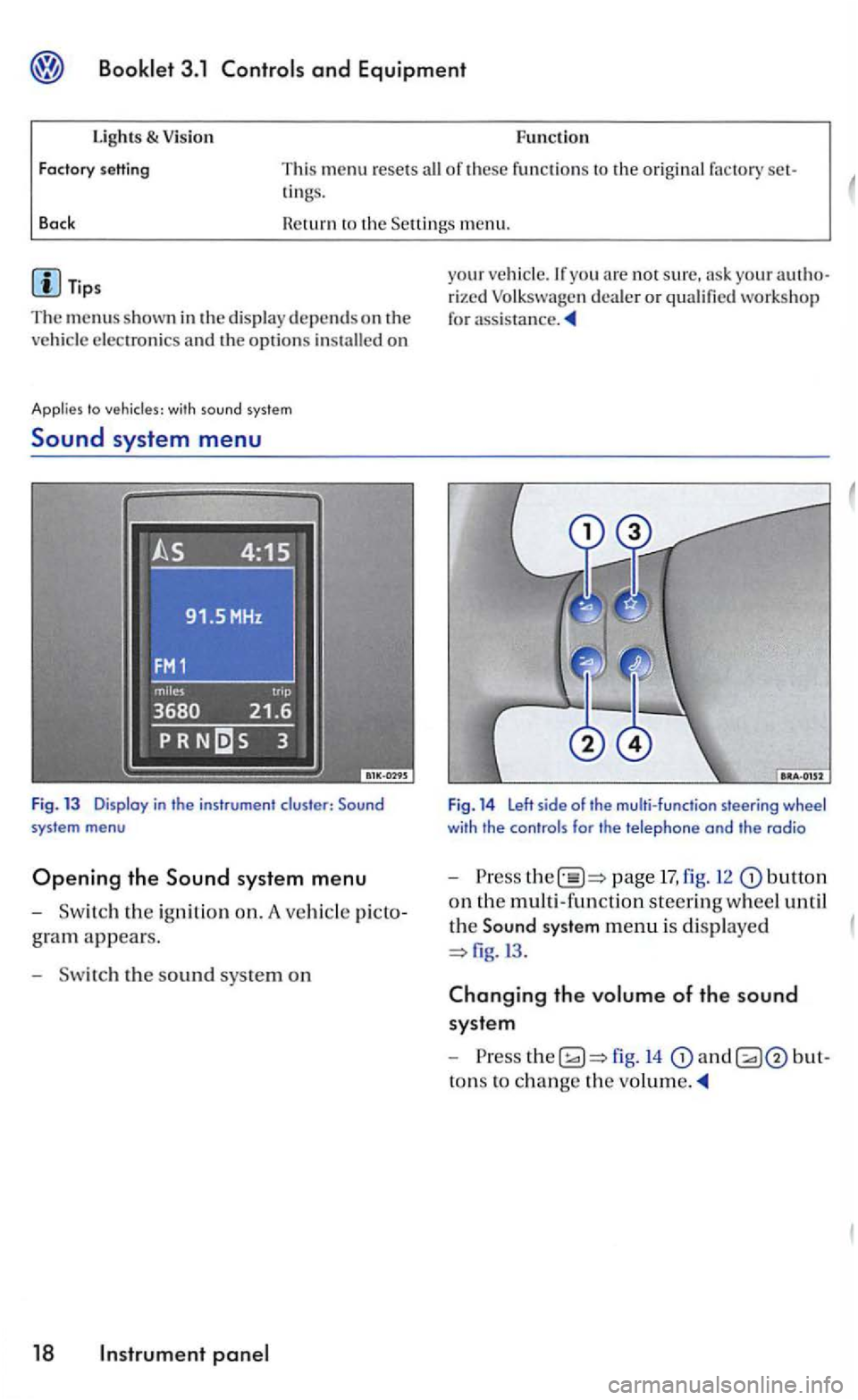
Sound system menu
Fig. 13 Display in the instrument cluster:
gram appears.
- Sw itch the s
ound sys te m on
18 panel
your veh icle.lfyou arc not sure, your rized Volk swage n dea ler or qualified workshop
for
Fig. 14 Left side of the multi-function steering wheel with the controls for the telephone and the radio
-Press page 17, fig. 12 butto n
on th e multi -functio n steerin g wheel until
th e
Sound system menu is di splaye d
fig.l3 .
Changing the volume of the sound
syste m
-
to ns to ch ange the
Page 190 of 444
and Equipment
Applies to with multi-function indicotor
Multi -Function
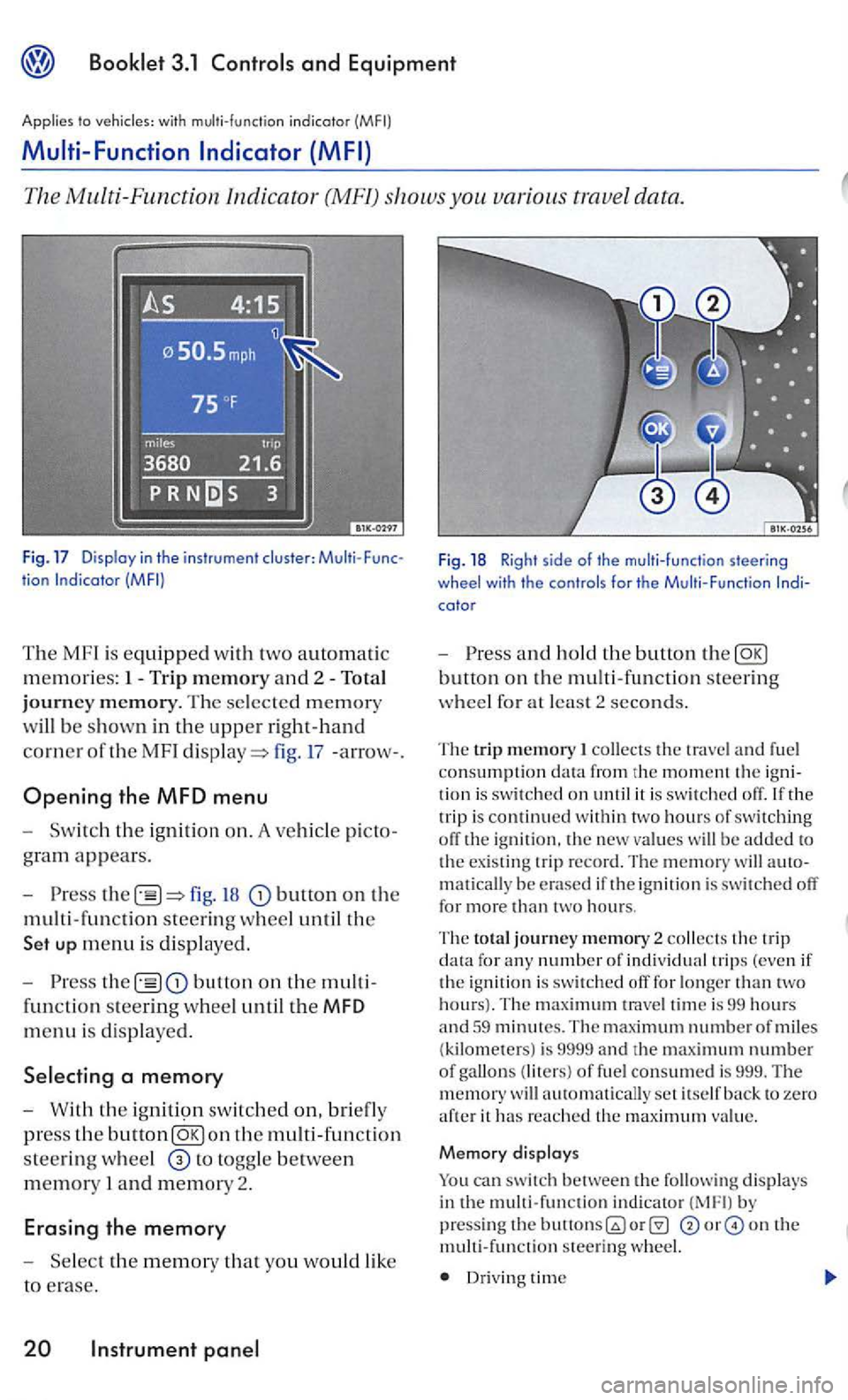
The Multi -Function Indica tor (MF!) shows you various trave l data .
tion
The MF l is equipped with two automatic
m e
mories: 1- Trip m emory and 2 -To ta l
j o
urney m em ory. The se lected memory
w
ill be s hown in the uppe r r ight-hand
co rner
oft he MF I fig. 17 -arrow- .
Opening the MFD menu
t h e ig nition on. A ve hicle picto
gram appears.
fig. button on the
m ult i- fun c
tion steering wheel until th e
up menu is di spl ay ed.
the button on th e multi
functio n st
eering wheel until the MFD
menu is displaye d .
W ith th e ig n iti9n switch ed on, briefly
press the button
to togg le between
mem ory I and memory 2.
Erasing the memory
Fig. 18 Righ t s ide of the multi-func tion steering
wheel with th e controls for the M ult i-Function
a n d ho ld t he butto n th e
collects the trave l a nd fuel
consumption the trip i s continued w ith in tw o hours of switching off the ig nition. th e new value s w ill be added to
t h e existing trip r ecord. The m emory will matically be e rased if i gnition i s switch ed off for more than two hours.
The to ta l journey m em ory 2 collects the trip data fo r any number of individ ual trip s (even if
t h e ignition is swi tched off for longer than tw o hours). T he trave l tim e is 99 hours and 59 minutes. The maximum number of miles (kilometers) is 9999 and th e maximum number of gallon s (liters) of fue l consumed is 999. The w ill automatically set itself back to zero aft e r it has re a ched th e maximu m value.
M emory d isplays
can switch between the follow in g displays in th e multi-function indicator b y pressin g the on th e mult i-func tion s teering wheel.
Dr iv in g time
Page 191 of 444
and Equipment
Average ruel co nsumption
Miles to empty
Distance trave le d
Average speed
S peed warning
min Driving time
Th e
displa y shows the amount or time that has gone by s ince the ig nition was sw itched on.
The m aximum displa y va lue in both memories
i s 99 hours and 59 minutes. The memory will reset itselrback to zero once thi s va lue has been rea ch ed.
gallons miles km) Current fuel con
sum ption
Th e di spla y w
ill sh ow the consumptio n in gallons (liters) per
book le t3.2 and chapter
0 gallons/100 miles (0 km) Average fuel
consumption
T he ave rage ruel c
onsumption will appear you have drive n approximately ya rds
(meters). Dashes w ill appear in th e displa y that time. The di spla y
Miles Miles {kilometer s) to empty
Th e m il
es ( kilom ete rs) to empty is calc ulated
u sing th e ru el ta nk contents and current ru el consumption. shows how rar the ve hicl e can travel u sin g the same speed and dri ving co ndi
ti o ns as
yo u have
dri ven approxi mately yards ( mete rs).
Dashe s w ill appear in the dis p lay until that time. The disp lay will b e updated every 5 seconds
while the ve hicle is m ov ing.
Speed warning
Th e s
peed wa rning can be set so yo u will see and hear wa rnin g whe n yo u reach the desired speed . For example. this settin g co uld be used to
l e t yo u know iryou exceed the posted speed
limit. When you r eac h the desired sp eed. press on th e multi
fun ction steering wheel. and hold th e button to erase th e sto re d speed.
temperature di splay
T he t e
mperature range is F to to At outside tempera ture s be tween-F and and a (ice warning) appears in addition to the outs id e tempera ture di splay. Thi s symbol ro r approximately 5 seconds and
F
W he n the ve hicl e is s tanding still o r tra velin g at
very low speed s, the temperature di spla yed may be slig htl y hi gh er than the actual outsid e te m
p erature as a result or heat radiate d rrom the engin e.
Roads and bridges can be dangerously icy even the outside air temperature is above r r eez ing.
Jryou use th e outside temperature di sp la y
t o tell you about rrost conditions, remember that roads can even ice over at temperatures above F (+
A lways remember, eve n if the
Neve r rely exclu siv el y on this the outsid e temperature display.
Always reduce your s peed and dri ve with special care under weathe r conditions w hen the c hances that you will encounter icy road surfaces a re greater.
In strument 21
Page 192 of 444
and Equipment
Tips
The
and "Average
Th e display may look diiTerent in you r
vehicle because there are diiTere nt instrument
Applies to
yo u are not sure . ask your authorized Volk swage n dealer or qualified workshop for sistance.
the vehi cle is ling ar very low speeds, the tempera tu re pla yed may be slighLiy higher than the actua l
o u tside temperature as a result of th e heat
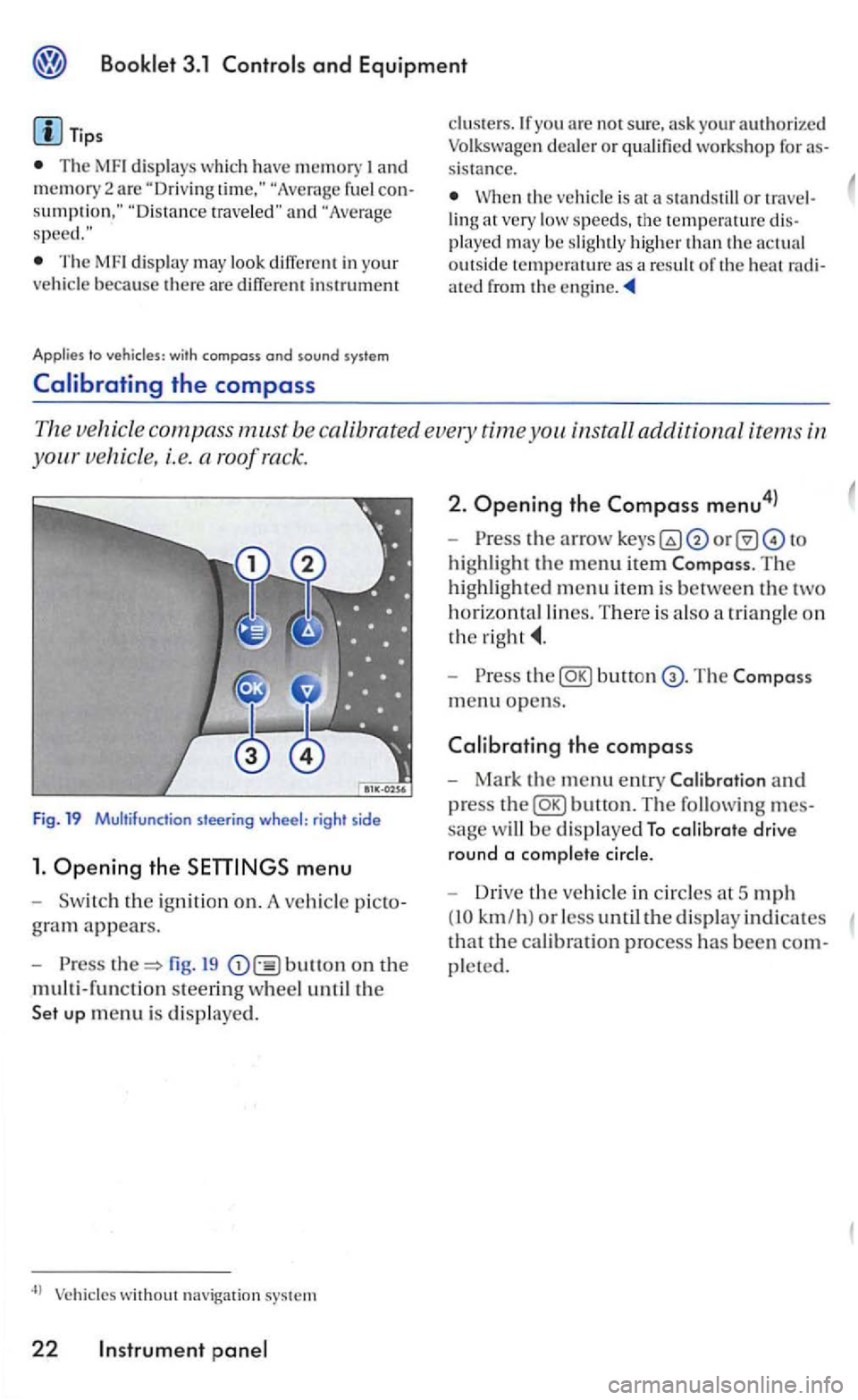
The ve hicle compass m.ust be ca libra ted every time you install additional items in
s teering wheel: rig ht side
1. Ope ning the menu
th e ig niti on on. A vehicl e
fig. 19 bullon on the
multi-functio n steerin g w heel u n til the
without navigation system
22 Instrument
2. Ope ning the Compass menu4l
highlight the menu item The
highlighted m enu item is between the two
horizontal lines. T here is a lso a tr iangle o n
the
Press butt on
m en u o pens.
the compass
Mark the menu entry and
press
sage w ill be d isplaye d To calibrate drive
round a comp lete cir
cle.
Driv e the vehicle in circles a t 5 mph
(10 km/h ) or less until the display indicates
tha t the cal ibration process has been
pleted.
Page 193 of 444
Booklet 3.1 Controls and Equipment
with compass and sound syste m
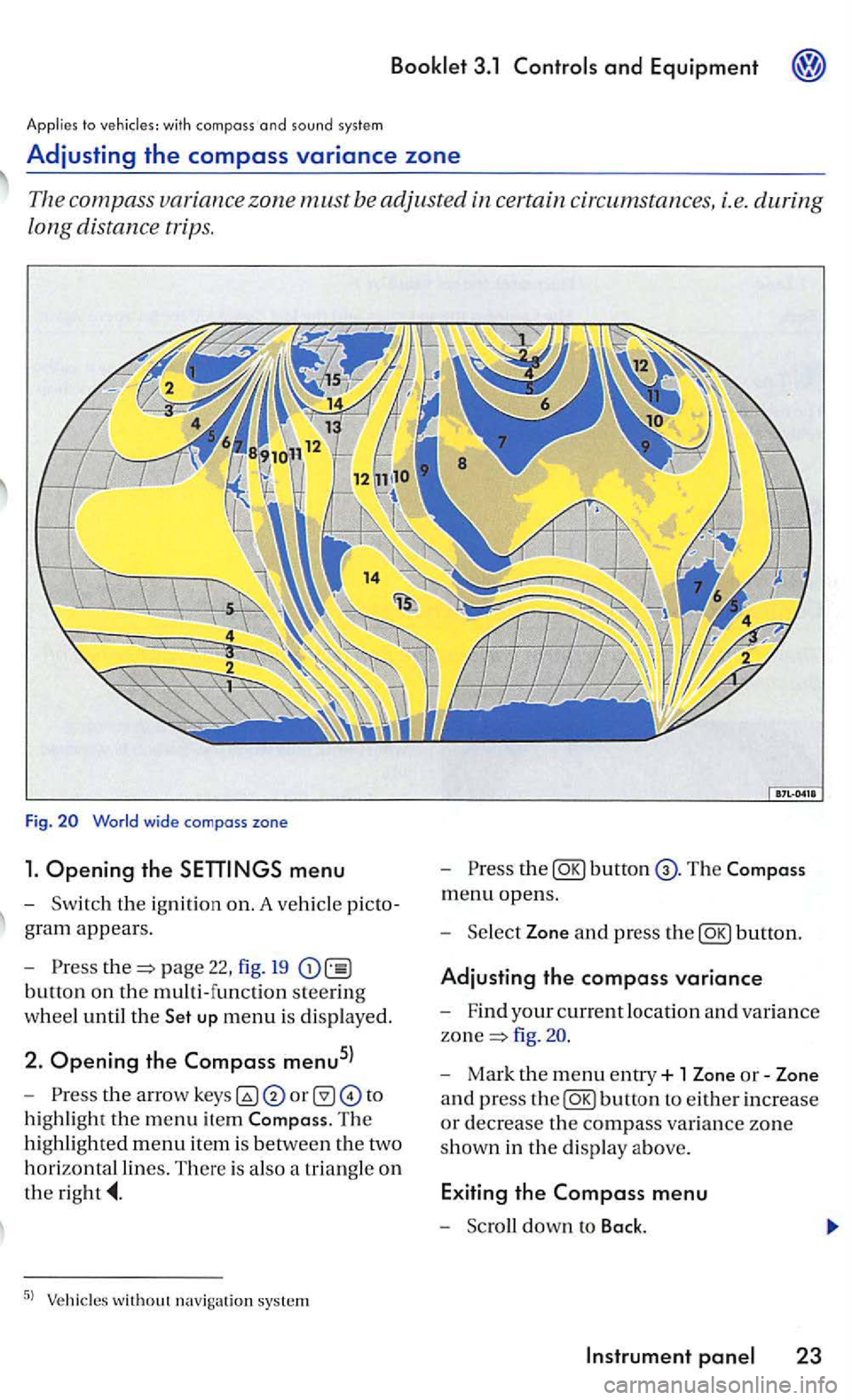
Adjusting the compass variance zone
Th e com pass zone must be adjusted certain circum stances, i.e. during
long distance trips.
Fig.
menu
-Sw itch the ignition on. A ve hicl e picto
g ra m
appears.
- Pre
ss page 22, fig. 19
button on the multi-function steering
w h
eel until the up menu is displayed.
2. Opening the Compass menu5l
-th e arrow to
h ig hli
ght the m enu item The
hi ghlighted menu item is betwee n th e two
h
orizontal lines. There is also a triangle o n
the
the
menu opens.
- Sel
ect Zone and press the
fig .
- Mark the menu entry+ 1 Zone or-Zone
a n d press
the
Page 194 of 444
Press button.
Compass
+ 1
-1
Bock
Tips
In display F uncti on
T he
name of the d is played menu
Increase th e set value b y I
Decreases th e set val ue by I
The Compa ss menu closes and t he last di sp layed menu opens aga in.
T
he menu s s hown in t he display depend s on the
ve hicle electro nics and the options in stalled on
yo ur ve hicle. If you are not s u re, ask your rized Volkswagen deale r or qualified work s hop for
Steer ing
Applies to vehicles: with multi-function steer ing whee l
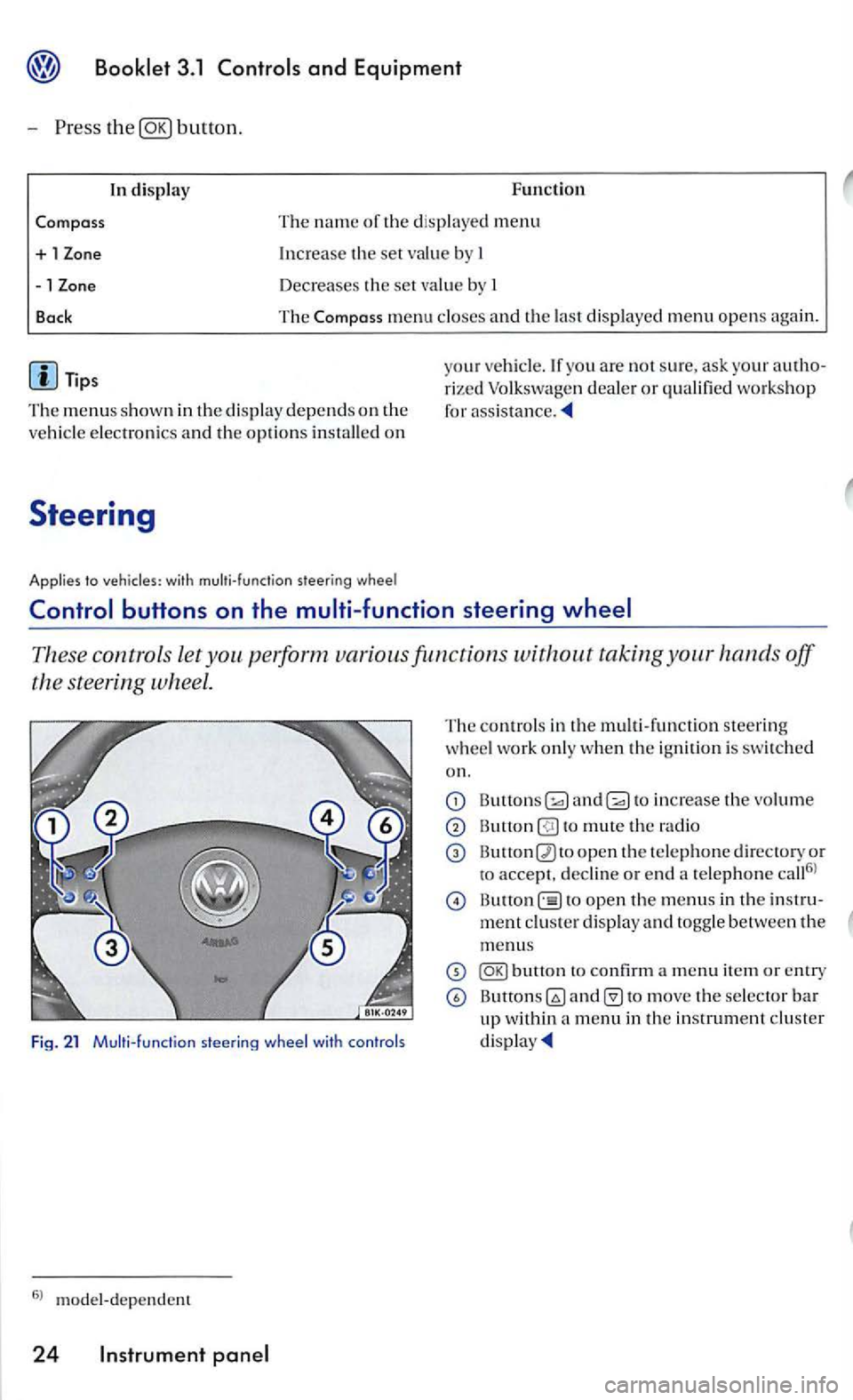
These contro ls let taking your hands off
the steering wheel.
Fig. 21 Multi- funct ion
The contro ls in th e m ult i- fun ctio n steering
w heel work only when the ignition is swi tched
on.
and to increase the vo lume
to mute th e radio
open th e te le phone d irectory or
to accept. decli ne or e nd a te lephone call6
l
open th e menus in th e
to move the selector bar up within a menu in th e in strument cluster
Page 251 of 444
Booklet 3.1 and Equipment
Applies to
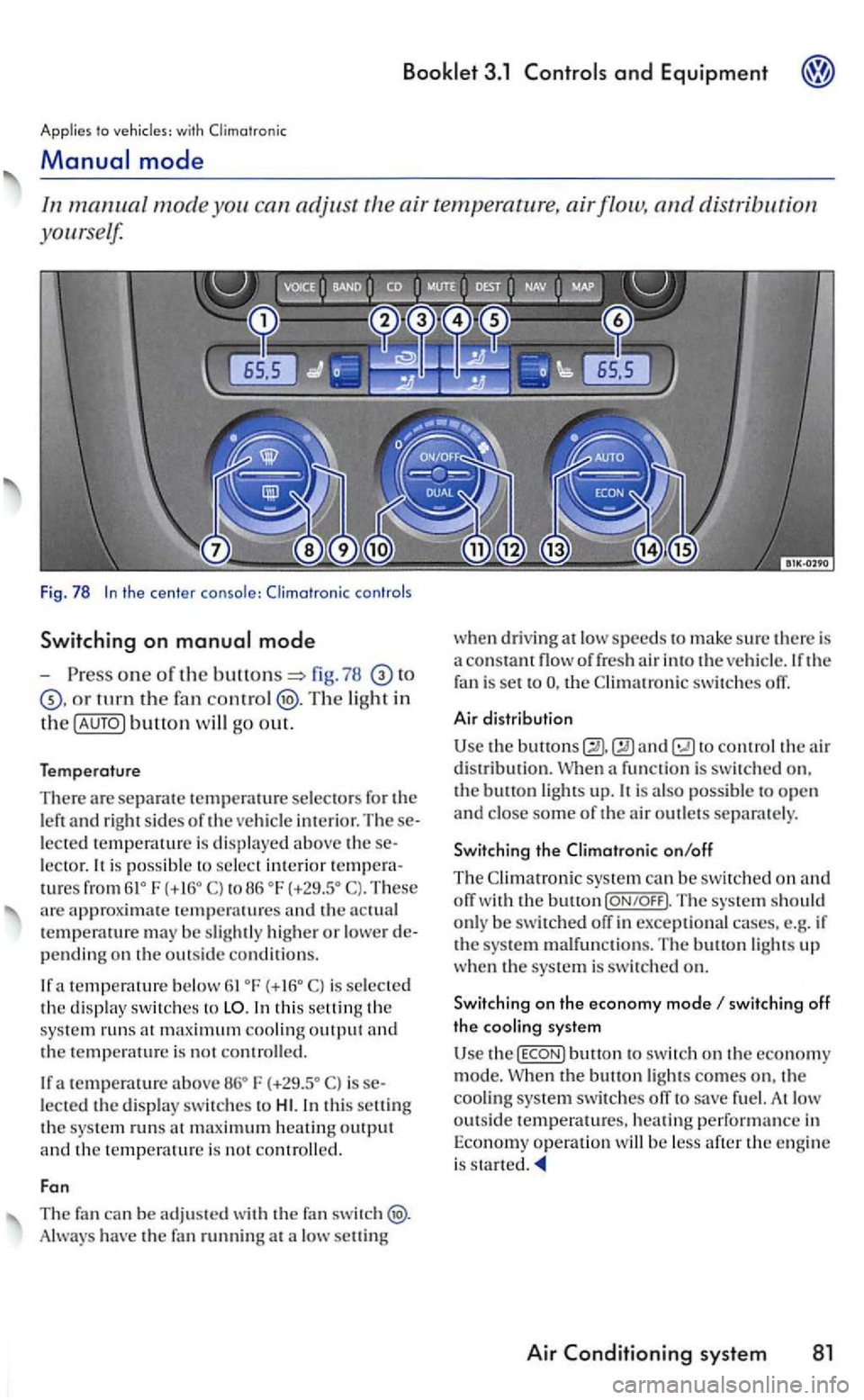
one of the fig . 78
turn th e fan Th e light in
th e button will go out.
Temperature
There are separate selectors for the left and right sides oft he ve hicle imerior. lected te mperature is displayed above le ctor. is possibl e to select imerior tures from6lo F to 86 oF T hese arc approximate temperatu res and th e temperawre m ay be slightly higher or lower pending on the outsid e conditions.
a temperature below is select e d the di spla y sw itches to
the tempe rature is no t roll ed .
If a temperature F is lected the displny switc he s to
have the fan running at a low selling w
hen dri ving
at lo w speeds to make sure there is
a cons flow of fresh air into th e ve hicle. If the fa n is set to the
to control the air d is tribution. a function is sw itched on.
the bu11on ligh ts up. p ossible to o pen and close som e of the air outlets separate ly .
Switch ing the on/off
The
switching off the cooling system
Use butlon to switc h on th e economy
mode. the buuon lig hts comes on, th e
cooling system switch es ofT to fu el. At low outside temperatu res, heating performance in
Econo my ope ratio n will be less after the e ng in e
i s started.
Air system 81
Page 262 of 444
to
s hift.
-
Move the s e lector lever back
downs hift.
Shifting with
-right paddle+
page
fig. 86.
-
l e ft paddle-towards th e steerin g
w h
eel ch ange dow n.
If the paddles on the steering w heel no t used. the auto m atic tra nsm ission switch es back to the previously sele cted D or afte r a delay of about
to with
s hiftin g into a lower gear, the downs h ift only when the re is no
bilit y of overrevving.
If
the i s sele cted while th e ve hicl e is
i n motion and the automatic tra n smissio n is in the 3 rd gear in selector leve r posit ion D. the then also be in the 3rd
86
w hile in Normal mode or mode, it switches tempo raril y to yo u would like to exi t mode agai n. press th e right rocke r switch+
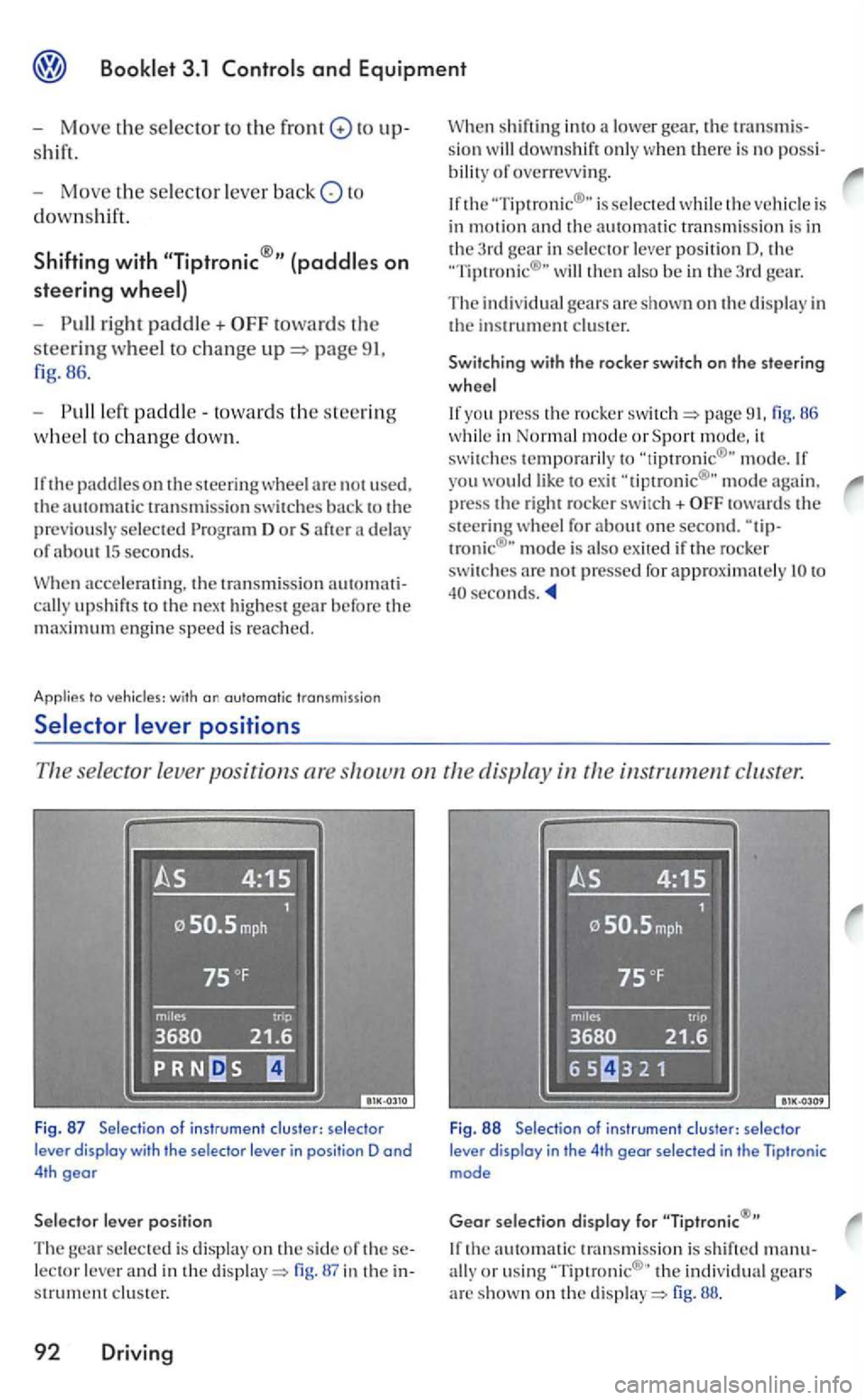
se lector leve r po sition s are instrument cluster.
Fig . 87 Selection of instru ment clus ter: se lecto r
lever display with the selector lever in posi tion D and 4th gear
lever position
The selected is displa y on the side of lector lever and in the display=> in the s trument clus ter.
92 Driving
Fig . 88 Selectio n of ins trumen t clu ster: selec tor lever display in the 4th gear selec ted in the Tiptronic mode
Gear selection display for
th e automatic transmissio n is s hift ed manu-
ally o r usin g th e in di vidual gears arc shown on the di sp la y=> fig. 88.
Page 263 of 444
3.1 and Equipment
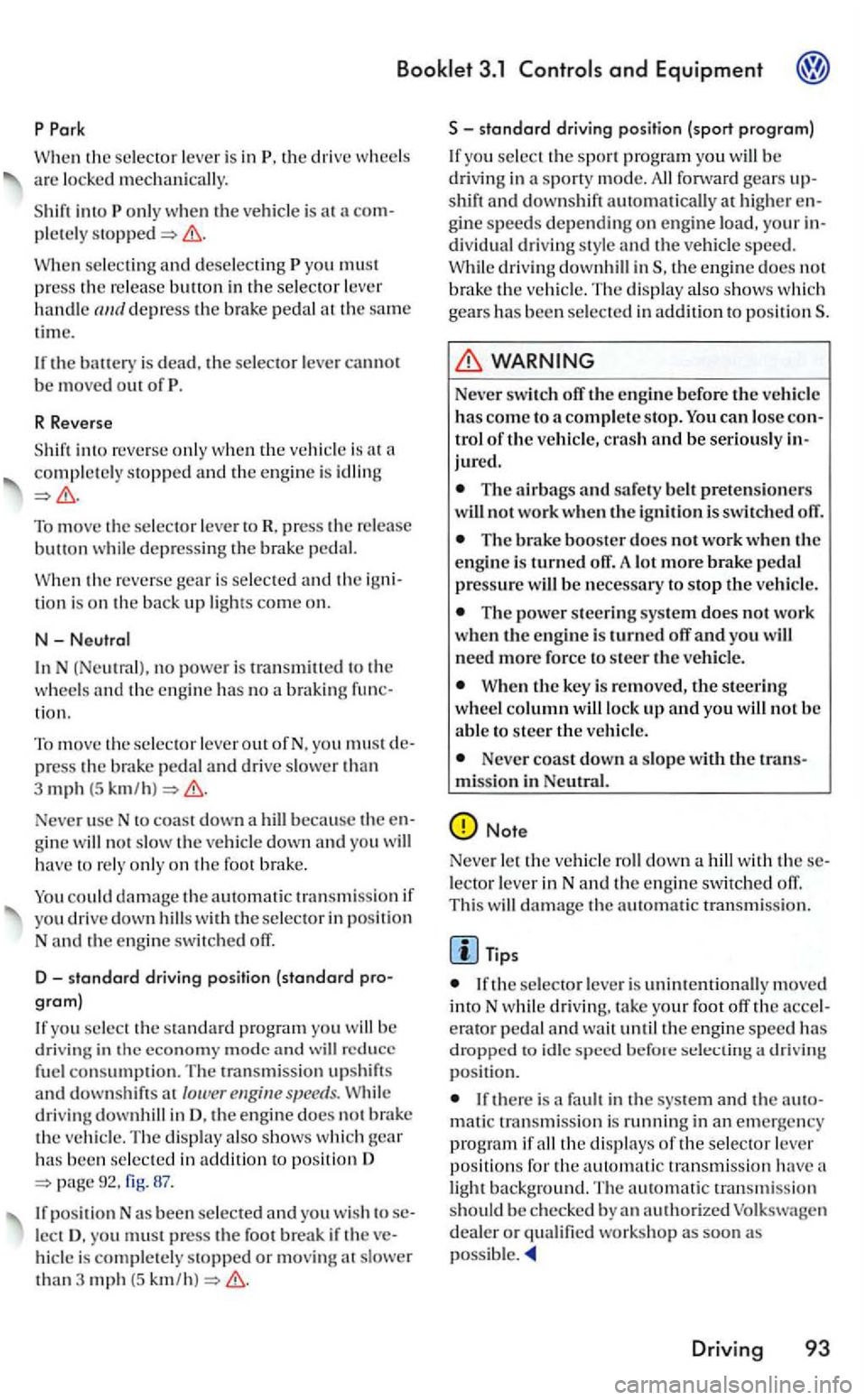
When th e is in th e dri ve are mechanically.
w hen the is at a stopped
W hen and yo u must
p ress the buH on in the depress the brak e th e same
time.
the battery is dead. the canno t
b e m ove d out of
R Reverse
into reve rse w hen the is a t
To move the to R, press the button depressi ng the brake
is a n d the tion is on the b ack up come o n.
N-
the and the en gin e has no a braki ng tion.
T o
move the out ofN. yo u press the brak e th an
3 mph (5
becau se the not o n th e fo ot brake .
if
yo u drive down the
yo u the standa rd pro gram you be in the economy mod e and w ill red uce consumption. T he transmission upshift s
and down shift s at lower s peed s. d rivi ng in D. the e ngine does no t brak e the ve hicle. Th e shows whi ch gear has been in addition to pos ition D 67.
position N as been
hicle is or mov in g at than 3 mph {5
standard driving position (sport program)
yo u b e
dri vin g in a sporty m ode. shift and downshift automatically at higher gi ne s peeds dep e nding on engin e and the speed . dri ving th e e ng in e does no t
b rake t h e ve hicle. The shows whi ch gears has been in addit io n to positionS.
Never switch off the engine before the vehicl e has co me to a s top. can of the ve hicl e, crash and be jured.
The ai rbags and safet y pretensio n crs wiU not wo rk when the ignition is switch ed off.
The brake booster docs not work w he n the engine is turned off. more brake pres sure
The power steering sys te m does n ot wo rk when the en gi ne is turne d off and you need more force to steer the vehicle.
W he n the key is re m oved, the steerin g up and you no t b e to steer the
N ev er coast d ow n a miss ion in
Note
Neve r the a with in Nand th e en gin e s witc hed off .
Thi s damage the automatic tran smi ssion.
th e is unintentionally m oved
into N driving. your foot off the erato r and wait the en gine speed has
d roppe d to idle speed positio n.
there is a mati c transmissio n i s running in an em erge ncy
p rogram if th e displays oft h e select or posit ions t h e auto m atic transmis sion have a
light backgrou nd. The auto m atic tran smissio n be chec ked
D riv in g 93
Page 267 of 444
3.1
Applies to w ith cruise control system and without display in th e instrument cluste r
Using the cruise
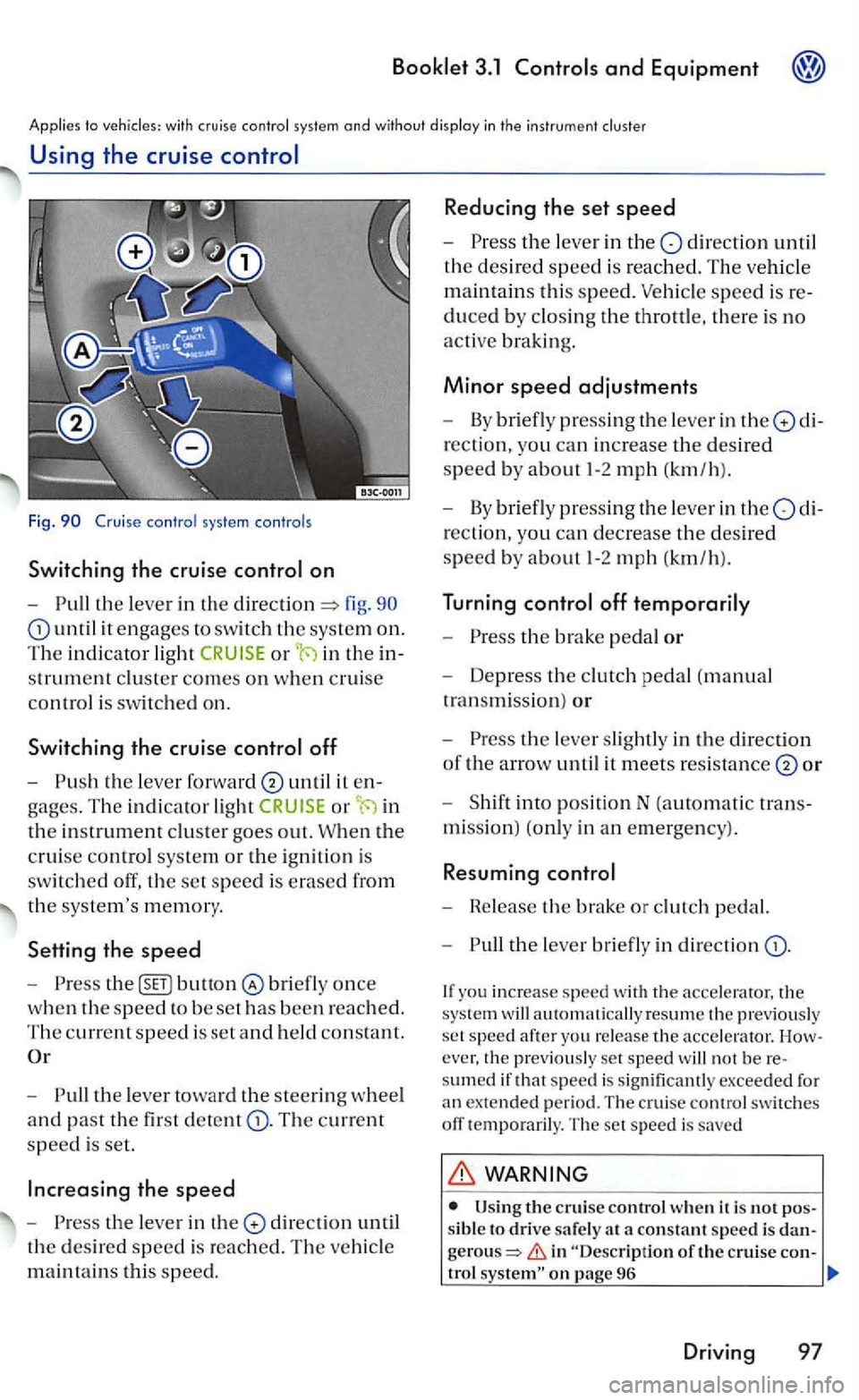
Fig.
on
- Pull the le ve r in the fig. 90
until it engages to switch the system on.
The in dicato r light in the
strument cluste r comes on w he n cruise
co ntrol is switche d on.
Switching the cruise
until it
or in
the in strument clu ste r goes out. W hen the
c rui
se control syste m or the ig niti on i s
sw itch
ed off , th e set speed is erased from
t h e syste
m's m em ory.
Setting the speed
- Press bunon once
w hen th e s peed to be se t has been reached .
The current sp ee d is set and h eld co nsta nt.
- Pull the leve r toward the steerin g w heel
and past the fir st d etent The current
speed is set.
directio n until
the desir e d speed is reac hed. The ve hicl e
m ain tain s thi s spee d.
Reducing the set speed
- Press the leve r in the dir ectio n until
th e desired speed is reached. T he ve hicle
m aint a
ins thi s s pee d. Vehicle speed is
duced b y clos in g th e throttle, there is no
acti ve bra king .
Minor speed adjustments
-By briefl y press ing the leve r in the
rection, yo u can increase th e des ired
speed b y about 1-2 mph (km /h ).
- By briefl y
pressing the leve r in the
-Press the brake pedal or
-Depress the clutch pedal (manual
tran smi ssi
on) or
- Press the leve r slightl y in the direction
of the arrow un til it m ee ts resis tance or
- Shift into posit io n N (automatic
mi ssion) (only in an em erge ncy).
Resuming
- Release th e brake or clutc h pedal.
- Pull
the le ve r briefly in direction
ever, the previou sly set speed will not be sumed if that s peed is s ignificantl y exce ed ed fo r
a n extended perio d. The cruise cont rol switc hes off tempo raril y. The set s p ee d i s saved
WARNING
sibl e to drive safe ly at a constant speed i s gerou s=> in "Desc ription of the crui se con-trol
Driving 97