amps VOLKSWAGEN GOLF 2011 Owner´s Manual
[x] Cancel search | Manufacturer: VOLKSWAGEN, Model Year: 2011, Model line: GOLF, Model: VOLKSWAGEN GOLF 2011Pages: 138, PDF Size: 49.24 MB
Page 103 of 138
Downloaded from www.Manualslib.com manuals search engine ~ ·, ~ )
' { q
Indicator lamp
Ut up Possible cause
CCS or the speed limiter is controll ing the speed.
several warning and indicato r l amps will light up
briefly as a fun cti o nal check whe n the ig nitio n is
switc h e d on . Th ey will switch off after a few sec
onds.
'
A WARNING .
Failure to observe illuminated warning lamps
and text messages can lead to your vehicle
breaking down in traffic, and can cause acci
dent and serious injury.
• Never ignore any illuminated warning
lamps or text messages.
Failure
to observe illuminated indicator lamps
and text messages can lead to your vehicle be
ing damaged.
m If the CCS, ACC or speed limite r were
W switched on when the ignition was switc h e d
off, the
CCS or ACC will be switched on autom ati
cally the nex t tim e th e ignition is switc hed on. How
ever, no speed is stor ed. The speed limiter's las t
set speed remains stored.
r:i Displays can vary as different ve rsions of th e
W instrument cluster are availab le .
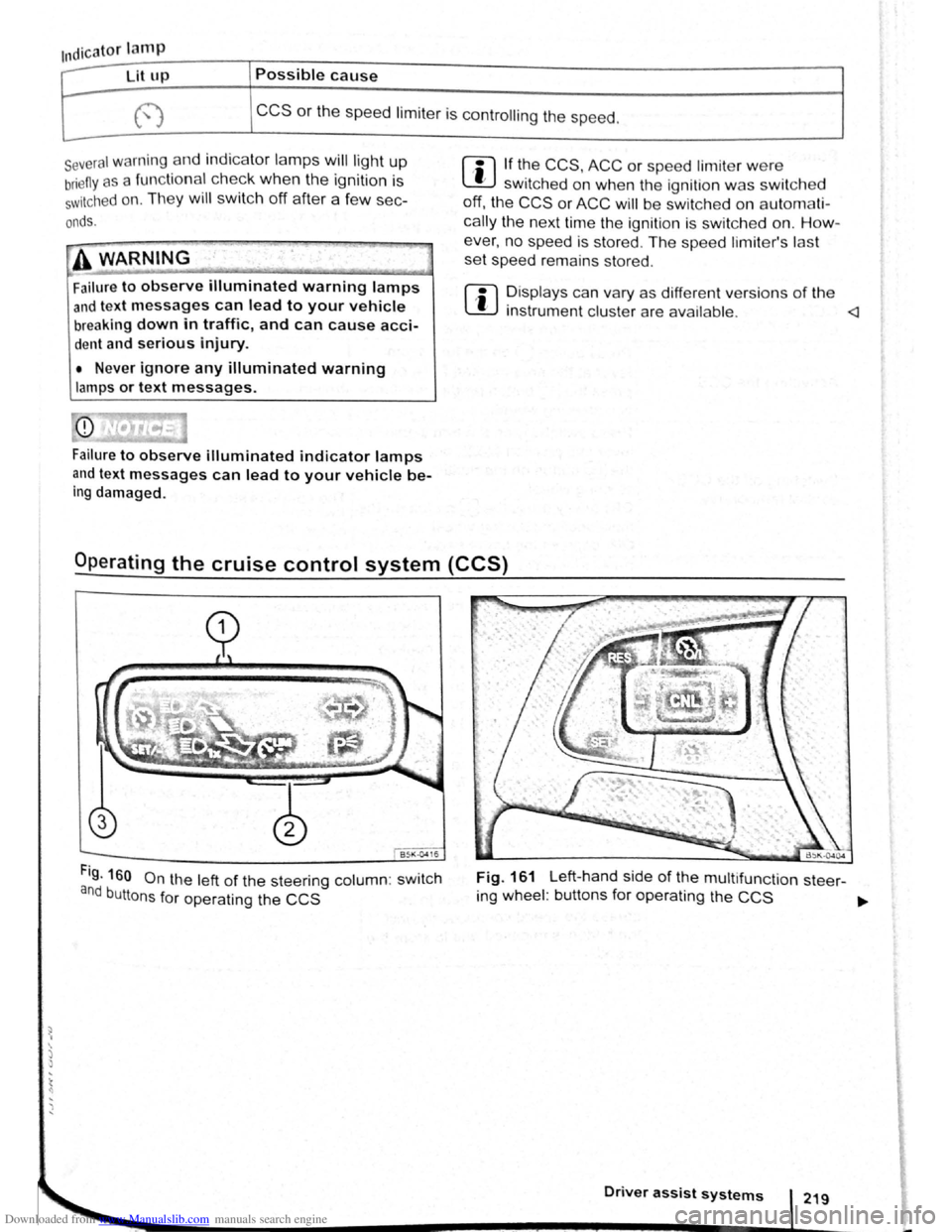
Fig. 160 On the left of the steering column: swit c h
and buttons for operating the CCS
Fig. 161 Left-hand side of the multifunct ion steer-
ing wheel : buttons for operating the
CCS ~
Driver assist systems
Page 106 of 138
Downloaded from www.Manualslib.com manuals search engine Speed lirniter
~~~~n~t~ro~d~t~tc~t~io~r~,-----------------------------------------------
hi , h:.1~t r ntains inf nn3tion on th e fo llo wing
subjt 't ~:
lmd indi 1t r I mp . . . . . . . 222
d
limit er . . . . . . . . . . . . . . . 223
h s~ d limit r hel~ t11e driv er n ot to excee d an
individua l ~t r d ~ d wh en driving forwards at
~ t ds f 3~pr im ate ly 30 km /h (20 m ph) and
~1b -
Addition3l Information and w arnings:
• IKm in g g r page 169
• ruls Co ntro l Syst em (CCS) ==-page 218
• dnptive Cruise Con trol (ACC ) ~page 226
• Ac -s ri s, m odifications , re pairs and re newa l
f parts ~ pRge 320
Display & warning and indicator lamp
®
©
' B~K Oot06
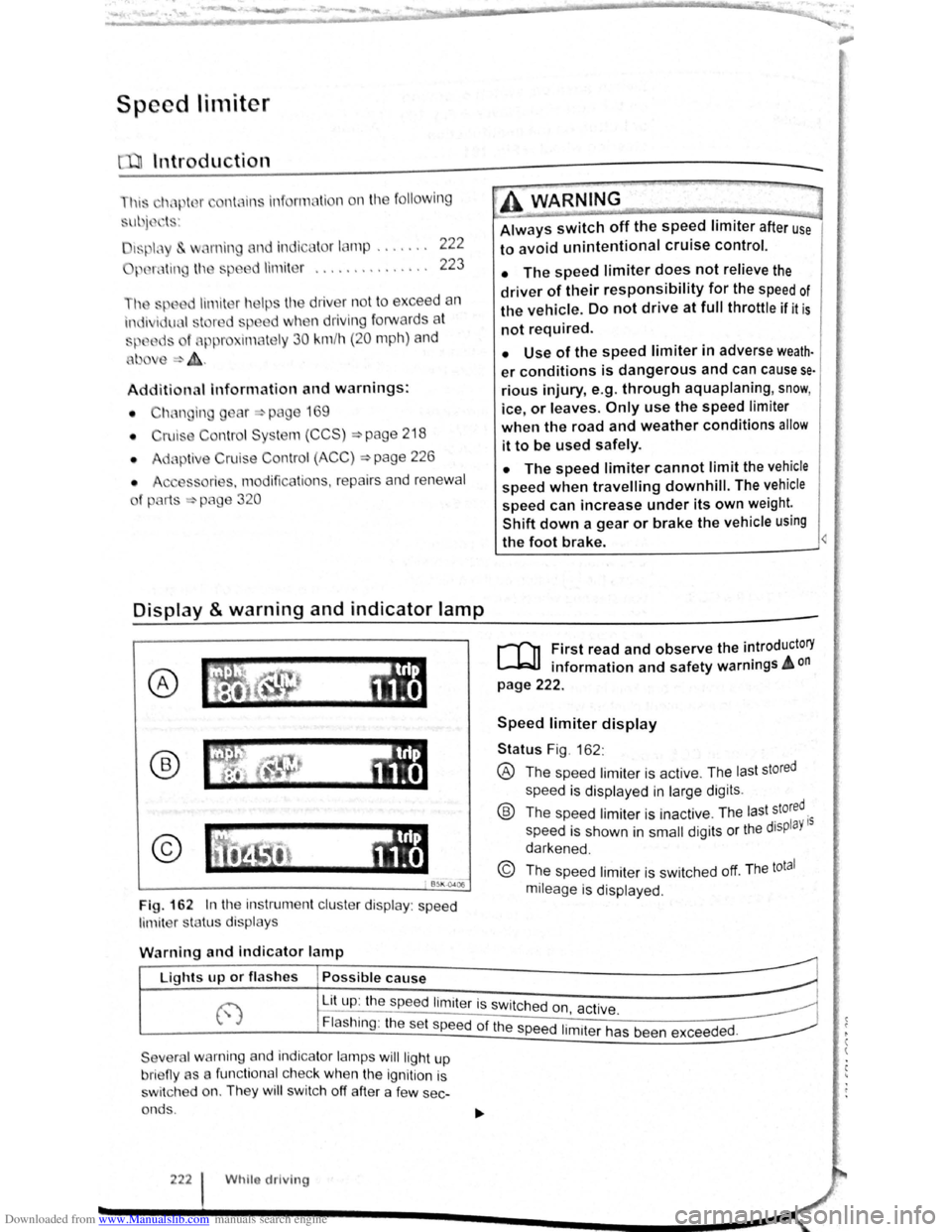
Fig. 162 In th e instrument clu ste r display : speed
limit er sta tus disp lays
·~ ~ ' -
~~~_W_A_R_N_IN_G ________ ~~----~
Always switch off the speed limiter after use
to avoid unintentional cruise control.
• The speed limiter does not relieve the
driver of their responsibility for the speed of
the vehicle. Do not drive at full throttle if it is
not required.
• Use of the speed limiter in adverse weath·
er conditions is dangerous and can cause se
rious injury, e.g. through aquaplaning, snow,
ice, or leaves. Only use the speed limiter
when the road and weather conditions allow
it to be used safely.
• The speed limiter cannot limit the vehicle
speed when travelling downhill. The vehicle
speed can increase under its own weight.
Shift down a gear or brake the vehicle using
the foot brake.
r-f'n First read and observe the introductory
L-JcJ.I information and safety warnings A on
page 222.
Speed limiter display
Status Fig . 162 :
® The spee d limiter is active . The las t stored
speed is displayed in large dig its .
® Th e speed limiter is ina ctive . Th e last stored.
speed is shown in
small digits or the displaY 15
darkened .
© The speed limiter is sw itched off. The total
mileage is displayed .
W
arning and indicator lamp
r~~~fucl,~~~~~---------------------~ Lights up or fl as hes Possible cause
j-~~----~~==~==~~---------------~ ~ L_it;u~p~:~th~e~sp~e:e:d~l:im:i:te:r~is~sw~itc~h~e~d~o~n~~~·~~---------------~ t.,.; :1 , ac 1ve. ~
Flashing : the set speed of the speed 1. .
t h d d
Severa l warning and indicator lamps will ligh t up
bri eny as a func tiona l c h ec k
when the ignition is
s wi tc h ed on. They
wi ll swi tc h off after a few sec
onds .
222 Whilo driving
1m1 er as been excee e .
Page 107 of 138
Downloaded from www.Manualslib.com manuals search engine ~
A WARNING ...
~re to observe illuminated w~rning lan1ps
d text messages can lead to your vehicle
an tt· d breaking down in tra 1C, a n can cause acci-
dent and serious injury.
• Never ignore any Illuminated w arning
lamps or text messages,
CD I'. [
Failure to observe illuminated indicator lamps
and text messages can lead to your vehicle be-
ing damaged.
Operating the speed limiter
B~l\·04 16
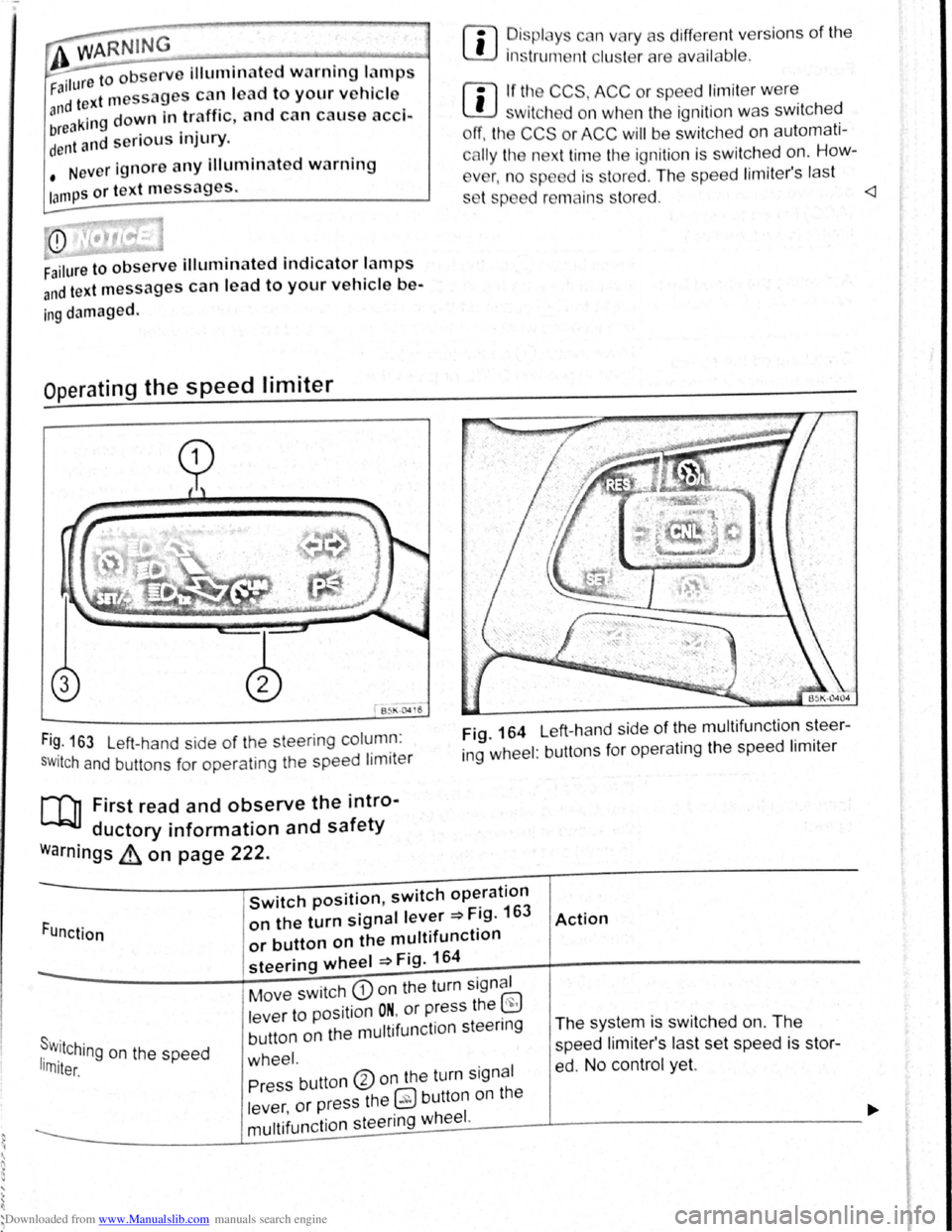
Fi~. 163 Left-hand side of the steering column :
SWitch and buttons for operating the speed limiter
[Q] First read and observe the intro-
ductory information and safety
warnings ~ on page 222.
rn
• ~is plc y c n vary as different vers ions of the
1ns trum nt clu t rare availab le .
rn
• If tl~ CCS, ACC or spe ed limit er w ere
w1tch d on wh n the ignition was switched
ff, the CCS or ACC will be switched on automati
c
lly the n xt time the ignition is switched on. How-
v
r, n o sp d is stored . The speed lim iter's last
s t p d r mains s tored.
ing wheel : buttons for operating the speed limiter
Function
Switch position, switch operation
on the turn signal lever ~Fig. 163
or button on the multifunction
steering wheel ~Fig. 164
Action
s . r w.11Ching on the speed 1rn1ter.
Move switch CD on the turn signal
lever to position
ON. or press the ~
button on the multifunction steenng
wheel.
The system is switched on. The
speed li miter's las t set speed is st or
ed. No control yet. Press button ®on the turn signal
lever ,
or press the 0 button on the
----------------~m~u~lti~fu~n~c~ti~o~n~s~te~e~r~in~g~w~he~e~I~·------J----------------------------~
Page 110 of 138
Downloaded from www.Manualslib.com manuals search engine Adaptive cruise control (ACC)
Introduction
Th1s chapter contatns tnformat1on on the followtng
subjects
01spla y. wammg and •nd•catOf lamps 22
Radarsensor 228
Operating adaptive crwse COP r-cY (ACC) ,g
Sw1tch off the adapt ve ens se CO"tro' \ACC
temporanly tn he follow f'l9 S ua~ ""S 3
S I ~~ pec1a dnv ng St ua:10ns ~
The adapt.rve cru'se con··ol (ACC combtn
cruise control and d •s nee control ~
ThG dn r 1
m s ag tn •
rng br l In
page 227
A dd1t1onal informat•on od ar mg :
• Extel'l()( ~ e s ~ pag -
• Vo s agen in!orma~ s rS:e 5
• lnfota.nme t sys:e'n ::. p.aoJ~ 3
• Crurse Co tr04 s.,-s•em CCS :;:) pa,;_ 2i 3
•
Speed I m1ter ~page 222
• Area mon toong SJSte (Front s:s.)
~page 235
• lane departure wa'Tl "'9 sys:e,.., La AssiS~)
~page 240
• AccessofleS mod rca:~ns. repatrS and rene..-aJ
ot parts ~page 320
A WARNING
The intelligent t chnology of th daptive
crul e control (ACC) c nnot ovorcom the
la of phy ic or yst m-r lat d v h1cl hrn.
itation . Cnr I or unlnt ntlon I u of tht
adapttv crui control (ACC) c n c u tiCC•·
dent nd I ad to criou Injury. Th y tem
'i
not ub t
itut forth full cone ntr t1on
of th dn or.
• A
dapt your p d nd d• t ne from tht
ehlclc h nd to uit v i iblltty, w • thcr , r~
nd traffic condition .
• Do not u e th ACC In poor vi 1blllty , on '
steoep or winding ro d , or on ltpp ry ro•d
surfaces e.g . on snow, Ieo , wet road . loo •
chippings or flooded road .
I • Never use the ACC otf-"'oa d or on oon ur·
faced roads. The ACC de ign d for u • on
urface
acle , .g . the tail end of tr ff1c J m . I ..
hicl that ha broken down. or v htcl w.t ,t ·
tng t trnHlc light
1 • Th ACC do not r et t o r on . ant--
mat nd vch cl cro ing or ppr03chm9
r mu t be pr~~r•d to t~t~• '~ 1
htcl (by cc t r ltng ot b,~
------------------------------
Swt eh off lh ACC 1 you u p4t<:t t '~~ ,..,tJJ
s.ensor ha be.tn d mag d . Th• c n h lp ~
pre ent urt.h()r damage. H v• the r dar ,.
realigned
Page 111 of 138
Downloaded from www.Manualslib.com manuals search engine .... ... ' 1)
' ) ....
m The ACC restricts the speed to 160 km/h
W (100 mph). 0
Repair wor k on the radar sensor will require
• ecial knowled ge and tools. Volkswagen rec
~~mends using a Volkswagen dealership for
m If the ACC is active, unfamiliar noises may be
W heard during the automatic braking proce-
this purpose.
dure. Th ese are caused by the braking system.
W this chapte r, do not use the ACC and have
the system checkd by a qualified workshop . V olks
wagen recommends using a Vol kswagen dealer
ship for this purpose .
Display, warning and indicator lamps
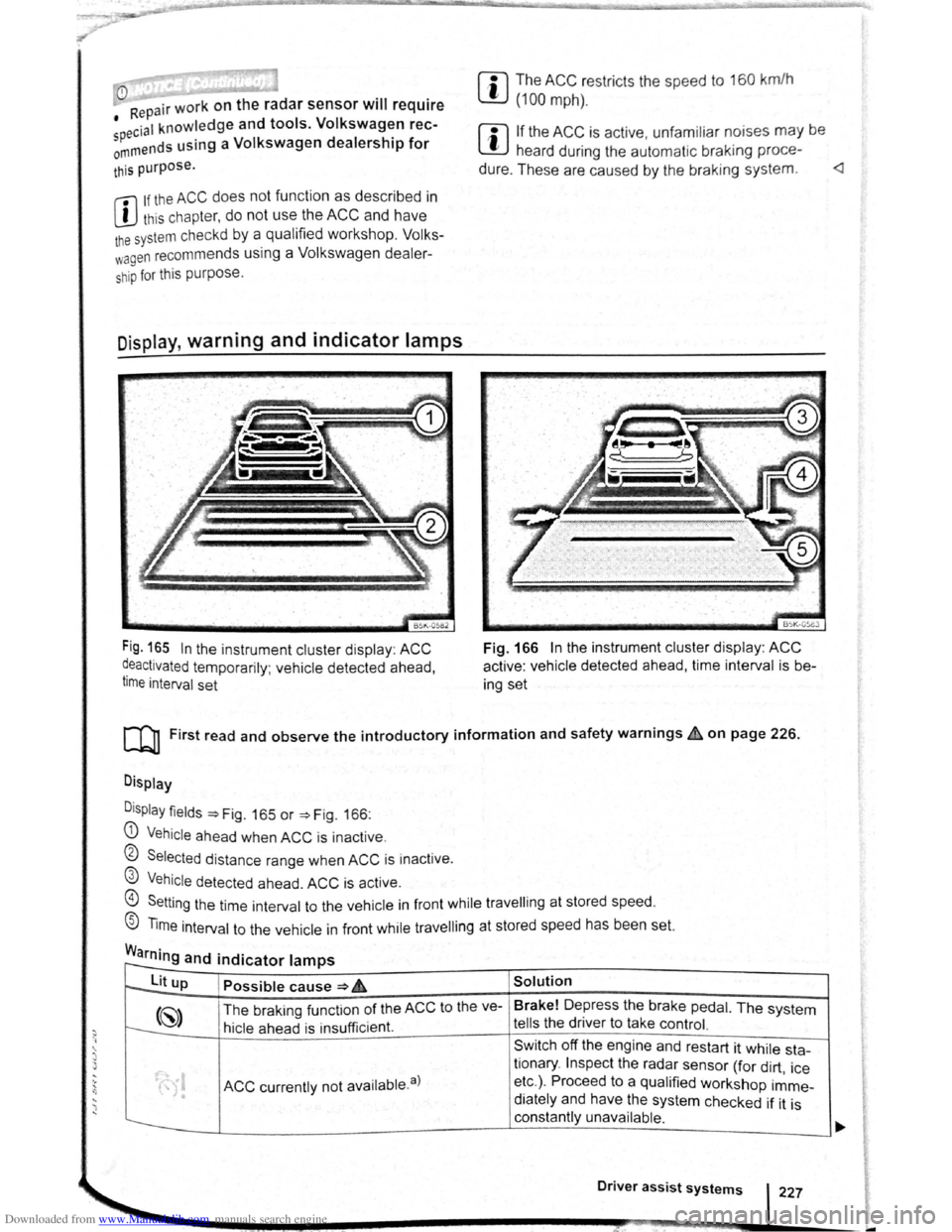
Fig. 165 In the instrument cluster disp lay : ACC
~eactivated temporarily ; vehicle detected ahead,
t1me interval set
BSK-05eJ
Fig. 166 In the instrument cluster display : ACC
active : vehicle detected ahead, time interval is b e
ing set
[Q] First read and observe the introductory information and safety warnings~ on page 226.
Display
D
isplay fields ~Fig. 165 or ~Fig. 166:
G) Vehicle ahea d when ACC is inact ive .
0 Selected distance range when ACC is inactive .
@ Vehicle detected ahead. ACC is active.
@) Setting the time int erval to the vehicle in front while travell ing at stored speed.
® Time interval to the vehicle in front while travell ing at stored speed has been set.
Warning and indicator lamps r--
to--lit up Possible cause ~ 6 Solution
(~) The braking funct ion of the ACC to the ve- Brake!
Depress the brake pedal. The system
t---:. hicle ahead is insu fficient. tells the driver to take control.
Sw itch off the engine and restart it while sta-
ACC currently not availab le. a)
tionary . Inspect the radar sensor (for dirt , ice
• etc.) . Proceed to a qualified workshop imme-
• diately and have the system checked if it is
constantly unavailable .
Driver assist systems 227
-
Page 112 of 138
Downloaded from www.Manualslib.com manuals search engine Lit up Possible cause => & Solution
ACC is active . No vehicle has been detec----..
~8 ted ahead . The set speed is kept con-
stant.
When displayed in white: ACC active. Ve---
hicle detected ahead. ACC regulates the
~
speed and the distance from the vehicle
ahead .
-When displayed in grey: ACC not active .
System switched on, does not regulate :
-
(") ACC is active .
a) D isplayed in col our on an ins trum ent clust er w ith colo ur display .
Several warning and indicator lamps will light up
bri efly as a functional check when the ignition is
switched on. They will switch oft after a few sec
onds.
~..,.-"~
A WAR_NING
Failure to observe illuminated warning lamps
and text messages can lead to your vehicle
breaking down in traffic, and can cause acci
dent and serious injury.
Radar sensor
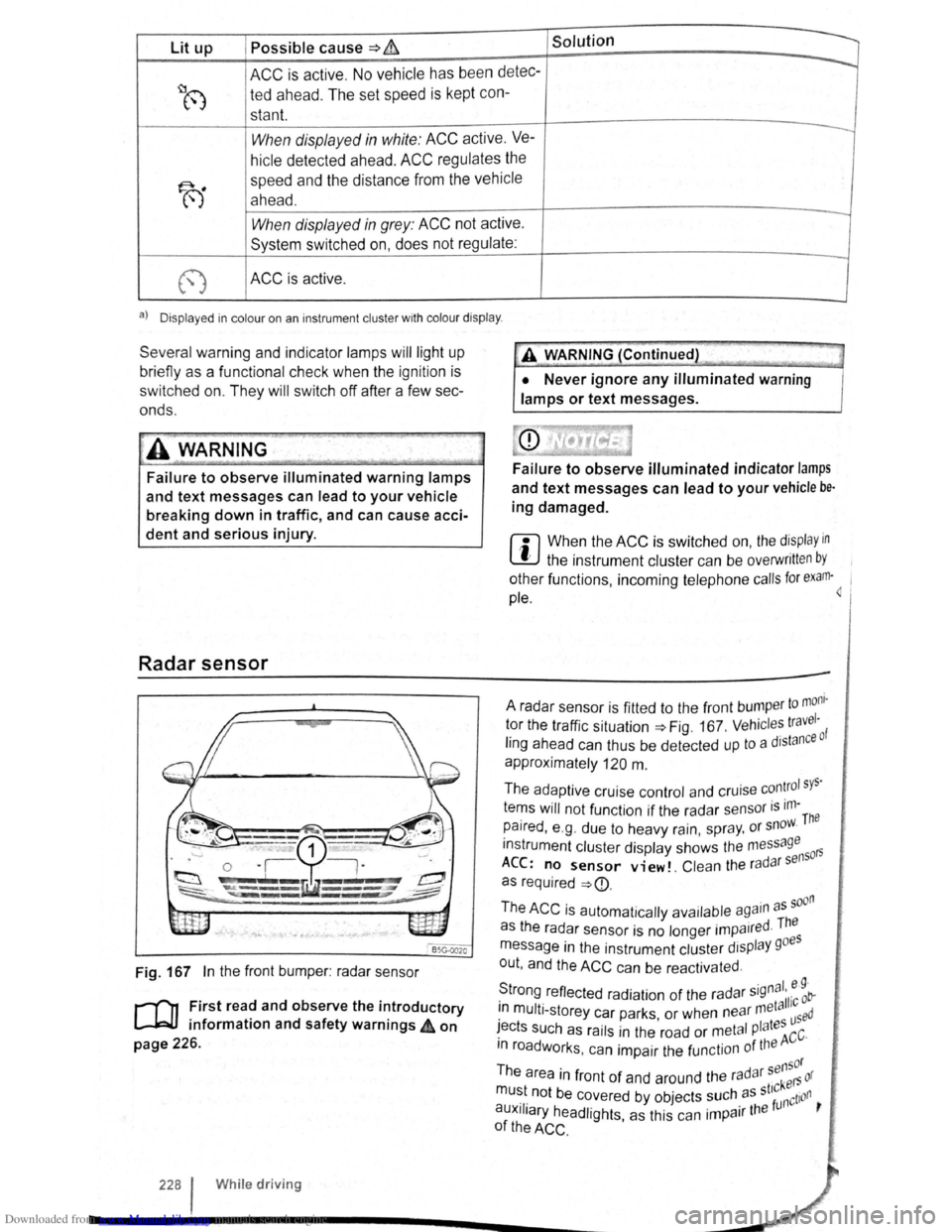
Fig. 167 In the front bumper : radar sensor
r-('n First read and observe the introductory
L-J=JJ information and safety warnings 4 on
page 226.
228 I Whi le driving
•• --;;>
A V'{ARNING (Continued) ~J
• Never ignore any illuminated warning
lamps or text messages.
Failure to observe illuminated indicator lamps
and text messages can lead to your vehicle be·
ing damaged.
r::l When the ACC is switched on, the display in
~ the instrument cluster can be overwritt en by
other functions , incoming telephone calls for exam·~ 1
pie.
to mom · A radar sensor is fitted to the front bump er 1 tor the traffic situation=> Fig. 167 . Vehicl es travc: ·o f
ling ahead can thus be detected up to a dJstan
approximately
120 m .
The adaptive cruise control and cruise
con~rol sys·
tems will not function if the radar sensor is ,m-The
paired , e .g . due to heavy rain, spr ay, or snow.
instrument cluster display shows the me
ssage 50rs
ACC: no sensor view!. Clean the ra d ar s en
as required
=>
· d The as the radar sensor is no longer impa1re ·
message in the instrument cluster display goes
out , and the
ACC can be reactivated .
S ·gnal. e 9 · trong reflected radiation of the radar 5
' 11·c ob-. meta 1 1n mult i-storey car parks or when near used · ' I tes ~ects such as rails in the road or metal P a ACC·
m roadworks . can impair the function of the
sensor
The area in front of and around the radar kers or
mu~t. not be c~vered by objects ~uch. as st'~nction ,
auxJIJary headlights, as this can 1mpa1r the
of the ACC .
Page 119 of 138
Downloaded from www.Manualslib.com manuals search engine ' )
)
Area monito ring system (Front Assist)
QJl Introduction
This ch a pter contains information on the following
s
ubjects:
warning lamps and displays . . . . . . . . . . . . . . 236
Radar sensor ....... · · . . . . . . . . . . . . . . . . . . 237
Operating the area monitoring system (Front
Assist) .... . .. · · · · · · · · · · · · · · · · · · . . . . . . . . 237
Temporarily switch off the area monitoring
system (Front Assist) in the following
s it u
ations . . . . . . . . . . . . . . . . . . . . . . . . . . . . . . 238
System limits . . . . . . . . . . . . . . . . . . . . . . . . . . . 238
C i
ty emergency brake function . . . . . . . . . . . . 239
The area monitoring system (Front Assist) helps to
avoid rear-end collisions.
lt uses a radar sensor to monitor traffic situations
up to a distance of approximately 120 metres in
front of the vehicle within a speed range of approx
i
mately 5 km/h (3 mph) to 210 km/h (130 mph) .
The area monitoring system (Front Assist) can
warn the driver about imminent collisions, pre
pare the vehicle for emergency braking in case
of danger, assist with braking, and initiate auto
matic braking.
Additional
information and warnings:
• Exterior views ~page 6
• Volkswagen information system ~ page 26
• lnfotainment system ~page 31
' Cruise Control System (CCS ) ~page 218
'
Speed limiter ~page 222
' Accessories , modifications , repairs and renewal
o f
Parts ~page 320
Distance warning
If the system detects danger from driving too close
to.the vehicle in front , the system can warn the
~nver by showing a corresponding message in the
~nstrument cluster display ~page 236. The warn
Ing Period varies according to the traffic situation
a
nd the driver's response . Front Assist is not a
sub t · · s ltue for the full concentration of the dnver .
Advance warning
h lfth e system detects a potential collision with a veICI · e .e .1n front, the system can warn the driver by 1111tt1ng an acoustic warning and showing a corre-spond· · PI lng message in the instrument clus~er diS-
ay ~Page 236 . The warning period vanes ac- carding
to the
traffic situation and the driver's re
sponse . Front Assist is not a substitue for the
full
concentration of the driver .
At the
same time it prepares the vehicle for possi
ble emergency braking ~ ~.
Urgent warning
If the driver fails to respond to the advance warn
ing, the system can initiate a quick jolt of the brake
in order to draw the driver's attention to the
in
creasing danger of a collision.
Automatic braking
If the driver also fails to react to the urgent warn
ing, the system can slow the vehicle down auto
matically by gradually increasing the braking force.
The system can help to reduce the consequences
of an accident by reducing the speed at which a
potential collision might take place .
Brake assistance
If Front Assist detects that the driver is not braking
sufficiently when there is a risk
of collision , the sys
tem can increase the braking force and thereby
help to prevent a collision . Brake assistance works
only
for as long as the brake pedal is pressed
hard.
The intelligent technology used in Front As
sist cannot overcome the laws of physics.
The driver is always responsible for braking
in time. If Front Assist issues a warning, im
mediately apply the foot brake to slow the ve
hicle down or avoid the obstacle, depending
on the traffic situation.
• Adapt your speed and distance from the
vehicles ahead to suit visibility, weather, road
and traffic conditions.
• Front Assist cannot prevent accidents and
serious injuries on its own.
• Front Assist can issue unnecessary warn
ings and carry out unwanted braking inter
ventions in certain complex driving situa
tions, e.g . at traffic islands.
~----------------------------_j~
Driver assist systems 235
-
Page 120 of 138
Downloaded from www.Manualslib.com manuals search engine ssis t an Issue unnecessary warn
ut unwanted braking inter-
h n ils f m ti n is impaired, e .g . If
sili " f the radar sensor has been
hil the ehicle is in motion, Front As
t r a t to persons, animals and
r s ing or a proaching in the same
li."f ' ll.'v.
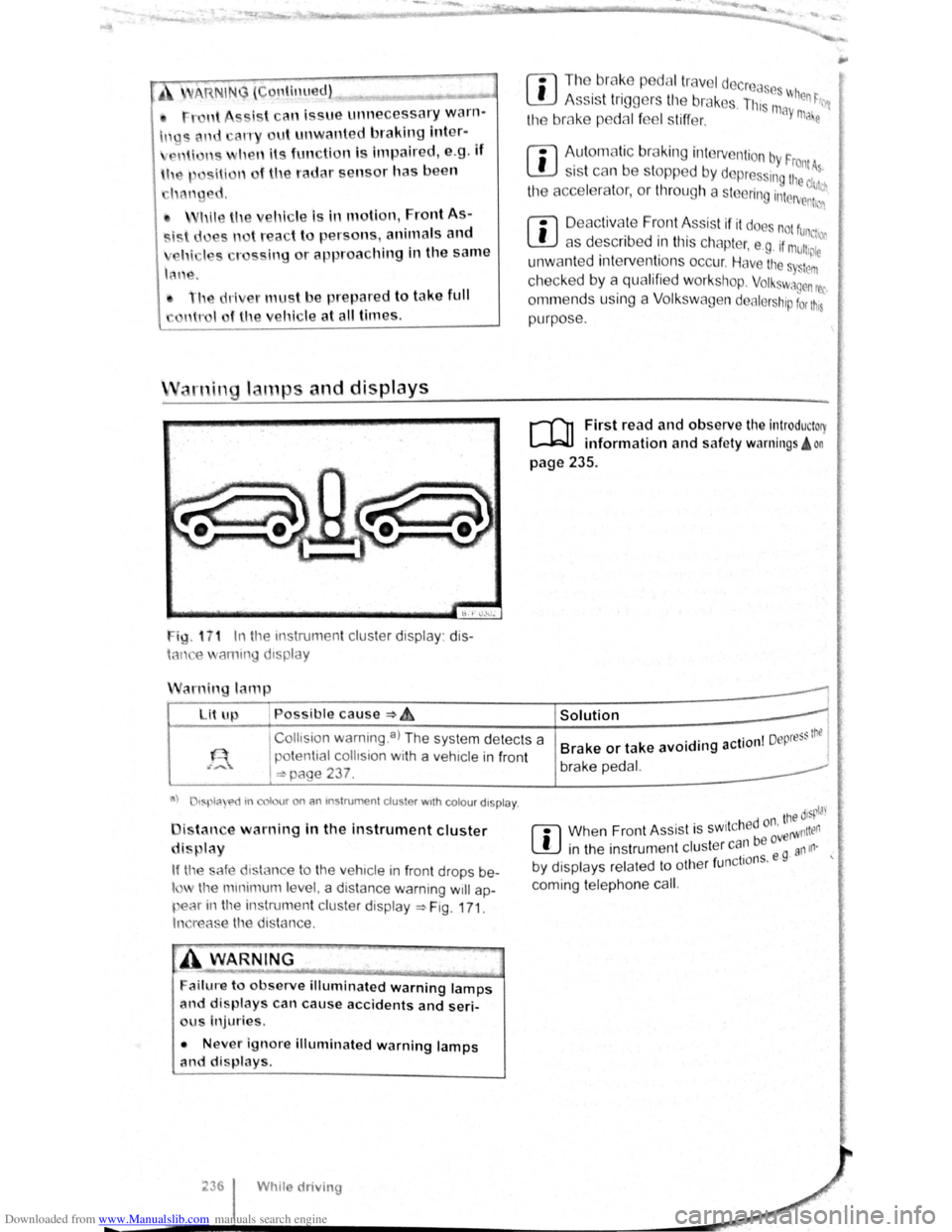
ig. 1 7 1 In t11e instrumen t cluster display: dis
h-m e ammg d1splay
arnin lamp
Lit up , Possible cause :::) ~
r:l Tl1o br ake p dal tr ave l decrcas ~
L!J A ss is t tr iggers til e br ak s. Th, 111 When ~rr
the bmke p dal f el s tiff er. ay ma e
rn
Aut om atic br aking intervention by F . rontA s 1s t can be stopped by depres ing the d~~~
the acce l rator, or throug h a steering interv enh~n
r:l D eac tivate Front Assis t if it doe not fun,
L!J as describ ed in tl1is chapter, e .g . if mu11,~;:
unw ant ed inte rventions occur. Have the s Sttlm
checked by a qualifi ed workshop. Volkswagen rec
ornm ends using a Volk swagen dealer hip for t11s
purpose .
r-fl1 First read and observe the introductory
l-W1 information and safe ty warnings! on
page 235 .
I
Collts ion warning .a) The system detects a
potential
collision with a veh1cle in front
I =:-page 237 .
Solution 1
. . I Depress thtl Brake or take avoiding action I brake pedal.
a) tspla e>d tn colour on an mstrumen t cluster wtth colou r dtspla y.
i tan e warning in the instrument cluster
di play
If tl'e safe d1stance to the veh1cle in front drops be
l the mmimum le el, a distance warning will ap
pear in the instrumen t cluster display ~Fig. 171.
In reas e the distance.
ailure to observe illuminated warning lamps
and displays can cause accidents and seri
us Injuries.
• Never ignore illuminated warning lamps
and displays.
Whtle driving
. ' tne disp!J'
r:l Whe n Fron t As sist is sw1t c h ed or' erWntten
L!J in the instrumen t cluster can be ovg an111·
. 1 f nctio ns. e · by d1splays related to ot 1e r u
coming telephone cal
l.
Page 125 of 138
Downloaded from www.Manualslib.com manuals search engine Display
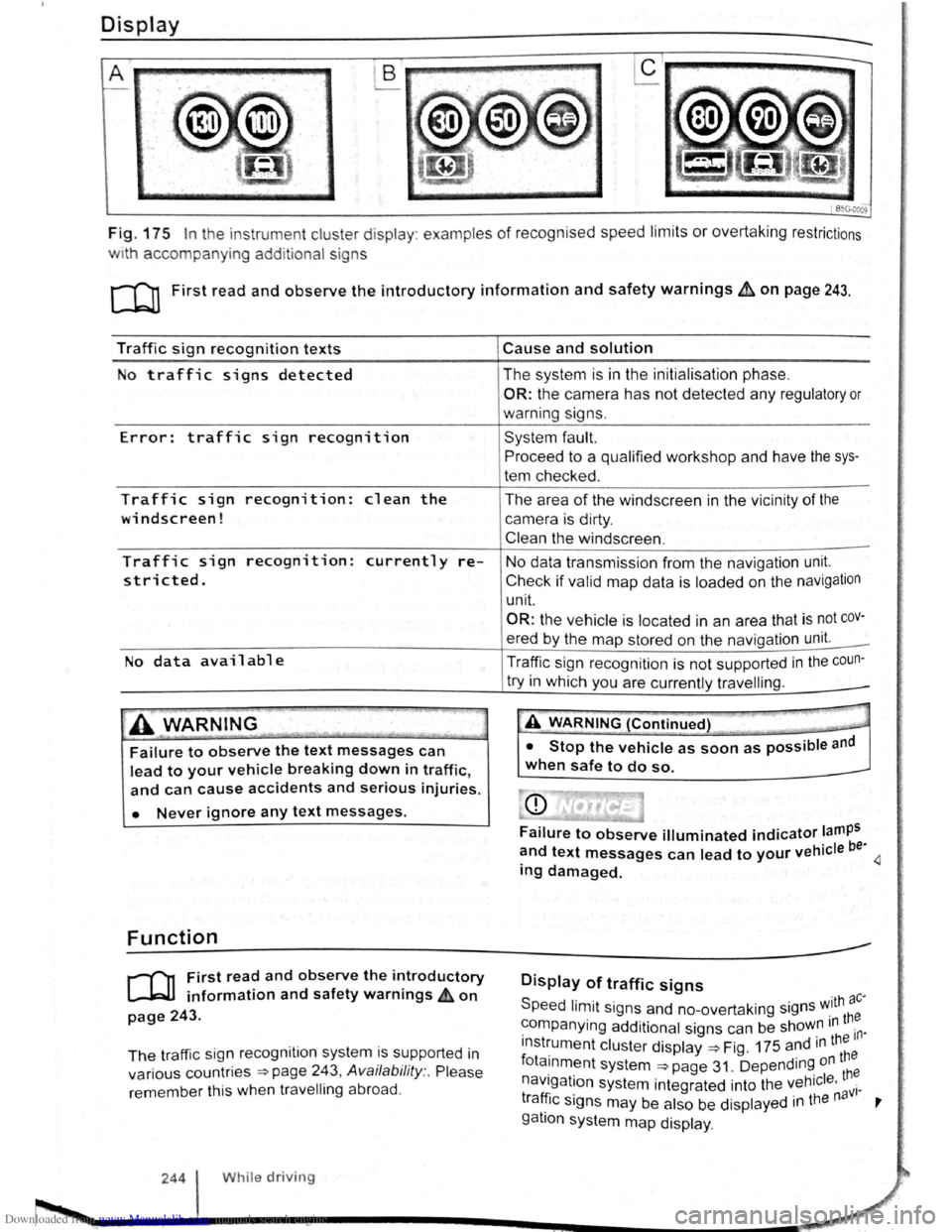
Fig. 175 In the instrument cluster display : examples of recognised speed limits or overtaking restrictions
w1th accompanying additional signs
c:cn First read and observe the introductory information and safety warnings b:. on page 243.
Traffic sign recognition texts
No traffic signs detected
Error: traffic sign recognition
Traffic sign recognition: clean the
windscreen!
Traffic sign recognition: currently re
stricted.
No data available
.A WARNING _
Failure to observe the text messages can
lead to your vehicle breaking down in traffic,
and can cause accidents and serious injuries.
• Never ignore any text messages.
Function
r-f'n First read and observe the introductory
~ information and safety warnings £on
page 243.
The traffic sig n recognition system is supported in
various countries
~page 243, Availability :. Please
remember this when travelling abroad .
244 While driving
Cause and solution
The system is in the initialisation phase.
OR: the camera has not detected any regulatory or
warning signs.
System fault.
Proceed to a qualified workshop and have the sys
tem checked .
The area
of the windscreen in the vicinity of the
camera is dirty.
Clean the windscreen .
No data transmission from the navigation unit.
Check if valid map data is loaded on the navigation
unit.
OR: the vehicle is located in an area that is not cov
ered by the map stored on the navigation unit. _
Traffic sign recognition is
not supported in the coun-
try in which you are currently travelling . _
-A WARNING (Continued) T'" -___.
• Stop the vehicle as soon as possible and
when safe to do so.
Failure to observe illuminated indicator lamps
~nd text messages can lead to your vehicle be· 4 mg damaged.
Display of traffic signs
Speed limit signs and no-overtaking signs w.ith ac·
~ompanying additional signs can be shoW~ m th~
lnst~ument cluster display ~Fig. 175 and 1
n ~~~e
fota1nment system ~page 31. Depending on
navigation system integrated into the vehicle . th~ · . . aVI· tra~lc s1gns may be also be displayed 1n the n '
gatlon system map display .
Page 128 of 138
Downloaded from www.Manualslib.com manuals search engine J J
' ·, ' '~
' i '
traff ic c ond itions allow, briefly take your foot
When accle rator to activate the newly selected off the . . .
9 mode fo r the eng me. dnvm
daptive chassis control (DCC)
~h·le the vehicle is in motion , the DCC constantly
d.
1
sts the suspensio n characteristics to match the
a J~ surface and the cu rrent driving situation, in
~~~ordance with the preset vehicle setti ngs.
If there is a fault in the DCC, th e ~ symbol appears
in the instrument cluste r display along with the
message Fault: damper control.
Steering
In Sport mode, power steerin~ is r~duced and the
effort required to stee r the vehicle mcreases. The
vehicle's driving response becomes more agile.
Powertrain (engine and gearbox)
The engine and gearbox will give either a more dy
namic or more balanced response to the move
ment of the accelerato r, depending on th e selec ted
driving mode . In vehicles with an automatic gear
box, the gear shift po ints and the coasting mode
will also change . An active cruise contro l sys tem
(CCS) can affec t the acceleration response.
Adaptive Cruise Control (ACC)
When the ACC is active, accele ratio n and deceler
ation of the vehicle becomes more ecological or
sporty.
Dynamic bend lighting and automatic main
beam assist
The dynamic bend lighting and the automatic main
beam assist will give either a more dynamic or
more balanced respo nse to the current driving sit
uation, depe nding on the selected driving m ode.
Air conditioning system
In Eco mode , the air cond itio ning will be set to run
even more economica lly.
Displaying the driving mode
• Ensure that the ignition is switched on.
• Press the Driving Mode Selection button(~ MOD£)
~Fig. 177 . The Driving Mode Selec tio n menu ap
~ears in the infotainment system display. The ac
tive driving mode is selected .
• Touch the (Informa tion ) function button to disp lay
additional information about the current driving
rnode.
..,...,_ . _ ..
-
Selecting the driving mode
• Ensure that the igniti on 1s swit c hed on.
• Press the Driving Mode Se lection button (t:'t wooe)
~Fig. 177 and touch the fun ction button for the se·
lected driving mode in the lnfota inm ent system dis
pla y.
The selec te d driving mode
will re m ain set e ve n a f
t e r the ignition has bee n swi tc he d off . Th e las t acti ·
va ted driving mode will be assigned to the ve hic le
key that h as been use d.
Changing the driving mode can alter the vehi
cle handling. Never allow Driving Mode S elec
tion to tempt you into taking any risks when
driving.
• Always adapt your speed and driving style
to suit visibility, weather, road and traffic con
ditions.
It A WARNING . ~
Failure to observe illuminated w arning lamps
and text messages can lea d to your vehicle
breaking down in traffic, and can cause acci
dent and serious injury.
• Never ignore any illuminated warning
lamps or text messages.
• Stop the vehicle as soon as possible and
when safe to do so.
---
Failure to observe illuminated indicator lamps
and text messages can lead to your vehicle be
ing damaged.
r::l The Eco mode is blocked when the ve hicle is
l!J towi ng a trai le r. If the vehi cle is in Eco mode
when a trailer is hitched and electrica lly connected
to the towing
ve hicle via th e trailer socket. the sys
tem will automatica lly swi tch to
Normal mode.
r::l In vehicles with an automa tic gearbox, the
l!J system automatically switches to gear posi
tion S when the
Sport drivin g mode is se lected .
The syste m aut omatically switches to
gear position
E when the
Eco driving mode is se lected .
r::l The driver can adjust certain vehicle fun c
l!J tions irrespective of the selected driving
mode . For examp le, the driver can swi tc h to
gear
position
S wh en the Eco driving mode is selected.
r::l In some model ve rsions the highest speed of
l!J th e veh ic le ca n only be achie ved in the Nor-
mal or Sport driving modes.