amps VOLKSWAGEN GOLF 2011 Owner´s Manual
[x] Cancel search | Manufacturer: VOLKSWAGEN, Model Year: 2011, Model line: GOLF, Model: VOLKSWAGEN GOLF 2011Pages: 138, PDF Size: 49.24 MB
Page 2 of 138
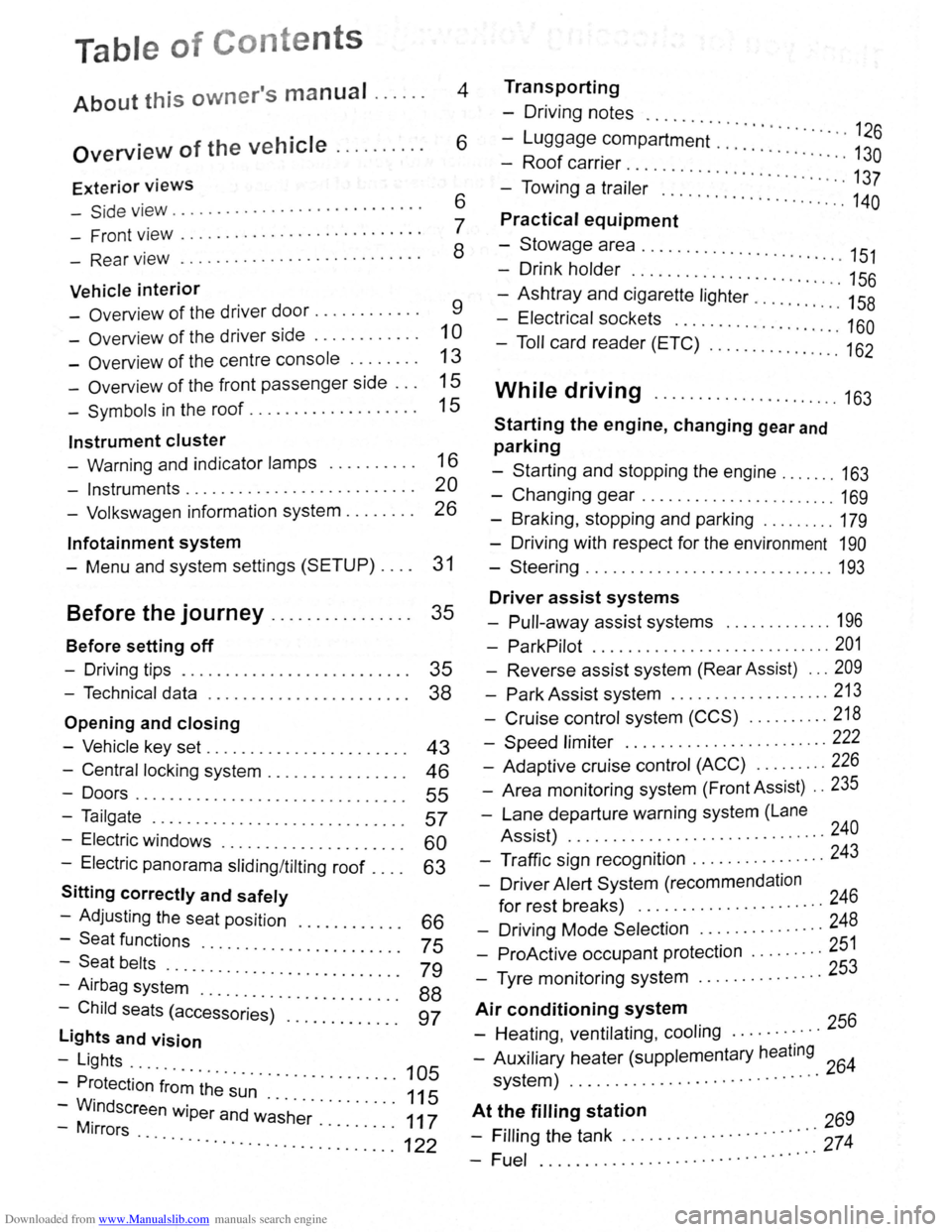
Downloaded from www.Manualslib.com manuals search engine Table of Conte nts
About this owner's manual . . . . . . 4
Overview of the vehicle . . . . . . . . . . 6
Exterior views
-Side v iew . . . . . . . . . . . . . . . . . . . . . . . . . . . . 6
- Front view . . . . . . . . . . . . . . . . . . . . . . . . . . . 7
- Rear view . . . . . . . . . . . . . . . . . . . . . . . . . . . 8
Vehicle interior
- Overview of the driver door........... . 9
-Overv iew of the driver side . . . . . . . . . . . . 1 0
- Overview of the centre console . . . . . . . . 13
- Overview of the front passenger side . . . 15
-Symbols in the roof . . . . . . . . . . . . . . . . . . . 15
Instrument cluster
- Warning and indicator lamps . . . . . . . . . . 16
- Instruments.......................... 20
- Volkswagen information system . . . . . . . . 26
lnfotainment system
- Menu and system settings (SETUP) . . . . 31
Before the journey . . . . . . . . . . . . . . . . 35
Before setting off
- Driving tips . . . . . . . . . . . . . . . . . . . . . . . . . . 35
- Technical data . . . . . . . . . . . . . . . . . . . . . . . 38
Opening and closing
-Vehicle key set . . . . . . . . . . . . . . . . . . . . . . . 43
- Central locking system . . . . . . . . . . . . . . . . 46
-Doors....................... .. . 55
-Tailgate . . . . . . . . . . . . . . . . . . . . . . . . . . . . . 57
- Electric windows . . . . . . . . . . . . . . . . 60
- Electric panorama sliding/tilting roof . : : : : 63
Sitting correctly and safely
- Adjusting the seat position . . . . 66
-Seat functions · · · · · · · · 75 -Seat belts ..... · · · · · · · · · · · · · · · · · ·
- Airbag syst~~ . : : : : · · · · · · · · · · · · · · · 79
-Child seats (access~;;~~)· :::::::::::: : ~~
lights and vision
-Lights ...
- Protection
·f~~~ ~h~· ~~~ · · · · · · · · · · · 105
-WM.indscreen wiper and w~·s·h~r· . . . . . . . . . 111175
-1rrors · · · · · · · .. ............. ...... ........... 122
Transporting
- Driving notes ..........
-Luggage compartment · · · · · · · · · · · · · · 126
-Roof carrier · · · · · · · · · · · · · · · · 130
- Towing a trai·l~; .. ... · · · · · · · · · · · · · · · · · · 137
..... ................. 140
Practical equipment
-Stowage area ........... .. .
- Drink holder
.. · · · · · .. · 151 . . . . . . . . . . . . . . . . . . . . . . . 156
-Ashtray and cigarette lighter ......... : ." 158
- Electrical sockets ........ .. .......... 160
- Toll card reader (ETC) .............. .. 162
While driving ...................... 163
Starting the engine, changing gear and
parking
-Starting and stopping the engine ....... 163
-Changing gear ....................... 169
-Braking , stopping and parking ........ . 179
- Driving with respect for the environment 190
-Steering ............................. 193
Driver assist systems
- Pull-away assist systems ............. 196
- ParkPilot ............................ 201
- Reverse assist system (Rear Assist) ... 209
-Park Assist system ................... 213
-Cruise control system (CCS) .......... 218
-Speed limiter ........ .. .............. 222
- Adaptive cruise control (ACC) ........ . 226
- Area monitoring system (Front Assist) .. 235
-Lane departure warning system (Lane
Assist) .
.......... ................... 240
- Traffic sign recognition ................ 243
- Driver Alert System (recommendation
for rest breaks) ........... ........... 246
- Driving Mode Selection ............... 248
- ProActive occupant protection ..... .... 251
- Tyre monitoring system .. ............. 253
Air conditioning system
- Heating , ventilating, cooling ........... 256
- Auxiliary heater (supplementary heating 64 system) ................. ............ 2
At t~~ filling station 269
- Frllrng the tank ............. · · · · · · ·::: 274
-Fuel ................ .. · · · · · · · · ·· ·
Page 10 of 138
Downloaded from www.Manualslib.com manuals search engine 0 C\j 1'-0 (!) ,_. er ~ -I ("')
I -I
I -.
......
l
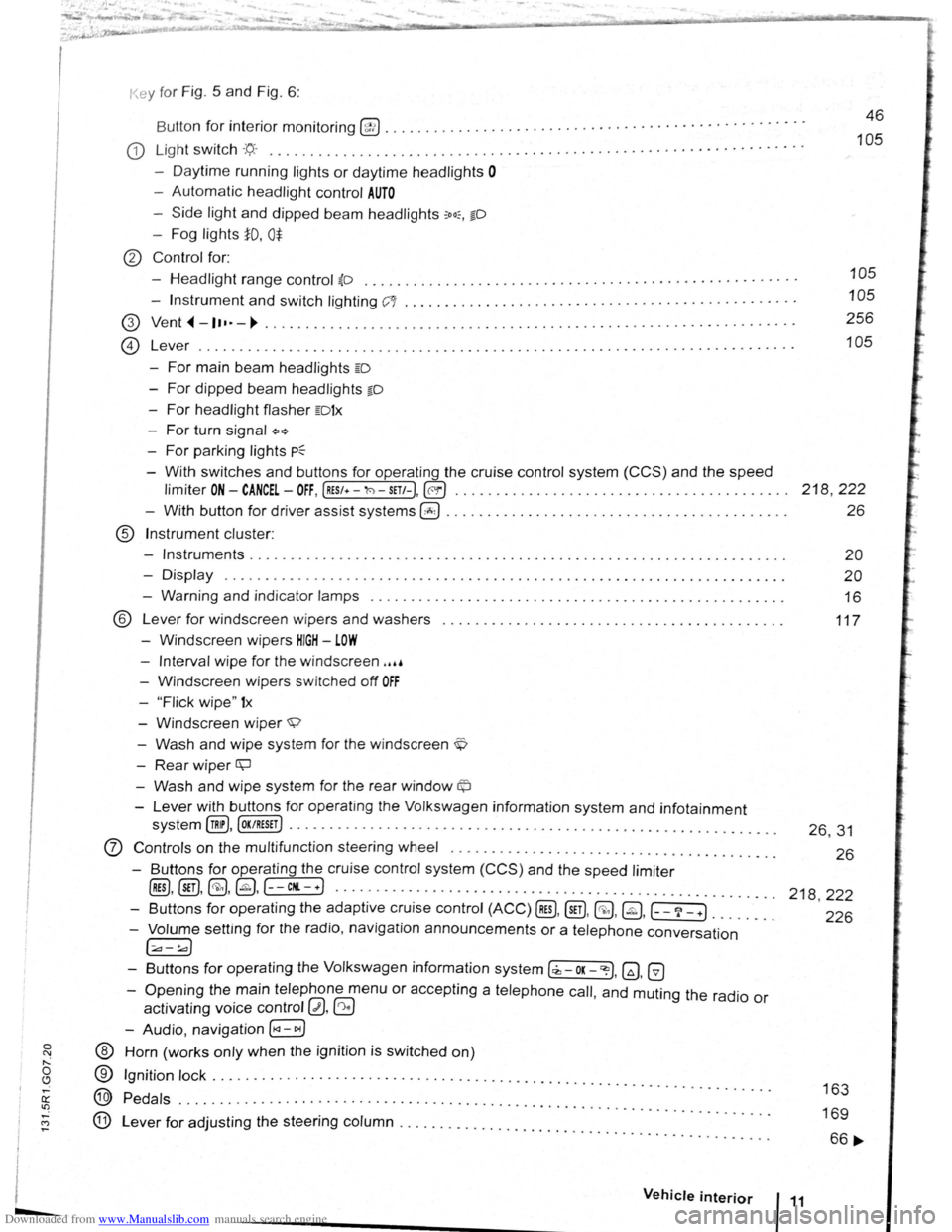
for interior monitoring @ ......... ............ · · · · · · · · · · · · · · · · · · · · · · · · · · · · · ·
G) Light switch :q.. . ............ .................. ..... ... · · · · · · · · · · · · · · · · · · · · · · · · · ·
- Daytime running lights or daytime headlights 0
-Automatic headlight control AUTO
-Side light and dipped beam headlights :oo:, §0
-Fog lights iD, 0$
® Control for:
-
Headlight range control ~D ............................... · · · · · · · · · · · · · · · · · · · · · ·
-Instrument and switch lighting C'1 ........... ...... ............. · · · · · · · · · · · · · · · · · ·
G) Vent,.-1••·-~ ................... ............ . ......................... ······ ··
14 Lever ....... . \..::!:) ..• 0 • 0 • 0 •••• 0 ••••••••••••••••••••• 0 ••••••• 0 ••••••••••••••••••••••
-For main beam headlights m
-For dipped beam headlights §O
-For headlight flasher mtx
-For turn signal Q~
For parking lights p~
-With switches and buttons for operating the cruise control system (CCS) and the speed
46
105
105
105
256
105
limiter ON-CANCEL-OFF, (RES/+-'l<'l-SETt-),@!) . . . . . . . . . . . . . . . . . . . . . . . . . . . . . . . . . . . . . . . . . 218 , 222
- With button for driver assist systems 0 . . . . . . . . . . . . . . . . . . . . . . . . . . . . . . . . . . . . . . . . . . 26
® Instrument cluster:
-
Instruments . . . . . . . . . . . . . . . . . . . . . . . . . . . . . . . . . . . . . . . . . . . . . . . . . . . . . . . . . . . . . . . . . . 20
-Display . . . . . . . . . . . . . . . . . . . . . . . . . . . . . . . . . . . . . . . . . . . . . . . . . . . . . . . . . . . . . . . . . . . . . 20
- Warning and indicator lamps . . . . . . . . . . . . . . . . . . . . . . . . . . . . . . . . . . . . . . . . . . . . . . . . . . . 16
® Lever for windscreen wipers and washers
- Windscreen wipers
HIGH -LOW
117
-Interval wipe for the windscreen ,,,,
- Windscreen wipers switched off OFF
-" Flick wipe" 1x
-Windscreen wiper ~
-Wash and wipe system for the windscreen ~
-Rear wiper ~
- Wash and wipe system for the rear window©
-Lever with buttons for operat ing the Volkswagen information system and infotainment
system (!@, (OK/RESET J ................................................... ........ .
0 Controls on the multifunct ion steering wheel .............. ........................ . .
- Buttons for operating the cruise control system (CCS) and the
speed limiter
@D, @), @,@,(--CHI.-+) .. .................... ............................... .
- Buttons for operating the adaptive cruise control (ACC) @D, (ill),@ .@ ,(-_?_ +l ....... .
- Volume setting for the radio, navigation announcements or a telephone conversation
[;;.,-!.a)
-Buttons for operating the Volkswagen information system [,z,-OK-~). ~. G
-Opening the main telephone menu or accepting a telephone call, and muting the radio or
activating voice control 0. ~
-Audio, navigation [l
® Horn (works only when the ignition is switched on)
®
@
@
Ignition lock ................ .... · · ........... .......... ....... .............. .
Pedals
• • 0. 0 ••••• •••••••••••••••••••••••••• 0 • ••••••••••••••••••• 0. 0 • •• 0 0 ....
Lever for adjusting the steering column ...................... . .. ...... . • • • • • • • • • • 0 ••
Vehicle interior
26, 31
26
218 ,222
226
163
169
66 ....
Page 13 of 138
Downloaded from www.Manualslib.com manuals search engine m
Instrument cluster
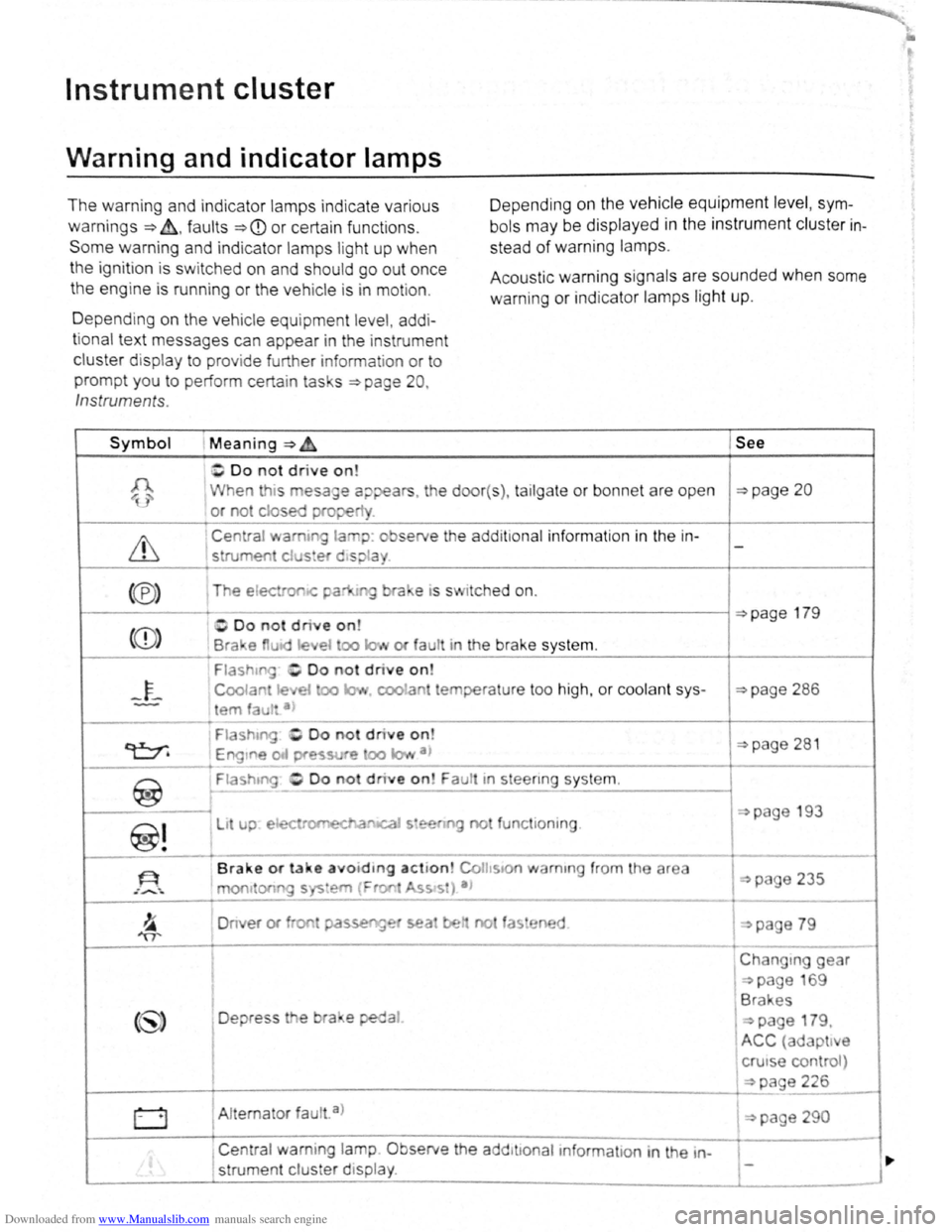
Warning and indicator lamps
The warning and indicator lamps ind ica te various
warnings ~~.faults ~CD or certai n funct ions .
Some warning and indicator lamp s light up when
the ignition is s witched on and should go out once
the eng ine is running or the vehicle is in motion. D
epe nding
on the vehicle equipment level , sym
bols may be display ed in the instrument cluster in
stead of warning lamps.
Acoustic warning sig nals are sounded when some
warning
or indicato r lamps light up.
D epending
on the vehic le equ ipment leve l, add i
tional text messages can appear in the instrument
cluster d isplay to prov ide further informat ion or to
prompt you to perform certain tas s ~page 20 ,
Inst rument s.
Symbol Meaning ~ &. See
~Do not drive on!
1 When is esage a;:>pears. the door( s), tailgate or bonnet are open ~page 20
or not cJosed prope
Centra l wamt la p : o serve the add it ional informa tio n in the in -
1 strumeo clus!er d•spla
<®> The e lectron-<: pa ra e •s s itched on.
((D)
1------------
1-------...-
~
Fla shrn Do not drive o n
C oolan Je et oo la.~ cool a tempera ture too high, or coolan t sys
em fau tt a )
Fia shtng -, Oo not d rive on
~page 286
~page 281 Engtne Pfe~svre oo IQI,• a 1
-·---------------------+----------
~
F iashtng tn stee nng sys te m .
~---------~
1----
~!
li up. e ectromEdl.a cal s•ee n g no tun c ioni ng.
On er or f on passe'1g~ sea be no fas ene d
(~) Depress e bra e peda l
page 193
I
Changtng gear
~page 69
1 Brakes
I
~page 179.
ACC (adapt t e
crutse control )
~---------------------------------------------------------~~~pag_e_2_26 ____ ~
0 1 Alt erna tor faul . a )
, Central warning lamp Observe the add tttonaltnformatton in the in
' strume nt clu s er display .
1 ~page 290
Page 19 of 138
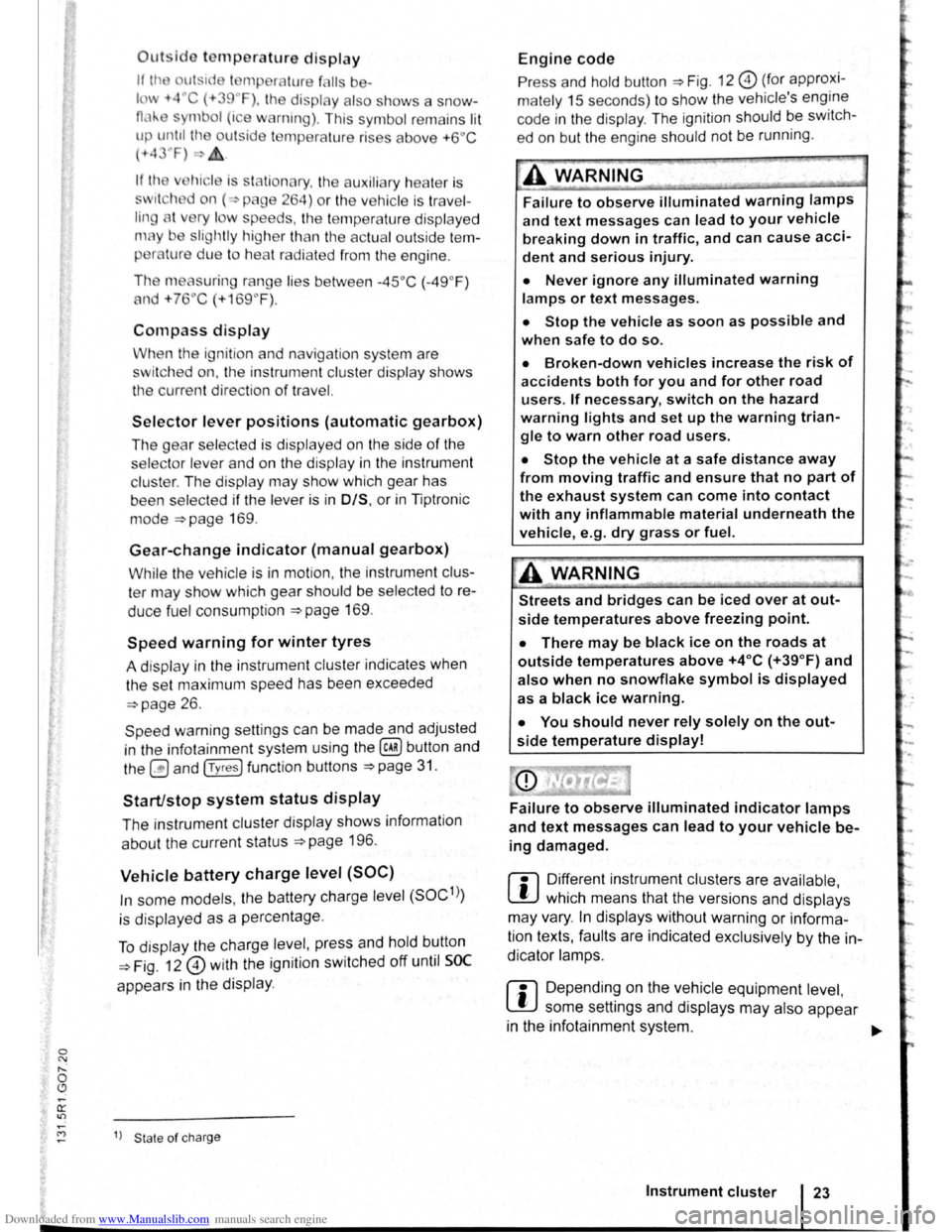
Downloaded from www.Manualslib.com manuals search engine Outsldo temperature display
If Ill~ ut ·id I mpera ture f lis ba-
lm -t4''C (+39~F), the display als o sh ows a snow-
0,1'-mbol (i e w rning) . This symbo l re m ains lit
up until th ou tside t mp erature rises above +6°C
(+ 4 ·'F)-£.
hicl is s ta tionary. tl1e auxiliary hea te r is
wit h d on ( p age 264) or the ve hi cle is tr ave l
tin A t v ry I w speeds , the te mper atur e disp laye d
m y be slightly higl1er th a n th e actual outside te m
per lure due to hea t ra di ated from the e ngine .
Th e meas uring range
lies be tw ee n -45 °C (-49 °F)
and +76"C
(+169 °F) .
Compass display
When the ignition and navigation system are
switched on, the instrument cluster display shows
the current direction
of travel.
Selector lever positions (automatic gearbox)
The gear selec ted is displayed on the side of the
selecto r leve r and on the di
spla y in th e instrument
cluster . The dis play may show which gear has
been selected if
the lever is in 0/S, or in Tiptronic
mode
~page 169 .
Gear-change indicator (manual gearbox)
While the vehicle is in mot ion , the instrum ent clus
ter may show which gear should be selec ted to re
duce fuel cons umption
~page 169.
Speed warning for winter tyres
A display in the instrument clu ste r indicates when
the set maximum speed has been exceeded
~page 26.
Speed warning settings can be mad e and adjusted
in the infotai nment system using the
@) button and
the
0 and (T yres) function buttons ~page 3 1.
Start/stop system status display
The instrumen t cluste r display shows informat ion
about the current status
~page 1 96 .
Vehicle battery charge level (SOC)
In some models , the battery charge le vel (SOC1l)
is displayed as a percentage .
To displa y the ch arge leve l, pr ess and hold button
~Fig. 12 0 with the ignition switched off until SOC
appea rs in the display .
1> State of ch arg e
Engine code
Press and ho ld button ~Fig. 12 0 (fo r approxi
mately 15 seco nds) to show the vehicle's engine
code in
the display . The ignition should be swit ch
ed on but the engin e should not be running.
-~--
A WARNING l
Failure to observe illuminated warning lamps
and text messages can lead to your vehicle
breaking down in traffic, and can cause acci
dent and serious injury.
• Never ignore any illuminated warning
lamps or text messages.
• Stop the vehicle as soon as possible and
when safe to do so.
• Broken-down vehicles increase the risk of
accidents both for you and for other road
users. If necessary , switch on the hazard
warning lights and set up the warning trian
gle to warn other road users.
• Stop the vehicle at a safe distance away
from moving traffic and ensure that no part of
the exhaust system can come into contact
with any inflammable material underneath the
vehicle, e.g . dry grass or fuel.
~A WARNING
Streets and bridges can be iced over at out
side temperatures above freezing point.
• There may be black ice on the roads at
outside temperatures above +4°C (+39 °F) and
also when no snowflake symbol is displayed
as a black ice warning.
• You should never rely solely on the out
side temperature display!
and text messages can lead to your vehicle be
ing damaged.
m Di~erent instrument cluste~s are available ,
L!J wh1ch means that the vers1ons and displays
may vary.
In displays without warning or informa
tion texts , faults are indicated exclusively
by the in
dicator la mps.
m D epe nding on the vehicle equipment level,
W some settings and displays may also appear
in the infotainment system.
..,..
Instrument cluster 23
Page 32 of 138
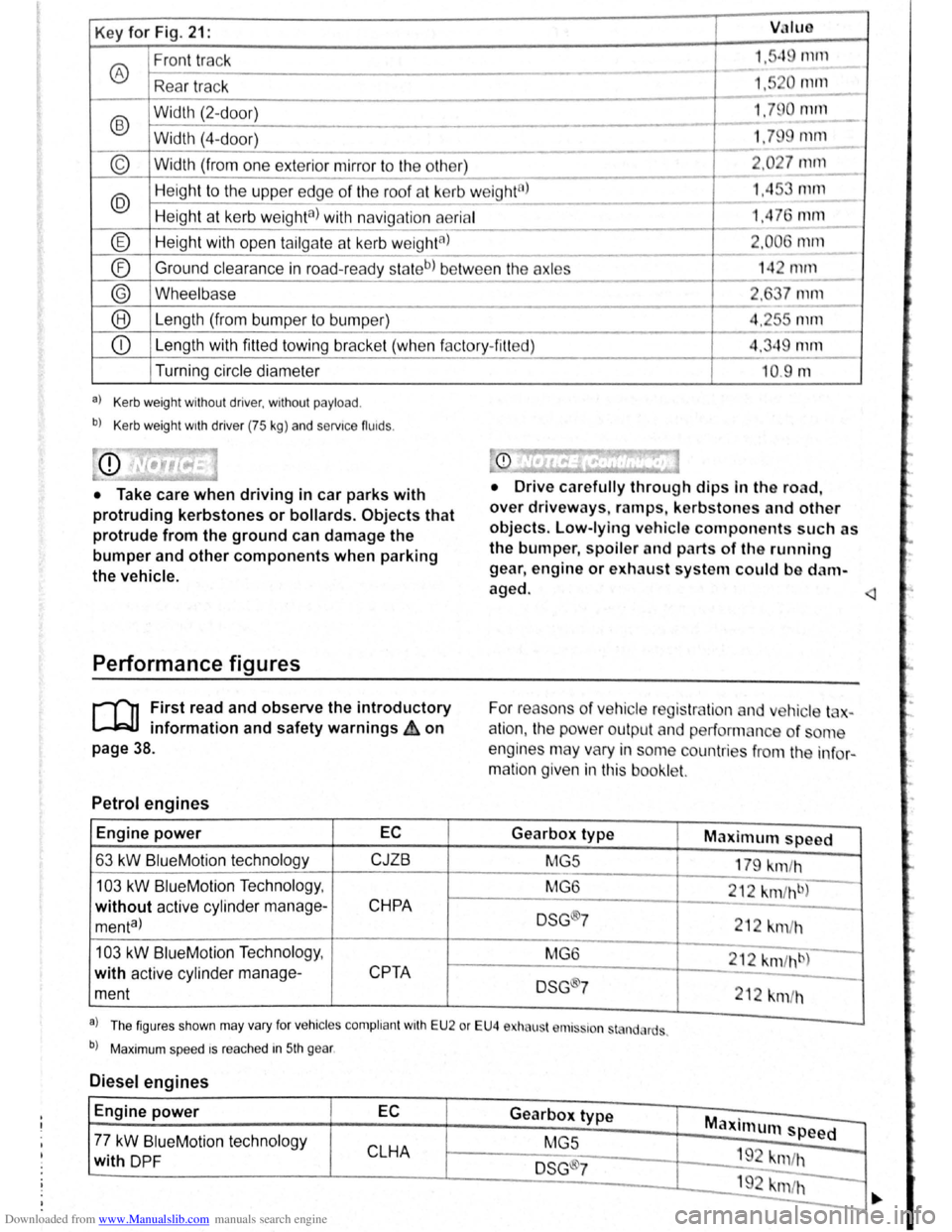
Downloaded from www.Manualslib.com manuals search engine Key for Fig. 21: VJIUO
Front track 1."q rnrn
® ---
Rea r tr ac k 1,5 0 111112.._
-
®
Width (2-d oor) 1.79 0 null
- -Width (4-
door) 1.79 mm
----
© Width (from one exterior mirror to the other) 2 .0 27 mm
---
@ Heig ht to the uppe r edge of the roof at kerb w eight8l 1.45 mm ---
Height at kerb weighta) with navig ation aerial 1,4 76 mm ---
® Height with open tailga te a t kerb w eightal 2.006 1111ll
- --
® Ground
clearance in road-read y sta teb) be tw ee n the axles 14 2 mrn ------
® Wheelbase 2, 7 mm
--® Le ngth (from bumper to bump er) 4.2r-s mm
---
CD Length with fitted towing bracke t (whe n f actory- fitt ed) 4.349 mm
Turning circle diameter
a) Kerb weight without driver, without payload .
b) Kerb weight wrth driver (75 kg) and servrce fluids .
• Take care when driving in car parks with
protruding kerbstones or bollards. Objects that
protrude from the ground can damage the
bumper and other components when parking
the vehicle.
Performance figures
r-('n First read and observe the introductory
L-1=JJ information and safety warnings ih on
page 38.
Petrol engines
Engine power EC
63 kW BlueM otio n technology CJZB
103 kW BlueMotion Techno logy ,
without active cylind er manage-CHPA
menta)
103 kW Blue Motio n Technolog y,
with active cylinder manage-
CPTA
ment
--10.9 m
• Drive c arefully through dips In the road,
over driveways, ramps , kerbstones and other
objects. Low-lying vehicle components such as
the bumper, spoiler and parts of th e running
gear , engine or exhaust system could be d am
aged.
For reaso ns
of ve hicle reg is tr lio n and v hic le t -
a
tio n, the pow er outpu t an d performan ce of ome
engines may vary in some countries f
rom the in fo r
matio n given in this booklet.
Gearbox type Maximum speed
MG5
179 km/h
MG 6
212
km fh b)
DSG ®7 212 km /h
M G6
212 km /hb)
DSG 7
212 km/h
a . . l Th e figur es sh o wn may va ry fo r vehrc les compli ant wrth E U 2 or EU4 e ha ust r111s~ron st nd, rds .
b) Maxim um spee d rs rea ched in 5th gear .
Diesel engines
Engine power EC Gearbox type Maxi mum speed -77 kW BlueM otio n tec hnol ogy
MGS
CLHA 1 9 -with DP F DSG ®7 "m /h
192 krn/h -
-
·.
Page 55 of 138
Downloaded from www.Manualslib.com manuals search engine Seat functions
[ Introduction
1 hi · chnptor contnins inforrnntion o n th e follo wing
sub wrts :
'" t dt ll 'nting . . . . . . . . . . . . . . . . . . . . . . . . . . . 75
8dl.k nm~S<. g fun ction . . . . . . . . . . . . . . . . . . . 76
F lldm .. th front Pt ~seng r s n t bac kres t
ft.)rWflrd.. . . . . . . . . . . . . . . . . . . . . . . . . . . . . . . . 77
Additiona l inforn1ation and warnings:
• Adjus ting the s t1t po sitio n ;;. page 66
• S at b Its -:-pag e 79
• Airbrtg sys te m => pag e 88
• Child s ts (accessories ) ::::>page 97
• Ex t rior mirr ors =-> pflge 1 22
• Arr condi tio ning ->page 256
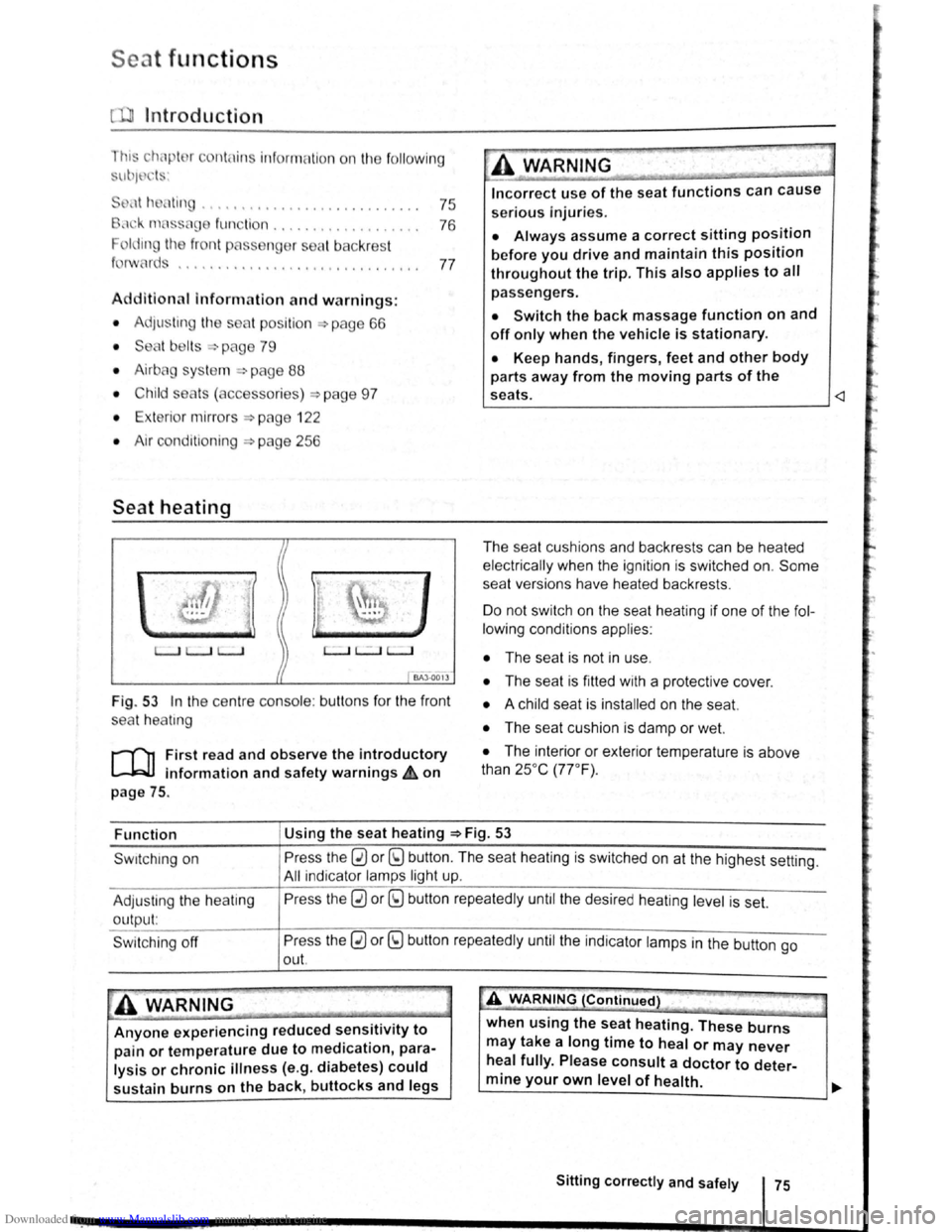
Seat heating
c.:.:..J L.:..J L..:..l
BAJ -0013
Fig . 53 In the ce ntre conso le : butt ons for the front
sea t
hea trng
i""""fl1 First read and observe the introductory
L-...lr::JJ information and safety warnings £ on
page
75.
Incorrect use of the seat functions can cause
serious Injuries.
• Always assume a correct sitting position
before you drive and maintain this position
throughout the trip. This also applies to all
passengers.
• Switch the back massage function on and
off only when the vehicle is stationary.
• Keep hands , fingers, feet and other body
parts away from the moving parts of the
seats.
elec trical ly when the ignition is switched on.
Some
seat ve rsions have heated backrests .
Do not switc h on the seat heating if one of the fol
lowing conditions applies:
• The seat is not in u se.
• The seat is fitted with a protect ive cover.
• A chi ld seat is installed on the seat.
• The seat cushion is damp or wet.
• The interior or exterior tempera ture is above
than 25oc (77 °F) .
Function Using
the seat heating ::::>Fig. 53
Swrtching on
Adjus ting
the heating
output:
Swi tchi ng off
Press the 0 or (9 button. The seat heating is switched on at the highest setting.
All indicato r l amps light up.
Pre ss the
0 or (9 button repeatedly until the desired heating level is set.
Press the
0 or (9 button repeatedly until the ind ica tor lamps in the button go
out.
~A WARNING (Continued) " ._..~~1 ~...... -~.~. ~-~ ~----J
Anyone experiencing reduced sensitivity to
pain or temperature due to medication, para
lysis or chronic illness (e.g. diabetes) could
sustain burns on the back, buttocks and legs when
using the
seat heating. These burns
may take a long time to heal or may never
heal fully. Please consult a doctor to deter
mine your own level of health.
~--------------~--------~~
Sitting correctly and safely 75
Page 57 of 138
Downloaded from www.Manualslib.com manuals search engine Lights and vision
Lights
Introduction
Th1s ·hapt r c nt 1n inf rm lion on th e f llowing
utject :
lnd1 ator lamps . . <>-~ • .. .. .. .. .. • .. .. ~ • .. • .. • • .. •
Turn s1gnal and main beam lever ..•.......
Svvitching lights on and off .............. .
Lights
and v1sion -functions ............ .
~1ain beam ass1st . . . . . . . . . . . . . . . . ... .
Ma king or sv itching over headlights for
dnving abroad (travel mode) . . . . ........ .
Commg Home and Leaving Home functions
(onentation
lighting) . . . . . . . ............ .
Headl i
ght range control, instrument and
s~ itch lighting . . . . . . . . . . . . . . . ....
Interior and reading hght s ...............•.
105
106
107
108
110
111
111
112
113
Observe any country-spec•fic regu lations when us
ing veh1c le lighting.
The driver 1s responsib le for the correct headlight
pos1t1on and the correct headlight settm g.
Addit ional information and warnings:
• Exterior views ~page 6
• lnfotamment system ~page 31
• Changing bulbs ~page 362
Indicator lamps
A WARNING
Accidents and serious injuries can occur if
roads are not sufficiently illuminated and oth
er r oad users have d ifficulty seeing the vehi
cle, or cannot see it at all.
• Always switch the dipped beam head
lights on if it is dark, raining or visibility is
poor.
A WARNING
Setting headlights too high, and the incorrect
use of the main beam, could d istract and daz
zle other road users. This can lead to acci
dents and serious injuries.
• Always ensure that the headlights are ad
justed correctly.
• Never use the main beam or the headlight
flasher if other road users could be dazzled.
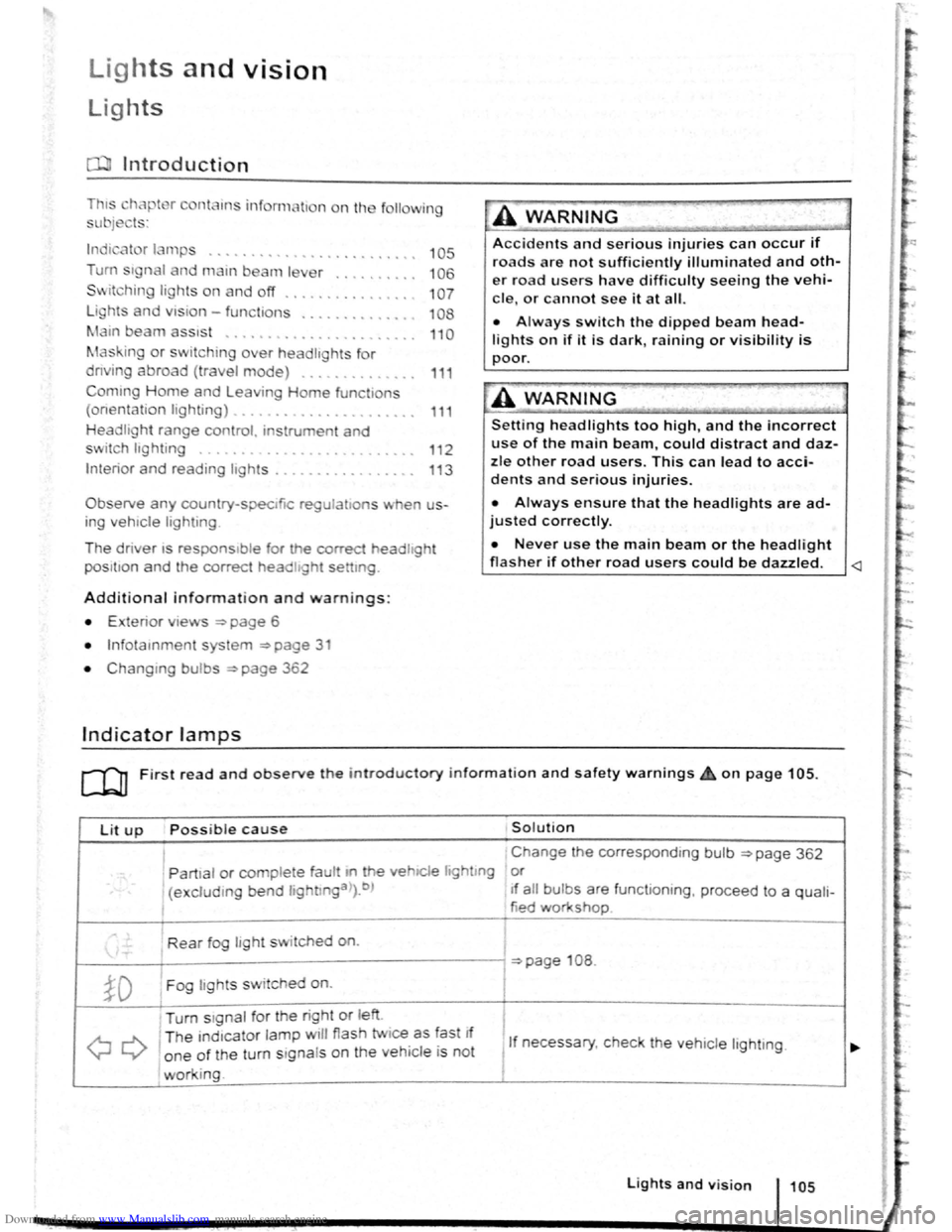
Lit up Possi ble cause Solution
I Change the corresponding bulb ~page 362
' Partial or complete fau tt m he vehiCle hghtmg or
(excluding bend lightlnga>).b ) If a ll bulbs are functioning , proceed to a quali-
tied workshop
Rear fog light switched on.
~page 108 .
~D Fog lights sw itched on. I
Turn stgnal for the right or left i
I
QQ
T he ind1cator lamp will flash twice as fast If
1 If necessary, c heck the vehicle lighting. o ne of the turn signals on the vehicl e is not
working. I
Lights and v is ion 105
Page 58 of 138
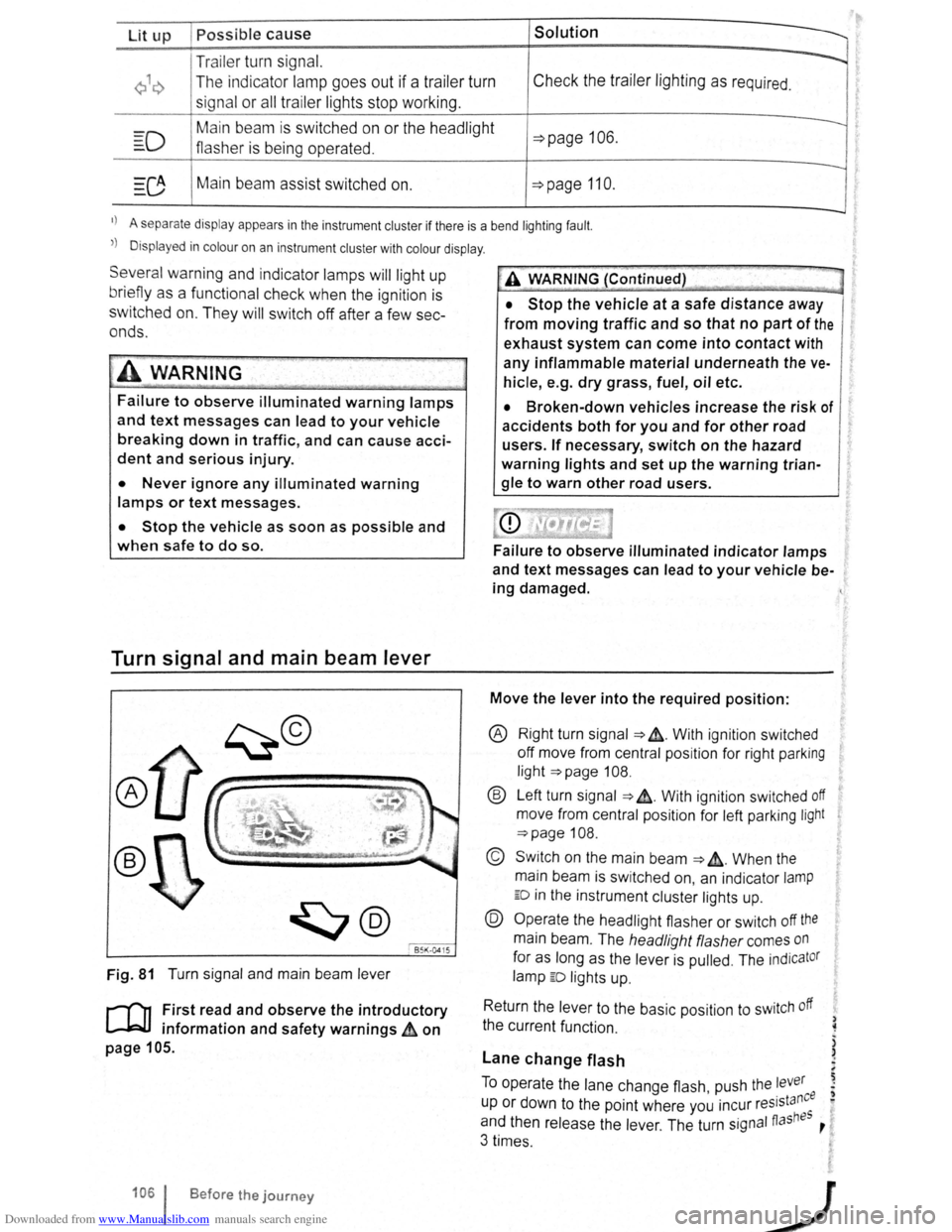
Downloaded from www.Manualslib.com manuals search engine Lit up Possible cause Solution
Tr ailer turn signal. -......
Q\~ The indica tor lamp goe s out if a tra iler turn Check the trailer l ighting as required.
signal
or all trailer lig ht s st op working .
Main beam is swi tc h e d on or the headlight
----D =>pa ge 106 .
flasher is being opera ted .
-
0 Main beam ass ist swi tc hed on. =>page 110 .
-1
) A separate display appears in the instrumen t cluster if there is a bend lighting fault.
>) Displayed in colour on an instru ment cluster with colour display .
Several warning and indicato r lamps will light up
briefly as a
functiona l check when the ign iti on i s
switched
on. T he y will swi tc h off after a few sec
onds.
--·--~-
Failure to observe illuminated warning lamps
and text messages can lead to your vehicle
breaking down in traffic, and can cause acci
dent and serious injury.
• Never ignore any illuminated warning
lamps or text messages.
• Stop the vehicle as soon as possible and
when safe to do so.
Turn signal and main beam lever
®
B5K ·0415
Fig. 81 T urn signa l and main beam lever
r-('n F irst read and observe the introductory
1.-J=JJ information and safety warnings~ on
page 105 .
1061 Before the journey
--
~>A WARNING (Continued) -
• Stop the vehicle at a safe distance away
from moving traffic and so that no part of the
exhaust system can come into contact with
any inflammable material underneath the ve
hicle, e .g . dry grass, fuel, oil etc.
• Broken-down vehicles increase the risk of
accidents both for you and for other road
users. If necessary, switch on the hazard
warning lights and set up the warning trian
gle to warn other road users.
Failure to observe illuminated indicator lamps
and text messages can lead to your vehicle be
ing damaged.
Move the lever into the required position:
® Right turn signa l ~ &. W it h ignit ion swi tched
off m ove from centr al posit io n for right parking
li g ht
~page 108.
® Left turn sig na l ~ ~. W ith ignition switched off
move from centra l posi tion for left parking light
~page 108 .
© Switch on the main beam ~ &. Whe n the
main beam is switc hed on, an indicator
lamp
ED in the instr ument cluster lights up.
@ Operate the headlight flasher or switch off the
main beam. The h eadligh t flasher comes on
for as long as the leve r is pulled . The indicator
lamp ED lights u p .
R etu
rn the le ver to the basic position to switch off
the c urrent fu nc tio n.
Lane change flash
) ~
)
)
To o pe rate the la ne c hange flash push the lever ' . nee I) u p or d own to the poin t where you incur reslsta eo
and th en release the le ver. The turn signal fiashBS ,
3 times .
Page 67 of 138
Downloaded from www.Manualslib.com manuals search engine ..,
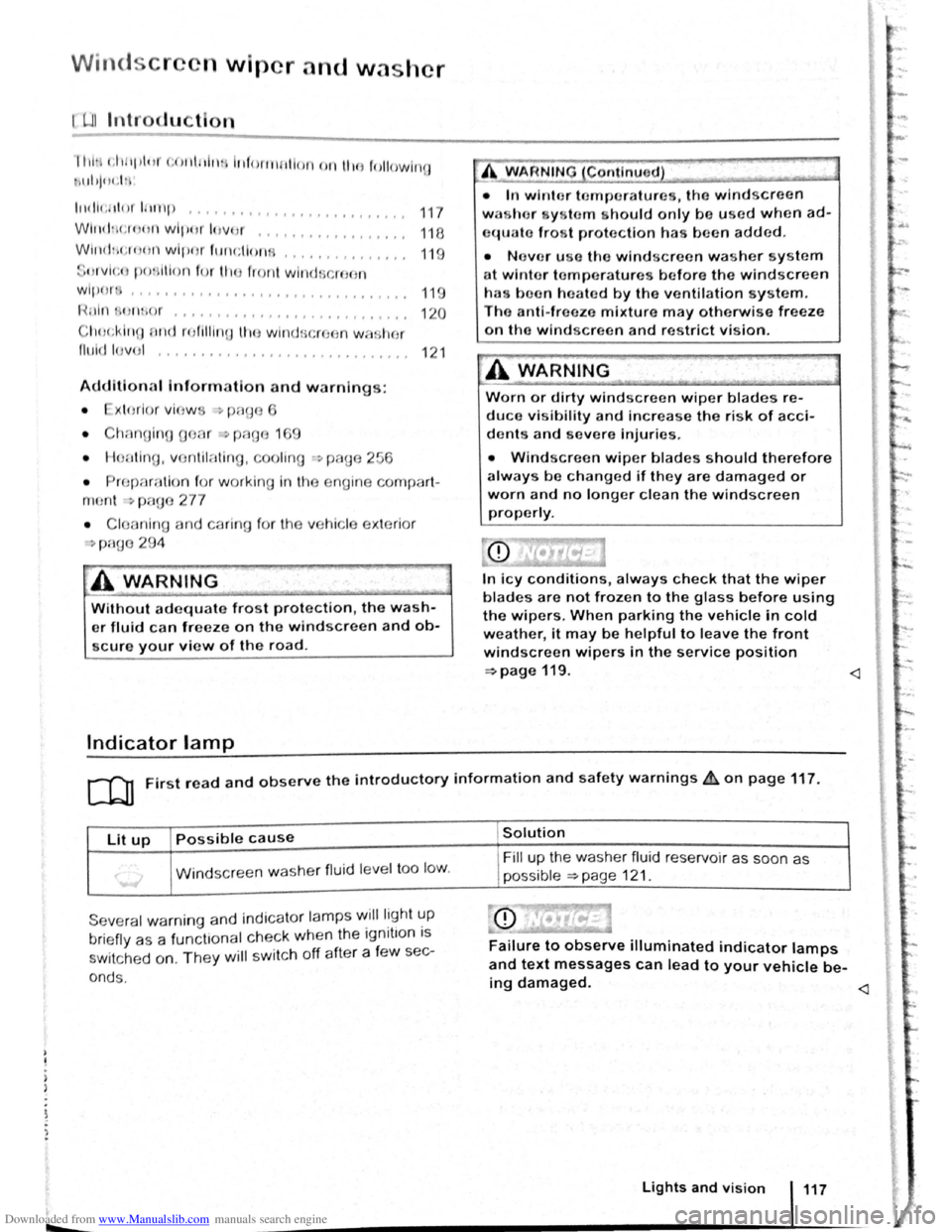
Windscr n wiper and washer
illlr t,lt 1pl11t t;OIII tlt H il.f orrn tllon nn ll tfl followln~J
\Id !jOt .I :
l t
Hih;r tl n t ltntp ... o o •• ,,,.,,, 0,,., 0
0,,... 117
Wll t(h <:r,
fltVI<;Il ponltlon fm l!H l front wind · ,ro n
wl1 )()I~ I I I I I I f I I I f f I I I I I I I f t o 1 1 1 1 1 1 1 o 1 o o 119
Hnln 1 lltuo r ... , , • , •. , .... , • . • . . . • . . . . . . 120
Cl10c:klng ntKJ r()fllll nn lllc wlnd scroc n wa her
fllt ld lo vo l ........ , .... , ................ 12 1
Additio na l Information and w arnings:
• xto rlor vlo w ~~ p:-~ge 6
• Chnnoino o or ~ pnf:Jo 1 9
• Hoo ting , v ntil n ting , O()ling ~page 256
• ropr:m1tlon fo r w orkin g In th e e ng in e compart -
m ont -, p ago 2 77
• C l anl ng a nd carin g fo r th e ve hi cle ex te rio r
~ Pi1QO 29 4
A WARNING
Without adequate frost protection, the wash
er fluid c a n freeze on the windscreen and ob
scure your view of the road.
Indicator lamp
A W AR NIN G (Co ntinue d) 7 ~--· -cc . I
·~
• In winte r t emperatures, the windscree n
w as h er yste m s
hould only be used when ad
equate fro, t protection has been adde d .
• N evo r use the windscreen wash er system
a t winter t emperatures b efore the windscreen
has boo n h eate d by the ventilation s y ste m .
T he
anti-free ze mixture may otherwis e freeze
on tho windscree n and restrict vision.
A WARNING
.. · ._,
Worn or dirty windscreen wiper blades re
duce visibility and increas e the ris k of acci
d ents and severe Injuries.
-
• Windscreen wiper blades should therefore
always be changed if they are damaged or
worn and no longer clean the windscreen
properly.
In icy conditions, always check that the wiper
blades are not frozen to the glass before using
the wipers. When parking the vehicle in cold
weather, it may be helpful to leave the front
windscreen wipers in the service position
~page119.
Lit up Possible cause
Windscreen washe r fluid le ve l too lo w .
Seve ra l w arn in g and indica to r lamps ~ill lig ht ~ p
brie fly a s a fun cttonal c heck when th e 1gnttto n IS
s wi tched on. The y will sw it c h off afte r a fe w sec-
o nd s.
Solution
F ill up t he washe r fluid r ese rvoi r as soon a s
p oss ible
~page 12 1.
Failure to observe illuminated indicator lamps
and text messages can lead to your vehicle be-
ing damaged.
Page 81 of 138
Downloaded from www.Manualslib.com manuals search engine • o;;--"cc A WAR'I'G (Contmued)
tf the brake warning lamp 0 does not go
'Jt or if it lights up when driving, the brake Ol , . • fluid level in the reservoir IS too low or there
is a fault in the brake system. Stop the vehi
c le immediately and seek expert assistance
=>page 188 , Brake fluid.
, tf the brake warning lamp ID lights up to
gether with the ABS indicator lamp 8, the
control function of the ABS may have failed.
This can cause the rear wheels to lock quick
ly when you brake. Locked rear wheels can
lead to a loss of control of the vehicle. If pos
s ible, reduce your speed and drive carefully
at low speed to the nearest qualified work
shop in order to have the brake system tes
ted . Avoid sudden braking and driving ma
noeuvres on the way.
• The ABS is not functioning correctly if the
ABS indicator lamp Et does not go out or
com es on while the vehicle is in motion. The
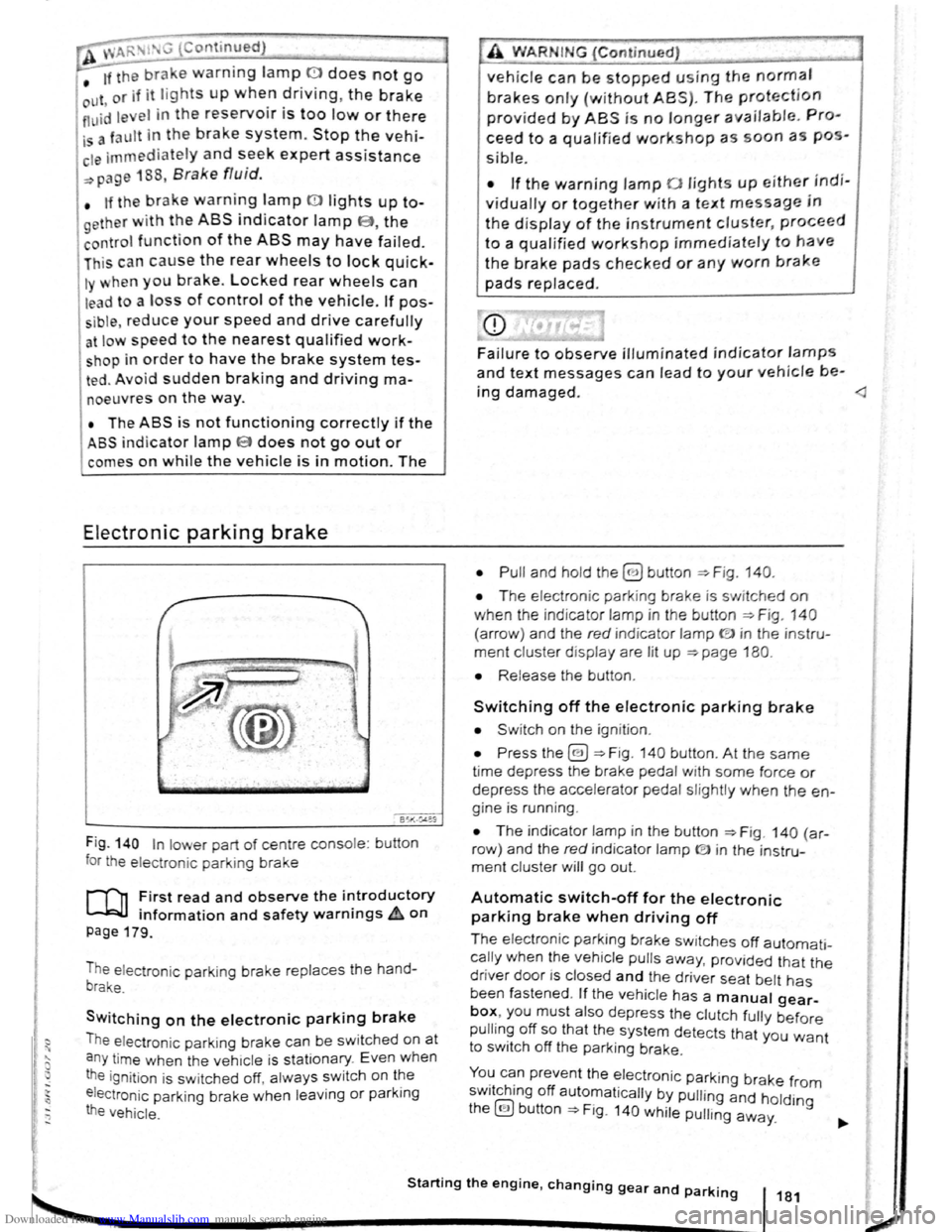
Electronic parking brake
BSIV)•~9
Fig . 140 In lower part of centre console : bu tton
for the electron ic parkin g brake
rf'n First read and observe the i~troductory
~ information and safety warnmgs A on
page 179.
The electronic parking brake replaces the hand
brake.
Switching on the electronic parking brake
The elec tron ic park ing brake can be swit ched on at
a n y time when the vehic le
is stationary . Even when
the ignition is sw itched off, always switch on the
e lectroni c parking brake when leaving
or parking
the vehicle .
_,
A WARN IN.G (Continued) .,~ ,1
vehicle can be stopped using the normal
brakes only {without ABS). The protection
provided by ABS is no longer available. Pro
ceed to a qualified workshop as soon a s pos
s ible.
• If the warning lamp 0 lights up either indi
vidually or together with a text message in
the d isplay of the instrument cluster, proceed
to a qualified workshop immediately to have
the brake pads checked or any worn brake
pads replaced.
Fa i
lure to observe illuminated indicator lamps
and text messages can lead to your vehicle be-
ing damaged.
• T he electron ic park ing brake is switched on
when the indicato r lamp in the button ::;;. Fig. 140
(a rro w) and the red indicator lamp ID in the instru
ment cluster displ ay are lit up ::;;. page 180.
• Release the button .
Switching off the electronic parking brake
• Swit ch on the ignition .
• Press the@) ::;;. Fig . 140 button . At the same
time depress the brake pedal with some force or
depress the accele rator pedal slightly when the en
gine is run ning .
• The indicator lamp in the button =:;.Fig . 140 (a r
row ) and the red indicator lamp ® in the instru
ment cluster will go out.
Automatic switch-off for the electronic
parking brake when driving off
The elec tronic parking brake switches off automati
cally when the vehi cle pulls away, prov ided that the
driver door is closed and the drive r sea t belt has
been fastened . If the vehicle has a manual gear
box, you must also depress the clutch fully before
pulling off so that the system detects that you want
to switch off the parking brake.
You can prevent the electronic parking brake f 0 . h. ff r m sw1tc 1ng o automat ically by pulling and hold.
the@) button::;;. Fig. 140 while pulling away. lng
Starting the engine, changing gear and parking 181
2