manual parking VOLKSWAGEN GOLF 2011 Owner´s Manual
[x] Cancel search | Manufacturer: VOLKSWAGEN, Model Year: 2011, Model line: GOLF, Model: VOLKSWAGEN GOLF 2011Pages: 138, PDF Size: 49.24 MB
Page 76 of 138
Downloaded from www.Manualslib.com manuals search engine Sele1:• r
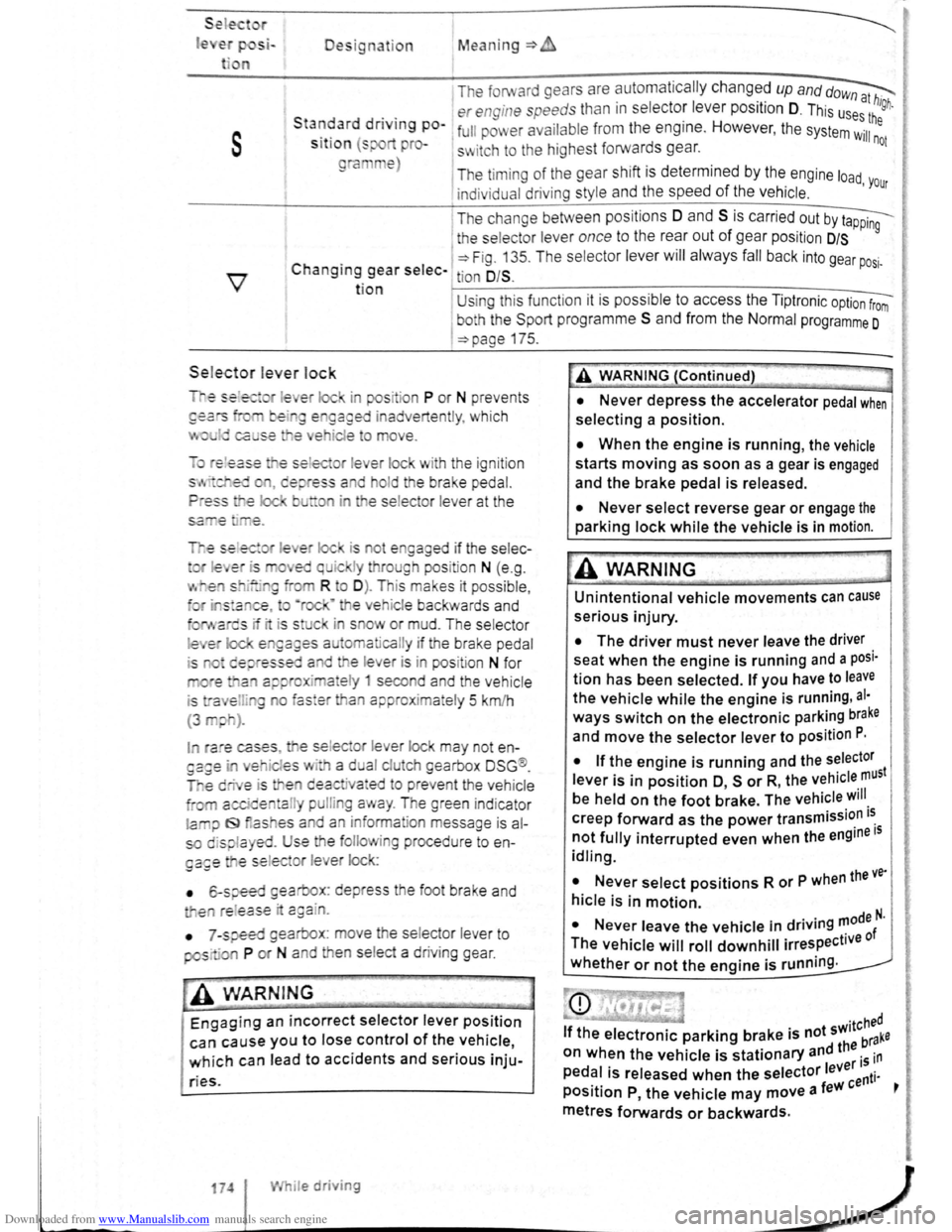
le Designation Mean ing=>
1 The forward gears are automa tic ally changed up and dow~
. . er engine speeds than in s electo: leve r position D. This us~:! high.
s
Sta~~ard dnvtng po-1 full pm er ava ilabl e from the eng1ne. However , the system Wil:he
S lt lo n (s pro-s~ itch to the highest forwards gear. not
ra e)
The timi ng of the gear shift is determined by the engine load
indivi dual driving style and the speed of the vehicle . 'Your
I T he change between positions 0 and S is carried out by t~
1 the selecto r lever once to the rear out of gear pos it ion D/S 9
C . 1 ~Fig. 13 5. T he se lec tor lever will alwa ys fall back into gear po .
h angtng gear selec- tion O/S . SI·
t ion U sing thi s funct ion it is possible to access the Tipt ronic option from
I
bo h the Spo rt programm e S and from the Normal programme 0
=>page 175.
Sele.ctor le ver lock
is ot e gaged if the selec-
I ra e cases , e se lec or lever lock may not en
es · a d al clu eh gearbox DSG ®.
e deactiva•ed to preve nt the vehicle
a l pulli g a ay . The green ind icator
la iJ f9 as es a d an inform ation message is al
so displa yed. Use the folio ing procedu re to en
ga£e e se lec or l e er lock:
• 6-speed gearbox: depress the foot brake and
e re l
ease · c:gain.
•
7 -speed gearbox : move he se lector lever to
pos· ·a P or N and en se lect a driv ing gear .
-• ·----
A WARNIN G
Engaging an incorrect selector lever position
can cause you to lose control of the vehicle,
which can lead to accidents and serious inju-
ries.
174 I While driving
A WARNING (Continued)
• Never depress the accelerator pedal when
selecting a position.
• When the engine is running, the vehicle
starts moving as soon as a gear is engaged
and the brake pedal is released.
• Never select reverse gear or engage the
parking lock while the vehicle is in motion.
A WARNING
Unintentional vehicle movements can cause
serious injury.
• The driver must never leave the driver
seat when the engine is running and a posi·
tion has been selected. If you have to leave
the vehicle while the engine is running , al·
ways switch on the electronic parking brake
and move the selector lever to position P.
I
• If the engine is running and the selector
lever is in position O, s or R, the vehicle must
be held on the foot brake. The vehicle will
creep forward as the power transmission i~
not fully interrupted even when the engine IS
idling.
• Never select positions R or P when the ve·
hicle is in motion.
N I . . d . . ..,0de N. • ever eave the vehicle m nv.ng '" f
The vehicle will roll downhill irrespective 0
whether or not the engine is running .
Page 78 of 138
Downloaded from www.Manualslib.com manuals search engine riving with an automatic gearbox
r-T'n First read and observe t h e introductory
L-..kJJ information and safety warnings~ on
page 169.
The gearbox changes th e forwa rd gears up and
down automat ic a lly .
Driving down hills
The steeper the gradi ent, the lower the gear you
will need . Lower gears increase the braking effect
of the engine . Never allow the vehicle to roll down
mountains or hills in the neutral position N.
• Reduce your speed.
• Push the selector lever from posit ion D t o the
r i
ght into the Tiptron ic gate ~page 175.
• Gently push the selector le ver to the rear to
change down gear.
• OR: shift down a gear using the padd les on the
s te
erin g wheel ~page 175 .
Stopping the vehicle and pulling away when
driving uphill
The steeper the incline, the lower the gear you will
need.
If you wish to stop the vehic le or pu ll away when
driv ing uphill you should use the Auto -Ho
ld func
tion
~page 196.
When you stop the vehicle on an incl ine and the
vehicle remains in gear , the vehicle must always
be prevented fro m rolling by depress ing the brake
pedal or
by applying the electron ic park ing brake .
The brake pedal or the electronic parking brake
should
not be released until you pull away ~CD.
Freewheel driving with dual clutch gearbox
DSG®
In
freewheel mode, the momentum of the vehicle is
used to save fuel with a foresighted driving style.
The engine is declutched and no longer brakes the
vehicle -the vehicle can
roll out over a longer dis
t a nce.
Switch-on condit io n: the selector lever must be in
positio n D.
Triggering freewheel driving
• Select the Eco driving mode from the Driving
Mode Selection menu ~page 248 .
• Remove foot from accelerator pedal. The en
gine
w ill be disengaged and run in freewheel
mode. The vehicle rolls without the braking effect
of the eng ine .
Cancelling freewheel mode
• Press the bra e pedal brieny or pull the 1 ft.
hand paddle G towards the stee ring wh 1.
Kick-down
The kickdown function enab~~s ma imum accelera.
tion in the selec tor lever pos1t1ons D and S, or in
th e Tiptron ic posi tio n.
If the acce lerator pedal is d epre ssed fully. the gear.
box will automat ically sh ift to a lower gear, depend
ing on the speed and engine revs. This will make
use of the full veh icle acceleration ~ Lt.
The gearbox does not shift up to the next gear until
the engine reaches the maximum engine s
peed for
the gear.
When the
Eco driving mode is sel ected in vehicles
with Driving Mode Selection ~page 248 and the
accelerator is depressed
fully beyond the pressure
point, the engine output is automatically regulated
to ensure maximum vehicl e acceleration .
Launch control programme
The launch control programme enables maximum
accelerat ion from a stand ing start .
• Switch off TCS ~page 179.
• Depress and hold the brake pedal with your left
foot.
• Move the selector lever to position S, or into the
Tiptronic position. Alte rnatively , select the Sport
driving mode in vehi cles with Driv ing Mode Selec
tion ~page 248 .
• With your right foot, depress the accelerator un
til the engines speed reaches approximately
3,200 rpm.
• Take your left foot off the brake ~ ~. The vehi
cle will start with maximum acceleration.
• Switch the TCS back on after accelerat ion.
A WARNING
Rapid acceleration can cause loss of traction
and skidding, particularly on slippery roads .
This can cause you to lose control of the ~e
hicle, which can lead to accidents and sen·
ous injuries.
• Always adjust your driving style in ac·
cordance with the flow of traffic.
• Only use kickdown or fast acceleration if
visibility, weather road and traffic conditions ' t permit, and other road users are not put a
risk due to the acceleration and the driving
style.
,
Page 79 of 138
Downloaded from www.Manualslib.com manuals search engine • Please note that the driven wheels can
\start to spin and the vehicle can skid If the
lCS i w1tched off, especially If the road Is
slippery.
•
Switch the TCS back on after acceleration.
attempt to stop it from rolling back by depress·
lng the accelerator while a position is still se
lected. The automatic gearbox could overheat
and be damage d .
• Never allow the vehicle to roll In posi tion N ,
particularly If the Ignition is s w itched off. The
automatic gearbox w ill not be lubricated and
could be damaged .
r-'('n F irst read and observe the introductory
L-Wl Information and safety warnings .&. on
page 169 .
Emergency programme
There is a fault in the system if all the displays on
the mstrument clu ste r for the se lector le ve r posi
tions have a light background. The automatic gear
box is running in an emergency programme. The
vehicle can still be driven in the eme rg ency pro
gramme, but only at reduced speed and not in all
gear s.
In vehicles with a dual clutch gearbox DSG®, y o u
may
no longer be able to select reverse gear.
In all cases the automatic gearbox should be
checke d
by a qualified workshop immediately.
Overheating of the dual clutch gearbox
DSG®
The dual clutch gearbox can overheat when th e
vehicle pulls off re
gularly, travels at a crawl for long
penods, or in s
top and go traffic . Gearbox over- .
heating
is i ndi cate d by the w arning lamp 0 and tn
some cases by a text m essage in the instrument
cluste r d1splay . An acoustic warni ng may also be
heard . Stop the ve hi cle and allow th e gea rbox to
cool down
~CD.
The vehicle will not move forwards or
backwards even though a gear has been
selected
If the veh1cle w11l not move in the requi red direc
tio n, the system may have selected the pos1tion m
correctly Depress the bra e pedal and reselect the
pOSitiOn
If th e vehicle st1ll does not move tn the requ1red di
re ction , th ere IS a system fault. Seek expert assis
tance and have the system checked
• If the display indicates that the gearbox is
overheating for the first time, the vehicle will
have to be parked safely or driven faster than
20 km/h (12 mph) .
• If the text message and acoustic warning
are repeated approximately every 10 seconds,
the vehicle must be parked safely immediately
and the engine switched off. Allow the gearbox
to cool down.
•
In order to prevent damage to the gearbox,
you should not drive on unti l the acousti c
warning stops. You should not pull away or
drive the vehicle at very low speeds while the
gearbox is overheated.
' 177
~
l
I
i
t
Page 81 of 138
Downloaded from www.Manualslib.com manuals search engine • o;;--"cc A WAR'I'G (Contmued)
tf the brake warning lamp 0 does not go
'Jt or if it lights up when driving, the brake Ol , . • fluid level in the reservoir IS too low or there
is a fault in the brake system. Stop the vehi
c le immediately and seek expert assistance
=>page 188 , Brake fluid.
, tf the brake warning lamp ID lights up to
gether with the ABS indicator lamp 8, the
control function of the ABS may have failed.
This can cause the rear wheels to lock quick
ly when you brake. Locked rear wheels can
lead to a loss of control of the vehicle. If pos
s ible, reduce your speed and drive carefully
at low speed to the nearest qualified work
shop in order to have the brake system tes
ted . Avoid sudden braking and driving ma
noeuvres on the way.
• The ABS is not functioning correctly if the
ABS indicator lamp Et does not go out or
com es on while the vehicle is in motion. The
Electronic parking brake
BSIV)•~9
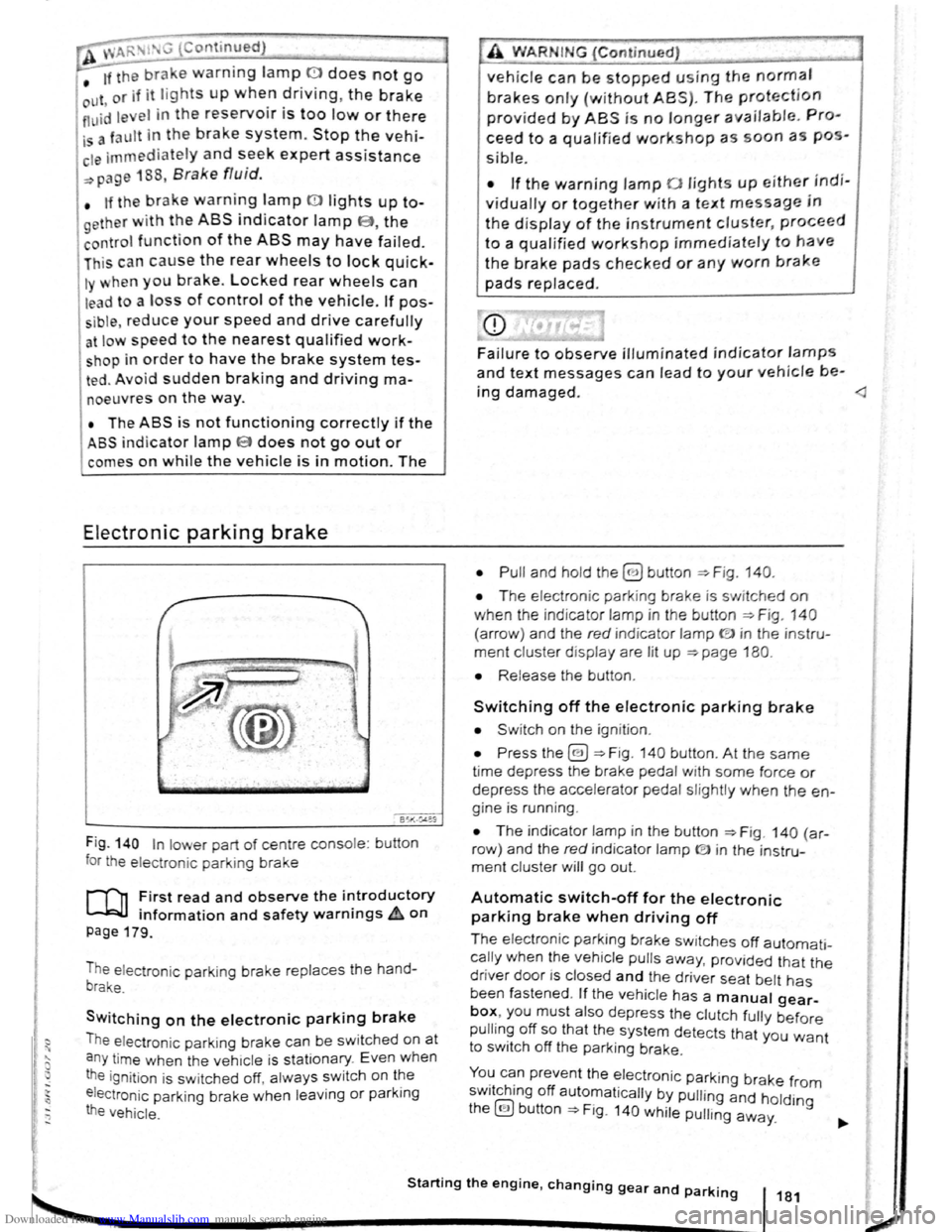
Fig . 140 In lower part of centre console : bu tton
for the electron ic parkin g brake
rf'n First read and observe the i~troductory
~ information and safety warnmgs A on
page 179.
The electronic parking brake replaces the hand
brake.
Switching on the electronic parking brake
The elec tron ic park ing brake can be swit ched on at
a n y time when the vehic le
is stationary . Even when
the ignition is sw itched off, always switch on the
e lectroni c parking brake when leaving
or parking
the vehicle .
_,
A WARN IN.G (Continued) .,~ ,1
vehicle can be stopped using the normal
brakes only {without ABS). The protection
provided by ABS is no longer available. Pro
ceed to a qualified workshop as soon a s pos
s ible.
• If the warning lamp 0 lights up either indi
vidually or together with a text message in
the d isplay of the instrument cluster, proceed
to a qualified workshop immediately to have
the brake pads checked or any worn brake
pads replaced.
Fa i
lure to observe illuminated indicator lamps
and text messages can lead to your vehicle be-
ing damaged.
• T he electron ic park ing brake is switched on
when the indicato r lamp in the button ::;;. Fig. 140
(a rro w) and the red indicator lamp ID in the instru
ment cluster displ ay are lit up ::;;. page 180.
• Release the button .
Switching off the electronic parking brake
• Swit ch on the ignition .
• Press the@) ::;;. Fig . 140 button . At the same
time depress the brake pedal with some force or
depress the accele rator pedal slightly when the en
gine is run ning .
• The indicator lamp in the button =:;.Fig . 140 (a r
row ) and the red indicator lamp ® in the instru
ment cluster will go out.
Automatic switch-off for the electronic
parking brake when driving off
The elec tronic parking brake switches off automati
cally when the vehi cle pulls away, prov ided that the
driver door is closed and the drive r sea t belt has
been fastened . If the vehicle has a manual gear
box, you must also depress the clutch fully before
pulling off so that the system detects that you want
to switch off the parking brake.
You can prevent the electronic parking brake f 0 . h. ff r m sw1tc 1ng o automat ically by pulling and hold.
the@) button::;;. Fig. 140 while pulling away. lng
Starting the engine, changing gear and parking 181
2
Page 82 of 138
Downloaded from www.Manualslib.com manuals search engine Aut mall wit h-o n of the electronic
p ar kin IJr ke If n o t activated properly whe n
th drlv r I av s the v ehicle
I h e .lec,lr uni park ing br ake s wit ch es itsel f on au
lortmlh ,RIIy In the fu llowlng Insta nces wh en the
JrivP-r I . avqs Ill v hlt,le :
• Wlr
t1 tile v hicl Is in gea r posi trons 0, S or R ,
ur If ll r lo t.! o r I v r Is I n t11e T ip tro nic posi tion
• Wl r c n tl re lgr rlll un is s wit ch d o n
• Wi 1 rt tire V l li c le Is s tatio na ry
• If ll re driv r uoor Is o pe n .
rn rge ncy braking function
1 11 n 1 rg on y br kin g fun ction sho uld only be
u s
d In those sit u atio ns wh ere the vehicle cannot
be slurped u ln g the foot br ake ~ &!
• Pull and hold the 8 butt on ~Fig. 14 0 to br ake
tir e ve hl
le sharply. An aco ustic sig na l ca n b e
hoa rd at the sa me lime.
•
T o sto p the br ak ing proced ure, re lease the§
b utt on or d epress th e acce le ra to r pedal.
The Incorrect use of the electronic parking
brake can cause accidents and serious inju
ries.
P arking
r-f11 First read and observe the introductory
l-J,.:JJ Information and safety warnings A on
page 179.
P lea e adhere to re leva nt legisla tion when stop
p in g
a nd pa rk in g your ve h icle .
S
topping the vehicle
Th e ta p s ho uld only be carr ied out in t he speci
flo d o rd or.
• Sto p the ve hi cle o n a sui tab le s urface ~ &,
• Depress a nd ho ld th e br ake ped al u ntil th e e n
gi ne ha
stoppe d .
• Swit ch o n the electr onic pa rking brake
. ~ pnye 18 1.
• With a n auto m atic gea rbox, move the selecto r
lo ve r to pos ition P .... #..
• Swit ch off th e engi ne a nd take your foo t off the
br ake pedal.
• Rem ove th a ve hi cle k e y from t he ignit ion lock .
• rurn the stee ring wheel s lig htly if necessa ry to
engage th e vtee ring lo ck mec h anism .
While driving
• The electronic parking brake should ne
be used to brake the vehicle, except in em '>'er
gencies. The braking distance is considerae.r .
bly longer as only the rear wheels are braked.
Always use the foot brake.
• Never activate the accelerator from the en.
gine compartment if a position or gear has
been selected and the engine is running. The
vehicle could move, even if the electronic
parking brake is applied.
m In veh rcles with a manual gea rbox: v. hen the
l..!J clu tch peda l is released a nd t he accelera
pedal depr essed at th e sa me time , th e e lectron
parkin g bra ke will be re leased autom aticall y
m If th e ve hicl e ba ttery is flat it w ill not be po~<:
L!J ble to re lease th e e lectro nic parking bra e.
U se
jump lead s =:>page 370 .
m Some norses ma y be hea rd wh en the elec·
W Iron ic p ark in g b ra ke is sw itch ed on or ff.
r::l If th e e le ctron ic park in g b ra ke has not been
W used fo r a long period , th e s ys te m will carry
out occa siona l automa tic a nd acou stic check s
when the ve hicl e is pa rk ed .
• With a m anu al gearbox , se lect 1st gea r for f.at
groun d and u phill incl in es , or re ve rse ge ar ()(
downh ill incl ines , a nd then r elease e dutch.
• Ple a se ensur e t hat all o ccup an s. i n pa
ch ildren , lea ve th e ve h icl e.
laf
• Take a ll ve hicl e ke ys with yo u w en you tea 'e
th e ve h icl e.
• lock the ve h icle .
Additional points for ascending and
descending inclines
Be fore SVIitchin g off th e e ng in e , turn e s eeriP:1
wheel so that th e fron t wheels w ill roll aga i st me
kerb if the parked ve icle start s to mo e.
• Whe n fa cing downhill , turn tl e ~s SO tf'\3!
they fa ce e ke rb.
•
Whe n fa cing up ill , turn e omeels so IP8t tt
<
1821
---------------------- ------~~
Page 83 of 138
Downloaded from www.Manualslib.com manuals search engine ... .....
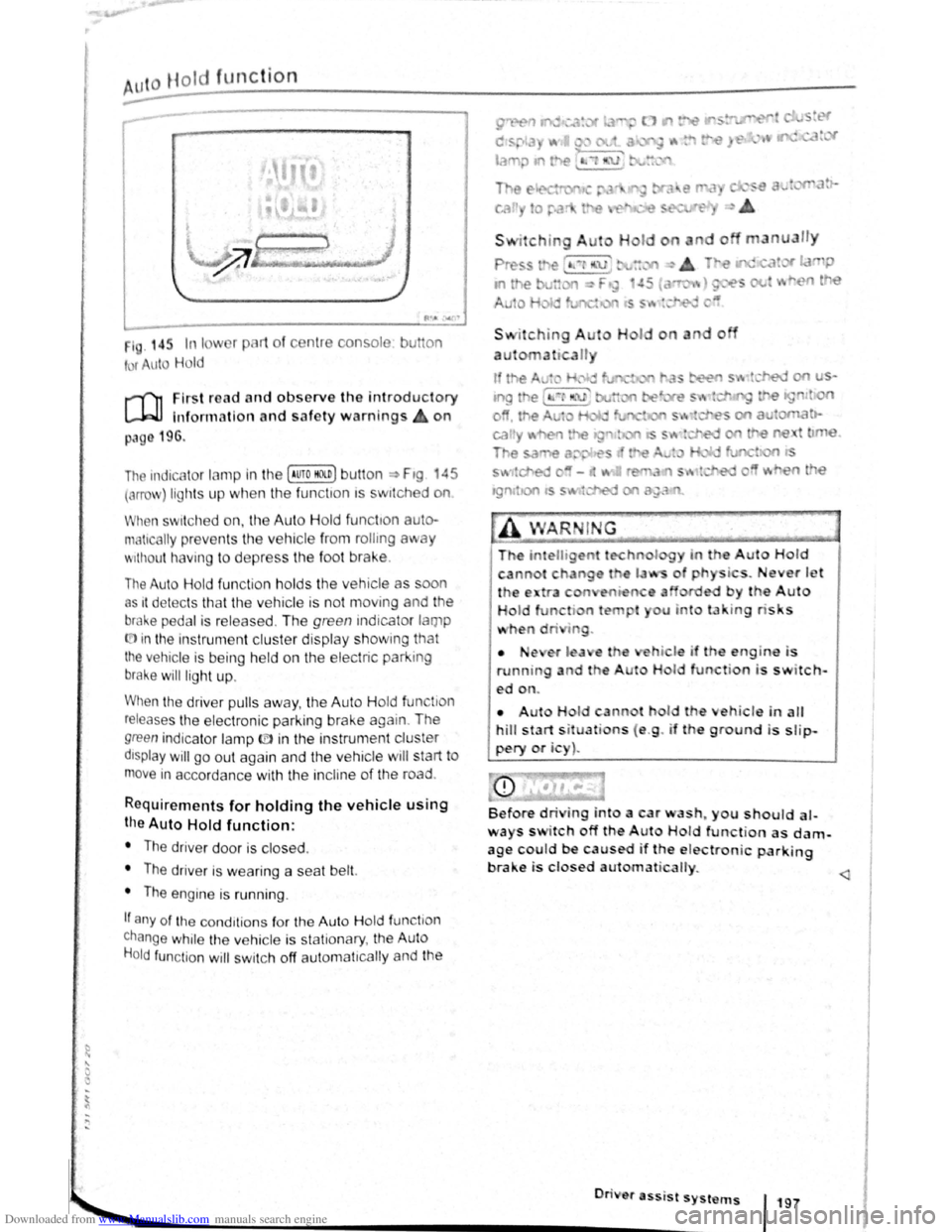
Hot function
------------------------------------ ---------
1 . 14r. In I w 1 pl 1t of c nt1 consol
t r uto Hold
u on
r-('n First re ad a nd observe the introductory
L-.W1 lnfon nation and safety warnings on
p:~g 196.
The indicc.lor lamp in the (Auto HO n) butt on ~ Ftg 45
(orro\J ) lights up when the fun ctton ts swttched on
When swit ch ed on, the Auto Hold functton auto·
matically preven ts th e vehi cle from rollmg away
'' 1thout h avi ng to depress the foot brake .
The Auto Hold fun ctio n h olds the vehicle as oon
as 1t det ec ts th at th e ve hicle is not moving and the
bral-.e pedal is relea sed . Th e green indicator lamp
(.[)in the instrument cluster display showm g that
the vehicle is being held on the electric park ing
brake will ligh t up .
When the driver pulls away , th e Auto H old fun tio n
releases th e e lectroni c parking brake again . The
green indica to r lamp ID in the instrun1 ent cluster
dtsplay will go out again and the vehicle w ill start to
move in accorda nce with the incline of the road .
Requirements for holding the vehic le using
the Auto Hold function:
• The driver door is closed .
• The driver is weari ng a seat belt.
• The engine is runn ing .
If any of the cond1tion s fo r th e Aut o Hold functio n
change while the vehicle is stationary , the Auto
H o
ld function will swi tc h off aut oma t1cally and the
• •e ,er l a e
running a d t e
ed on.
I o
a u n
do
i . ever J t '
by the Auto
u u to la · tng ris s
hi le if th engin-e i s
H I function is switch-
• Aut H Id cann t hol d th eh icle in alt
hill start s it uati ns ( e .g . if th e ground is slip
pery or i )~
Before dri ing into a car wash~ you should al
ways s itch off the A ut Hold function as dam
age c~uld be caused if the e lectronic parking
brake 1s closed au1ornat icalty.
............. ._ _________________________ •O• n· · • e• r• a•ss- 'i s• t• s•y•s-t _"_l~S-f 197
•
Page 86 of 138
Downloaded from www.Manualslib.com manuals search engine -•
parkPilot
COl Introduction
This chapter contains information on the following
subjects:
Operating ParkPilot . . . . . . . . . . . . . . . . . . . . . . 202
parkPilot display
. . . . . . . . . . . . . . . . . . . . . . . . 204
ParkPilot menu . . . . . . . . . . . . . . . . . . . . . . . . . 206
Vehicle path display . . . . . . . . . . . . . . . . . . . . . 207
Towing a trailer . . . . . . . . . . . . . . . . . . . . . . . . . . 208
The ParkPilot assists the driver when manoeuvring
and parking . If the vehicle is approaching an obsta
cle located in the range of the ultrasound sensors ,
an intermittent acoustic warning is sounded , de
pending on the distance . The shorter the distance ,
the shorter the intervals . The acoustic warning will
sound continuously if the obstacle is very close .
The ultrasound sensors in the bumpers transmit
and receive ultrasound waves. The system uses
the time difference between the ultrason ic waves
(i.e. between the transmission and reflection from
obstacles and the point of reception) to continu
ously calculate the distance between the bumper
and the obstacle.
Additional information and warnings:
• Exterior views ~page 6
• lnfotainment system ~page 31
• Braking , stopping and parking ~page 179
• Reverse assist system (Rear Assist)
~page 209
• Park
assist system (Park Assist) ~page 213
• Cleaning and caring for the vehicle exterior
~page 294
• Accessories , modificat ions , repairs and renewal
of parts ~page 320
A WARNING
The ParkPilot cannot replace the full concen
tration of the driver.
• Unintentional vehicle movements can
cause serious injury.
• Always adapt your speed and driving style
to suit visibility, weather, road and traffic con
ditions.
• Ultrasound sensors have blind spots in
Which obstacles and people cannot be detec
ted '--.
A WARNING (Continued) ~-
• Always monitor the area around the vehi
cle as the ultrasound sensors will not always
detect infants, animals and objects.
• Certain surfaces of objects and clothes
cannot reflect the signals from the ultrasound
sensors. The system is unable to detect
these objects or people wearing this type of
clothing, or they may be detected incorrectly.
• External sources of sound can affect the
signals of the ultrasound sensors. In certain
circumstances, the system may not recog
nise people or objects.
A WARNING ~-.
Automatic activation of the ParkPilot only oc
curs at very low speeds. An inappropriate
driving style can cause accidents and serious
injuries.
• Always bear in mind the time delay be
tween the signals.
• The ultrasound sensors may not always be
able to detect objects such as trailer drawbars,
thin rails, fences, posts, trees and open or
opening tailgates. This can result in damage to
your vehicle.
• If the ParkPilot has detected an obstacle
and issued a warning, the obstacle may move
out of the detection range of the sensors as the
vehicle approaches it, particularly if the object
is very high or very low. These objects are no
longer registered.
• The vehicle can sustain considerable dam
age if the warning given by the ParkPilot is ig
nored.
• The ultrasound sensors in the bumper can
be displaced or damaged through impacts, e.g.
when parking.
• The ultrasound sensors in the bumpers
must be kept clean and free of ice and snow
and not be covered up by stickers or other
items, as these may prevent the system from
working properly.
Driver assist systems 2o1
Page 88 of 138
Downloaded from www.Manualslib.com manuals search engine ~ Functton What t o do wl. tu the IU~tillotllb ~wlh ltd ll m1
s;id1i~ oil tiH 1 PUI k·
Pilot displny nlflnLIH~Iy
(sound oulplll re m ntn s
t•lflf:iH ltlltf .lllllll:lnl1'1t ,litll llll tii 1HI 11111111:1 kl' .I'HY flll ntllnrtJlhlrtrriiJitl sys torn.
a ctive ):
;.;£1 !fH;I rliVHIHfl fjt-t!ll or trHtvu IItH t'llliH I,ItH IH vN r tiJ (Hmll iull R
OR :
clnptuH hnq on I ItA Vti l 1lr .1~1 H r I' IIIJII tn ttl lnvtJI, w ltml llto vnhi1 Jiu r ulls boc-k ·
w rc ls ,
Swit ching o n the PAri<~
Pilot Fluto mflticAIIy:
OR: slowly rlrlvlnu lnwttrdn rm o iJ ,IHt.lli IIH:li i'HIIn tiii'J ftcJIII IMJII u t l11u vu lddu
pn th di Hpli1y -+ lli1UI1 ~()f ttl f1 lj11111ti i11Wiil llltHl 1 0 1!1 kirt/11 (0- U Htph). rt10
oh tn d e iR d fllllC:It HI HI 1 fiUIItlll!.l i nf ttJ11HIJXIIrlt1 11Jiy H!J vffl WlltHr outurnutic ectl~
V A iio n IR wllcltnd o n In llttl lnfol llitllrHlltl ~Jyr. ltHrt. ltriJ ntltrl PurkPIIu t dl oJJioy is
R IIOWil ,
--------------~~1
Switc hing off the P ark
Pilot automatically :
M ove tiH t twltJctor IF~vnr ln 1 H m iiiiJn P,
OR: Acc elorn tn lltA Vl11tlr;tq l o n pr,qd {Ji n ttl(i f tlurtl ttppro xirT1U lu ly 10 - 15 km/ h
(6-9 mph) .
Touct1 tll o 0 ftm .lion IH tllon. Tempora rily muting lh
P ar
kPilo t: OR: lo o U1o o ln clr nnl. pml~lrtO lm ilw . llro !JimltH :Io ' wiiii.Ju dl ·plctyod In g re y
f o r
a Iona n 1110 olm :tronl o pn rkltt' J IHnko I l wll<:lto d rm .
- 111115) l> ttll on wtno.
C han ging from mini
ParkPilo t di sp la y to fullr
screen mode :
OR: oloc l rovnr 10 oonr or ttlov o U10 t~loctor h vur tc1 pu lill un R .
OR : dop ondlrt{l on ltH l vollldu oqt tlpm orrl lovul, w lto n tlt u V()lrlt.:lu rolls bac k·
w ard .
OR :
to uch 1110 m ini PtHkllllol fturclln ti b illi on .
Switching to Rea r Assi t Soloc t n von w gnnr r movo tit tl lrtc:tor lo vor to po r ltlun R.
camera picture as r e -quired : OR: touch tho 8 functio n l)llllon .
The indicator la mp In the butt on -. Fig 1110 ll{l hlf
up while the functio n Is activ e.
Automatic activation
During automatic a ctiv atio n of th Pnrk PIIol, 11 mini
P ar
kPilo tls d is p la ye d on the left- h And id o of tho
sc reen ==>Fig. 150.
Auto m atic activa tion of the ParkPII ot wl 1 n dri ving
slowly to w ards an ob stacle locat e d In front o f til e
ve hicle o nly w ork s whe n tl1e sp od fnll b olo w P·
~roximately 10 -15 km/h (6-9 mpll) fo r tho fir!' I
ltme. If th e P ark Pilo t was swit ch e d off u lng th 8
button , p erfo rming one of the follo win g ctions w ith
t h e
ignitio n swit ch e d on can Automnticfllly r ncll·
Va le the ParkP ilo t:
• If
the vehic le Is acce le ra te d to e s p o d gr Alo r
than 10 - 15 km/h (6 -9 m ph) and t11e n drop s be ·
l
ow tha t spee d aga in .
• OR: if the e lectronic parking brake Is closod
and the n r elease d again.
• OR: 1r Uto 11lu d or lo vu f I nl ove d to p osition P
nnct !Iro n out olllurt po lltlon nuuln .
• OR: If ou tu m ntlc gc tlvutlon i ac tivated a n d de~
nc:liv tlod In lit lnrotulnmunt !:lyt:~tom m enu .
1\utomntl c octlvrrllon wlt11 mini PcrrkPil ot di spl ay ca n
l>o nctlv ntu d and duuc llv1:1lud In the lnfota inrn ent
y~ to m -:. pnuo 200.
Wlt tin outonwtic ac tiv ttlo n Is t.H.:llv ate d, aco ustic
l g n n iA nr o ounrJod rrom a dit ;ta nce o f approxl
rnnto ly 50 e rn fro m th ob loc lo .
Folluro to obsorvo tho lllumlnato d text messag-
o con lood to tho vohlclo b olng damaged .
Drlvo r osslst sys tems 20J
Page 92 of 138
Downloaded from www.Manualslib.com manuals search engine ...
h parkPil ot is au tomatica lly muted whe n the
!le~tronic parking brake is switc he d on.
Vehicle path display
611-0~17
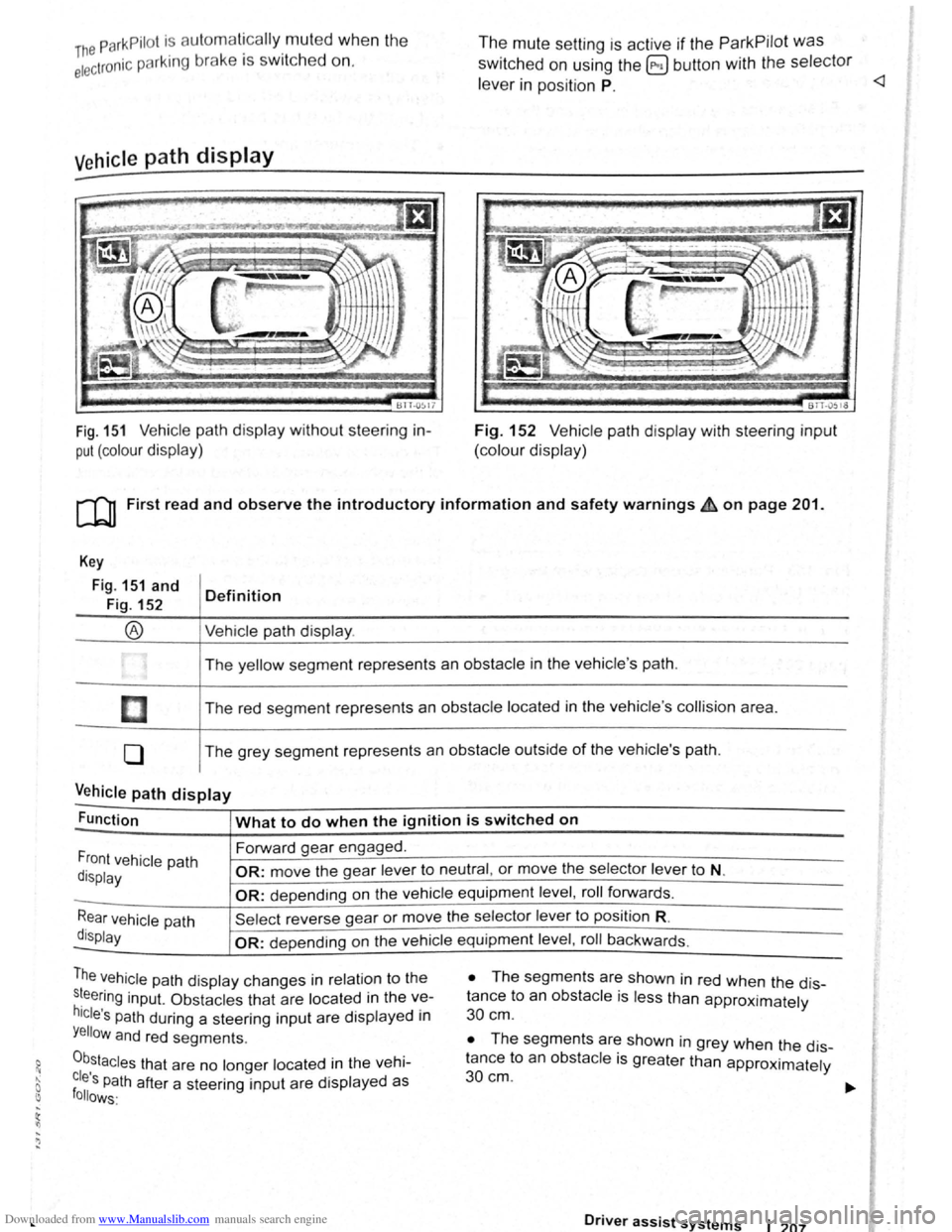
Fig. 151 Vehicle path display w ithout steering in
put (colour display)
The mute setting is active if the ParkPilot was
switched on using the @ button with the selector
le ve r in position P.
BTT -051o
Fig. 152 V ehi cle path display with steering input
(colour display)
[Q) First read and observe the introductory information and safety warnings £ on page 201.
Key
Fig. 151 and
Fig. 152
®
I
[]
0
Definition
Vehi cle path display .
The yellow segment represents an obstacle in the vehicle 's path .
The red seg ment represents an
obstacle located in the vehicle 's collision area .
The grey segment represents an
obstacle outside of the vehicle's path.
Vehicle path display -
Function What to do when the ignition is switched on
Forward gear engaged .
Front vehicle path
display OR: move the gear lever to neutral , or move the selector lever to N.
-OR: depending on the vehicle equipment level , roll forwards .
Rear vehicle path
display
Sel ect reverse gea r or move the selector lever to position R.
-OR: depen ding on the vehi cle equipment level , roll ba ckw ards.
The vehicle path dis play changes in relation to the
s~eering inp ut. Ob stacles that are located in the ve
hicle's path during a steering input are disp layed in
Yellow and red segments.
0b,stacles that are no longer located in the vehi
cles Path after a steering input are displayed as follows·
• The segm ents are shown in red when the dis
tance to an
obstacle is less than approximately
30 cm .
• The segments are shown in grey when the dis
tance to an
obsta cle is greater than approximately
30cm.
Driver assist systems 1 207
Page 94 of 138
Downloaded from www.Manualslib.com manuals search engine ~ ; ) J
Reverse assist system (Rear Assist)
eo Introduction
ThiS c hflp t r co nlc:tln s Informa tio n on th e fo llowing
subjor.ts :
G 11 rat Infor m ation . . . . . . . . . . . . . . . . . . . . . . 210
Parking ....... ········· ....... . ........ 2 12
A cam era in th e ta il g a te he lp s th e driver when re
ve rsing o r m an o e uv ring the ve hi cle . The came ra
picture and th e o rienta tio n lin e s projecte d by the
syste m are di sp la ye d o n the s creen of th e facto ry
littcd ra d io or n avi gatio n sy ste m .
Additional information and warnings:
• Exte rio r v ie ws ~p age 6
• Accessories, modifica tio ns , re pai rs a nd re ne w al
of parts ::>p ag e 32 0
•
=>Bookle t R ad io o r ~Booklet N av iga tio n sy s
te m
A WARNING
Using cameras to estimate the distance from
obstacles (persons, vehicle etc. ) is inaccurate
and can cause accidents and severe injuries.
• The camera lens enlarges and distorts the
field of vision and makes objects on the
screen appear to be different and imprecise.
• Certain objects, for example narrow posts
or grids , may be difficult or impossible to see
on the screen because of its low resolution or
poor light conditions.
• The camera has blind spots within which
obstacles and people cannot be detected.
• Keep the camera lens clean, free of snow
and ice and do not cover it.
A WARNING
~------------~--------~~~------~ The technology of the Rear Assist system
cannot overcome the laws of physics or sys
tem-related vehicle limitations. Careless or
unintentional use of the Rear Assist system
can cause accidents and severe injuries. The
system is not a substitute for the full concen
tration of the driver.
• Adapt your speed and driving style to suit
visibility, weather, road and traffic conditions.
• Keep looking to check the direction in
which you are parking and the relevant area
around the vehicle. The front of the vehicle
swings out more than the rear of the vehicle.
•
Do not allow the images shown on the
screen to distract you from the traffic around
you.
• Always monitor the area around the vehi
cle as the cameras will not always detect in
fants, animals and objects.
• The system may not be able to d isplay all
areas clearly.
• The Rear Assist system should only be
used when the tailgate is fully closed.
• The camera only shows two-dimensional
images on the screen. The lack of depth of field
means that recesses and protruding objects on
the ground may only be detected with difficulty,
or may not be detected at all.
• The camera may not always be able to de
tect objects such as thin rails, fences, posts,
trees etc. This can result in damage to your ve
hicle.
Driver assist systems 209