manual parking VOLKSWAGEN GOLF 2011 Owner´s Manual
[x] Cancel search | Manufacturer: VOLKSWAGEN, Model Year: 2011, Model line: GOLF, Model: VOLKSWAGEN GOLF 2011Pages: 138, PDF Size: 49.24 MB
Page 96 of 138
Downloaded from www.Manualslib.com manuals search engine 1) The Roar A
ss is t s y ste m should not be used in the following situations:
-If the rear of the ve hi cle is heavily loaded.
-If tl'e driv er is no t famili a r with the sy s tem .
-If the pos ition or angl e of the cam era has changed, e.g . following a rear-end collision. The system
sh ould be checked by a qualifi ed workshop.
2) Optica l deception by the camera :
The Rear Ass is t r eve rs ing camera only supplies two-dimen sional image s. Due to the lack of depth of field
on the sc ree n, potho les and dips in the ground , protruding parts on another ve hicle or protruding objects
on the gro und may be difficult or impossible to see on the image .
Objects or other ve hicles m ay appear closer or further away on the screen than they actually are.
-If you d rive from a le ve l surface onto an upward or downward slope.
-If you drive from an upward or downward slope onto a level surface .
-If the rear of th e ve hi cle is hea vily loaded .
-
Whe n app roac hing protruding objects. Su ch obje cts can leave the camera 's field of vision while you are
r e ve rs
ing.
Cleaning the camera lens
Keep the cam era le ns clean and free of ice and
s n o w :
• Switch o n the ignition .
• Switch on the electronic parking brake.
• Selec t re ve rse gea r.
• Moisten the le ns with a commercially available
alcohol- b ase d glass clea ner and clean the le ns
with a dry clot h ~CD.
• Remove snow with a brush .
• Remove ice with a de -ice r spray ~CD.
• Never use an abrasive cleaning product to
clean the lens.
•
Never use warm or hot water to remove
snow and ice from the lens of the camera . The
lens could otherwise be damaged.
m lt is not possible to open the tailgate if the
W V olkswagen badge is folded out.
m Volkswagen reco mmends that you practise
W parking with the rear assist system in a traf
fic-calmed area or car park with good vision and
we ather conditions .
In this way you can become
familiar with the system and the orientation lines in
a safer environment.
m The rear assist system cannot be switched
W on if the tailgate is open . <1
Driver assist systems
Page 97 of 138
Downloaded from www.Manualslib.com manuals search engine Parking
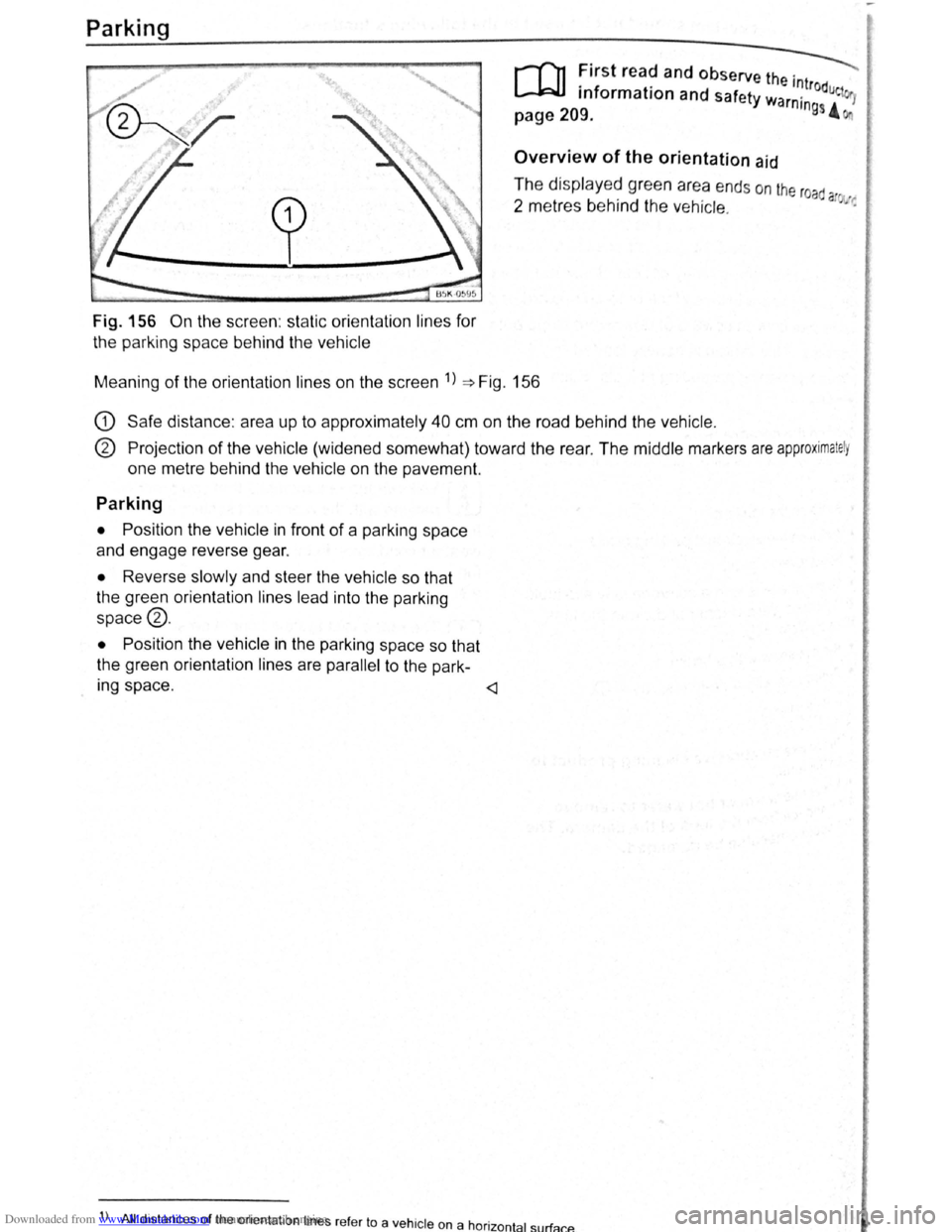
Fig. 156 On the screen : static orientation lines for
the parking space behind the vehicle
r-T'n First read and observe the . ---._
L..-J.=JJ information and safety wa '~trodue 1
page 209. rntngs 4
Overview of the orientation aid
The displayed green area ends on the road
2 metres behind the vehicle. a ~·:
Meaning of the orientation lines on the screen 1
) ~Fig. 156
G) Safe distance : area up to approximately 40 cm on the road behind the vehicle.
® Projection of the vehicle (widened somewhat) toward the rear . The middle markers are approximately
one metre behind the vehicle on the pavement.
Parking
• Position the vehicle in front of a parking space
and engage reverse gear.
• Reverse slowly and steer the vehicle so that
the green orientation lines lead into the parking
space®.
•
Position the vehicle in the parking space so that
the green orientation lines are
parallel to the park-
Ing space .
) All distances of the orient ation lines refer to a vehicle on a hor · t 1 rf 1zon a su a cP..
Page 98 of 138
Downloaded from www.Manualslib.com manuals search engine park Assist system
WJl Introduction
is c ha pt er contain s information on th e following
5 bJects :
par in g using the Park Assist system . . . . . . . 214
Driv in g out of a parkin g space with the Park
Assist s y stem (only parking spaces paralle l to
s id e of
road) . . . . . . . . . . . . . . . . . . . . . . . . . . . . 216
A
toma ti c brak e intervention . . . . . . . . . . . . . . 216
; e Park As sist s y stem helps the driver in findi ng
su·table park in g spaces, when parking in suitable
p a ra
lle l or perpend icu lar parking spaces and whe n
get ·n g o ut of para lle l parking spaces.
T
e Park Ass ist system has certa in system-rela ted
limitations and th e driver should be particularly
carefully when using the Park Assist system => 4::,..
One element of the Park Assi st system is the Park
Pilo~ which is des igned to provide assist an ce
when parkin g.
In vehicles w ith ParkP ilot optical display the scan
ned area to the front , rear and to the sides of the
vehicle will be shown on the screen of the radio or
the navigat ion sys tem. W ith in the scope permitted
by the sys tem , the pos it ion of obstacles w ill be
s
hown in rel at ion to the vehicle .
T he
Park Ass is t system cannot be sw itched on if
the factory -fitted towing bracket is e lectrically co n
n e
cted to the trailer.
Additional information and warnings:
• Exterior views =>page 6
• Braking , stopp ing and parking =>page 179
• ParkPilo t =>page 201
•
C leaning and caring for the vehicle exterior
~page 294
• Accessor ies, mod ificatio ns, repairs and renew al
of Parts =>page 320
..._A W ARN ING
D o not le t the extra convenience afforded by
the Park Assist system tempt you into taking
any risks when driving-this can cause acci
dents. The system is not a substitute for the
full concentration of the driver.
• Un intentional vehicle movements can
cause serious injury.
A WARNING (Continuec;f) -
• Always adapt your speed and driving style
to suit visibility, weather, road and traffic con
ditions.
• The surface of certain objects, including
clothing, as well as external noise sources do
not reflect the signals from the Park Assist
system or the parking distance warning sen
sors or can cause the system to fail to detect
objects or persons.
• Sensors have blind spots in which obsta
cles and people cannot be detected.
• Always monitor the area around the vehi
cle as the sensors will not always detect in
fants, animals and objects.
..
A WARNING .. p k
When driving into or out of a parking space
using the Park Assist system, the steering
wheel will automatically make quick turning
movements. You could be injured if you at
tempt to touch the steering wheel spokes.
• The Park Assist system uses parked vehi
cles, the kerb and other objects as guidance.
Please ensure that the wheels and tyres are not
damaged when parking the vehicle. If necessa
ry, stop the parking procedure in good time to
prevent damage to the vehicle.
• The sensors may not always be able to de
tect objects such as trailer drawbars, thin rails,
fences, posts, trees and open or opening tail
gates. This can result in damage to your vehi
cle.
•
If the ParkPilot has detected an obstacle
and issued a warning, the obstacle may move
out of the detection range of the sensors as the
vehicle approaches it, particularly if the object
is very high or very low. These objects are no
longer registered. The vehicle can sustain con
siderable damage if the warning given by the
ParkPilot is ignored. The same applies to the
Park Assist system, for example when parking
behind a lorry o r a motorbike. Therefore, al
ways check the space in front of and behind
the vehicle and stop the vehicle in good time if
necessary.
I D•ive• assist systems 12t3
~~------------------~-~! ----------------~~@~-~· ~---J~-
Page 99 of 138
Downloaded from www.Manualslib.com manuals search engine • Th sy t n1 ensors in the bumpers must
ept clean and free of ice and snow and not
c er d up by stickers or other items. as
the e n1ay prevent the sy tem from working
property.
• The sen ors in the bumper can be shifted or
damaged through impacts, e .g . hen parking .
• The sensors should only be sprayed briefly
hen cleaning ith pressure hoses and steam
cleaners. A distance of more than 10 cm be-
een the sensors and the s eam ose nozzle
must be observed.
• Sources of sound can lead to erro n he
Pa Ass 1st system or th e Pa P i to e .g . roug
aspha lt , cobblestones, and inte erence r om
other vehic les.
A
Fig .. 5 Pa
F ig . 158 n re la: rar sect
a· .._ ~on fOf s ·= ... ,ng o
•e man a
of • _ ce tie cc.r
ne Pa . ss' sys...
r-f'n First read and observe the introductory
L-..lcJJ informa ton and safety wa rnJngs on
page 213.
2 I
If an ultrasound sensor fails, the corrro POnd ..
ing area of the ultrasound sensor clu tor 1
switched off and cannot be reactivated until th
fault has been rectified. Consult a qualifi d
workshop in the event of a sy tcm f urt. Volk •
wagen recommends using a Volk swagen dea,.
ership for thi purpose.
m Vof S\ agen recommends that you practise
W usrng the Park Ass 1st system tn a traffrc.
ea, ed area or car par" Thts wtll allo w you to ra.
ffill a'" se ~urs nff tl h the sys tem nd its function
a a sa'er en 1r nn1 nt ~
8
r in
• Press e (S1 u on a
e ar Jng mod~ , n :.c
m CS)mut
WICfl
Page 100 of 138
Downloaded from www.Manualslib.com manuals search engine ' '' '
-
,li ~lP lllP lUll' slynr~l for tl1e s.ide o f th e s tree t
11 1, ,,u v ;:~r1l t
o l P lP ·t a pllrk111g space . Th e ,,, ,, 11 ' ' ~1,, ruli11\.l ~ide f the lr ells sl1own o n the tn-
'''"P , ~\111111P11 l itlq{(ll displlly
I p8d,ir1\-J ~pc:n·e i s t gmdod as suit ab le i f it is
:IIPR~l o a 11, lo11u o r lllall llle ve hi cle.
1'~1 "'" • WIIPil 1 AI kin g prtrall el to the road: driv e pas t
thE~ pe~'"'''~ Rp;:~ce Rl a SI ee d of no m ore than
~~ ~rll'h ( r. rnpll) and at a d is ta n ce betw een ap
pr\.l\llllRlr l Q .r. Ill cmd 2 rn from the parking sp ace .
, Wlum p~r kin perpendicular to the road:
dn\ e pns tllle p;:1rl~i11 space a t a sp ee d of n o mor e
lhan :£0 ""'11' (1 2 111~h) and a t a dista nce be tw ee n
ili'P' \ltmle ly 0.5 m a nd 2 m from the parking
~I'R '9 .
• Yuu \1 ill R ·lli eve b st parkin g result s if yo u stop
, ur el11 ·le a para lle l as possib le to the parke d
veh1 ·I o r tll o edge of til e road.
• If a ullal>l e par king space is indi cated in the in-
l1lll11e llt ·lust r disp la y, s lop the ve hicle and , after
a brief pause, se lect rev erse gear.
• F 11 w til e Ins tructions in the instrum ent cluster
dtSIJI~y
• Rei :la e til e steeri ng wheel wh en th e following
me· age Is sh ow n ~ in Introduc tio n on
Page21 teering intervent. active!
Monitor the area around vehicle.
• Clle k the area aro und the ve hi cle and careful-
1 depress til e acce lerator p e dal - do not exceed
7 hm/11 (4 nliJh).
• The Park Ass is t sys te m will only operate the
steenng wheel duri ng the parki ng pro ced ure. The
driver operates the accelerator, clutch, gear
hift and bra ke .
• r=ollow the vis ual in stru ctions and the acoustic
Wan~ing to nes of the Park As sis t system until the
Palkll1g procedur e has bee n completed .
• lhe Park Assis t sys te m will guide the vehicle
\Vhen d rivin g fo rw ards and re ve rsing until the vehi
cle Is parked straig ht in the parking space.
t Wait until the stee ring has completed the steer
ng P1~C dure at the e nd of eve ry parking move
nlent In orde r to ac hieve an optimal p arking result.
; )
A n1es age is display ed on the instrument clus
Ger one the parking procedure is completed and
n ~cou tic s ignal tone may b e he ard .
... .__ -.. -r ---.J'-
Interrupting or automatically stopping the
parking procedure
The Park Ass is t system will stop the parking proce
dure if th e following happens :
• The 8 button is pressed.
• The ve hi cle spee d when parking is higher than
app roxim ate ly
7 km /h (4 mph).
• The driver operates the steering wheel.
• The parking procedure was not completed with
in approximately 6 minutes of activating the auto
matic stee ring intervention .
• There is a system fault (system is temporarily
un ava ilable) .
•
The TCS is switched off or the TCS or ESP
starts to regulate .
r::l The Park Assist system has system-related
l!J limitations . For example, the Park Assist sys
t e m cannot help you to park the
vehicle on tight
b e nd s.
r::l Wh en parking parallel to the road , a warning
L!J signal can be heard to tell the driver to switch
between driving forwards and reversing because
the change
of direct ion should not take place in the
permanent tone area
of the ParkPilot.
r::l The progress bar in the instrument cluster
l!J display will symbolically indicate the relative
distance remaining .
W If the Park Assist system turns the steering
l!J wheel when the vehicle is stationary , the 6l
symbol appears as well. Depress the brake pedal
so that the steering movement takes place with the
vehicle stationary, keeping the required number of
parking movements to a minimum.
r::l If the parking result worsens after a wheel is
~ changed, the system will first have to syn
chronise
itself with the new wheel. The synchroni
sation procedure is carried out
automatically while
the vehicle is in motion. You can support this proc
ess by driving slowly (less than 20 km/h (12 mph))
through a bend, e.g. in an empty car park.
Page 101 of 138
Downloaded from www.Manualslib.com manuals search engine Driving out of a parking space with the Park Assist system (only parking
spaces
parallel to side of road)
..-T'n First read and observe the introductory
L-1:J.I information and safety warnings & on
page
213.
Getting out of a parking space
• Sta rt th e e ngin e.
• Pr es s the~~ Fig . 158 button . An indicator
lamp lights up in the button when the function is
switch ed on .
• Press the turn sign al lever for the side of the
str ee t wh ere the parking space is that you want to
g e t
out of.
• Sele ct re verse gear.
• Follow the instructions of the Park Assist sys
tem .
• Release the steer ing wheel when the following
mess age is shown ~ ~ in Introdu ction on
page 213
Steering intervent. active!
Monitor the area around vehicle.
• Check the area around the vehicle and careful
ly depress the accelerator pedal -do not exceed
7 km /h (4 mph) .
Automatic brake intervention
r-('n :irst rea~ and observe the introductory
L-lc:JJ 1nformat1on and safety warnings ~ on
page
213.
The park assist system helps the driver by braking
automatically . The automatic braking does not re
place the driver's responsibility for the accelerator
brake and
clutch ~ £. '
A parking manoeuvre will be interrupted if a speed
of approximately 7 km /h (4 mph) is exceeded .
Automatic brake intervention to avoid
excess speed
An automatic brake intervention may occur to pre
vent .the
vehicle from exceeding a speed of ap
proximately 7 km/h (4 mph) . The parking manoeu
vre can be cont inued after the automatic brake in
t e rvention .
The automatic br a
ke intervention can take place
once per parking manoeuvre .
216 I While driving
---• The Park Assi~t syste.m will operate only the
steering wheel whrle gettrng out of the parking
space .
The driver operates the accelerator
. ' clutch, gear shaft and brake.
• If it is possible to pull out of the parking space
the Park Assist
system is ended automatically . '
Take
over steering and, if the traffic situation allows
it, pull out of the parking space.
Automatic cancellation for getting out of a
parking space
The Park Assist system will cancel the procedure
of getting out of the parking space if one of the fo l
lowing happens :
• The vehicle speed when getting out of the park
ing space is higher than approximately 7 km/h
(4 mph).
• The driver operates the steering wheel.
•
There is a system fault (system is temporarily
unavailable).
• The TCS is switched off or the TCS or ESP
starts to regulate . ~
Automatic brake intervention to minimise
damage
~hen approaching an obstacle, automatic braking
Intervention may occur. The Park Assist system
may bring the vehicle to a standstill before the ob
stacle under certain conditions , e .g . weather, ultra
sound detection , conditions of the car, load or in
cline .
•
Depress the brake pedal ~ &!
The. Park Assist system is ended following an auto
matic brake intervention to minimise damage.
A WARNING
Do not let the extra convenience afforded bY
the P~rk Assist system tempt you into takin~
any nsks when driving -this can cause accl
dents. The system is not a substitute tor the
full concentration of the driver.
• You should always be prepared to brake ,
the
vehicle yourself.
Page 113 of 138
Downloaded from www.Manualslib.com manuals search engine . ,~~t ral dification s to the vehicle , e .g .
~ :·.
9 t o e i le or making alteration s to the
~.': d tri , can impair the function of the ACC.
~ ·· ra~ od ifict ton s s hould therefore only be
t y a qualified workshop . Vo lkswage n
e s using a Vo lkswagen dealership for
, ec y erformed repair s to the front end of the
·~"· •e can a lter t h e posit ion of the radar sensor ~I
. e re r e im pair the funct ion of the ACC . R e-
.. ~i , should there fore only be carried out by a
,__a11 ed wo shop . Volk swagen recommends us-
1 sv agen dealersh ip for this purpose .
Switch off the ACC if you suspect that the radar
sensor has been damaged or its position has
been altered. This can help to prevent further
damage. Have the radar sensor realigned.
• The radar sensor could be moved if it is hit,
for example in parking manoeuvres. Readjust
ing the sensor could impair the performance of
the system or cause it to be switched off .
• Repair work on the radar sensor will require
special knowledge and tools. Volkswagen rec
ommends using a Volkswagen dealership for
this purpose.
• Remove snow with a brush, and remove ice
preferably with a solvent-free de-icer spray. <1
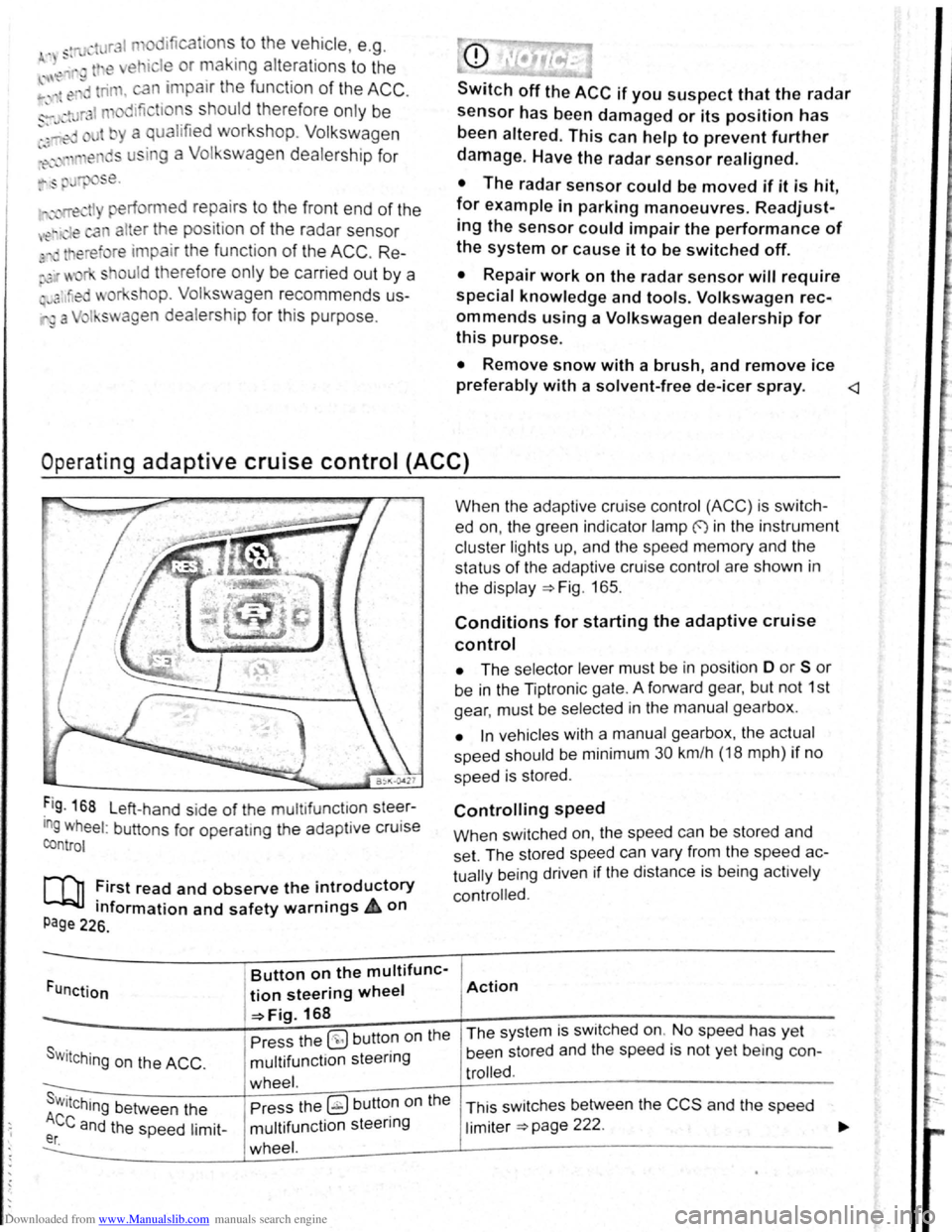
Operat ing adaptive cruise control (ACC)
Fig . 168 L eft-hand side of the mu ltifunctlon steer
ing wheel: buttons for operatmg the adaptive cruise
control
[Q] :irst read and observe the i~troductory
tnformation and safety warnrngs 4 on
Page 226.
Funct ion
Button on the multifunc-
tion steering wheel
-=>Fig. 168
Pre ss the
(9 but ton on the
S w i
tching on the ACC . multifunction steering
wheel. s . Press the ~ button on the Wttching between the
Ace and the speed limit-multifunction steering er. wheel.
When the adapt ive cruise control (ACC) is switch
ed on, the green indicator lamp f) in the instrument
c
luste r lights up, and the speed memory and the
status
of the adaptive cruise contro l are shown in
the disp la y ~Fig. 165.
Conditions for starting the adaptive cruise
control
• The selector lever must be in position D or S or
be in the Tiptron ic gate. A forward gear, but not 1st
gear , must be selected
in the manu al gearbox .
• In vehicles with a manual gearbox , the actual
speed should be minimum 30 km /h (18 mph) if no
speed is stored .
Controlling speed
When switched on, the speed can be stored and
set. The stored speed can vary from the speed
ac
tually
being driven if the distance is b ein g act ively
controlled.
Action
The system is switched on. No speed has yet
been stored and the speed is not yet being con-
trolled.
This sw itches between the CCS and the speed
limiter ~page 222 .
Page 117 of 138
Downloaded from www.Manualslib.com manuals search engine I ation to standstill (only vehicles with pece er )
rnatic gearbox 3uto hicle travelling ahead brakes to a standst1ll ,
If a ;~c will also brake your vehicle to a s tands till.
~:e vehicle is then he ld stationary by th e brakes.
Stationary phase (only vehicles with
autornatic gearbox)
If the adap tive cruise control has decele ra t d the
vehicle to a standstill, the adapt.ive cruise contr o l
will not be switched off automatically wh en the
brake pedal is depressed .
The electronic parking brake will be activated auto4
matically and the adap tive cruise control will be
switched off if one of the following situations occurs
while the vehicle is stationary:
• The safety be lt is unfastened .
• The driver's door is opened.
• The ignition is switched off.
• The stationary phase lasts longer than approxi4
mately 3 minutes .
Driving off after a stationary phase (only
vehicles with automatic gearbox)
After a stationary phase, the adaptive cruise con
trol can start the vehicle moving automatically as
soon as the vehicle in front begins to move again.
Overtaking
If the turn signal is activated when starting an over
taking manoeuvre , the adaptive cruise control ac
celerates the vehicle automatically and thus re
duces the distance to the vehicle in front.
If you move your vehicle into the overtaking lane
and there is no vehicle ahead of you , the ACC will
automatically increase the speed to your set level
and maintain it.
Acceleration can be stopped at any point
by de
Pressing the brake pedal or pressing the @ button
on the multifunction steering wheel ~page 229.
When driving through bends
While dr iving through bends, the radar sensor may
sometimes lose the ve hicle travelling ahead or
rnay r eac t to a ve hicle in the next lane
; Fig. 169 A. In such situations, the vehicle might
.
ecel e rate unnec essarily or not react to the veh icle
In front. In this case the driver must override the
Abcc by depressing the accelerator, or interrupt the rak· lng procedure by depressing the brake peda l
or Pressing the ~ button on the multifunction
ste · ~ enng wh eel ~page 229.
Driving In tunn I
Th rnd~u nso r run .tton mt y lH n slt11.l clln tun ·
n Is. Sw1tch off th ACC m tunn I•
Narrow v e hlcl
situation
nd · zl -z g tr ff c
Vehicles with special load or p cl
equipment
Any load or cc sari th, t pr
trude from tile sld , r r or ov r 111 r o f o f th v •
hicle m y no t be d t et d y th ACC .
Swit ch
off the ACC wh n tt1 v 'hi cl ~h ld h e
special lo d or sp ci I equi pm nt o r whil ov rt ;Jk·
ing such vehic les. If req uir d. brak th v hi I
yourself.
When othe r vehicles change lane
V ehicles that are ve ry close whon th y mov Into
your lane can onl y be do tec t d by th r d. r s n
sors when they h ave moved Into the s nsor r ng
This w ill resul t in a late r action by th dap tiv
cruise control
F1g. 17 0 C. If r quir d , br ke th e
vehicl e your self.
Stationary vehicles
The ACC do es not de tec t st tionary obj cts durin
a journey , such as st tion ary traffic
or a ve hi cl
th at has brok en down .
If a stationary ve hi cle is hidd en behind a ve hi cle
th at h as been detected by
the adap tive cruis e con
trol and this vehic le turns off the road or changes
la ne , the adaptive cruise contr ol will not be ble to
re ac t to the s ta tion ary vehicle Fig.
170 D. If re-
quired, brake the vehic le yourself.
Oncoming vehicles and vehicles crossing
your path
The adap tive cruise contro l does not react to ap
proaching vehicles or v ehicles crossing your p th.
Metal
objects
M eta l objects, such as tracks In the road or m et 1
plates used in roadworks, can confuse the radar
sensor and cause in correc t reactions from the
adap tive cr uise con trol.
..,..
Driver assist systems 233
Page 121 of 138
Downloaded from www.Manualslib.com manuals search engine I~
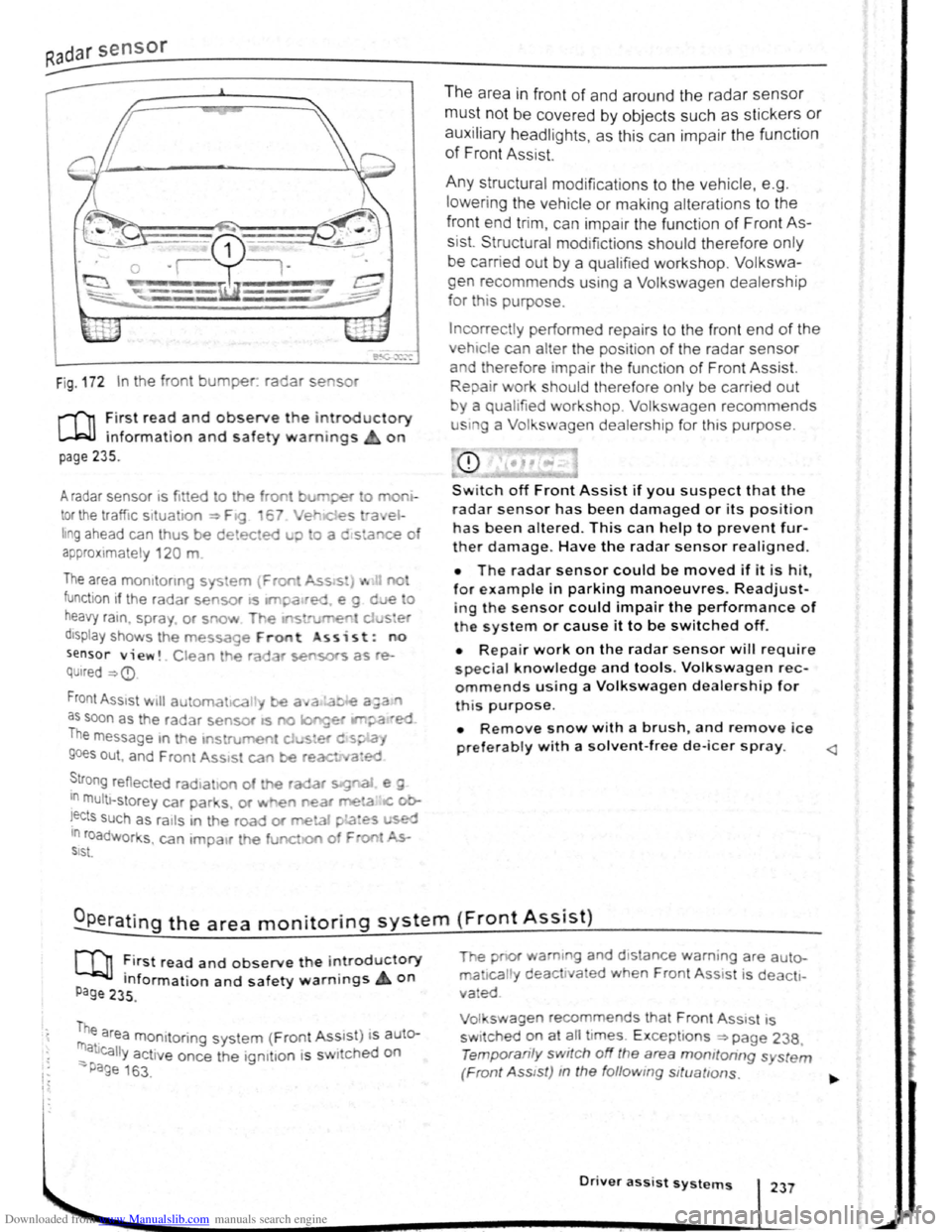
Fig . 172 In the front bumper. radar se sor
r-f'n :irst rea~ and observe the introductory
L....Wl mformat1on and safety warnings on
page 235.
A radar sensor 1s fi tted to the front burr per o mo
tor the traffic situa 1on ~ F19 6 Ver e st-a el
hng ahead can thus be detected u;> o a c stance o
a p
proximate ly 120 m
The area mo mto nng sys em {Fron Ass s:) ... no
function if the radar sensor •s ltl'pa•red e g d e o
heavy ra1n. spra y or snow T~e If'S rurren d ster
d1sptay shows th e message Front ss i s t : no
sensor view!. Clean he ra ar sensors as re
QUired ~
as soon as the radar sensor as no longet IM?a ·ed
The message m the 1ns rument cJ .... s•er d s~.a,
goes out , and F ren t Ass•st can be reac ed
~tro ng reflected rad•ahon of the radar s:g"aJ e g
In multt -storey car par s. or ~ e'l near me!a IC ob
!ects such as ra1ls in t he road or meta1 pLa~es used 10 roadworks , can 1mpa1r th e funct.o of F oo ~ SIS\.
The area in fron t of and around the radar sensor
must not be covered by objects such as stickers or
auxiliary headlights, as this can impair the function
of Front Assist.
Any structural modifications to the vehicle, e .g .
l
owering the vehicle or making alterations to the
front end tri m , can impair the function of Front As
sist. Structural mod1fictions should therefore only
be carried out by a qualifie d workshop. Volkswa
gen recommends using a Volkswagen dealership
for th is purpose.
Incorrectly performed repa irs to the fron t end of the
vehic le can alter the position of the radar sensor
and therefore tmpai r the functi on of Front Assist.
Repair work should therefore only be carrie d out
y a qualified workshop. Volkswagen recommends
u sm g a Volkswagen dealership for this purpose.
CD
Switch off Front Assist if you suspect that the
radar sensor has been damaged or its positio n
has been altered. This can help to prevent fur
ther damage. Have the radar sensor realigned.
• The radar sensor could be moved if it is hit
for example in parking manoeuvres. Readjust-'
ing the sensor could impair the performance of
t h e system or cause it to be switched off.
• Repair work on the radar sensor w ill require
special knowledge and tools. Volkswagen rec
ommends using a Volkswagen dealership for
this purpose.
• Remove snow with a brush, and remove ice
preferably with a solvent-free de-leer spray.
m ~irst read and observe t h e introductory
P Information and safety warnings on age 235 .
me area monitoring system (Front Ass1 s t) i s auter
_ atJcally activ e once the ign1t1on 1s s wi ched on
-Page 163 .
The pnor wam1ng and d 1stance warn ing are auto
ma 1call y deact1va ed when Front Ass 1st i s deacti
vated
Vol swagen recommends that Front Ass1 st is
sw itched
~n at ~11 t imes. E xcept ions ~page 238,
Temporan ly switch off the area momtoring s ystem
(Front Ass tst) m the follow ing sttuattons.
Driver assist systems 237
Page 130 of 138
Downloaded from www.Manualslib.com manuals search engine Tyre monitoring system
Introduction
Th1s ct1,1pt r contnin s inform ation on th e follow1ng
SlllliN~ts.
Tymmomto r in d1ca to r lamp . . . . . . . . . . . . . . 253
T
ro m onito r disp l y . . . . . . . . . . . . . . . . . . . 254
Additional information and warnings:
• Voll-.s w age n Inf orm ation sys te m ~p ag e 26
• lnfotainment sys te m ~page 3 1
• Tmnspo rting c:> page 126
• Brak1ng. stopp rng and parking ~page 179
• C leani ng a nd ca rin g for th e vehicle ex terio r
::-page 294
• Wheels and tyres ~page 308
•
A ccessones, modrficatrons, re parr s and renewal
or parts ~page 320
•
Consumer i nfor mation ~pag e 328
A WARNING ~~-~ ,c_. ""]
Incor rec t handling of the wheels and tyres
can lead to a sudden loss of pressure in the
tyres , trea d separation and even tyre blowout.
• Check tyre pressures regularly and always
keep to the specified tyre pressure value. If
the tyre pressure is too low, the tyre could
warm up to such an extent that the tread may
separate and the tyre could burst
~e monitor indicator lamp
• Always maintain correct cold tyre inflation
pressure as listed on the tyre pressure label
=>page 308 .
• Check tyre inflation pressure regularly
when the tyres are cold. Adjust tyre pressure
in the cold tyre to the recommended tyre
pressure for the tyres installed on your vehi
cle as necessary.
• Check your tyres regularly for signs of
w ea r or damage.
• Never exceed the top speed and load per
mitted for the fitted tyres.
CQ"' Und er-in nated tyres w111 increase fuel con
(Jtf sumption and tyre wear.
m When new tyres are dnven at high speeds for
W the firs t time, they can expand slightly and
trigger a one-off pressure
warn1ng.
m O ld tyres should o nly be re placed by tyres
W tha t have bee n app roved by Vo lkswagen fo r
the vehrcle type.
m Do not rely solely on the Tyr e Pressure Moni
L!J to nng System . Check your tyres regularly to
ensure that th
ey are properly inflated and have no
srgns of damage, such as punc tures, cuts, cracks ,
and bliste rs Remove an y
Objects th at become em
bedded 1n the tyre tread but have not penetrated
into the body
of the tyre itself
r--~~L~it_u_p _____ P_o_s_s_ib_l_e_c_a_u_s_e_~--.----------------T,S--o-lu-t-io_n __________________________ __
(I
The tyre pressure of one tyre or several • ir; Do not drive on! Reduce speed lmmedi
tyres has decreased considerably in com- 1 ately St op the vehic le as soon as possrble
panson to the tyre
pressure set by the I and when safe to do so. Avo1d swerv1ng me-
driver . or the structure of the tyre is dam-1 noeuvres and heavy brakrng'
aged .
An acoustic wamrng wrll also be Check all tyres and the tyre pressures The
sounded ,
and a correspondrng message damaged tyre should be replaced
will appear 1n the mstrument cluster and
infotainment system displays
Driver assi
st systems 253