starting VOLKSWAGEN GOLF 2012 User Guide
[x] Cancel search | Manufacturer: VOLKSWAGEN, Model Year: 2012, Model line: GOLF, Model: VOLKSWAGEN GOLF 2012Pages: 516, PDF Size: 105.12 MB
Page 123 of 516
sectio n find informat ion about:
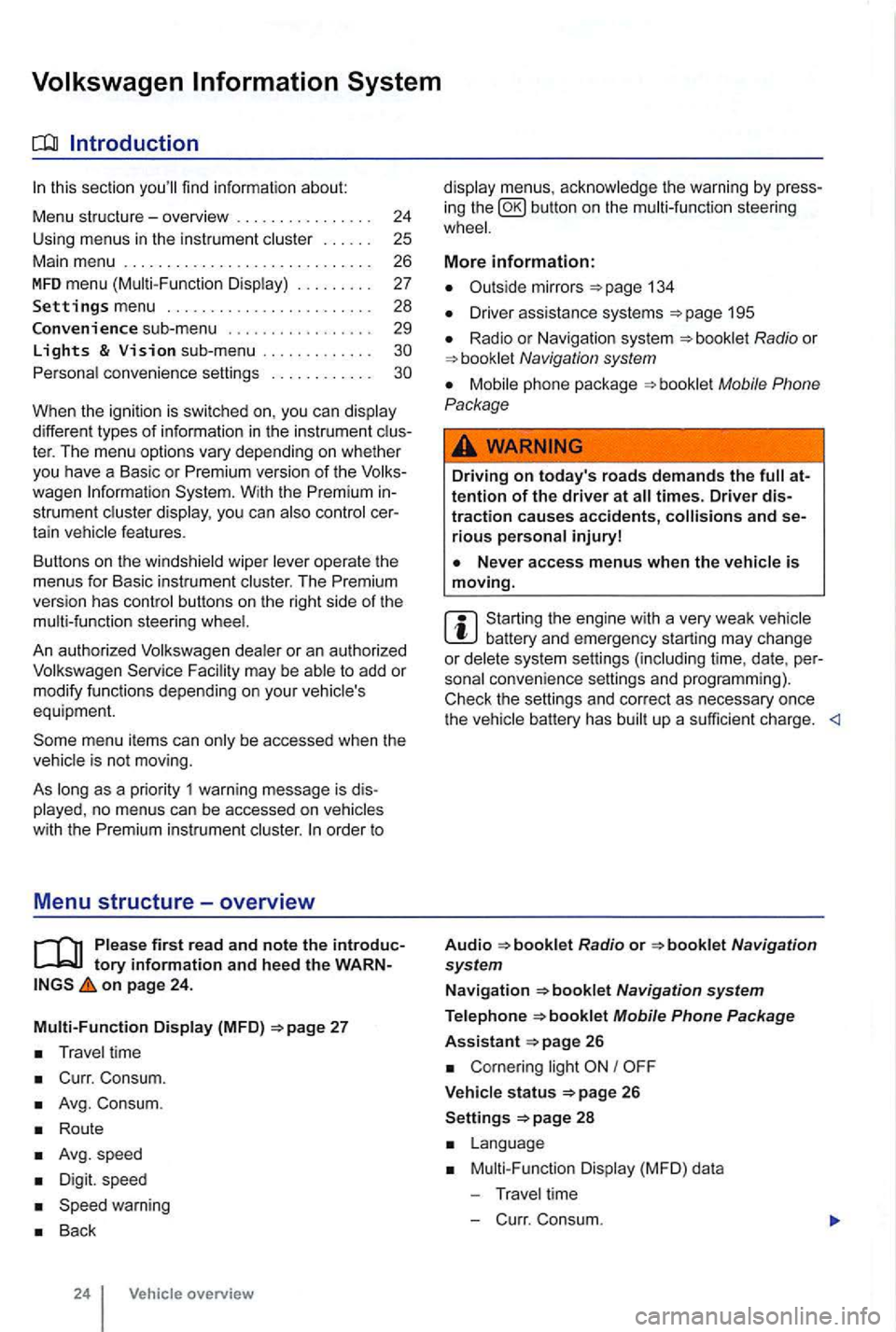
Menu structure-overv iew .......... .
U sing
menus in the instrument
..
Settings menu ................ .
Convenience sub-menu
Lights & Vision sub-menu ............ . convenience settings .. .
24
25 26
27
28
29
different types of information in the instrument ter. The menu options vary depending on whether you h ave a Basic or Premium version of th e
you can
operate the menus for Basic instrument The Premium version has con tro l buttons on the right side of the
An authorized to add or modify functio ns depending on you r vehicle's
equ ipment.
on page 24.
Multi-Function Display (MFD)
Travel time
Curr. Consum.
Avg. Consum.
Route
Avg.speed
Digit. speed
Back
24 Vehicle overview
menus, the warning by press
in g the button on the steeri ng
134
D river assistance systems 195
Radio or Navigation system
Mobile Phone
Package
Driving on today's roads demands the attention of the driver at times. Driver distraction causes accidents, and serious persona l injuryl
is moving.
Start ing the engine with a very weak battery and emergency starting may change or delete system settings (including time, date , per
sonal convenience settings and programming) .
Check the settings and correct as necessary once the
Radio or
26
Corn ering light I
V ehicle s tatus 26
Settings 2 8
Mult i-Functi on Displa y (MFD) da ta
T ravel time
- C urr. Consum.
Page 137 of 516
21 or the power locking buttons 22 are pushed repeatedly in quick succes
sion , the power locking system is switched off for a
br i
ef period to help keep it from being overloaded.
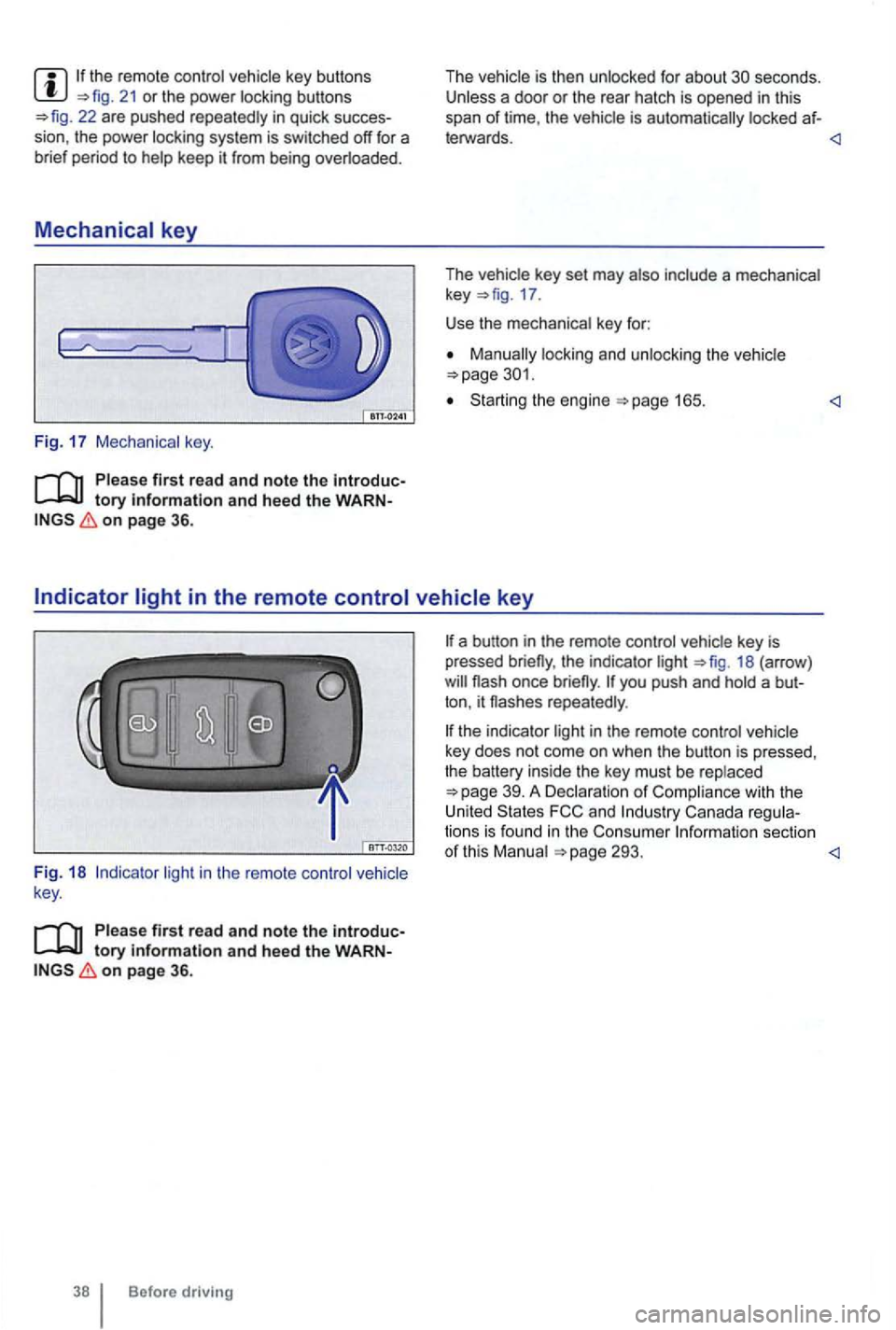
Mechanical key
Fig. 17 Mechanical key.
tory information and heed the WARNon page 36.
The vehicle is then unlocked for about secon ds. Unless a door or the rear hatch is opened in this
span of lime , th e vehicle is automatically locked af-
leiWards.
key 17 .
Use the mechanical key for:
locking and unlocking the vehicle
Starting the engine
light in the remote control vehicle
key .
Please first read and note the introductory information and heed the WARNon page 36.
Before driving
the indicator light 18 (arrow )
repeatedly .
the indicator light in the remote control vehicle
key does not come on whe n the button is pressed,
t he battery inside
the key mus t be rep laced
293.
Page 143 of 516
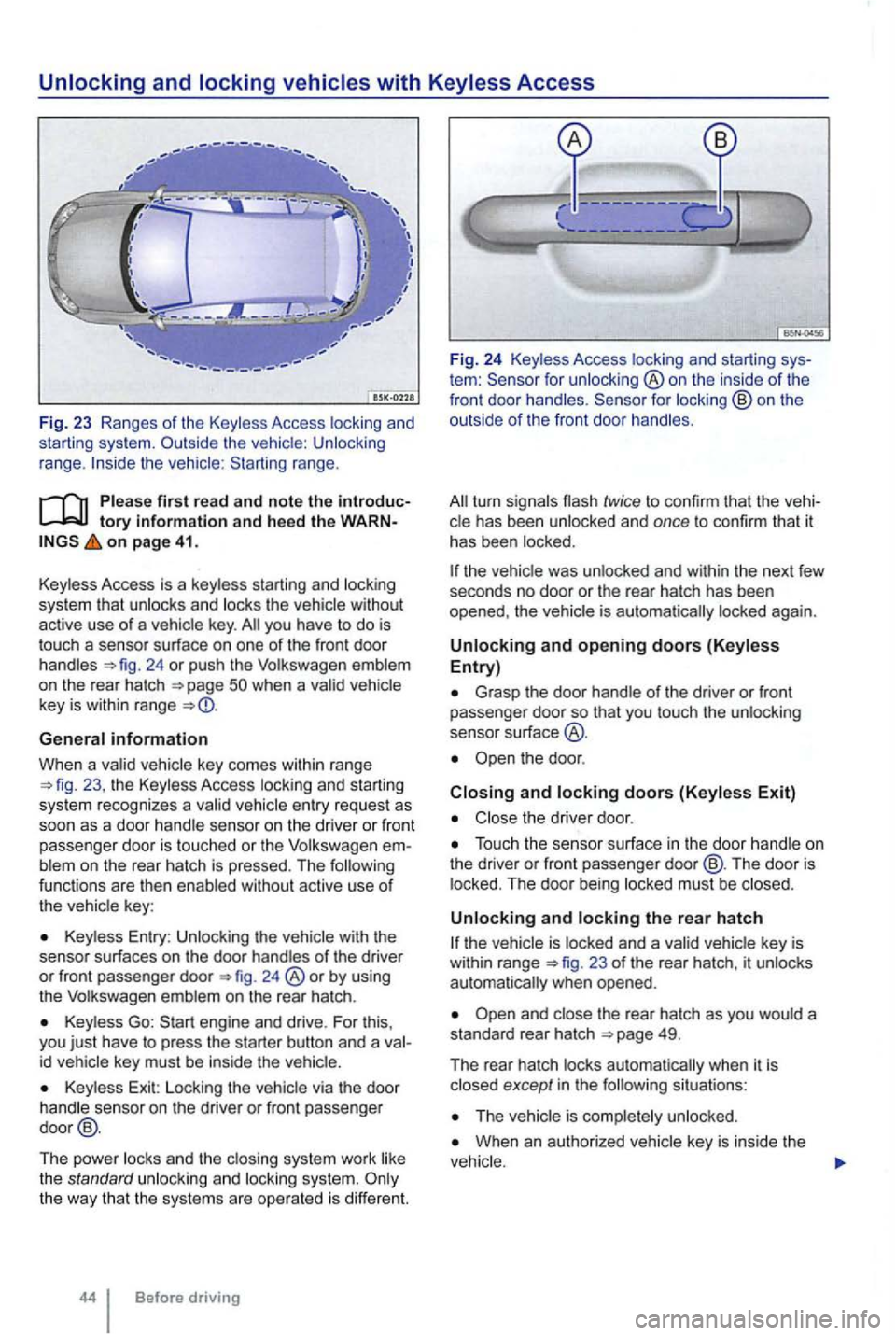
range.
tory information and heed th e o n page 41.
Key less Access is a key less starting and locking
system that
unlocks and locks the vehicle without
active use of a vehicle key. you have to do is
touch a sensor surface on one of the front door
handles 24 or push the Volkswagen emblem
on the rear hatch
General information
When a va lid ve hicl e key comes within range 23 , the Keyless Access locking an d starting
sys tem recognizes a va lid vehicle entry reques t as
soon as a doo r hand le se nso r on the driver or front
passenger door
is touched or the Volkswage n blem on the rear hatch is pressed. The functions are then enab led without active use of
the vehic le key :
Keyless Entry : Unlocking the with the
senso r surf aces on the door handles of the driver or front passenger door 24 ®or by using
the Volkswagen emblem on the rear hatch .
Keyless Go:
id vehicle key must be inside the vehic le.
Key less Exit: Locking the vehicle via the door
handle sensor on the driver or front passenger
door @.
The power locks and th e clos ing system work like
the standard unlocki
ng and locking system.
tem : for unlocking ®on the inside of the
front door handles .
the vehic le was unlocked and within the next few
seco nds no door or the rear hatch has been
opened , the vehic le is aut oma tically locked again.
Unlocking and opening doors (Keyless Entry)
Grasp the door handle o f the driver or fron t passe nger door so that you touch the unlocking
sensor su rface
the door .
Closing and locking doors (Keyless Exit)
Close the driver door .
Touch the sensor surface in the door handle on
the dri ver or front passenger door@ . The door is
locked . The door being locked must be closed .
Unlocking and locking the rear hatch
23 of the rear hatch, it unlocks
automatically when opened.
situations :
When an authorized vehicle key is inside the
Page 144 of 516
N
if a seco nd valid
by press ing a button on the deactivated key.
by pressing a door handle sensor when the de
activated key is outside of the vehicle , but with in
range .
by starting the engine with the starter butto n.
Automatic deactivation of sensors
deactivated .
is activated too often, for instance by a bush or hedge that rubs against the the sensors in the door handle on that side of the vehicle are
switched off for a short time.
T he door handle sensors become active again if
one of the even ts occurs:
A short time has passed.
The rear hatch is opened .
The key .
Anti-theft
tory information and hee d the WARN on page 41.
T he anti-theft alarm system makes it more difficult
for someon e to break into or steal the veh icle .
The anti-theft alarm system is
key i s within range of the vehicle.
T he door may not open if the outside and in side door handles are used at the same time.
the vehicle battery or the battery in the remote control vehicle key is weak or dead , it
might not be possible to unlock and using Keyless Access. The vehicle can locked or unlocked with the key bit
The driver message Key not in ra nge ap pears in the instrument cluster display if there
is no remote control vehicle key inside the vehicle
or if the system does not recognize the
key. The key may not be recognized , for example, if it is
covered by something that interferes with the sig
(such as a briefcase) , or if the remote control
vehicle key battery is weak. Electronic devices
such
as phones can interfere with the sig
Dirt on the door handles that conta ins a of in winter) can affect the way
the door handle sensors work.
with this problem .
Automatic transmissio n vehic les can
Opening a door that has been un
locked and not switching on the igni tion with in
about 15 seconds.
Forcibly opening a door.
Forcibly opening the engine hood.
Forcib ly opening the rea r hat ch.
and closi ng 45
Page 156 of 516
Power sunroof-convenience closing feature
on page 56.
Convenience closing
The conven ience closing feature lets you the power sunroof as fo llows:
Turn the vehicle key bit in the lock of the driver door to the closi ng position and hold it there The power sunroof is key in order to stop the process.
Convenience clos ing first closes the windows and
t hen the power sunroof.
Convenience from the out side leaves the rotary switch in
the l ast selected position. The switch must be new-
ly positioned when starting to drive again .
on page 56.
P inch protection
can help reduce the risk of If
the power sunroof clo sing meets resistance or
th ere is something in the way, the power sunroof opens again immedia te ly.
Check why the p ower sunroof did not close.
the power sunroof er sunroof close the next time without pinch protection .
31 ® and down th e rear part of the switch un til the power sunroof closes completely .
the power sunroof not close, please see an authorized Volkswagen dealer or an
Without pinc h protection, the power sunroof close with enoug h force t o cause serious personal injury.
Pinch protection is also active durin g ience
tection may not fu nction properly. thorized Volkswagen dealer or an authorized Volkswagen Service F acility for assis tance.
Page 161 of 516
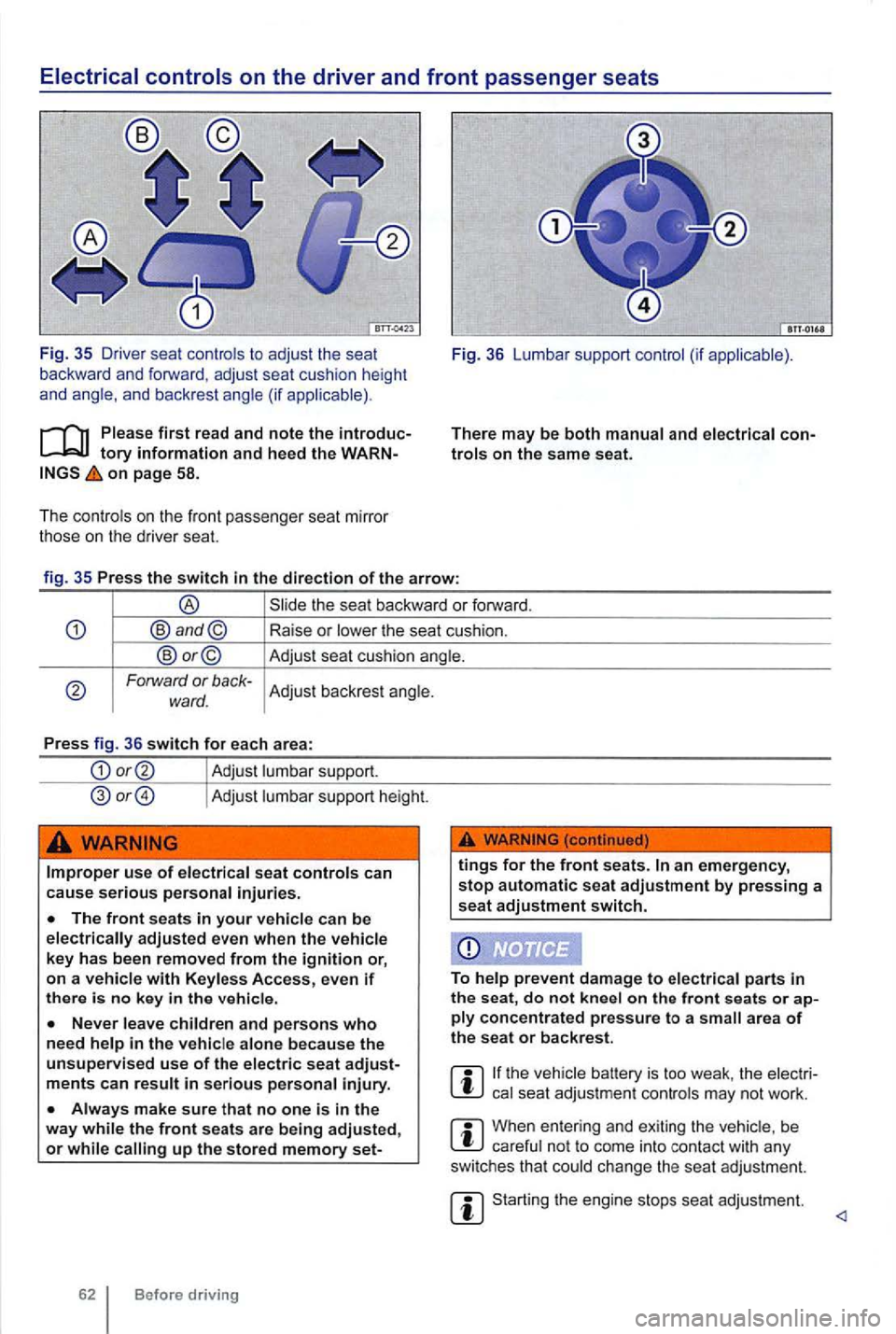
on page 58.
The cont rols on the front passenger seat mirro r
those on the driver seat. Fig
. 36 Lumbar support control (if app licable) .
There
may be both manual and elect rical
Forward or back-Adjust backrest angle. ward.
Press fig. 36 switch for each area:
Adjust lumbar support.
Adjust lumbar support height.
Improper use of electrical seat controls can cause serious personal injuries.
up the stored memory set-
tings for the front seats.
on ply concentrated pressure to a area of the seat or backrest.
the vehicle battery is too weak , the elect rical seat adjustment controls may not work .
When entering and exiting the vehicle , be careful not to come into contact with any
switches that could change the seat adjustment.
Starting the engine stops seat adjustment.
Page 209 of 516
you to route the belt around the head restraint.
on the rea r seat.
on pag e
The American Academy of Pediatrics (AAP) ommends that infants shou ld ride in rear-facing
ca r safety seats (in whic h the child faces the back
o f the vehicle) starting wi
th their first ride hom e
from the i nfants and todd le rs s hould
r ide in a rea r-facing car safety seat until they are
2 years
Rear- facing child
seats can be used safely only on the rea r sea t of the vehicle 65 .
Before
a ch ild restrain t on the front senge r sea t, b e s ure to the specia l in str u c
t ions and h eed the wa rning s and
Before driving
. ,
When using the vehic le safe ty
to help prevent
the sea t from mov ing
a tether strap is being used to tie the child
seat to the front passenger seat, make sure that it
is not so tight that it causes the weig ht-sensing mat
to measu re more weight than
is actually on the
seat and turn the front passenger airb ag on when it
mus t be off (suppressed).
Th e ai r
bag on the passenger side makes the front seat a pote nti ally dangerous place for a ch ild to
ride. The fron t sea t is no t the safest place fo r a is a very gerous place for an infant or a larger
seat s or infant carriers on the fron t pas senger sea t,
eve n with an Advanced Airbag System. A child
again st the
b ackres t, center armrest, door or roof.
Page 252 of 516
Volkswagen Service Vehicles with Xenon
gas-discharge self-adjust to vehicle load
and do not need manual adjustment.
Special towing considerations
th e t railer has an overrun brake, apply the
br akes
Due to the combined towing weight including
the higher gross vehicle weight, the stopping
tance is longer.
Be fo re drivi ng especially on
The vehicle's center of grav ity and , in turn, the
Weight distribution is especially bad if the is emp ty and the trailer is loaded.
Depending on how steep the is an d the
backwards when you first start moving.
When starting off with a tra iler on a
Depress and hold the brake pedal and depress
and hold the clutch (manu al transmission).
171, Shifting .
Unlock the parking brake a nd gently release it
whi le holding the unlock button. At the same time,
release the brake pedal and
depress the
accelerator and, for manual transmissions , let out
the clutch
you can feel the car moving ward . applicable, follow the instruct ions for the Hold feat ure
Do not release the parking brake lever until the
engine starts to move the vehicle forward. your
vehicle has an automatic tr ansmission , you can
so depress and hold the brake peda l for added
b raking and then Jet up on the brake pedal when
you feel that the to move forward .
Drive ahead slowly.
hicle contro l and serious per sonal injury.
dles and increases the distance it needs to stop safely .
Always adapt your sp ee d and driving to th e heavier loa d and the weight distribution in the vehicle. Tak e road , weather , traffic, and visibility conditions into account as well .
Always avoid sudde n maneuv ers and ha rd braking.
atin g.
som e areas
s p ee d for vehicles towing trailers are
lower than for vehicles without trailers.
Page 262 of 516
N
12 Volt sockets
Introduction
sockets in the . . . . . . . . . . . . . . 163
devices can be connecte d to the 12 socke ts .
Th e co nn ected devices
must be in good worki ng
order .
More information:
Parts . accessories. repairs a nd modifications 283
Consume r informa tion
use of
unattended in the and connected devices can be
used when the ignition is switched on.
switch it off and disconnect the power
12
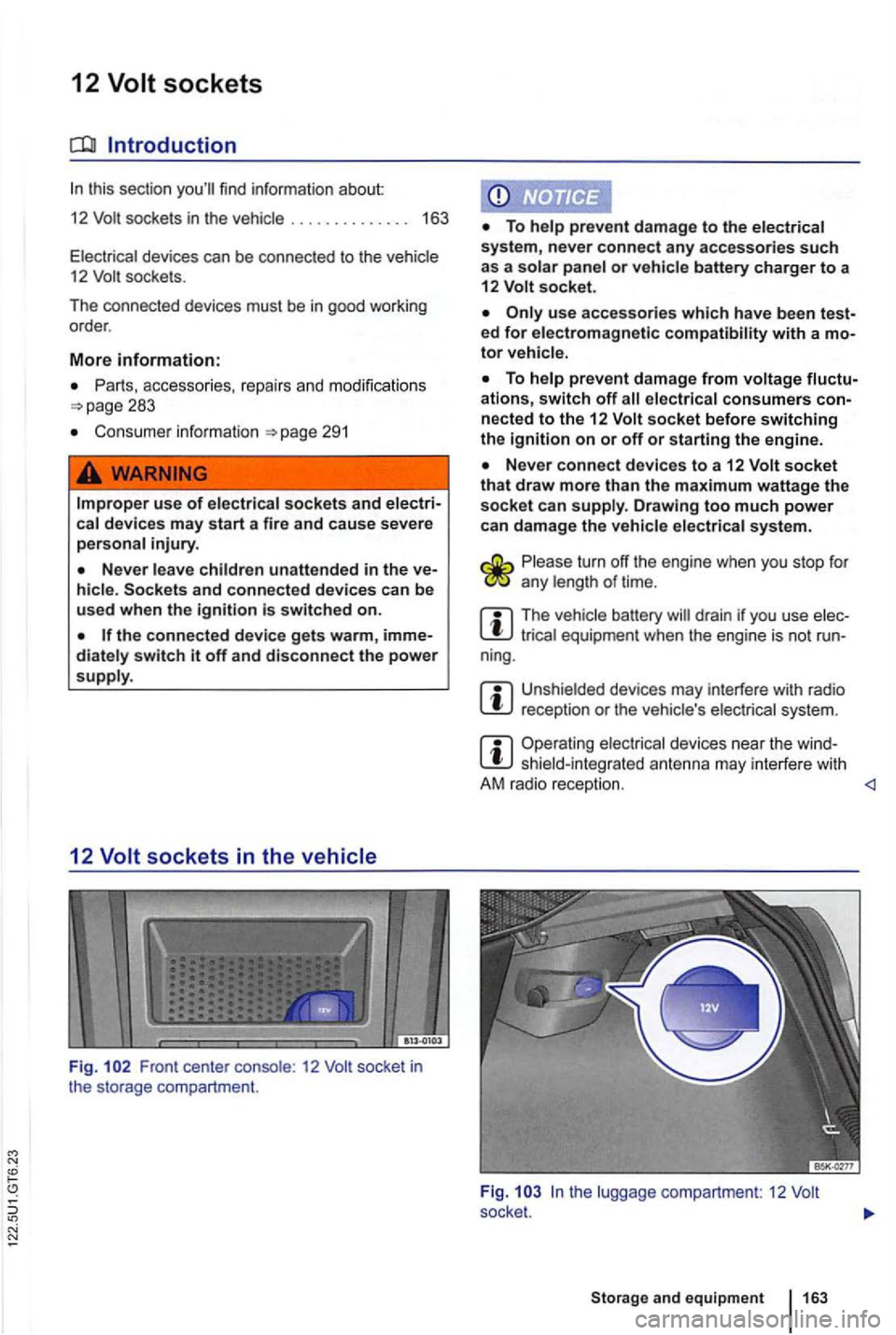
Fig . Front center 12
or battery charger to a
12 socket.
ed for electromagnetic with a
ations, switch off nected to the 12 socket before switching the ignition on or off or starting the engine.
socket that draw more than the maximum wattage the socket can Drawing too much power
can damage the
turn off the engine when you stop for any of time.
m The battery drain if you use equipmen t when the engine is not run-
ning.
m reception or the system.
m Operating shiel d-integrat ed ant enna may interfere with
A M r adio recept ion.
and equipment
Page 264 of 516
Explanatory notes in this section regarding tomatic transmissions Direct
an unauthorized vehicle key is used or the sys
tem mal functions , Immobilizer active! may
appear on the instrument
stead wh ile following proper and safe procedures.
More information:
Vehicle key set
Shifting gears
Braking , stopp ing and parking =>page 179
Steering 192
Startin g assistance systems
Refueling =>page 214
Emergen cy clo sing and opening
Jump-starting
Towing
off the engine while the vehicle is moving can make the vehicle harder to stop and result in loss of vehicle control, leading to collisions and severe perso nal injurie s.
To reduce the risk of serious personal injury when starting and running the vehicle's gine:
shifting, parking 165