display VOLKSWAGEN GOLF 2012 Owner's Manual
[x] Cancel search | Manufacturer: VOLKSWAGEN, Model Year: 2012, Model line: GOLF, Model: VOLKSWAGEN GOLF 2012Pages: 516, PDF Size: 105.12 MB
Page 73 of 516
on page 3, note the ry and heed the on pag e 51.
An upcoming section of road can be blocked
while route guidance is in process.
Pre ss the nus (exce pt for
Press the (Route) function button in the Info dow .
Press the ahead ) function button in the
pop-up window.
the length of the section which is to be
blocked by turning the tuning knob 1 @.
The length of the section being blocked is played at the bottom of the screen . (Max) pears at the bottom , thi s signifies the max imum distance.
Route guidance in Demo mode
on page 3, note the introductory on page 51.
Demo mode is activated in the Navigation tings menu ,
Touch ing the (D emo ) function button starts route guidance " to the entered trip destinatio n.
ance are compa rable to route guidance .
route guidance is repeated after reaching
the fictional trip destinat ion, and always restarts
from
in t he Navigation settings menu, the n
virtual route guidance starts from this position.
A
entered starting point is overwr itten by
the current vehicle location when the is
moved and the current location of the vehicle can
be determined via
Press the tun ing knob or press the function
button to confirm the block.
Blocked sections are displayed on the map in gray.
The route is recalculated
as as the navigation
system can determi ne a reasonable route to avoid
the blocked section.
R e
moving a
Pre ss the button in any of the navigation
Pre ss the (Rout e) function button in the Info dow .
Press the Rem ove Ex.) function button in the pop-up window .
regarding manually blocking ditional upcoming route sections 56.
afte r virtua l route guidance in Demo mode, rea l
route guidance is started , then the device must be
re -orien ted . Depending on the number of being received at the time, this may take a wh ile. movement can reduce the re-o rientation
t ime
Ending D emo mode
The demo mode should be deactivated after being
used , as you are
tween a virtua l or a normal route guidance at the
beg inning of any naviga tion .
Demo mode is
automatically ended when
the route guidance is fini shed or a new final
also Demo mode.
You end Demo mode in the
N av ig a tion settings menu.
Press the button in any of the naviga
tion menus.
Deactivate the checkbox in Demo mode) functio n button .
Navigation
Page 74 of 516
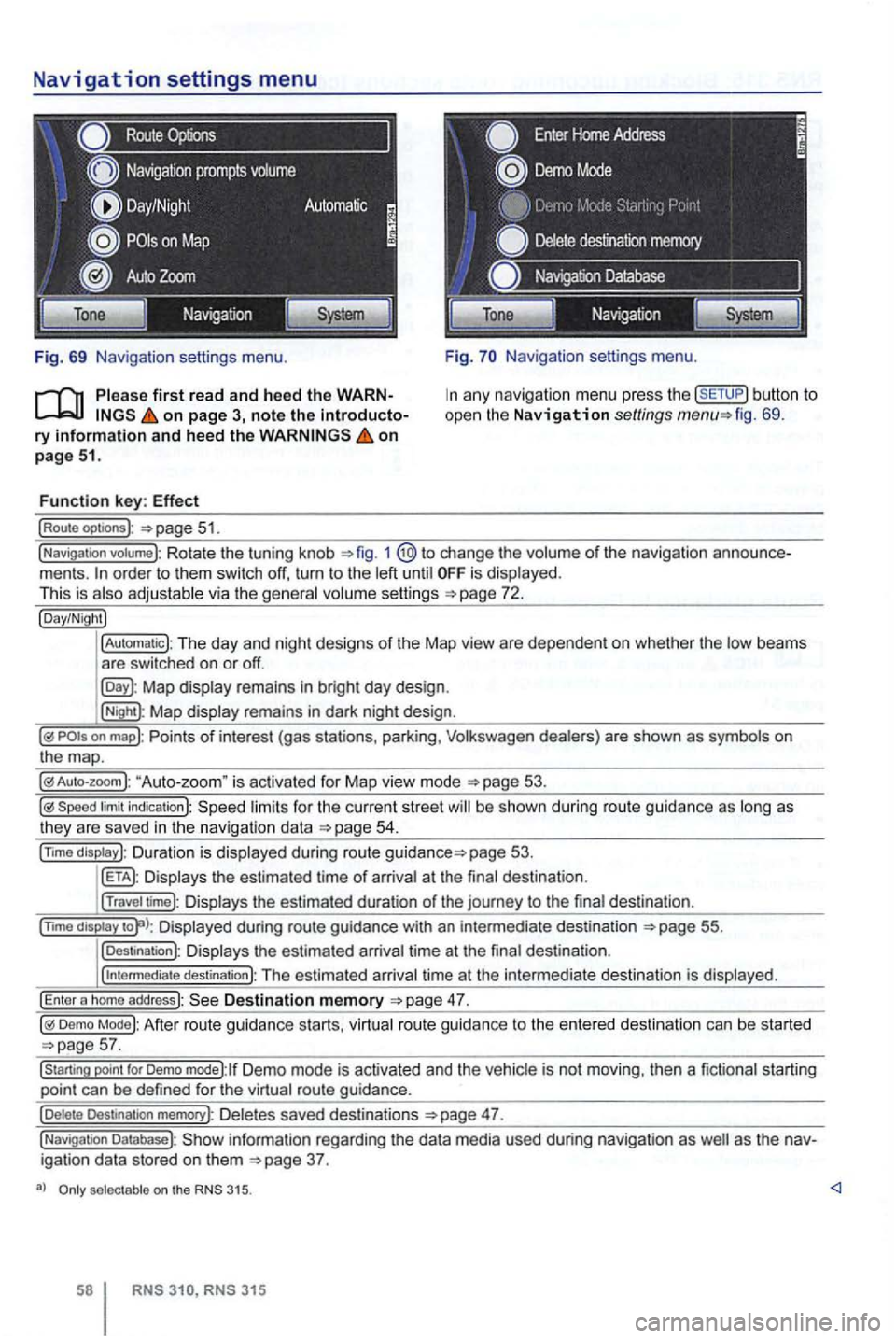
Navigation settings menu
Route
Fig. 69 Navigation settings menu.
on page 3, note the introductory information and heed the on page 51.
Function key: Effect
(Route optoons ):
Navigation settings menu.
any navigation menu press the (SETUP) button to
open the Navigation settings fig. 69.
(Navigation votume): Rotate the tuning knob 1 change the volume of the navigation order to them switch off, turn to the until is displayed.
This is
Map display remains in bright day design .
(Night): Map display remains in dark night design .
"Auto-zoom " is activated for Map vie w mode
Speed limit indication): limits for the current street be s hown duri ng route guidance as
page 53.
Displays the estimated time of arrival at the final des tination .
(Travel time): Displays the estimated duration of the journey to the final destina tion .
(nm o
display Displayed during route guidance with an intermedi ate destination 55.
(Destination): Displays the estimated arrival time at the final destination .
(
intermediate destination): The estimated arriva l time at the intermediate destination is displayed.
(Enter a homo address): Destination memory
Demo Mode): After route guidance starts, virtual route guidance to the entered destination can be started
Demo mode):lf Demo mode is activated and the vehicle is not moving , then a fictional starting
point can be defined for the virtual route guidance.
(Delete Destination memory): De letes saved destinations 47.
(Navigation Database): information regarding the data media used during navigation as igation data stored on them
selectable on the 315.
315
Page 78 of 516
Please first read and note the introductory information and hee d the WARN on page 59.
A
one-time pairi ng of both devices is necessary to
connect a
some countries , pairing driving is not possi
For 315, the radio navigation system can be
used to complete pairing.
63.
When connecting via the
315 radio navigation
system , the mobile ph one can be connected in one
of two ways :
Active connection
The Bluetooth® function must be activated
and v isible on both the
The should be disa
The phone's key and warning tones should be disabled .
You
phone be automatically transferred . T he
length of the transfer depends on the volume of data saved on the phone . After the transfer is com
p lete , the data is
active telephone pairing
An active mobile phone connection ends an exist
ing connection to anot her mobile phone.
Press the button.
Press the (SETUP ) button.
Press the [Biuetooth settings)l l func tion button .
Press the [search for devices) function button.
T he scan ning process can
15 to seconds .
When the process has bee n comple ted, the names
o f t he Bluetoot h devices f ound
72.
Access the telephone to be paired from the 72.
T he radio navigation system and the mobile phone
code displaye d on th e screen of th e rad io nav
i gation system.
When the pairing is successfully completed, the
63 .
passive telephone pairing
Press the button.
Press button.
Press th e [Biuetooth settings)1l funct ion button.
Press the (Make BT fu nc tion butto n .
15 to phone
of Bluetooth audio accesso ries and
start a connec tion.
T he radio naviga tio n system and the
some cases, additional entries are required on the phone to complete the connection of both devices.
Where the code displayed on the
radio navigation system's screen must be entered
and confirmed with
is entered inco rrectly. For safety reasons ,
t h e duration of the radio navigatio n system's toot h visibil ity is li m ited to precisely 5 min utes.
When the pairing is successfully completed, the
63 .
tho connection function butto ns are not the d evice has to be connected via the instrument p age 63.
Page 82 of 516
find information about:
Phone book . . . . . . . . . . . . . . . . . . . . . . . . . . . . 66
Searching telephone book entries . . . . . . . . . . 67
. . . . . . . . . . . . . . . . . . . . . . . . . . . . . . . 67
Display i
ng and changing phone numbers . . . . 68
Phone book
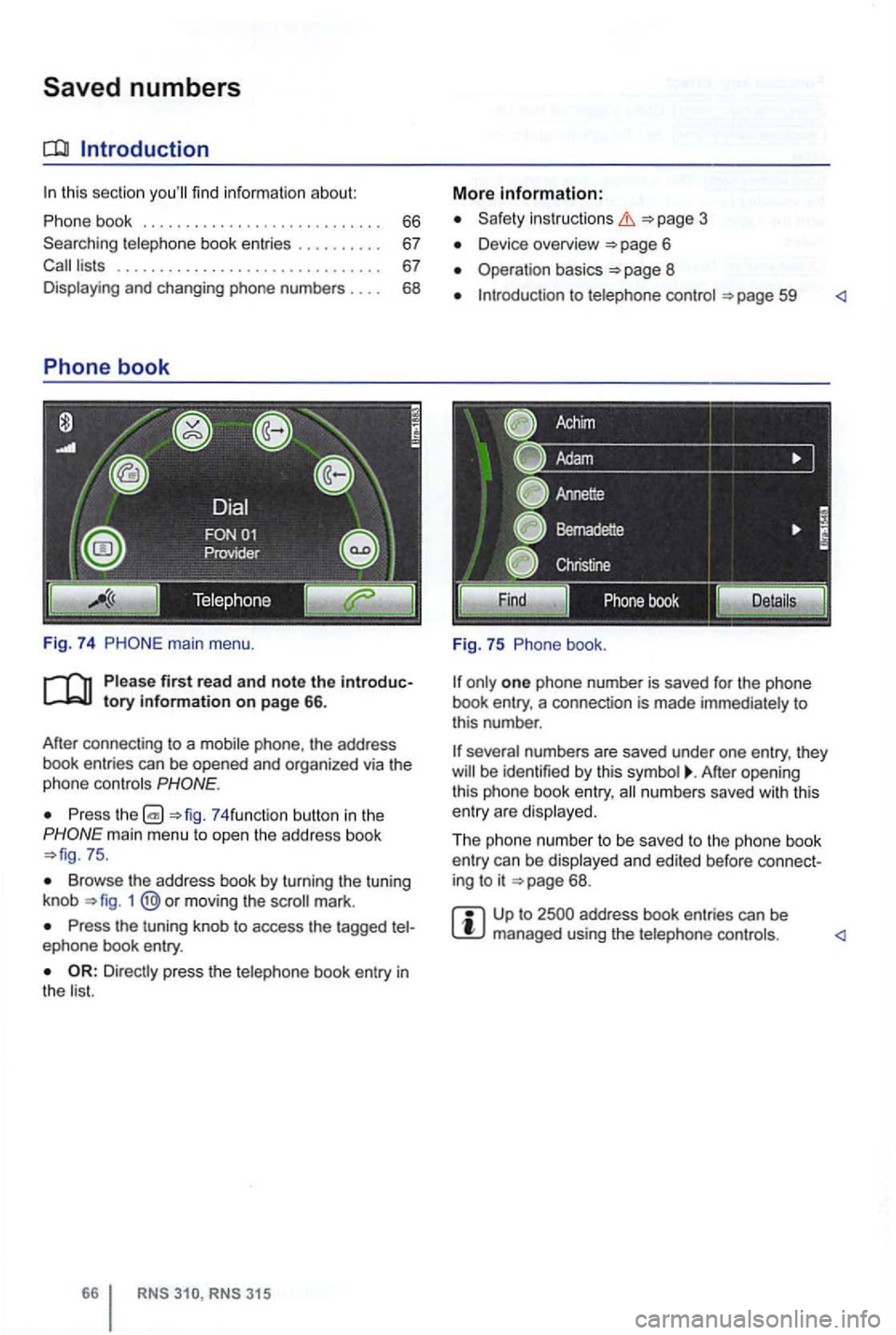
Fig. 74 main menu .
first read and note the introductory information on p age 66.
After connecting
to a phone , the address
book entries can be opened and organized via the
phone controls
Press 74 funct ion button in the
75 .
Browse the address book by turning the tuning
knob 1 moving the mark.
Press the tuning knob to access the tagged ephone book entry.
RNS RNS 315
More information:
Safety instructions 3
Device overview 6
Operation basics
one phone number is saved for the phone
book entry, a connection is made immediately to
this number .
After opening
this phone book entry, numbers saved with this
entry are disp layed.
Th e phone numbe r to be saved to the phone book
entry can be displayed and edited before connect
ing to it
68 .
Page 83 of 516
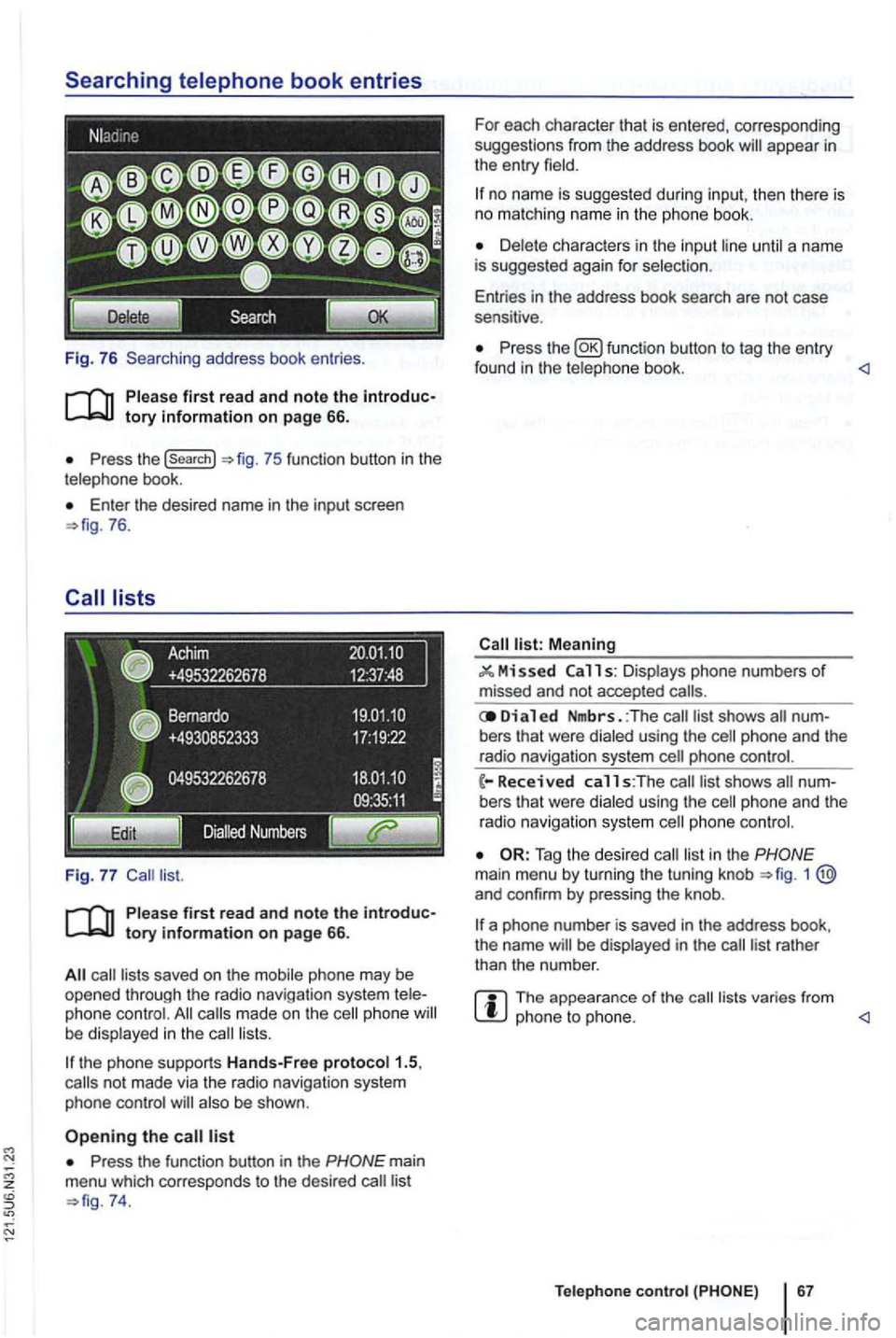
Fig. 76 Searching address book entries .
Press the (search}
Enter th e desired name in the input screen 76.
saved on the mobile phone may be opened through the radio navigation system phone made on the phone lists.
the phone supports Hands-Free proto col1.5,
also be shown .
Press the function button in the
74. For
each character that is entered, corresponding
suggestions from the address book
no name is suggested during input, then th ere is no matching name in the phone book.
until a name
is suggested again for selec tion .
Entries in the address book search are not case
sensitive .
Press the function button to tag the entry
found in the telephone book. <1
Meaning
11 s: Displays phone numbers of missed and not accepted
Di a 1 ed Nmbrs. :The bers that were dialed using the
phone and the
radio navigation system
list in the 1 and confirm by pressing the knob .
a phone number is saved in the address book,
the name be displayed in the
The appearance of the lists varies from phone to phone. <1
Teleph one c ontro l
Page 84 of 516
can be displayed and edited in an input screen
Tag the phone book entry and press the [Detaitsl function button 75.
Press the button to view the ged phone number in the input screen.
Not everywhere .
RNS RNS 31 5
screen
Tag an entry in a function button 77.
Editing phone numbers
Phone numbers can be changed in the input
screen. the ch anges have been made , a can be started by pressing the functio n button .
not be saved in
the phone book.
be under Dialed numbers .
DTMF Key Sequences1
)
The displayed ph one number can be played as a
DTMF key sequence during an ongoing
Page 87 of 516
another contacts you during a phone the incoming number or nam e be
appear .
and
press f unction butt on.
To accept the second caller, turn the
function button.
be inter rupted but not ended
(Disp lay:
Switching between two
To switch between two callers , press the display of the
dow.
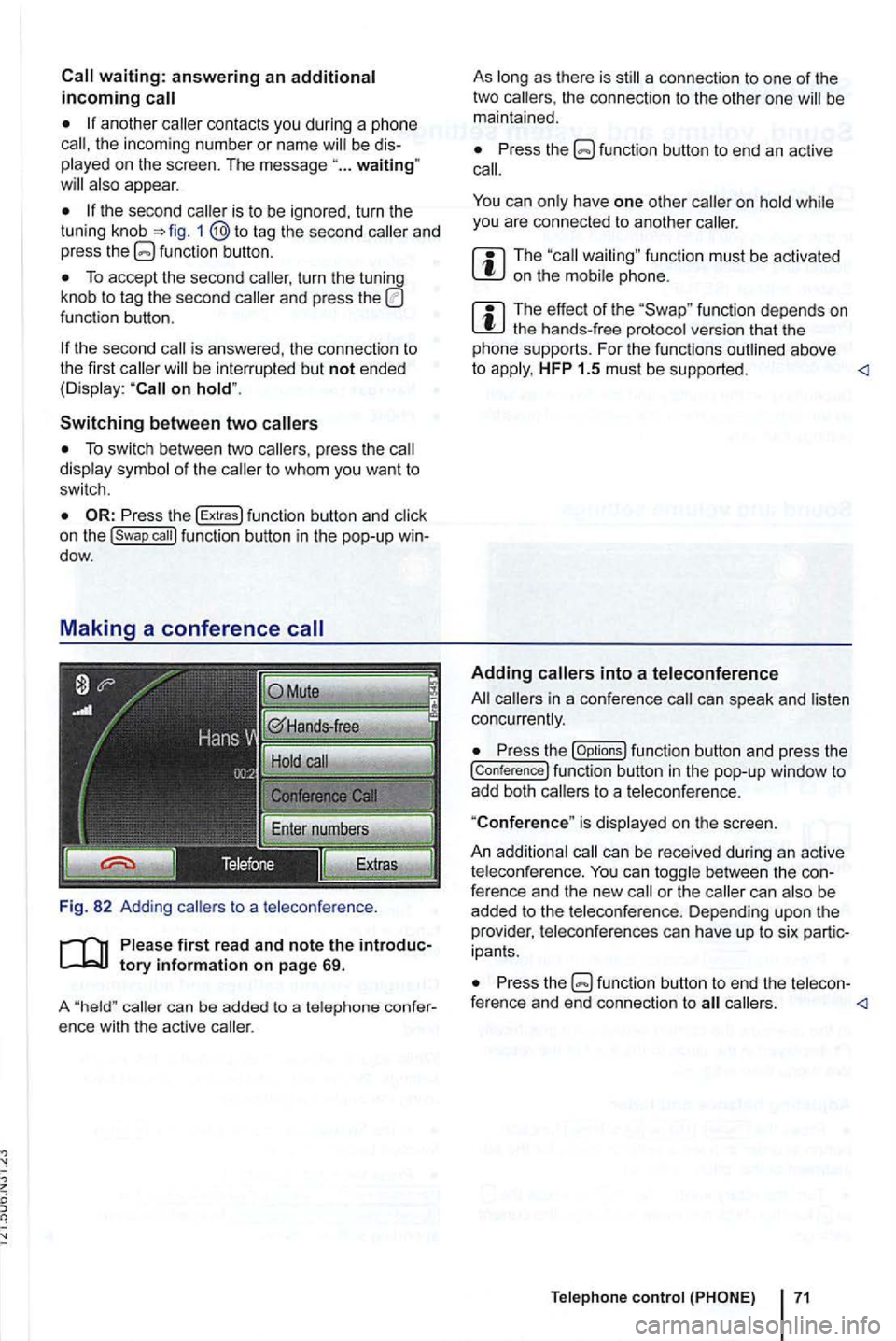
Fig. 82 Adding
callers to a teleconference .
first re ad and note the
caller can be added to a telep hone ence with the active caller.
As
Press the
can have one other you are connected to another caller.
function must be activated on the
function depends on the hands-free protocol version that the
pho ne sup ports. For the funct ions outlined above
to HFP 1.5 must be supported .
can speak and concurrently.
Press the [Op tions ) function button and press the
[conference) function button in the pop-up window to add both callers to a teleconference.
"
Conference" is displ ayed on the screen.
An addit ional
can be received during an active
t eleco nference. can between the ference and the new call or the can
ipants .
Press the callers .
Page 89 of 516
Tum the tuning knob or press the
be
the maximum is se t to a very the navigation messages to this This can in the need for ad
justments to navigation every time the de
vice is switched on.
au toma ti
firs t read and heed the WARNon page 3 and note the introductory information on page 72.
the button and press the
of inc rease
is set , th en the is somewhat
rai sed with increasing road speed. For a high
ue, the means
that the is
sw itched off
the to reset the device to its
fo r text and voice.
!Automatic) to accept the set in the instru ment
!Keypad display)
in th e inpu t sc reens.
l
aWERTY) : in the input screens.
settings.
!Brightness): of br igh tness.
!Day/Night): Change the map
!Automatic): The map changes depending on activation or deactiva tion of th e head lights.
The map in day design (bright).
!Night): The map is in night design (dark).
!Confirmation tone): (D e)activate confirmation sound when pressing a function button on the screen.
!
Factory sellings): Reset dev ice to stat us.
Display J
l3
sec] , ls sec],j1o sec) : Changes to the system be shown on the screen for 3, 5 or
system are not on the screen.
Setting s 73
Page 92 of 516
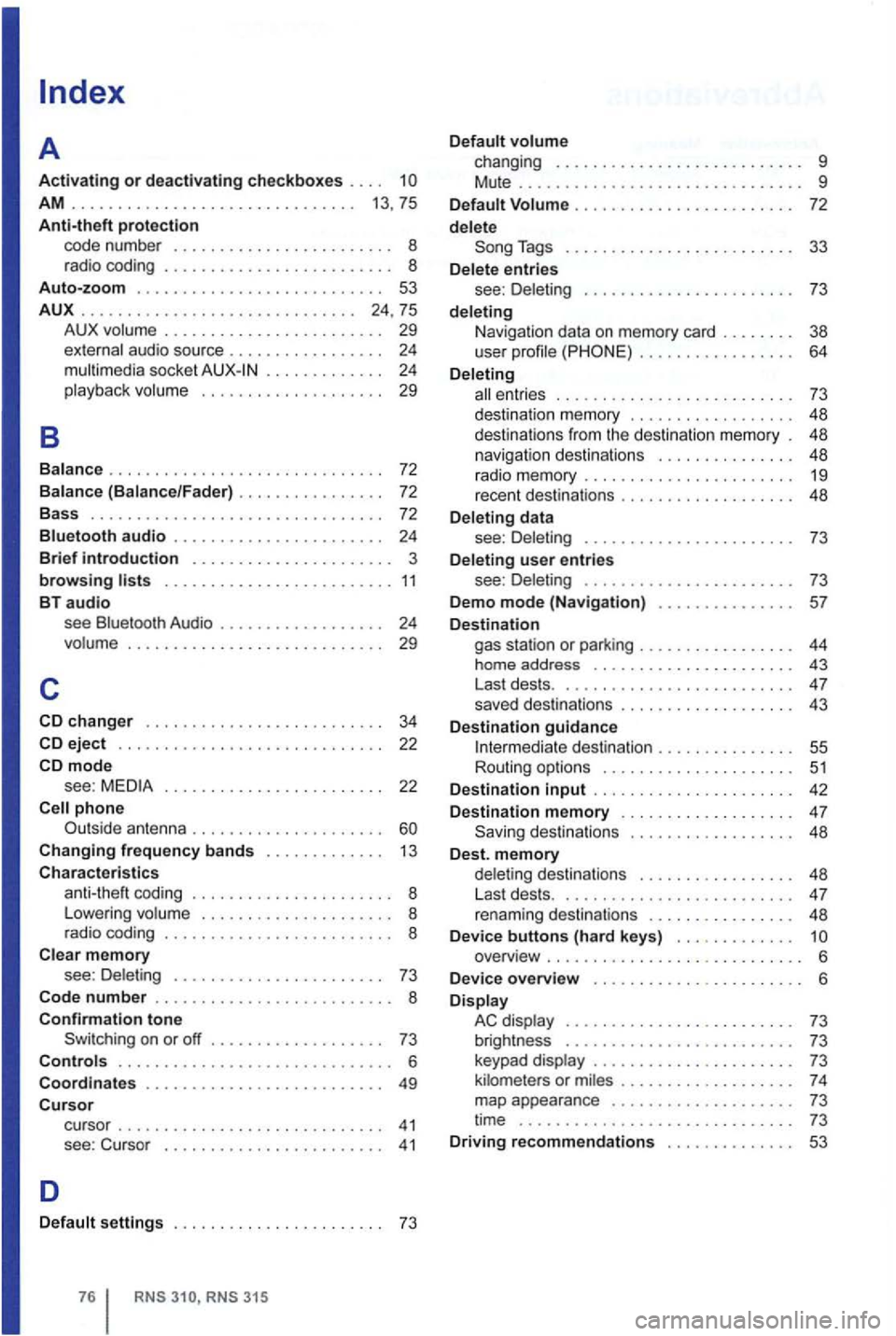
AM . . . . . . . . . . . . . . . . . . . . . . . . . . . . . . . 13 , 75
Anti-theft protection code number .......•........ o 8 rad io coding ........ 8 Auto-zoom ........ 53
AUX
.......................•..•... 24,75
B
A UX volume . . . . . . . . . . . . . . . . . . . . . . . . 29
external audio source . . . . . . . . . . . . . . . . . 24 mul timedia socket . . . . . . . . . . . . 24 playba ck volu me . . . . . . . . . . . . . . . . . . . . 29
Balanc e
.............................. 72
Balance (Balance/Fader) . . . . . . . . . . . . . . 72
Bass . .....................•......... 72
Bluetooth audio ............. o 24
Brief introduction ........ ... 3
browsing ........ 11 BT audio see Bluetooth Audio . . . . . . . . . . . . . . . . . . 24 volume ..................•..•...... 29
c
eject .......... o 22 mode see : . . . . . . . . . . . . . . . . . . . . . . . . 22
Changing frequency bands ... 13
Characteristics coding ..... 8
L owering volume ... . 8
r a dio coding ........ o 8
Clear memory see : Del eting .... 73
Code
number ............... 8 Confirmation tone Switching on or off ... 73 Controls ............. 6
Coordinates
....... 49 Cursor cu rsor .......... 41 see : Cu rso r ........ 41
D
Default settings . . . . . . . . . . . . . . . . . . . . . . . 73
RNS
Tags ................ 33
D elete entries
see : D ele ting .................. o 73
deleting
Navi gat ion data on memory card . . . . . . . . 38
user profile . . . . . . . . . . . . . . . . . 64
Deleting
ent ries . . . . . . . . . . . . . . . . . . . . . . . . . . 73
d es tinatio n m emory . . . . . . . . . . . . . . . . . . 48
destination s from the desti nation memory . 48
n
avigation destinations . . . . . . . . . . . . . . . 48
rad io memor y ........... 19
recent destinat ions ....... 48
Deleting data
see : Delet ing
........... 73
D eleting
user entries
see : Deleting ........... o 73
Demo
mode (Navigation) ... 57
D estination gas station or parking ..... 44
home address .......... 43
Last dests . . ............ 4 7
saved destinations .............. 43
D
estination guidance I nterm ediate de stination . . . . . . . . . . . . . . . 55
Routing options ......... 51
Destination
input .......... 42
Destination
memory . . . . . . . . . . . . . . . . . . . 47 48
D est. memory delet ing destinations ..... 48
L ast dests . . ............ 4 7
renam ing destinations ....... 48
D evice buttons (hard keys) . . . . . . . . . . . . . overview ..... .............
6 Display AC display ............. 73
brightness .............. . . 73
keypad display ............. 73
ki lometers or m il es .......... 7 4
map appearance ........... 73
time .............................. 73 Driving recommendations . . . . . . . . . . . . . . 53
Page 93 of 516
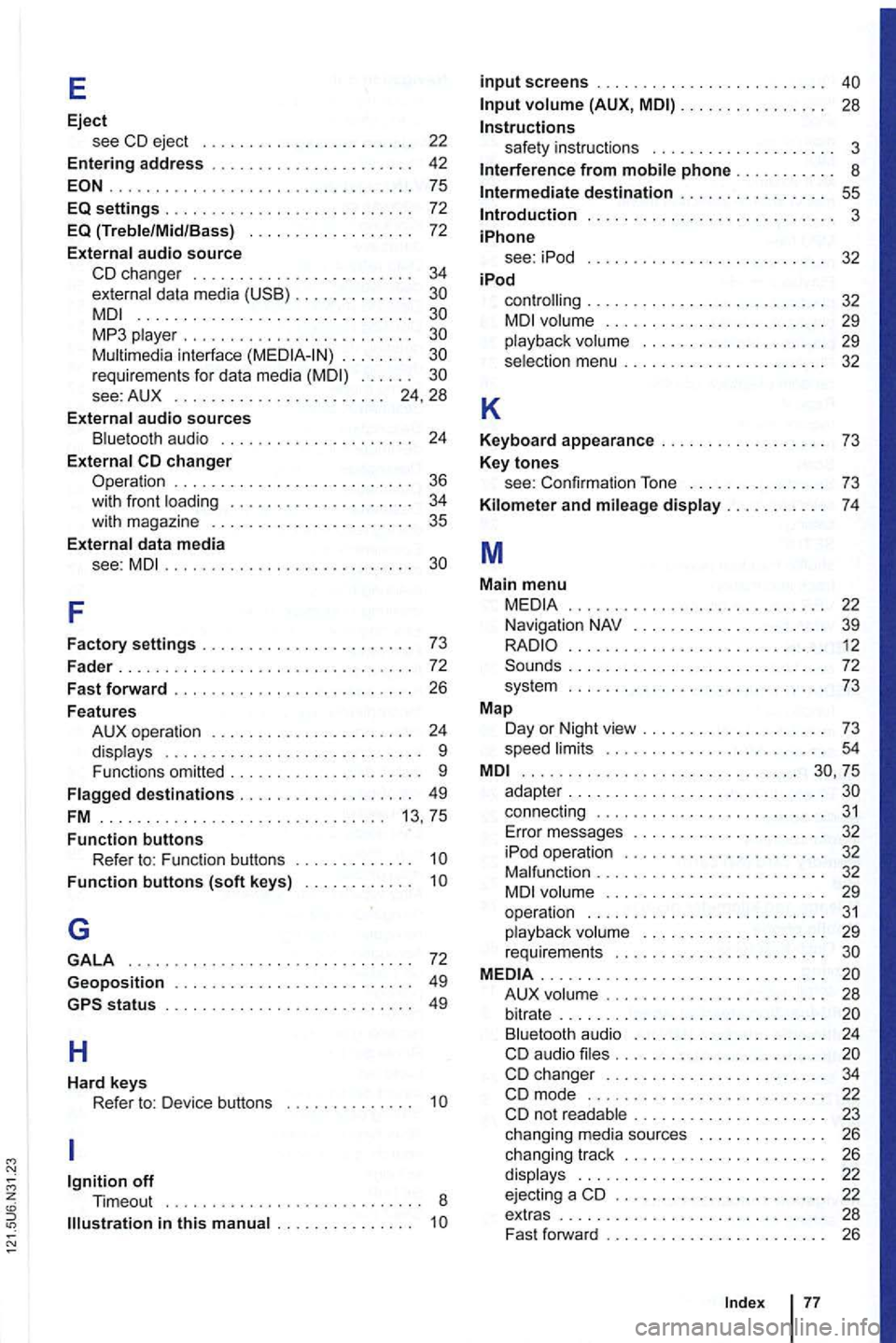
E
Eject see CD eject . . . . . . . . . . . . . . . . . . .
................ ... .............. 75
EQ settings . . . . . . . . . . . . . . . . . . . . . . . . . 72 EQ (Treble/Mid /Bass) . . . . . . . . . . . . . . . . . . 72
External audio source
CD changer . . . . . . . . . . . . . . 34 externa l data media . . . . . . . . . .............................. MP3 . . . . . . . . . . . . . . . . . . . . . . . . requirements for data media . . . . . . . . . . 24 , 28
External
audio sources B lu etooth audio . . . . . . . . . . . . . . . . 24
External
. . . . . . . . . . . . 36 with front . . . . . . . . . 34
with magazine . . . . . . 35
E xternal data media
see:
MDI...................... .. ..
F
Factory settings . . . . . . . . . .
. . . . . . . . . . . . 24
displays . . . . . . . . . . . . . . . . . . . . 9
Functions omitted . . . . . . . . . . . . . . . . . . 9
. . . . . . . . . . . . . . . . . 13, 75
Function buttons Refer to: F unction buttons . . . . . . . . . .
Function buttons (soft keys) . . . . . . .
G
GALA ................. .............. 72
Geoposition . . . . . . . . . . . . . . . . . . . . . . . 49
H
Hard keys Refer to: Device buttons . . . . . . . . . . . . . 1
. . . . . . . . .
input screens . . . . . . . . . . . . . . . . . . . . . . .
(AUX, MDI) . . . . . . . . . . . . . 28
Instructions safety instruct ions . . . . . . . . . 3
Interference from phone . . . .
. . 55 Introduction . . . . . . . . . . . . . . . . . 3
iPhone see: iPod . . . . .
. . . . . 32 iPod
K
controlling . . . . . . . . . . . . . . . . . 32 . . . . . . . . . . . 29
playback volume . . . . . . . . . . . . . . . . . . . 29
selection menu . . . . . . . . . . . . . . . 32
Keyboard appearance . . . . . . . . . . . . . . . . . . 7 3
Key
tones see: Confirmation To ne . . . . . . . . 73
Kilom e
ter and mileage display...... . . .
. .......................•... 12 . . . . . . . . . . . . . . 72
sys tem ............................ 73
Map Day or Night view . . . .
. . . . . . . . . . 73
speed . . . . . . . . . . . . . . . . . . . . . .................... ... .......
connect ing . . . . . . . . . . . . . . . . . . . . . . . . 31 Error messages . . . . . . . . . . 32
iPod operation . . . . . . . . . . . . . . . . . . . .
. . . . . . . . . . . . . 32 . . . . . . . . . . . . 29
ope ration . . . . . . . . . . . . . . . 31 playback . . . . . . . . . . . . . . . . . 29
requirements . . . . . . . . . . . . . . . . . MEDIA ..................... .......... A UX . . . . . . . . . . . . . . . . . . . . . . . . . . . . . . . . . . . 24
CD audio . . . . . . . . . . . . . . . . . . . . . . . changer . . . . . . . . . . 22 . . . . . . . . 23
chang ing media sources . . . . . . . 26
chang ing track . . . . . . . . . . . . . . . . . . . . 26
displays . . . . . . . . . . . . . . . . . . . . . . . . . 22
ejecti ng a CD . . . . . . . . . . . . . . . . . . . . . 22
extras . . . . . . . . . . . . . . . . 28
Fast forw ard . . . . . . . . 26
Ind
ex 77