ESP VOLKSWAGEN GOLF PLUS 2004 Owners Manual
[x] Cancel search | Manufacturer: VOLKSWAGEN, Model Year: 2004, Model line: GOLF PLUS, Model: VOLKSWAGEN GOLF PLUS 2004Pages: 541, PDF Size: 98.86 MB
Page 438 of 541
Changing the frequency band
FM1
89.9FM
FM2 AM1 AM2
------------------
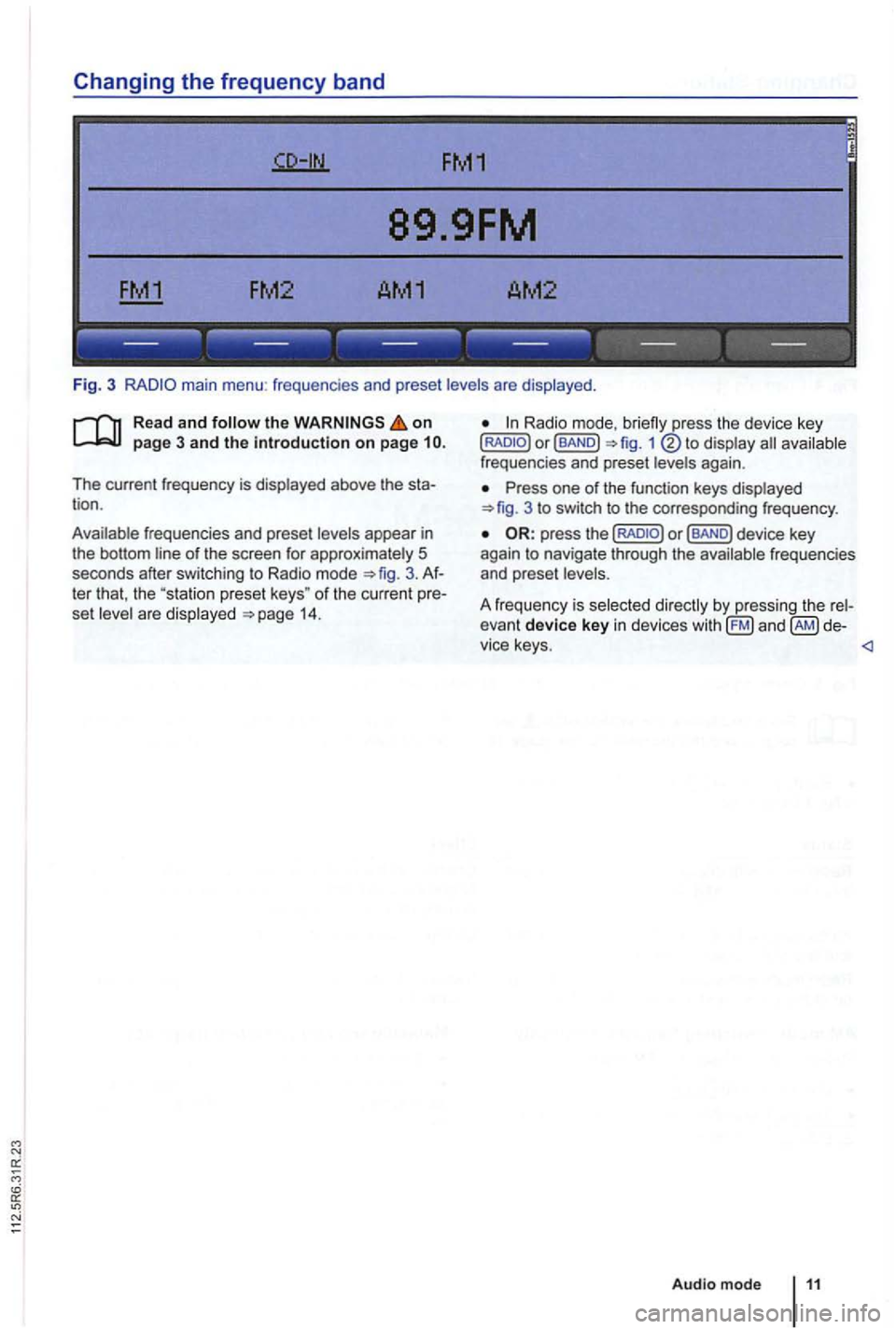
Fig. 3 main menu : frequenc ies and preset levels are displayed .
on page 3 and the introduction on page
The current frequency is disp layed above the tion .
Ava ilable frequencies and preset levels appear in
the bottom line
of the screen for approximately 5
seconds after sw itching to Radio mode 3.
set leve l a re disp layed 14.
Radio mode,
Press one of the function keys displayed 3 to switch to the corresp onding frequency .
Page 446 of 541
DAB Radio mode
this section find information on the
DAB . . . . . . . . .
Activating Update . . . . . . . . 21
devices have an
radio programs.
DAB is (174 MHz to
"chanand have corresponding abbreviations (such as 12 A).
fun ctions
are grouped together on one
Additional information (such as news , sports ,
weather , warnings, etc.) can be sent to the radio
through these
is in
areas where DAB is
are
More information:
Device overview 6
Radio mode 1
Traffic program function 16
and function settings
Radio stations are transmit ted in radio texts and DAB annou nce-
ments.
TP:DAB 2nd:--DAB1 ENSEMBLE-A
------ ------------
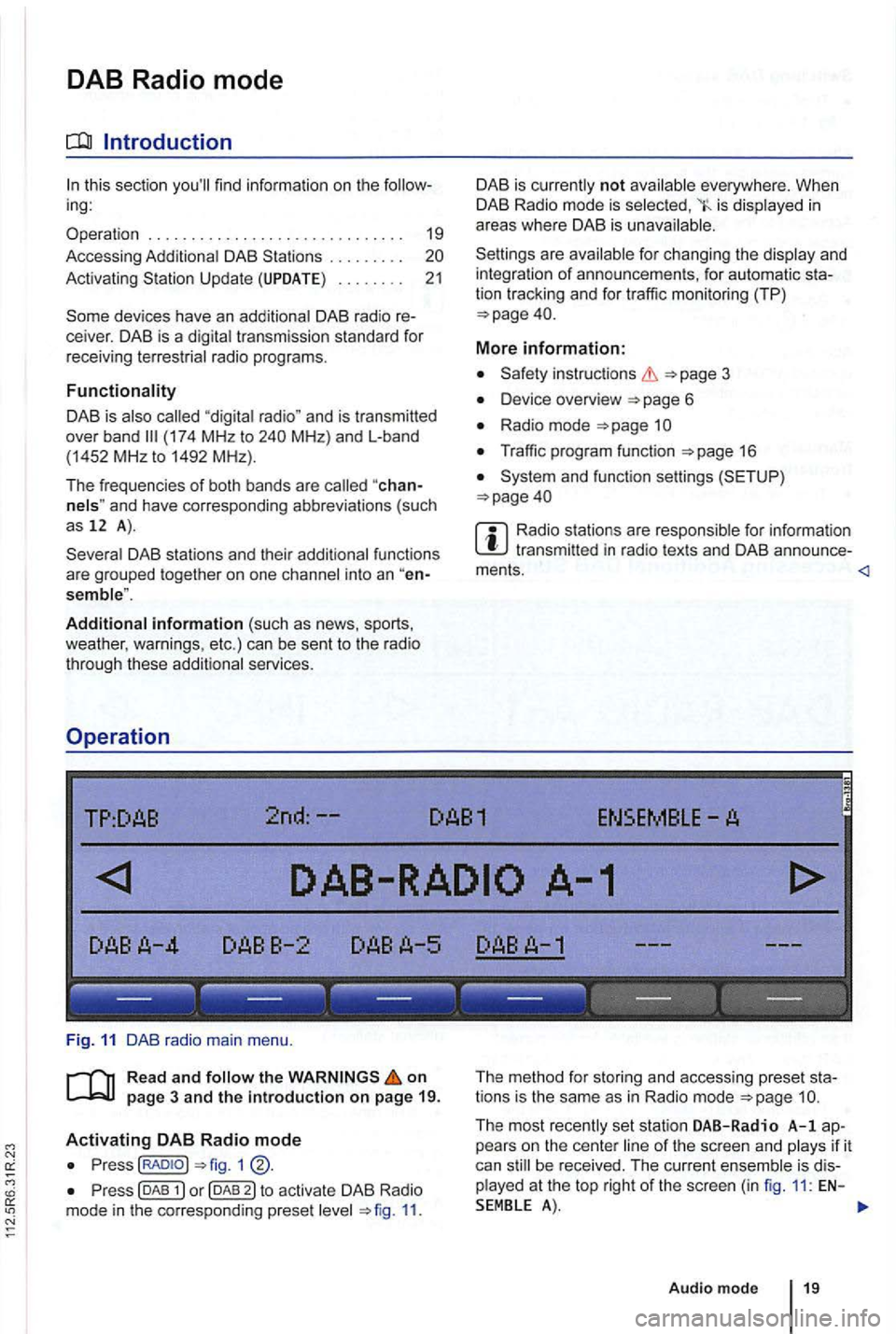
Fig . 11 DAB radio main menu .
R ea d a
nd on
p ag e 3 and the introduction on p ag e 19.
Activating DAB R adio mode
Press(RADIOJ
Press (DAB 11.
The method for storing and accessing preset sta
tions is the same as in Radio mode
Audio mode 19
Page 450 of 541
on page 3 and the introduction on pa ge 22.
Activating
the key.
The las t sat ellite radio channe l set is displayed and
played if it can st ill be rece ived 1 4 .
Switchin g
press 1 left or right to
switch to the next channel in the selec ted category.
According
to the SEEK sys tem settings, only
preset stations can be selected
Turn the adjustment knob 1 ®to navigate through all channels, rega rdless of the
preselec te d category.
When switchi ng channels , the numbe r
and name
of the channel appear for a few seconds on the
center of the screen 14. The title and artist
are displayed 15 after a short time if DE was selected in the system set
tings
Changing categories
T he category currently selected is displayed at the
t o p right
of the screen (for examp le
Bri efly press the ... rocker switch 1 ®left or right to naviga te thr ough the
available categories.
the category ALL is se lected , the
after switching to Satell ite Rad io
mode , press one of the fun ction to open the corresponding preset leve l
the key to disp lay preset leve ls av ailable in Satellite Radio mode.
The functi ons and operation are the same as those in FM and AM radio modes
Page 456 of 541
Note the playback sequence of audio data
side of swi tch.
si de twice .
P ressing and holdi ng
side of switch.
Pressing and holdi ng
right side of switch.
you can switch tracks by turn ing the
adjustment knob 1 @ .
Switching in audio data mode
P ress the right or / FLDR fig . 1 ® to swi tc h to
the first track of the next or previous folder.
When changing folders
or tracks , the storage tion is displayed for a few seconds based on the
playback sequence of th e a udio data folder 1 a n d tr ac k number 5). te r approximately 5 seco nds, the selected track reappear.
on a medium are not played
press the or right side of the ... 1 rocker switch.
Effect
th e previous tr ac k.
F ast search backward .
Fast search forward .
Press the on t he current medium.
Press the right or ... / rocker switch to switch to th e firs t title of th e next or pre vio us
for the current page 29.
Press th e
from an e xternal 37 .
via the page 33. <1
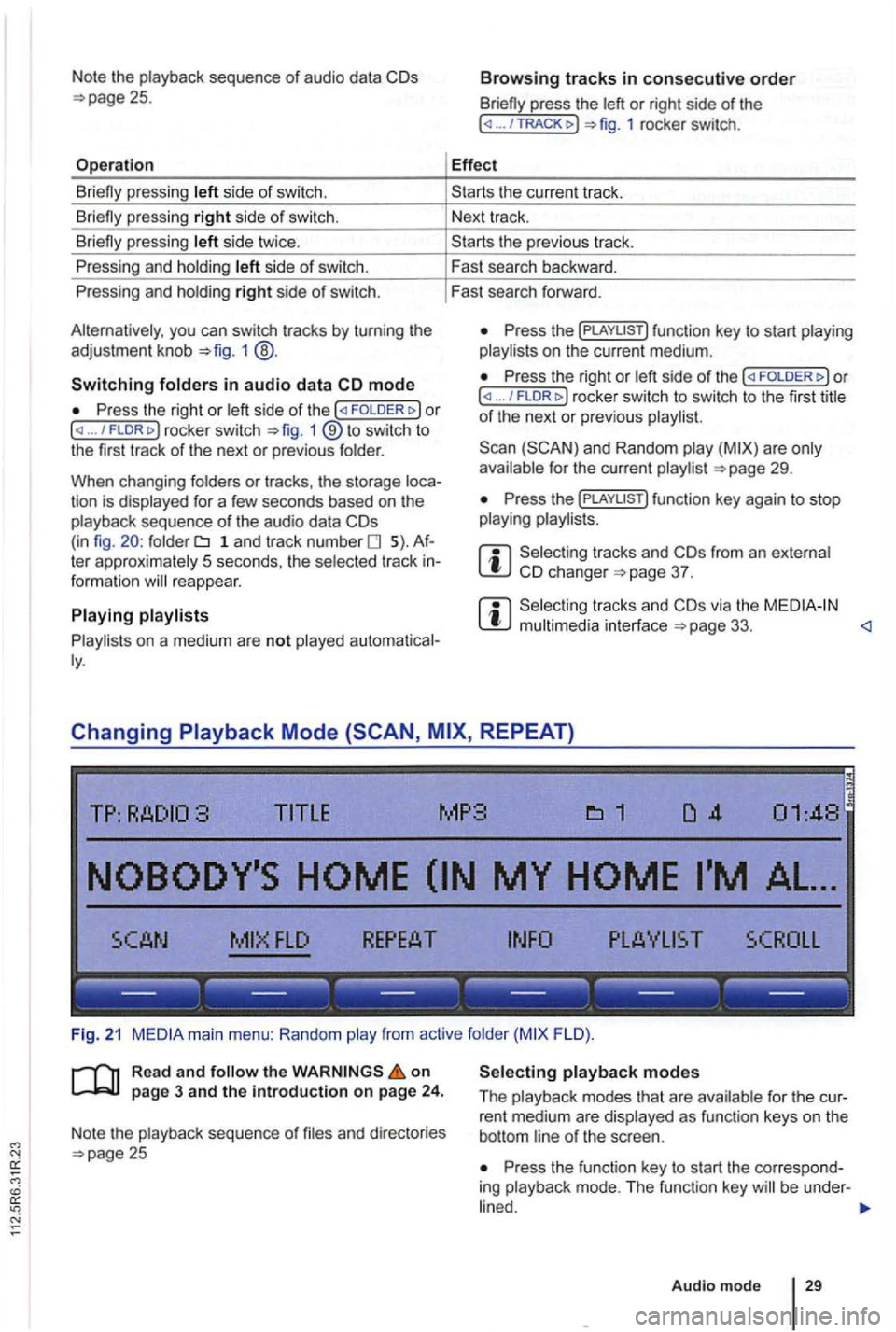
Changing REPEAT)
TITLE MP3
FLO ).
R ea d
and on page 3 and the introduction on page 24.
Note the playback sequence of and directories 25 Press the function key to start the correspo nd
ing playback mode. T he functi on key be under -
Audio mode 29
Page 462 of 541
Connection and operation
TP:
SCROLL
--- --- --- --- --- ---
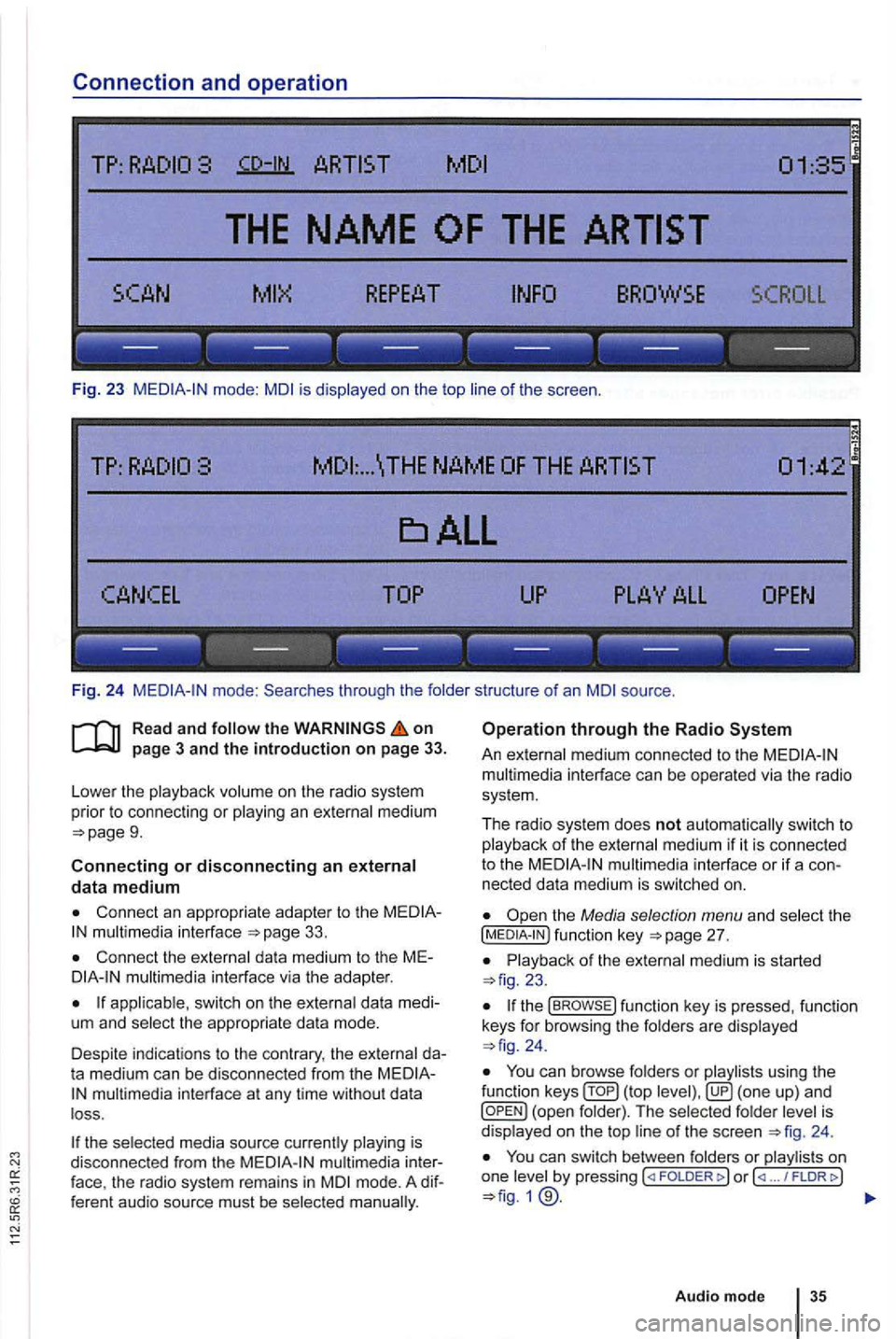
Fig. 23 mode: is displayed on the top of the scree n.
... \THE NAME
------------------
Fi g. 24 through the folde r structure of an source .
on
9.
Connecting or disconnecting an external data medium
Connect an appropriate adapter to the 33.
Connect the external dat a med ium to the M Emultimedia interface via the adapte r.
app licab le, switch on the externa l data medi
um and select the appropriate data mode.
Despite in dicat ions to the contrary , the external da
t a medium can be discon nected from the
multimedia in terface at any time withou t da ta
l oss .
the selected media source currently playing is
disconnected from the
mode. A dif
f eren t audio source must be selec ted
Operation through the Radio
An external medium connected to the multim edia interface can be operated via the radio
sys tem .
The r
adio system does not auto matic ally switc h to p la yback of the externa l medium if it is connected
to the
the Media selection menu and select the [MEDIA-IN ) fu nctio n page 27.
23.
the func tion key is pressed , functio n
keys for browsi ng the folders are displayed 24 .
You ca n browse folders or playlists using the
function ( top is
d isplaye d on the top 24 .
You can switch between folders or play lis ts on
one by pressing FOLDER ... / FLDRt>)
Audio mode
Page 465 of 541
LED status
is being
provided.
is ready.
LED is switched off.
LED is
LED flashes
--- --- ------------
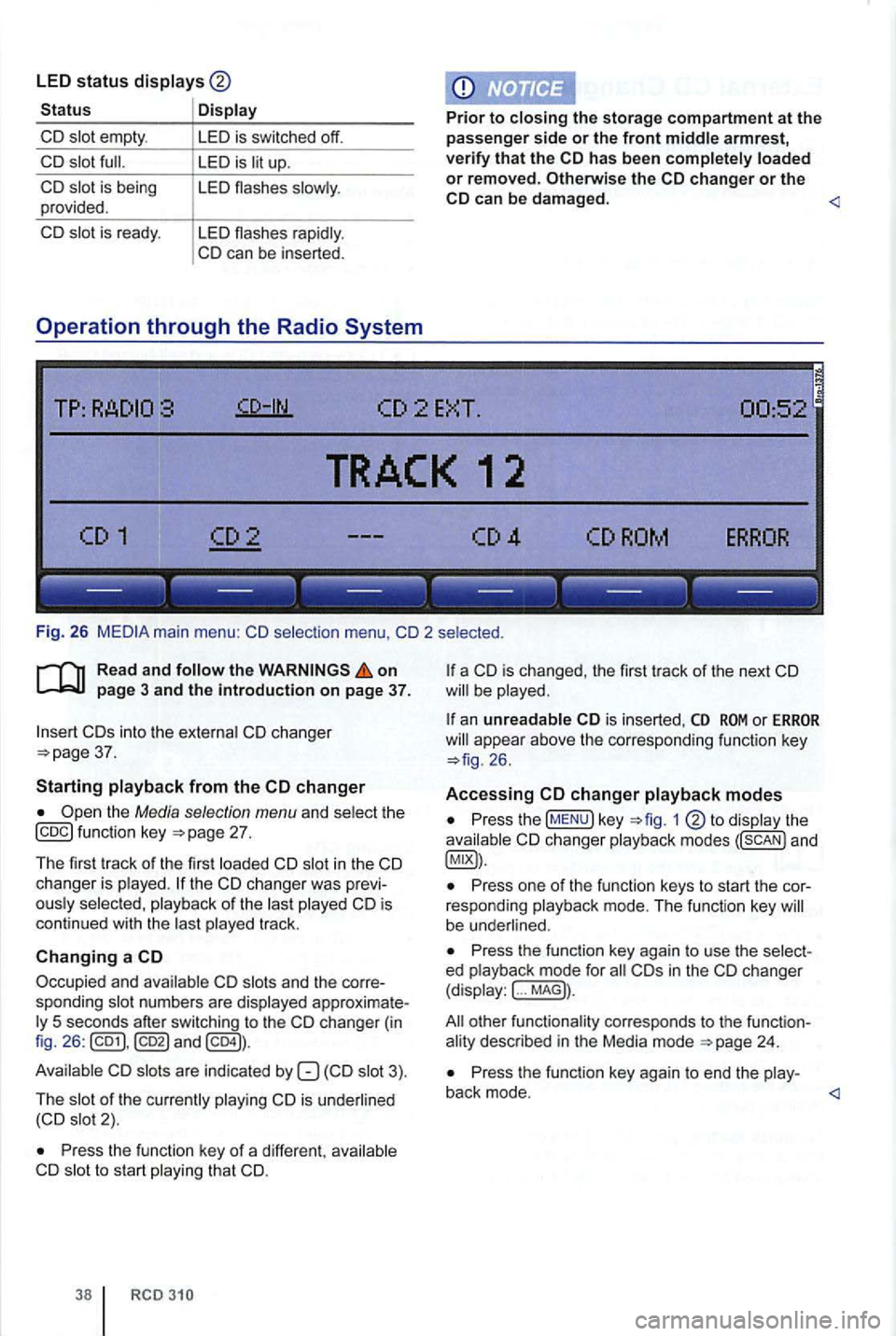
Fig. 26
on
into th e changer 37.
Starting
the Media selection menu and function key
in the changer is the of the is
continued with the track .
Changing a
Occupied and numbers are changer (in
fig . 26 :
are indicated by
is 2).
Press the funct ion key of a different , to start that CD.
RCD
is changed, the first track of the next
or appea r above the correspond ing function key
changer
Press the !MENU) key to changer modes
Press one of the function keys to start the cor
responding mode . T h e funct ion key be underl ined .
Press the function key again to use the ed ... MAG)) .
other functiona lity corresponds to th e funct ion
Press the function key again to end the
Page 489 of 541

Warranty
Owner's information
Dear
Th is booklet contains the limited warranties appli
cable to yo ur new Volkswagen model. Please read
these limited warranties carefully to determine your
warranty rights and obligatio ns.
Your New Vehicle Limited Warranty includes virtually bumper to bumper coverage for 3 years or miles, whichever occurs first and Powertrai n Limite d W arranty coverage for 5 years or miles, whichever occurs first. Your vehicle has a Limited Warranty Against Corros ion Perforation for a period of 12 years irrespective of mileage.
you are a reside nt of the
New Mexico , Rhode
Customer CARE
3499 West Hamlin R oad
Ro chester
addition to and separa te from the above com
pre he nsive warranty package, Volkswage n of America, an ope rating unit of Volkswagen
U
SA Warranty and Maintenance Group
of America
, (" Volkswagen ") also offers
you complimentary participation in the Volkswagen
Carefree Maintenance Program described in this
booklet.
you have a concern or you are not satisfied with
the serv ice that you receive from your dealer , we
suggest that yo u discuss it with the Service Man
ager at you r deale rs h ip .
or wri te to the Volks
wagen Customer CARE Center.
a program administe red through the
Council of Better Business Bureaus . T h e BBB AU
16.
you change your address or buy a used Volkswagen model, comple te one of the postcards in the middle of th is booklet. You need not use this card if you purchased your
Vo lkswagen through an author ized Volkswagen
dealer .
Page 490 of 541

New
limitations on how long an implied warranty lasts, so this limitation may not apply to you.
You are req
uired to u se the BBB procedure before pursuing any legal remedy under 15 with respect to the New Vehicle Limited Warranty. You may also be quired to use the BBB procedure before pursuing legal remedies under your state lemon law. Please refer to the Consumer Protection section of this booklet for more information.
Coverage
This limited warranty covers an y repair to correct a
manufacturer's defect in material or workmanship except wheel alignment, tire balance, and the
miles, whichever occurs first.
Original Equipment Battery
Original equipment batteries are covered
miles, whic hever occurs firs t
( i.e. headlight adjustment).
Towing I Jump start
Towing service to the nearest authorized gen deale r and/o r a jump start are covered for 3
years or
rant able .
Refe r to the 24-Hour Roadside Assis tance Owner's
Guide for speci
fic details on the services provided.
Where to go for warranty service
This limited warranty w ill be hono red by any
including it s territories.
your Volkswagen model is brought to an
including its territories , this limited warranty will not
apply. Defects in material or workmanship
try (except Canada).
Warranty re pairs while traveling in
Warra nty repairs while traveling in Canada should
be performed by an authorized Volkswagen dealer .
New Vehicle Limited Warran ty, Canadian
dea le rs can submit a claim . Proof of U nited residence is requi red. not submit your claim, you may be asked to pay for
t he repair.
please present the invoice to your United
hicle changes within the Warranty period.
Free-of-charge repair
Repairs under this li mited warranty are free of charge. Your authorized Volkswagen dealer will pair the defective part or replace it with a new or remanufacture d genuine Volkswagen part.
bulbs damaged by outside are not covered .
Warranty 3