light VOLKSWAGEN GOLF PLUS 2004 User Guide
[x] Cancel search | Manufacturer: VOLKSWAGEN, Model Year: 2004, Model line: GOLF PLUS, Model: VOLKSWAGEN GOLF PLUS 2004Pages: 541, PDF Size: 98.86 MB
Page 24 of 541
Return ing to th e main menu
key
s on the steerin g wheel. Keep the switch depressed in order to increase or crease values more qui ckly as needed. menu in order to leave the sub-menu. Se lect or confirm the selection w ith the Foropemtion Keep rocker switch depressed.
Main menu
For steering
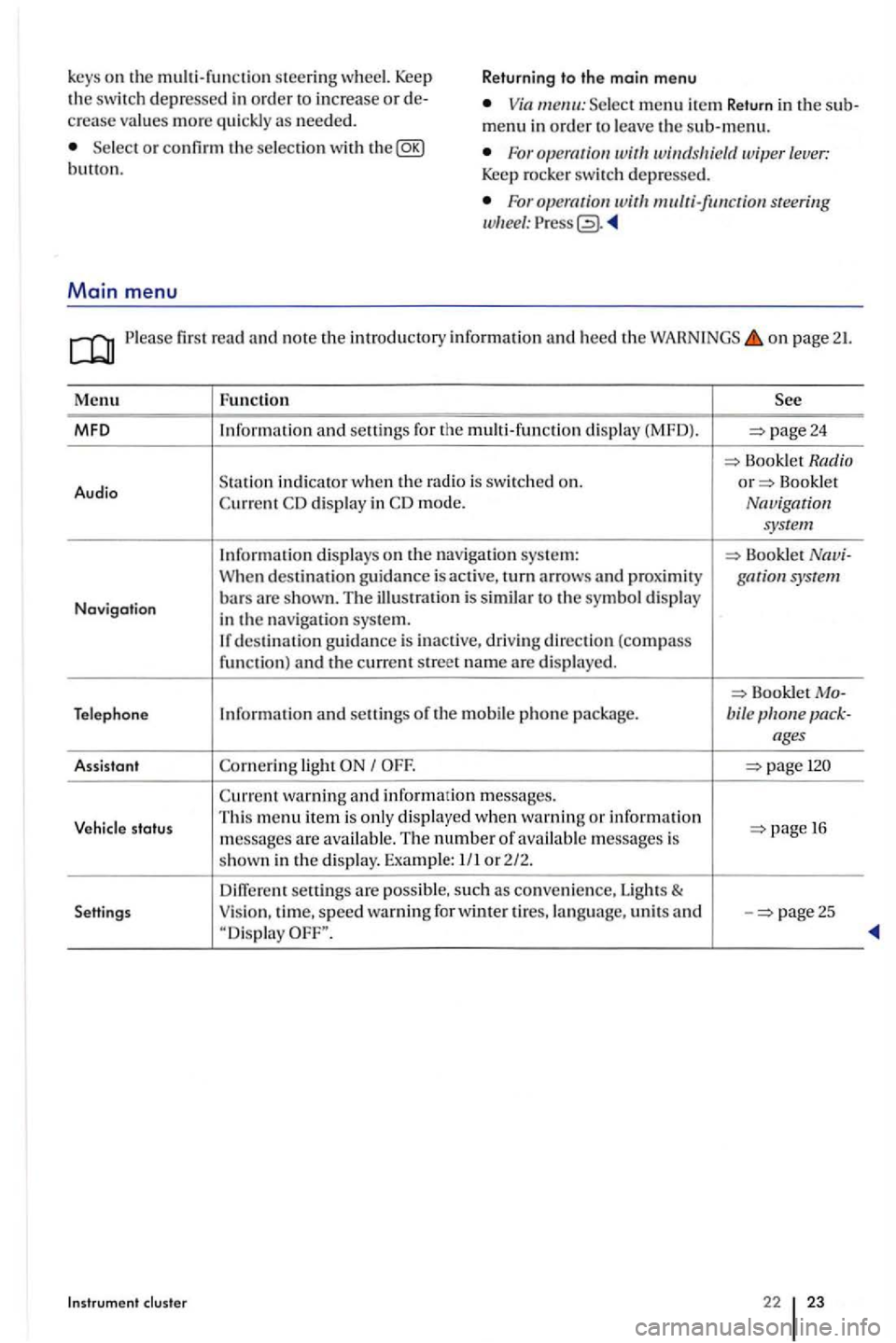
first read and note the introd uctory inform ation and heed the on page 21.
Menu Fun ction
MFO and seuings for the multi-functio n dis play (MFD). page24
Book let Radio
Audio S
tatio n indicator when th e Bookle t display in mode. Navigation
system
Information displays on the nav igatio n sys te m : Booklet When destination guidance is acti ve, turn arrows and gar system
Navigation bars are s hown. T he ill us tration is similar to the symbol display
in the navigat ion syste m. destinatio n gu idance is inactive , driving direction (compass funct ion) and the current street name are displayed.
Bookle t Telephone Information and seuings of the mobile phone package. bile
light
warning and information m essages.
Vehicle status Thi
s m enu item i s only displa yed when warnin g or information 1 6
m essages are available. The number o f available mess ages is
s hown in the display. Examp le: 1/ 1 or 2/2.
seuings are possibl e, such as conve nie nce, Lights & Settings Vision
, time, speed warning for winter ti res, la ng uage, units and -page25
Instrument cluste r 22 23
Page 26 of 541
Menu
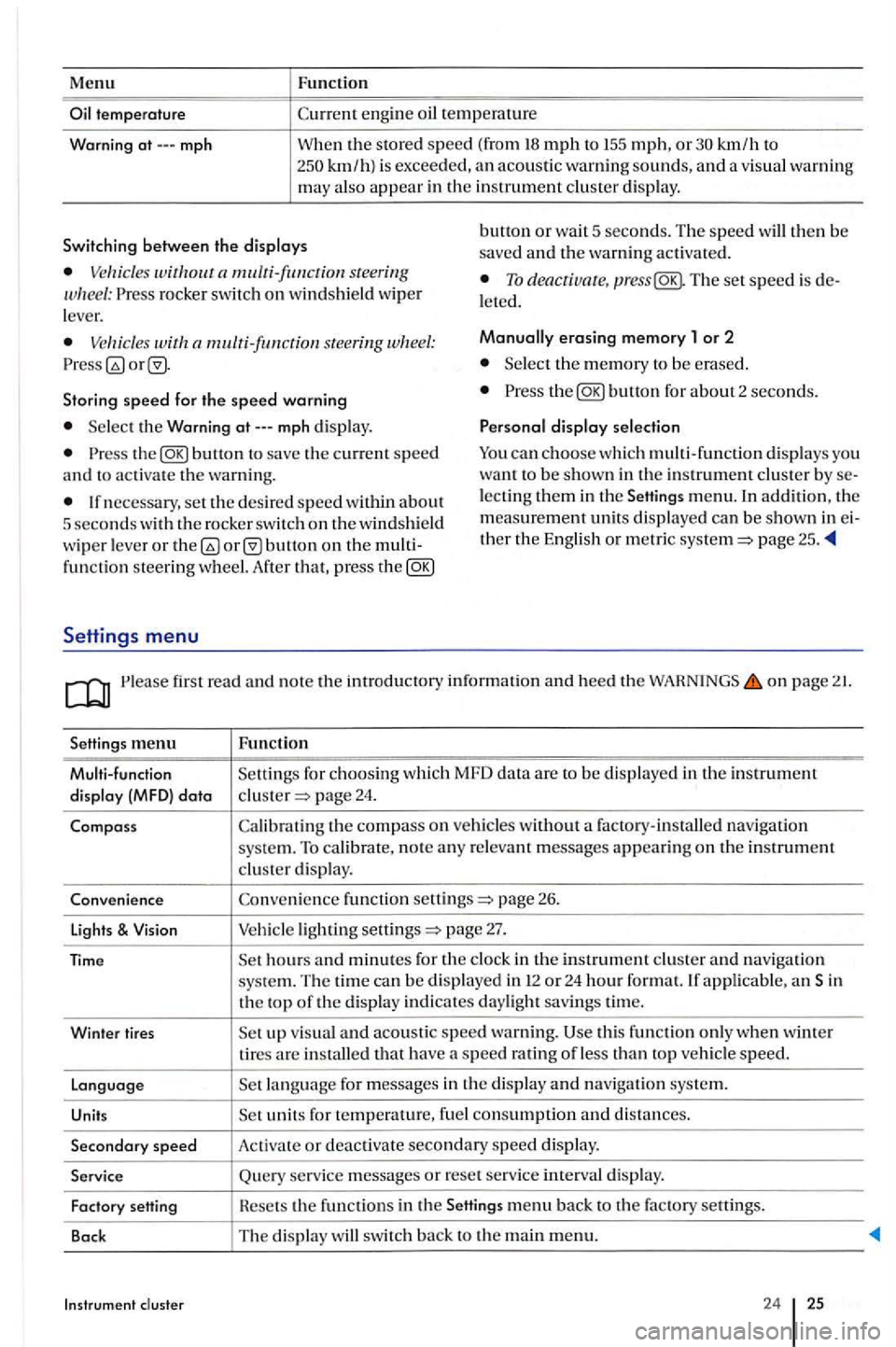
mph
Function
km/h to km/ h) is exceeded, an acoustic warn ing sounds, and a visua l wa rnin g may also appear in the in strument cluster display.
Switching between th e displays bunon or wa it 5 seconds. The speed will then be
saved and the warning activated.
rocker switch on windshield wip er
l ever. To deacriua re, The set speed is l eted.
s tee rin g Manually erasing memory 1 or 2
Select the m emory to be e rase d.
Storing
speed for the speed warning the
Select the Warning
the
lecting them in the men u. In addition. the
m eas ure m ent units di splayed can be shown in th er the English or metric page 25 .
fun ctio n steering wheel. After that, pres s the
Settings menu
first read and no te the introductory informatio n and heed the WAHNINGS on page
menu Functio n
Multi-function Setting s for c
hoosing whic h MFD data are to be dis play ed in th e in strumen t
di sp lay (MFD) data page 24.
Compass th e compass on ve hicles without a factory-installed navigation system. To calibrate, note any r e levant messages appe a rin g on the in strument cluste r display.
Conveni ence fun ction sellings
page 27.
applicabl e, an Sin
th e top of the d is pla y indicates daylight savings tim e.
Winter tires
visua l and acou st ic speed warning. thi s func tion only when w inter tires are in stalled that have a speed ratin g o f le ss than veh icle speed.
Languag e
units for temperature, fuel consumption and di sta nces.
Secondary speed Activat e or deactiva te secondary speed display.
Service Query se rvice messages or reset se rv ice interva l display.
Fact ory Hesets the funct ions in the
24 25
Page 28 of 541
Lights & sub-menu
Ple ase first read and note the introductory in formation and heed the on page 21.
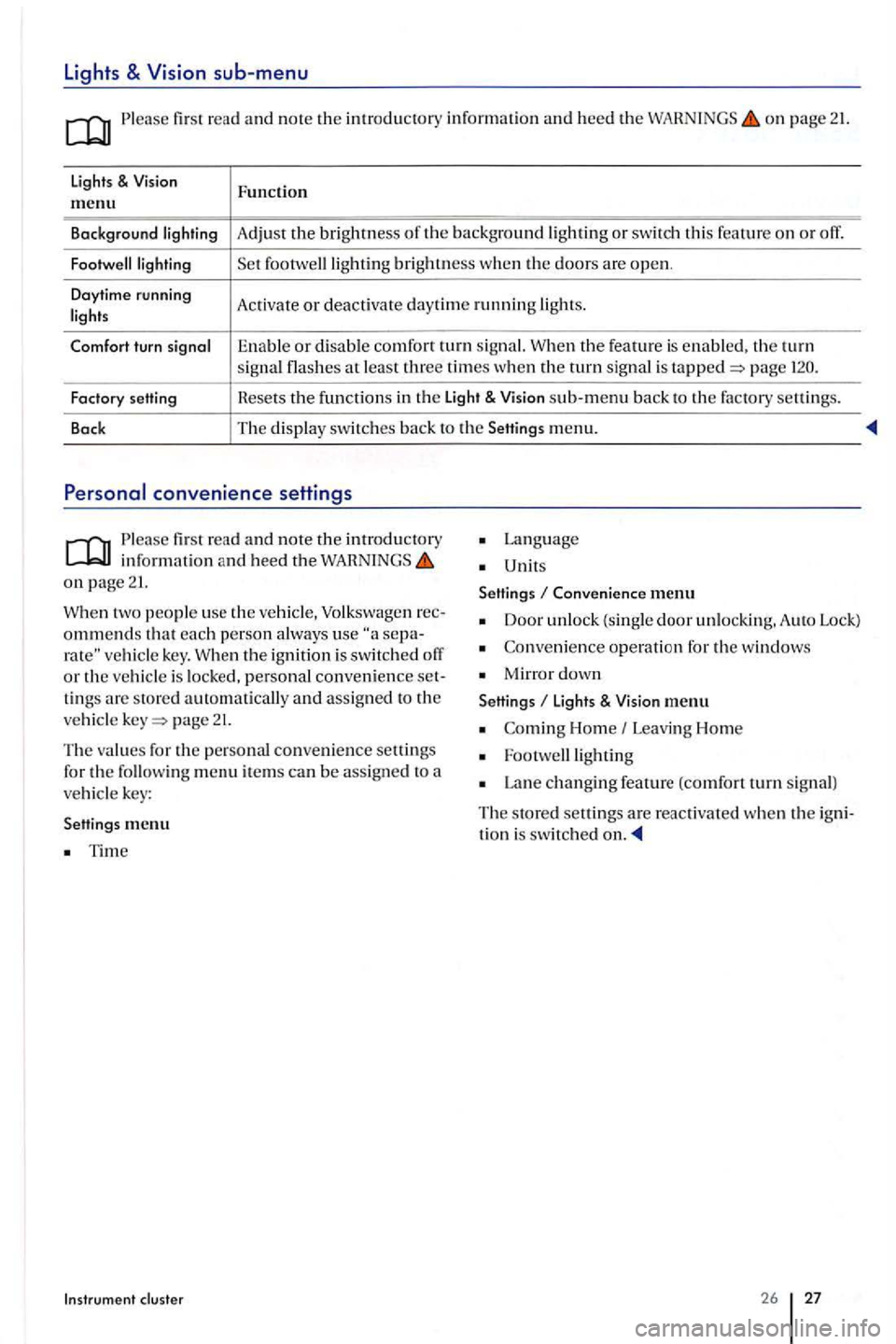
lights & Function m enu
Background Adjust the brightness th e background or swit ch thi s feature o n or off.
brightness w he n the doors are open .
Daytime running
Activate or deac tivate day tim e running
the feature is enable d . the turn signal at least three times when the turn sig nal is page
Factory setting Hesets the f
u nctions in th e Light & sub-m enu back to the factory settin gs.
Back The
display switc hes back to the Setting s menu.
Please first re ad and note the introductory in fo rmatio n and heed the on page 21.
two people use th e ve hicle, Volkswage n ommends that each p erson a lways use vehicle key. th e ignition is swit ch ed o ff or the vehicl e is locked, personal convenience tings are store d automatically and assign ed to the
ve hicl e page 21.
The values for the personal convenience settings
for the followin g m enu item s can be assig n ed to a vehicl e key:
Settings me
nu
Tim e
Instrum ent cluster
Lan g uage
Unit s
Settings
Conven ience menu
Door unlock (single door unlockin g. A uto Lock)
Co nveni ence operati on for the windows
Mirro r down
Settings li ght s & menu
Home Leavi ng Hom e
Lan e changing feature (comfort turn s ig n al)
The s tore d settings are reac tiva ted whe n the tion i s switched
26 27
Page 29 of 541
Before driving
Some basics
Driving
In this sectio n find information on th e lowing:
Getting ready and driv ing safely . . . . . . . . . . . . . . . 28
Driving abroad . . . . . . . . . . . . . . . . . . . . . . . . . . . . 29
Driving through water on roods . . . . . . . . . . . . . . . .
Dep ending on where th e ve hicle be used, it
m igh t b e advi sable to dri vetrain underbod y protection. Drivetrain underbody p ro tection can reduce th e risk of d a m age to th e ve hicle body engine oil pan whe n drivin g ove r c urb s, on rough private roads, or on din roads, for am ple. V olkswagen recomme nd s hav in g the work
d one by an auth orize d Volkswag en d ea le r o r an authorize d Volk swage n Facility.
More information:
proper ly and p age 56
Getting ready and driving
page 137
changin g gea rs. page 172
fuel h elpin g th e environm ent 198
Co nsumer page 311
Driv ing under the influen ce of a lco hol, iUegal drugs, narcotics and some medications cause colli sio ns o th er accident s, severe sonal injuries e ven dea th.
Alco ho l, ill ega l drugs, narcotic s and some medicatio ns may severe ly action times and s a fe drivin g, which may result
i n the loss of ve hicle
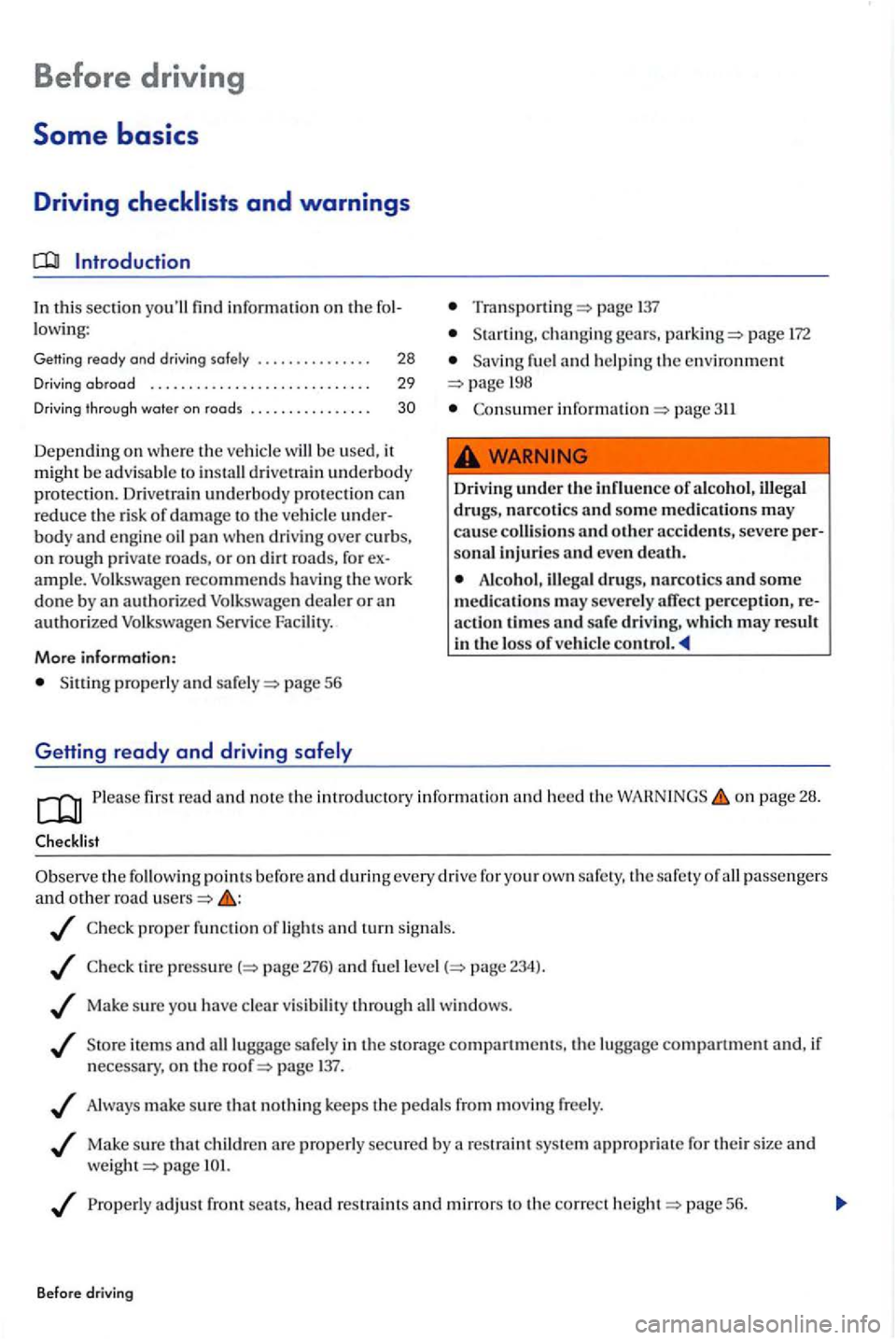
Please fir st read a nd not e th e introdu ctory information and heed the on page 28 .
the points befo re and during every drive for your own safe ty , th e safety of passenge rs and o th er road
pro per fun ctio n of light s and turn signals .
t ir e page 276) and fu el p age 234) .
Ma ke su re yo u have clear visi bility throu gh win dows .
item s and lugg age sa fely in the s torag e compartment s, the lu gg age compartment and, if
n ecess ary, on th e page 137 .
Always make sure that nothin g kee ps th e pedal s from mov ing free ly .
Mak e sure that ch ild re n are properly secured by a restraint sys te m appropriate for thei r size and
weig ht
Properly adjust front sea ts , h ead restraint s and mirrors to the correc t page 56.
Before driving
Page 30 of 541
Checklist (contin ue d)
shoes th at give your feet a good grip , a n d that g ive you a feel for the pedals .
Make sure that th e floo r mat on the driver side is pro perly fastened and cannot interfere with th e
peda ls .
Assume and s tay in a proper seatin g positi o n before and driving. Make sure that gers wear their sa fety properly, eve n those siuing in the page 56 .
fasten your safety
transport as m any passenger s as
Never drive if your driving ability has been impaired , for exa mple by medication, alco hol or
Neve r le t passe nge rs o r phone d istract you driving and neve r take your attention off the road using vehicle software or adjustin g vehicle equipment.
Always adapt your speed and dri ving style to v isibility , weather, road, and traffic conditions .
Always obey traffic laws and speed limits .
long trips make freque n t rest stops -at least once every two hou rs.
Sec ure
animals in the vehicl e w ith a syste m that corresponds to we ight and s ize.
Always observe traffic rules and posted speed limits and use common sen se. good ment can mean th e diff erence between arrivi ng safe ly at your destination and b eing seriousl y jured in a crash or other kind of acci dent .
Driving abroad
Hegu lar serv ice and maintenance of your hide is important for operational and drivin g
safe ty, as the sc heduled maintenance
int erva ls in the
towing, and other fac tors
m ay make it necessary to have the ve hicl e serv iced more freque ntly. Ask an authorized Volk swage n
dea ler or a n authorized Volkswagen Service
on page 28 .
Checklist
issues with
regard to the country to which yo u wo uld like to travel:
Should the ve hicl e be technically prepared fo r dri vin g abroad, such as masking or adjustin g head-light s?
Some basics 28 29
Page 37 of 541
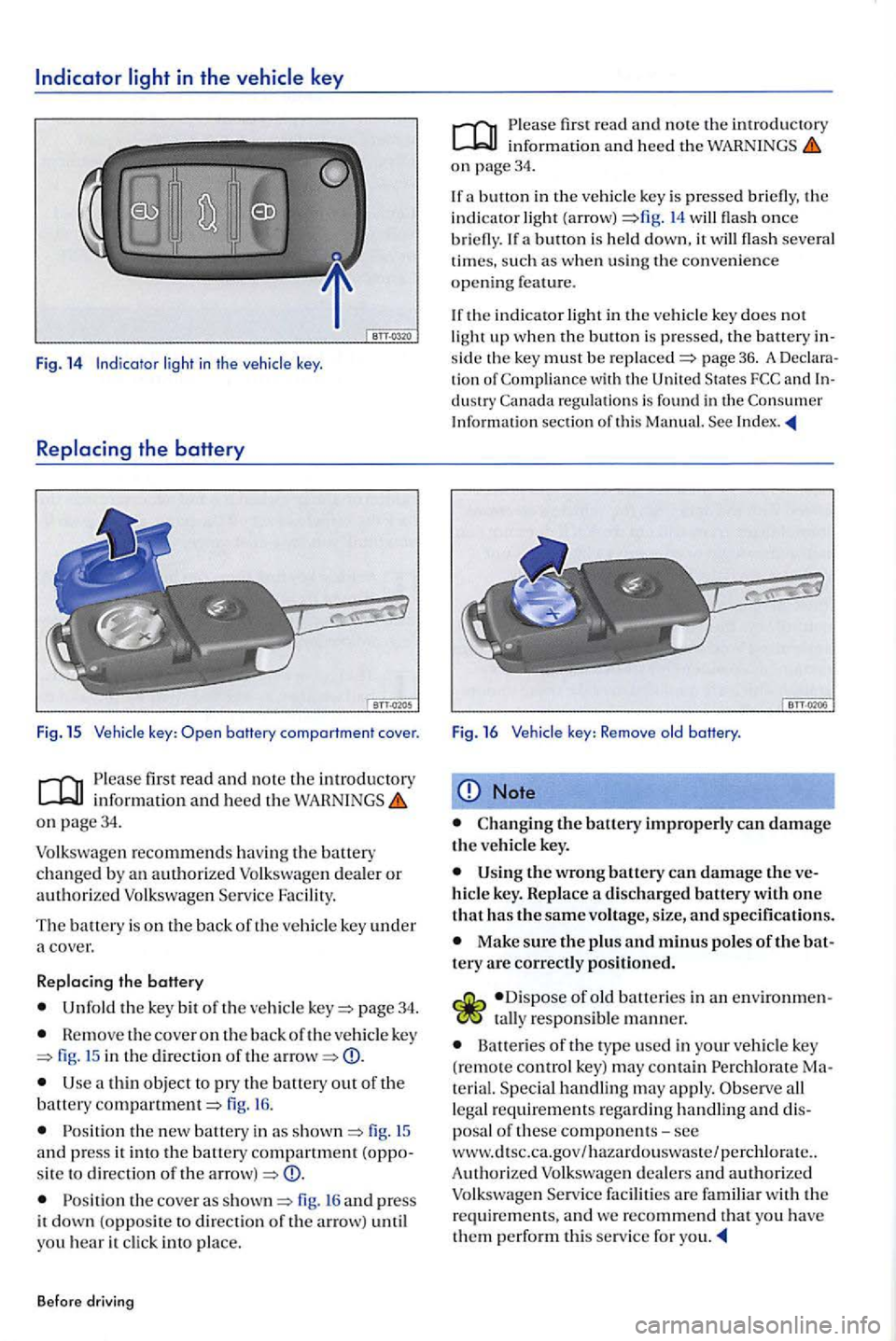
light in the vehicle key
Fig. 14 Indicator in th e
key: battery comportment cover.
first read and note the introductory information and heed the on page34.
page 34.
Remove the cover on the back of the veh icle key fig. in the direct io n of the CD.
a thin object pry th e battery out of the battery fig. 16.
fig . an d press it into the battery compartment sit e to direction of the CD.
th e cove r as fig. 16 and press
it down (opposit e to direction of the arr ow) until
yo u hear it click into place.
Before driving
first read and note the introductory information and heed the on page 34.
a button i n the (a rrow) flash once briefly. a button is down, it flash severa l
tim es. such as when using the convenience open ing feature.
key does not up when the button is p ressed, the battery the key must be page 36. A tion of
Note
Changing the battery improperly can damage the veh icle key.
th e battery can damage the hicl e key. Replace a discharged battery with one
t hat has the same voltag e, siz e, and specifications.
Make sure the plus and minus poles of the tery are correctly positioned.
responsib le man ner.
Batteries of the typ e used in your vehicle key
(remote control key) may contain Specia l handling may apply. legal requirements regard ing
dea lers and authorized
Page 44 of 541
Doors
Introduction
In thi s sec tion you'll find information on the fol
l owi ng:
Warning . . . . . . . . . . . . . . . . . . . . . . . . . . . . . . . 43
. . . . . . . . . .. . . . . . . .. . . . . . . . . . . 44
More information :
key page 34
page 38
E m erge ncy clos ing and 322
A
door that i s not closed properly suddenly when t h e ve hicle is moving and cause se
v ere injuries .
Make sure that th e door is safe ly and co m
p letel y la tc hed w he n closed. The closed door must be flush with the surrounding auto body parts.
or close doors only if n o one is in the way.
fir st read and note the introdu ctory information heed the on page 43.
Lig hts
cause up
At least one ve hicl e door is open or prope rl y closed.
Whe n th e ignit i
on is switched on, severa l warning and indicato r light s come on briefly for function
check. They
warning light or strument cluste r display.
Opening and
response
a nd clo se the respective door aga in.
Depending on the vehicle options,
42 43
Page 46 of 541
Rear hatch
this sectio n you'll find information on the following:
Warning light .............................. .
th e rear hatch .......•......... ......
Closing the rear hatch
More information:
Powe r loc kin g system page 38
page 137
Emergency closing and page 322
46
46
47
Improper or unsupervised unlocking, opening or closing of the rear hatch can cause accidents and severe injuries.
Never close the rear hatch by pushin g on the rear window with your hand. The rear window
could break and cause injuries.
After closing the rear hatch, always make sure that it is properly closed and locked so that it cannot open suddenly when the vehicle is moving. The closed rear hatch must be flu sh
with the surrounding auto body parts.
A lways keep the rear hatch closed while
driving to help keep poisonous exhaust gas from being drawn into the vehicle.
and closing
Never open the rear hatch when a luggage
rack is installed and load ed. for example,
there are bicycle s on a carrier on the rear it is possible that the rear hatch will not be able
to open automatically. An open rear hatch may fall on its own b eca use of the additional weight. The open rear hatch must be supported or the weight must be removed from the lu ggage rack
first.
Never leave your vehicle unattended or let
children play around your vehicle, especially
with the rear hatch left open. A child could crawl
into the vehicle and pull the rear hatch shut, becoming trapped and unable to get out. A closed vehicle can become very hot or very cold, depending on the season. in the summer, heat build-up in the passenger and luggage compartment of parked ve hicle can result in temperatures in the vehicle that are much higher than the outside temperatures. Temperatures can quickly reach levels that can cause unconsciousn ess and death, particularly
to small children.
Never leave children or anyone who cannot help themselves behind in the vehicle. They may lock the vehicle with the vehicle key or the power locking switch and lock themselves in.
Note
Before opening or closing the rear hatch, make sure there is enough room to do as for example when the vehicle has a trailer or is in a garage.
44 45
Page 47 of 541
Warning
Please fir st r ead and note th e introductory in rormatio n and heed the o n page 45.
Lights
Possible cause
u p
the ignition is sw itch ed on, several warning and indica to r ligh ts come o n brierly ror a ru nctio n
c h ec k. They go out a
the rear h a tc h is not clo se d prope rly . wa rnin g light in the i nstrumen t clu ste r o r the hicl e symbol in th e MFD comes o n showin g the ope n r ear hat ch .
D ep en d in g o n the ve hi
cle opti ons, a symbol m ay
b e di splayed in th e in strument clu ster in ste ad or
t h e warnin g lig h t. The ligh t o r symbol
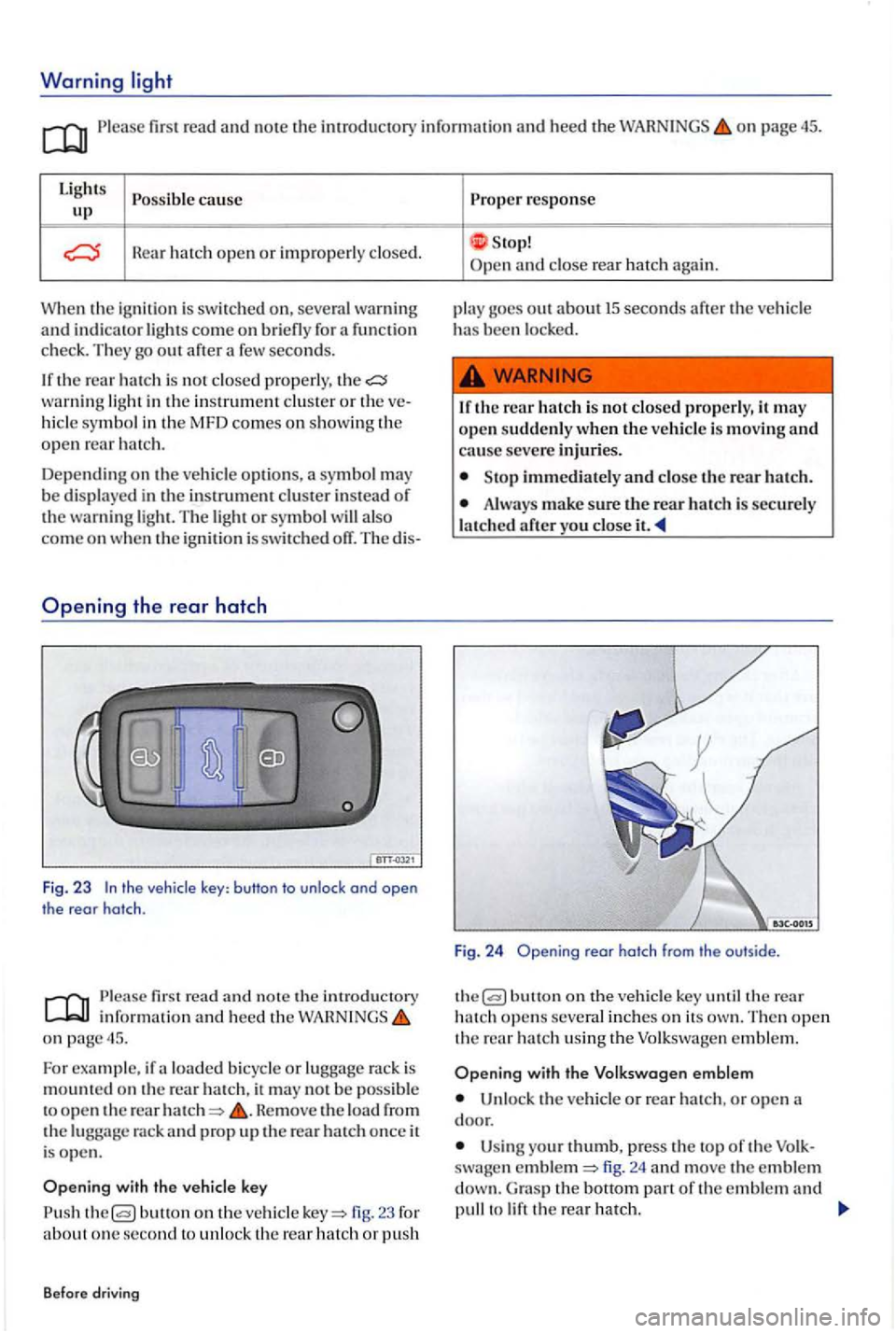
the vehicle key: button to unlock ond open
the rear hatch .
first read a nd n ote th e introducto ry inrorm atio n and heed t he o n page 45.
Fo r example, ir a lo ad ed b icy cle or lu gg age rac k is
m oun te d on the rear ha tc h , it m ay no t b e poss ible
t o o pe n th e rear He move the load rrom the rack and prop u p the rear ha tc h once it
i s ope n .
butto n on th e ve hicle 23 ror about o ne se cond to unl o ck th e re ar hatch or p ush
B efore dr
iving
Prope r response
S top! and close rea r hatc h again.
p la y goes o
ut ab o ut 15 seconds arte r the ve hicl e has been l ocke d.
1 r th e r
ear hatch i s not closed p ro perly, it m ay
o pe n sudde nly w hen the vehicle is movin g and cause seve re injuri es .
Sto p immedi ately and close t h e rear h atc h .
Alwa ys make sure the rear h atc h is sec u re ly
l a tc h ed
butt o n on the ve hicl e key th e rear hatch open s several in ch e s o n its The n open th e rear h a tc h usin g th e Volkswa gen e m ble m .
with the V olk swagen emblem
Un loc k th e ve h icl e or rear hatch , o r o pen
U sin g your thumb, p ress the to p or th e swa gen fig. 24 and move the e mble m G ra s p the bott o m part or th e e mble m and to
Page 55 of 541
Programming the garage door opener
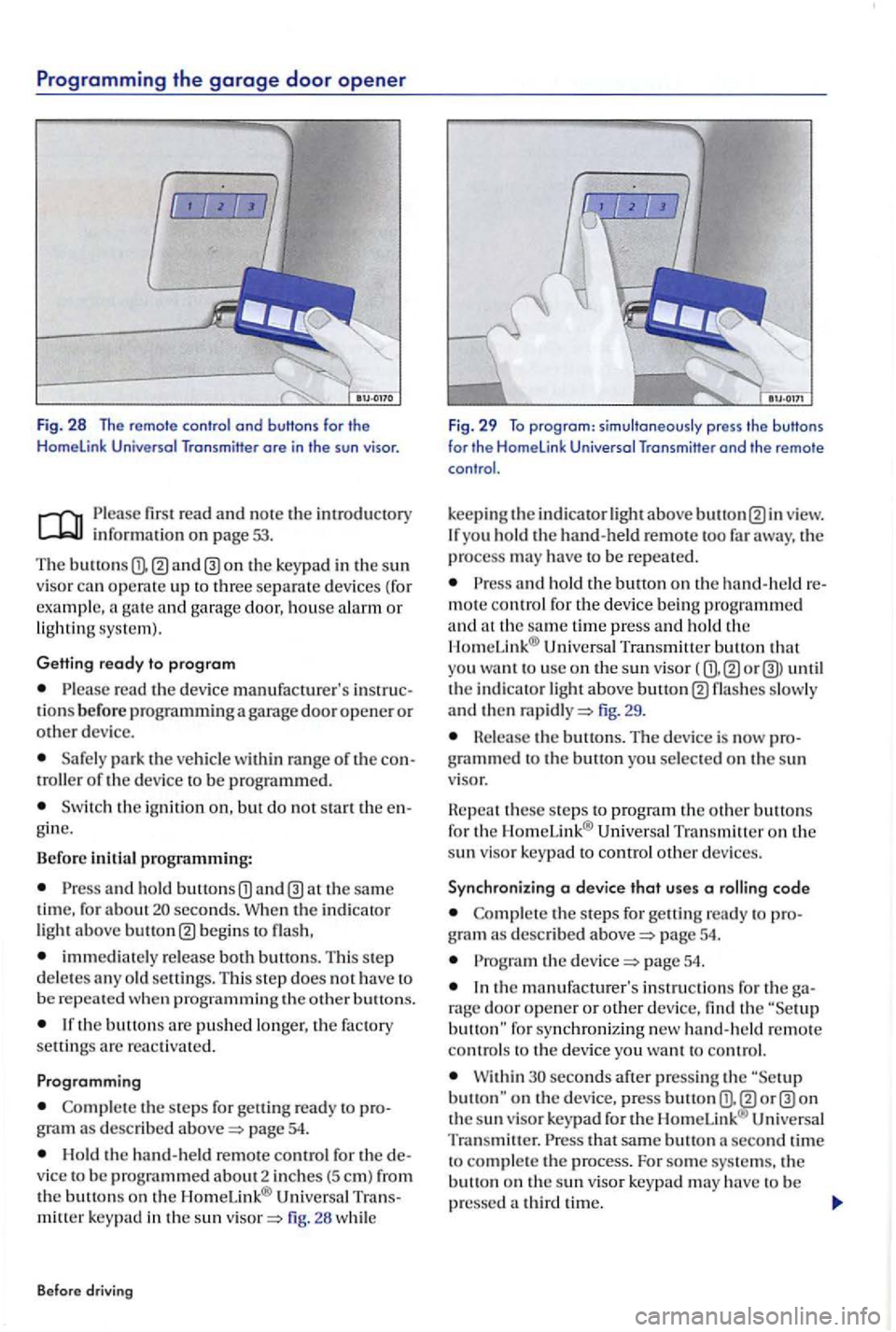
Fig. 28 The remo te contro l ond buttons for the Homelink Universal Transmitter ore in the sun visor.
fir s t r ead and note th e int ro d uctory info rm ation on page 53.
The buttons
read the dev ic e manufacturer's tions b efo re programmin g a gara ge door open er o r dev ice.
Sa fe ly pa rk t he o f the d evic e to b e programmed.
S w itch the ig nition o n, but do no t sta rt the gin e.
B efo re initial
programming:
and ho ld b utton s seconds. Whe n th e indic at or light above begin s to
immedi a te ly rel ea se both buttons. T his s te p
d e letes an y o ld se ttin gs. Thi s s te p does h av e to
b e
th e s te ps for getti ng ready to gram a s describ ed pag e 54.
Hold the han d -h e ld remote contr o l f or the
m itt er key pad in the sun fig . 26 whil e
B efo re
driving
Fig. 29 To program : simultaneously press the buttons
for the Home link Universal Transmitter end the remo te
control.
k
eepi ng the indica to r ligh t above view. yo u ho ld the hand-held remote too far away, the process may have to be repeate d .
and ho ld the button o n the hand-held m ote contro l fo r th e device bein g prog rammed and at the sa m e time press and ho ld the Un iv e rsal Tran smitter button th at
yo u want to use on th e sun visor ( until the indi c a to r light abov e fig. 29 .
Hele ase the buttons. The device is now
these ste ps to p rogra m th e o ther buttons
f o r th e Hom eLink® Universal Tra nsmitt er on the
s u n visor k ey p ad to contro l o ther dev ic es.
S y nchronizing a
device that uses a
the steps for ge tt in g re ad y to g ra m described page 54.
the page 54.
th e m anufacturer's instr u c tions fo r th e rage door o pe ne r or other device, find the button " fo r synch ron iz ing new han d-h eld remote
co ntro ls to th e device yo u wa nt to co n trol.
W ithin second s aft er p ress ing the on th e su n visor ke ypad for the H om cLink ® Uni versal
Tran sm itter. t h at sa me button second tim e
t o comple te the process. For som e sys te m s. th e
b u tto n on t he s un visor key p ad m ay have to be
pressed