service VOLKSWAGEN GOLF PLUS 2004 Workshop Manual
[x] Cancel search | Manufacturer: VOLKSWAGEN, Model Year: 2004, Model line: GOLF PLUS, Model: VOLKSWAGEN GOLF PLUS 2004Pages: 541, PDF Size: 98.86 MB
Page 385 of 541
work perform ed in an em erge ncy to rect ify
a n unsa fe conditio n attrib uta bl e t o Volkswagen , provided yo u have taken steps in a timely
m anner to p ut the ve hicl e back int o a con
f orming con ditio n , o r
the use of an uncertifi ed p art or to no ncomplia nce witl1th e i nstruc tio ns for proper main te
n an ce and usc, whic h is not re lated to S mog C hec k in sp ec tio n f ailure
yo u provide t hese records to th e new owner w heneve r
you sell the veh icle.
Failu re to maint ain your vehicle acco rding to the in stru ction fo r pro per m aint enan ce m ay cause the ve hicl e to exceed applicable e missio ns stan dard s and co uld res ult in denial o f warra nty covHowever. Volkswage n will not deny wa r
ra nt y cla im solely on th e bas is of your f a ilure to
m aintain the ve hicl e accord ing to the instru c
ti ons or fai lu re to kee p
may impair th e effectiveness of e mi ssio n
co ntrol sys te m s. Altho u gh usc o f parts oth er
th an Genuine Volk swagen part s does n ot in validate these warran ties, Volkswagen assumes no liabil ity unde r these wa rrant ies for failur e of su ch parts and damage to o ther parts caused by
s u ch failur e
Maintenance and repai rs performed b y inde
pendent service shops
invalidatin g these warra nties , yo u m ay
c h oose to have maint en a nce, repair or replace
ment of e missio n control compo nent s per
f o rmed by a ny a utomotive serv ice establi sh ment or individual q ualified to perform s u ch
services. Howeve r, th e cost o f su ch serv ices is
n ot co vered by these warranties except in em ergencies . If th e independent serv ice esta bli sh ment find s a wa rrantable defect, you m ay delive r
th e vehicle to an a uthorize d Volkswagen deale r
a nd have the defec t corrected free of c h arge. Volk swagen will not be liable for any expenses which you h ave in curred at th e independent servic e esta bli shment, except for emergency re
p air s. for further
scheduled for in spectio n
o r rep lace ment mai ntenance int erv als speci
ranty perio d.
Page 386 of 541
Damage to non-warranty parts
If failure of a warranted part causes damage to a part not covered by wa rranty, the non-war
ran ted part will also be rep laced free of charge.
Warranty repairs while traveling in Canada
Warranty repairs whil e trav eling in Can ada should be performed by an authorized swage n dealer. If your Volkswagen model is
w ithin th e
residence is
requir ed. If th e Ca nadian dealer cannot submit your warra nty claim, yo u may be asked to pay for the repair. your return to the please present th e in vo ice to you r
A stateme nt exp laining the circums tances that prevented you from gettin g to an authorize d Volk swage n deale r,
Paid receipt (s),
Re pai r order(sl. an d
Part(s) removed from your Volkswagen
mod el
Dama
ge cause d by tampering , use of improper
Man ual, and abuse, neglect or im
proper maintenance of th e vehicle. Diagnos is and repair of s u ch damage are at th e ex pense o f the owner.
warranti es
Any
implied warranty, including an y warranty of merchantability or warranty of fitness fo r a particular purpose, is limit ed in duration to the stat e d p eriod of these wri tten warranties.
tion of incidental or co nsequential damages, so
thi s limitation or ex clu sio n may not apply to
you.
Tips
In the event you have not received the services promised in these warranties, please follow tl1e procedures described in the warranty and maintenance booklet und er the titl e "Cu stomer
Page 399 of 541
Introduction
In this section you'll find information on the follow
ing :
Mobil e phone package component s
....... .
Multi-func tion stee
ring whee l ............. .
W ipe r leve r
............................ .
Three-bu tton modu le .................... .
Cradle with buttons for information and
6
7
7
8
More information and warnings:
instruction s 4
General in fo rma tion 5
Ope rat ion page 1
A light touch of the button is sufficient for the service call s ............. .............. . 9 operation of the mobile phone p ackage.
bile phone packages with different controls ca n be
in stalled.
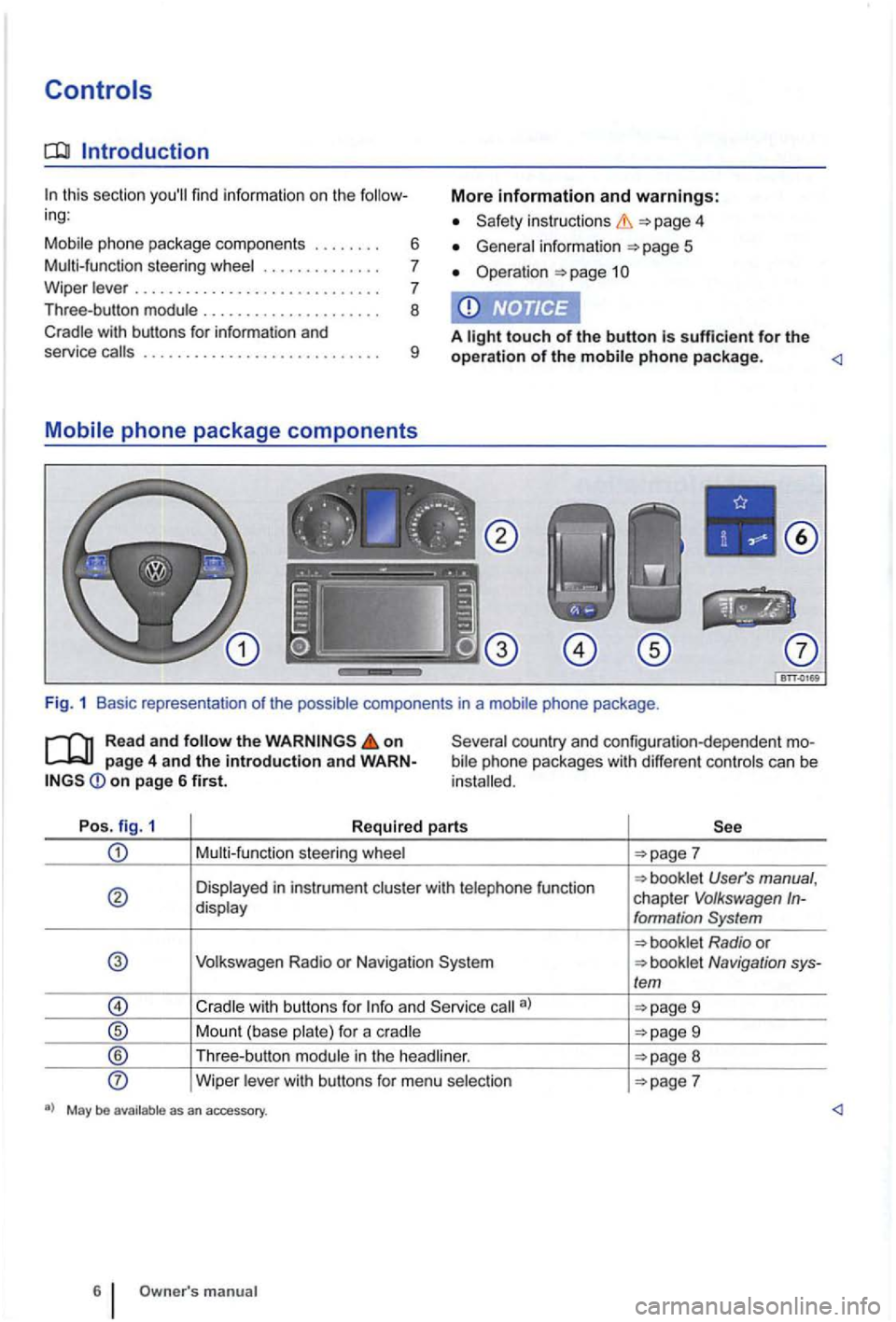
Po s. fig. 1
Required parts
Multi-funct ion steering whee l
User's manual , chapter V olkswagen In-display formation System
Volkswagen Radio or N avigation Navigation sys-/em
9
Mount (base plate) for a c radle 9
® Th ree -button module in the head liner. 8
Wipe r lever with bu ttons for menu selection
manual
Page 401 of 541
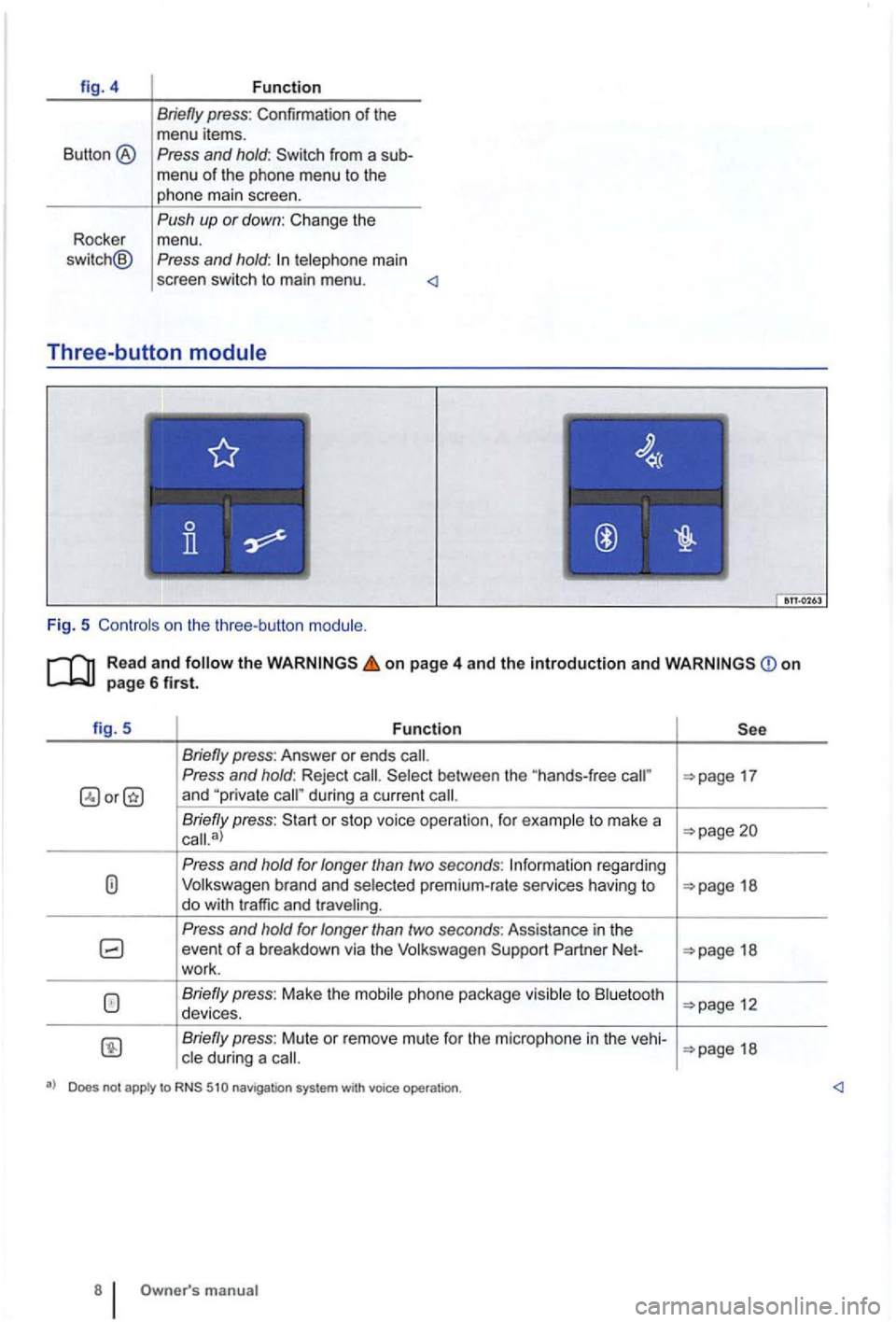
fig. 4 Function
Briefly press: Confirmation of the me nu items .
Button ® Press and hold:
main
scree n sw itch to main menu .
Three -butto n
Fig. 5
Read and the on page 4 and the introduction and on page6first.
fig. 5 Function
P ress and hold: Reject 17 and during a current
Briefly press : or sto p voice operation , for to mak e a a)
Press and hold for longer than two secon ds: brand and premium-rate services having to 18 do w ith traffic and
Press and hold for longer than two seconds : Assistance in th e event of a breakdown via the Partner Net-18
wo rk.
to
Briefly press: Mute or re m ove mute fo r the m icrop hone in the vehi-18 during a
a) Does not apply to
Page 405 of 541
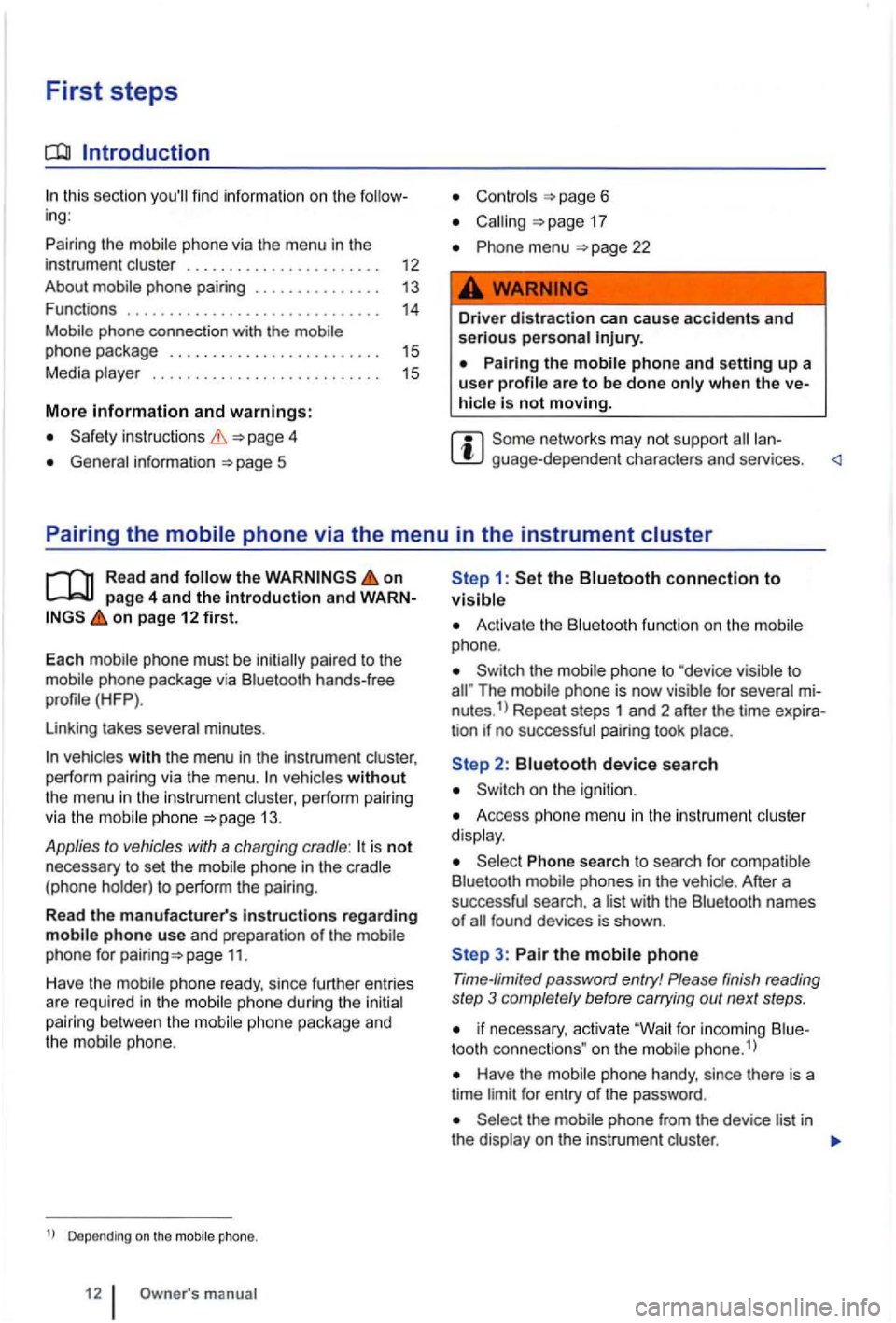
First steps
Introduction
this section
and warnings:
inst ructions 4
General information 5
Controls page 6
17
menu 22
Driver distraction can cause accidents and serious persona l
hicle is not moving.
guage -depend ent chara cters and services .
Pairing the
Read and on page 4 and the introduction and on page 12 first.
E
ach mobile phone must be initia lly paired to the
mo bile phone packag e via Bl uetooth hands-free
profile (HFP
).
Linking takes several minutes .
vehicles without the menu in the instrument cluster, perform pairing
via the mobi le phone 13 .
Applies to vehicles with a charging cradle: is not necessary to set the
phone package and
the mobile phone.
Depending on the
1: the Bluetooth connection to visible
Activate the Bluetoot h function on the mobile
phone.
Th e mobile phone is no w visible for several nutes.1> Repeat steps 1 and 2 after the time tion if no successful pairing took place.
Access ph one menu in the ins trum ent cluster
d isp lay.
Phone search to search for comp atible
B luetooth phones in the vehic le . After a
successful search , a l ist with the Bluetoot h names of
3: Pair the mobile phone
Time-limited password entry! Please finish reading
step 3 completely before carrying out next steps .
if n ecessary, activate "Wait for inco ming tooth connec tions " on the mobile phone.1
)
Have the mobile phone handy, since there is a
time limit for entry of the password .
phone from the device list in the display on the instrumen t cluster .
Page 411 of 541
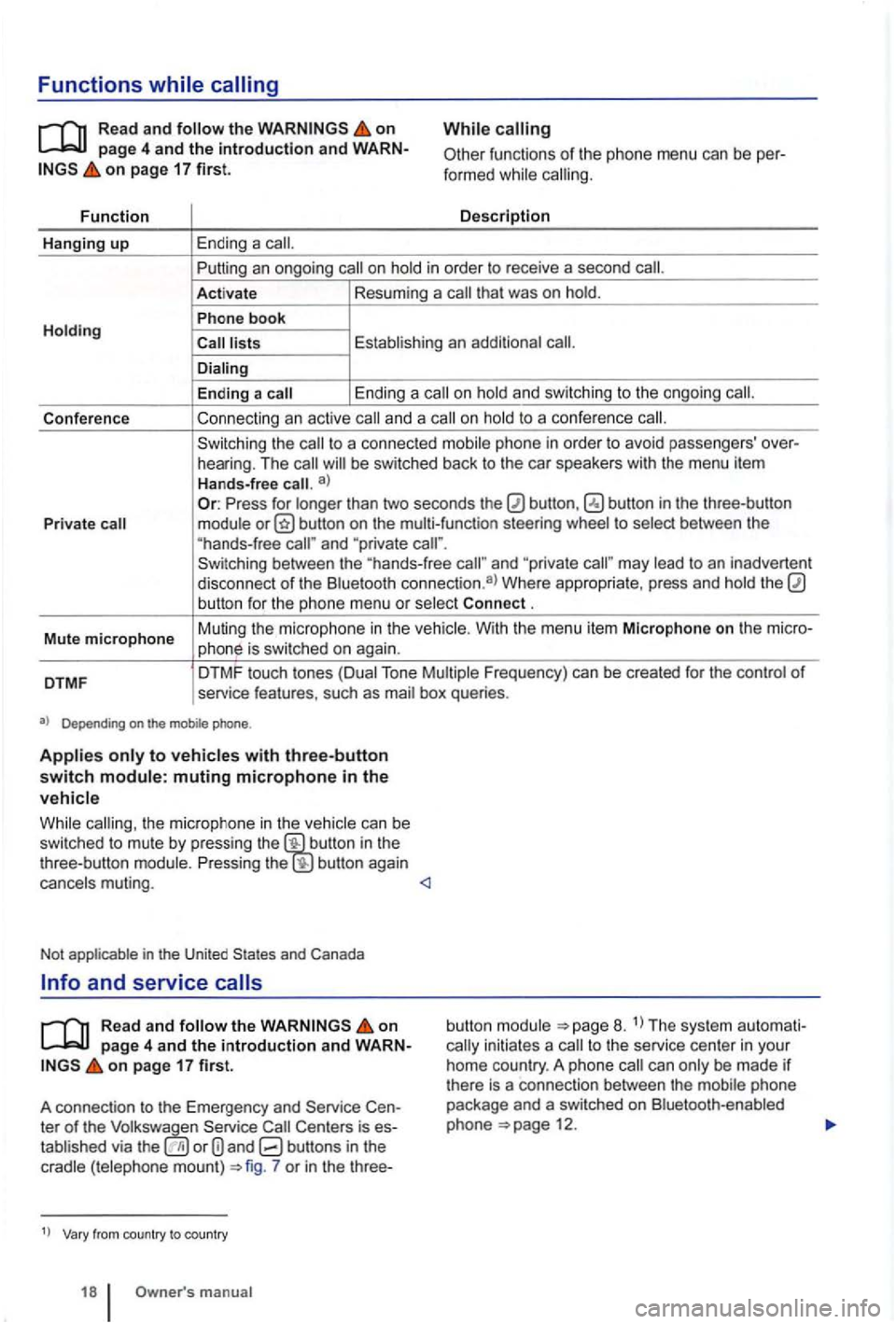
Functions
on page 4 and th e introduction and on page 17 first.
Fu n
ction
Hanging up Ending a call.
While
functions of the phone menu can be calling.
D
escr iptio n
Putting
an ongoing call on
P hon e book
call .
En ding a Ending a call on
to a confe rence call.
the call to a connec ted phone in order to avoid passengers'
Press for than two seconds the to and "private and "priva te may
.
Mut e
microp h one Muting
the microphone in the
Tone
Depending on the
the mic rophon e in th e bu tton in th e
t hree-button button again
and Canada
and service
Rea d an d the on pag e 4 and th e introduction and on pa ge 17 first.
A connec tion to the Emergency and
ter of the the or 7 or in the three-
1
) from cou ntry to country
18 Owne r's
button The system to the service center in your
h ome country . A phone call can
phone 12.
Page 412 of 541
These services may not
be
Page 437 of 541
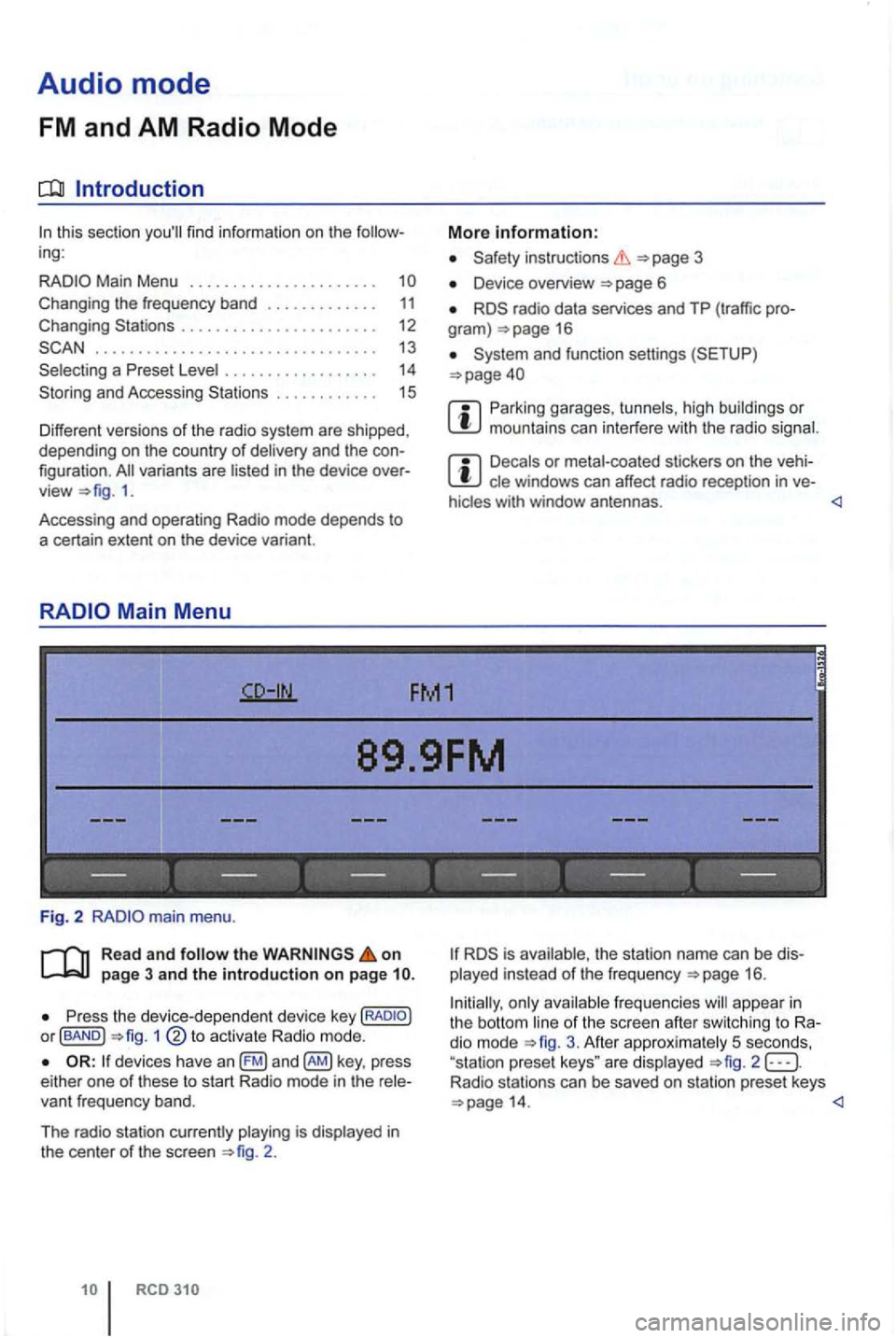
Audio mode
FM and AM Radio Mode
Introduction
ing:
. . . . . 11 Changing . . . . . . . . . . . . . . . . . . . . . . 12
. . . . . . . . . . . . . . . . . . . . . . . . . . . . . . . . . 13
. . . . . . . 14
and Accessi ng . . . . . . . . . . . . 15
Different versions of the radio system are shipped,
depending on the country of deliv ery and the
1.
Accessing and operating Radio mode depends to
a certain extent
on the device variant.
Device overview 6
radio data services and TP (tr affic gram ) 16
Parking garages, tu nn els , h ig h buildin gs or mountains can in te rfere with the radio signal.
Decals or metal-coated stickers on the cle windows can affect ra dio recep tion in ve -
hicles with window antennas .
89.9FM
------------------
Fig. 2
Read and follow the on page 3 and the introduction on page
P ress the device -d ep en dent devic e key or fBAND ) 1
devices have an key , press
e ither one of these to s tart Radio mode in the
2 .
is ava ilable, th e s tation name can be played instead of the frequ e n cy 16 .
Initially, only ava
ilable freq ue ncies will appea r in the bott om line of the sc ree n afte r sw itc hing to dio mode 3. Afte r approx imately 5 seco nds,
"sta tion prese t keys " are disp layed 2 Radio stations can be saved on station preset keys
Page 443 of 541
Introduction
(r ad io data system) is a radio data service
w hich functions, such as the dis
is not supported by devices or r adio sta
tions and is not
function can be
No
Access the system settings to the
c urrent station at its in areas that support
ALTERNATIVE FREQUENCY
The
3
Device overview
Radio mode
for trans -mitted content.
TP FM1
--------------- ---
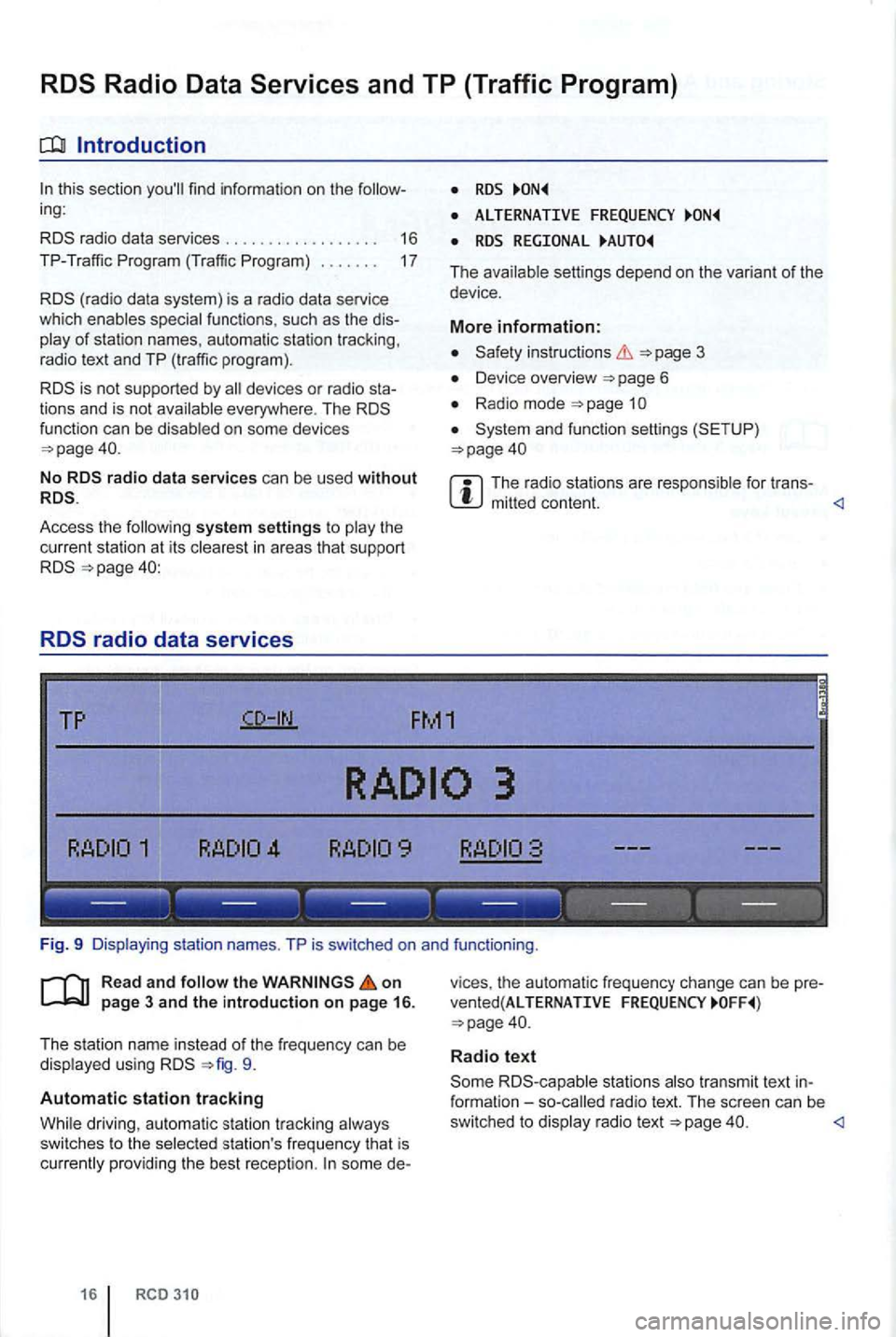
Fig. 9
on
using 9.
Automatic station tracking
some de-
16
v ices , the automatic frequency change can be pre
vente d(AL TERNATIVE FREQUENCY
Radio text
stations radio text. The screen can be
swi tc h ed to radio text
Page 482 of 541

embedded in the tire
embedded objects have penetrated to the side tire, do not remove them!
Get help immediately .
Tire wear
Driving style .
Unbalanced wheels .
Whee l al ignment.
Driving style-Fast cornering , hard accele ration
and braking increase tire wear.
deale r o r an Authorized
Unbalanced wheels-The wheels on a new
anced . Unbalanced wheels can cause wear to the
steer ing and suspension systems . Have
Wheel alignment -wheel alignmen t
causes excessive and uneven tire wear , impa iring
vehicle safety.
dealer or an Authorized Service Facility .
Unusual vibrations or to one side can
Reduce speed immediately and stop when it is safe to do so .
tires and wheel rim s for damage.
and drive to the nearest authorized
Volk swage n dealer or an Authorized gen Facility and have the vehicle checked .
Fig. 2 the engine compartment covers in the left hea dlight.®
is not necessary to dismantle the headlight as-
sembly to replace a light bulb.
Changing bu lbs