ignition VOLKSWAGEN GOLF PLUS 2004 Owners Manual
[x] Cancel search | Manufacturer: VOLKSWAGEN, Model Year: 2004, Model line: GOLF PLUS, Model: VOLKSWAGEN GOLF PLUS 2004Pages: 541, PDF Size: 98.86 MB
Page 18 of 541
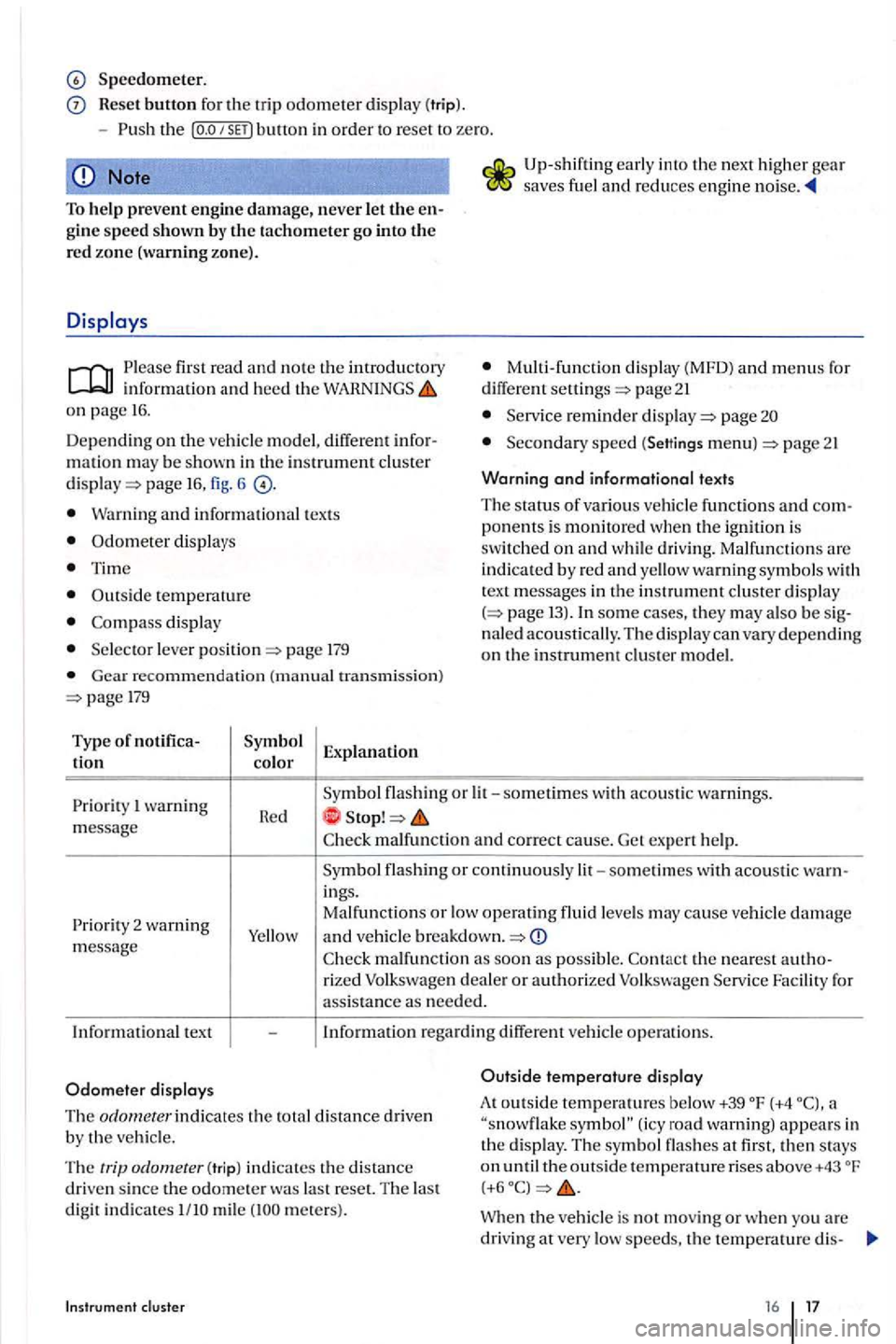
Speedometer.
Reset button for the trip odometer di spl ay (trip).
Note
To help prevent engin e damage, never let the engine speed shown by th e tachometer go into the re d zo ne (warning zone).
first read and note th e introductory
o n page 16.
Dep ending on the vehicl e model, different infor
mati on m ay be shown in the in strument cluster page fig. 6
Warning and information al texts
Odometer displays
Time
Outs id e temperatur e
display
l ever page 179
Gear r ecommen dation (manual tran smi ssion) 179
Type of notifica
tion color Explanation
Up
-shifting early into the nex t higher gea r saves fuel and r educes engine
M ulti -function display (MFD) and menus fo r
diff ere n t page 21
reminder pag e
Seco ndary sp ee d (Settings menu) p age 21
Warning
and informational texts
The status of variou s ve hicle functions and com
p onents is monitored when the ignition is swit ch ed on and w hil e dri ving. Malfunctions are
indi cated by red and yellow warning symbols w ith
t ex t m essage s in the in strument clu ster dis pla y 13). In som e ca se s, they may als o be s ig
naled acou stically . Th e di splay can va ry depending on the instrument clu ste r model.
wa rning
m essage R
e d
malfu nc tion and correct cause. Get ex pe rt help.
malfun ction as soo n as possibl e. Facilit y for ass istance as nee ded.
In
formation rega rdin g diff ere nt vehicl e operation s.
Outside
temperature display
The odornecer indicates the total distance driven
b y the vehicl e. A
t
outsid e tempe ratures below +39 (+4 (icy road warning) appears in
th e disp lay. Th e symbol flas hes at first. then stays on Th e trip odometer (tr ip ) indi cates the distanc e
dri ven sin ce the od omete r was la st reset. T he las t digit indicates mil e mete rs ). When the vehicle is not mo vin g or when you are
driving at very low speeds, th e te mp erature dis-
16 17
Page 23 of 541
Auto matic close
Autom atic open
- Doo r opening fun cti on 2)
Manual
A
uto mati c
-
-Window operation
All
Dri ve r
- Mirr or l
owering func tion I
- Mirror adjustment
Syn chronous
Indi vidual
Factory settin g
Using menus in the instrument cluster
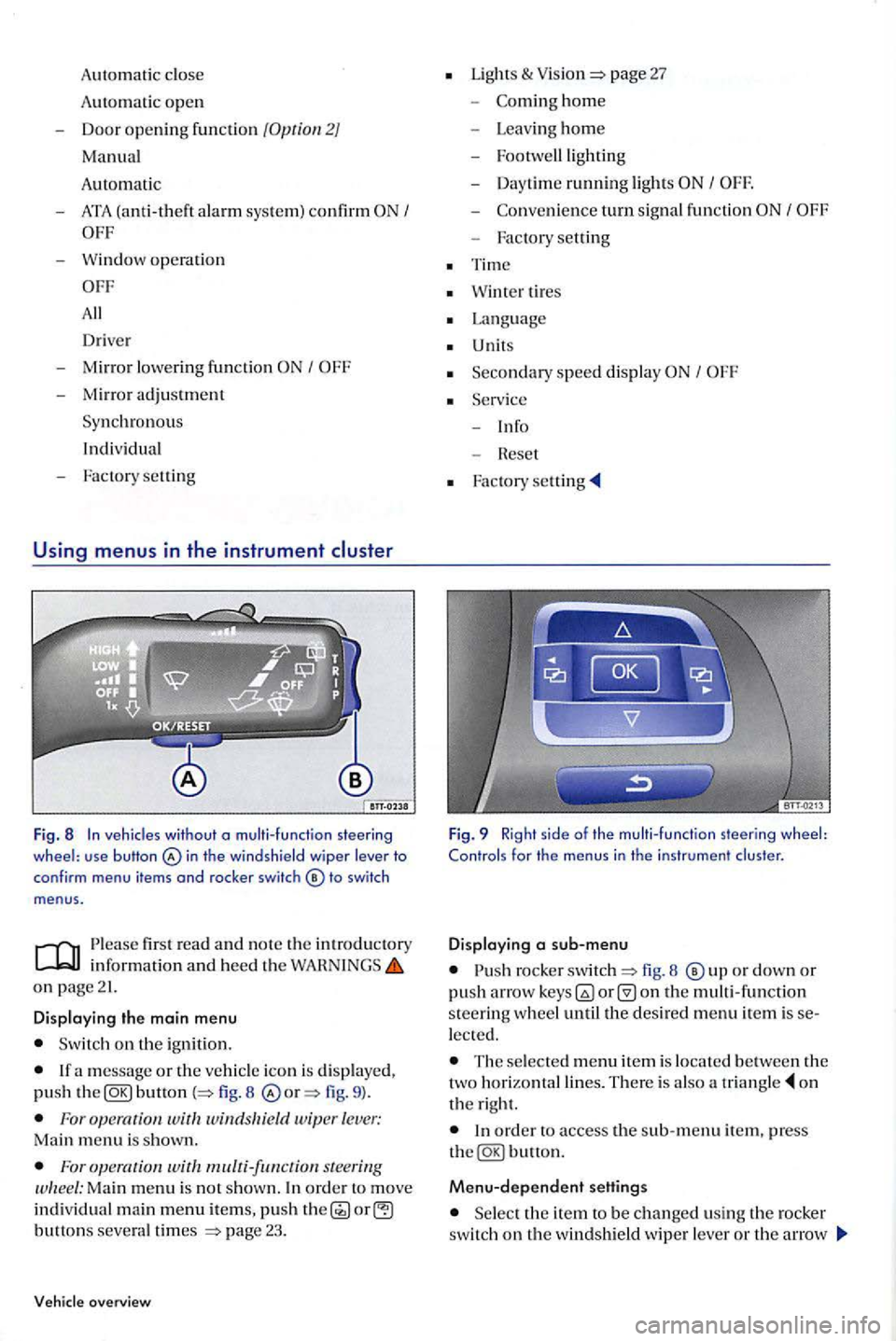
Fig. 8 In veh icles without o multi-function steering wheel: use button in th e windshield wiper lever to
conf irm menu items and rocker switch
firs t read and n o te th e in trodu ctory
on page21.
Displaying the main menu
Switch on the ignition.
button 8 fig. 9 ).
For wit windsltield wiper lever: Main menu is shown.
For s teering Ma in menu is no t show n. In ord er t o move individual main menu items, push button s severa l times page 23.
overview
Lights & page 27
-hom e
- Leav ing ho m e
- Footwe lllig
hting
- Day time ru
nning light s I
-turn signal fun ction
- Factory setting
Tim e
Wint er tires
Language
U nits
Seco n
dary speed displa y I
Fig. 9 Right side of the multi-function steering wheel: Controls for the menus in the instrument cluster.
Displaying a sub-menu
rocke r fig. 8 o r down or push arro w on the multi -function s teerin g w heel until the desired menu item is lected.
The selecte d m enu item is locate d b etween the
two horizonta l lines. The re is also a o n
t h e right.
Menu-dependent settings
Se lect the ite m to be changed usin g th e rocker switch on the windshield wipe r lever or th e arrow
Page 25 of 541
MFD menu
Please first read and not e the introductory information and heed the on page21.
memory. The number of the trip memory is shown at the upper right of th e di splay.
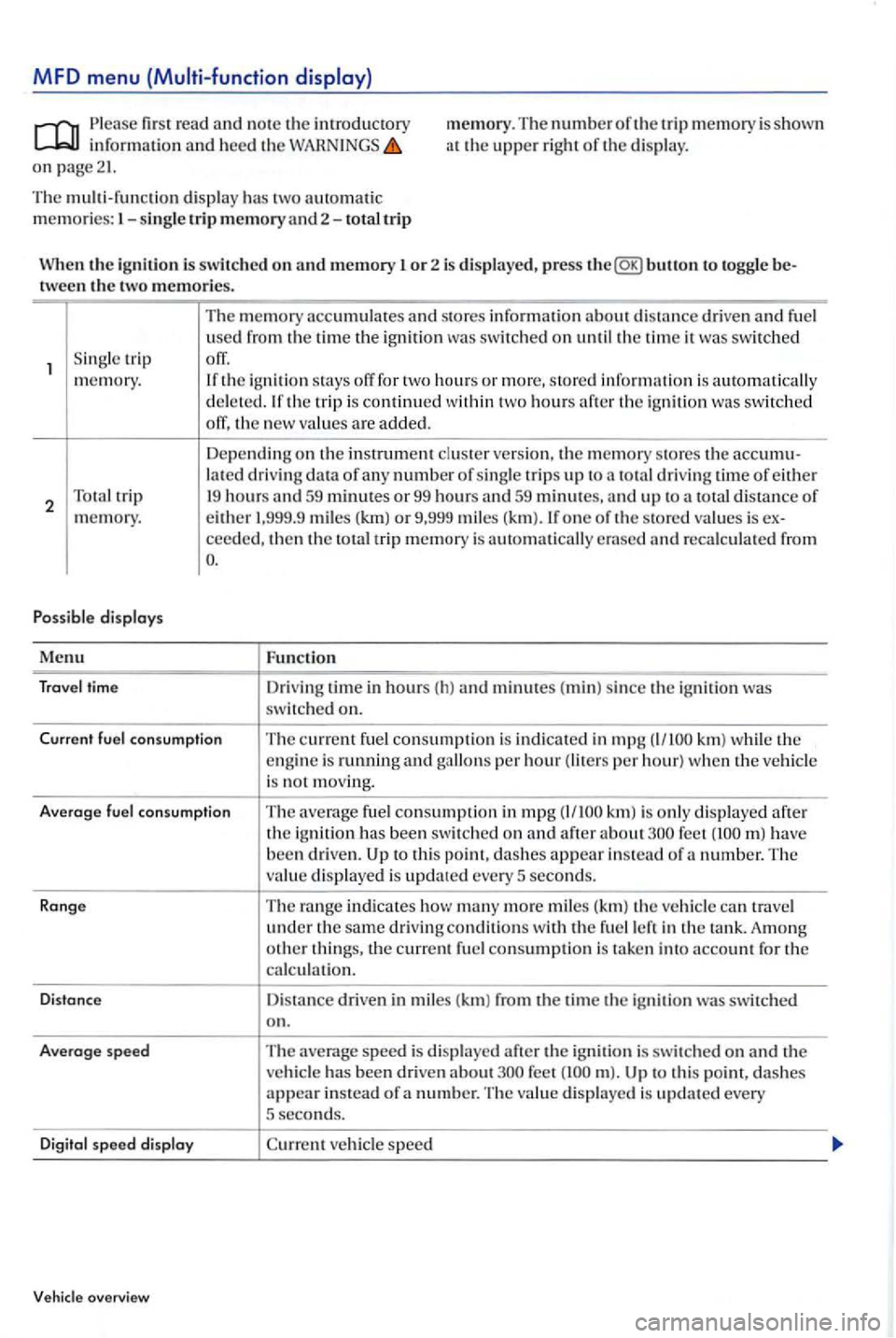
The multi-function displ ay has two automatic memories:
the ignition to toggle tween the two memories.
S in gle trip
memory.
2
s tores information about d istance driven and fuel
u se d from the time the ignition
switched off, the new va lues are added.
Dependin g on the in strument cluster ve rs ion, the m emory stores the lat ed driving data of a ny number of sing le trip s up to total driving time of either 19 hours
ceed ed, then the total trip memory is
Function
Dri ving time in hours ( h) and minutes (min) si nce the ignition was switched on.
Current fuel co nsump tion
The current f u el consumption is indicated in mpg km) the engine is running and per hour) w hen the ve hicle
i s not m ov ing.
Averoge
fuel co nsum ption The average fuel consumption in mpg after about have been driven. to this point, dashes appear in stead of a number. T he
v alu e displayed is update d every 5 seconds.
Ronge
The range indicates how many more mi les (km) the veh icle travel under the same dri ving conditions w ith the fuel
speed is di splayed after the ignition is switched on and the ve hicle has been driven about to thi s po i dashes appear in stead of a n umber. Th e va lue displayed is updated every 5 second s.
D
igit o l speed disploy vehicle speed
Vehicle overview
Page 28 of 541
Lights & sub-menu
Ple ase first read and note the introductory in formation and heed the on page 21.
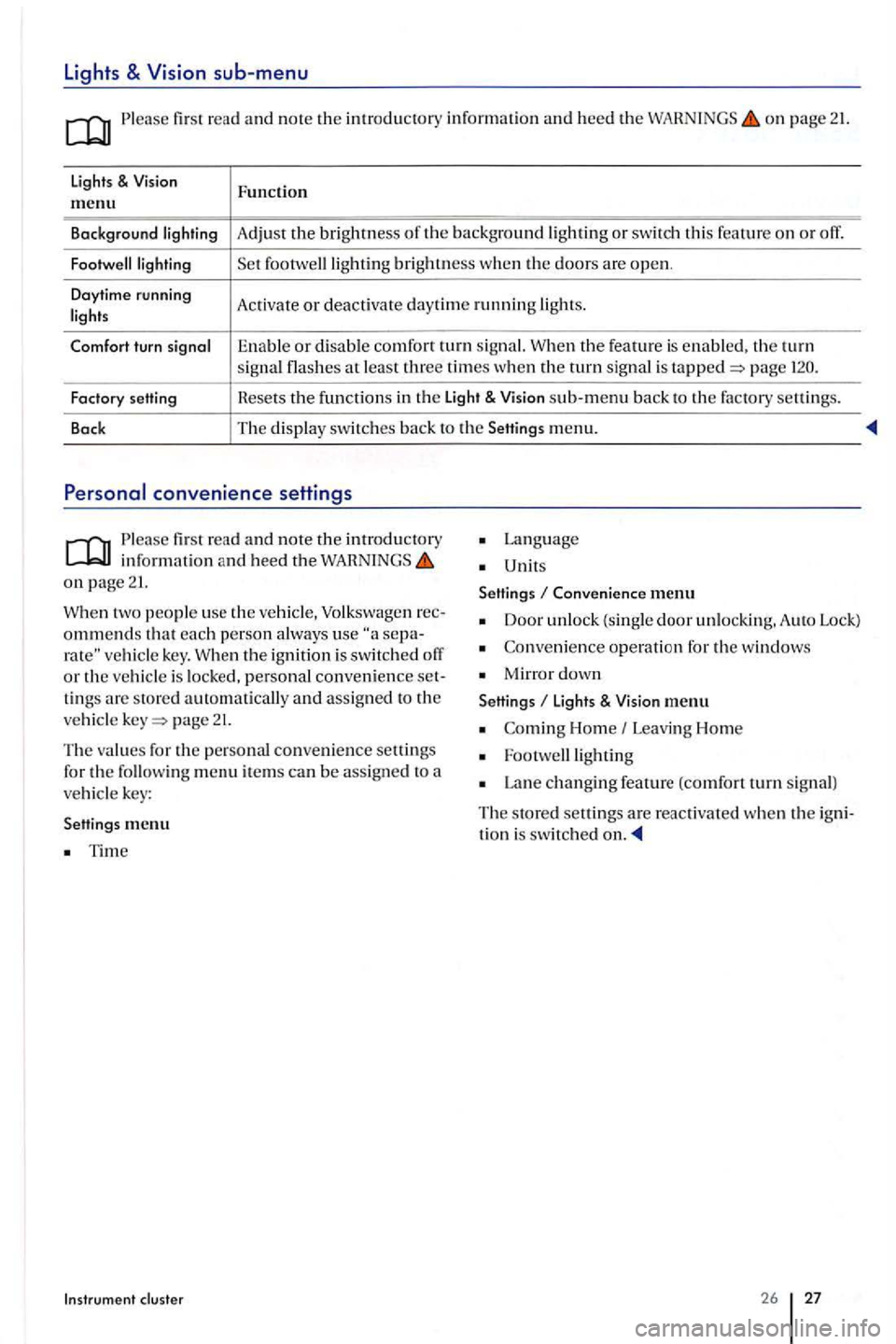
lights & Function m enu
Background Adjust the brightness th e background or swit ch thi s feature o n or off.
brightness w he n the doors are open .
Daytime running
Activate or deac tivate day tim e running
the feature is enable d . the turn signal at least three times when the turn sig nal is page
Factory setting Hesets the f
u nctions in th e Light & sub-m enu back to the factory settin gs.
Back The
display switc hes back to the Setting s menu.
Please first re ad and note the introductory in fo rmatio n and heed the on page 21.
two people use th e ve hicle, Volkswage n ommends that each p erson a lways use vehicle key. th e ignition is swit ch ed o ff or the vehicl e is locked, personal convenience tings are store d automatically and assign ed to the
ve hicl e page 21.
The values for the personal convenience settings
for the followin g m enu item s can be assig n ed to a vehicl e key:
Settings me
nu
Tim e
Instrum ent cluster
Lan g uage
Unit s
Settings
Conven ience menu
Door unlock (single door unlockin g. A uto Lock)
Co nveni ence operati on for the windows
Mirro r down
Settings li ght s & menu
Home Leavi ng Hom e
Lan e changing feature (comfort turn s ig n al)
The s tore d settings are reac tiva ted whe n the tion i s switched
26 27
Page 43 of 541
minutes. onl y the outer button on the driver door is affected, o nl y thi s button is deactivat ed.
The sensors become active again if one of the following events occurs:
minutes have pass ed.
OR:The vehicle is unlocked usin g button in the vehicle key.
order to uti lize convenience closing of all power window s and the power sunroof. press the outer button on the door handle for at least
the outer button in ord e r to stop the process.lfthe outer button on th e door handle is acti va te d a gain immedia te ly aft er it relea sed,
all windows are ope n ed (safe ty fun cti on) page 48.
Anti-theft system
lir st read and note the introduc tory information and heed the on page38.
The anti-theft alarm sys te m makes it more difficult
for someon e to break into or ste al the vehicl e.
The anti-theft alarm system is automati cally acti vated when th e ve hicle is locke d b y pressing the lock button on th e vehicle key (remote control
k ey).
When is the alarm trigg ered?
The anti-theft a larm system sounds fo r ab out seconds and fla shes the turn signals fo r up to minutes if the f ollowing a c ti ons are performed on the locke d vehicl e:
Opening been mechanic ally unlo cke d and not swit ching on the ig n ition w ithin about
Forcibl y opening a door.
Forcibl y opening the engin e hood.
Forcibl y opening the rear h atc h .
on the ig nit io n an invalid or unprogrammed key.
Before driving
Door opening is performed ac cording to the settings ac tivate d in the corresponding m enu Settings -Convenience a door handle is being
page
at least o ne power window is open and the sensor i s continuously activated, the convenience clos ing starts .
page
the ele c troni c ste e rin g column lock will not lo ck and the ve hi cle
hide ke y is discharged or it might not be possibl e to unlock and lo ck the vehicle using
D isconnecting the vehicle battery.
Deactivating the alarm
Unlock the ve hicl e with the unlock button on the vehicl e key or swit ch on the ignition with v alid vehicle key.
aft er the alarm h as stoppe d, the v ehi cle is opened aga in in the same or a differ ent area pro tecte d b y the alarm, the alarm sound again if the rear h a tc h is o pen ed after one of the doors has been o pe ned.
T he anti-theft alarm sys te m i s not activa te d w hen th e vehicle is locke d with the lock swit ch
th e driv er door is unloc ke d u sing the ve
the ve hicle battery is disc harge d or weak, not w ork properly.
Page 47 of 541
Warning
Please fir st r ead and note th e introductory in rormatio n and heed the o n page 45.
Lights
Possible cause
u p
the ignition is sw itch ed on, several warning and indica to r ligh ts come o n brierly ror a ru nctio n
c h ec k. They go out a
the rear h a tc h is not clo se d prope rly . wa rnin g light in the i nstrumen t clu ste r o r the hicl e symbol in th e MFD comes o n showin g the ope n r ear hat ch .
D ep en d in g o n the ve hi
cle opti ons, a symbol m ay
b e di splayed in th e in strument clu ster in ste ad or
t h e warnin g lig h t. The ligh t o r symbol
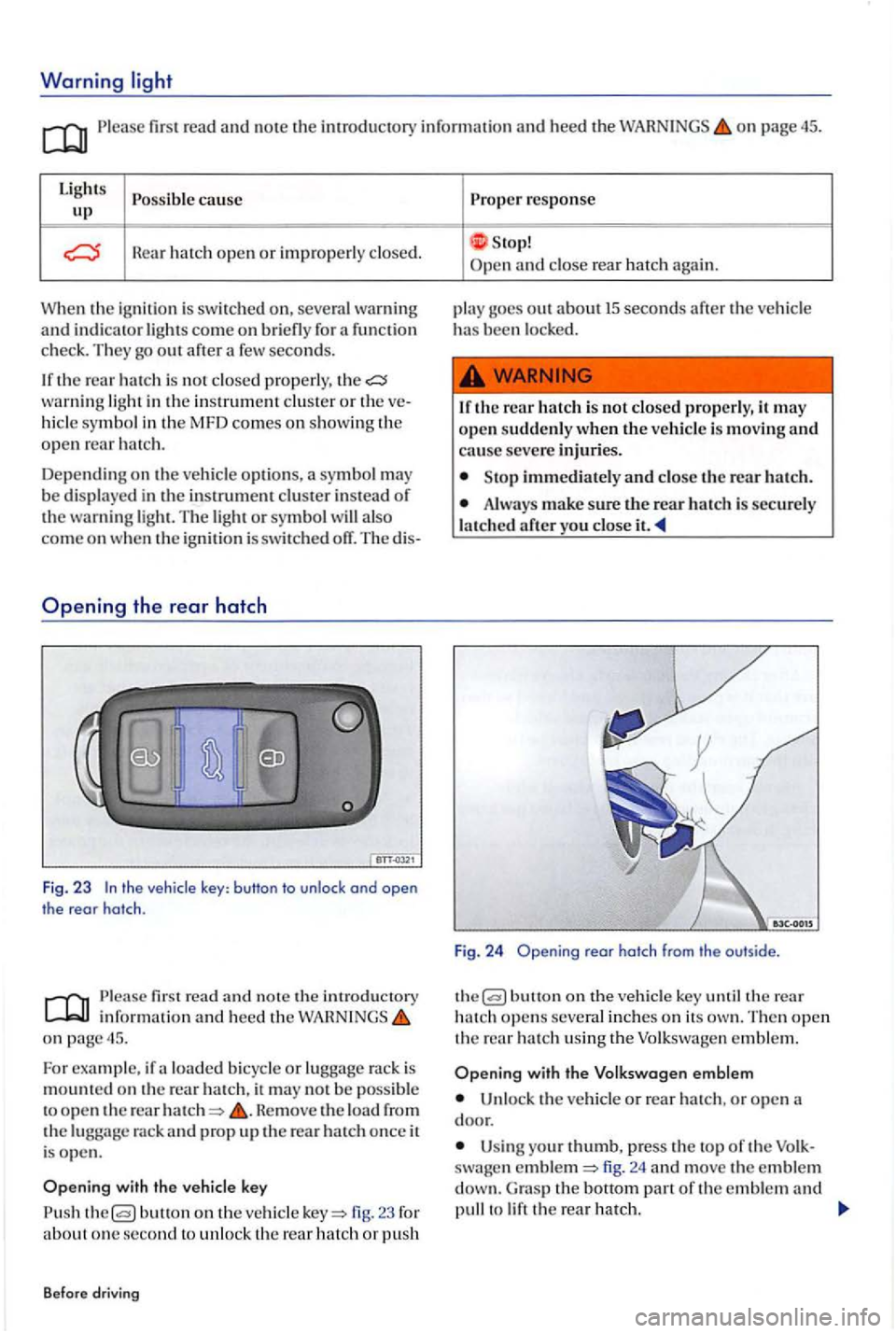
the vehicle key: button to unlock ond open
the rear hatch .
first read a nd n ote th e introducto ry inrorm atio n and heed t he o n page 45.
Fo r example, ir a lo ad ed b icy cle or lu gg age rac k is
m oun te d on the rear ha tc h , it m ay no t b e poss ible
t o o pe n th e rear He move the load rrom the rack and prop u p the rear ha tc h once it
i s ope n .
butto n on th e ve hicle 23 ror about o ne se cond to unl o ck th e re ar hatch or p ush
B efore dr
iving
Prope r response
S top! and close rea r hatc h again.
p la y goes o
ut ab o ut 15 seconds arte r the ve hicl e has been l ocke d.
1 r th e r
ear hatch i s not closed p ro perly, it m ay
o pe n sudde nly w hen the vehicle is movin g and cause seve re injuri es .
Sto p immedi ately and close t h e rear h atc h .
Alwa ys make sure the rear h atc h is sec u re ly
l a tc h ed
butt o n on the ve hicl e key th e rear hatch open s several in ch e s o n its The n open th e rear h a tc h usin g th e Volkswa gen e m ble m .
with the V olk swagen emblem
Un loc k th e ve h icl e or rear hatch , o r o pen
U sin g your thumb, p ress the to p or th e swa gen fig. 24 and move the e mble m G ra s p the bott o m part or th e e mble m and to
Page 49 of 541
Power windows
In thi s sec tion find lowi ng:
Opening and
windows-functions .. ................. .
Power window pinch protection
More information:
page 21
49
49
so
lockin g and clo sing page 38
Improper use of power windows can resuh in
Neve r let anyone get in the way of a pow er window when clo sing il.
B e for e dri ving
When locking the vehicle from th e outside, make sure that no one, especially children , main s in the ve hicle. The windows will not open in case of an emergency .
Always take the key with you when you l eave
th e vehicle. can still use the power windows
for severa l minutes after the ignition is switched
off as long as the driver or front passe nger d oor has not been opened.
When children are in the back seat, alway s
use th e
Page 52 of 541
Power sunroof
In this sectio n lowing:
Opening
or closing the power sunroof
Pinch pro tection lor the power sunroof
More information :
Volkswagen lnfom1ation page 21
page 38
Em erge ncy closi ng and p age 322
51
52
Improper use of the power sunroof can result in seri o us personal injury.
Always make sure that no one is in the way of th e power sunroof when it is clo sing.
Opening or
Always take the key with you when you leave
t h e ve hicle.
Never leave children or disabled persons in the vehicle -particularl y if th ey have access to
t h e ve hicl e key. Unsuperv ised usc of the vehicle
key makes it poss ible to loc k th e vehicle , s tart th e
e ngine, turn on the ignition and operat e the s liding and tilting roof.
In the event the sunroof pin ch prot ection docs not fu nction p roperly. an authorize d Volkswage n dealer or
a n auth orized Volkswage n Se rv ice
fir st read and no te th e imroductory information and hee d th e on page 51.
Turn fig. 27 rotary switch to th e desired tio n to set th e power sunroof in the tions:
Co mple te ly open.
H ai se d.
Th e
sunroof o nl y fun ctions w he n th e
headliner
Th e sliding h
eadliner opens with th e power roo f and can be closed when th e sunroof
i s
so 5 1
Page 69 of 541
Damage to safety belt s reduces their ef
fectiven ess increase s the ris k of seriou s perinjury is
b ein g used.
Neve r safety belt s beco me damage d by
b ei ng caught in the door or seat hardware.
Torn or frayed safety te ar, and dam
aged safety hardware break in accident.
Warn ing
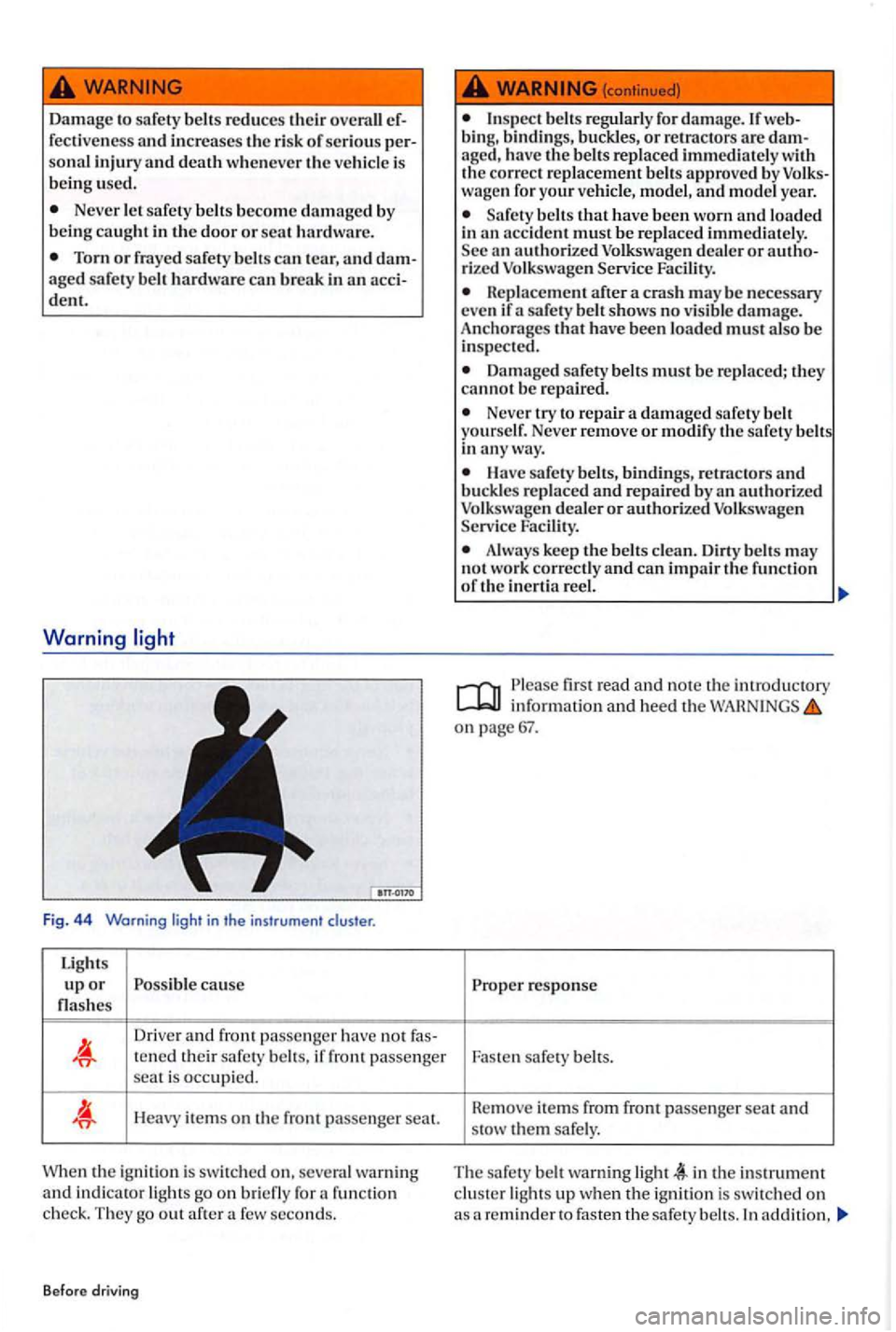
Fig. 44 Warning
Light s
u p o r cause
Driver and fron t pa sse nger have not fas-te n ed their safety if fron t passenger
sea t is occupied.
H eavy items on the front passenger seal.
the ignition is switched on. warning and in dica tor go on fun ction c he ck. They out after few seconds.
Before driving
for damage. If web
bin g, bindings, or re tra cto rs are damaged, have the approve d by wage n for your and year .
Safety that have bee n worn and in an accide nt must be
after a cras h may be nece ssary
eve n if safety sho ws no damage.
Anchorages that have been must
Damage d safety the y canno t b e re p air ed.
Neve r try to re pair a damage d sa fety Never remove or m odify th e safety
Have sa fety belts, binding s, retractor s and
or authorized Serv ice
k ee p the may
n ot work correct ly and ca n impair the function
o f th e in erti a
firs t rea d and note the introductory information and heed the on page 67.
Proper respo nse
Faste n safe ty
T he safety warning in the instrument
In add ition,
Page 70 of 541
you hear a warn ing chime. The warning light stop
when the driver and front passenger correctly fas ten their sa fety belts. If the safety belts have not been fastened when a speed of more than 15 mph is reached or if the safety be lts are unfastened
while the vehicle is moving , a warning chime for
up to seco nds. The belt warning light also
When the ignition is sw itched on, the warning
and of phy sic s
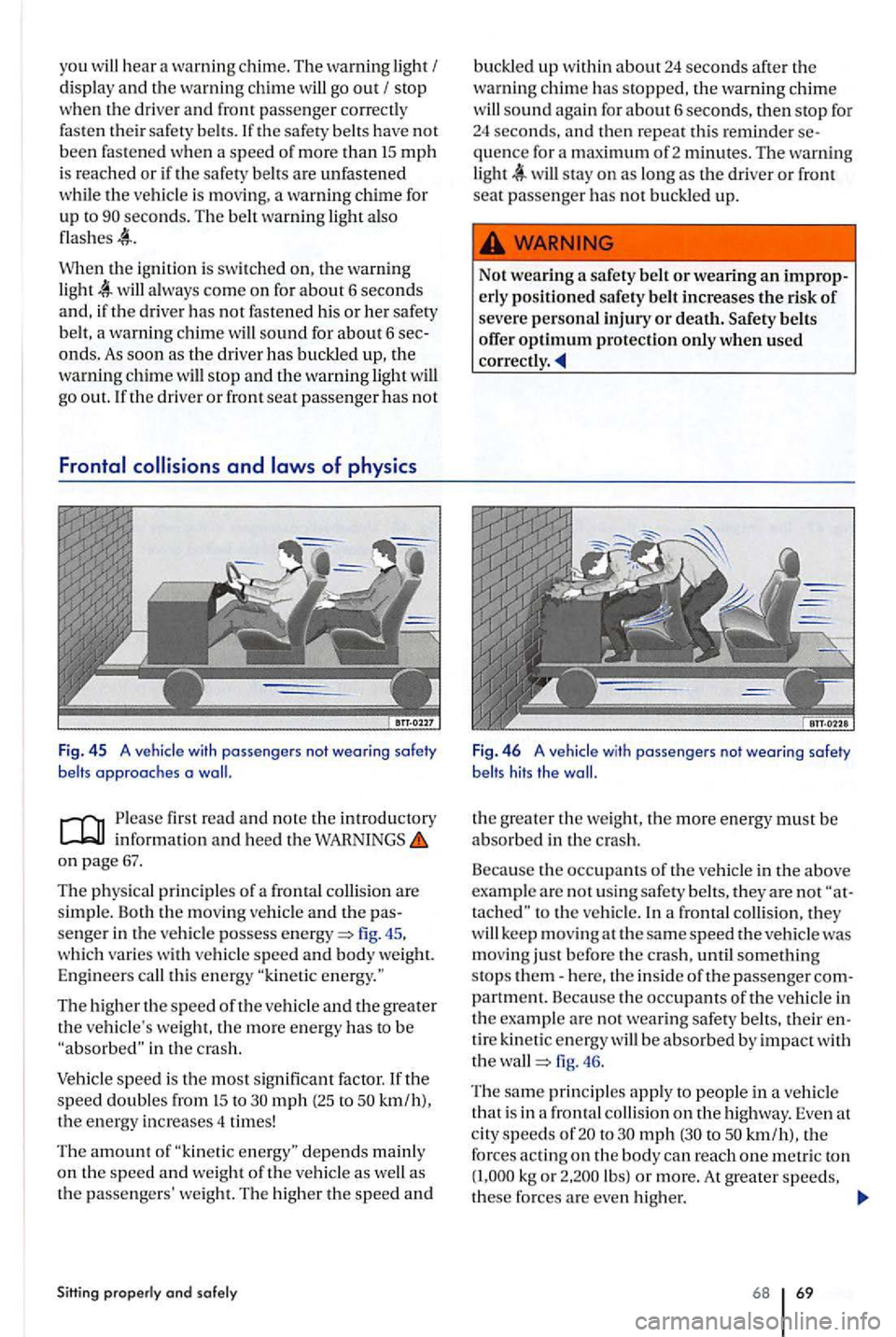
Fig. 4 5 A vehicle with passengers not wearing safety belts approaches a
on page 67.
The physical principles of a frontal
fig . 45.
which varies wit h vehicle speed and body weight.
Engineer s
The higher the speed of the ve hicle and the greater
the vehicle's weight. the more en ergy has to be in the cras h.
Vehicle speed i s th e most sig nificant factor. If the speed doubl es from to mph (25 to kmlh),
the energy increases 4 times!
The amount of as
the passengers' weight. The higher the speed an d
Sitting properly and solely
buckled up within about24 seconds after the
warn ing chim e has stopped, the warnin g chime sound again for about 6 seco nds, then stop for 24 seconds, and then rep eat this reminder sequence for a
Fig. 4 6 A vehicle with passengers not wearing safety
belts hits the
the greater the we ig ht, the more energy must be abso rbed in the crash.
Beca use the occupants of th e vehicle in the above
example a re not usi ng safety belts, they are not
kee p m oving at the same speed the vehicle was
mo vin g just before the crash, until somethin g
stops th em-here, the inside of the passenger com
partment. Because the occupants of the vehicle in
th e exa mpl e are not wearing safety belt s, th eir en
tire kine
tic energy be absorbed by impact with
the fig. 46.
Th e
same pri ncipl es app ly to p eople in a veh icle
th at is in a fron ta l
to mph to kmlh), the forces acting on th e bod y can reach one metri c ton kg o r lbs) or more. At grea te r speeds,
th ese forces are even hi ghe r.
68 69