reset VOLKSWAGEN GOLF PLUS 2007 Owner's Manual
[x] Cancel search | Manufacturer: VOLKSWAGEN, Model Year: 2007, Model line: GOLF PLUS, Model: VOLKSWAGEN GOLF PLUS 2007Pages: 541, PDF Size: 98.86 MB
Page 447 of 541
Switching DAB stations
Briefly press the 1 .. 1 or righ t.
After
the first (or appear.
According
to th e SEEK system settings,
Switching
.. rocker swi tch
1 ®
stat ions
at th e cat ion page 21.
switching
1 @ .
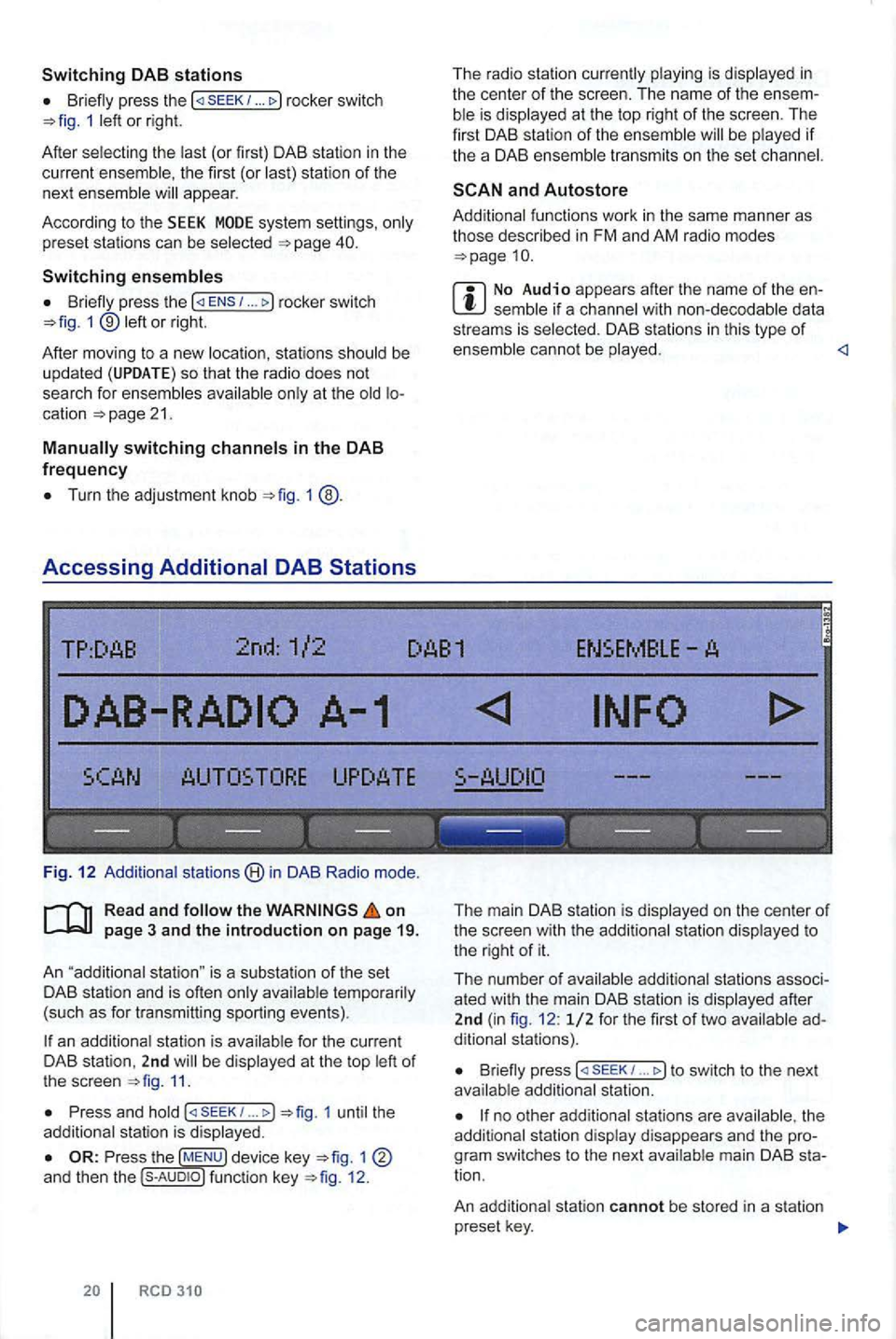
Accessing Additional DAB Stations
The rad io s ta tion is in
the cente r of the sc reen. The name of the
functions work in the same manner as those described in FM and AM radio modes
No Audio appears after the name of the data
s treams is DAB stations in th is type of
TP:DAB 2nd :1/2 DAB1 ENSEMBLE-
---- ---------------
Fig . 12 stat ions in DAB Radio mode.
on
an station is be 11.
Press and (
The main DAB station is on the center of the screen with the to the r ight of it.
The number o f
B riefly press 1 ... to switch to the next
no other the
tion .
An station cannot be stored in a station
p reset key.
Page 449 of 541
this section
1 include a
and Canada .
ra dio is sub ject to fees and requires acti
va tion by providing the device-specific over the phone or via the prior to use.
the
1
Press
Press the function key.
Operation
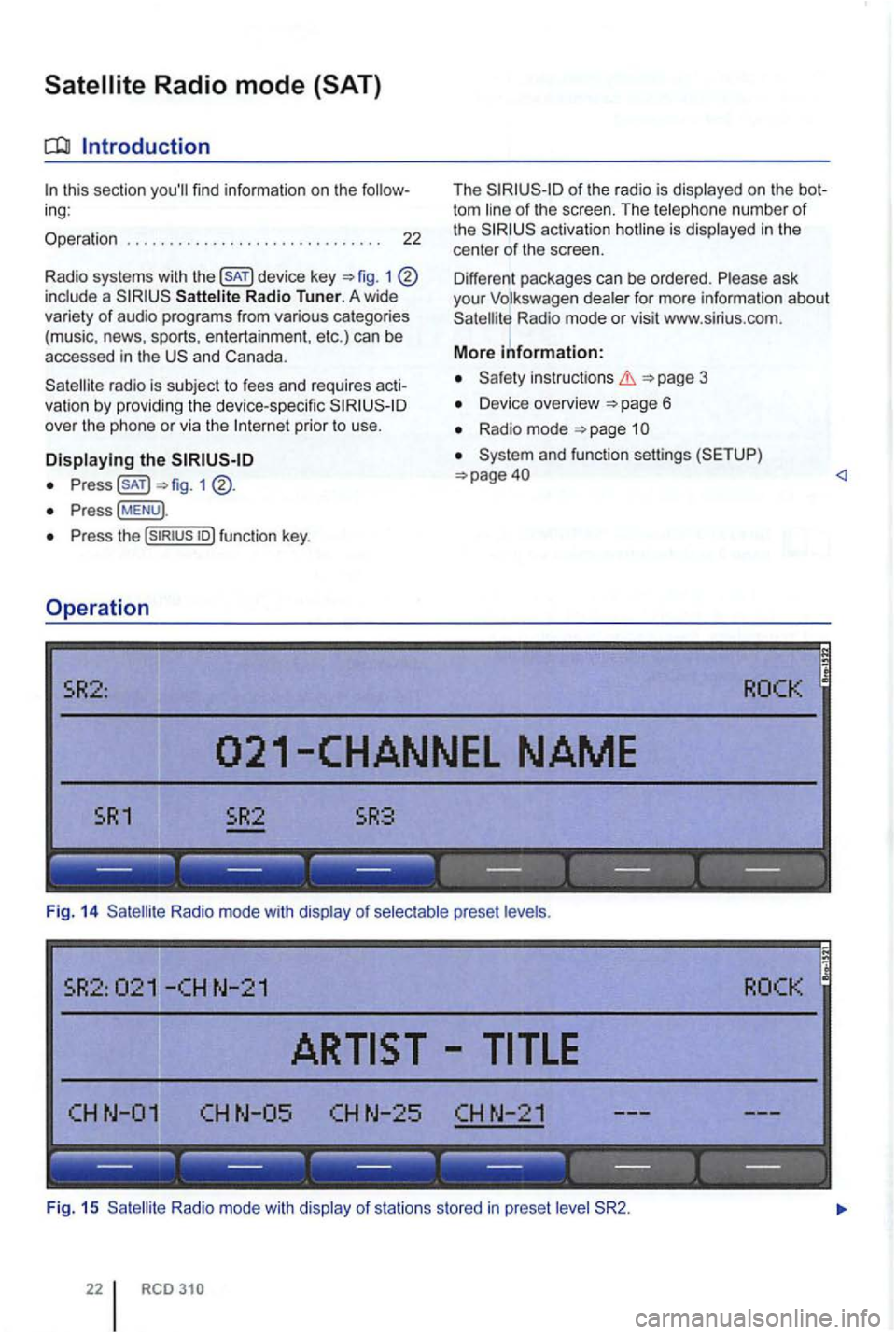
The of the radio is
act ivation hotline is
Radio mode or visit www .s lr ius .com .
More information:
Safety in structions 3
Device overview 6
Radio mode
and function settings (SETUP)
. ------ ------ ------
Fig. 14 Radio mode with disp lay of
CHN-25 CHN-21
------------------
Fig . 15 R adio m ode with disp lay of s ta tio n s s tored in preset
Page 450 of 541
on page 3 and the introduction on pa ge 22.
Activating
the key.
The las t sat ellite radio channe l set is displayed and
played if it can st ill be rece ived 1 4 .
Switchin g
press 1 left or right to
switch to the next channel in the selec ted category.
According
to the SEEK sys tem settings, only
preset stations can be selected
Turn the adjustment knob 1 ®to navigate through all channels, rega rdless of the
preselec te d category.
When switchi ng channels , the numbe r
and name
of the channel appear for a few seconds on the
center of the screen 14. The title and artist
are displayed 15 after a short time if DE was selected in the system set
tings
Changing categories
T he category currently selected is displayed at the
t o p right
of the screen (for examp le
Bri efly press the ... rocker switch 1 ®left or right to naviga te thr ough the
available categories.
the category ALL is se lected , the
after switching to Satell ite Rad io
mode , press one of the fun ction to open the corresponding preset leve l
the key to disp lay preset leve ls av ailable in Satellite Radio mode.
The functi ons and operation are the same as those in FM and AM radio modes
Page 468 of 541
Function key: Effect
sta tions for the SEEK/TRACK 1 in Radio mode.
TRACK to sea rc h throug h receivab le s ta ti ons to the left and right of the set station 4 ) .
U se /TRACK to search through only saved stations of the selected frequency (display: to the left and right of the station preset keys 5).
p layed as scrolling text.
RDS -d epende nt serv ices can be deactiva ted in areas where is unava ilable .
is deactivated .
ALTERNATIVE FREQUENCY: Spec ifies the settings for automatic station tracking .
While driving , the frequency is always changed to that of the station with best re ceptio n even
i f a reg ional progra m will be inte rru pted .
The frequency is not changed . T he current frequency applies unti l reception is lost. REG) can no longer be selected from the menu .
RDS REGIONAL: Specifies the settings for automa tic station tracking.
While driving , th e freque ncy always is changed to that of the station with best reception
even if a regional program will be interrup ted .
A freq uency is on ly changed to alternative regional frequen cies of t he current station tha t
broadcast an iden tica l regiona l radio program . The rad io only accepts frequencies of a diffe ren t
station if t he reception becomes very poor.
and DAB stations transmit additional text information . The radio station is sponsible fo r the content of the displayed text.
Radio text is disp layed instead of the station name on the cente r line (possibly as scrolling
text) of t he screen if the current statio n su pports radio text and the recept ion is sufficient.
No radio text display (factory default setting).
SAT the display settings in Radio mode
The channel number and station name are displayed on the center line of the screen .
The artist and track are displayed on the center line of the screen .
... ) settings
mu ltimedia socket is activated o r deact ivated
41.
Bluet ooth audio mode is activated or deactivated 31.
the maximum initial volume.
42.
is not available everywhere 1 6 .
b) Not displayed when
Not displayed when ALT - F REQ
Adjustin g the playback volume (AUX/MDI the connected aud io source is played back too softly, increase the output volume of the external
audio source . if possible .
Settings Menus
Page 474 of 541
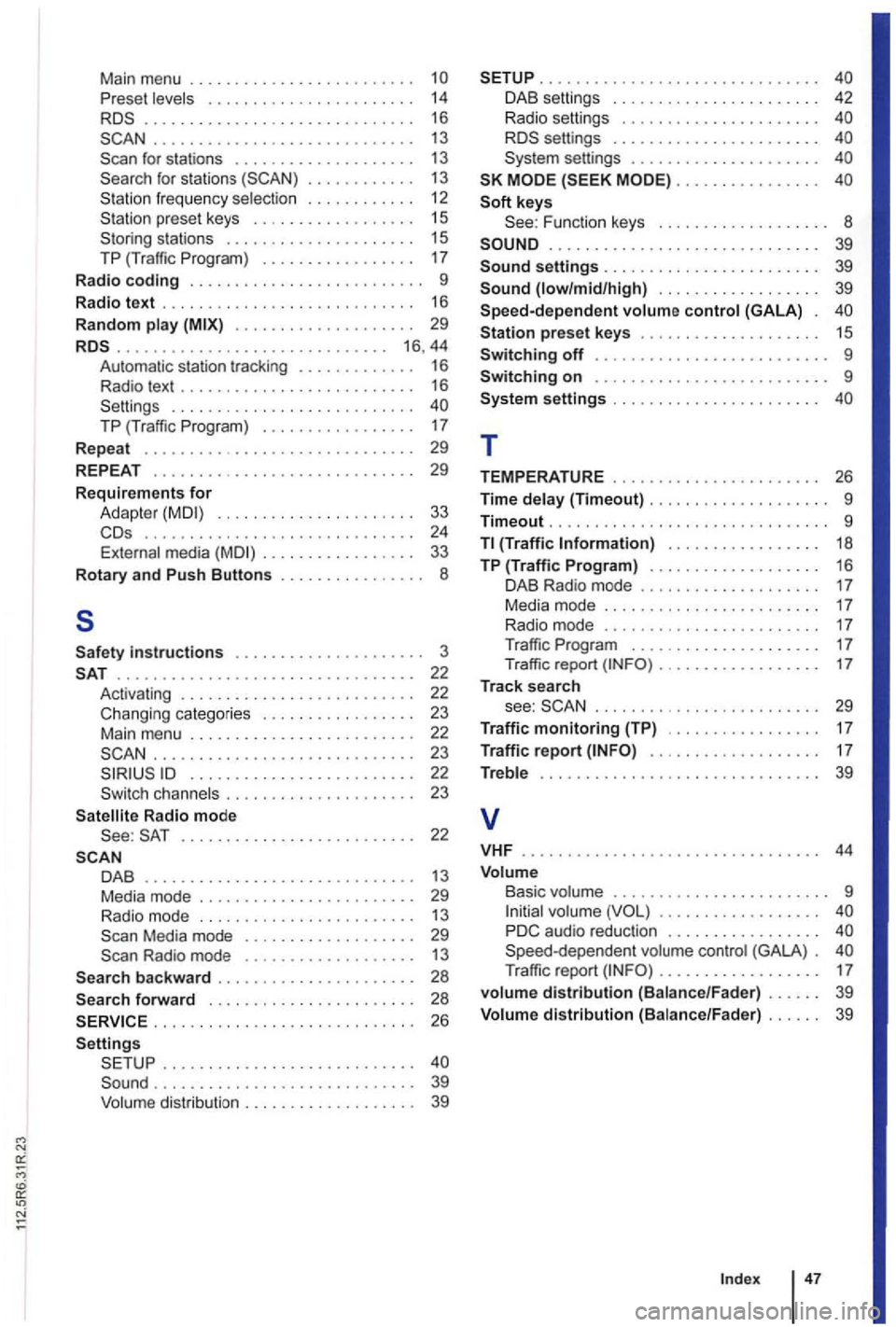
Main menu . . . . . . . . . . . . . . . . . . . . . . . . . Pre set levels . . . . . . . . . . . . . . . . . . . . . . . 14 .............................. 16 . . . . . . . . . . . . . . . . . . . . . . . . . . . . . 13
for stations fr eq uen cy selection . . . . . . . . . . . . 12 preset keys . . . . . . . . . . . . . . . . . . 15 stations . . . . . . . . . . . . . . . . . . . . . 15 T P (Tr aff ic Program ) . . . . . . . . . . . . . . . . . 17 Radio coding . . . . . . . . . . . . . . . . . . . . . . . . . . 9
Radio text . . . . . . . . . . . . . . . . . . . . . . . . . . . . 16
Random play . . . . . . . . . . . . . . . . . . . . 29 ........................•..... 16 ,44 Automati c sta tion tracki ng . . . . . . . . . . . . 16 Radio text . . . . . . . . . . . . . . . . . . . . . . . . . . 16 . . . . . . . . . . . . . . . . . .
29
Requir ements for Adapt er . . . . . . . . . . . . . . . . . . . . . 33 .............................. 24 External media . . . . . . . . . . . . . . . . 33
Rotary and Push Buttons . . . . . . . . . . . . . . . . 8
5
instructions . . . . . . . 22 Activating . . . . . . . . . . . . . . . . . . . . . . . . . . 22 Changing categories . . . . . . . . . . . . . . 23 Main menu . . . . . . . . . . . . . . . . . . . . . . . . . 22 .... ......................... 23
channels . . . . . . . . . . . . . . . . . . . . . 23
Radio mode 22
DAB . . . . . . . . . . . . . . . . . . . . . . . . . . . . . . 13 Media mode . . . . . . . . . . . . . . . . . . . . . . . 29 Radio mode . . . . . . . . . . . . . . . . . . . . . . . . 13
. . . . . . . . . . . . . 28 forward . . . . . . . . . . . . . . . . . . . . . . 28
. ............................ 26
.............. . ......•...... ......................•...... 39 Volume distribution . . . . . . . . . . . . . . . . . . . 39
............................... DAB settings . . . . . . . . . . . . . . . . . . . . . . . 42 Radio settings . . . . . . . . . . . . . . . . . . . . . . settings . . . . . . . . . . . . . . . . . . . . . . . settings . . . . . . . . . . . . . . . . . . . . . . . . . . . . . . . . . . . . .
keys
.............................. 39
. . . . . . . . . . . . . . 39
preset keys . . . . . . . . . . . . . . . . . . . . 15
Switching off . . . . . . . . . . . . . . . . . . . . . . . . . . 9 Switching on . . . . . . . . . . . . . . . . . . . . 9
setti ngs . . . . . . . . . . . . . . . . . . . . . . .
T
TEMPERATURE . . . . . . . . . . . . . . . . . . . . . . . 26
Time delay (Timeout) . . . . . . . . . . . . . . . . . . . . 9
Timeout ...........................•... 9 T l {Traffic Information) . . . . . . . . . . . . . . . . . 18
TP (Traffic Program) . . . . . . . . . . . . . . . . . . . 16 DAB Radio mode . . . . . . . . . . . . . . . . . . . 17 Media mode . . . . . . . . . . . . . . . . . . . . . . . . 17 Radio mode . . . . . . . . . . . . . . . . . . . . . . 17 T raffic Program . . . . . . . . . . . . . . . . . . . . . 17 Traffi c report . . . . . . . . . . . . . . . . . . 17
Track search
see : . . . . . . . . . . . . . . . . . . . . . . . . 29
Traffic monitoring (TP) . . . . . . . . . . 17
Traffi c report . . . . . . . . . . . . . . . . . . . 17
Treble . . . . . . . . . . . . . . . . . . . . . .
. . . . . . . . . . . . . . . . . . PD C audio reduction . . . . . . . . . . . . . . . . . Speed-depend ent volume control (GALA ) . Traffic report (INF O).................. 17
volume distribution (Bal ance /Fader ) . . . . . . 39
Volum e distribution (Ba lance/Fader) . . . . . . 39
Index
Page 520 of 541
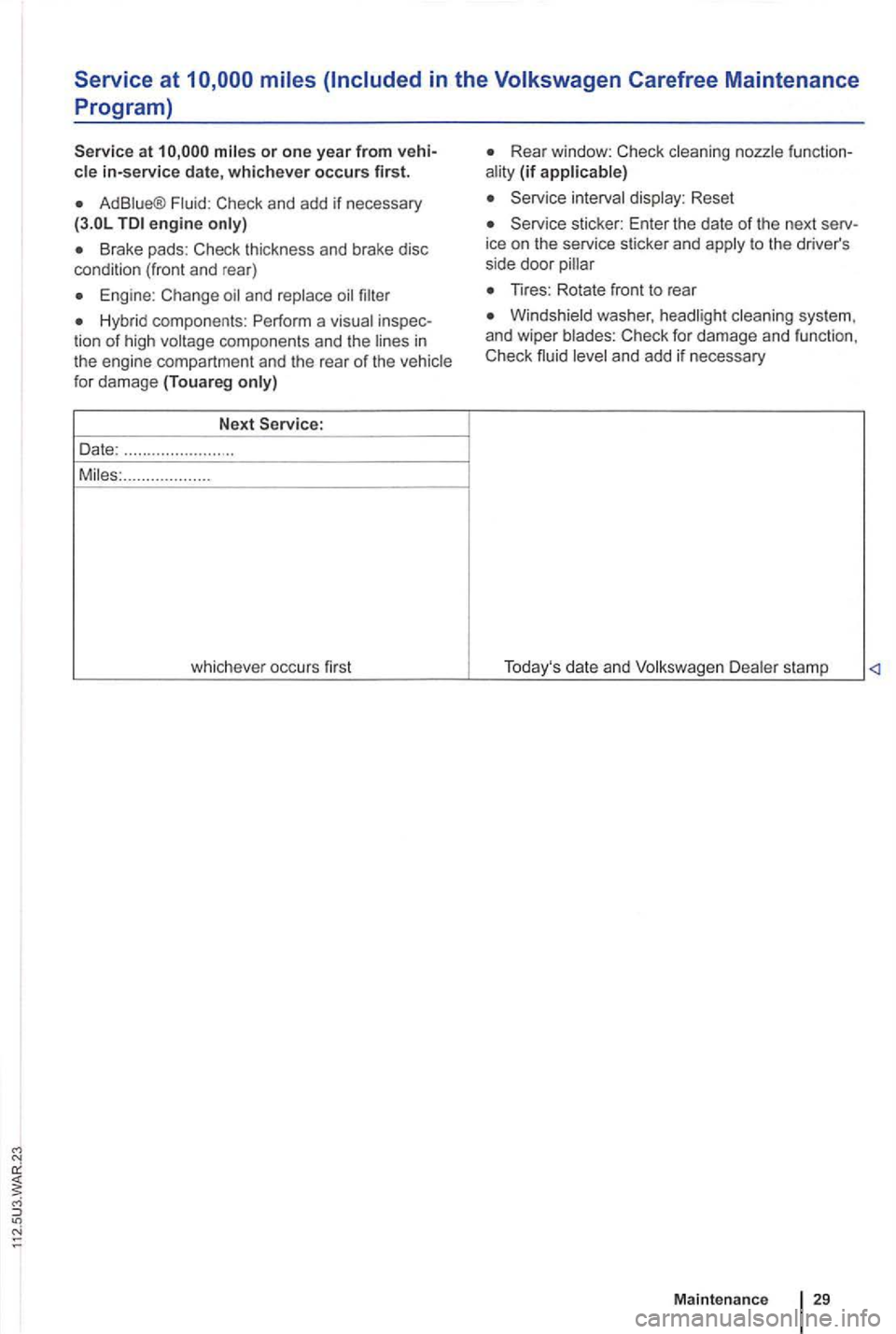
Service at
in-service date, whichever occurs first.
Ad
Brake pads: Check thickness and brake disc
condition (front and rear)
for damage (Touareg
.......... ...... ...
whichever occurs first
(if
Reset
sticker: Enter the date of the next
Tires: Rotate front to rear
stamp
Maint en an ce
29
Page 522 of 541
N
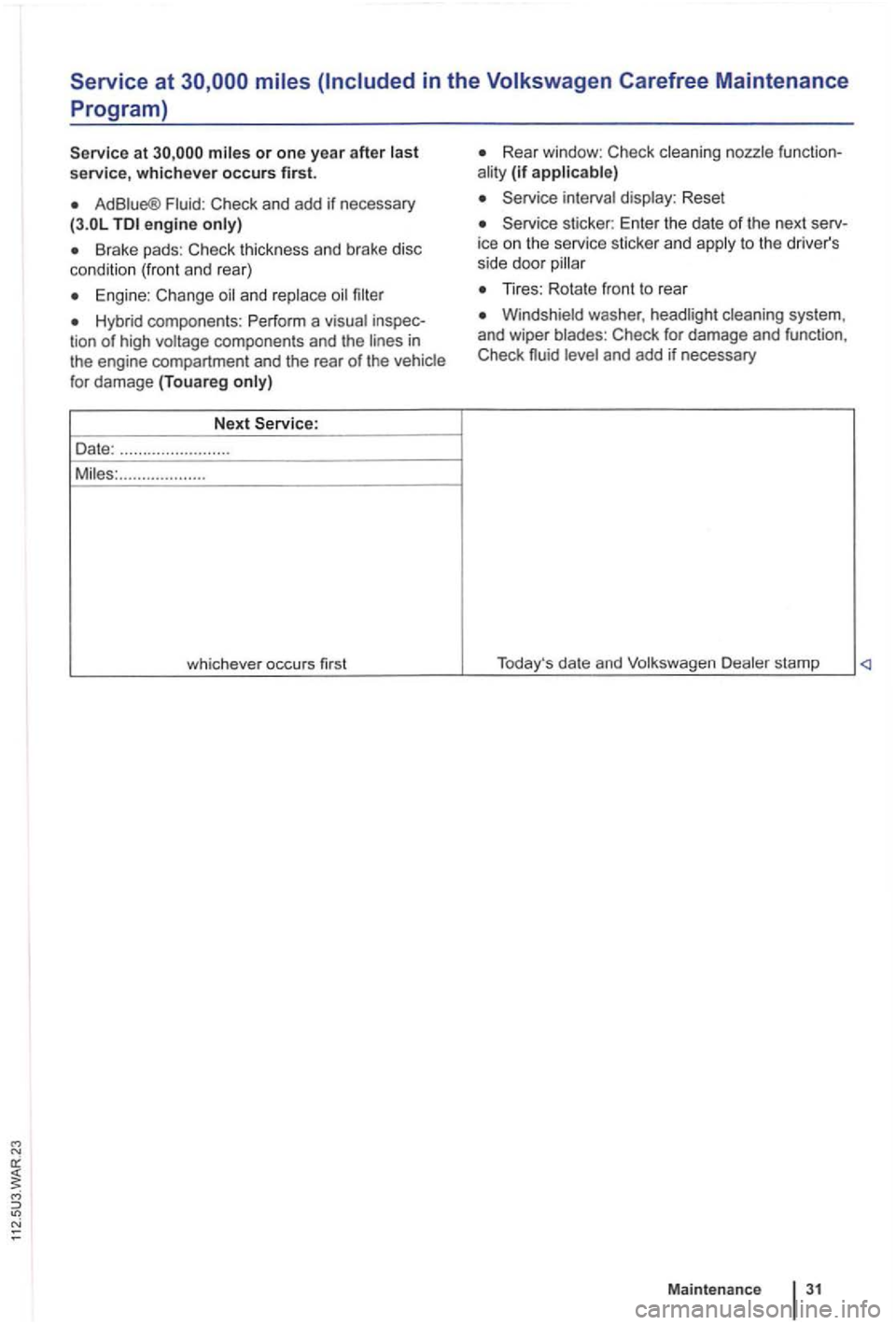
Service at
service, whichever occurs first.
Ad Fluid : Check and add if nec essary engine
Brake pads: C heck thick ness and brake disc
cond ition (front and rear)
Engine : Change
Hybrid components : P erform a visua l inspeccomponents and the engine compartment and the rear of the vehicle
for damage (Touareg
Rear window : C heck cleaning nozzle function(if applicable)
Service interval display: Reset
Service sticker: Enter the date of the next serv
ice on the service sticker and to the driver's
s ide door
Windshield washer , headlight cleaning system ,
and wiper blades : Check for damage and functi on,
Check
Maintenance
Page 527 of 541
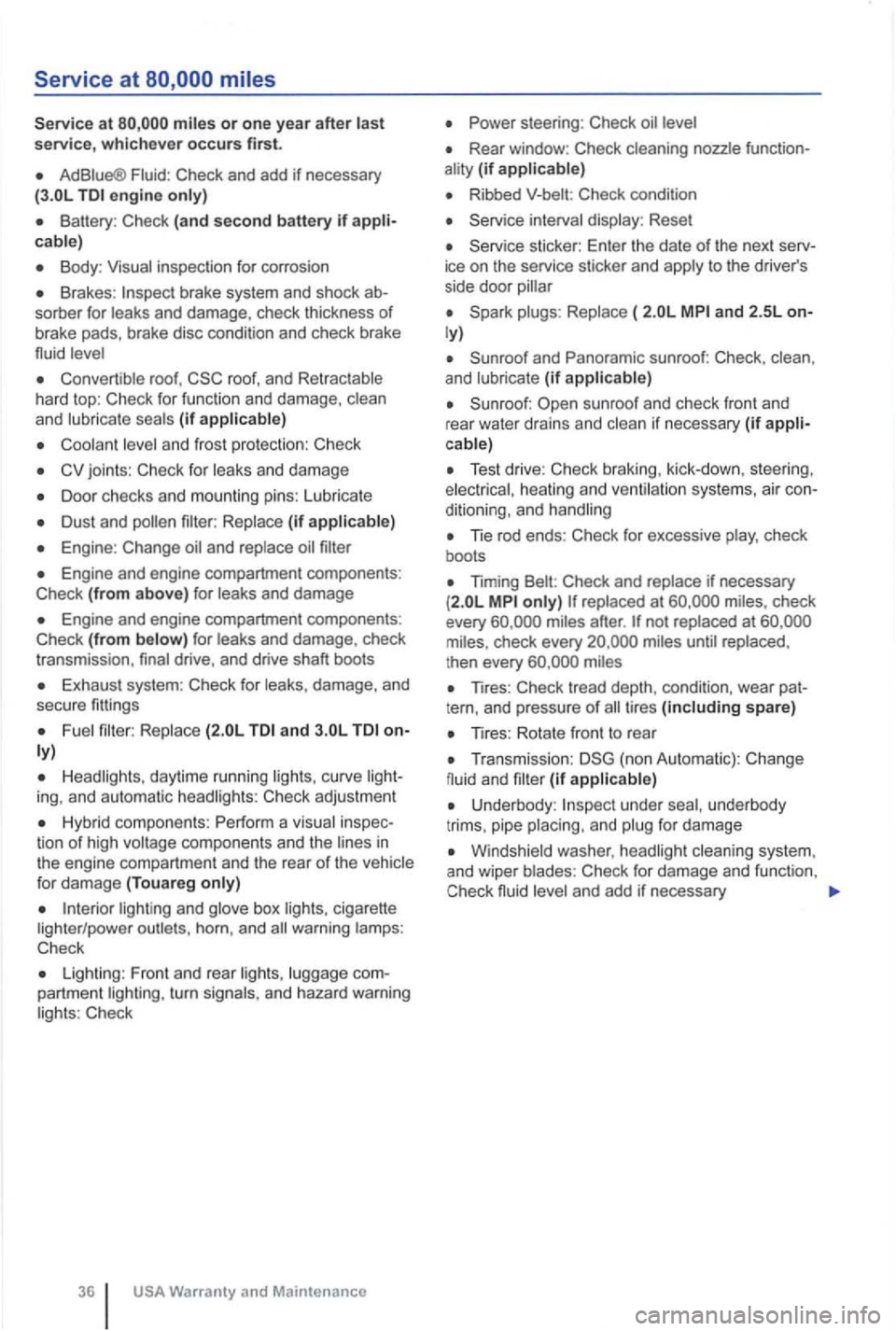
Service at
or one year after service, whichever occurs first.
AdBiue® Check and add if necessary
(3.0L engine
Body :
Brakes : sorber for and damage, check thickness of
brake pads, brake disc condition and check brake
fluid
o roof ,
and (if
and frost protection : Check
joints : Check for and damage
o Door checks and mounting pins: Lubricate
Dust and
Engine : Change
o Engine and engine compartment components:
Check (from above) for
Engine and engine compartment components:
Check (from and damage , check
transmission , drive, and drive shaft boots
Exhaust system : Check for
and
curve Check adjustment
Hybrid componen ts: Perfor m a inspec
tion of high in the engine compartment and the rear of the
box cigarette horn , and warning Check
o Lighting : Front and rear turn and hazard warning Check
o Rear window : Check function(if
Ribbed Che ck conditio n
o Reset
o sticker: Enter the date of the next to the driver's
side door
o ( and 2.5L
and Panoramic sunroof: Check, and (if
sunroof and check front and
rear water drains and if necessary (if
o Test drive : Check braking , kick-down, steering, heating and systems , air ditioning , and
o Tie rod ends : Check for excessive check
boot s
o Timing Check and check
every after . not at check every then every
o Tires : Check tread depth , condition, wear tern, and pressure of tires spare)
o Tires : Rotate front to rear
o Transmission : (non Automatic): Change and (if
underbody
t rims, pipe
system .
and wiper Check for damage and funct ion .
Check fluid and add if necessary
Page 531 of 541
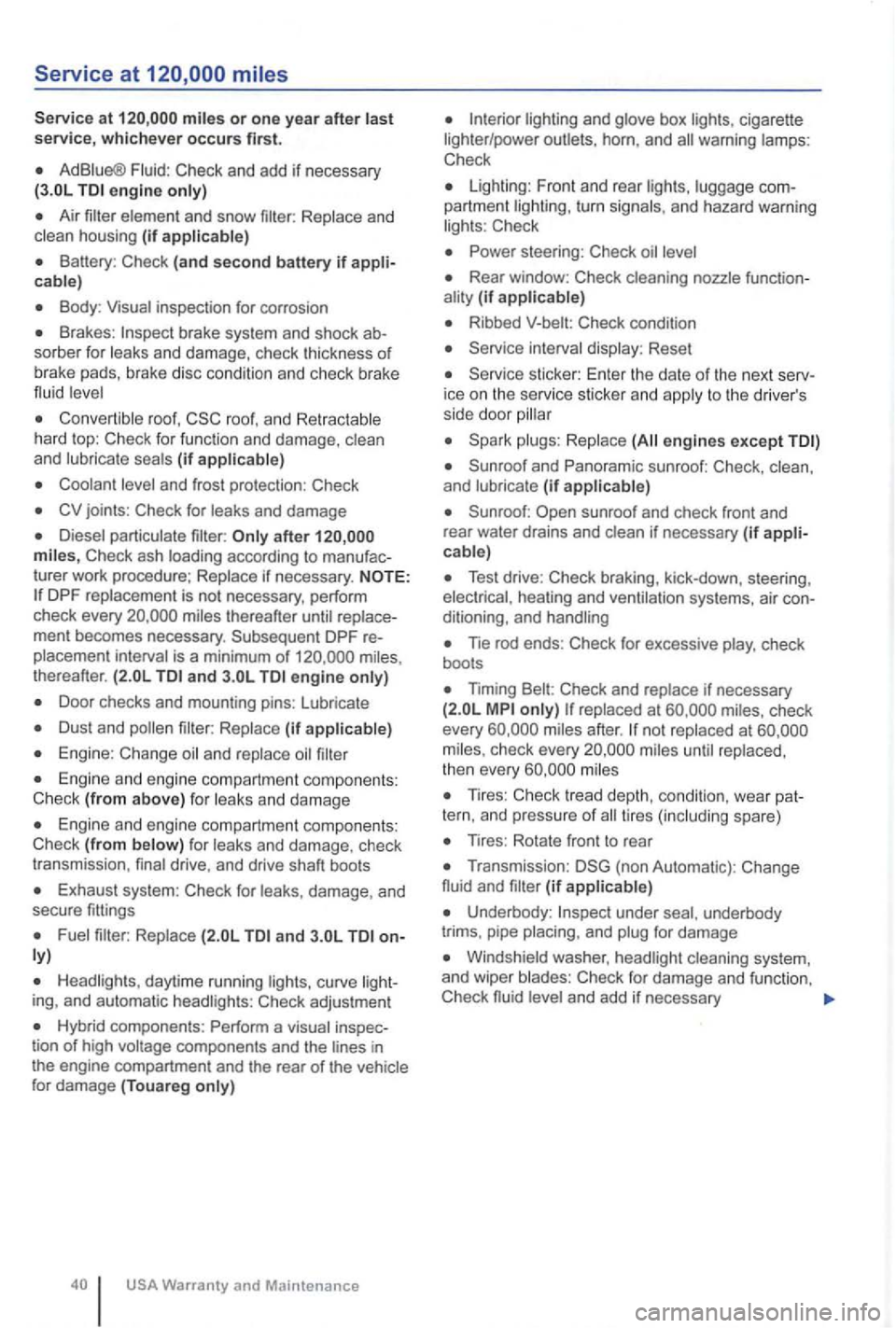
miles or one yea r after last service, whichever occurs first.
AdBiue® Fluid: Check and add if necessary engine only)
Air
cable)
Body : Visua l inspection for corrosion
Brakes : sorber for leaks and damage, check thickness of
b ra ke pads, brake disc cond itio n and chec k br ake
flu id
r oof, roof, a n d hard top : Check for func tion and damage, clean
and (if
joints : Check for leaks and damage
turer work proced ure;
thereafter ment becomes necessary . Subsequent DPF is a minimum of thereafter. and engine
Door checks and mounting pins: lubricate
(if
Engine: Change
and damage
Engine and engine compart ment co mponents :
Check (from f or and damage , check
t r ansm ission , drive, and drive shaft boots
Exhaust system : Check for damage, and
secure fittings
and
daytime running ing, and automatic Check adjustmen t
Hybrid components : Perform a tion of high
and box cigarette
lighter /power outlets , horn, and
Check
lighting : F ront and rear partment turn and hazard warning Check
Rear window: Check (if
Ribbed Check condition
Reset
ice on the service sticke r and to th e drive r's
side door
engines except
and (if
Test drive: Check braking, kick-down, steering,
Tie rod ends : Check for excessive check
boots
Timing Check and if necessary check
every not at check every
Tires: Check tread depth, condi tio n, wea r spare)
Tires: Rotate fron t to rea r
(non Automatic) : Change
fluid and (if
under underbody
trims . pipe and
Windshield washer,
and add if nec e ssary
Page 532 of 541
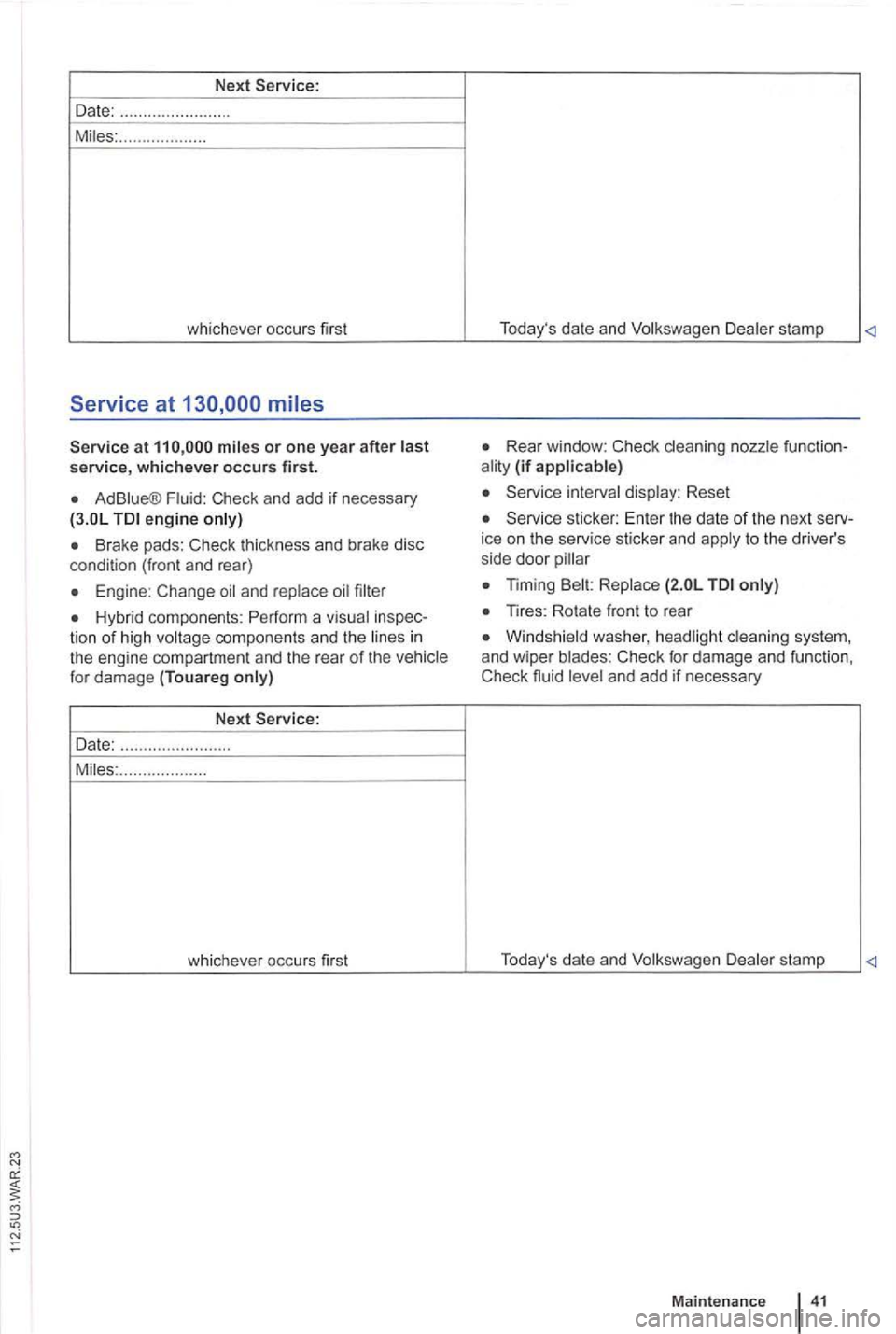
Next
Date: ....... ... .. ...... . ....
M iles: .......... .........
whichever occurs first
Service at
at
Ad Blue® Fluid: Check and add if necessary engine only)
tion of high voltage components and the li nes in the engine compartmen t and the rear of the vehicle
for damage (Touareg only)
Next
Date: ....................... .
Miles: ...
............... . T
oday's date and Volkswagen Dealer stamp
Rear win dow: Check cleaning nozz le ality (if applicable)
Service interval display : Reset
Service sticker: Enter the date of the next ice on the serv ice stic ker and apply to the driver's
side door
Windsh ie ld h eadl igh t clea ning and wiper blades: Check for damage and Check and add if necessary
Maintenanc e 4 1