instrument cluster VOLKSWAGEN ID.4 2020 Owner´s Manual
[x] Cancel search | Manufacturer: VOLKSWAGEN, Model Year: 2020, Model line: ID.4, Model: VOLKSWAGEN ID.4 2020Pages: 417, PDF Size: 6.31 MB
Page 154 of 417
(depending on equipment and not available in
all countries).
Ov
ertaking
If you indicate left (left-hand traffic: indicate
right) to overtake, ACC will accelerate the ve-
hicle and reduce the distance from the vehi-
cle in front. Your set speed will not be excee-
ded.
If ACC does not detect any vehicle in front af-
ter you have changed lane, ACC will acceler-
ate the vehicle up to the set speed.
Overtaking assistance is not available in all
countries.
Stop-and-go traffic
ACC can brake the vehicle to a standstill and
keep it stationary. ACC remains active and
the instrument cluster display shows
ACC ready
to start for a few seconds.
On vehicles with Travel Assist, you can extend
this time by continuing to hold the steering
wheel.
As long as ACC remains active, the vehicle
will move off again automatically as soon as
the vehicle in front moves off (depending on
the vehicle equipment level and not available
in all countries).
Extending or reactivating readiness to drive:
Page 161 of 417
If you adjust the announced speed excessive-
ly, predictiv
e cruise control will be termina-
ted.
If a speed limit is detected, the predic-
tive cruise control function will adjust
the stored speed even if ACC is deactivated.
However, speed regulation will not take
place.
If the current speed significantly ex-
ceeds a speed limit detected by the
Dynamic Road Sign Display function, a warn-
ing will appear on the instrument cluster dis-
play.
When you join a motorway without
a speed limit, the recommended speed
will automatically be stored as the desired
speed. If a higher speed has previously been
stored on a motorway without a speed limit,
this will be adopted instead of the recom-
mended speed. Troubleshooting
Please refer to at the start of the chap-
ter on page 156.
A message is displayed that predictiv
e cruise
control is currently not available or is not
available in your country.
Page 164 of 417
Limits of Front Assist
Please refer to at the start of the chap-
ter on page 159.
F
ront Assist is not available or its
functions are restricted immediately
after the vehicle is started. The indi-
cator lamp lights up in the instrument
cluster display during this time.
Front Assist has physical and system-related
limitations. You should therefore always be
prepared to take full control of the vehicle if
necessary.
Delayed response
If the camera or radar sensor is exposed to
environmental conditions that impair func-
tioning, the system may detect this only after
a certain delay. For this reason, any restric-
tions to functions may be displayed only after
a delay at the start of the journey and when
driving
Page 169 of 417
within the system limits (system status ac-
tiv
e).
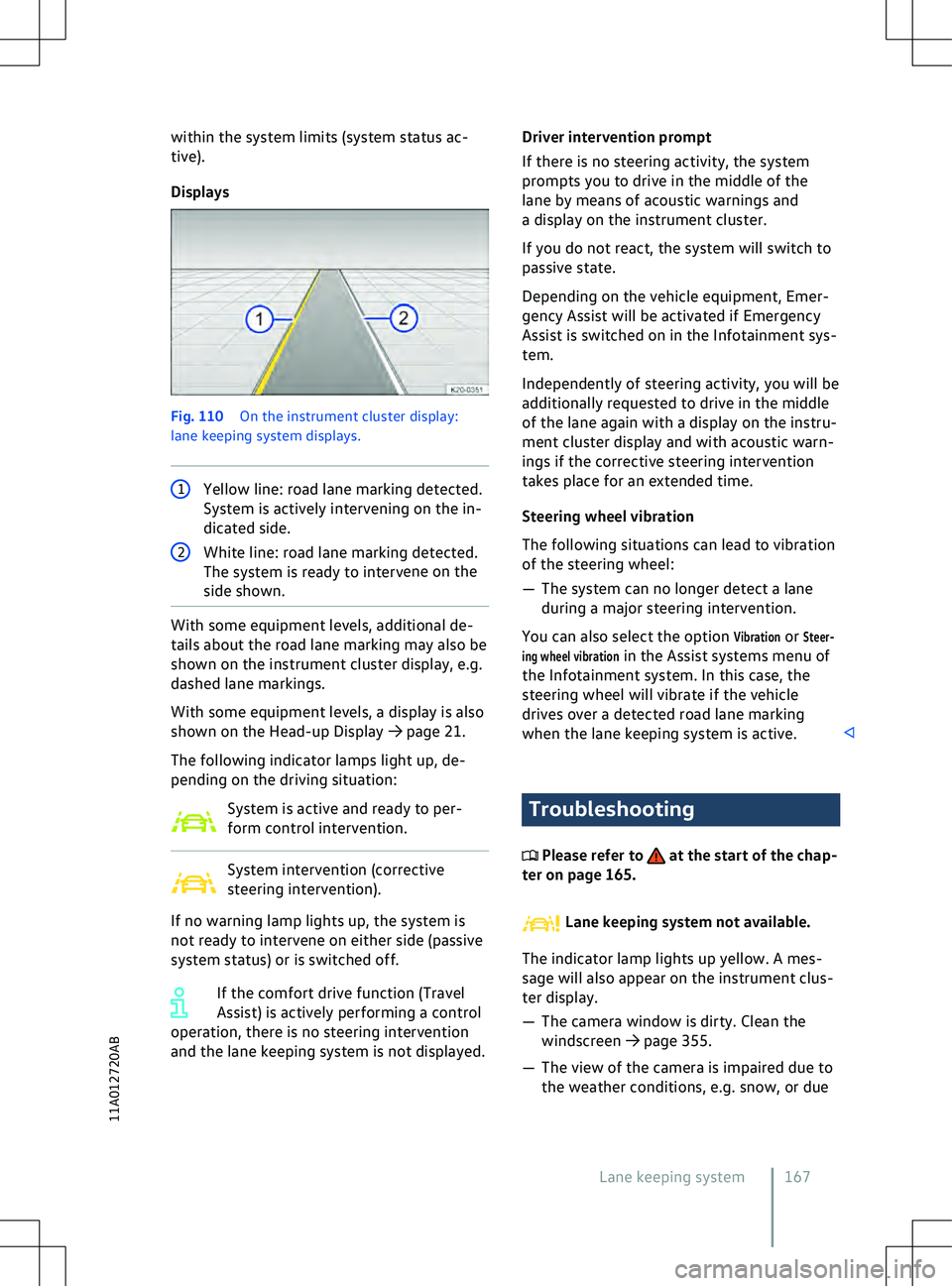
Displays Fig. 110
On the instrument cluster display:
lane keeping system displays. 1
Yellow line: road lane marking detected.
System is activ
ely intervening on the in-
dicated side. 2
White line: road lane marking detected.
The system is ready to interv
ene on the
side shown. With some equipment levels, additional de-
tails about the road lane marking may also be
shown on the instrument cluster display, e.g.
dashed lane markings.
With some equipment le
vels, a display is also
shown on the Head-up Display
Page 171 of 417
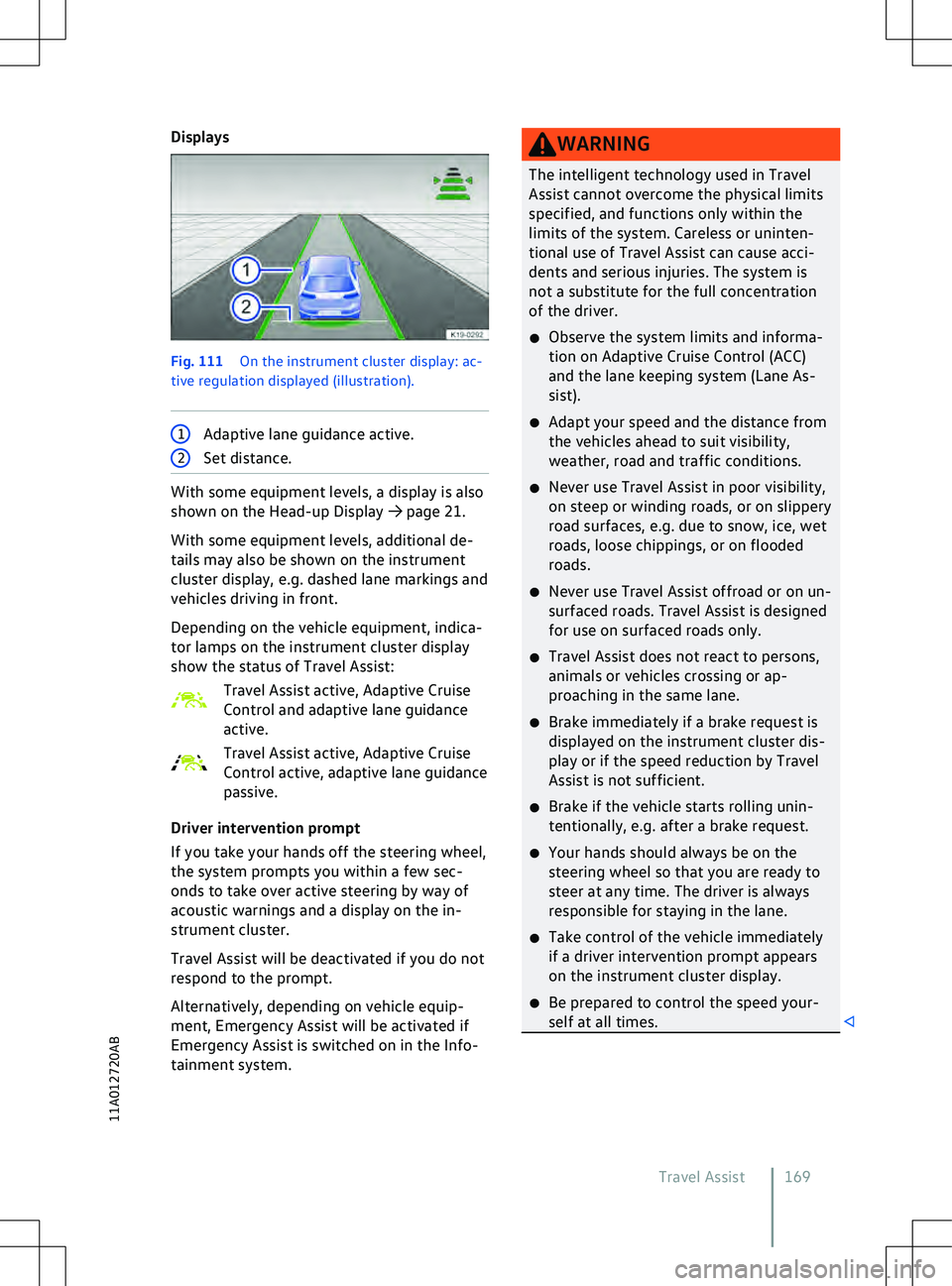
Displays
Fig. 111
On the instrument cluster display: ac-
tiv e regulation displayed (illustration). 1
Adaptive lane guidance active. 2
Set distance. With some equipment levels, a display is also
shown on the Head-up Display
Page 198 of 417
x
Regularly update the appropriate anti-
virus program with the updates or up-
grades pro
vided by the provider.System update
Introduction to the topic
The factory-fitted central control unit sup-
ports the system update function. This allows
the software of almost all control units to be
updated by V
olkswagen AG without the need
to visit a qualified workshop:
If a system update is available for your vehi-
cle, a corresponding message will be dis-
played on the Infotainment system.
System updates are downloaded via the fac-
tory-fitted control unit with eSIM card (OCU)
and are free of charge. Volkswagen pays the
connection costs.
The system update function is only available
in some countries. WARNING
Control units will be deactivated and will
not function while software installation is
taking place. Driving with deactiv
ated or
malfunctioning control units can cause ac-
cidents and fatal injuries.
x Carry out software installation in a suita-
ble place where other road users are not
impeded.
x Never use the vehicle while software in-
stallation is taking place. WARNING
If the digital instrument cluster does not
function after software installation, no in-
struments, warning lamps, symbols or te
xt
messages can be displayed. Driving with
a digital instrument cluster that is not
working can cause accidents and fatal inju-
ries. x
Do not use the v
ehicle and contact
Volkswagen Customer Care. WARNING
It is possible in very rare cases that a con-
trol unit will not function properly after
a software installation process.
x Do not use the v
ehicle and contact
Volkswagen Customer Care. A measure such as engine tuning to in-
crease perf
ormance or efficiency that
has not been performed by Volkswagen may
be deleted by a system update. Overview
Please refer to at the start of the chap-
ter on page 196.
A
vailability of a system update
The switched-on Infotainment system indi-
cates that a system update is available. A sys-
tem update takes place in two phases:
Page 392 of 417
area of the luggage compartment. Depending
on the v
ehicle equipment, the vehicle data
sticker is affixed under the luggage compart-
ment trim on the luggage compartment wall
or luggage compartment floor, in the spare
wheel well or on the cross panel. Depending on the vehicle equipment,
the engine code may be displayed on
the instrument cluster
Page 405 of 417
Current identification
281
DC charging 283
External energy management 278
Frost 276
Immediate charging 276
Off-peak tariff online 278
Outside temperatures 276
Preferred charging times 278
Range 19
Reducing the charging current 278
Releasing the charging connec- tor 278
Reserve range 19
Safety instructions 273
Setting charging locations 278
Start screen 276
Timer-controlled charging 276
Vehicle standing times 276
High-voltage system Safety instructions 273
Warning signs 274
Hill Start Assist See Auto Hold function 178
Hood see Bonnet 312
How do I activate We Connect? 203
How do I connect my vehicle? 203
How do I use the We Connect service? 203
Hubcaps 341
Centre wheel trim 341
Wheel bolt caps 342
Wheel cover 342
I
Ice remo val
see Defrost function 121
ID. Cockpit Digital instrument cluster 18
Displays 22
Event in the ID. Cockpit 18
Views 19
ID. Light 31
Displayed information 31
Settings 31
Identification number 387
Position 388
Ignition Switching off the ignition 137
Switching on the ignition 137
Immobiliser 139
Indicator lamp Active charging process
284
Charging active 282
Charging connector plugged in 283
Electromechanical brake servo 191
Indicator lamps ABS 191
Airbag system 49
Ball coupling 267
Brake pad wear indicator 131
Brake support systems 191
Central locking 78
ESC 191
In the driver door 78
Overview 15
Position selection 142
Seat belts 37
Steering column lock 143
Tyre monitoring system 327
Infotainment Function buttons 225
Getting started 217
Media mode 234
Mobile phone interface 246
Navigation 238
Radio 231
Radio mode 231
Sound settings 226
System settings 226
Infotainment system 217
Adapting menus 225
aerials 371
Before using for the first time 217
Charging settings (high-voltage bat- tery) 276
Cleaning 227
Control centre 225
Controls and display 30
Drop-down menu 225
Notes on use 220
Operating 224
Overview 222
Personalising 225
Safety notes 218
Setting battery charge limits 277
Setting charging locations 278
Start screen 222, 224
Switching on and off 224
Tiles 225
Time and date 29
Vehicle settings menu 31
Infotainment systems
Index 403
11A012720AB
Page 406 of 417
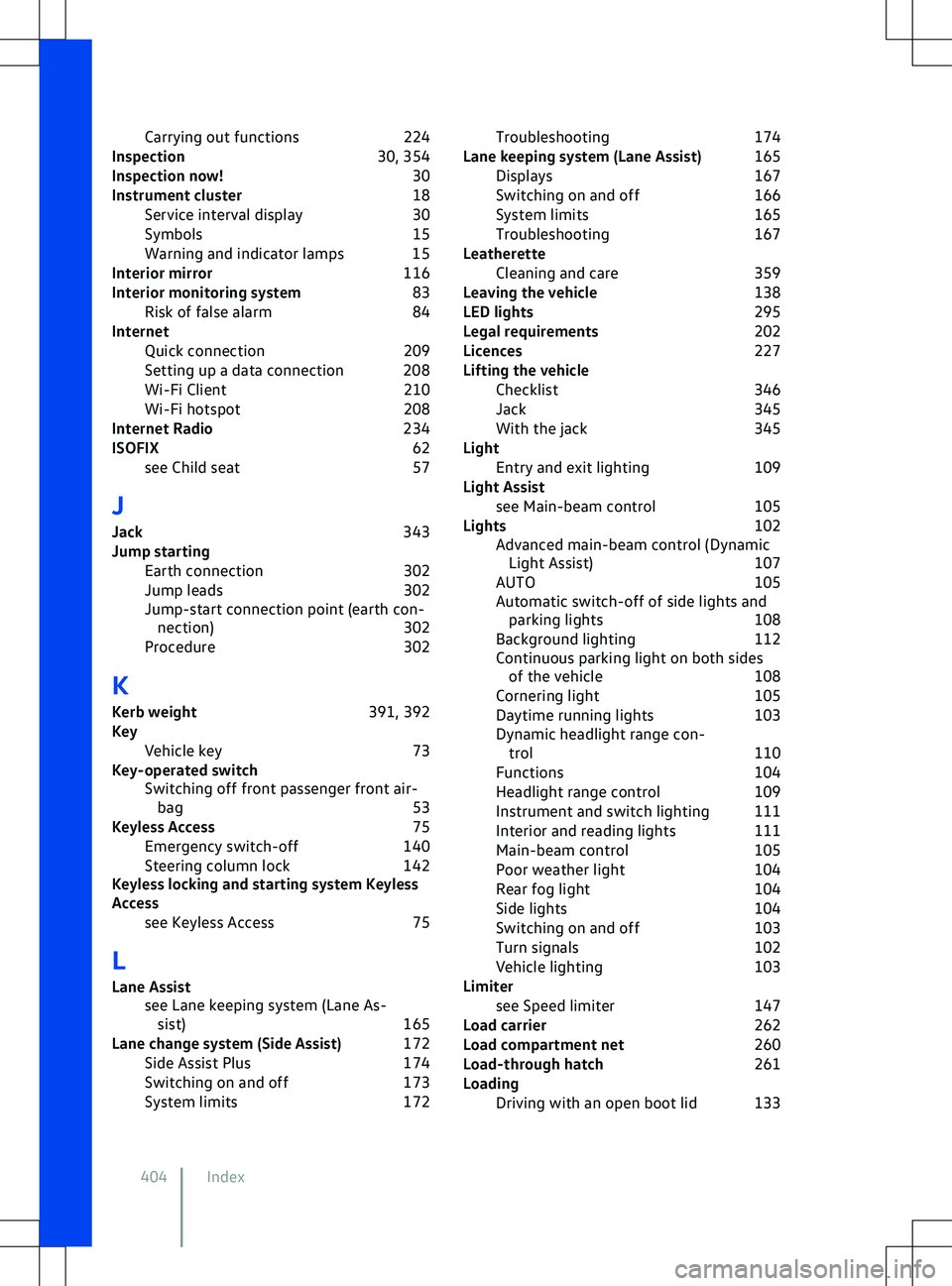
Carrying out functions
224
Inspection 30, 354
Inspection now! 30
Instrument cluster 18
Service interval display 30
Symbols 15
Warning and indicator lamps 15
Interior mirror 116
Interior monitoring system 83
Risk of false alarm 84
Internet Quick connection 209
Setting up a data connection 208
Wi-Fi Client 210
Wi-Fi hotspot 208
Internet Radio 234
ISOFIX 62
see Child seat 57
J
Jack 343
Jump starting Earth connection 302
Jump leads 302
Jump-start connection point (earth con- nection) 302
Procedure 302
K Kerb weight 391, 392
Key Vehicle key 73
Key-operated switch Switching off front passenger front air-bag 53
Keyless Access 75
Emergency switch-off 140
Steering column lock 142
Keyless locking and starting system Keyless
Access
see Keyless Access 75
L
Lane Assist see Lane keeping system (Lane As-sist) 165
Lane change system (Side Assist) 172
Side Assist Plus 174
Switching on and off 173
System limits 172Troubleshooting
174
Lane keeping system (Lane Assist) 165
Displays 167
Switching on and off 166
System limits 165
Troubleshooting 167
Leatherette Cleaning and care 359
Leaving the vehicle 138
LED lights 295
Legal requirements 202
Licences 227
Lifting the vehicle Checklist 346
Jack 345
With the jack 345
Light Entry and exit lighting 109
Light Assist see Main-beam control 105
Lights 102
Advanced main-beam control (Dynamic Light Assist) 107
AUTO 105
Automatic switch-off of side lights and parking lights 108
Background lighting 112
Continuous parking light on both sides of the v ehicle 108
Cornering light 105
Daytime running lights 103
Dynamic headlight range con- trol 110
Functions 104
Headlight range control 109
Instrument and switch lighting 111
Interior and reading lights 111
Main-beam control 105
Poor weather light 104
Rear fog light 104
Side lights 104
Switching on and off 103
Turn signals 102
Vehicle lighting 103
Limiter see Speed limiter 147
Load carrier 262
Load compartment net 260
Load-through hatch 261
Loading Driving with an open boot lid 133
404 Index