buttons VOLKSWAGEN POLO 2015 Owner´s Manual
[x] Cancel search | Manufacturer: VOLKSWAGEN, Model Year: 2015, Model line: POLO, Model: VOLKSWAGEN POLO 2015Pages: 100, PDF Size: 4.14 MB
Page 29 of 100
Downloaded from www.Manualslib.com manuals search engine 12/29/2015Bedienungsanleitung < Service & Zubehör < Volkswagen Deutschland
26/32
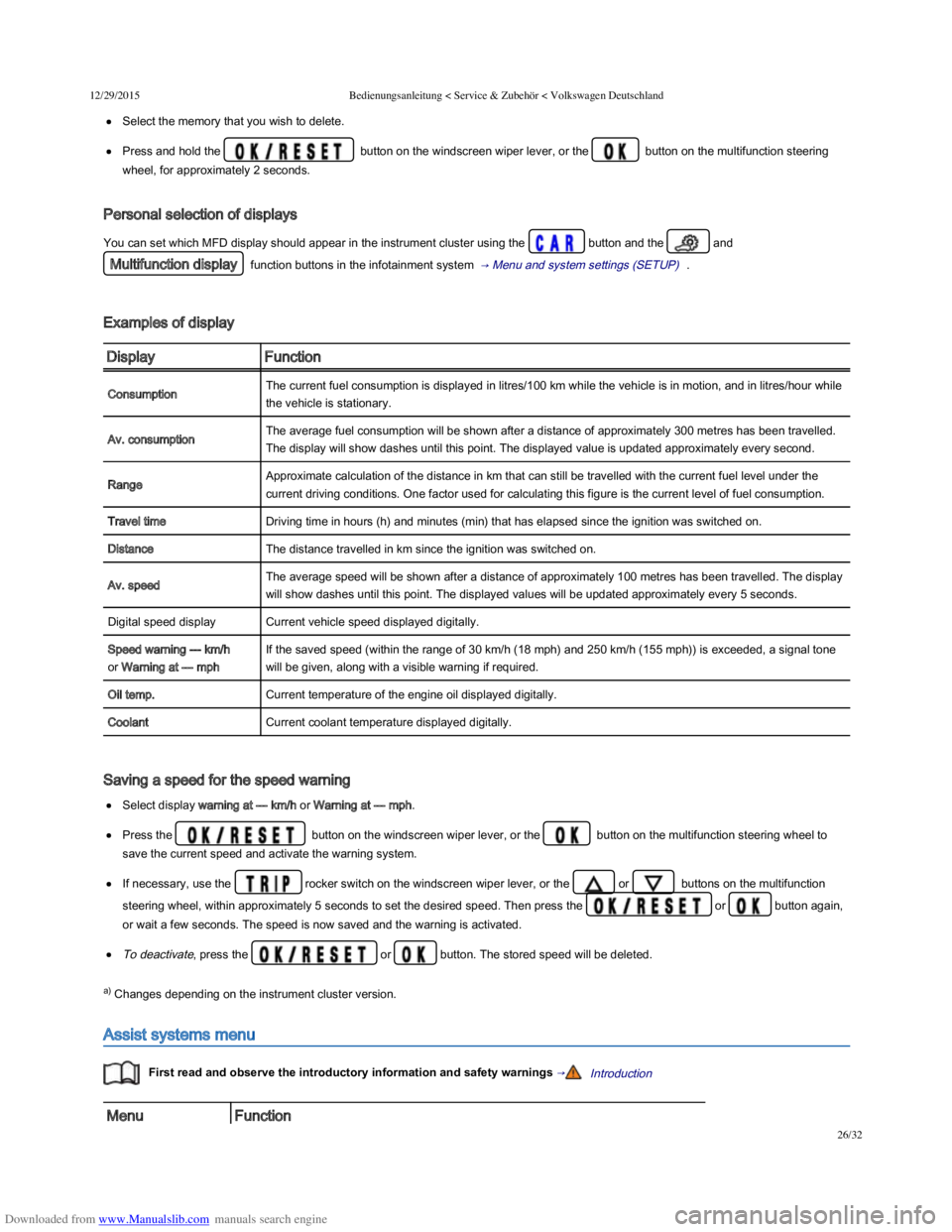
Select the memory that you wish to delete.
Press and hold the button on the windscreen wiper lever, or the button on the multifunction steering
wheel, for approximately 2 seconds.
Personal selection of displays
You can set which MFD display should appear in the instrument cluster using the button and the and
Multifunction display function buttons in the infotainment system → Menu and system settings (SETUP) .
Examples of display
DisplayFunction
ConsumptionThe current fuel consumption is displayed in litres/100 km while the vehicle is in motion, and in litres/hour while
the vehicle is stationary.
Av. consumptionThe average fuel consumption will be shown after a distance of approximately 300 metres has been travelled.
The display will show dashes until this point. The displayed value is updated approximately every second.
RangeApproximate calculation of the distance in km that can still be travelled with the current fuel level under the
current driving conditions. One factor used for calculating this figure is the current level of fuel consumption.
Travel timeDriving time in hours (h) and minutes (min) that has elapsed since the ignition was switched on.
DistanceThe distance travelled in km since the ignition was switched on.
Av. speedThe average speed will be shown after a distance of approximately 100 metres has been travelled. The display
will show dashes until this point. The displayed values will be updated approximately every 5 seconds.
Digital speed displayCurrent vehicle speed displayed digitally.
Speed warning --- km/h
or Warning at --- mph
If the saved speed (within the range of 30 km/h (18 mph) and 250 km/h (155 mph)) is exceeded, a signal tone
will be given, along with a visible warning if required.
Oil temp.Current temperature of the engine oil displayed digitally.
CoolantCurrent coolant temperature displayed digitally.
Saving a speed for the speed warning
Select display warning at --- km/h or Warning at --- mph.
Press the button on the windscreen wiper lever, or the button on the multifunction steering wheel to
save the current speed and activate the warning system.
If necessary, use the rocker switch on the windscreen wiper lever, or the or buttons on the multifunction
steering wheel, within approximately 5 seconds to set the desired speed. Then press the or button again,
or wait a few seconds. The speed is now saved and the warning is activated.
To deactivate, press the or button. The stored speed will be deleted.
a) Changes depending on the instrument cluster version.
Assist systems menu
First read and observe the introductory information and safety warnings →Introduction
MenuFunction
Page 40 of 100
Downloaded from www.Manualslib.com manuals search engine 12/29/2015Bedienungsanleitung < Service & Zubehör < Volkswagen Deutschland
5/136
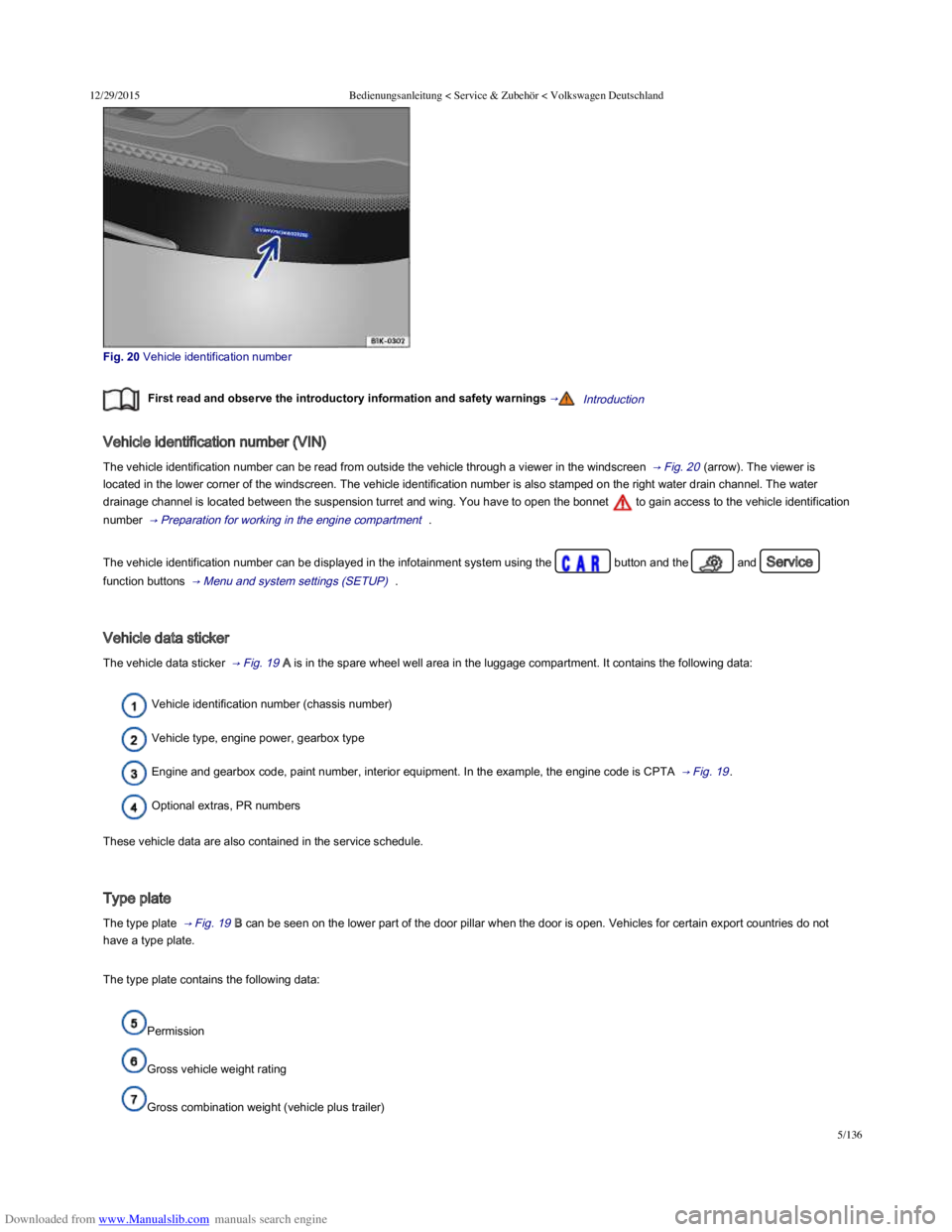
Fig. 20 Vehicle identification number
First read and observe the introductory information and safety warnings →Introduction
Vehicle identification number (VIN)
The vehicle identification number can be read from outside the vehicle through a viewer in the windscreen → Fig. 20 (arrow). The viewer is
located in the lower corner of the windscreen. The vehicle identification number is also stamped on the right water drain channel. The water
drainage channel is located between the suspension turret and wing. You have to open the bonnet to gain access to the vehicle identification
number → Preparation for working in the engine compartment .
The vehicle identification number can be displayed in the infotainment system using the button and the and Service
function buttons → Menu and system settings (SETUP) .
Vehicle data sticker
The vehicle data sticker → Fig. 19 A is in the spare wheel well area in the luggage compartment. It contains the following data:
Vehicle identification number (chassis number)
Vehicle type, engine power, gearbox type
Engine and gearbox code, paint number, interior equipment. In the example, the engine code is CPTA → Fig. 19 .
Optional extras, PR numbers
These vehicle data are also contained in the service schedule.
Type plate
The type plate → Fig. 19 B can be seen on the lower part of the door pillar when the door is open. Vehicles for certain export countries do not
have a type plate.
The type plate contains the following data:
Permission
Gross vehicle weight rating
Gross combination weight (vehicle plus trailer)
Page 45 of 100
Downloaded from www.Manualslib.com manuals search engine 12/29/2015Bedienungsanleitung < Service & Zubehör < Volkswagen Deutschland
10/136
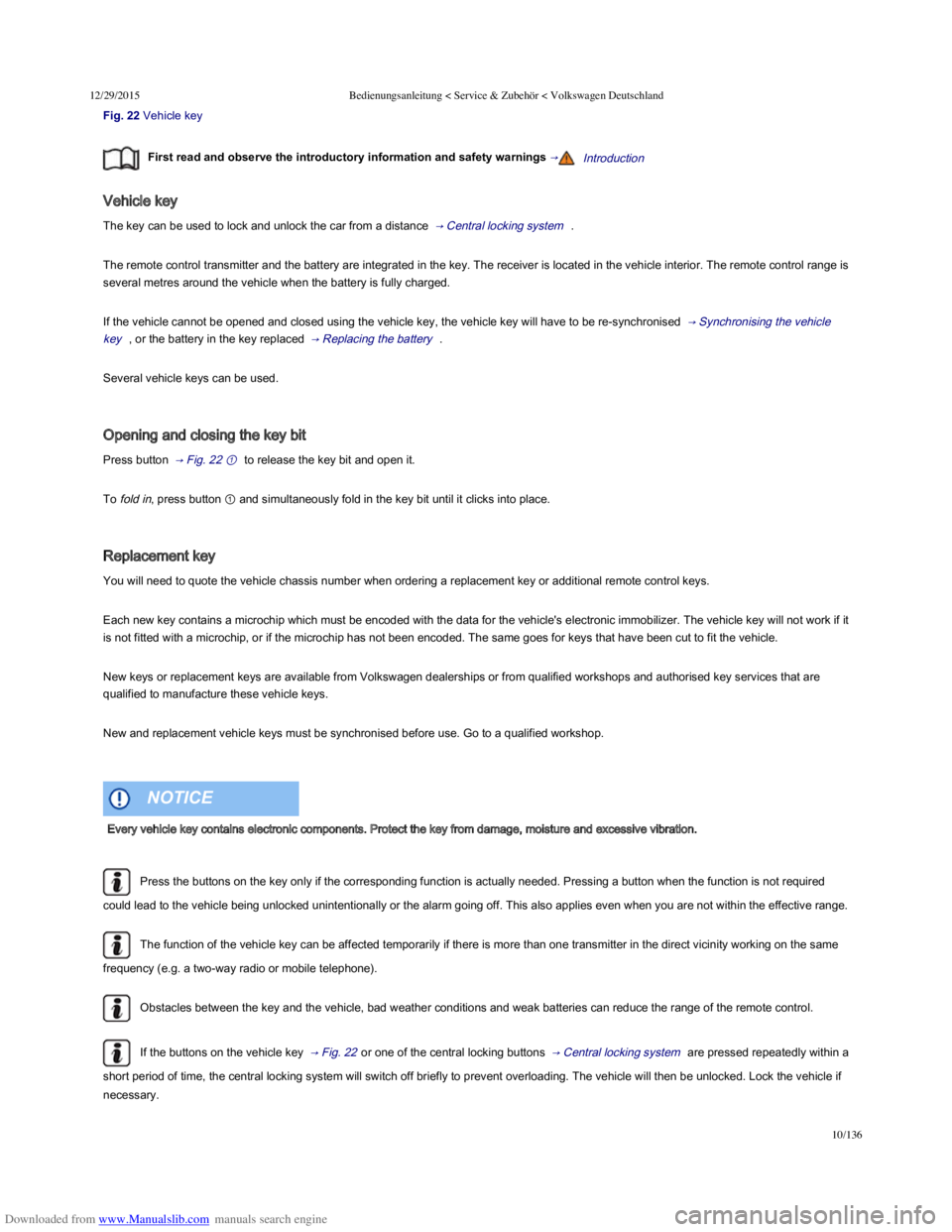
Fig. 22 Vehicle key
First read and observe the introductory information and safety warnings →Introduction
Vehicle key
The key can be used to lock and unlock the car from a distance → Central locking system .
The remote control transmitter and the battery are integrated in the key. The receiver is located in the vehicle interior. The remote control range is
several metres around the vehicle when the battery is fully charged.
If the vehicle cannot be opened and closed using the vehicle key, the vehicle key will have to be re-synchronised → Synchronising the vehicle
key , or the battery in the key replaced → Replacing the battery .
Several vehicle keys can be used.
Opening and closing the key bit
Press button → Fig. 22 ① to release the key bit and open it.
To fold in, press button ① and simultaneously fold in the key bit until it clicks into place.
Replacement key
You will need to quote the vehicle chassis number when ordering a replacement key or additional remote control keys.
Each new key contains a microchip which must be encoded with the data for the vehicle's electronic immobilizer. The vehicle key will not work if it
is not fitted with a microchip, or if the microchip has not been encoded. The same goes for keys that have been cut to fit the vehicle.
New keys or replacement keys are available from Volkswagen dealerships or from qualified workshops and authorised key services that are
qualified to manufacture these vehicle keys.
New and replacement vehicle keys must be synchronised before use. Go to a qualified workshop.
Press the buttons on the key only if the corresponding function is actually needed. Pressing a button when the function is not required
could lead to the vehicle being unlocked unintentionally or the alarm going off. This also applies even when you are not within the effective range.
The function of the vehicle key can be affected temporarily if there is more than one transmitter in the direct vicinity working on the same
frequency (e.g. a two-way radio or mobile telephone).
Obstacles between the key and the vehicle, bad weather conditions and weak batteries can reduce the range of the remote control.
If the buttons on the vehicle key → Fig. 22 or one of the central locking buttons → Central locking system are pressed repeatedly within a
short period of time, the central locking system will switch off briefly to prevent overloading. The vehicle will then be unlocked. Lock the vehicle if
necessary.
Indicator lamp in the vehicle key
Every vehicle key contains electronic components. Protect the key from damage, moisture and excessive vibration.
NOTICE
Page 49 of 100
Downloaded from www.Manualslib.com manuals search engine 12/29/2015Bedienungsanleitung < Service & Zubehör < Volkswagen Deutschland
14/136
intervals. The lamp will then light up without interruption for
approximately 30 seconds.
Fault in the locking system. Go
to a qualified workshop.
Fault in the locking system. Go to a qualified
workshop.
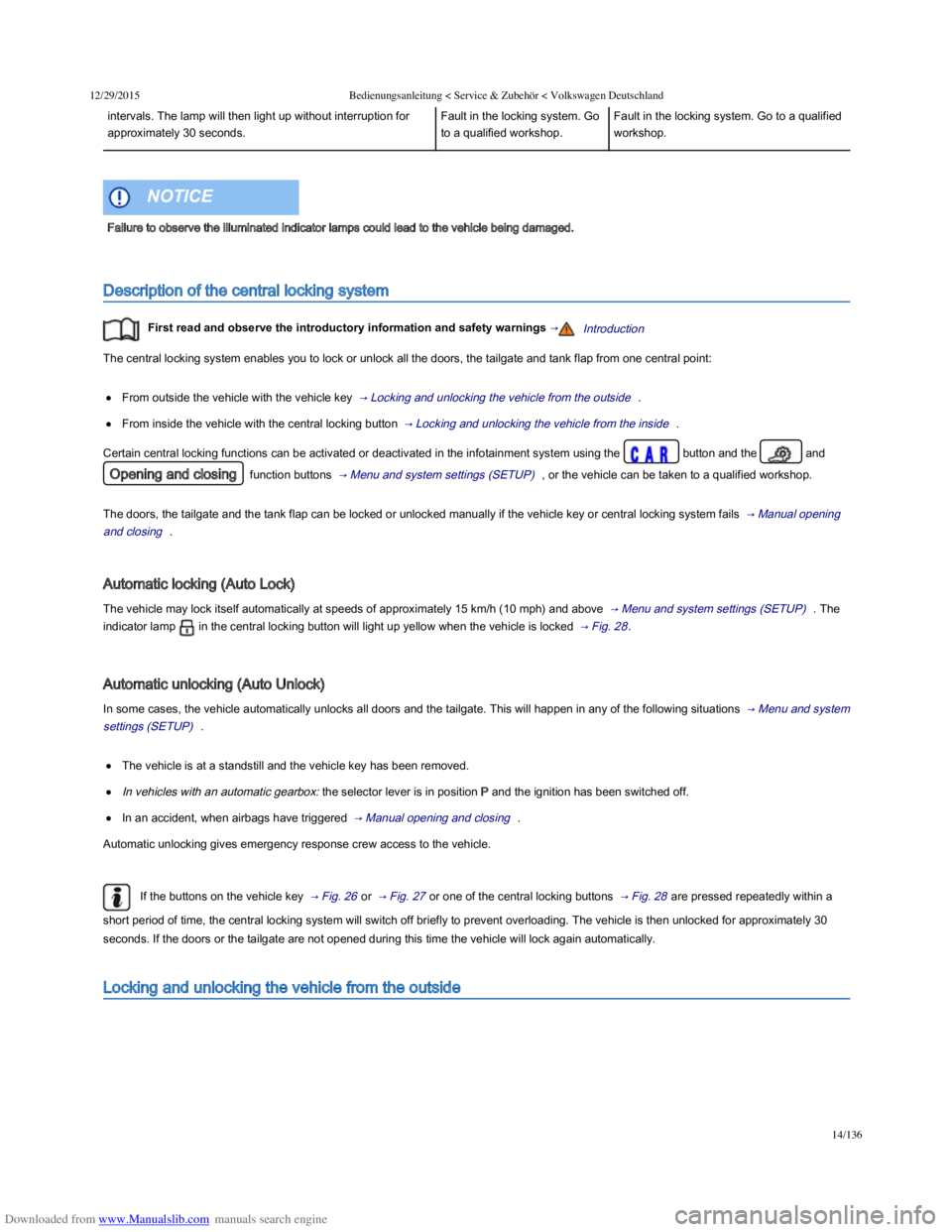
Description of the central locking system
First read and observe the introductory information and safety warnings →Introduction
The central locking system enables you to lock or unlock all the doors, the tailgate and tank flap from one central point:
From outside the vehicle with the vehicle key → Locking and unlocking the vehicle from the outside .
From inside the vehicle with the central locking button → Locking and unlocking the vehicle from the inside .
Certain central locking functions can be activated or deactivated in the infotainment system using the button and the and
Opening and closing function buttons → Menu and system settings (SETUP) , or the vehicle can be taken to a qualified workshop.
The doors, the tailgate and the tank flap can be locked or unlocked manually if the vehicle key or central locking system fails → Manual opening
and closing .
Automatic locking (Auto Lock)
The vehicle may lock itself automatically at speeds of approximately 15 km/h (10 mph) and above → Menu and system settings (SETUP) . The
indicator lamp in the central locking button will light up yellow when the vehicle is locked → Fig. 28 .
Automatic unlocking (Auto Unlock)
In some cases, the vehicle automatically unlocks all doors and the tailgate. This will happen in any of the following situations → Menu and system
settings (SETUP) .
The vehicle is at a standstill and the vehicle key has been removed.
In vehicles with an automatic gearbox: the selector lever is in position P and the ignition has been switched off.
In an accident, when airbags have triggered → Manual opening and closing .
Automatic unlocking gives emergency response crew access to the vehicle.
If the buttons on the vehicle key → Fig. 26 or → Fig. 27 or one of the central locking buttons → Fig. 28 are pressed repeatedly within a
short period of time, the central locking system will switch off briefly to prevent overloading. The vehicle is then unlocked for approximately 30
seconds. If the doors or the tailgate are not opened during this time the vehicle will lock again automatically.
Locking and unlocking the vehicle from the outside
Failure to observe the illuminated indicator lamps could lead to the vehicle being damaged.
NOTICE
Page 50 of 100
Downloaded from www.Manualslib.com manuals search engine 12/29/2015Bedienungsanleitung < Service & Zubehör < Volkswagen Deutschland
15/136
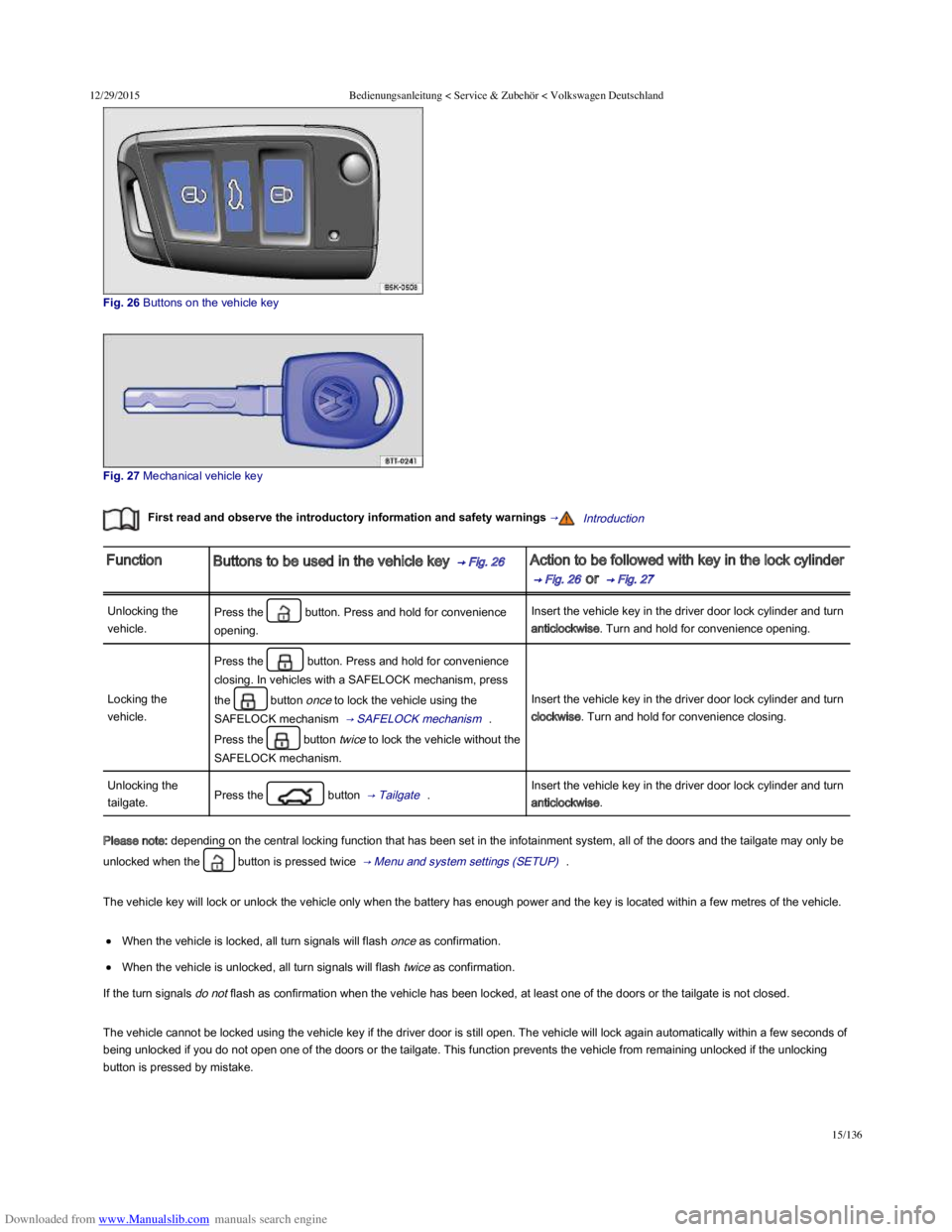
Fig. 26 Buttons on the vehicle key
Fig. 27 Mechanical vehicle key
First read and observe the introductory information and safety warnings →Introduction
FunctionButtons to be used in the vehicle key → Fig. 26 Action to be followed with key in the lock cylinder
→ Fig. 26 or → Fig. 27
Unlocking the
vehicle.
Press the button. Press and hold for convenience
opening.
Insert the vehicle key in the driver door lock cylinder and turn
anticlockwise. Turn and hold for convenience opening.
Locking the
vehicle.
Press the button. Press and hold for convenience
closing. In vehicles with a SAFELOCK mechanism, press
the button once to lock the vehicle using the
SAFELOCK mechanism → SAFELOCK mechanism .
Press the button twice to lock the vehicle without the
SAFELOCK mechanism.
Insert the vehicle key in the driver door lock cylinder and turn
clockwise. Turn and hold for convenience closing.
Unlocking the
tailgate.Press the button → Tailgate .Insert the vehicle key in the driver door lock cylinder and turn
anticlockwise.
Please note: depending on the central locking function that has been set in the infotainment system, all of the doors and the tailgate may only be
unlocked when the button is pressed twice → Menu and system settings (SETUP) .
The vehicle key will lock or unlock the vehicle only when the battery has enough power and the key is located within a few metres of the vehicle.
When the vehicle is locked, all turn signals will flash once as confirmation.
When the vehicle is unlocked, all turn signals will flash twice as confirmation.
If the turn signals do not flash as confirmation when the vehicle has been locked, at least one of the doors or the tailgate is not closed.
The vehicle cannot be locked using the vehicle key if the driver door is still open. The vehicle will lock again automatically within a few seconds of
being unlocked if you do not open one of the doors or the tailgate. This function prevents the vehicle from remaining unlocked if the unlocking
button is pressed by mistake.
Page 61 of 100
Downloaded from www.Manualslib.com manuals search engine 12/29/2015Bedienungsanleitung < Service & Zubehör < Volkswagen Deutschland
26/136
Before closing the tailgate, check that the vehicle key is not in the luggage compartment.
Introduction
This chapter contains information on the following subjects:
→ Opening or closing the windows electrically
→ Electric windows – functions
→ Roll-back function for the electric windows
Additional information and warnings:
Volkswagen information system → Volkswagen information system
Infotainment system → Infotainment system
Central locking system → Central locking system
Cleaning and caring for the vehicle exterior → Caring for and cleaning the vehicle exterior
Opening or closing the windows electrically
Serious injuries can occur if the tailgate is closed incorrectly or without due care and attention.
Never leave children playing unattended in or around the vehicle, especially when the tailgate is open. Children could climb into the luggage
compartment and shut the tailgate, thereby trapping themselves inside. Temperatures inside a locked vehicle may reach extremes of heat or
cold, according to season. This could cause serious injuries or illness, or even have fatal consequences.
WARNING
Electric windows
Careless or unsupervised use of the electric windows can cause serious injuries.
The electric windows should only be opened or closed when you are sure that nobody is in their operating area.
Never leave children or people requiring assistance alone in the vehicle when the vehicle is locked. The windows can no longer be opened
in an emergency.
Always take all vehicle keys with you every time you leave the vehicle. The windows can still be operated using the buttons several minutes
after the ignition has been switched off, provided that the driver door and front passenger door are not opened.
When transporting children on the rear bench seat, the rear electric windows should always be deactivated using the safety button so that
they cannot be opened or closed.
WARNING
During sudden rain showers, water can enter the vehicle interior via open windows and cause damage to the vehicle.
NOTICE
Page 62 of 100
Downloaded from www.Manualslib.com manuals search engine 12/29/2015Bedienungsanleitung < Service & Zubehör < Volkswagen Deutschland
27/136
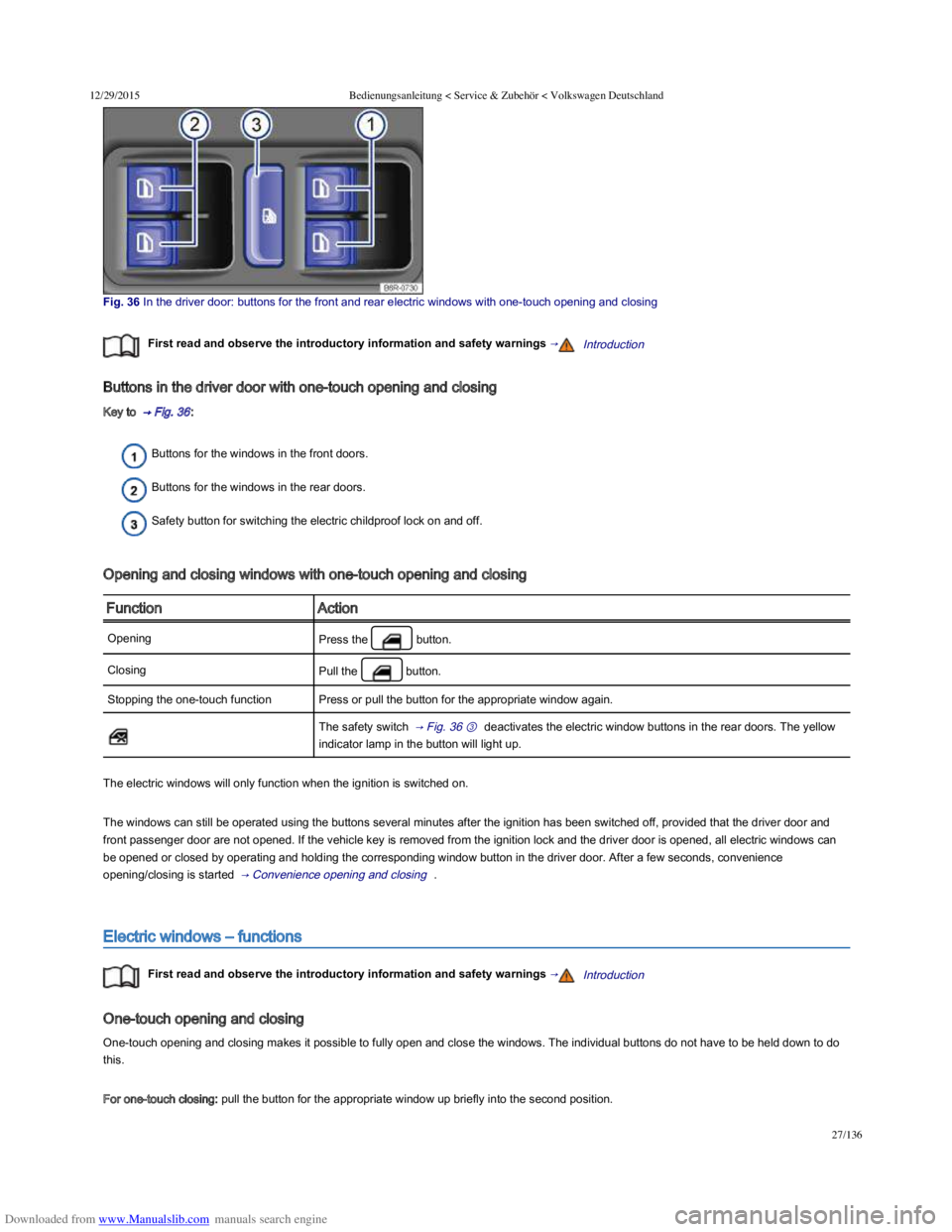
Fig. 36 In the driver door: buttons for the front and rear electric windows with onetouch opening and closing
First read and observe the introductory information and safety warnings →Introduction
Buttons in the driver door with one-touch opening and closing
Key to → Fig. 36 :
Buttons for the windows in the front doors.
Buttons for the windows in the rear doors.
Safety button for switching the electric childproof lock on and off.
Opening and closing windows with one-touch opening and closing
FunctionAction
OpeningPress the button.
ClosingPull the button.
Stopping the one-touch functionPress or pull the button for the appropriate window again.
The safety switch → Fig. 36 ③ deactivates the electric window buttons in the rear doors. The yellow
indicator lamp in the button will light up.
The electric windows will only function when the ignition is switched on.
The windows can still be operated using the buttons several minutes after the ignition has been switched off, provided that the driver door and
front passenger door are not opened. If the vehicle key is removed from the ignition lock and the driver door is opened, all electric windows can
be opened or closed by operating and holding the corresponding window button in the driver door. After a few seconds, convenience
opening/closing is started → Convenience opening and closing .
Electric windows – functions
First read and observe the introductory information and safety warnings →Introduction
One-touch opening and closing
One-touch opening and closing makes it possible to fully open and close the windows. The individual buttons do not have to be held down to do
this.
For one-touch closing: pull the button for the appropriate window up briefly into the second position.
Page 63 of 100
Downloaded from www.Manualslib.com manuals search engine 12/29/2015Bedienungsanleitung < Service & Zubehör < Volkswagen Deutschland
28/136
For one-touch opening: press the button for the appropriate window down briefly into the second position.
Stopping the one-touch function: press or pull the button for the appropriate window again.
Restoring one-touch opening and closing
One-touch opening and closing is deactivated if the vehicle battery has been disconnected or discharged while the windows were not fully closed.
The function will have to be reset.
Close all windows and doors.
Pull up the button for the window and hold it in this position for at least one second.
Let go of the button then pull it up again and hold it in this position. One-touch opening and closing is now ready for operation.
The one-touch function can be restored for individual windows or for several windows at the same time.
Convenience opening and closing
The windows can be opened and closed from outside the vehicle using the vehicle key:
Press and hold the locking or unlocking button on the vehicle key. All electric windows will be either opened or closed.
To interrupt this function, let go of the locking or unlocking button.
During convenience closing, first the windows and then the electric panorama sliding/tilting glass roof.
One-touch opening and closing and the roll-back function will not work if there is a fault in the electric windows. Go to a qualified
workshop.
Roll-back function for the electric windows
First read and observe the introductory information and safety warnings →Introduction
The roll-back function for the electric windows can reduce the risk of injuries when the windows are closing → . If the one-touch closing
function for a window does not work because it is stiff or is being obstructed, the window will automatically open again.
Check to see why the window has not closed.
Try to close the window again.
Careless or unsupervised use of the electric windows can cause serious injuries.
The electric windows should only be opened or closed when you are sure that nobody is in their operating area.
Never leave children or people requiring assistance alone in the vehicle when the vehicle is locked. The windows can no longer be opened
in an emergency.
Always take all vehicle keys with you every time you leave the vehicle. The windows can still be operated using the buttons several minutes
after the ignition has been switched off, provided that the driver door and front passenger door are not opened.
When transporting children on the rear bench seat, the rear electric windows should always be deactivated using the safety button so that
they cannot be opened or closed.
WARNING
Page 67 of 100
Downloaded from www.Manualslib.com manuals search engine 12/29/2015Bedienungsanleitung < Service & Zubehör < Volkswagen Deutschland
32/136
Convenience opening and closing
The electric panorama sliding/tilting glass roof can be opened and closed from the outside with the vehicle key.
Press and hold the locking or unlocking button on the vehicle key. The electric panorama sliding/tilting roof is tilted or closed.
Let go of the lock or unlock button to interrupt this function.
During convenience closing, first the windows and then the electric panorama sliding/tilting glass roof.
A variety of settings related to window operation can be made and adjusted using the button and the and
Opening and closing function buttons → Menu and system settings (SETUP) .
The rotary control of the electric panorama sliding/tilting glass roof remains in the last position selected if the roof is closed from outside
the vehicle using convenience closing. It will have to be re-positioned the next time you drive.
In special driving situations, for example, oversteering or understeering, the open electric panorama sliding/tilting glass roof can be
automatically closed to a small gap at speeds of approx. 30 km/h (18 mph).
Roll-back function of the electric panorama sliding/tilting glass roof
First read and observe the introductory information and safety warnings →Introduction
The roll-back function can reduce the risk of injury when the electric panorama sliding/tilting glass roof is being closed → . If the electric
panorama sliding/tilting glass roof is not able to close because it is stiff or obstructed, it will automatically open again immediately.
Check why the electric panorama sliding/tilting glass roof has not closed.
Try to close the electric panorama sliding/tilting glass roof again.
If the electric panorama sliding/tilting glass roof is still stiff or obstructed, it stops at this point. Then close the electric panorama sliding/tilting
glass roof without the roll-back function
Closing the electric panorama sliding/tilting glass roof without the roll-back function
Pull the switch → Fig. 38 ⑤ within approximately 5 seconds after the roll-back function has been triggered and hold it in this position until the
electric panorama sliding/tilting glass roof is closed completely.
The electric panorama sliding/tilting glass roof will then close without the roll-back function.
If the electric panorama sliding/tilting glass roof still cannot be closed, go to a qualified workshop.
If you let go of the switch during the closing procedure, the electric panorama sliding/tilting glass roof will open automatically.
The roll-back function is also active if the windows and electric panorama sliding/tilting glass roof are closed with the vehicle key
→ Convenience opening and closing .
Closing the electric panorama sliding/tilting glass roof without the roll-back function can cause severe injuries.
Always be careful when closing the electric panorama sliding/tilting glass roof.
Ensure that nobody is obstructing the operating area of the electric panorama sliding/tilting glass roof, especially if the roll-back function is
not active.
The roll-back function does not prevent fingers or other body parts from being pressed against the roof frame and sustaining injury.
WARNING
Page 78 of 100
Downloaded from www.Manualslib.com manuals search engine 12/29/2015Bedienungsanleitung < Service & Zubehör < Volkswagen Deutschland
43/136
Seat heating
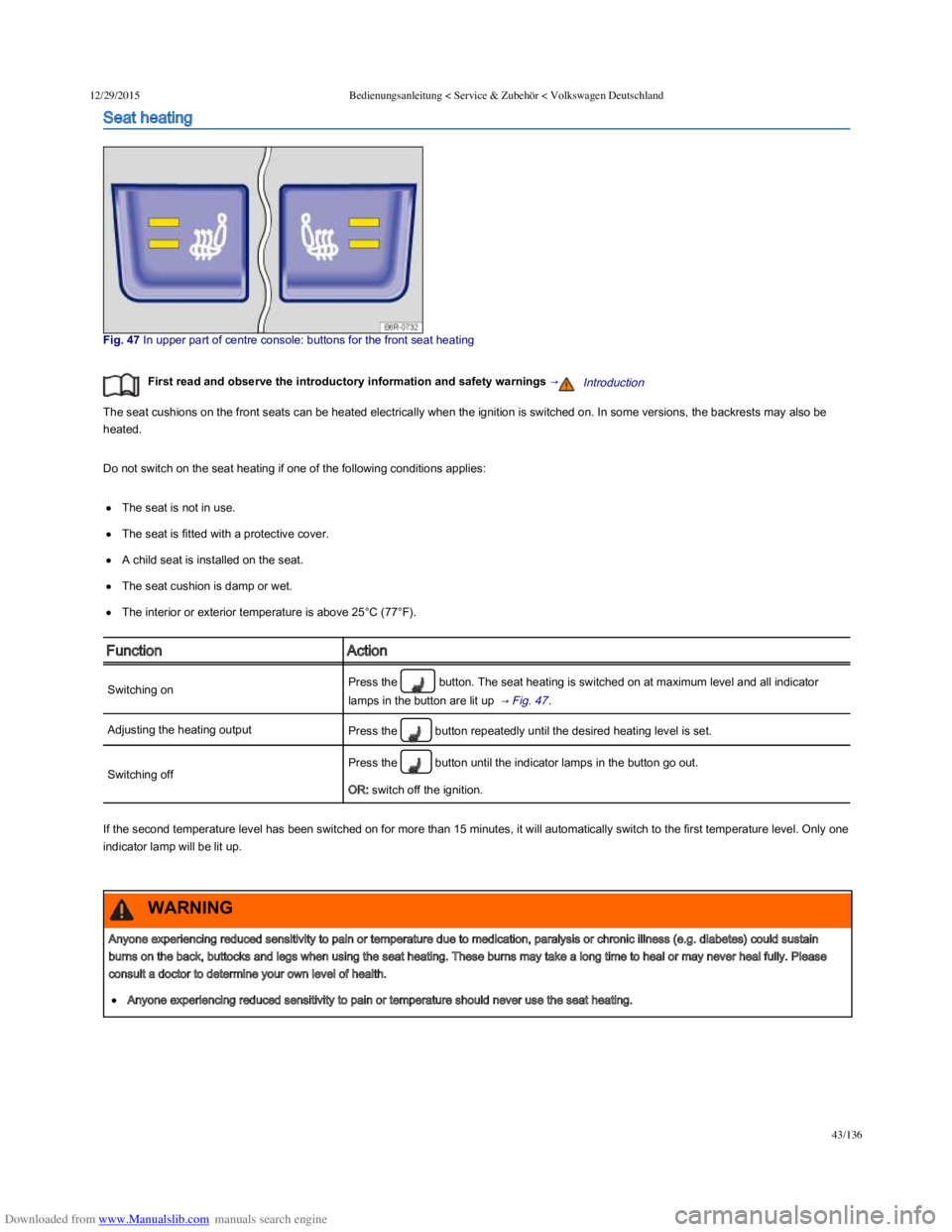
Fig. 47 In upper part of centre console: buttons for the front seat heating
First read and observe the introductory information and safety warnings →Introduction
The seat cushions on the front seats can be heated electrically when the ignition is switched on. In some versions, the backrests may also be
heated.
Do not switch on the seat heating if one of the following conditions applies:
The seat is not in use.
The seat is fitted with a protective cover.
A child seat is installed on the seat.
The seat cushion is damp or wet.
The interior or exterior temperature is above 25°C (77°F).
FunctionAction
Switching onPress the button. The seat heating is switched on at maximum level and all indicator
lamps in the button are lit up → Fig. 47 .
Adjusting the heating outputPress the button repeatedly until the desired heating level is set.
Switching off
Press the button until the indicator lamps in the button go out.
OR: switch off the ignition.
If the second temperature level has been switched on for more than 15 minutes, it will automatically switch to the first temperature level. Only one
indicator lamp will be lit up.
Anyone experiencing reduced sensitivity to pain or temperature due to medication, paralysis or chronic illness (e.g. diabetes) could sustain
burns on the back, buttocks and legs when using the seat heating. These burns may take a long time to heal or may never heal fully. Please
consult a doctor to determine your own level of health.
Anyone experiencing reduced sensitivity to pain or temperature should never use the seat heating.
WARNING