buttons VOLKSWAGEN POLO 2015 Owner´s Manual
[x] Cancel search | Manufacturer: VOLKSWAGEN, Model Year: 2015, Model line: POLO, Model: VOLKSWAGEN POLO 2015Pages: 100, PDF Size: 4.14 MB
Page 7 of 100
Downloaded from www.Manualslib.com manuals search engine 12/29/2015Bedienungsanleitung < Service & Zubehör < Volkswagen Deutschland
4/32
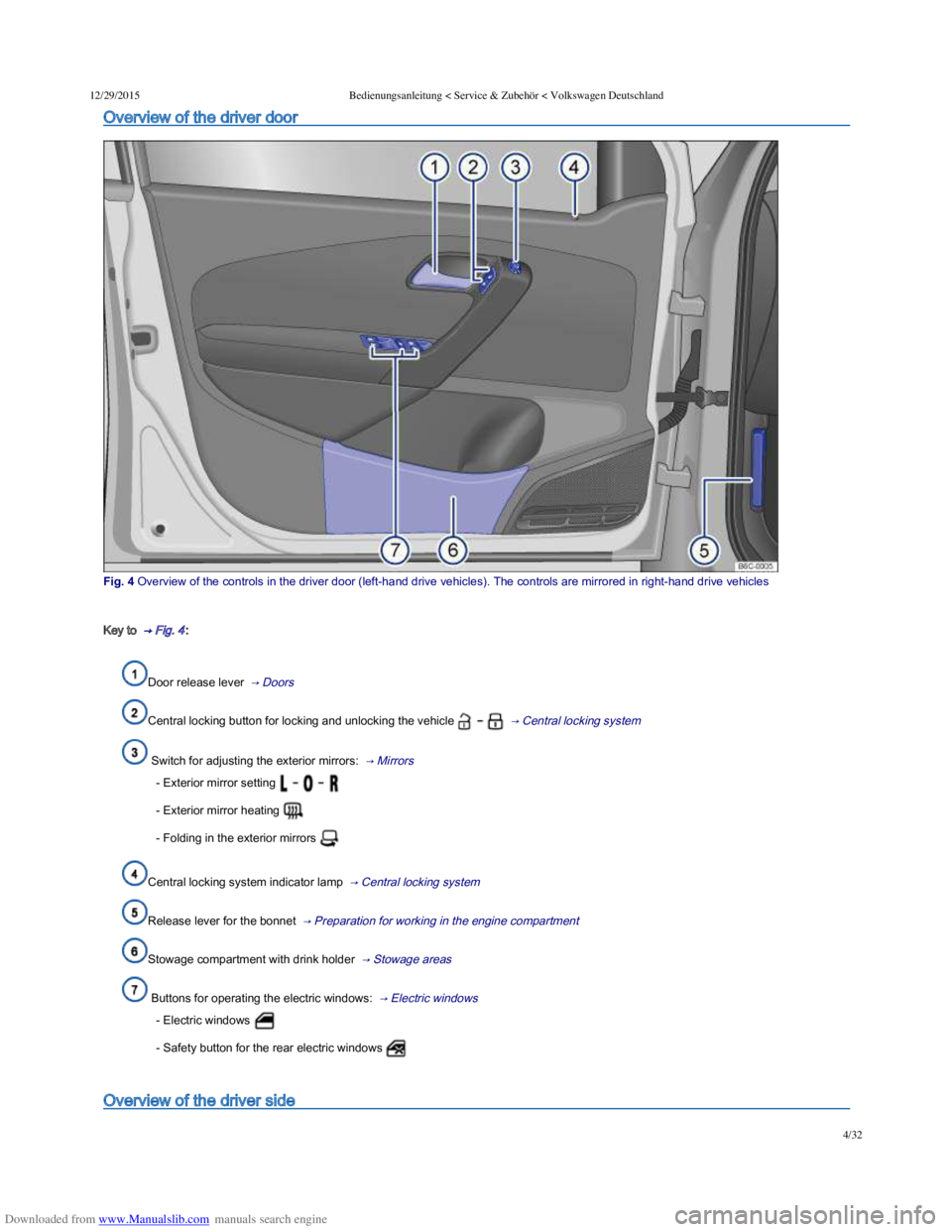
Overview of the driver door
Fig. 4 Overview of the controls in the driver door (lefthand drive vehicles). The controls are mirrored in righthand drive vehicles
Key to → Fig. 4 :
Door release lever → Doors
Central locking button for locking and unlocking the vehicle → Central locking system
Switch for adjusting the exterior mirrors: → Mirrors
- Exterior mirror setting
- Exterior mirror heating
- Folding in the exterior mirrors
Central locking system indicator lamp → Central locking system
Release lever for the bonnet → Preparation for working in the engine compartment
Stowage compartment with drink holder → Stowage areas
Buttons for operating the electric windows: → Electric windows
- Electric windows
- Safety button for the rear electric windows
Overview of the driver side
Page 9 of 100
Downloaded from www.Manualslib.com manuals search engine 12/29/2015Bedienungsanleitung < Service & Zubehör < Volkswagen Deutschland
6/32
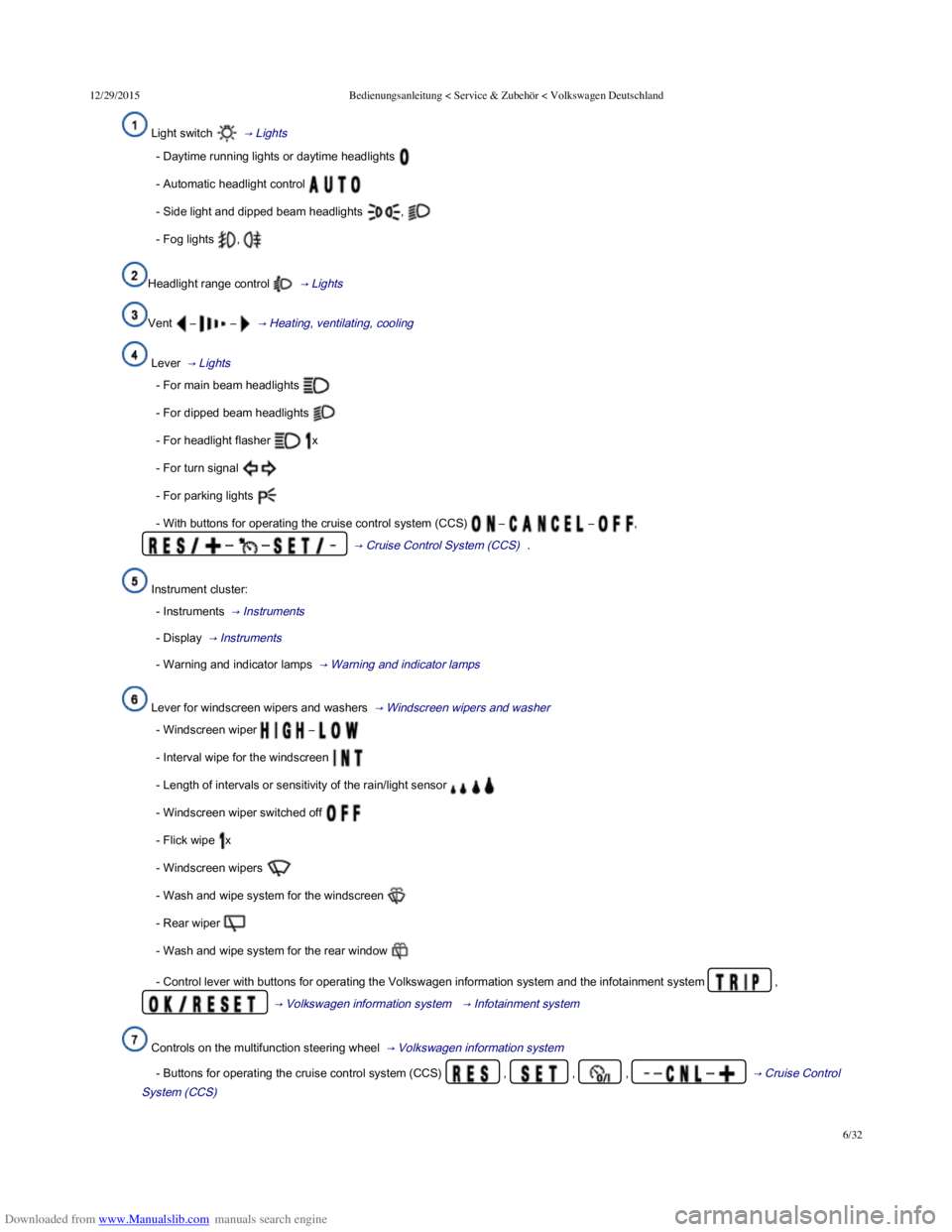
Light switch → Lights
- Daytime running lights or daytime headlights
- Automatic headlight control
- Side light and dipped beam headlights ,
- Fog lights ,
Headlight range control → Lights
Vent – – → Heating, ventilating, cooling
Lever → Lights
- For main beam headlights
- For dipped beam headlights
- For headlight flasher x
- For turn signal
- For parking lights
- With buttons for operating the cruise control system (CCS) – – ,
– – → Cruise Control System (CCS) .
Instrument cluster:
- Instruments → Instruments
- Display → Instruments
- Warning and indicator lamps → Warning and indicator lamps
Lever for windscreen wipers and washers → Windscreen wipers and washer
- Windscreen wiper –
- Interval wipe for the windscreen
- Length of intervals or sensitivity of the rain/light sensor
- Windscreen wiper switched off
- Flick wipe x
- Windscreen wipers
- Wash and wipe system for the windscreen
- Rear wiper
- Wash and wipe system for the rear window
- Control lever with buttons for operating the Volkswagen information system and the infotainment system ,
→ Volkswagen information system → Infotainment system
Controls on the multifunction steering wheel → Volkswagen information system
- Buttons for operating the cruise control system (CCS) , , , – – → Cruise Control
System (CCS)
Page 10 of 100
Downloaded from www.Manualslib.com manuals search engine 12/29/2015Bedienungsanleitung < Service & Zubehör < Volkswagen Deutschland
7/32
- Buttons for operating the Adaptive Cruise Control (ACC) , , , – – → Adaptive Cruise
Control (ACC)
- Volume setting for the radio, navigation announcements or a telephone conversation –
- Buttons for operating the Volkswagen information system – – , ,
- Opening the main telephone menu or accepting a telephone call
- Activating voice commands
- Audio, navigation –
Horn (works only when the ignition is switched on)
Ignition lock → Starting and stopping the engine
Pedals → Changing gear
Fuse box cover → Fuses
Driver front airbag → Airbag system
Lever for adjusting the steering column → Adjusting the seat position
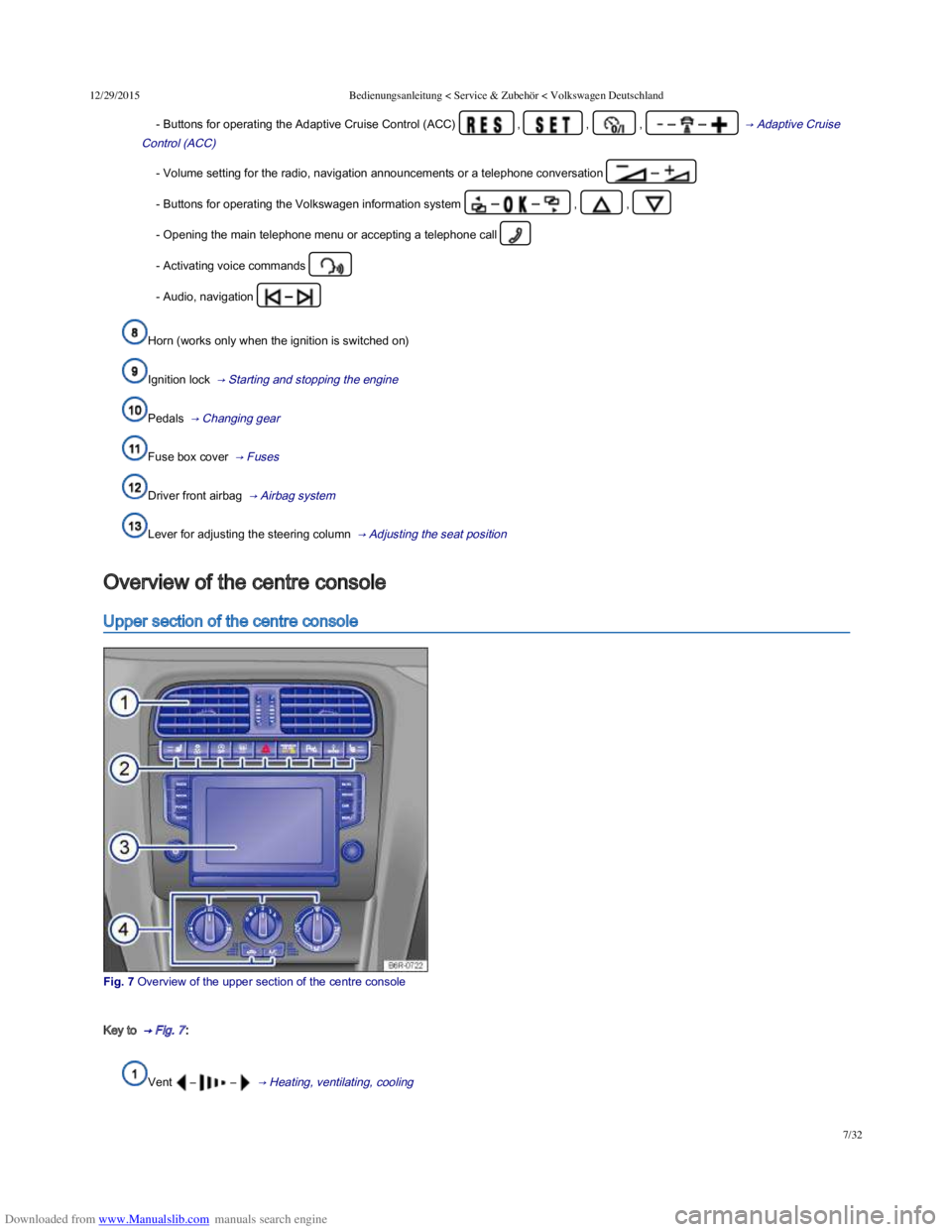
Upper section of the centre console
Fig. 7 Overview of the upper section of the centre console
Key to → Fig. 7 :
Vent – – → Heating, ventilating, cooling
Overview of the centre console
Page 11 of 100
Downloaded from www.Manualslib.com manuals search engine 12/29/2015Bedienungsanleitung < Service & Zubehör < Volkswagen Deutschland
8/32
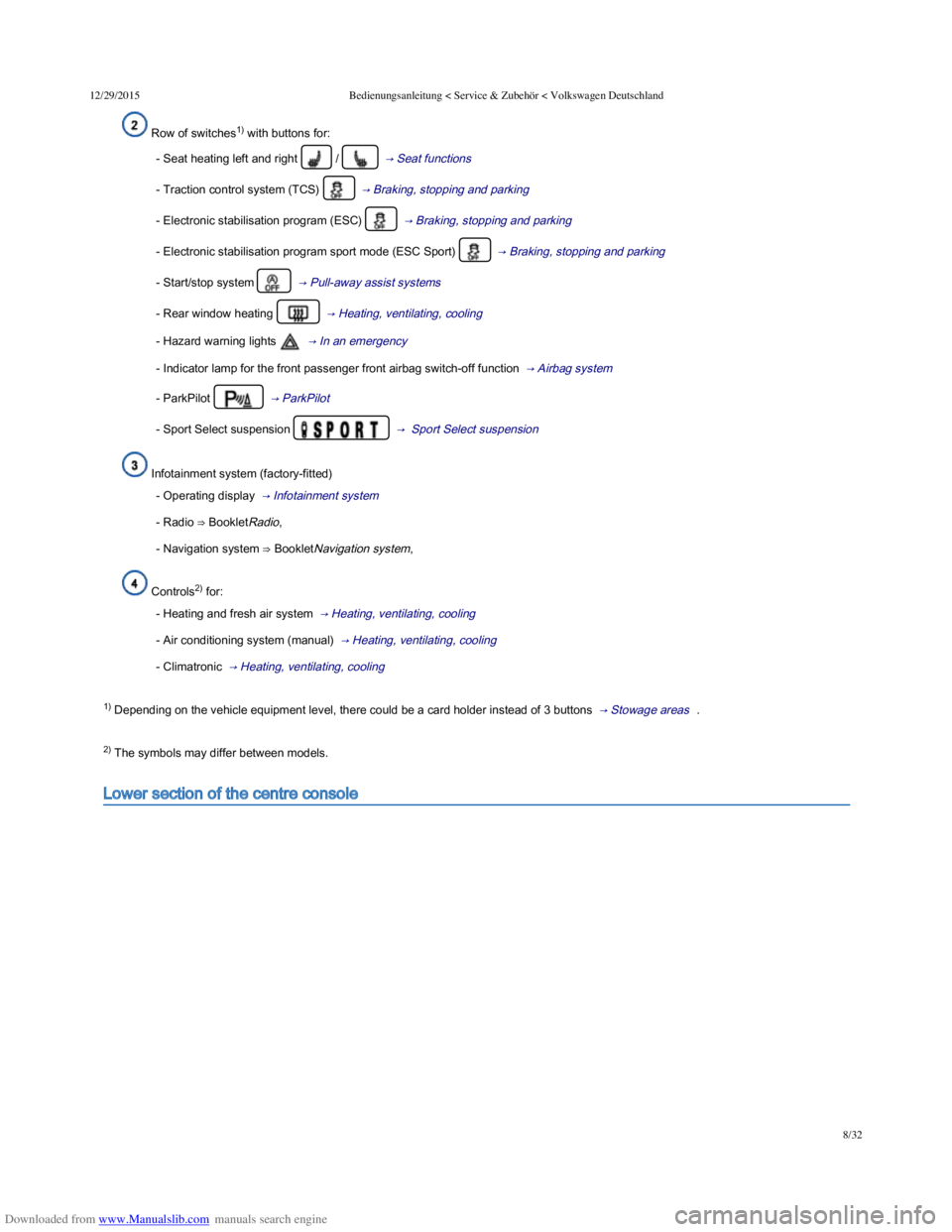
Row of switches1) with buttons for:
- Seat heating left and right / → Seat functions
- Traction control system (TCS) → Braking, stopping and parking
- Electronic stabilisation program (ESC) → Braking, stopping and parking
- Electronic stabilisation program sport mode (ESC Sport) → Braking, stopping and parking
- Start/stop system → Pull-away assist systems
- Rear window heating → Heating, ventilating, cooling
- Hazard warning lights → In an emergency
- Indicator lamp for the front passenger front airbag switch-off function → Airbag system
- ParkPilot → ParkPilot
- Sport Select suspension → Sport Select suspension
Infotainment system (factory-fitted)
- Operating display → Infotainment system
- Radio ⇒ BookletRadio,
- Navigation system ⇒ BookletNavigation system,
Controls2) for:
- Heating and fresh air system → Heating, ventilating, cooling
- Air conditioning system (manual) → Heating, ventilating, cooling
- Climatronic → Heating, ventilating, cooling
1) Depending on the vehicle equipment level, there could be a card holder instead of 3 buttons → Stowage areas .
2) The symbols may differ between models.
Lower section of the centre console
Page 17 of 100
Downloaded from www.Manualslib.com manuals search engine 12/29/2015Bedienungsanleitung < Service & Zubehör < Volkswagen Deutschland
14/32
Selected gear display (for vehicles with an automatic gearbox) → Changing gear
Information on service intervals ⇒ BookletService schedule,
Instrument overview
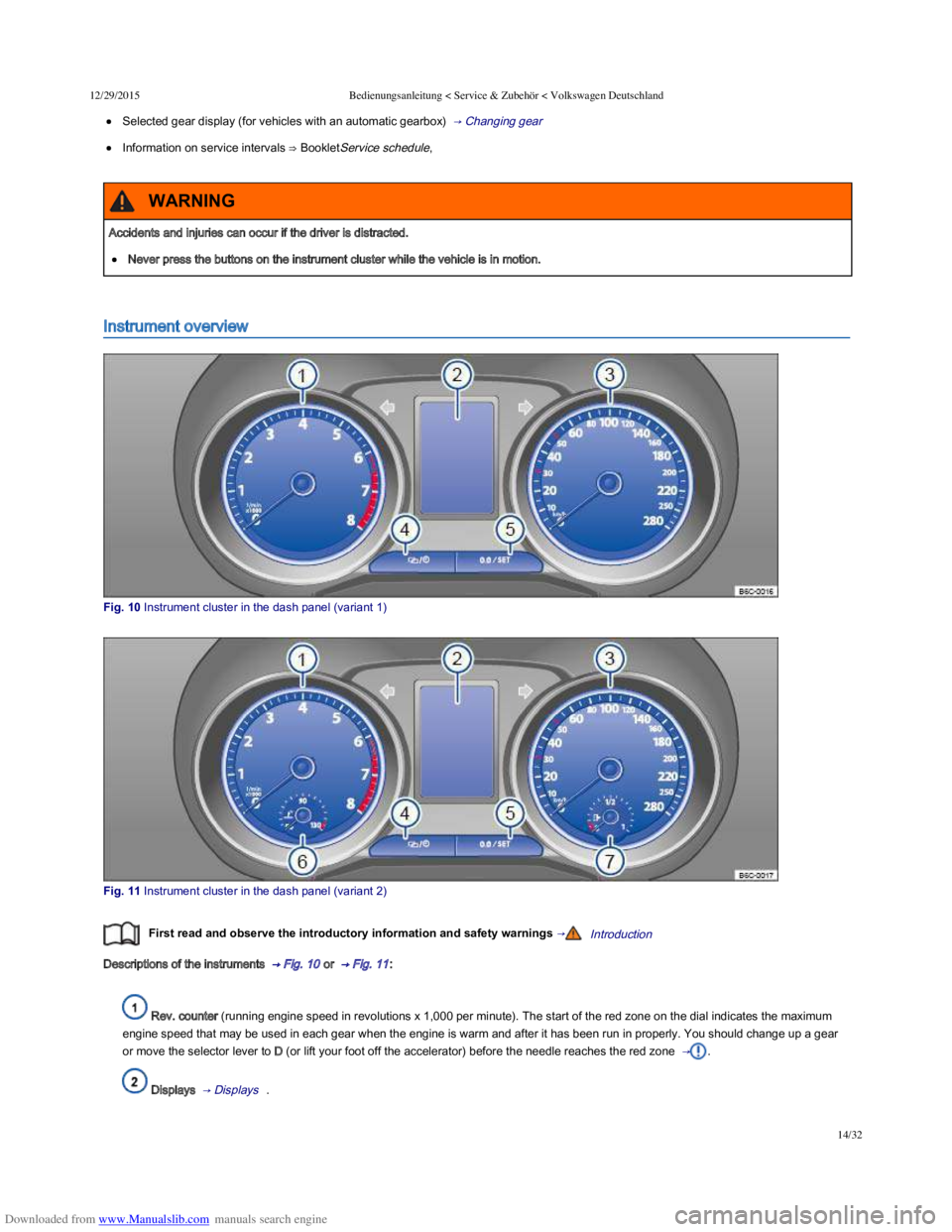
Fig. 10 Instrument cluster in the dash panel (variant 1)
Fig. 11 Instrument cluster in the dash panel (variant 2)
First read and observe the introductory information and safety warnings →Introduction
Descriptions of the instruments → Fig. 10 or → Fig. 11 :
Rev. counter (running engine speed in revolutions x 1,000 per minute). The start of the red zone on the dial indicates the maximum
engine speed that may be used in each gear when the engine is warm and after it has been run in properly. You should change up a gear
or move the selector lever to D (or lift your foot off the accelerator) before the needle reaches the red zone → .
Displays → Displays .
Accidents and injuries can occur if the driver is distracted.
Never press the buttons on the instrument cluster while the vehicle is in motion.
WARNING
Page 20 of 100
Downloaded from www.Manualslib.com manuals search engine 12/29/2015Bedienungsanleitung < Service & Zubehör < Volkswagen Deutschland
17/32
Priority 2 warning
message.
YellowYour vehicle could be damaged or break down if there is a fault or if service fluids are running low
→ .
Check the fault as soon as possible. Seek expert assistance if necessary.
Information message.–Information about various procedures within the vehicle.
Mileage displays
The odometer registers the total distance travelled by the car.
The trip recorder (trip) shows the distance travelled since the trip recorder was last reset. The final digit shows distances of 100 m.
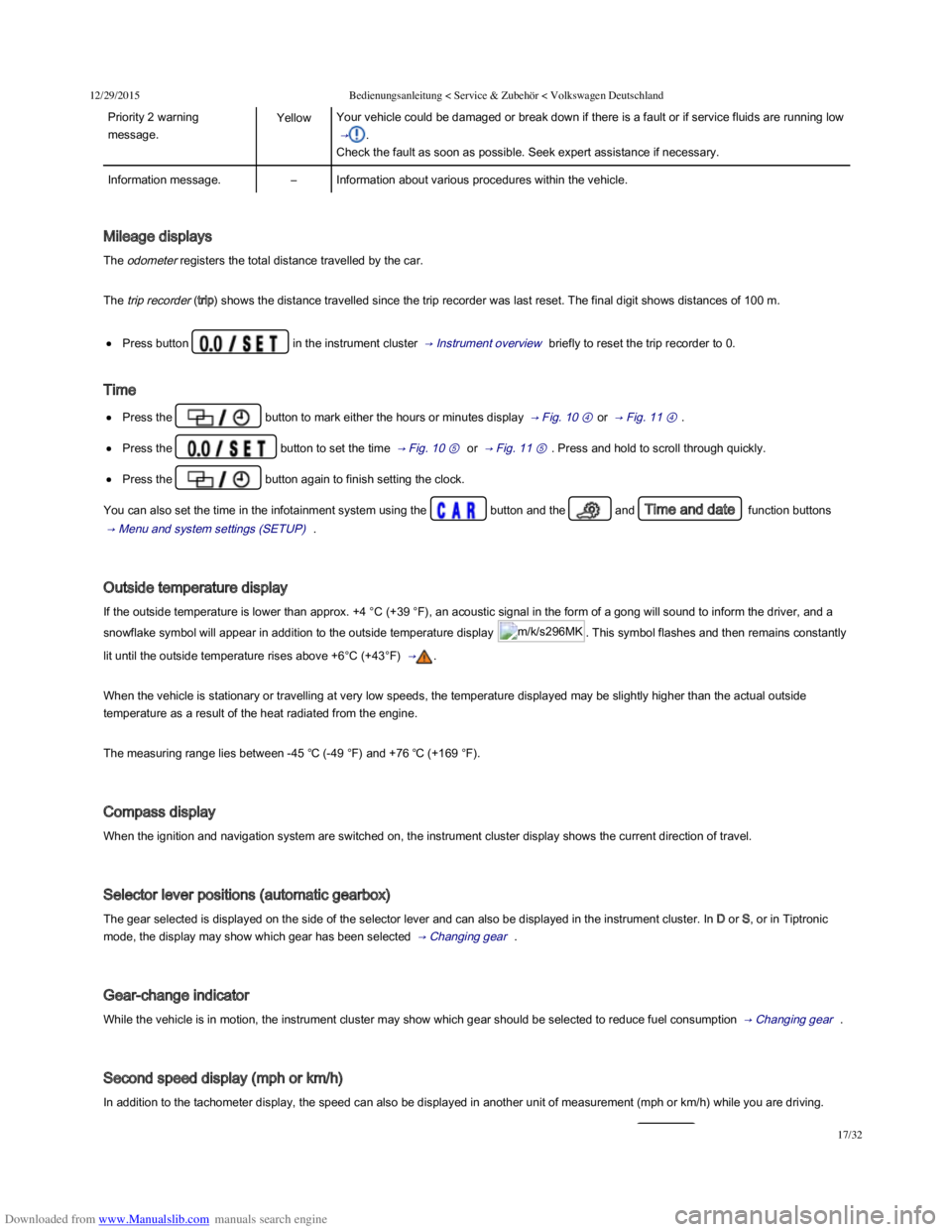
Press button in the instrument cluster → Instrument overview briefly to reset the trip recorder to 0.
Time
Press the button to mark either the hours or minutes display → Fig. 10 ④ or → Fig. 11 ④ .
Press the button to set the time → Fig. 10 ⑤ or → Fig. 11 ⑤ . Press and hold to scroll through quickly.
Press the button again to finish setting the clock.
You can also set the time in the infotainment system using the button and the and Time and date function buttons
→ Menu and system settings (SETUP) .
Outside temperature display
If the outside temperature is lower than approx. +4 °C (+39 °F), an acoustic signal in the form of a gong will sound to inform the driver, and a
snowflake symbol will appear in addition to the outside temperature display m/k/s296MK. This symbol flashes and then remains constantly
lit until the outside temperature rises above +6°C (+43°F) → .
When the vehicle is stationary or travelling at very low speeds, the temperature displayed may be slightly higher than the actual outside
temperature as a result of the heat radiated from the engine.
The measuring range lies between -45 ℃ (-49 °F) and +76 ℃ (+169 °F).
Compass display
When the ignition and navigation system are switched on, the instrument cluster display shows the current direction of travel.
Selector lever positions (automatic gearbox)
The gear selected is displayed on the side of the selector lever and can also be displayed in the instrument cluster. In D or S, or in Tiptronic
mode, the display may show which gear has been selected → Changing gear .
Gear-change indicator
While the vehicle is in motion, the instrument cluster may show which gear should be selected to reduce fuel consumption → Changing gear .
Second speed display (mph or km/h)
In addition to the tachometer display, the speed can also be displayed in another unit of measurement (mph or km/h) while you are driving.
Page 21 of 100

Downloaded from www.Manualslib.com manuals search engine 12/29/2015Bedienungsanleitung < Service & Zubehör < Volkswagen Deutschland
18/32
Settings for the second speed display can be made and adjusted in the infotainment system using the and the function buttons
, Units and Speed → Menu and system settings (SETUP) .
It is not possible to switch off the second speedometer display in those countries where the law stipulates that the display cannot be
deactivated.
Speed warning for winter tyres
A display in the instrument cluster indicates when the set maximum speed has been exceeded → Volkswagen information system .
Speed warning settings can be made and adjusted in the infotainment system using the button and the and Tyres
function buttons → Menu and system settings (SETUP) .
Start/stop system status display
The instrument cluster display shows information about the current status → Pull-away assist systems .
Status display for active cylinder management (ACT®)
Depending on equipment levels, some vehicles will indicate the current number of active cylinders in the instrument cluster display, e.g. 2
cylinder mode.
For this purpose, the menu option Current fuel consumption, Average consumption or Range must be selected in the menu MFI → Volkswagen
information system .
Engine code
Press and hold button in the instrument cluster → Instrument overview for at least 15 seconds to view the vehicle's engine
code (EC) in the display. The ignition should be switched on but the engine should not be running.
Failure to observe illuminated warning lamps and text messages can lead to your vehicle breaking down in traffic, and can cause accident
and serious injury.
Never ignore any illuminated warning lamps or text messages.
Stop the vehicle as soon as possible and when safe to do so.
Any broken-down vehicle poses an increased accident risk, both for you and for other road users. If the situation requires, switch on the
hazard warning lights and set up the warning triangle as a warning to other road users.
Stop the vehicle at a safe distance away from moving traffic and make sure that no part of the exhaust system can come into contact with
any inflammable material underneath the vehicle, e.g. dry grass or fuel.
WARNING
Page 24 of 100
Downloaded from www.Manualslib.com manuals search engine 12/29/2015Bedienungsanleitung < Service & Zubehör < Volkswagen Deutschland
21/32
The number of kilometres or amount of time until the next oil change service is shown in the display, followed by the same information for
the next inspection.
Service information → Fig. 14 can also be displayed in the infotainment system by pressing the button and the and
Service function buttons → Menu and system settings (SETUP) .
An overdue service is indicated by a minus sign in front of the mileage or trip reading.
Resetting oil change service
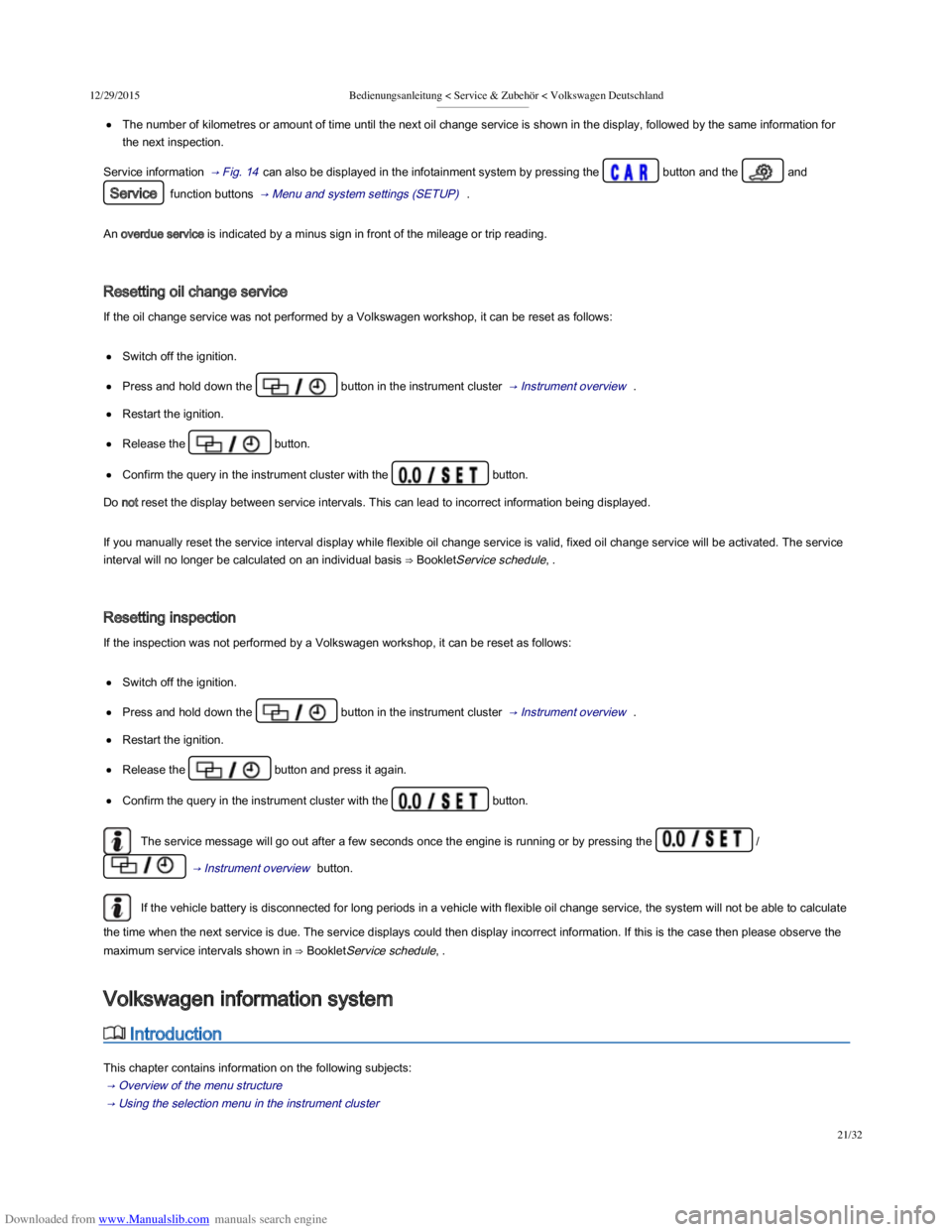
If the oil change service was not performed by a Volkswagen workshop, it can be reset as follows:
Switch off the ignition.
Press and hold down the button in the instrument cluster → Instrument overview .
Restart the ignition.
Release the button.
Confirm the query in the instrument cluster with the button.
Do not reset the display between service intervals. This can lead to incorrect information being displayed.
If you manually reset the service interval display while flexible oil change service is valid, fixed oil change service will be activated. The service
interval will no longer be calculated on an individual basis ⇒ BookletService schedule, .
Resetting inspection
If the inspection was not performed by a Volkswagen workshop, it can be reset as follows:
Switch off the ignition.
Press and hold down the button in the instrument cluster → Instrument overview .
Restart the ignition.
Release the button and press it again.
Confirm the query in the instrument cluster with the button.
The service message will go out after a few seconds once the engine is running or by pressing the /
→ Instrument overview button.
If the vehicle battery is disconnected for long periods in a vehicle with flexible oil change service, the system will not be able to calculate
the time when the next service is due. The service displays could then display incorrect information. If this is the case then please observe the
maximum service intervals shown in ⇒ BookletService schedule, .
Introduction
This chapter contains information on the following subjects:
→ Overview of the menu structure
→ Using the selection menu in the instrument cluster
→ Selection menu
Volkswagen information system
Page 25 of 100
Downloaded from www.Manualslib.com manuals search engine 12/29/2015Bedienungsanleitung < Service & Zubehör < Volkswagen Deutschland
22/32
→ Selection menu
→ Driving data
→ menu
When the ignition is switched on, the various display functions can be accessed via the selection menu, e.g. the driving data display
(multifunction display (MFD)).
There are no buttons on the windscreen wiper lever in vehicles equipped with a multifunction steering wheel. The multifunction display is
controlled using the buttons on the multifunction steering wheel only.
The scope of the menus and information shown on the instrument cluster display depends on the vehicle electronics and the vehicle equipment
level.
Qualified workshops can program and modify other functions depending on the vehicle equipment level. Volkswagen recommends using a
Volkswagen dealership for this purpose.
Some menu options can only be called up when the vehicle is stationary.
If any priority 1 warning reports are being displayed, you will be unable to access any menus or information displays. A few warning messages
can be confirmed and hidden by pressing the button on the windscreen wiper lever or the button on the
multifunction steering wheel.
Additional information and warnings:
Infotainment system → Infotainment system
Driver assist systems → Driver assist systems
Radio or navigation system ⇒ BookletRadio, or ⇒ BookletNavigation system,
Provision for mobile telephones ⇒ BookletProvision for a mobile telephone,
After starting the engine with a discharged vehicle battery, or after the battery has been changed, system settings (time, date, personal
convenience settings and programming) may have been changed or deleted. Check and correct the settings as necessary once the vehicle
battery has been sufficiently charged.
Overview of the menu structure
First read and observe the introductory information and safety warnings →Introduction
The following menu structure shows how the Volkswagen information system menus on the instrument cluster display are structured. The size
and layout of the Volkswagen information system menu depends on the vehicle electronics and the level of vehicle equipment.
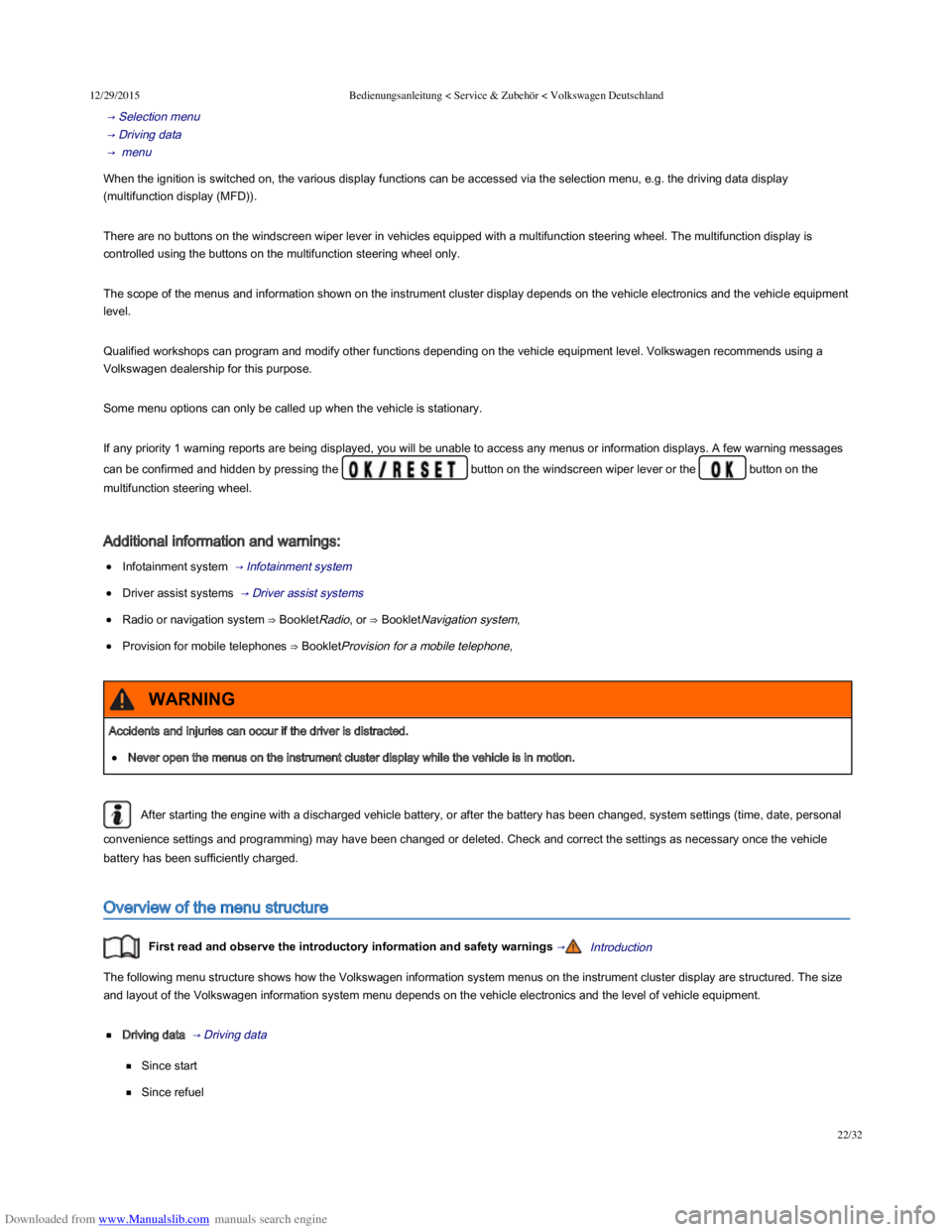
Driving data → Driving data
Since start
Since refuel
Accidents and injuries can occur if the driver is distracted.
Never open the menus on the instrument cluster display while the vehicle is in motion.
WARNING
Page 27 of 100
Downloaded from www.Manualslib.com manuals search engine 12/29/2015Bedienungsanleitung < Service & Zubehör < Volkswagen Deutschland
24/32
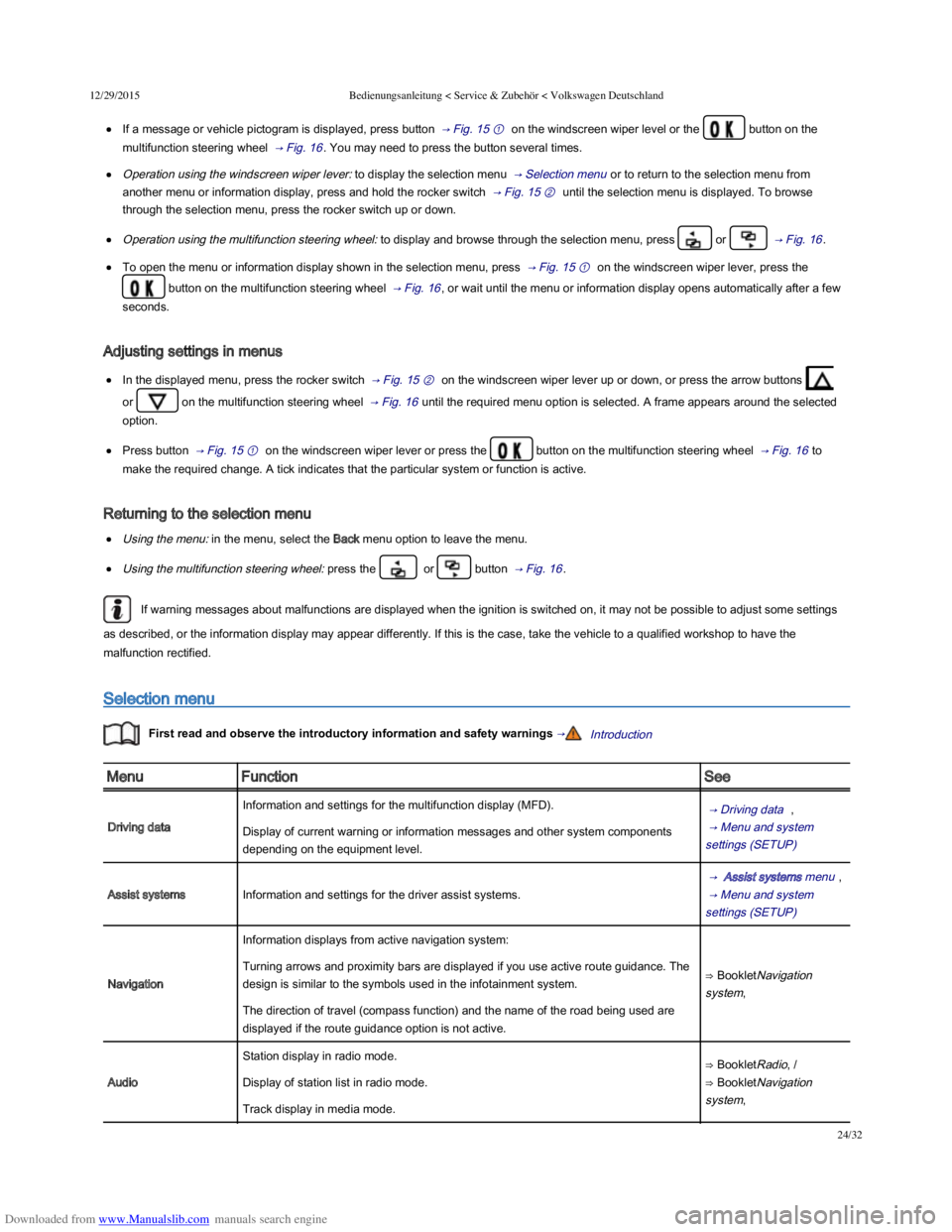
If a message or vehicle pictogram is displayed, press button → Fig. 15 ① on the windscreen wiper level or the button on the
multifunction steering wheel → Fig. 16 . You may need to press the button several times.
Operation using the windscreen wiper lever: to display the selection menu → Selection menu or to return to the selection menu from
another menu or information display, press and hold the rocker switch → Fig. 15 ② until the selection menu is displayed. To browse
through the selection menu, press the rocker switch up or down.
Operation using the multifunction steering wheel: to display and browse through the selection menu, press or → Fig. 16 .
To open the menu or information display shown in the selection menu, press → Fig. 15 ① on the windscreen wiper lever, press the
button on the multifunction steering wheel → Fig. 16 , or wait until the menu or information display opens automatically after a few
seconds.
Adjusting settings in menus
In the displayed menu, press the rocker switch → Fig. 15 ② on the windscreen wiper lever up or down, or press the arrow buttons
or on the multifunction steering wheel → Fig. 16 until the required menu option is selected. A frame appears around the selected
option.
Press button → Fig. 15 ① on the windscreen wiper lever or press the button on the multifunction steering wheel → Fig. 16 to
make the required change. A tick indicates that the particular system or function is active.
Returning to the selection menu
Using the menu: in the menu, select the Back menu option to leave the menu.
Using the multifunction steering wheel: press the or button → Fig. 16 .
If warning messages about malfunctions are displayed when the ignition is switched on, it may not be possible to adjust some settings
as described, or the information display may appear differently. If this is the case, take the vehicle to a qualified workshop to have the
malfunction rectified.
Selection menu
First read and observe the introductory information and safety warnings →Introduction
MenuFunctionSee
Driving data
Information and settings for the multifunction display (MFD). → Driving data ,
→ Menu and system
settings (SETUP)
Display of current warning or information messages and other system components
depending on the equipment level.
Assist systemsInformation and settings for the driver assist systems.
→ Assist systems menu ,
→ Menu and system
settings (SETUP)
Navigation
Information displays from active navigation system:
⇒ BookletNavigation
system,
Turning arrows and proximity bars are displayed if you use active route guidance. The
design is similar to the symbols used in the infotainment system.
The direction of travel (compass function) and the name of the road being used are
displayed if the route guidance option is not active.
Audio
Station display in radio mode.⇒ BookletRadio, /
⇒ BookletNavigation
system,
Display of station list in radio mode.
Track display in media mode.