infotainment VOLKSWAGEN POLO 2015 Owner´s Manual
[x] Cancel search | Manufacturer: VOLKSWAGEN, Model Year: 2015, Model line: POLO, Model: VOLKSWAGEN POLO 2015Pages: 100, PDF Size: 4.14 MB
Page 27 of 100
Downloaded from www.Manualslib.com manuals search engine 12/29/2015Bedienungsanleitung < Service & Zubehör < Volkswagen Deutschland
24/32
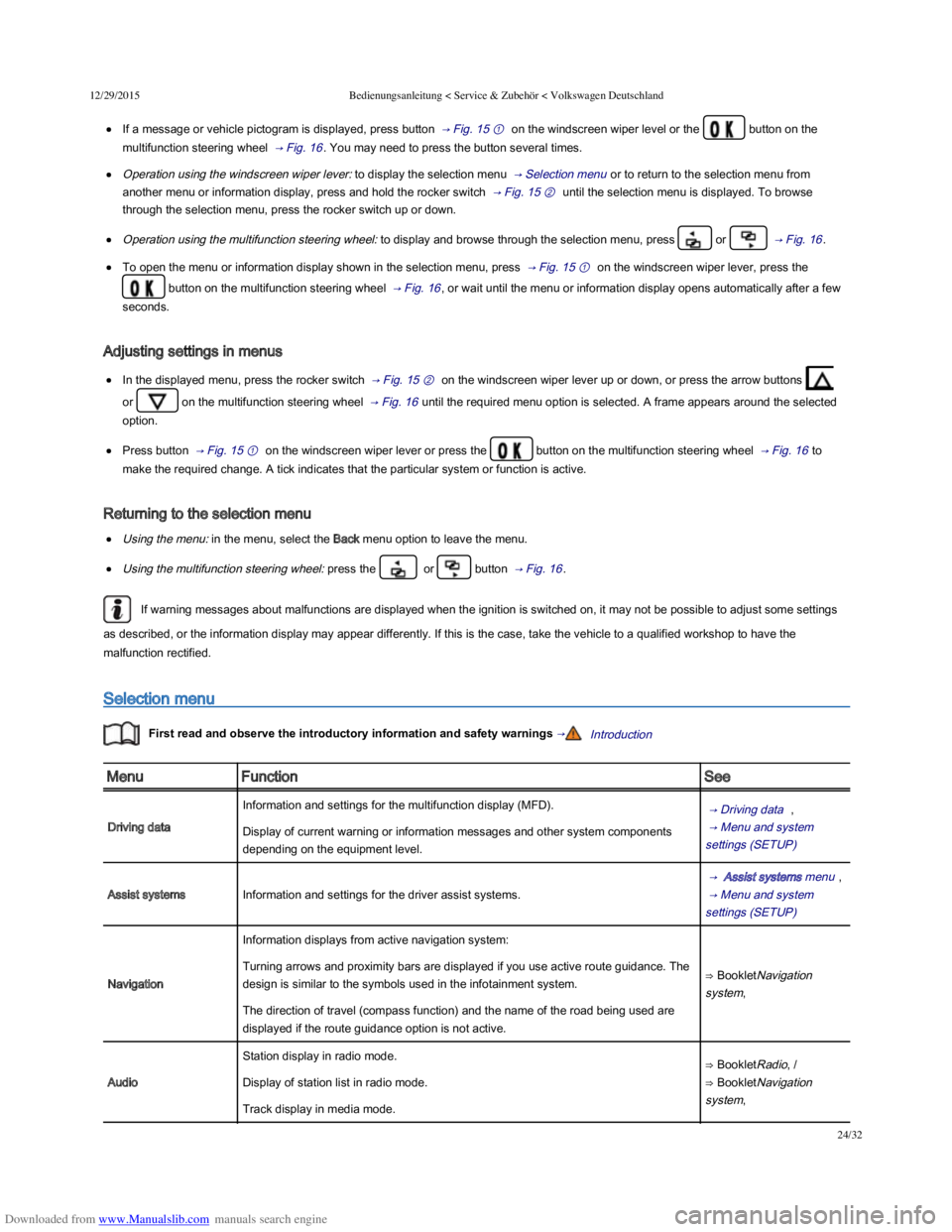
If a message or vehicle pictogram is displayed, press button → Fig. 15 ① on the windscreen wiper level or the button on the
multifunction steering wheel → Fig. 16 . You may need to press the button several times.
Operation using the windscreen wiper lever: to display the selection menu → Selection menu or to return to the selection menu from
another menu or information display, press and hold the rocker switch → Fig. 15 ② until the selection menu is displayed. To browse
through the selection menu, press the rocker switch up or down.
Operation using the multifunction steering wheel: to display and browse through the selection menu, press or → Fig. 16 .
To open the menu or information display shown in the selection menu, press → Fig. 15 ① on the windscreen wiper lever, press the
button on the multifunction steering wheel → Fig. 16 , or wait until the menu or information display opens automatically after a few
seconds.
Adjusting settings in menus
In the displayed menu, press the rocker switch → Fig. 15 ② on the windscreen wiper lever up or down, or press the arrow buttons
or on the multifunction steering wheel → Fig. 16 until the required menu option is selected. A frame appears around the selected
option.
Press button → Fig. 15 ① on the windscreen wiper lever or press the button on the multifunction steering wheel → Fig. 16 to
make the required change. A tick indicates that the particular system or function is active.
Returning to the selection menu
Using the menu: in the menu, select the Back menu option to leave the menu.
Using the multifunction steering wheel: press the or button → Fig. 16 .
If warning messages about malfunctions are displayed when the ignition is switched on, it may not be possible to adjust some settings
as described, or the information display may appear differently. If this is the case, take the vehicle to a qualified workshop to have the
malfunction rectified.
Selection menu
First read and observe the introductory information and safety warnings →Introduction
MenuFunctionSee
Driving data
Information and settings for the multifunction display (MFD). → Driving data ,
→ Menu and system
settings (SETUP)
Display of current warning or information messages and other system components
depending on the equipment level.
Assist systemsInformation and settings for the driver assist systems.
→ Assist systems menu ,
→ Menu and system
settings (SETUP)
Navigation
Information displays from active navigation system:
⇒ BookletNavigation
system,
Turning arrows and proximity bars are displayed if you use active route guidance. The
design is similar to the symbols used in the infotainment system.
The direction of travel (compass function) and the name of the road being used are
displayed if the route guidance option is not active.
Audio
Station display in radio mode.⇒ BookletRadio, /
⇒ BookletNavigation
system,
Display of station list in radio mode.
Track display in media mode.
Page 29 of 100
Downloaded from www.Manualslib.com manuals search engine 12/29/2015Bedienungsanleitung < Service & Zubehör < Volkswagen Deutschland
26/32
Select the memory that you wish to delete.
Press and hold the button on the windscreen wiper lever, or the button on the multifunction steering
wheel, for approximately 2 seconds.
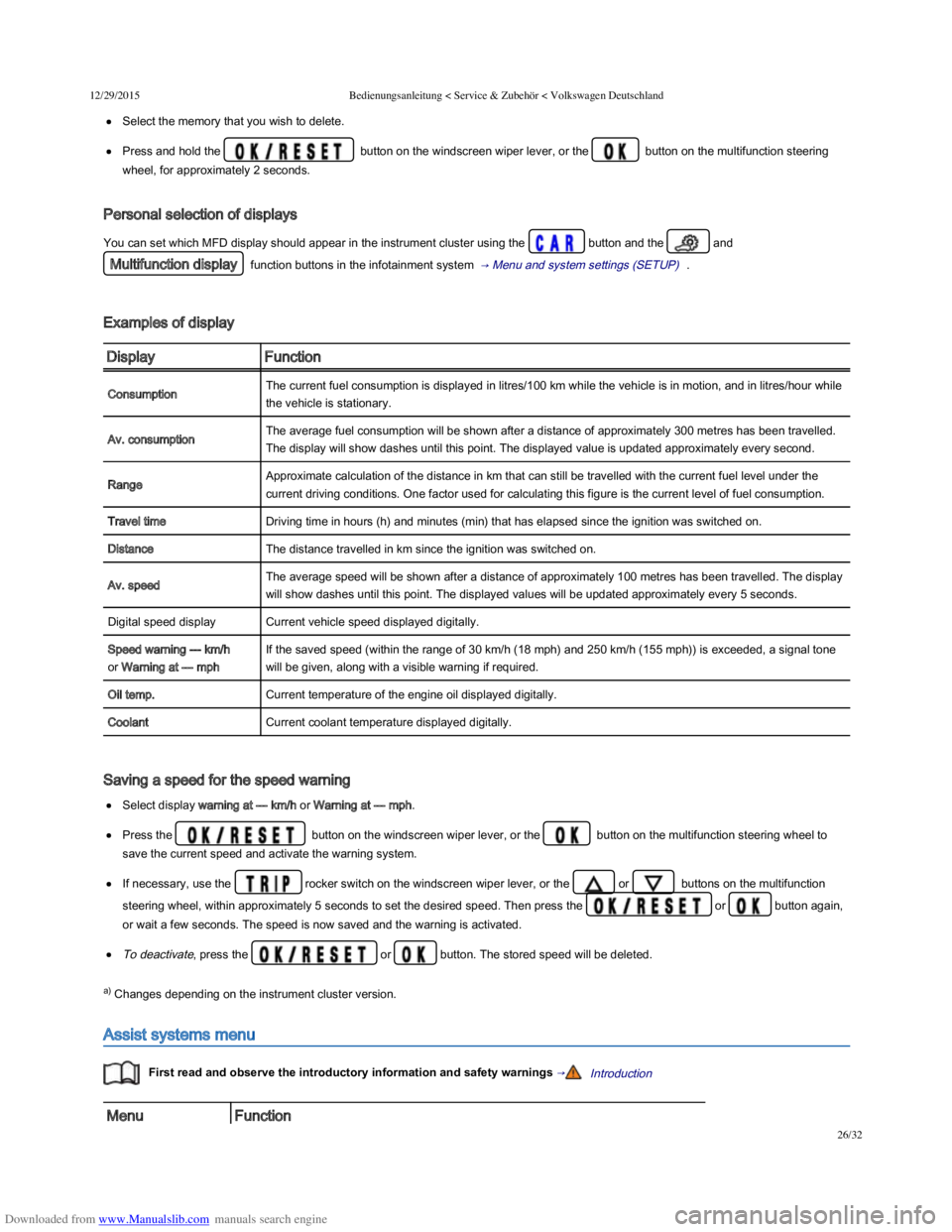
Personal selection of displays
You can set which MFD display should appear in the instrument cluster using the button and the and
Multifunction display function buttons in the infotainment system → Menu and system settings (SETUP) .
Examples of display
DisplayFunction
ConsumptionThe current fuel consumption is displayed in litres/100 km while the vehicle is in motion, and in litres/hour while
the vehicle is stationary.
Av. consumptionThe average fuel consumption will be shown after a distance of approximately 300 metres has been travelled.
The display will show dashes until this point. The displayed value is updated approximately every second.
RangeApproximate calculation of the distance in km that can still be travelled with the current fuel level under the
current driving conditions. One factor used for calculating this figure is the current level of fuel consumption.
Travel timeDriving time in hours (h) and minutes (min) that has elapsed since the ignition was switched on.
DistanceThe distance travelled in km since the ignition was switched on.
Av. speedThe average speed will be shown after a distance of approximately 100 metres has been travelled. The display
will show dashes until this point. The displayed values will be updated approximately every 5 seconds.
Digital speed displayCurrent vehicle speed displayed digitally.
Speed warning --- km/h
or Warning at --- mph
If the saved speed (within the range of 30 km/h (18 mph) and 250 km/h (155 mph)) is exceeded, a signal tone
will be given, along with a visible warning if required.
Oil temp.Current temperature of the engine oil displayed digitally.
CoolantCurrent coolant temperature displayed digitally.
Saving a speed for the speed warning
Select display warning at --- km/h or Warning at --- mph.
Press the button on the windscreen wiper lever, or the button on the multifunction steering wheel to
save the current speed and activate the warning system.
If necessary, use the rocker switch on the windscreen wiper lever, or the or buttons on the multifunction
steering wheel, within approximately 5 seconds to set the desired speed. Then press the or button again,
or wait a few seconds. The speed is now saved and the warning is activated.
To deactivate, press the or button. The stored speed will be deleted.
a) Changes depending on the instrument cluster version.
Assist systems menu
First read and observe the introductory information and safety warnings →Introduction
MenuFunction
Page 30 of 100
Downloaded from www.Manualslib.com manuals search engine 12/29/2015Bedienungsanleitung < Service & Zubehör < Volkswagen Deutschland
27/32
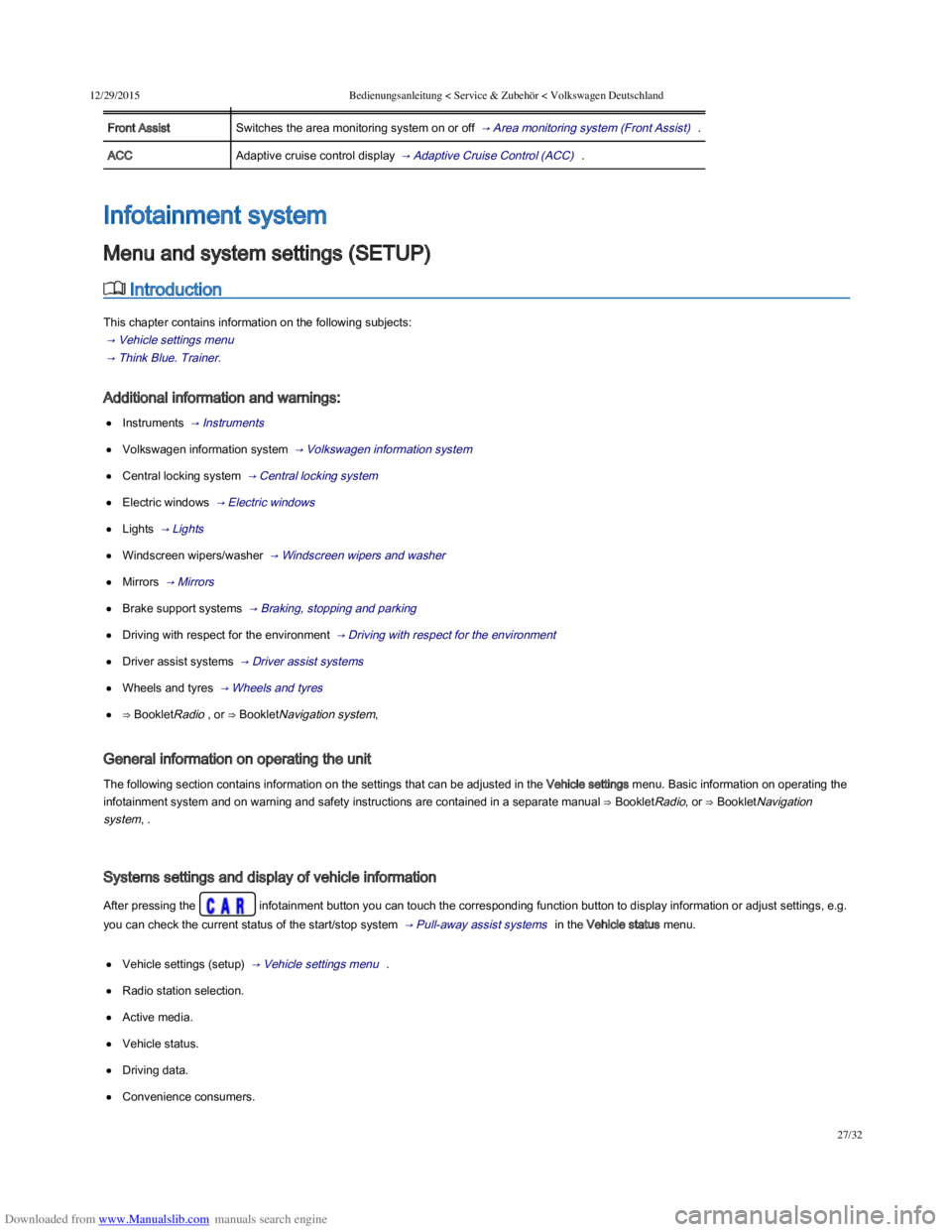
MenuFunction
Front AssistSwitches the area monitoring system on or off → Area monitoring system (Front Assist) .
ACCAdaptive cruise control display → Adaptive Cruise Control (ACC) .
Introduction
This chapter contains information on the following subjects:
→ Vehicle settings menu
→ Think Blue. Trainer.
Additional information and warnings:
Instruments → Instruments
Volkswagen information system → Volkswagen information system
Central locking system → Central locking system
Electric windows → Electric windows
Lights → Lights
Windscreen wipers/washer → Windscreen wipers and washer
Mirrors → Mirrors
Brake support systems → Braking, stopping and parking
Driving with respect for the environment → Driving with respect for the environment
Driver assist systems → Driver assist systems
Wheels and tyres → Wheels and tyres
⇒ BookletRadio , or ⇒ BookletNavigation system,
General information on operating the unit
The following section contains information on the settings that can be adjusted in the Vehicle settings menu. Basic information on operating the
infotainment system and on warning and safety instructions are contained in a separate manual ⇒ BookletRadio, or ⇒ BookletNavigation
system, .
Systems settings and display of vehicle information
After pressing the infotainment button you can touch the corresponding function button to display information or adjust settings, e.g.
you can check the current status of the start/stop system → Pull-away assist systems in the Vehicle status menu.
Vehicle settings (setup) → Vehicle settings menu .
Radio station selection.
Active media.
Vehicle status.
Driving data.
Convenience consumers.
Infotainment system
Menu and system settings (SETUP)
Page 31 of 100
Downloaded from www.Manualslib.com manuals search engine 12/29/2015Bedienungsanleitung < Service & Zubehör < Volkswagen Deutschland
28/32
After starting the engine with a discharged vehicle battery, or after the battery has been changed, system settings (time, date, personal
convenience settings and programming) may have been changed or deleted. Check and correct the settings as necessary once the vehicle
battery has been sufficiently charged.
Vehicle settings menu
First read and observe the introductory information and safety warnings →Introduction
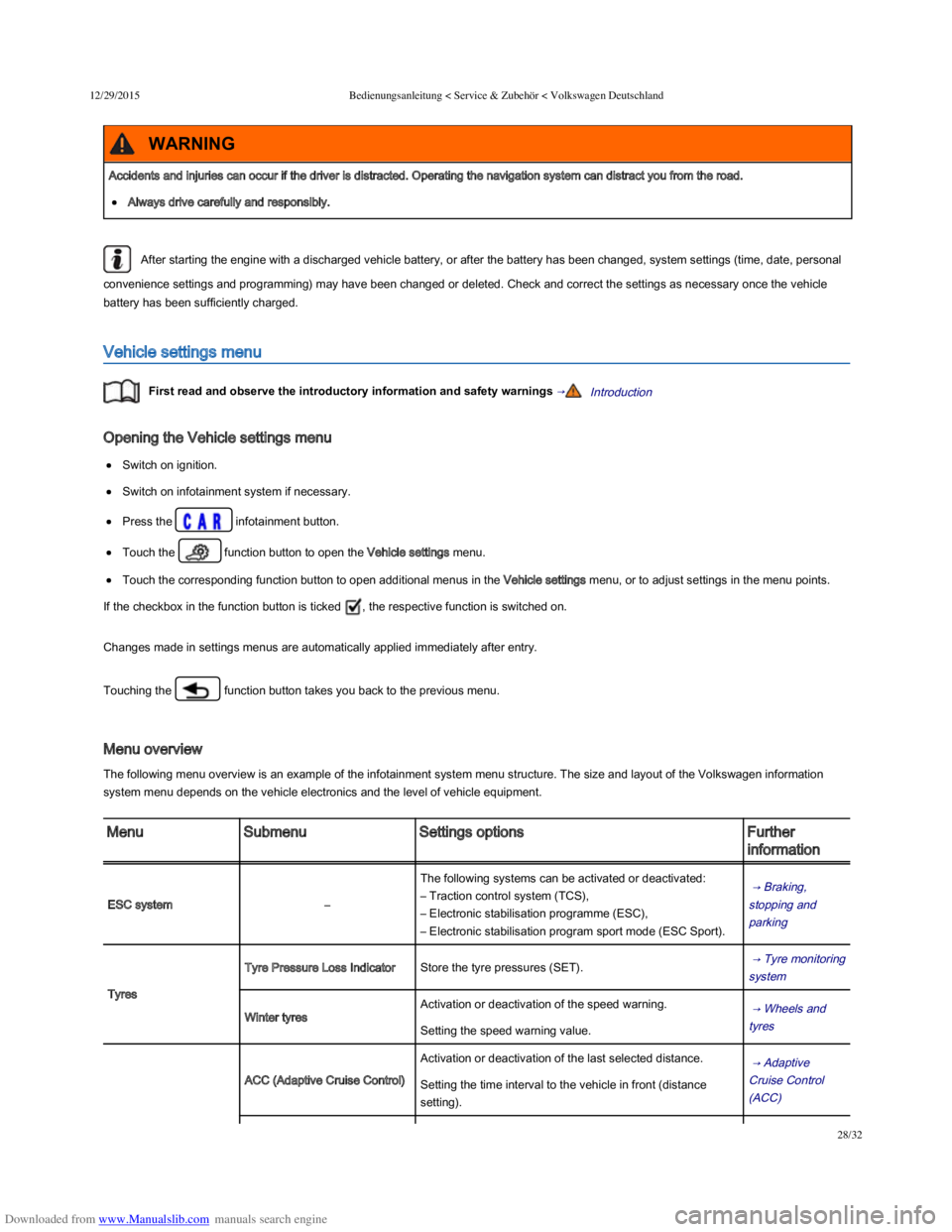
Opening the Vehicle settings menu
Switch on ignition.
Switch on infotainment system if necessary.
Press the infotainment button.
Touch the function button to open the Vehicle settings menu.
Touch the corresponding function button to open additional menus in the Vehicle settings menu, or to adjust settings in the menu points.
If the checkbox in the function button is ticked , the respective function is switched on.
Changes made in settings menus are automatically applied immediately after entry.
Touching the function button takes you back to the previous menu.
Menu overview
The following menu overview is an example of the infotainment system menu structure. The size and layout of the Volkswagen information
system menu depends on the vehicle electronics and the level of vehicle equipment.
MenuSubmenuSettings optionsFurther
information
ESC system–
The following systems can be activated or deactivated:
– Traction control system (TCS),
– Electronic stabilisation programme (ESC),
– Electronic stabilisation program sport mode (ESC Sport).
→ Braking,
stopping and
parking
Tyres
Tyre Pressure Loss IndicatorStore the tyre pressures (SET). → Tyre monitoring
system
Winter tyres
Activation or deactivation of the speed warning. → Wheels and
tyres Setting the speed warning value.
ACC (Adaptive Cruise Control)
Activation or deactivation of the last selected distance. → Adaptive
Cruise Control
(ACC)
Setting the time interval to the vehicle in front (distance
setting).
Accidents and injuries can occur if the driver is distracted. Operating the navigation system can distract you from the road.
Always drive carefully and responsibly.
WARNING
Page 33 of 100
Downloaded from www.Manualslib.com manuals search engine 12/29/2015Bedienungsanleitung < Service & Zubehör < Volkswagen Deutschland
30/32
Time and date–– Time format (12h, 24h),
– Set summer time automatically,
– Time zone,
– Date,
– Date format.
–
Units–
The following functions can be set:
– Distance,
– Speed,
– Temperature,
– Volumes,
– Consumption,
– Pressure.
–
Service–
The following data are displayed:
– Vehicle identification number,
– Date of next inspection,
– Date of next oil change service.
→ Instruments
Factory settings–
The following settings can be reset:
– All settings,
– Driver assistance,
– Parking/manoeuvring,
– Lights,
– Mirror and wipers,
– Opening/closing,
– Multifunction display.
–
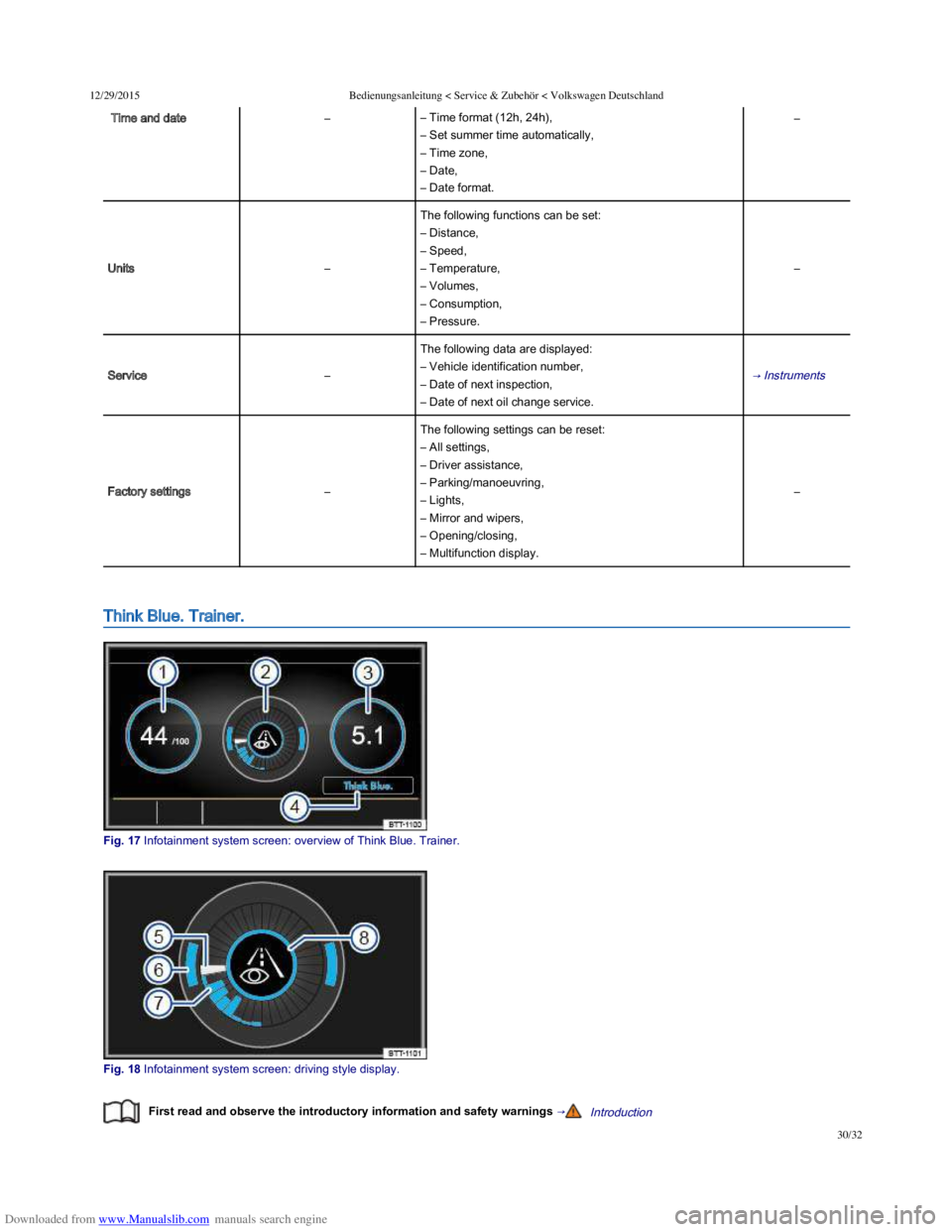
Think Blue. Trainer.
Fig. 17 Infotainment system screen: overview of Think Blue. Trainer.
Fig. 18 Infotainment system screen: driving style display.
First read and observe the introductory information and safety warnings →Introduction
Page 34 of 100
Downloaded from www.Manualslib.com manuals search engine 12/29/2015Bedienungsanleitung < Service & Zubehör < Volkswagen Deutschland
31/32
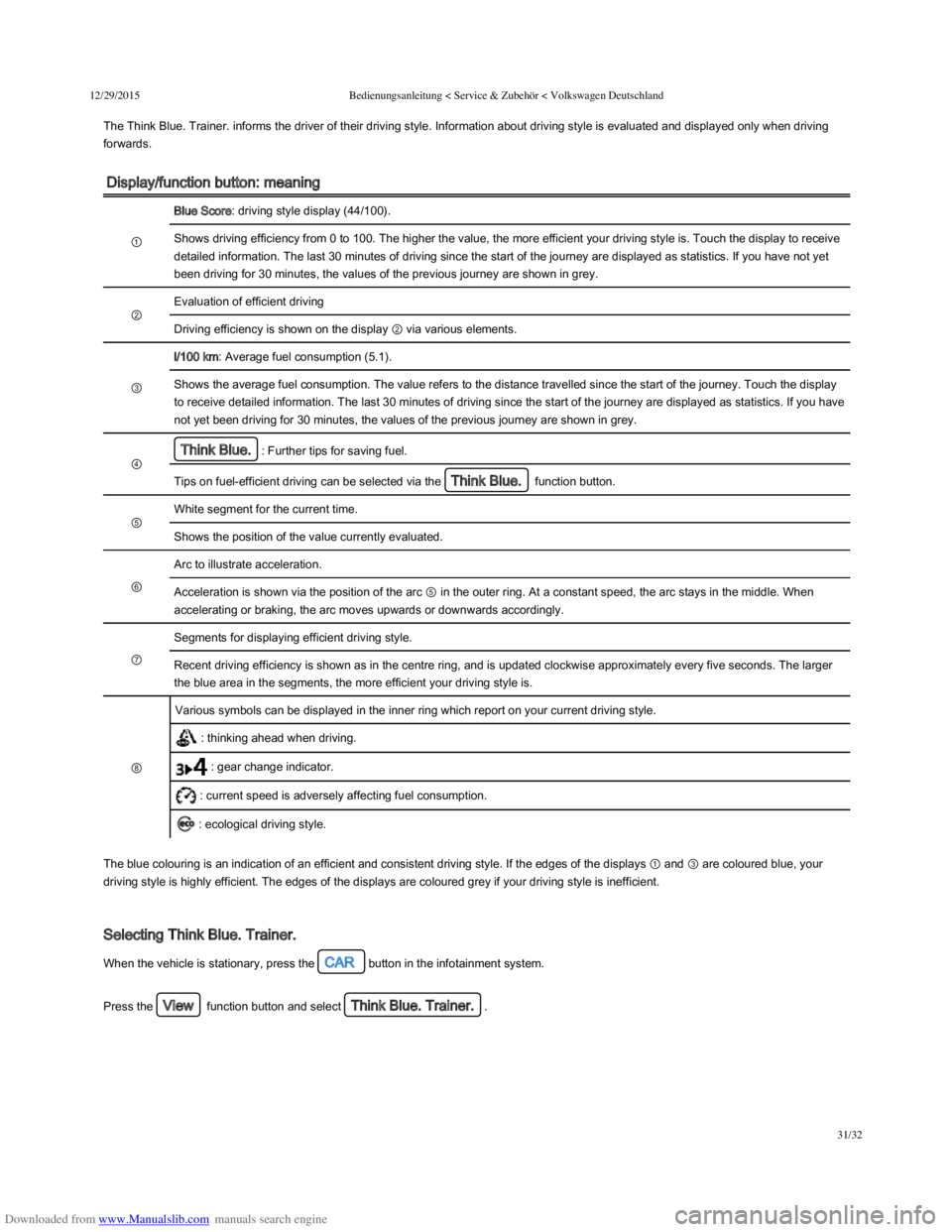
The Think Blue. Trainer. informs the driver of their driving style. Information about driving style is evaluated and displayed only when driving
forwards.
Display/function button: meaning
①
Blue Score: driving style display (44/100).
Shows driving efficiency from 0 to 100. The higher the value, the more efficient your driving style is. Touch the display to receive
detailed information. The last 30 minutes of driving since the start of the journey are displayed as statistics. If you have not yet
been driving for 30 minutes, the values of the previous journey are shown in grey.
②
Evaluation of efficient driving
Driving efficiency is shown on the display ② via various elements.
③
l/100 km: Average fuel consumption (5.1).
Shows the average fuel consumption. The value refers to the distance travelled since the start of the journey. Touch the display
to receive detailed information. The last 30 minutes of driving since the start of the journey are displayed as statistics. If you have
not yet been driving for 30 minutes, the values of the previous journey are shown in grey.
④
Think Blue.: Further tips for saving fuel.
Tips on fuel-efficient driving can be selected via the Think Blue. function button.
⑤
White segment for the current time.
Shows the position of the value currently evaluated.
⑥
Arc to illustrate acceleration.
Acceleration is shown via the position of the arc ⑤ in the outer ring. At a constant speed, the arc stays in the middle. When
accelerating or braking, the arc moves upwards or downwards accordingly.
⑦
Segments for displaying efficient driving style.
Recent driving efficiency is shown as in the centre ring, and is updated clockwise approximately every five seconds. The larger
the blue area in the segments, the more efficient your driving style is.
⑧
Various symbols can be displayed in the inner ring which report on your current driving style.
: thinking ahead when driving.
: gear change indicator.
: current speed is adversely affecting fuel consumption.
: ecological driving style.
The blue colouring is an indication of an efficient and consistent driving style. If the edges of the displays ① and ③ are coloured blue, your
driving style is highly efficient. The edges of the displays are coloured grey if your driving style is inefficient.
Selecting Think Blue. Trainer.
When the vehicle is stationary, press the CAR button in the infotainment system.
Press the View function button and select Think Blue. Trainer..
Page 35 of 100
Downloaded from www.Manualslib.com manuals search engine 12/29/2015Bedienungsanleitung < Service & Zubehör < Volkswagen Deutschland
32/32
Do not allow the images shown on the infotainment system screen to distract you from the traffic around you.
Always pay close attention to what is happening around the vehicle.
WARNING
Page 40 of 100
Downloaded from www.Manualslib.com manuals search engine 12/29/2015Bedienungsanleitung < Service & Zubehör < Volkswagen Deutschland
5/136
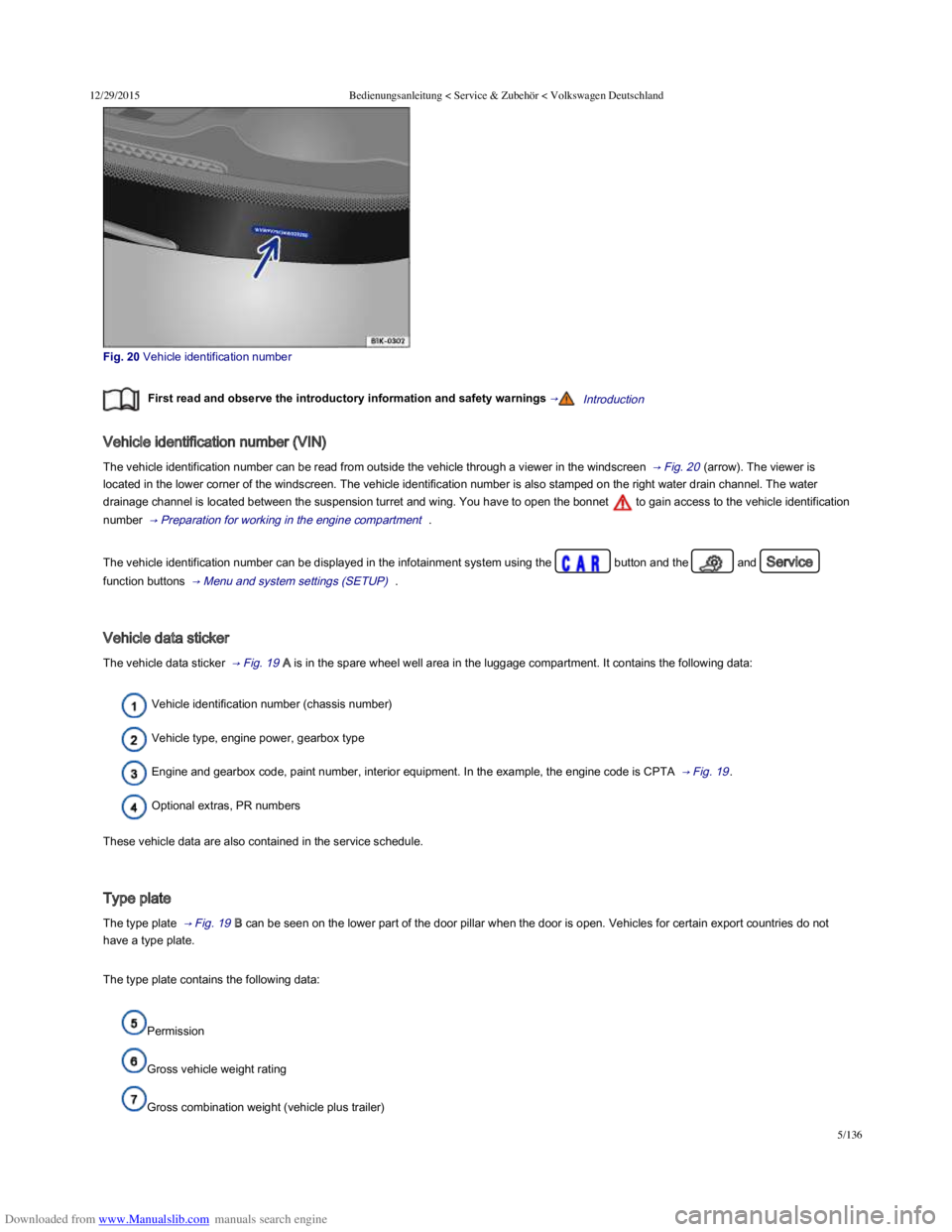
Fig. 20 Vehicle identification number
First read and observe the introductory information and safety warnings →Introduction
Vehicle identification number (VIN)
The vehicle identification number can be read from outside the vehicle through a viewer in the windscreen → Fig. 20 (arrow). The viewer is
located in the lower corner of the windscreen. The vehicle identification number is also stamped on the right water drain channel. The water
drainage channel is located between the suspension turret and wing. You have to open the bonnet to gain access to the vehicle identification
number → Preparation for working in the engine compartment .
The vehicle identification number can be displayed in the infotainment system using the button and the and Service
function buttons → Menu and system settings (SETUP) .
Vehicle data sticker
The vehicle data sticker → Fig. 19 A is in the spare wheel well area in the luggage compartment. It contains the following data:
Vehicle identification number (chassis number)
Vehicle type, engine power, gearbox type
Engine and gearbox code, paint number, interior equipment. In the example, the engine code is CPTA → Fig. 19 .
Optional extras, PR numbers
These vehicle data are also contained in the service schedule.
Type plate
The type plate → Fig. 19 B can be seen on the lower part of the door pillar when the door is open. Vehicles for certain export countries do not
have a type plate.
The type plate contains the following data:
Permission
Gross vehicle weight rating
Gross combination weight (vehicle plus trailer)
Page 48 of 100
Downloaded from www.Manualslib.com manuals search engine 12/29/2015Bedienungsanleitung < Service & Zubehör < Volkswagen Deutschland
13/136
Additional information and warnings:
Exterior views → Exterior views
Infotainment system → Infotainment system
Vehicle key set → Vehicle key set
Doors → Doors
Tailgate → Tailgate
Electric windows → Electric windows
Electric panorama sliding/tilting roof → Electric panorama sliding/tilting glass roof
Mirrors → Mirrors
Towing a trailer → Towing a trailer
Cleaning and caring for the vehicle exterior → Caring for and cleaning the vehicle exterior
Manual opening and closing → Manual opening and closing
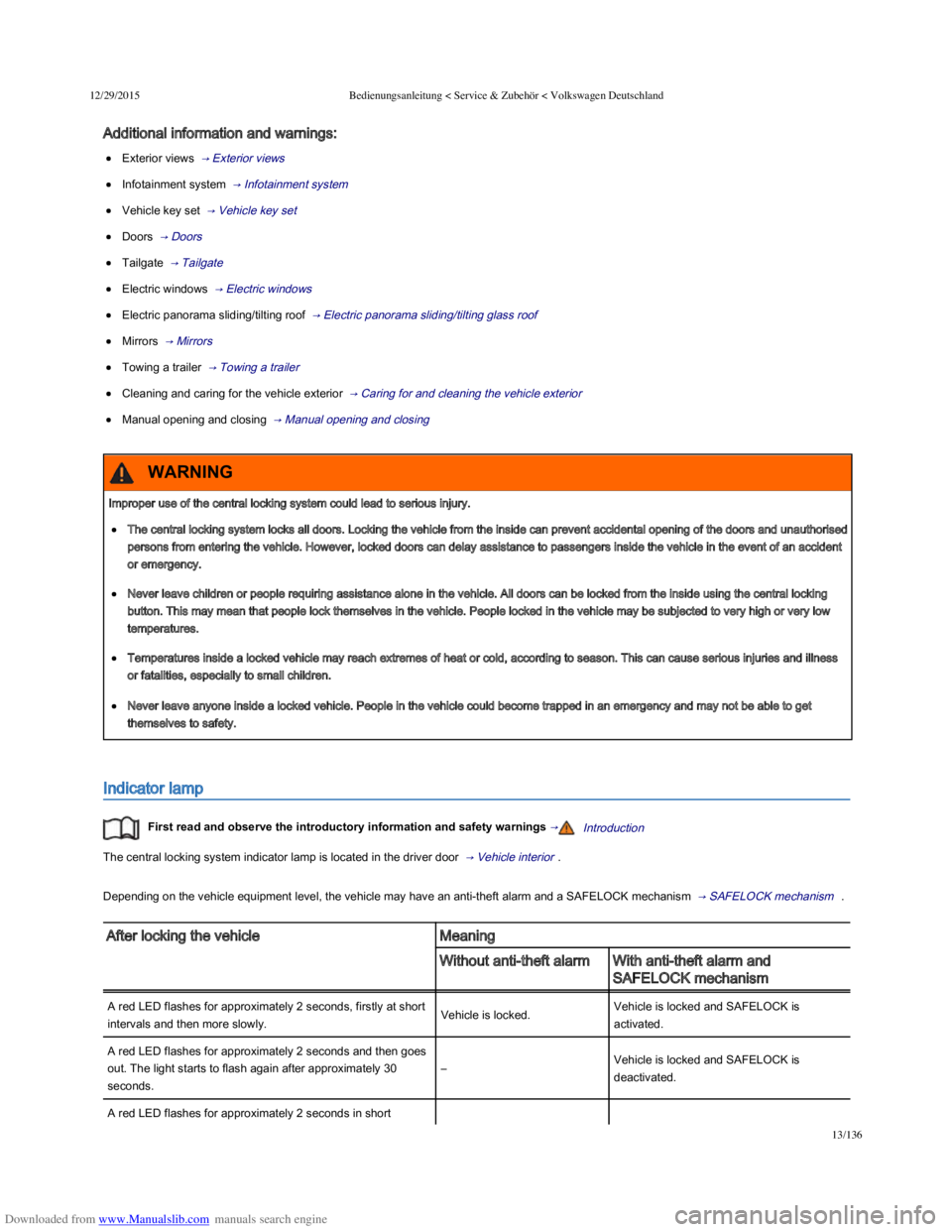
Indicator lamp
First read and observe the introductory information and safety warnings →Introduction
The central locking system indicator lamp is located in the driver door → Vehicle interior .
Depending on the vehicle equipment level, the vehicle may have an anti-theft alarm and a SAFELOCK mechanism → SAFELOCK mechanism .
After locking the vehicleMeaning
Without anti-theft alarmWith anti-theft alarm and
SAFELOCK mechanism
A red LED flashes for approximately 2 seconds, firstly at short
intervals and then more slowly.Vehicle is locked.Vehicle is locked and SAFELOCK is
activated.
A red LED flashes for approximately 2 seconds and then goes
out. The light starts to flash again after approximately 30
seconds.
–Vehicle is locked and SAFELOCK is
deactivated.
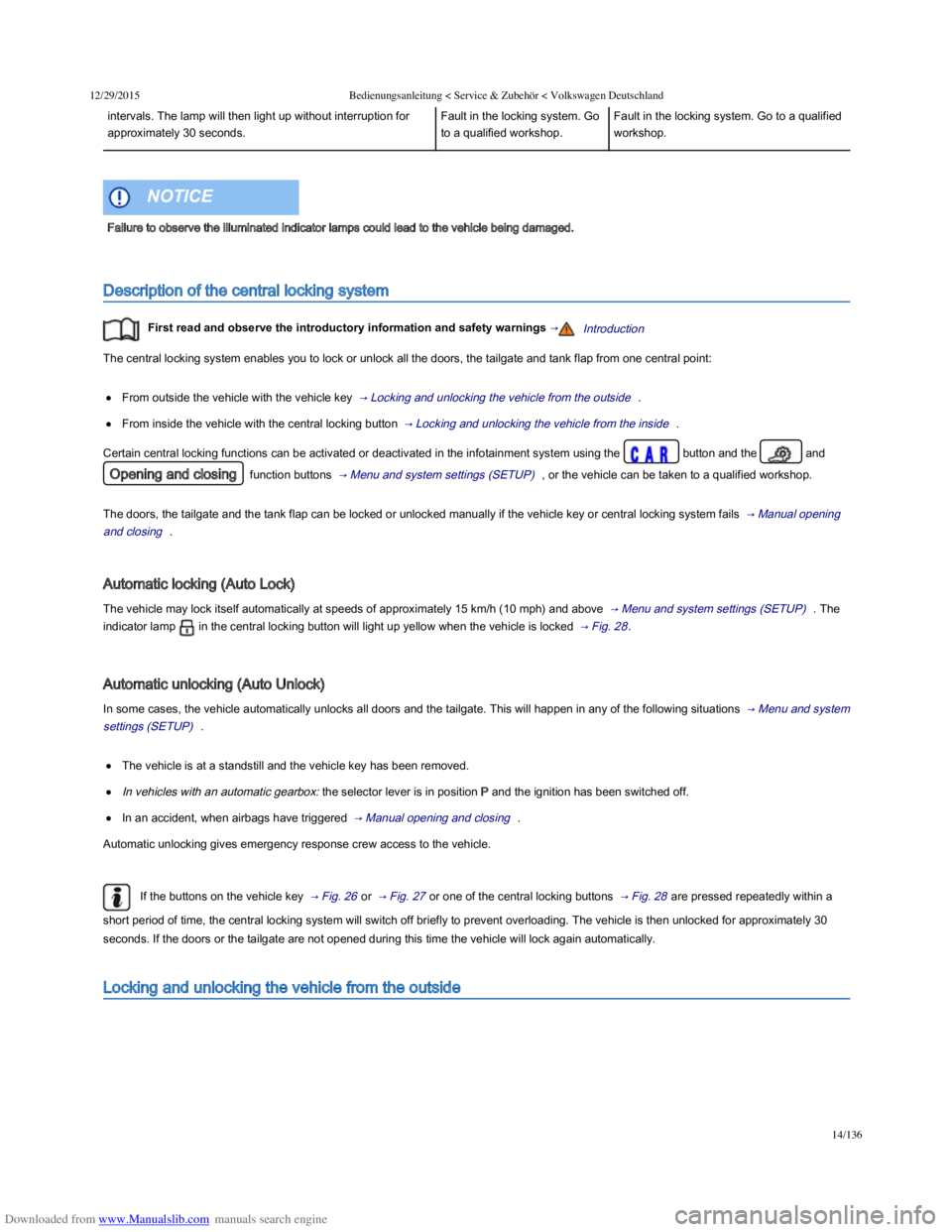
A red LED flashes for approximately 2 seconds in short
Improper use of the central locking system could lead to serious injury.
The central locking system locks all doors. Locking the vehicle from the inside can prevent accidental opening of the doors and unauthorised
persons from entering the vehicle. However, locked doors can delay assistance to passengers inside the vehicle in the event of an accident
or emergency.
Never leave children or people requiring assistance alone in the vehicle. All doors can be locked from the inside using the central locking
button. This may mean that people lock themselves in the vehicle. People locked in the vehicle may be subjected to very high or very low
temperatures.
Temperatures inside a locked vehicle may reach extremes of heat or cold, according to season. This can cause serious injuries and illness
or fatalities, especially to small children.
Never leave anyone inside a locked vehicle. People in the vehicle could become trapped in an emergency and may not be able to get
themselves to safety.
WARNING
Page 49 of 100
Downloaded from www.Manualslib.com manuals search engine 12/29/2015Bedienungsanleitung < Service & Zubehör < Volkswagen Deutschland
14/136
intervals. The lamp will then light up without interruption for
approximately 30 seconds.
Fault in the locking system. Go
to a qualified workshop.
Fault in the locking system. Go to a qualified
workshop.
Description of the central locking system
First read and observe the introductory information and safety warnings →Introduction
The central locking system enables you to lock or unlock all the doors, the tailgate and tank flap from one central point:
From outside the vehicle with the vehicle key → Locking and unlocking the vehicle from the outside .
From inside the vehicle with the central locking button → Locking and unlocking the vehicle from the inside .
Certain central locking functions can be activated or deactivated in the infotainment system using the button and the and
Opening and closing function buttons → Menu and system settings (SETUP) , or the vehicle can be taken to a qualified workshop.
The doors, the tailgate and the tank flap can be locked or unlocked manually if the vehicle key or central locking system fails → Manual opening
and closing .
Automatic locking (Auto Lock)
The vehicle may lock itself automatically at speeds of approximately 15 km/h (10 mph) and above → Menu and system settings (SETUP) . The
indicator lamp in the central locking button will light up yellow when the vehicle is locked → Fig. 28 .
Automatic unlocking (Auto Unlock)
In some cases, the vehicle automatically unlocks all doors and the tailgate. This will happen in any of the following situations → Menu and system
settings (SETUP) .
The vehicle is at a standstill and the vehicle key has been removed.
In vehicles with an automatic gearbox: the selector lever is in position P and the ignition has been switched off.
In an accident, when airbags have triggered → Manual opening and closing .
Automatic unlocking gives emergency response crew access to the vehicle.
If the buttons on the vehicle key → Fig. 26 or → Fig. 27 or one of the central locking buttons → Fig. 28 are pressed repeatedly within a
short period of time, the central locking system will switch off briefly to prevent overloading. The vehicle is then unlocked for approximately 30
seconds. If the doors or the tailgate are not opened during this time the vehicle will lock again automatically.
Locking and unlocking the vehicle from the outside
Failure to observe the illuminated indicator lamps could lead to the vehicle being damaged.
NOTICE