instrument cluster VOLKSWAGEN POLO 2015 Owner´s Manual
[x] Cancel search | Manufacturer: VOLKSWAGEN, Model Year: 2015, Model line: POLO, Model: VOLKSWAGEN POLO 2015Pages: 100, PDF Size: 4.14 MB
Page 24 of 100
Downloaded from www.Manualslib.com manuals search engine 12/29/2015Bedienungsanleitung < Service & Zubehör < Volkswagen Deutschland
21/32
The number of kilometres or amount of time until the next oil change service is shown in the display, followed by the same information for
the next inspection.
Service information → Fig. 14 can also be displayed in the infotainment system by pressing the button and the and
Service function buttons → Menu and system settings (SETUP) .
An overdue service is indicated by a minus sign in front of the mileage or trip reading.
Resetting oil change service
If the oil change service was not performed by a Volkswagen workshop, it can be reset as follows:
Switch off the ignition.
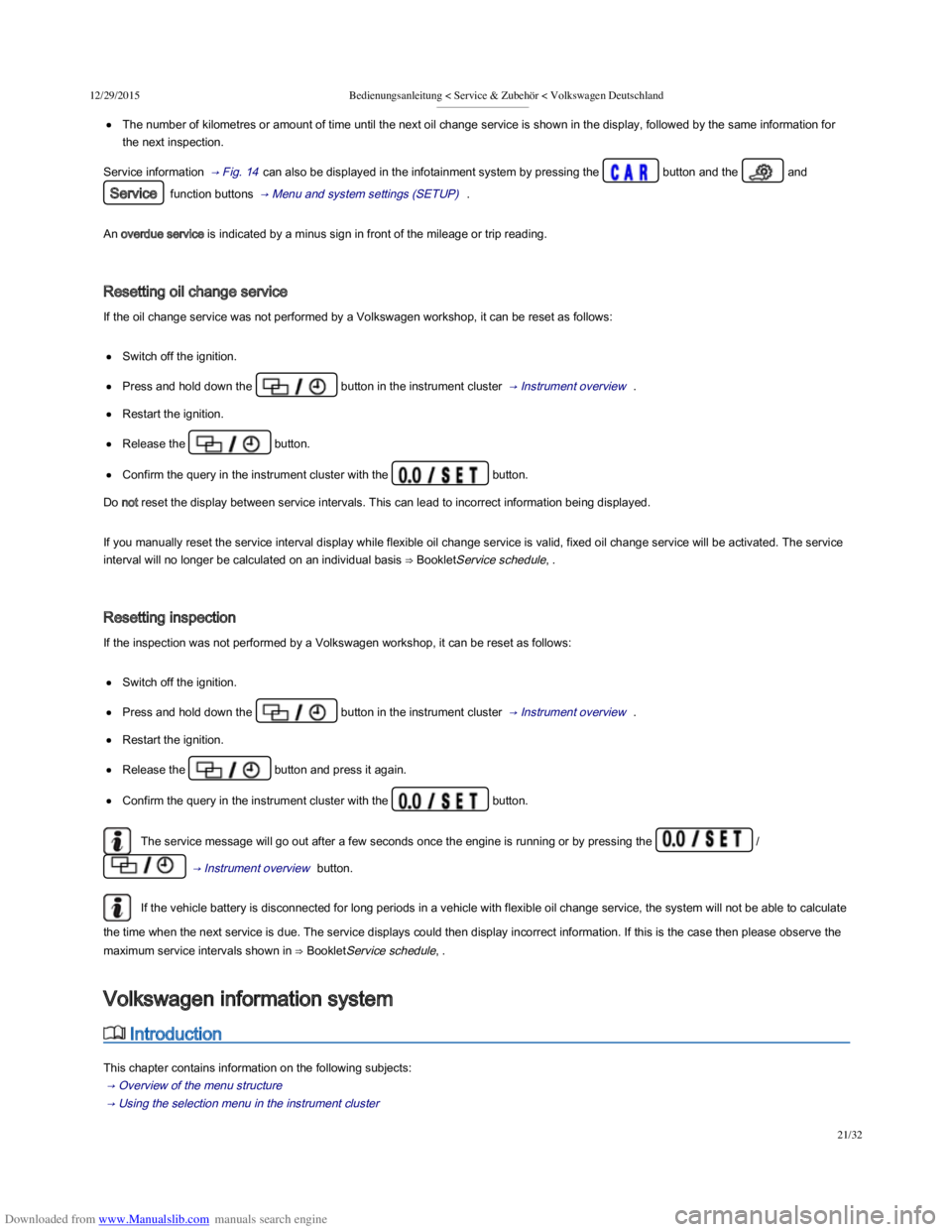
Press and hold down the button in the instrument cluster → Instrument overview .
Restart the ignition.
Release the button.
Confirm the query in the instrument cluster with the button.
Do not reset the display between service intervals. This can lead to incorrect information being displayed.
If you manually reset the service interval display while flexible oil change service is valid, fixed oil change service will be activated. The service
interval will no longer be calculated on an individual basis ⇒ BookletService schedule, .
Resetting inspection
If the inspection was not performed by a Volkswagen workshop, it can be reset as follows:
Switch off the ignition.
Press and hold down the button in the instrument cluster → Instrument overview .
Restart the ignition.
Release the button and press it again.
Confirm the query in the instrument cluster with the button.
The service message will go out after a few seconds once the engine is running or by pressing the /
→ Instrument overview button.
If the vehicle battery is disconnected for long periods in a vehicle with flexible oil change service, the system will not be able to calculate
the time when the next service is due. The service displays could then display incorrect information. If this is the case then please observe the
maximum service intervals shown in ⇒ BookletService schedule, .
Introduction
This chapter contains information on the following subjects:
→ Overview of the menu structure
→ Using the selection menu in the instrument cluster
→ Selection menu
Volkswagen information system
Page 25 of 100
Downloaded from www.Manualslib.com manuals search engine 12/29/2015Bedienungsanleitung < Service & Zubehör < Volkswagen Deutschland
22/32
→ Selection menu
→ Driving data
→ menu
When the ignition is switched on, the various display functions can be accessed via the selection menu, e.g. the driving data display
(multifunction display (MFD)).
There are no buttons on the windscreen wiper lever in vehicles equipped with a multifunction steering wheel. The multifunction display is
controlled using the buttons on the multifunction steering wheel only.
The scope of the menus and information shown on the instrument cluster display depends on the vehicle electronics and the vehicle equipment
level.
Qualified workshops can program and modify other functions depending on the vehicle equipment level. Volkswagen recommends using a
Volkswagen dealership for this purpose.
Some menu options can only be called up when the vehicle is stationary.
If any priority 1 warning reports are being displayed, you will be unable to access any menus or information displays. A few warning messages
can be confirmed and hidden by pressing the button on the windscreen wiper lever or the button on the
multifunction steering wheel.
Additional information and warnings:
Infotainment system → Infotainment system
Driver assist systems → Driver assist systems
Radio or navigation system ⇒ BookletRadio, or ⇒ BookletNavigation system,
Provision for mobile telephones ⇒ BookletProvision for a mobile telephone,
After starting the engine with a discharged vehicle battery, or after the battery has been changed, system settings (time, date, personal
convenience settings and programming) may have been changed or deleted. Check and correct the settings as necessary once the vehicle
battery has been sufficiently charged.
Overview of the menu structure
First read and observe the introductory information and safety warnings →Introduction
The following menu structure shows how the Volkswagen information system menus on the instrument cluster display are structured. The size
and layout of the Volkswagen information system menu depends on the vehicle electronics and the level of vehicle equipment.
Driving data → Driving data
Since start
Since refuel
Accidents and injuries can occur if the driver is distracted.
Never open the menus on the instrument cluster display while the vehicle is in motion.
WARNING
Page 26 of 100
Downloaded from www.Manualslib.com manuals search engine 12/29/2015Bedienungsanleitung < Service & Zubehör < Volkswagen Deutschland
23/32
Long-term
Speed warning function
Digital speed
Range
Convenience consumers
Driver assist systems → Selection menu
Front Assist on/off
Adaptive Cruise Control (ACC)
Navigation ⇒ BookletNavigation system,
Audio ⇒ BookletRadio, or ⇒ BookletNavigation system,
Telephone ⇒ BookletProvision for mobile telephone, , ⇒ BookletNavigation system, / ⇒ BookletRadio/navigation system,
Vehicle status → Selection menu
Using the selection menu in the instrument cluster
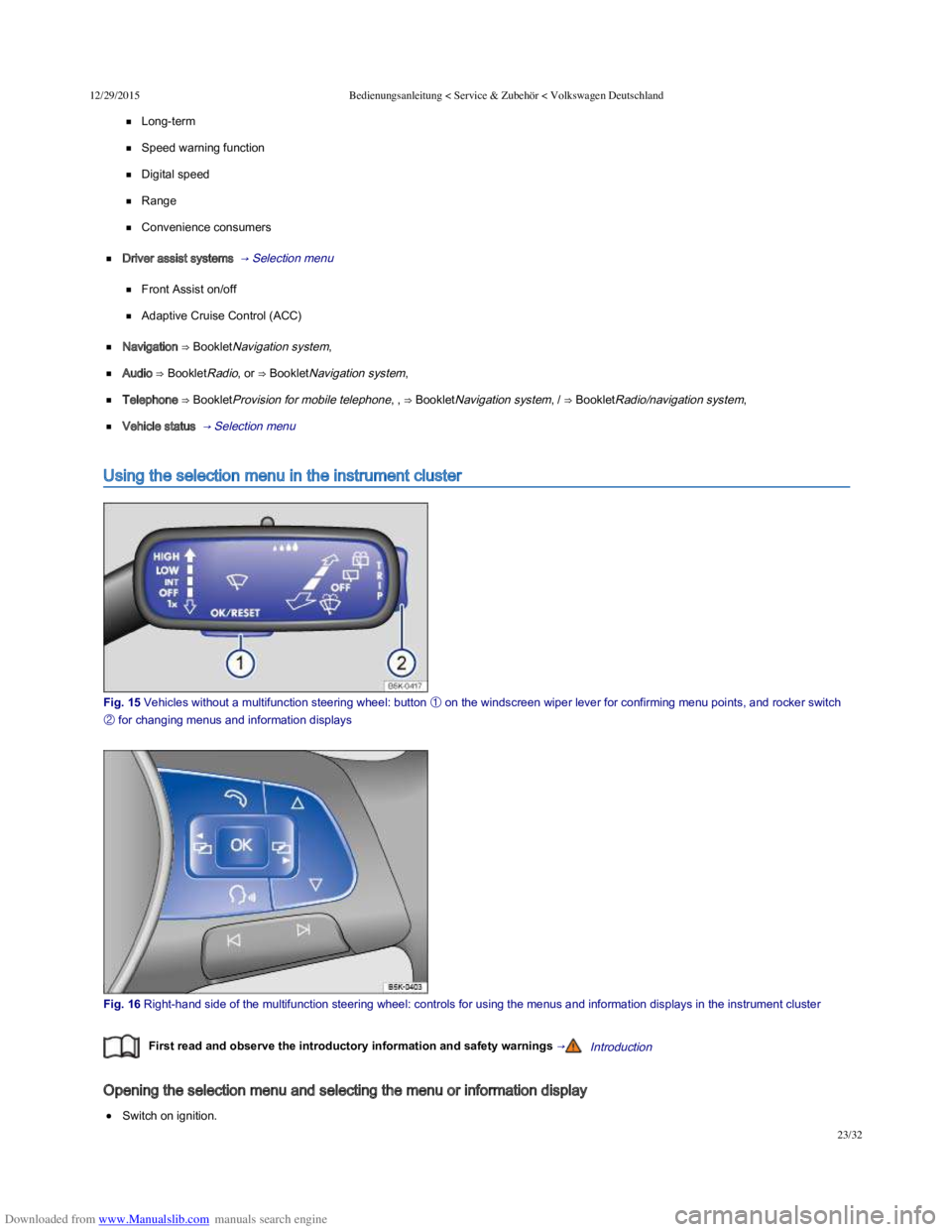
Fig. 15 Vehicles without a multifunction steering wheel: button
Page 28 of 100

Downloaded from www.Manualslib.com manuals search engine 12/29/2015Bedienungsanleitung < Service & Zubehör < Volkswagen Deutschland
25/32
Telephone
Display telephone information.
⇒ BookletProvision for a
mobile telephone,
⇒ BookletNavigation
system, /
⇒ BookletRadio/navigation
system,
Using the telephone.
Vehicle status /
Vehicle
Display and storage of current warning or information texts. → Instruments ,
→ Menu and system
settings (SETUP) The menu option only appears if warning and information texts are available.
Driving data
First read and observe the introductory information and safety warnings →Introduction
The multifunction display (MFD) shows a variety of travel and fuel consumption data. MFA is called up from the selection menu → Using the
selection menu in the instrument cluster .
Switching between displays
Vehicles without a multifunction steering wheel: press the rocker switch on the windscreen wiper lever → Fig. 15 .
Vehicles with a multifunction steering wheel: press the or button → Fig. 16 .
Driving data recorder
The MFD is fitted with 3 automatic recorders:
Since start
Since refuel
Long-term
The currently selected memory is shown in the display.
Press the button on the windscreen wiper lever or press the button on the multifunction steering wheel to
switch between recorders when the ignition is switched on and the recorder is displayed.
DisplayFunction
Since start
Display and storage of gathered driving and consumption values from the time the ignition is switched on until it
is switched off.
If the journey is continued within approximately 2 hours of the ignition being switched off, the new values are
also taken into account. The memory will automatically be deleted if the journey is interrupted for more than 2
hours.
Since refuelDisplay and storage of the collected driving and consumption values. The memory is deleted automatically
when the vehicle is refuelled.
Long-term
The memory collects journey data for any number of individual journeys up to a total of 19 hours and
59 minutes or 99 hours and 59 minutes journey time or 1,999.9 km or 9,999.9 km distance travelled. If one of
these maximum limitsa) is exceeded, the memory is automatically deleted and reset to 0.
Deleting the driving data recorder manually
Page 29 of 100
Downloaded from www.Manualslib.com manuals search engine 12/29/2015Bedienungsanleitung < Service & Zubehör < Volkswagen Deutschland
26/32
Select the memory that you wish to delete.
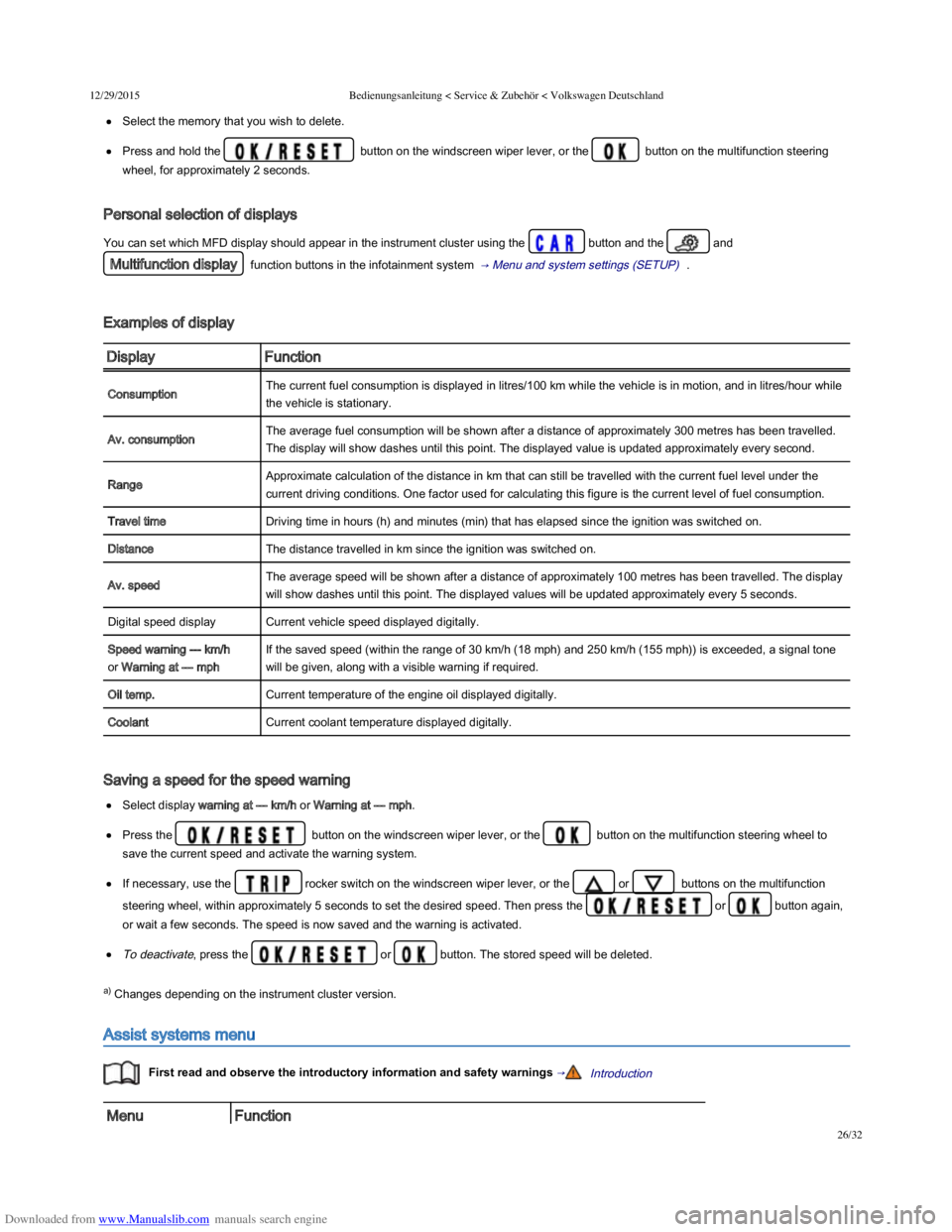
Press and hold the button on the windscreen wiper lever, or the button on the multifunction steering
wheel, for approximately 2 seconds.
Personal selection of displays
You can set which MFD display should appear in the instrument cluster using the button and the and
Multifunction display function buttons in the infotainment system → Menu and system settings (SETUP) .
Examples of display
DisplayFunction
ConsumptionThe current fuel consumption is displayed in litres/100 km while the vehicle is in motion, and in litres/hour while
the vehicle is stationary.
Av. consumptionThe average fuel consumption will be shown after a distance of approximately 300 metres has been travelled.
The display will show dashes until this point. The displayed value is updated approximately every second.
RangeApproximate calculation of the distance in km that can still be travelled with the current fuel level under the
current driving conditions. One factor used for calculating this figure is the current level of fuel consumption.
Travel timeDriving time in hours (h) and minutes (min) that has elapsed since the ignition was switched on.
DistanceThe distance travelled in km since the ignition was switched on.
Av. speedThe average speed will be shown after a distance of approximately 100 metres has been travelled. The display
will show dashes until this point. The displayed values will be updated approximately every 5 seconds.
Digital speed displayCurrent vehicle speed displayed digitally.
Speed warning --- km/h
or Warning at --- mph
If the saved speed (within the range of 30 km/h (18 mph) and 250 km/h (155 mph)) is exceeded, a signal tone
will be given, along with a visible warning if required.
Oil temp.Current temperature of the engine oil displayed digitally.
CoolantCurrent coolant temperature displayed digitally.
Saving a speed for the speed warning
Select display warning at --- km/h or Warning at --- mph.
Press the button on the windscreen wiper lever, or the button on the multifunction steering wheel to
save the current speed and activate the warning system.
If necessary, use the rocker switch on the windscreen wiper lever, or the or buttons on the multifunction
steering wheel, within approximately 5 seconds to set the desired speed. Then press the or button again,
or wait a few seconds. The speed is now saved and the warning is activated.
To deactivate, press the or button. The stored speed will be deleted.
a) Changes depending on the instrument cluster version.
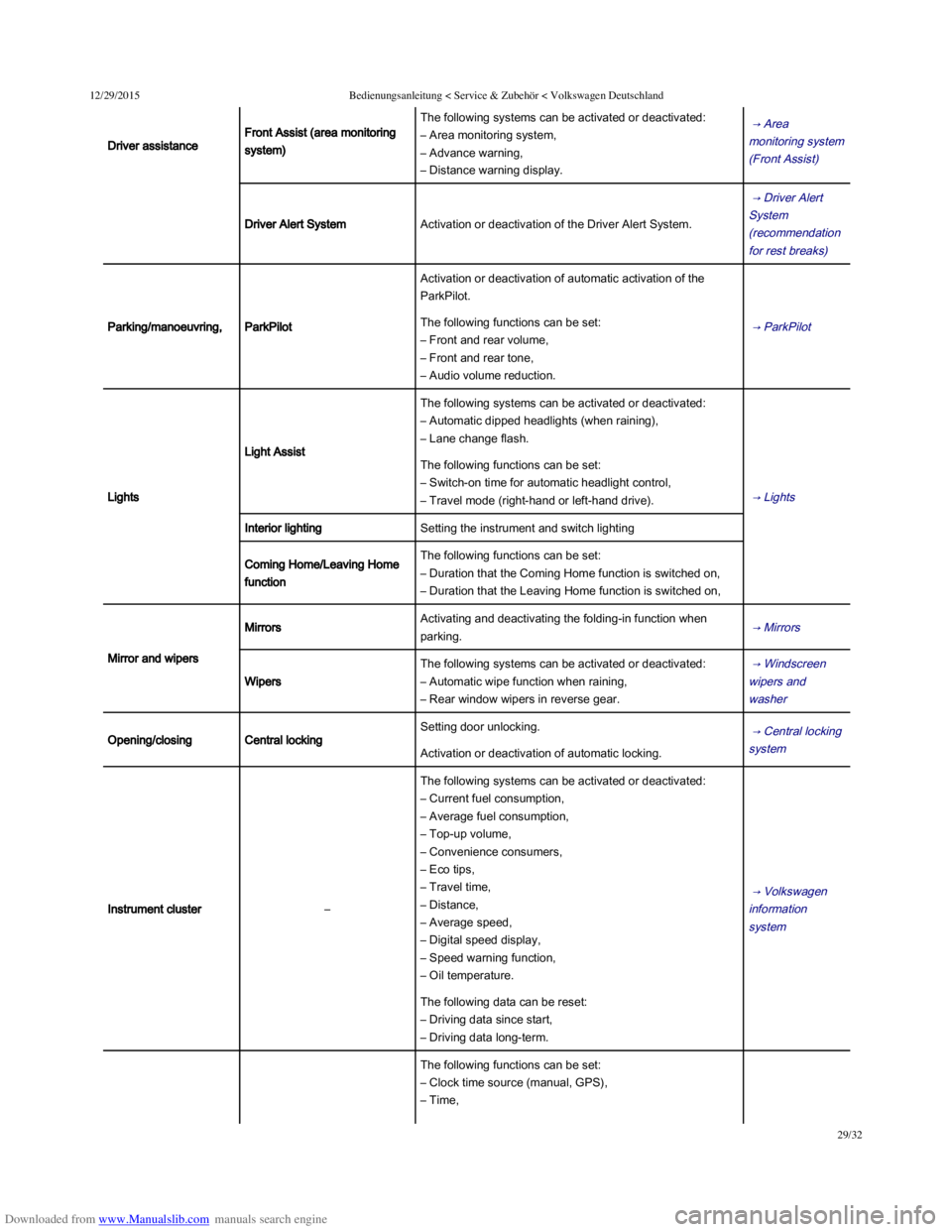
Assist systems menu
First read and observe the introductory information and safety warnings →Introduction
MenuFunction
Page 32 of 100
Downloaded from www.Manualslib.com manuals search engine 12/29/2015Bedienungsanleitung < Service & Zubehör < Volkswagen Deutschland
29/32
Driver assistance
Front Assist (area monitoring
system)
The following systems can be activated or deactivated:
– Area monitoring system,
– Advance warning,
– Distance warning display.
→ Area
monitoring system
(Front Assist)
Driver Alert SystemActivation or deactivation of the Driver Alert System.
→ Driver Alert
System
(recommendation
for rest breaks)
Parking/manoeuvring,ParkPilot
Activation or deactivation of automatic activation of the
ParkPilot.
→ ParkPilot The following functions can be set:
– Front and rear volume,
– Front and rear tone,
– Audio volume reduction.
Lights
Light Assist
The following systems can be activated or deactivated:
– Automatic dipped headlights (when raining),
– Lane change flash.
→ Lights
The following functions can be set:
– Switch-on time for automatic headlight control,
– Travel mode (right-hand or left-hand drive).
Interior lightingSetting the instrument and switch lighting
Coming Home/Leaving Home
function
The following functions can be set:
– Duration that the Coming Home function is switched on,
– Duration that the Leaving Home function is switched on,
Mirror and wipers
MirrorsActivating and deactivating the folding-in function when
parking. → Mirrors
Wipers
The following systems can be activated or deactivated:
– Automatic wipe function when raining,
– Rear window wipers in reverse gear.
→ Windscreen
wipers and
washer
Opening/closingCentral locking
Setting door unlocking. → Central locking
system Activation or deactivation of automatic locking.
Instrument cluster–
The following systems can be activated or deactivated:
– Current fuel consumption,
– Average fuel consumption,
– Top-up volume,
– Convenience consumers,
– Eco tips,
– Travel time,
– Distance,
– Average speed,
– Digital speed display,
– Speed warning function,
– Oil temperature.
→ Volkswagen
information
system
The following data can be reset:
– Driving data since start,
– Driving data long-term.
The following functions can be set:
– Clock time source (manual, GPS),
– Time,
Page 52 of 100
Downloaded from www.Manualslib.com manuals search engine 12/29/2015Bedienungsanleitung < Service & Zubehör < Volkswagen Deutschland
17/136
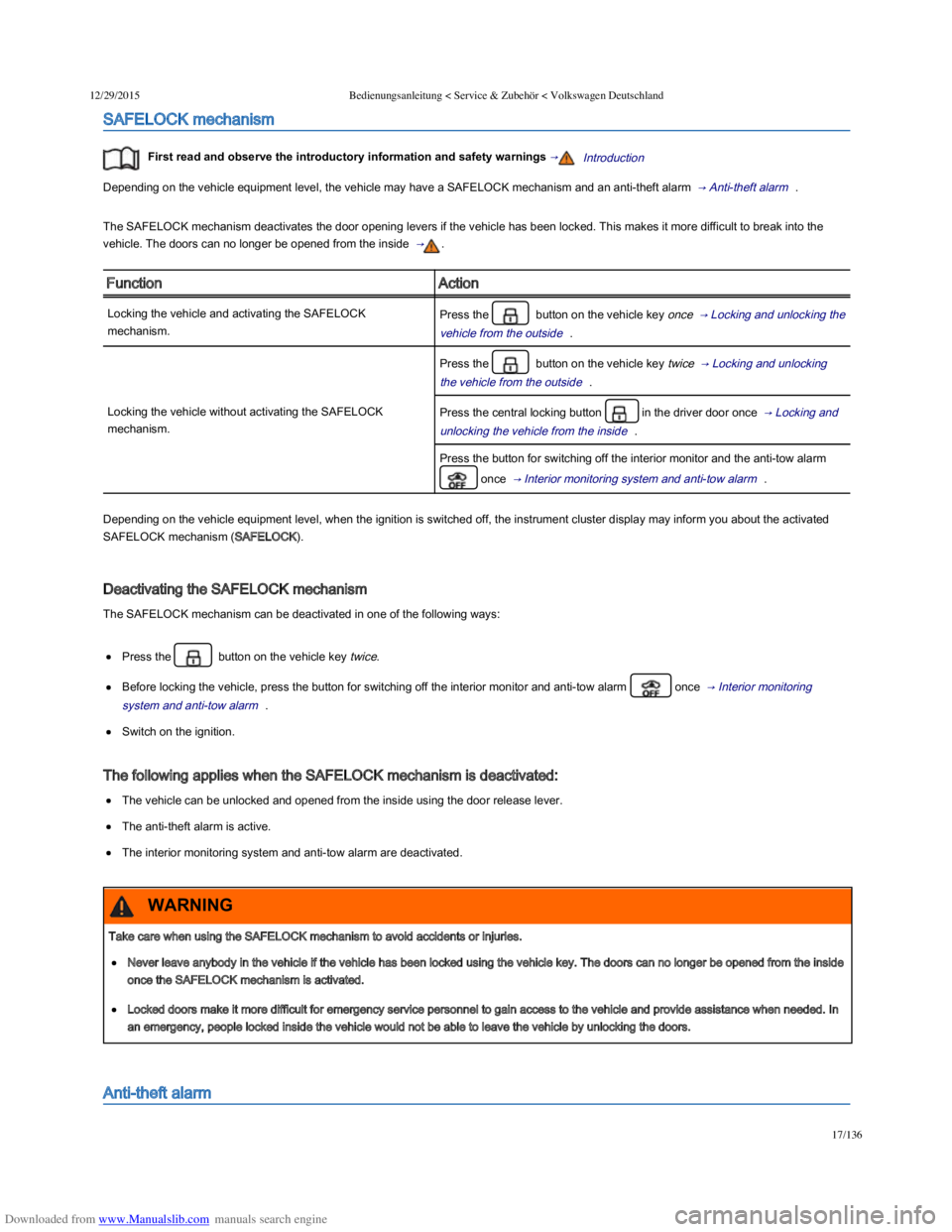
SAFELOCK mechanism
First read and observe the introductory information and safety warnings →Introduction
Depending on the vehicle equipment level, the vehicle may have a SAFELOCK mechanism and an anti-theft alarm → Anti-theft alarm .
The SAFELOCK mechanism deactivates the door opening levers if the vehicle has been locked. This makes it more difficult to break into the
vehicle. The doors can no longer be opened from the inside → .
FunctionAction
Locking the vehicle and activating the SAFELOCK
mechanism.
Press the button on the vehicle key once → Locking and unlocking the
vehicle from the outside .
Locking the vehicle without activating the SAFELOCK
mechanism.
Press the button on the vehicle key twice → Locking and unlocking
the vehicle from the outside .
Press the central locking button in the driver door once → Locking and
unlocking the vehicle from the inside .
Press the button for switching off the interior monitor and the anti-tow alarm
once → Interior monitoring system and anti-tow alarm .
Depending on the vehicle equipment level, when the ignition is switched off, the instrument cluster display may inform you about the activated
SAFELOCK mechanism (SAFELOCK).
Deactivating the SAFELOCK mechanism
The SAFELOCK mechanism can be deactivated in one of the following ways:
Press the button on the vehicle key twice.
Before locking the vehicle, press the button for switching off the interior monitor and anti-tow alarm once → Interior monitoring
system and anti-tow alarm .
Switch on the ignition.
The following applies when the SAFELOCK mechanism is deactivated:
The vehicle can be unlocked and opened from the inside using the door release lever.
The anti-theft alarm is active.
The interior monitoring system and anti-tow alarm are deactivated.
Anti-theft alarm
Take care when using the SAFELOCK mechanism to avoid accidents or injuries.
Never leave anybody in the vehicle if the vehicle has been locked using the vehicle key. The doors can no longer be opened from the inside
once the SAFELOCK mechanism is activated.
Locked doors make it more difficult for emergency service personnel to gain access to the vehicle and provide assistance when needed. In
an emergency, people locked inside the vehicle would not be able to leave the vehicle by unlocking the doors.
WARNING
Page 56 of 100
Downloaded from www.Manualslib.com manuals search engine 12/29/2015Bedienungsanleitung < Service & Zubehör < Volkswagen Deutschland
21/136
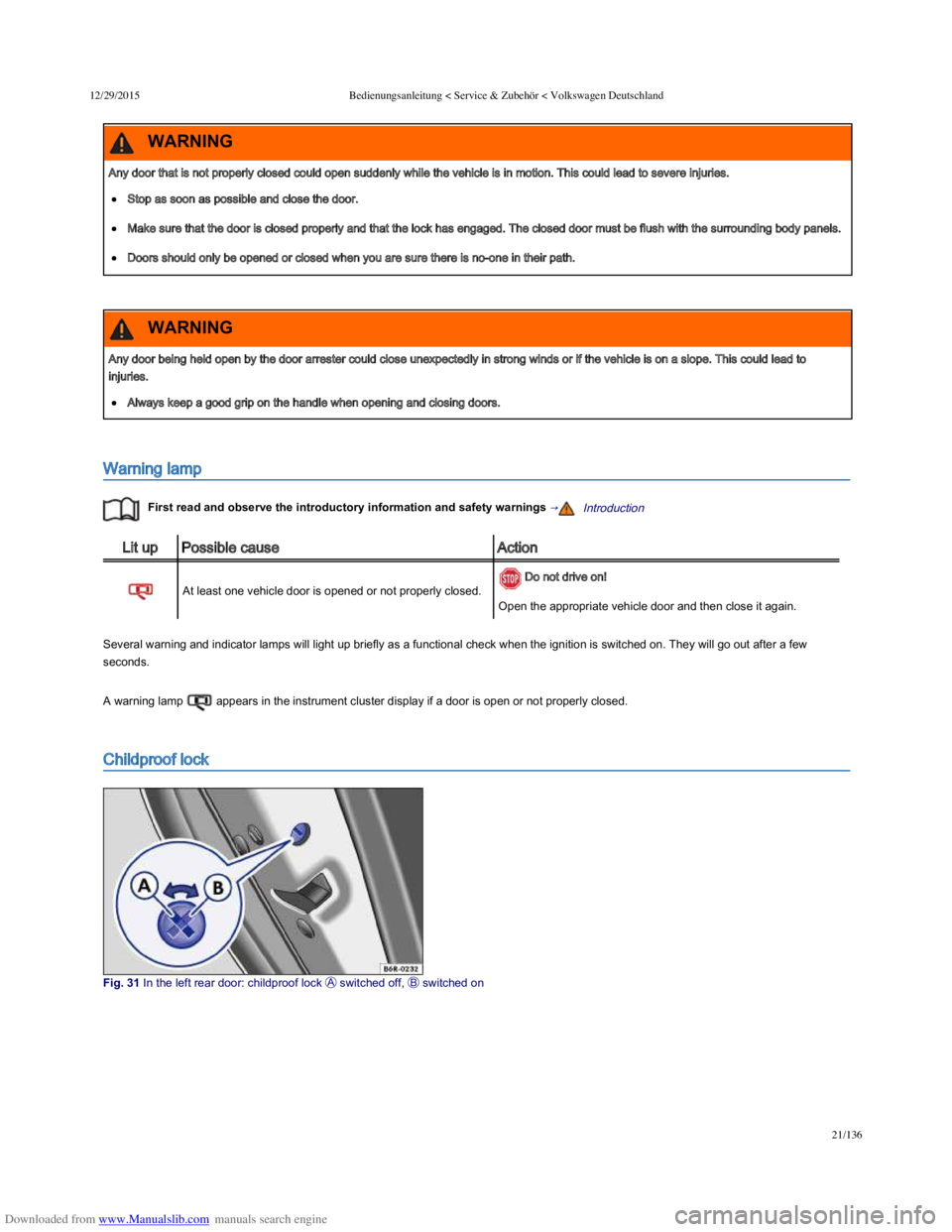
Warning lamp
First read and observe the introductory information and safety warnings →Introduction
Lit upPossible causeAction
At least one vehicle door is opened or not properly closed.
Do not drive on!
Open the appropriate vehicle door and then close it again.
Several warning and indicator lamps will light up briefly as a functional check when the ignition is switched on. They will go out after a few
seconds.
A warning lamp appears in the instrument cluster display if a door is open or not properly closed.
Childproof lock
Fig. 31 In the left rear door: childproof lock switched off, switched on
Any door that is not properly closed could open suddenly while the vehicle is in motion. This could lead to severe injuries.
Stop as soon as possible and close the door.
Make sure that the door is closed properly and that the lock has engaged. The closed door must be flush with the surrounding body panels.
Doors should only be opened or closed when you are sure there is no-one in their path.
WARNING
Any door being held open by the door arrester could close unexpectedly in strong winds or if the vehicle is on a slope. This could lead to
injuries.
Always keep a good grip on the handle when opening and closing doors.
WARNING
Page 58 of 100
Downloaded from www.Manualslib.com manuals search engine 12/29/2015Bedienungsanleitung < Service & Zubehör < Volkswagen Deutschland
23/136
Transporting → Driving tips
Manual opening and closing → Manual opening and closing
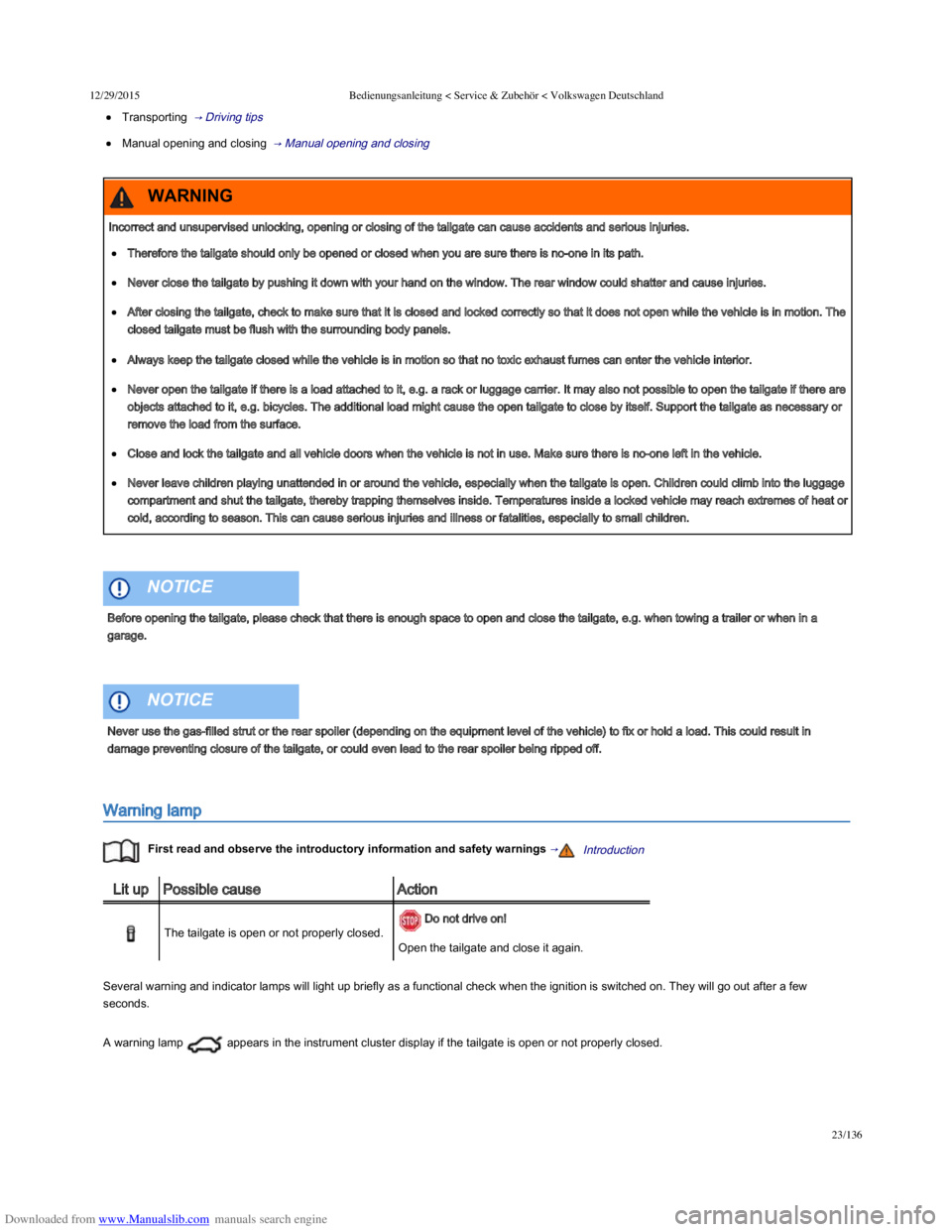
Warning lamp
First read and observe the introductory information and safety warnings →Introduction
Lit upPossible causeAction
The tailgate is open or not properly closed.
Do not drive on!
Open the tailgate and close it again.
Several warning and indicator lamps will light up briefly as a functional check when the ignition is switched on. They will go out after a few
seconds.
A warning lamp appears in the instrument cluster display if the tailgate is open or not properly closed.
Incorrect and unsupervised unlocking, opening or closing of the tailgate can cause accidents and serious injuries.
Therefore the tailgate should only be opened or closed when you are sure there is no-one in its path.
Never close the tailgate by pushing it down with your hand on the window. The rear window could shatter and cause injuries.
After closing the tailgate, check to make sure that it is closed and locked correctly so that it does not open while the vehicle is in motion. The
closed tailgate must be flush with the surrounding body panels.
Always keep the tailgate closed while the vehicle is in motion so that no toxic exhaust fumes can enter the vehicle interior.
Never open the tailgate if there is a load attached to it, e.g. a rack or luggage carrier. It may also not possible to open the tailgate if there are
objects attached to it, e.g. bicycles. The additional load might cause the open tailgate to close by itself. Support the tailgate as necessary or
remove the load from the surface.
Close and lock the tailgate and all vehicle doors when the vehicle is not in use. Make sure there is no-one left in the vehicle.
Never leave children playing unattended in or around the vehicle, especially when the tailgate is open. Children could climb into the luggage
compartment and shut the tailgate, thereby trapping themselves inside. Temperatures inside a locked vehicle may reach extremes of heat or
cold, according to season. This can cause serious injuries and illness or fatalities, especially to small children.
WARNING
Before opening the tailgate, please check that there is enough space to open and close the tailgate, e.g. when towing a trailer or when in a
garage.
NOTICE
Never use the gas-filled strut or the rear spoiler (depending on the equipment level of the vehicle) to fix or hold a load. This could result in
damage preventing closure of the tailgate, or could even lead to the rear spoiler being ripped off.
NOTICE
Page 81 of 100
Downloaded from www.Manualslib.com manuals search engine 12/29/2015Bedienungsanleitung < Service & Zubehör < Volkswagen Deutschland
46/136
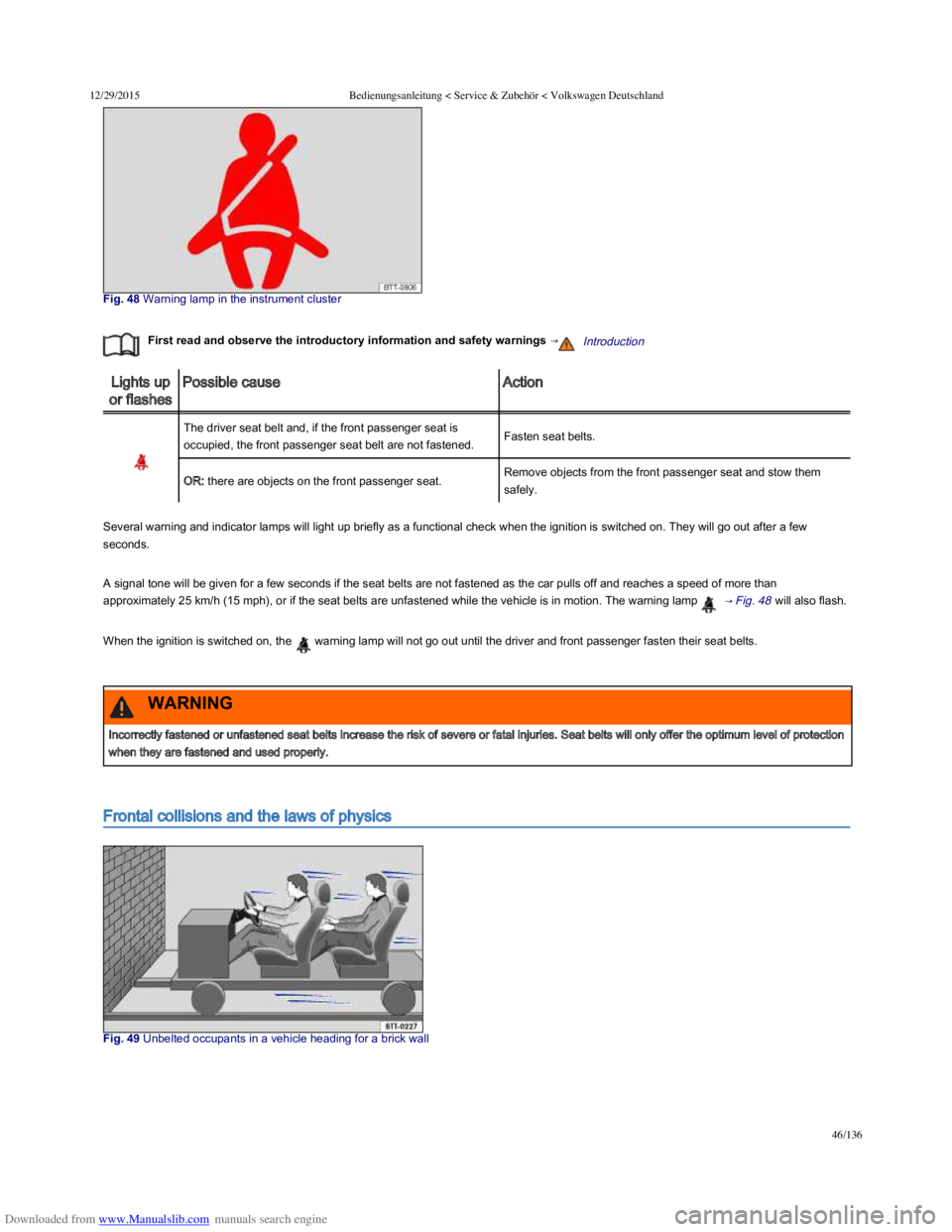
Fig. 48 Warning lamp in the instrument cluster
First read and observe the introductory information and safety warnings →Introduction
Lights up
or flashes
Possible causeAction
The driver seat belt and, if the front passenger seat is
occupied, the front passenger seat belt are not fastened.Fasten seat belts.
OR: there are objects on the front passenger seat.Remove objects from the front passenger seat and stow them
safely.
Several warning and indicator lamps will light up briefly as a functional check when the ignition is switched on. They will go out after a few
seconds.
A signal tone will be given for a few seconds if the seat belts are not fastened as the car pulls off and reaches a speed of more than
approximately 25 km/h (15 mph), or if the seat belts are unfastened while the vehicle is in motion. The warning lamp → Fig. 48 will also flash.
When the ignition is switched on, the warning lamp will not go out until the driver and front passenger fasten their seat belts.
Frontal collisions and the laws of physics
Fig. 49 Unbelted occupants in a vehicle heading for a brick wall
Incorrectly fastened or unfastened seat belts increase the risk of severe or fatal injuries. Seat belts will only offer the optimum level of protection
when they are fastened and used properly.
WARNING