key VOLKSWAGEN SCIROCCO 2010 Owner's Manual
[x] Cancel search | Manufacturer: VOLKSWAGEN, Model Year: 2010, Model line: SCIROCCO, Model: VOLKSWAGEN SCIROCCO 2010Pages: 138, PDF Size: 48.59 MB
Page 46 of 138
Downloaded from www.Manualslib.com manuals search engine Electric windows
Introduction
Thi .h'" t r co nt ins information on the following
'll j· t ":
I' · A WARNING (Continued) ·----""=~·
ning r cl ing the windows elec trically . . 60
• Never leave children or people requiring
assistance alone in the vehicle when the ve
hicle is locked. The windows can no longer
be opened in an emergency.
tric wind ws - functions . . . . . . . . . . . . . . 61
R 1\-b k fun ction f or th e electric windows . . . 61
Additional information and warnings:
• V lk wag n information system ~page 26
• ntr I loc king system :::) page 46
• lnfo tai nm ent system ~page 31
• Always take all vehicle keys with you ev
ery time you leave the vehicle. The windows
can still be operated using the buttons sever
al minutes after the ignition has been switch
ed off, provided that the driver door and front
passenger door are not opened.
A~ WARNING
~-~~------------------·~--------~~~
• When transporting children on the rear
bench seat, the rear electric windows should
always be deactivated using the safety button
so that they cannot be opened or closed.
ltnproper or unsupervised use of the electric
windows can cause serious injuries.
• The electric windows should only be
opened or closed when you are sure that no
body is in their operating area . During sudden rain showers, water can enter
the vehicle interior via open windows and
cause damage
to the vehicle.
Opening or closing the windows electrically
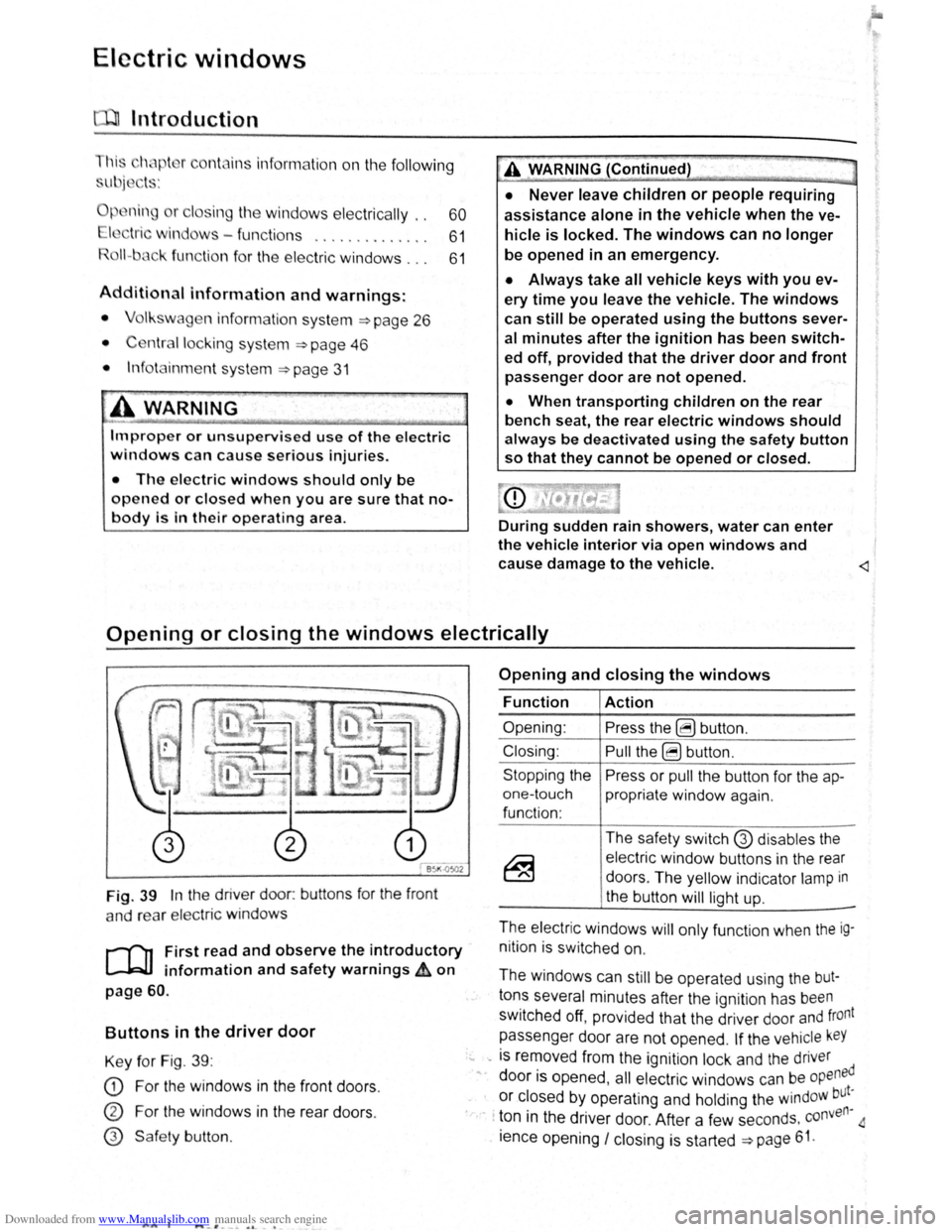
Fig. 39 In the driver door: buttons for the front
a nd rear
elec tric windo ws
r--('n First read and observe the introductory
~ information and safety warnings £ on
page 60.
Buttons in the driver door
Key for Fig. 39 :
CD For the windows in the front doors .
CD For the windows in the rear doors .
@ Safe ty button .
AA l ..._-'. --~ o. -•
Opening and closing the windows
Function
Opening :
Closing:
Stopping the
one-touch
function :
Action
Press the ~ button .
Pull the ~ button .
Press or
pull the button for the ap
propriate window again.
The safety switch
G) disables the
electric window buttons in the rear
doors . The yellow indicator
lamp in
the button
will light up.
-
The electric windows will only function when the ig
nition is switched on.
The windows can
still be operated using the but
tons several minutes after the ignition has been
switched off, provided that the driver door and front
passenger door are not opened .
If the vehicle keY
... -is removed from the ignition lock and the driver
" door is opened , all electric windows can be opened
or closed by operating and holding the windoW but~
· · ton in the driver door. After a few seconds . conven
ience opening
I closing is started ~page 61.
Page 47 of 138
Downloaded from www.Manualslib.com manuals search engine lcctrlc windows-functions
lr .. t r ,nd nd obsorv the Introductory
lnf rmotl n nn d 1 fety warnings~ on
n - t uc h opening ond closing
11 t ur.11 p n ln a n d cl sing mnk s it possib le
t fully p n n
butt on , do n t h v t o e h Id do wn to do this .
r
o n -touch closing: pull th button fo r th e ap
pr prl1 l window up brl fly Into the s co nd posi
tion.
or ono-touch opening: pr ss the bu tto n for the
ppr prl1t wind w down bri fly Into the seco nd
p
s lti n .
Stopping the one-touch function: press or pull
lh
bu tt n f r the appropri te window again.
R
estoring one-touch opening and closing
On - touc h op ning and closing is deac tiv a te d if
th v hi 'I batt ery has been disconnec ted or dis
c h
rg d whil e the wind ow s were not fully closed.
The fun ction will ha ve to be reset.
• Cl s all windows and doors .
• Swi tc h on the ignit ion .
• Pull up the bu tton for the window and hold it in
thi s posi tion for longer than 2 sec onds .
• Let go of the bu tton then pull it up aga in and
ho ld i t in this position . On e-to uch opening and
c los ing is
now ready for operation .
The one -to uch function can be res tored for individ
u
I windows or for several wind ow s a t th e same
tim e.
Convenience opening and closing
The windows ca n be opened and clos ed from out
side
t11e v e hi cle using the vehicle key :
• Press and hold the locking or unlocking button
o n the
ve hi cle k e y. All electr ic windows will be ei
ther opened or closed.
•
To interrupt this function , let go of the locking or
unlo cking button .
During co
nveni ence closing , the windows and the
elec tric panorama sliding/tilting roof close .
A varie ty of setti ngs re lated to window operation
can be made and adjusted using the @) button
and the
G and (open and close ) function buttons
~page 31.
A WARNING
Improper or unsupervised use of the electric
windows can cause serious injuries.
• The electric windows should only be
opened or closed when you are sure that no
body is in their operating area.
• Never leave children or people requiring
assistance alone in the vehicle when the ve
hicle is locked. The windows can no longer
be opened in an emergency.
• Always take all vehicle keys with you ev
ery time you leave the vehicle. The windows
can still be operated using the buttons sever
al minutes after the ignition has been switch
ed off, provided that the driver door and front
passenger door are not opened.
• When transporting children on the rear
bench seat, the rear electric windows should
always be deactivated using the safety button
so that they cannot be opened or closed.
r::l One-touch opening and closing and the roii
L!J back function will not work if there is a fault in
the
electric windows . Proceed to a qualified work-
shop . ~
Roll-back function for the electric windows
r-('n First read and observe the i~troductory
l.-W.I information and safety warnmgs A on
page 60.
The roll -b ac k function for the electric windows can
reduce the risk
of injuri es when the windows are
closing => ,&. If the one- touch closing function for a
wind ow
does not work beca use it is stiff or is being
obs tructe d the
window will autom atically open I
again.
• Check to see why the window has not closed.
• Try to close the window again. ..,..
Opening and closing 61
Page 48 of 138
Downloaded from www.Manualslib.com manuals search engine l
• If the window is again prevented from closing
within approximately
10 seconds of the first at
temp t because it is stiff or obstructed, the automat
Ic clo s
1ng fun ctio n Is switched off fo r approximately
10 seconds.
• If the window is still obstructed , the window
st ops at this point. To c lose the window withou t the
roll-bac k function, press the button again within
1 0 seconds ~ &,.
Closing the window without the roll-back
function
• Try to close the window again within approxi
mately 10 seconds by holding the button . The roll
back function will be dea ctiva ted for a small
section of the path of the closing window.
• If the c losing procedure takes longer than ap
proximately 10 seconds, the roll-back functio n will
be reac tivat ed . The window will then stop again if it
Is s tiff o r meets another obstacle .
• Please proceed to a qualified workshop if the
window
st1ll can not be closed .
t:2 I Bflfore th journey
---
A WARNING
Closing the electric windows without the roll
back function can lead to severe injuries.
• Always take care when closing electric
windows.
• Ensure that nobody obstructs the path of
the electric windows, especially if the roll
back function is not active.
• The roll-back function does not prevent
fingers or other body parts from being press
ed against the window frame and sustaining
injury.
W The roll-back fun ctio n is also ac tivated if the
l!J windows are closed using t he ve hicle key f or
convenience closing
~page 61.
I ..
Page 50 of 138
Downloaded from www.Manualslib.com manuals search engine Electrical controls on the front seats ~~~~~~~~~~~~-----------------------
®
651<-()590
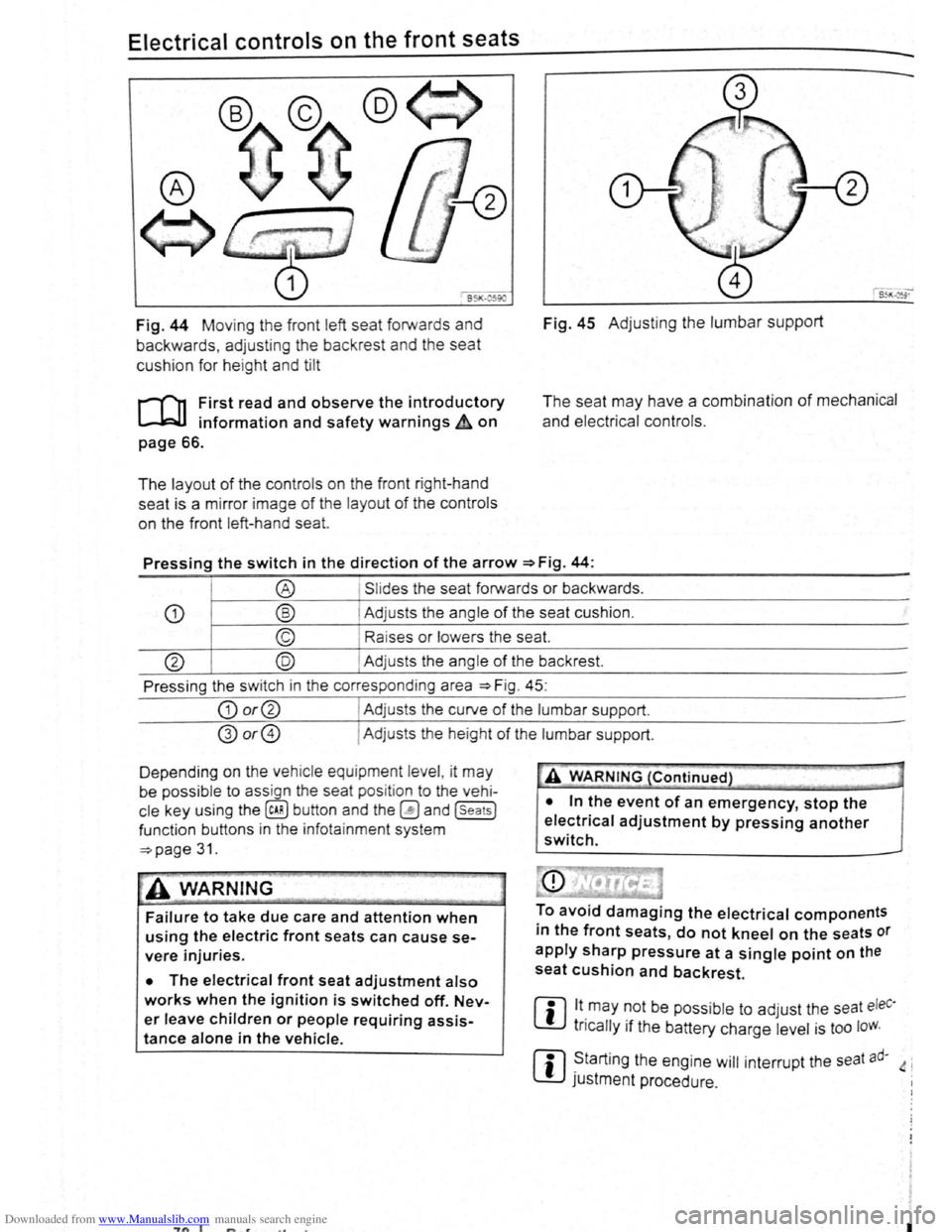
Fig. 44 Moving th e front left seat forwards and
backwards , ad j
usting the backrest and the seat
cushion for hei
ght and tilt
r-('n First read and observe the introductory
L-.lc:J.I information and safety warnings~ on
page 66.
The layout of the contro ls on the front r ight-hand
seat is a m irror image
of the layout of th e contro ls
on the front left-hand sea
t.
Fig. 45 Adju stin g the lumbar support
The seat may have a combination of mechanical
and electrical controls.
Pressing the switch in the direction of the arrow ~Fig. 44:
® Slides the seat forwards or backwards .
CD ® Adjusts the ang le of the seat cushion.
© Raises or lower s the seat.
@ @ Adjust s th e angle of the backrest.
Press ing the s witch in th e corresponding area
~Fig. 45:
CD or@ I Adjusts the curv e of the lumbar support.
@or@ I Ad justs the he ight of the lumbar support .
D epending on the veh ic le equ ipment leve l, it
may
be possib le to ass ign the seat pos it ion to the vehi
cle key using the @ill button and the~ and (seats]
funct ion buttons in the info ta inment system
~page 31.
~A WARNING
Failure to take due care and attention when
using the electric front seats can cause se
vere injuries.
• The electrical front seat adjustment also
works when the ignition is switched off. Nev
er leave children or people requiring assis
tance alone in the vehicle.
~"'A WARNING (Continued} --~ ~ -·-
• In the event of an emergency, stop the
electrical adjustment by pressing another
switch.
To avoid damaging the electrical components
in the front seats, do not kneel on the seats or
apply sharp pressure at a single point on the
seat cushion and backrest.
m lt.may ~Ot be poss ib le to adjust the seat eleC·
W tncally 1f the battery charge level is too loW.
m ~tarting the engine will interrupt the seat ad· 4 i
W JUStment procedure .
"7n I I
Page 52 of 138
Downloaded from www.Manualslib.com manuals search engine ~emoving and fitting head restraints
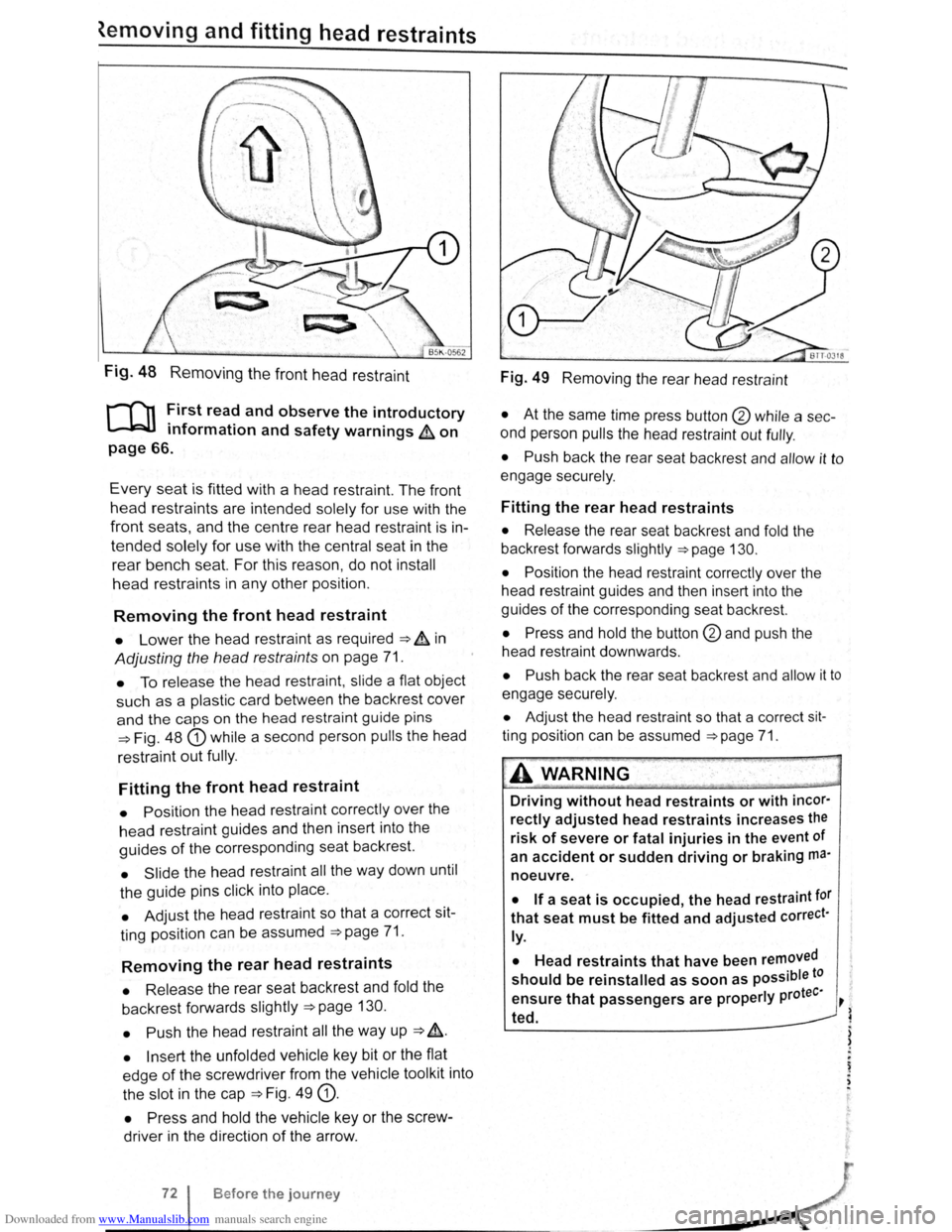
Fig. 48 Removing the front head restraint
r-f'n First read and observe the introductory
L-lcJJ information and safety warnings & on
page 66.
Every seat is fitted with a head restraint. The front
head restraints are intended solely for use with the
front seats, and the centre rear head restra int is in
tended solely for use with the central seat in the
rear bench seat. For this reason , do not install
head restraints in any other position.
Removing the front head restraint
• Lower the head restraint as required ===> & in
Adjusting the head restraints on page 71.
• To release the head restraint , slide a flat object
such as a plas tic card between the backrest cover
and the caps on the head restraint guide pins
===>Fig. 48 G) while a second person pulls the head
restraint
out fully .
Fitting the front head restraint
• Position the head restraint correctly over the
head restraint guides and then insert into the
guides of the corresponding seat backrest.
• Slide the head restraint all the way down until
the guide pins click into place .
• Adjust the head restraint so that a correct sit
ting position can be assumed
===>page 71.
Removing the rear head restraints
• Release the rear seat backrest and fold the
backrest forwards slightly
===>page 130.
• Push
the head restraint all the way up ===> &.
• Insert the unfolded vehicle key bit or the flat
edge
of the screwdriver from the vehicle tool kit into
the slot in the cap
===>Fig. 49 G).
• Press and hold the vehicle key or the screw
driver in the direction
of the arrow .
Before the journey
Fig. 49 Removing the rear head restraint
• At the same time press button @ while a sec
ond person
pulls the head restraint out fully .
• Push back the rear seat backrest and allow it to
engage securely .
Fitting the rear head restraints
• Release the rear seat backrest and fold the
backrest forwards slightly
===>page 130.
• Position
the head restraint correctly over the
head restraint guides and then insert into the
guides
of the corresponding seat backrest.
• Press and hold the button @and push the
head restraint downwards .
• Push back the rear seat backrest and allow it to
engage securely.
• Adjust the head restraint so that a correct sit
ting position can be assumed ===>page 71.
A WARNING .
Driving without head restraints or with incor·
rectly adjusted head restraints increases the
risk of severe or fatal injuries in the event of
an
accident or sudden driving or braking ma·
noeuvre.
• If a seat is occupied, the head restraint tor
that seat must be fitted and adjusted correct·
ly.
•
Head restraints that have been removed
should be reinstalled as soon as possible to
tee· ensure that passengers are properly pro ~
~ ted.
) )
.
~ . ,
Page 65 of 138
Downloaded from www.Manualslib.com manuals search engine To adjust, turn the control CD to:
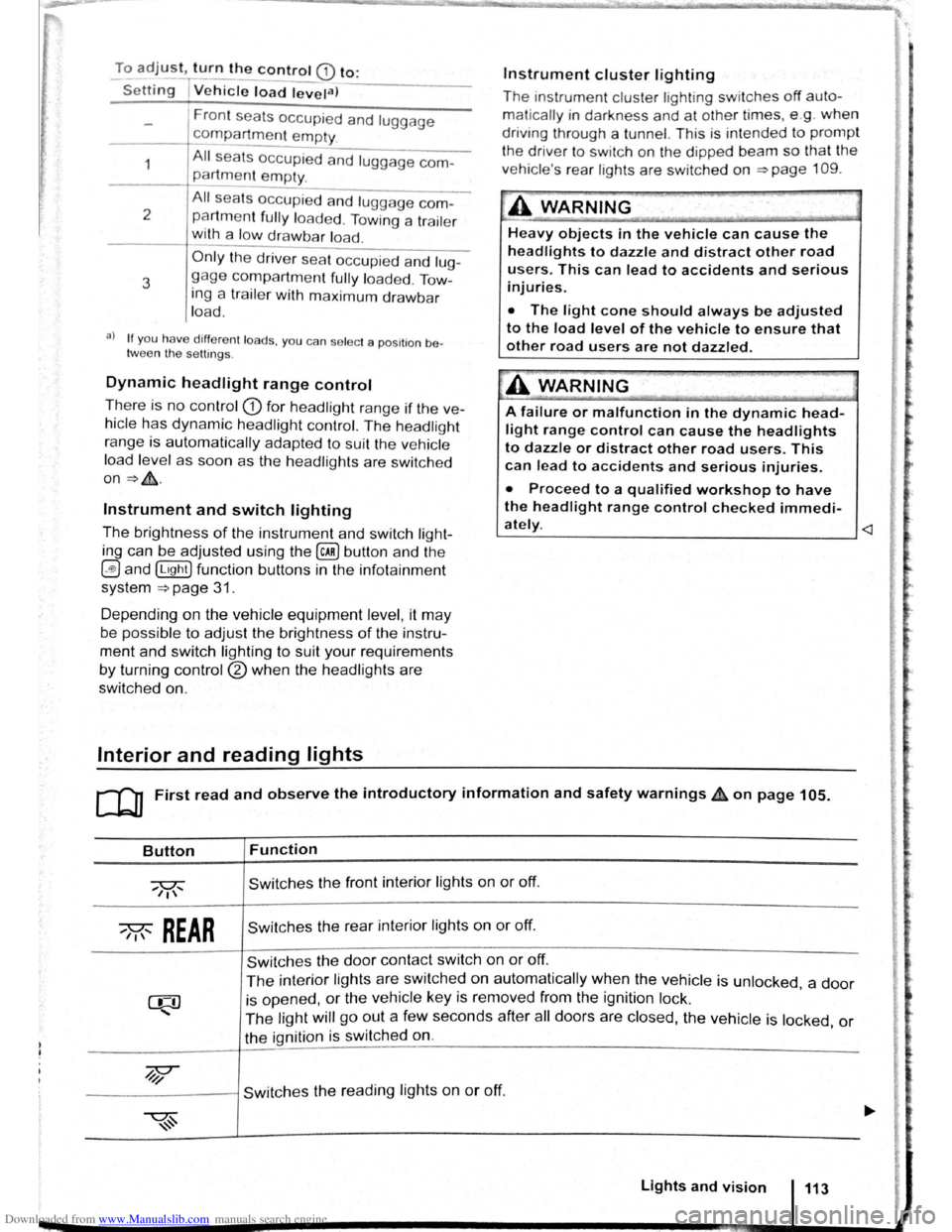
-Set~ng I Vehicle load lev~la) -------
1
2
3
Fron t seats occupied and luggage
compa rtment
empty.
All seats occupied and luggage com
partment empty.
All sea ts occ upi ed and luggage com
partm ent fully loaded . Towing a trai le r
wit h a
lo w drawbar load .
Only the driver sea t occupi ed and lug
ga ge compartm ent fully load ed . Tow
ing a trai le r w ith maximum drawbar
l
oad.
a) If you have diff ere nt loads. you can select a positi on be
tween th e settings.
Dynamic headlight range control
Th ere is no control CD for headlight range if the ve
hicle
has dynamic headli ght control. The head light
r ange is
automatically adapted to suit the ve hicle
load level as soon as the headli ghts are switched
on~&.
Instrument and switch lighting
The brightness of the in strument and switch li gh t
ing can be adjusted using the @ill button and the
~and !Ltght] function buttons in the infot ainm ent
system
~page 31 .
Depending on the vehicle equipment level, it may
be possible to adjust the brightness of the instru
ment and switch lighting to suit your requirements
by turning control® when the headlights are
switched on.
Interior and reading lights
Instrument cluster lighting
The instrumen t cl uste r ligh ting sw it c hes off auto
mati cally
in darkness and at other times, e.g . when
driving through a tunnel. This is in tended to prompt
the driver to switch on the dipped beam so that the
v e hi cle' s rea r l
ights are swit c hed on ~page 109.
.A WARNING
-
Heavy objects in the vehicle can cause the
headlights to dazzle and distract other road
users. This can lead to accidents and serious
injuries.
• The light cone should always be adjusted
to the load level of the vehicle to ensure that
other road users are not dazzled.
A WARNING
A failure or malfunction in the dynamic head
light range control can cause the headlights
to dazzle or distract other road users. This
can lead to accidents and serious injuries.
• Proceed to a qualified workshop to have
the headlight range control checked immedi
I
ately. ~--------------- --------------------~
ClJ] First read and observe the introductory information and safety warnings & on page 105.
Button
~REAR
Function
Switches the front interior lights on or off.
Switches the rear interior lights on or off.
Switches the door contact switch on or off.
The interior lights are switche d on automatically when the vehicle is unlocked , a door
is opened, or the ve hicle key is removed from the ignition lock.
The light will go out a few seconds after all doors are closed, the vehicle is locked, or
the ignition is switched on.
/q'j/
---------j Switches the reading lights on or off.
Lights and vision 113
Page 66 of 138
Downloaded from www.Manualslib.com manuals search engine e ts a d
=-_...._ -- -·· l C --'-• Cl- GJ
-.',t-e-::-e _ CE ~, ·qec ea::"'i;-:s c:s S'!11'~ ed
. :co:r _ 'i _ n:: '; ·r; · c-;::: t:e eo . ::a e 'e-
.-~ r ::-e xcr-3 =-:r c= ,s _
L_
e f or. e lf m ay also be ill um in ated .
e b ·g tness of th e ambient li ght in g can be ad
j s :ed s i g th e @) button a nd th e ~and (L'9"Y
=on b ons in th e infot ainment sys tem
::!>page 3 .
rn
Th e rea ding lig ht s switch off wh en the vehicle '
is locked or a fter a dela y of a fe w minutes
w en e ve hicl e key is removed from the ig nition
rock. This prevents th e ba ttery from disc harging. (
Page 73 of 138
Downloaded from www.Manualslib.com manuals search engine ~
cornp~rtment in the front centre armrest
r-('n First read and observe the introductory
l.-J,r::JJ information and safety warnings th on
png 151.
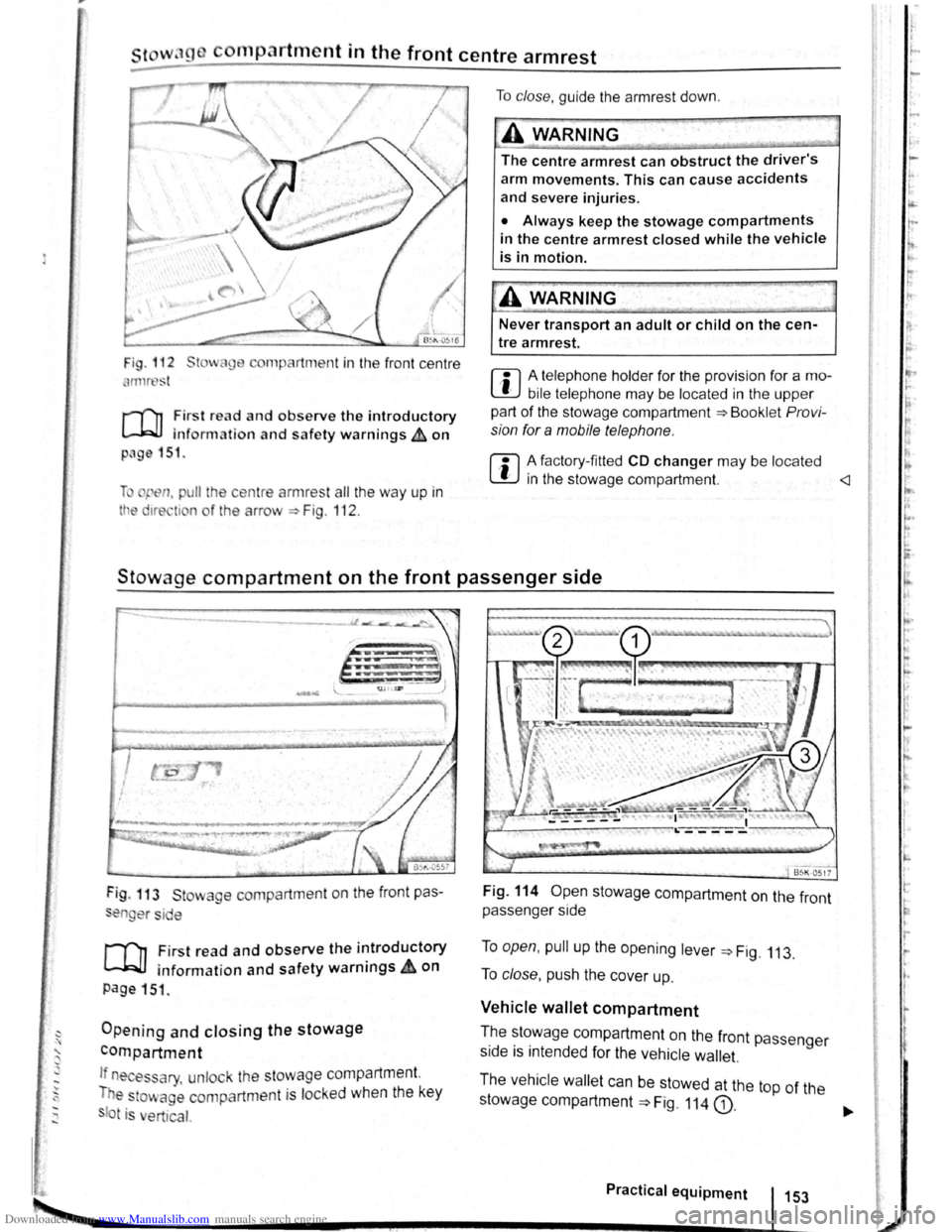
li pen, pu ll the ce ntre armres t all the way up in
tt e 1re ti n o f the arrow ::. Fig . 112 .
To clo se, guide the a rmr est down .
A WARNING
The centre armrest can obstruct the driver's
arm movements. This can cause accidents
and severe injuries.
• Always keep the stowage compartments
in the centre armrest closed while the vehicle
is in motion.
Never transport an adult or child on the cen
tre armrest.
m A telephone holder for the provision for a mo
L!J bile telephone may be located in the upper
part of the stowage compartment ::.Bookl et Pro vi
sion for a mobile telephone .
m A factory-fi tted CD changer may be located
W in the stowage compartment.
Stowage compartment on the front passenger side
Fig . 113 St wage compartment on the front pas
en er si e
,.....-('n First read and observe the introductory
~ information and safety warnings.&. on
page 151 .
Opening and closing the stowage
compartment
If n es ary, unlock the stowage compartment.
T e
to~ age compartm ent is locked when the key
t is ert ical.
Fig. 114 Open stowage compartment on the front
passenger side
To open, pull up the opening lever ::. Fig. 113.
To close , push the cover up.
Vehicle wallet compartment
T.he ~~~wage compartment on the front passenger
s1de IS mtended for the vehicle wallet.
The vehicle wallet can be stowed at the top of the
stowage compartment
==>Fig. 114 G).
Practical equipment 153
~--------------------~~----------~--~.~! ~--.J-------~
I ,.
~·
~
I
t
r
r r I.
t·
'
Page 80 of 138
Downloaded from www.Manualslib.com manuals search engine Gear-change indicator
B~K-O~Y8
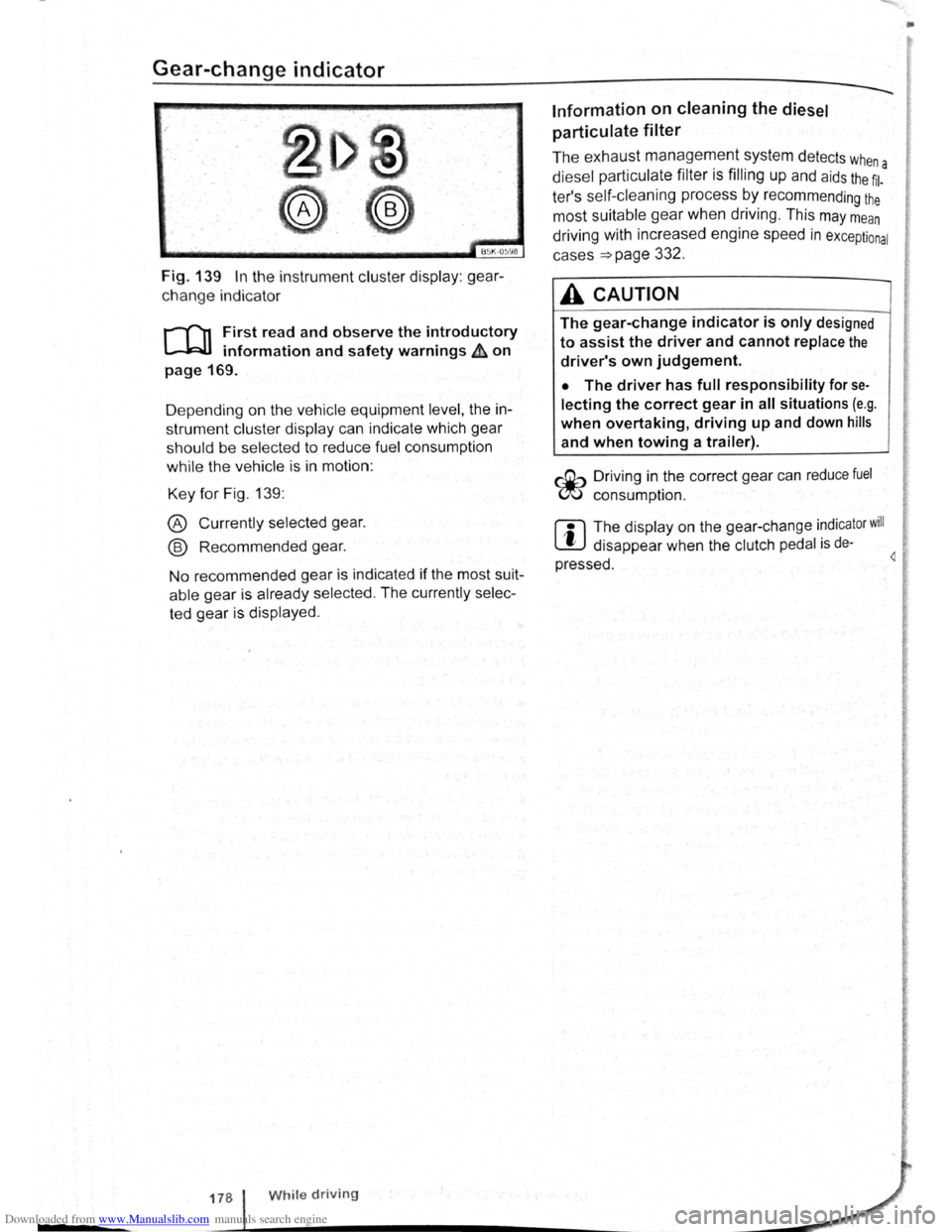
Fig. 139 In the instrument cluster display: gear
change indicator
r-T'n First read and observe the introductory
L-.WI information and safety warnings ~ on
page 169.
D epending on the vehicle equipment
level, the in
strument cluster display can indicate which gear
should be selected to reduce fuel consumption
while the vehicle is in motion :
Key for Fig. 139:
® Currently selected gear.
@ Recommended gear.
No recommended gear is indicated if the most suit
able gear is already selected . The currently selec
ted gear is displayed .
178 While driving
Information on cleaning the diesel
particulate
filter
The exhaust management system detects whe
diesel particulate filter is filling up and aids the ~l-a
ter's self-cleaning process by recommending the
most suitable gear when driving . This may mean
driving with increased engine speed in exceptional
cases
=>page 332 .
A CAUTION
The gear-change indicator is only designed
to assist the driver and cannot replace the
driver's own judgement.
• The driver has full responsibility for se
lecting the correct gear in all situations (e.g .
when overtaking, driving up and down hills
and when towing a trailer).
r::Gb Driv ing in the correct gear can reduce fuel
W consumpt ion.
m The display on the gear-change indicator will
W disappear when the clutch pedal is de·
pressed . 4
•
Page 89 of 138
Downloaded from www.Manualslib.com manuals search engine ParkPilot di play
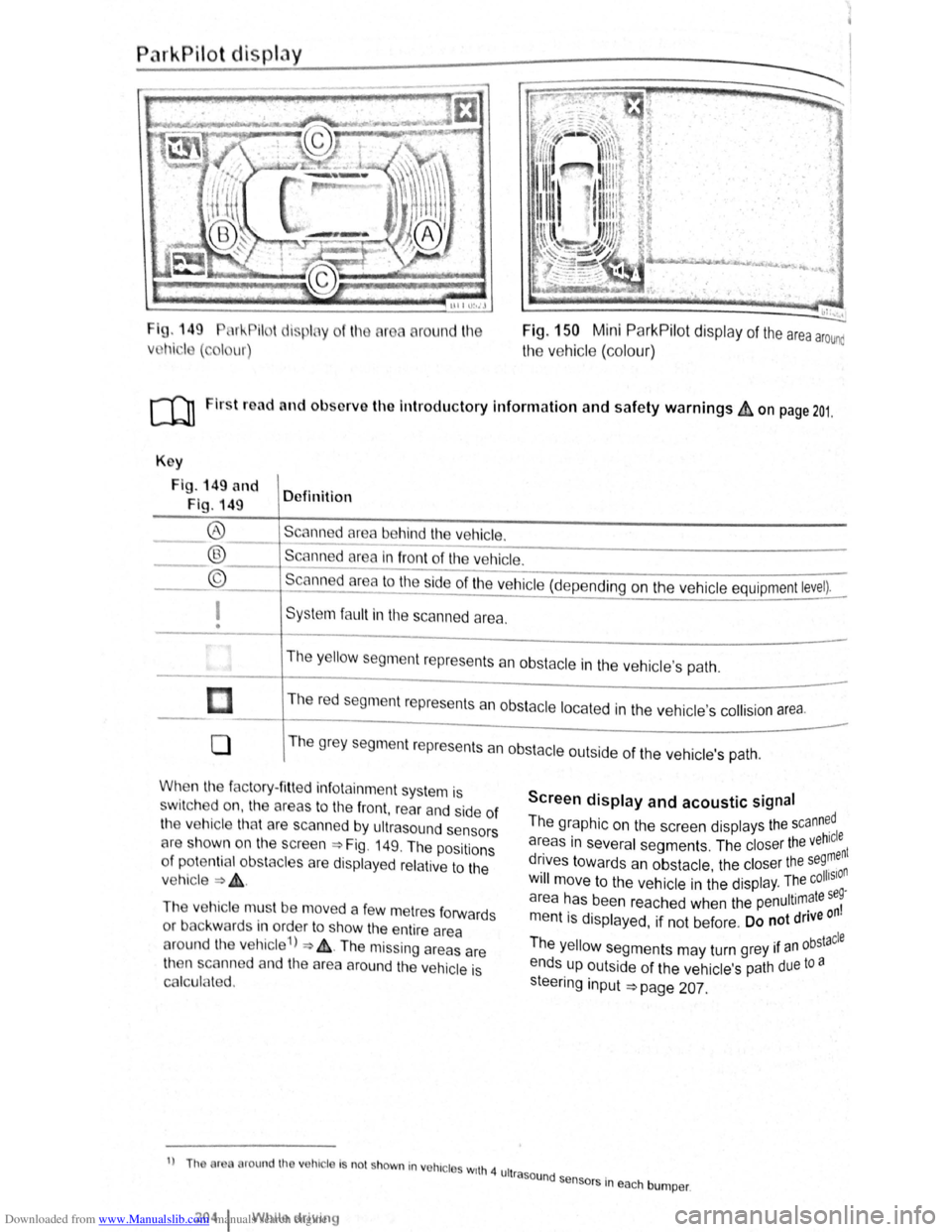
I g. 149 11 !--Pilot lispl y
Vl l~i ·I ( , I ur)
round l11e Fig. 150 Mini ParkPilot display of the area arounc
the vehic le (co lo ur)
ro Firs t road and ol>sorve the Introductory Information and safety warnings&, on page 201.
Key
Fig . 149 and
Fig. 149 Definition
Scann d
area behind the vehicle. ®
® ©
------------------------ -----------Scanned area in front of the ve hicle.
--------------------------------Scanned area to the ~ide of the vehic le (depe nding on the ve hicl e equipment level).
I
• Sys te m fa ult in the scanned area .
The
y ello w segm ent represents an obstacle in the vehic le's path .
Th e r
ed segment represents an obsta cle loca te d in the vehicle's collision a rea.
0 T he grey segment represents a n obstacle outside of the ve hicl e's path.
When the factory- fitt ed inf otainment syste m is
sw it c h ed on , the a reas to the front , rear and side of
the vehicle tha t are scanned by ultrasound sensors
cH e sh own o n the scree n =>Fig. 149. The positions
o f
potentia l obs tacles are displa ye d re lative to the
v e hic le
=> & .
The vehicle mus t be move d a fe w m etres forwards
or back war
ds in order to show the e ntire area
around the vehicle 1
) => & . The missing areas are
t11en scanned and the area around the vehic le is
Cf'llcula ted.
1
) Th or round th v hic le Is no t shown in vohrc l s wrth 4 ult
2o4 1 Whil e driving
Screen display and acoustic signal
The graphic on the screen displays the scann~dl
areas in several segments . The closer the veh~:nt
drives towards an obstacle the closer the se9, n . • olhSIO Will move to the ve hicle in the displ ay. The c .
a r
ea has been reache d when the penultimate se~
m entis displayed, if not be fore . Do not drive on
Th . bstacle e yello w segments may turn grey 1f an °
ends up outside of the vehi cle's path due to a
s teeri
ng input =>page 207.
rasound se .
n sors m eac h bumper .