brake VOLKSWAGEN SCIROCCO 2011 Owner´s Manual
[x] Cancel search | Manufacturer: VOLKSWAGEN, Model Year: 2011, Model line: SCIROCCO, Model: VOLKSWAGEN SCIROCCO 2011Pages: 138, PDF Size: 49.24 MB
Page 82 of 138
Downloaded from www.Manualslib.com manuals search engine Aut mall wit h-o n of the electronic
p ar kin IJr ke If n o t activated properly whe n
th drlv r I av s the v ehicle
I h e .lec,lr uni park ing br ake s wit ch es itsel f on au
lortmlh ,RIIy In the fu llowlng Insta nces wh en the
JrivP-r I . avqs Ill v hlt,le :
• Wlr
t1 tile v hicl Is in gea r posi trons 0, S or R ,
ur If ll r lo t.! o r I v r Is I n t11e T ip tro nic posi tion
• Wl r c n tl re lgr rlll un is s wit ch d o n
• Wi 1 rt tire V l li c le Is s tatio na ry
• If ll re driv r uoor Is o pe n .
rn rge ncy braking function
1 11 n 1 rg on y br kin g fun ction sho uld only be
u s
d In those sit u atio ns wh ere the vehicle cannot
be slurped u ln g the foot br ake ~ &!
• Pull and hold the 8 butt on ~Fig. 14 0 to br ake
tir e ve hl
le sharply. An aco ustic sig na l ca n b e
hoa rd at the sa me lime.
•
T o sto p the br ak ing proced ure, re lease the§
b utt on or d epress th e acce le ra to r pedal.
The Incorrect use of the electronic parking
brake can cause accidents and serious inju
ries.
P arking
r-f11 First read and observe the introductory
l-J,.:JJ Information and safety warnings A on
page 179.
P lea e adhere to re leva nt legisla tion when stop
p in g
a nd pa rk in g your ve h icle .
S
topping the vehicle
Th e ta p s ho uld only be carr ied out in t he speci
flo d o rd or.
• Sto p the ve hi cle o n a sui tab le s urface ~ &,
• Depress a nd ho ld th e br ake ped al u ntil th e e n
gi ne ha
stoppe d .
• Swit ch o n the electr onic pa rking brake
. ~ pnye 18 1.
• With a n auto m atic gea rbox, move the selecto r
lo ve r to pos ition P .... #..
• Swit ch off th e engi ne a nd take your foo t off the
br ake pedal.
• Rem ove th a ve hi cle k e y from t he ignit ion lock .
• rurn the stee ring wheel s lig htly if necessa ry to
engage th e vtee ring lo ck mec h anism .
While driving
• The electronic parking brake should ne
be used to brake the vehicle, except in em '>'er
gencies. The braking distance is considerae.r .
bly longer as only the rear wheels are braked.
Always use the foot brake.
• Never activate the accelerator from the en.
gine compartment if a position or gear has
been selected and the engine is running. The
vehicle could move, even if the electronic
parking brake is applied.
m In veh rcles with a manual gea rbox: v. hen the
l..!J clu tch peda l is released a nd t he accelera
pedal depr essed at th e sa me time , th e e lectron
parkin g bra ke will be re leased autom aticall y
m If th e ve hicl e ba ttery is flat it w ill not be po~<:
L!J ble to re lease th e e lectro nic parking bra e.
U se
jump lead s =:>page 370 .
m Some norses ma y be hea rd wh en the elec·
W Iron ic p ark in g b ra ke is sw itch ed on or ff.
r::l If th e e le ctron ic park in g b ra ke has not been
W used fo r a long period , th e s ys te m will carry
out occa siona l automa tic a nd acou stic check s
when the ve hicl e is pa rk ed .
• With a m anu al gearbox , se lect 1st gea r for f.at
groun d and u phill incl in es , or re ve rse ge ar ()(
downh ill incl ines , a nd then r elease e dutch.
• Ple a se ensur e t hat all o ccup an s. i n pa
ch ildren , lea ve th e ve h icl e.
laf
• Take a ll ve hicl e ke ys with yo u w en you tea 'e
th e ve h icl e.
• lock the ve h icle .
Additional points for ascending and
descending inclines
Be fore SVIitchin g off th e e ng in e , turn e s eeriP:1
wheel so that th e fron t wheels w ill roll aga i st me
kerb if the parked ve icle start s to mo e.
• Whe n fa cing downhill , turn tl e ~s SO tf'\3!
they fa ce e ke rb.
•
Whe n fa cing up ill , turn e omeels so IP8t tt
<
1821
---------------------- ------~~
Page 83 of 138
Downloaded from www.Manualslib.com manuals search engine ... .....
Hot function
------------------------------------ ---------
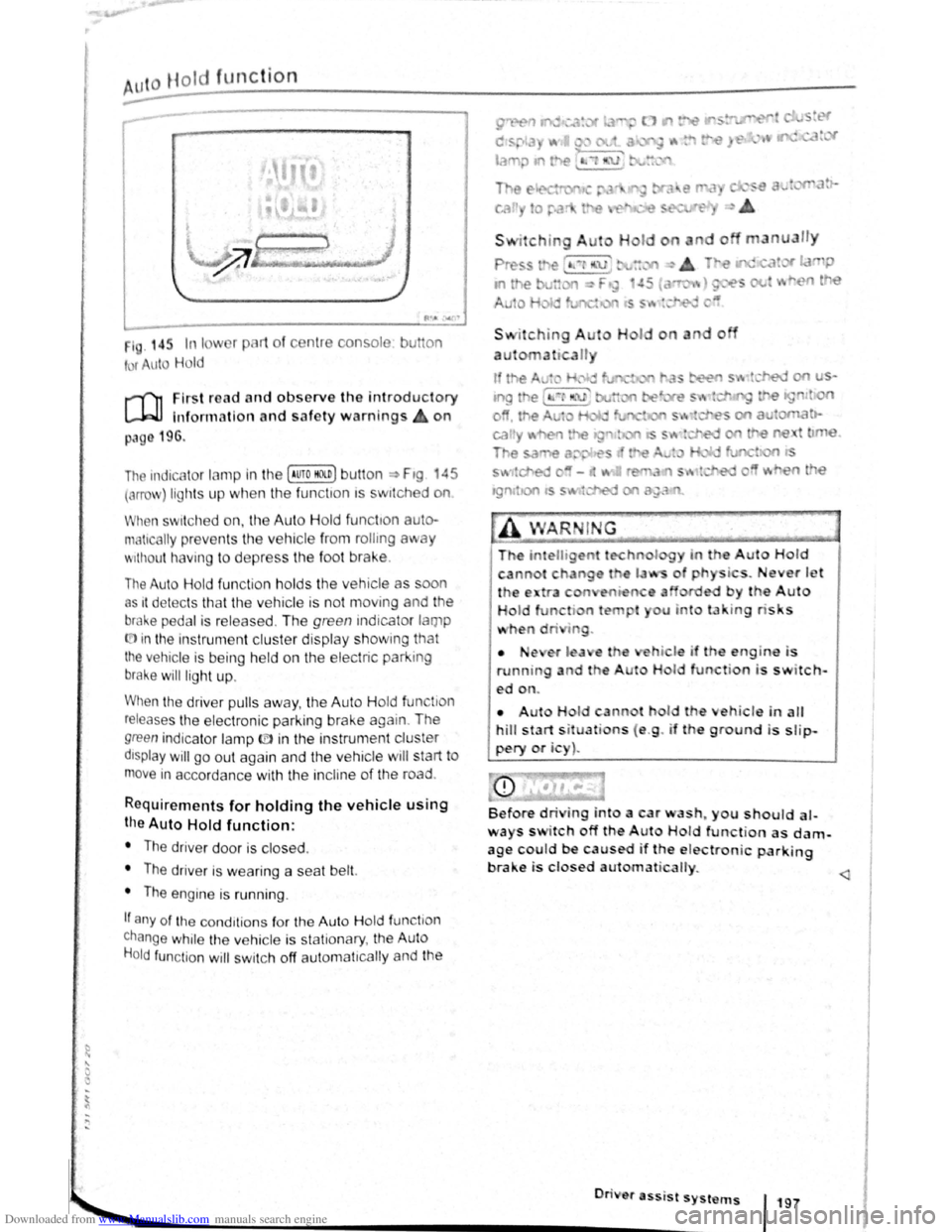
1 . 14r. In I w 1 pl 1t of c nt1 consol
t r uto Hold
u on
r-('n First re ad a nd observe the introductory
L-.W1 lnfon nation and safety warnings on
p:~g 196.
The indicc.lor lamp in the (Auto HO n) butt on ~ Ftg 45
(orro\J ) lights up when the fun ctton ts swttched on
When swit ch ed on, the Auto Hold functton auto·
matically preven ts th e vehi cle from rollmg away
'' 1thout h avi ng to depress the foot brake .
The Auto Hold fun ctio n h olds the vehicle as oon
as 1t det ec ts th at th e ve hicle is not moving and the
bral-.e pedal is relea sed . Th e green indicator lamp
(.[)in the instrument cluster display showm g that
the vehicle is being held on the electric park ing
brake will ligh t up .
When the driver pulls away , th e Auto H old fun tio n
releases th e e lectroni c parking brake again . The
green indica to r lamp ID in the instrun1 ent cluster
dtsplay will go out again and the vehicle w ill start to
move in accorda nce with the incline of the road .
Requirements for holding the vehic le using
the Auto Hold function:
• The driver door is closed .
• The driver is weari ng a seat belt.
• The engine is runn ing .
If any of the cond1tion s fo r th e Aut o Hold functio n
change while the vehicle is stationary , the Auto
H o
ld function will swi tc h off aut oma t1cally and the
• •e ,er l a e
running a d t e
ed on.
I o
a u n
do
i . ever J t '
by the Auto
u u to la · tng ris s
hi le if th engin-e i s
H I function is switch-
• Aut H Id cann t hol d th eh icle in alt
hill start s it uati ns ( e .g . if th e ground is slip
pery or i )~
Before dri ing into a car wash~ you should al
ways s itch off the A ut Hold function as dam
age c~uld be caused if the e lectronic parking
brake 1s closed au1ornat icalty.
............. ._ _________________________ •O• n· · • e• r• a•ss- 'i s• t• s•y•s-t _"_l~S-f 197
•
Page 84 of 138
Downloaded from www.Manualslib.com manuals search engine ~S~ta~~~st~o~p~s~y~s~te~m~--------------------------------------
BSG-0005
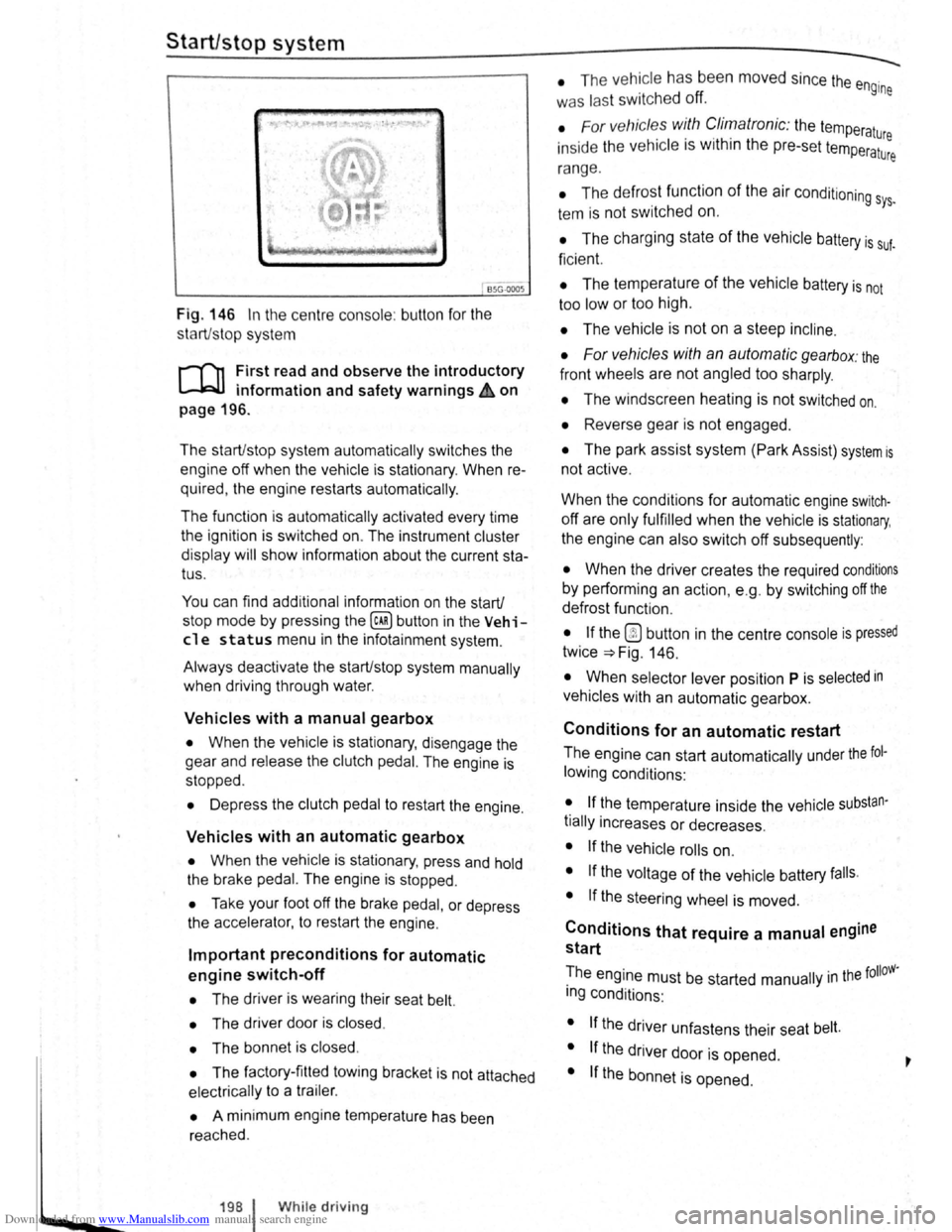
Fig. 146 In the centre consol e: butt on for the
s tart/s top syst em
r-T'n First read and observe the introductory
L-lcJJ information and safety warnings .&. on
page
196.
The start/stop system automatically switches the
engine off when the vehicle is stationary . When re
quired , the engine restarts automatically .
The function is automatically activated every time
the ignit ion is switched on. The instrument cluster
display will show information about the current sta
tus .
You can find additional information on the start/
stop mode by pressing
the~ button in the Vehi
cl e status menu in the infota inment system .
Always deactivate the start/stop system manually
when driving through water.
Vehicles with a manual gearbox
• When the vehicle is stat ionary , d isengage the
g e
ar and release the clutch pedal. The engine is
stopped .
• Depress the clutch pedal to restart the engine .
Vehicles with an automatic gearbox
• When the vehicle is stationary , press and hold
the brake pedal. The engine
is stopped.
• Ta ke your foot off the brake pedal, or depress
the acce lerator, to restart the engine .
Important preconditions for automatic
engine switch-off
• The driv er is wearing their seat belt.
• The driver door is closed .
• The bonnet is closed .
• The factory-fitted towing bracket is not attached
ele ctrically to a trailer .
• A minimum engine temperature has been
rea ched .
198 I While driving
• The ve hicle has been moved since the engine
was las t switc he d off.
• F or v ehicle s with Climatronic: the temperatu
inside the ve hicle is within the pre-set temperat~~e
ra nge .
• The de frost function of the air conditioning sys.
tem is not switched on.
• The charging state of the vehicle battery is suf.
ficient.
• The temperature of the vehicle battery is not
too
low or too high .
• The vehicle is not on a steep incline.
• For vehicles with an automatic gearbox: the
front wheels are not angled too sharply .
• The windscreen heating is not switched on.
• Reverse gear is not engaged .
• The park assist system (Park Assist) system is
not active .
When the condit ions
for automatic engine swit ch
off are only fulfilled when the vehicle is stationary,
the engine can also switch off subsequently :
• When the driver creates the required conditions
by performing an action , e .g . by switching off the
defrost function .
• If the @ button in the centre console is pressed
twice ~Fig. 146.
• When selector lever position P is selected in
vehicles with an automatic gearbox.
Conditions for an automatic restart
The engine can start automatically under the fol
lowing conditions :
• If the temperature inside the vehicle substan
tially increases or decreases .
• If the vehicle rolls on.
• If the voltage of the vehicle battery falls.
• If the steering wheel is moved.
Conditions that require a manual engine
start
The engine must be started manually in the folloW·
ing conditions :
• If the driver unfastens their seat belt.
• If the driver door is opened .
• If the bonnet is opened.
Page 85 of 138
Downloaded from www.Manualslib.com manuals search engine Activating and deactivating the start/stop
system manually
• Press the 0 button in the centre console
~Fig. 146.
• If the start/stop system has been deactivated,
the indicator lam p in the button lights up.
The engine will start if the vehicle is in stop mode
when the system is deactivated manually.
Start/stop
mode when adaptive cruise
control (ACC) is active
The engine will be switched off after the adaptive
cruise control (ACC) has brought the vehicle to a
standstill with an active braking intervention
~page 226.
In the following instances, the engine will restart
when the ACC is active:
• If the accelerator is depressed.
• When the ACC has resumed speed and dis
tance control.
• If the vehicle ahead has moved on.
The brake servo and the electromechanical
steering will not function if the engine is
switched off.
• Never allow the vehicle to roll if the engine
is switched off.
• The start/stop system must be deactivated
if work is to be carried out in the engine com
partment.
Downhill driving assistant
rf'n First read and observe the introductory
~ information and safety warnings £ on
page 196.
The downhill driving assistant in veh icles with an
~utomatic gearbox helps when braking and travel
ling downhill ~ £. The downhill driving assistant
uses the braking power of the engine .
The automatic gearbox selects the best gear for
t~e circums tances by taking the steepness of the
h1l.l and the current speed into consideration. To do
th1s the selector lever must be in position D or S.
The downhill driving assistant is not active in Tip
Ironic mode .
As the downhill driving assistant can only shift
down as far as the 3rd gear, it may be necessary
to activate the Tiptronic mode when driving down
If the start/stop system is used in very high
outside temperatures over a long period, the
vehicle battery can be damaged.
m In some cases, it may be necessa ry to restart
L!J the engine manually. F ollow any correspond
ing messag es on the instrument cluste r display.
m The start/stop system is automatically activa
L!J ted when the Eco driving mode is selected in
vehicles that have Driving Mode Selection
~page 248 .
select the 2nd or 1st gear manually in order to
make use of the braking effect of the engine and to
relieve the brakes .
Activating the downhill driving assistant
automatically:
• If the incline is greater than approximately 6%.
• AND: if the selector lever is in position 0 or s.
• In addition, if the CCS or ACC is switched
off: if the vehicle speed is less than approximately
80 km/h (50 mph) or the brake pedal is depressed.
• In addition if the CCS or ACC is active: if the
stored speed is exceeded .
Driver
assist systems 199
..
Page 88 of 138
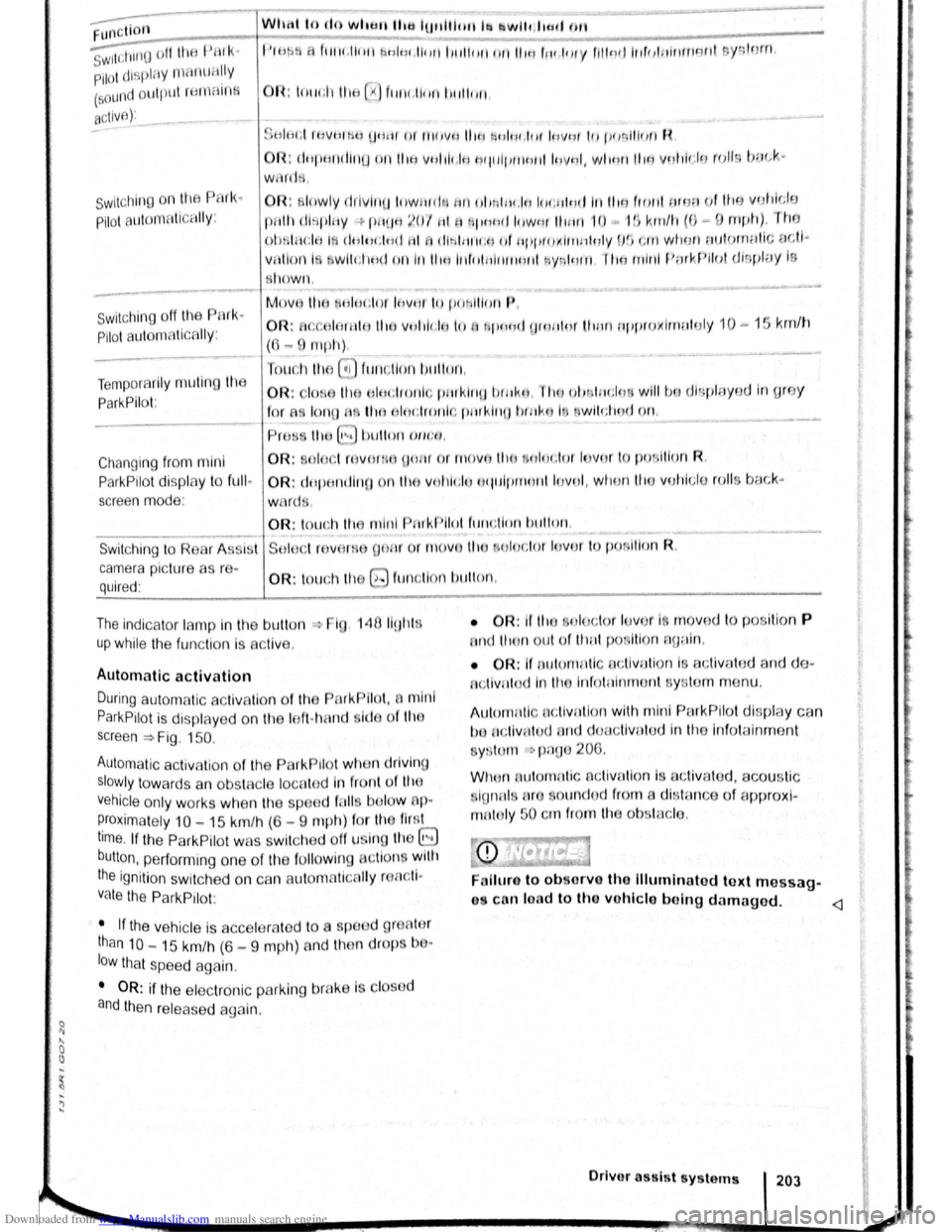
Downloaded from www.Manualslib.com manuals search engine ~ Functton What t o do wl. tu the IU~tillotllb ~wlh ltd ll m1
s;id1i~ oil tiH 1 PUI k·
Pilot displny nlflnLIH~Iy
(sound oulplll re m ntn s
t•lflf:iH ltlltf .lllllll:lnl1'1t ,litll llll tii 1HI 11111111:1 kl' .I'HY flll ntllnrtJlhlrtrriiJitl sys torn.
a ctive ):
;.;£1 !fH;I rliVHIHfl fjt-t!ll or trHtvu IItH t'llliH I,ItH IH vN r tiJ (Hmll iull R
OR :
clnptuH hnq on I ItA Vti l 1lr .1~1 H r I' IIIJII tn ttl lnvtJI, w ltml llto vnhi1 Jiu r ulls boc-k ·
w rc ls ,
Swit ching o n the PAri<~
Pilot Fluto mflticAIIy:
OR: slowly rlrlvlnu lnwttrdn rm o iJ ,IHt.lli IIH:li i'HIIn tiii'J ftcJIII IMJII u t l11u vu lddu
pn th di Hpli1y -+ lli1UI1 ~()f ttl f1 lj11111ti i11Wiil llltHl 1 0 1!1 kirt/11 (0- U Htph). rt10
oh tn d e iR d fllllC:It HI HI 1 fiUIItlll!.l i nf ttJ11HIJXIIrlt1 11Jiy H!J vffl WlltHr outurnutic ectl~
V A iio n IR wllcltnd o n In llttl lnfol llitllrHlltl ~Jyr. ltHrt. ltriJ ntltrl PurkPIIu t dl oJJioy is
R IIOWil ,
--------------~~1
Switc hing off the P ark
Pilot automatically :
M ove tiH t twltJctor IF~vnr ln 1 H m iiiiJn P,
OR: Acc elorn tn lltA Vl11tlr;tq l o n pr,qd {Ji n ttl(i f tlurtl ttppro xirT1U lu ly 10 - 15 km/ h
(6-9 mph) .
Touct1 tll o 0 ftm .lion IH tllon. Tempora rily muting lh
P ar
kPilo t: OR: lo o U1o o ln clr nnl. pml~lrtO lm ilw . llro !JimltH :Io ' wiiii.Ju dl ·plctyod In g re y
f o r
a Iona n 1110 olm :tronl o pn rkltt' J IHnko I l wll<:lto d rm .
- 111115) l> ttll on wtno.
C han ging from mini
ParkPilo t di sp la y to fullr
screen mode :
OR: oloc l rovnr 10 oonr or ttlov o U10 t~loctor h vur tc1 pu lill un R .
OR : dop ondlrt{l on ltH l vollldu oqt tlpm orrl lovul, w lto n tlt u V()lrlt.:lu rolls bac k·
w ard .
OR :
to uch 1110 m ini PtHkllllol fturclln ti b illi on .
Switching to Rea r Assi t Soloc t n von w gnnr r movo tit tl lrtc:tor lo vor to po r ltlun R.
camera picture as r e -quired : OR: touch tho 8 functio n l)llllon .
The indicator la mp In the butt on -. Fig 1110 ll{l hlf
up while the functio n Is activ e.
Automatic activation
During automatic a ctiv atio n of th Pnrk PIIol, 11 mini
P ar
kPilo tls d is p la ye d on the left- h And id o of tho
sc reen ==>Fig. 150.
Auto m atic activa tion of the ParkPII ot wl 1 n dri ving
slowly to w ards an ob stacle locat e d In front o f til e
ve hicle o nly w ork s whe n tl1e sp od fnll b olo w P·
~roximately 10 -15 km/h (6-9 mpll) fo r tho fir!' I
ltme. If th e P ark Pilo t was swit ch e d off u lng th 8
button , p erfo rming one of the follo win g ctions w ith
t h e
ignitio n swit ch e d on can Automnticfllly r ncll·
Va le the ParkP ilo t:
• If
the vehic le Is acce le ra te d to e s p o d gr Alo r
than 10 - 15 km/h (6 -9 m ph) and t11e n drop s be ·
l
ow tha t spee d aga in .
• OR: if the e lectronic parking brake Is closod
and the n r elease d again.
• OR: 1r Uto 11lu d or lo vu f I nl ove d to p osition P
nnct !Iro n out olllurt po lltlon nuuln .
• OR: If ou tu m ntlc gc tlvutlon i ac tivated a n d de~
nc:liv tlod In lit lnrotulnmunt !:lyt:~tom m enu .
1\utomntl c octlvrrllon wlt11 mini PcrrkPil ot di spl ay ca n
l>o nctlv ntu d and duuc llv1:1lud In the lnfota inrn ent
y~ to m -:. pnuo 200.
Wlt tin outonwtic ac tiv ttlo n Is t.H.:llv ate d, aco ustic
l g n n iA nr o ounrJod rrom a dit ;ta nce o f approxl
rnnto ly 50 e rn fro m th ob loc lo .
Folluro to obsorvo tho lllumlnato d text messag-
o con lood to tho vohlclo b olng damaged .
Drlvo r osslst sys tems 20J
Page 92 of 138
Downloaded from www.Manualslib.com manuals search engine ...
h parkPil ot is au tomatica lly muted whe n the
!le~tronic parking brake is switc he d on.
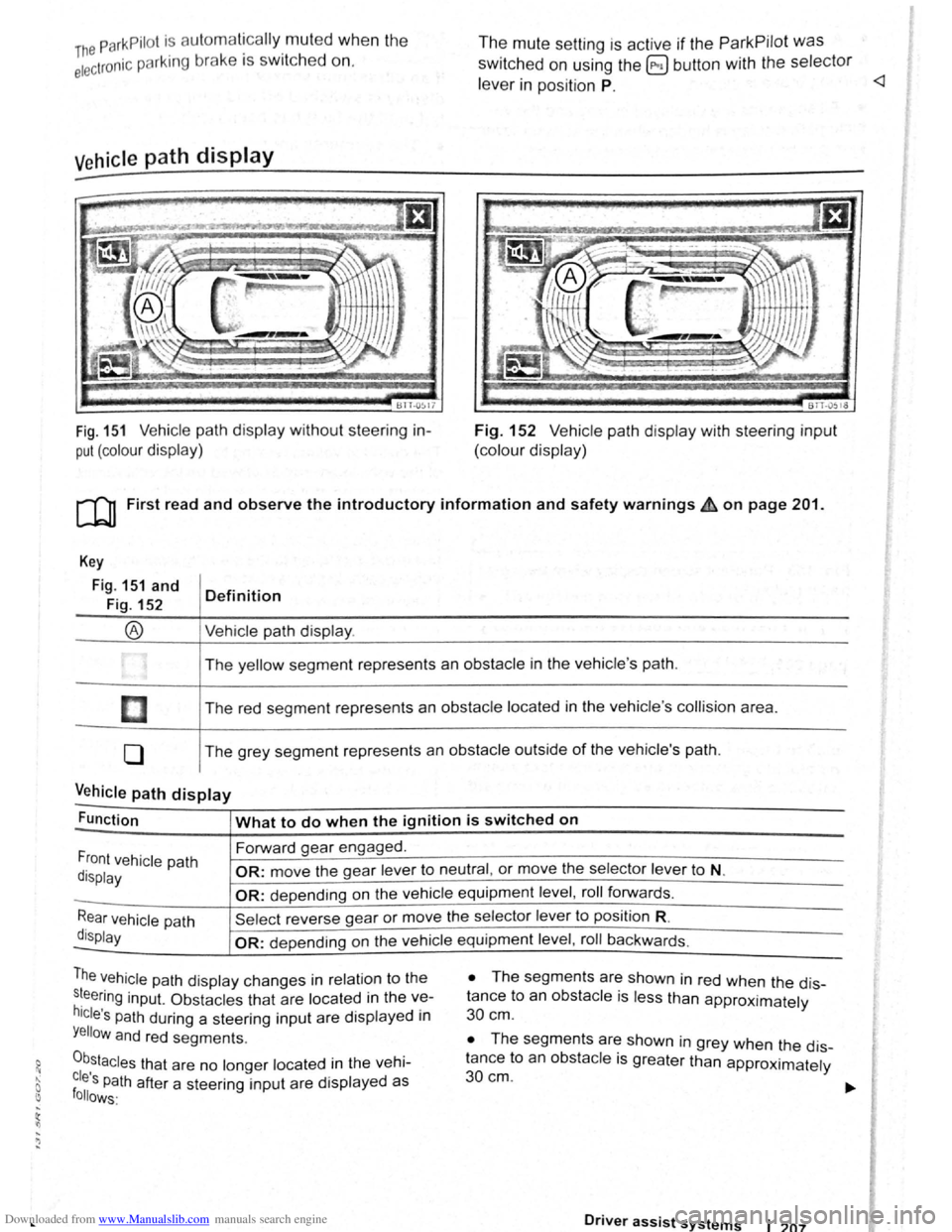
Vehicle path display
611-0~17
Fig. 151 Vehicle path display w ithout steering in
put (colour display)
The mute setting is active if the ParkPilot was
switched on using the @ button with the selector
le ve r in position P.
BTT -051o
Fig. 152 V ehi cle path display with steering input
(colour display)
[Q) First read and observe the introductory information and safety warnings £ on page 201.
Key
Fig. 151 and
Fig. 152
®
I
[]
0
Definition
Vehi cle path display .
The yellow segment represents an obstacle in the vehicle 's path .
The red seg ment represents an
obstacle located in the vehicle 's collision area .
The grey segment represents an
obstacle outside of the vehicle's path.
Vehicle path display -
Function What to do when the ignition is switched on
Forward gear engaged .
Front vehicle path
display OR: move the gear lever to neutral , or move the selector lever to N.
-OR: depending on the vehicle equipment level , roll forwards .
Rear vehicle path
display
Sel ect reverse gea r or move the selector lever to position R.
-OR: depen ding on the vehi cle equipment level , roll ba ckw ards.
The vehicle path dis play changes in relation to the
s~eering inp ut. Ob stacles that are located in the ve
hicle's path during a steering input are disp layed in
Yellow and red segments.
0b,stacles that are no longer located in the vehi
cles Path after a steering input are displayed as follows·
• The segm ents are shown in red when the dis
tance to an
obstacle is less than approximately
30 cm .
• The segments are shown in grey when the dis
tance to an
obsta cle is greater than approximately
30cm.
Driver assist systems 1 207
Page 96 of 138
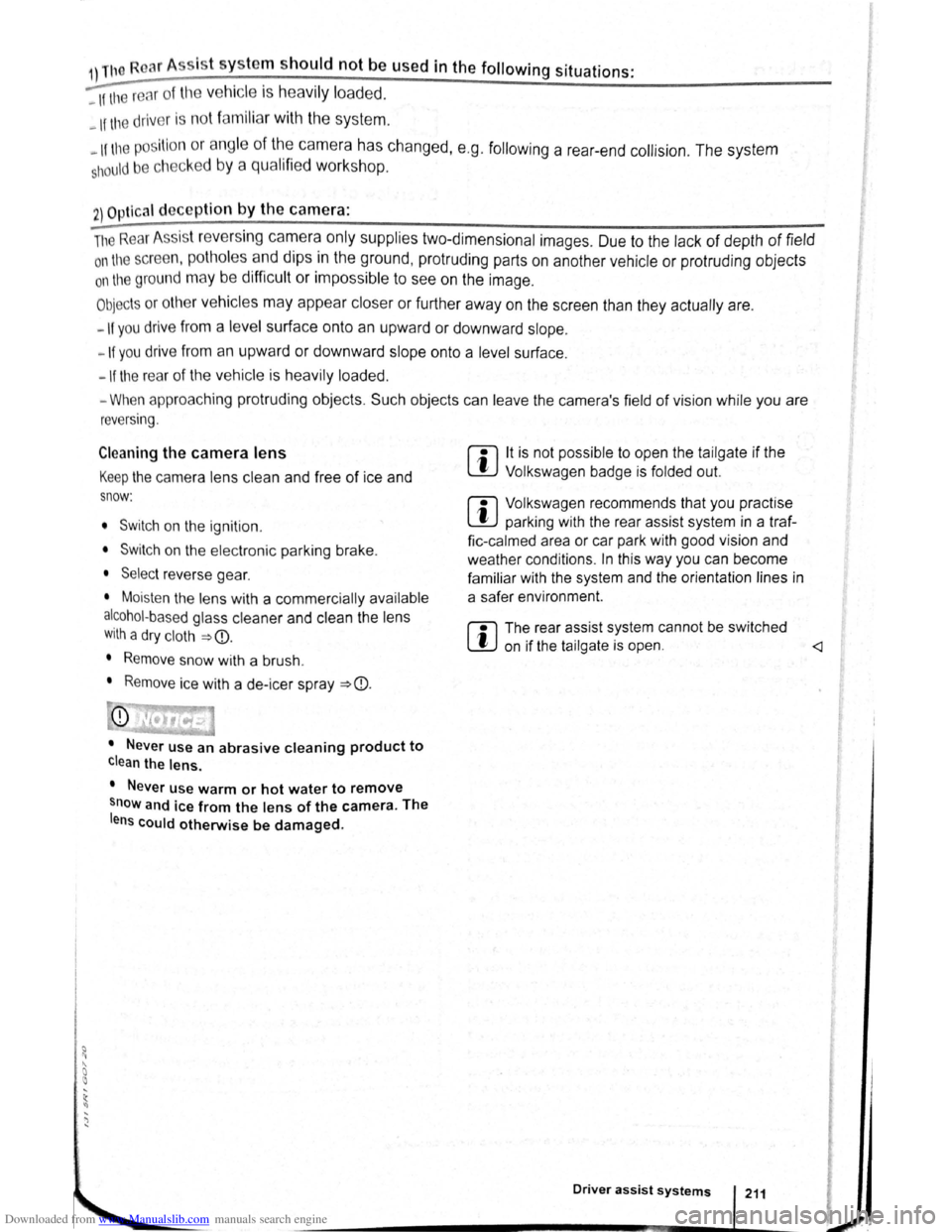
Downloaded from www.Manualslib.com manuals search engine 1) The Roar A
ss is t s y ste m should not be used in the following situations:
-If the rear of the ve hi cle is heavily loaded.
-If tl'e driv er is no t famili a r with the sy s tem .
-If the pos ition or angl e of the cam era has changed, e.g . following a rear-end collision. The system
sh ould be checked by a qualifi ed workshop.
2) Optica l deception by the camera :
The Rear Ass is t r eve rs ing camera only supplies two-dimen sional image s. Due to the lack of depth of field
on the sc ree n, potho les and dips in the ground , protruding parts on another ve hicle or protruding objects
on the gro und may be difficult or impossible to see on the image .
Objects or other ve hicles m ay appear closer or further away on the screen than they actually are.
-If you d rive from a le ve l surface onto an upward or downward slope.
-If you drive from an upward or downward slope onto a level surface .
-If the rear of th e ve hi cle is hea vily loaded .
-
Whe n app roac hing protruding objects. Su ch obje cts can leave the camera 's field of vision while you are
r e ve rs
ing.
Cleaning the camera lens
Keep the cam era le ns clean and free of ice and
s n o w :
• Switch o n the ignition .
• Switch on the electronic parking brake.
• Selec t re ve rse gea r.
• Moisten the le ns with a commercially available
alcohol- b ase d glass clea ner and clean the le ns
with a dry clot h ~CD.
• Remove snow with a brush .
• Remove ice with a de -ice r spray ~CD.
• Never use an abrasive cleaning product to
clean the lens.
•
Never use warm or hot water to remove
snow and ice from the lens of the camera . The
lens could otherwise be damaged.
m lt is not possible to open the tailgate if the
W V olkswagen badge is folded out.
m Volkswagen reco mmends that you practise
W parking with the rear assist system in a traf
fic-calmed area or car park with good vision and
we ather conditions .
In this way you can become
familiar with the system and the orientation lines in
a safer environment.
m The rear assist system cannot be switched
W on if the tailgate is open . <1
Driver assist systems
Page 100 of 138
Downloaded from www.Manualslib.com manuals search engine ' '' '
-
,li ~lP lllP lUll' slynr~l for tl1e s.ide o f th e s tree t
11 1, ,,u v ;:~r1l t
o l P lP ·t a pllrk111g space . Th e ,,, ,, 11 ' ' ~1,, ruli11\.l ~ide f the lr ells sl1own o n the tn-
'''"P , ~\111111P11 l itlq{(ll displlly
I p8d,ir1\-J ~pc:n·e i s t gmdod as suit ab le i f it is
:IIPR~l o a 11, lo11u o r lllall llle ve hi cle.
1'~1 "'" • WIIPil 1 AI kin g prtrall el to the road: driv e pas t
thE~ pe~'"'''~ Rp;:~ce Rl a SI ee d of no m ore than
~~ ~rll'h ( r. rnpll) and at a d is ta n ce betw een ap
pr\.l\llllRlr l Q .r. Ill cmd 2 rn from the parking sp ace .
, Wlum p~r kin perpendicular to the road:
dn\ e pns tllle p;:1rl~i11 space a t a sp ee d of n o mor e
lhan :£0 ""'11' (1 2 111~h) and a t a dista nce be tw ee n
ili'P' \ltmle ly 0.5 m a nd 2 m from the parking
~I'R '9 .
• Yuu \1 ill R ·lli eve b st parkin g result s if yo u stop
, ur el11 ·le a para lle l as possib le to the parke d
veh1 ·I o r tll o edge of til e road.
• If a ullal>l e par king space is indi cated in the in-
l1lll11e llt ·lust r disp la y, s lop the ve hicle and , after
a brief pause, se lect rev erse gear.
• F 11 w til e Ins tructions in the instrum ent cluster
dtSIJI~y
• Rei :la e til e steeri ng wheel wh en th e following
me· age Is sh ow n ~ in Introduc tio n on
Page21 teering intervent. active!
Monitor the area around vehicle.
• Clle k the area aro und the ve hi cle and careful-
1 depress til e acce lerator p e dal - do not exceed
7 hm/11 (4 nliJh).
• The Park Ass is t sys te m will only operate the
steenng wheel duri ng the parki ng pro ced ure. The
driver operates the accelerator, clutch, gear
hift and bra ke .
• r=ollow the vis ual in stru ctions and the acoustic
Wan~ing to nes of the Park As sis t system until the
Palkll1g procedur e has bee n completed .
• lhe Park Assis t sys te m will guide the vehicle
\Vhen d rivin g fo rw ards and re ve rsing until the vehi
cle Is parked straig ht in the parking space.
t Wait until the stee ring has completed the steer
ng P1~C dure at the e nd of eve ry parking move
nlent In orde r to ac hieve an optimal p arking result.
; )
A n1es age is display ed on the instrument clus
Ger one the parking procedure is completed and
n ~cou tic s ignal tone may b e he ard .
... .__ -.. -r ---.J'-
Interrupting or automatically stopping the
parking procedure
The Park Ass is t system will stop the parking proce
dure if th e following happens :
• The 8 button is pressed.
• The ve hi cle spee d when parking is higher than
app roxim ate ly
7 km /h (4 mph).
• The driver operates the steering wheel.
• The parking procedure was not completed with
in approximately 6 minutes of activating the auto
matic stee ring intervention .
• There is a system fault (system is temporarily
un ava ilable) .
•
The TCS is switched off or the TCS or ESP
starts to regulate .
r::l The Park Assist system has system-related
l!J limitations . For example, the Park Assist sys
t e m cannot help you to park the
vehicle on tight
b e nd s.
r::l Wh en parking parallel to the road , a warning
L!J signal can be heard to tell the driver to switch
between driving forwards and reversing because
the change
of direct ion should not take place in the
permanent tone area
of the ParkPilot.
r::l The progress bar in the instrument cluster
l!J display will symbolically indicate the relative
distance remaining .
W If the Park Assist system turns the steering
l!J wheel when the vehicle is stationary , the 6l
symbol appears as well. Depress the brake pedal
so that the steering movement takes place with the
vehicle stationary, keeping the required number of
parking movements to a minimum.
r::l If the parking result worsens after a wheel is
~ changed, the system will first have to syn
chronise
itself with the new wheel. The synchroni
sation procedure is carried out
automatically while
the vehicle is in motion. You can support this proc
ess by driving slowly (less than 20 km/h (12 mph))
through a bend, e.g. in an empty car park.
Page 101 of 138
Downloaded from www.Manualslib.com manuals search engine Driving out of a parking space with the Park Assist system (only parking
spaces
parallel to side of road)
..-T'n First read and observe the introductory
L-1:J.I information and safety warnings & on
page
213.
Getting out of a parking space
• Sta rt th e e ngin e.
• Pr es s the~~ Fig . 158 button . An indicator
lamp lights up in the button when the function is
switch ed on .
• Press the turn sign al lever for the side of the
str ee t wh ere the parking space is that you want to
g e t
out of.
• Sele ct re verse gear.
• Follow the instructions of the Park Assist sys
tem .
• Release the steer ing wheel when the following
mess age is shown ~ ~ in Introdu ction on
page 213
Steering intervent. active!
Monitor the area around vehicle.
• Check the area around the vehicle and careful
ly depress the accelerator pedal -do not exceed
7 km /h (4 mph) .
Automatic brake intervention
r-('n :irst rea~ and observe the introductory
L-lc:JJ 1nformat1on and safety warnings ~ on
page
213.
The park assist system helps the driver by braking
automatically . The automatic braking does not re
place the driver's responsibility for the accelerator
brake and
clutch ~ £. '
A parking manoeuvre will be interrupted if a speed
of approximately 7 km /h (4 mph) is exceeded .
Automatic brake intervention to avoid
excess speed
An automatic brake intervention may occur to pre
vent .the
vehicle from exceeding a speed of ap
proximately 7 km/h (4 mph) . The parking manoeu
vre can be cont inued after the automatic brake in
t e rvention .
The automatic br a
ke intervention can take place
once per parking manoeuvre .
216 I While driving
---• The Park Assi~t syste.m will operate only the
steering wheel whrle gettrng out of the parking
space .
The driver operates the accelerator
. ' clutch, gear shaft and brake.
• If it is possible to pull out of the parking space
the Park Assist
system is ended automatically . '
Take
over steering and, if the traffic situation allows
it, pull out of the parking space.
Automatic cancellation for getting out of a
parking space
The Park Assist system will cancel the procedure
of getting out of the parking space if one of the fo l
lowing happens :
• The vehicle speed when getting out of the park
ing space is higher than approximately 7 km/h
(4 mph).
• The driver operates the steering wheel.
•
There is a system fault (system is temporarily
unavailable).
• The TCS is switched off or the TCS or ESP
starts to regulate . ~
Automatic brake intervention to minimise
damage
~hen approaching an obstacle, automatic braking
Intervention may occur. The Park Assist system
may bring the vehicle to a standstill before the ob
stacle under certain conditions , e .g . weather, ultra
sound detection , conditions of the car, load or in
cline .
•
Depress the brake pedal ~ &!
The. Park Assist system is ended following an auto
matic brake intervention to minimise damage.
A WARNING
Do not let the extra convenience afforded bY
the P~rk Assist system tempt you into takin~
any nsks when driving -this can cause accl
dents. The system is not a substitute tor the
full concentration of the driver.
• You should always be prepared to brake ,
the
vehicle yourself.
Page 102 of 138
Downloaded from www.Manualslib.com manuals search engine Cruise control system (CCS)
CQJ Introduction
This chap te r co ntains inf ormation on the follo wing
sub jects :
D is pl ay and indi cator la mp . . . . . . . . . . . . . . . .
2 18
O pe ra tin g the c ruise contr ol sy ste m (CCS ) . . 219
Th e crui se co ntr ol s y ste m (CC S) helps to maint ain
an indiv idu al s e t s pee d wh en the vehic le is trave l
l i
ng forw ards at spee ds of m ore tha n app rox im ate
ly
20 km /h (15 mph)1
).
The CCS only slows the vehicle by easing o ff the
acce lerato r, not by activ ely brakin g
~ ~.
Additional information and warnings:
• Changing gear ~page 169
• Speed limiter ~p age 222
• Adaptive Cruise Control (ACC) ~page 226
• Accessories , modifi cations, re pair s and rene wal
of parts
~page 320
The use of the cruise control system can lead
to accidents and serious injuries if traffic
does not allow you to drive at a safe distance
from the vehicle in front at a constant speed.
Display and indicator lamp
®
@
Fig. 159 Instrument cluster display: cruise control
(CCS) status display
A WARNING Continued)
• N ever use the CCS In heavy traffic, when
there Is In sufficient distance from the vehicle
In front, on steep or winding roads, or on
slippery road surface s, e.g. on snow, ice, w et
road s, loose chlppings, or on flooded roads.
• N ever use the CCS when driving off-road
or on unsurfaced roads .
• Adapt your speed and distance from the
vehicles ahead to suit visibility, weather, road
and traffic conditions.
• Always switch cruise control off after use
to avoid unintentional operation.
• lt is dangerous to use a set speed that is
too high for the prevailing road, traffic or
weather conditions.
• The CCS cannot maintain a constant
speed
when travelling downhill. The vehicle
speed can Increase under its own weight.
Shift down a gear or brake the vehicle using
the foot brake. 4
r-T'n First read and observe the introductory
L-.bU information and safety warnings & on
page 218.
CCS display
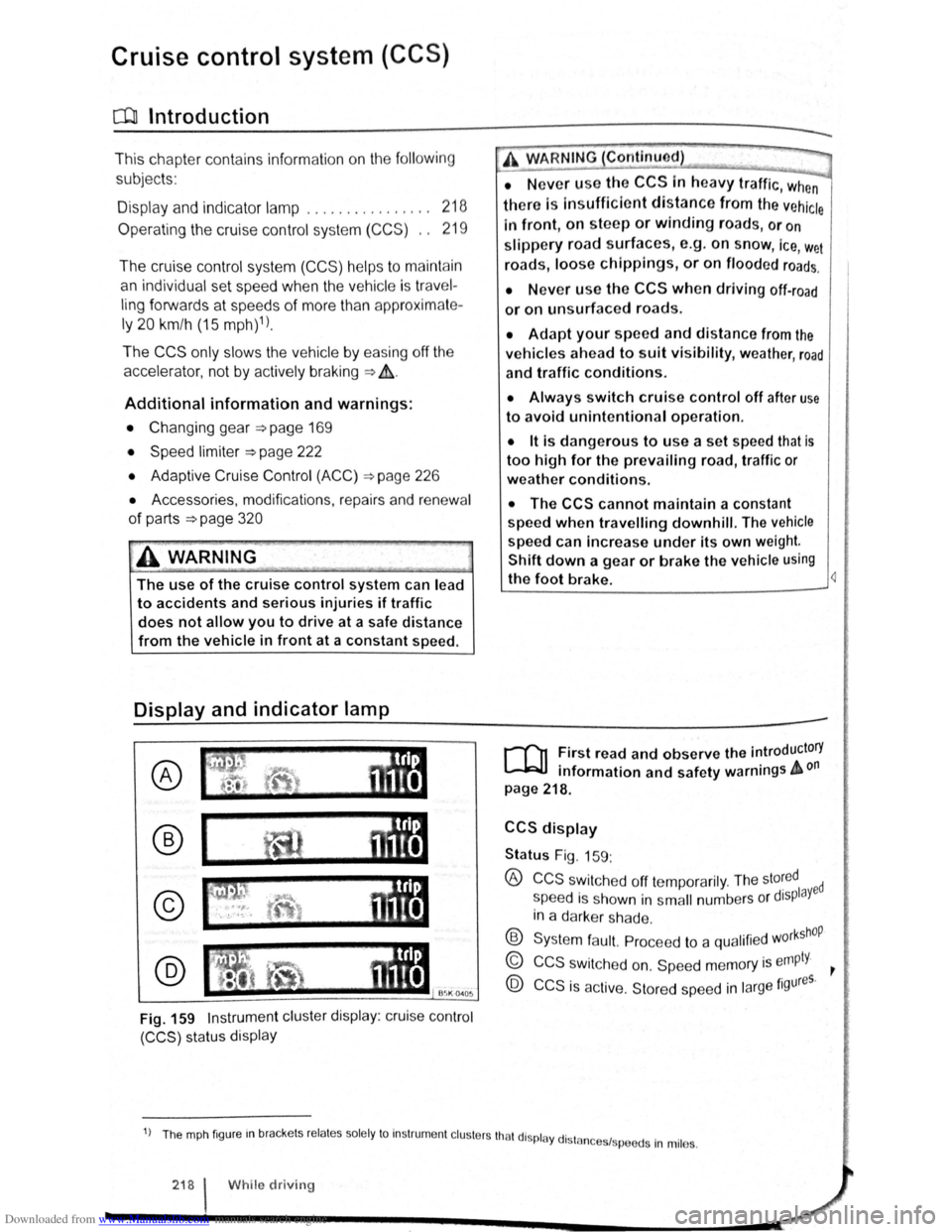
Status Fig. 159:
® CCS swit che d off te mp ora rily . The sto~ed ed
s peed i s s hown in s m all numbers o r displaY
in a darke r sh a de .
® Syste m fa ult. Pro cee d to a qualifi ed w orkshOP
© CCS s wit ch e d on. Sp eed m em ory is empty. ~
@ CCS is ac tive. Stor ed sp ee d in la rge figures.
1) Th e mph fig ur e m brac ke ts re la te s so le ly to In str um ent cl uste rs tha t di spl ay dl stn 1 .
n ces sp ee ds In mil es.
218 I While driv in g