brake VOLKSWAGEN SCIROCCO 2011 Owner´s Manual
[x] Cancel search | Manufacturer: VOLKSWAGEN, Model Year: 2011, Model line: SCIROCCO, Model: VOLKSWAGEN SCIROCCO 2011Pages: 138, PDF Size: 49.24 MB
Page 120 of 138
Downloaded from www.Manualslib.com manuals search engine ssis t an Issue unnecessary warn
ut unwanted braking inter-
h n ils f m ti n is impaired, e .g . If
sili " f the radar sensor has been
hil the ehicle is in motion, Front As
t r a t to persons, animals and
r s ing or a proaching in the same
li."f ' ll.'v.
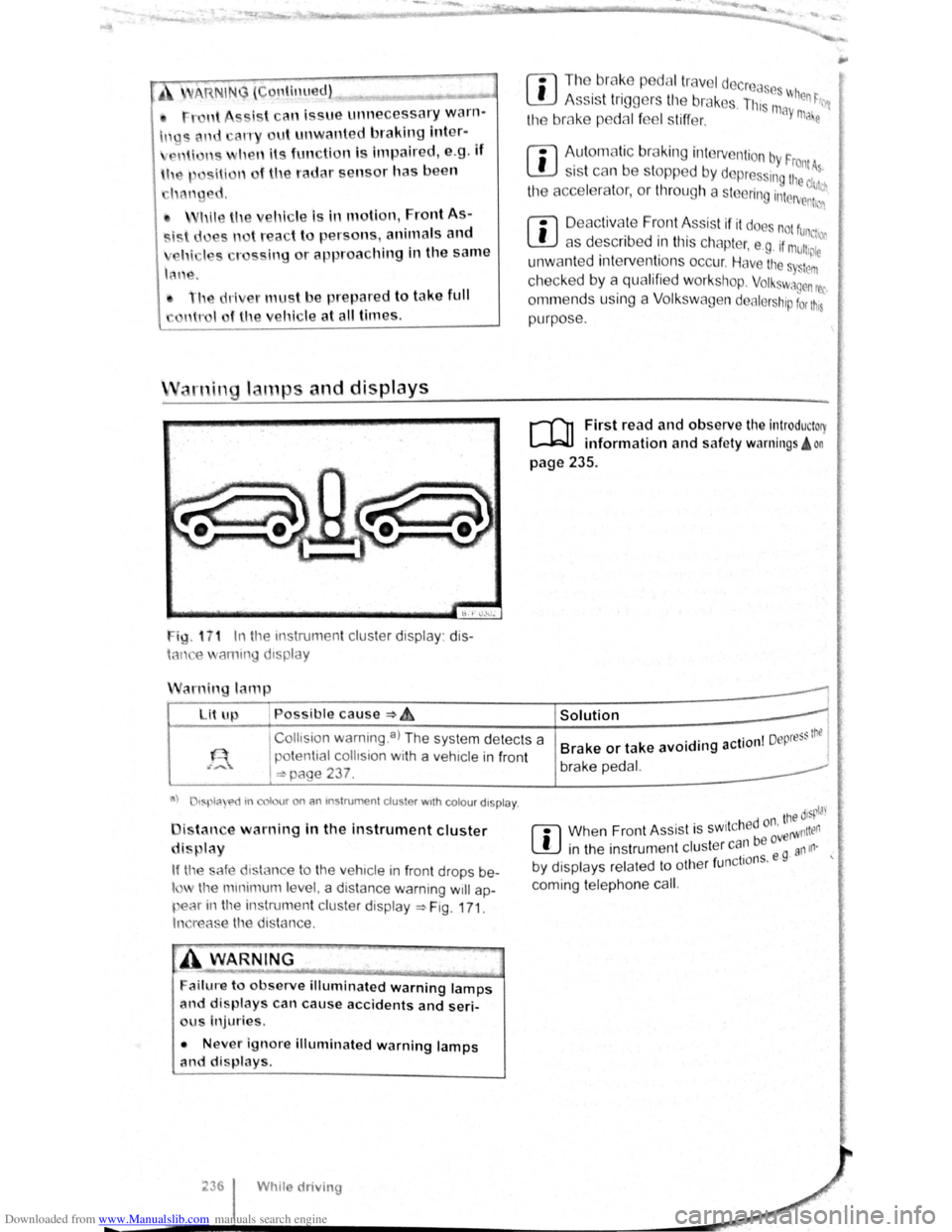
ig. 1 7 1 In t11e instrumen t cluster display: dis
h-m e ammg d1splay
arnin lamp
Lit up , Possible cause :::) ~
r:l Tl1o br ake p dal tr ave l decrcas ~
L!J A ss is t tr iggers til e br ak s. Th, 111 When ~rr
the bmke p dal f el s tiff er. ay ma e
rn
Aut om atic br aking intervention by F . rontA s 1s t can be stopped by depres ing the d~~~
the acce l rator, or throug h a steering interv enh~n
r:l D eac tivate Front Assis t if it doe not fun,
L!J as describ ed in tl1is chapter, e .g . if mu11,~;:
unw ant ed inte rventions occur. Have the s Sttlm
checked by a qualifi ed workshop. Volkswagen rec
ornm ends using a Volk swagen dealer hip for t11s
purpose .
r-fl1 First read and observe the introductory
l-W1 information and safe ty warnings! on
page 235 .
I
Collts ion warning .a) The system detects a
potential
collision with a veh1cle in front
I =:-page 237 .
Solution 1
. . I Depress thtl Brake or take avoiding action I brake pedal.
a) tspla e>d tn colour on an mstrumen t cluster wtth colou r dtspla y.
i tan e warning in the instrument cluster
di play
If tl'e safe d1stance to the veh1cle in front drops be
l the mmimum le el, a distance warning will ap
pear in the instrumen t cluster display ~Fig. 171.
In reas e the distance.
ailure to observe illuminated warning lamps
and displays can cause accidents and seri
us Injuries.
• Never ignore illuminated warning lamps
and displays.
Whtle driving
. ' tne disp!J'
r:l Whe n Fron t As sist is sw1t c h ed or' erWntten
L!J in the instrumen t cluster can be ovg an111·
. 1 f nctio ns. e · by d1splays related to ot 1e r u
coming telephone cal
l.
Page 122 of 138
Downloaded from www.Manualslib.com manuals search engine Activating and deactlv ting th ' r ,
monitoring sy stcn1
Front Assis t can be active t d o r ciE, cllv to d L fnl ..
lo w s when th e igniti on Is witcl1 d on :
• U sing the butt on f or drlv r c , sl." l y.._ \c 1n~~, " n ..
lect the corresp o ndin g m nu opti on ~ pr a ·
• OR : activate or d Clctlv ate tho • s tc n1 ll! I no
the (c AR ) button and the G a nd Drlvtll ,:,: l: ' '"''c ., fun , ..
t ion buttons in the
fo la inm nt sy s t( 111 • png 3 1.
Activating and deactivating advanced
warning
The adv a nced w arning ca n be ocllv nto d or dO;"lCti
va te d using the (tAR) butto n and the G and
(Driver a ss istf m ce ) function buttons in the lnf ot._ lnrn Jlll
syst en1 ~pag e 31.
IIHJ y: lrH ll tl: n ru t:iln· lt1n fH J(Jnnr1111,J tl .
I , •,lltw~
wiH 11 tiH lq11ltlnn "' x t wltt,h n d rJt ':f
V n il . w : t(JOfl r fH,Oir IItH HId ttu d tt HJ ; 1dvqw 1 • '
J W·Hrt
In n yt 1t '"I wlt<.IHJd on tl tlllllrw,·,,
A c
tlvntln J or do a tlv atlnu th <.JI itt"tnc;o
w. r u in g
1 ho <11 tn nc< wru nlno (11 pi:Jy c :u1 b o tu ,llv;''' 'd r1r
d< \cllvnl( cl I If lrl(J ttll ( tARj tHJliCJt ' Hlfj lhtJ f "J ~Httj
Q >rlvnt ru1 iJ ,I,.r~e:t, fune11on t) IJlt CHl In U1 irlfCJ!:Jir tt n rsnt
y~torn >pno 3 1.
h l y! torn nit o r lHir H lho proor:srnrnnrJ (,lt1n g
wi H n l11 lunlll or I noxl witch od or,
V olk . w . oon ror,ornrnf nd UHtl Ulo tJI tnrtt,(j W~rrt·
lng 1:1 'w lt c t lO d on Ht oil tlm' ( .
Temporarily switch off the area monitoring system (Front Assist) in the
following situations
r-f'n First read and observe the introductory
L-Wl information and safety warnings £ on
page 235.
The area monitoring system (Front Assist) s h o uld
b e switched off
in the following situations due to
syst em limit
ations ~ £ .:
• If the ve hicl e is being towed.
• If the ve hicl e is on a rolling road test be d .
• If the radar senso r is faulty.
• On exter na l force on the radar sensor, e .g . afte r
a
rea r-end collision . •
In
the ev nt of mu ltip le unwanted intorventioM
• If tt1e ra d or se nso r Is co ve red tornpo rarily by
a ny a uxili nry equipm ent , e.g . a uxiliury headlights.
• If the vehic le i s being loaded onto a lorry, car
f e rry or m oto rail tr ain.
Failure to switch off Front Assist In the
named situations can cause accident s and
serious injuries.
't ' 1 situa· • Switch off Front Assist In en tea <
tions.
System limits ~
---------------------------------------------------
[Q] ~irst rea~ and observe the introductory
anformatton and safety warnings & on
page 235.
The ~rea monitoring system (Front Assist) has
phys1cal and syste~-relate.d limit s. The driv er m ay
there for e feel that, 1n certa m circums tances s
F
t A . t
. , ome
r o n
ssls react ions occur unexpec te dly or with a
de la y. You should the re fore alw ays be prepare d t
take full control of the vehicle if necessar y. 0
The .following conditions can prevent Front
Assast from reacting, or cause a dela . .
reaction: Y 1
" Its
• In tig ht bends .
• If the acce lerato r is fully depressed .
. a fault
• If Front Ass is t i s s wit c h e d off or there 15
• If TCS is m anu ally swit ch ed off .
• If the ESC is ta king corrective action. tne
• If there is a fa ult in se vera l brake lightsnonnectioO
. · al eo vehtcle or on a traile r with an electnc
to the ve hi cle .
• If the ra d ar senso r is dirty or cove red.
• If the vehicle is re ve rsing .
• Under hard acce le ra tion .
• In snow or hea vy ra in . bikeS·
motor
• In case of n a rrow ve hicl es, e.g . left or
• If ve hicl es are tr ave lling slightly to the
right
of y o ur ve hicl e. vehicle·
• If vehic les are crossing in front of your
Page 123 of 138
Downloaded from www.Manualslib.com manuals search engine ere is oncomin g traffic . • If
en loads or attachment parts on other vehi-
• tru e to the side, rear or above the normal .e s h. I ~-ers s of he ve ICe.
C ity emergency brake function
rl'i1 First read and observe the introductory
L-WJ information and safety warnings A on
page 235 .
e city emerg ency brake function is part of the
a'Ba monitorin g system (Front Assist) and is act ive
"' .en Front Ass ist is s witched on.
The c· emerg ency brake function gathers in for
ma ·on on the traffic situation up to a distance of
about 10 m in front of the vehicle with in a speed
ra ge of abo ut 5 km/h (3 mph) to 30 km /h
( 9 mph).
e system prepare s the vehicle for emergency
bra in g if it detects a possib le colli sion with a vehi -
eahead ~~-
If the dr iver does not react to a possib le serious
collis ion, the s ystem can autom atically stop the ve
h i
cle with bra ke pressure with increas ing intensit y
so as to reduce the s peed in a possib le co llision .
Hence the s ys tem can help min im ise the conse
quences of an accident.
A WARNING
The intelligent technology of the city emer
gency brake function cannot change the laws
of physics. The driver is always responsible
for braking in time.
• Adapt your speed and distance from the
Vehicles ahead to suit visibility, weather, road
an d traffic conditions.
• The city emergency brake function cannot
Prevent accidents and serious injuries by itself '---" ----------------------------~
• The city emergency brake function can
carry out unwanted brake interventions in
certain complex driving situations, e.g. at
traffic islands, building sites and metal
tracks.
• Front Assist can issue unnecessary warn
ings and carry out unwanted braking inter
ventions when its function is impaired, e .g . if
the position of the radar sensor has been
changed.
• While the vehicle is in motion, Front As
sist does not react to persons, animals and
vehicles crossing or approaching in the same
lane.
m The brake pedal travel decreases when the
~ city emergency brake function is triggered .
This
may make the brake pedal feel stiffer.
m Automatic brake intervention by the city
~ emergency brake fun ction can be stopped by
using the clutch , the accelerator or steering inter
vent ion.
m The city emergency brake function can brake
~ the vehicle to a standstill. The vehicle will not
be held permanently by the braking system. De
press the brake.
m Switch off Front Assist and the city emergen
~ cy brake functio n in the event of multiple un
wanted interventions . Proceed to a qualified work
shop . Volkswagen recommends using a Volkswa-
gen dealership for this purpose .