Manual lock VOLKSWAGEN T-ROC 2019 Owner's Manual
[x] Cancel search | Manufacturer: VOLKSWAGEN, Model Year: 2019, Model line: T-ROC, Model: VOLKSWAGEN T-ROC 2019Pages: 502, PDF Size: 8.58 MB
Page 164 of 502

Food, medicine and other items that are sensitive to heat or cold could be either damaged or
rendered useless by the air flowing out of the vents.
Never leave food, medicines or other temperature-sensitive objects in front of the vents.
Switching the auxiliary heater and ventilation on and off
First read and observe the introductoryinformation and safety warnings
The auxiliary heater can be operated only when the ignition is switched off. If the ignition is switched
on while the auxiliary heater is working, the auxiliary heater continues to run to provide additional
heat.
Switching on the auxiliary heater
Press the immediate heat button in the air conditioning block Front controls
OR: press the button on the remote control Remote control
OR: program the departure time Programming the auxiliary heater and ventilation
The auxiliary heater heats the vehicle interior to at least 22
The auxiliary heater will not switch on if the 12-volt vehicle battery is low or the fuel tank is empty.
Switching off the auxiliary heater manually
Press the immediate heat button in the air conditioning block Front controls
OR: press the button on the remote control Remote control
OR: touch the function button on the Infotainment system Programming the auxiliary heater
Auxiliary heater switches off automatically
When the programmed departure time is reached, or after the programmed operating period has
elapsed Programming the auxiliary heater and ventilation
When the indicator lamp lights up (fuel gauge) Fuel gauge
If the charge level of the 12-volt vehicle battery is too low 12-volt vehicle battery
The auxiliary heater runs on for a short time after it has been switched off manually or automatically
so that the remaining fuel in the system can be burnt off.
When the vehicle is at a standstill, the auxiliary heater can be activated up to three times in
succession for the maximum operating duration.
Page 182 of 502
Only attach light objects weighing less than 100 g to the vehicle key.
NOTICE
The 12-volt battery may be discharged unintentionally and prevent the engine from restarting if the
ignition is switched on while the engine is switched off.
Always switch off the ignition before you leave the vehicle.
For vehicles with DSG dual clutch gearbox in some markets: if the vehicle key cannot be
removed from the ignition lock when the vehicle is stopped, move the selector lever to P. If
necessary, press the lock button in the selector lever and then release it.
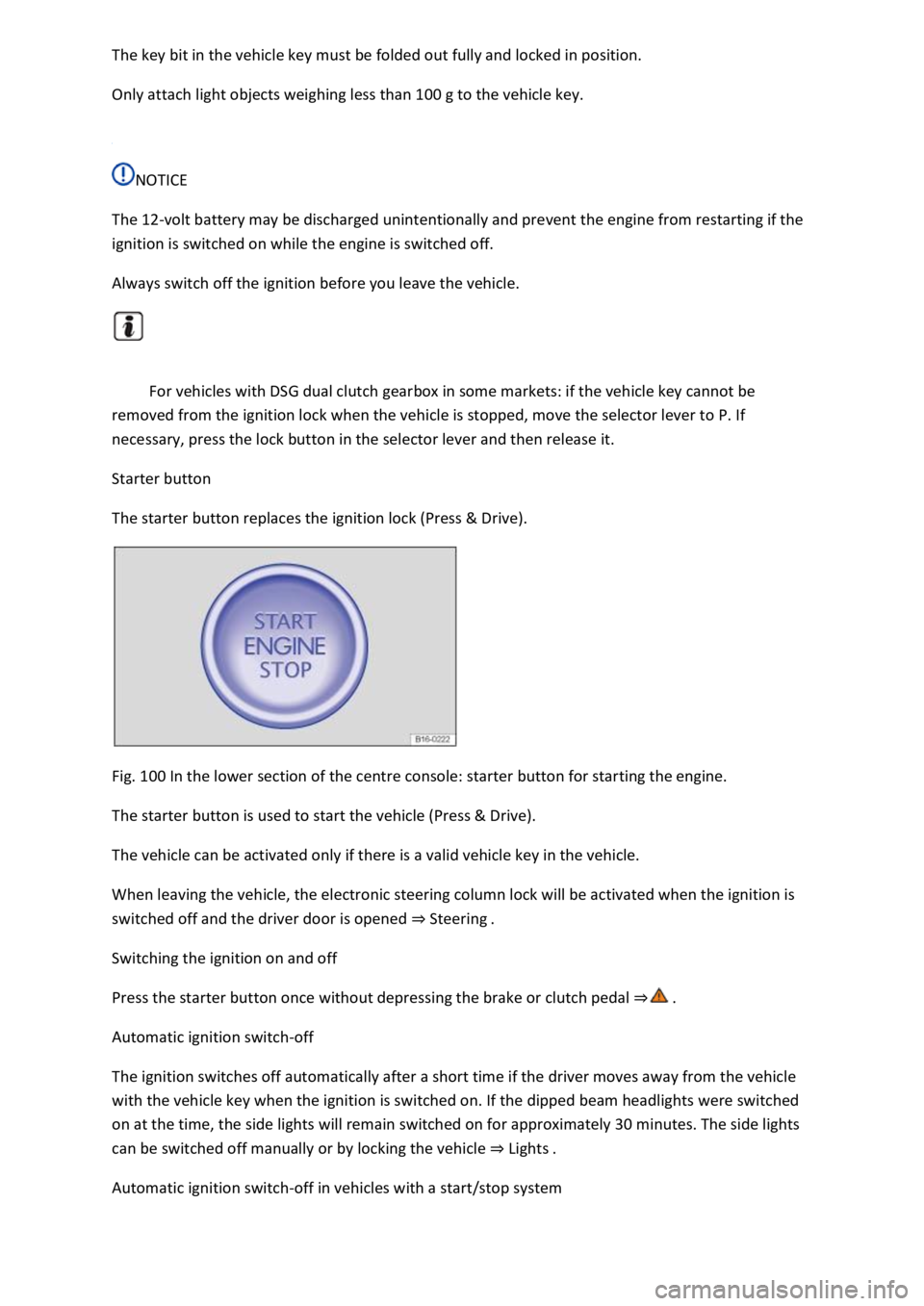
Starter button
The starter button replaces the ignition lock (Press & Drive).
Fig. 100 In the lower section of the centre console: starter button for starting the engine.
The starter button is used to start the vehicle (Press & Drive).
The vehicle can be activated only if there is a valid vehicle key in the vehicle.
When leaving the vehicle, the electronic steering column lock will be activated when the ignition is
switched off and the driver door is opened Steering
Switching the ignition on and off
Press the starter button once without depressing the brake or clutch pedal
Automatic ignition switch-off
The ignition switches off automatically after a short time if the driver moves away from the vehicle
with the vehicle key when the ignition is switched on. If the dipped beam headlights were switched
on at the time, the side lights will remain switched on for approximately 30 minutes. The side lights
can be switched off manually or by locking the vehicle Lights
Automatic ignition switch-off in vehicles with a start/stop system
Page 183 of 502

off automatically when engine stop is active when the vehicle is stationary:
The driver seat belt has been unfastened.
No pedals are depressed.
The driver door is opened.
If the ignition is deactivated automatically while the dipped beam headlights are switched on,
the side lights remain switched on and lit for approximately 30 minutes.
The side lights can be switched off manually or will go off when the vehicle is locked.
Engine restart function
If no valid vehicle key is detected in the vehicle interior once the engine has been switched off, the
engine can be restarted within approximately five seconds. A corresponding message appears on the
instrument cluster display.
After this time, the engine cannot be re-started without a valid vehicle key in the vehicle interior.
WARNING
Unintentional vehicle movements can cause serious injury.
Do not depress the brake or clutch pedal when the ignition is switched on as the engine will start
immediately.
WARNING
Improper or unsupervised use of the vehicle keys can cause accidents or serious injuries.
Always take all vehicle keys with you every time you leave the vehicle. Children or unauthorised
persons could lock the vehicle, start the engine, switch on the ignition or operate electrical
equipment such as the electric windows.
Before leaving the vehicle, always switch off the ignition manually and observe any information
shown on the instrument cluster display.
Leaving the vehicle stationary for long periods with the ignition switched on can discharge the 12-
volt vehicle battery so that the engine can no longer be started.
Starting the engine
Page 184 of 502

Fig.
0
switched on.
Vehicles with a starter button: press the starter button once. The ignition is switched on.
Vehicles with a diesel engine: during the diesel engine preheating phase, the indicator lamp
lights up in the instrument cluster.
Depress and hold the brake pedal until the electronic parking brake has been switched off.
Vehicles with manual gearbox: fully depress the clutch pedal and hold it until the engine has
been started. Move the gear lever to neutral position.
Vehicles with DSG dual clutch gearbox: move the selector lever to position P or N.
Vehicles with ignition lock: turn the vehicle key to position Fig.
0do not depress the
accelerator.
Release the vehicle key once the engine has started.
Vehicles with a starter button: press the starter button Starter buttondo not depress the
accelerator. There must be a valid vehicle key in the vehicle before the engine can be started.
If the engine does not start immediately, switch off the starter and try again after about a minute.
Vehicles with starter button: perform an emergency start if necessary No valid vehicle key
recognised
Vehicles with starter button: the starter button is deactivated if the vehicle was locked with the
vehicle key. If you are in the vehicle and need to start the engine, unlock the vehicle first or perform
an emergency start No valid vehicle key recognised
Switch off the electronic parking brake if you wish to pull away.
WARNING
The risk of serious injury can be reduced with the engine running or when starting the engine.
Never start or run the engine in unventilated or enclosed spaces. The exhaust fumes contain carbon
monoxide, an odourless and colourless toxic gas. Carbon monoxide can cause people to lose
consciousness. It can also cause death.
Never start or run the engine if oil, fuel or any other highly flammable fluids are under or near the
vehicle, or are leaking out of the vehicle, e.g. as the result of damage.
Page 189 of 502

There is a fault in the engine management system.
The engine should be checked by a qualified workshop as soon as possible.
Vehicle key cannot be removed from the ignition lock
An unauthorised vehicle key has been inserted in the ignition lock.
Remove the vehicle key as follows:
Vehicles with DSG dual clutch gearbox
Press the lock button in the selector lever and release.
Remove the vehicle key from the ignition lock.
Vehicles with a manual gearbox
Remove the vehicle key from the ignition lock.
No valid vehicle key recognised
A corresponding display will appear in the instrument cluster.
If the button cell in the vehicle key is weak or discharged, it is possible that the vehicle key will not
be recognised.
In this case, you will need to perform an emergency start:
Depress and hold the brake pedal.
Hold the vehicle key to the right of the steering column trim directly after pressing the starter button
Fig. 101
The ignition is switched on automatically, and in some cases the engine is started.
Engine cannot be switched off
The engine cannot be switched off by briefly pressing the starter button.
In this case it is necessary to perform an emergency switch-off procedure:
Press the starter button twice within a few seconds or press and hold once.
The engine will switch off automatically
Engine cannot be started
A corresponding message will be displayed in the instrument cluster if an unauthorised vehicle key is
used or there is a system fault.
Use an authorised vehicle key.
If the problem persists, seek expert assistance.
Page 200 of 502
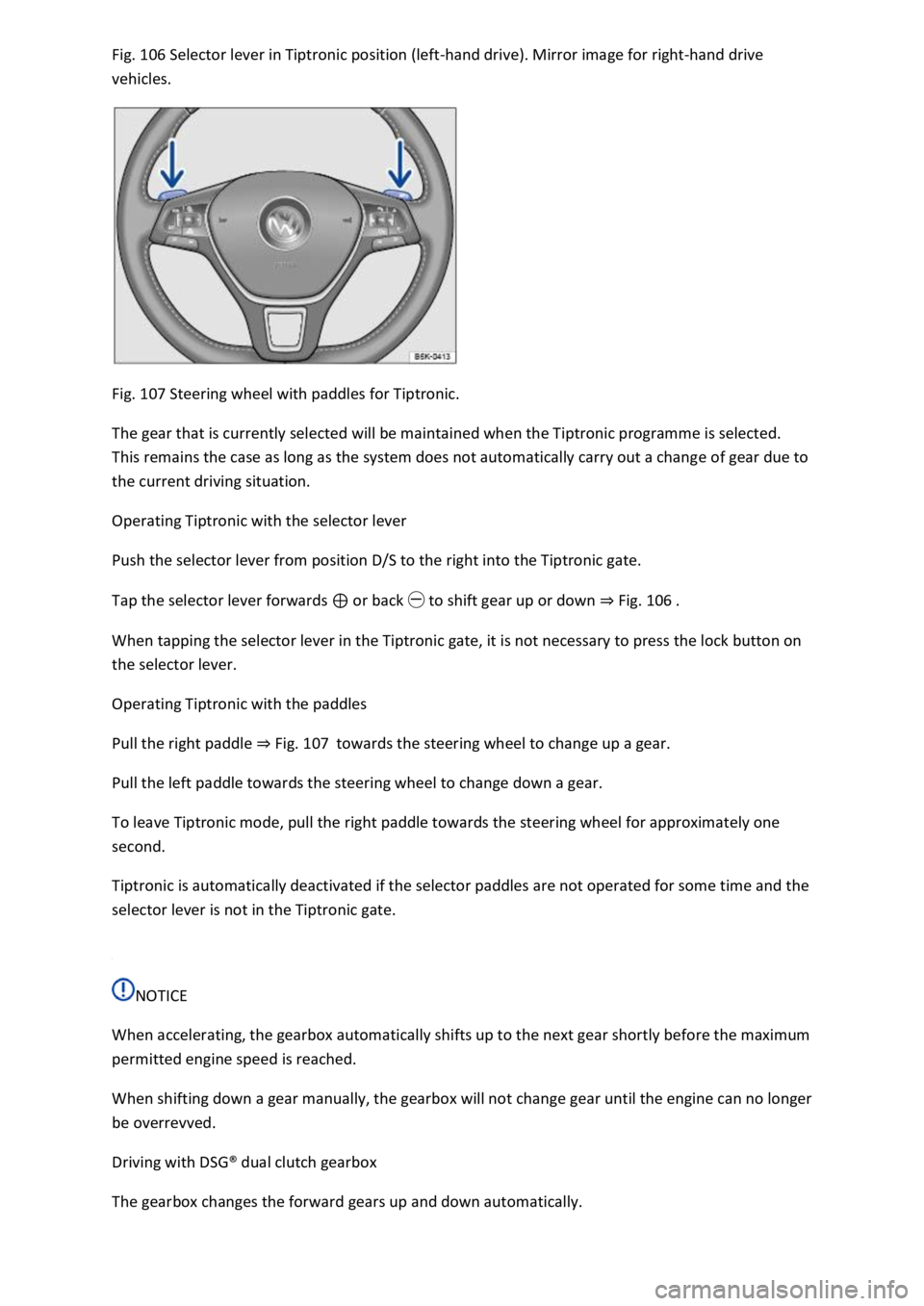
106 Selector lever in Tiptronic position (left-hand drive). Mirror image for right-hand drive
vehicles.
Fig. 107 Steering wheel with paddles for Tiptronic.
The gear that is currently selected will be maintained when the Tiptronic programme is selected.
This remains the case as long as the system does not automatically carry out a change of gear due to
the current driving situation.
Operating Tiptronic with the selector lever
Push the selector lever from position D/S to the right into the Tiptronic gate.
Tap the selector lever forwards or back to shift gear up or down Fig. 106
When tapping the selector lever in the Tiptronic gate, it is not necessary to press the lock button on
the selector lever.
Operating Tiptronic with the paddles
Pull the right paddle Fig. 107towards the steering wheel to change up a gear.
Pull the left paddle towards the steering wheel to change down a gear.
To leave Tiptronic mode, pull the right paddle towards the steering wheel for approximately one
second.
Tiptronic is automatically deactivated if the selector paddles are not operated for some time and the
selector lever is not in the Tiptronic gate.
NOTICE
When accelerating, the gearbox automatically shifts up to the next gear shortly before the maximum
permitted engine speed is reached.
When shifting down a gear manually, the gearbox will not change gear until the engine can no longer
be overrevved.
Driving with DSG
Page 203 of 502
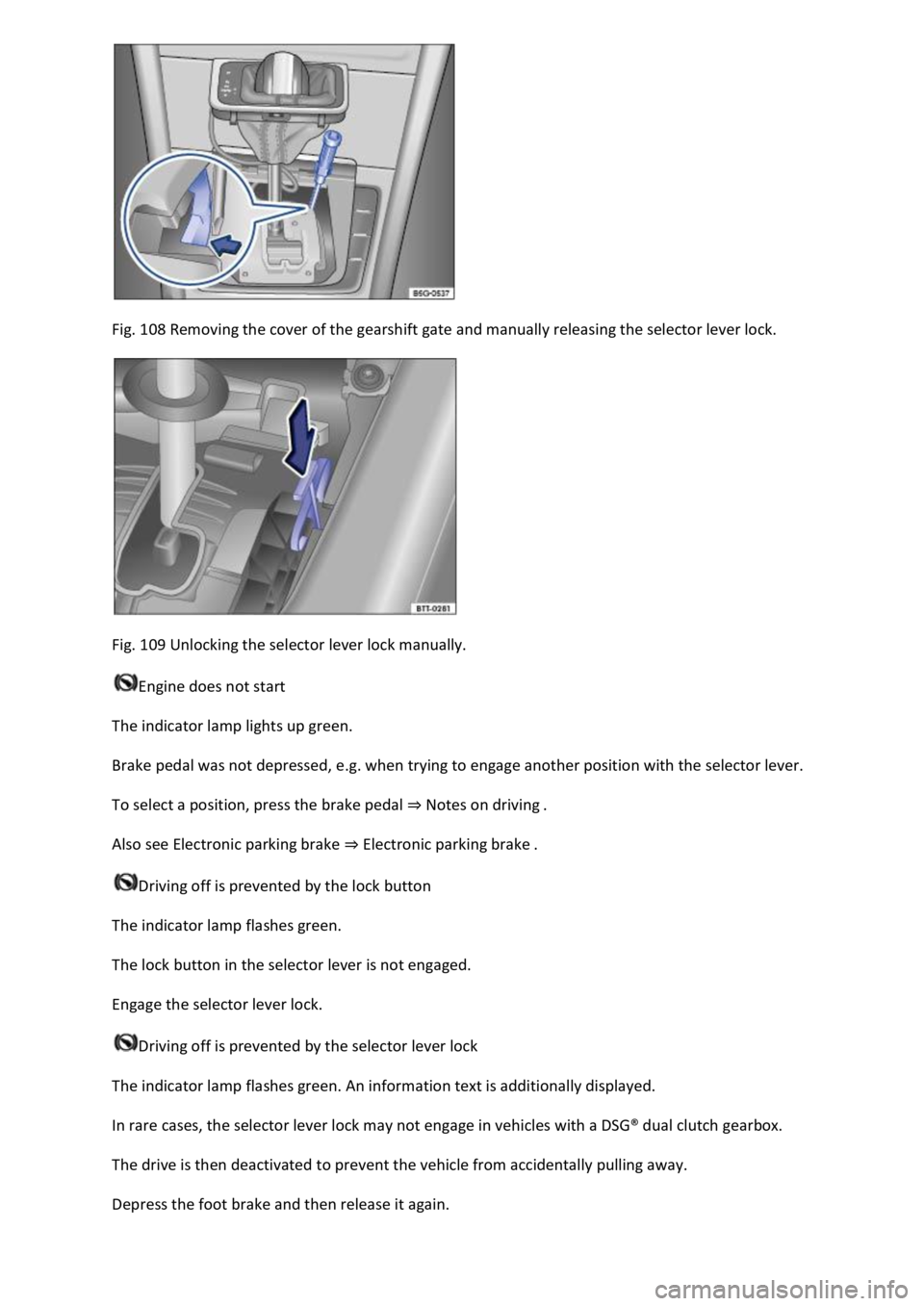
Fig. 108 Removing the cover of the gearshift gate and manually releasing the selector lever lock.
Fig. 109 Unlocking the selector lever lock manually.
Engine does not start
The indicator lamp lights up green.
Brake pedal was not depressed, e.g. when trying to engage another position with the selector lever.
To select a position, press the brake pedal Notes on driving
Also see Electronic parking brake Electronic parking brake
Driving off is prevented by the lock button
The indicator lamp flashes green.
The lock button in the selector lever is not engaged.
Engage the selector lever lock.
Driving off is prevented by the selector lever lock
The indicator lamp flashes green. An information text is additionally displayed.
In rare cases, the selector lever lock may not engage in vehicles with a DSG
Page 205 of 502

electrical wires are positioned correctly.
Using the flat blade of the screwdriver from the vehicle toolkit, carefully push the release lever in the
direction of the arrow and keep it in this position Fig. 109
Press the lock button on the front of the selector lever and move the selector lever into position N.
After manual unlocking, carefully press the cover into the centre console while ensuring that the
electrical wires are positioned correctly.
Emergency programme
There is a fault in the system if all the displays on the instrument cluster for the selector lever
positions have a light background. The DSG
Page 222 of 502

ot on the clutch when driving offroad. When travelling over
uneven ground, you could press the clutch by mistake and lose control of the vehicle. This also
prevents power being transferred between the engine and the gearbox. In addition, driving with the
clutch partially engaged causes premature wear to the clutch lining.
Useful accessories for offroad driving
First read and observe the introductoryinformation and safety warnings
The checklist contains just a few items of equipment that can be very useful for offroad driving. If
you have an instruction manual or fitting instructions for these accessories, you should always take
them with you and observe them as necessary when driving offroad.
Checklist
Useful items when driving offroad:
Water, compass, maps and torch with spare batteries.
Winch, tow bar or rope with sufficient strength.
Mobile telephone, shovel, blankets and rubber boots.
Electrical air compressor for connection to the 12-volt sockets in the vehicle to inflate the tyres.
A wooden board approx. 4 cm thick and approx. 1 metre long or an aluminium frame of similar size:
this can be used to free a vehicle stuck in the mud and provide a platform for a vehicle jack.
Snow chains, additional spare wheels, a breakdown set, jack and box spanner.
Changing gear correctly
First read and observe the introductoryinformation and safety warnings
The correct choice of gear depends on the offroad terrain.
Before attempting to drive through difficult terrain it can be helpful to stop and consider which gear
you should select. After several trips offroad, you will learn which gear to select in conjunction with
the step-down ratio and differential locks for different types of terrain.
General rules
Page 257 of 502

Clean the radar sensors or remove stickers or accessories from the radar sensors, mirrors and
bumper Caring for and cleaning the vehicle exterior
Check whether any damage is visible.
The system is not responding as expected
The radar sensors are dirty. The sensor visibility may be impaired by dirt and snow or also residue
from cleaning agents or coatings Caring for and cleaning the vehicle exterior
The prerequisites for system operation must be met System limits
The radar sensors are covered by water.
The vehicle is damaged in the area of the radar sensors, e.g. caused by parking collisions.
The detection ranges of the radar sensors are blocked by add-on parts, e.g. bicycle carriers.
Changes have been made to the paintwork in the area of the radar sensors or structural
modifications have been made, e.g. on the vehicle front end or the running gear.
Only Volkswagen-approved vehicle paints may be used on the rear bumper. Other vehicle paints can
restrict the function of the system or cause faults.
Tinting foils have been retrofitted on the side windows.
Parking and manoeuvring
Parking
Stopping and parking the vehicle
The actions should be carried out only in the given order:
Stop the vehicle on a suitable surface
Depress and hold the brake pedal until the engine has stopped.
Switch on the electronic parking brake Electronic parking brake is
switched on when the indicator lamp in the button Fig. 125lights up yellow and the indicator
lamp in the instrument cluster display lights up red.
On vehicles with a manual gearbox, either fully depress or disengage the clutch.
With an automatic gearbox, move the selector lever to position P.
Switch off the engine and take your foot off the brake pedal.
Turn the steering wheel slightly if necessary to engage the steering lock mechanism.
With a manual gearbox, select first gear for flat ground and uphill gradients, or reverse gear for
downhill gradients, and then release the clutch.
Please ensure that all occupants, in particular children, leave the vehicle.