Mode button VOLKSWAGEN T-ROC 2021 Owner´s Manual
[x] Cancel search | Manufacturer: VOLKSWAGEN, Model Year: 2021, Model line: T-ROC, Model: VOLKSWAGEN T-ROC 2021Pages: 502, PDF Size: 9.42 MB
Page 159 of 502
If the air distribution regulator of the manual air conditioning system is turned to position.
WARNING
Stale air can quickly make the driver tired and affect their concentration, which in turn can cause
collisions, accidents and serious injuries.
Never use the air recirculation mode for an extended period as no fresh air will enter the vehicle
interior.
If the cooling system is switched off, condensation can form on the windows very quickly in air
recirculation mode and reduce visibility considerably.
Switch off the air recirculation mode when it is no longer required.
NOTICE
In vehicles with an air conditioning system, do not smoke when the air recirculation mode is
switched on. The smoke can leave a residue on the cooling system evaporator and the dust and
pollen filter with pollution filter insert, producing a lasting unpleasant odour.
When reversing the vehicle, or when the wash and wipe system is being used, the air recirculation
mode will switch on to prevent odours from entering the vehicle interior.
Climatronic
If the outside temperature is very high, the manual air recirculation mode can be activated for a
short time to help cool the vehicle interior more quickly.
Seat heating
First read and observe the introductoryinformation and safety warnings⇒Introduction
The seat cushions and backrests can be heated electrically when the engine is running.
Operating the seat heating
Press the or button in the air conditioning block in order to switch the seat heating to the
highest temperature setting.
Press the or button repeatedly until the desired setting is reached.
To switch the seat heating off, press the or button repeatedly until no LEDs are lit.
Page 165 of 502

Operating noises can be heard if the auxiliary heater is switched on.
The 12-volt vehicle battery will discharge if the auxiliary heating or ventilation is run several times
over an extended period. Drive the vehicle for an appropriate distance in between in order to
recharge the 12-volt vehicle battery.
The fuel gauge indication may not be accurate (just above the reserve quantity) when the vehicle is
parked on a slope; this may restrict the function of the auxiliary heater.
The auxiliary heater may switch on automatically when the engine is started at temperatures below
+5°C (+41°F) in order to provide additional hea ng power. The supplementary heating function will
switch off again automatically after a short time.
Programming the auxiliary heater and ventilation
First read and observe the introductoryinformation and safety warnings⇒Introduction
Opening the Auxiliary heater menu
The auxiliary heater is programmed in the Infotainment system.
Manual air conditioning system
Press the button on the Infotainment system.
Touch the Vehicle and function buttons.
Climatronic
Open the air conditioning settings in the Infotainment system.
Touch the function button.
Changing operating mode
Open the Auxiliary heater menu.
Press the Heating or Ventilation function buttons to change mode.
At high outside temperatures, the auxiliary ventilation system directs fresh air into the vehicle and
prevents the accumulation of heat.
Programming the auxiliary heater
Activation is always for one heating or ventilation operation only. The departure time must be
activated again for every start.
Page 190 of 502
Start/stop system
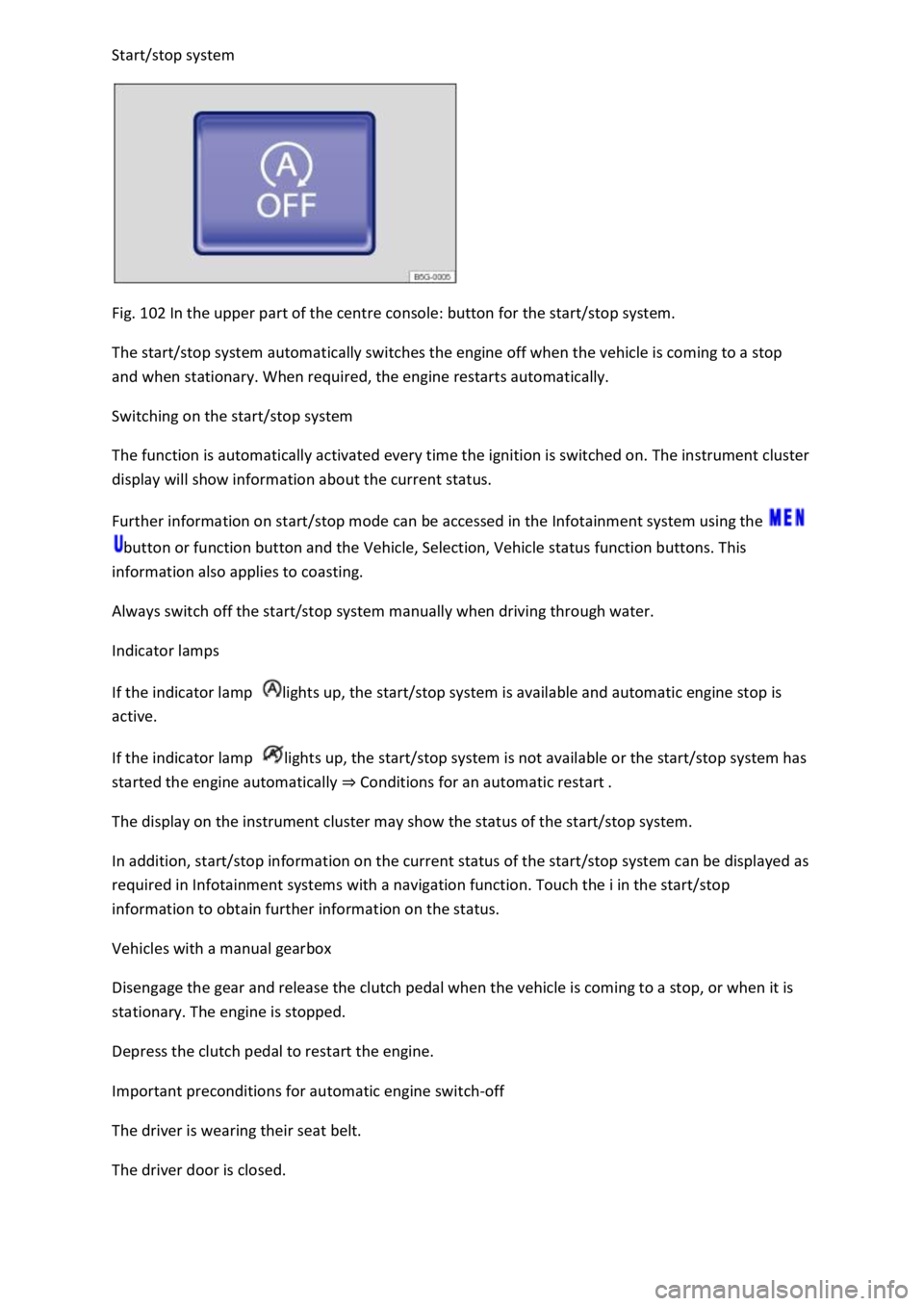
Fig. 102 In the upper part of the centre console: button for the start/stop system.
The start/stop system automatically switches the engine off when the vehicle is coming to a stop
and when stationary. When required, the engine restarts automatically.
Switching on the start/stop system
The function is automatically activated every time the ignition is switched on. The instrument cluster
display will show information about the current status.
Further information on start/stop mode can be accessed in the Infotainment system using the
button or function button and the Vehicle, Selection, Vehicle status function buttons. This
information also applies to coasting.
Always switch off the start/stop system manually when driving through water.
Indicator lamps
If the indicator lamp lights up, the start/stop system is available and automatic engine stop is
active.
If the indicator lamp lights up, the start/stop system is not available or the start/stop system has
started the engine automatically ⇒ Conditions for an automatic restart .
The display on the instrument cluster may show the status of the start/stop system.
In addition, start/stop information on the current status of the start/stop system can be displayed as
required in Infotainment systems with a navigation function. Touch the i in the start/stop
information to obtain further information on the status.
Vehicles with a manual gearbox
Disengage the gear and release the clutch pedal when the vehicle is coming to a stop, or when it is
stationary. The engine is stopped.
Depress the clutch pedal to restart the engine.
Important preconditions for automatic engine switch-off
The driver is wearing their seat belt.
The driver door is closed.
Page 192 of 502

The instrument cluster shows the status of the start/stop system each time the button is pressed.
If the start/stop system has switched the engine off, it will start again as soon as the system is
deactivated manually with the button.
Always deactivate the start/stop system manually when driving through water.
Start/stop mode when Adaptive Cruise Control (ACC) is active
The engine will be switched off after the Adaptive Cruise Control (ACC) has brought the vehicle to a
standstill via an active braking intervention ⇒ Adaptive Cruise Control (ACC) .
The engine will be switched off after the Adaptive Cruise Control (ACC) has brought the vehicle to a
standstill via an active braking intervention ⇒ Adaptive Cruise Control (ACC) .
Vehicles with dual clutch gearbox DSG: when adaptive cruise control (ACC) is activated, the
dual clutch gearbox DSG® can switch to coasting mode.
Vehicles with dual clutch gearbox DSG: when adaptive cruise control (ACC) is activated, the
dual clutch gearbox DSG® can switch to coasting mode.
In the following instances, the engine will restart when the Adaptive Cruise Control (ACC) is active:
If the accelerator is depressed.
When the Adaptive Cruise Control (ACC) has resumed speed and distance control.
If the vehicle ahead has moved on.
WARNING
Never switch off the engine or the ignition while the vehicle is in motion. This can lead to a loss of
vehicle control, accidents and serious injuries.
The airbags and belt tensioners will not work if the ignition is switched off.
The brake servo will not work when the engine is switched off. That is why more pressure on the
brake pedal is needed to brake the vehicle when the engine is switched off.
The power steering will not work when the engine is not running. More power is needed to steer the
vehicle when the engine is switched off.
When the ignition is switched off, the steering lock may activate and you will no longer be able to
steer the vehicle.
The start/stop system must be deactivated if work is to be carried out in the engine compartment.
NOTICE
Page 200 of 502
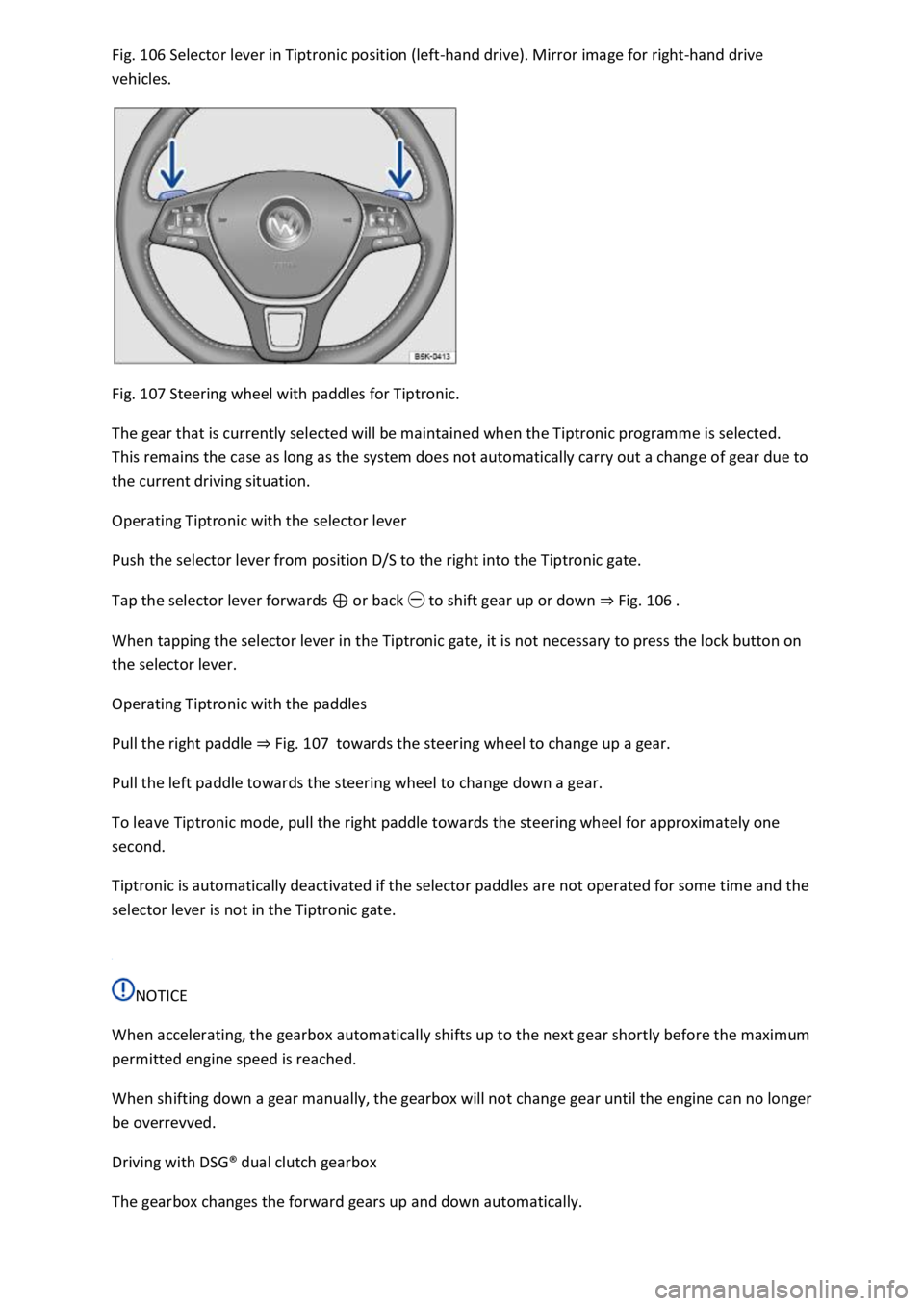
Fig. 106 Selector lever in Tiptronic position (left-hand drive). Mirror image for right-hand drive
vehicles.
Fig. 107 Steering wheel with paddles for Tiptronic.
The gear that is currently selected will be maintained when the Tiptronic programme is selected.
This remains the case as long as the system does not automatically carry out a change of gear due to
the current driving situation.
Operating Tiptronic with the selector lever
Push the selector lever from position D/S to the right into the Tiptronic gate.
Tap the selector lever forwards ⊕ or back ㊀ to shift gear up or down ⇒ Fig. 106 .
When tapping the selector lever in the Tiptronic gate, it is not necessary to press the lock button on
the selector lever.
Operating Tiptronic with the paddles
Pull the right paddle ⇒ Fig. 107 towards the steering wheel to change up a gear.
Pull the left paddle towards the steering wheel to change down a gear.
To leave Tiptronic mode, pull the right paddle towards the steering wheel for approximately one
second.
Tiptronic is automatically deactivated if the selector paddles are not operated for some time and the
selector lever is not in the Tiptronic gate.
NOTICE
When accelerating, the gearbox automatically shifts up to the next gear shortly before the maximum
permitted engine speed is reached.
When shifting down a gear manually, the gearbox will not change gear until the engine can no longer
be overrevved.
Driving with DSG® dual clutch gearbox
The gearbox changes the forward gears up and down automatically.
Page 211 of 502
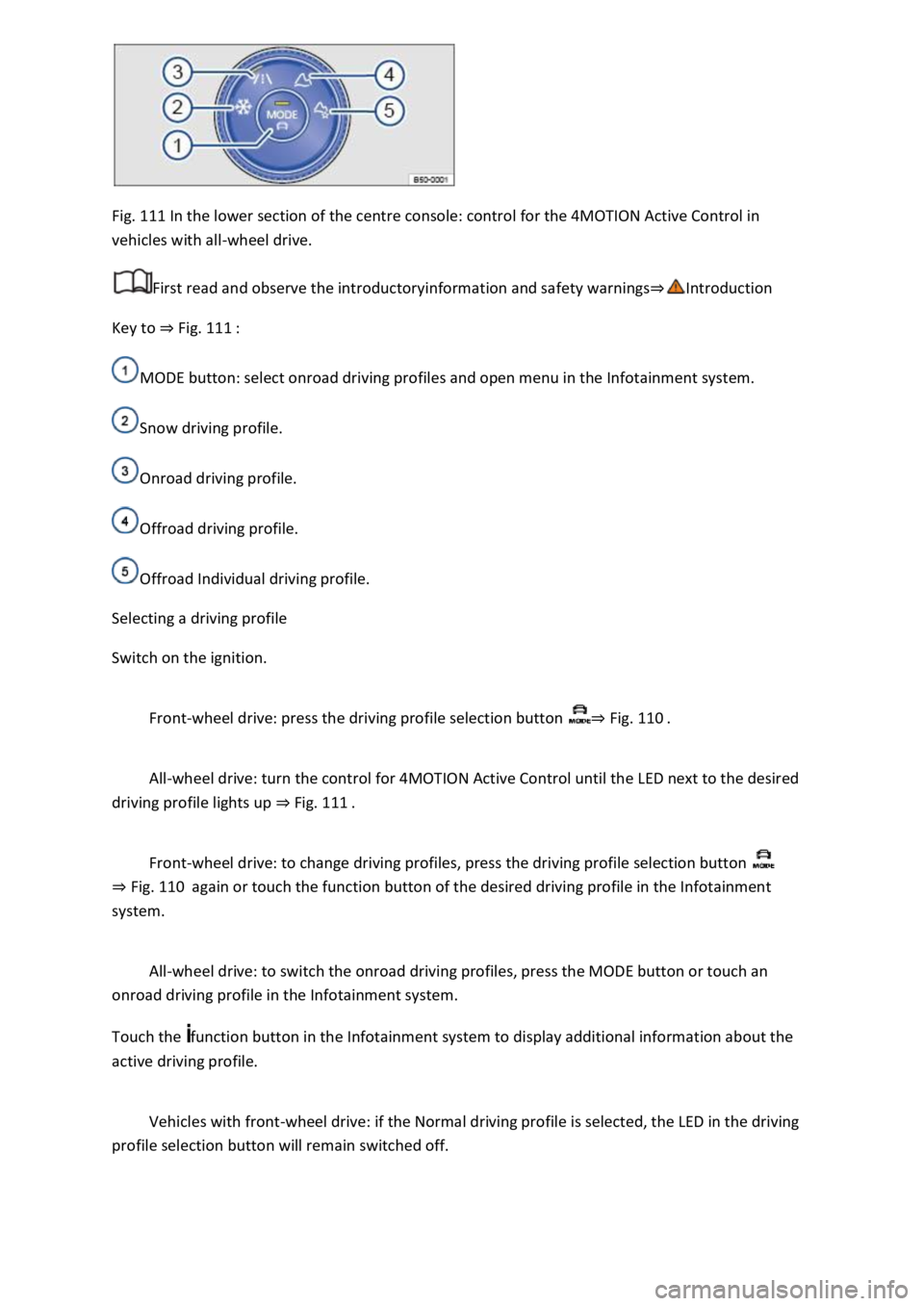
Fig. 111 In the lower section of the centre console: control for the 4MOTION Active Control in
vehicles with all-wheel drive.
First read and observe the introductoryinformation and safety warnings⇒Introduction
Key to ⇒ Fig. 111 :
MODE button: select onroad driving profiles and open menu in the Infotainment system.
Snow driving profile.
Onroad driving profile.
Offroad driving profile.
Offroad Individual driving profile.
Selecting a driving profile
Switch on the ignition.
Front-wheel drive: press the driving profile selection button ⇒ Fig. 110 .
All-wheel drive: turn the control for 4MOTION Active Control until the LED next to the desired
driving profile lights up ⇒ Fig. 111 .
Front-wheel drive: to change driving profiles, press the driving profile selection button
⇒ Fig. 110 again or touch the function button of the desired driving profile in the Infotainment
system.
All-wheel drive: to switch the onroad driving profiles, press the MODE button or touch an
onroad driving profile in the Infotainment system.
Touch the function button in the Infotainment system to display additional information about the
active driving profile.
Vehicles with front-wheel drive: if the Normal driving profile is selected, the LED in the driving
profile selection button will remain switched off.
Page 212 of 502

When the ignition is switched off, the set driving profile and the individual settings will remain
selected.
Vehicles with all-wheel drive: if the Snow, Offroad or Offroad Individual driving profile was
selected last, the onroad driving profile that was last active will be activated after the ignition has
been switched off for a long period.
Vehicles without starter button: as soon as the vehicle key is removed from the ignition lock.
Vehicles with starter button: as soon as the driver door is opened when the ignition is switched
off.
Sport functions: select Sport driving profile again.
OR: tap the selector lever of the DSG® dual clutch gearbox backwards to the position S⇒ DSG® dual
clutch gearbox .
Eco functions: select Eco driving profile again.
Characteristics of the driving profiles
Snow: the Snow driving profile makes it easier to control the throttle on icy or snowy roads. It is not
possible to select the S position in the Snow driving profile.
Onroad: under Onroad, you can choose between Eco, Comfort, Normal, Sport and Individual driving
profiles.
Offroad: the Offroad driving profile makes it easier to control the throttle when driving offroad. The
engine brake is always available and gearshifts can be prevented in critical situations. Hill Start Assist
and Hill Descent Control are active in the Offroad driving profile. It is not possible to select the S
position in the Offroad driving profile. When the driving profile is active, the instrument cluster
displays the symbol .
Offroad Individual: enhanced version of the offroad driving profile that can be adapted to the
driver's needs ⇒ Individually adapting a driving profile . When the driving profile is active, the
instrument cluster displays the symbol .
Eco: switches the vehicle into economical mode and helps the driver to drive the vehicle in a fuel-
efficient manner. Depending on the vehicle equipment level, coasting mode is available in the Eco
driving profile.
Comfort: the driving profile creates a comfort-oriented vehicle setup and is suited to poor roads or
long motorway journeys, for example.
Normal: the driving profile has a balanced setup, e.g. for everyday use.
Sport: this setting gives the driver a sporty driving feeling.
Page 213 of 502
Individual: individual vehicle systems can be adjusted to suit personal requirements ⇒ Individually
adapting a driving profile .
WARNING
The vehicle handling may change as a result of the different driving profiles. Never allow driving
profile selection to tempt you into taking any risks when driving.
Always adapt your speed and driving style to the current visibility, weather and road or traffic
conditions.
In vehicles with a DSG® dual clutch gearbox, the system automatically changes to gear position S
when the Sport driving profile is selected. The system automatically change to gear position D when
the Eco driving profile is selected. Since coasting is active in the Eco driving profile, the gearbox
programme E is additionally displayed on the instrument cluster display.
Individually adapting a driving profile
First read and observe the introductoryinformation and safety warnings⇒Introduction
Selecting the Individual driving profile
Switch on the ignition.
Switch on the Infotainment system.
Press the driving profile selection button or turn the control for 4MOTION Active Control until
the LED next to the Onroad driving profile ⇒ Fig. 111 ③ lights up.
Touch the Adjust function button to open the Individual menu.
Selecting the Offroad Individual driving profile
Switch on the ignition.
Switch on the Infotainment system.
Turn the control for the 4MOTION Active Control until the LED next to the Offroad Individual driving
profile ⇒ Fig. 111 ⑤ lights up.
If the Offroad Individual driving profile is already selected, press the MODE button on the
control ⇒ Fig. 111 .
Touch the Adjust function button to open the Individual menu.
Troubleshooting
First read and observe the introductoryinformation and safety warnings⇒Introduction
Fault in the adaptive chassis control (DCC)
Page 267 of 502

No sensor visibility, error message, system switches itself off
The sensor area is switched off permanently if a sensor fails.
Park Distance Control malfunctions will be indicated by a text message with an acoustic warning and
the indicator lamp in the button flashing when the system is switched on for the first time. If the
sensors are dirty or covered, the affected sensor cluster will be displayed on the Park Distance
Control screen. A cleaning message also appears (depending on the vehicle equipment level).
Possible solution
Switch off the system temporarily.
Check whether any of the causes described apply.
Clean the sensors or remove stickers or accessories from the sensors and cameras ⇒ Caring for and
cleaning the vehicle exterior .
Check whether any damage is visible.
You can switch the system back on again once you have rectified the cause of the problem.
If the system still fails to respond as expected, have the system checked by a qualified workshop or
your Volkswagen dealership.
Rear view camera system (Rear View)
Introduction
This chapter contains information on the followingsubjects:
⇒ Switching on and off
⇒ Display representation
⇒ Prerequisites
⇒ Parking
⇒ Troubleshooting
The rear view camera system in the rear of the vehicle makes it easier for the driver to see behind
the vehicle and provides support for parking manoeuvres.
The rear view camera system shows the area behind the vehicle on the Infotainment system screen.
Depending on the operating mode, orientation lines support the view to the rear.
WARNING
Using images from the camera to estimate the distance from obstacles (people, vehicles etc.) is
inaccurate and could cause accidents and severe injuries.
Camera lenses enlarge and distort the field of vision and show objects differently and inaccurately
on the screen.
Page 272 of 502
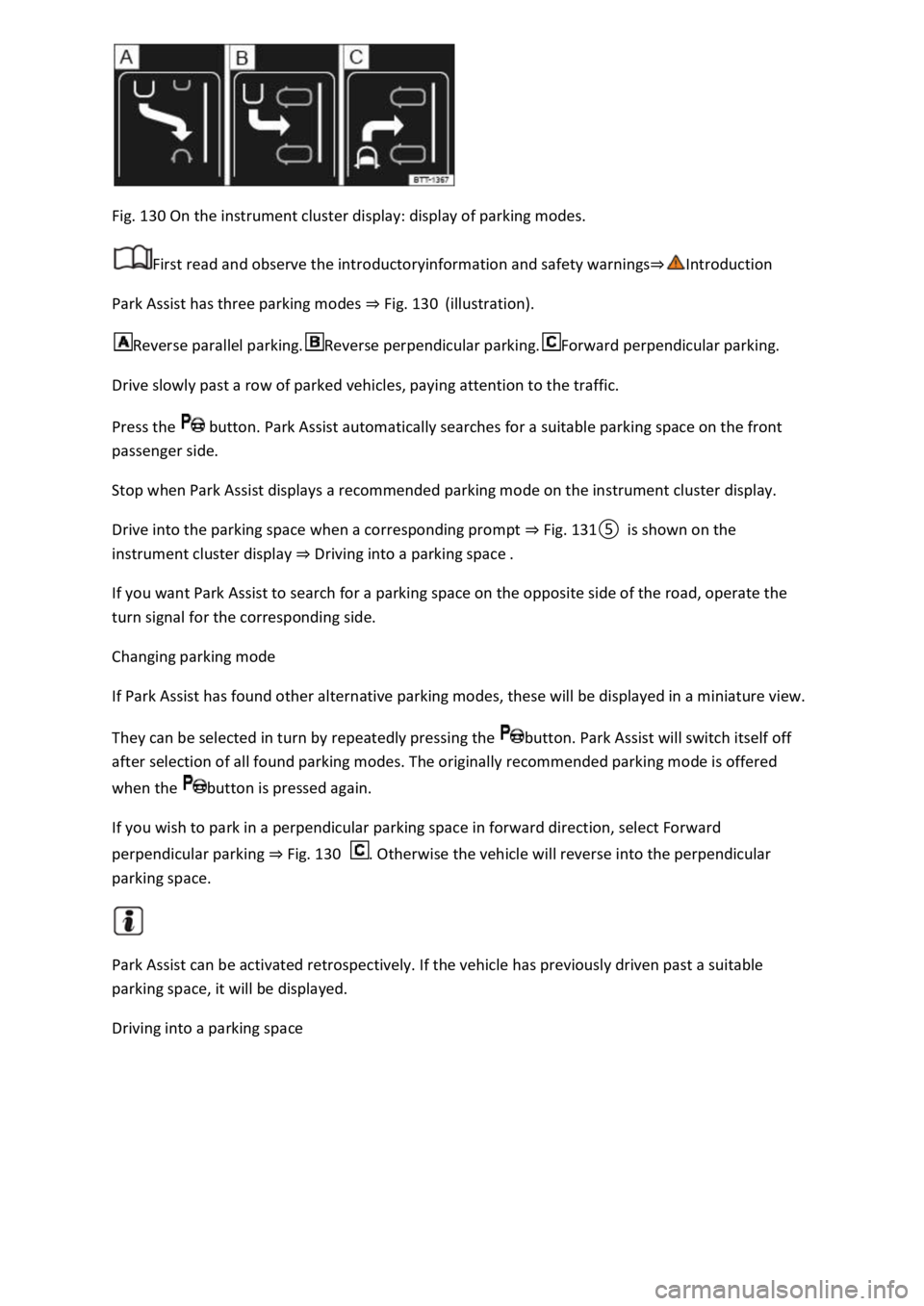
Fig. 130 On the instrument cluster display: display of parking modes.
First read and observe the introductoryinformation and safety warnings⇒Introduction
Park Assist has three parking modes ⇒ Fig. 130 (illustration).
Reverse parallel parking.Reverse perpendicular parking.Forward perpendicular parking.
Drive slowly past a row of parked vehicles, paying attention to the traffic.
Press the button. Park Assist automatically searches for a suitable parking space on the front
passenger side.
Stop when Park Assist displays a recommended parking mode on the instrument cluster display.
Drive into the parking space when a corresponding prompt ⇒ Fig. 131⑤ is shown on the
instrument cluster display ⇒ Driving into a parking space .
If you want Park Assist to search for a parking space on the opposite side of the road, operate the
turn signal for the corresponding side.
Changing parking mode
If Park Assist has found other alternative parking modes, these will be displayed in a miniature view.
They can be selected in turn by repeatedly pressing the button. Park Assist will switch itself off
after selection of all found parking modes. The originally recommended parking mode is offered
when the button is pressed again.
If you wish to park in a perpendicular parking space in forward direction, select Forward
perpendicular parking ⇒ Fig. 130 . Otherwise the vehicle will reverse into the perpendicular
parking space.
Park Assist can be activated retrospectively. If the vehicle has previously driven past a suitable
parking space, it will be displayed.
Driving into a parking space