trailer VOLKSWAGEN T-ROC 2021 Owner´s Manual
[x] Cancel search | Manufacturer: VOLKSWAGEN, Model Year: 2021, Model line: T-ROC, Model: VOLKSWAGEN T-ROC 2021Pages: 502, PDF Size: 9.42 MB
Page 139 of 502
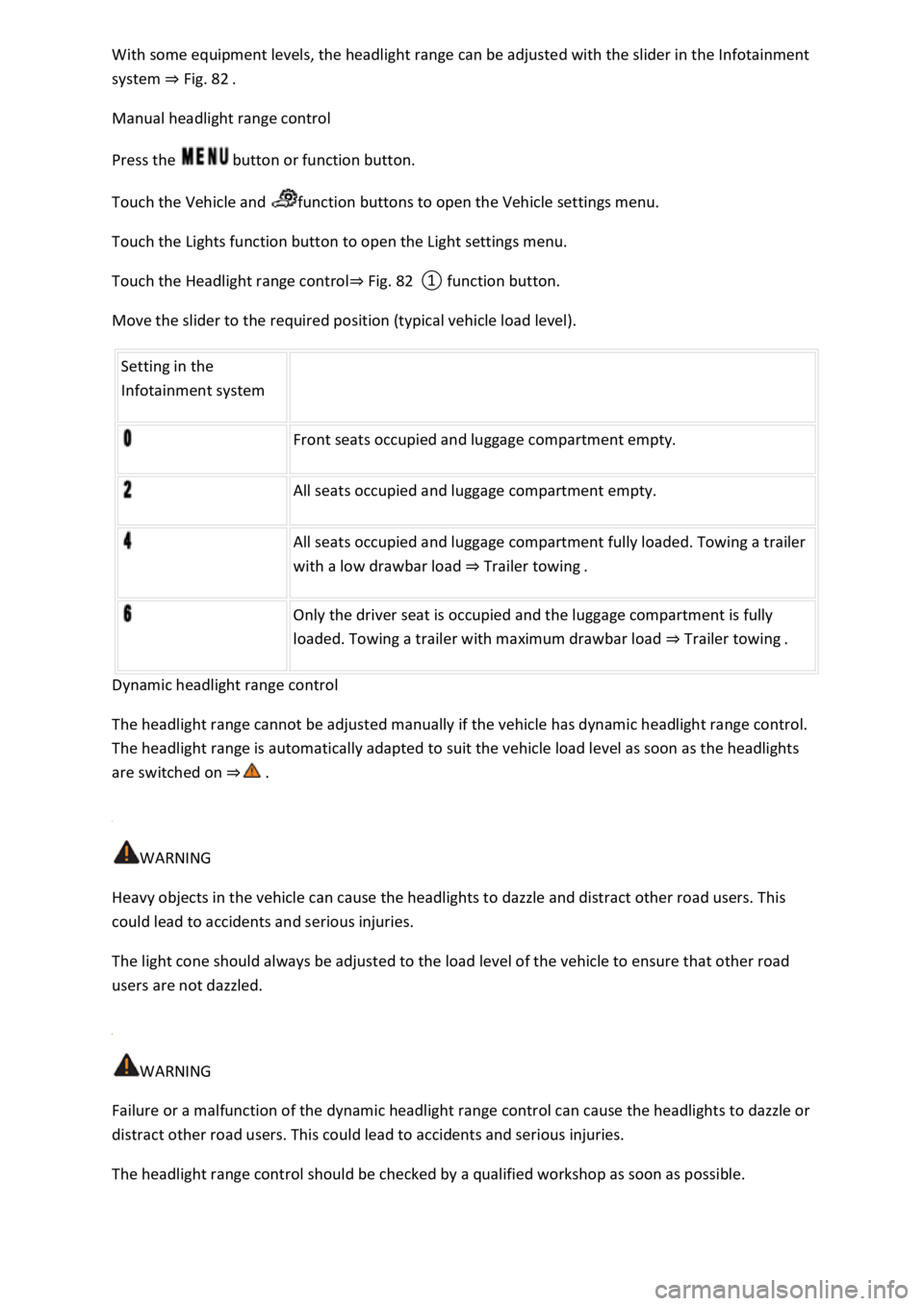
With some equipment levels, the headlight range can be adjusted with the slider in the Infotainment
system ⇒ Fig. 82 .
Manual headlight range control
Press the button or function button.
Touch the Vehicle and function buttons to open the Vehicle settings menu.
Touch the Lights function button to open the Light settings menu.
Touch the Headlight range control⇒ Fig. 82 ① function button.
Move the slider to the required position (typical vehicle load level).
Setting in the
Infotainment system
Front seats occupied and luggage compartment empty.
All seats occupied and luggage compartment empty.
All seats occupied and luggage compartment fully loaded. Towing a trailer
with a low drawbar load ⇒ Trailer towing .
Only the driver seat is occupied and the luggage compartment is fully
loaded. Towing a trailer with maximum drawbar load ⇒ Trailer towing .
Dynamic headlight range control
The headlight range cannot be adjusted manually if the vehicle has dynamic headlight range control.
The headlight range is automatically adapted to suit the vehicle load level as soon as the headlights
are switched on ⇒ .
WARNING
Heavy objects in the vehicle can cause the headlights to dazzle and distract other road users. This
could lead to accidents and serious injuries.
The light cone should always be adjusted to the load level of the vehicle to ensure that other road
users are not dazzled.
WARNING
Failure or a malfunction of the dynamic headlight range control can cause the headlights to dazzle or
distract other road users. This could lead to accidents and serious injuries.
The headlight range control should be checked by a qualified workshop as soon as possible.
Page 234 of 502

Changing to Adaptive Cruise Control (ACC)
Press the button.
The speed limiter is switched off.
Troubleshooting
First read and observe the introductoryinformation and safety warnings⇒Introduction
Control is automatically interrupted.
Malfunction. Switch off the speed limiter and go to a qualified workshop.
For safety reasons, the speed limiter does not fully deactivate itself until you release the accelerator
once or switch the system off manually.
Adaptive Cruise Control (ACC)
Introduction
This chapter contains information on the followingsubjects:
⇒ Special driving situations
⇒ Limits of ACC
⇒ Switching ACC on and off
⇒ Setting ACC
⇒ Troubleshooting
The Adaptive Cruise Control (ACC) maintains a speed selected by the driver. If the vehicle
approaches a vehicle in front, the ACC automatically adapts the speed so that a distance you have
selected is maintained.
Speed range
ACC controls the vehicle in the speed range between 30 km/h (20 mph) and 160 km/h (100 mph)
or 210 km/h (130 mph). This speed range may differ in certain markets.
Driving with ACC
You can override the ACC at any time. Control will be interrupted when you brake. If you accelerate,
control will be interrupted for the duration of the acceleration process and will then continue again.
Control by ACC is less dynamic when towing a trailer ⇒ . The ACC will not perform control operation
if the trailer's brake lights are faulty.
Does the vehicle have ACC?
The vehicle is equipped with ACC if you can make settings for ACC in the vehicle settings of the
Infotainment system ⇒ Vehicle settings menu .
Brake request
Page 242 of 502

The brakes have overheated, control was interrupted automatically. Allow the brakes to cool down
and check functioning again.
If the problem persists, go to a qualified workshop.
Control cannot be started.
A forward gear other than first gear is selected (manual gearbox) or the selector lever is in selector
lever position D/S or the Tiptronic gate.
The speed is at least 25 km/h (16 mph) in the case of vehicles with manual gearbox.
The brake lights on the vehicle and trailer ⇒ are working.
ESC is not regulating.
The brake pedal is not depressed.
Unusual noises during automatic braking.
This is normal and is not a fault.
Area monitoring system (Front Assist)
Introduction
This chapter contains information on the followingsubjects:
⇒ Warning levels and braking intervention
⇒ Limits of Front Assist
⇒ Pedestrian Monitoring
⇒ Operating the area monitoring system (Front Assist)
⇒ Troubleshooting
The area monitoring system (Front Assist) with City Emergency Braking System and Pedestrian
Monitoring can help to avoid accidents.
Within the limits of the system, Front Assist can warn the driver about imminent collisions, prepare
the vehicle for emergency braking, assist with braking, and initiate automatic braking. The warning
time varies depending on the traffic situation and driver behaviour.
Front Assist is not a substitute for the full concentration of the driver.
Driving with Front Assist
You can cancel the automatic braking interventions of Front Assist by steering or pressing the
accelerator.
Automatic braking
Front Assist can decelerate the vehicle to a standstill. The vehicle will then not be held permanently.
Depress the brake pedal.
Page 245 of 502

Objects that cannot be detected
Vehicles that are driving outside the sensor range in close proximity to your vehicle, e.g. vehicles
that are driving offset to your vehicle or motorbikes.
Vehicles that change into your lane directly in front of your vehicle.
Vehicles with bodies or attachments that project beyond the vehicle.
Oncoming vehicles or vehicles crossing your path.
Pedestrians who are stationary, moving towards the vehicle or moving in the same direction as the
vehicle.
Function limitations
In tight bends.
Driving in heavy rain, snow or heavy spray.
Driving in multi-storey car parks.
Driving on roads with embedded metal objects, e.g. railway tracks.
Reversing.
If TCS is switched off manually.
If ESC is taking corrective action.
If the radar sensor is dirty or covered.
If there is a fault in several brake lights on the vehicle or on a trailer with an electrical connection to
the vehicle ⇒ .
If the vehicle accelerates hard or the accelerator is fully depressed.
In complex driving situations, e.g. at traffic islands.
In unclear traffic situations, e.g. vehicles ahead are braking heavily or turning off.
If there is a fault in Front Assist.
Switching off Front Assist
If the vehicle is used in a capacity other than driving in normal traffic, e.g. offroad.
If the vehicle is being towed or is loaded onto another vehicle.
If the radar sensor is covered temporarily by add-on parts, e.g. auxiliary headlights.
If the radar sensor is faulty.
After external force on the radar sensor, e.g. after a frontal collision.
In the event of multiple unwanted interventions.
Page 256 of 502

Function
When switched on, the Blind Spot Monitor is active from a speed of approx. 15 km/h (9 mph).
In the following driving situations, the yellow indicator lamp will light up in the corresponding
exterior mirror: ⇒ Fig. 124
If your vehicle is being overtaken.
When overtaking another vehicle with a speed difference of up to approximately 10 km/h (6 mph).
No display will be shown if the takeover manoeuvre is much faster.
If a vehicle is detected in the blind spot and the turn signal is additionally activated in the direction
of the detected vehicle ⇒ , the yellow indicator lamp will flash.
In vehicles with the lane keeping system, the yellow indicator lamp will flash even if you do not
activate the turn signal when leaving your lane, provided that the lane keeping system is switched on
(Blind Spot Monitor Plus). The driver is warned by a corrective steering intervention when changing
lanes during a possible critical situation (information level, warning level). This also occurs when the
turn signal is activated for the corresponding direction. If the steering intervention is overridden by
the driver, the steering wheel vibrates to give an additional warning.
The quicker another vehicle approaches, the earlier there is a corresponding display in the exterior
mirror.
Automatic deactivation
The radar sensors for the Blind Spot Monitor will switch off automatically if, for example, the system
detects that a radar sensor is continuously covered. This can be caused by a layer of ice or snow in
front of the radar sensor, for example.
A text message will be shown on the instrument cluster display.
If the Blind Spot Monitor has been automatically deactivated, the system cannot be activated until
the ignition has been switched off and back on again.
The Blind Spot Monitor is automatically deactivated and cannot be activated when the factory-fitted
towing bracket is electrically connected to a trailer or similar ⇒ Trailer towing . Once a trailer is
electrically connected to the vehicle and the driver pulls away, a text message appears in the
instrument cluster display to inform the driver that the Blind Spot Monitor has been deactivated.
The Blind Spot Monitor will be automatically activated again when the trailer has been unhitched
from the vehicle. This applies if the function was previously activated. The Blind Spot Monitor must
be deactivated manually if you tow a trailer using a towing bracket that was not fitted at the factory.
Troubleshooting
First read and observe the introductoryinformation and safety warnings⇒Introduction
Blind Spot Monitor is not working
The indicator lamp lights up yellow.
Go to a qualified workshop.
Page 259 of 502
Low-lying vehicle components such as the bumper, spoiler and parts of the running gear, engine or
exhaust system could be damaged. Drive carefully through dips in the road and over drive entrances,
ramps, kerbstones and other objects.
Please adhere to relevant legislation when stopping and parking your vehicle.
Electronic parking brake
Operating the electronic parking brake
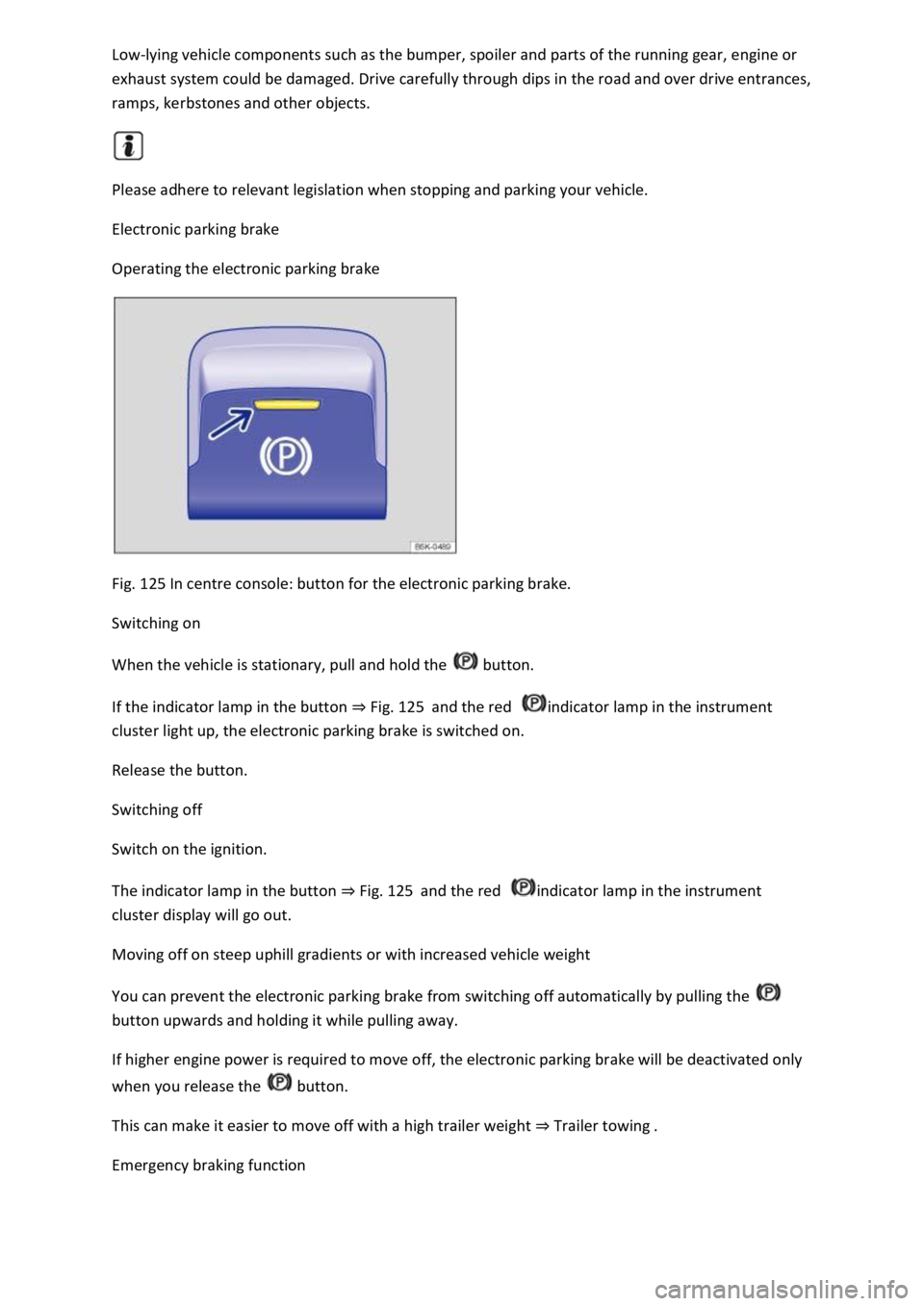
Fig. 125 In centre console: button for the electronic parking brake.
Switching on
When the vehicle is stationary, pull and hold the button.
If the indicator lamp in the button ⇒ Fig. 125 and the red indicator lamp in the instrument
cluster light up, the electronic parking brake is switched on.
Release the button.
Switching off
Switch on the ignition.
The indicator lamp in the button ⇒ Fig. 125 and the red indicator lamp in the instrument
cluster display will go out.
Moving off on steep uphill gradients or with increased vehicle weight
You can prevent the electronic parking brake from switching off automatically by pulling the
button upwards and holding it while pulling away.
If higher engine power is required to move off, the electronic parking brake will be deactivated only
when you release the button.
This can make it easier to move off with a high trailer weight ⇒ Trailer towing .
Emergency braking function
Page 266 of 502
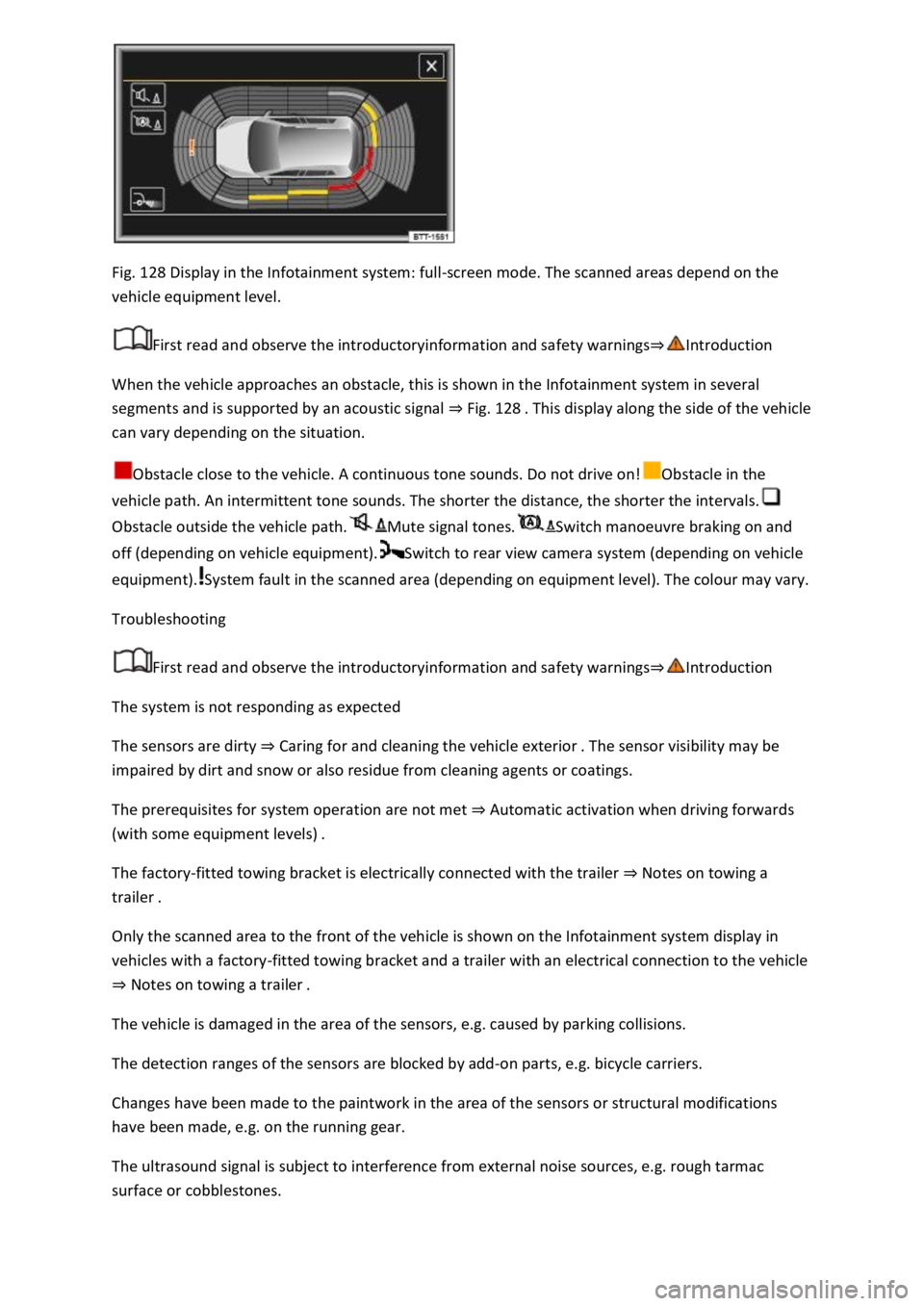
Fig. 128 Display in the Infotainment system: full-screen mode. The scanned areas depend on the
vehicle equipment level.
First read and observe the introductoryinformation and safety warnings⇒Introduction
When the vehicle approaches an obstacle, this is shown in the Infotainment system in several
segments and is supported by an acoustic signal ⇒ Fig. 128 . This display along the side of the vehicle
can vary depending on the situation.
Obstacle close to the vehicle. A continuous tone sounds. Do not drive on!Obstacle in the
vehicle path. An intermittent tone sounds. The shorter the distance, the shorter the intervals.
Obstacle outside the vehicle path.Mute signal tones.Switch manoeuvre braking on and
off (depending on vehicle equipment).Switch to rear view camera system (depending on vehicle
equipment).System fault in the scanned area (depending on equipment level). The colour may vary.
Troubleshooting
First read and observe the introductoryinformation and safety warnings⇒Introduction
The system is not responding as expected
The sensors are dirty ⇒ Caring for and cleaning the vehicle exterior . The sensor visibility may be
impaired by dirt and snow or also residue from cleaning agents or coatings.
The prerequisites for system operation are not met ⇒ Automatic activation when driving forwards
(with some equipment levels) .
The factory-fitted towing bracket is electrically connected with the trailer ⇒ Notes on towing a
trailer .
Only the scanned area to the front of the vehicle is shown on the Infotainment system display in
vehicles with a factory-fitted towing bracket and a trailer with an electrical connection to the vehicle
⇒ Notes on towing a trailer .
The vehicle is damaged in the area of the sensors, e.g. caused by parking collisions.
The detection ranges of the sensors are blocked by add-on parts, e.g. bicycle carriers.
Changes have been made to the paintwork in the area of the sensors or structural modifications
have been made, e.g. on the running gear.
The ultrasound signal is subject to interference from external noise sources, e.g. rough tarmac
surface or cobblestones.
Page 268 of 502
Switching on and off
First read and observe the introductoryinformation and safety warnings⇒Introduction
Switching on the rear view camera system
Select reverse gear.
OR: press the button.
Switching off the rear view camera system
Drive forwards at a speed of at least 10 km/h (6 mph).
Display representation
First read and observe the introductoryinformation and safety warnings⇒Introduction
The functions and displays of the rear view camera system image vary according to the equipment
level and may differ from each other.
The display of the reversing camera picture varies if the factory-fitted towing bracket is electrically
connected to the trailer ⇒ Notes on towing a trailer .
Functions and symbols of the rear view camera system
You can make settings by means of the function buttons when the rear view camera system is
switched on. Some setting options depend on the vehicle equipment.
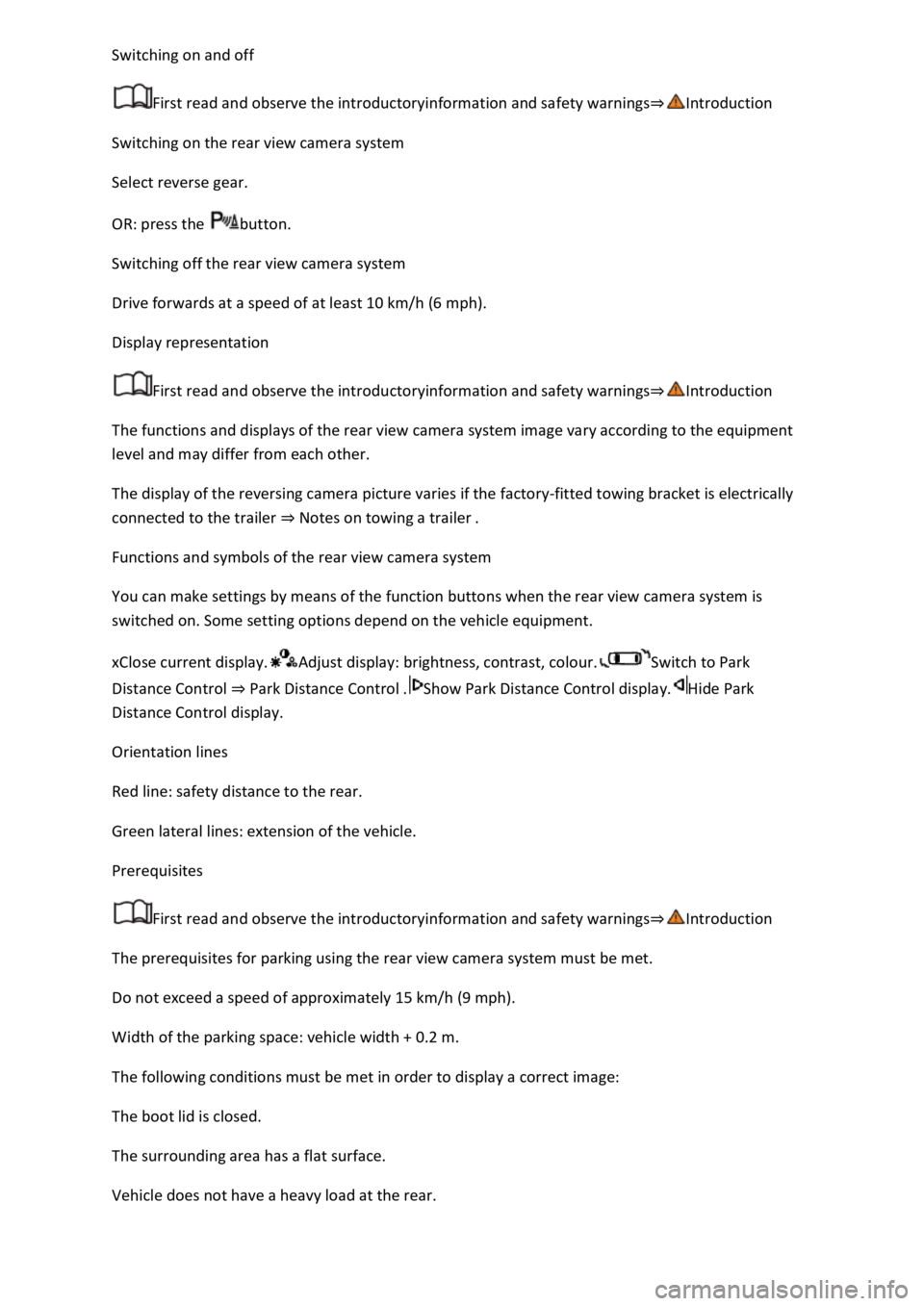
xClose current display.Adjust display: brightness, contrast, colour.Switch to Park
Distance Control ⇒ Park Distance Control .Show Park Distance Control display.Hide Park
Distance Control display.
Orientation lines
Red line: safety distance to the rear.
Green lateral lines: extension of the vehicle.
Prerequisites
First read and observe the introductoryinformation and safety warnings⇒Introduction
The prerequisites for parking using the rear view camera system must be met.
Do not exceed a speed of approximately 15 km/h (9 mph).
Width of the parking space: vehicle width + 0.2 m.
The following conditions must be met in order to display a correct image:
The boot lid is closed.
The surrounding area has a flat surface.
Vehicle does not have a heavy load at the rear.
Page 269 of 502
Parking
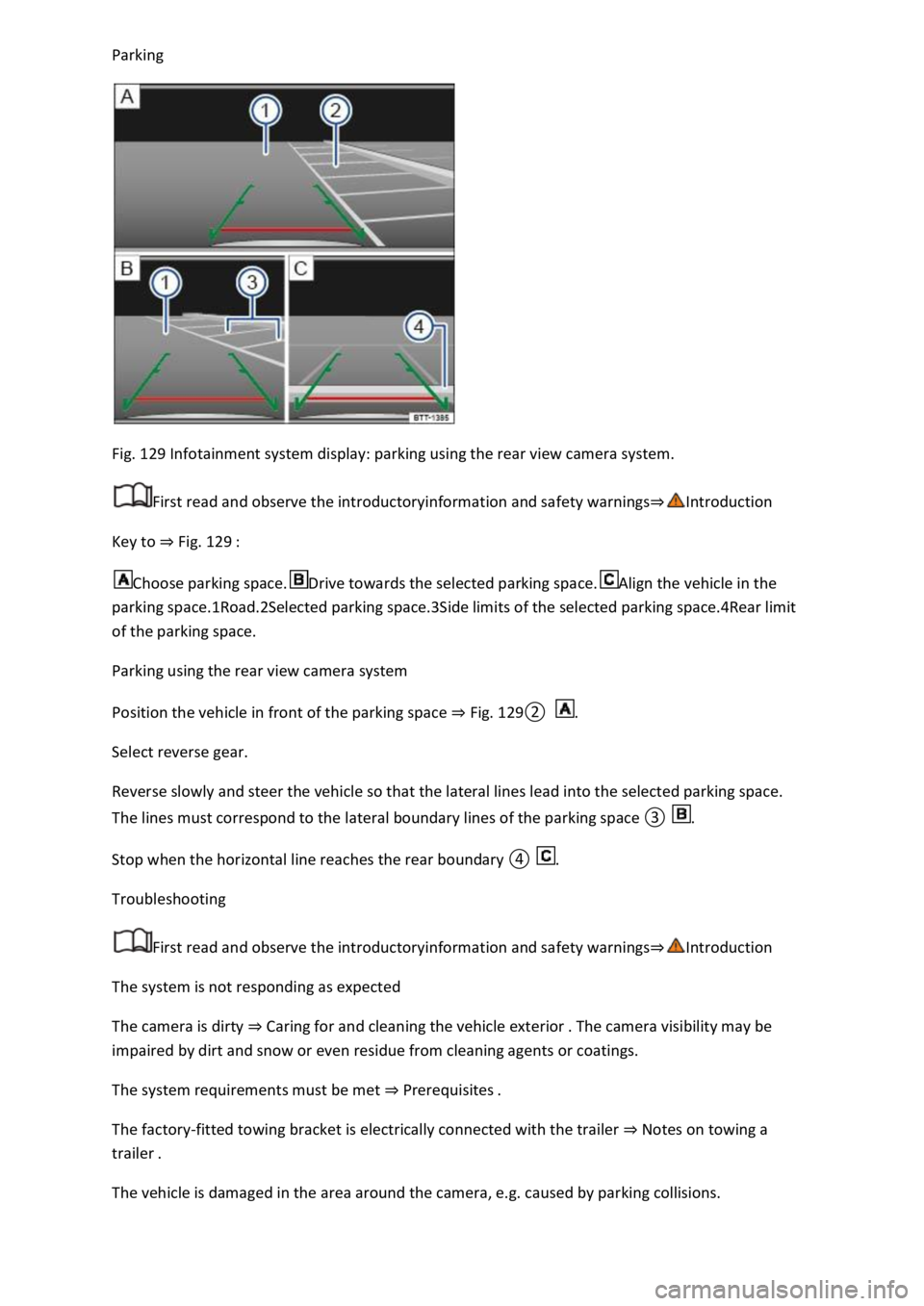
Fig. 129 Infotainment system display: parking using the rear view camera system.
First read and observe the introductoryinformation and safety warnings⇒Introduction
Key to ⇒ Fig. 129 :
Choose parking space.Drive towards the selected parking space.Align the vehicle in the
parking space.1Road.2Selected parking space.3Side limits of the selected parking space.4Rear limit
of the parking space.
Parking using the rear view camera system
Position the vehicle in front of the parking space ⇒ Fig. 129② .
Select reverse gear.
Reverse slowly and steer the vehicle so that the lateral lines lead into the selected parking space.
The lines must correspond to the lateral boundary lines of the parking space ③ .
Stop when the horizontal line reaches the rear boundary ④ .
Troubleshooting
First read and observe the introductoryinformation and safety warnings⇒Introduction
The system is not responding as expected
The camera is dirty ⇒ Caring for and cleaning the vehicle exterior . The camera visibility may be
impaired by dirt and snow or even residue from cleaning agents or coatings.
The system requirements must be met ⇒ Prerequisites .
The factory-fitted towing bracket is electrically connected with the trailer ⇒ Notes on towing a
trailer .
The vehicle is damaged in the area around the camera, e.g. caused by parking collisions.
Page 271 of 502

NOTICE
Park Assist uses parked vehicles, the kerbs and other objects as guidance. Make sure that the tyres
and wheel rims are not damaged when parking the vehicle. If necessary, stop the parking procedure
in good time to prevent damage to the vehicle.
Prerequisites
First read and observe the introductoryinformation and safety warnings⇒Introduction
The following prerequisites must be met for driving into and out of parking spaces:
The traction control system (TCS) must be switched on ⇒ Brake support systems .
Distance: maintain a distance of 0.5 – 2.0 metres when driving past the parking space.
The parking space must have at least the dimensions required by Park Assist.
Speed when driving past the parking space (for parking spaces parallel to the road): not above
40 km/h (25 mph).
Speed when driving past the parking space (for parking spaces perpendicular to the road): not above
20 km/h (12 mph).
Maximum speed: 7 km/h (4 mph). An automatic braking intervention can take place when driving
into a parking space.
No trailer is connected electrically with the factory-fitted towing bracket ⇒ Notes on towing a
trailer .
The parking manoeuvre can be continued after the automatic brake intervention.
The automatic braking intervention takes place a maximum of once per parking manoeuvre. The
parking manoeuvre will be cancelled if a speed of approximately 7 km/h (4 mph) is exceeded again.
WARNING
Do not let the automatic braking intervention triggered by Park Assist tempt you to take any risks
while driving. The system is not a substitute for the full concentration of the driver.
Park Assist has system-related limitations. In some situations, automatic braking intervention may
function only in a limited way or not at all.
You should always be prepared to brake the vehicle yourself.
The automatic braking intervention is ended after approximately 1.5 seconds. Depress the brake
pedal of the vehicle yourself following the automatic braking intervention.
Looking for a parking space