Infotainment system VOLKSWAGEN T-ROC 2022 Owner's Manual
[x] Cancel search | Manufacturer: VOLKSWAGEN, Model Year: 2022, Model line: T-ROC, Model: VOLKSWAGEN T-ROC 2022Pages: 502, PDF Size: 8.58 MB
Page 45 of 502

Press the MENU button or function button, depending on the version of the Infotainment system.
Touch the Vehicle function button.
Touch the Selection function button.
Touch the Sport function button. The performance monitor is displayed.
Touch one of the arrow buttons Fig. 23
You can change between the lap timer and performance monitor at any time using the arrow
buttons Fig. 23Fig. 24
Measuring lap times
The stopwatch measures the lap time in two areas:
The red needle and the numerical value in the centre show the running time in seconds. The smaller
display in the inner area shows minutes and hours.
The display on the right side shows the current lap time with an accuracy of 1/100 seconds. There is
no difference between the stopwatch and lap times if there are not yet any laps with split times
stored in the lap timer.
WARNING
Avoid operating the lap timer when the vehicle is in motion if possible.
Make lap timer settings and access statistics only when the vehicle is stationary.
When the vehicle is in motion, use the lap timer only in driving situations which are easy to control.
Personalisation
First read and observe the introductoryinformation and safety warnings
The personalisation function allows personalised vehicle settings, such as air conditioning system,
instrument cluster or lighting settings, to be saved in a user account. Four user accounts are
available. Users are identified by the vehicle keys upon unlocking the vehicle. A user account is
assigned to each vehicle key.
Changes to the settings will be assigned to the active user account and saved upon locking the
vehicle or changing the user account.
Welcome and user account selection
When personalisation is activated, the name of the current user account appears on the instrument
cluster display for approximately ten seconds after you switch on the ignition.
During this time, you can select a user account using the buttons on the wiper lever or multifunction
steering wheel Infotainment system controls and displays
Page 46 of 502

User management and settings
When the ignition is switched on, you can use the Personalisation menu in the Infotainment system
for user management and to make settings. The menu can be accessed via the vehicle settings in the
Infotainment system.
Changing the user account
You can select the user account either via the Personalisation menu or via the Vehicle status menu.
Manually assigning vehicle keys to user accounts
You can assign a vehicle key to the currently active user account. For this purpose, select Manual key
assignment.
Automatically assigning vehicle keys to user accounts
If you have selected Automatic key assignment, the following vehicle key is assigned to the user
account upon changing the user account:
Vehicles without Keyless Access: vehicle key used to unlock the vehicle.
Vehicles with Keyless Access: vehicle key that is identified first by the personalisation function
when you open the driver door.
Personalised vehicle settings
Opening and closing (single door unlocking, window convenience opening etc.)
Light and vision (daytime running lights, cornering light, lane change flash etc.)
Settings for air conditioning system
Active driver assist systems
Driving profile selection
Multifunction display and instrument cluster (selection of displays)
Infotainment system (display brightness and station sorting)
A new vehicle key will be assigned to the current user account. To assign the vehicle key to a
different user account, select the required user account and manually assign it to the vehicle key.
Safety
Page 49 of 502

Is fuel in the adequate quality available Fuel and emission control?
Are the correct service fluids that comply with Volkswagen specifications available in the destination
country Service fluids and consumables?
Will the navigation function in the factory-fitted Infotainment system work with the available
navigation data in the destination country?
Are special tyres necessary for travelling in the destination country?
Is a fire extinguisher a requirement in your destination country?
Which requirements must be observed regarding high-visibility waistcoats?
Checklist
Do not work on the engine and in the engine compartment unless you are familiar with the task, are
aware of the general safety procedures and have the correct equipment, service fluids and suitable
tools In the engine compartment
are uncertain. Make sure you check the following on a regular basis:
Washer fluid level Washer fluid
Engine oil level Engine oil
Coolant level Coolant
Brake fluid level Brake fluid
Tyre pressure Wheels and tyres
Page 66 of 502

The proactive occupant protection system is an assistance system that initiates measures to protect
vehicle occupants in dangerous situations. However, the system cannot prevent a collision.
The full range of functions of the proactive occupant protection system will be available only if the
function has been activated in the Infotainment system, no special driving profile has been selected
and there are no malfunctions Driving profile selecFunction
limitations
Basic functions
Depending on country-specific legal requirements and also on the vehicle equipment, the following
functions may be initiated, either individually or jointly, in critical situations (e.g. emergency braking
or in the case of oversteering or understeering) as of a speed of approximately 30 km/h (19 mph):
Reversible tensioning of the fastened front seat belts.
Depending on the critical driving situation, the seat belts can be tensioned separately or together.
Additional information for vehicles with an area monitoring system (Front Assist)
In vehicles fitted with the area monitoring system (Front Assist) Area monitoring system (Front
Assist)
limits. The system can trigger the proactive occupant protection system if it detects a probable
collision or initiates strong braking.
Function limitations
The proactive occupant protection system will not be available, or will be available only to a limited
extent, in the following situations:
If there is a fault in the ESC, belt tensioner Seat beltsor airbag control unit Airbag system
WARNING
The intelligent technology of the proactive occupant protection system cannot overcome the laws of
physics, and functions only within the limits of the system. Never let the extra convenience afforded
by the proactive occupant protection system tempt you into taking any risks when driving. The
system cannot prevent a collision. The system is not a substitute for the full concentration of the
driver.
Adapt your speed and distance from the vehicles ahead to suit visibility, weather, road and traffic
conditions.
The system cannot detect objects in all situations.
The proactive occupant protection system does not react to people, animals, objects crossing in
front of the vehicle, or objects which are hard to detect.
Page 67 of 502

cts such as safety barriers, tunnel entrances, heavy rain and ice can impair the
performance of the proactive occupant protection system and thus prevent it from detecting a
collision risk.
Incorrect system activation can occur.
WARNING
Accidents and injuries can occur if the driver is distracted.
Never change settings in the Infotainment system when the vehicle is in motion.
WARNING
Failure to observe illuminated warning lamps and text messages can lead to your vehicle breaking
down in traffic, and can cause accidents and serious injury.
Never ignore any illuminated warning lamps or text messages.
Stop the vehicle as soon as possible and when safe to do so.
NOTICE
Failure to observe illuminated indicator lamps and text messages can lead to your vehicle being
damaged.
Airbag system
Introduction
This chapter contains information on the followingsubjects:
Types of front passenger front airbag system
Indicator lamp
Description and function of the airbags
Front airbags
Switching the front passenger front airbag on and off
The vehicle is equipped with a front airbag for the driver and front passenger. The front airbags can
provide front seat occupants with additional chest and head protection if the seat, seat belts, head
restraints and, in the case of the driver, steering wheel are adjusted and used correctly. Airbags are
designed only for additional protection. The airbag system is not a substitute for the seat belts. Seats
belts must always be worn, even when the front seats are equipped with airbags.
Page 88 of 502

specialist workshop.
Lit up green: voice services are available. System is OK.
Flashing green: active connection to a voice service.
Information call
The information call enables you to call the Volkswagen AG hotline.
The information call function is available only in some sales regions.
The telephone call centre communicates in the language registered for the vehicle in Car-Net.
Breakdown call
The breakdown call allows you to seek professional assistance should your vehicle break down.
Some vehicle data, e.g. the current location, are transmitted parallel to the voice call.
The telephone call centre communicates in the language registered for the vehicle in Car-Net.
Emergency call service
If an emergency call is placed manually, or automatically after an accident where an airbag was
triggered, data relevant for the emergency call, e.g. the current vehicle location, will be transmitted
automatically Customer information
The telephone call centre communicates in the language set up in the vehicle's Infotainment system.
English is used if this language is not available at the location of the emergency.
Back-up to 112 emergency number
In some cases, the emergency call service may be restricted or unavailable so the general emergency
call number 112 will be used to conduct an emergency call. In this case, only a voice-based
connection is established. No data will be transmitted, e.g. regarding the vehicle or its location.
The following circumstances may restrict access to the emergency call service and lead to the call
being forwarded to the 112 emergency number:
Your current emergency call location is in an area with no or insufficient mobile communications and
GPS reception. This can also include tunnels, streets with tall buildings, garages, underpasses,
mountains and valleys.
You are in an area with sufficient mobile communications and GPS reception but the
telecommunications provider's mobile network is not available.
The emergency call service is prohibited by law in some countries.
There is no valid licence for using the emergency call service.
The components in the vehicle required for the emergency call service are damaged or do not have a
sufficient power supply.
Page 93 of 502

flashing once.
Locking and unlocking the boot lid
When the vehicle is locked, the boot lid will be unlocked automatically if you open it when a vehicle
key is located within the operating range of the boot lid Fig. 52
The boot lid is locked automatically after it is closed.
If the vehicle is completely unlocked, the boot lid will not lock automatically when closed.
Temporarily deactivating Keyless Access
Keyless Access can be deactivated temporarily as described below so that the vehicle cannot be
unlocked and started due to misuse by unauthorised third parties.
Lock the vehicle with the button in the vehicle key.
In addition, touch the sensor on the outside of the door handle Fig. 53once within five
seconds. Do not reach into the door handle.
Keyless Access is temporarily deactivated.
Check deactivation by waiting for at least ten seconds and then pull the door handle again. It should
not be possible to open the door.
When the vehicle is next unlocked, it can be unlocked only using the vehicle key. The Keyless Access
locking and starting system is reactivated the next time the vehicle is unlocked.
Operating the convenience functions
All electric windows and the glass roof can be closed automatically.
Keep a finger on the sensor Fig. 53of the driver or front passenger door handle for a few
seconds until the windows and glass roof are closed.
The sensor functions can be set in the Vehicle settings menu in the Infotainment system
Infotainment system controls and displays
The unlocking function is deactivated for a few seconds so that you can check that the vehicle has
been locked successfully.
If the message Keyless Access system faulty appears on the instrument cluster display, there may be
a malfunction in the Keyless Access system. Go to a qualified workshop.
If there is no vehicle key in the vehicle or if it is not detected, a message will be shown on the
instrument cluster display. This may occur if the vehicle key is subject to interference by another
Page 96 of 502

the inside using the central locking button. This may mean that people lock themselves in the
vehicle. People locked in the vehicle may be subjected to very high or very low temperatures.
Temperatures inside a locked vehicle may become extremely hot or cold, depending on the season.
This can cause serious injuries and illness or fatalities, especially in the case of small children.
Never leave anyone inside a locked vehicle. People in the vehicle could become trapped in an
emergency and will not be able to get themselves to safety.
NOTICE
When carrying out manual opening or closing, remove parts carefully and install them again
correctly in order to avoid damage to the vehicle.
Indicator lamp in the driver door
First read and observe the introductoryinformation and safety warnings
The central locking indicator lamp is located in the driver door Vehicle overviews
Vehicle is locked: a red LED flashes for approximately two seconds, firstly at short intervals and then
more slowly. The indicator lamp does not flash if the vehicle was locked with the central locking
button in the driver door Central locking button
Automatic locking and unlocking
First read and observe the introductoryinformation and safety warnings
Settings for central locking can be made in the Vehicle settings menu in the Infotainment system
Infotainment system controls and displays
Automatic locking (Auto Lock)
The vehicle can lock itself automatically at speeds above approximately 15 km/h (9 mph). The
indicator lamp in the central locking button will light up yellow when the vehicle is locked.
Automatic unlocking (Auto Unlock)
If one of the following conditions applies, all doors and the boot lid will be automatically unlocked:
The vehicle is at a standstill and the vehicle key has been removed.
In vehicles with DSG
Page 97 of 502
Depending on the settings made for central locking in the Infotainment system, it may be the case
that all of the doors and the boot lid are unlocked only when the button has been pressed twice.
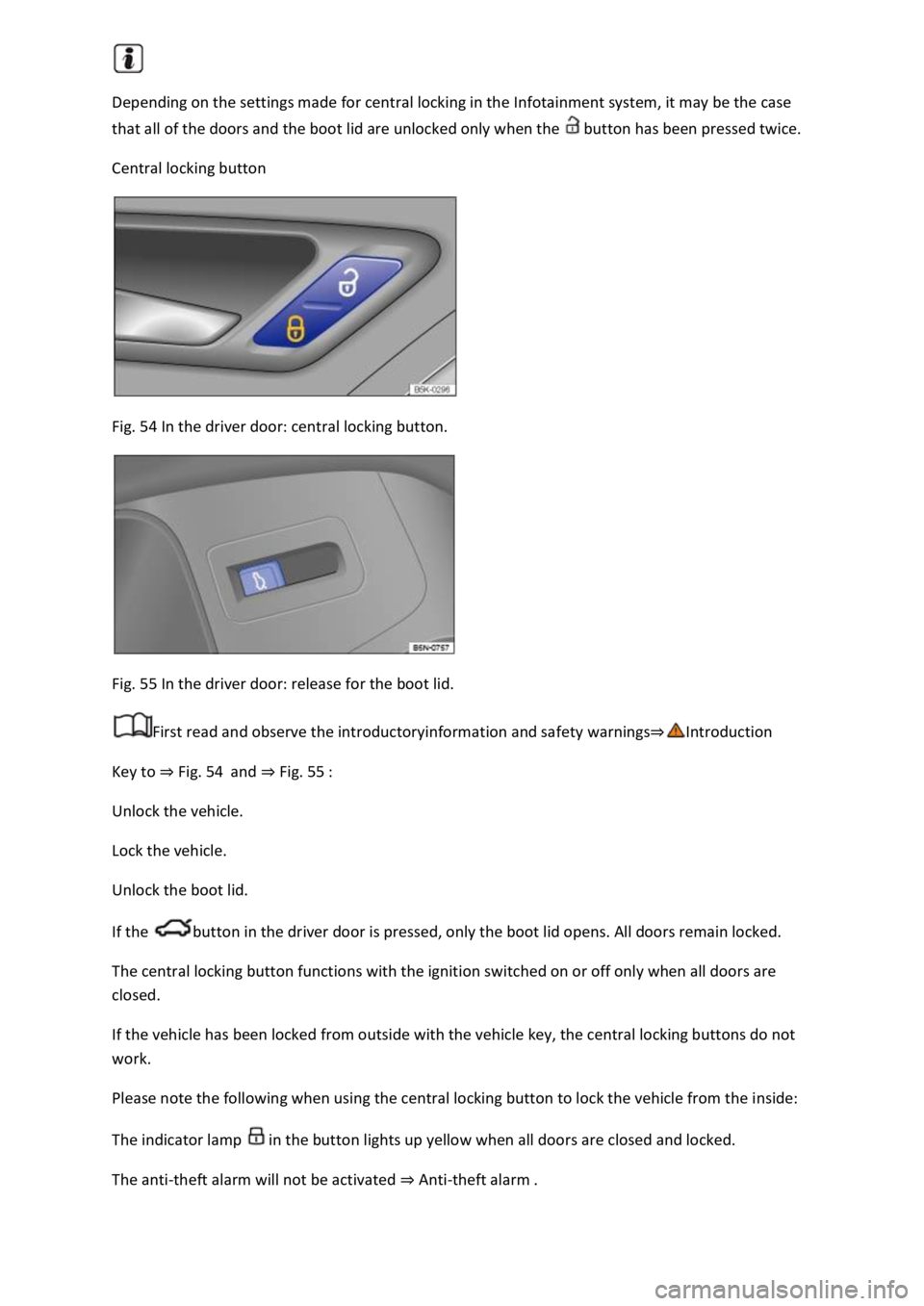
Central locking button
Fig. 54 In the driver door: central locking button.
Fig. 55 In the driver door: release for the boot lid.
First read and observe the introductoryinformation and safety warnings
Key to Fig. 54and Fig. 55
Unlock the vehicle.
Lock the vehicle.
Unlock the boot lid.
If the button in the driver door is pressed, only the boot lid opens. All doors remain locked.
The central locking button functions with the ignition switched on or off only when all doors are
closed.
If the vehicle has been locked from outside with the vehicle key, the central locking buttons do not
work.
Please note the following when using the central locking button to lock the vehicle from the inside:
The indicator lamp in the button lights up yellow when all doors are closed and locked.
The anti-theft alarm will not be activated Anti-theft alarm
Page 101 of 502

SAFELOCK deactivates the door release levers if the vehicle has been locked. This makes it more
difficult to break into the vehicle. The doors can no longer be opened from the inside
Press the button on the vehicle key once.
Press the button on the vehicle key twice in quick succession.
Vehicles with the Keyless Access locking and starting system: touch the sensor on the outside of the
door handle twiceUnlocking or locking the vehicle with Keyless Access
OR: press the central locking button in the driver door once Central locking button
There may be an indication of the activated SAFELOCK in the display of the instrument cluster
(SAFELOCK).
Deactivating SAFELOCK
Switch on the ignition.
OR: deactivate interior monitoring and the anti-tow alarm Temporarily switching off the interior
monitoring system and anti-tow alarm
Before locking the vehicle, temporarily deactivate the interior monitoring and the anti-tow alarm in
the Vehicle Settings menu in the Infotainment system Infotainment sy
The following applies when SAFELOCK is deactivated:
The interior monitoring and the anti-tow alarm are activated and deactivated in the Vehicle settings
menu in the Infotainment system Infotainment system controls and display
WARNING
Careless or unsupervised use of SAFELOCK can cause serious injuries.
Never leave other persons in the vehicle if the vehicle has been locked using the vehicle key. The
doors can no longer be opened from the inside once SAFELOCK is activated.
If you unlock the driver door mechanically using the vehicle key, only the driver door is unlocked,
and not the whole vehicle. The doors are released (but not unlocked) and the central locking button
is activated only when the ignition is switched on.
Troubleshooting
First read and observe the introductoryinformation and safety warnings
Indicator lamp lights up continuously
The red LED in the vehicle door flashes at short intervals and then lights up continuously.