Control VOLKSWAGEN TIGUAN 2017 Owner´s Manual
[x] Cancel search | Manufacturer: VOLKSWAGEN, Model Year: 2017, Model line: TIGUAN, Model: VOLKSWAGEN TIGUAN 2017Pages: 341, PDF Size: 9.14 MB
Page 189 of 341
•OR: depending on the vehicle equipment, by means of the button for the driver assist systems
⇒ Button for driver assist systems.
•OR: depending on the vehicle equipment, in the Driver assistance menu in the Infotainment
system ⇒ Operation and display in the Infotainment system.
Function
Rear Traffic Alert monitors the traffic crossing behind the vehicle when reversing out of a parking
space or manoeuvring. Rear Traffic Alert functions using radar sensors in the rear bumper.
Key to ⇒ Fig. 150:
Critical situation. Do not drive on!Possible critical situation.
Detection of a critical situation can also take place acoustically:
•A warning signal will sound and a text message will be displayed in the instrument cluster for
vehicles without Park Distance Control.
•A warning signal will sound with the continuous Park Distance Control tone if Park Distance
Control is installed in the vehicle. If the Park Distance Control is deactivated, no warning can be
given to the driver and the Rear Traffic Alert system will also be switched off temporarily.
If there is a fault in the system's scanned area, the yellow indicator lamp lights up .
Automatic braking intervention to minimise damage
If Rear Traffic Alert detects an approaching road user and the driver has not pressed the brake, the
system can brake automatically.
The Rear Traffic Alert helps the driver to prevent damage by initiating an automatic braking
intervention. Automatic braking intervention takes place when reversing at speeds of between
1-12 km/h (1-7 mph). The vehicle is held stationary for up to two seconds after vehicle standstill has
been detected.
After automatic braking intervention is activated to prevent damage to the vehicle, the system
requires approximately ten seconds before it can activate another automatic braking intervention.
The automatic braking intervention can be interrupted by pressing the accelerator or brake pedal
sharply and taking control of the vehicle.
Troubleshooting
First read and observe the introductoryinformation and safety warnings⇒
Introduction
No sensor visibility, error message, system switches itself off
•Clean the radar sensors or remove stickers or accessories from the radar sensors ⇒ Caring for
and cleaning the vehicle exterior.
•Check whether any damage is visible.
The system is not responding as expected
•The radar sensors are dirty ⇒ Caring for and cleaning the vehicle exterior. The sensor visibility
may be impaired by dirt and snow or also residue from cleaning agents or coatings.
•The prerequisites for system operation must be met ⇒ System limits.
•The radar sensors are covered by water.
•The vehicle is damaged in the area of the radar sensors, e.g. caused by parking collisions.
•The detection ranges of the radar sensors are blocked by add-on parts, e.g. bicycle carriers.
•Changes have been made to the paintwork in the area of the radar sensors or structural
modifications have been made, e.g. on the vehicle front end or the running gear.
•Tinting foils have been retrofitted on the side windows.
The intelligent technology of the lane change system including Rear Traffic Alert cannot
overcome the laws of physics, and functions only within the limits of the system. Do not
let the auxiliary function of the Rear Traffic Alert tempt you to take any risks while driving
– this can cause accidents. The system is not a substitute for the full concentration of the
driver.
•Never use the system with impaired vision or in unpredictable traffic situations, e.g. on
extremely busy roads or across several lanes.
•Always pay attention to the area around the vehicle – cyclists and pedestrians are
often not clearly detected.
•The Rear Traffic Alert will not always independently bring the vehicle to a complete
stop.
WARNING
Page 190 of 341
Parking and manoeuvring
Parking
Stopping the vehicle
Always park the vehicle in the specified order.
Always stop the vehicle on a suitable surface ⇒.
•Bring the vehicle to a stop. On vehicles with a manual gearbox, fully depress the clutch.
•Press and hold the brake pedal.
•With a DSG dual clutch gearbox, move the selector lever to position P.
•Switch on the electronic parking brake ⇒ Electronic parking brake.
•Stop the engine and switch off the ignition ⇒ Starting and stopping the engine. The indicator
lamp in the instrument cluster display must light up red.
•With a manual gearbox, select first gear for flat ground and uphill inclines, or reverse gear for
downhill inclines, and then release the clutch.
•Locking the steering column ⇒ Steering
•Take your left foot off the brake.
•Make sure that all vehicle occupants leave the vehicle.
•Get out of the vehicle. Take all vehicle keys with you.
•Lock the vehicle.
Parking on uphill and downhill gradients
Turn the steering wheel so that the front wheels will roll against the kerb if the parked vehicle starts
to move.
Please adhere to relevant legislation when stopping and parking your vehicle.
®
The components of the exhaust system become very hot. This can cause fires and serious
injuries.
•Never park the vehicle where parts of the exhaust system can come into contact with
inflammable material underneath the vehicle, e.g. undergrowth, leaves, dry grass, spilt
fuel, oil etc.
WARNING
The vehicle may roll away if you leave and park the vehicle incorrectly. This can cause
accidents and serious injuries.
•Before leaving the vehicle, make sure that the electronic parking brake is switched on
and that the indicator light lights up red on the instrument cluster display when
the ignition is switched off.
•Never remove the vehicle key from the ignition lock when the vehicle is in motion. The
steering lock may be activated and you will no longer be able to steer or control the
vehicle.
•Never leave children or people requiring assistance alone in the vehicle. They could
switch off the electronic parking brake, or move the selector lever or gearshift lever,
and thus set the vehicle in motion.
•Always take all vehicle keys with you every time you leave the vehicle. The engine can
be started and electrical equipment such as the window controls can be operated. This
can cause serious injury.
•Never leave children or people requiring assistance alone in the vehicle. They could
become trapped in the vehicle in an emergency and may not be able to get themselves
to safety. For example, locked vehicles may be subjected to very high or very low
temperatures depending on the season. This can cause serious injuries and illness or
fatalities, especially among small children.
WARNING
•Always take care when driving in car parks with protruding kerbstones or bollards.
Objects that protrude from the ground can damage the bumper and other components
when parking the vehicle or driving out of a parking space. Stop before the wheels
touch the fixed boundaries or kerbs.
•Drive carefully through dips in the road, over driveways, ramps, kerbstones and other
objects. Low-lying vehicle components such as the bumper, spoiler and parts of the
running gear, engine or exhaust system could be damaged.
NOTICE
Page 193 of 341
DSG: if the gear selector lever is moved to position N, the Auto Hold function will not be switched
on or will be switched off. As a result, the vehicle will not be held securely in a stationary position ⇒
.
Holding the vehicle stationary with the Auto Hold function
•Make sure that the Auto Hold function is operational. The indicator lamp in the
button lights up yellow.
•Brake the vehicle to bring it to a standstill ⇒ Parking.
•Manual gearbox: disengage the clutch and either keep the clutch fully depressed or shift to
neutral.
•Release the brake. The indicator lamp will light up greenon the instrument cluster display.
The vehicle is being held stationary by the Auto Hold function ⇒.
Switching off the Auto Hold function
•Press the button ⇒. The indicator lamp in the button
⇒ Fig. 152 (arrow) switches off.
The electronic parking brake switches on automatically to hold the vehicle securely. However, the
electronic parking brake will not switch on if the brake pedal is depressed when the Auto Hold
function is switched off ⇒.
Switching off the Auto Hold function temporarily using the button
It can sometimes be necessary to turn the Auto Hold function off temporarily to enable the vehicle
to roll more easily, for example when manoeuvring.
•With the engine switched on, depress the brake pedal.
•Press the button. The Auto Hold function is deactivated.
The Auto Hold function will be reactivated as soon as the brake pedal is depressed again when the
vehicle has come to a standstill.
The system's limits
If the clutch grinds while the ignition is switched off or the driver door is open, the vehicle cannot be
secured against rolling away with the Auto Hold function or the electronic parking brake in certain
circumstances ⇒. After switching off the ignition or opening the driver door, make sure
that the indicator lampin the instrument cluster display lights up red. The electronic
parking brake is switched on.
Safety notes on the parking systems
The parking systems include the following:
•Park Distance Control ⇒ Park Distance Control.
•Rear view camera system (Rear View) ⇒ Rear view camera system (Rear View).
•Park Assist ⇒ Park Assist.
•Area View ⇒ Area View.
•Trailer manoeuvring system (Trailer Assist) ⇒ Trailer Assist
The systems available depend on the equipment in the vehicle.
Always observe and follow the general safety notes when using the parking systems.
®
The intelligent Auto Hold function cannot overcome the laws of physics, and operates
only within the limits of the system. Never let the extra convenience afforded by the Auto
Hold function tempt you into taking any risks when driving.
•Make sure that the indicator lamp in the instrument cluster display lights up green
or red if you want to hold the vehicle securely. The vehicle is being held by the
Auto Hold function if the green indicator lamp is lit and by the electronic parking brake
if the red warning lamp is lit.
•Never leave the vehicle if the engine is running and the Auto Hold function is switched
on.
•The Auto Hold function cannot hold the vehicle in all hill start situations or brake it
sufficiently on all slopes going downhill, e.g. if the ground is slippery or icy.
WARNING
Switch off the Auto Hold function before driving into a car wash. Damage may otherwise
be caused by automatic activation of the electronic parking brake.
NOTICE
Page 194 of 341
Volkswagen recommends that drivers practise using the parking systems in a traffic-calmed
area or car park to allow them to familiarise themselves with the systems and their functions.
Park Distance Control
Introduction
This chapter contains information on the followingsubjects:
⇒ Switching on and off
⇒ Display representation
⇒ Settings
⇒ Troubleshooting
The Park Distance Control system
assists the driver when manoeuvring
and parking.
Park Distance Control detects the distance from an obstacle by means of sensors in the front and
rear bumpers ⇒ Vehicle overviews. If there is an obstacle in the detection range of the sensors, the
system indicates this on the Infotainment system and by means of signal tones.
System limits
The sensors may not always be able to detect objects such as trailer drawbars, thin rails, fences,
posts, trees, very low or high obstacles and open or opening boot lids.
In some cases, dirt and ice on the sensors could be registered as an obstacle.
Switching on and off
Fig. 153 In the centre console: button for switching Park Distance Control on and off (depending on
equipment).
First read and observe the introductoryinformation and safety warnings⇒
Introduction
Switching on Park Distance Control
•Select reverse gear.
•OR: press the button or .
The intelligent technology used in the parking systems cannot overcome the laws of
physics, and functions only within the limits of the system. Never let the extra
convenience afforded by the parking systems tempt you into taking any risks when
driving. The parking systems cannot replace the full concentration of the driver.
•Always adapt your speed and driving style to suit visibility, weather, road and traffic
conditions.
•Unintentional vehicle movements can cause serious injury.
•Keep looking in the direction in which you are parking and at the relevant area
surrounding the vehicle.
•Do not allow the displays in the instrument cluster and the images shown in the
Infotainment system to distract you from the traffic.
•Always monitor the area around the vehicle as the parking systems will not always
detect infants, animals and objects.
•The parking systems have blind spots in which obstacles and people are not
registered.
•External sources of sound and certain surfaces on objects and clothing may influence
the sensors' signals. In certain circumstances, the systems will be unable to detect or
properly detect people and objects.
•Certain objects, for example narrow posts or railings, may be difficult or impossible to
see on the screen because of its low resolution or poor light conditions.
•When approaching objects at high speeds, the parking systems' signals and displays
may not respond quickly enough to emit a warning.
WARNING
Page 195 of 341
Park Distance Control switches itself on automatically if the vehicle rolls backwards.
Depending on the vehicle equipment, Park Distance Control can also be activated automatically.
Switching off Park Distance Control
•Press the or button.
•OR: drive forwards at a speed of more than 10-15 km/h (6-9 mph).
•OR: move the selector lever to position P.
Automatic activation (depending on equipment)
Park Distance Control also switches itself on if the vehicle approaches an obstacle in the front area
of the vehicle at a speed of less than 15 km/h (9 mph). Automatic activation can be switched on in
the Infotainment system.
Automatic activation functions only when the vehicle speed falls below around 15 km/h (9 mph) for
the first time. Renewed automatic activation is possible after Park Distance Control has been
switched off and then back on again with the button or .
Automatic activation can also be reactivated by switching the ignition or electronic parking brake off
and then back on again.
Manoeuvre braking
If the vehicle is equipped with manoeuvre braking, the manoeuvre braking function triggers the
emergency brake as soon as an obstacle is detected while reversing. The manoeuvre braking
function helps to prevent collisions. The vehicle speed must not be higher than 10 km/h (6 mph).
The manoeuvre braking function is activated or deactivated when Park Distance Control is switched
on or off. The manoeuvre braking function is inactive for five metres after a braking operation in the
same direction of travel. The manoeuvre braking function is ready for braking again after changing
gear or position. The same restrictions apply as for Park Distance Control.
Manoeuvre braking is not active if Park Distance Control was activated automatically.
Touch the function button to switch manoeuvre braking on and off.
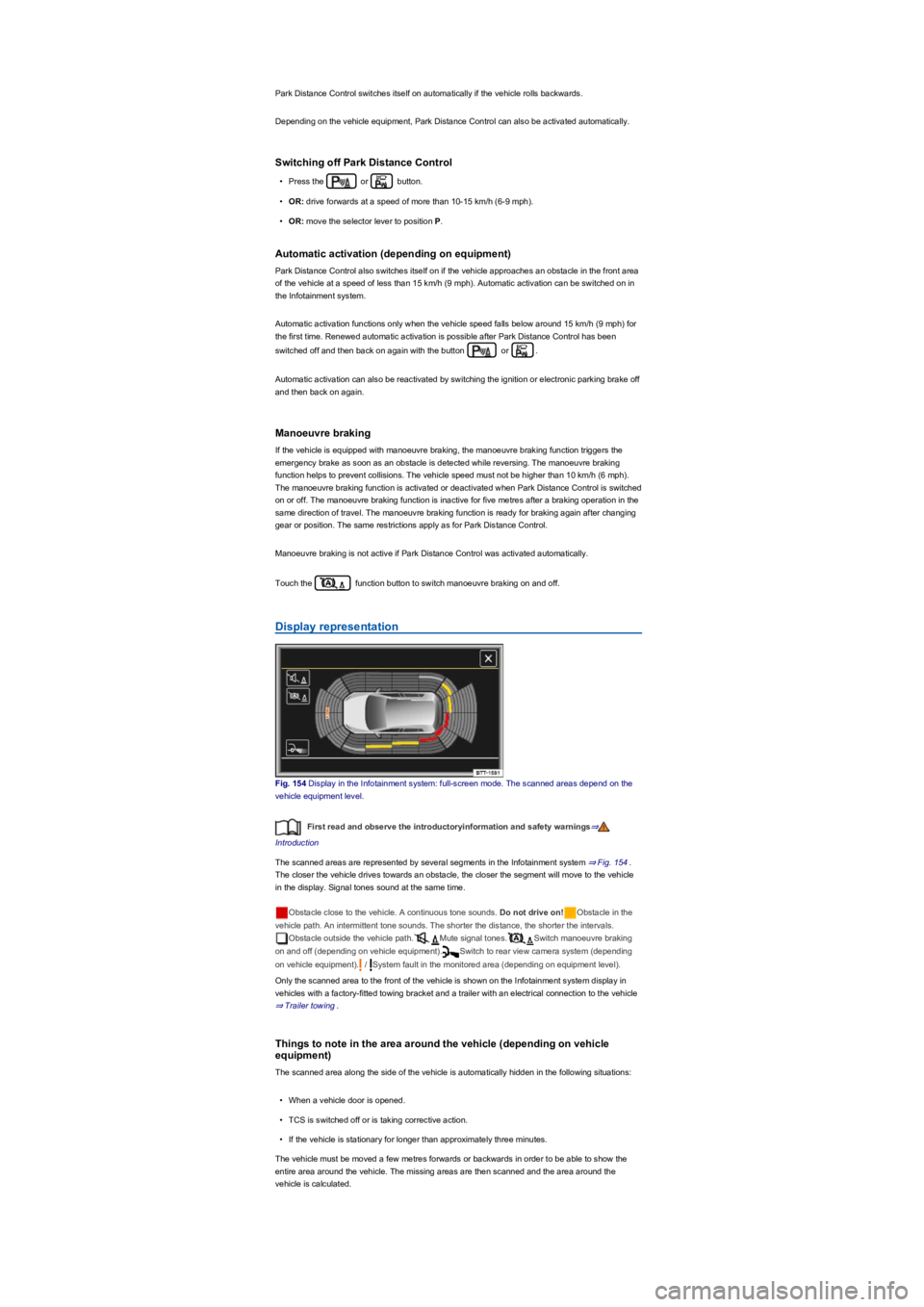
Display representation
Fig. 154 Display in the Infotainment system: full-screen mode. The scanned areas depend on the
vehicle equipment level.
First read and observe the introductoryinformation and safety warnings⇒
Introduction
The scanned areas are represented by several segments in the Infotainment system ⇒ Fig. 154.
The closer the vehicle drives towards an obstacle, the closer the segment will move to the vehicle
in the display. Signal tones sound at the same time.
Obstacle close to the vehicle. A continuous tone sounds. Do not drive on!Obstacle in the
vehicle path. An intermittent tone sounds. The shorter the distance, the shorter the intervals.
Obstacle outside the vehicle path.Mute signal tones.Switch manoeuvre braking
on and off (depending on vehicle equipment).Switch to rear view camera system (depending
on vehicle equipment). / System fault in the monitored area (depending on equipment level).
Only the scanned area to the front of the vehicle is shown on the Infotainment system display in
vehicles with a factory-fitted towing bracket and a trailer with an electrical connection to the vehicle
⇒ Trailer towing.
Things to note in the area around the vehicle (depending on vehicle
equipment)
The scanned area along the side of the vehicle is automatically hidden in the following situations:
•When a vehicle door is opened.
•TCS is switched off or is taking corrective action.
•If the vehicle is stationary for longer than approximately three minutes.
The vehicle must be moved a few metres forwards or backwards in order to be able to show the
entire area around the vehicle. The missing areas are then scanned and the area around the
vehicle is calculated.
Page 196 of 341
Settings
First read and observe the introductoryinformation and safety warnings⇒
Introduction
Depending on the vehicle equipment, settings for Park Distance Control can be made in the
Infotainment system ⇒ Operation and display in the Infotainment system.
You can save some settings in the user accounts of the personalisation function. The settings
change automatically when the user account is changed ⇒ Personalisation.
Troubleshooting
First read and observe the introductoryinformation and safety warnings⇒
Introduction
No sensor visibility, error message, system switches itself off
The sensor area is switched off permanently if a sensor fails.
Any malfunctions in the Park Distance Control system will be indicated by a text message and a
warning tone when first switched on, and by the indicator lamp flashing in the or
buttons. If the sensors are dirty or covered, the affected sensor cluster will be displayed on the Park
Distance Control screen. A cleaning message (depending on equipment) will also be displayed.
•Clean the sensors or remove stickers or accessories from the sensors and cameras ⇒ Caring
for and cleaning the vehicle exterior.
•Check whether any damage is visible.
The system is not responding as expected
•The sensors are dirty ⇒ Caring for and cleaning the vehicle exterior. The sensor visibility may
be impaired by dirt and snow or also residue from cleaning agents or coatings.
•The system requirements must be met ⇒ System limits.
•The sensors are covered by water.
•The factory-fitted towing bracket is electrically connected with the trailer ⇒ Trailer towing.
•The vehicle is damaged in the area of the sensors, e.g. caused by parking collisions.
•The detection ranges of the sensors are blocked by add-on parts, e.g. bicycle carriers.
•Changes have been made to the paintwork in the area of the sensors or structural modifications
have been made, e.g. on the vehicle front end or the running gear.
•The ultrasound signal is subject to interference from external noise sources, e.g. rough tarmac
surface or cobblestones.
Response to all circumstances
•Switch off the system temporarily.
•Check whether any of the causes described below apply.
•You can switch the system back on again once you have rectified the cause of the problem.
•If the system still fails to respond as expected, have the system checked by a qualified
workshop.
Rear view camera system (Rear View)
Introduction
This chapter contains information on the followingsubjects:
⇒ Switching on and off
⇒ Display representation
⇒ Prerequisites
⇒ Parking perpendicular to the road (mode 1)
⇒ Parking parallel to the road (mode 2)
⇒ Troubleshooting
The rear view camera system in the
rear of the vehicle makes it easier for
the driver to see behind the vehicle and
provides support for parking
manoeuvres.
The rear view camera system shows the area behind the vehicle on the Infotainment system
screen. Depending on the operating mode, orientation lines support the view to the rear.
Modes for the rear view camera system
Depending on the vehicle equipment, the following operating modes are available:
Page 197 of 341
•Perpendicular parking (mode 1): reverse parking perpendicular to the road.
•Parallel parking (mode 2): reverse parking parallel to the road.
•Trailer support (mode 3): support when hitching a trailer to the vehicle.
•Crossing traffic (mode 4): observing crossing traffic.
System limits
The rear view camera system shows only two-dimensional images on the screen. The lack of depth
of field means that potholes and protruding objects on the ground may only be detected with
difficulty, or may not be detected at all.
The rear view camera system may not always be able to detect objects such as thin rails, fences,
posts, trees etc. This could result in damage to your vehicle.
The system displays the orientation lines irrespective of the area surrounding the vehicle. There is
no automatic obstacle detection. Drivers must judge for themselves whether the vehicle will fit into
the parking space.
Switching on and off
First read and observe the introductoryinformation and safety warnings⇒
Introduction
Switching on the rear view camera system
•Select reverse gear.
•OR: press the button.
Switching off the rear view camera system
Drive forwards at a speed of at least 15 km/h (9 mph).
Display representation
First read and observe the introductoryinformation and safety warnings⇒
Introduction
The image of the rear view camera system is displayed in the Infotainment system.
The functions and displays depend on the vehicle equipment and may differ from each other.
The rear view camera system hides all orientation lines and guiding functions when the factory-
fitted towing bracket is electrically connected to the trailer ⇒ Trailer towing.
Settings
You can make settings by means of the function buttons when the rear view camera system is
switched on. Some setting options depend on the vehicle equipment.
Function buttons and symbols of the rear view camera system:
xClose current display.Switch to perpendicular parking (mode 1) ⇒ Parking perpendicular to
the road (mode 1).Switch to parallel parking (mode 2) ⇒ Parking parallel to the road
(mode 2).Switch to trailer support (mode 3).Switch to crossing traffic (mode 4).Adjust
display: brightness, contrast, colour.Switch to Park Distance Control ⇒ Park Distance
Control.Show Park Distance Control display.Hide Park Distance Control display.
Switch Park Distance Control sound on and off.Turn steering wheel (mode 2).Stop
vehicle (mode 2).
Orientation lines
Green horizontal line: extension of the vehicle.
Red lateral line: a yellow line turns red if a change in the steering input is necessary (mode 2).
Yellow lines: vehicle path depending on the steering angle.
Yellow auxiliary boxes: front and rear limits of the parking space (mode 2).
Green lateral line: turning point when driving into a parking space (mode 2).
Using images from the camera to estimate the distance from obstacles (people, vehicles
etc.) is inaccurate and could cause accidents and severe injuries.
•Camera lenses enlarge and distort the field of vision and make objects appear different
and inaccurate on the screen.
WARNING
Page 200 of 341
•Changes have been made to the paintwork around the camera or the construction has been
modified, e.g. vehicle front end or the running gear.
Response to all circumstances
•Switch off the system temporarily.
•Check whether any of the causes described below apply.
•You can switch the system back on again once you have rectified the cause of the problem.
•If the system still fails to respond as expected, have the system checked by a qualified
workshop.
Park Assist
Introduction
This chapter contains information on the followingsubjects:
⇒ Prerequisites
⇒ Looking for a parking space
⇒ Driving into a parking space
⇒ Driving out of a parking space
⇒ Troubleshooting
Park Assist shows parking spaces
which are suitable for parking and
assists the driver when driving into and
out of parking spaces.
Park Assist is an extension of Park Distance Control ⇒ Park Distance Control.
Park Assist automatically steers the vehicle. The driver must control the accelerator, gear changes
and brake!
Driving into a parking space using Park Assist takes place in the following steps:
•Look for a parking space.
•Drive into a parking space.
System limits
The sensors may not always be able to detect objects such as trailer drawbars, thin rails, fences,
posts, trees and open or opening boot lids. This can result in damage to your vehicle.
In some cases, dirt and ice on the sensors could be registered as an obstacle.
Prerequisites
First read and observe the introductoryinformation and safety warnings⇒
Introduction
The following prerequisites must be met for driving into and out of parking spaces:
•The traction control system (TCS) must be switched on ⇒ Brake support systems.
•Distance: maintain a distance of 0.5 – -2.0 metres when driving past the parking space.
•The parking space must have at least the dimensions required by Park Assist.
•Speed when driving past the parking space (for parking spaces parallel to the road): not above
40 km/h (25 mph).
•Speed when driving past the parking space (for parking spaces perpendicular to the road): not
above 20 km/h (12 mph).
•Maximum speed: 7 km/h (4 mph). An automatic braking intervention can take place when
driving into a parking space.
The parking manoeuvre can be continued after the automatic brake intervention.
Fast steering wheel movements can cause serious injury.
•During the manoeuvring operation, do not reach for the steering wheel until prompted
to do so by the system.
•Exception: if a dangerous situation occurs, intervene and take over the steering.
WARNING
Park Assist uses parked vehicles, the kerb and other objects as guidance. Please ensure
that the wheels and tyres are not damaged when parking the vehicle. If necessary, stop the
parking procedure in good time to prevent damage to the vehicle.
NOTICE
Page 204 of 341
in real time and allows you to detect
obstacles at an early stage.
The system uses several cameras to create an image which is displayed on the Infotainment
system display.
The functions and displays may differ in vehicles with or without Park Distance Control.
Things to note
The Area View system camera supplies two-dimensional images only. Due to the lack of depth of
field on the screen, potholes and dips in the ground, protruding parts on another vehicle or
protruding objects on the ground may be difficult or impossible to see on the image.
•When driving into or out of an uphill gradient.
•Protruding objects can disappear from the field of view of the cameras.
System limits
The camera may not always be able to detect objects such as trailer drawbars, thin rails, fences,
posts, trees and open or opening boot lids. This can result in damage to your vehicle.
In some cases, dirt and ice on the sensors could be registered as an obstacle.
Prerequisites
First read and observe the introductoryinformation and safety warnings⇒
Introduction
The following conditions must be met in order to display a correct image:
•The doors and boot lid must be closed.
•The area around the vehicle must be clear and fully visible.
•The surrounding area has a flat surface.
•Vehicle does not have a heavy load at the rear.
Switching on and off
Fig. 160 In the centre console: button for manually switching on Area View.
First read and observe the introductoryinformation and safety warnings⇒
Introduction
Switching on
•Select reverse gear.
•OR: press the button.
Switching off
•Drive forwards faster than approximately 15 km/h (9 mph).
•OR: press the button.
Display representation
First read and observe the introductoryinformation and safety warnings⇒
Introduction
The functions and displays depend on the vehicle equipment and may differ from each other.
Area View is shown in two screen areas in the Infotainment system:
Using images from the camera to estimate the distance from obstacles (people, vehicles
etc.) is inaccurate and could cause accidents and severe injuries.
•Camera lenses enlarge and distort the field of vision and make objects appear different
and inaccurate on the screen.
WARNING
Page 205 of 341
•Left screen: the vehicle is shown in the bird's eye view. The view in the right area of the screen
changes when you touch an individual area.
•Right screen: the individual camera images are displayed corresponding to the area selected in
the left screen.
In addition, the available menu options and camera views for the corresponding camera are shown
at the right-hand side of the screen.
Displays the bird's eye view.Hides the bird's eye view.Switches sound on and off.
Adjusts brightness, contrast and colour.3D views.xCloses the current display.
The auxiliary lines and boxes are shown by the system independently of the vehicle surroundings.
There is no detection of obstacles. Drivers must judge for themselves whether the vehicle will fit
into the parking space.
Area View hides all the auxiliary orientation lines in the area of the rear camera when the factory-
fitted towing bracket is electrically connected to a trailer ⇒ Trailer towing.
Operating camera views
First read and observe the introductoryinformation and safety warnings⇒
Introduction
•Touch the area next to the vehicle.
•Select a corresponding view by means of the function buttons at the edge of the image.
The displayed red lines indicate a distance of approximately 40 cm from the vehicle.
Camera views in front of the vehicle
Crossing traffic.Perpendicular parking. Orientation lines are displayed as a guide. See
rear view camera system mode 1 ⇒ Rear view camera system (Rear View).Off-road.
Camera views next to the vehicle
Both areas next to the vehicle simultaneously.Driver side only.Front passenger side only.
Camera views behind the vehicle
Perpendicular parking. Orientation lines are displayed as a guide. See rear view camera
system mode 1 ⇒ Rear view camera system (Rear View).Parallel parking. The coloured
auxiliary boxes and lines are provided for orientation. See rear view camera system mode 2 ⇒ Rear
view camera system (Rear View).Trailer support. See rear view camera system mode 3
⇒ Rear view camera system (Rear View).Crossing traffic. See rear view camera system mode
4 ⇒ Rear view camera system (Rear View).
3D views
Top view of the vehicle and surroundings. Depending on the vehicle equipment level, the
Park Distance Control vehicle path display may also be shown.Top view of the vehicle and
surroundings.Vehicle and surrounding area are shown at an angle from above.
Vehicle and surrounding area are shown from the side.
The viewing angle can be changed by swiping in the direction of the arrows.
Troubleshooting
First read and observe the introductoryinformation and safety warnings⇒
Introduction
No camera visibility, error message, system switches itself off
•Clean the camera or remove the stickers or camera accessories ⇒ Caring for and cleaning the
vehicle exterior.
•Check whether any damage is visible.
The system is not responding as expected
•The cameras are dirty ⇒ Caring for and cleaning the vehicle exterior. The camera visibility may
be impaired by dirt and snow or also residue from cleaning agents or coatings.
•The system requirements must be met ⇒ Prerequisites.
•The cameras are covered by water.
•The vehicle is damaged in the area around the camera, e.g. caused by parking collisions.
•The detection range of the cameras is blocked by add-on parts, e.g. bicycle carriers.
•Changes have been made to the paintwork around the camera or the construction has been
modified, e.g. vehicle front end or the running gear.
Response to all circumstances
•Switch off the system temporarily.
•Check whether any of the causes described below apply.
•You can switch the system back on again once you have rectified the cause of the problem.