warning VOLKSWAGEN TIGUAN 2017 Owner´s Manual
[x] Cancel search | Manufacturer: VOLKSWAGEN, Model Year: 2017, Model line: TIGUAN, Model: VOLKSWAGEN TIGUAN 2017Pages: 341, PDF Size: 9.14 MB
Page 166 of 341
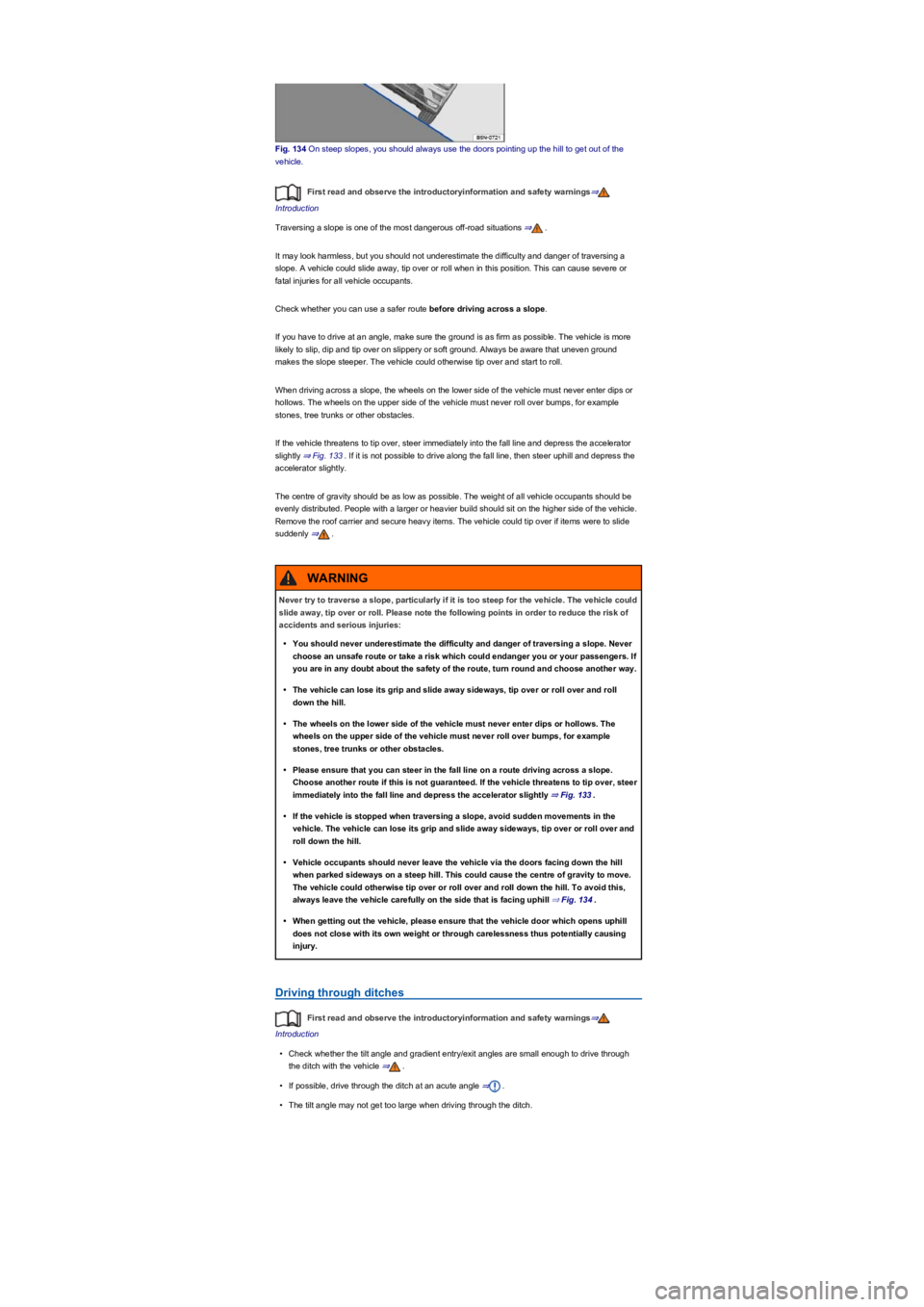
Fig. 134 On steep slopes, you should always use the doors pointing up the hill to get out of the
vehicle.
First read and observe the introductoryinformation and safety warnings⇒
Introduction
Traversing a slope is one of the most dangerous off-road situations ⇒.
It may look harmless, but you should not underestimate the difficulty and danger of traversing a
slope. A vehicle could slide away, tip over or roll when in this position. This can cause severe or
fatal injuries for all vehicle occupants.
Check whether you can use a safer route before driving across a slope.
If you have to drive at an angle, make sure the ground is as firm as possible. The vehicle is more
likely to slip, dip and tip over on slippery or soft ground. Always be aware that uneven ground
makes the slope steeper. The vehicle could otherwise tip over and start to roll.
When driving across a slope, the wheels on the lower side of the vehicle must never enter dips or
hollows. The wheels on the upper side of the vehicle must never roll over bumps, for example
stones, tree trunks or other obstacles.
If the vehicle threatens to tip over, steer immediately into the fall line and depress the accelerator
slightly ⇒ Fig. 133. If it is not possible to drive along the fall line, then steer uphill and depress the
accelerator slightly.
The centre of gravity should be as low as possible. The weight of all vehicle occupants should be
evenly distributed. People with a larger or heavier build should sit on the higher side of the vehicle.
Remove the roof carrier and secure heavy items. The vehicle could tip over if items were to slide
suddenly ⇒.
Driving through ditches
First read and observe the introductoryinformation and safety warnings⇒
Introduction
•Check whether the tilt angle and gradient entry/exit angles are small enough to drive through
the ditch with the vehicle ⇒.
•If possible, drive through the ditch at an acute angle ⇒.
•The tilt angle may not get too large when driving through the ditch.
Never try to traverse a slope, particularly if it is too steep for the vehicle. The vehicle could
slide away, tip over or roll. Please note the following points in order to reduce the risk of
accidents and serious injuries:
•You should never underestimate the difficulty and danger of traversing a slope. Never
choose an unsafe route or take a risk which could endanger you or your passengers. If
you are in any doubt about the safety of the route, turn round and choose another way.
•The vehicle can lose its grip and slide away sideways, tip over or roll over and roll
down the hill.
•The wheels on the lower side of the vehicle must never enter dips or hollows. The
wheels on the upper side of the vehicle must never roll over bumps, for example
stones, tree trunks or other obstacles.
•Please ensure that you can steer in the fall line on a route driving across a slope.
Choose another route if this is not guaranteed. If the vehicle threatens to tip over, steer
immediately into the fall line and depress the accelerator slightly ⇒ Fig. 133.
•If the vehicle is stopped when traversing a slope, avoid sudden movements in the
vehicle. The vehicle can lose its grip and slide away sideways, tip over or roll over and
roll down the hill.
•Vehicle occupants should never leave the vehicle via the doors facing down the hill
when parked sideways on a steep hill. This could cause the centre of gravity to move.
The vehicle could otherwise tip over or roll over and roll down the hill. To avoid this,
always leave the vehicle carefully on the side that is facing uphill ⇒ Fig. 134.
•When getting out the vehicle, please ensure that the vehicle door which opens uphill
does not close with its own weight or through carelessness thus potentially causing
injury.
WARNING
Page 167 of 341
Clean the turn signals, headlight system, the number plate and all windows.
If necessary, remove the towing eye and the snow chains.
Check the tyres, struts and axles for damage and remove dirt, stones and other foreign
bodies from the tyre tread.
Inspect the vehicle underbody and remove all items that are jammed in the brake system,
on the wheels, in the running gear, in the exhaust system and in the engine, such as
branches, leaves or pieces of wood . If you see any damage or leaks, take your vehicle to a
qualified workshop.
Clean heavy soiling from the radiator grille and the vehicle underbody Vehicle care.
Check the engine compartment to see if any dirt is affecting the engine operation In the
engine compartment.
Switch off OFF-ROAD mode Selecting a driving profile (4MOTION Action Control).
Switch on TCS again Brake support systems.
If your vehicle gets stuck
First read and observe the introductoryinformation and safety warnings⇒
Introduction
Rocking out a vehicle requires a great deal of training and feeling for the vehicle.
If you make a mistake when rocking the vehicle, it can sink deeper and you will need assistance to
get out of the mud.
When you cannot proceed ...
•Carefully dig out all the wheels and check that no other parts of the vehicle are stuck in the
sand.
•Engage reverse gear.
•Reverse over your own tracks, accelerating gently.
If this does not help, place brushwood, floor mats or sacking directly in front of the wheels to
increase grip ⇒.
Rocking the vehicle
Never allow the wheels to spin for long periods as this will cause the vehicle to sink deeper ⇒.
•Switch off TCS ⇒ Brake support systems.
•Position the steering wheel so that it is facing straight ahead.
•Reverse until the point where the wheels just start to spin.
•Quickly select first gear and drive forwards until the wheels start to spin again.
•Repeat driving back and forth until you have enough momentum to free yourself.
•Switch the TCS on after the rocking procedure is completed ⇒ Brake support systems.
•Use the Off-road driving profile.
After off-road driving
First read and observe the introductoryinformation and safety warnings⇒
Introduction
Checklist
Never drive through a ditch if the entry/exit angle is too steep for the vehicle and the ditch
is too deep. The vehicle could slide away, tip over or roll.
WARNING
If you drive into the ditch at a right angle, the front wheels will fall in. The underbody of
your vehicle could get stuck and damaged which means that the vehicle could break
down. It is then almost impossible to get out of the ditch despite having all-wheel drive.
NOTICE
Nobody may stand either in front or behind the vehicle, particularly if you are attempting
to free a stuck vehicle.
•Spinning wheels can propel stones, brushwood, pieces of wood or other objects that
are in front or behind the wheels at enormous speed and cause potentially fatal injury.
•People standing in front of or behind the vehicle could be run over if the stuck vehicle
starts to move suddenly.
WARNING
Page 168 of 341
Driver assist systems
Cruise control system (CCS)
Introduction
This chapter contains information on the followingsubjects:
⇒ Operating the cruise control system with the lever
⇒ Operating the cruise control system via the multifunction steering wheel
⇒ Troubleshooting
The cruise control system helps to
maintain a speed set by the driver.
Speed range
The cruise control system is available when driving forwards at speeds from around 20 km/h
(15 mph).
Changing gear
Cruise control is interrupted as soon as you press the clutch pedal and is resumed automatically
after the gear change.
Driving downhill
Driving downhill may cause the set speed to be exceeded.
Apply the foot brake to slow the vehicle down, and change down a gear as required.
How do I operate the cruise control system?
Depending on the vehicle equipment, you can operate the cruise control system either by means of
the lever on the steering column ⇒ Operating the cruise control system with the lever or via the
multifunction steering wheel ⇒ Operating the cruise control system via the multifunction steering
wheel. The displays on the instrument cluster are identical in both cases.
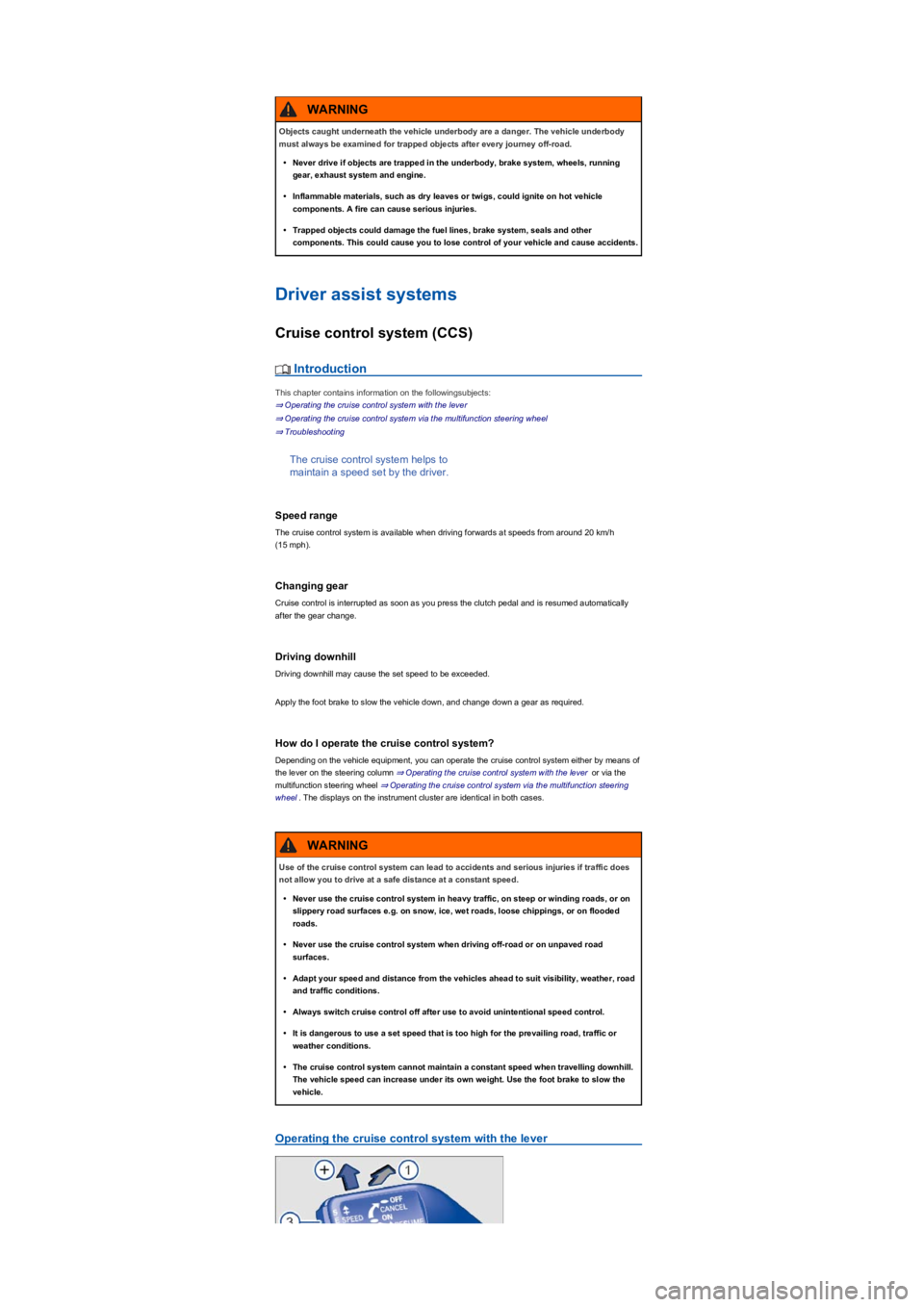
Operating the cruise control system with the lever
Objects caught underneath the vehicle underbody are a danger. The vehicle underbody
must always be examined for trapped objects after every journey off-road.
•Never drive if objects are trapped in the underbody, brake system, wheels, running
gear, exhaust system and engine.
•Inflammable materials, such as dry leaves or twigs, could ignite on hot vehicle
components. A fire can cause serious injuries.
•Trapped objects could damage the fuel lines, brake system, seals and other
components. This could cause you to lose control of your vehicle and cause accidents.
WARNING
Use of the cruise control system can lead to accidents and serious injuries if traffic does
not allow you to drive at a safe distance at a constant speed.
•Never use the cruise control system in heavy traffic, on steep or winding roads, or on
slippery road surfaces e.g. on snow, ice, wet roads, loose chippings, or on flooded
roads.
•Never use the cruise control system when driving off-road or on unpaved road
surfaces.
•Adapt your speed and distance from the vehicles ahead to suit visibility, weather, road
and traffic conditions.
•Always switch cruise control off after use to avoid unintentional speed control.
•It is dangerous to use a set speed that is too high for the prevailing road, traffic or
weather conditions.
•The cruise control system cannot maintain a constant speed when travelling downhill.
The vehicle speed can increase under its own weight. Use the foot brake to slow the
vehicle.
WARNING
Page 169 of 341
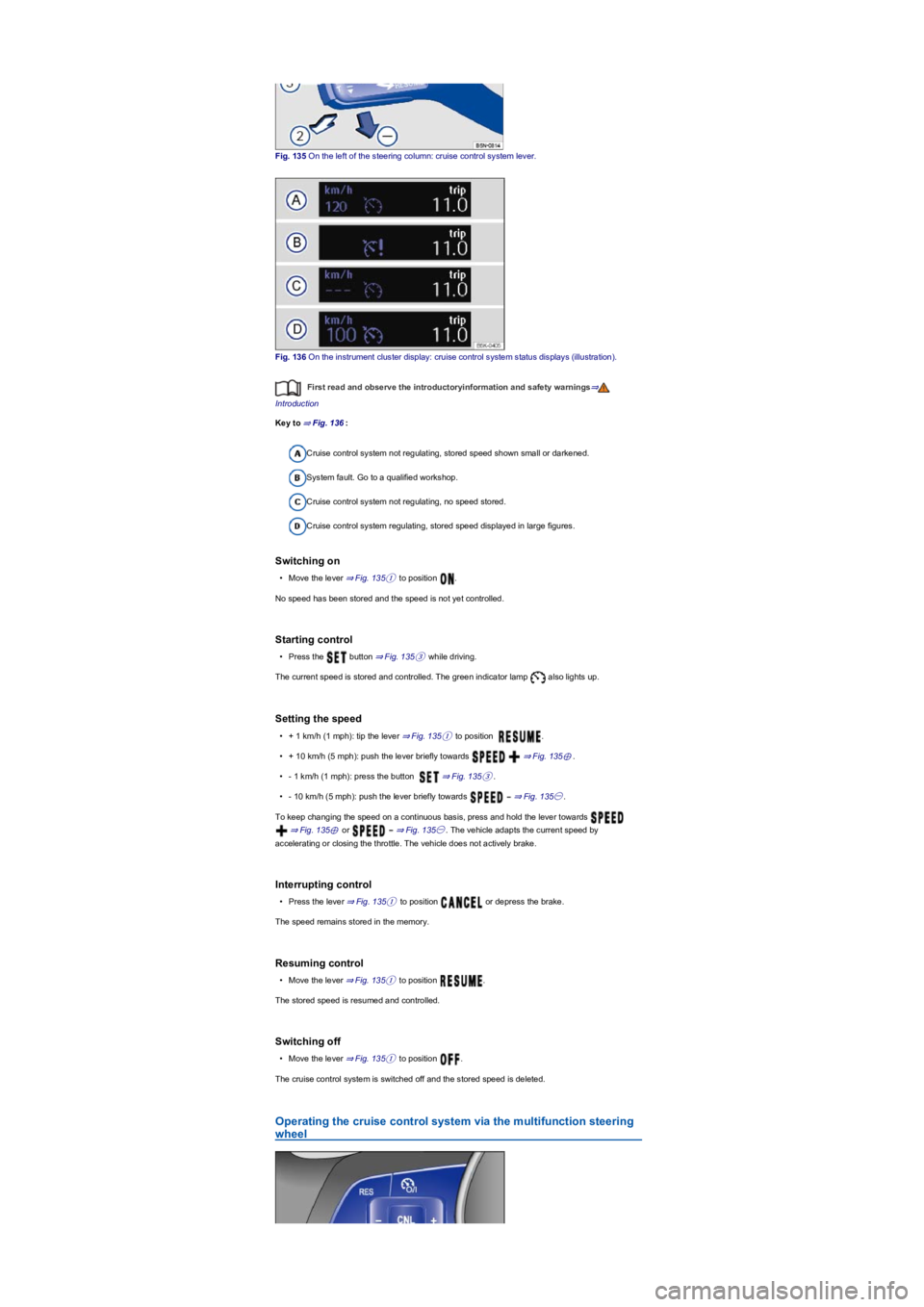
Fig. 135 On the left of the steering column: cruise control system lever.
Fig. 136 On the instrument cluster display: cruise control system status displays (illustration).
First read and observe the introductoryinformation and safety warnings⇒
Introduction
Key to ⇒ Fig. 136:
Cruise control system not regulating, stored speed shown small or darkened.
System fault. Go to a qualified workshop.
Cruise control system not regulating, no speed stored.
Cruise control system regulating, stored speed displayed in large figures.
Switching on
•Move the lever ⇒ Fig. 135① to position .
No speed has been stored and the speed is not yet controlled.
Starting control
•Press the button ⇒ Fig. 135③ while driving.
The current speed is stored and controlled. The green indicator lamp also lights up.
Setting the speed
•+ 1 km/h (1 mph): tip the lever ⇒ Fig. 135① to position .
•+ 10 km/h (5 mph): push the lever briefly towards ⇒ Fig. 135⊕.
•- 1 km/h (1 mph): press the button ⇒ Fig. 135③.
•- 10 km/h (5 mph): push the lever briefly towards ⇒ Fig. 135㊀.
To keep changing the speed on a continuous basis, press and hold the lever towards
⇒ Fig. 135⊕ or ⇒ Fig. 135㊀. The vehicle adapts the current speed by
accelerating or closing the throttle. The vehicle does not actively brake.
Interrupting control
•Press the lever ⇒ Fig. 135① to position or depress the brake.
The speed remains stored in the memory.
Resuming control
•Move the lever ⇒ Fig. 135① to position .
The stored speed is resumed and controlled.
Switching off
•Move the lever ⇒ Fig. 135① to position .
The cruise control system is switched off and the stored speed is deleted.
Operating the cruise control system via the multifunction steering
wheel
Page 170 of 341
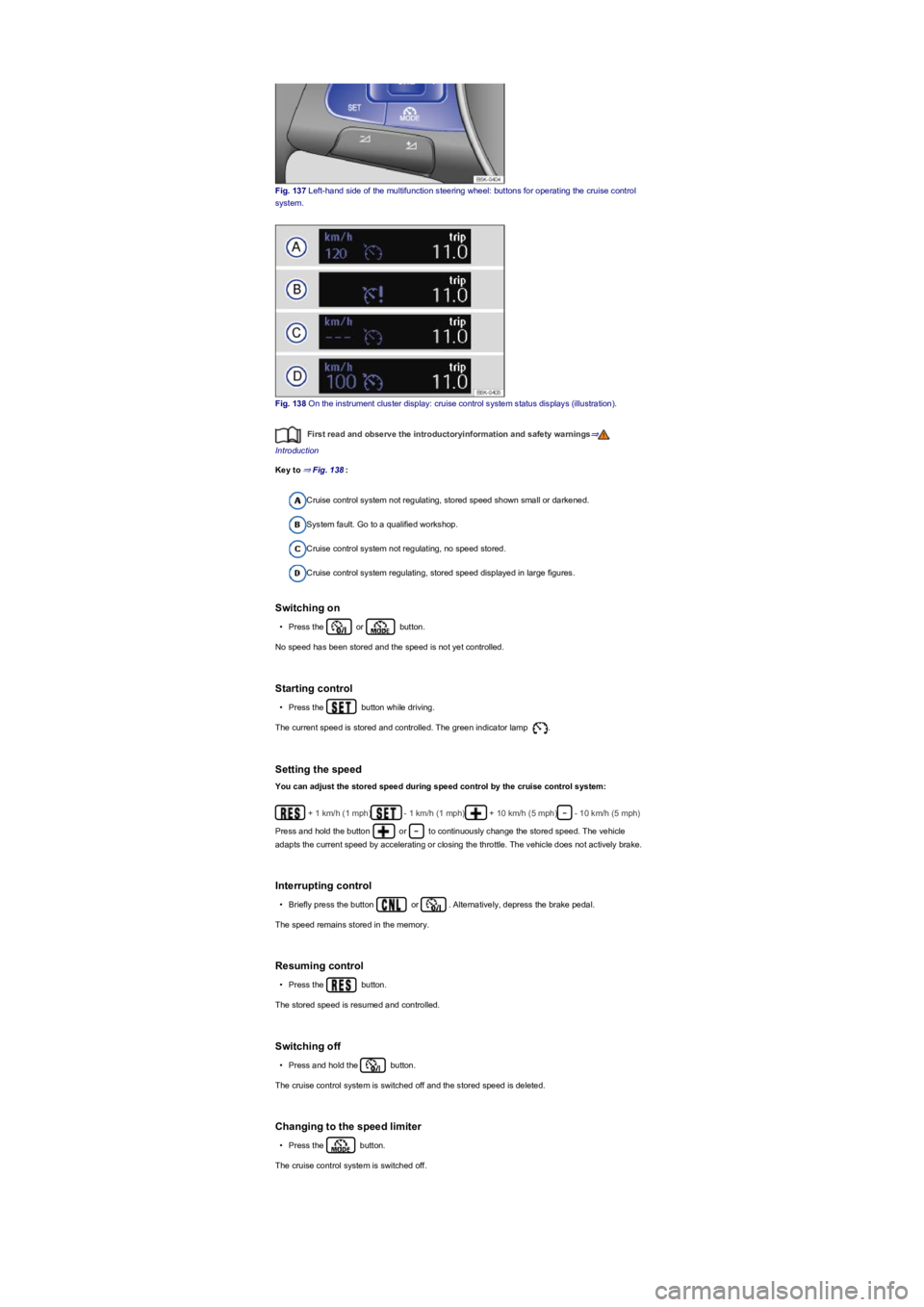
Fig. 137 Left-hand side of the multifunction steering wheel: buttons for operating the cruise control
system.
Fig. 138 On the instrument cluster display: cruise control system status displays (illustration).
First read and observe the introductoryinformation and safety warnings⇒
Introduction
Key to ⇒ Fig. 138:
Cruise control system not regulating, stored speed shown small or darkened.
System fault. Go to a qualified workshop.
Cruise control system not regulating, no speed stored.
Cruise control system regulating, stored speed displayed in large figures.
Switching on
•Press the or button.
No speed has been stored and the speed is not yet controlled.
Starting control
•Press the button while driving.
The current speed is stored and controlled. The green indicator lamp .
Setting the speed
You can adjust the stored speed during speed control by the cruise control system:
+ 1 km/h (1 mph)- 1 km/h (1 mph)+ 10 km/h (5 mph)- 10 km/h (5 mph)
Press and hold the button or to continuously change the stored speed. The vehicle
adapts the current speed by accelerating or closing the throttle. The vehicle does not actively brake.
Interrupting control
•Briefly press the button or . Alternatively, depress the brake pedal.
The speed remains stored in the memory.
Resuming control
•Press the button.
The stored speed is resumed and controlled.
Switching off
•Press and hold the button.
The cruise control system is switched off and the stored speed is deleted.
Changing to the speed limiter
•Press the button.
The cruise control system is switched off.
Page 171 of 341
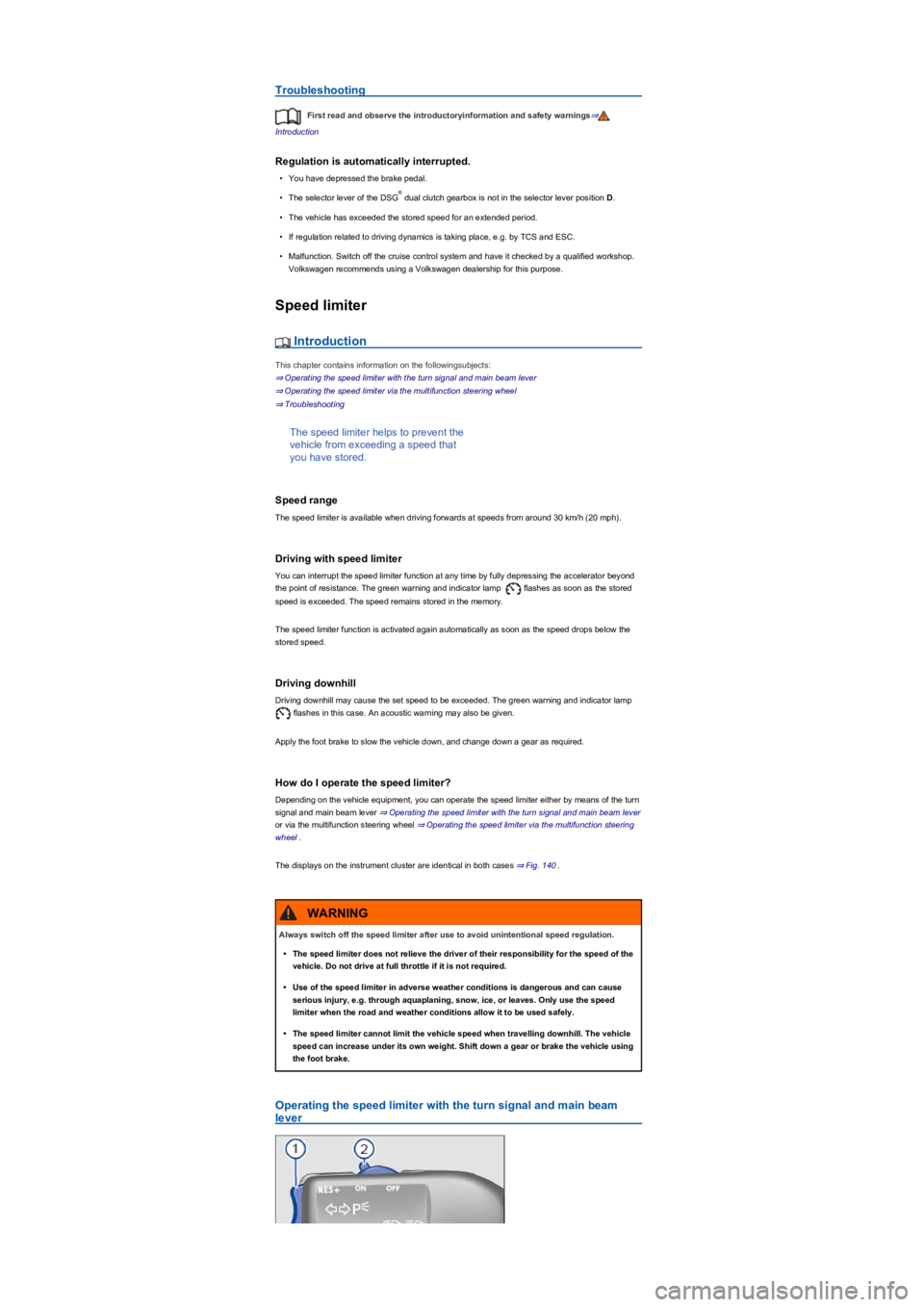
Troubleshooting
First read and observe the introductoryinformation and safety warnings⇒
Introduction
Regulation is automatically interrupted.
•You have depressed the brake pedal.
•The selector lever of the DSG dual clutch gearbox is not in the selector lever position D.
•The vehicle has exceeded the stored speed for an extended period.
•If regulation related to driving dynamics is taking place, e.g. by TCS and ESC.
•Malfunction. Switch off the cruise control system and have it checked by a qualified workshop.
Volkswagen recommends using a Volkswagen dealership for this purpose.
Speed limiter
Introduction
This chapter contains information on the followingsubjects:
⇒ Operating the speed limiter with the turn signal and main beam lever
⇒ Operating the speed limiter via the multifunction steering wheel
⇒ Troubleshooting
The speed limiter helps to prevent the
vehicle from exceeding a speed that
you have stored.
Speed range
The speed limiter is available when driving forwards at speeds from around 30 km/h (20 mph).
Driving with speed limiter
You can interrupt the speed limiter function at any time by fully depressing the accelerator beyond
the point of resistance. The green warning and indicator lamp flashes as soon as the stored
speed is exceeded. The speed remains stored in the memory.
The speed limiter function is activated again automatically as soon as the speed drops below the
stored speed.
Driving downhill
Driving downhill may cause the set speed to be exceeded. The green warning and indicator lamp
flashes in this case. An acoustic warning may also be given.
Apply the foot brake to slow the vehicle down, and change down a gear as required.
How do I operate the speed limiter?
Depending on the vehicle equipment, you can operate the speed limiter either by means of the turn
signal and main beam lever ⇒ Operating the speed limiter with the turn signal and main beam lever
or via the multifunction steering wheel ⇒ Operating the speed limiter via the multifunction steering
wheel.
The displays on the instrument cluster are identical in both cases ⇒ Fig. 140.
Operating the speed limiter with the turn signal and main beam
lever
®
Always switch off the speed limiter after use to avoid unintentional speed regulation.
•The speed limiter does not relieve the driver of their responsibility for the speed of the
vehicle. Do not drive at full throttle if it is not required.
•Use of the speed limiter in adverse weather conditions is dangerous and can cause
serious injury, e.g. through aquaplaning, snow, ice, or leaves. Only use the speed
limiter when the road and weather conditions allow it to be used safely.
•The speed limiter cannot limit the vehicle speed when travelling downhill. The vehicle
speed can increase under its own weight. Shift down a gear or brake the vehicle using
the foot brake.
WARNING
Page 172 of 341
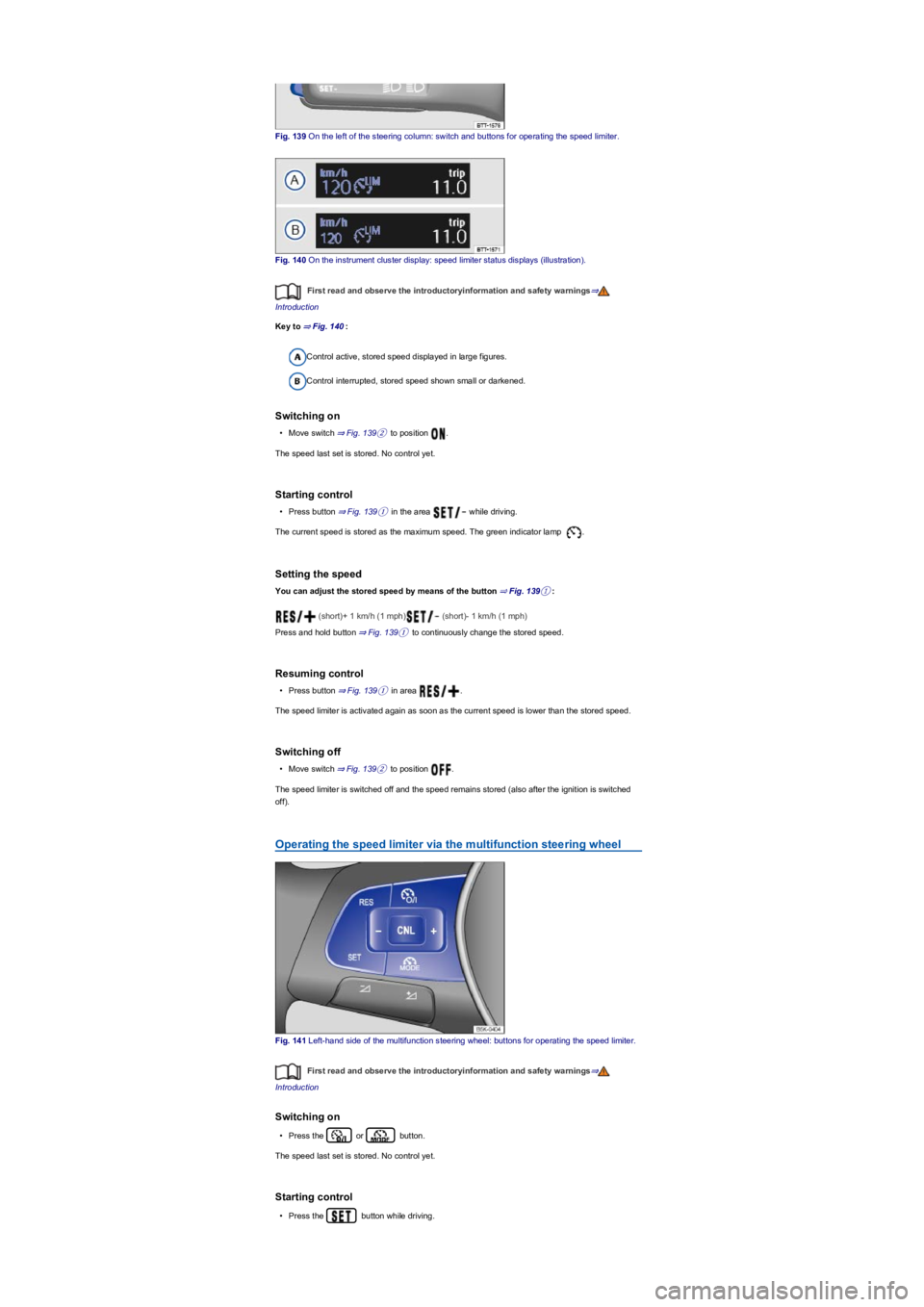
Fig. 139 On the left of the steering column: switch and buttons for operating the speed limiter.
Fig. 140 On the instrument cluster display: speed limiter status displays (illustration).
First read and observe the introductoryinformation and safety warnings⇒
Introduction
Key to ⇒ Fig. 140:
Control active, stored speed displayed in large figures.
Control interrupted, stored speed shown small or darkened.
Switching on
•Move switch ⇒ Fig. 139② to position .
The speed last set is stored. No control yet.
Starting control
•Press button ⇒ Fig. 139① in the area while driving.
The current speed is stored as the maximum speed. The green indicator lamp .
Setting the speed
You can adjust the stored speed by means of the button ⇒ Fig. 139①:
(short)+ 1 km/h (1 mph) (short)- 1 km/h (1 mph)
Press and hold button ⇒ Fig. 139① to continuously change the stored speed.
Resuming control
•Press button ⇒ Fig. 139① in area .
The speed limiter is activated again as soon as the current speed is lower than the stored speed.
Switching off
•Move switch ⇒ Fig. 139② to position .
The speed limiter is switched off and the speed remains stored (also after the ignition is switched
off).
Operating the speed limiter via the multifunction steering wheel
Fig. 141 Left-hand side of the multifunction steering wheel: buttons for operating the speed limiter.
First read and observe the introductoryinformation and safety warnings⇒
Introduction
Switching on
•Press the or button.
The speed last set is stored. No control yet.
Starting control
•Press the button while driving.
Page 173 of 341
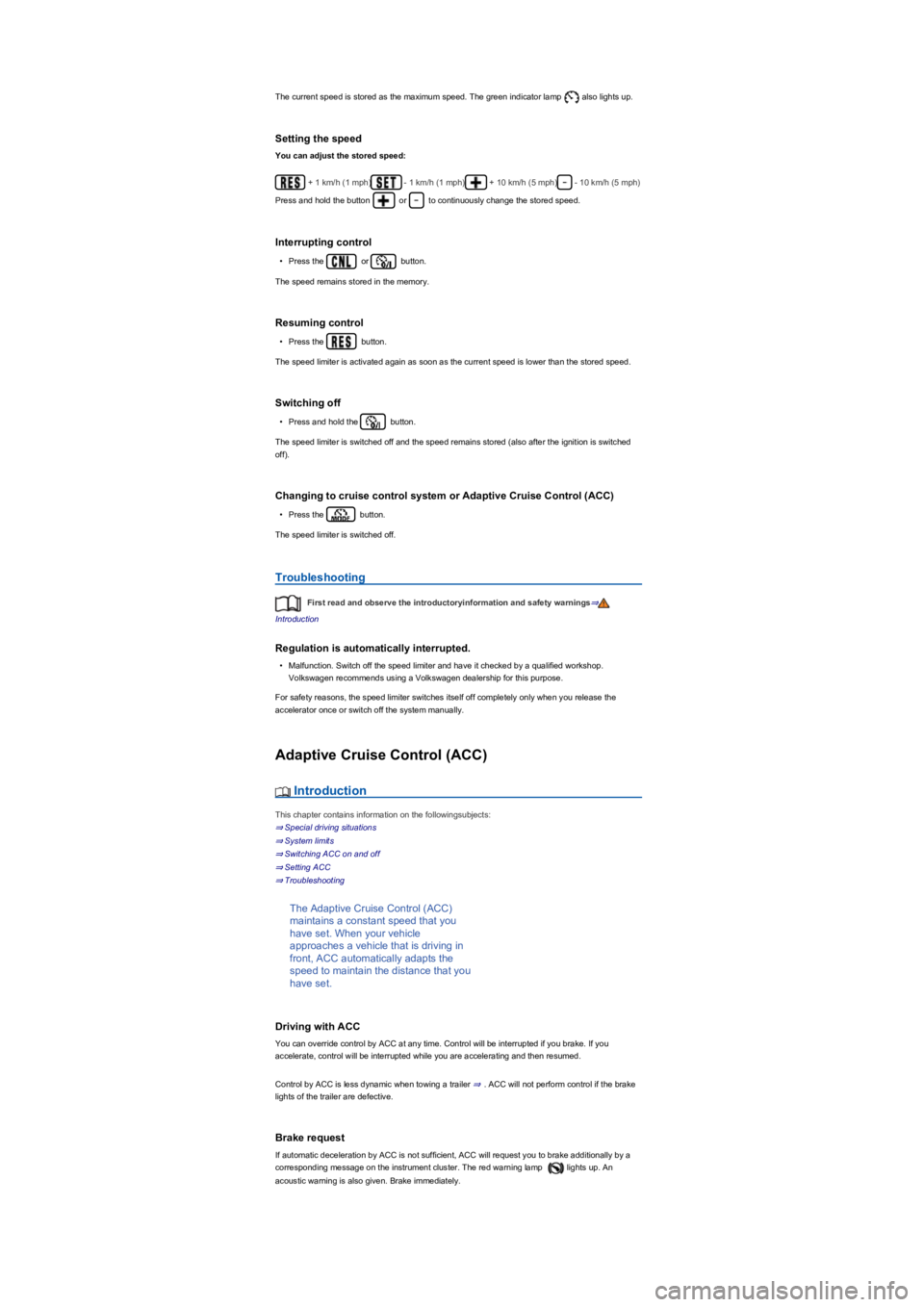
The current speed is stored as the maximum speed. The green indicator lamp also lights up.
Setting the speed
You can adjust the stored speed:
+ 1 km/h (1 mph)- 1 km/h (1 mph)+ 10 km/h (5 mph)- 10 km/h (5 mph)
Press and hold the button or to continuously change the stored speed.
Interrupting control
•Press the or button.
The speed remains stored in the memory.
Resuming control
•Press the button.
The speed limiter is activated again as soon as the current speed is lower than the stored speed.
Switching off
•Press and hold the button.
The speed limiter is switched off and the speed remains stored (also after the ignition is switched
off).
Changing to cruise control system or Adaptive Cruise Control (ACC)
•Press the button.
The speed limiter is switched off.
Troubleshooting
First read and observe the introductoryinformation and safety warnings⇒
Introduction
Regulation is automatically interrupted.
•Malfunction. Switch off the speed limiter and have it checked by a qualified workshop.
Volkswagen recommends using a Volkswagen dealership for this purpose.
For safety reasons, the speed limiter switches itself off completely only when you release the
accelerator once or switch off the system manually.
Adaptive Cruise Control (ACC)
Introduction
This chapter contains information on the followingsubjects:
⇒ Special driving situations
⇒ System limits
⇒ Switching ACC on and off
⇒ Setting ACC
⇒ Troubleshooting
The Adaptive Cruise Control (ACC)
maintains a constant speed that you
have set. When your vehicle
approaches a vehicle that is driving in
front, ACC automatically adapts the
speed to maintain the distance that you
have set.
Driving with ACC
You can override control by ACC at any time. Control will be interrupted if you brake. If you
accelerate, control will be interrupted while you are accelerating and then resumed.
Control by ACC is less dynamic when towing a trailer ⇒. ACC will not perform control if the brake
lights of the trailer are defective.
Brake request
If automatic deceleration by ACC is not sufficient, ACC will request you to brake additionally by a
corresponding message on the instrument cluster. The red warning lamp lights up. An
acoustic warning is also given. Brake immediately.
Page 174 of 341
Speed range
ACC controls the vehicle in the speed range between 30 km/h (20 mph) and 160 km/h (100 mph)
or 210 km/h (130 mph). This speed range may differ in certain markets.
Radar sensor
ACC detects driving situations by means of the radar sensor at the front of the vehicle ⇒ Front
view. The range of the radar sensor is up to approximately 120 m.
Does the vehicle have ACC?
The vehicle is equipped with ACC if you can make settings for ACC in the vehicle settings of the
Infotainment system ⇒ Vehicle settings menu.
If the vehicle has ACC, the cruise control system is not available as an independent system.
Special driving situations
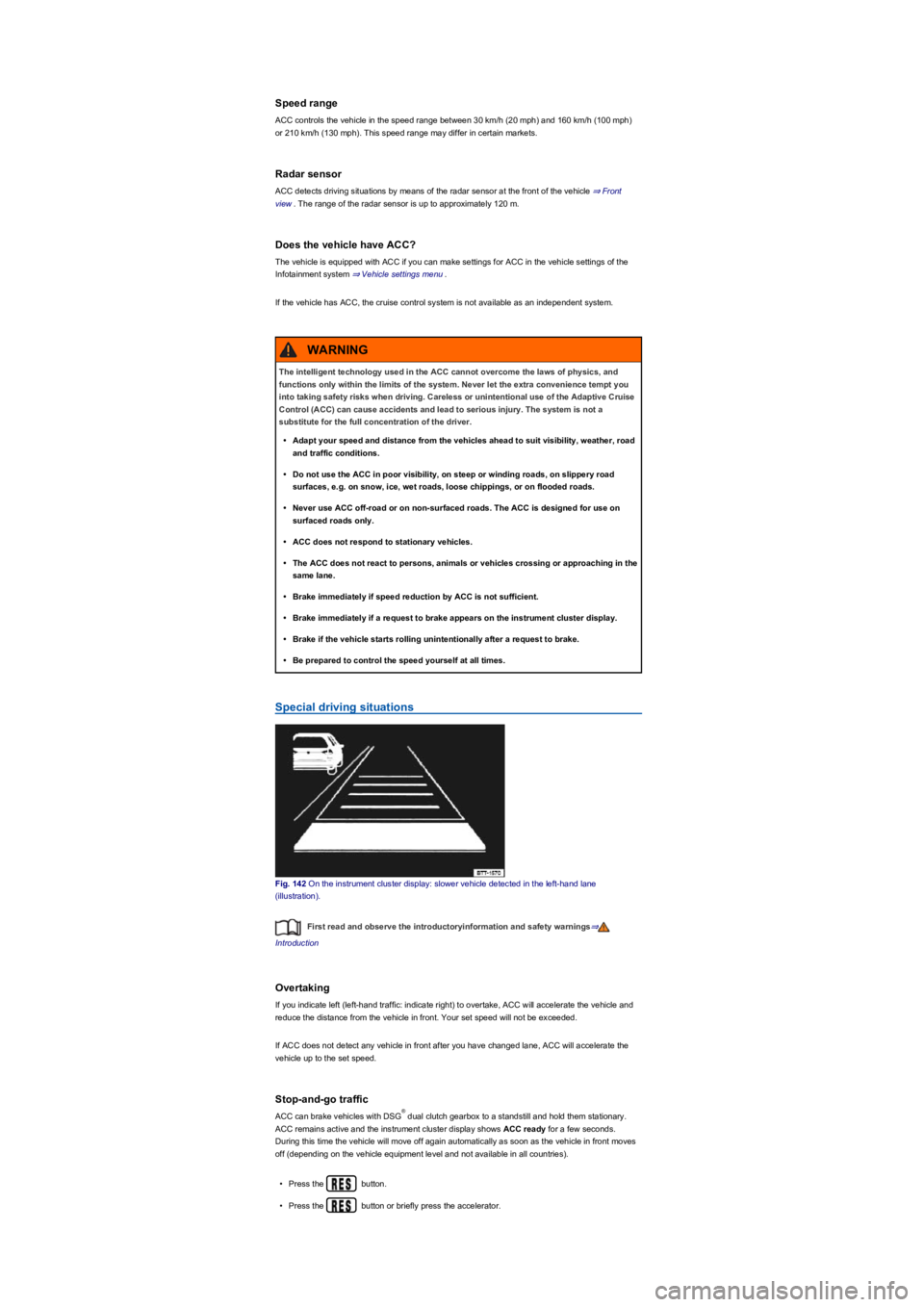
Fig. 142 On the instrument cluster display: slower vehicle detected in the left-hand lane
(illustration).
First read and observe the introductoryinformation and safety warnings⇒
Introduction
Overtaking
If you indicate left (left-hand traffic: indicate right) to overtake, ACC will accelerate the vehicle and
reduce the distance from the vehicle in front. Your set speed will not be exceeded.
If ACC does not detect any vehicle in front after you have changed lane, ACC will accelerate the
vehicle up to the set speed.
Stop-and-go traffic
ACC can brake vehicles with DSG dual clutch gearbox to a standstill and hold them stationary.
ACC remains active and the instrument cluster display shows ACC ready for a few seconds.
During this time the vehicle will move off again automatically as soon as the vehicle in front moves
off (depending on the vehicle equipment level and not available in all countries).
•Press the button.
•Press the button or briefly press the accelerator.
The intelligent technology used in the ACC cannot overcome the laws of physics, and
functions only within the limits of the system. Never let the extra convenience tempt you
into taking safety risks when driving. Careless or unintentional use of the Adaptive Cruise
Control (ACC) can cause accidents and lead to serious injury. The system is not a
substitute for the full concentration of the driver.
•Adapt your speed and distance from the vehicles ahead to suit visibility, weather, road
and traffic conditions.
•Do not use the ACC in poor visibility, on steep or winding roads, on slippery road
surfaces, e.g. on snow, ice, wet roads, loose chippings, or on flooded roads.
•Never use ACC off-road or on non-surfaced roads. The ACC is designed for use on
surfaced roads only.
•ACC does not respond to stationary vehicles.
•The ACC does not react to persons, animals or vehicles crossing or approaching in the
same lane.
•Brake immediately if speed reduction by ACC is not sufficient.
•Brake immediately if a request to brake appears on the instrument cluster display.
•Brake if the vehicle starts rolling unintentionally after a request to brake.
•Be prepared to control the speed yourself at all times.
WARNING
®
Page 175 of 341
•The vehicle is stationary for longer than approximately three minutes.
•A vehicle door is opened.
•The ignition is switched off.
Avoiding overtaking on the right (left-hand traffic: overtaking on the left)
If ACC detects a slower vehicle in the left-hand lane (left-hand traffic: in the right-hand lane), ACC
will brake the vehicle gently within the system limits and therefore prevent a prohibited overtaking
manoeuvre ⇒ Fig. 142. The function is active from speeds of around 80 km/h (50 mph), but is not
available in all countries.
System limits
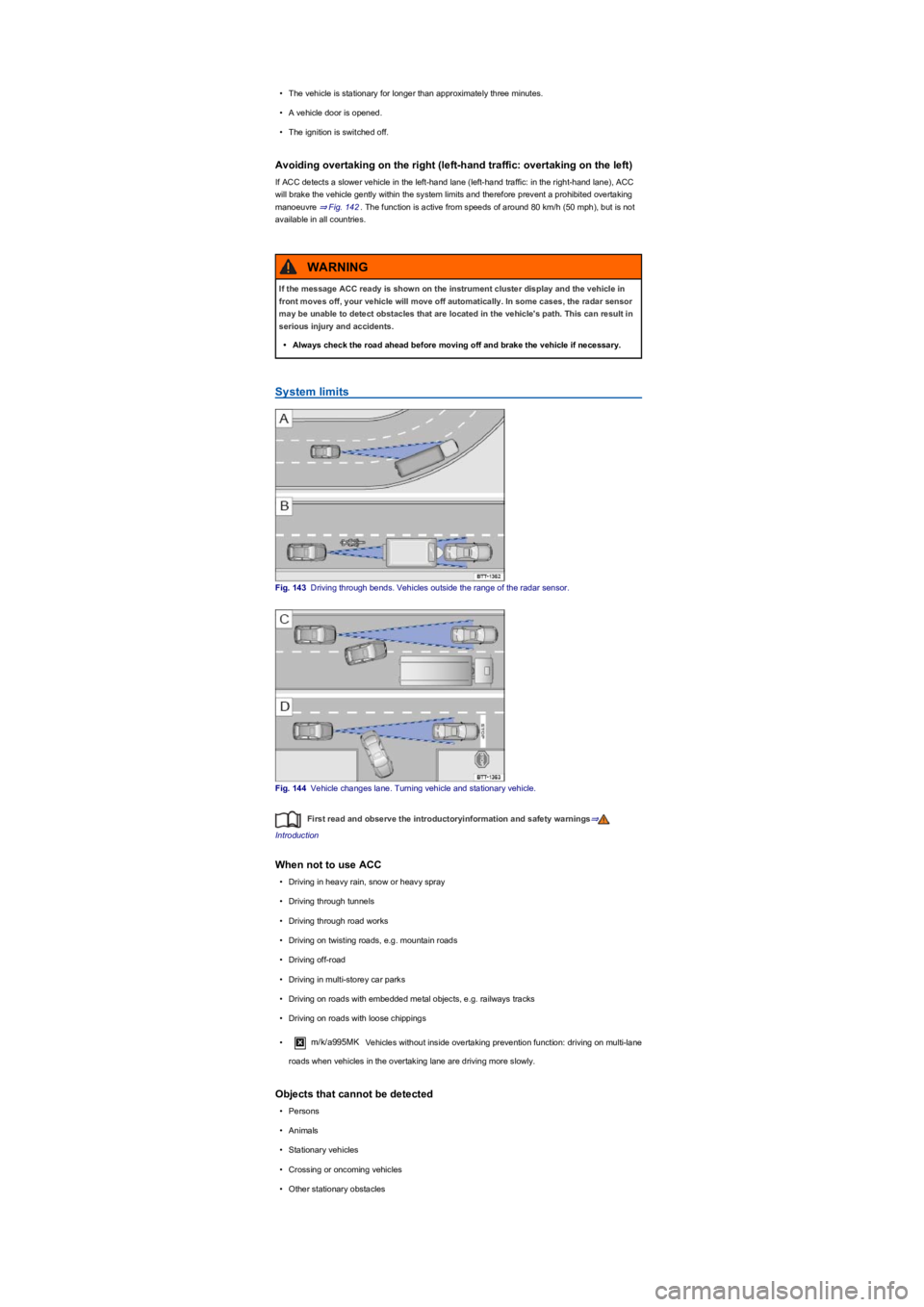
Fig. 143 Driving through bends. Vehicles outside the range of the radar sensor.
Fig. 144 Vehicle changes lane. Turning vehicle and stationary vehicle.
First read and observe the introductoryinformation and safety warnings⇒
Introduction
When not to use ACC
•Driving in heavy rain, snow or heavy spray
•Driving through tunnels
•Driving through road works
•Driving on twisting roads, e.g. mountain roads
•Driving off-road
•Driving in multi-storey car parks
•Driving on roads with embedded metal objects, e.g. railways tracks
•Driving on roads with loose chippings
•m/k/a995MK Vehicles without inside overtaking prevention function: driving on multi-lane
roads when vehicles in the overtaking lane are driving more slowly.
Objects that cannot be detected
•Persons
•Animals
•Stationary vehicles
•Crossing or oncoming vehicles
•Other stationary obstacles
If the message ACC ready is shown on the instrument cluster display and the vehicle in
front moves off, your vehicle will move off automatically. In some cases, the radar sensor
may be unable to detect obstacles that are located in the vehicle's path. This can result in
serious injury and accidents.
•Always check the road ahead before moving off and brake the vehicle if necessary.
WARNING