cruise control VOLKSWAGEN TIGUAN 2017 Owner´s Manual
[x] Cancel search | Manufacturer: VOLKSWAGEN, Model Year: 2017, Model line: TIGUAN, Model: VOLKSWAGEN TIGUAN 2017Pages: 341, PDF Size: 9.14 MB
Page 152 of 341
•In addition, if the cruise control system or Adaptive Cruise Control (ACC) is switched off:
if the vehicle speed is less than approximately 80 km/h (50 mph) or the brake pedal is
depressed.
•In addition, if the cruise control system or Adaptive Cruise Control (ACC) is active: if the
stored speed is exceeded.
Deactivating downhill speed control automatically:
•If the downhill gradient becomes less steep.
•OR: if the gearbox shifts up a gear because the engine speed is higher than approximately
4,500 rpm.
•Or in addition if the cruise control system or Adaptive Cruise Control (ACC) is active: if
the stored speed can be maintained.
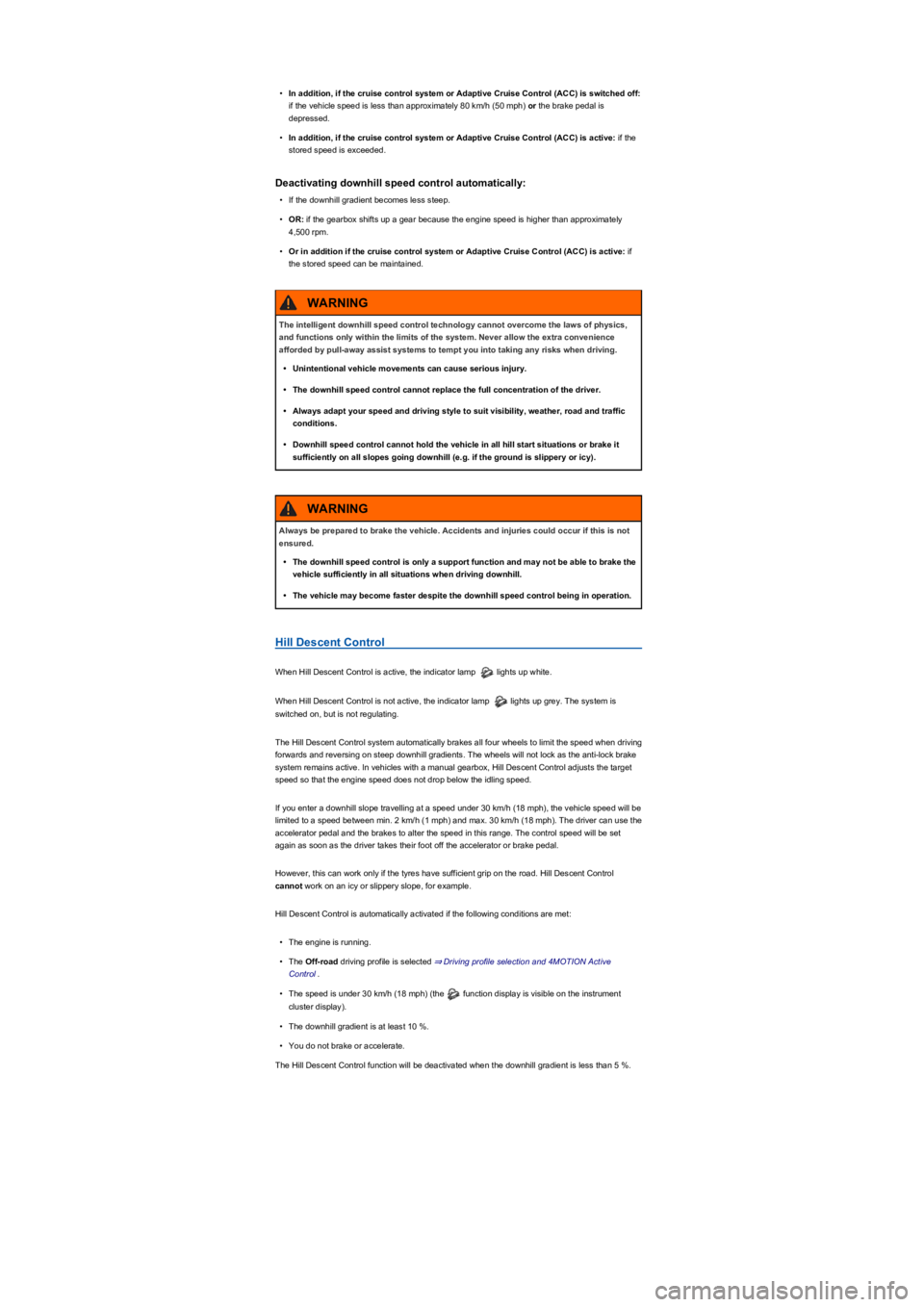
Hill Descent Control
When Hill Descent Control is active, the indicator lamp lights up white.
When Hill Descent Control is not active, the indicator lamp lights up grey. The system is
switched on, but is not regulating.
The Hill Descent Control system automatically brakes all four wheels to limit the speed when driving
forwards and reversing on steep downhill gradients. The wheels will not lock as the anti-lock brake
system remains active. In vehicles with a manual gearbox, Hill Descent Control adjusts the target
speed so that the engine speed does not drop below the idling speed.
If you enter a downhill slope travelling at a speed under 30 km/h (18 mph), the vehicle speed will be
limited to a speed between min. 2 km/h (1 mph) and max. 30 km/h (18 mph). The driver can use the
accelerator pedal and the brakes to alter the speed in this range. The control speed will be set
again as soon as the driver takes their foot off the accelerator or brake pedal.
However, this can work only if the tyres have sufficient grip on the road. Hill Descent Control
cannot work on an icy or slippery slope, for example.
Hill Descent Control is automatically activated if the following conditions are met:
•The engine is running.
•The Off-road driving profile is selected ⇒ Driving profile selection and 4MOTION Active
Control.
•The speed is under 30 km/h (18 mph) (the function display is visible on the instrument
cluster display).
•The downhill gradient is at least 10 %.
•You do not brake or accelerate.
The Hill Descent Control function will be deactivated when the downhill gradient is less than 5 %.
The intelligent downhill speed control technology cannot overcome the laws of physics,
and functions only within the limits of the system. Never allow the extra convenience
afforded by pull-away assist systems to tempt you into taking any risks when driving.
•Unintentional vehicle movements can cause serious injury.
•The downhill speed control cannot replace the full concentration of the driver.
•Always adapt your speed and driving style to suit visibility, weather, road and traffic
conditions.
•Downhill speed control cannot hold the vehicle in all hill start situations or brake it
sufficiently on all slopes going downhill (e.g. if the ground is slippery or icy).
WARNING
Always be prepared to brake the vehicle. Accidents and injuries could occur if this is not
ensured.
•The downhill speed control is only a support function and may not be able to brake the
vehicle sufficiently in all situations when driving downhill.
•The vehicle may become faster despite the downhill speed control being in operation.
WARNING
Page 155 of 341
drive come with additional OFFROAD driving profiles ⇒ Selecting a driving profile (4MOTION
Action Control).
The driving profile can be changed when the vehicle is stationary or while driving ⇒. After
selecting a driving profile, the vehicle settings (excluding engine settings) are switched to the new
profile mode immediately. When traffic conditions allow, briefly take your foot off the accelerator to
activate the newly selected driving profile for the engine.
Some settings can be stored in the user accounts of the personalisation function and
therefore change when the user account changes ⇒ Personalisation.
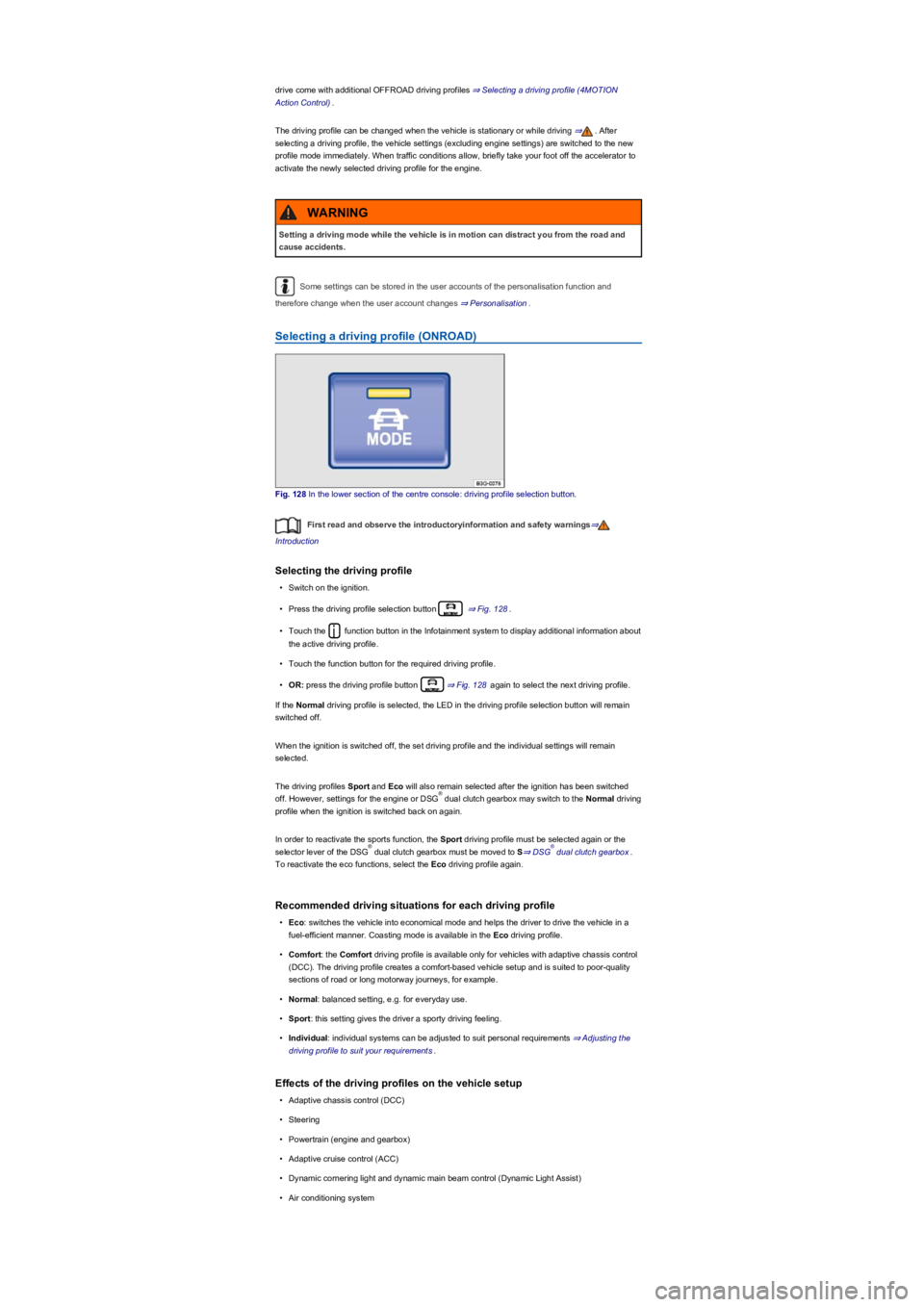
Selecting a driving profile (ONROAD)
Fig. 128 In the lower section of the centre console: driving profile selection button.
First read and observe the introductoryinformation and safety warnings⇒
Introduction
Selecting the driving profile
•Switch on the ignition.
•Press the driving profile selection button ⇒ Fig. 128.
•Touch the function button in the Infotainment system to display additional information about
the active driving profile.
•Touch the function button for the required driving profile.
•OR: press the driving profile button ⇒ Fig. 128 again to select the next driving profile.
If the Normal driving profile is selected, the LED in the driving profile selection button will remain
switched off.
When the ignition is switched off, the set driving profile and the individual settings will remain
selected.
The driving profiles Sport and Eco will also remain selected after the ignition has been switched
off. However, settings for the engine or DSG dual clutch gearbox may switch to the Normal driving
profile when the ignition is switched back on again.
In order to reactivate the sports function, the Sport driving profile must be selected again or the
selector lever of the DSG dual clutch gearbox must be moved to S⇒ DSG dual clutch gearbox.
To reactivate the eco functions, select the Eco driving profile again.
Recommended driving situations for each driving profile
•Eco: switches the vehicle into economical mode and helps the driver to drive the vehicle in a
fuel-efficient manner. Coasting mode is available in the Eco driving profile.
•Comfort: the Comfort driving profile is available only for vehicles with adaptive chassis control
(DCC). The driving profile creates a comfort-based vehicle setup and is suited to poor-quality
sections of road or long motorway journeys, for example.
•Normal: balanced setting, e.g. for everyday use.
•Sport: this setting gives the driver a sporty driving feeling.
•Individual: individual systems can be adjusted to suit personal requirements ⇒ Adjusting the
driving profile to suit your requirements.
Effects of the driving profiles on the vehicle setup
•Adaptive chassis control (DCC)
•Steering
•Powertrain (engine and gearbox)
•Adaptive cruise control (ACC)
•Dynamic cornering light and dynamic main beam control (Dynamic Light Assist)
•Air conditioning system
Setting a driving mode while the vehicle is in motion can distract you from the road and
cause accidents.
WARNING
®
®®
Page 156 of 341
•Proactive occupant protection system
In vehicles with a DSG dual clutch gearbox, the system automatically changes to gear
position S when the Sport driving profile is selected. The system automatically switches to gear
position D when the Eco driving profile is selected. Since coasting is active in the Eco driving
profile, the gearbox programme E is additionally displayed on the instrument cluster display.
The driver can adjust certain vehicle functions irrespective of the selected driving profile. For
example, the driver can switch to gear position S when the Eco driving profile is selected.
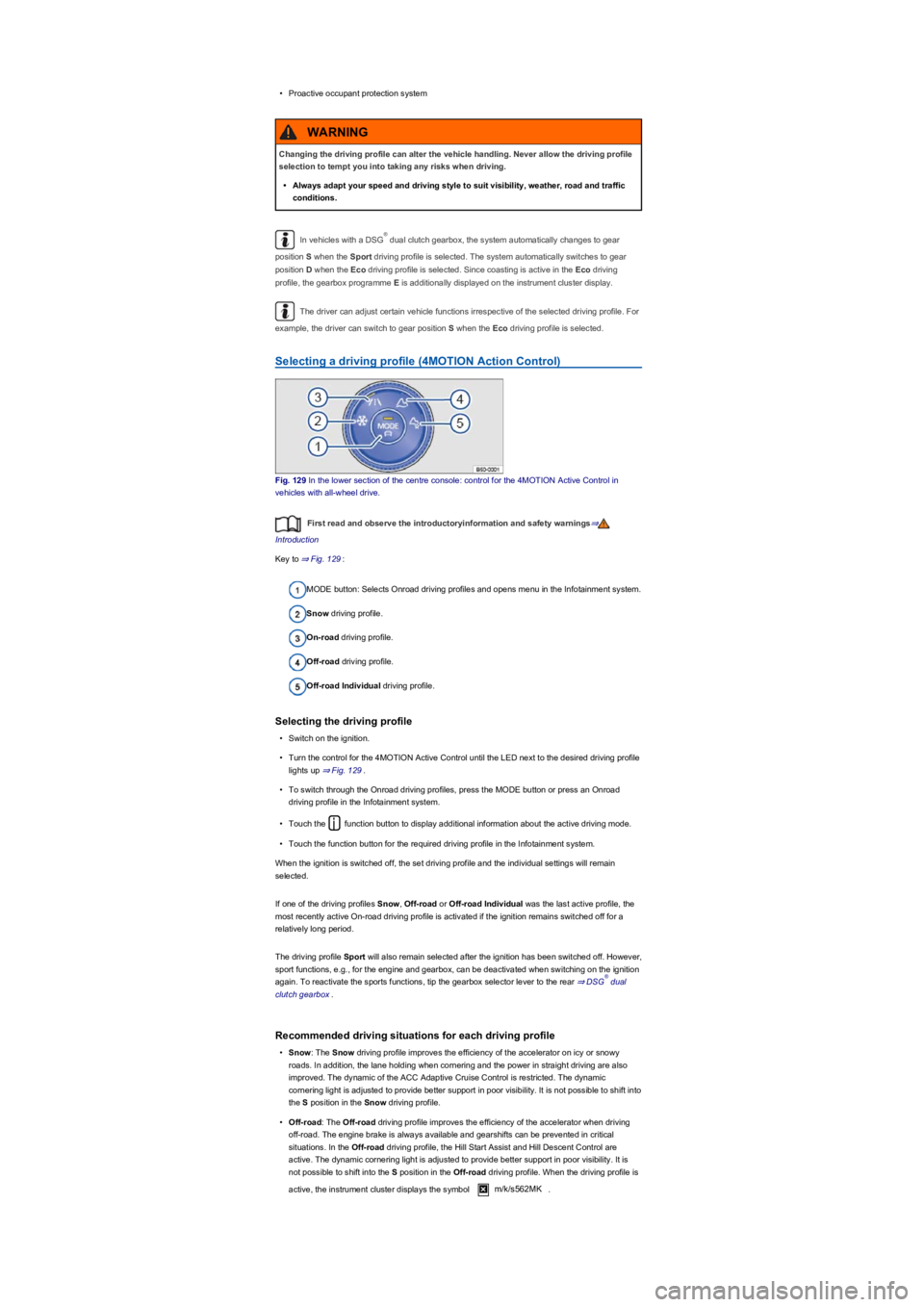
Selecting a driving profile (4MOTION Action Control)
Fig. 129 In the lower section of the centre console: control for the 4MOTION Active Control in
vehicles with all-wheel drive.
First read and observe the introductoryinformation and safety warnings⇒
Introduction
Key to ⇒ Fig. 129:
MODE button: Selects Onroad driving profiles and opens menu in the Infotainment system.
Snow driving profile.
On-road driving profile.
Off-road driving profile.
Off-road Individual driving profile.
Selecting the driving profile
•Switch on the ignition.
•Turn the control for the 4MOTION Active Control until the LED next to the desired driving profile
lights up ⇒ Fig. 129.
•To switch through the Onroad driving profiles, press the MODE button or press an Onroad
driving profile in the Infotainment system.
•Touch the function button to display additional information about the active driving mode.
•Touch the function button for the required driving profile in the Infotainment system.
When the ignition is switched off, the set driving profile and the individual settings will remain
selected.
If one of the driving profiles Snow, Off-road or Off-road Individual was the last active profile, the
most recently active On-road driving profile is activated if the ignition remains switched off for a
relatively long period.
The driving profile Sport will also remain selected after the ignition has been switched off. However,
sport functions, e.g., for the engine and gearbox, can be deactivated when switching on the ignition
again. To reactivate the sports functions, tip the gearbox selector lever to the rear ⇒ DSG dual
clutch gearbox.
Recommended driving situations for each driving profile
•Snow: The Snow driving profile improves the efficiency of the accelerator on icy or snowy
roads. In addition, the lane holding when cornering and the power in straight driving are also
improved. The dynamic of the ACC Adaptive Cruise Control is restricted. The dynamic
cornering light is adjusted to provide better support in poor visibility. It is not possible to shift into
the S position in the Snow driving profile.
•Off-road: The Off-road driving profile improves the efficiency of the accelerator when driving
off-road. The engine brake is always available and gearshifts can be prevented in critical
situations. In the Off-road driving profile, the Hill Start Assist and Hill Descent Control are
active. The dynamic cornering light is adjusted to provide better support in poor visibility. It is
not possible to shift into the S position in the Off-road driving profile. When the driving profile is
active, the instrument cluster displays the symbol m/k/s562MK.
Changing the driving profile can alter the vehicle handling. Never allow the driving profile
selection to tempt you into taking any risks when driving.
•Always adapt your speed and driving style to suit visibility, weather, road and traffic
conditions.
WARNING
®
®
Page 160 of 341
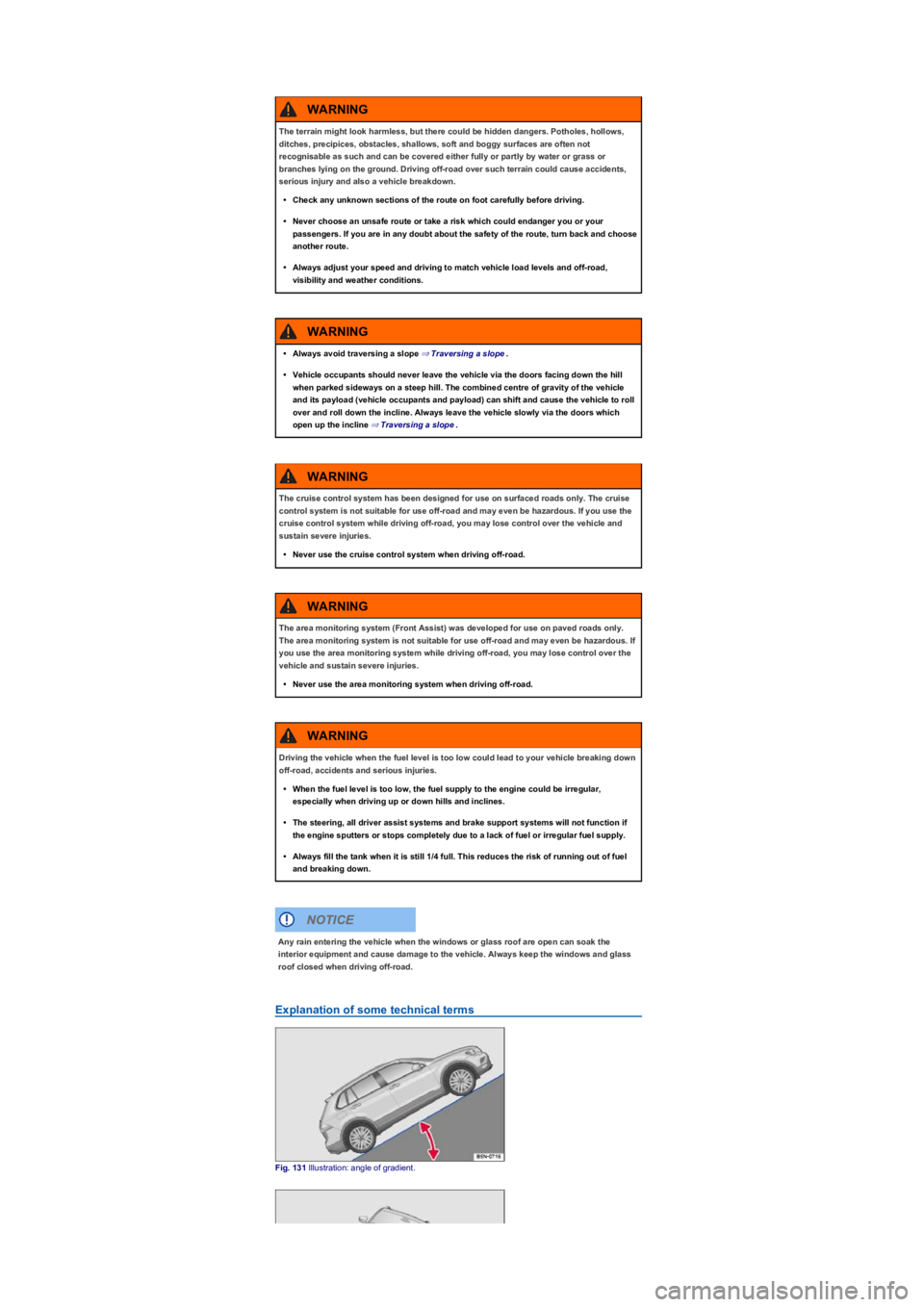
Explanation of some technical terms
Fig. 131 Illustration: angle of gradient.
The terrain might look harmless, but there could be hidden dangers. Potholes, hollows,
ditches, precipices, obstacles, shallows, soft and boggy surfaces are often not
recognisable as such and can be covered either fully or partly by water or grass or
branches lying on the ground. Driving off-road over such terrain could cause accidents,
serious injury and also a vehicle breakdown.
•Check any unknown sections of the route on foot carefully before driving.
•Never choose an unsafe route or take a risk which could endanger you or your
passengers. If you are in any doubt about the safety of the route, turn back and choose
another route.
•Always adjust your speed and driving to match vehicle load levels and off-road,
visibility and weather conditions.
WARNING
•Always avoid traversing a slope ⇒ Traversing a slope.
•Vehicle occupants should never leave the vehicle via the doors facing down the hill
when parked sideways on a steep hill. The combined centre of gravity of the vehicle
and its payload (vehicle occupants and payload) can shift and cause the vehicle to roll
over and roll down the incline. Always leave the vehicle slowly via the doors which
open up the incline ⇒ Traversing a slope.
WARNING
The cruise control system has been designed for use on surfaced roads only. The cruise
control system is not suitable for use off-road and may even be hazardous. If you use the
cruise control system while driving off-road, you may lose control over the vehicle and
sustain severe injuries.
•Never use the cruise control system when driving off-road.
WARNING
The area monitoring system (Front Assist) was developed for use on paved roads only.
The area monitoring system is not suitable for use off-road and may even be hazardous. If
you use the area monitoring system while driving off-road, you may lose control over the
vehicle and sustain severe injuries.
•Never use the area monitoring system when driving off-road.
WARNING
Driving the vehicle when the fuel level is too low could lead to your vehicle breaking down
off-road, accidents and serious injuries.
•When the fuel level is too low, the fuel supply to the engine could be irregular,
especially when driving up or down hills and inclines.
•The steering, all driver assist systems and brake support systems will not function if
the engine sputters or stops completely due to a lack of fuel or irregular fuel supply.
•Always fill the tank when it is still 1/4 full. This reduces the risk of running out of fuel
and breaking down.
WARNING
Any rain entering the vehicle when the windows or glass roof are open can soak the
interior equipment and cause damage to the vehicle. Always keep the windows and glass
roof closed when driving off-road.
NOTICE
Page 168 of 341
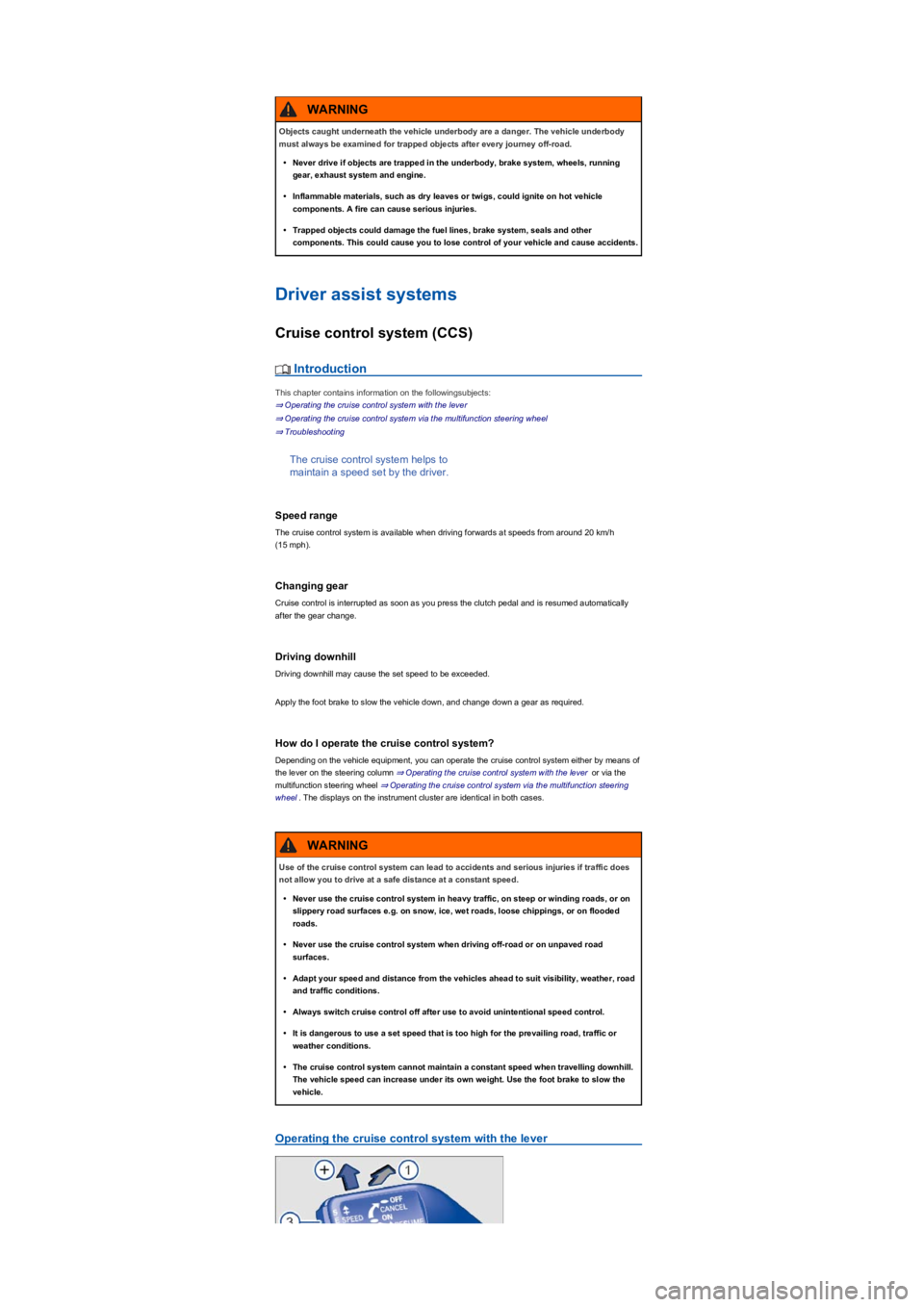
Driver assist systems
Cruise control system (CCS)
Introduction
This chapter contains information on the followingsubjects:
⇒ Operating the cruise control system with the lever
⇒ Operating the cruise control system via the multifunction steering wheel
⇒ Troubleshooting
The cruise control system helps to
maintain a speed set by the driver.
Speed range
The cruise control system is available when driving forwards at speeds from around 20 km/h
(15 mph).
Changing gear
Cruise control is interrupted as soon as you press the clutch pedal and is resumed automatically
after the gear change.
Driving downhill
Driving downhill may cause the set speed to be exceeded.
Apply the foot brake to slow the vehicle down, and change down a gear as required.
How do I operate the cruise control system?
Depending on the vehicle equipment, you can operate the cruise control system either by means of
the lever on the steering column ⇒ Operating the cruise control system with the lever or via the
multifunction steering wheel ⇒ Operating the cruise control system via the multifunction steering
wheel. The displays on the instrument cluster are identical in both cases.
Operating the cruise control system with the lever
Objects caught underneath the vehicle underbody are a danger. The vehicle underbody
must always be examined for trapped objects after every journey off-road.
•Never drive if objects are trapped in the underbody, brake system, wheels, running
gear, exhaust system and engine.
•Inflammable materials, such as dry leaves or twigs, could ignite on hot vehicle
components. A fire can cause serious injuries.
•Trapped objects could damage the fuel lines, brake system, seals and other
components. This could cause you to lose control of your vehicle and cause accidents.
WARNING
Use of the cruise control system can lead to accidents and serious injuries if traffic does
not allow you to drive at a safe distance at a constant speed.
•Never use the cruise control system in heavy traffic, on steep or winding roads, or on
slippery road surfaces e.g. on snow, ice, wet roads, loose chippings, or on flooded
roads.
•Never use the cruise control system when driving off-road or on unpaved road
surfaces.
•Adapt your speed and distance from the vehicles ahead to suit visibility, weather, road
and traffic conditions.
•Always switch cruise control off after use to avoid unintentional speed control.
•It is dangerous to use a set speed that is too high for the prevailing road, traffic or
weather conditions.
•The cruise control system cannot maintain a constant speed when travelling downhill.
The vehicle speed can increase under its own weight. Use the foot brake to slow the
vehicle.
WARNING
Page 169 of 341
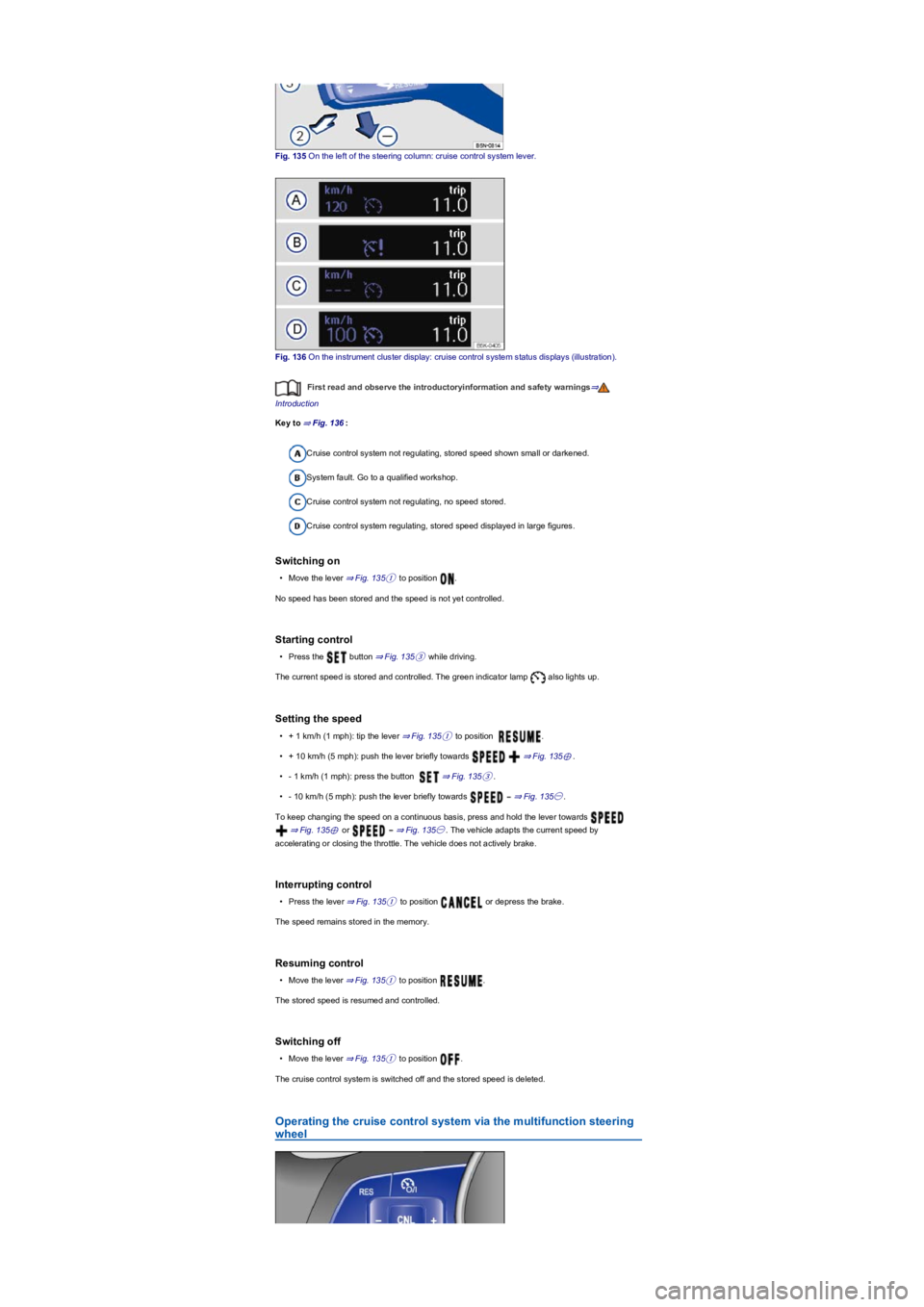
Fig. 135 On the left of the steering column: cruise control system lever.
Fig. 136 On the instrument cluster display: cruise control system status displays (illustration).
First read and observe the introductoryinformation and safety warnings⇒
Introduction
Key to ⇒ Fig. 136:
Cruise control system not regulating, stored speed shown small or darkened.
System fault. Go to a qualified workshop.
Cruise control system not regulating, no speed stored.
Cruise control system regulating, stored speed displayed in large figures.
Switching on
•Move the lever ⇒ Fig. 135① to position .
No speed has been stored and the speed is not yet controlled.
Starting control
•Press the button ⇒ Fig. 135③ while driving.
The current speed is stored and controlled. The green indicator lamp also lights up.
Setting the speed
•+ 1 km/h (1 mph): tip the lever ⇒ Fig. 135① to position .
•+ 10 km/h (5 mph): push the lever briefly towards ⇒ Fig. 135⊕.
•- 1 km/h (1 mph): press the button ⇒ Fig. 135③.
•- 10 km/h (5 mph): push the lever briefly towards ⇒ Fig. 135㊀.
To keep changing the speed on a continuous basis, press and hold the lever towards
⇒ Fig. 135⊕ or ⇒ Fig. 135㊀. The vehicle adapts the current speed by
accelerating or closing the throttle. The vehicle does not actively brake.
Interrupting control
•Press the lever ⇒ Fig. 135① to position or depress the brake.
The speed remains stored in the memory.
Resuming control
•Move the lever ⇒ Fig. 135① to position .
The stored speed is resumed and controlled.
Switching off
•Move the lever ⇒ Fig. 135① to position .
The cruise control system is switched off and the stored speed is deleted.
Operating the cruise control system via the multifunction steering
wheel
Page 170 of 341
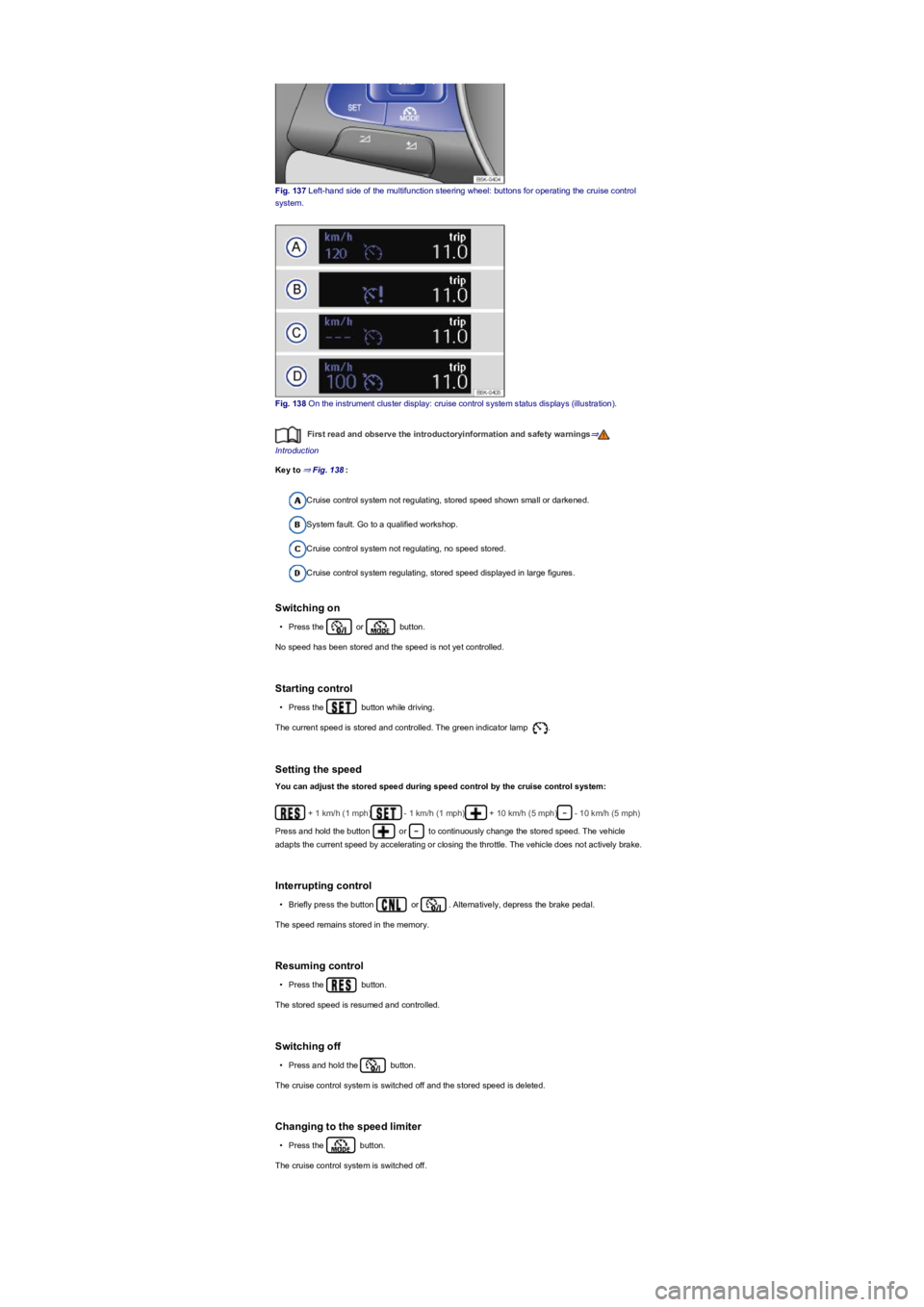
Fig. 137 Left-hand side of the multifunction steering wheel: buttons for operating the cruise control
system.
Fig. 138 On the instrument cluster display: cruise control system status displays (illustration).
First read and observe the introductoryinformation and safety warnings⇒
Introduction
Key to ⇒ Fig. 138:
Cruise control system not regulating, stored speed shown small or darkened.
System fault. Go to a qualified workshop.
Cruise control system not regulating, no speed stored.
Cruise control system regulating, stored speed displayed in large figures.
Switching on
•Press the or button.
No speed has been stored and the speed is not yet controlled.
Starting control
•Press the button while driving.
The current speed is stored and controlled. The green indicator lamp .
Setting the speed
You can adjust the stored speed during speed control by the cruise control system:
+ 1 km/h (1 mph)- 1 km/h (1 mph)+ 10 km/h (5 mph)- 10 km/h (5 mph)
Press and hold the button or to continuously change the stored speed. The vehicle
adapts the current speed by accelerating or closing the throttle. The vehicle does not actively brake.
Interrupting control
•Briefly press the button or . Alternatively, depress the brake pedal.
The speed remains stored in the memory.
Resuming control
•Press the button.
The stored speed is resumed and controlled.
Switching off
•Press and hold the button.
The cruise control system is switched off and the stored speed is deleted.
Changing to the speed limiter
•Press the button.
The cruise control system is switched off.
Page 171 of 341
Troubleshooting
First read and observe the introductoryinformation and safety warnings⇒
Introduction
Regulation is automatically interrupted.
•You have depressed the brake pedal.
•The selector lever of the DSG dual clutch gearbox is not in the selector lever position D.
•The vehicle has exceeded the stored speed for an extended period.
•If regulation related to driving dynamics is taking place, e.g. by TCS and ESC.
•Malfunction. Switch off the cruise control system and have it checked by a qualified workshop.
Volkswagen recommends using a Volkswagen dealership for this purpose.
Speed limiter
Introduction
This chapter contains information on the followingsubjects:
⇒ Operating the speed limiter with the turn signal and main beam lever
⇒ Operating the speed limiter via the multifunction steering wheel
⇒ Troubleshooting
The speed limiter helps to prevent the
vehicle from exceeding a speed that
you have stored.
Speed range
The speed limiter is available when driving forwards at speeds from around 30 km/h (20 mph).
Driving with speed limiter
You can interrupt the speed limiter function at any time by fully depressing the accelerator beyond
the point of resistance. The green warning and indicator lamp flashes as soon as the stored
speed is exceeded. The speed remains stored in the memory.
The speed limiter function is activated again automatically as soon as the speed drops below the
stored speed.
Driving downhill
Driving downhill may cause the set speed to be exceeded. The green warning and indicator lamp
flashes in this case. An acoustic warning may also be given.
Apply the foot brake to slow the vehicle down, and change down a gear as required.
How do I operate the speed limiter?
Depending on the vehicle equipment, you can operate the speed limiter either by means of the turn
signal and main beam lever ⇒ Operating the speed limiter with the turn signal and main beam lever
or via the multifunction steering wheel ⇒ Operating the speed limiter via the multifunction steering
wheel.
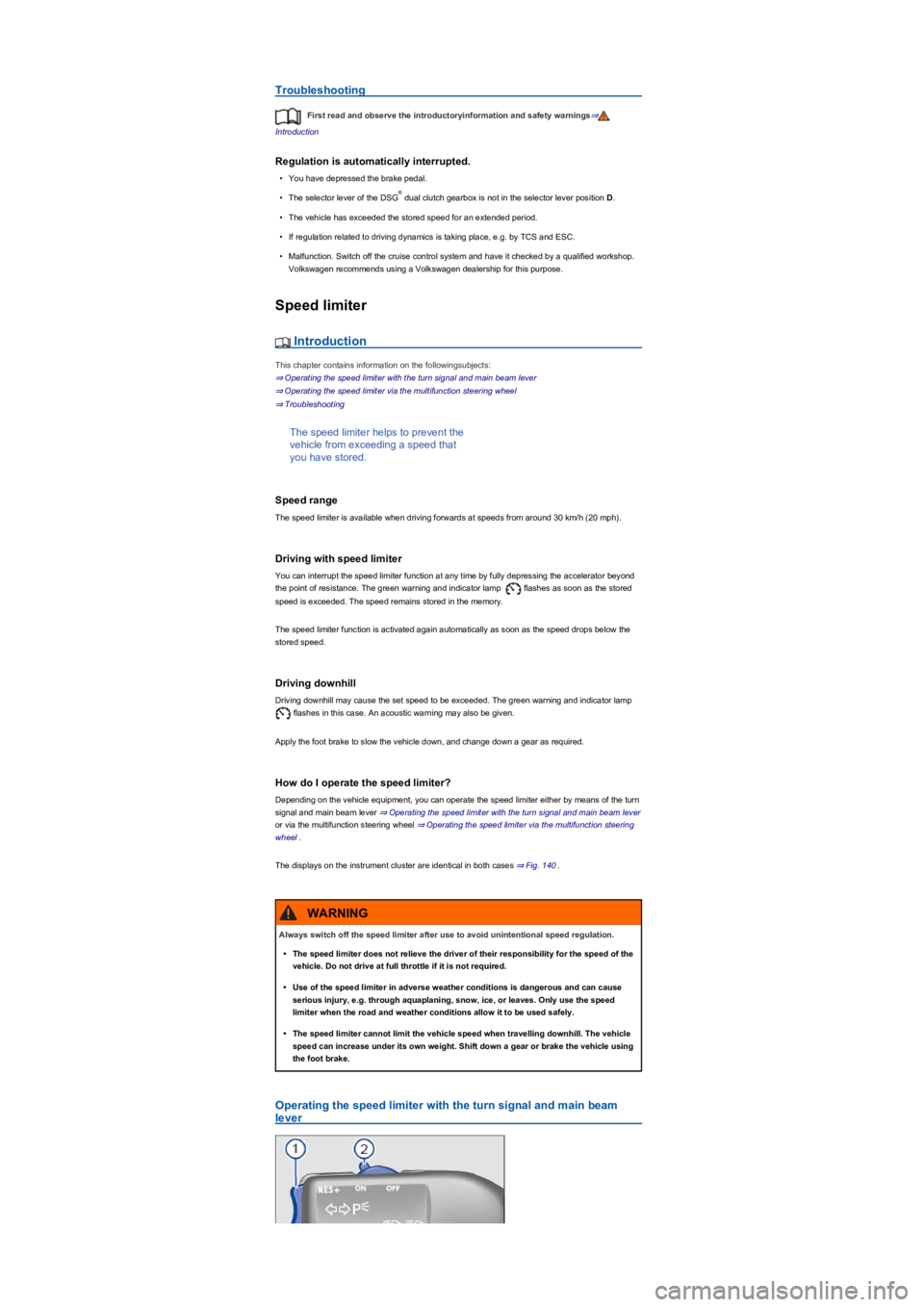
The displays on the instrument cluster are identical in both cases ⇒ Fig. 140.
Operating the speed limiter with the turn signal and main beam
lever
®
Always switch off the speed limiter after use to avoid unintentional speed regulation.
•The speed limiter does not relieve the driver of their responsibility for the speed of the
vehicle. Do not drive at full throttle if it is not required.
•Use of the speed limiter in adverse weather conditions is dangerous and can cause
serious injury, e.g. through aquaplaning, snow, ice, or leaves. Only use the speed
limiter when the road and weather conditions allow it to be used safely.
•The speed limiter cannot limit the vehicle speed when travelling downhill. The vehicle
speed can increase under its own weight. Shift down a gear or brake the vehicle using
the foot brake.
WARNING
Page 173 of 341
The current speed is stored as the maximum speed. The green indicator lamp also lights up.
Setting the speed
You can adjust the stored speed:
+ 1 km/h (1 mph)- 1 km/h (1 mph)+ 10 km/h (5 mph)- 10 km/h (5 mph)
Press and hold the button or to continuously change the stored speed.
Interrupting control
•Press the or button.
The speed remains stored in the memory.
Resuming control
•Press the button.
The speed limiter is activated again as soon as the current speed is lower than the stored speed.
Switching off
•Press and hold the button.
The speed limiter is switched off and the speed remains stored (also after the ignition is switched
off).
Changing to cruise control system or Adaptive Cruise Control (ACC)
•Press the button.
The speed limiter is switched off.
Troubleshooting
First read and observe the introductoryinformation and safety warnings⇒
Introduction
Regulation is automatically interrupted.
•Malfunction. Switch off the speed limiter and have it checked by a qualified workshop.
Volkswagen recommends using a Volkswagen dealership for this purpose.
For safety reasons, the speed limiter switches itself off completely only when you release the
accelerator once or switch off the system manually.
Adaptive Cruise Control (ACC)
Introduction
This chapter contains information on the followingsubjects:
⇒ Special driving situations
⇒ System limits
⇒ Switching ACC on and off
⇒ Setting ACC
⇒ Troubleshooting
The Adaptive Cruise Control (ACC)
maintains a constant speed that you
have set. When your vehicle
approaches a vehicle that is driving in
front, ACC automatically adapts the
speed to maintain the distance that you
have set.
Driving with ACC
You can override control by ACC at any time. Control will be interrupted if you brake. If you
accelerate, control will be interrupted while you are accelerating and then resumed.
Control by ACC is less dynamic when towing a trailer ⇒. ACC will not perform control if the brake
lights of the trailer are defective.
Brake request
If automatic deceleration by ACC is not sufficient, ACC will request you to brake additionally by a
corresponding message on the instrument cluster. The red warning lamp lights up. An
acoustic warning is also given. Brake immediately.
Page 174 of 341
Speed range
ACC controls the vehicle in the speed range between 30 km/h (20 mph) and 160 km/h (100 mph)
or 210 km/h (130 mph). This speed range may differ in certain markets.
Radar sensor
ACC detects driving situations by means of the radar sensor at the front of the vehicle ⇒ Front
view. The range of the radar sensor is up to approximately 120 m.
Does the vehicle have ACC?
The vehicle is equipped with ACC if you can make settings for ACC in the vehicle settings of the
Infotainment system ⇒ Vehicle settings menu.
If the vehicle has ACC, the cruise control system is not available as an independent system.
Special driving situations
Fig. 142 On the instrument cluster display: slower vehicle detected in the left-hand lane
(illustration).
First read and observe the introductoryinformation and safety warnings⇒
Introduction
Overtaking
If you indicate left (left-hand traffic: indicate right) to overtake, ACC will accelerate the vehicle and
reduce the distance from the vehicle in front. Your set speed will not be exceeded.
If ACC does not detect any vehicle in front after you have changed lane, ACC will accelerate the
vehicle up to the set speed.
Stop-and-go traffic
ACC can brake vehicles with DSG dual clutch gearbox to a standstill and hold them stationary.
ACC remains active and the instrument cluster display shows ACC ready for a few seconds.
During this time the vehicle will move off again automatically as soon as the vehicle in front moves
off (depending on the vehicle equipment level and not available in all countries).
•Press the button.
•Press the button or briefly press the accelerator.
The intelligent technology used in the ACC cannot overcome the laws of physics, and
functions only within the limits of the system. Never let the extra convenience tempt you
into taking safety risks when driving. Careless or unintentional use of the Adaptive Cruise
Control (ACC) can cause accidents and lead to serious injury. The system is not a
substitute for the full concentration of the driver.
•Adapt your speed and distance from the vehicles ahead to suit visibility, weather, road
and traffic conditions.
•Do not use the ACC in poor visibility, on steep or winding roads, on slippery road
surfaces, e.g. on snow, ice, wet roads, loose chippings, or on flooded roads.
•Never use ACC off-road or on non-surfaced roads. The ACC is designed for use on
surfaced roads only.
•ACC does not respond to stationary vehicles.
•The ACC does not react to persons, animals or vehicles crossing or approaching in the
same lane.
•Brake immediately if speed reduction by ACC is not sufficient.
•Brake immediately if a request to brake appears on the instrument cluster display.
•Brake if the vehicle starts rolling unintentionally after a request to brake.
•Be prepared to control the speed yourself at all times.
WARNING
®