trailer VOLKSWAGEN TIGUAN 2017 Owner´s Manual
[x] Cancel search | Manufacturer: VOLKSWAGEN, Model Year: 2017, Model line: TIGUAN, Model: VOLKSWAGEN TIGUAN 2017Pages: 341, PDF Size: 9.14 MB
Page 83 of 341
The drive switches off automatically in order to prevent overheating if the boot lid is operated too
frequently in a short space of time. Until the drive has cooled down the boot lid can be opened and
closed by hand using more force than usual.
The boot lid must be closed by hand if the 12-volt vehicle battery or fuse is disconnected or faulty.
Vehicle turn signals flash four times
Check whether the vehicle key is still in the vehicle.
Boot lid is stiff
At outside temperatures below freezing point, the opening mechanism cannot always lift the
partially opened boot lid automatically. If this happens, guide the boot lid further up by hand.
Sensor-controlled luggage compartment opener (Easy Open) is not
working
•Easy Open works only when the ignition is switched off.
•Clean the sensors in the rear bumper.
•The towing bracket is swivelled out ⇒ Trailer towing.
•A towing bracket has been retrofitted to the vehicle ⇒ Trailer towing.
•During heavy rain, Easy Open may be deactivated in order to prevent accidental activation.
Automatic closing (Easy Close) is not working
•Switch off the ignition and close the driver door.
•The boot lid must be at least half-closed.
•Unhitch the trailer ⇒ Trailer towing.
•There is more than one vehicle key in the luggage compartment.
•Press the Easy Close button again.
Windows
Introduction
This chapter contains information on the followingsubjects:
⇒ Opening and closing windows
⇒ Electric window roll-back function
⇒ Troubleshooting
Opening and closing windows
First read and observe the introductoryinformation and safety warnings⇒
Introduction
The buttons are located in the doors ⇒ Driver door.
Open windows: press the button. Close windows: pull the button.Press to disable the
electric window buttons in the rear doors.
The windows can still be operated using the buttons in the doors for a short time after the ignition
has been switched off, provided that the driver door and front passenger door are not opened.
Careless or unsupervised use of the electric windows can cause serious injuries.
•The electric windows should be opened or closed only when you are sure that nobody
is in their operating area.
•Never leave children or people requiring assistance alone in the vehicle when the
vehicle is locked. The windows can no longer be opened in an emergency.
•Always take all vehicle keys with you every time you leave the vehicle. The windows
can still be operated using the buttons in the doors for a short time after the ignition
has been switched off, provided that the driver door and front passenger door are not
opened.
•When transporting children on the rear bench seat, the rear electric windows should
always be deactivated using the safety button so that they cannot be opened or closed.
WARNING
During sudden rain showers, water can enter the vehicle interior via open windows and
cause damage to the vehicle.
NOTICE
Page 102 of 341
When reverse gear is engaged, the cornering light on both sides of the vehicle switches on
to provide better illumination of the area when manoeuvring.
Switching the fog lights on and off
•Switching on the front fog lights : Pull the light switch ⇒ Fig. 97 out to the first stopper.
The indicator lamp in the light switch lights up green.
•Switching on the rear fog lights : pull the light switch all the way out. The indicator lamp
in the instrument cluster lights up yellow.
•To switch the fog lights off, press in the light switch or move it to position .
If the automatic headlights are switched on and the front or rear fog lights are
switched on, the dipped beam headlights will also be switched on irrespective of the current light
conditions outside.
In vehicles with a factory-fitted towing bracket: the vehicle's rear fog lights are switched off
automatically if a trailer with rear fog lights is electrically connected to the vehicle ⇒ Trailer towing.
Light functions
Side lights
If the light switch is in position both headlights light up with side lights together with parts of
the tail light clusters, number plate lighting and the buttons in the centre console and the dash
panel. The daytime running lights also switch on when the ignition is switched on.
If the vehicle is not locked from outside (when the ignition is switched off) the continuous parking
light on both sides of the vehicle switches on automatically after ten minutes to reduce 12-volt
vehicle battery discharge ⇒ Switching the parking lights on and off.
Automatic headlights
When the light switch is in position , the vehicle lighting and the instrument and switch
lighting will switch on and off automatically depending on the light conditions. When the lights are
switched on, the indicator lamp in the light switch lights up yellow.
The automatic headlight control function is merely an aid and will not always be able to detect all
driving situations.
In vehicles with a corresponding equipment level, the switch-on time for automatic headlight control
can be adjusted in the Infotainment system in the Vehicle settings menu ⇒ Operation and
display in the Infotainment system.
Cornering light
When cornering slowly or travelling around very tight bends, a static cornering light is switched on
automatically.
Accidents and serious injuries can occur if roads are not sufficiently illuminated and other
road users have difficulty seeing the vehicle, or cannot see it at all.
•The light assist functions are designed to provide assistance only. The driver is
responsible for making sure that the vehicle lights are switched on correctly.
•Always switch the dipped beam headlights on if it is dark, raining or visibility is poor.
WARNING
The side lights or daytime running lights are not bright enough to illuminate the road
ahead and to ensure that other road users are able to see you.
•Always switch the dipped beam headlights on if it is dark, raining or visibility is poor.
•The rear lights will not be switched on with the daytime running lights. If the rear lights
are not switched on, the vehicle may not be visible to other road users if it is dark,
raining, or if visibility is poor.
WARNING
The automatic headlights function ( ) switches the dipped beam headlights on and
off only when there is a change to the level of brightness.
•Switch on the dipped beam headlights manually if this is necessary due to particular
weather conditions, e.g. fog.
WARNING
Page 107 of 341
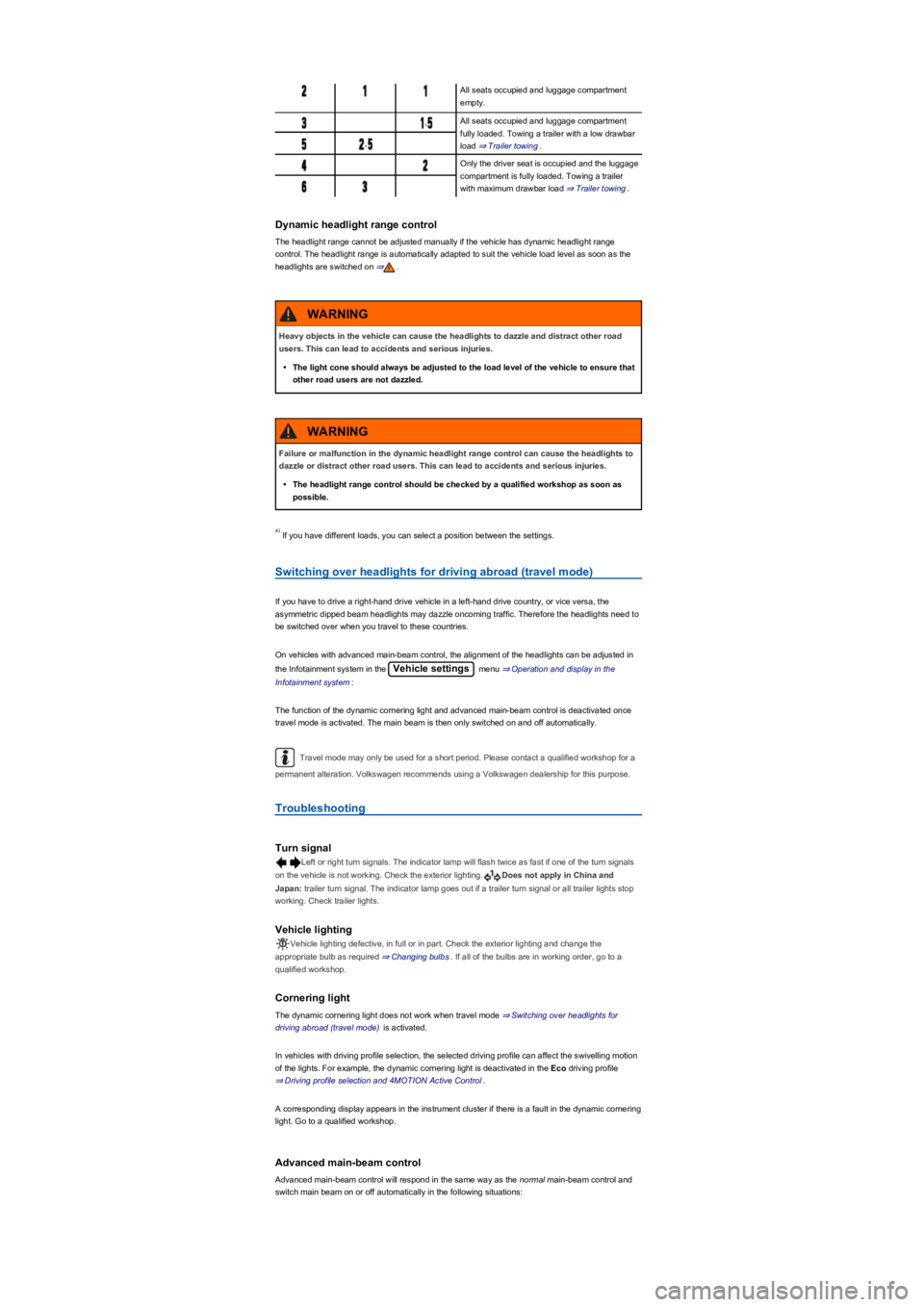
All seats occupied and luggage compartment
empty.
,All seats occupied and luggage compartment
fully loaded. Towing a trailer with a low drawbar
load ⇒ Trailer towing.,
Only the driver seat is occupied and the luggage
compartment is fully loaded. Towing a trailer
with maximum drawbar load ⇒ Trailer towing.
Dynamic headlight range control
The headlight range cannot be adjusted manually if the vehicle has dynamic headlight range
control. The headlight range is automatically adapted to suit the vehicle load level as soon as the
headlights are switched on ⇒.
If you have different loads, you can select a position between the settings.
Switching over headlights for driving abroad (travel mode)
If you have to drive a right-hand drive vehicle in a left-hand drive country, or vice versa, the
asymmetric dipped beam headlights may dazzle oncoming traffic. Therefore the headlights need to
be switched over when you travel to these countries.
On vehicles with advanced main-beam control, the alignment of the headlights can be adjusted in
the Infotainment system in the Vehicle settings menu ⇒ Operation and display in the
Infotainment system:
The function of the dynamic cornering light and advanced main-beam control is deactivated once
travel mode is activated. The main beam is then only switched on and off automatically.
Travel mode may only be used for a short period. Please contact a qualified workshop for a
permanent alteration. Volkswagen recommends using a Volkswagen dealership for this purpose.
Troubleshooting
Turn signal
Left or right turn signals. The indicator lamp will flash twice as fast if one of the turn signals
on the vehicle is not working. Check the exterior lighting.Does not apply in China and
Japan: trailer turn signal. The indicator lamp goes out if a trailer turn signal or all trailer lights stop
working. Check trailer lights.
Vehicle lighting
Vehicle lighting defective, in full or in part. Check the exterior lighting and change the
appropriate bulb as required ⇒ Changing bulbs. If all of the bulbs are in working order, go to a
qualified workshop.
Cornering light
The dynamic cornering light does not work when travel mode ⇒ Switching over headlights for
driving abroad (travel mode) is activated.
In vehicles with driving profile selection, the selected driving profile can affect the swivelling motion
of the lights. For example, the dynamic cornering light is deactivated in the Eco driving profile
⇒ Driving profile selection and 4MOTION Active Control.
A corresponding display appears in the instrument cluster if there is a fault in the dynamic cornering
light. Go to a qualified workshop.
Advanced main-beam control
Advanced main-beam control will respond in the same way as the normal main-beam control and
switch main beam on or off automatically in the following situations:
Heavy objects in the vehicle can cause the headlights to dazzle and distract other road
users. This can lead to accidents and serious injuries.
•The light cone should always be adjusted to the load level of the vehicle to ensure that
other road users are not dazzled.
WARNING
Failure or malfunction in the dynamic headlight range control can cause the headlights to
dazzle or distract other road users. This can lead to accidents and serious injuries.
•The headlight range control should be checked by a qualified workshop as soon as
possible.
WARNING
a)
Page 129 of 341
m/k/a995MK Vehicles with DSG dual clutch gearbox: the selector lever must be in the
Tiptronic position ⇒ Changing gear using Tiptronic.
No recommended gear is indicated if the most suitable gear is already selected. The currently
selected gear is displayed.
Information on cleaning the particulate filter
The engine management system recognises when the particulate filter is becoming saturated and
supports regeneration of the particulate filter by recommending the most suitable gear when driving.
Compared with normal driving, this may mean driving with an increased engine speed ⇒ Particulate
filter.
Driving in the correct gear can help to reduce fuel consumption.
Gear-change indicator display goes out when the clutch is depressed in vehicles with a
manual gearbox or when Tiptronic position is deselected in vehicles with a DSG dual clutch
gearbox.
Driving economically
First read and observe the introductoryinformation and safety warnings⇒
Introduction
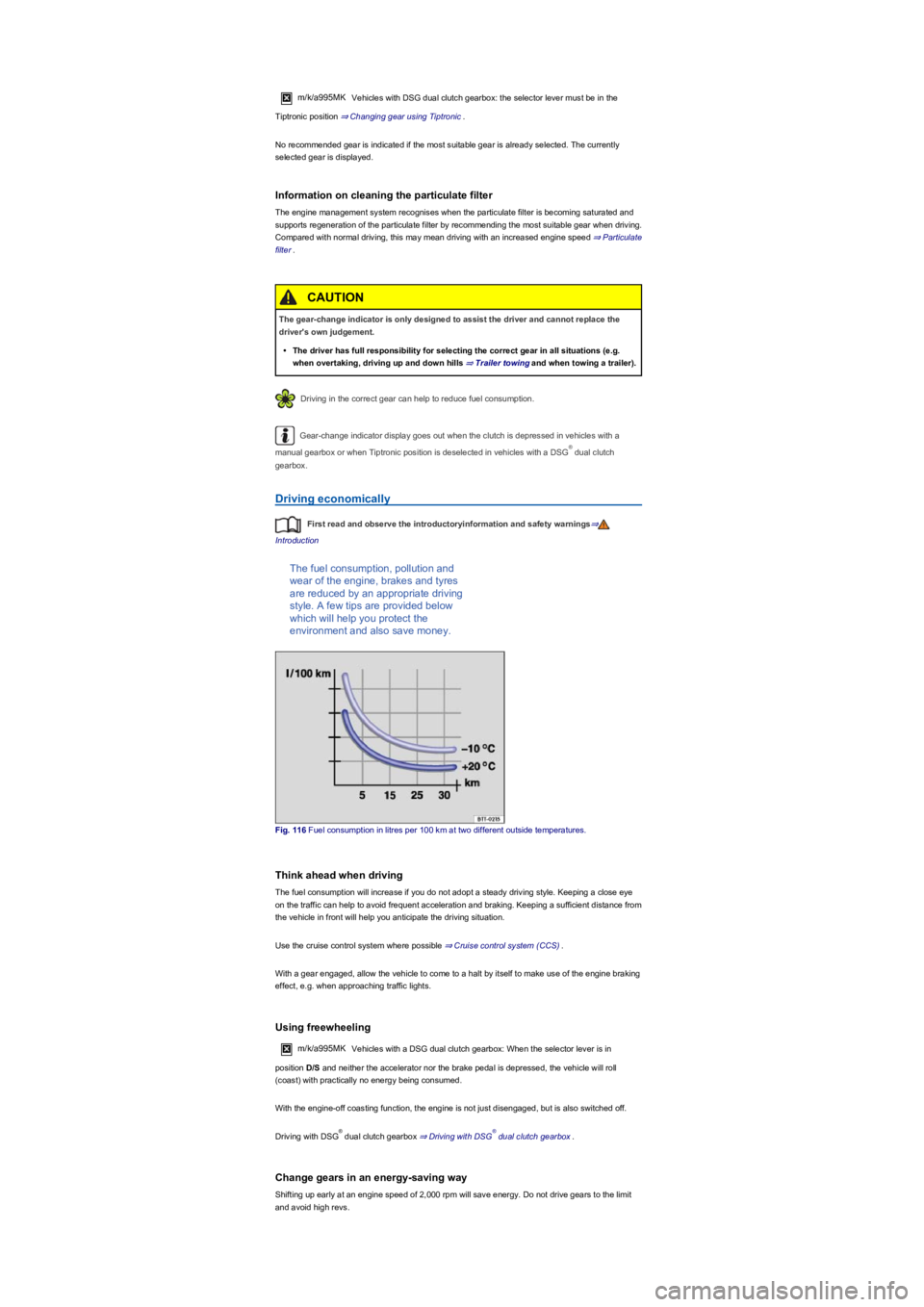
The fuel consumption, pollution and
wear of the engine, brakes and tyres
are reduced by an appropriate driving
style. A few tips are provided below
which will help you protect the
environment and also save money.
Fig. 116 Fuel consumption in litres per 100 km at two different outside temperatures.
Think ahead when driving
The fuel consumption will increase if you do not adopt a steady driving style. Keeping a close eye
on the traffic can help to avoid frequent acceleration and braking. Keeping a sufficient distance from
the vehicle in front will help you anticipate the driving situation.
Use the cruise control system where possible ⇒ Cruise control system (CCS).
With a gear engaged, allow the vehicle to come to a halt by itself to make use of the engine braking
effect, e.g. when approaching traffic lights.
Using freewheeling
m/k/a995MKVehicles with a DSG dual clutch gearbox: When the selector lever is in
position D/S and neither the accelerator nor the brake pedal is depressed, the vehicle will roll
(coast) with practically no energy being consumed.
With the engine-off coasting function, the engine is not just disengaged, but is also switched off.
Driving with DSG dual clutch gearbox ⇒ Driving with DSG dual clutch gearbox.
Change gears in an energy-saving way
Shifting up early at an engine speed of 2,000 rpm will save energy. Do not drive gears to the limit
and avoid high revs.
The gear-change indicator is only designed to assist the driver and cannot replace the
driver's own judgement.
•The driver has full responsibility for selecting the correct gear in all situations (e.g.
when overtaking, driving up and down hills ⇒ Trailer towingand when towing a trailer).
CAUTION
®
®®
Page 133 of 341
If the front brake pads are tested, the rear brake pads should be tested at the same time.
Regularly check the thickness of the brake pads through the openings in the rims or from the
underside of the vehicle. If necessary, remove the wheels to carry out a comprehensive check.
Volkswagen recommends using a Volkswagen dealership for this purpose.
Driving with a loaded vehicle
First read and observe the introductoryinformation and safety warnings⇒
Introduction
For good vehicle handling when driving a loaded vehicle, please observe the following:
•Stow all items of luggage securely ⇒ Stowing luggage and loads.
•Accelerate particularly cautiously and carefully.
•Avoid sudden braking and driving manoeuvres.
•Brake earlier than in normal driving.
•If applicable, observe the information concerning the roof carrier ⇒ Roof carrier.
•If applicable, observe the information about driving with a trailer ⇒ Trailer towing.
Driving with an open boot lid
First read and observe the introductoryinformation and safety warnings⇒
Introduction
Driving with an open boot lid is particularly dangerous. All objects and the open boot lid must be
secured properly. Take the appropriate measures to reduce the amount of poisonous exhaust
fumes that could enter into the vehicle.
Wet brakes or brakes coated with ice or road salt react more slowly and require longer
braking distances.
•Carefully apply the brakes to test them.
•Always dry brakes and clean off any coating of ice and salt with a few cautious
applications of the brake when visibility, weather, road and traffic conditions permit.
WARNING
Driving without the brake servo can considerably increase the braking distance and thus
cause accidents and serious injuries.
•Never switch the engine or ignition off while the vehicle is in motion.
•If the brake servo does not function or the vehicle is being towed, the brake pedal will
have to be depressed more forcefully as the braking distance will be increased due to
the lack of assistance for the brake system.
WARNING
Moving loads can severely impair the vehicle's stability and driving safety which could
cause accidents and severe injuries.
•Secure objects properly to prevent them from sliding.
•Use suitable straps when securing heavy objects.
•Engage the rear seat backrests and the adjustable rear bench seat securely.
WARNING
Page 135 of 341
Running in the engine
First read and observe the introductoryinformation and safety warnings⇒
Introduction
Any new engine has to be run in during the first 1,500 kilometres. All moving parts have to adapt
themselves to each other. The engine is subject to higher internal friction during the first hours of
operation than later on.
•Do not depress the accelerator fully.
•Do not drive the vehicle at more than 2/3 of the top engine speed.
•Do not drive with a trailer attached ⇒ Trailer towing.
•Increase the driving speed and engine speed gradually.
The style of driving during the first 1,500 kilometres will also affect the engine quality. Even after
this time – and especially with a cold engine – drive the vehicle at moderate speeds in order to
reduce engine wear and to increase the mileage that the engine can cover.
Do not drive at engine speeds that are too low. Always shift down gear if the engine is not running
smoothly.
New tyres ⇒ Wheels and tyres and brake pads ⇒ Notes on driving must be run in carefully.
If the engine is run in gently, its life will be increased and its oil consumption reduced.
Using the vehicle in other countries and continents
First read and observe the introductoryinformation and safety warnings⇒
Introduction
The vehicle has been manufactured specifically for a particular country and complies with the
registration regulations that applied in that country at the time of vehicle production.
If you want to use the vehicle abroad for a short period, all relevant information and instructions
should be followed ⇒ Safety.
If the vehicle is going to be sold in another country or used in another country for an extended
period, the legal requirements applicable in that country must be observed.
In some cases, certain equipment will have to be fitted or removed and functions deactivated. The
service scope and service types could also be affected. This is particularly important if the vehicle is
driven in another climate region for a long period of time.
Because different frequency bands are used in different countries, the factory-fitted Infotainment
system may not work in other countries.
Troubleshooting
First read and observe the introductoryinformation and safety warnings⇒
Introduction
After driving through water, mud, slush etc., the brakes may react slowly and the braking
distance will be increased as the brake discs and pads will be wet, or possibly iced up in
winter.
•You can dry and de-ice the brakes by performing careful braking manoeuvres. Ensure
that you do not endanger any other road users or violate any legal regulations when
doing so.
•Avoid abrupt and sudden braking manoeuvres directly after driving through water.
WARNING
•If you drive through water, parts of the vehicle, such as the engine, drive train, running
gear and vehicle electrics, could sustain severe damage.
•Never drive through salt water as salt can cause corrosion. Rinse all components that
have been exposed to salt water immediately with fresh water.
NOTICE
•Volkswagen is not responsible for any vehicle damage caused by low-quality fuel,
inadequate servicing work or lack of Genuine Parts.
•Volkswagen cannot be held responsible if the vehicle does not comply with or only
partly complies with the relevant legal requirements in other countries and continents.
NOTICE
Page 173 of 341
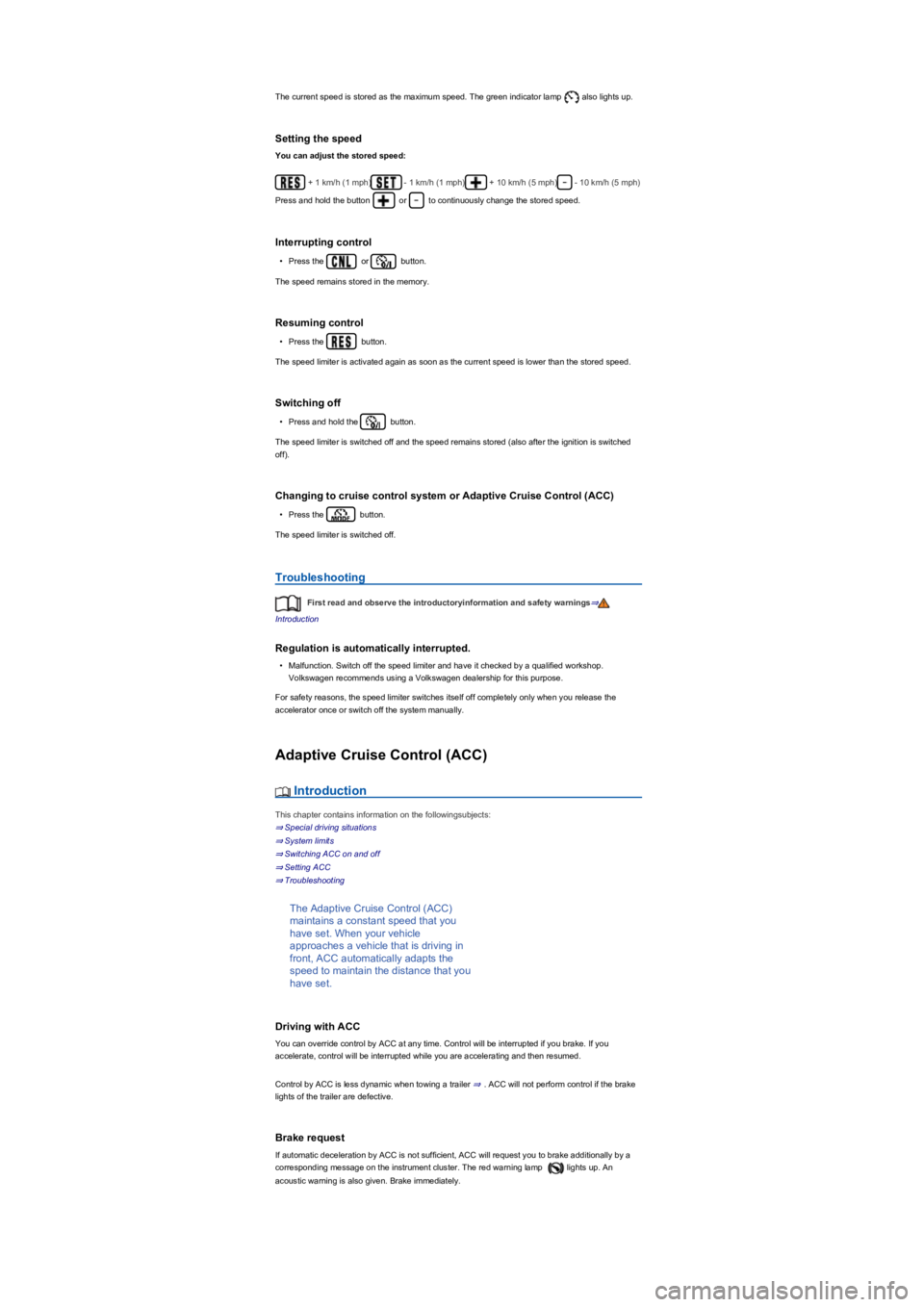
The current speed is stored as the maximum speed. The green indicator lamp also lights up.
Setting the speed
You can adjust the stored speed:
+ 1 km/h (1 mph)- 1 km/h (1 mph)+ 10 km/h (5 mph)- 10 km/h (5 mph)
Press and hold the button or to continuously change the stored speed.
Interrupting control
•Press the or button.
The speed remains stored in the memory.
Resuming control
•Press the button.
The speed limiter is activated again as soon as the current speed is lower than the stored speed.
Switching off
•Press and hold the button.
The speed limiter is switched off and the speed remains stored (also after the ignition is switched
off).
Changing to cruise control system or Adaptive Cruise Control (ACC)
•Press the button.
The speed limiter is switched off.
Troubleshooting
First read and observe the introductoryinformation and safety warnings⇒
Introduction
Regulation is automatically interrupted.
•Malfunction. Switch off the speed limiter and have it checked by a qualified workshop.
Volkswagen recommends using a Volkswagen dealership for this purpose.
For safety reasons, the speed limiter switches itself off completely only when you release the
accelerator once or switch off the system manually.
Adaptive Cruise Control (ACC)
Introduction
This chapter contains information on the followingsubjects:
⇒ Special driving situations
⇒ System limits
⇒ Switching ACC on and off
⇒ Setting ACC
⇒ Troubleshooting
The Adaptive Cruise Control (ACC)
maintains a constant speed that you
have set. When your vehicle
approaches a vehicle that is driving in
front, ACC automatically adapts the
speed to maintain the distance that you
have set.
Driving with ACC
You can override control by ACC at any time. Control will be interrupted if you brake. If you
accelerate, control will be interrupted while you are accelerating and then resumed.
Control by ACC is less dynamic when towing a trailer ⇒. ACC will not perform control if the brake
lights of the trailer are defective.
Brake request
If automatic deceleration by ACC is not sufficient, ACC will request you to brake additionally by a
corresponding message on the instrument cluster. The red warning lamp lights up. An
acoustic warning is also given. Brake immediately.
Page 178 of 341
The warning lamp and a message are displayed on the instrument cluster display in the event
of malfunctions.
If the malfunction cannot be rectified by one of the listed measures, switch off ACC and go to a
qualified workshop. Volkswagen recommends using a Volkswagen dealership for this purpose.
ACC is not available, the radar sensor does not have sufficient visibility
•The radar sensor is dirty. Clean the radar sensor ⇒ Vehicle care.
•The visibility of the radar sensor is impaired by add-on parts, the trim frames of number plate
holders or stickers. Keep the area around the radar sensor free.
•The radar sensor has been displaced or damaged, e.g. due to damage to the front of the
vehicle. Check whether damage is visible ⇒ Repairs and technical modifications.
•Fault or malfunction. Switch off and restart the engine.
•Structural modifications have been made to the front of the vehicle.
•The genuine Volkswagen badge is not used.
ACC does not function as expected
•The radar sensor is dirty. Clean the radar sensor ⇒ Vehicle care.
•The visibility of the radar sensor is impaired due to the weather conditions, e.g. snow, or due to
detergent deposits or coatings. Clean the radar sensor ⇒ Vehicle care.
•The system limits are not met ⇒ System limits.
•The brakes have overheated, control was interrupted automatically. Allow the brakes to cool
down and check functioning again.
Control cannot be started
•A forward gear other than first gear is selected (manual gearbox) or the selector lever is in
selector lever position D or the Tiptronic gate.
•The speed is at least 25 km/h (16 mph) in the case of vehicles with manual gearbox.
•The brake lights on the vehicle and trailer ⇒ are working.
•ESC is not regulating.
•The brake pedal is not depressed.
Unusual noises during the automatic braking operation are normal and not a sign that there
is a fault.
Area monitoring system (Front Assist)
Introduction
This chapter contains information on the followingsubjects:
⇒ Warning levels and braking intervention
⇒ Operating the area monitoring system (Front Assist)
⇒ Pedestrian Monitoring
⇒ System limits
⇒ Troubleshooting
The area monitoring system (Front
Assist) with City Emergency Braking
System can help to avoid accidents.
Within the limits of the system, Front Assist can warn the driver about imminent collisions, prepare
the vehicle for emergency braking, assist with braking, and initiate automatic braking. The warning
time varies depending on the traffic situation and driver behaviour.
Front Assist is not a substitute for the full concentration of the driver.
Driving with Front Assist
You can cancel the automatic braking interventions of Front Assist by steering or pressing the
accelerator.
Automatic braking
Front Assist can decelerate the vehicle to a standstill. The vehicle will then not be held
permanently. Depress the brake pedal.
The brake pedal will feel harder during an automatic braking operation.
Radar sensor
Front Assist detects driving situations by means of the radar sensor at the front of the vehicle
⇒ Front view. The range of the radar sensor is up to approximately 120 m.
Page 181 of 341
System limits
First read and observe the introductoryinformation and safety warnings⇒
Introduction
Front Assist has physical and system-related limitations. From the driver's perspective, some Front
Assist reactions may therefore occur unexpectedly or with a delay in certain circumstances. You
should therefore always be prepared to take full control of the vehicle if necessary.
•In tight bends.
•If the accelerator is fully depressed.
•If Front Assist is switched off or faulty.
•If TCS is switched off manually.
•If ESC is taking corrective action.
•If there is a fault in several brake lights on the vehicle or on a trailer with an electrical
connection to the vehicle ⇒.
•If the radar sensor is dirty or covered.
•If there are metal objects, e.g. tracks in the road or metal plates used in roadworks, or road
signs, above and adjacent to the road.
•If the vehicle is reversing.
•Under hard acceleration.
•In snow or heavy rain.
•In case of narrow vehicles, e.g. motorbikes.
•If vehicles are travelling slightly to the left or right of your vehicle.
•If vehicles are crossing in front of your vehicle.
•If there is oncoming traffic.
•If pedestrians are standing in front of the vehicle, approaching the vehicle, or moving in the
same direction as the vehicle.
•In complex driving situations, e.g. at traffic islands.
•In unclear traffic situations, e.g. vehicles ahead are heavily braking or turning off.
•When loads or attachment parts on other vehicles protrude to the side, rear or above the normal
dimensions of the vehicle.
Switching off Front Assist
•If the vehicle is being towed.
•If the vehicle is on a rolling road test bed.
•If the vehicle is driven in areas other than public roads.
•If the radar sensor is faulty.
•After external force on the radar sensor, e.g. after a rear-end collision.
•In the event of multiple unwanted interventions.
•If the radar sensor is covered temporarily by any auxiliary equipment, e.g. auxiliary headlights.
•If the vehicle is loaded onto a truck, car ferry or motorail train.
The intelligent Pedestrian Monitoring technology cannot overcome the laws of physics,
and functions only within the limits of the system. Never let the extra convenience
afforded by the Pedestrian Monitoring system tempt you into taking any risks when
driving. The driver is always responsible for braking in time.
•If Pedestrian Monitoring issues a warning, brake your vehicle immediately depending
on the traffic situation or avoid the pedestrian.
•The Pedestrian Monitoring system cannot prevent accidents and serious injuries on its
own.
•The Pedestrian Monitoring system can issue unnecessary warnings and carry out
unwanted braking interventions in complex driving situations, e.g. on a twisting main
road.
•The Pedestrian Monitoring system can issue unnecessary warnings and carry out
unwanted braking interventions when its function is impaired, e.g. if the radar sensor is
covered or its position has been changed.
•Be prepared to take over control of the vehicle yourself at all times.
WARNING
Failure to switch off Front Assist in the situations mentioned can result in accidents and
serious injuries.
WARNING
Page 188 of 341
In the following driving situations, the yellow indicator lamp lights up in the housing of the respective
exterior mirror:
•If your vehicle is being overtaken.
•When overtaking another vehicle with a speed difference of up to approximately 15 km/h
(9 mph). No display will be shown if the takeover manoeuvre is much faster.
The yellow indicator lamp flashes if a possible critical situation is detected when you indicate in the
direction of the detected vehicle.
The quicker another vehicle approaches, the earlier there is a corresponding display in the exterior
mirror.
Lane change system Side Assist Plus
If the vehicle is equipped with a lane keeping system and the system is switched on, the driver is
warned by a corrective steering intervention when changing lanes during a possible critical situation
(information level, warning level). The steering intervention also occurs when the turn signal is
activated for the corresponding direction. If the steering intervention is overridden by the driver, the
steering wheel vibrates to give an additional warning.
Automatic deactivation
The lane change system will switch off automatically if the radar sensors are permanently covered.
This can be caused by a layer of ice or snow in front of the radar sensor, for example.
A text message will be shown on the instrument cluster display.
If the lane change system sensor has been automatically deactivated, the system cannot be
activated until the ignition has been switched off and back on again.
The lane change system and Rear Traffic Alert are switched off automatically when the factory-
fitted towing bracket is electrically connected with a trailer or similar ⇒ Trailer towing. The lane
change system and Rear Traffic Alert are automatically switched on again when the trailer is
unhitched from the vehicle. The lane change system and Rear Traffic Alert must be switched off
manually if a non-factory-fitted towing bracket is used.
Brightness
The brightness of the visual display will automatically adapt to the light levels.
The basic brightness level can be set in the Infotainment system ⇒ Operation and display in the
Infotainment system.
The lane change system is not active during the setting procedure.
Rear Traffic Alert
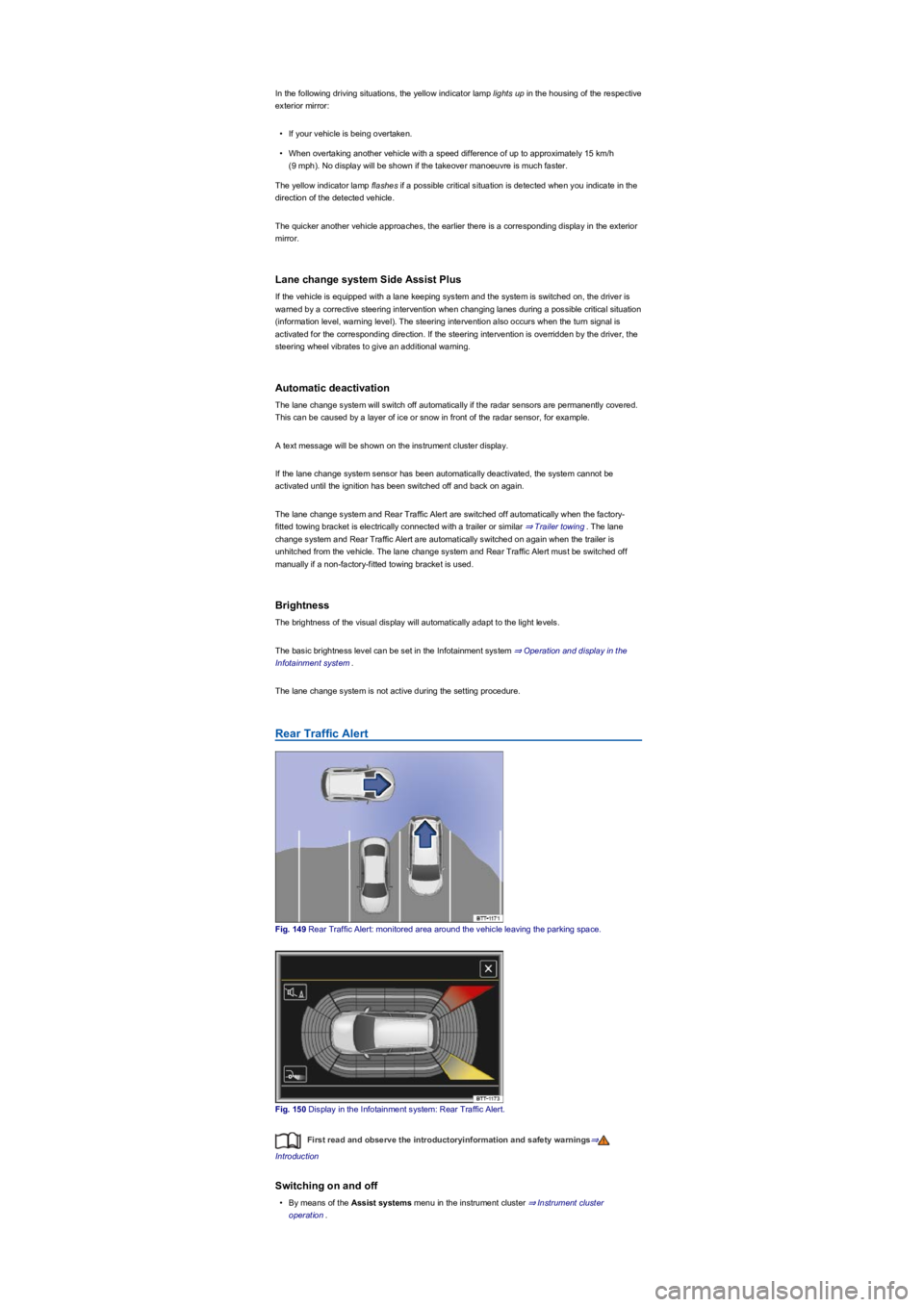
Fig. 149 Rear Traffic Alert: monitored area around the vehicle leaving the parking space.
Fig. 150 Display in the Infotainment system: Rear Traffic Alert.
First read and observe the introductoryinformation and safety warnings⇒
Introduction
Switching on and off
•By means of the Assist systems menu in the instrument cluster ⇒ Instrument cluster
operation.