ECO mode VOLKSWAGEN TIGUAN 2017 Owner´s Manual
[x] Cancel search | Manufacturer: VOLKSWAGEN, Model Year: 2017, Model line: TIGUAN, Model: VOLKSWAGEN TIGUAN 2017Pages: 341, PDF Size: 9.14 MB
Page 146 of 341
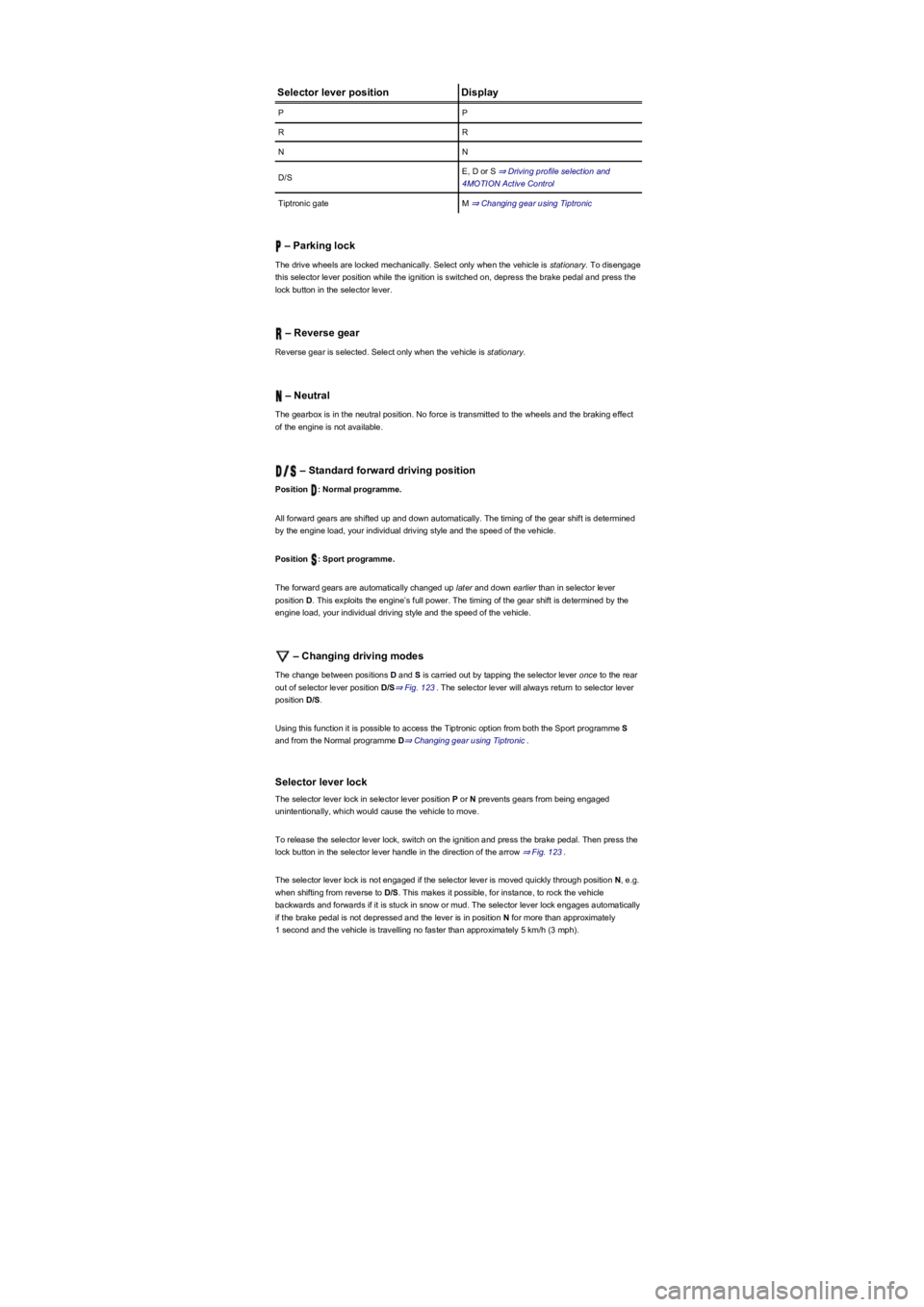
Selector lever positionDisplay
PP
RR
NN
D/SE, D or S ⇒ Driving profile selection and
4MOTION Active Control
Tiptronic gateM ⇒ Changing gear using Tiptronic
– Parking lock
The drive wheels are locked mechanically. Select only when the vehicle is stationary. To disengage
this selector lever position while the ignition is switched on, depress the brake pedal and press the
lock button in the selector lever.
– Reverse gear
Reverse gear is selected. Select only when the vehicle is stationary.
– Neutral
The gearbox is in the neutral position. No force is transmitted to the wheels and the braking effect
of the engine is not available.
– Standard forward driving position
Position : Normal programme.
All forward gears are shifted up and down automatically. The timing of the gear shift is determined
by the engine load, your individual driving style and the speed of the vehicle.
Position : Sport programme.
The forward gears are automatically changed up later and down earlier than in selector lever
position D. This exploits the engine’s full power. The timing of the gear shift is determined by the
engine load, your individual driving style and the speed of the vehicle.
– Changing driving modes
The change between positions D and S is carried out by tapping the selector lever once to the rear
out of selector lever position D/S⇒ Fig. 123. The selector lever will always return to selector lever
position D/S.
Using this function it is possible to access the Tiptronic option from both the Sport programme S
and from the Normal programme D⇒ Changing gear using Tiptronic.
Selector lever lock
The selector lever lock in selector lever position P or N prevents gears from being engaged
unintentionally, which would cause the vehicle to move.
To release the selector lever lock, switch on the ignition and press the brake pedal. Then press the
lock button in the selector lever handle in the direction of the arrow ⇒ Fig. 123.
The selector lever lock is not engaged if the selector lever is moved quickly through position N, e.g.
when shifting from reverse to D/S. This makes it possible, for instance, to rock the vehicle
backwards and forwards if it is stuck in snow or mud. The selector lever lock engages automatically
if the brake pedal is not depressed and the lever is in position N for more than approximately
1 second and the vehicle is travelling no faster than approximately 5 km/h (3 mph).
Page 148 of 341
•Gently push the selector lever forwards ⊕ or back ㊀ to shift gear up or down ⇒ Fig. 124.
When moving the selector lever in the Tiptronic gate, do not press the lock button on the selector
lever.
Operating Tiptronic with the paddles
•Pull the right paddle ⇒ Fig. 125 towards the steering wheel to change up a gear.
•Pull the left paddle towards the steering wheel to change down a gear.
•To leave Tiptronic mode, pull the right paddle towards the steering wheel for approximately one
second.
Tiptronic is automatically deactivated if the selector paddles are not operated for some time and the
selector lever is not in the Tiptronic gate.
Driving with DSG dual clutch gearbox
The gearbox changes the forward gears up and down automatically.
Driving down hills
The steeper the gradient, the lower the gear you will need. Lower gears increase the braking effect
of the engine. Never allow the vehicle to roll down mountains or hills in the neutral position N.
•Reduce your speed.
•Push the selector lever from position D/S to the right into the Tiptronic gate ⇒ Changing gear
using Tiptronic.
•Gently push the selector lever to the rear to change down gear.
•OR: shift down using the paddles on the steering wheel ⇒ Changing gear using Tiptronic.
Stopping and pulling away on an uphill gradient
The steeper the uphill gradient, the lower the gear you will need.
If you wish to stop the vehicle or pull away when driving uphill you should use the Auto Hold
function ⇒ Electronic parking brake.
When you stop the vehicle on an incline and the vehicle remains in gear, the vehicle must always
be prevented from rolling by depressing the brake pedal or by applying the electronic parking brake.
The brake pedal or the electronic parking brake should not be released until you pull away ⇒.
Coasting with DSG dual clutch gearbox
In coasting mode, the momentum of the vehicle can be used to save fuel in conjunction with a
foresighted driving style. With the engine-off coasting function, the engine is not just disengaged,
but is also switched off. The engine no longer brakes the vehicle – the vehicle can roll for a longer
distance. The function is available only in the selector lever position D/S and at speeds of
approximately 30 – 130 km/h (18 mph – 80 mph).
An automatic engine start may take place in order to ensure reliable engine restarting and to
guarantee the power supply of the vehicle electrical system.
Triggering coasting
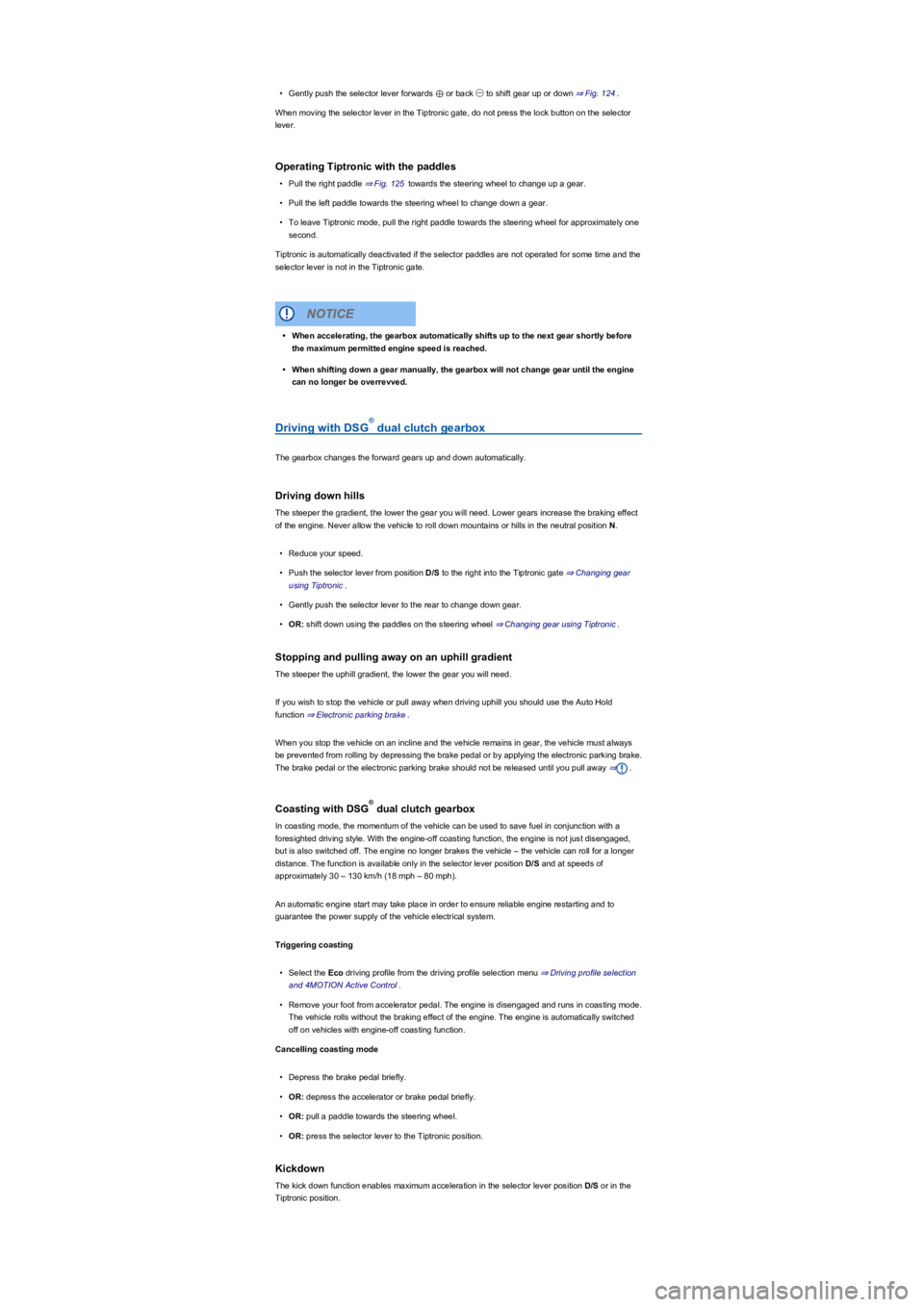
•Select the Eco driving profile from the driving profile selection menu ⇒ Driving profile selection
and 4MOTION Active Control.
•Remove your foot from accelerator pedal. The engine is disengaged and runs in coasting mode.
The vehicle rolls without the braking effect of the engine. The engine is automatically switched
off on vehicles with engine-off coasting function.
Cancelling coasting mode
•Depress the brake pedal briefly.
•OR: depress the accelerator or brake pedal briefly.
•OR: pull a paddle towards the steering wheel.
•OR: press the selector lever to the Tiptronic position.
Kickdown
The kick down function enables maximum acceleration in the selector lever position D/S or in the
Tiptronic position.
•When accelerating, the gearbox automatically shifts up to the next gear shortly before
the maximum permitted engine speed is reached.
•When shifting down a gear manually, the gearbox will not change gear until the engine
can no longer be overrevved.
NOTICE
®
®
Page 151 of 341
•After manual release, carefully press the cover onto the centre console while ensuring that the
electrical wires are positioned correctly.
Emergency programme
There is a fault in the system if all the displays on the instrument cluster for the selector lever
positions have a light background. The DSG dual clutch gearbox is running in an emergency
programme. The vehicle can still be driven in the emergency programme, but only at reduced
speed and not in all gears.
In vehicles with a DSG dual clutch gearbox, you may no longer be able to select reverse gear.
In all cases you should have the DSG dual clutch gearbox checked by a qualified workshop
immediately.
Overheating of the DSG dual clutch gearbox
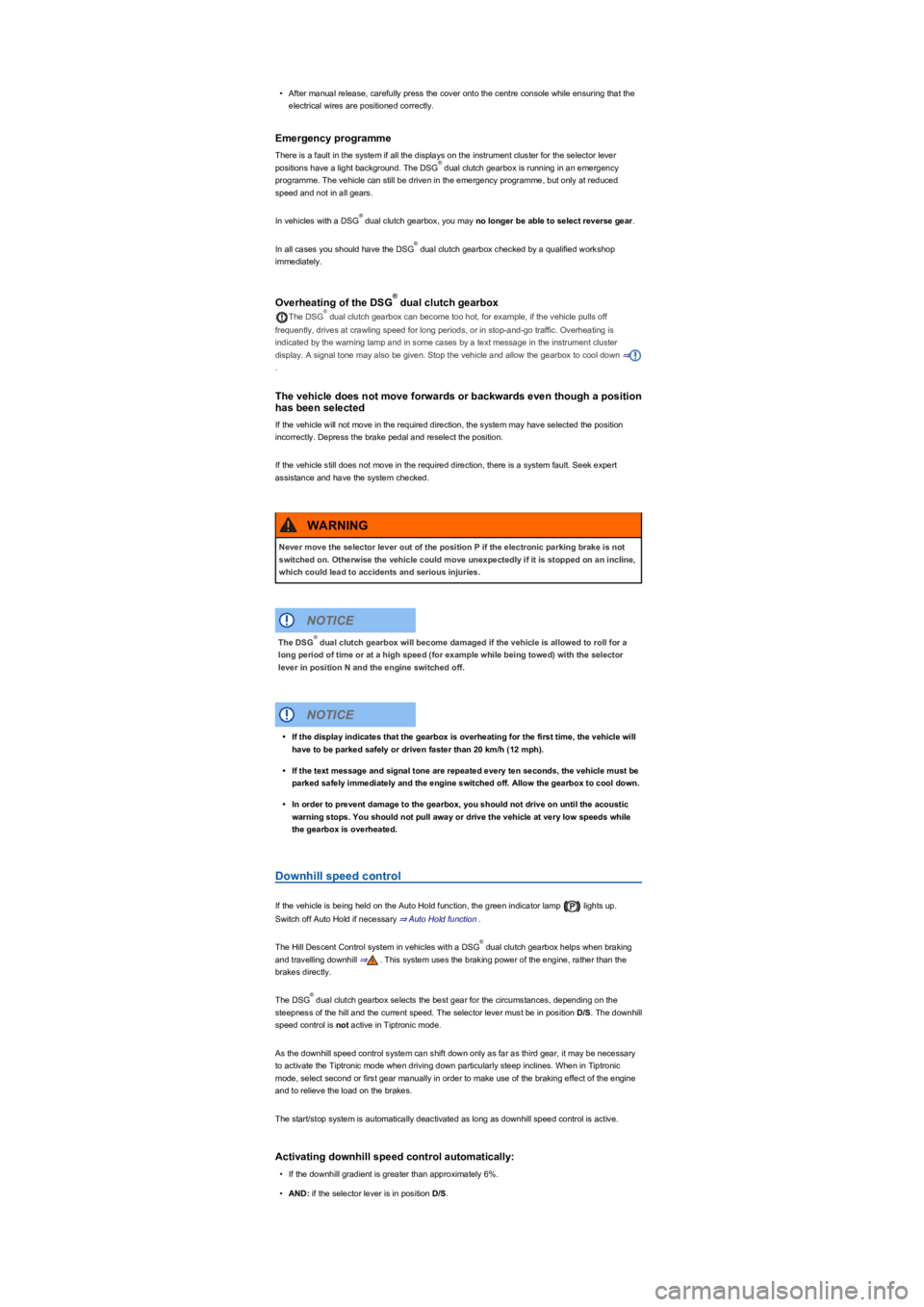
The DSG dual clutch gearbox can become too hot, for example, if the vehicle pulls off
frequently, drives at crawling speed for long periods, or in stop-and-go traffic. Overheating is
indicated by the warning lamp and in some cases by a text message in the instrument cluster
display. A signal tone may also be given. Stop the vehicle and allow the gearbox to cool down ⇒
.
The vehicle does not move forwards or backwards even though a position
has been selected
If the vehicle will not move in the required direction, the system may have selected the position
incorrectly. Depress the brake pedal and reselect the position.
If the vehicle still does not move in the required direction, there is a system fault. Seek expert
assistance and have the system checked.
Downhill speed control
If the vehicle is being held on the Auto Hold function, the green indicator lamp lights up.
Switch off Auto Hold if necessary ⇒ Auto Hold function.
The Hill Descent Control system in vehicles with a DSG dual clutch gearbox helps when braking
and travelling downhill ⇒. This system uses the braking power of the engine, rather than the
brakes directly.
The DSG dual clutch gearbox selects the best gear for the circumstances, depending on the
steepness of the hill and the current speed. The selector lever must be in position D/S. The downhill
speed control is not active in Tiptronic mode.
As the downhill speed control system can shift down only as far as third gear, it may be necessary
to activate the Tiptronic mode when driving down particularly steep inclines. When in Tiptronic
mode, select second or first gear manually in order to make use of the braking effect of the engine
and to relieve the load on the brakes.
The start/stop system is automatically deactivated as long as downhill speed control is active.
Activating downhill speed control automatically:
•If the downhill gradient is greater than approximately 6%.
•AND: if the selector lever is in position D/S.
®
®
®
®
®
Never move the selector lever out of the position P if the electronic parking brake is not
switched on. Otherwise the vehicle could move unexpectedly if it is stopped on an incline,
which could lead to accidents and serious injuries.
WARNING
The DSG dual clutch gearbox will become damaged if the vehicle is allowed to roll for a
long period of time or at a high speed (for example while being towed) with the selector
lever in position N and the engine switched off.
NOTICE
®
•If the display indicates that the gearbox is overheating for the first time, the vehicle will
have to be parked safely or driven faster than 20 km/h (12 mph).
•If the text message and signal tone are repeated every ten seconds, the vehicle must be
parked safely immediately and the engine switched off. Allow the gearbox to cool down.
•In order to prevent damage to the gearbox, you should not drive on until the acoustic
warning stops. You should not pull away or drive the vehicle at very low speeds while
the gearbox is overheated.
NOTICE
®
®
Page 155 of 341
drive come with additional OFFROAD driving profiles ⇒ Selecting a driving profile (4MOTION
Action Control).
The driving profile can be changed when the vehicle is stationary or while driving ⇒. After
selecting a driving profile, the vehicle settings (excluding engine settings) are switched to the new
profile mode immediately. When traffic conditions allow, briefly take your foot off the accelerator to
activate the newly selected driving profile for the engine.
Some settings can be stored in the user accounts of the personalisation function and
therefore change when the user account changes ⇒ Personalisation.
Selecting a driving profile (ONROAD)
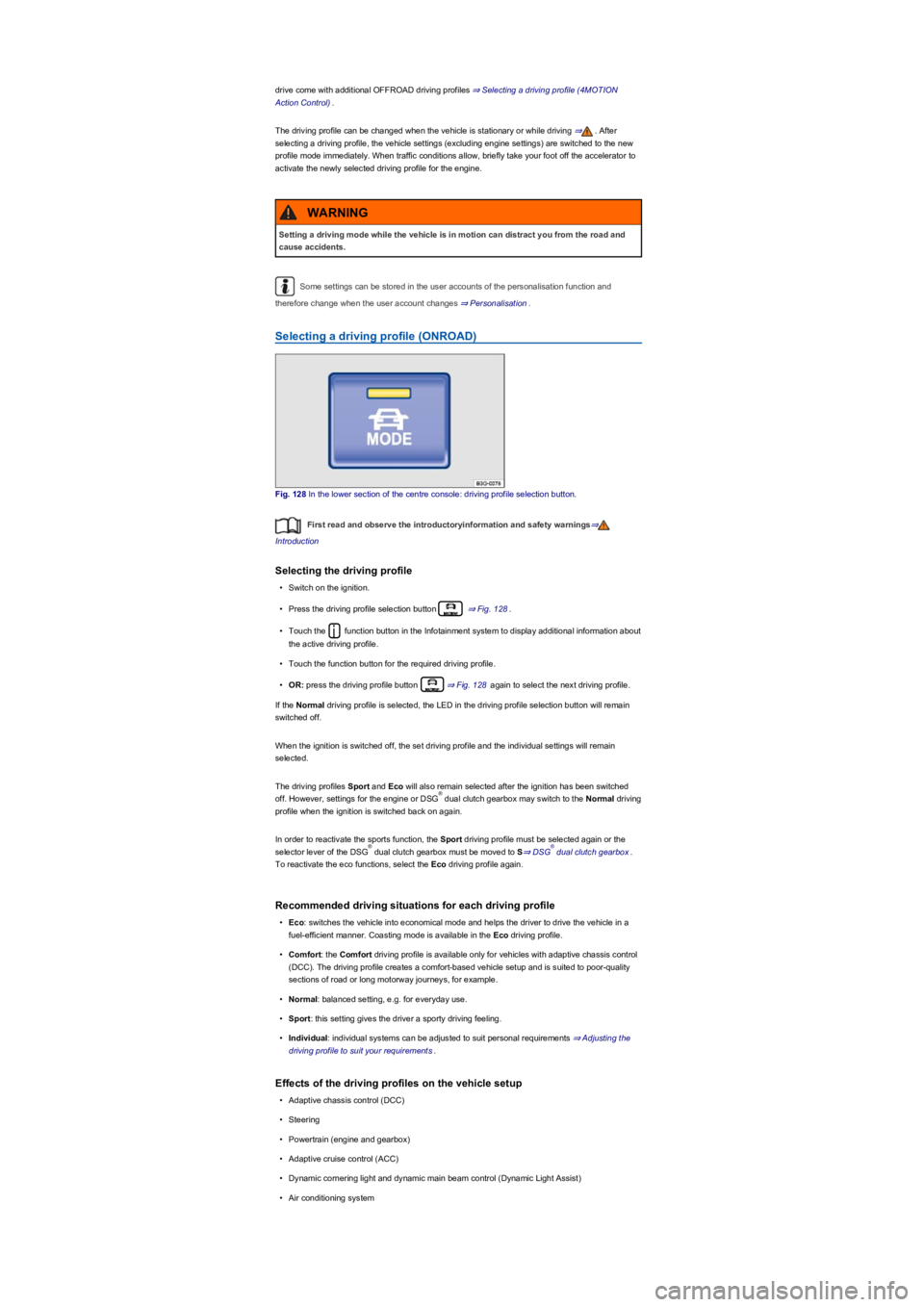
Fig. 128 In the lower section of the centre console: driving profile selection button.
First read and observe the introductoryinformation and safety warnings⇒
Introduction
Selecting the driving profile
•Switch on the ignition.
•Press the driving profile selection button ⇒ Fig. 128.
•Touch the function button in the Infotainment system to display additional information about
the active driving profile.
•Touch the function button for the required driving profile.
•OR: press the driving profile button ⇒ Fig. 128 again to select the next driving profile.
If the Normal driving profile is selected, the LED in the driving profile selection button will remain
switched off.
When the ignition is switched off, the set driving profile and the individual settings will remain
selected.
The driving profiles Sport and Eco will also remain selected after the ignition has been switched
off. However, settings for the engine or DSG dual clutch gearbox may switch to the Normal driving
profile when the ignition is switched back on again.
In order to reactivate the sports function, the Sport driving profile must be selected again or the
selector lever of the DSG dual clutch gearbox must be moved to S⇒ DSG dual clutch gearbox.
To reactivate the eco functions, select the Eco driving profile again.
Recommended driving situations for each driving profile
•Eco: switches the vehicle into economical mode and helps the driver to drive the vehicle in a
fuel-efficient manner. Coasting mode is available in the Eco driving profile.
•Comfort: the Comfort driving profile is available only for vehicles with adaptive chassis control
(DCC). The driving profile creates a comfort-based vehicle setup and is suited to poor-quality
sections of road or long motorway journeys, for example.
•Normal: balanced setting, e.g. for everyday use.
•Sport: this setting gives the driver a sporty driving feeling.
•Individual: individual systems can be adjusted to suit personal requirements ⇒ Adjusting the
driving profile to suit your requirements.
Effects of the driving profiles on the vehicle setup
•Adaptive chassis control (DCC)
•Steering
•Powertrain (engine and gearbox)
•Adaptive cruise control (ACC)
•Dynamic cornering light and dynamic main beam control (Dynamic Light Assist)
•Air conditioning system
Setting a driving mode while the vehicle is in motion can distract you from the road and
cause accidents.
WARNING
®
®®
Page 156 of 341
•Proactive occupant protection system
In vehicles with a DSG dual clutch gearbox, the system automatically changes to gear
position S when the Sport driving profile is selected. The system automatically switches to gear
position D when the Eco driving profile is selected. Since coasting is active in the Eco driving
profile, the gearbox programme E is additionally displayed on the instrument cluster display.
The driver can adjust certain vehicle functions irrespective of the selected driving profile. For
example, the driver can switch to gear position S when the Eco driving profile is selected.
Selecting a driving profile (4MOTION Action Control)
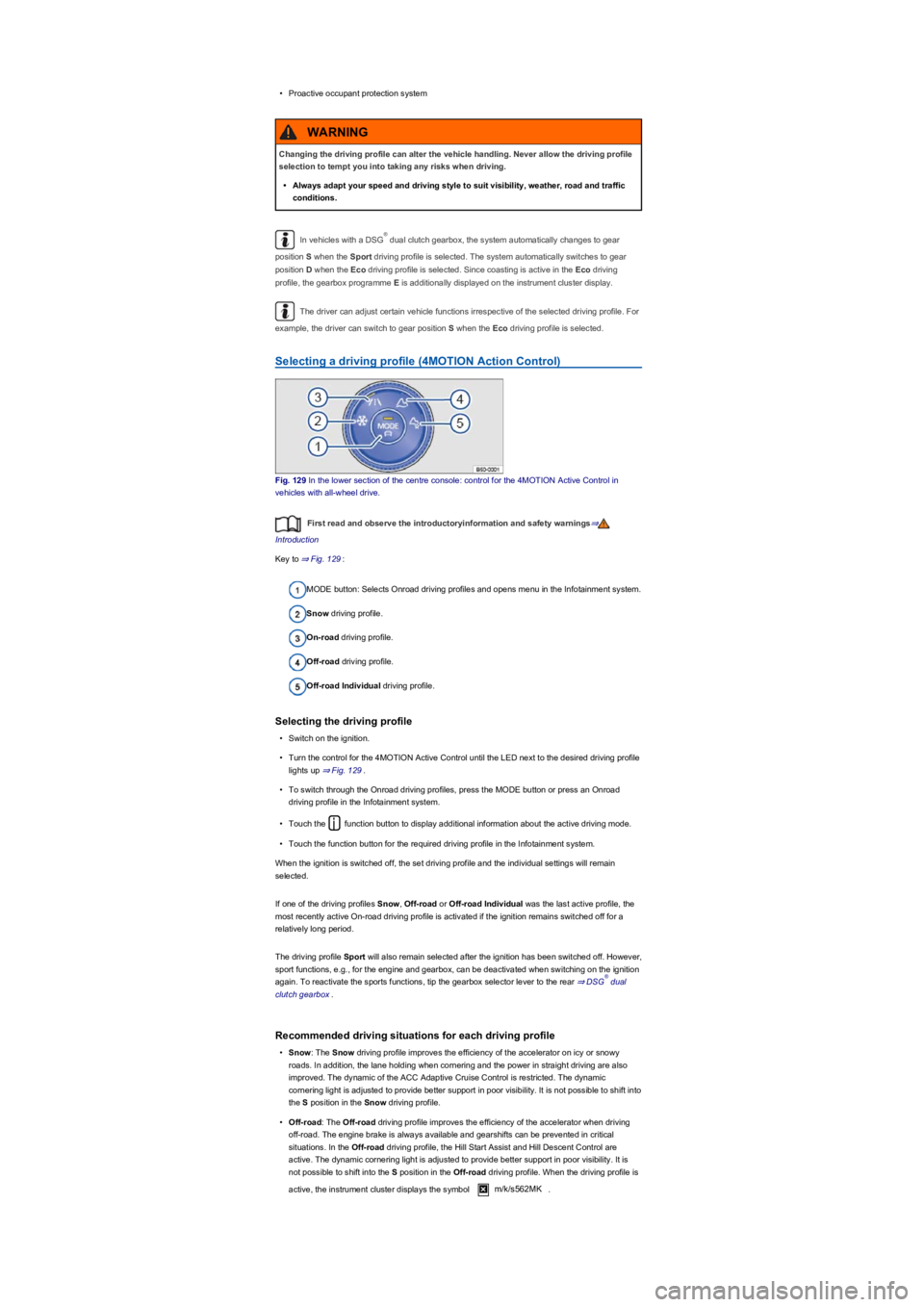
Fig. 129 In the lower section of the centre console: control for the 4MOTION Active Control in
vehicles with all-wheel drive.
First read and observe the introductoryinformation and safety warnings⇒
Introduction
Key to ⇒ Fig. 129:
MODE button: Selects Onroad driving profiles and opens menu in the Infotainment system.
Snow driving profile.
On-road driving profile.
Off-road driving profile.
Off-road Individual driving profile.
Selecting the driving profile
•Switch on the ignition.
•Turn the control for the 4MOTION Active Control until the LED next to the desired driving profile
lights up ⇒ Fig. 129.
•To switch through the Onroad driving profiles, press the MODE button or press an Onroad
driving profile in the Infotainment system.
•Touch the function button to display additional information about the active driving mode.
•Touch the function button for the required driving profile in the Infotainment system.
When the ignition is switched off, the set driving profile and the individual settings will remain
selected.
If one of the driving profiles Snow, Off-road or Off-road Individual was the last active profile, the
most recently active On-road driving profile is activated if the ignition remains switched off for a
relatively long period.
The driving profile Sport will also remain selected after the ignition has been switched off. However,
sport functions, e.g., for the engine and gearbox, can be deactivated when switching on the ignition
again. To reactivate the sports functions, tip the gearbox selector lever to the rear ⇒ DSG dual
clutch gearbox.
Recommended driving situations for each driving profile
•Snow: The Snow driving profile improves the efficiency of the accelerator on icy or snowy
roads. In addition, the lane holding when cornering and the power in straight driving are also
improved. The dynamic of the ACC Adaptive Cruise Control is restricted. The dynamic
cornering light is adjusted to provide better support in poor visibility. It is not possible to shift into
the S position in the Snow driving profile.
•Off-road: The Off-road driving profile improves the efficiency of the accelerator when driving
off-road. The engine brake is always available and gearshifts can be prevented in critical
situations. In the Off-road driving profile, the Hill Start Assist and Hill Descent Control are
active. The dynamic cornering light is adjusted to provide better support in poor visibility. It is
not possible to shift into the S position in the Off-road driving profile. When the driving profile is
active, the instrument cluster displays the symbol m/k/s562MK.
Changing the driving profile can alter the vehicle handling. Never allow the driving profile
selection to tempt you into taking any risks when driving.
•Always adapt your speed and driving style to suit visibility, weather, road and traffic
conditions.
WARNING
®
®
Page 157 of 341
•Off-road Individual: Enhanced version of the off-road driving profile that can be adjusted to the
driver's needs ⇒ Adjusting the driving profile to suit your requirements. When the driving profile
is active, the instrument cluster displays the symbol m/k/s562MK.
•Onroad:The Onroad driving profile enables you to choose between Eco, Comfort, Normal,
Sport and Individual.
Adjusting the driving profile to suit your requirements
First read and observe the introductoryinformation and safety warnings⇒
Introduction
Selecting the Individual driving profile
•Switch on the ignition.
•Switch on the Infotainment system.
•Press the driving profile selection button or turn the control for 4MOTION Active Control
until the LED next to the Onroad driving profile ⇒ Fig. 129③ lights up.
•Touch the Change function button to open the Individual menu.
Selecting the Off-road Individual driving profile
•Switch on the ignition.
•Switch on the Infotainment system.
•If necessary, turn the control ⇒ Fig. 129 for the 4MOTION Active Control until the LED next to
the Off-road Individual driving profile ⇒ Fig. 129⑤ lights up.
•If the Off-road Individual driving profile is already selected, press the MODE button on the
control ⇒ Fig. 129.
•Touch the Change function button to open the Individual menu.
Troubleshooting
First read and observe the introductoryinformation and safety warnings⇒
Introduction
Fault in adaptive chassis control (DCC): go to a qualified workshop and have the system checked.
If there is a fault in the adaptive chassis control (DCC), the message Fault: damping control may
be shown on the instrument cluster display.
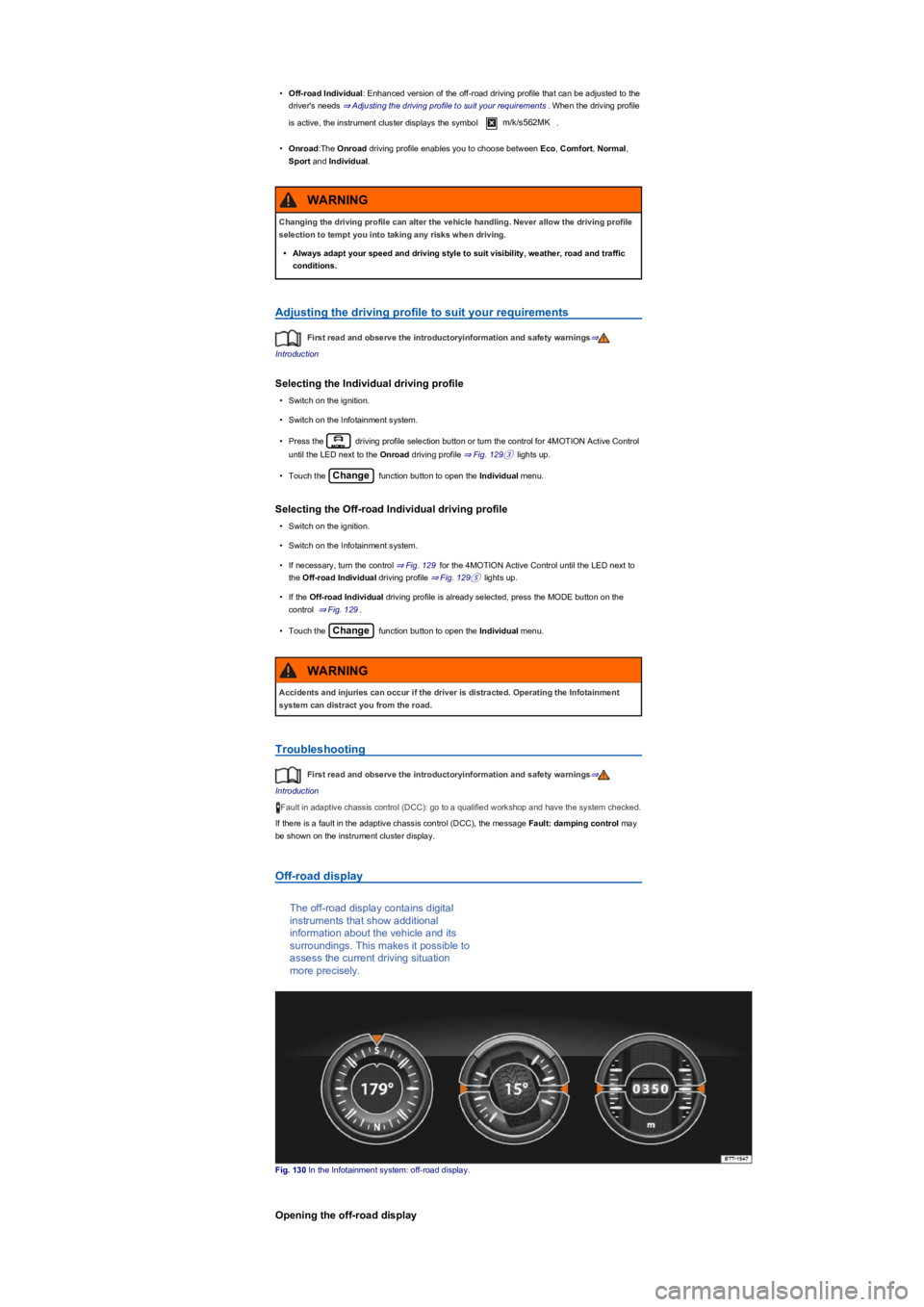
Off-road display
The off-road display contains digital
instruments that show additional
information about the vehicle and its
surroundings. This makes it possible to
assess the current driving situation
more precisely.
Fig. 130 In the Infotainment system: off-road display.
Opening the off-road display
Changing the driving profile can alter the vehicle handling. Never allow the driving profile
selection to tempt you into taking any risks when driving.
•Always adapt your speed and driving style to suit visibility, weather, road and traffic
conditions.
WARNING
Accidents and injuries can occur if the driver is distracted. Operating the Infotainment
system can distract you from the road.
WARNING
Page 201 of 341
The automatic braking intervention takes place a maximum of once per parking manoeuvre. The
parking manoeuvre will be cancelled if a speed of approximately 7 km/h (4 mph) is exceeded again.
Automatic cancellation of driving in/out of a parking space
Park Assist cancels the manoeuvre for driving into or leaving a parking space if one of the following
situations occurs:
•The button is pressed.
•The driver intervenes using the steering wheel.
•The driver door is opened.
•The parking operation is not completed within around six minutes.
•There is a system fault.
•TCS is switched off or is taking corrective action.
Automatic braking intervention to minimise damage
In some countries, Park Assist can assist the driver with an automatic braking intervention in certain
situations ⇒.
Depending on the vehicle equipment and certain conditions, e.g. weather, load or inclination of the
vehicle, Park Assist can automatically brake the vehicle before an obstacle. Following this
intervention, the driver must depress the brake pedal. An automatic braking intervention is activated
to minimise damage and ends the parking manoeuvre.
Looking for a parking space
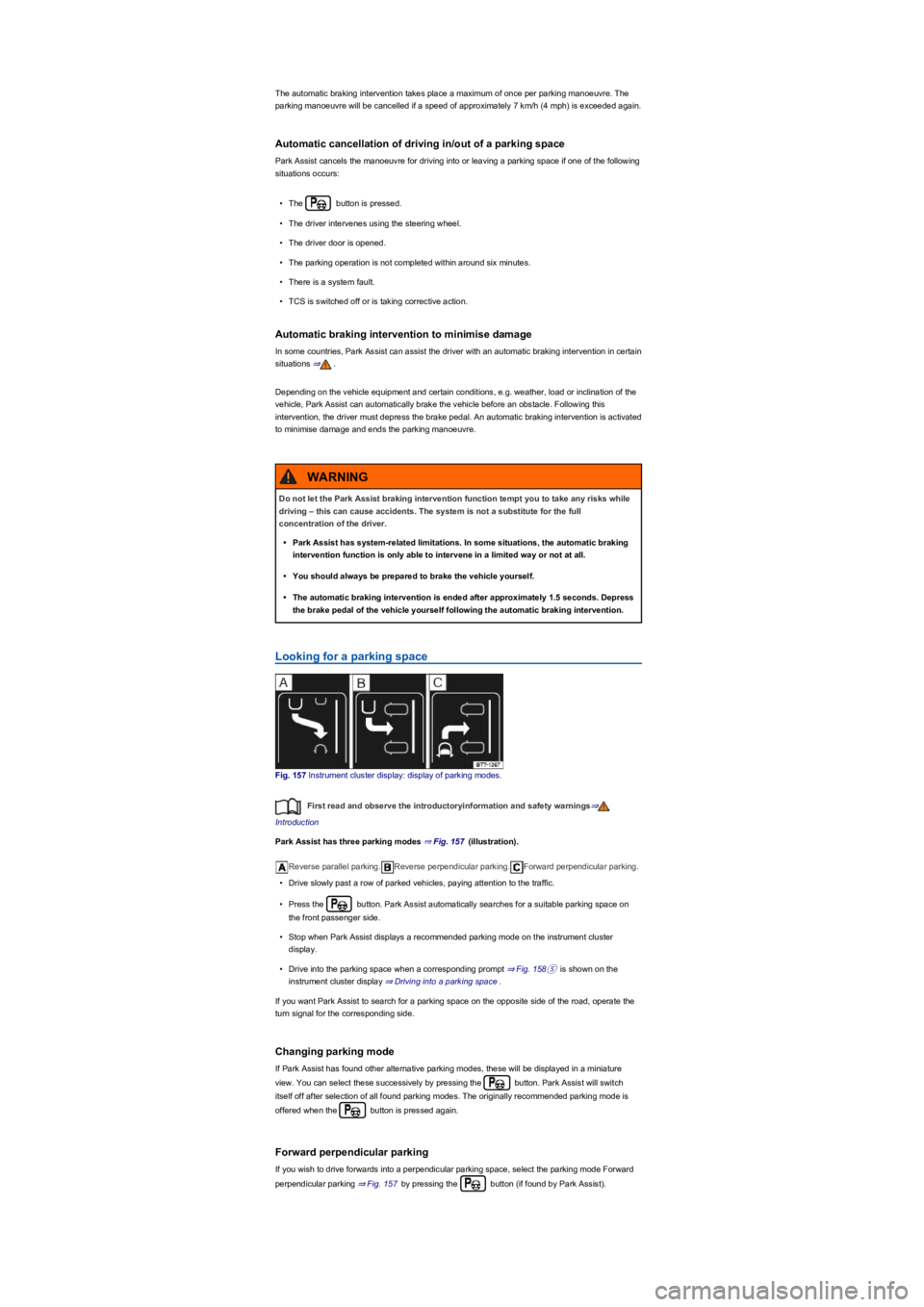
Fig. 157 Instrument cluster display: display of parking modes.
First read and observe the introductoryinformation and safety warnings⇒
Introduction
Park Assist has three parking modes ⇒ Fig. 157 (illustration).
Reverse parallel parking.Reverse perpendicular parking.Forward perpendicular parking.
•Drive slowly past a row of parked vehicles, paying attention to the traffic.
•Press the button. Park Assist automatically searches for a suitable parking space on
the front passenger side.
•Stop when Park Assist displays a recommended parking mode on the instrument cluster
display.
•Drive into the parking space when a corresponding prompt ⇒ Fig. 158⑤ is shown on the
instrument cluster display ⇒ Driving into a parking space.
If you want Park Assist to search for a parking space on the opposite side of the road, operate the
turn signal for the corresponding side.
Changing parking mode
If Park Assist has found other alternative parking modes, these will be displayed in a miniature
view. You can select these successively by pressing the button. Park Assist will switch
itself off after selection of all found parking modes. The originally recommended parking mode is
offered when the button is pressed again.
Forward perpendicular parking
If you wish to drive forwards into a perpendicular parking space, select the parking mode Forward
perpendicular parking ⇒ Fig. 157 by pressing the button (if found by Park Assist).
Do not let the Park Assist braking intervention function tempt you to take any risks while
driving – this can cause accidents. The system is not a substitute for the full
concentration of the driver.
•Park Assist has system-related limitations. In some situations, the automatic braking
intervention function is only able to intervene in a limited way or not at all.
•You should always be prepared to brake the vehicle yourself.
•The automatic braking intervention is ended after approximately 1.5 seconds. Depress
the brake pedal of the vehicle yourself following the automatic braking intervention.
WARNING
Page 209 of 341
Electronic Stability Control (ESC)
ESC helps to reduce the risk of skidding and to improve driving stability in certain driving situations
⇒.
Depending on the vehicle equipment, ESC can be switched to a Sport mode ⇒ Switching TCS on
and off.
When ESC is regulating, the yellow indicator lamp is shown on the instrument cluster display.
Traction control system (TCS)
The TCS reduces the drive output if wheelspin occurs and adapts the output to suit road surface
conditions. The TCS makes it easier to pull away, accelerate and drive up hills.
Depending on the vehicle equipment, the TCS can be switched off in exceptional circumstances
⇒ Switching TCS on and off.
When the TCS is regulating, the yellow indicator lamp is shown on the instrument cluster
display.
Anti-lock brake system
The anti-lock brake system can prevent the wheels from locking when the brakes are applied up
until the point where the vehicle is nearly stationary and assists the driver in steering the vehicle
and keeping it under control.
Brake assist system
The brake assist system can help to reduce the stopping distance. The brake assist system
reinforces brake pressure when the driver depresses the brake pedal quickly in an emergency
situation.
Do not reduce the pressure on the brake pedal when the brake assist system is regulating. If you
reduce the pressure on the brake pedal, the brake assist system will switch off the brake servo.
Electronic differential lock (EDL and XDS)
EDL brakes the wheel that has lost traction and distributes the driving force to the other drive
wheels.
The EDL switches off automatically under unusually heavy loads to prevent the disc brake from
overheating. The EDL switches back on again automatically as soon as the brake has cooled down.
XDS applies pressure to the brake of the wheel on the inside of the bend. This will improve traction,
helping the vehicle to remain in the required lane longer.
Automatic Post-Collision Braking System
In the event of an accident, the Automatic Post-Collision Braking System can help the driver to
reduce the risk of skidding, and the danger of secondary collisions, through automatic braking.
The Automatic Post-Collision Braking System functions only in front, side and rear collisions when
the airbag control unit detects a corresponding trigger threshold during the accident.
The ESC brakes the vehicle automatically, provided that the hydraulic braking system, the ESC and
the electrical system are undamaged in the accident and remain functional.
The following actions override automatic braking in the event of an accident:
•When the driver depresses the accelerator. No automatic braking occurs.
•When the brake pressure transmitted through the depressed brake pedal is greater than the
brake pressure provided by the system. The vehicle is braked manually.
Page 213 of 341
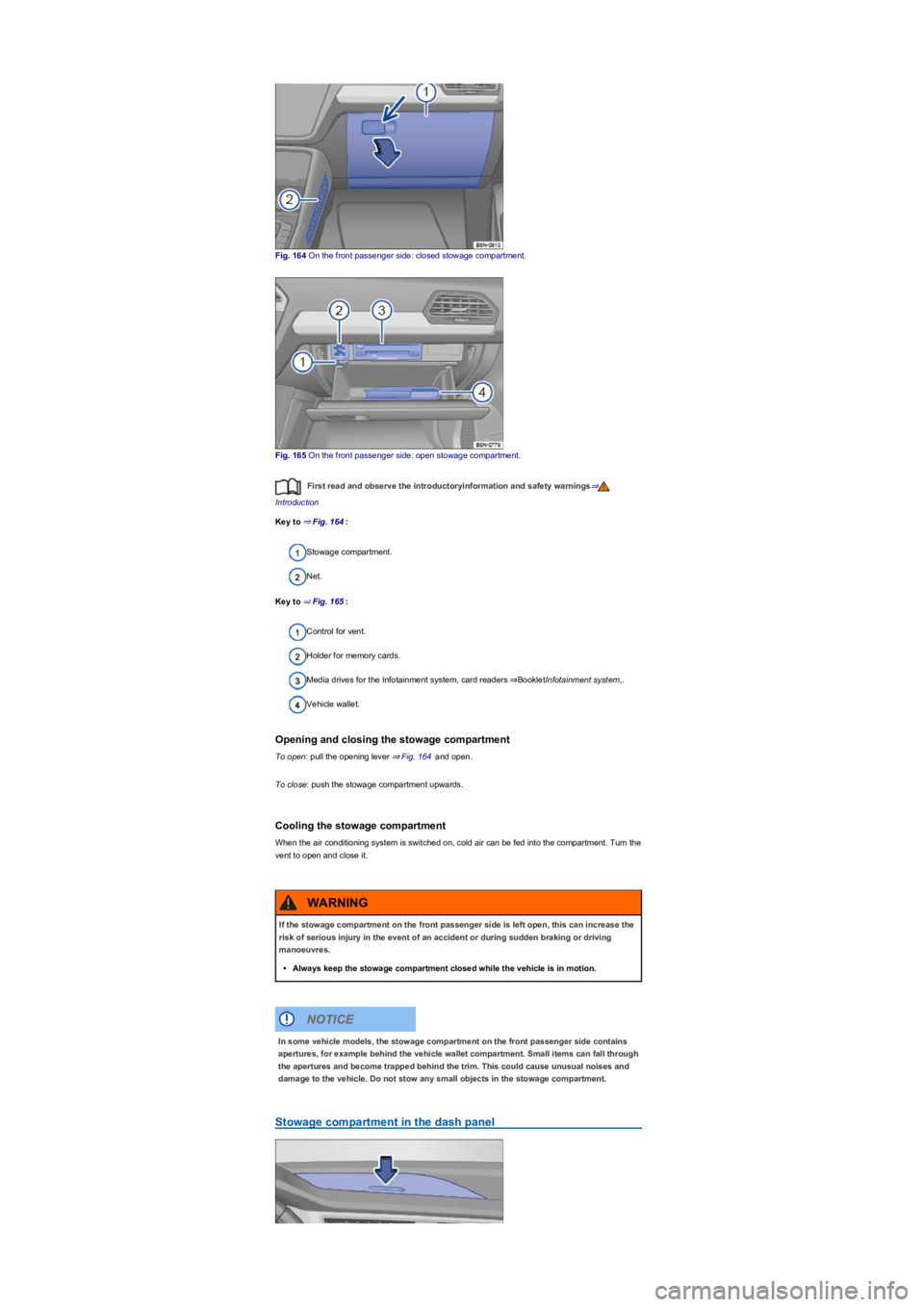
Fig. 164 On the front passenger side: closed stowage compartment.
Fig. 165 On the front passenger side: open stowage compartment.
First read and observe the introductoryinformation and safety warnings⇒
Introduction
Key to ⇒ Fig. 164:
Stowage compartment.
Net.
Key to ⇒ Fig. 165:
Control for vent.
Holder for memory cards.
Media drives for the Infotainment system, card readers ⇒BookletInfotainment system,.
Vehicle wallet.
Opening and closing the stowage compartment
To open: pull the opening lever ⇒ Fig. 164 and open.
To close: push the stowage compartment upwards.
Cooling the stowage compartment
When the air conditioning system is switched on, cold air can be fed into the compartment. Turn the
vent to open and close it.
Stowage compartment in the dash panel
If the stowage compartment on the front passenger side is left open, this can increase the
risk of serious injury in the event of an accident or during sudden braking or driving
manoeuvres.
•Always keep the stowage compartment closed while the vehicle is in motion.
WARNING
In some vehicle models, the stowage compartment on the front passenger side contains
apertures, for example behind the vehicle wallet compartment. Small items can fall through
the apertures and become trapped behind the trim. This could cause unusual noises and
damage to the vehicle. Do not stow any small objects in the stowage compartment.
NOTICE
Page 231 of 341
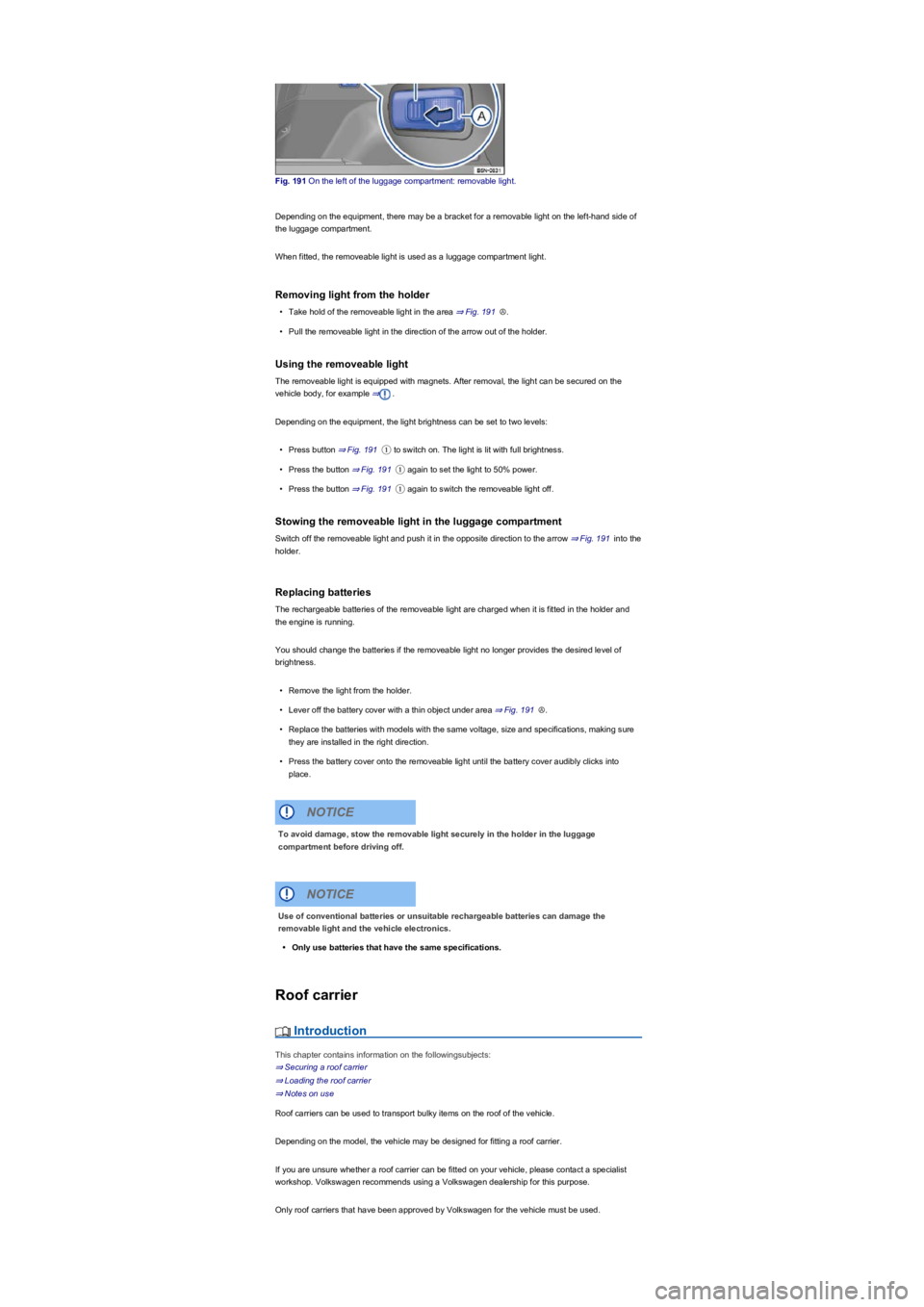
Fig. 191 On the left of the luggage compartment: removable light.
Depending on the equipment, there may be a bracket for a removable light on the left-hand side of
the luggage compartment.
When fitted, the removeable light is used as a luggage compartment light.
Removing light from the holder
•Take hold of the removeable light in the area ⇒ Fig. 191Ⓐ.
•Pull the removeable light in the direction of the arrow out of the holder.
Using the removeable light
The removeable light is equipped with magnets. After removal, the light can be secured on the
vehicle body, for example ⇒.
Depending on the equipment, the light brightness can be set to two levels:
•Press button ⇒ Fig. 191① to switch on. The light is lit with full brightness.
•Press the button ⇒ Fig. 191① again to set the light to 50% power.
•Press the button ⇒ Fig. 191① again to switch the removeable light off.
Stowing the removeable light in the luggage compartment
Switch off the removeable light and push it in the opposite direction to the arrow ⇒ Fig. 191 into the
holder.
Replacing batteries
The rechargeable batteries of the removeable light are charged when it is fitted in the holder and
the engine is running.
You should change the batteries if the removeable light no longer provides the desired level of
brightness.
•Remove the light from the holder.
•Lever off the battery cover with a thin object under area ⇒ Fig. 191Ⓐ.
•Replace the batteries with models with the same voltage, size and specifications, making sure
they are installed in the right direction.
•Press the battery cover onto the removeable light until the battery cover audibly clicks into
place.
Roof carrier
Introduction
This chapter contains information on the followingsubjects:
⇒ Securing a roof carrier
⇒ Loading the roof carrier
⇒ Notes on use
Roof carriers can be used to transport bulky items on the roof of the vehicle.
Depending on the model, the vehicle may be designed for fitting a roof carrier.
If you are unsure whether a roof carrier can be fitted on your vehicle, please contact a specialist
workshop. Volkswagen recommends using a Volkswagen dealership for this purpose.
Only roof carriers that have been approved by Volkswagen for the vehicle must be used.
To avoid damage, stow the removable light securely in the holder in the luggage
compartment before driving off.
NOTICE
Use of conventional batteries or unsuitable rechargeable batteries can damage the
removable light and the vehicle electronics.
•Only use batteries that have the same specifications.
NOTICE