lock VOLKSWAGEN TIGUAN 2017 Owner´s Manual
[x] Cancel search | Manufacturer: VOLKSWAGEN, Model Year: 2017, Model line: TIGUAN, Model: VOLKSWAGEN TIGUAN 2017Pages: 341, PDF Size: 9.14 MB
Page 208 of 341
The exterior mirrors cannot be adjusted while Trailer Assist is active. The stored exterior
mirror setting can be activated ⇒ Mirrors.
Troubleshooting
First read and observe the introductoryinformation and safety warnings⇒
Introduction
No camera visibility, error message, system switches itself off
•Clean the camera or remove stickers or accessories from the camera ⇒ Caring for and cleaning
the vehicle exterior.
•Check whether any damage is visible.
The system is not responding as expected
•The camera is dirty ⇒ Caring for and cleaning the vehicle exterior. The camera visibility may be
impaired by dirt and snow or also residue from cleaning agents or coatings.
•The system requirements must be met ⇒ Prerequisites.
•The camera is covered by water.
•The vehicle is damaged in the area around the camera, e.g. caused by parking collisions.
•The detection range of the camera is blocked by add-on parts, e.g. bicycle carriers.
•Changes have been made to the paintwork around the camera or the construction has been
modified, e.g. vehicle front end or the running gear.
Response to all circumstances
•Switch off the system temporarily.
•Check whether any of the causes described below apply.
•You can switch the system back on again once you have rectified the cause of the problem.
•If the system still fails to respond as expected, have the system checked by a qualified
workshop.
Brake support systems
Information on brake support systems
The vehicle is fitted with brake support systems. The systems can support the driver in critical
driving or braking situations. Brake support systems cannot overcome the limits of physics and
cannot always keep the vehicle under control in every single critical driving or braking situation. The
driver is responsible for driving safety ⇒.
Driving with brake support systems
The brake support systems work when the engine is running. They do not need to be operated
separately.
The brake pedal may pulsate or noises may occur while the brake support systems are regulating.
Continue to apply the necessary amount of brake pressure. Apply the necessary pressure to the
brake pedal consistently. If necessary, steer the vehicle while the brake pedal is depressed.
Fast steering wheel movements can cause serious injury.
•During the manoeuvring operation, do not reach for the steering wheel until prompted
to do so by the system.
•Exception: if a dangerous situation occurs, intervene and take over the steering.
WARNING
Do not let the automatic braking intervention tempt you to take any risks while driving, as
this can cause accidents. The system is not a substitute for the full concentration of the
driver.
•Trailer Assist has system-related limitations. In some situations, the automatic braking
intervention function is only able to intervene in a limited way or not at all.
•You should always be prepared to brake the vehicle yourself.
•The automatic braking intervention is ended after approximately 1.5 seconds at vehicle
standstill. Depress the brake pedal of the vehicle yourself following the automatic
braking intervention.
WARNING
Page 209 of 341
Electronic Stability Control (ESC)
ESC helps to reduce the risk of skidding and to improve driving stability in certain driving situations
⇒.
Depending on the vehicle equipment, ESC can be switched to a Sport mode ⇒ Switching TCS on
and off.
When ESC is regulating, the yellow indicator lamp is shown on the instrument cluster display.
Traction control system (TCS)
The TCS reduces the drive output if wheelspin occurs and adapts the output to suit road surface
conditions. The TCS makes it easier to pull away, accelerate and drive up hills.
Depending on the vehicle equipment, the TCS can be switched off in exceptional circumstances
⇒ Switching TCS on and off.
When the TCS is regulating, the yellow indicator lamp is shown on the instrument cluster
display.
Anti-lock brake system
The anti-lock brake system can prevent the wheels from locking when the brakes are applied up
until the point where the vehicle is nearly stationary and assists the driver in steering the vehicle
and keeping it under control.
Brake assist system
The brake assist system can help to reduce the stopping distance. The brake assist system
reinforces brake pressure when the driver depresses the brake pedal quickly in an emergency
situation.
Do not reduce the pressure on the brake pedal when the brake assist system is regulating. If you
reduce the pressure on the brake pedal, the brake assist system will switch off the brake servo.
Electronic differential lock (EDL and XDS)
EDL brakes the wheel that has lost traction and distributes the driving force to the other drive
wheels.
The EDL switches off automatically under unusually heavy loads to prevent the disc brake from
overheating. The EDL switches back on again automatically as soon as the brake has cooled down.
XDS applies pressure to the brake of the wheel on the inside of the bend. This will improve traction,
helping the vehicle to remain in the required lane longer.
Automatic Post-Collision Braking System
In the event of an accident, the Automatic Post-Collision Braking System can help the driver to
reduce the risk of skidding, and the danger of secondary collisions, through automatic braking.
The Automatic Post-Collision Braking System functions only in front, side and rear collisions when
the airbag control unit detects a corresponding trigger threshold during the accident.
The ESC brakes the vehicle automatically, provided that the hydraulic braking system, the ESC and
the electrical system are undamaged in the accident and remain functional.
The following actions override automatic braking in the event of an accident:
•When the driver depresses the accelerator. No automatic braking occurs.
•When the brake pressure transmitted through the depressed brake pedal is greater than the
brake pressure provided by the system. The vehicle is braked manually.
Page 210 of 341
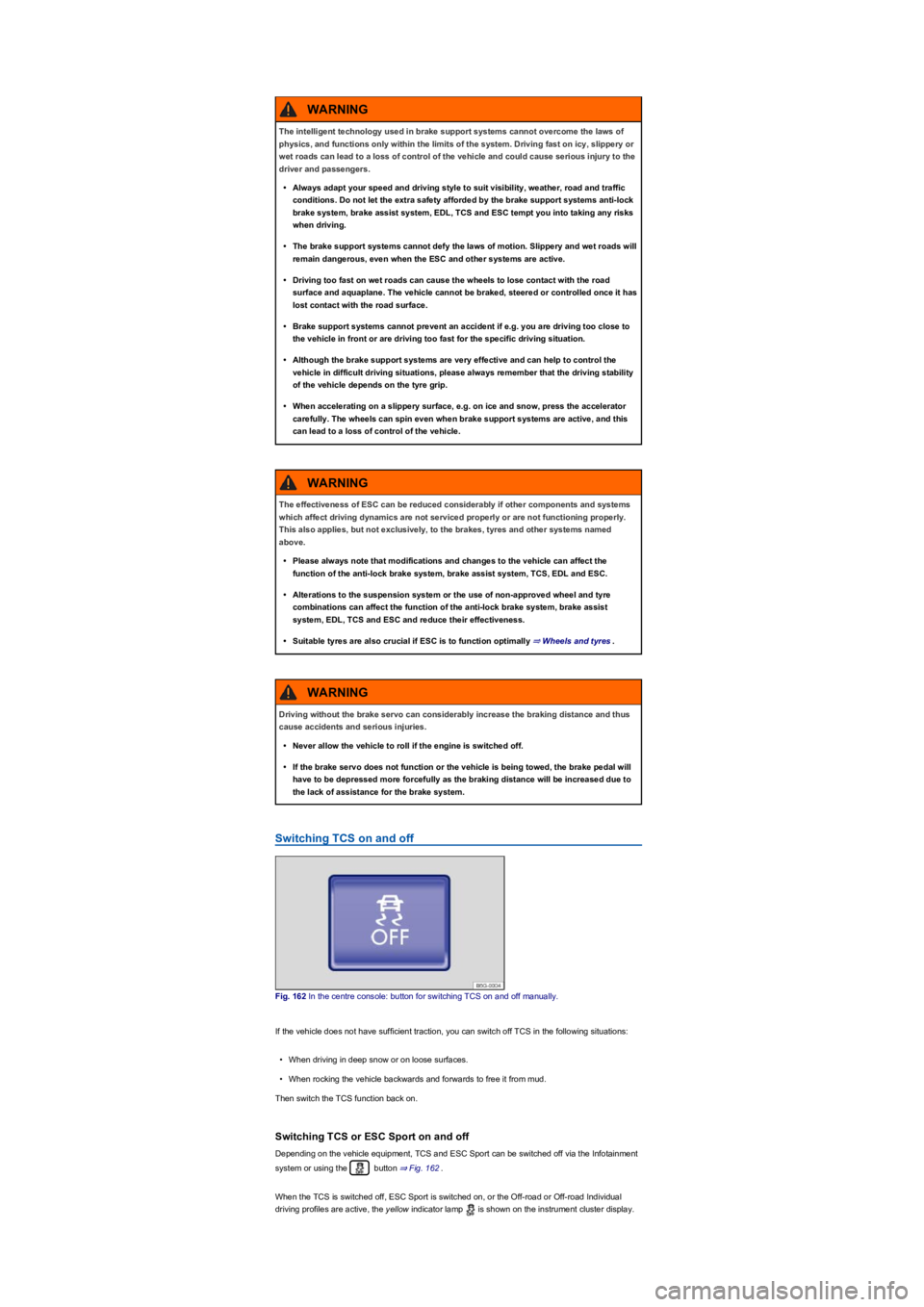
Switching TCS on and off
Fig. 162 In the centre console: button for switching TCS on and off manually.
If the vehicle does not have sufficient traction, you can switch off TCS in the following situations:
•When driving in deep snow or on loose surfaces.
•When rocking the vehicle backwards and forwards to free it from mud.
Then switch the TCS function back on.
Switching TCS or ESC Sport on and off
Depending on the vehicle equipment, TCS and ESC Sport can be switched off via the Infotainment
system or using the button ⇒ Fig. 162.
When the TCS is switched off, ESC Sport is switched on, or the Off-road or Off-road Individual
driving profiles are active, the yellow indicator lamp is shown on the instrument cluster display.
The intelligent technology used in brake support systems cannot overcome the laws of
physics, and functions only within the limits of the system. Driving fast on icy, slippery or
wet roads can lead to a loss of control of the vehicle and could cause serious injury to the
driver and passengers.
•Always adapt your speed and driving style to suit visibility, weather, road and traffic
conditions. Do not let the extra safety afforded by the brake support systems anti-lock
brake system, brake assist system, EDL, TCS and ESC tempt you into taking any risks
when driving.
•The brake support systems cannot defy the laws of motion. Slippery and wet roads will
remain dangerous, even when the ESC and other systems are active.
•Driving too fast on wet roads can cause the wheels to lose contact with the road
surface and aquaplane. The vehicle cannot be braked, steered or controlled once it has
lost contact with the road surface.
•Brake support systems cannot prevent an accident if e.g. you are driving too close to
the vehicle in front or are driving too fast for the specific driving situation.
•Although the brake support systems are very effective and can help to control the
vehicle in difficult driving situations, please always remember that the driving stability
of the vehicle depends on the tyre grip.
•When accelerating on a slippery surface, e.g. on ice and snow, press the accelerator
carefully. The wheels can spin even when brake support systems are active, and this
can lead to a loss of control of the vehicle.
WARNING
The effectiveness of ESC can be reduced considerably if other components and systems
which affect driving dynamics are not serviced properly or are not functioning properly.
This also applies, but not exclusively, to the brakes, tyres and other systems named
above.
•Please always note that modifications and changes to the vehicle can affect the
function of the anti-lock brake system, brake assist system, TCS, EDL and ESC.
•Alterations to the suspension system or the use of non-approved wheel and tyre
combinations can affect the function of the anti-lock brake system, brake assist
system, EDL, TCS and ESC and reduce their effectiveness.
•Suitable tyres are also crucial if ESC is to function optimally ⇒ Wheels and tyres.
WARNING
Driving without the brake servo can considerably increase the braking distance and thus
cause accidents and serious injuries.
•Never allow the vehicle to roll if the engine is switched off.
•If the brake servo does not function or the vehicle is being towed, the brake pedal will
have to be depressed more forcefully as the braking distance will be increased due to
the lack of assistance for the brake system.
WARNING
Page 211 of 341
•Switch off TCS: press the button for around one second.
•Switch on ESC Sport: press the button for longer than three seconds.
•Switch on TCS: press the button again. ESC Sport is switched off.
Troubleshooting
Warning and indicator lamps in the event of faults
Do not drive on! Brake system fault. Seek expert assistance immediately ⇒.Lit
up: ABS failure or defect. Go to a qualified workshop. The vehicle can be braked without ABS.
Lit up: ESC switched off by the system. Switch the ignition on and off. Drive a short distance at a
speed of 15 – 20 km/h (9 – 12 mph) if necessary. If still lights up, seek expert assistance.
Notes on the brake support systems
If you suspect that there is a malfunction in the systems, read and observe the following notes:
•The ESC and TCS can function properly only if all four wheels are fitted with the same tyres.
Any differences in the rolling radius of the tyres can cause the system to reduce engine power
unexpectedly.
•If there is a fault in the anti-lock brake system, the ESC, TCS and EDL will also stop working.
•Operating noises may be heard during the self-regulation processes of the systems explained
above.
Practical equipment
Stowage areas
Introduction
This chapter contains information on the followingsubjects:
⇒ Stowage compartment on the driver side
⇒ Stowage compartment on the front passenger side
⇒ Stowage compartment in the dash panel
⇒ Stowage compartment in the front centre armrest
⇒ Stowage compartment in the roof console (glasses compartment)
⇒ Folding table
⇒ Drawers
⇒ Coat and bag hooks
Use stowage compartments only to stow light or relatively small objects.
A factory-fitted CD changer, Apple iPod adapter, USB connection or multimedia socket
(MEDIA-IN) may be located in the stowage compartment in the centre armrest.
•If the brake warning lamp lights up together with the ABS indicator lamp , the
control function of the anti-lock brake system may have failed. This can cause the rear
wheels to lock quickly when you brake. Locked rear wheels can lead to a loss of
control of the vehicle. If possible, reduce your speed and drive carefully at low speed
to the nearest qualified workshop in order to have the brake system tested. Avoid
sudden braking and driving manoeuvres on the way.
•The anti-lock brake system is not functioning correctly if the ABS indicator lamp
does not go out or comes on while the vehicle is in motion. The vehicle can be stopped
using the normal brakes only (without the anti-lock brake system). The protection
provided by the anti-lock brake system is no longer available. Go to a qualified
workshop as soon as possible.
WARNING
®
Page 215 of 341
To close: press the cover upwards until it engages.
The stowage compartment must be closed when you lock the car to ensure that the interior
monitor will work properly ⇒ Central locking system.
Folding table
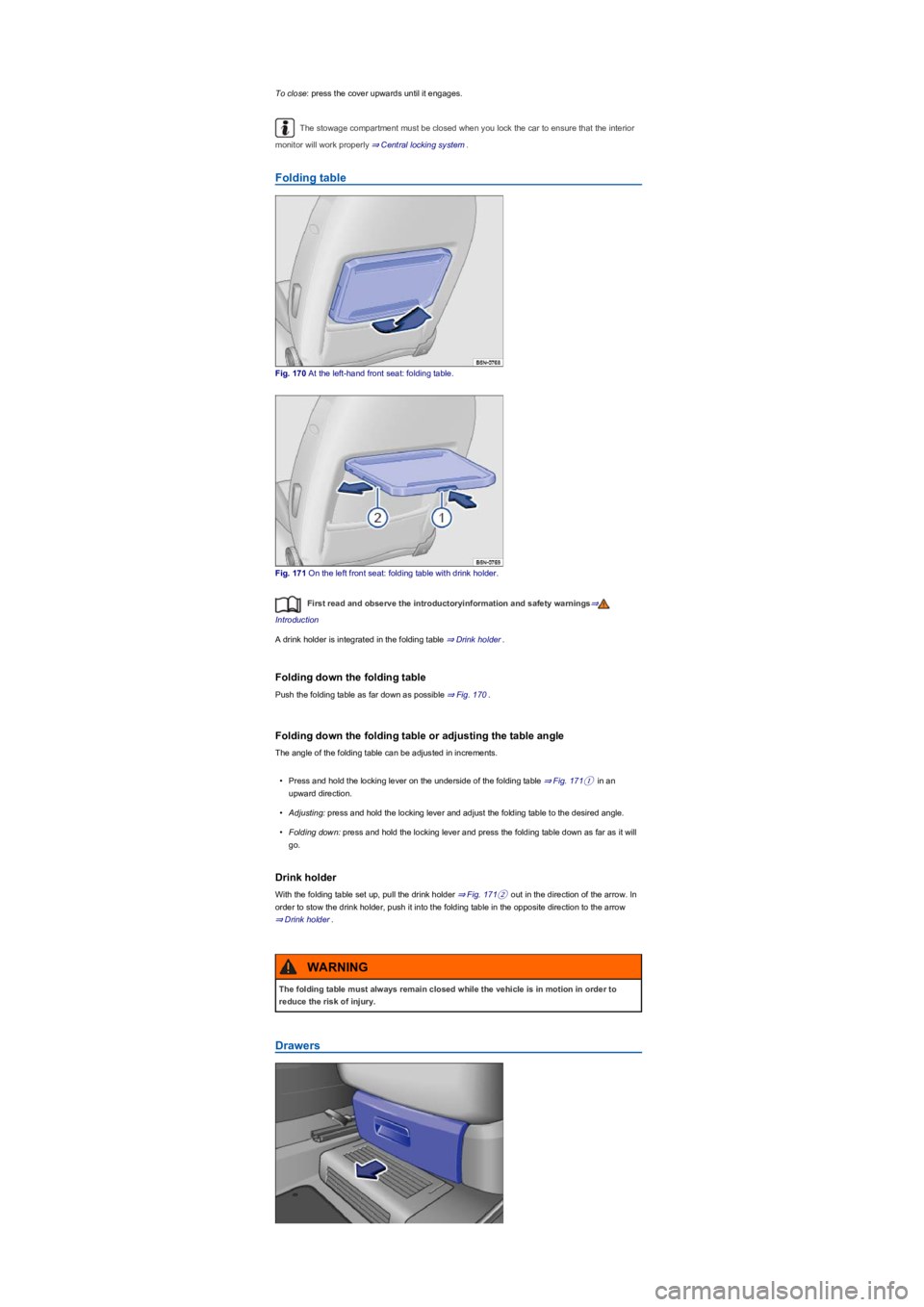
Fig. 170 At the left-hand front seat: folding table.
Fig. 171 On the left front seat: folding table with drink holder.
First read and observe the introductoryinformation and safety warnings⇒
Introduction
A drink holder is integrated in the folding table ⇒ Drink holder.
Folding down the folding table
Push the folding table as far down as possible ⇒ Fig. 170.
Folding down the folding table or adjusting the table angle
The angle of the folding table can be adjusted in increments.
•Press and hold the locking lever on the underside of the folding table ⇒ Fig. 171① in an
upward direction.
•Adjusting: press and hold the locking lever and adjust the folding table to the desired angle.
•Folding down: press and hold the locking lever and press the folding table down as far as it will
go.
Drink holder
With the folding table set up, pull the drink holder ⇒ Fig. 171② out in the direction of the arrow. In
order to stow the drink holder, push it into the folding table in the opposite direction to the arrow
⇒ Drink holder.
Drawers
The folding table must always remain closed while the vehicle is in motion in order to
reduce the risk of injury.
WARNING
Page 220 of 341
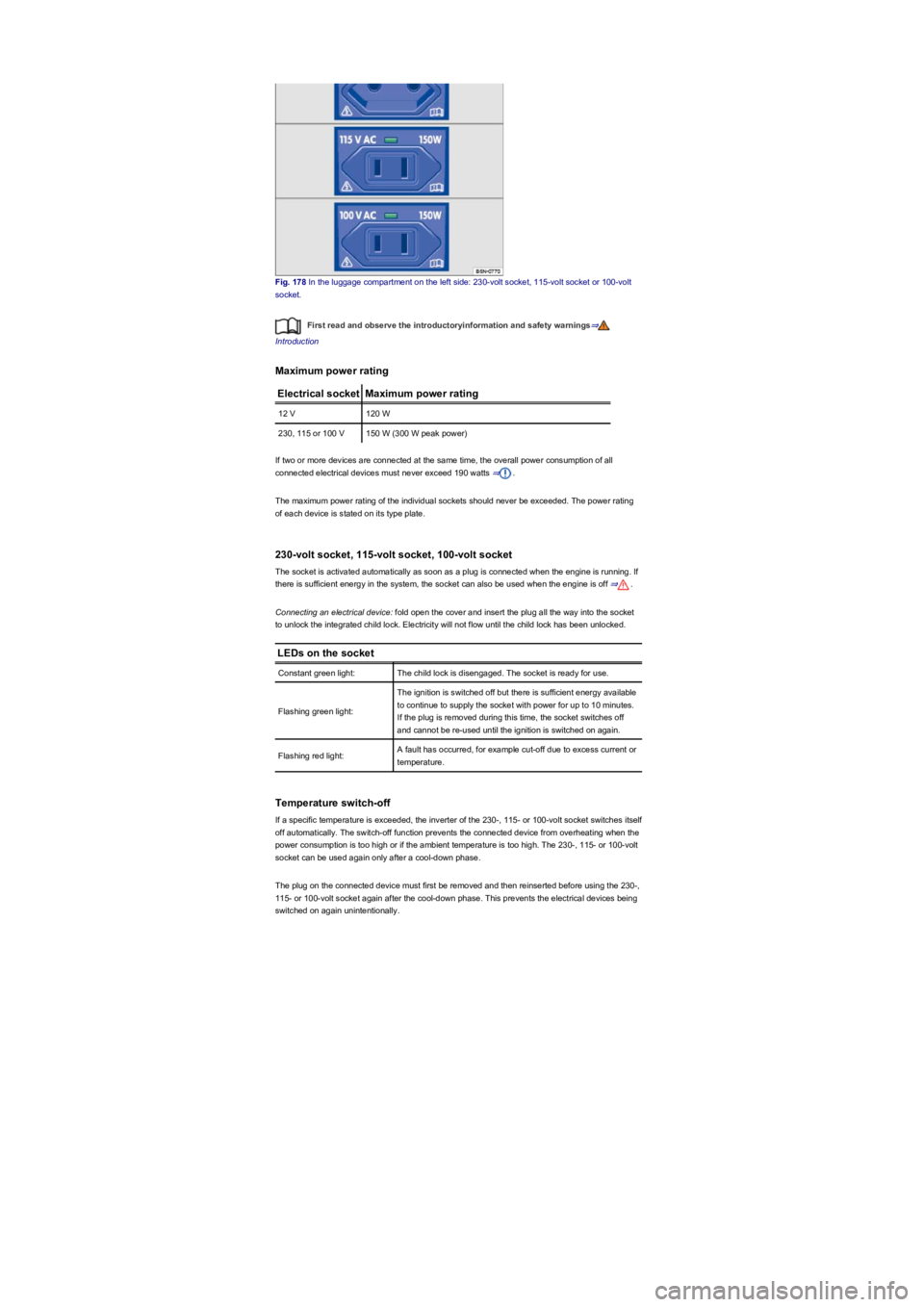
Fig. 178 In the luggage compartment on the left side: 230-volt socket, 115-volt socket or 100-volt
socket.
First read and observe the introductoryinformation and safety warnings⇒
Introduction
Maximum power rating
Electrical socketMaximum power rating
12 V120 W
230, 115 or 100 V150 W (300 W peak power)
If two or more devices are connected at the same time, the overall power consumption of all
connected electrical devices must never exceed 190 watts ⇒.
The maximum power rating of the individual sockets should never be exceeded. The power rating
of each device is stated on its type plate.
230-volt socket, 115-volt socket, 100-volt socket
The socket is activated automatically as soon as a plug is connected when the engine is running. If
there is sufficient energy in the system, the socket can also be used when the engine is off ⇒.
Connecting an electrical device: fold open the cover and insert the plug all the way into the socket
to unlock the integrated child lock. Electricity will not flow until the child lock has been unlocked.
LEDs on the socket
Constant green light:The child lock is disengaged. The socket is ready for use.
Flashing green light:
The ignition is switched off but there is sufficient energy available
to continue to supply the socket with power for up to 10 minutes.
If the plug is removed during this time, the socket switches off
and cannot be re-used until the ignition is switched on again.
Flashing red light:A fault has occurred, for example cut-off due to excess current or
temperature.
Temperature switch-off
If a specific temperature is exceeded, the inverter of the 230-, 115- or 100-volt socket switches itself
off automatically. The switch-off function prevents the connected device from overheating when the
power consumption is too high or if the ambient temperature is too high. The 230-, 115- or 100-volt
socket can be used again only after a cool-down phase.
The plug on the connected device must first be removed and then reinserted before using the 230-,
115- or 100-volt socket again after the cool-down phase. This prevents the electrical devices being
switched on again unintentionally.
Page 221 of 341
Functional problems may occur with some devices when they are connected to the 230-,
115- or 100-volt socket due to the lower power output (wattage).
Mobile online services
Volkswagen Car-Net⇒
Introduction
This chapter contains information on the followingsubjects:
⇒ Legal requirements
⇒ Deactivating Car-Net services
⇒ Interferences
⇒ Volkswagen Car-Net services
⇒ Apps
Volkswagen Car-Net allows you to communicate with your vehicle online or via an app in a very
simple way in order to exchange data, request information or control functions.
In order to use Volkswagen Car-Net, the vehicle needs to have been ordered with Car-Net and
factory-fitted with the system. Depending on the service portfolio, Volkswagen Car-Net can be
operated via the factory-fitted Infotainment system, via a Car-Net portal on the internet or using a
mobile device.
Information about the Volkswagen Car-Net services, applications, availability, compatible mobile
devices and service portfolio, as well as service descriptions, are available on the Volkswagen
website:
•In Europe and Japan: www.Volkswagen.com/car-net
•In China: www.vwcarnet.com.cn
Before using the Volkswagen Car-Net services for the first time, please read and observe the
information in the relevant service description. This will quickly help you to become familiar
with the services and make you aware of potential risks to yourself and others, and how to
avoid them.
High voltage in the electrical system!
•Never spill any liquids over the socket.
•Do not plug any adapters or extension cables into the 230-, 115- or 100-volt socket.
Otherwise the built-in child lock will disengage and power will be supplied to the
socket.
•Do not insert any items which will conduct electricity, such as knitting needles, into the
contacts of the 230-, 115- or 100-volt socket.
DANGER
•230-, 115- or 100-volt socket:
- Do not plug any heavy devices or connections, such as mains adapters, directly
into the socket.
- Do not connect any lights which use neon tubes.
- Only connect devices to the socket with a voltage that matches the voltage of the
socket.
- In the case of electrical devices with a high starting current, the built-in excess
current switch will prevent the device from being switched on. If this happens,
disconnect the electrical device from the power supply and reconnect after waiting
approximately ten seconds.
NOTICE
Accidents and injuries can occur if the driver is distracted.
•Always drive carefully and responsibly.
WARNING
Failure to observe the information in the service description can lead to your vehicle
breaking down in traffic, and can cause accidents and serious injuries.
•Always use the most up-to-date edition of the relevant service descriptions which is
available on the Volkswagen website.
WARNING
Page 230 of 341
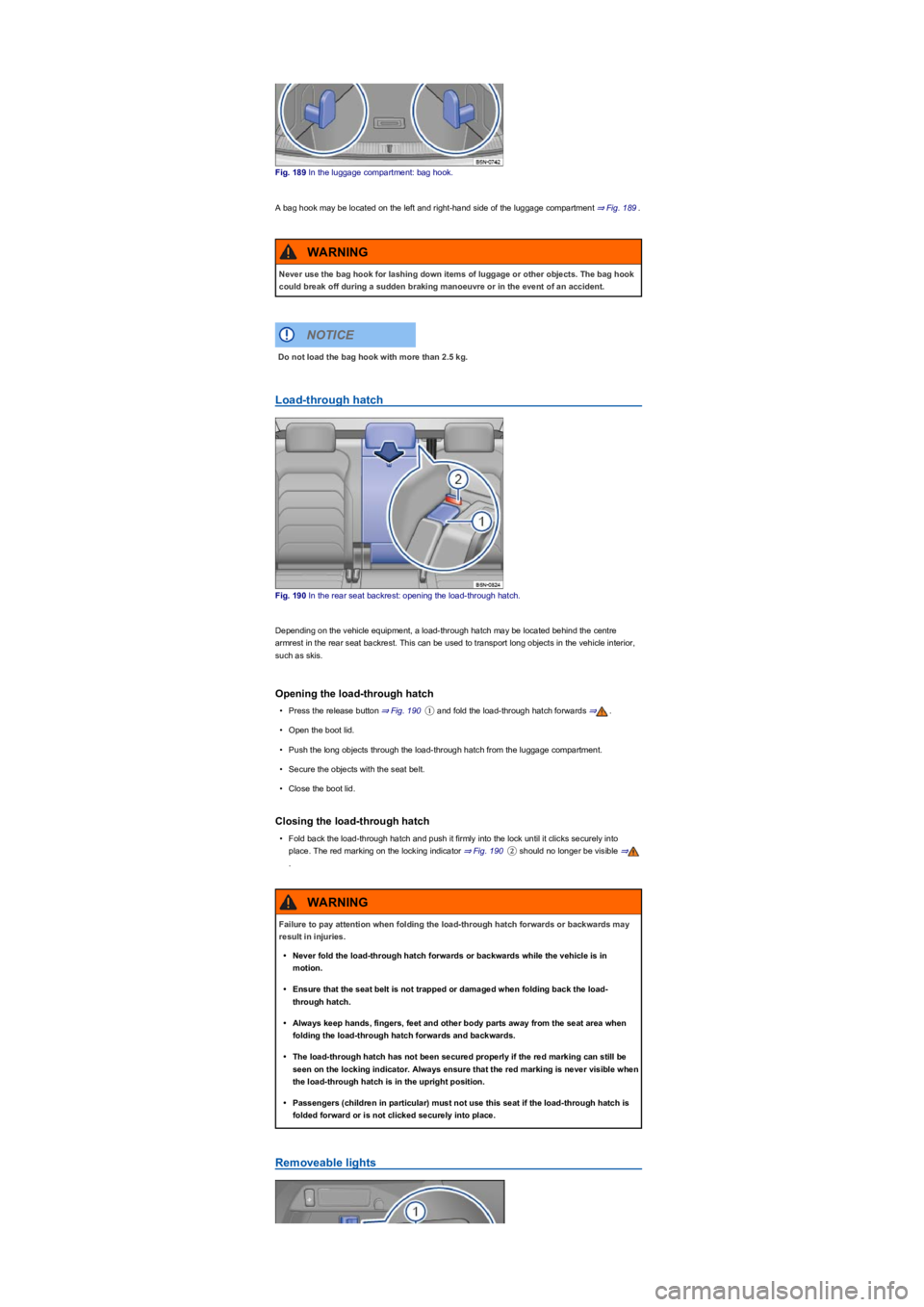
Fig. 189 In the luggage compartment: bag hook.
A bag hook may be located on the left and right-hand side of the luggage compartment ⇒ Fig. 189.
Load-through hatch
Fig. 190 In the rear seat backrest: opening the load-through hatch.
Depending on the vehicle equipment, a load-through hatch may be located behind the centre
armrest in the rear seat backrest. This can be used to transport long objects in the vehicle interior,
such as skis.
Opening the load-through hatch
•Press the release button ⇒ Fig. 190① and fold the load-through hatch forwards ⇒.
•Open the boot lid.
•Push the long objects through the load-through hatch from the luggage compartment.
•Secure the objects with the seat belt.
•Close the boot lid.
Closing the load-through hatch
•Fold back the load-through hatch and push it firmly into the lock until it clicks securely into
place. The red marking on the locking indicator ⇒ Fig. 190② should no longer be visible ⇒
.
Removeable lights
Never use the bag hook for lashing down items of luggage or other objects. The bag hook
could break off during a sudden braking manoeuvre or in the event of an accident.
WARNING
Do not load the bag hook with more than 2.5 kg.
NOTICE
Failure to pay attention when folding the load-through hatch forwards or backwards may
result in injuries.
•Never fold the load-through hatch forwards or backwards while the vehicle is in
motion.
•Ensure that the seat belt is not trapped or damaged when folding back the load-
through hatch.
•Always keep hands, fingers, feet and other body parts away from the seat area when
folding the load-through hatch forwards and backwards.
•The load-through hatch has not been secured properly if the red marking can still be
seen on the locking indicator. Always ensure that the red marking is never visible when
the load-through hatch is in the upright position.
•Passengers (children in particular) must not use this seat if the load-through hatch is
folded forward or is not clicked securely into place.
WARNING
Page 234 of 341
Driving with a trailer not only places an extra load on the vehicle, but also requires increased
concentration on the part of the driver.
Vehicles with start/stop system
If the connected trailer is not recognised, or when using towing brackets that were not retrofitted by
Volkswagen, the start/stop system must be deactivated manually using the button in the
centre console before starting to tow a trailer, and must remain switched off for as long as the trailer
is being towed ⇒.
Always switch off the anti-theft alarm before a trailer is hitched or unhitched or a bicycle
carrier is loaded or unloaded ⇒ Central and manual locking. The tilt sensor could otherwise trigger
an alarm unintentionally.
With a new engine, do not tow a trailer during the first 1,000 km ⇒ Running in the engine.
Some retro-fitted towing brackets may cover the aperture for fitting the towing eye. If so, the
towing eye cannot be used for towing or tow-starting other vehicles. For this reason, the retro-fitted
towing bracket ball head should be stored in the vehicle at all times.
It is dangerous to transport people in a trailer and it may also be illegal.
DANGER
Improper use of the towing bracket can lead to a loss of vehicle control, accidents and
serious injuries.
•Only use the towing bracket if it is fitted properly and is not damaged.
•Do not carry out any alterations or repairs to the towing bracket.
•Wherever possible, swivel in or remove the ball head when a trailer is not being used in
order to reduce the risk of injury in rear-end collisions, and the risk of injury to
pedestrians and cyclists when the vehicle is parked.
•Never install a weight-distributing or load-balancing towing bracket to the vehicle. The
vehicle is not constructed for these kinds of towing brackets. The towing bracket can
fail, causing the trailer to tear loose from the vehicle.
WARNING
Towing a trailer and transporting heavy or bulky items can change the vehicle handling,
increase the braking distance and lead to accidents.
•Always secure loads properly using suitable and undamaged securing straps.
•Always adapt your speed and driving style to suit visibility, weather, road and traffic
conditions. Reduce your speed, particularly when going downhill.
•Trailers with a high centre of gravity are more likely to tip over than trailers with a low
centre of gravity.
•Always drive carefully and think ahead. Accelerate carefully and gently. Avoid abrupt
and sudden driving and braking manoeuvres.
•Take special care when overtaking. Reduce your speed immediately if the trailer shows
even the slightest sign of snaking.
•Never drive faster than 80 km/h (50 mph) when towing a trailer; also 100 km/h (60 mph)
in exceptional cases. This also applies to countries where higher speeds are permitted.
Keep to country-specific speed limits which may be lower for vehicles with trailers than
for vehicles without trailers.
•Never try to stop a trailer from snaking by increasing your speed.
•Never install a weight-distributing or load-balancing towing bracket on the vehicle.
WARNING
The start/stop system must always be switched off manually when towing a trailer using
towing brackets that have not been retrofitted by Volkswagen. Otherwise faults can occur
in the brake system, possibly resulting in accidents and serious injuries.
WARNING
Observe the instructions and information relating to vehicles with N1 approval
⇒ Information about vehicles with N1 approval (light commercial vehicle).
NOTICE
Page 236 of 341
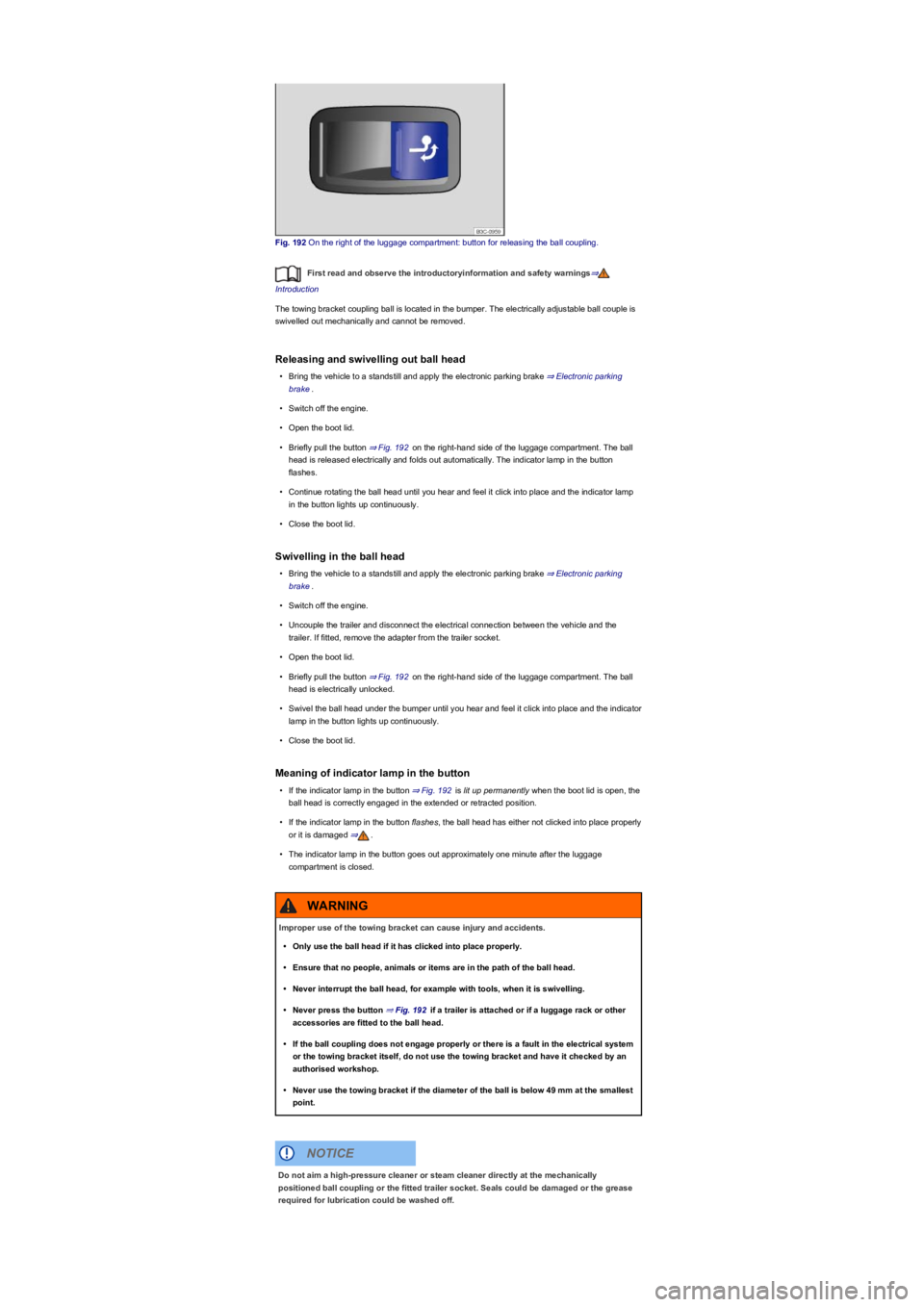
Fig. 192 On the right of the luggage compartment: button for releasing the ball coupling.
First read and observe the introductoryinformation and safety warnings⇒
Introduction
The towing bracket coupling ball is located in the bumper. The electrically adjustable ball couple is
swivelled out mechanically and cannot be removed.
Releasing and swivelling out ball head
•Bring the vehicle to a standstill and apply the electronic parking brake ⇒ Electronic parking
brake.
•Switch off the engine.
•Open the boot lid.
•Briefly pull the button ⇒ Fig. 192 on the right-hand side of the luggage compartment. The ball
head is released electrically and folds out automatically. The indicator lamp in the button
flashes.
•Continue rotating the ball head until you hear and feel it click into place and the indicator lamp
in the button lights up continuously.
•Close the boot lid.
Swivelling in the ball head
•Bring the vehicle to a standstill and apply the electronic parking brake ⇒ Electronic parking
brake.
•Switch off the engine.
•Uncouple the trailer and disconnect the electrical connection between the vehicle and the
trailer. If fitted, remove the adapter from the trailer socket.
•Open the boot lid.
•Briefly pull the button ⇒ Fig. 192 on the right-hand side of the luggage compartment. The ball
head is electrically unlocked.
•Swivel the ball head under the bumper until you hear and feel it click into place and the indicator
lamp in the button lights up continuously.
•Close the boot lid.
Meaning of indicator lamp in the button
•If the indicator lamp in the button ⇒ Fig. 192 is lit up permanently when the boot lid is open, the
ball head is correctly engaged in the extended or retracted position.
•If the indicator lamp in the button flashes, the ball head has either not clicked into place properly
or it is damaged ⇒.
•The indicator lamp in the button goes out approximately one minute after the luggage
compartment is closed.
Improper use of the towing bracket can cause injury and accidents.
•Only use the ball head if it has clicked into place properly.
•Ensure that no people, animals or items are in the path of the ball head.
•Never interrupt the ball head, for example with tools, when it is swivelling.
•Never press the button ⇒ Fig. 192 if a trailer is attached or if a luggage rack or other
accessories are fitted to the ball head.
•If the ball coupling does not engage properly or there is a fault in the electrical system
or the towing bracket itself, do not use the towing bracket and have it checked by an
authorised workshop.
•Never use the towing bracket if the diameter of the ball is below 49 mm at the smallest
point.
WARNING
Do not aim a high-pressure cleaner or steam cleaner directly at the mechanically
positioned ball coupling or the fitted trailer socket. Seals could be damaged or the grease
required for lubrication could be washed off.
NOTICE