Coolant add VOLKSWAGEN TIGUAN 2017 Owner´s Manual
[x] Cancel search | Manufacturer: VOLKSWAGEN, Model Year: 2017, Model line: TIGUAN, Model: VOLKSWAGEN TIGUAN 2017Pages: 341, PDF Size: 9.14 MB
Page 10 of 341
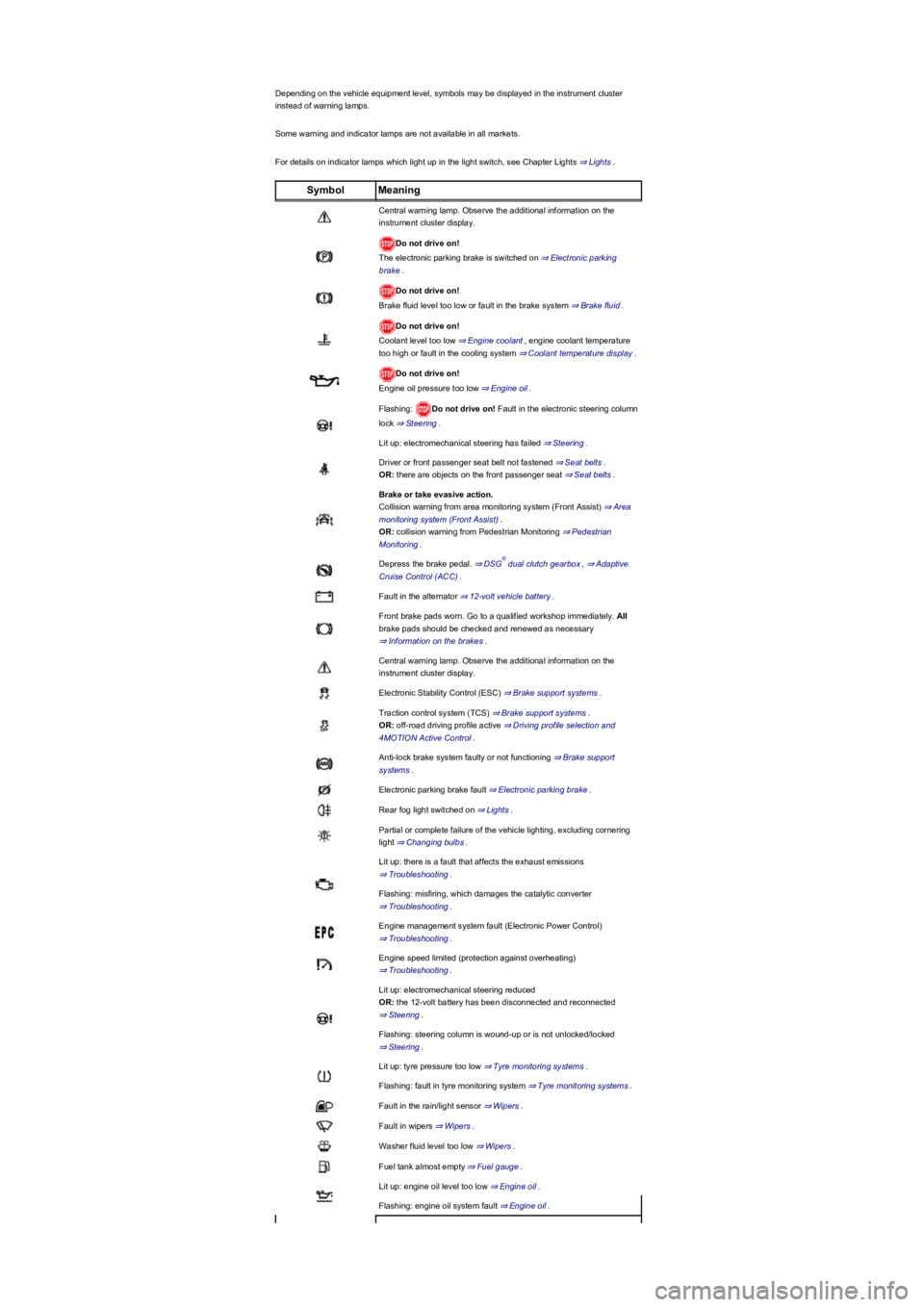
Depending on the vehicle equipment level, symbols may be displayed in the instrument cluster
instead of warning lamps.
Some warning and indicator lamps are not available in all markets.
For details on indicator lamps which light up in the light switch, see Chapter Lights ⇒ Lights.
SymbolMeaning
Central warning lamp. Observe the additional information on the
instrument cluster display.
Do not drive on!
The electronic parking brake is switched on ⇒ Electronic parking
brake.
Do not drive on!
Brake fluid level too low or fault in the brake system ⇒ Brake fluid.
Do not drive on!
Coolant level too low ⇒ Engine coolant, engine coolant temperature
too high or fault in the cooling system ⇒ Coolant temperature display.
Do not drive on!
Engine oil pressure too low ⇒ Engine oil.
Flashing: Do not drive on! Fault in the electronic steering column
lock ⇒ Steering.
Lit up: electromechanical steering has failed ⇒ Steering.
Driver or front passenger seat belt not fastened ⇒ Seat belts.
OR: there are objects on the front passenger seat ⇒ Seat belts.
Brake or take evasive action.
Collision warning from area monitoring system (Front Assist) ⇒ Area
monitoring system (Front Assist).
OR: collision warning from Pedestrian Monitoring ⇒ Pedestrian
Monitoring.
Depress the brake pedal. ⇒ DSG dual clutch gearbox, ⇒ Adaptive
Cruise Control (ACC).
Fault in the alternator ⇒ 12-volt vehicle battery.
Front brake pads worn. Go to a qualified workshop immediately. All
brake pads should be checked and renewed as necessary
⇒ Information on the brakes.
Central warning lamp. Observe the additional information on the
instrument cluster display.
Electronic Stability Control (ESC) ⇒ Brake support systems.
Traction control system (TCS) ⇒ Brake support systems.
OR: off-road driving profile active ⇒ Driving profile selection and
4MOTION Active Control.
Anti-lock brake system faulty or not functioning ⇒ Brake support
systems.
Electronic parking brake fault ⇒ Electronic parking brake.
Rear fog light switched on ⇒ Lights.
Partial or complete failure of the vehicle lighting, excluding cornering
light ⇒ Changing bulbs.
Lit up: there is a fault that affects the exhaust emissions
⇒ Troubleshooting.
Flashing: misfiring, which damages the catalytic converter
⇒ Troubleshooting.
Engine management system fault (Electronic Power Control)
⇒ Troubleshooting.
Engine speed limited (protection against overheating)
⇒ Troubleshooting.
Lit up: electromechanical steering reduced
OR: the 12-volt battery has been disconnected and reconnected
⇒ Steering.
Flashing: steering column is wound-up or is not unlocked/locked
⇒ Steering.
Lit up: tyre pressure too low ⇒ Tyre monitoring systems.
Flashing: fault in tyre monitoring system ⇒ Tyre monitoring systems.
Fault in the rain/light sensor ⇒ Wipers.
Fault in wipers ⇒ Wipers.
Washer fluid level too low ⇒ Wipers.
Fuel tank almost empty ⇒ Fuel gauge.
Lit up: engine oil level too low ⇒ Engine oil.
Flashing: engine oil system fault ⇒ Engine oil.
®
Page 12 of 341
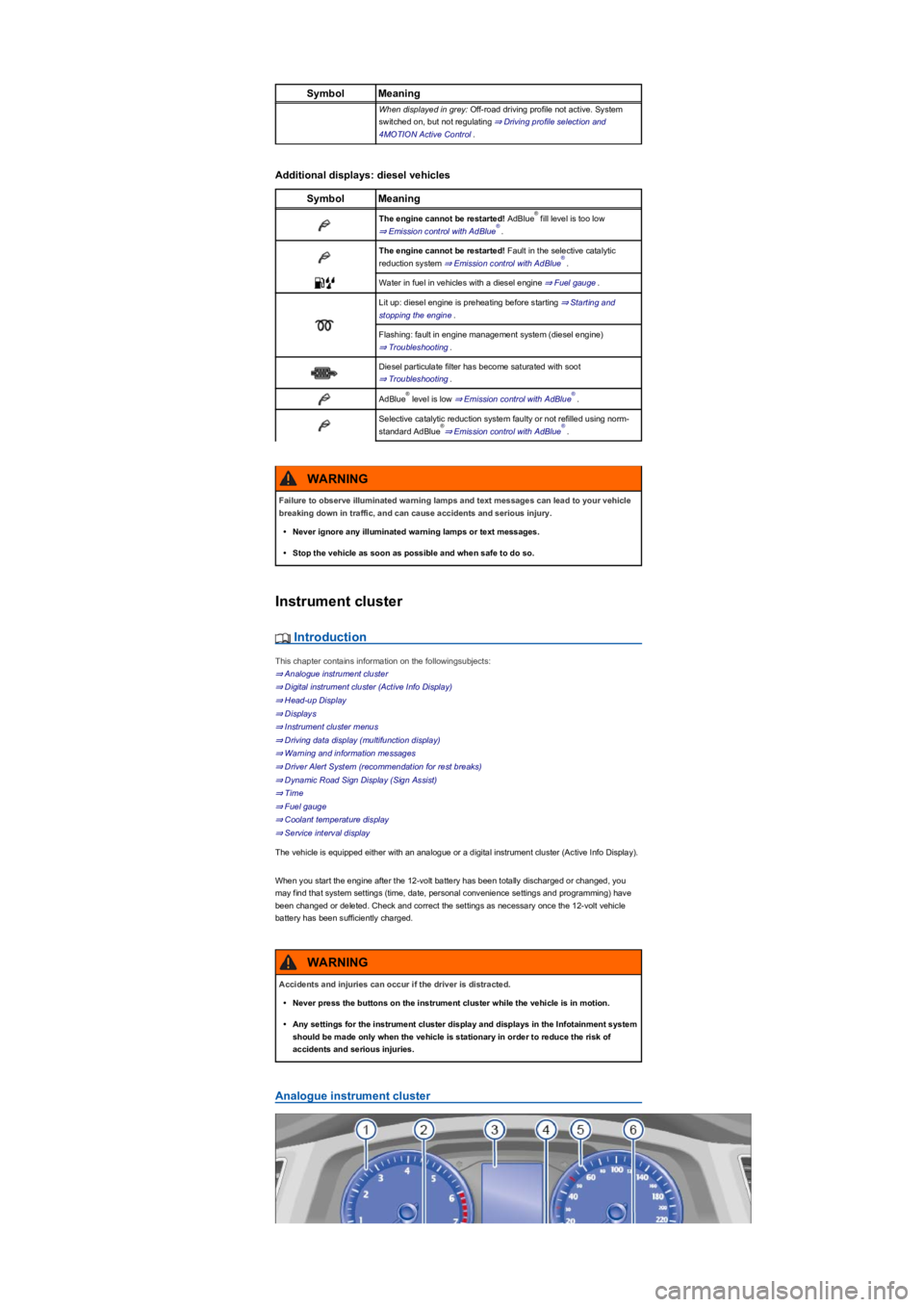
SymbolMeaning
When displayed in grey: Off-road driving profile not active. System
switched on, but not regulating ⇒ Driving profile selection and
4MOTION Active Control.
Additional displays: diesel vehicles
SymbolMeaning
The engine cannot be restarted! AdBlue fill level is too low
⇒ Emission control with AdBlue.
The engine cannot be restarted! Fault in the selective catalytic
reduction system ⇒ Emission control with AdBlue.
Water in fuel in vehicles with a diesel engine ⇒ Fuel gauge.
Lit up: diesel engine is preheating before starting ⇒ Starting and
stopping the engine.
Flashing: fault in engine management system (diesel engine)
⇒ Troubleshooting.
Diesel particulate filter has become saturated with soot
⇒ Troubleshooting.
AdBlue level is low ⇒ Emission control with AdBlue.
Selective catalytic reduction system faulty or not refilled using norm-
standard AdBlue⇒ Emission control with AdBlue.
Instrument cluster
Introduction
This chapter contains information on the followingsubjects:
⇒ Analogue instrument cluster
⇒ Digital instrument cluster (Active Info Display)
⇒ Head-up Display
⇒ Displays
⇒ Instrument cluster menus
⇒ Driving data display (multifunction display)
⇒ Warning and information messages
⇒ Driver Alert System (recommendation for rest breaks)
⇒ Dynamic Road Sign Display (Sign Assist)
⇒ Time
⇒ Fuel gauge
⇒ Coolant temperature display
⇒ Service interval display
The vehicle is equipped either with an analogue or a digital instrument cluster (Active Info Display).
When you start the engine after the 12-volt battery has been totally discharged or changed, you
may find that system settings (time, date, personal convenience settings and programming) have
been changed or deleted. Check and correct the settings as necessary once the 12-volt vehicle
battery has been sufficiently charged.
Analogue instrument cluster
®
®
®
®®
®®
Failure to observe illuminated warning lamps and text messages can lead to your vehicle
breaking down in traffic, and can cause accidents and serious injury.
•Never ignore any illuminated warning lamps or text messages.
•Stop the vehicle as soon as possible and when safe to do so.
WARNING
Accidents and injuries can occur if the driver is distracted.
•Never press the buttons on the instrument cluster while the vehicle is in motion.
•Any settings for the instrument cluster display and displays in the Infotainment system
should be made only when the vehicle is stationary in order to reduce the risk of
accidents and serious injuries.
WARNING
Page 13 of 341
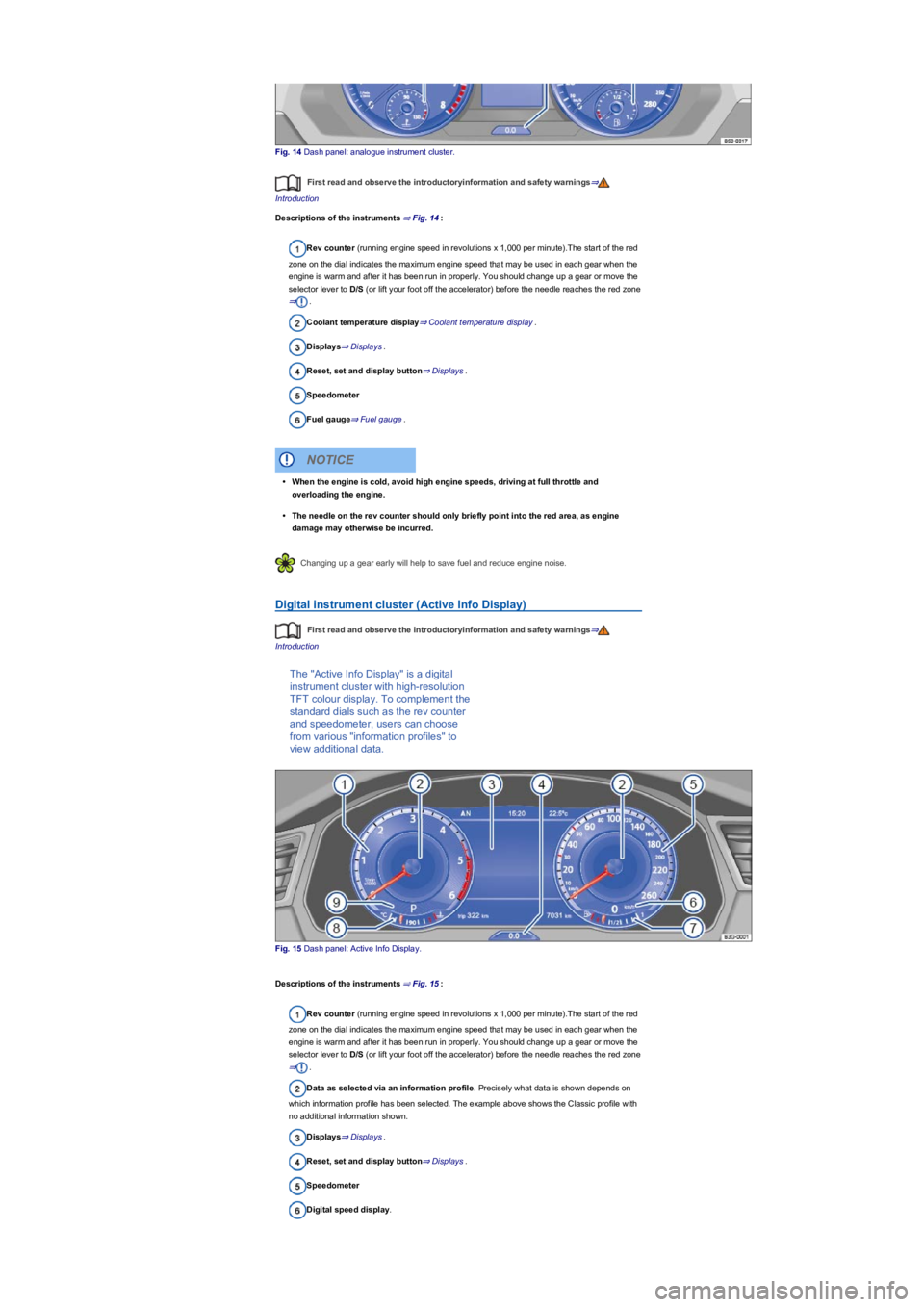
Fig. 14 Dash panel: analogue instrument cluster.
First read and observe the introductoryinformation and safety warnings⇒
Introduction
Descriptions of the instruments ⇒ Fig. 14:
Rev counter (running engine speed in revolutions x 1,000 per minute).The start of the red
zone on the dial indicates the maximum engine speed that may be used in each gear when the
engine is warm and after it has been run in properly. You should change up a gear or move the
selector lever to D/S (or lift your foot off the accelerator) before the needle reaches the red zone
⇒.
Coolant temperature display⇒ Coolant temperature display.
Displays⇒ Displays.
Reset, set and display button⇒ Displays.
Speedometer
Fuel gauge⇒ Fuel gauge.
Changing up a gear early will help to save fuel and reduce engine noise.
Digital instrument cluster (Active Info Display)
First read and observe the introductoryinformation and safety warnings⇒
Introduction
The "Active Info Display" is a digital
instrument cluster with high-resolution
TFT colour display. To complement the
standard dials such as the rev counter
and speedometer, users can choose
from various "information profiles" to
view additional data.
Fig. 15 Dash panel: Active Info Display.
Descriptions of the instruments ⇒ Fig. 15:
Rev counter (running engine speed in revolutions x 1,000 per minute).The start of the red
zone on the dial indicates the maximum engine speed that may be used in each gear when the
engine is warm and after it has been run in properly. You should change up a gear or move the
selector lever to D/S (or lift your foot off the accelerator) before the needle reaches the red zone
⇒.
Data as selected via an information profile. Precisely what data is shown depends on
which information profile has been selected. The example above shows the Classic profile with
no additional information shown.
Displays⇒ Displays.
Reset, set and display button⇒ Displays.
Speedometer
Digital speed display.
•When the engine is cold, avoid high engine speeds, driving at full throttle and
overloading the engine.
•The needle on the rev counter should only briefly point into the red area, as engine
damage may otherwise be incurred.
NOTICE
Page 14 of 341
Fuel gauge⇒ Fuel gauge.
Coolant temperature display ⇒ Coolant temperature display.
Current gear / selector lever position⇒ Manual gearbox: selecting a gear or ⇒ DSG
dual clutch gearbox.
Information profiles
To select a specific information profile, go to the Views menu option in the display of the instrument
cluster ⇒ Instrument cluster menus. The Active Info Display shows additional information in the
centre of the dials ⇒ Fig. 15② depending on the information profile you have selected. The
following information profiles are available:
•Classic. No additional information shown.
•Consumption and range. Current consumption is shown graphically and average consumption
is shown digitally in the rev counter. The remaining range is shown digitally in the speedometer.
•Efficiency. Average consumption is shown digitally and current consumption is shown
graphically in the rev counter. In the speedometer, the symbol is shown if the current
driving style is fuel-efficient, and a graphic display helps the driver save fuel.
•Navigation. If route guidance is active: the remaining distance to the set destination and an
estimated time of arrival are shown in the rev counter, and arrows to aid navigation are shown
in the speedometer. If route guidance is inactive: the current altitude is shown in the rev
counter, and a compass is shown in the speedometer.
•Driver assistance. Graphic representation of various driver assist systems, or digital display of
the driving time in the rev counter. The speedometer meanwhile shows arrow navigation or a
compass.
•Off-road. Digital display of the steering angle and compass display in the speedometer. With
active Hill Descent Control: graphic display of the Hill Descent Control with speed display in the
speedometer.
Navigation map in the Active Info Display
With some vehicle equipment levels, the Active Info Display is able to display a detailed map. To
display this map, select the Navigation menu item in the instrument cluster ⇒ Instrument cluster
menus.
The map can be shown in either of two sizes. If the larger version is selected, the Active Info
Display dials will be smaller. To select the preferred map size:
•Press the button on the multifunction steering wheel ⇒ Instrument cluster menus to
switch between map sizes as required.
•OR: press the or arrow button on the multifunction steering wheel to select the
required map size. A frame appears around the selected option.
•Confirm the selection by pressing the button on the multifunction steering wheel.
Depending on the equipment level, navigation is shown on two displays or only one. The navigation
map be displayed on the Active Info Display and Infotainment system or only on the Infotainment
system display. In the latter case, only navigation arrows are shown on the Active Info Display.
Changing up a gear early will help to save fuel and reduce engine noise.
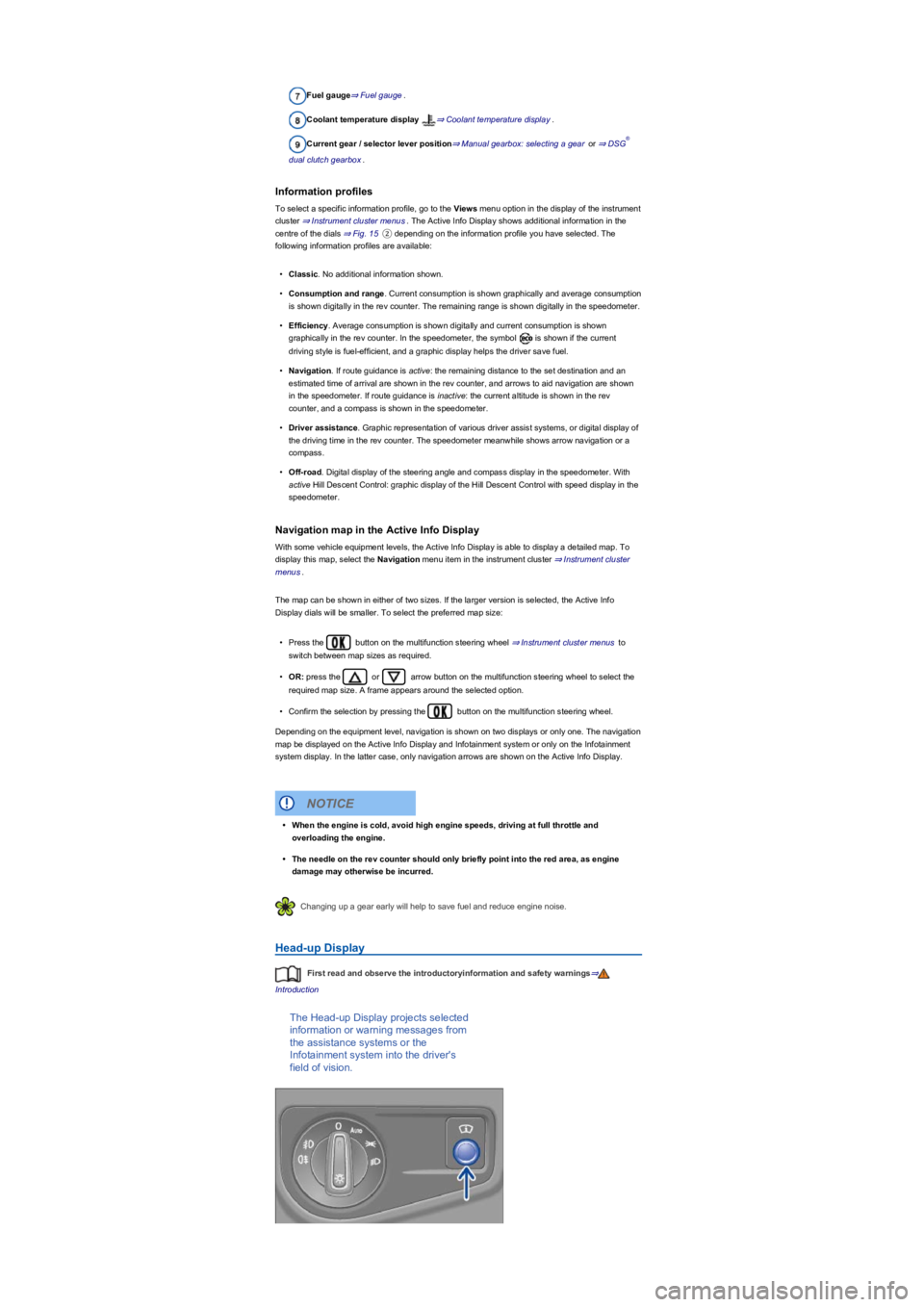
Head-up Display
First read and observe the introductoryinformation and safety warnings⇒
Introduction
The Head-up Display projects selected
information or warning messages from
the assistance systems or the
Infotainment system into the driver's
field of vision.
®
•When the engine is cold, avoid high engine speeds, driving at full throttle and
overloading the engine.
•The needle on the rev counter should only briefly point into the red area, as engine
damage may otherwise be incurred.
NOTICE
Page 123 of 341
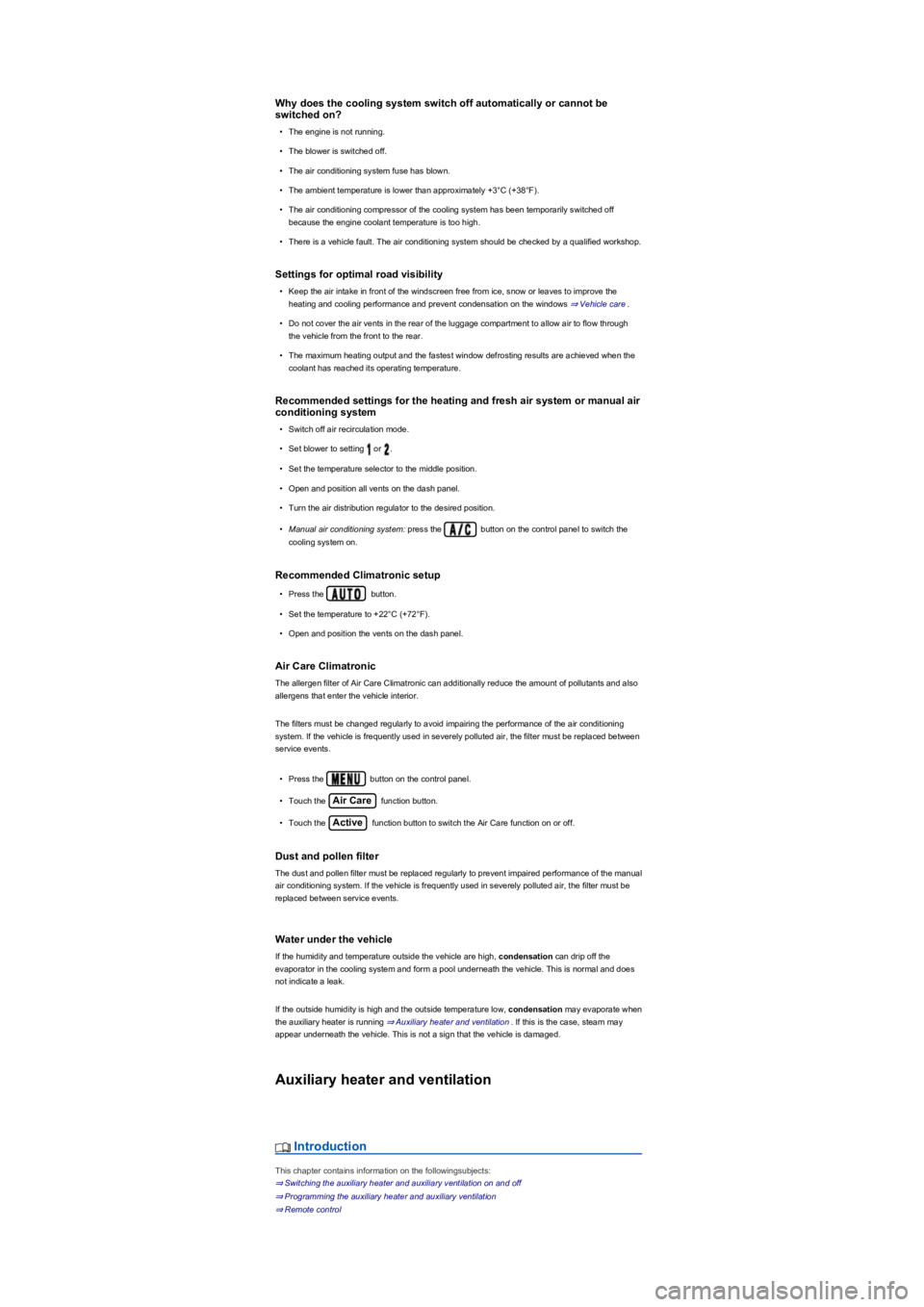
Why does the cooling system switch off automatically or cannot be
switched on?
•The engine is not running.
•The blower is switched off.
•The air conditioning system fuse has blown.
•The ambient temperature is lower than approximately +3°C (+38°F).
•The air conditioning compressor of the cooling system has been temporarily switched off
because the engine coolant temperature is too high.
•There is a vehicle fault. The air conditioning system should be checked by a qualified workshop.
Settings for optimal road visibility
•Keep the air intake in front of the windscreen free from ice, snow or leaves to improve the
heating and cooling performance and prevent condensation on the windows ⇒ Vehicle care.
•Do not cover the air vents in the rear of the luggage compartment to allow air to flow through
the vehicle from the front to the rear.
•The maximum heating output and the fastest window defrosting results are achieved when the
coolant has reached its operating temperature.
Recommended settings for the heating and fresh air system or manual air
conditioning system
•Switch off air recirculation mode.
•Set blower to setting or .
•Set the temperature selector to the middle position.
•Open and position all vents on the dash panel.
•Turn the air distribution regulator to the desired position.
•Manual air conditioning system: press the button on the control panel to switch the
cooling system on.
Recommended Climatronic setup
•Press the button.
•Set the temperature to +22°C (+72°F).
•Open and position the vents on the dash panel.
Air Care Climatronic
The allergen filter of Air Care Climatronic can additionally reduce the amount of pollutants and also
allergens that enter the vehicle interior.
The filters must be changed regularly to avoid impairing the performance of the air conditioning
system. If the vehicle is frequently used in severely polluted air, the filter must be replaced between
service events.
•Press the button on the control panel.
•Touch the Air Care function button.
•Touch the Active function button to switch the Air Care function on or off.
Dust and pollen filter
The dust and pollen filter must be replaced regularly to prevent impaired performance of the manual
air conditioning system. If the vehicle is frequently used in severely polluted air, the filter must be
replaced between service events.
Water under the vehicle
If the humidity and temperature outside the vehicle are high, condensation can drip off the
evaporator in the cooling system and form a pool underneath the vehicle. This is normal and does
not indicate a leak.
If the outside humidity is high and the outside temperature low, condensation may evaporate when
the auxiliary heater is running ⇒ Auxiliary heater and ventilation. If this is the case, steam may
appear underneath the vehicle. This is not a sign that the vehicle is damaged.
Auxiliary heater and ventilation
Introduction
This chapter contains information on the followingsubjects:
⇒ Switching the auxiliary heater and auxiliary ventilation on and off
⇒ Programming the auxiliary heater and auxiliary ventilation
⇒ Remote control
Page 158 of 341
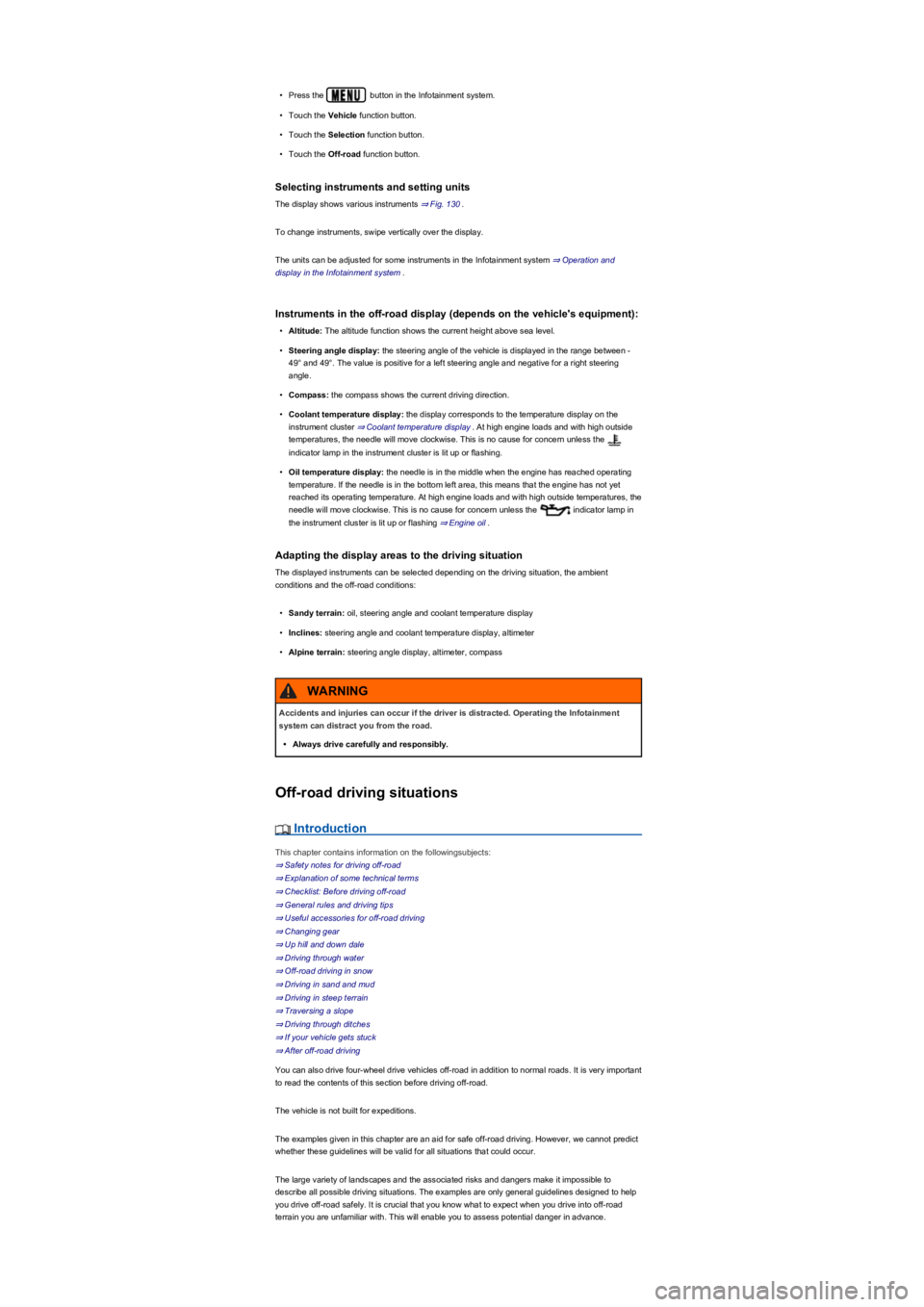
•Press the button in the Infotainment system.
•Touch the Vehicle function button.
•Touch the Selection function button.
•Touch the Off-road function button.
Selecting instruments and setting units
The display shows various instruments ⇒ Fig. 130.
To change instruments, swipe vertically over the display.
The units can be adjusted for some instruments in the Infotainment system ⇒ Operation and
display in the Infotainment system.
Instruments in the off-road display (depends on the vehicle's equipment):
•Altitude: The altitude function shows the current height above sea level.
•Steering angle display: the steering angle of the vehicle is displayed in the range between -
49° and 49°. The value is positive for a left steering angle and negative for a right steering
angle.
•Compass: the compass shows the current driving direction.
•Coolant temperature display: the display corresponds to the temperature display on the
instrument cluster ⇒ Coolant temperature display. At high engine loads and with high outside
temperatures, the needle will move clockwise. This is no cause for concern unless the
indicator lamp in the instrument cluster is lit up or flashing.
•Oil temperature display: the needle is in the middle when the engine has reached operating
temperature. If the needle is in the bottom left area, this means that the engine has not yet
reached its operating temperature. At high engine loads and with high outside temperatures, the
needle will move clockwise. This is no cause for concern unless the indicator lamp in
the instrument cluster is lit up or flashing ⇒ Engine oil.
Adapting the display areas to the driving situation
The displayed instruments can be selected depending on the driving situation, the ambient
conditions and the off-road conditions:
•Sandy terrain: oil, steering angle and coolant temperature display
•Inclines: steering angle and coolant temperature display, altimeter
•Alpine terrain: steering angle display, altimeter, compass
Off-road driving situations
Introduction
This chapter contains information on the followingsubjects:
⇒ Safety notes for driving off-road
⇒ Explanation of some technical terms
⇒ Checklist: Before driving off-road
⇒ General rules and driving tips
⇒ Useful accessories for off-road driving
⇒ Changing gear
⇒ Up hill and down dale
⇒ Driving through water
⇒ Off-road driving in snow
⇒ Driving in sand and mud
⇒ Driving in steep terrain
⇒ Traversing a slope
⇒ Driving through ditches
⇒ If your vehicle gets stuck
⇒ After off-road driving
You can also drive four-wheel drive vehicles off-road in addition to normal roads. It is very important
to read the contents of this section before driving off-road.
The vehicle is not built for expeditions.
The examples given in this chapter are an aid for safe off-road driving. However, we cannot predict
whether these guidelines will be valid for all situations that could occur.
The large variety of landscapes and the associated risks and dangers make it impossible to
describe all possible driving situations. The examples are only general guidelines designed to help
you drive off-road safely. It is crucial that you know what to expect when you drive into off-road
terrain you are unfamiliar with. This will enable you to assess potential danger in advance.
Accidents and injuries can occur if the driver is distracted. Operating the Infotainment
system can distract you from the road.
•Always drive carefully and responsibly.
WARNING
Page 235 of 341
Technical requirements
First read and observe the introductoryinformation and safety warnings⇒
Introduction
Engine cooling system
There is an increased load on the engine and the engine cooling system when trailer towing. The
engine cooling system must contain sufficient engine coolant and be able to cope with the extra
load added by the trailer.
Trailer brake
If the trailer is equipped with its own brake system, comply with the relevant regulations.
Trailer tail light clusters
The trailer tail light clusters must work correctly and meet legal requirements. Do not exceed the
maximum power consumption for the trailer.
Exterior mirrors
If you are unable to see the traffic behind the trailer in the vehicle's standard exterior mirrors,
additional exterior mirrors should be fitted in accordance with any country-specific regulations.
Before setting off, adjust the mirrors so that you have a sufficient view of the rear.
Retrofitting a towing bracket
Only use a towing bracket which has been approved by Volkswagen for your vehicle type. Always
check and follow the data provided by the towing bracket manufacturer.
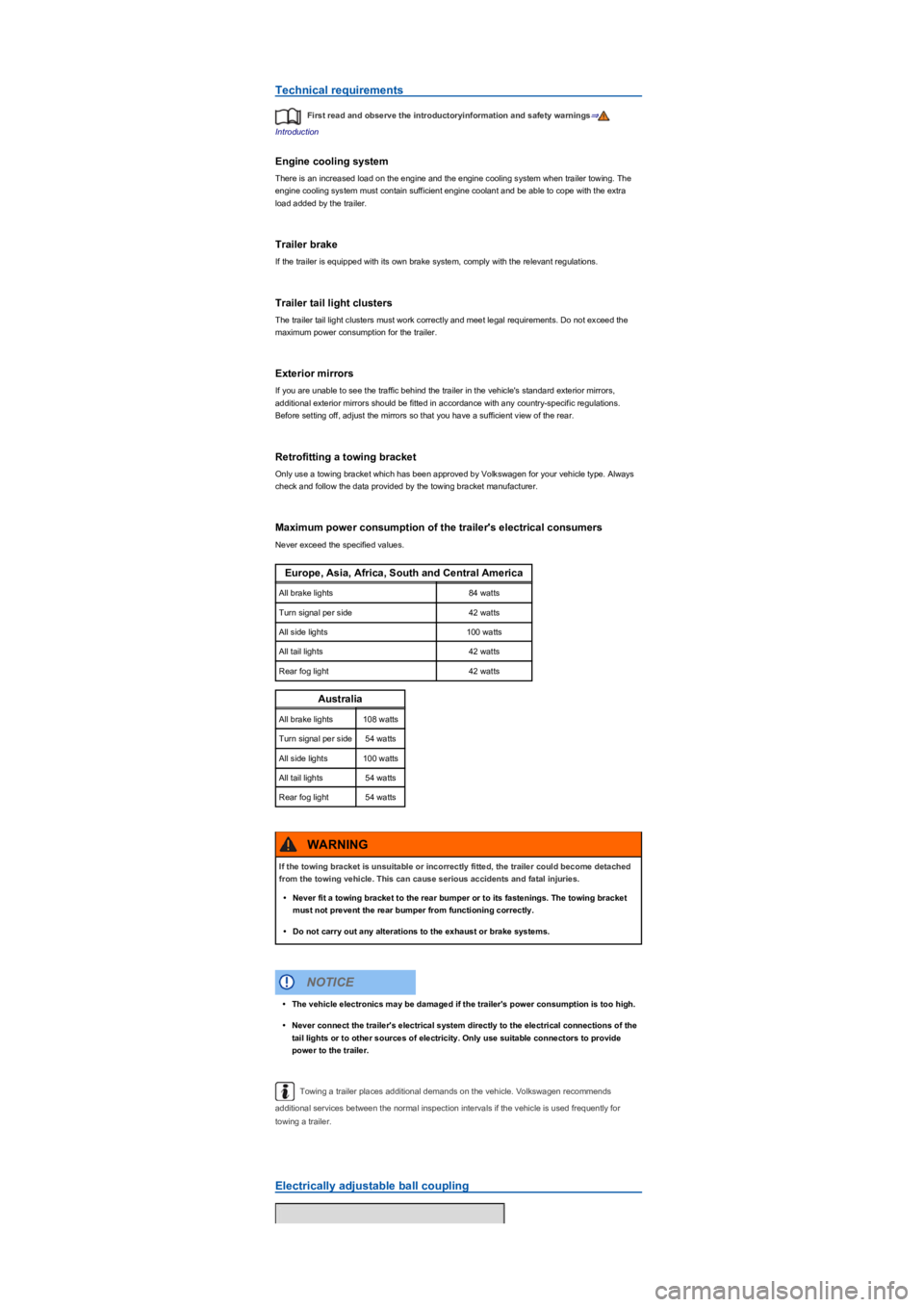
Maximum power consumption of the trailer's electrical consumers
Never exceed the specified values.
Europe, Asia, Africa, South and Central America
All brake lights84 watts
Turn signal per side42 watts
All side lights100 watts
All tail lights42 watts
Rear fog light42 watts
Australia
All brake lights108 watts
Turn signal per side54 watts
All side lights100 watts
All tail lights54 watts
Rear fog light54 watts
Towing a trailer places additional demands on the vehicle. Volkswagen recommends
additional services between the normal inspection intervals if the vehicle is used frequently for
towing a trailer.
Electrically adjustable ball coupling
If the towing bracket is unsuitable or incorrectly fitted, the trailer could become detached
from the towing vehicle. This can cause serious accidents and fatal injuries.
•Never fit a towing bracket to the rear bumper or to its fastenings. The towing bracket
must not prevent the rear bumper from functioning correctly.
•Do not carry out any alterations to the exhaust or brake systems.
WARNING
•The vehicle electronics may be damaged if the trailer's power consumption is too high.
•Never connect the trailer's electrical system directly to the electrical connections of the
tail lights or to other sources of electricity. Only use suitable connectors to provide
power to the trailer.
NOTICE
Page 276 of 341
Leaking service fluids can pollute the environment. Spilt service fluids must be collected in
suitable containers and disposed of properly and with respect for the environment.
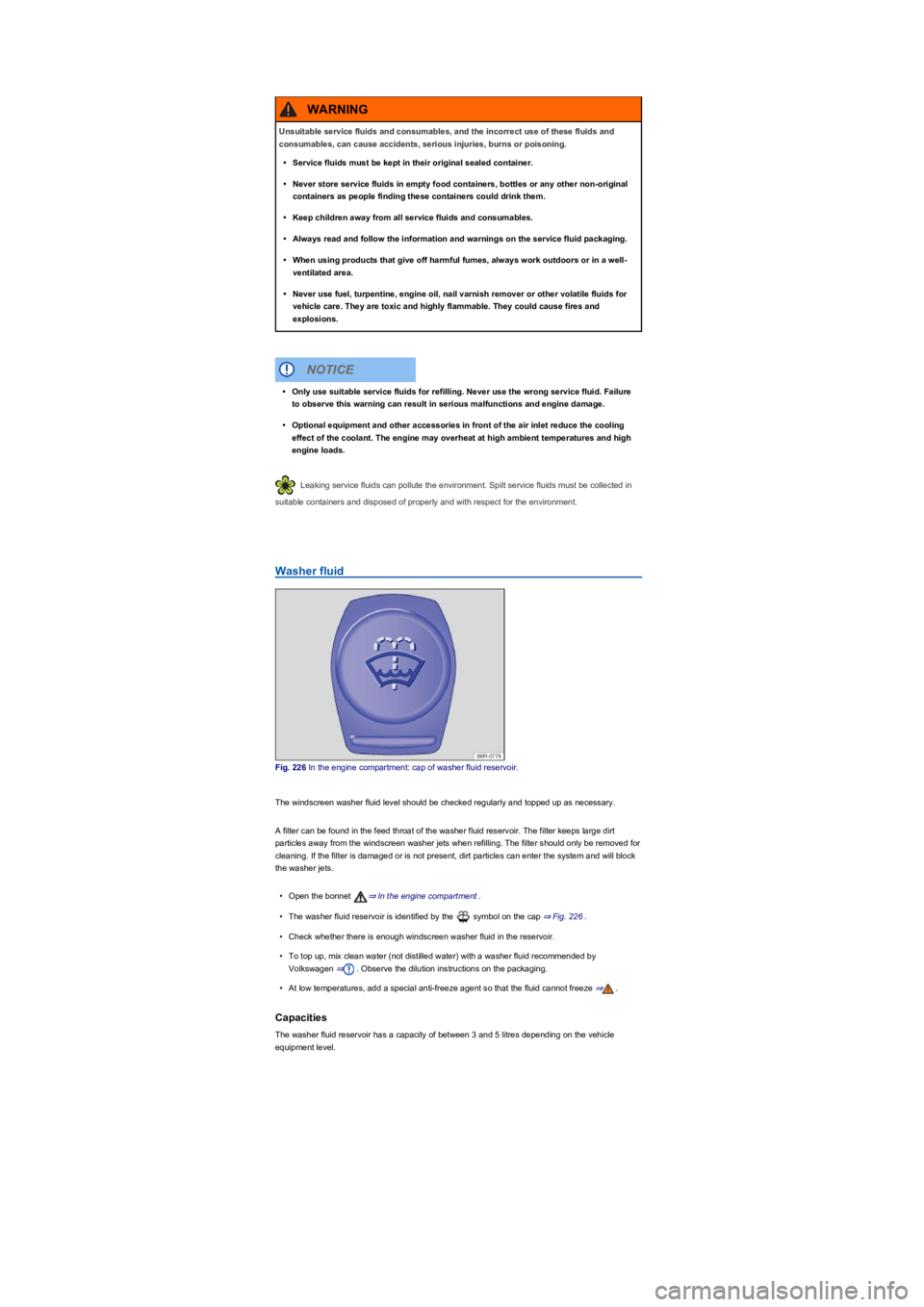
Washer fluid
Fig. 226 In the engine compartment: cap of washer fluid reservoir.
The windscreen washer fluid level should be checked regularly and topped up as necessary.
A filter can be found in the feed throat of the washer fluid reservoir. The filter keeps large dirt
particles away from the windscreen washer jets when refilling. The filter should only be removed for
cleaning. If the filter is damaged or is not present, dirt particles can enter the system and will block
the washer jets.
•Open the bonnet ⇒ In the engine compartment.
•The washer fluid reservoir is identified by the symbol on the cap ⇒ Fig. 226.
•Check whether there is enough windscreen washer fluid in the reservoir.
•To top up, mix clean water (not distilled water) with a washer fluid recommended by
Volkswagen ⇒. Observe the dilution instructions on the packaging.
•At low temperatures, add a special anti-freeze agent so that the fluid cannot freeze ⇒.
Capacities
The washer fluid reservoir has a capacity of between 3 and 5 litres depending on the vehicle
equipment level.
Unsuitable service fluids and consumables, and the incorrect use of these fluids and
consumables, can cause accidents, serious injuries, burns or poisoning.
•Service fluids must be kept in their original sealed container.
•Never store service fluids in empty food containers, bottles or any other non-original
containers as people finding these containers could drink them.
•Keep children away from all service fluids and consumables.
•Always read and follow the information and warnings on the service fluid packaging.
•When using products that give off harmful fumes, always work outdoors or in a well-
ventilated area.
•Never use fuel, turpentine, engine oil, nail varnish remover or other volatile fluids for
vehicle care. They are toxic and highly flammable. They could cause fires and
explosions.
WARNING
•Only use suitable service fluids for refilling. Never use the wrong service fluid. Failure
to observe this warning can result in serious malfunctions and engine damage.
•Optional equipment and other accessories in front of the air inlet reduce the cooling
effect of the coolant. The engine may overheat at high ambient temperatures and high
engine loads.
NOTICE
Page 277 of 341
Engine oil
Introduction
This chapter contains information on the followingsubjects:
⇒ Engine oil specification
⇒ Changing the engine oil
⇒ Engine oil consumption
⇒ Checking the engine oil level and refilling the engine oil
⇒ Troubleshooting
Leaking or spilt engine oil can pollute the environment. Spilt service fluids must be collected
then disposed of properly and in an environmentally responsible way.
Engine oil specification
First read and observe the introductoryinformation and safety warnings⇒
Introduction
The correct engine oil is important for the function and service life of the engine. A special high
quality multigrade oil has been filled at the factory and this can normally be used as an all-season
oil.
If possible, use only Volkswagen-approved engine oil ⇒. To comply with flexible oil change
service requirements, refill only with approved flexible service engine oil that meets the
corresponding VW standard. The engine oils listed are multigrade high-lubricity oils.
Engine oils are constantly being developed and improved. Volkswagen dealerships are kept up to
date on all innovations. Volkswagen therefore recommends having engine oil changes done by a
Volkswagen dealership.
The quality of the engine oil is not only tailored to the requirements of engines and exhaust gas
treatment systems, but also to fuel quality. Due to the way in which a combustion engine works,
engine oil always comes into contact with combustion residues and fuel, which has a knock-on
effect on the ageing process of the oil.
The quality of fuels can vary greatly between individual markets and this must be taken into account
when selecting the correct engine oil.
Never mix coolant additive or other unsuitable additives into the windscreen washer fluid.
These may leave an oily film on the screen, restricting the field of vision.
•Use clean, clear water (not distilled water) with a washer fluid recommended by
Volkswagen.
•A suitable anti-freeze agent should be added to the windscreen washer fluid if
necessary.
WARNING
•Never mix other cleaning agents with the cleaning agents recommended by
Volkswagen. This can cause the ingredients to separate and block the windscreen
washer jets.
•When topping up service fluids, please ensure that you pour the correct service fluids
into the correct openings. The use of incorrect service fluids could result in serious
malfunctions and engine damage.
NOTICE
Incorrect handling of engine oil can cause serious burns and other injuries.
•Always wear eye protection when handling engine oil.
•Engine oil is toxic and must be stored out of the reach of children.
•Engine oil must be kept in the closed original container. This also applies to used oil
until it is disposed of.
•Never use empty food containers, bottles or other containers to store engine oil as
other people may then drink the engine oil.
•Regular contact with engine oil can damage the skin. Skin that has been in contact with
engine oil should be washed thoroughly with water and soap.
•Engine oil becomes extremely hot when the engine is running and can scald skin
severely. Always allow the engine to cool down.
WARNING
Page 281 of 341
Warning lamps and text messages may be shown in the instrument cluster display. These warnings
may also be accompanied by acoustic signals.
Engine oil
Lit up: engine oil level too low. Switch off the engine. Check the engine oil level ⇒ Checking
the engine oil level and refilling the engine oil.Flashing: engine oil system fault. Go to a
qualified workshop and have the engine oil sensor checked.Flashing: engine oil pressure
is too low. Do not drive on!
Switch off the engine and check the engine oil level ⇒ Checking the engine oil level and refilling the
engine oil - Do not drive on or remain at idling speed if the warning lamp is flashing even if the
engine oil level is correct. The engine could otherwise be damaged. You should obtain professional
assistance.
Engine coolant
Introduction
This chapter contains information on the followingsubjects:
⇒ Coolant specification
⇒ Checking the coolant level and refilling coolant
You should only carry out work on the cooling system if you know exactly how to perform the
required tasks, are aware of the general safety procedures and have access to the correct
equipment, service fluids and suitable tools. Failing to carry out work correctly can cause serious
injuries ⇒. The work should be carried out by a qualified workshop if you are uncertain.
Volkswagen recommends using a Volkswagen dealership for this purpose.
Coolant and coolant additives can pollute the environment. Spilt service fluids must be
collected then disposed of properly and in an environmentally responsible way.
Coolant specification
First read and observe the introductoryinformation and safety warnings⇒
Introduction
The cooling system is filled at the factory with a mixture of specially prepared water and at least
40% coolant additive G 13 (TL-VW 774 J). The coolant additive is dyed purple. This mixture of
water and coolant additive gives the necessary frost protection down to -25°C (-13°F) and protects
the alloy parts of the cooling system against corrosion. The mixture also prevents scaling and
raises the boiling point of the coolant.
In order to protect the coolant system, the proportion of coolant additive must always be at least
40%, even if anti-freeze is not required in warm weather and warm climates.
If greater frost protection is required in very cold climates, the proportion of anti-freeze additive can
be increased. However, the percentage of coolant additive should not exceed 60%, as this would
reduce the frost protection and the cooling effect.
When refilling the coolant, a mixture of distilled water and at least 40% coolant additive - G 13 - or
- G 12 plus-plus - (TL-VW 774 G) (both of which are dyed purple) must be used in order to obtain
the optimum corrosion protection ⇒. Mixing - G 13 - with the coolant additives - G 12 plus - (TL-
VW 774 F), - G 12 - (dyed red) or - G 11 - (dyed blue-green) will significantly decrease the level of
corrosion protection and should therefore be avoided ⇒.
Engine coolant is toxic.
•Engine coolant should only be kept in sealed original containers in a safe place.
•Never store engine coolant in empty food containers, bottles or any other non-original
containers as people finding these containers may then drink the engine coolant.
•The engine coolant must be stored out of the reach of children.
•Please note that the amount of correct coolant additive used must be sufficient for the
lowest ambient temperature that you expect the vehicle to be exposed to.
•Coolant can freeze at extremely cold outside temperatures, causing the vehicle to
break down. Vehicle occupants with inadequate winter clothing could then freeze to
death as the heating will also no longer function.
WARNING