steering VOLKSWAGEN TRANSPORTER 2012 Service Manual
[x] Cancel search | Manufacturer: VOLKSWAGEN, Model Year: 2012, Model line: TRANSPORTER, Model: VOLKSWAGEN TRANSPORTER 2012Pages: 486, PDF Size: 69.28 MB
Page 304 of 486
When the highest level is reached, the distance re-turns to the lowest level when the button is press-ed again.
The distance level can also be set using the Q or Q buttons on the multifunction steering wheel im-mediately after the(!) button on the multifunction steering Fig. 241 has been pressed.
Select the Settings menu, Assist systems submenu, ACC to set the distance to be used when the ACC is switched on 24.
Setting the gearbox programme
The acceleration response can be influenced by the gearbox programme selected. The programme can be set Using the ACC option in the Assistant submenu in the Settings menu. The following gearbox programmes can be selected:
• Normal
• Sport
• Eco
The following conditions can prevent the adaptive cruise control (ACC) from reacting:
• If the accelerator is depressed.
• If no gear is selected.
• If the ESC is taking corrective action.
• If there is a fault in several brake lights on the vehicle or on a trailer with an electrical connection to the vehicle.
• If the vehicle is reversing.
• System version 1: if the vehicle is travelling faster than approximately 160 km/h (1 00 m ph).
• System version 2: if the vehicle is travelling faster than approximately 210 km/h (130 mph).
A WARNING
If you do not maintain the minimum distance to a vehicle In front and the difference In speed between the two vehicles is so great that the braking action of the adaptive cruise control (ACC) is insufficient, you are In dan-ger of colliding with the vehicle in front. You should reduce the vehicle speed immediately with the foot brake.
• The adaptive cruise control (ACC) may not be able to detect all driving situations cor-rectly.
• Leaving your foot on the accelerator means that the adaptive cruise control (ACC) will not brake automatically. This is because manual acceleration overrides the system.
• You should always be prepared to brake the vehicle yourself.
• Observe country-specific regulations re-garding the minimum distance.
m The set speed will be deleted if the ignition or L!.J the adaptive cruise control (ACC) is switched off.
m The adaptive cruise control (ACC) is auto-L!.J matically deactivated when the traction con-trol system (TCS) is deactivated.
m In vehicles with a start/stop system, the en-L!.J gine is switched off automatically during the stationary phase of adaptive cruise control (ACC) and is then restarted for moving off.
situations
1""111 First read and observe the introductory L-J,:.IJ Information and safety warnings & on page 298.
The adaptive cruise control (ACC) should be switched off in the following situations due to sys-tem limitations &:
304 I While driving
• When turning off roads, driving around round-abouts, narrow curves, joining motorways, exiting from motorways or driving through road works, to prevent the vehicle from unnecessarily accelerat-ing to the set speed in these situations
• When driving through a tunnel as this situation could impair the system function.
• On roads with more than one lane, if other vehi-cles are driving more slowly in the fast lane. The slower vehicles In the other lane would be overtak-en from the right side in this case.
• In heavy rain, snow or spray as vehicles travel-ling ahead cannot be monitored sufficiently or maybe cannot be monitored at all. .,.
Page 306 of 486
Acceleration can be stopped at any time by de-pressing the brake pedal or pressing the(@ or @ button on the multifunction steering wheel 302.
When driving through bends
While driving through bends, the radar sensor may sometimes lose the vehicle travelling ahead or may react to a vehicle in the next lane 242 !Al. In such situations, the vehicle might decelerate unnecessarily or not react to the vehicle in front. In this case the driver must override the adaptive cruise control (ACC) by depressing the accelerator, or interrupt the braking procedure by depressing the brake pedal or pressing or @ button on the multifunction steering wheel 302.
Driving in tunnels
The radar sensor function may be restricted in tun-nels. Switch off the adaptive cruise control (ACC) in tunnels.
Narrow vehicles and a zig-zag traffic situation
Narrow vehicles and vehicles travelling slightly to the left or right of your vehicle will only be recog-nised by the radar sensor once they have entered the radar range 242@ This applies in par-ticular to narrow vehicles such as motorbikes. If re-quired, brake the vehicle yourself.
Vehicles with special load or special equipment
Any load or accessories on other vehicles that pro-trude from the side, rear or over the roof of the ve-hicle may not be detected by the adaptive cruise control (ACC) .
Switch off the adaptive cruise control (ACC) when the vehicle ahead has special load or special equipment, or while overtaking vehicles of this kind. If required. brake the vehicle yourself.
When other vehicles change lanes
Vehicles that are very close when they move into your lane can only be detected by the radar sen-sors when they have moved into the sensor range. This means that the adaptive cruise control (ACC) may have a delayed reaction =>Fig. 243@]. If re-quired, brake the vehicle yourself.
Stationary vehicles
The adaptive cruise control (ACC) does not detect stationary objects during a journey, e.g. stationary traffic or a vehicle that has broken down.
306 I While driving
If a stationary vehicle is hidden behind a vehicle that has been detected by the adaptive cruise con-trol (ACC) and this vehicle turns off the road or changes lane, the adaptive cruise control (ACC) will not be able to react to the stationary vehicle 243 [Q]. If required, brake the vehicle your-self.
Oncoming vehicles and vehicles crossing your path
The adaptive cruise control (ACC) does not react to approaching vehicles or vehicles crossing your path.
Metal objects
Metal objects, such as tracks in the road or metal plates used in roadworks, can confuse the radar sensor and cause incorrect reactions from the adaptive cruise control (ACC) .
Possible radar sensor function impairments
The adaptive cruise control (ACC) will switch off temporarily if the radar sensor function is impaired, e.g. due to heavy rain, spray, snow, ice or mud. A corresponding message will appear on the instru-ment cluster display. Clean the radar sensors as required.
The adaptive cruise control (ACC) will automatical-ly be available again as soon as the radar sensors are no longer impaired. The message on the in-strument cluster display goes out, and the adaptive cruise control (ACC) can be reactivated.
Strong reflected radiation of the radar signal, e.g. in multi-storey car parks, can impair the function of the radar sensor.
Towing a trailer
The adaptive cruise control (ACC) operates with reduced dynamics when the vehicle is towing a trailer.
Overheated brakes
If the brakes overheat, e.g. following heavy braking or when driving down steep inclines for long peri-ods, the adaptive cruise control (ACC) may be de-activated temporarily. A corresponding message will appear on the instrument cluster display. lt is then not possible to activate the adaptive cruise control (ACC).
As soon as the temperature of the brakes has de-creased sufficiently, the adaptive cruise control (ACC) can be activated again. The message on the instrument cluster display goes out. If the mes-sage ACC not ava i 1 able does not go out for a long time, there is a fault. Go to a qualified work-shop. Volkswagen recommends using a Volkswa-gen dealership for this purpose.
Page 308 of 486
A WARNING (Continued)
• Front Assist can Issue unnecessary warn-ings and carry out unwanted braking inter-ventions when Its function is Impaired, e.g. if the position of the radar sensor has been soiled or changed.
• The Front Assist does not react to per-sons, animals or vehicles crossing or ap-proaching In the same lane.
• The driver must be prepared to take full control of the vehicle at all times.
m The brake pedal feels "harder" when Front W Assist triggers the brakes.
Displays
A
m Automatic brake intervention by Front Assist W can be stopped by using the accelerator or through steering intervention.
m Deactivate Front Assist if it does not function W as described in this chapter, e.g. if multiple unwanted interventions occur, deactivate Front As-sist and have the system checked by a qualified workshop as soon as possible. Volkswagen recom-mends using a Volkswagen dealership for this pur-pose. <1
BSG 0075
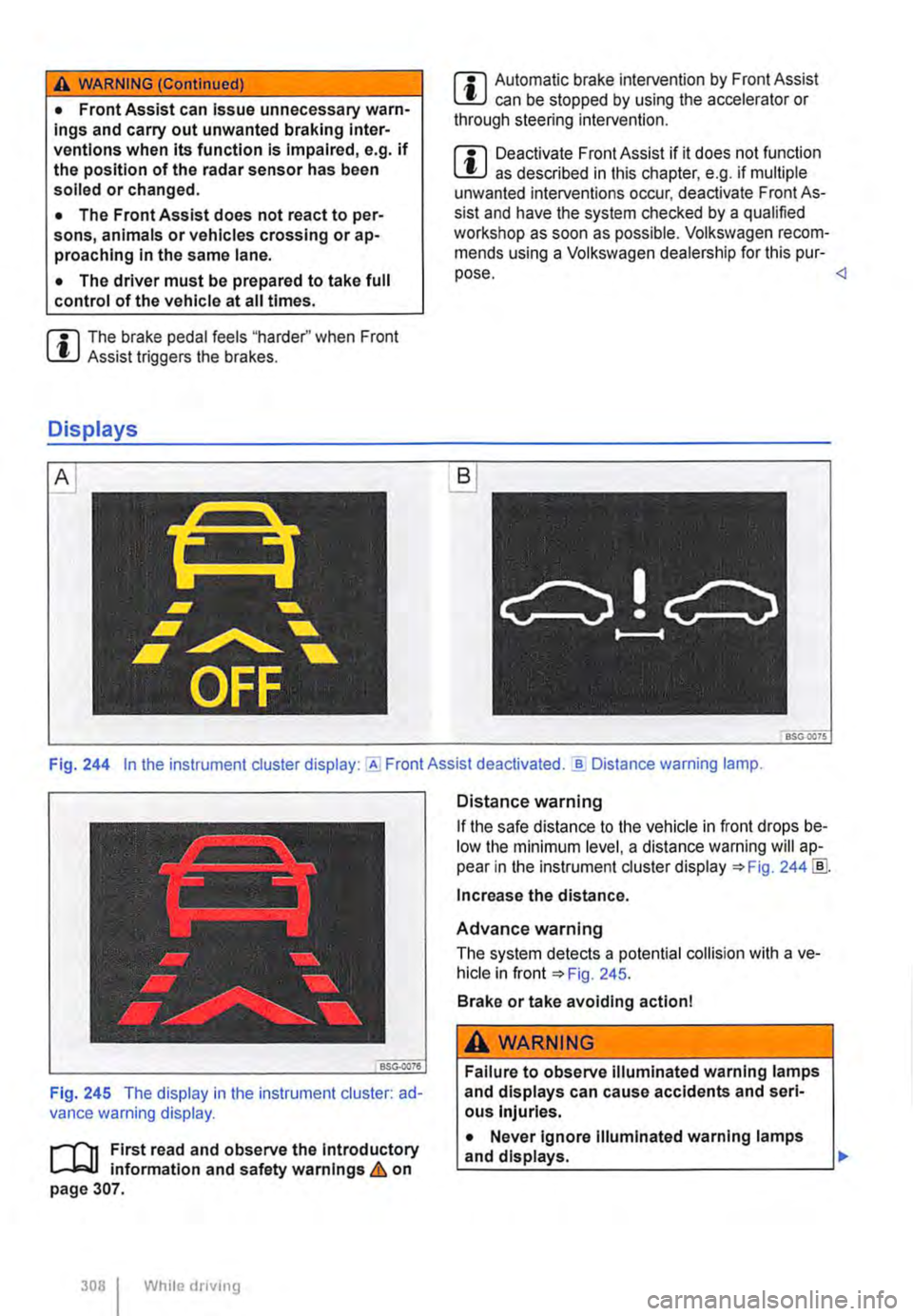
Fig. 244 In the instrument cluster display: Assist deactivated . ..!!. Distance warning lamp.
Fig. 245 The display in the instrument cluster: ad-vance warning display.
,....--m First read and observe the Introductory l.-.J,:.,U information and safety warnings & on page 307.
308 I While dnving
Distance warning
If the safe distance to the vehicle in front drops be-low the minimum level, a distance warning will ap-pear in the instrument cluster display ::.Fig. 244 !ID.
Increase the distance.
Advance warning
The system detects a potential collision with a ve-hicle in front ::.Fig. 245.
Brake or take avoiding action!
A WARNING
Failure to observe illuminated warning lamps and displays can cause accidents and seri-ous Injuries.
• Never ignore Illuminated warning lamps
La_n_d __
Page 311 of 486
City Emergency Brake function
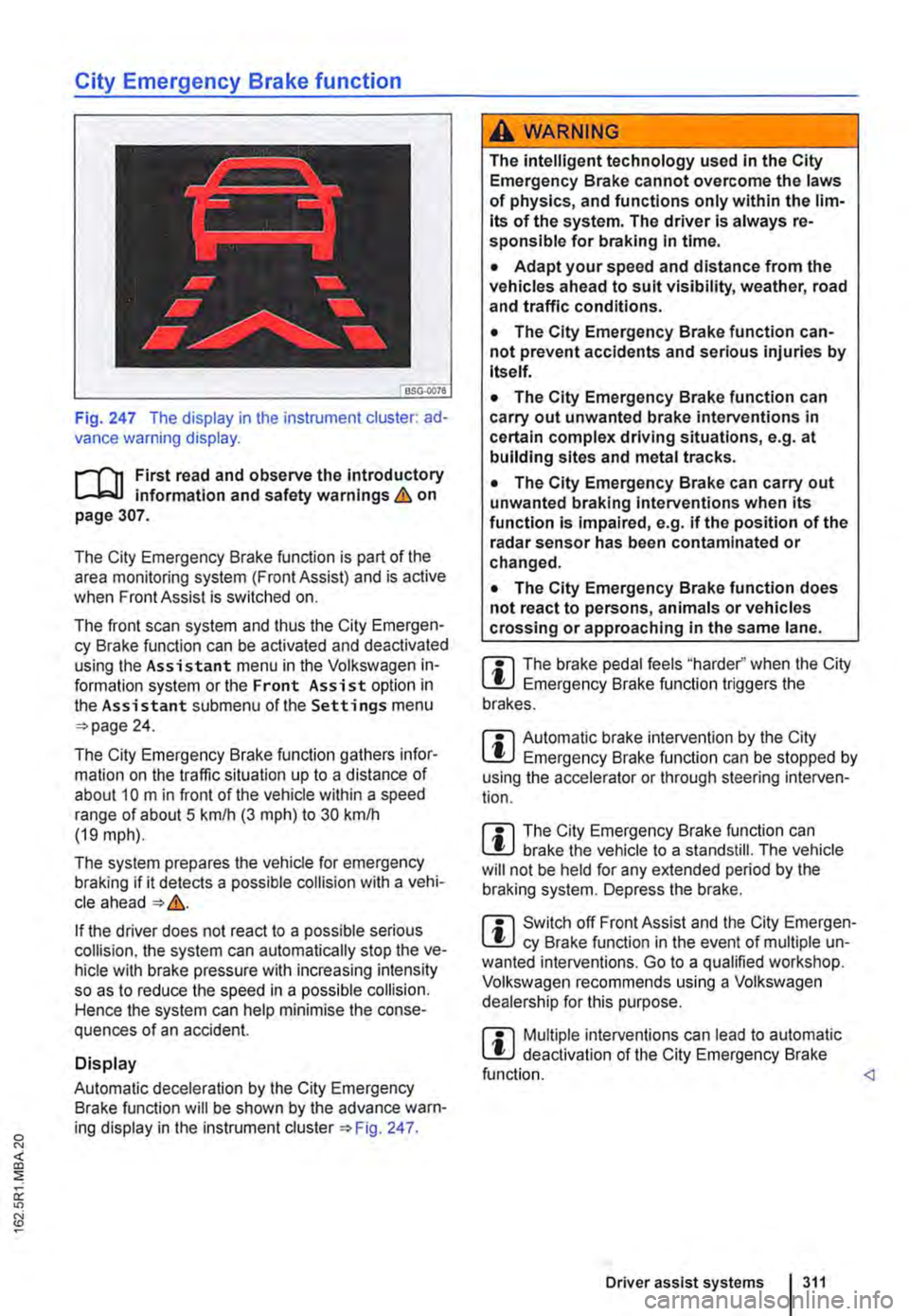
Fig. 247 The display in the instrument cluster: ad-vance warning display.
,...-m First read and observe the introductory information and safety warnings & on page 307.
The City Emergency Brake function is part of the area monitoring system (Front Assist) and is active when Front Assist is switched on.
The front scan system and thus the City Emergen-cy Brake function can be activated and deactivated using the Assistant menu in the Volkswagen in-formation system or the Front Assist option in the Assistant submenu of the Settings menu 24.
The City Emergency Brake function gathers infor-mation on the traffic situation up to a distance of about 10 m in front of the vehicle within a speed range of about 5 km/h (3 m ph) to 30 kmlh (19 mph).
The system prepares the vehicle for emergency braking if it detects a possible collision with a vehi-cle ahead &.
If the driver does not react to a possible serious collision, the system can automatically stop the ve-hicle with brake pressure with increasing intensity so as to reduce the speed in a possible collision. Hence the system can help minimise the conse-quences of an accident.
Display
Automatic deceleration by the City Emergency Brake function will be shown by the advance warn-ing display in the instrument Fig. 247.
A wARNING
The intelligent technology used in the City Emergency Brake cannot overcome the laws of physics, and functions only within the lim-its of the system. The driver is always re-sponsible for braking In time.
• Adapt your speed and distance from the vehicles ahead to suit visibility, weather, road and traffic conditions.
• The City Emergency Brake function can-not prevent accidents and serious injuries by itself.
• The City Emergency Brake function can carry out unwanted brake interventions in certain complex driving situations, e.g. at building sites and metal tracks.
• The City Emergency Brake can carry out unwanted braking interventions when its function is impaired, e.g. if the position of the radar sensor has been contaminated or changed.
• The City Emergency Brake function does not react to persons, animals or vehicles crossing or approaching in the same lane.
m The brake pedal feels "harder" when the City l!J Emergency Brake function triggers the brakes.
m Automatic brake intervention by the City l!J Emergency Brake function can be stopped by using the accelerator or through steering interven-tion.
m The City Emergency Brake function can L!J brake the vehicle to a standstill. The vehicle will not be held for any extended period by the braking system. Depress the brake.
m Switch off Front Assist and the City Emergen-L!J cy Brake function in the event of multiple un-wanted interventions. Go to a qualified workshop. Volkswagen recommends using a Volkswagen dealership for this purpose.
m Multiple interventions can lead to automatic l!J deactivation of the City Emergency Brake function.
Page 316 of 486
Additional information and warnings:
• Volkswagen information system =>page 24
• Accessories, modifications, repairs and renewal of parts (information stored in the control units) =>page 394
A WARNING
The Intelligent technology used In the Driver Alert System cannot overcome the laws of physics, and functions only within the limits of the system. Do not let the extra conven-ience afforded by the Driver Alert System tempt you Into taking any risks when driving -this can cause accidents. During a long trip, plan regular and sufficient breaks.
• The driver Is responsible at all times for their fitness to drive.
• Never drive a vehicle when you are tired.
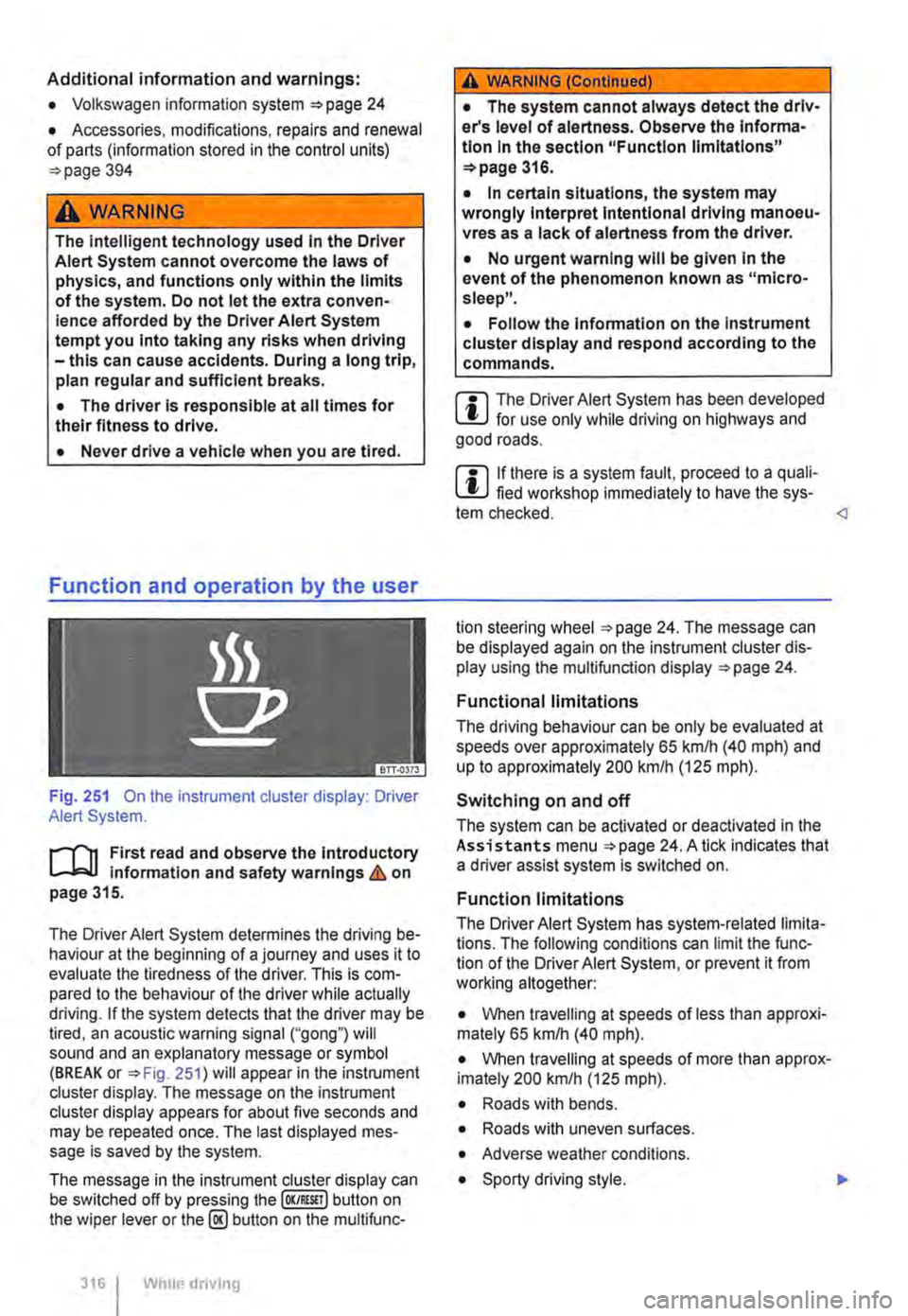
Fig. 251 On the instrument cluster display: Driver Alert System.
r--('n First read and observe the Introductory Information and safety warnings&. on page 315.
The Driver Alert System determines the driving be-haviour at the beginning of a journey and uses it to evaluate the tiredness of the driver. This is com-pared to the behaviour of the driver while actually driving. If the system detects that the driver may be tired, an acoustic warning signal ("gong") will sound and an explanatory message or symbol (BREAK or =>Fig. 251) will appear in the instrument cluster display. The message on the instrument cluster display appears for about five seconds and may be repeated once. The last displayed mes-sage is saved by the system.
The message in the instrument cluster display can be switched off by pressing the (OK/RESIT I button on the wiper lever or the@ button on the multifunc-
316 I Whole driving
A WARNING (Continued)
• The system cannot always detect the driv-er's level of alertness. Observe the Informa-tion In the section "Function limitations" =>page 316.
• In certain situations, the system may wrongly Interpret Intentional driving manoeu-vres as a lack of alertness from the driver.
• No urgent warning will be given In the event of the phenomenon known as "micro-sleep".
• Follow the Information on the Instrument cluster display and respond according to the commands.
m The Driver Alert System has been developed l!..J for use only while driving on highways and good roads.
m If there is a system fault, proceed to a quali-L!..J fied workshop immediately to have the sys-tem checked.
Functional limitations
The driving behaviour can be only be evaluated at speeds over approximately 65 kmlh (40 mph) and up to approximately 200 km/h (125 m ph).
Switching on and off
The system can be activated or deactivated in the Assistants menu =>page 24. A tick indicates that a driver assist system is switched on.
Function limitations
The Driver Alert System has system-related limita-tions. The following conditions can limit the func-tion of the Driver Alert System, or prevent it from working altogether:
• When travelling at speeds of less than approxi-mately 65 km/h (40 mph).
• When travelling at speeds of more than approx-imately 200 km/h (125 mph).
• Roads with bends.
• Roads with uneven surfaces.
• Adverse weather conditions.
• Sporty driving style. .,..
Page 319 of 486
A WARNING
The intelligent tyre monitoring system tech-nology cannot overcome the laws of physics, and functions only within the limits of the system. Incorrect handling of the wheels and tyres can lead to a sudden loss of pressure in the tyres, tread separation and even tyre blow-out.
• Check tyre pressures regularly and always maintain the specified tyre pressure value =>page 367. If the tyre pressure is too low, it is possible that the tyre temperature will in· crease to such an extent that the tread peels off and the tyre bursts.
• Always maintain correct cold tyre pres-sure as listed on the tyre pressure label =>page 367.
• Check tyre Inflation pressure regularly when the tyres are cold. Adjust tyre pressure in the cold tyre to the recommended tyre pressure for the tyres Installed on your vehi· cle as necessary.
• Check your tyres regularly for signs of wear or damage.
• Never exceed the top speed and load per-mitted for the fitted tyres.
CD
If valve caps are missing, the valve could be damaged. Always use valve caps that comply with the factory-fitted valve cap specifications. Always screw on valve caps fully. Do not use metal valve caps.
Indicator lamp
Under-inflated tyres will increase fuel con-W sumption and tyre wear. A higher tyre pres-sure generally reduces the fuel consumption. How-ever, the maximum tyre pressures specified by the manufacturer must always be adhered to.
m When new tyres are driven at high speeds for L!..J the first time, they can expand slightly and trigger a one-off pressure warning.
m Old tyres should only be replaced by tyres L!..J that have been approved by Volkswagen Commercial Vehicles for the vehicle type.
m Do not rely solely on the tyre monitoring sys-L!..J tern. Check your tyres regularly to ensure that they are properly inflated and have no signs of damage, such as punctures, cuts, cracks, and blis-ters. Remove any objects that become embedded in the tyre tread but have not penetrated into the body of the tyre itself.
m The tyre monitoring system is adjusted for L!..J the factory-recommended tyre pressures to be found on the tyre pressure label.
Lit upa) Possible cause=>& Solution
Do not drive on! Reduce speed immedi· ately. Stop the vehicle as soon as possible
The tyre pressure of one tyre or several and when safe to do so. Do not undertake
tyres has decreased considerably in com-any extreme steering or braking manoeuvres!
(l) parison to the tyre pressure set by the Check all wheels and tyre pressures, and cor-rect if necessary =>page 367. The damaged driver, or the structure of the tyre is dam-tyre should be replaced. The tyre monitoring aged. system will have to be re-synchronised after changing the tyre pressure, or after changing one or more wheels =>page 321.
a) An acoustic warning will also be sounded, and a corresponding message may appear 1n the instrument cluster display.
Driver assist systems I 319
Page 342 of 486
A WARNING_tContlnued)
• The power steering, all driver assist sys-tems and brake assist systems will not func-tion if the engine "sputters" or stops com-pletely due to a lack of fuel or Irregular fuel supply.
• Always fill the tank when it is stlll1/4 full. This reduces the risk of running out of fuel and breaking down.
Filling the tank with petrol or diesel
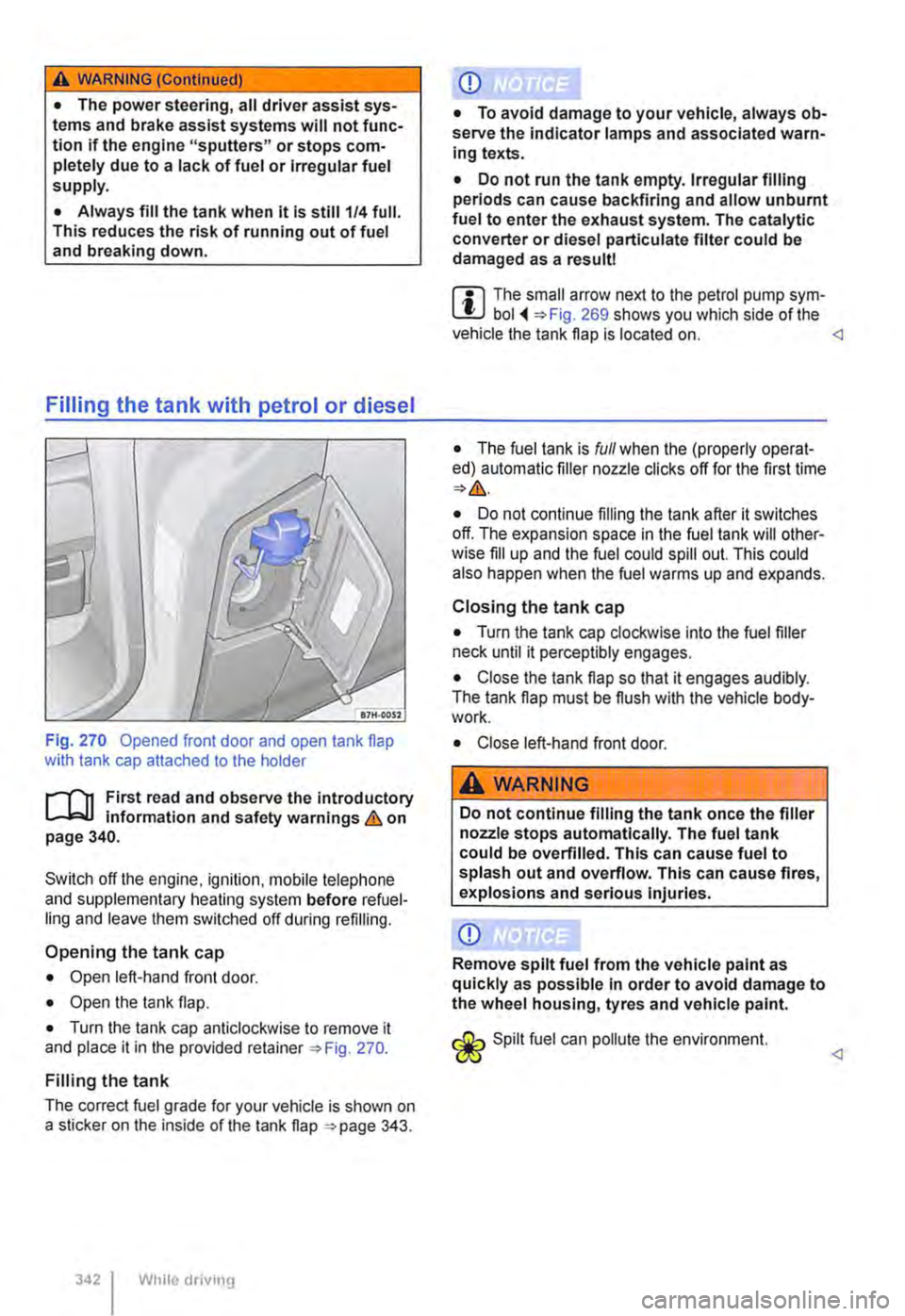
Fig. 270 Opened front door and open tank flap with tank cap attached to the holder
r--f"'n First read and observe the introductory L-.1=.1.1 information and safety warnings & on page 340.
Switch off the engine, ignilion. mobile lelephone and supplementary heating system before refuel-ling and leave them switched off during refilling.
Opening the tank cap
• Open left-hand front door.
• Open the lank flap.
• Turn the tank cap anticlockwise to remove it and place it in the provided retainer 270.
Filling the tank
The correct fuel grade for your vehicle is shown on a sticker on the inside of the tank flap 343.
While driv111g
Q)
• To avoid damage to your vehicle, always ob-serve the indicator lamps and associated warn-ing texts.
• Do not run the tank empty. Irregular filling periods can cause backfiring and allow unburnt fuel to enter the exhaust system. The catalytic converter or diesel partlculate filter could be damaged as a result!
m The small arrow next to the petrol pump sym-L!J bol 269 shows you which side of the vehicle the tank flap is located on.
• The fuel tank is full when the (properly operat-ed) automatic filler nozzle clicks off for the first time
• Do not continue filling the tank after it switches off. The expansion space in the fuel tank will other-wise fill up and the fuel could spill out. This could also happen when the fuel warms up and expands.
Closing the tank cap
• Turn the tank cap clockwise into the fuel filler neck until it perceptibly engages.
• Close the tank flap so that it engages audibly. The tank flap must be flush with the vehicle body-work.
• Close left-hand front door.
A WARNING
Do not continue filling the tank once the filler nozzle stops automatically. The fuel tank could be overfilled. This can cause fuel to splash out and overflow. This can cause fires, explosions and serious Injuries.
Q)
Remove spilt fuel from the vehicle paint as quickly as possible in order to avoid damage to the wheel housing, tyres and vehicle paint.
Spilt fuel can pollute lhe environment.
Page 373 of 486
A WARNING (Continued)
• Worn tyres reduce the possibility of con-trolling the vehicle well in normal and difficult driving situations and Increase braking dis-tance and the risk of sliding.
...--m First read and observe the introductory l-.W.I Information and safety warnings&,. on page 367.
Damage to tyres and rims is often not readily visi-ble. Any unusual vibrations or signs that the car is pulling to one side may indicate that one of the tyres is damaged =:. &,..
• Reduce your speed immediately if you suspect that a wheel is damaged.
• Check the tyres and rims for damage.
• If the tyre is damaged, do not drive on. Seek expert assistance.
• If there is no visible damage, drive slowly and cautiously to the next qualified workshop in order to have the vehicle checked.
Foreign bodies in the tyre
• Leave the foreign body in the tyre if it has en-tered the inner tyre. However, foreign bodies that are stuck between the tyre tread blocks can be re-moved.
• For vehicles with a spare wheel: where appro-priate, change the damaged wheel =:>page 420 If required, seek expert assistance when changing the damaged wheel. Volkswagen Commercial Ve-hicles recommends using a Volkswagen Commer-cial Vehicles dealership for this purpose.
• For vehicles with a breakdown set: the tyre can be sealed and pumped up using the tools in the breakdown set =:.page 425. Go to a qualified workshop. Volkswagen Commercial Vehicles rec-ommends using a Volkswagen Commercial Vehi-cles dealership for this purpose.
Tyre wear
The tyre wear is affected by several factors, for ex-ample:
• Driving style.
• Unbalanced wheels.
• Running gear setting.
Driving style-fast cornering, heavy acceleration and hard braking all increase tyre wear. The run-ning gear should be checked by a qualified work-shop if the tyres show excessive wear despite a normal driving style.
Unbalanced wheels -the wheels on new vehicles are balanced. However, various factors encoun-tered in normal driving can cause them to become unbalanced, which results in steering vibration. Un-balanced wheels will affect levels of wear on the steering system and the suspension. In this case the wheels should be balanced again. New tyres have to be balanced after fitting.
Running gear setting-incorrect wheel alignment causes excessive tyre wear, impairing the safety of the vehicle. The wheel alignment should be checked by a qualified workshop if tyres show ex-cessive wear.
A WARNING
If you notice unusual vibration or the car pull-Ing to one side while the vehicle is In motion, this may indicate that one of the tyres is dam-aged.
• Reduce speed immediately and park the vehicle without obstructing traffic.
• Check the tyres and rims for damage.
• Never drive on if wheels or tyres are dam-aged. Seek expert assistance Instead.
• If there Is no visible damage, drive slowly and cautiously to the next qualified workshop In order to have the vehicle checked.
Page 439 of 486
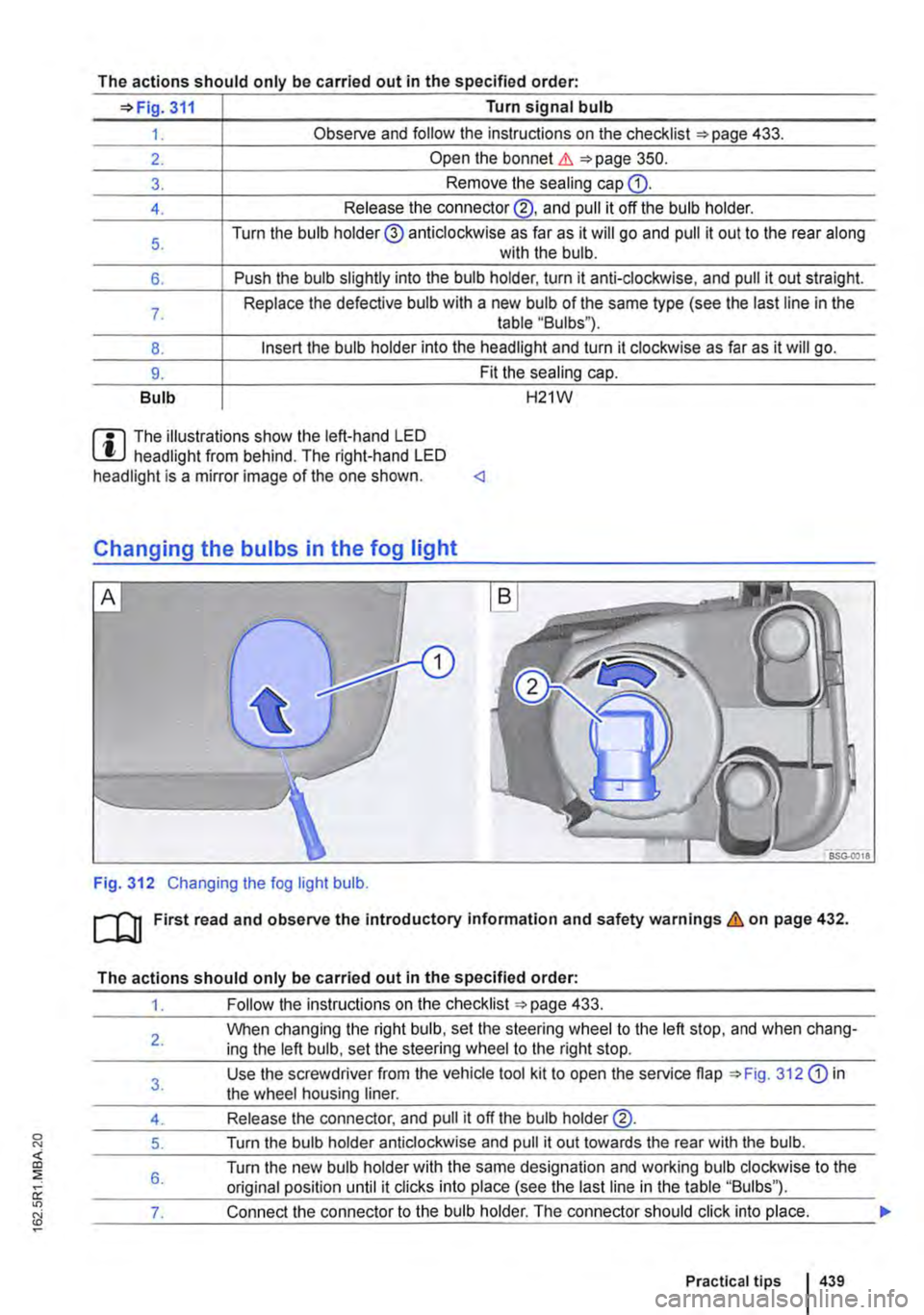
The actions should only be carried out in the specified order·
311 Turn signal bulb
1. Observe and follow the instructions on the checklist ""page 433.
2. Open the bonnet.&. 350.
3. Remove the seating cap Q).
4. Release the connector@, and pull it off the bulb holder.
5. Turn the bulb holder@ anticlockwise as far as it will go and pull it out to the rear along with the bulb.
6. Push the bulb slightly into the bulb holder, turn it anti-clockwise, and pull it out straight.
7. Replace the defective bulb with a new bulb of the same type (see the last line in the table "Bulbs").
8. Insert the bulb holder into the headlight and turn it clockwise as far as it will go.
9. Fit the sealing cap.
Bulb H21W
m The illustrations show the left-hand LED W headlight from behind. The right-hand LED headlight is a mirror image of the one shown.
Fig. 312 Changing the fog light bulb.
m First read and observe the introductory information and safety warnings & on page 432.
The actions should only be carried out in the specified order:
1. Follow the instructions on the checklist 433.
2.
3.
4.
5.
6.
When changing the right bulb, set the steering wheel to the left stop, and when chang-ing the left bulb, set the steering wheel to the right stop.
Use the screwdriver from the vehicle tool kit to open the service flap 312 Q) in the wheel housing liner.
Release the connector, and pull it off the bulb holder@.
Turn the bulb holder anticlockwise and pull it out towards the rear with the bulb.
Turn the new bulb holder with the same designation and working bulb clockwise to the original position until it clicks into place (see the last line in the table "Bulbs").
__ ___:7...:.. ___ ..::.sh...:.o:...:u:....ld::.....:.c:...:lic.::.k:....i:....nt.:..:.o-"p-'-la:....c:..:e...:.. ___
Practical tips 439
Page 446 of 486
Tow-starting and towing
0::0 Introduction
This chapter contains information on the following subjects:
Notes on tow-starting . . . . . . . . . . . . . . . . . . . . 446
Notes on towing . . . . . . . . . . . . . . . . . . . . . . . . . 447
Fitting the towing eye at front . . . . . . . . . . . . 448 Notes on driving while towing . . . . . . . . . . . . . . 448
Observe any legal requirements when towing.
For technical reasons, vehicles with a dis-charged battery must not be tow-started.
Towing a vehicle when the engine is switched off and the ignition is switched on discharges the vehi-cle battery. Depending on the vehicle battery charge level, the drop in voltage can be large enough after just a few minutes that electrical con-sumers in the vehicle will no longer function, e.g. the hazard warning lights.
Additional information and warnings:
• Exterior views =>page 5
• Changing gear =>page 257
• Engine management system and exhaust puri-fication system =>page 407
• Jump starting =>page 443
A wARNING
Never tow a vehicle that has no power sup-ply.
• Never remove the key from the ignition. The steering lock may be activated and you will no longer be able to steer the vehicle. This can lead to a loss of control of the vehi-cle, accidents and serious injuries.
Notes on tow-starting
t""""("'n First read and observe the introductory L-.lc:.JJ information and safety warnings & on page 446.
Vehicles should not be tow-started wherever possible. Use jump leads to start the engine in· stead =>page 443.
For technical reasons, the following vehicles can-not be tow-started:
4461 If and when
A WARNING (Continued)
• If the power supply to the towed vehicle is disconnected, stop towing immediately and seek expert assistance.
A WARNING
If a vehicle is being towed, the vehicle han-dling and braking effect will change signifi-cantly. Please note the following in order to reduce the risk of an accident or serious inju-ries:
• Notes for the driver of the towed vehicle:
-You will need to depress the brake ped-al more vigorously than normal as the brake servo is not working. Always be careful not to drive Into the vehicle that is pulling your vehicle.
-You will need to turn the steering wheel more vigorously as the power-assisted steering function Is not working.
• Notes for the driver of the towing vehicle
-Accelerate carefully and gently.
-Avoid sudden braking and driving ma· noeuvres.
-Brake earlier than normal by pressing lightly on the brake pedal.
CD
• Remove and install the cover and the tow-ing eye carefully so as to avoid damage to the vehicle, e.g. the palntwork.
• Unburnt fuel can enter the catalytic convert· er and damage it while the vehicle Is being tow-ed.
• If the vehicle battery has discharged, the en-gine control units will not function properly.
However, if the vehicle still has to be tow-started (manual gearbox):
• Engage second or third gear.
• Keep the clutch pressed down.