driving conditions VOLKSWAGEN TRANSPORTER 2014 Owners Manual
[x] Cancel search | Manufacturer: VOLKSWAGEN, Model Year: 2014, Model line: TRANSPORTER, Model: VOLKSWAGEN TRANSPORTER 2014Pages: 486, PDF Size: 69.28 MB
Page 23 of 486
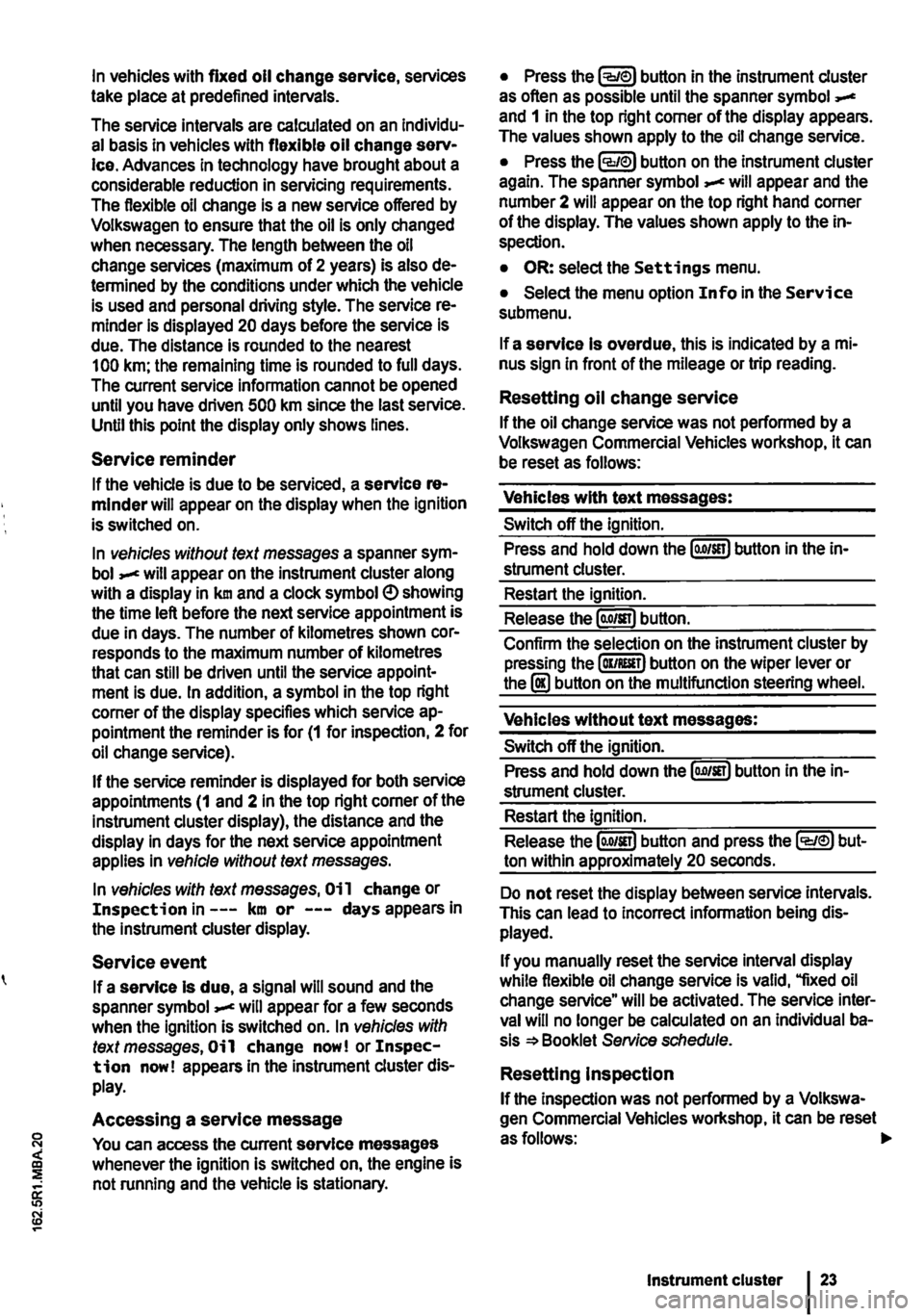
In vehicles with fixed oil change service, services take place at predefined intervals.
The service intervals are calculated on an Individu-al basis in vehicles with flexible oil change serv-Ice. Advances in technology have brought about a considerable reduction in servicing requirements. The flexible oil change is a new service offered by Volkswagen to ensure that the oil is only changed when necessary. The length between the oil change services (maximum of 2 years) is also de-termined by the conditions under which the vehicle is used and personal driving style. The service re-minder is displayed 20 days before the service is due. The distance is rounded to the nearest 100 km; the remaining time is rounded to full days. The current service information cannot be opened until you have driven 500 km since the last service. Until this point the display only shows lines.
Service reminder
If the vehicle is due to be serviced, a service re-minder will appear on the display when the ignition is switched on.
In vehicles without text messages a spanner sym-bol will appear on the instrument cluster along with a display in km and a clock symbol e> showing the time left before the next service appointment is due in days. The number of kilometres shown cor-responds to the maximum number of kilometres that can still be driven until the service appoint-ment is due. In addition, a symbol in the top right corner of the display specifies which service ap-pointment the reminder is for (1 for inspection, 2 for oil change service).
If the service reminder is displayed for both service appointments (1 and 2 in the top right corner of the instrument cluster display), the distance and the display in days for the next service appointment applies in vehicle without text messages.
In vehicles with text messages, Oi 1 change or Inspection in---km or ---days appears in the instrument cluster display.
Service event
If a service Is due, a signal will sound and the spanner symbol will appear for a few seconds when the ignition is switched on. In vehicles with text messages, Oil change now! or Inspec-tion now! appears In the instrument cluster dis-play.
Accessing a service message
You can access the current service messages whenever the ignition is switched on, the engine is not running and the vehicle is stationary.
• Press the button in the instrument cluster as often as possible until the spanner symbol and 1 in the top right corner of the display appears. The values shown apply to the oil change service.
• Press the lCCJie>J button on the instrument cluster again. The spanner symbol appear and the number 2 will appear on the top right hand corner of the display. The values shown apply to the in-spection.
• OR: select the Settings menu.
• Select the menu option Info in the Service submenu.
If a service Is overdue, this is indicated by a mi-nus sign in front of the mileage or trip reading.
Resetting oil change service
If the oil change service was not performed by a Volkswagen Commercial Vehicles workshop, it can be reset as follows:
Vehicles with text messages:
Switch off the ignition.
Press and hold down the lo.o/SETJ button in the in-strument cluster.
Restart the ignition.
Release the lo.o/sn) button.
Confirm the selection on the instrument cluster by pressing the laKJRESET) button on the wiper lever or the I!) button on the multifunction steering wheel.
Vehicles without text messages:
Switch off the ignition.
Press and hold down the lo.o1sn) button in the in-strument cluster.
Restart the ignition.
Release the lo.o/SETJ button and press the li:Q'e>J but-ton within approximately 20 seconds.
Do not reset the display between service intervals. This can lead to Incorrect information being dis-played.
If you manually reset the service interval display while flexible oil change service is valid, "fixed oil change service" will be activated. The service inter-val will no longer be calculated on an Individual ba-sis =*Booklet Service schedule.
Resetting Inspection
If the inspection was not performed by a Volkswa-gen Commercial Vehicles workshop. it can be reset asfollows:
Instrument cluster
Page 29 of 486
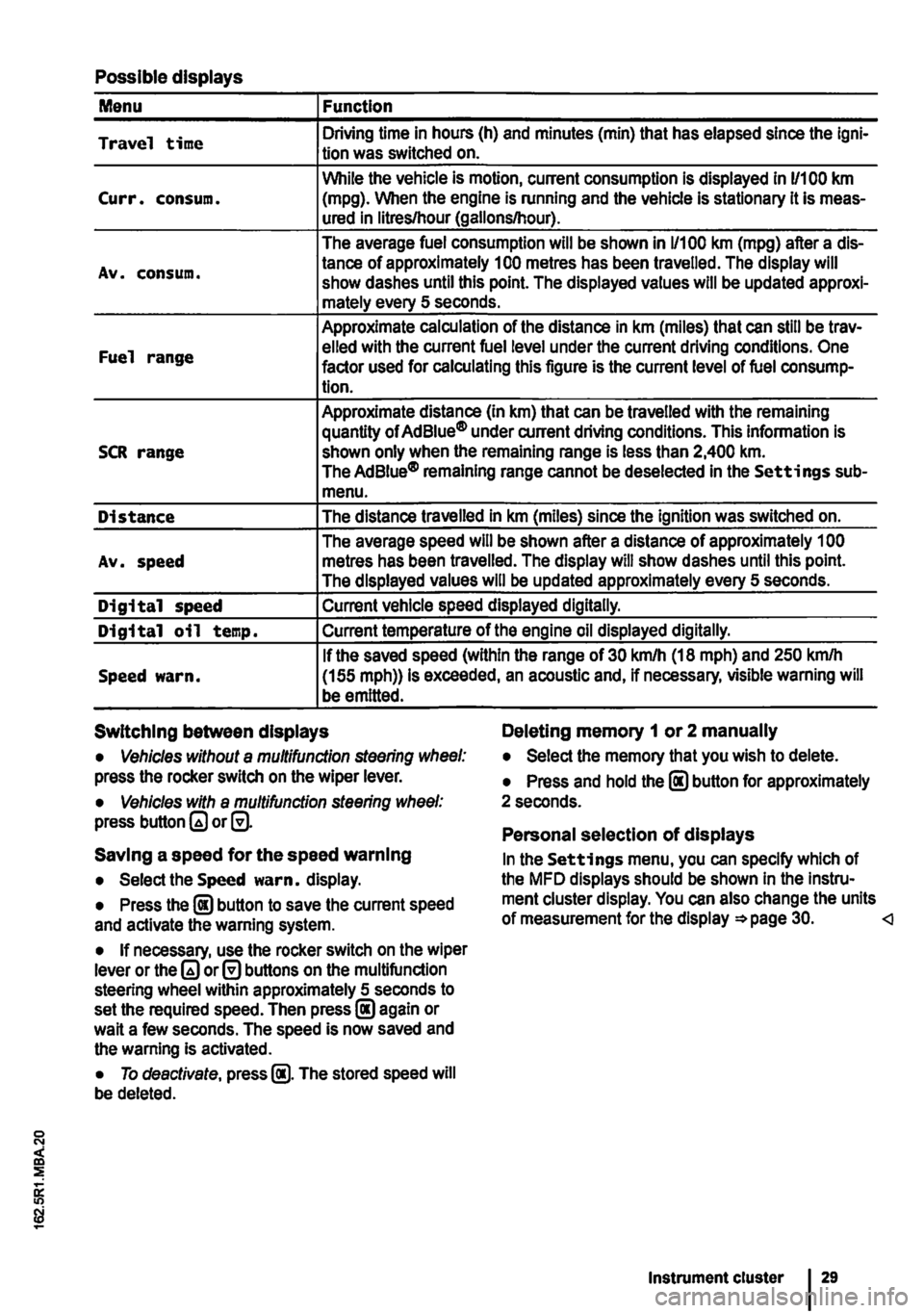
Possible displays
Menu Function
Travel time Driving time in hours (h) and minutes (min) that has elapsed since the lgni-tion was switched on.
While the vehicle is motion, current consumption is displayed in 11100 km Curr. consum. (mpg). When the engine is running and the vehicle is stationary it is meas-ured in litres/hour (gallons/hour).
The average fuel consumption will be shown in 1/100 km (mpg) after a dis-
Av. consum. tance of approximately 100 metres has been travelled. The display will show dashes until this point. The displayed values will be updated approxi-mately every 5 seconds.
Approximate calculation of the distance in km (miles) that can still be trav-
Fuel range elled with the current fuel level under the current driving conditions. One factor used for calculating this figure is the current level of fuel consump-tion.
Approximate distance (In km) that can be travelled with the remaining quantity of Ad Blue® under current driving conditions. This information is SCR range shown only when the remaining range is less than 2,400 km. The AdBiue® remaining range cannot be deselected in the Settings sub-menu.
Distance The distance travelled in km (miles) since the ignition was switched on.
The average speed will be shown after a distance of approximately 1 00 Av. speed metres has been travelled. The display will show dashes until this point. The displayed values will be updated approximately every 5 seconds.
Digital speed Current vehicle speed displayed digitally.
Digital oil temp. Current temperature of the engine oil displayed digitally.
If the saved speed (within the range of 30 km/h (18 mph) and 250 kmlh Speed warn. (155 mph)) is exceeded, an acoustic and, if necessary, visible warning will be emitted.
Switching between displays Deleting memory 1 or 2 manually
• Vehicles without a multifunction steering wheel: press the rocker switch on the wiper lever.
• Vehicles with a multifunction steering wheel: press button or@.
Saving a speed for the speed warning
• Select the Speed warn. display.
• Press the @ button to save the current speed and activate the warning system.
• If necessary, use the rocker switch on the wiper lever or the or@ buttons on the multifunction steering wheel within approximately 5 seconds to set the required speed. Then press@ again or wait a few seconds. The speed is now saved and the warning Is activated.
• To deactivate, press @. The stored speed will be deleted.
• Select the memory that you wish to delete.
• Press and hold the @ button for approximately 2 seconds.
Personal selection of displays
In the Settings menu, you can specify which of the MFD displays should be shown In the Instru-ment cluster display. You can also change the units of measurement for the display =*page 30.
Page 33 of 486
Before the journey
Before setting off
Driving tips
CO Introduction
This chapter contains information on the following subjects:
Preparing for a journey and driving safely
Driving abroad ...................... .
Driving through water on roads ........ .
33 34
35
An engine and transmission guard may prove use-ful, depending on the conditions in which the vehi-cle is to be driven. An engine and transmission guard can reduce the risk of damage to the vehi-cle's underbody and engine oil sump, for example when driving over kerbs, driveways or unsurfaced roads. Volkswagen Commercial Vehicles recom-mends using a Volkswagen Commercial Vehicles dealership for this purpose.
Additional Information and warnings:
• Sitting correctly and safely 61
• Transporting 125
• Starting the engine, changing gear and parking the vehicle 257
• Driving with respect for the environment =>page 278
• Consumer information 404
A WARNING
Driving under the Influence of alcohol, drugs, medication or narcotics can cause serious accidents and fatal Injuries.
• Alcohol, drugs, medication and narcotics can severely impair perception, reaction times and driving safety. This could cause you to lose control of the vehicle.
l""""('n First read and observe the Introductory L-Wl Information and safety warnings th on page 33.
Checklist
Observe the following Information both before and during the journey to ensure your own safety and the safety of passengers and other road users
..( Check that all lights and turn signals are working properly.
Check the tyre pressure 367 and fuel level 340.
..( Ensure that you have a good, clear view through all of the windows.
..( Air intake to the engine must not be obstruc-ted, and the engine must not be covered with any kind of insulating materials th in ell Introduction on page 351.
0::
g!
..(
..(
..(
..(
..(
..(
..(
Secure any objects and luggage in the stowage compartments, the luggage corn-partment or on the roof 125 .
Ensure that you are able to operate the ped-als freely at all times .
Secure any children travelling in the vehicle in a restraint system suitable for their weight and size =>page 96.
Adjust the front seats, head restraints and mirrors properly in accordance with the size of the occupants 61.
Wear shoes that provide good grip for your feet when using the pedals.
The floor mat in the footwell on the driver side must leave the pedal area free and must be securely fastened .
Assume a correct sitting position before set-ling off and maintain this position while driv-ing. This also applies to all passengers =>page 61. ..
Before setting off 33
Page 34 of 486
Checklist (Continued)
..( Fasten your seat belt correctly before set-ting off and keep it properly fastened throughout the journey. This also applies to all passengers 79 .
..!
..!
..!
..!
..!
Each vehicle occupant must sit in a seat of their own and must have their own seat belt.
Never drive if your driving ability is impaired, e.g. by medication, alcohol or drugs.
Do not allow yourself to be distracted from the traffic, e.g. by passengers, telephone calls, opening menus and making adjust-ments to settings .
Always adapt your speed and driving style to suit visibility, weather, road and traffic conditions.
Observe traffic regulations and speed limits.
Driving abroad
r-f'n First read and observe the introductory l.-J=.U information and safety warnings.& on page 33.
Checklist
In some countries, special safety standards and emissions-related regulations apply that the vehi-cle may not comply with. Volkswagen Commercial Vehicles recommends that you visit your Volkswa-gen Commercial Vehicles dealer before travelling abroad to find out about any legal requirements and the following points concerning your destina-tion:
..( Does the vehicle need any technical modifi-cations for driving abroad, e.g. masking or switching the headlights over?
..( Are the necessary tools, diagnostic equip-ment and spare parts available for service and repair work?
..( Are there any Volkswagen Commercial Ve-hicles dealerships in the country of destina-tion?
..( For petrol engines: is unleaded petrol with the correct octane number available?
34 Before the journey
..( When travelling long distances, stop and take a break regularly-at least every 2 hours.
..( Secure animals in the vehicle using a sys-tem that is suitable for their weight and size.
A WARNING
Always observe current traffic regulations and speed limits, and think ahead when driv-Ing. Correct interpretation of a driving situa-tion can make the difference between reach-Ing your destination safely and having an ac-cident with serious Injuries.
W Regular servicing of your vehicle not only W maintains its value, it also ensures that your vehicle remains roadworthy and in perfect working order. Servicing work should therefore be carried out in accordance with the service schedule. Some work may have to be carried out before the due date of the next service if the vehicle is subjected to severe operating conditions. Severe operating conditions are, for example, regular stop and go driving, regular driving with a trailer and driving in areas with high levels of dust. Additional informa-tion is available from your Volkswagen Commercial Vehicles dealership or qualified workshop.
..( Are the correct engine oil 353 and other service fluids in accordance with the specifications of Volkswagen Commercial Vehicles available in the destination coun-try?
..( Will the factory-fitted navigation system work with the navigation data available in the destination country?
..( Are special tyres necessary for travelling in the destination country?
CD
Volkswagen Commercial Vehicles is not re-sponsible for any vehicle damage which Is caused by low-quality fuel, inadequate servic-ing work or lack of availability of Genuine Parts.
Page 69 of 486
A WARNING (Continued)
• The steering wheel must always point to-wards the chest and not towards the face. This ensures that the driver front airbag pro-vides maximum protection in the event of an accident.
• While driving, always keep both hands on the outside of the steering wheel (at the 9 o'clock and 3 o'clock positions =>Fig. 47). This reduces the risk of injury if the driver front alrbag Is triggered.
Seat functions, front
a:n Introduction
This chapter contains information on the following subjects:
Seat heating . . . . . . . . . . . . . . . . . . . • • • . . . . . . 69
Memory seats . . . . . . . . . . . . . . . . . . . 70
Rotating front seats . . . . . . . . . . . . . . . . . . . . . . 71
Additional information and warnings:
• Adjusting the seat position =>page 61
• Seat bells =>page 79
• Airbag system =>page 87
• Child seats (accessories) 96
• Heating, ventilating, cooling 322
Seat heating
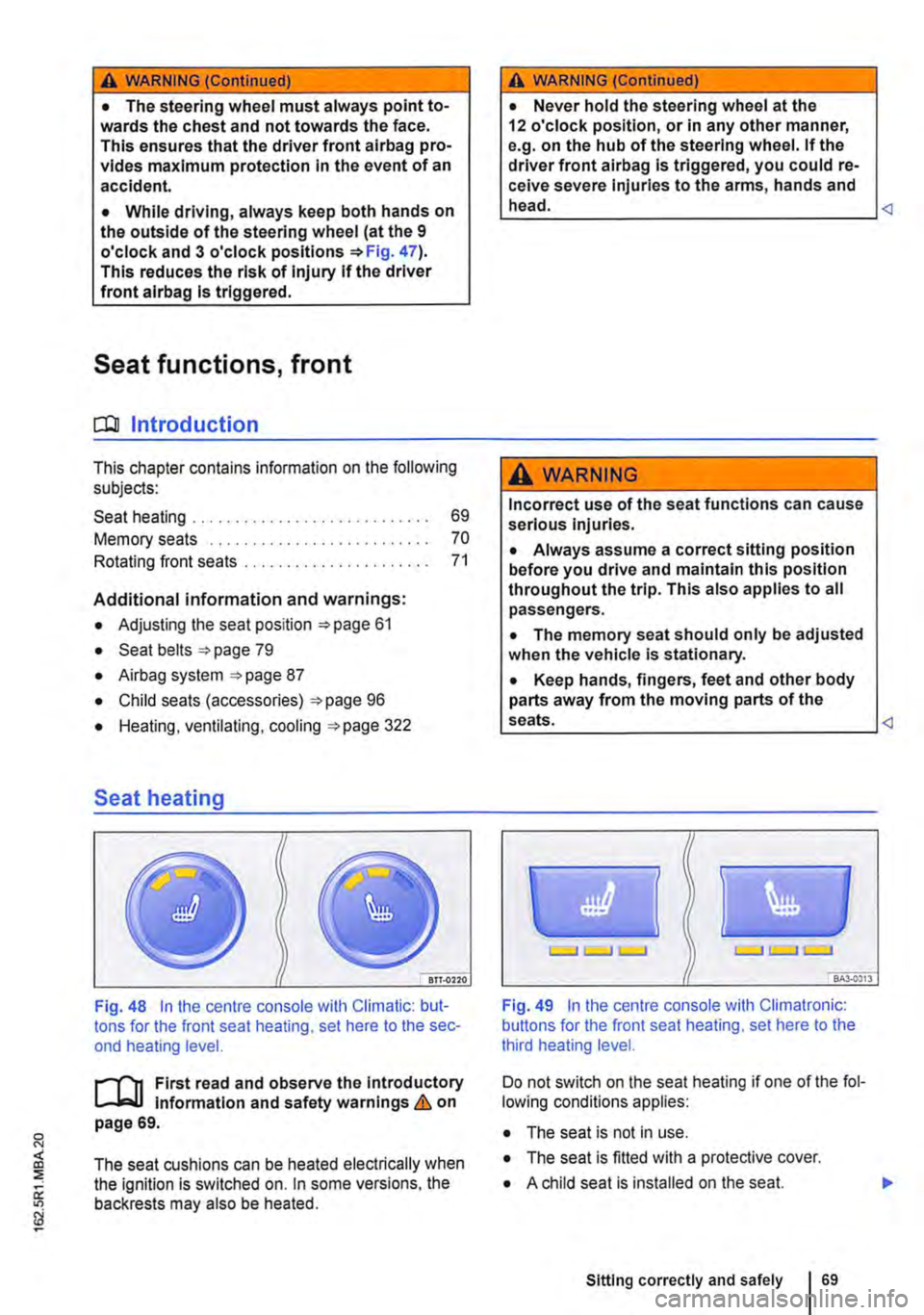
Fig. 48 In the centre console with Climatic: but-tons for the front seat heating, set here to the sec-ond heating level.
First read and observe the Introductory l-J,:.,U Information and safety warnings & on page 69.
The seat cushions can be heated electrically when the ignition is switched on. In some versions, the backrests may also be heated.
A WARNING (Continued)
• Never hold the steering wheel at the 12 o'clock position, or in any other manner, e.g. on the hub of the steering wheel. If the driver front airbag is triggered, you could re-ceive severe Injuries to the arms, hands and head.
A WARNING
Incorrect use of the seat functions can cause serious injuries.
• Always assume a correct sitting position before you drive and maintain this position throughout the trip. This also applies to all passengers.
• The memory seat should only be adjusted when the vehicle Is stationary.
• Keep hands, fingers, feet and other body parts away from the moving parts of the seats.
Fig. 49 In the centre console with Climatronic: buttons for the front seat heating, set here to the third heating level.
Do not switch on the seat heating if one of the fol-lowing conditions applies:
• The seat is not in use.
• The seat is fitted with a protective cover.
• A child seat is installed on the seat.
Sitting correctly and safely 69
Page 110 of 486
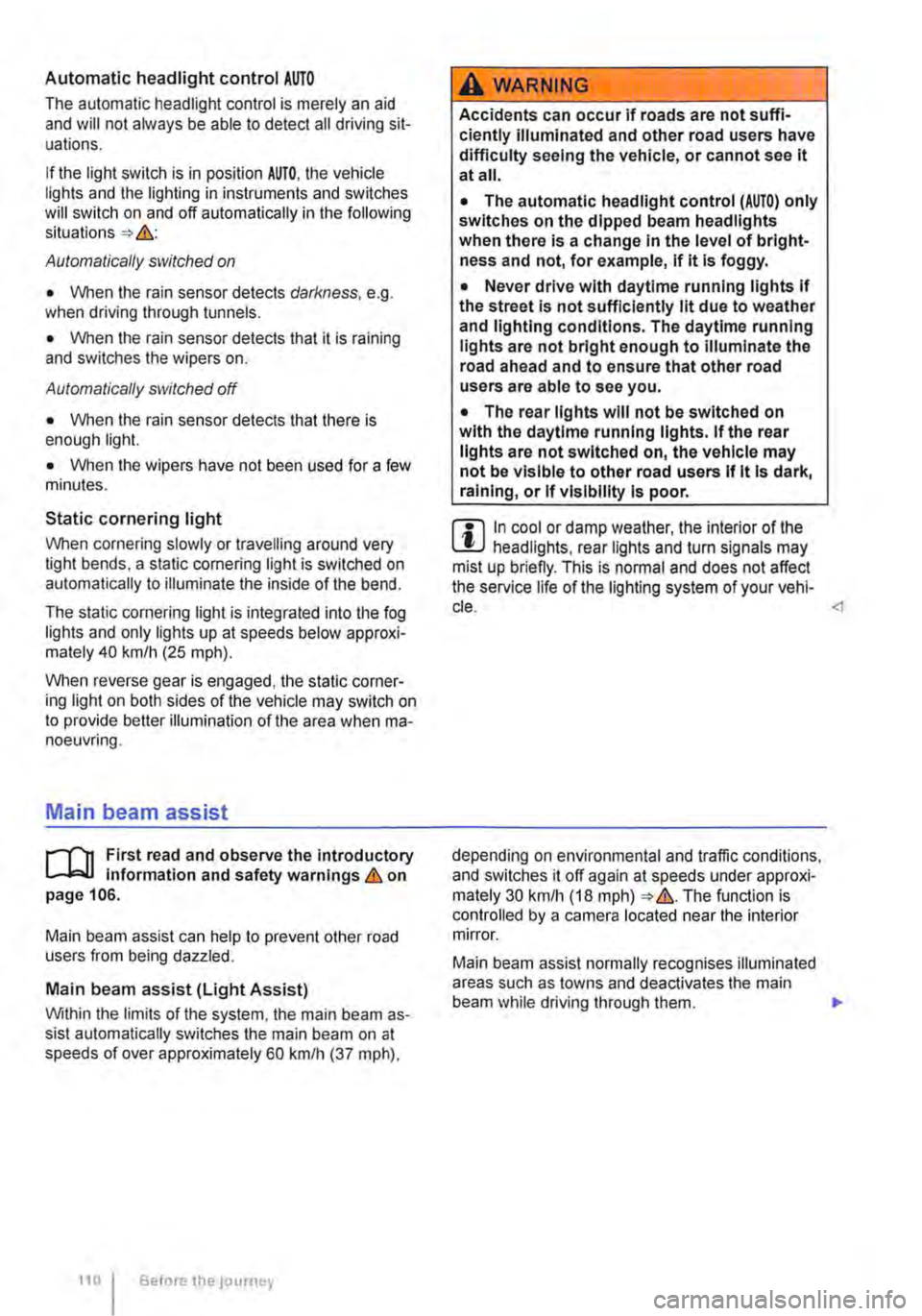
Automatic headlight control AUTO
The automatic headlight control is merely an aid and will not always be able to detect all driving sit-uations.
If the light switch is in position AUTO, the vehicle lights and the lighting in instruments and switches will switch on and off automatically in the following situations => .&.:
Automatically switched on
• When the rain sensor detects darkness, e.g. when driving through tunnels.
• When the rain sensor detects that it is raining and switches the wipers on.
Automatically switched off
• When the rain sensor detects that there is enough light.
• When the wipers have not been used for a few minutes.
Static cornering light
When cornering slowly or travelling around very tight bends, a static cornering light is switched on automatically to illuminate the inside of the bend.
The static cornering light is integrated into the fog lights and only lights up at speeds below approxi-mately 40 km/h (25 mph).
When reverse gear is engaged, the static corner-ing light on both sides of the vehicle may switch on to provide better illumination of the area when ma-noeuvring.
Main beam assist
r-("'n First read and observe the introductory 1..-JcJl Information and safety warnings.&. on page 106.
Main beam assist can help to prevent other road users from being dazzled.
Main beam assist (Light Assist)
Within the limits of the system, the main beam as-sist automatically switches the main beam on at speeds of over approximately 60 kmlh (37 m ph),
110 I Before the journey
A WARNING
Accidents can occur if roads are not suffi-ciently Illuminated and other road users have difficulty seeing the vehicle, or cannot see it at all.
• The automatic headlight control (AUTO) only switches on the dipped beam headlights when there is a change In the level of bright-ness and not, for example, if it Is foggy.
• Never drive with daytime running lights if the street Is not sufficiently lit due to weather and lighting conditions. The daytime running lights are not bright enough to Illuminate the road ahead and to ensure that other road users are able to see you.
• The rear lights will not be switched on with the daytime running lights. If the rear lights are not switched on, the vehicle may not be visible to other road users If it Is dark, raining, or If visibility Is poor.
m In cool or damp weather, the interior of the l..!J headlights, rear lights and turn signals may mist up briefly. This is normal and does not affect the service life of the lighting system of your vehi-cle.
Main beam assist normally recognises illuminated areas such as towns and deactivates the main beam while driving through them. .,.
Page 111 of 486
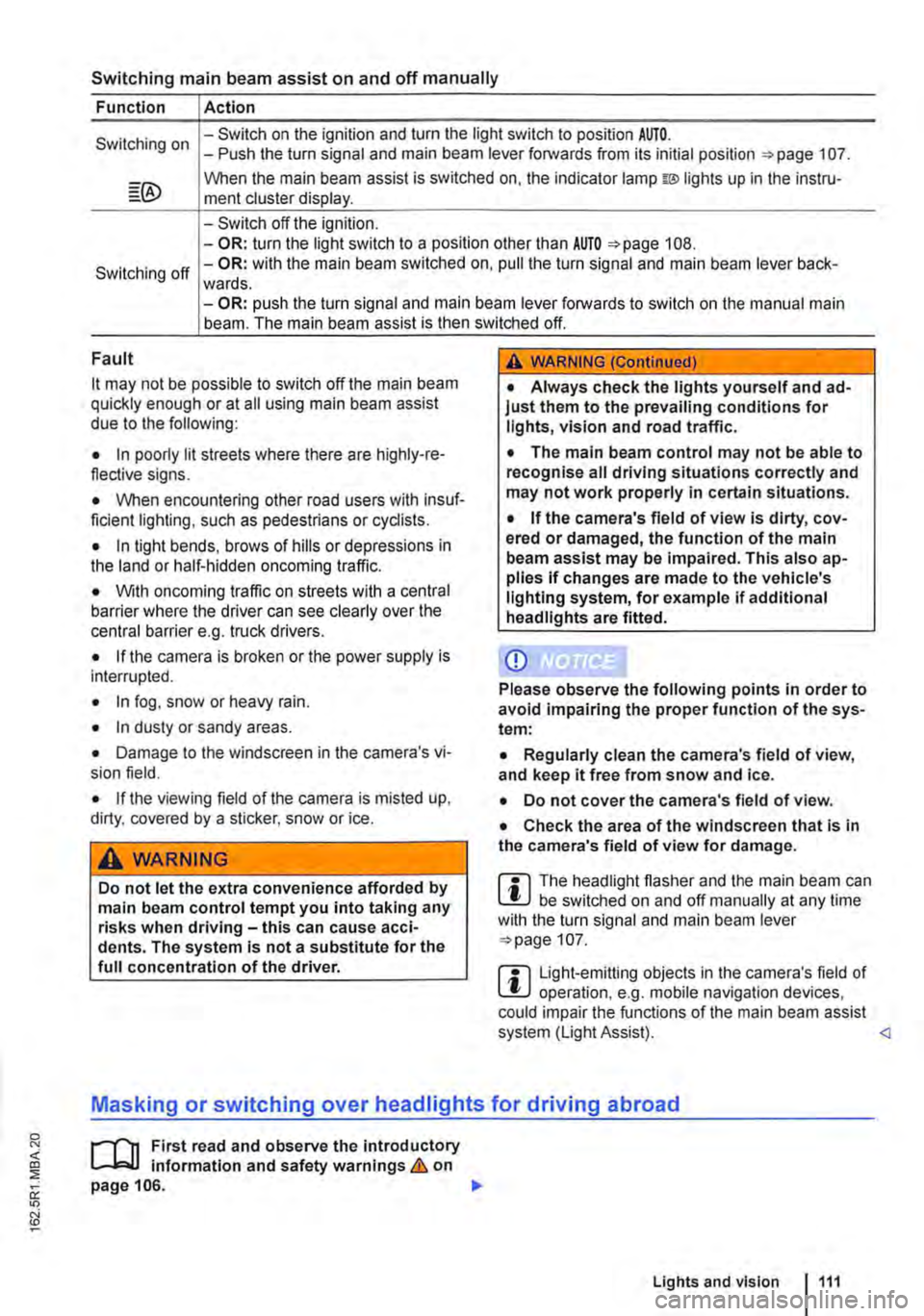
Switching main beam assist on and off manually
Function Action
Switching on -Switch on the ignition and turn the light switch to position AUTO. -Push the turn signal and main beam lever forwards from its initial position =:-page 107.
When the main beam assist is switched on, the indicator lamp w lights up in the instru-ment cluster display.
-Switch off the ignition. -OR: turn the light switch to a position other than AUTO =>page 108.
Switching off -OR: with the main beam switched on, pull the turn signal and main beam lever back-wards. -OR: push the turn signal and main beam lever forwards to switch on the manual main beam. The main beam assist is then switched off.
Fault
it may not be possible to switch off the main beam quickly enough or at all using main beam assist due to the following:
• In poorly lit streets where there are highly-re-flective signs.
• When encountering other road users with insuf-ficient lighting, such as pedestrians or cydists.
• In tight bends, brows of hills or depressions in the land or half-hidden oncoming traffic.
• With oncoming traffic on streets with a central barrier where the driver can see clearly over the central barrier e. . truck drivers. g
• If the camera is broken or the power supply is interrupted.
• In fog, snow or heavy rain.
• In dusty or sandy areas.
• Damage to the windscreen in the camera's vi-sion field.
• If the viewing field of the camera is misted up, dirty, covered by a sticker, snow or ice.
A WARNING
Do not let the extra convenience afforded by main beam control tempt you into taking any risks when driving-this can cause acci-dents. The system is not a substitute for the full concentration of the driver.
A WARNING (Continued)
• Always check the lights yourself and ad-just them to the prevailing conditions for lights, vision and road traffic.
• The main beam control may not be able to recognise all driving situations correctly and may not work properly in certain situations.
• If the camera's field of view is dirty, cov-ered or damaged, the function of the main beam assist may be impaired. This also ap-plies If changes are made to the vehicle's lighting system, for example if additional headlights are fitted.
CD
Please observe the following points in order to avoid impairing the proper function of the sys-tem:
• Regularly clean the camera's field of view, and keep it free from snow and ice.
• Do not cover the camera's field of view.
• Check the area of the windscreen that Is in the camera's field of view for damage.
m The headlight flasher and the main beam can W be switched on and off manually at any time with the turn signal and main beam lever =>page 107.
m Light-emitting objects in the camera's field of W operation, e.g. mobile navigation devices, could impair the functions of the main beam assist system (Light Assist).
1"1'11 First read and observe the introductory L-lo:J.J Information and safety warnings & on page 106.
Lights and vision 1111
Page 145 of 486
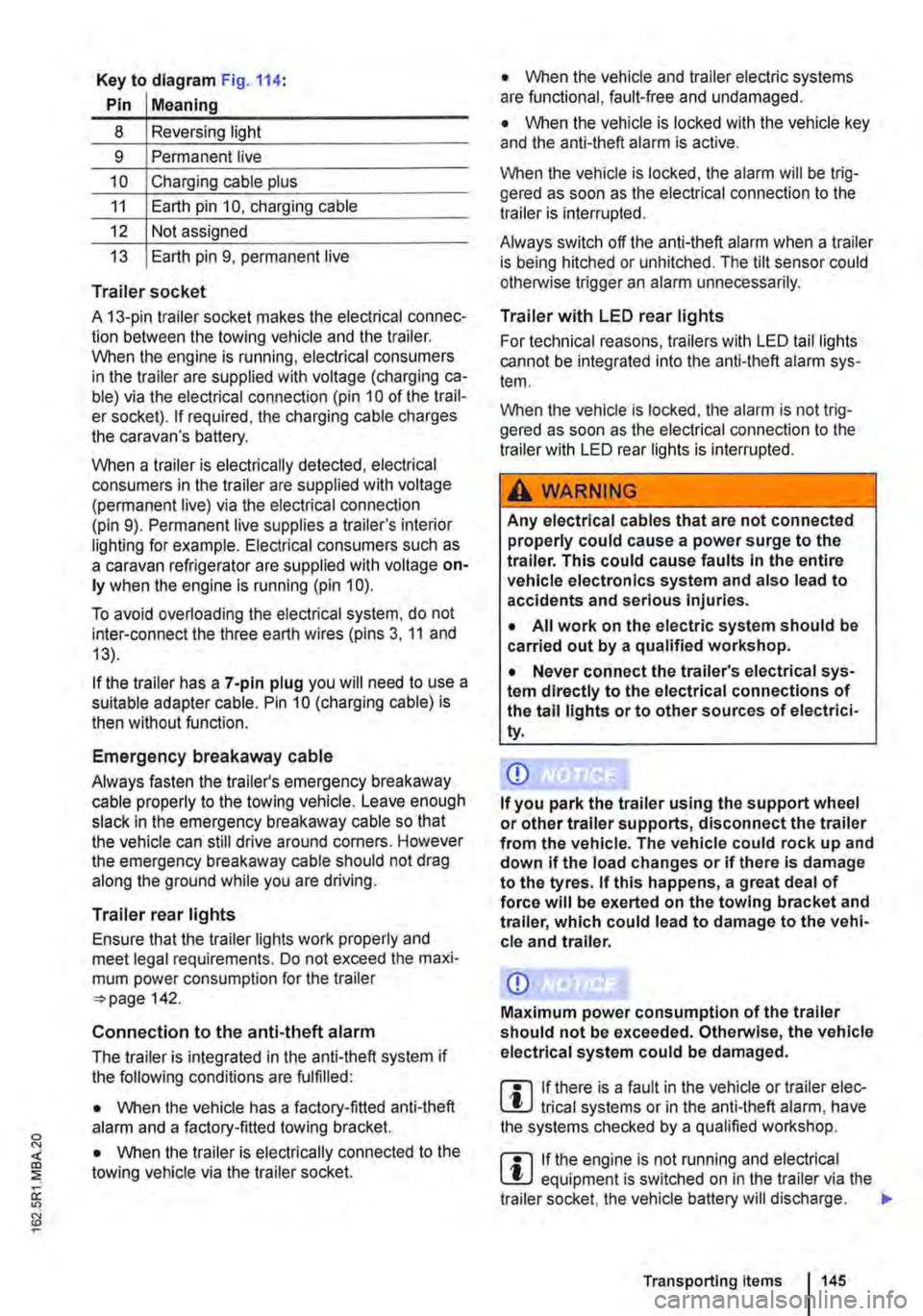
Key to diagram Fig. 114:
Pin Meaning
8 Reversing light
9 Permanent live
10 Charging cable plus
11 Earth pin 10, charging cable
12 Not assigned
13 Earth pin 9, permanent live
Trailer socket
A 13-pin trailer socket makes the electrical connec-tion between the towing vehicle and the trailer. When the engine is running, electrical consumers in the trailer are supplied with voltage (charging ca-ble) via the electrical connection (pin 10 of the trail-er socket). If required, the charging cable charges the caravan's battery.
When a trailer is electrically detected, electrical consumers in the trailer are supplied with voltage (permanent live) via the electrical connection (pin 9). Permanent live supplies a trailer's interior lighting for example. Electrical consumers such as a caravan refrigerator are supplied with voltage on-ly when the engine is running (pin 1 0).
To avoid overloading the electrical system, do not inter-connect the three earth wires (pins 3, 11 and 13).
If the trailer has a 7 -pin plug you will need to use a suitable adapter cable. Pin 10 (charging cable) is then without function.
Emergency breakaway cable
Always fasten the trailer's emergency breakaway cable properly to the towing vehicle. Leave enough slack in the emergency breakaway cable so that the vehicle can still drive around corners. However the emergency breakaway cable should not drag along the ground while you are driving.
Trailer rear lights
Ensure that the trailer lights work properly and meet legal requirements. Do not exceed the maxi-mum power consumption for the trailer 142.
Connection to the anti-theft alarm
The trailer is integrated in the anti-theft system if the following conditions are fulfilled:
• When the vehicle has a factory-fitted anti-theft alarm and a factory-fitted towing bracket.
• When the trailer is electrically connected to the towing vehicle via the trailer socket.
• When the vehicle and trailer electric systems are functional, fault-free and undamaged.
• When the vehicle is locked with the vehicle key and the anti-theft alarm is active.
When the vehicle is locked, the alarm will be trig-gered as soon as the electrical connection to the trailer is interrupted.
Always switch off the anti-theft alarm when a trailer is being hitched or unhitched. The tilt sensor could otherwise trigger an alarm unnecessarily.
Trailer with LED rear lights
For technical reasons, trailers with LED tail lights cannot be integrated into the anti-theft alarm sys-tem.
When the vehicle is locked, the alarm is not trig-gered as soon as the electrical connection to the trailer with LED rear lights is interrupted.
A WARNING
Any electrical cables that are not connected properly could cause a power surge to the trailer. This could cause faults tn the entire vehicle electronics system and also lead to accidents and serious Injuries.
• All work on the electric system should be carried out by a qualified workshop.
• Never connect the trailer's electrical sys-tem directly to the electrical connections of the tail lights or to other sources of electrici-ty.
CD
If you park the trailer using the support wheel or other trailer supports, disconnect the trailer from the vehicle. The vehicle could rock up and down if the load changes or if there is damage to the tyres. If this happens, a great deal of force will be exerted on the towing bracket and trailer, which could lead to damage to the vehi-cle and trailer.
CD
Maximum power consumption of the trailer should not be exceeded. Otherwise, the vehicle electrical system could be damaged.
m If there is a fault in the vehicle or trailer elec-L.:!.J trical systems or in the anti-theft alarm, have the systems checked by a qualified workshop.
m If the engine is not running and electrical L.:!.J equipment is switched on in the trailer via the trailer socket, the vehicle battery will discharge. .,.
Transporting Items 145
Page 221 of 486
Electric pop-up roof, California
o:IJ Introduction
This chapter contains information on the following subjects:
Opening the electric pop-up roof . . . . . . . . . . . 222
Closing the electric pop-up roof . . . 223
Preliminary work for closing the electric pop-up roof manually . . . . . . . . . . . . . . . . . . . . . . . . 224
Closing the electric pop-up roof manually . 225 Securing the pop-up roof manually from outside the vehicle . . . . . 225
Roller shutter
Above the front seats there is a roller shutter, which must always be closed while the vehicle is in motion. This prevents the pop-up roof canvas from hanging down through the ceiling access and blocking the driver's view. Keeping the roller shut-ter closed also reduces wind noise while the vehi-cle is in motion.
Additional information:
• Central control panel 204
• Rectifying faults on the camping equipment 254
• Winter conditions 253
• Vehicle tool kit 416
A WARNING
Incorrect handling of the pop-up roof can cause accidents and serious Injuries.
• Never drive the vehicle with the pop-up roof open. The pop-up roof must always be completely closed and securely locked while the vehicle Is In motion.
• Never drive with people In the pop-up roof.
• Only open or close the pop-up roof while the vehicle Is stationary.
• Only mount a luggage roof rack when the pop-up roof is completely closed and secure-ly locked.
A WARNING
Careless or inattentive use of the pop-up roof could cause serious Injuries.
• The pop-up roof should only be opened or closed when you are sure that nobody is in its operating area.
A WARNING (Continued)
• Never leave children or people requiring assistance alone In the vehicle.
• Always take all vehicle keys with you ev-ery time you leave the vehicle.
A WARNING
Driving at high vehicle speeds and with a strong headwind after closing the pop-up roof manually could cause the pop-up roof to lift up or open on Its own and potentially cause serious Injuries.
• If you close the pop-up roof manually, do not drive faster than 60 km/h.
• Drive especially carefully and slowly In the presence of a strong headwind.
• The pop-up roof should be checked by a qualified workshop as soon as possible.
CD
Incorrect handling of the pop-up roof can cause damage to it or to other parts of the vehi-cle.
• Make sure there is adequate space before opening the pop-up roof.
• When closing the pop-up roof, always open the roller shutter and one of the vehicle doors to allow the excess air pressure to escape.
• Only close the pop-up roof when it is dry to prevent the build up of mould or mildew.
• Open the pop-up roof occasionally to air it out when it is not being used for long periods of time.
• Clean the pop-up roof bellows with water only. Never use household cleaners or Impreg-nating fabric treatment products.
• Close the pop-up roof during storms with driving rain and wind gusts. Otherwise the bel-lows could leak despite their specially treated fabric.
m Roof hydraulics: the pop-up height of the W pop-up roof will be checked automatically and altered if necessary at regular intervals after the ignition has been switched off and the ignition key removed: first after 10 hours and then every five hours. .,.
Equipment, California 221
Page 252 of 486
A WARNING
Never program the supplementary heating system so that Is switched on and run In un-ventilated or enclosed areas. The fumes from the supplementary heating system contain carbon monoxide, which is an odourless and
Practical tips, California
o::n Introduction
This chapter contains information on the following subjects:
Before setting off . . . . . . . . . . . . . . . . . . . . . . . . 252 Before you take a road trip . . . . . . . . . . 252
Actions to take during thunderstorms 253
Winter conditions . . . . . . . . . . . . . . . . . . 253
Cleaning cupboards, cooker and sink . 253
Cleaning the display of the central control panel . . . . . . . . . . . . . . . . . . . . 254
Before setting off
rl'"'n First read and observe the introductory L..J.:.U Information given on page 252.
Checklist
The following points should be verified in addition to the checklist 33:
..( Close the pop-up roof .
..( Close all drawers, cabinet doors and flaps.
Before you take a road trip
rl'"'n First read and observe the Introductory L..J.:.U Information given on page 252.
Checklist
Observe the following additional suggestions:
../
../
Familiarise yourself with parking and ma-noeuvring the vehicle.
Note the height and width of the vehicle-particularly if any accessories have modified these dimensions.
2521 Before tho journoy
A WARNING (Continued)
colourless poisonous gas. Carbon monoxide can cause people to lose consciousness. it can also cause death.
m All saved switch-on times will be deleted if W you switch off the central control panel or dis-connect the additional battery. They will also be de-leted ifthere is a defective fuse in the control pan-el.
Rectifying faults on the camping equipment . . 254
Technical data. living area . . 255
Additional information:
• Central control panel 204.
• Before setting off =:>page 33.
• Vehicle care and maintenance 380.
..( Retract the awning completely.
..( Remove all vehicle interior shades and open all blinds.
..( Bring all tables into their stowed position .
../ Close all gas shut-off valves.
/ Secure all loose items in the vehicle. _., ______________________________
../
../
../
Check that all items of equipment are in good working order .
Observe the entry and vaccination require-ments of any foreign country you will be vis-iting.
Have the following documents on hand:
-Valid identity cards or passports
-Driving licence and vehicle registration papers ..,.