light VOLKSWAGEN TRANSPORTER 2015 Owner´s Manual
[x] Cancel search | Manufacturer: VOLKSWAGEN, Model Year: 2015, Model line: TRANSPORTER, Model: VOLKSWAGEN TRANSPORTER 2015Pages: 486, PDF Size: 72.17 MB
Page 306 of 486
Acceleration can be stopped at any time by de-pressing the brake pedal or pressing the(@ or @ button on the multifunction steering wheel 302.
When driving through bends
While driving through bends, the radar sensor may sometimes lose the vehicle travelling ahead or may react to a vehicle in the next lane 242 !Al. In such situations, the vehicle might decelerate unnecessarily or not react to the vehicle in front. In this case the driver must override the adaptive cruise control (ACC) by depressing the accelerator, or interrupt the braking procedure by depressing the brake pedal or pressing or @ button on the multifunction steering wheel 302.
Driving in tunnels
The radar sensor function may be restricted in tun-nels. Switch off the adaptive cruise control (ACC) in tunnels.
Narrow vehicles and a zig-zag traffic situation
Narrow vehicles and vehicles travelling slightly to the left or right of your vehicle will only be recog-nised by the radar sensor once they have entered the radar range 242@ This applies in par-ticular to narrow vehicles such as motorbikes. If re-quired, brake the vehicle yourself.
Vehicles with special load or special equipment
Any load or accessories on other vehicles that pro-trude from the side, rear or over the roof of the ve-hicle may not be detected by the adaptive cruise control (ACC) .
Switch off the adaptive cruise control (ACC) when the vehicle ahead has special load or special equipment, or while overtaking vehicles of this kind. If required. brake the vehicle yourself.
When other vehicles change lanes
Vehicles that are very close when they move into your lane can only be detected by the radar sen-sors when they have moved into the sensor range. This means that the adaptive cruise control (ACC) may have a delayed reaction =>Fig. 243@]. If re-quired, brake the vehicle yourself.
Stationary vehicles
The adaptive cruise control (ACC) does not detect stationary objects during a journey, e.g. stationary traffic or a vehicle that has broken down.
306 I While driving
If a stationary vehicle is hidden behind a vehicle that has been detected by the adaptive cruise con-trol (ACC) and this vehicle turns off the road or changes lane, the adaptive cruise control (ACC) will not be able to react to the stationary vehicle 243 [Q]. If required, brake the vehicle your-self.
Oncoming vehicles and vehicles crossing your path
The adaptive cruise control (ACC) does not react to approaching vehicles or vehicles crossing your path.
Metal objects
Metal objects, such as tracks in the road or metal plates used in roadworks, can confuse the radar sensor and cause incorrect reactions from the adaptive cruise control (ACC) .
Possible radar sensor function impairments
The adaptive cruise control (ACC) will switch off temporarily if the radar sensor function is impaired, e.g. due to heavy rain, spray, snow, ice or mud. A corresponding message will appear on the instru-ment cluster display. Clean the radar sensors as required.
The adaptive cruise control (ACC) will automatical-ly be available again as soon as the radar sensors are no longer impaired. The message on the in-strument cluster display goes out, and the adaptive cruise control (ACC) can be reactivated.
Strong reflected radiation of the radar signal, e.g. in multi-storey car parks, can impair the function of the radar sensor.
Towing a trailer
The adaptive cruise control (ACC) operates with reduced dynamics when the vehicle is towing a trailer.
Overheated brakes
If the brakes overheat, e.g. following heavy braking or when driving down steep inclines for long peri-ods, the adaptive cruise control (ACC) may be de-activated temporarily. A corresponding message will appear on the instrument cluster display. lt is then not possible to activate the adaptive cruise control (ACC).
As soon as the temperature of the brakes has de-creased sufficiently, the adaptive cruise control (ACC) can be activated again. The message on the instrument cluster display goes out. If the mes-sage ACC not ava i 1 able does not go out for a long time, there is a fault. Go to a qualified work-shop. Volkswagen recommends using a Volkswa-gen dealership for this purpose.
Page 309 of 486
m When Front Assist is switched on, the display L!J in the instrument cluster can be overwritten by displays related to other functions, e.g. an in-coming telephone call.
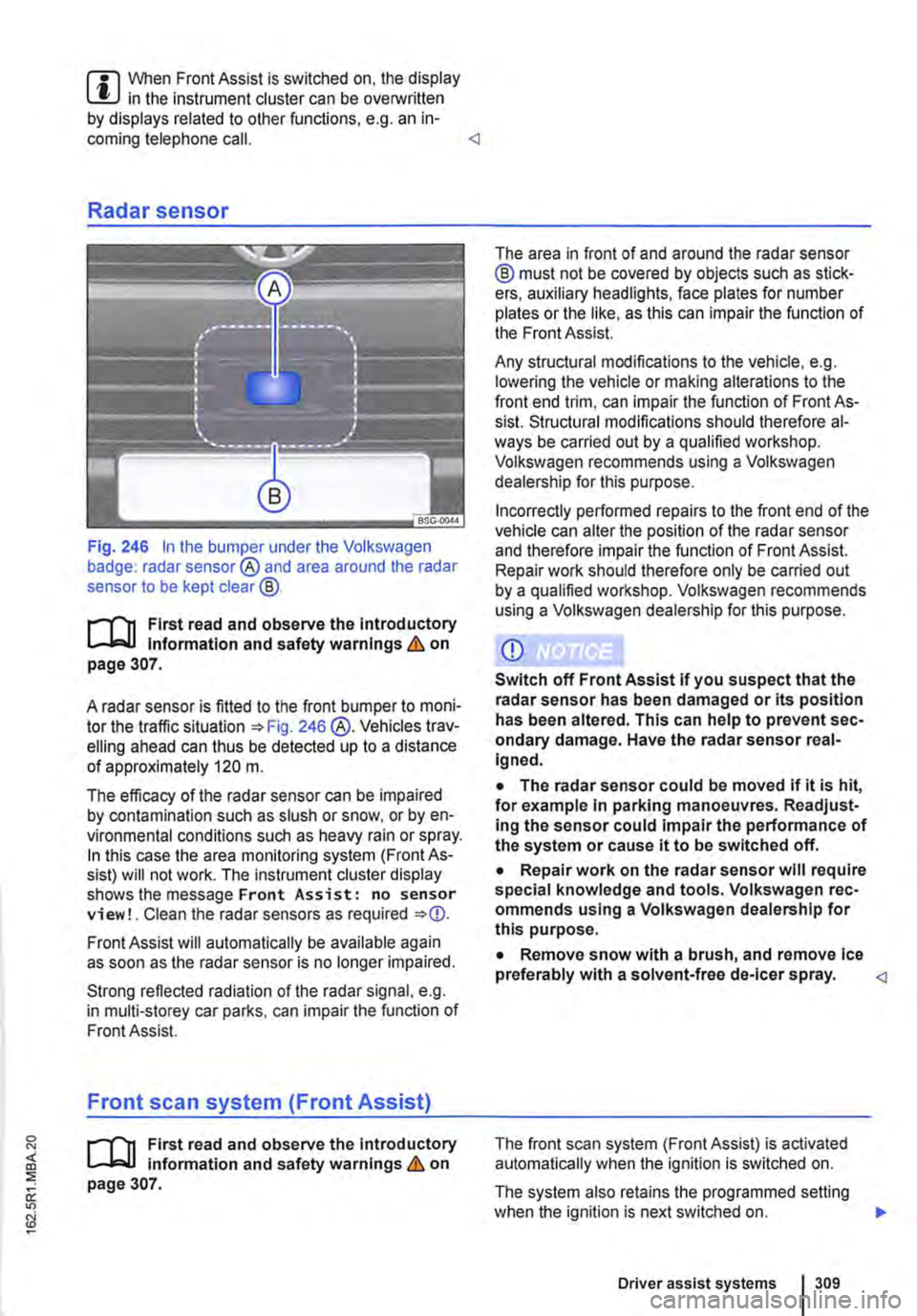
Fig. 246 In the bumper under the Volkswagen badge: radar sensor® and area around the radar sensor to be kept clear@.
r-f"'n First read and observe the Introductory l.-lo:-1.1 Information and safety warnings & on page 307.
A radar sensor is fitted to the front bumper to moni-tor the traffic situation =>Fig. 246 @.Vehicles trav-elling ahead can thus be detected up to a distance of approximately 120 m.
The efficacy of the radar sensor can be impaired by contamination such as slush or snow, or by en-vironmental conditions such as heavy rain or spray. In this case the area monitoring system (Front As-sist) will not work. The instrument cluster display shows the message Front Assist: no sensor view!. Clean the radar sensors as required =>
Strong reflected radiation of the radar signal, e.g. in multi-storey car parks, can impair the function of Front Assist.
Front scan system (Front Assist)
r-f"'n First read and observe the introductory l.-lo:-1.1 information and safety warnings & on page 307.
The area in front of and around the radar sensor @ must not be covered by objects such as stick-ers, auxiliary headlights, face plates for number plates or the like, as this can impair the function of the Front Assist.
Any structural modifications to the vehicle, e.g. lowering the vehicle or making alterations to the front end trim, can impair the function of Front As-sist. Structural modifications should therefore al-ways be carried out by a qualified workshop. Volkswagen recommends using a Volkswagen dealership for this purpose.
Incorrectly performed repairs to the front end of the vehicle can alter the position of the radar sensor and therefore impair the function of Front Assist. Repair work should therefore only be carried out by a qualified workshop. Volkswagen recommends using a Volkswagen dealership for this purpose.
• The radar sensor could be moved if it is hit, for example In parking manoeuvres. Readjust-Ing the sensor could impair the performance of the system or cause it to be switched off.
• Repair work on the radar sensor will require special knowledge and tools. Volkswagen rec-ommends using a Volkswagen dealership for this purpose.
• Remove snow with a brush, and remove Ice preferably with a solvent-free de-leer spray.
The system also retains the programmed setting when the ignition is next switched on. 1>
Driver assist systems 309
Page 310 of 486
Volkswagen recommends that Front Assist is switched on at all times. Exceptions =>page 310, Temporarily switch off the front scan system (Front Assist) in the following situations.
Activating and deactivating the front scan system
The front scan system can be activated and deacti-vated using the Front Assist option in the As-sistant submenu of the Settings menu. A tick indicates that a driver assist system is switched on.
The advance warning and distance warning are deactivated as well when the front scan system is deactivated.
If the front scan system is deactivated, a confirma-tory symbol is shown in the instrument cluster dis-play =>page 308
Activating and deactivating the advanced warning
The advance warning can be activated and deacti-vated using the Front Assist option in the As-sistant submenu of the Settings menu.
Activating or deactivating the distance warning
Depending on the vehicle equipment, the distance warning can be activated and deactivated using the Front Assist option in the Assistant sub-menu of the Settings menu.
Volkswagen recommends that the distance warn-ing is switched on at all times.
following situations
r-T'n First read and observe the introductory l-J,::JJ information and safety warnings & on page 307.
The area monitoring system (Front Assist) should be switched off in the following situations due to system limitations => &:
• If the vehicle is being towed.
• If the vehicle is on a rolling road test bed.
• If the vehide is utilised in a capacity beyond us-age on public roads, e.g. off-road or racing.
• If the radar sensor is faulty.
310 I While drivtng
• On external force on the radar sensor, e.g. after a rear-end collision.
• In the event of multiple unwanted interventions.
• If the radar sensor is covered temporarily by any auxiliary equipment, e.g. auxiliary headlights.
• If the vehicle is being loaded onto a truck, car ferry or motorail train.
A WARNING
Failure to switch off Front Assist in the situa-tions mentioned can cause accidents and se-rious Injuries.
Page 312 of 486
System limits
r-('n First read and observe the Introductory L-J,:.U Information and safety warnings & on page 307.
The area monitoring system (Front Assist) has physical and system-related limits. The driver may therefore feel that, in certain circumstances, some Front Assist reactions occur unexpectedly or with a delay. You should therefore always be prepared to take full control of the vehicle if necessary.
The following conditions can prevent Front Assist from reacting, or cause a delay in its reaction:
• In tight bends.
• If the accelerator is fully depressed.
• If Front Assist is switched off or there is a fault.
• If TCS or ESC is switched off manually.
• If the ESC is taking corrective action.
• If there is a fault in several brake lights on the vehicle or on a trailer with an electrical connection to the vehicle.
• If the radar sensor is dirty or covered.
• If the vehicle is reversing.
• Under hard acceleration.
• In snow or heavy rain.
• In case of narrow vehicles, e.g. motorbikes.
• If vehicles are travelling slightly to the left or right of your vehicle.
• If vehicles are crossing in front of your vehicle.
• If there is oncoming traffic.
• In uncertain traffic situations.
• 1/Vhen loads or attachment parts on other vehi-cles protrude to the side, rear or above the normal dimensions of the vehicle.
COJ Introduction
This chapter contains information on the following subjects:
Indicator lamp ... .
Operation ....... .
Driving situations ..........•.............
313
314
315
The lane change assist system (Side As-
sist) provides assistance when checking
for traffic behind the vehicle.
The lane change assist system cannot be switched on if the factory-fitted towing bracket is electrically connected to the trailer. The lane change assist system must be switched off manually for non-fac-tory-fitted towing brackets.
The lane change assist system has been designed for use on surfaced roads only.
Additional information and warnings:
• Exterior views =<>page 5
• Volkswagen information system =<>page 24
• Accessories, modifications, repairs and renewal of parts =<>page 394.
3121 While drivmg
A WARNING
The Intelligent technology of the lane change assist system (Side Assist) cannot change the laws of physics or the system-related ve-hicle limitations. Always take care when us-Ing the lane change assist system as you could otherwise cause accidents or Injuries. The system Is not a substitute for the full concentration of the driver.
• Adapt your speed and distance from the vehicles ahead to suit visibility, weather, road and traffic conditions.
• Your hands should always be on the steer-Ing wheel so that you can steer at any time.
• Pay attention to the visual displays in the exterior mirror housing and in the Instrument cluster display, and respond to the com-mands.
• The lane change assist system may react to special roadside structures, e.g. high or offset crash barriers. This can lead to error warnings. ,..
Page 313 of 486
A WARNING (Continued)
• Never use the lane change assist system on unsurfaced roads. The lane change assist system has been designed exclusively for use on surfaced roads.
• Always pay close attention to what Is hap-pening around the vehicle.
• Never use the lane change assist system, If the radar sensors are dirty, covered or dam-aged. These circumstances can Impair the proper functioning of the system.
• lt may be hard to see the display In the ex-terior mirror In direct sunlight.
Indicator lamp
.---T'n First read and observe the introductory L-J,:..IJ Information and safety warnings & on page 312.
Lights up or Possible cause flashes
The lane change assist system is cur-rently not available.
Several warning and indicator lamps will light up briefly as a functional check when the ignition is switched on. They will go out after a few seconds.
m Only Volkswagen-approved vehicle paints L!..J may be used on the rear bumper. Other vehi-cle paints could limit or even distort the function of the lane change assist system.
m If the lane change assist system does not L!..J function as described in this chapter, or after a collision with another vehicle, do not use the sys-tem. Go to a qualified workshop.
m Go to a qualified workshop and have the sys-L!..J tern checked ifthere is a fault in the system or after an accident.
Failure to observe illuminated warning lamps and text messages can lead to your vehicle breaking down in traffic, and can cause acci-dent and serious Injury.
• Never ignore any illuminated warning lamps or text messages.
• Stop the vehicle as soon as possible and when safe to do so.
Page 314 of 486
Operation
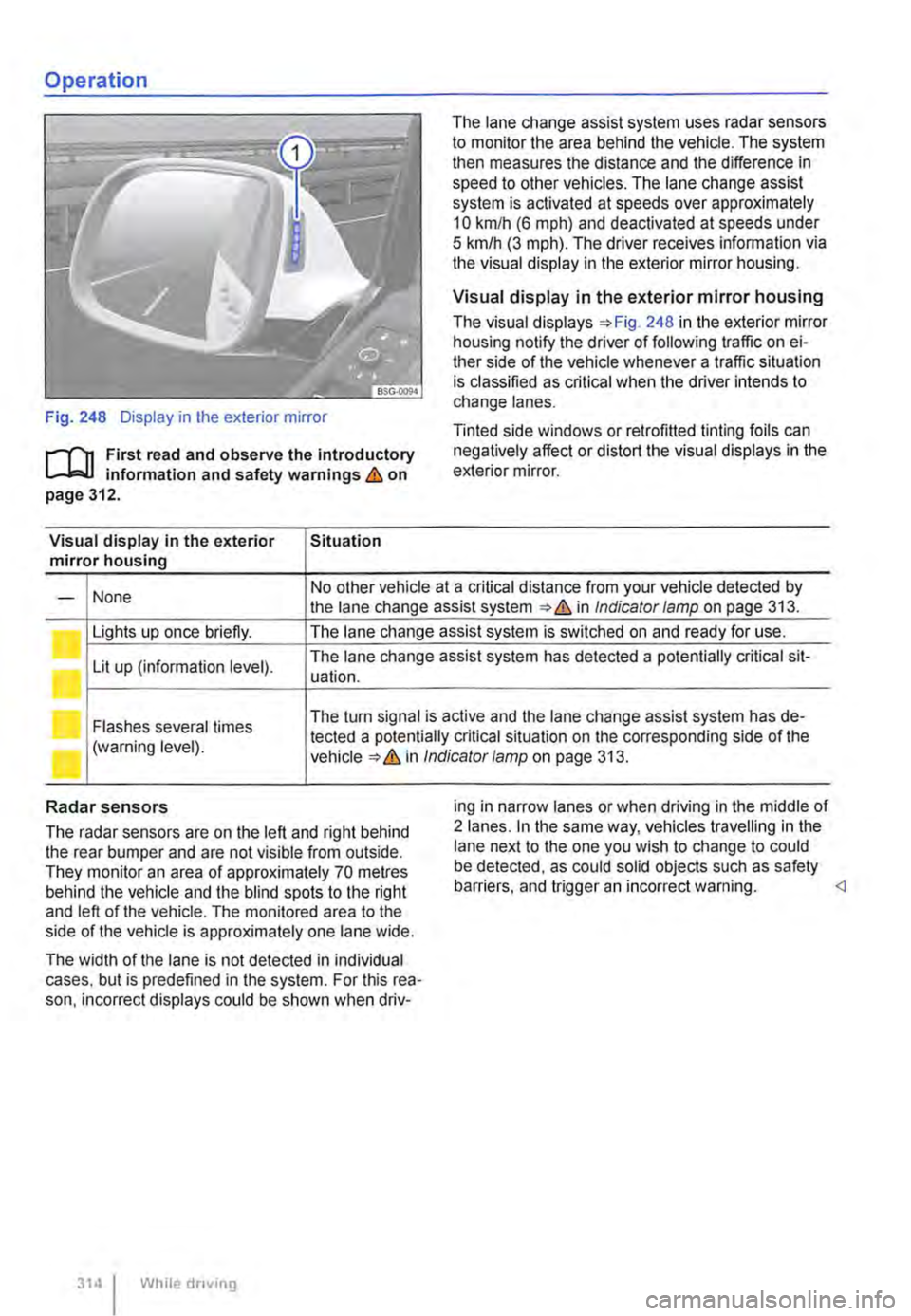
Fig. 248 Display in the exterior mirror
r-f"n First read and observe the introductory L-W! information and safety warnings & on page 312.
Visual display in the exterior Situation mirror housing
The lane change assist system uses radar sensors to monitor the area behind the vehicle. The system then measures the distance and the difference in speed to other vehicles. The lane change assist system is activated at speeds over approximately 10 km/h (6 m ph) and deactivated at speeds under 5 km/h (3 mph). The driver receives infonmation via the visual display in the exterior mirror housing.
Visual display in the exterior mirror housing
The visual displays 248 in the exterior mirror housing notify the driver of following traffic on ei-ther side of the vehicle whenever a traffic situation is classified as critical when the driver intends to change lanes.
Tinted side windows or retrofitted tinting foils can negatively affect or distort the visual displays in the exterior mirror.
None No other vehicle at a critical distance from your vehicle detected by -the lane change assist system & in Indicator lamp on page 313.
Lights up once briefly. The lane change assist system is switched on and ready for use.
Lit up (information level). The lane change assist system has detected a potentially critical sit-uation.
Flashes several times The turn signal is active and the lane change assist system has de-
(warning level). tected a potentially critical situation on the corresponding side of the in Indicator/amp on page 313.
Radar sensors
The radar sensors are on the left and right behind the rear bumper and are not visible from outside. They monitor an area of approximately 70 metres behind the vehicle and the blind spots to the right and left of the vehicle. The monitored area to the side of the vehicle is approximately one lane wide.
The width of the lane is not detected in individual cases. but is predefined in the system. For this rea-son. incorrect displays could be shown when driv-
314 I While driving
ing in narrow lanes or when driving in the middle of 2 lanes. In the same way, vehicles travelling in the lane next to the one you wish to change to could be detected, as could solid objects such as safety barriers. and trigger an incorrect warning.
Page 315 of 486
![VOLKSWAGEN TRANSPORTER 2015 Owner´s Manual Driving situations
A
(I
Fig. 249 [A] Driving situation when overtaking with traffic behind the vehicle [81 Visual display in the left-hand exterior mirror.
A
Fig. 250 situation when overtaking an](/img/18/40253/w960_40253-314.png "VOLKSWAGEN TRANSPORTER 2015 Owner´s Manual Driving situations
A
(I
Fig. 249 [A] Driving situation when overtaking with traffic behind the vehicle [81 Visual display in the left-hand exterior mirror.
A
Fig. 250 situation when overtaking an")
Driving situations
A
(I
Fig. 249 [A] Driving situation when overtaking with traffic behind the vehicle [81 Visual display in the left-hand exterior mirror.
A
Fig. 250 situation when overtaking and pulling in. [B' Visual display in the right-hand exterior mirror.
rll1 First read and observe the introductory L-W.I Information and safety warnings & on page 312.
The following driving situations trigger a light in the exterior mirror 249 [ID (arrow) or 250 [ID (arrow):
• When another vehicle is overtaking your vehi-cle 249
• When overtaking another vehicle 250 with a speed difference of up to approximately 15 km/h (9 m ph). No display will be shown if the take-over manoeuvre is much faster.
The display in the exterior mirror will be shown ear-lier the faster you are nearing another vehicle as the lane change assist system calculates the
speed difference to other vehicles. For this reason, the display could be activated at different times de-spite your vehicle being at the same distance from other vehicles.
Physical and system-specific limits
The lane change assist system might, for example, interpret the traffic situation incorrectly in certain driving situations. In the following situations, for ex-ample:
• In tight bends.
• When road lanes are of varying width.
• At the brow of a hill.
• In poor weather conditions.
• Where there are special roadside structures, e.g. high or offset crash barriers. <1
Driver Alert System (recommendation for rest breaks)
o::n Introduction
This chapter contains information on the following subjects:
Function and operation by the user.. . . . 316
The Driver Alert System informs the driv-
er if their driving shows signs of tired-
ness.
Driver assist systems 315
Page 317 of 486
• Towing a heavy/long trailer.
• The driver is distracted.
The Driver Alert System is reset when:
• The ignition is switched off.
• The driver seat belt is unfastened and the driv-er door is open.
• The vehicle is stationary for longer than 15 mi-nutes.
Adaptive chassis control (DCC)
ell! Introduction
This chapter contains information on the following subjects:
Indicator lamp ....
Function and operation .
Additional information and warnings:
317
318
• Accessories, modifications, repairs and renewal of parts (information stored in the control units) 394
Indicator lamp
The Driver Alert System is automatically reset in case of long slow drives (speed less than 65 kmlh (40 mph)). If the speed is increased, the system evaluates the driving behaviour again. <1
A WARNING
Setting the adaptive chassis control while the vehicle Is In motion can distract you from the road and lead to accidents.
m If the adaptive chassis control does not func-L!.J lion as described in this chapter, have the system checked at a qualified workshop. <1
rn First read and observe the Introductory infonmation and safety warnings & on page 317.
Lit up I Possible cause
I Fault in the adaptive chassis control (DCC).
Several warning and indicator lamps will light up briefly as a functional check when the ignition is switched on. They will go out after a few seconds.
A WARNING
Failure to observe Illuminated warning lamps and text messages can lead to your vehicle breaking down In traffic, and can cause acci-dent and serious Injury.
• Never Ignore any Illuminated warning lamps or text messages.
Solution
Go to a qualified workshop and have the system checked.
A WARNING (Continued)
• Stop the vehicle as soon as possible and when safe to do so.
CD
Failure to observe illuminated indicator lamps and text messages can lead to your vehicle be-ing damaged.
Driver assist systems 317
Page 318 of 486
Function and operation
•
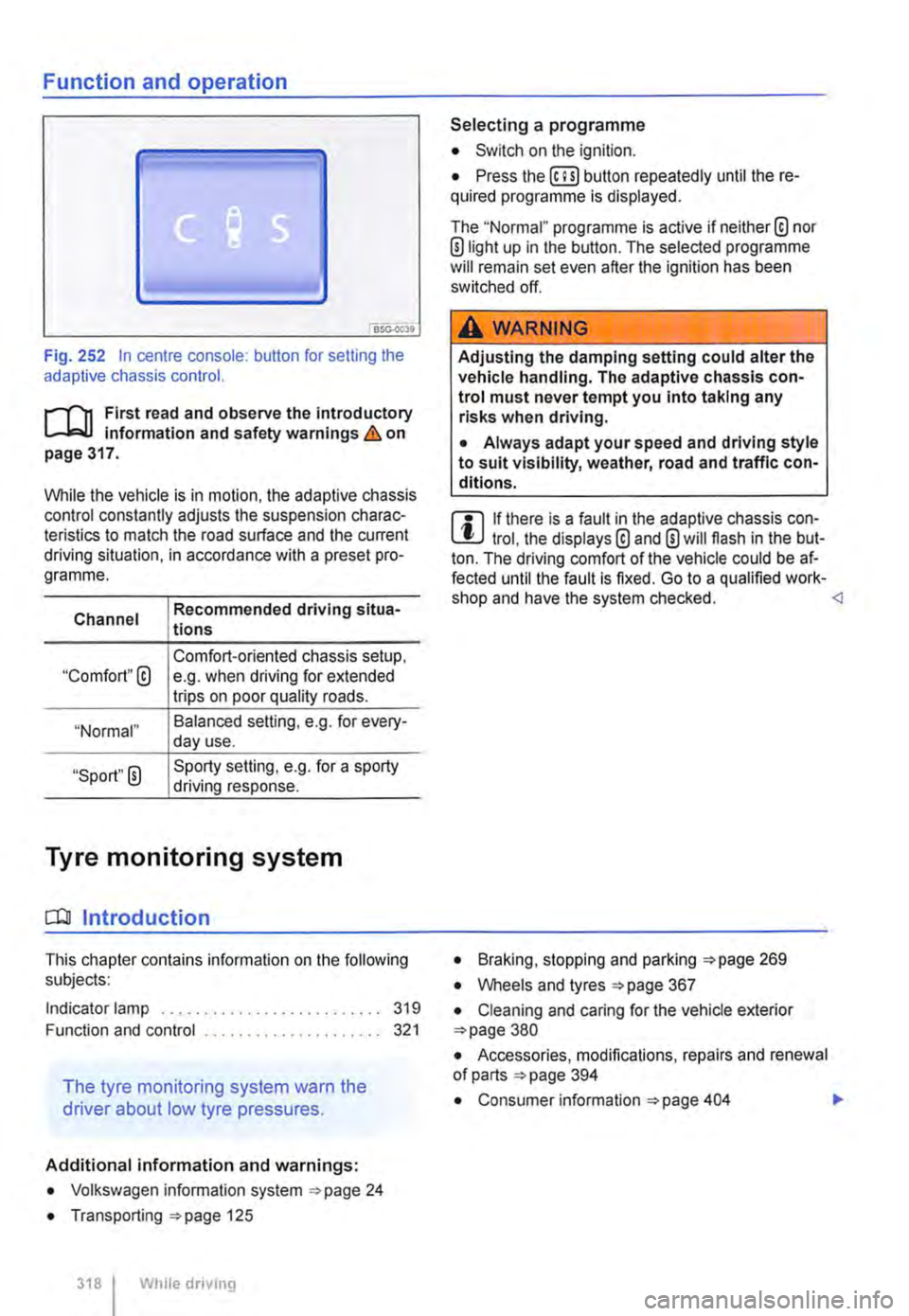
Fig. 252 In centre console: button for setting the adaptive chassis control.
r-f"n First read and observe the introductory Information and safety warnings & on page 317.
While the vehicle is in motion, the adaptive chassis control constantly adjusts the suspension charac-teristics to match the road surface and the current driving situation, in accordance with a preset pro-gramme.
Channel
"Comfort"@
"Normal"
"Sport" 0
Recommended driving situa-tions
Comfort-oriented chassis setup, e.g. when driving for extended trips on poor quality roads.
Balanced selling, e.g. for every-day use.
Sporty setting, e.g. for a sporty driving response.
Tyre monitoring system
CO! Introduction
This chapter contains information on the following subjects:
Indicator lamp .......................... 319
Function and control ..................... 321
The tyre monitoring system warn the
driver about low tyre pressures.
Additional information and warnings:
• Volkswagen information system ""page 24
• Transporting ""page 125
318 I While dnvmg
Selecting a programme
• Switch on the ignition.
• Press the (ili) button repeatedly until the re-quired programme Is displayed.
The "Normal" programme is active if neither® nor ®light up in the button. The selected programme will remain set even after the ignition has been switched off.
A WARNING
Adjusting the damping setting could alter the vehicle handling. The adaptive chassis con-trol must never tempt you into taking any risks when driving.
• Always adapt your speed and driving style to suit visibility, weather, road and traffic con-ditions.
m If there is a fault in the adaptive chassis con-l!:J trol, the displays® and 0 will flash in the but-ton. The driving comfort of the vehicle could be af-fected until the fault is fixed. Go to a qualified work-shop and have the system checked. <1
• Braking, stopping and parking :;.page 269
• Wheels and tyres =page 367
• Cleaning and caring for the vehicle exterior =page 380
• Accessories, modifications, repairs and renewal of parts =page 394
• Consumer information =page 404 .,.
Page 319 of 486
A WARNING
The intelligent tyre monitoring system tech-nology cannot overcome the laws of physics, and functions only within the limits of the system. Incorrect handling of the wheels and tyres can lead to a sudden loss of pressure in the tyres, tread separation and even tyre blow-out.
• Check tyre pressures regularly and always maintain the specified tyre pressure value =>page 367. If the tyre pressure is too low, it is possible that the tyre temperature will in· crease to such an extent that the tread peels off and the tyre bursts.
• Always maintain correct cold tyre pres-sure as listed on the tyre pressure label =>page 367.
• Check tyre Inflation pressure regularly when the tyres are cold. Adjust tyre pressure in the cold tyre to the recommended tyre pressure for the tyres Installed on your vehi· cle as necessary.
• Check your tyres regularly for signs of wear or damage.
• Never exceed the top speed and load per-mitted for the fitted tyres.
CD
If valve caps are missing, the valve could be damaged. Always use valve caps that comply with the factory-fitted valve cap specifications. Always screw on valve caps fully. Do not use metal valve caps.
Indicator lamp
Under-inflated tyres will increase fuel con-W sumption and tyre wear. A higher tyre pres-sure generally reduces the fuel consumption. How-ever, the maximum tyre pressures specified by the manufacturer must always be adhered to.
m When new tyres are driven at high speeds for L!..J the first time, they can expand slightly and trigger a one-off pressure warning.
m Old tyres should only be replaced by tyres L!..J that have been approved by Volkswagen Commercial Vehicles for the vehicle type.
m Do not rely solely on the tyre monitoring sys-L!..J tern. Check your tyres regularly to ensure that they are properly inflated and have no signs of damage, such as punctures, cuts, cracks, and blis-ters. Remove any objects that become embedded in the tyre tread but have not penetrated into the body of the tyre itself.
m The tyre monitoring system is adjusted for L!..J the factory-recommended tyre pressures to be found on the tyre pressure label.
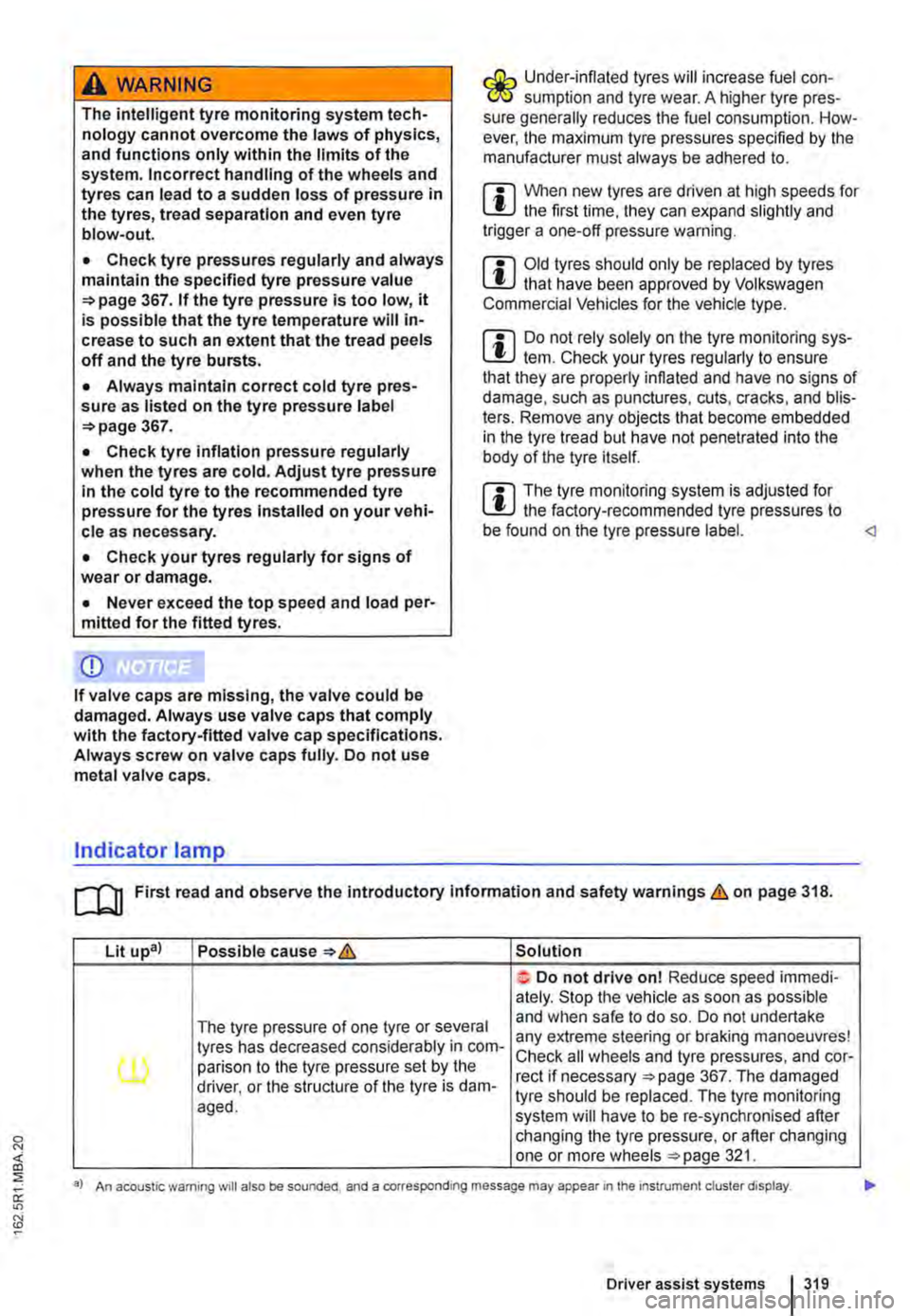
Lit upa) Possible cause=>& Solution
Do not drive on! Reduce speed immedi· ately. Stop the vehicle as soon as possible
The tyre pressure of one tyre or several and when safe to do so. Do not undertake
tyres has decreased considerably in com-any extreme steering or braking manoeuvres!
(l) parison to the tyre pressure set by the Check all wheels and tyre pressures, and cor-rect if necessary =>page 367. The damaged driver, or the structure of the tyre is dam-tyre should be replaced. The tyre monitoring aged. system will have to be re-synchronised after changing the tyre pressure, or after changing one or more wheels =>page 321.
a) An acoustic warning will also be sounded, and a corresponding message may appear 1n the instrument cluster display.
Driver assist systems I 319