light VOLKSWAGEN TRANSPORTER 2015 Owner´s Manual
[x] Cancel search | Manufacturer: VOLKSWAGEN, Model Year: 2015, Model line: TRANSPORTER, Model: VOLKSWAGEN TRANSPORTER 2015Pages: 486, PDF Size: 72.17 MB
Page 31 of 486
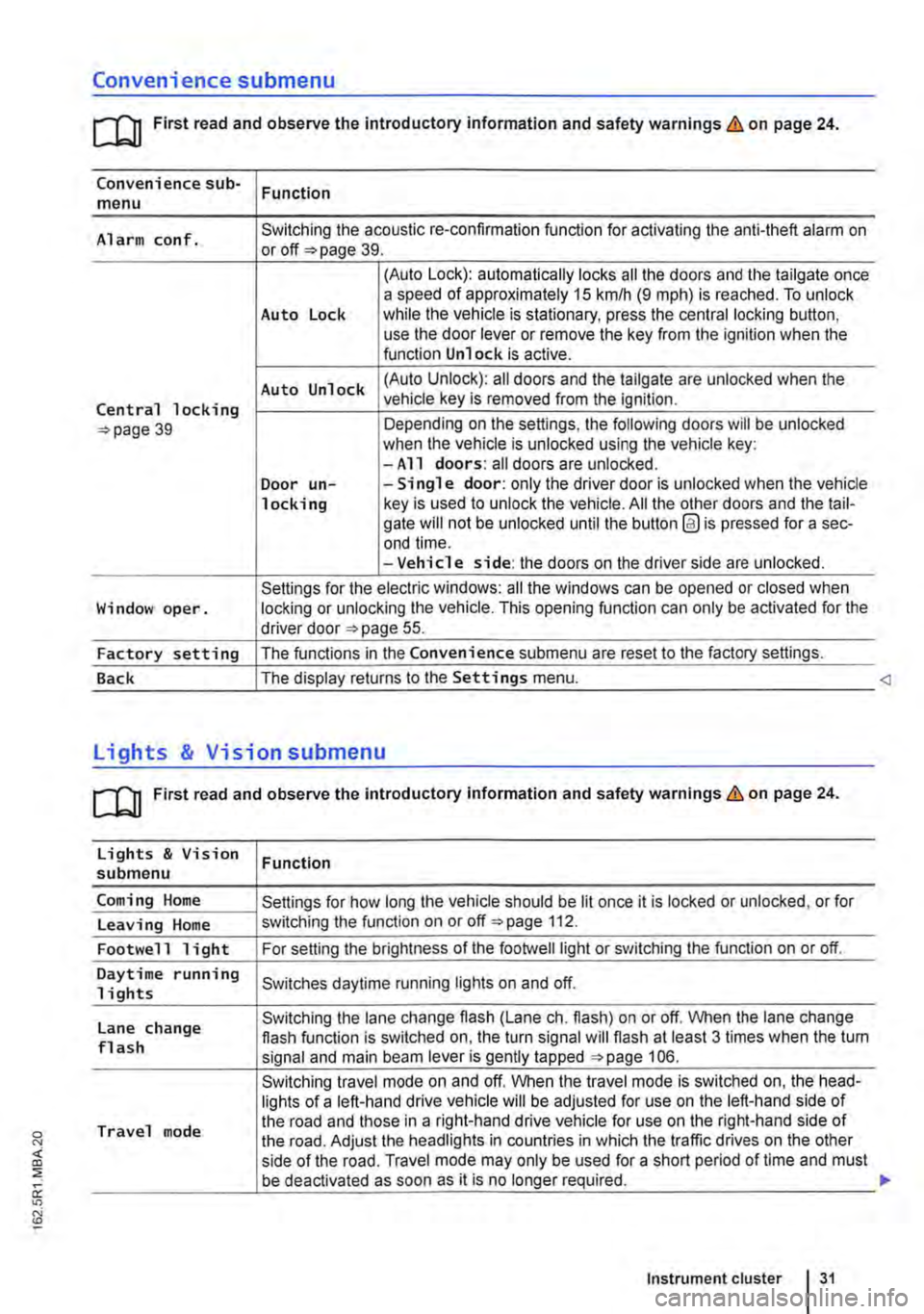
Convenience submenu
m First read and observe the introductory information and safety warnings & on page 24.
Convenience sub-menu Function
Alarm conf. Switching the acoustic re-confirmation function for activating the anti-theft alarm on or page 39.
(Auto Lock): automatically locks all the doors and the tailgate once a speed of approximately 15 km/h (9 m ph) is reached. To unlock Auto Lock while the vehicle is stationary, press the central locking button, use the door lever or remove the key from the ignition when the function Unlock is active.
Auto Unlock (Auto Unlock): all doors and the tailgate are unlocked when the
Central locking vehicle key is removed from the ignition.
39 Depending on the settings, the following doors will be unlocked when the vehicle is unlocked using the vehicle key: -All doors: all doors are unlocked. Door un--Single door: only the driver door is unlocked when the vehicle locking key is used to unlock the vehicle. All the other doors and the tail-gate will not be unlocked until the button @ is pressed for a sec-end time. -Vehicle side: the doors on the driver side are unlocked.
Settings for the electric windows: all the windows can be opened or closed when Window oper. locking or unlocking the vehicle. This opening function can only be activated for the driver door 55.
Factory setting The functions in the Convenience submenu are reset to the factory settings.
Back The display returns to the Settings menu.
[QJ First read and observe the introductory information and safety warnings & on page 24.
Lights & Vision Function submenu
Coming Home Settings for how long the vehicle should be lit once it is locked or unlocked, or for
Leaving Home switching the function on or off 112.
Footwell light For setting the brightness of the footwelllight or switching the function on or off.
Daytime running Switches daytime running lights on and off. 1 i ghts
Lane change Switching the lane change flash (Lane eh. flash) on or off. When the lane change flash function is switched on, the turn signal will flash at least 3 times when the tum flash signal and main beam lever is gently tapped 106.
Switching travel mode on and off. When the travel mode is switched on, the head-lights of a left-hand drive vehicle will be adjusted for use on the left-hand side of
Travel mode the road and those in a right-hand drive vehicle for use on the right-hand side of the road. Adjust the headlights in countries in which the traffic drives on the other side of the road. Travel mode may only be used for a short period of time and must be deactivated as soon as it is no longer required.
Instrument cluster 31
Page 32 of 486
Lights & Vision submenu
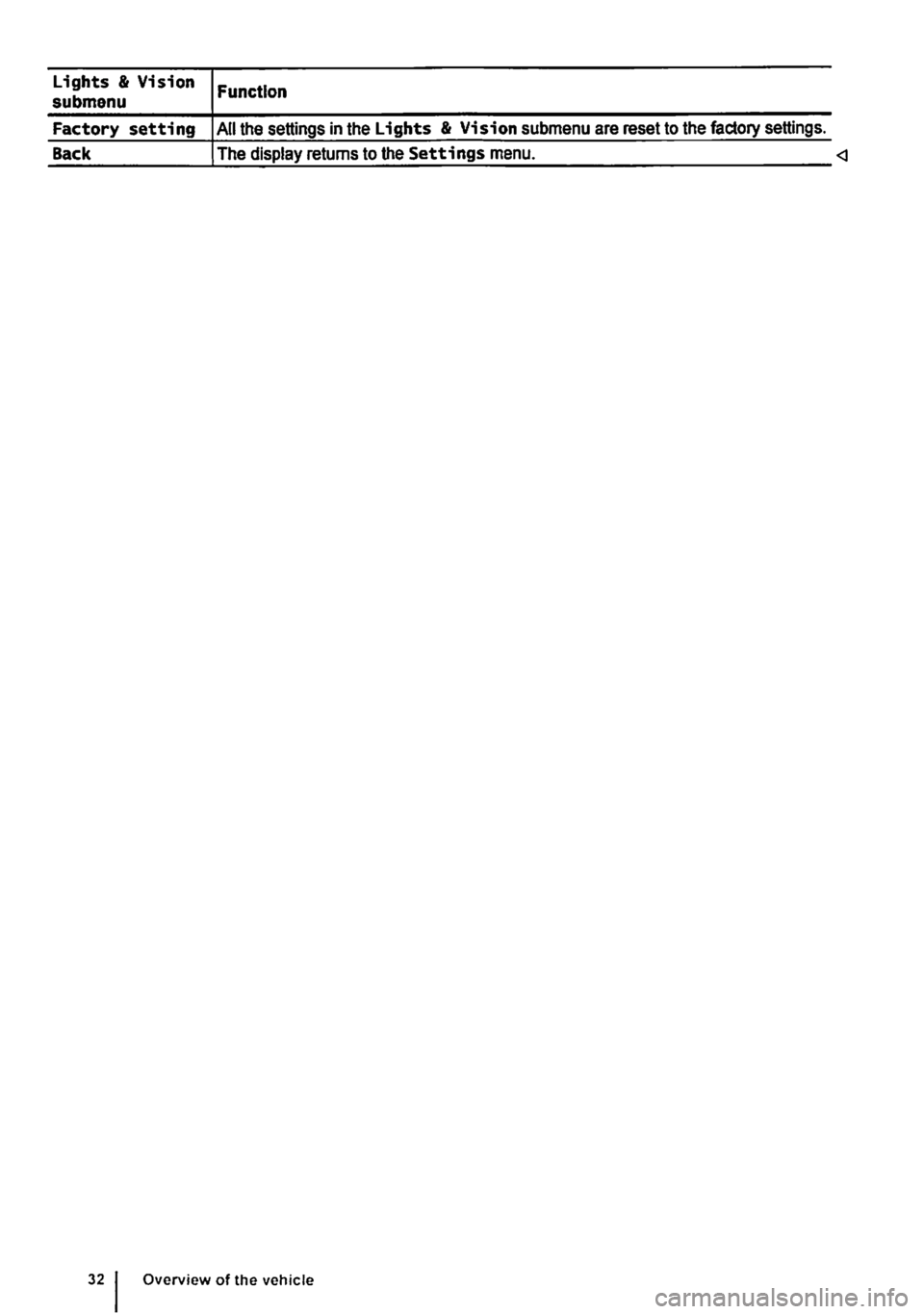
Factory setting
Back
Function
All the settings in the Lights & Vision submenu are reset to the factory settings.
The display returns to the Settings menu.
Page 33 of 486
Before the journey
Before setting off
Driving tips
CO Introduction
This chapter contains information on the following subjects:
Preparing for a journey and driving safely
Driving abroad ...................... .
Driving through water on roads ........ .
33 34
35
An engine and transmission guard may prove use-ful, depending on the conditions in which the vehi-cle is to be driven. An engine and transmission guard can reduce the risk of damage to the vehi-cle's underbody and engine oil sump, for example when driving over kerbs, driveways or unsurfaced roads. Volkswagen Commercial Vehicles recom-mends using a Volkswagen Commercial Vehicles dealership for this purpose.
Additional Information and warnings:
• Sitting correctly and safely 61
• Transporting 125
• Starting the engine, changing gear and parking the vehicle 257
• Driving with respect for the environment =>page 278
• Consumer information 404
A WARNING
Driving under the Influence of alcohol, drugs, medication or narcotics can cause serious accidents and fatal Injuries.
• Alcohol, drugs, medication and narcotics can severely impair perception, reaction times and driving safety. This could cause you to lose control of the vehicle.
l""""('n First read and observe the Introductory L-Wl Information and safety warnings th on page 33.
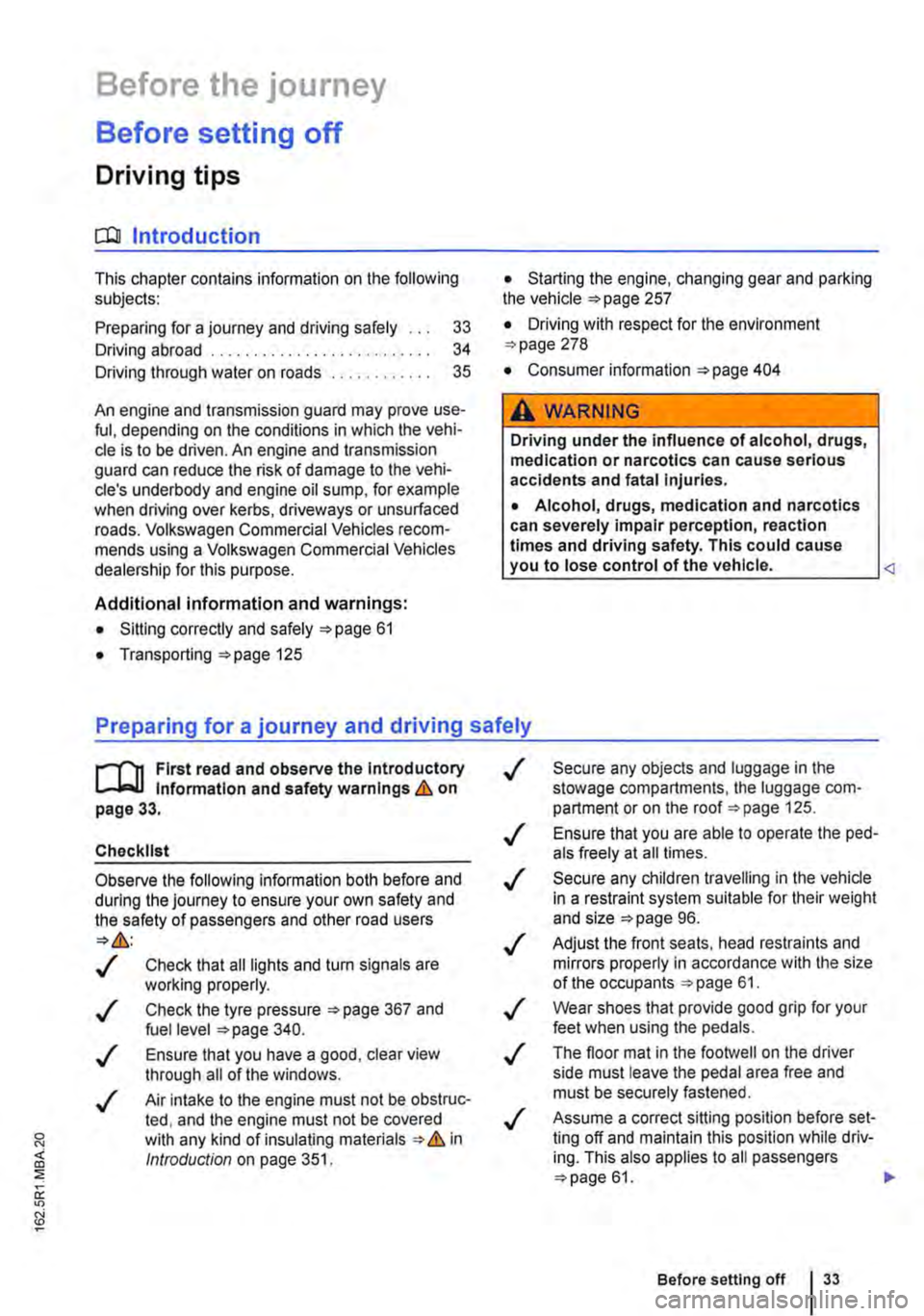
Checklist
Observe the following Information both before and during the journey to ensure your own safety and the safety of passengers and other road users
..( Check that all lights and turn signals are working properly.
Check the tyre pressure 367 and fuel level 340.
..( Ensure that you have a good, clear view through all of the windows.
..( Air intake to the engine must not be obstruc-ted, and the engine must not be covered with any kind of insulating materials th in ell Introduction on page 351.
0::
g!
..(
..(
..(
..(
..(
..(
..(
Secure any objects and luggage in the stowage compartments, the luggage corn-partment or on the roof 125 .
Ensure that you are able to operate the ped-als freely at all times .
Secure any children travelling in the vehicle in a restraint system suitable for their weight and size =>page 96.
Adjust the front seats, head restraints and mirrors properly in accordance with the size of the occupants 61.
Wear shoes that provide good grip for your feet when using the pedals.
The floor mat in the footwell on the driver side must leave the pedal area free and must be securely fastened .
Assume a correct sitting position before set-ling off and maintain this position while driv-ing. This also applies to all passengers =>page 61. ..
Before setting off 33
Page 34 of 486
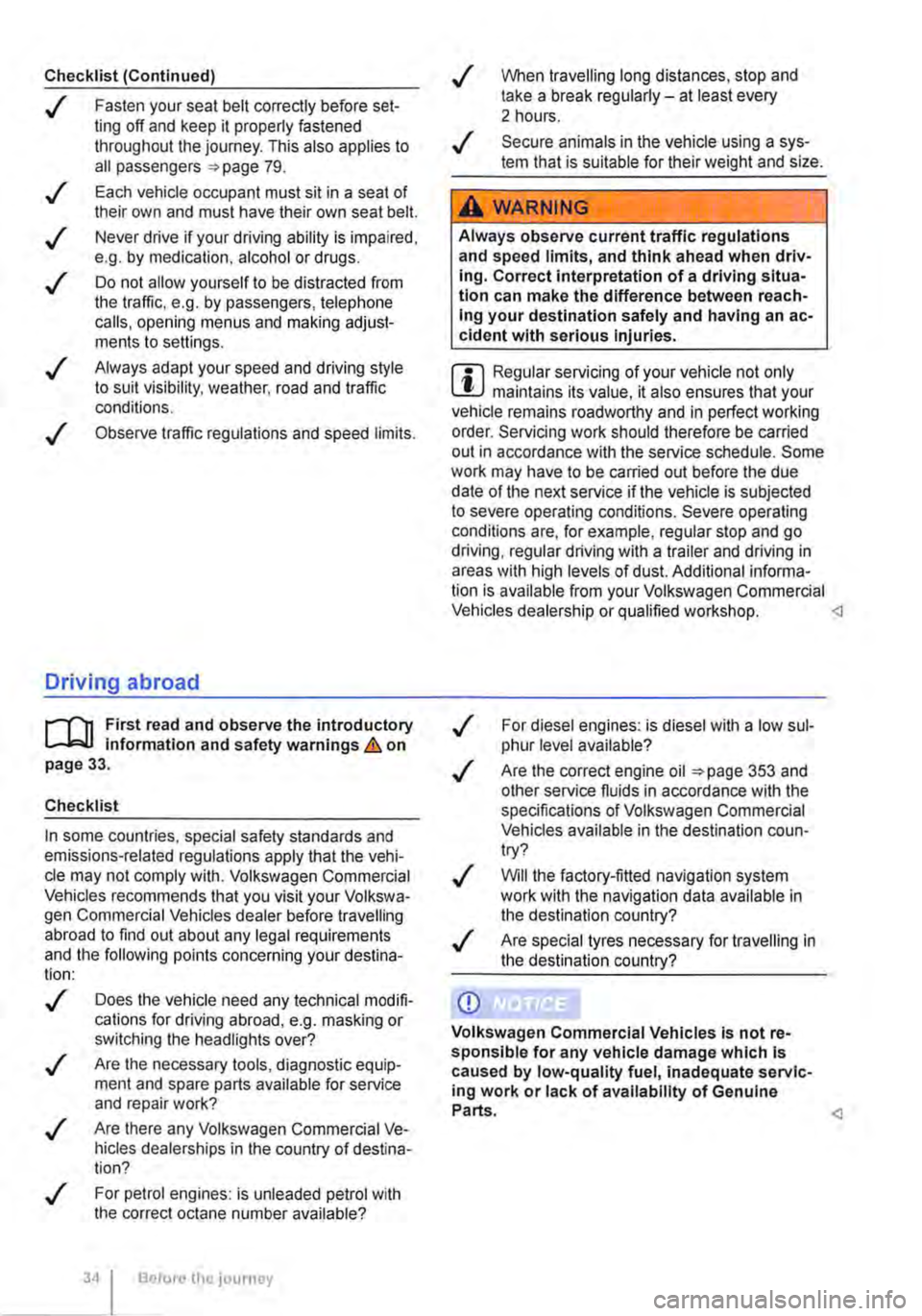
Checklist (Continued)
..( Fasten your seat belt correctly before set-ting off and keep it properly fastened throughout the journey. This also applies to all passengers 79 .
..!
..!
..!
..!
..!
Each vehicle occupant must sit in a seat of their own and must have their own seat belt.
Never drive if your driving ability is impaired, e.g. by medication, alcohol or drugs.
Do not allow yourself to be distracted from the traffic, e.g. by passengers, telephone calls, opening menus and making adjust-ments to settings .
Always adapt your speed and driving style to suit visibility, weather, road and traffic conditions.
Observe traffic regulations and speed limits.
Driving abroad
r-f'n First read and observe the introductory l.-J=.U information and safety warnings.& on page 33.
Checklist
In some countries, special safety standards and emissions-related regulations apply that the vehi-cle may not comply with. Volkswagen Commercial Vehicles recommends that you visit your Volkswa-gen Commercial Vehicles dealer before travelling abroad to find out about any legal requirements and the following points concerning your destina-tion:
..( Does the vehicle need any technical modifi-cations for driving abroad, e.g. masking or switching the headlights over?
..( Are the necessary tools, diagnostic equip-ment and spare parts available for service and repair work?
..( Are there any Volkswagen Commercial Ve-hicles dealerships in the country of destina-tion?
..( For petrol engines: is unleaded petrol with the correct octane number available?
34 Before the journey
..( When travelling long distances, stop and take a break regularly-at least every 2 hours.
..( Secure animals in the vehicle using a sys-tem that is suitable for their weight and size.
A WARNING
Always observe current traffic regulations and speed limits, and think ahead when driv-Ing. Correct interpretation of a driving situa-tion can make the difference between reach-Ing your destination safely and having an ac-cident with serious Injuries.
W Regular servicing of your vehicle not only W maintains its value, it also ensures that your vehicle remains roadworthy and in perfect working order. Servicing work should therefore be carried out in accordance with the service schedule. Some work may have to be carried out before the due date of the next service if the vehicle is subjected to severe operating conditions. Severe operating conditions are, for example, regular stop and go driving, regular driving with a trailer and driving in areas with high levels of dust. Additional informa-tion is available from your Volkswagen Commercial Vehicles dealership or qualified workshop.
..( Are the correct engine oil 353 and other service fluids in accordance with the specifications of Volkswagen Commercial Vehicles available in the destination coun-try?
..( Will the factory-fitted navigation system work with the navigation data available in the destination country?
..( Are special tyres necessary for travelling in the destination country?
CD
Volkswagen Commercial Vehicles is not re-sponsible for any vehicle damage which Is caused by low-quality fuel, inadequate servic-ing work or lack of availability of Genuine Parts.
Page 36 of 486

Opening and closing
Vehicle key set
COl Introduction
This chapter contains information on the following subjects:
Vehicle key . . . . . . . . . . . . . . . . . . . . . . . . . . . . . 37 Indicator lamp in the remote control key . . . . . 38 Replacing the battery . . . . . . . . . . . . . 38 Synchronising the remote control key . . . . . . . 39
Additional Information and warnings:
• Settings in the Volkswagen information system 24
• Central locking system 39
• Starting and stopping the engine 257
• Consumer information 404
• Manual opening and closing 413
A DANGER .
Swallowing batteries with a diameter of 20 mm or other lithium batteries can result In severe or even fatal injuries within a very short period of time.
• Always keep the vehicle key, key ring with batteries, spare batteries, round cells and other batteries that are larger than 20 mm out of the reach of children.
• Call for medical help Immediately you sus-pect that someone has swallowed a battery.
36 Before tho journey
A WARNING
Careless or unsupervised use of the vehicle key can lead to accidents or injuries.
• Always take all vehicle keys with you ev-ery time you leave the vehicle. Children or third parties could lock the doors and tail-gate, start the engine or switch on the igni-tion and thus operate electrical equipment, such as the electric windows.
• Never leave children or people requiring assistance alone In the vehicle. They could become trapped In the vehicle in an emergen-cy and may not be able to get themselves to safety. For example, locked vehicles may be subjected to very high or very low tempera-tures, according to season. This can cause serious Injuries and Illness or fatalities, espe-cially for small children.
A WARNING
Improper use of the vehicle key could lead to the engine being switched off and the steer-Ing lock engaging, which would render the vehicle unsteerable.
• Never remove the vehicle key from the Ig-nition lock when the vehicle Is In motion.
• When folding out the key bit, ensure that lt Is folded out completely and engaged fully.
• Never attach heavy objects to the vehicle key. Attach only light objects, If at all, such as a key fob with up to five house keys. <
Page 38 of 486
New keys or replacement keys are available from Volkswagen Commercial Vehicle dealerships or from qualified workshops and authorised key serv-ices which are qualified to manufacture these vehi-cle keys.
New and replacement keys need to be synchron-ised before use =:-page 39.
CD
Every vehicle key contains electronic compo-nents. Protect the key from damage, moisture and excessive vibration.
m Press the buttons on the remote control key W only if the corresponding function is actually needed. Pressing a button when the function is not
required could lead to the vehicle being unlocked unintentionally or the alarm going off. This also ap-plies even when you are not within the effective range.
m The function of the remote control key can be W affected temporarily if there is more than one transmitter in the direct vicinity working on the same frequency (e.g. a mo-way radio or mobile telephone).
m Obstacles bemeen the remote control and W the vehicle, bad weather conditions and weak batteries can reduce the range of the remote con-trol.
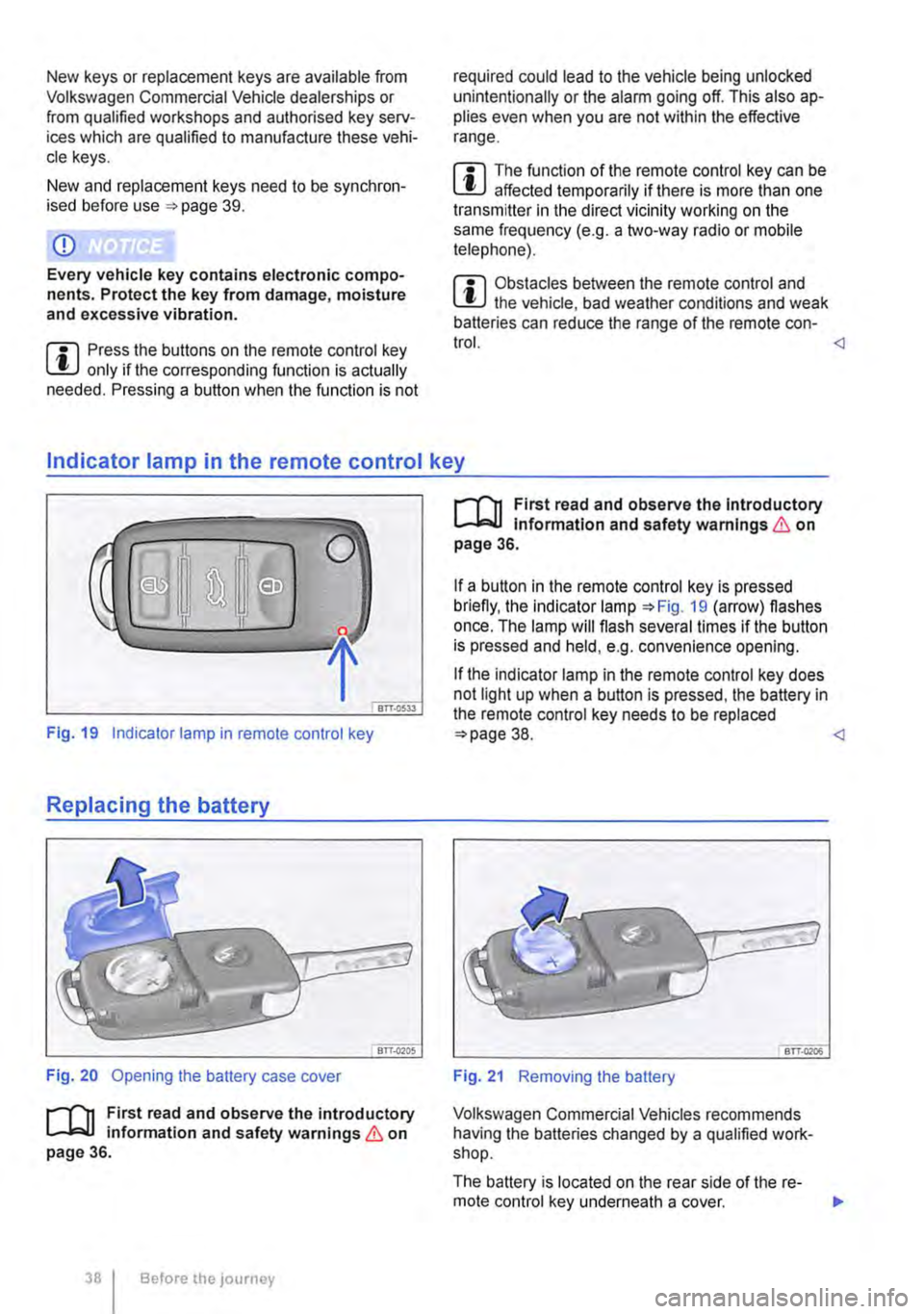
Fig. 19 Indicator lamp in remote control key
Replacing the battery
Fig. 20 Opening the battery case cover
r--('n First read and observe the introductory 1..-J=.U information and safety warnings & on page 36.
38 I Before the JOUrney
r--('n First read and observe the Introductory 1..-J=.U Information and safety warnings & on page 36.
If a button in the remote control key is pressed briefly, the indicator lamp =:-Fig. 19 (arrow) flashes once. The lamp will flash several times if the button is pressed and held, e.g. convenience opening.
If the indicator lamp in the remote control key does not light up when a button is pressed, the battery in the remote control key needs to be replaced =:>page 38.
Volkswagen Commercial Vehicles recommends having the batteries changed by a qualified work-shop.
The battery is located on the rear side of the re-mote control key underneath a cover. ..,.
Page 42 of 486
Locking and unlocking the vehicle from inside
c
1 PSG-0030
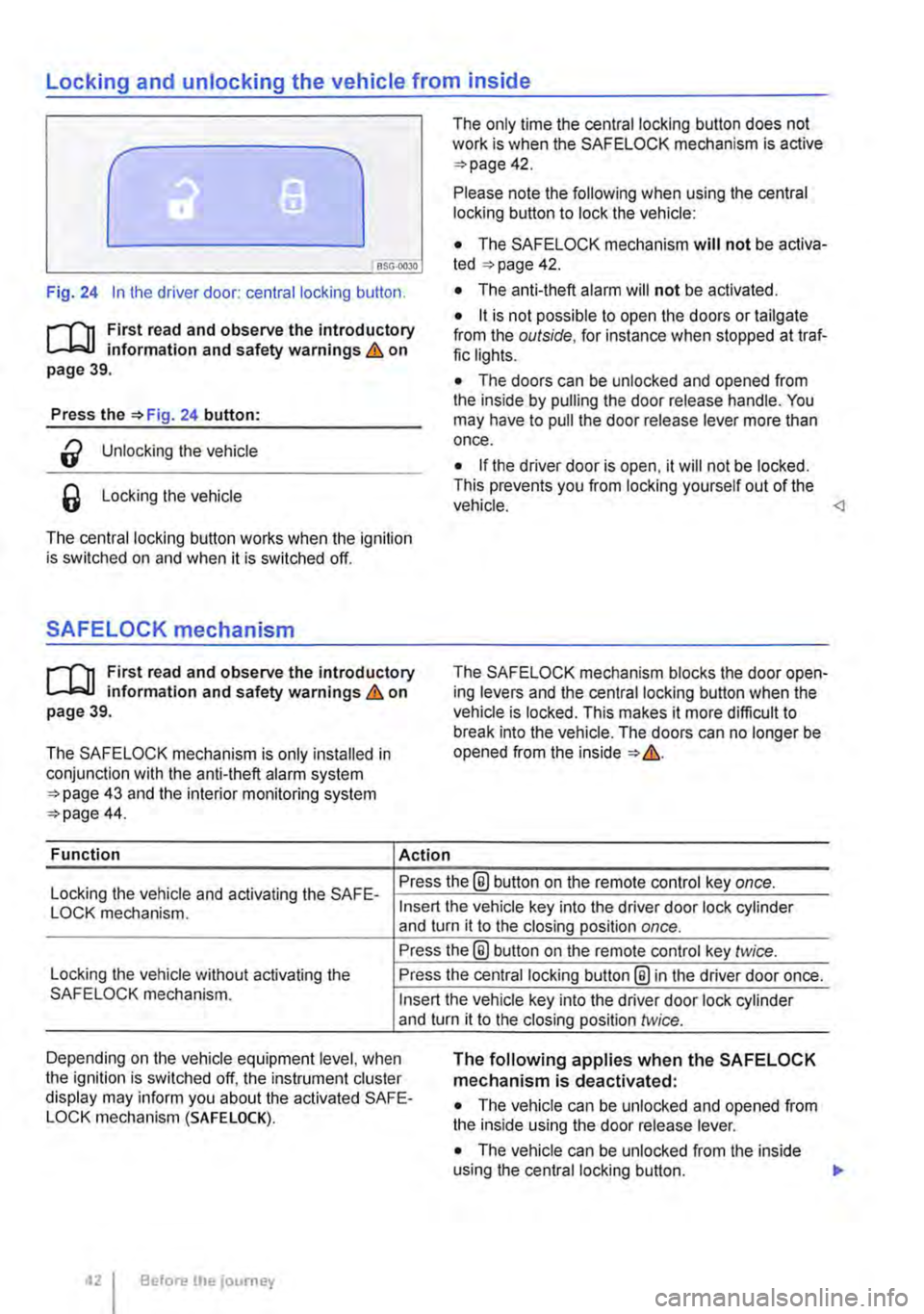
Fig. 24 In the driver door: central locking button.
rf'n First read and observe the introductory L.-J=.I.I information and safety warnings & on page 39.
Press the =>Fig. 24 button:
a Unlocking the vehicle
6 Locking the vehicle
The central locking button works when the ignition is switched on and when it is switched off.
SAFELOCK mechanism
rf'n First read and observe the introductory L.-J=.I.I information and safety warnings & on page 39.
The SAFELOCK mechanism is only installed in conjunction with the anti-theft alarm system =>page 43 and the interior monitoring system =>page 44.
Function Action
The only time the central locking button does not work is when the SAFE LOCK mechanism is active =>page 42.
Please note the following when using the central locking button to lock the vehicle:
• The SAFELOCK mechanism will not be activa-ted =:>page 42.
• The anti-theft alarm will not be activated.
• it is not possible to open the doors or tailgate from the outside, for instance when stopped at traf-fic lights.
• The doors can be unlocked and opened from the inside by pulling the door release handle. You may have to pull the door release lever more than once.
• If the driver door is open, it will not be locked. This prevents you from locking yourself out of the vehicle.
Locking the vehicle and activating the SAFE-Press the® button on the remote control key once.
LOCK mechanism.
Locking the vehicle without activating the SAFELOCK mechanism.
Insert the vehicle key into the driver door lock cylinder and turn it to the closing position once.
Press the@ button on the remote control key twice.
Press the central locking button@ in the driver door once.
Insert the vehicle key into the driver door lock cylinder and turn it to the closing position twice.
Depending on the vehicle equipment level, when the ignition is switched off, the instrument cluster display may inform you about the activated SAFE-LOCK mechanism (SAFE LOCK).
The following applies when the SAFELOCK mechanism is deactivated:
• The vehicle can be unlocked and opened from the inside using the door release lever.
• The vehicle can be unlocked from the inside using the central locking button. .,.
Before the journey
Page 43 of 486
• If the SAFELOCK mechanism has been activa-ted using the remote control key: the anti-theft alarm is active.
Indicator lamp in the driver door
After locking the vehicle:
• If the SAFELOCK mechanism has been activa-ted using the remote control key in the driver door lock cylinder: the anti-theft alarm is not active.
• The interior monitoring system and anti-tow alarm are deactivated.
Meaning
A red LED flashes for approximately 2 seconds, firstly at short inteNals and then more slowly. The SAFELOCK mechanism is activated.
A red LED flashes for approximately 2 seconds and then goes out. The LED light starts to flash again after approxi-mately 30 seconds.
The SAFELOCK mechanism is deactivated.
A red LED lights up steadily for approximately 30 seconds. Fault in the locking system. Go to a qualified workshop.
Notes for vehicles without SAFELOCK
mechanism
Please note the following when the vehicle is locked with the remote control key or with the vehi-cle key in the driver door lock cylinder:
• The anti-theft alarm and the interior monitoring system are immediately activated. All turn signals flash briefly to confirm activation.
Anti-theft alarm
rflt First read and observe the introductory 1..-.L::.U information and safety warnings & on page 39.
The anti-theft alarm makes it more difficult to break into the vehicle or steal it.
The anti-theft alarm system is automatically activa-ted when the vehicle is locked.
When does the system trigger an alarm?
The anti-theft alarm will sound an acoustic alarm for approximately 30 seconds and trigger a visible warning for up to 5 minutes if any of the following unauthorised actions are performed while the vehi-cle is locked:
• Mechanical unlocking of the vehicle with the ve-hicle key and failure to switch on the ignition within 15 seconds
• A door is opened.
A WARNING
Take care when using the SAFELOCK mecha-nism to avoid accidents or injuries.
• Never leave anybody in the vehicle if the vehicle has been locked using the remote control key. The doors can no longer be opened from the inside once the SAFELOCK mechanism is activated.
• Locked doors make it more difficult for emergency service personnel to gain access to the vehicle and provide assistance when needed. In an emergency, people locked in-side the vehicle would not be able to leave the vehicle by unlocking the doors.
• The tailgate is opened.
• The ignition is switched on using an invalid key.
• Movement inside the vehicle (in vehicles with interior monitoring).
• The vehicle is towed (vehicles with anti-tow alarm).
• The vehicle is lifted (vehicles with anti-tow alarm).
• Transportation of the vehicle on a ferry or train.
• Disconnection of the vehicle battery (only an acoustic alarm)
Switching off the alarm
Unlock the vehicle using the release button on the remote control key or insert the ignition key into the ignition lock. 11>-
Opening and closing 43
Page 44 of 486
m Due to the current legislation on the Israel W market, the acoustic warning signals are de-activated there.
m The alarm will be triggered again if a person W gains access to the same or a different se-cured zone after the alarm has been switched off. For example, if the tailgate is opened after a door had been opened.
m The anti-theft alarm will not be activated if W the vehicle is locked from the Inside using the central locking button @.
m If you unlock the driver door mechanically us-L!J ing the vehicle key, only the driver door is un-locked, and not the whole vehicle. The SAFELOCK mechanism on all doors is not deactivated and the central locking button is not activated until you switch on the ignition (however the doors will not be unlocked).
m The anti-theft alarm will not function correctly W if the vehicle battery is weak or discharged.
m lt is not possible to include the trailer in the W anti-theft alarm system.
81f·01U
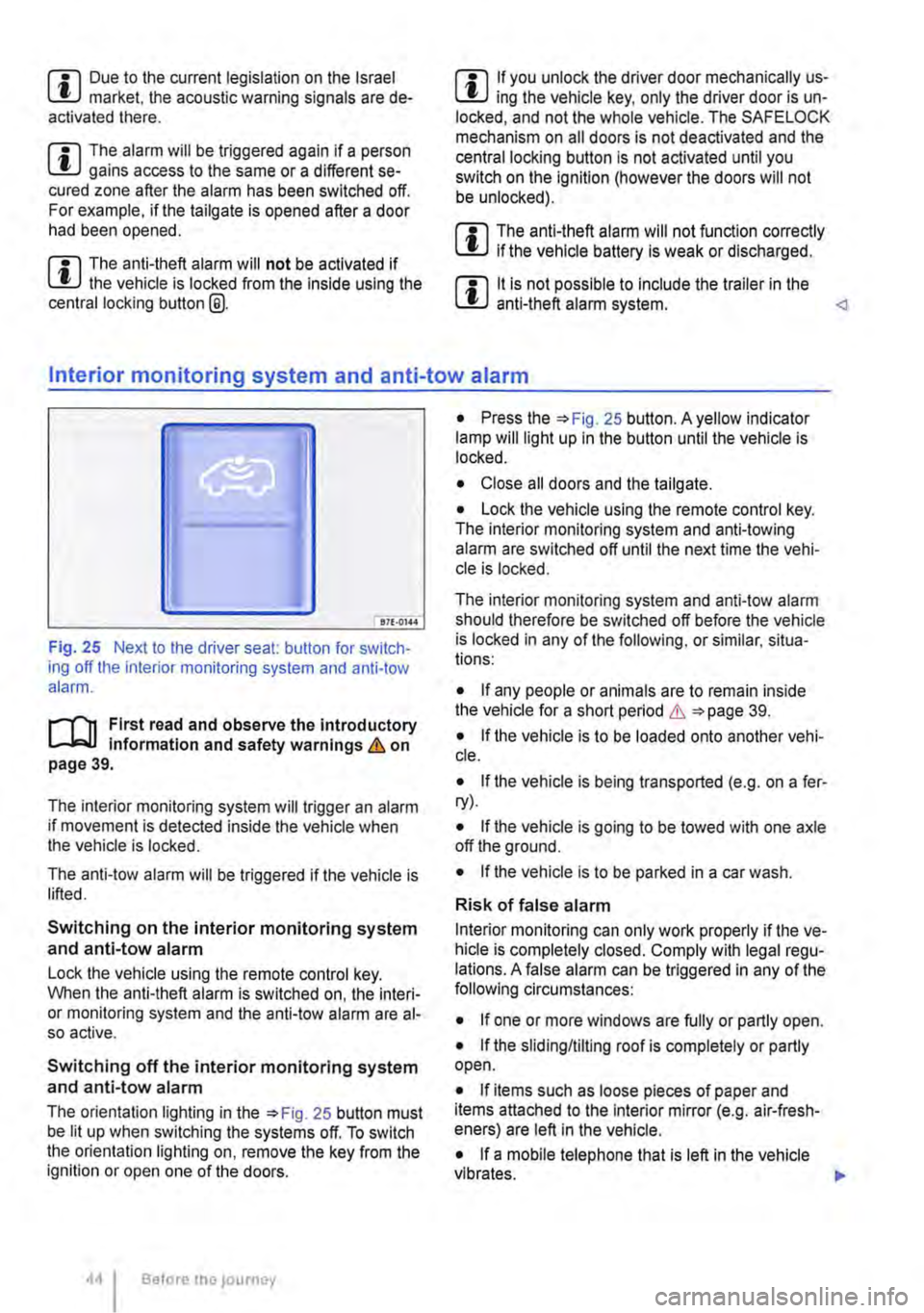
Fig. 25 Next to the driver seat: button for switch-ing off the interior monitoring system and anti-tow alarm.
r-f"n First read and observe the introductory information and safety warnings & on page 39.
The interior monitoring system will trigger an alarm if movement is detected inside the vehicle when the vehicle is locked.
The anti-tow alarm will be triggered if the vehicle is lifted.
Switching on the interior monitoring system and anti-tow alarm
Lock the vehicle using the remote control key. When the anti-theft alarm is switched on, the interi-or monitoring system and the anti-tow alarm are al-so active.
Switching off the interior monitoring system and anti-tow alarm
The orientation lighting in the =>Fig. 25 button must be lit up when switching the systems off. To switch the orientation lighting on, remove the key from the ignition or open one of the doors.
Before the journey
• Press the =>Fig. 25 button. A yellow indicator lamp will light up in the button until the vehicle is locked.
• Close all doors and the tailgate.
• Lock the vehicle using the remote control key. The interior monitoring system and anti-towing alarm are switched off until the next time the vehi-cle is locked.
The interior monitoring system and anti-tow alarm should therefore be switched off before the vehicle is locked in any of the following, or similar, situa-tions:
• If any people or animals are to remain inside the vehicle for a short period & =>page 39.
• If the vehicle is to be loaded onto another vehi-cle.
• If the vehicle is being transported (e.g. on a fer-ry).
• If the vehicle is going to be towed with one axle off the ground.
• If the vehicle is to be parked in a car wash.
Risk of false alarm
Interior monitoring can only work properly if the ve-hicle is completely closed. Comply with legal regu-lations. A false alarm can be triggered in any of the following circumstances:
• If one or more windows are fully or partly open.
• If the slidingflilting roof is completely or partly open.
• If items such as loose pieces of paper and items attached to the Interior mirror (e.g. air-fresh-eners) are left in the vehicle.
• If a mobile telephone that is left in the vehicle vibrates. 11>-
Page 45 of 486
• If the vehicle is being transported (e.g. on a fer-ry).
• If the vehicle is in a car wash.
Doors
CO Introduction
This chapter contains information on the following subjects:
Warning lamp . . . . . . . . . . . . . . . . . . . . . . . . . . . 45
Additional information and warnings:
• Exterior views page 5
• Vehicle key set 36
• Central locking system 39
• Manual opening and closing 413
A WARNING
Any door that Is not properly closed could open suddenly while the vehicle Is In motion. This could lead to severe Injuries.
Warning lamp
m If doors or the tailgate are still open when the W anti-theft alarm is activated, only the anti-theft alarm is activated. Interior monitoring and the anti-tow alarm are not activated until all doors and the tailgate are closed. <1
A WARNING (ConUnued)
• Stop as soon as possible and close the door.
• Make sure that the door Is closed properly and that the lock has engaged. The closed door must be flush with the surrounding body panels.
• Doors should only be opened or closed when you are sure there Is no-one in their path.
A WARNING
Any door being held open by the door arrest-er could close unexpectedly In strong winds or if the vehicle Is on a slope. This could lead to Injuries.
• Always keep a good grip on the handle when opening and closing doors.
m First read and observe the Introductory information and safety warnings&,. on page 45.
Lit up Possible cause
At least one vehicle door is opened or not properly closed.
Several warning and indicator lamps will light up briefly as a functional check when the ignition is switched on. They will go out after a few seconds.
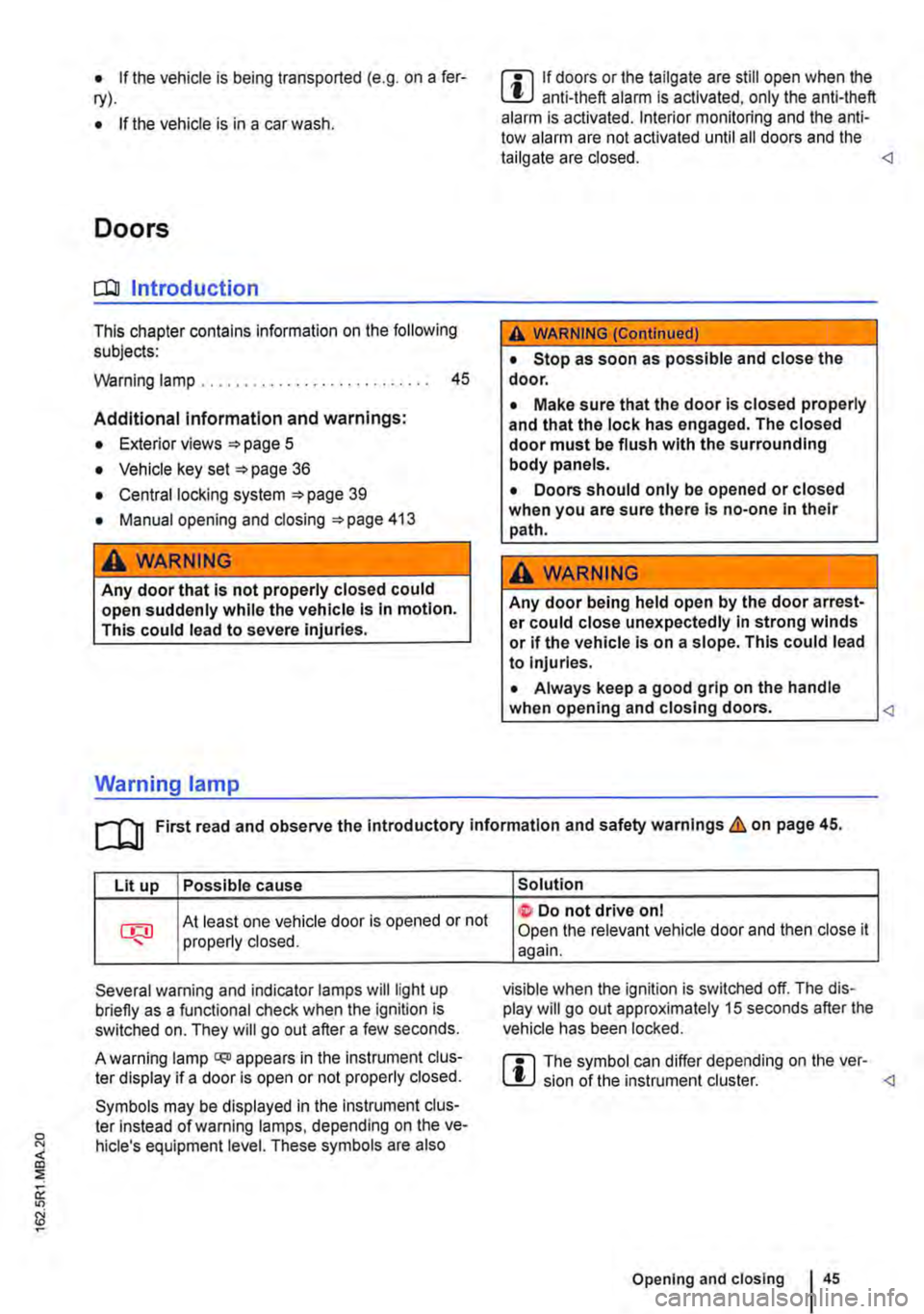
A warning lamp q;o appears in the instrument clus-ter display if a door is open or not properly closed.
Symbols may be displayed in the Instrument clus-ter instead of warning lamps, depending on the ve-hicle's equipment level. These symbols are also
Solution
t Do not drive on I Open the relevant vehicle door and then close it again.
visible when the ignition is switched off. The dis-play will go out approximately 15 seconds after the vehicle has been locked.
m The symbol can differ depending on the ver-W sion of the instrument cluster. <1
Opening and closing 45