red warning light VOLKSWAGEN TRANSPORTER 2021 Service Manual
[x] Cancel search | Manufacturer: VOLKSWAGEN, Model Year: 2021, Model line: TRANSPORTER, Model: VOLKSWAGEN TRANSPORTER 2021Pages: 486, PDF Size: 69.28 MB
Page 151 of 486
A WARNING (Continued)
• Never stow lighters in stowage areas or compartments or on other surfaces In the ve-hicle. Cigarette lighters may self-Ignite on high-temperature surfaces, especially in sum-mer.
CD
• Hard objects on the shelf can chafe against the wires of the heating element In the rear win-dow and cause damage.
• Objects stored In the vehicle that are made from transparent materials, such as glasses, magnifying glasses or transparent suction cups on the windows, can concentrate the sun's rays and thus cause damage to the vehi-cle.
r:F1 Always ensure that the ventilation openings W between the rear window and the stowage area are uncovered to allow stale air to escape from the vehicle.
r('n First read and observe the introductory L-Jc.lJ information and safety warnings.& on page 150.
There is a stowage compartment in the centre con-sole, which. depending on the vehicle equipment level, may have a cover flap.
To open, press the button on the cover flap. The stowage compartment opens automatically.
To close, press the cover down until it engages. Do not press the button while doing this.
Depending on the vehicle equipment level, there may be open stowage compartments under the vents on the dash panel.
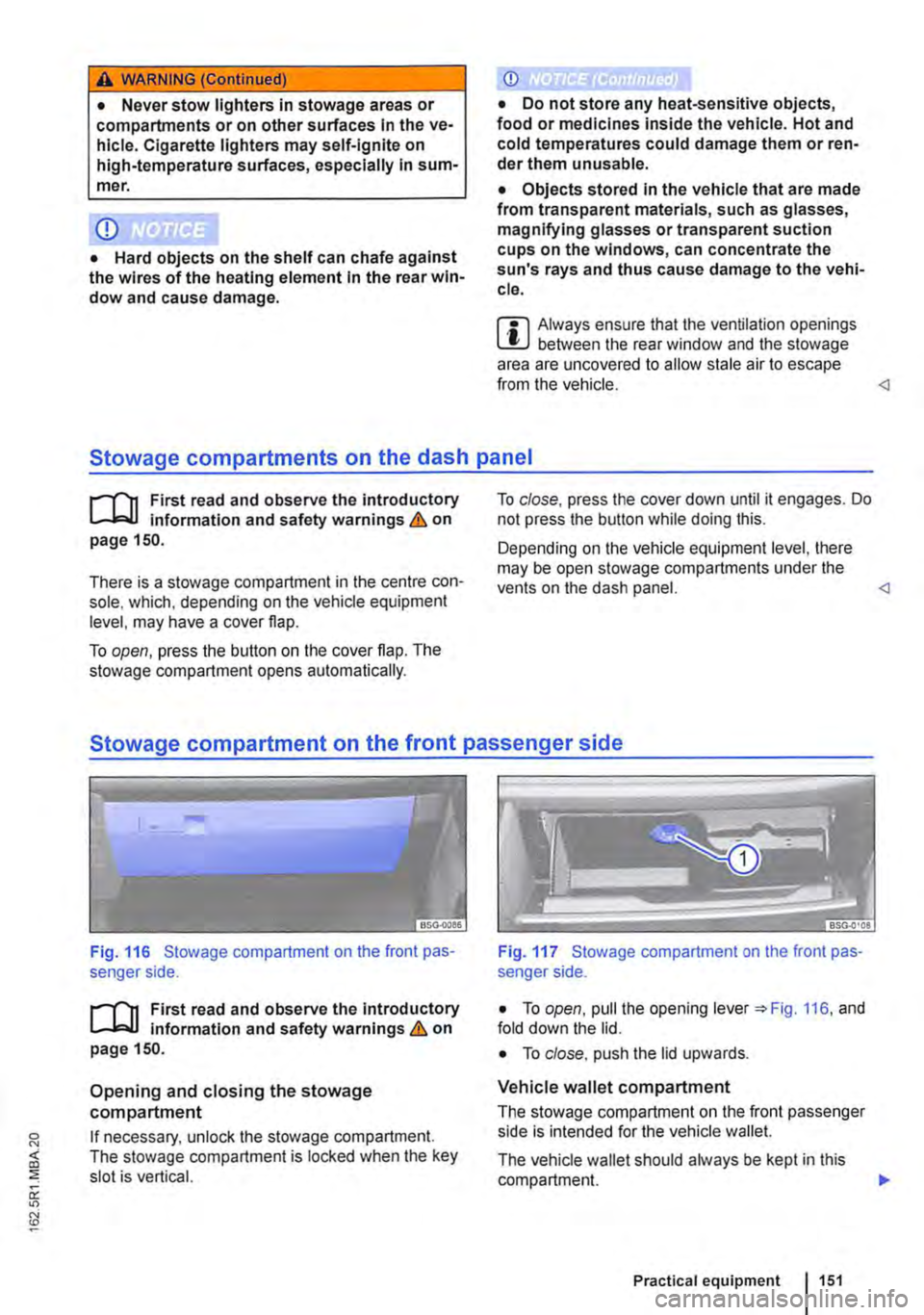
Fig. 116 Stowage compartment on the front pas-senger side.
r('n First read and observe the introductory L-Jc.lJ Information and safety warnings.& on page 150.
Opening and closing the stowage compartment
If necessary, unlock the stowage compartment. The stowage compartment is locked when the key slot is vertical.
Fig. 117 Stowage compartment on the front pas-senger side.
• To open, pull the opening lever =:.Fig. 116, and fold down the lid.
• To close. push the lid upwards.
Vehicle wallet compartment
The stowage compartment on the front passenger side is intended for the vehicle wallet.
The vehicle wallet should always be kept in this compartment. .,.
Practical equipment 1151
Page 153 of 486
A WARNING
Objects that are not secured, or are secured Incorrectly, can cause serious Injuries In the event of a sudden driving or braking manoeu·
Torch behind front passenger seat
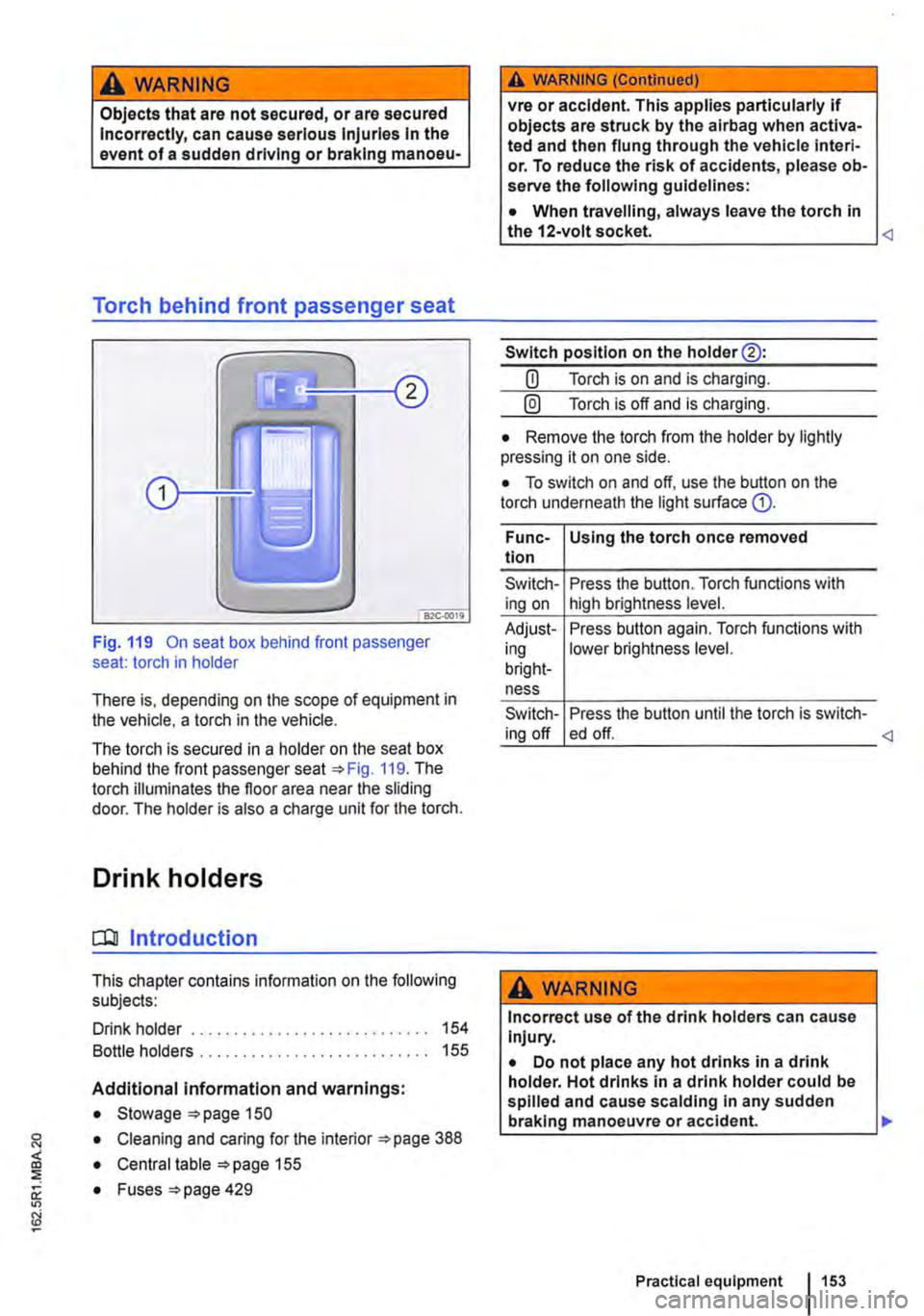
Fig. 119 On seat box behind front passenger seat: torch in holder
There is, depending on the scope of equipment in the vehicle, a torch in the vehicle.
The torch is secured in a holder on the seat box behind the front passenger seat 119. The torch illuminates the floor area near the sliding door. The holder is also a charge unit for the torch.
Drink holders
CQJ Introduction
This chapter contains information on the following subjects:
Drink holder . . . . . . . . . . . . . . . . . . . . . . . . . . . . 154
Bottle holders . . . . . . . . . . . . . . . . . . . . . . . . . 155
Additional information and warnings:
• Stowage 150
• Cleaning and caring for the interior 388
• Central table 155
0: • Fuses =>page 429
"'
A WARNING (Continued)
vre or accident. This applies particularly if objects are struck by the airbag when activa-ted and then flung through the vehicle interi· or. To reduce the risk of accidents, please ob-serve the following guidelines:
• When travelling, always leave the torch in the 12-volt socket.
Switch position on the holder@:
CD Torch is on and is charging.
@) Torch is off and is charging.
• Remove the torch from the holder by lightly pressing it on one side.
• To switch on and off, use the button on the torch underneath the light surface G).
Func-Using the torch once removed tion
Switch-Press the button. Torch functions with ing on high brightness level.
Adjust-Press button again. Torch functions with ing lower brightness level. bright-ness
Switch-Press the button until the torch is switch-ing off ed off.
A WARNING
Incorrect use of the drink holders can cause Injury.
• Do not place any hot drinks in a drink holder. Hot drinks in a drink holder could be spilled and cause scalding In any sudden braking manoeuvre or accident. .,.
Practical equipment 153
Page 157 of 486

Fig. 125 Central table with raised table module, open table surface. bottle and stowage compart-ment
r-1'11 First read and observe the Introductory l.-Jr:-lJ Information and safety warnings & on page 155.
Key to Fig. 124 and Fig. 125:
G) Drink holder
0 Magazine pocket
® Grip for moving and carrying the removed cen-tral table
@ Drawer
® Table surface in basic position
® Drink holder
0 Button for raising the table module
® Grip for moving and carrying the removed cen-tral table
® Button for moving the open table module
® Bottle holder
® Stowage compartment
@ Open table surface
Base position of the central table
The central table is in the basic position if the fol-lowing conditions are fulfilled at the same time:
• The side table surfaces are folded in.
• The table module is fully lowered and securely locked.
• The central table is not located between the single seats.
• The central table is securely locked in the seat rails.
Moving the central table
• Adjust the backrest of single seats to an upright position.
• Ensure that the side table surfaces are folded in and that the table module is fully lowered.
• Pull the handle® up and hold the central table wilh the handle and the handle recess @.
• Move the central table in the seat rails.
• Fold the handle® back to engage the central table in the seat rails.
• Check that the central table is locked securely. lt should now no longer be possible to move the central table.
Raising the table module
• Adjust the backrest of single seats to an upright position.
• Fold up the armrests of the single seats.
• Move the central table so that it is no longer lo-cated between the single seats.
• Ensure that the drink holder and the stowage compartments are closed.
• Press the button 0 to raise the table module.
Opening the table surfaces and moving the
table module
The raised table module can be turned 36o• when the table surface is open, or secured in position in the base position to the front or at go• to the left or rig hi.
• Raise lhe table module.
• Lift up both the side table surfaces and hold them in this position.
• Turn the table surface go• until it engages.
• Keep the button ® pressed and move the table module slightly to the left or to the right.
• Release the button ® and move the table sur-face further until it engages.
Lowering the table module
• Fold both the side table surfaces down.
• Move the central table so that it is no longer lo-cated between the single seats.
• Ensure that the drink holder and the stowage compartments are closed.
• Keep the button 0 pressed and then press down from above on the table surface to lower the table module slightly.
• Release the button 0 and lower lhe table mod-ule fully until it is securely engaged. .,.
Practical equipment 1157
Page 161 of 486
Switching the cool box on and off
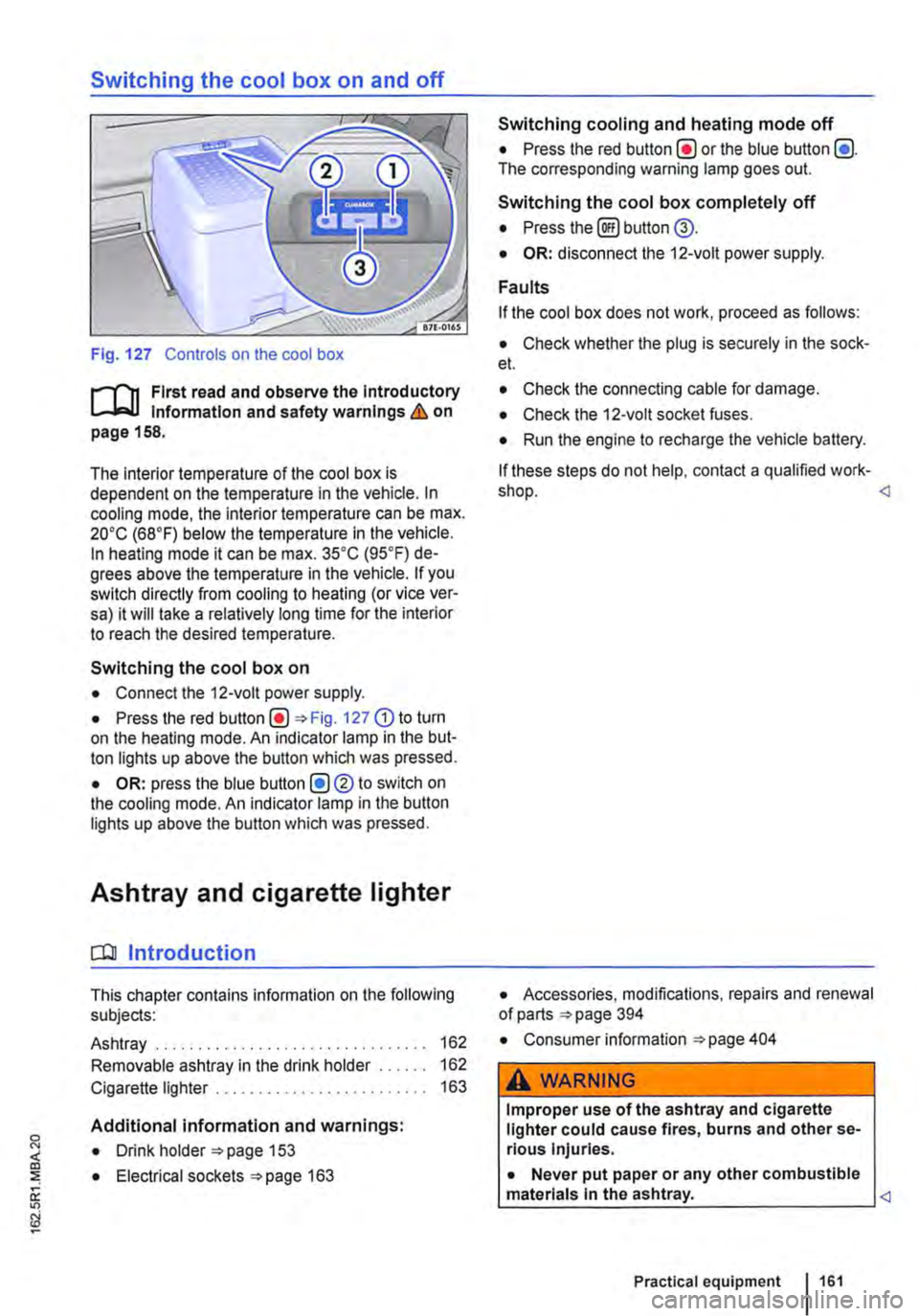
Fig. 127 Controls on the cool box
r-f'n First read and observe the Introductory Information and safety warnings & on page 158.
The interior temperature of the cool box is dependent on the temperature in the vehicle. In cooling mode, the interior temperature can be max. 20•c (68°F) below the temperature in the vehicle. In heating mode it can be max. 35•c (95.F) de-grees above the temperature in the vehicle. If you switch directly from cooling to heating (or vice ver-sa) it will take a relatively long time for the interior to reach the desired temperature.
Switching the cool box on
• Connect the 12-volt power supply.
• Press the red Fig. 127 G) to turn on the heating mode. An indicator lamp in the but-ton lights up above the button which was pressed.
• OR: press the blue button (!)®to switch on the cooling mode. An indicator lamp in the button lights up above the button which was pressed.
Ashtray and cigarette lighter
o:n Introduction
This chapter contains information on the following subjects:
Ashtray . . . . . . . . . . . . . . . . . . . 162
Removable ashtray in the drink holder 162
Cigarette lighter . . . . . . . . . . . . . . . . . . . 163
Additional information and warnings:
• Drink holder 153
• Electrical sockets 163
Switching cooling and heating mode off
• Press the red button(!) or the blue button (!). The corresponding warning lamp goes out.
Switching the cool box completely off
• Press the@) button @.
• OR: disconnect the 12-volt power supply.
Faults
If the cool box does not work, proceed as follows:
• Check whether the plug is securely in the sock-et.
• Check the connecting cable for damage.
• Check the 12-volt socket fuses.
• Run the engine to recharge the vehicle battery.
If these steps do not help, contact a qualified work-shop.
• Consumer information 404
A WARNING
Improper use of the ashtray and cigarette lighter could cause fires, burns and other se-rious Injuries.
• Never put paper or any other combustible materials In the ashtray.
Page 165 of 486
A DANGER (Continued)
• 230-volt socket with inverter switch:
CD
-Do not plug adapters or extension ca-bles into the 230-volt socket. Otherwise the built-in child lock will disengage and power will be supplied to the socket.
• Observe the operating instructions for any device that you plug into the socket.
• Never exceed the maximum power rating as this could damage the whole vehicle electrical system.
• Only use accessories that have been ap-proved in accordance with valid guidelines concerning electromagnetic compatibility.
CD
• Never feed electricity Into the socket.
• Do not plug any heavy devices or connec-tions, such as mains adapters, directly Into the socket.
• Only connect devices to the socket with a voltage that matches the voltage of the socket.
• 230-volt socket with inverter switch:
-Do not connect any lights which use neon tubes.
-With electrical devices that require a high level of current In the start phase, the built-In excess current switch will prevent the de-vice from being switched on. If this hap-pens, disconnect the device from the power supply and reconnect after waiting approxi-mately 10 seconds.
m Unshielded devices can cause interference W with radio reception and vehicle electronics.
[Q) Introduction
This chapter contains information on the following subjects:
Components ......... .
Folding the LCD screen out and in
DVD player ..
Controls on the LCD screen ...
Remote control ..
Settings on the LCD screen Settings on the DVD player
Care and protection
166
167 167
168
169
170 171
Use a suitable screen cleaner for cleaning the screen Be careful not to scratch the screen when cleaning it.
A WARNING
Improper use of the rear seat entertainment system could cause short-circuits, fire and serious Injuries.
• Protect the rear seat entertainment system against moisture and damp.
A WARNING
Objects that are loosely placed in the vehicle or not properly secured could be flung through the interior and cause injuries during a sudden driving or braking manoeuvre, or in the event of an accident.
• Always stow the remote control units and headsets securely In the stowage compart-ments.
A WARNING
Accidents and Injuries can occur If the driver Is distracted.
• Never allow use of the rear seat entertain-ment system to distract you from what Is happening on the road.
• Comply with legal regulations .
• Select volume settings that allow signals from outside the vehicle (such as emergency services sirens) to be easily heard at all times.
Practical equipment 165
Page 166 of 486
A WARNING
LCD screens contain liquid crystal, which can escape if the screen is broken. The fluid could cause irritation to the skin, eyes and respiratory organs.
• The escaping fluid could cause irritation to the skin, eyes and respiratory organs, es-pecially in people who suffer from asthma or similar illnesses. Immediately ensure that there is a sufficient supply of fresh air and get out of the vehicle. If this is not possible, open all of the windows and doors.
• If fluid gets Into your eyes or onto your skin, Immediately wash the affected area with lots of water for at least 15 minutes and con-suit a doctor.
• If fluid gets onto shoes or clothing, wash immediately with lots of water for at least 15 minutes. Clean shoes and clothes thoroughly before wearing them again.
• If fluid is swallowed, Immediately rinse the mouth out with lots of water for at least 15 minutes. Do not Induce vomiting unless In· structed to do so by a doctor. Seek medical assistance immediately.
A WARNING
Opening a DVD player's housing can lead to injuries from invisible laser radiation.
Components
,...-('n First read and observe the introductory L-Wl Information and safety warnings & on page 165.
The rear seat entertainment system is made up of the following components:
1661 Before the journey
A WARNING (Continued)
• DVD players should only be repaired by a qualified workshop.
CD
The LCD screen can be damaged If it is not handled properly.
• Always fold the LCD screen completely open or shut.
• The LCD screen Is not a "touchscreen". Do not touch or press the surface of the LCD screen.
• Do not expose the LCD screen to direct sun-light or intensive ultraviolet light for long peri-ods. This could damage the screen.
CD
Cleaning agents containing solvents can dam-age the LCD screen.
• Use cleaning agents that do not contain sol-vents such as petrol or turpentine to clean the LCD screen.
r:(jh The LCD screen contains mercury. Dispose I!!S of the LCD screen in accordance with legal requirements.
m The rear seat entertainment system only W works if the temperature inside the vehicle is between -1s•c (+S.F) and +so•c (+140.F). At temperatures outside this range, you will not be able to switch the rear seat entertainment system on. If switched on, it will switch off automatically.
• Infrared remote control unit '*page 169.
m Two sets of infrared headphones are deliv-l!J ered with the rear seat entertainment system.
Page 168 of 486
Controls on the LCD screen
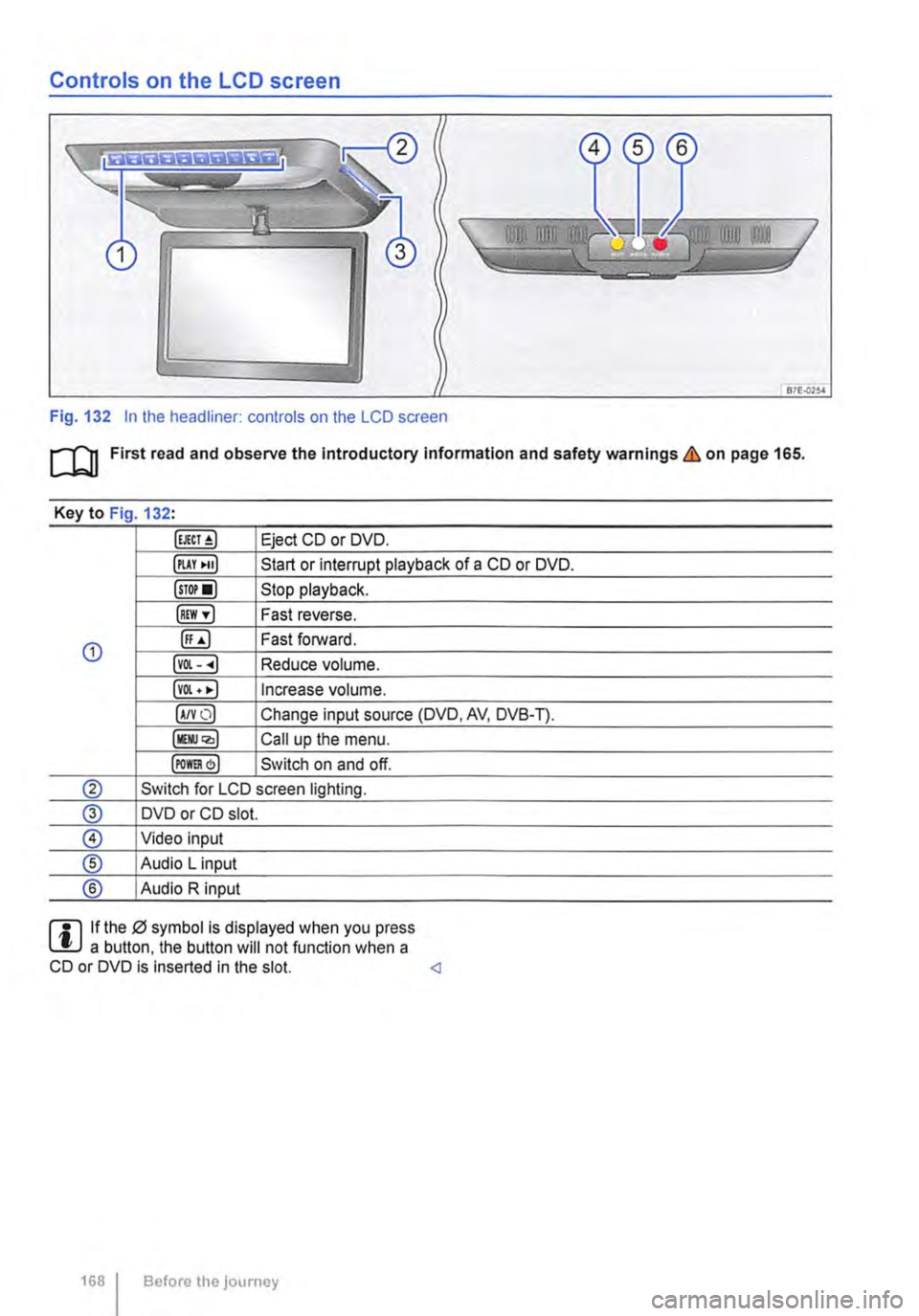
Fig. 132 In the headliner: controls on the LCD screen
m First read and observe the Introductory Information and safety warnings & on page 165.
Key to Fig 132·
Eject CD or DVD.
illAY •uJ Start or interrupt playback of a CD or DVD.
lsTor•l Stop playback.
IREW ,.] Fast reverse.
G) ([;) Fast forward.
lvOl--.) Reduce volume.
lvOl • •I Increase volume.
IA/YO) Change input source (DVD, AV, DVB-T).
lllli.JQ,) Call up the menu.
IPOm) Switch on and off.
® Switch for LCD screen lighting.
@ DVD or CD slot.
® Video input
® Audio L input
® Audio R input
rll If the 0 symbol is displayed when you press L!.J a button. the button will not function when a CD or DVD is inserted in the slot.
Page 184 of 486
Switching the seat heater in the 2-seat arrangement on and off J
• Press rotary switch 147 @.The rotary switch pops out.
• To switch on, turn the rotary switch as often as necessary until the desired heating level is reached &. The red LEDs indicate the heating level. The greater the number of LEDs that light up, the higher is the heating level.
• To switch off, turn the rotary switch as often as necessary until all the LEDs go out.
A wARNING
Anyone experiencing reduced sensitivity to pain or temperature due to medication, para-lysis or chronic Illness (e.g. diabetes) could sustain burns on the back, buttocks and legs when using the seat heating. These burns may take a long time to heal or may never heal fully. Please consult a doctor to deter-mine your own level of health.
• Anyone experiencing reduced sensitivity to pain or temperature should never use the seat heating.
A WARNING
Wet upholstery can cause a fault in the seat heating and Increase the risk of burns.
• Ensure that the seat cushion is dry before the seat heating Is used.
• Do not sit on the seat when wearing damp or wet clothing.
• Do not set any damp or wet objects or Items of clothing on the seat.
• Do not spill any liquids on the seat.
Armrests
r--f"'n First read and observe the introductory L-J.:.l.l information and safety warnings & on page 182.
Adjusting the height of the armrest
• To raise, lift the armrest until it reaches the de-sired position.
• To lower. pull the armrest all the way up and then lower it downwards.
184 I Before tho journey
CD
• To avoid damaging the heating elements, do not kneel on the seat or apply sharp pressure at a single point on the seat cushion and back-rest.
• Liquids, sharp objects and Insulating mate-rials (such as a protective cover or child seat) on the seat could damage the seat heating.
• If the system starts to emit a smell, switch the seat heating off Immediately and have it checked by a qualified workshop.
r:Q:.. The seat heating should be switched off as 'r!1S soon as lt is no longer needed. Fuel is other-wise wasted. <1
There is a storage compartment in each armrest.
Opening and closing the stowage compartment in the armrest
• To open the storage compartment, push the button and fold the lid upwards.
• To close, fold the lid down, making sure that it clicks securely into place. <1
Page 186 of 486
Opening and closing the stowage compartment on the centre console
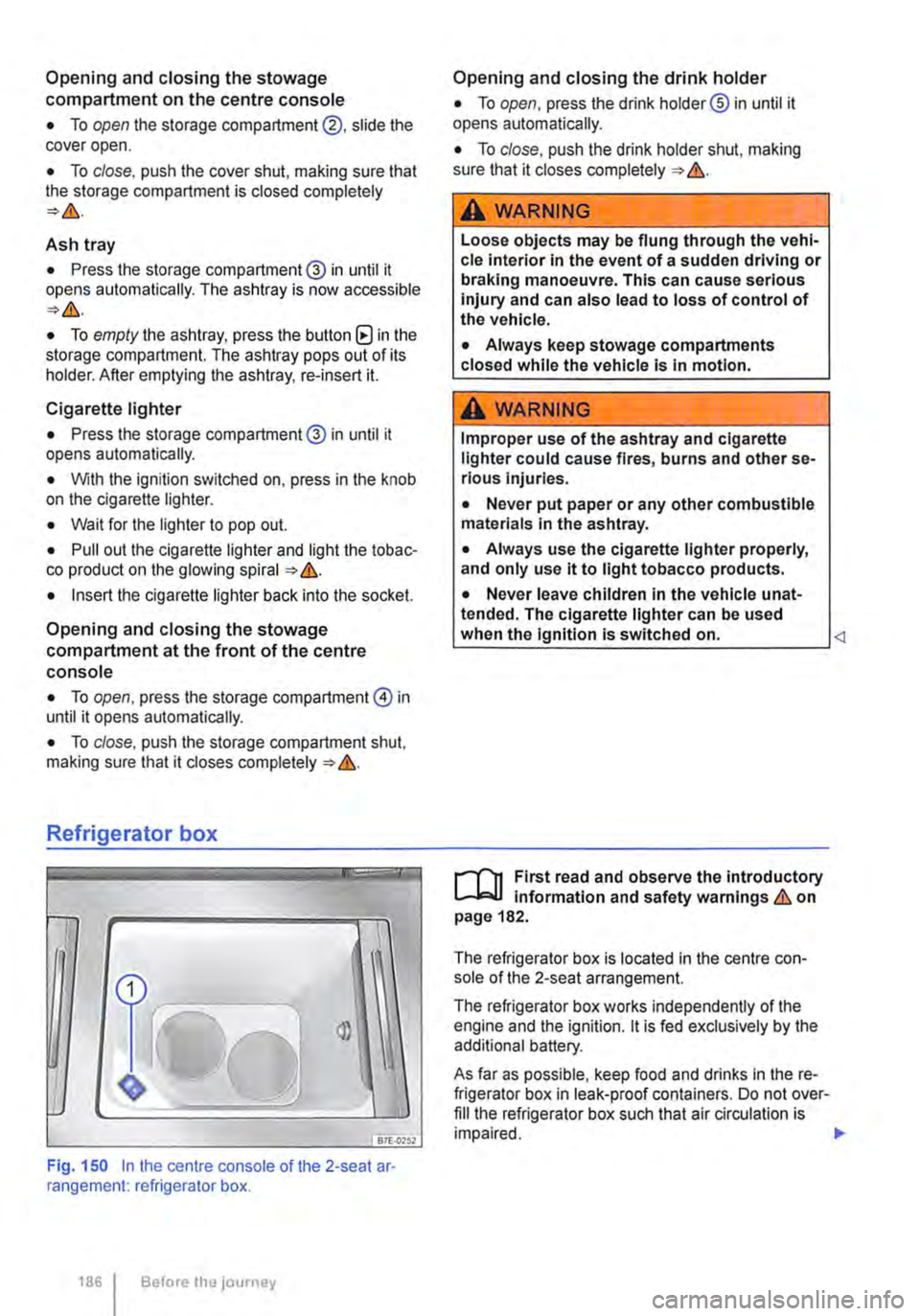
• To open the storage compartment@, slide the cover open.
• To close, push the cover shut, making sure that the storage compartment is closed completely
Ash tray
• Press the storage compartment@ in until it opens automatically. The ashtray is now accessible
• To empty the ashtray, press the button (8 in the storage compartment. The ashtray pops out of its holder. After emptying the ashtray, re-insert it.
Cigarette lighter
• Press the storage compartment@ in until it opens automatically.
• With the ignition switched on, press in the knob on the cigarette lighter.
• Wait for the lighter to pop out.
• Pull out the cigarette lighter and light the tobac-co product on the glowing spiral &.
• Insert the cigarette lighter back into the socket.
Opening and closing the stowage compartment at the front of the centre console
• To open, press the storage compartment@ in until it opens automatically.
• To close, push the storage compartment shut, making sure that it closes completely &.
Refrigerator box
fBiU>,.,
Fig. 150 In the centre console of the 2-seat ar· rangement: refrigerator box.
1861 Before the journey
Opening and closing the drink holder
• To open, press the drink holder® in until it opens automatically.
• To close, push the drink holder shut, making sure that it closes completely &.
A WARNING
Loose objects may be flung through the vehi-cle interior In the event of a sudden driving or braking manoeuvre. This can cause serious injury and can also lead to loss of control of the vehicle.
• Always keep stowage compartments closed while the vehicle is in motion.
A WARNING
Improper use of the ashtray and cigarette lighter could cause fires, burns and other se-rious Injuries.
• Never put paper or any other combustible materials in the ashtray.
• Always use the cigarette lighter properly, and only use it to light tobacco products.
• Never leave children in the vehicle unat-tended. The cigarette lighter can be used when the Ignition is switched on.
The refrigerator box is located in the centre con-sole of the 2-seat arrangement.
The refrigerator box works independently of the engine and the ignition. lt is fed exclusively by the additional battery.
As far as possible, keep food and drinks in the re-frigerator box in leak-proof containers. Do not over-fill the refrigerator box such that air circulation is impaired. .,.
Page 187 of 486
Switching on the refrigerator box
• Slide the cover open =>Fig. 149 (D.
• Move switch =>Fig. 150 CD to I position. When the refrigerator box is switched on, the lamp in the box lights up.
• Fill the refrigerator box and then close the lid =>&.
Switching off the refrigerator box
• Slide the cover open =>Fig. 149 (D.
• Move switch =>Fig. 150 CD to 0 position. The in-dicator lamp in the refrigerator box goes out.
• Close the cover.
Notes on cleaning and care
Clean the refrigerator box thoroughly before using it for the first time, if it is dirty or if it has not been used for a long time.
To avoid stains and mildew in the refrigerator box if it remains unused for a long time, leave the cover slightly open.
• Use water and normal household cleaning fluid to clean the refrigerator box.
• The refrigerator box should be defrosted regu-larly to prevent layers of ice forming. To do this, switch the refrigerator box off and leave the cover open. Do not use an additional heat source to de-frost the refrigerator more quickly. This could dam-age the refrigerator =>
If the refrigerator box is left on when the engine is not running, the additional battery runs down. The refrigerator box is therefore fitted with a battery monitor. The battery monitor will switch the refriger-ated box off if the charge of the additional battery becomes too low. The battery monitor will switch the refrigerator box on again as soon as the addi-tional battery has reached a suitable charge level, for example, after a long journey.
Rear-seat telephony, Business
a:n Introduction
This chapter contains information on the following subjects:
Components . . . . . . . . . . . . . . . . . . . . . . . . . . . . 189
Pairing a mobile telephone before using it for the first time . . . . . . . . . 190
Functional description ........... . 190
A WARNING
Objects that are not secured, or are secured incorrectly, can cause serious injuries in the event of a sudden driving or braking manoeu-vre or accident.
• The refrigerator box lid must always be kept closed and locked when the vehicle is in motion.
• Never use the refrigerator box as a table or stowage compartment when the vehicle is In motion.
A WARNING
If the ambient temperature In the vehicle Is too low, the temperature in the refrigerator box could fall below +2 •c {+35 °F) degrees. ThIs could cause the contents of the refriger-ator box to freeze and bottles and other con-tainers to burst, potentially causing Injuries.
• Do not use the refrigerator box when the ambient temperature Is too low.
CD
Handling the refrigerator box incorrectly could damage it.
• Do not place containers, food or other ob-jects which are warmer than +50 •c (+122 •F) In the refrigerator box.
• Do not place corrosive substances or sol-vents in the refrigerator box.
• Do not use an additional heat source to de-frost the refrigerator box.
m The refrigerator box is not suitable for cooling W the vehicle interior. The refrigerator box should only be used to keep food cool and for transporting heat-sensitive items on short journeys.
The rear-seat telephony system (hands-free sys-tem in the passenger compartment with Private Mode) works independently of other provision for mobile telephones fitted in the vehicle. Neither the
Equipment, Business 1187