wheel VOLVO C30 2008 Workshop Manual
[x] Cancel search | Manufacturer: VOLVO, Model Year: 2008, Model line: C30, Model: VOLVO C30 2008Pages: 234, PDF Size: 4.8 MB
Page 169 of 234
NOTE
When washing the car, remember to remove dirt from the drain holes in the doors and sills.
Exterior components
Volvo recommends the use of special cleaning products, available at your Volvo retailer, for cleaning colored plastic,
rubber, or ornamental components such as chromed strips on the exterior of your vehicle. The instructions for using
these products should be followed carefully.Solvents or stain removers should not be used.
CAUTION
Avoid waxing or polishing plastic or rubber components
Polishing chromed strips can wear away or damage the surface
Polishes containing abrasive substances should not be used
189 08 Vehicle care
Washing and cleaning the car
CAUTION
During high pressure washing, the spray mouthpiece must never be closer to the vehicle than 13" (30 cm). Do not
spray into the locks.
Dirt, snow, etc., on the headlights can reduce lighting capacity considerably. Clean the headlights regularly, for
example when refueling.
When washing or steam cleaning the engine, avoid spraying water or steam directly on the electrical components
or toward the rear side of the engine. Special moonroof cautions:
Always close the moonroof and sun shade before washing your vehicle.
Never use abrasive cleaning agents on the moonroof.
Never use wax on the rubber seals around the moonroof.
Automatic washing - simple and quick
We do NOT recommend washing your vehicle in an automatic wash during the first six months (because the paint will
not have hardened sufficiently).
An automatic wash is a simple and quick way to clean your car, but it is worth remembering that it may not be as
thorough as when you yourself go over the vehicle with sponge and water. Keeping the underbody clean is most
important, especially in the winter. Some automatic washers do not have facilities for washing the underbody.
CAUTION
Before driving into an automatic car wash, turn off the optional rain sensor to avoid damaging the windshield
wipers. Make sure that side view mirrors, auxiliary lamps, etc, are secure, and that any antenna(s) are retracted or
removed. Otherwise there is risk of the machine dislodging them.
Chromed wheels : Clean chrome-plated wheels using the same detergents used for the body of the vehicle.
Aggressive wheel-cleaning agents can permanently stain chrome-plated wheels.
WARNING
When the vehicle is driven immediately after being washed, apply the brakes several times in order to remove any
Page 182 of 234
WARNING
If a problem should occur in the power steering system or if the vehicle has no electrical current and must be towed,
it is still possible to steer the vehicle. However, keep in mind that greater effort will be required to turn the steering
wheel.
207 09 Maintenance and servicing
Wiper blades
Replacing windshield wiper blades
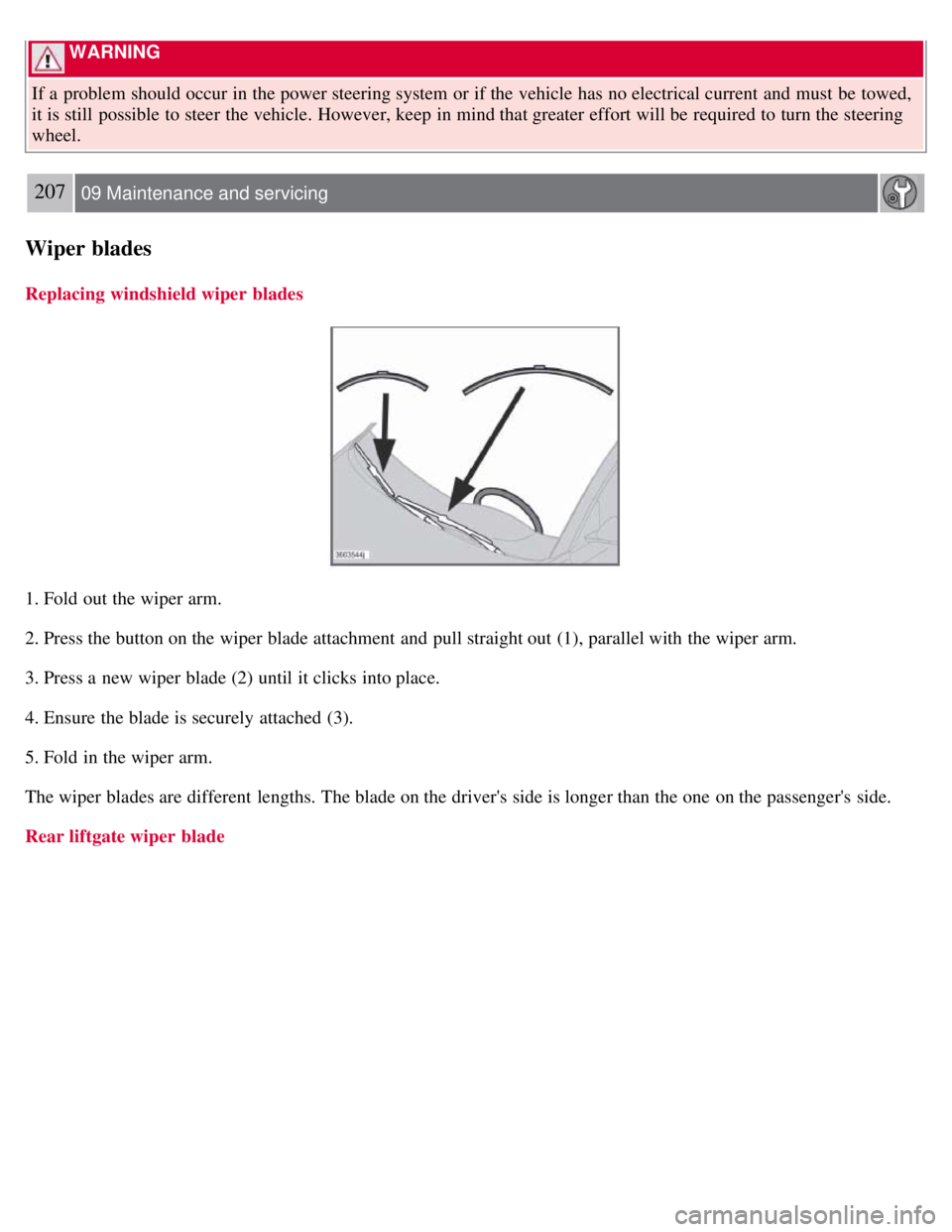
1. Fold out the wiper arm.
2. Press the button on the wiper blade attachment and pull straight out (1), parallel with the wiper arm.
3. Press a new wiper blade (2) until it clicks into place.
4. Ensure the blade is securely attached (3).
5. Fold in the wiper arm.
The wiper blades are different lengths. The blade on the driver's side is longer than the one on the passenger's side.
Rear liftgate wiper blade
Page 202 of 234
7. If there is distortion, lower your music player's headphone volume until the distortion goes away.
8. Finally, exit the menu and adjust the audio volume to a comfortable level.
Volume
Use the volume dial (1) or the buttons in the optional steering wheel keypad to adjust the volume level. The volume
level is also adjusted automatically according to the vehicleÕs speed, see page 232
for more information on this
function.
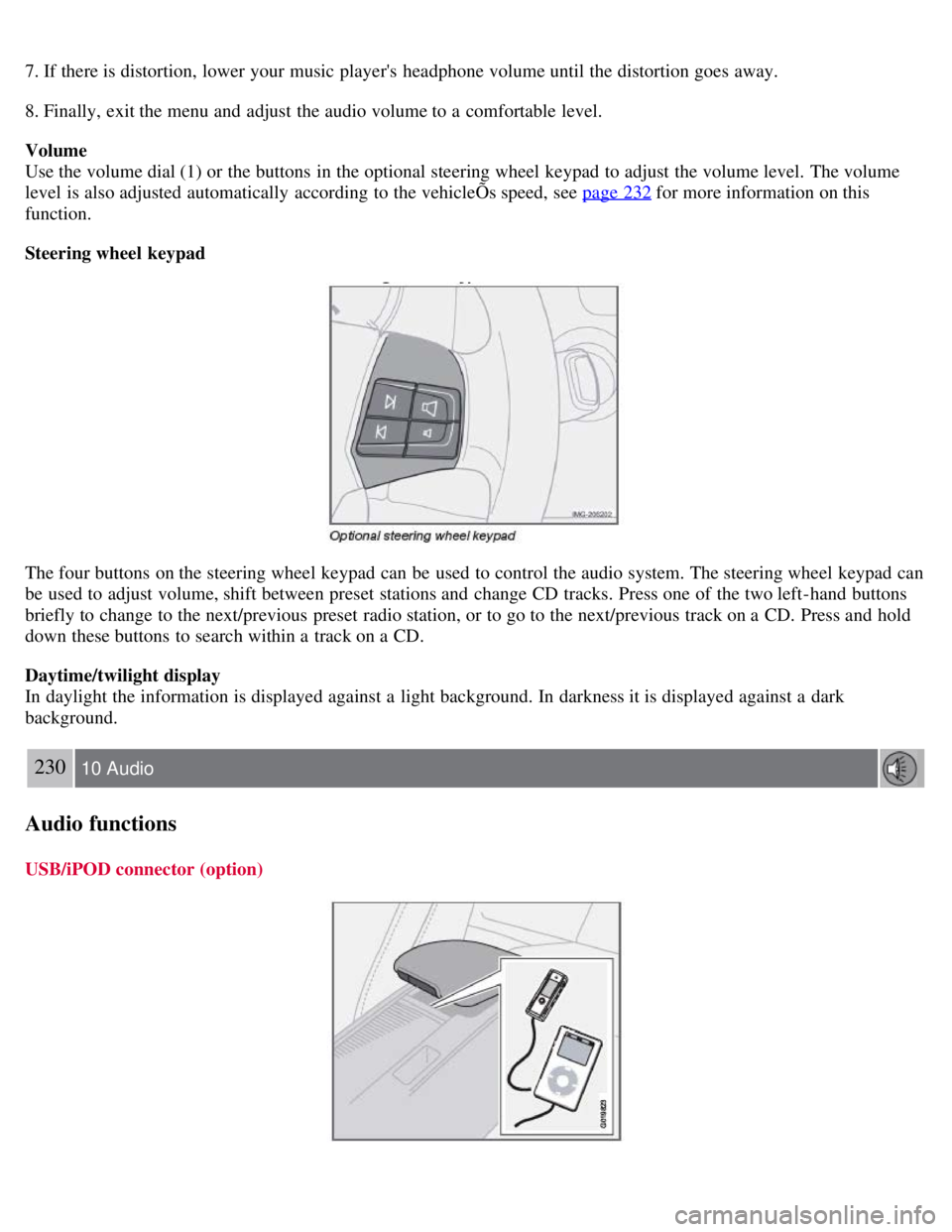
Steering wheel keypad
The four buttons on the steering wheel keypad can be used to control the audio system. The steering wheel keypad can
be used to adjust volume, shift between preset stations and change CD tracks. Press one of the two left-hand buttons
briefly to change to the next/previous preset radio station, or to go to the next/previous track on a CD. Press and hold
down these buttons to search within a track on a CD.
Daytime/twilight display
In daylight the information is displayed against a light background. In darkness it is displayed against a dark
background.
230 10 Audio
Audio functions
USB/iPOD connector (option)
Page 203 of 234
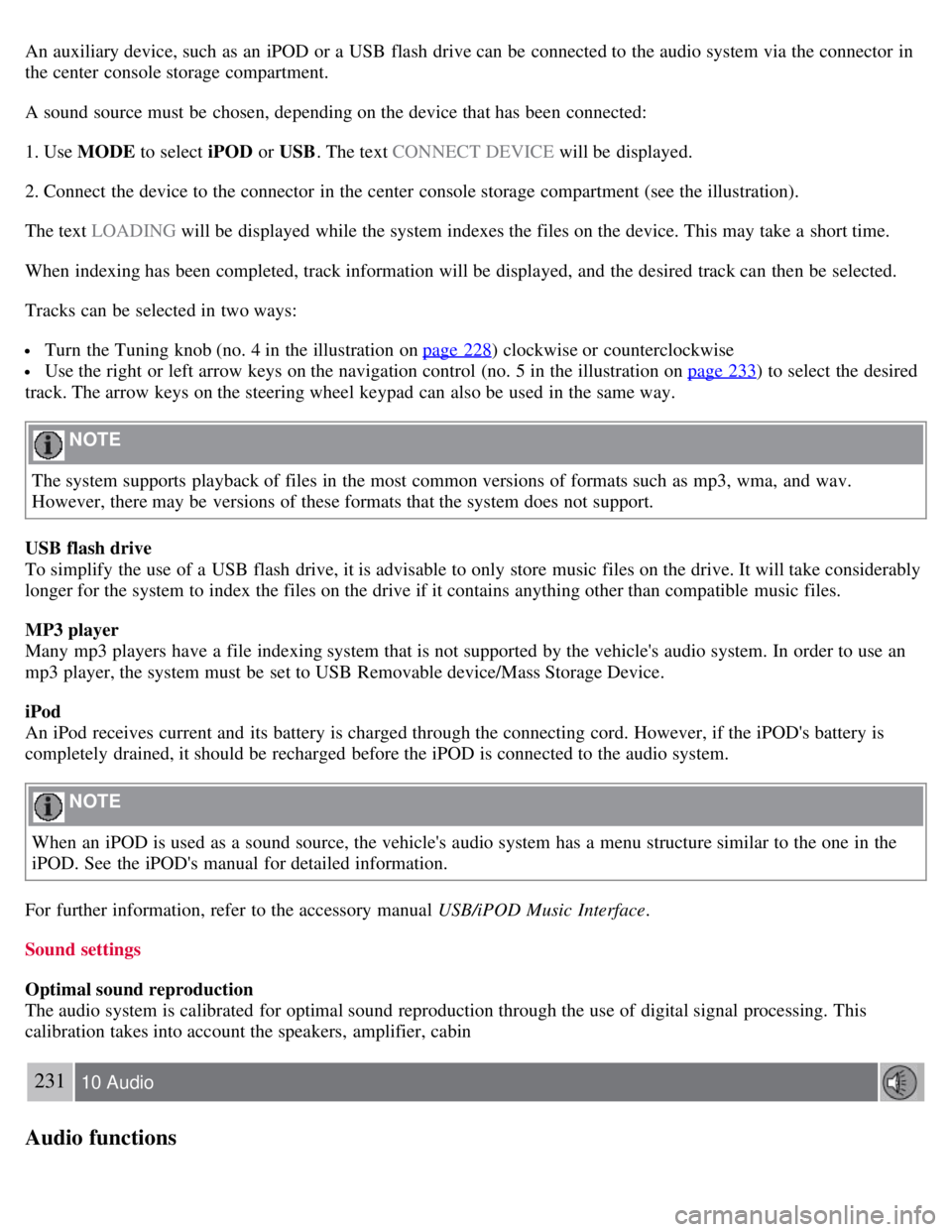
An auxiliary device, such as an iPOD or a USB flash drive can be connected to the audio system via the connector in
the center console storage compartment.
A sound source must be chosen, depending on the device that has been connected:
1. Use MODE to select iPOD or USB. The text CONNECT DEVICE will be displayed.
2. Connect the device to the connector in the center console storage compartment (see the illustration).
The text LOADING will be displayed while the system indexes the files on the device. This may take a short time.
When indexing has been completed, track information will be displayed, and the desired track can then be selected.
Tracks can be selected in two ways:
Turn the Tuning knob (no. 4 in the illustration on page 228) clockwise or counterclockwise
Use the right or left arrow keys on the navigation control (no. 5 in the illustration on page 233) to select the desired
track. The arrow keys on the steering wheel keypad can also be used in the same way.
NOTE
The system supports playback of files in the most common versions of formats such as mp3, wma, and wav.
However, there may be versions of these formats that the system does not support.
USB flash drive
To simplify the use of a USB flash drive, it is advisable to only store music files on the drive. It will take considerably
longer for the system to index the files on the drive if it contains anything other than compatible music files.
MP3 player
Many mp3 players have a file indexing system that is not supported by the vehicle's audio system. In order to use an
mp3 player, the system must be set to USB Removable device/Mass Storage Device.
iPod
An iPod receives current and its battery is charged through the connecting cord. However, if the iPOD's battery is
completely drained, it should be recharged before the iPOD is connected to the audio system.
NOTE
When an iPOD is used as a sound source, the vehicle's audio system has a menu structure similar to the one in the
iPOD. See the iPOD's manual for detailed information.
For further information, refer to the accessory manual USB/iPOD Music Interface .
Sound settings
Optimal sound reproduction
The audio system is calibrated for optimal sound reproduction through the use of digital signal processing. This
calibration takes into account the speakers, amplifier, cabin
231 10 Audio
Audio functions
Page 215 of 234
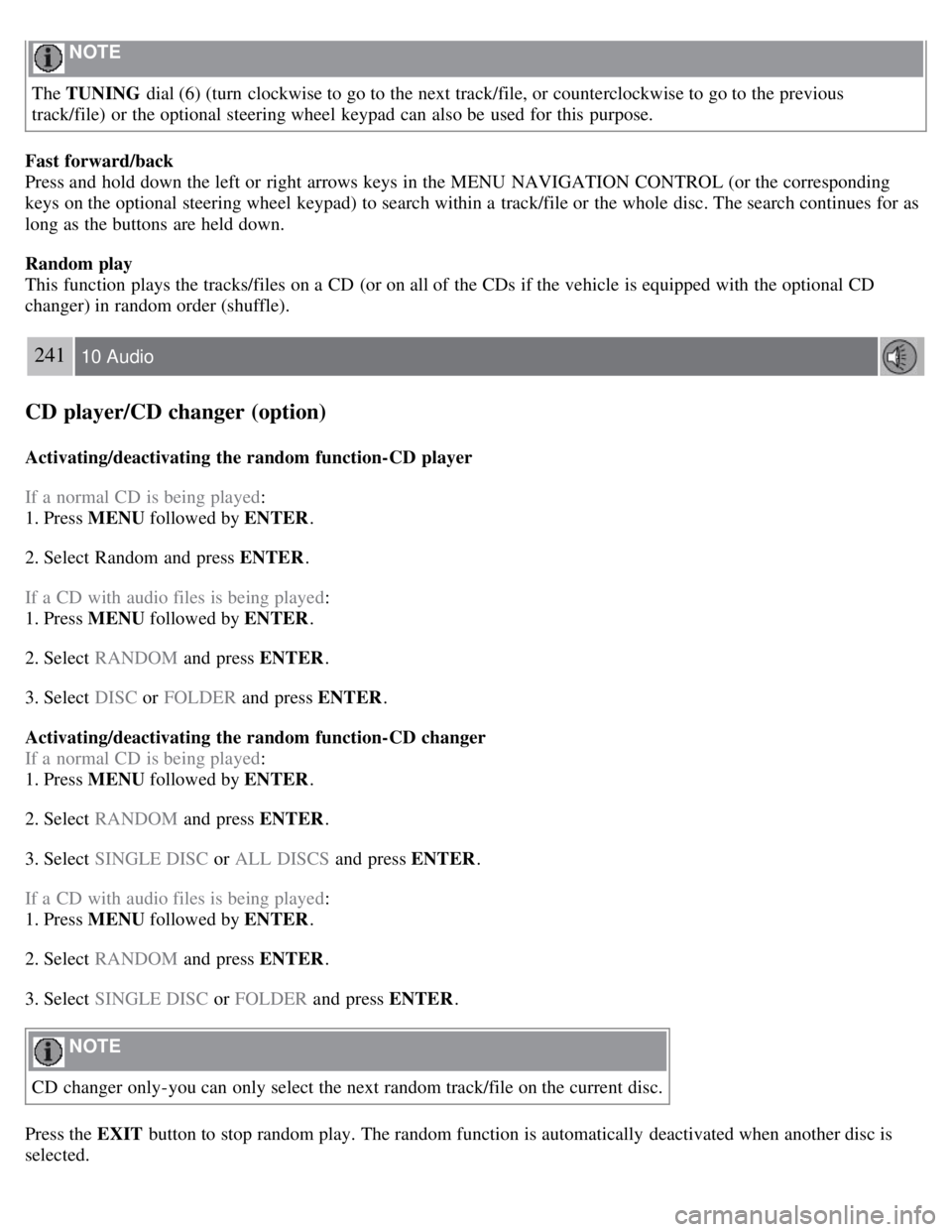
NOTE
The TUNING dial (6) (turn clockwise to go to the next track/file, or counterclockwise to go to the previous
track/file) or the optional steering wheel keypad can also be used for this purpose.
Fast forward/back
Press and hold down the left or right arrows keys in the MENU NAVIGATION CONTROL (or the corresponding
keys on the optional steering wheel keypad) to search within a track/file or the whole disc. The search continues for as
long as the buttons are held down.
Random play
This function plays the tracks/files on a CD (or on all of the CDs if the vehicle is equipped with the optional CD
changer) in random order (shuffle).
241 10 Audio
CD player/CD changer (option)
Activating/deactivating the random function-CD player
If a normal CD is being played :
1. Press MENU followed by ENTER .
2. Select Random and press ENTER .
If a CD with audio files is being played :
1. Press MENU followed by ENTER .
2. Select RANDOM and press ENTER.
3. Select DISC or FOLDER and press ENTER .
Activating/deactivating the random function-CD changer
If a normal CD is being played :
1. Press MENU followed by ENTER .
2. Select RANDOM and press ENTER.
3. Select SINGLE DISC or ALL DISCS and press ENTER .
If a CD with audio files is being played :
1. Press MENU followed by ENTER .
2. Select RANDOM and press ENTER.
3. Select SINGLE DISC or FOLDER and press ENTER .
NOTE
CD changer only-you can only select the next random track/file on the current disc.
Press the EXIT button to stop random play. The random function is automatically deactivated when another disc is
selected.
Page 226 of 234
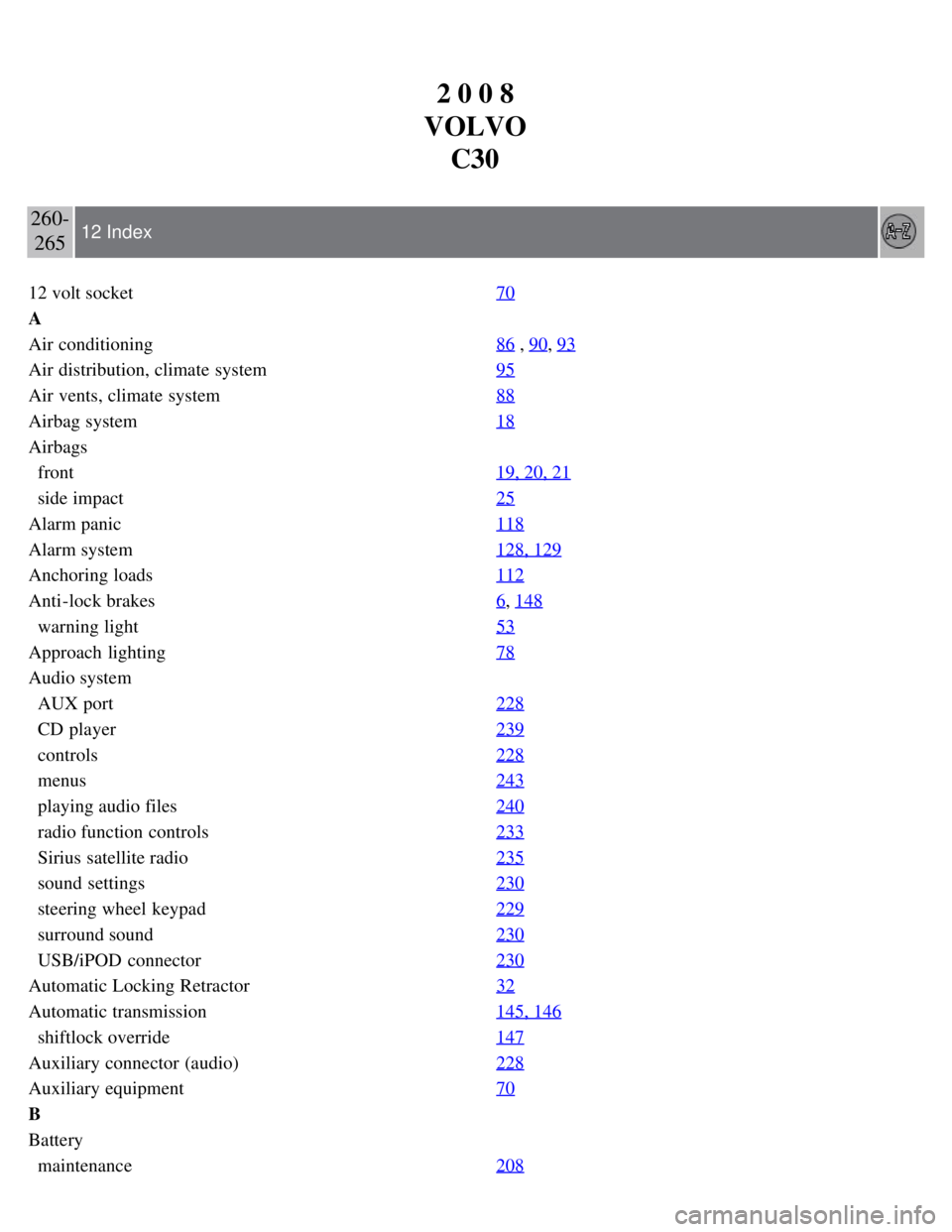
2 0 0 8
VOLVO C30
260-265 12 Index
12 volt socket 70
A
Air conditioning86
, 90, 93
Air distribution, climate system95
Air vents, climate system88
Airbag system18
Airbags
front19, 20, 21
side impact25
Alarm panic118
Alarm system128, 129
Anchoring loads112
Anti-lock brakes6, 148
warning light53
Approach lighting78
Audio system
AUX port228
CD player239
controls228
menus243
playing audio files240
radio function controls233
Sirius satellite radio235
sound settings230
steering wheel keypad229
surround sound230
USB/iPOD connector230
Automatic Locking Retractor32
Automatic transmission145, 146
shiftlock override147
Auxiliary connector (audio)228
Auxiliary equipment70
B
Battery
maintenance208
Page 227 of 234
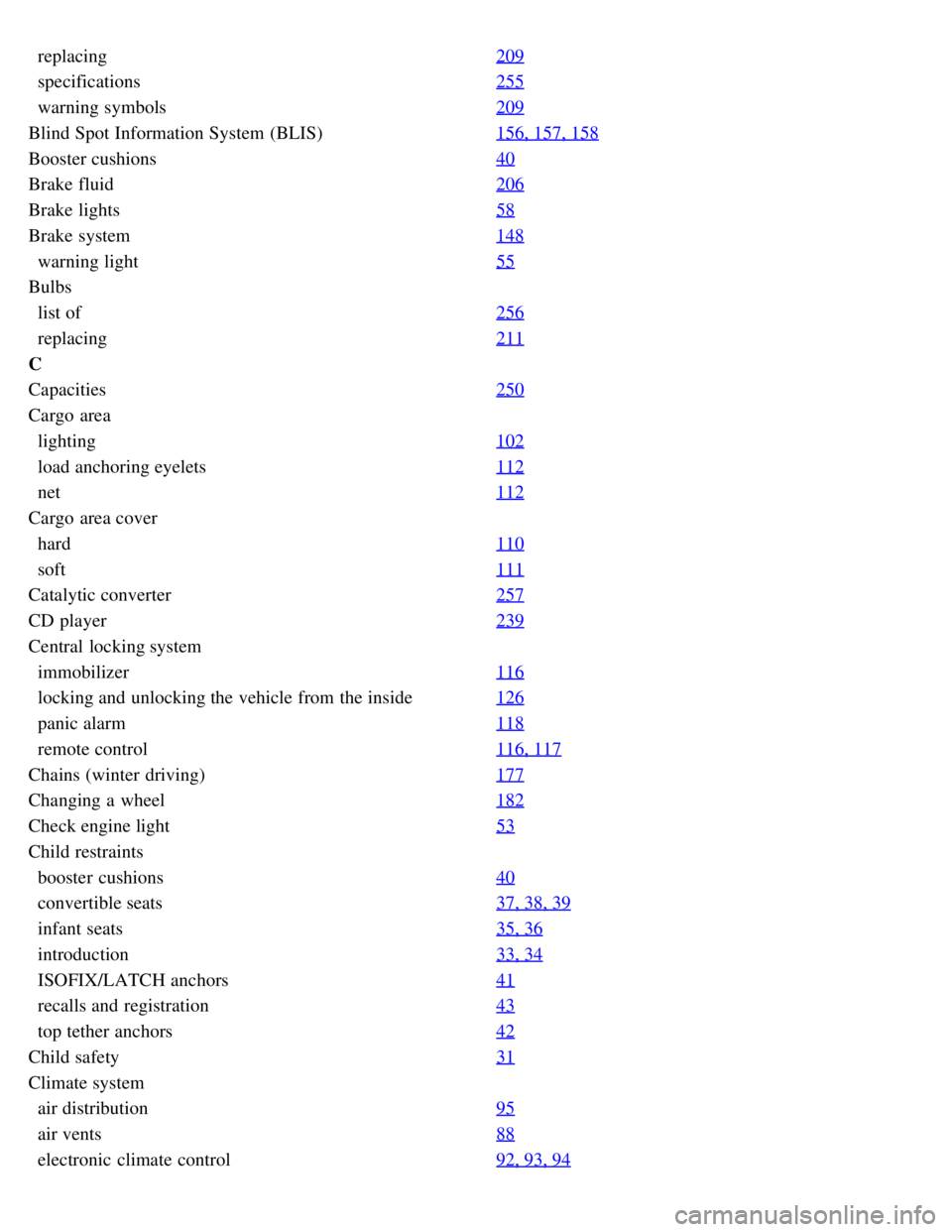
replacing209
specifications255
warning symbols209
Blind Spot Information System (BLIS)156, 157, 158
Booster cushions40
Brake fluid206
Brake lights58
Brake system148
warning light55
Bulbs
list of256
replacing211
C
Capacities250
Cargo area
lighting102
load anchoring eyelets112
net112
Cargo area cover
hard110
soft111
Catalytic converter257
CD player239
Central locking system
immobilizer116
locking and unlocking the vehicle from the inside126
panic alarm118
remote control116, 117
Chains (winter driving)177
Changing a wheel182
Check engine light53
Child restraints
booster cushions40
convertible seats37, 38, 39
infant seats35, 36
introduction33, 34
ISOFIX/LATCH anchors41
recalls and registration43
top tether anchors42
Child safety31
Climate system
air distribution95
air vents88
electronic climate control92, 93, 94
Page 230 of 234
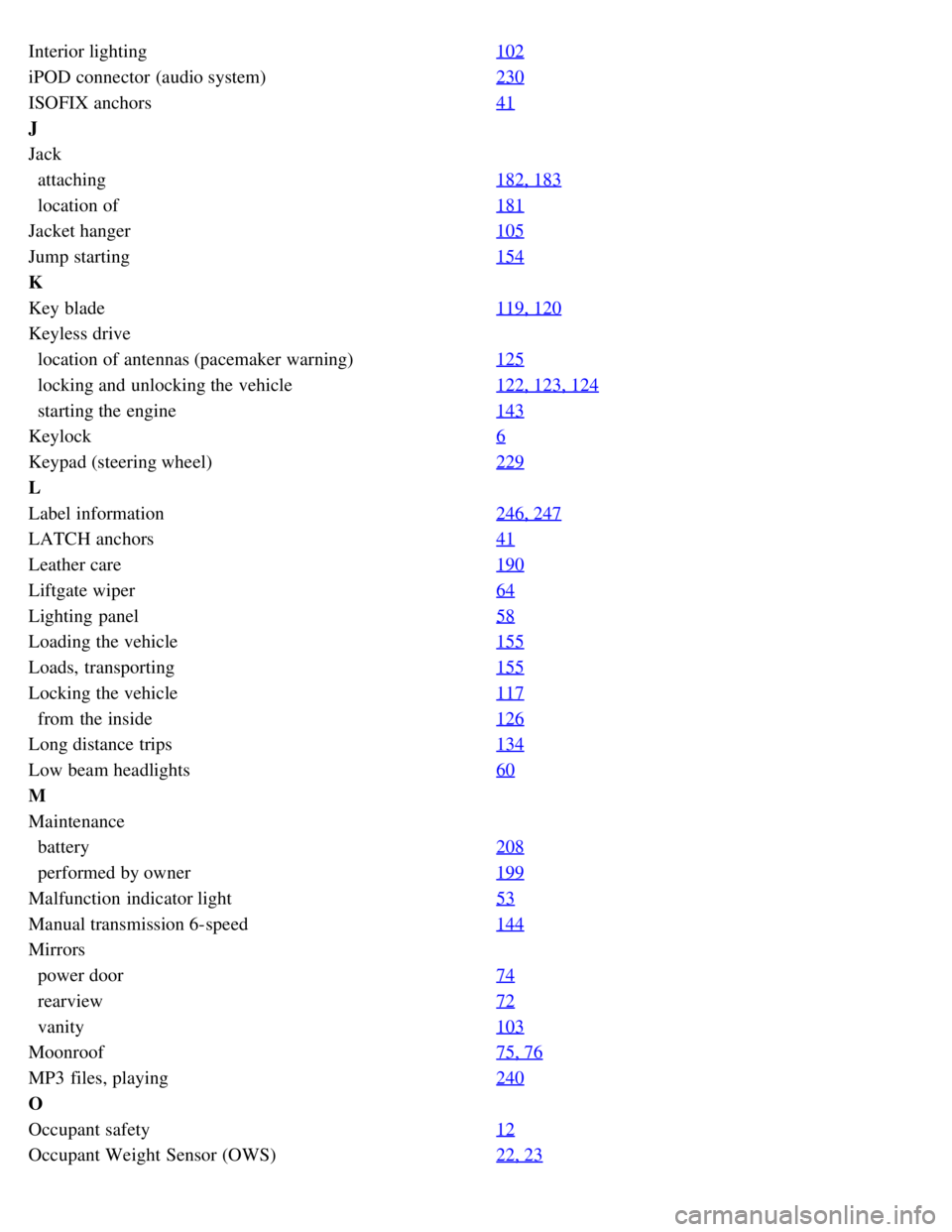
Interior lighting102
iPOD connector (audio system)230
ISOFIX anchors41
J
Jack
attaching182, 183
location of181
Jacket hanger105
Jump starting154
K
Key blade119, 120
Keyless drive
location of antennas (pacemaker warning)125
locking and unlocking the vehicle122, 123, 124
starting the engine143
Keylock6
Keypad (steering wheel)229
L
Label information246, 247
LATCH anchors41
Leather care190
Liftgate wiper64
Lighting panel58
Loading the vehicle155
Loads, transporting155
Locking the vehicle117
from the inside126
Long distance trips134
Low beam headlights60
M
Maintenance
battery208
performed by owner199
Malfunction indicator light53
Manual transmission 6-speed144
Mirrors
power door74
rearview72
vanity103
Moonroof75, 76
MP3 files, playing240
O
Occupant safety12
Occupant Weight Sensor (OWS)22, 23
Page 232 of 234
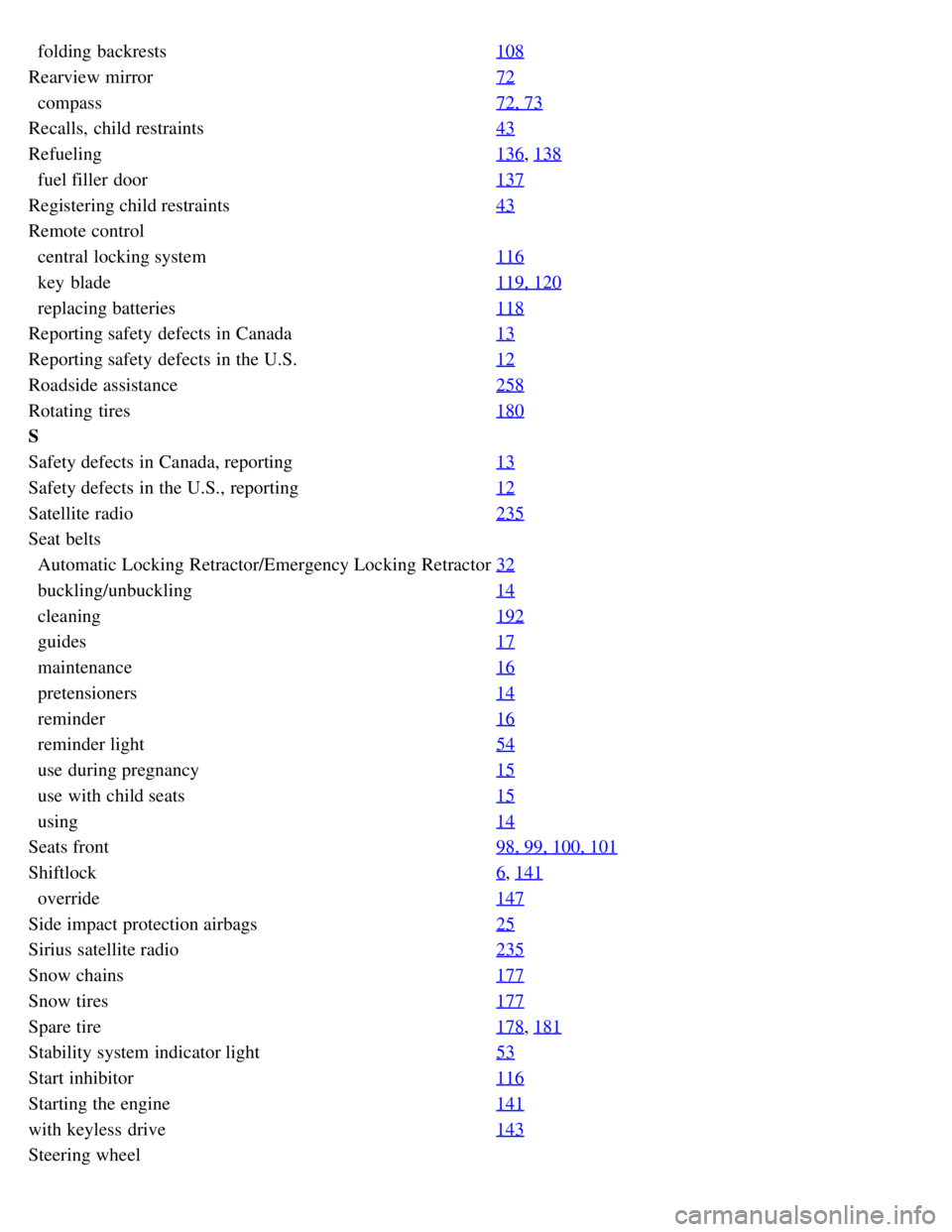
folding backrests108
Rearview mirror72
compass72, 73
Recalls, child restraints43
Refueling136, 138
fuel filler door137
Registering child restraints43
Remote control
central locking system116
key blade119, 120
replacing batteries118
Reporting safety defects in Canada13
Reporting safety defects in the U.S.12
Roadside assistance258
Rotating tires180
S
Safety defects in Canada, reporting13
Safety defects in the U.S., reporting12
Satellite radio235
Seat belts
Automatic Locking Retractor/Emergency Locking Retractor32
buckling/unbuckling14
cleaning192
guides17
maintenance16
pretensioners14
reminder16
reminder light54
use during pregnancy15
use with child seats15
using14
Seats front98, 99, 100, 101
Shiftlock6, 141
override147
Side impact protection airbags25
Sirius satellite radio235
Snow chains177
Snow tires177
Spare tire178, 181
Stability system indicator light53
Start inhibitor116
Starting the engine141
with keyless drive143
Steering wheel
Page 234 of 234
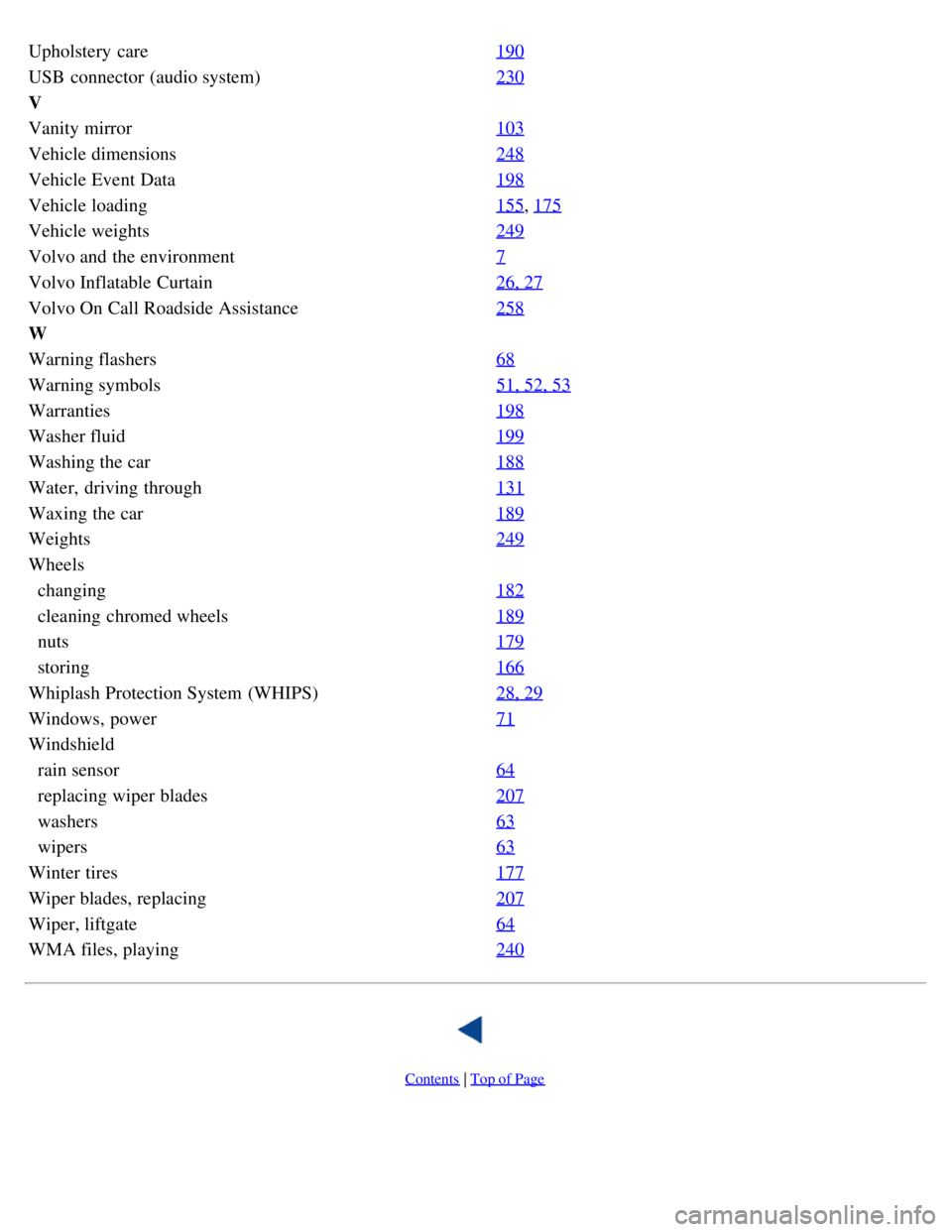
Upholstery care190
USB connector (audio system)230
V
Vanity mirror103
Vehicle dimensions248
Vehicle Event Data198
Vehicle loading155, 175
Vehicle weights249
Volvo and the environment7
Volvo Inflatable Curtain26, 27
Volvo On Call Roadside Assistance258
W
Warning flashers68
Warning symbols51, 52, 53
Warranties198
Washer fluid199
Washing the car188
Water, driving through131
Waxing the car189
Weights249
Wheels
changing182
cleaning chromed wheels189
nuts179
storing166
Whiplash Protection System (WHIPS)28, 29
Windows, power71
Windshield
rain sensor64
replacing wiper blades207
washers63
wipers63
Winter tires177
Wiper blades, replacing207
Wiper, liftgate64
WMA files, playing240
Contents | Top of Page