remote control VOLVO C30 2010 Owner´s Manual
[x] Cancel search | Manufacturer: VOLVO, Model Year: 2010, Model line: C30, Model: VOLVO C30 2010Pages: 284, PDF Size: 6.58 MB
Page 148 of 284
06 Starting and driving
Starting the vehicle with keyless drive*
06
148* Option/accessory, for more information, see Introduction.
Starting a vehicle with keyless drive
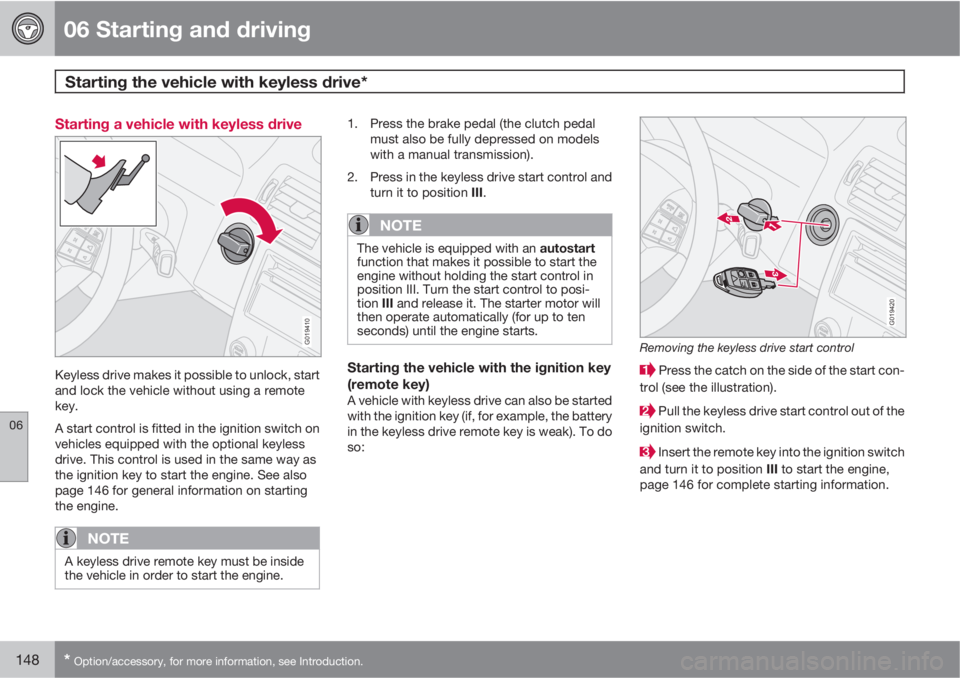
G019410
Keyless drive makes it possible to unlock, start
and lock the vehicle without using a remote
key.
A start control is fitted in the ignition switch on
vehicles equipped with the optional keyless
drive. This control is used in the same way as
the ignition key to start the engine. See also
page 146 for general information on starting
the engine.
NOTE
A keyless drive remote key must be inside
the vehicle in order to start the engine.
1. Press the brake pedal (the clutch pedal
must also be fully depressed on models
with a manual transmission).
2. Press in the keyless drive start control and
turn it to position III.
NOTE
The vehicle is equipped with an autostart
function that makes it possible to start the
engine without holding the start control in
position III. Turn the start control to posi-
tion III and release it. The starter motor will
then operate automatically (for up to ten
seconds) until the engine starts.
Starting the vehicle with the ignition key
(remote key)
A vehicle with keyless drive can also be started
with the ignition key (if, for example, the battery
in the keyless drive remote key is weak). To do
so:
G019420
Removing the keyless drive start control
Press the catch on the side of the start con-
trol (see the illustration).
Pull the keyless drive start control out of the
ignition switch.
Insert the remote key into the ignition switch
and turn it to position III to start the engine,
page 146 for complete starting information.
Page 232 of 284
09 Maintenance and servicing
Fuses 09
232* Option/accessory, for more information, see Introduction.
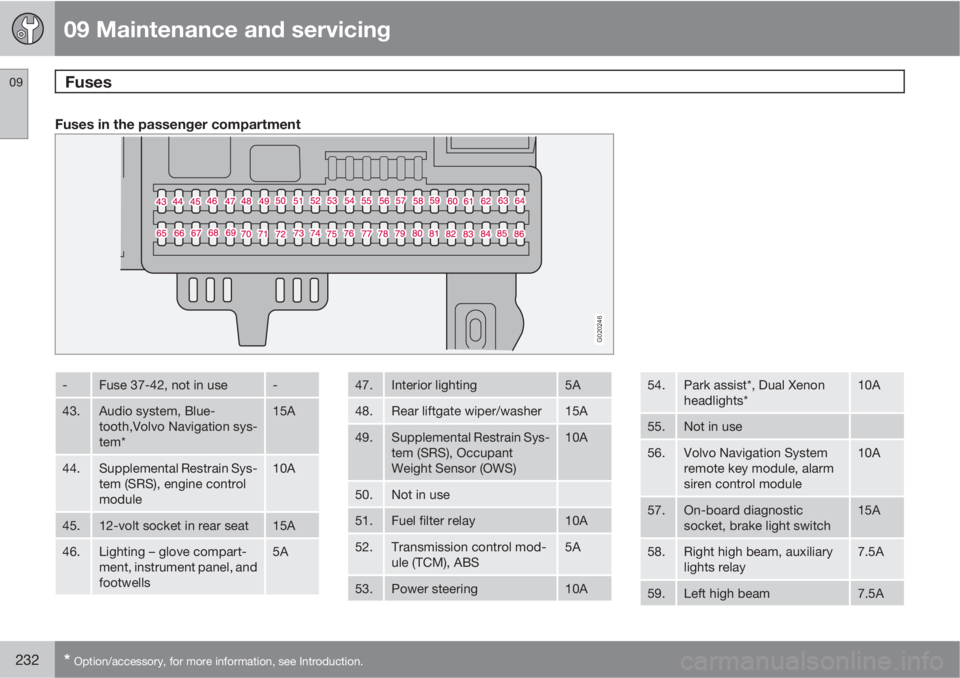
Fuses in the passenger compartment
G020246
-Fuse 37-42, not in use-
43.Audio system, Blue-
tooth,Volvo Navigation sys-
tem*15A
44.Supplemental Restrain Sys-
tem (SRS), engine control
module10A
45.12-volt socket in rear seat15A
46.Lighting – glove compart-
ment, instrument panel, and
footwells5A
47.Interior lighting5A
48.Rear liftgate wiper/washer15A
49.Supplemental Restrain Sys-
tem (SRS), Occupant
Weight Sensor (OWS)10A
50.Not in use
51.Fuel filter relay10A
52.Transmission control mod-
ule (TCM), ABS5A
53.Power steering10A
54.Park assist*, Dual Xenon
headlights*10A
55.Not in use
56.Volvo Navigation System
remote key module, alarm
siren control module10A
57.On-board diagnostic
socket, brake light switch15A
58.Right high beam, auxiliary
lights relay7.5A
59.Left high beam7.5A
Page 254 of 284
10 Audio
Bluetooth® hands-free connection
10
254
Introduction
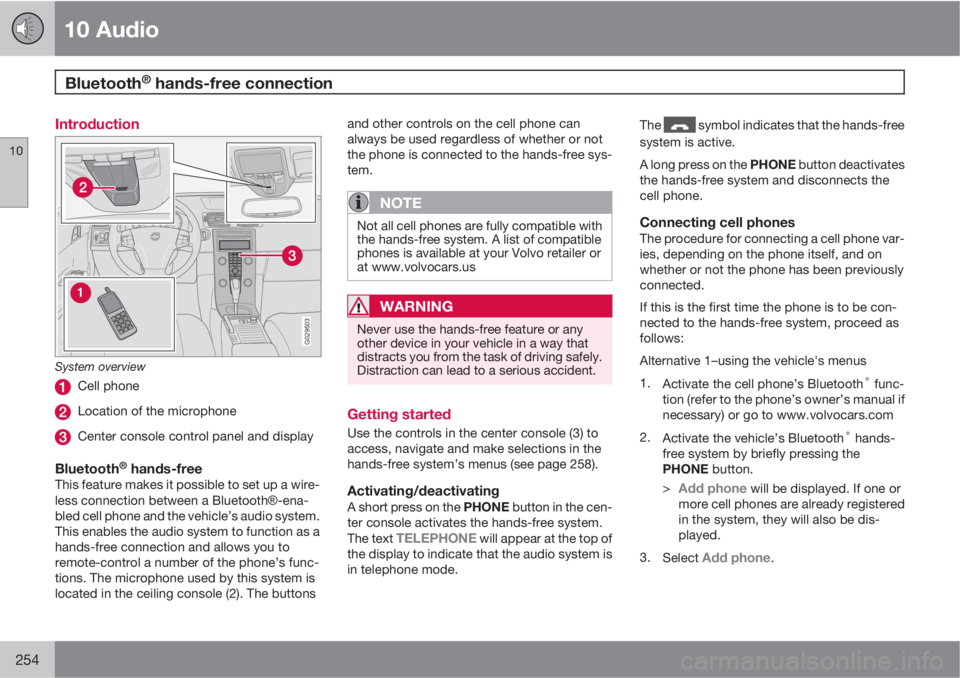
G029503
System overview
Cell phone
Location of the microphone
Center console control panel and display
Bluetooth® hands-freeThis feature makes it possible to set up a wire-
less connection between a BluetoothŸ-ena-
bled cell phone and the vehicle’s audio system.
This enables the audio system to function as a
hands-free connection and allows you to
remote-control a number of the phone’s func-
tions. The microphone used by this system is
located in the ceiling console (2). The buttonsand other controls on the cell phone can
always be used regardless of whether or not
the phone is connected to the hands-free sys-
tem.
NOTE
Not all cell phones are fully compatible with
the hands-free system. A list of compatible
phones is available at your Volvo retailer or
at www.volvocars.us
WARNING
Never use the hands-free feature or any
other device in your vehicle in a way that
distracts you from the task of driving safely.
Distraction can lead to a serious accident.
Getting started
Use the controls in the center console (3) to
access, navigate and make selections in the
hands-free system’s menus (see page 258).
Activating/deactivatingA short press on the PHONE button in the cen-
ter console activates the hands-free system.
The text
TELEPHONE will appear at the top of
the display to indicate that the audio system is
in telephone mode.The
symbol indicates that the hands-free
system is active.
A long press on the PHONE button deactivates
the hands-free system and disconnects the
cell phone.
Connecting cell phonesThe procedure for connecting a cell phone var-
ies, depending on the phone itself, and on
whether or not the phone has been previously
connected.
If this is the first time the phone is to be con-
nected to the hands-free system, proceed as
follows:
Alternative 1–using the vehicle's menus
1.
Activate the cell phone’s Bluetooth
® func-
tion (refer to the phone’s owner’s manual if
necessary) or go to www.volvocars.com
2.
Activate the vehicle’s Bluetooth
® hands-
free system by briefly pressing the
PHONE button.
>
Add phone will be displayed. If one or
more cell phones are already registered
in the system, they will also be dis-
played.
3.
Select
Add phone.
Page 276 of 284
12 Index
12
276
1, 2, 3 ...
12-volt sockets.......................................... 62
A
A/C (air conditioning)................................. 90
ABS (anti-lock brake system).................. 153
Airbags
front...................................................... 22
inflatable curtain................................... 30
side impact........................................... 29
Airbag system............................................ 22
Air conditioning.......................................... 90
Air distribution table................................... 99
Air vents..................................................... 92
Alarm system........................................... 132
turning off sensors.............................. 133
Anti-lock Brake System (ABS)................. 153
Approach lighting...................................... 83
Audio files................................................ 250
Audio system
audio functions................................... 236
automatic sound control..................... 239AUX port............................................. 236
CD changer......................................... 249
CD player/changer.............................. 249
compact disc care.............................. 251
Dolby Surround Pro Logic II............... 239
equalizer............................................. 239
HD digital radio................................... 243
menu settings..................................... 253
radio functions.................................... 241
selecting a sound source.................... 236
Sirius satellite radio............................245
sound settings.................................... 238
steering wheel keypad........................ 237
storing radio stations.......................... 241
USB/iPodŸ connector........................ 237
Auto-dim rearview mirror........................... 77
Autolock..................................................... 82
Automatic locking retractor....................... 36
Automatic sound control.........................239
Automatic transmission........................... 150
kickdown............................................ 151
oil........................................................ 267
shiftlock override................................ 152
Automatic transmission - Geartronic....... 151
AUX port.................................................. 236
Axle weight......................................180, 265
B
Backrest, rear seat, folding...................... 115
Bass......................................................... 238
Battery
maintenance....................................... 217
remote key, replacing......................... 123
specifications...................................... 272
warning symbols................................. 217
Battery – replacing................................... 218
Black Box (Vehicle Event Data)............... 206
Blind Spot Information System (BLIS)..... 161
Bluetooth cell phone connection............. 254
Booster cushion
accessory............................................. 43
Brake fluid........................................ 215, 267
Brake lights................................................ 63
Brake system
anti-lock brakes (ABS)........................ 153
emergency brake assistance.............. 154
fluid..................................................... 215
general information............................. 153
Bulbs
headlights........................................... 219
list of................................................... 272
Page 277 of 284
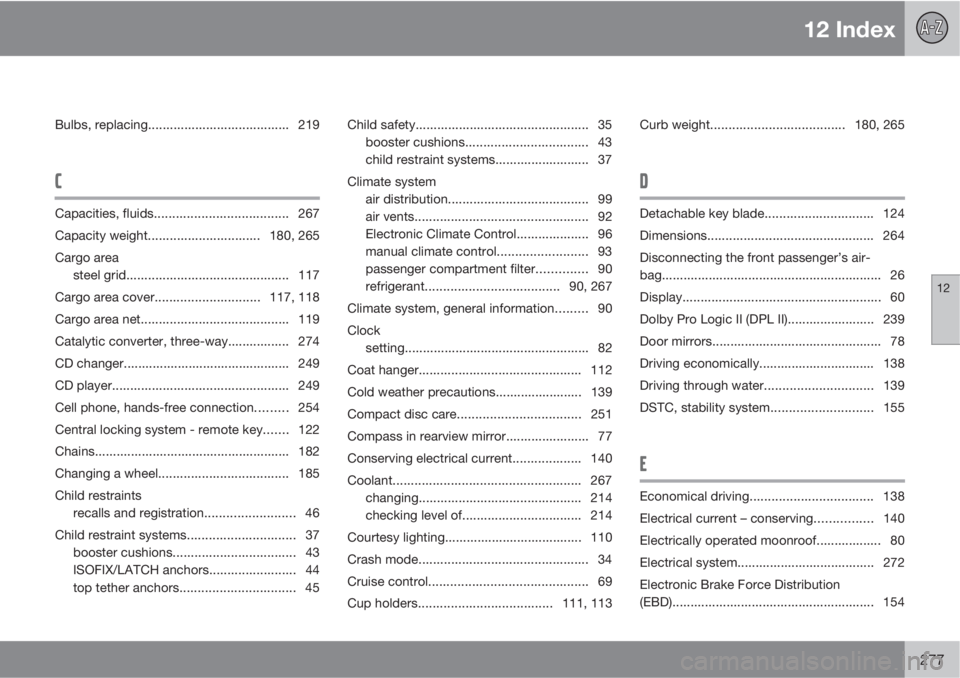
12 Index
12
277
Bulbs, replacing....................................... 219
C
Capacities, fluids..................................... 267
Capacity weight............................... 180, 265
Cargo area
steel grid............................................. 117
Cargo area cover.............................117, 118
Cargo area net......................................... 119
Catalytic converter, three-way................. 274
CD changer.............................................. 249
CD player................................................. 249
Cell phone, hands-free connection......... 254
Central locking system - remote key....... 122
Chains...................................................... 182
Changing a wheel.................................... 185
Child restraints
recalls and registration......................... 46
Child restraint systems.............................. 37
booster cushions.................................. 43
ISOFIX/LATCH anchors........................ 44
top tether anchors................................ 45Child safety................................................ 35
booster cushions.................................. 43
child restraint systems.......................... 37
Climate system
air distribution....................................... 99
air vents................................................ 92
Electronic Climate Control.................... 96
manual climate control......................... 93
passenger compartment filter.............. 90
refrigerant.....................................90, 267
Climate system, general information......... 90
Clock
setting................................................... 82
Coat hanger............................................. 112
Cold weather precautions........................ 139
Compact disc care..................................251
Compass in rearview mirror....................... 77
Conserving electrical current................... 140
Coolant.................................................... 267
changing............................................. 214
checking level of................................. 214
Courtesy lighting...................................... 110
Crash mode............................................... 34
Cruise control............................................ 69
Cup holders.....................................111, 113Curb weight.....................................180, 265
D
Detachable key blade.............................. 124
Dimensions.............................................. 264
Disconnecting the front passenger’s air-
bag............................................................. 26
Display.......................................................60
Dolby Pro Logic II (DPL II)........................ 239
Door mirrors............................................... 78
Driving economically................................ 138
Driving through water..............................139
DSTC, stability system............................ 155
E
Economical driving.................................. 138
Electrical current – conserving................ 140
Electrically operated moonroof.................. 80
Electrical system...................................... 272
Electronic Brake Force Distribution
(EBD)........................................................ 154