tires VOLVO C70 2008 Owner's Guide
[x] Cancel search | Manufacturer: VOLVO, Model Year: 2008, Model line: C70, Model: VOLVO C70 2008Pages: 246, PDF Size: 5.14 MB
Page 175 of 246

TPMS indicates low tire pressure but does not replace normal tire maintenance. For information on correct tire
pressure, please refer to the tables beginning on page 172 or consult your Volvo retailer.
The tire pressure warning light will not identify which tire is underinflated. Be sure to check all four tires.
A certain amount of air seepage from the tires occurs naturally and tire pressure fluctuates with seasonal changes
in temperature. Always check tire pressure regularly.
Erasing warning messages
When a low tire pressure warning message has been displayed, and the tire pressure warning light has come on:
1. Use a tire pressure gauge to check the inflation pressure of all four tires.
2. Re-inflate the tire(s) to the correct pressure (consult the tire pressure placard or the tables beginning on page 172
.
3. In certain cases, it may be necessary to drive the vehicle for several minutes at a speed of 20 mph (30 km/h) or
faster. This will erase the warning text and the warning light will go out.
WARNING
Incorrect inflation pressure could lead to tire failure, resulting in a loss of control of the vehicle.
Changing wheels with TPMS
Please note the following when changing or replacing the factory installed TPMS wheels/tires on the vehicle:
Only the factory-mounted wheels are equipped with TPMS sensors in the valves.
If the vehicle is equipped with a temporary spare tire, this tire does not have a TPMS sensor.
If wheels without TPMS sensors are mounted on the vehicle, TIRE PRESS SYST SERVICE REQUIRED will be
displayed each time the vehicle is driven above 25 mph (40 km/h) for 10 minutes or more.
Once TPMS sensors are properly installed, the warning message should not reappear. If the message is still
displayed, drive the vehicle for several minutes at a speed of 20 mph (30 km/h) or faster to erase the message.
Volvo recommends that TPMS sensors be fitted on all wheels used on the vehicle. Volvo does not recommend
moving sensors back and forth between sets of wheels.
NOTE
If you change to tires with a different recommended inflation pressure, the TPMS system must be recalibrated to
these tires. This must be done by a trained and qualified Volvo service technician.
If a tire is changed, or if the TPMS sensor is moved to another wheel, the sensor's seal, nut, and valve core should
be replaced.
When installing TPMS sensors, the vehicle must be parked for at least 15 minutes with the ignition off. if the
vehicle is driven within 15 minutes, a TPMS error message will be displayed.
CAUTION
When inflating tires with TPMS valves, press the pump's mouthpiece straight onto the valve to help avoid bending or
otherwise damaging the valve.
Contents | Top of Page
ProCarManuals.com
Page 184 of 246

Each time the car is refueled:
Check the engine oil level
Clean the windshield, windshield wipers, headlights, and taillights
Monthly:
Check cold tire pressure in all tires. Inspect the tires for wear.
Check that engine coolant and other fluid levels are between the indicated " min" and "max" markings.
Clean interior glass surfaces with a glass cleaner and soft paper towels.
Wipe driver information displays with a soft cloth.
Visually inspect battery terminals for corrosion. Corrosion may indicate a loose terminal connector, or a battery near
the end of its useful service life. Consult a trained and qualified Volvo service technician for additional information.
As needed:
Wash the car, including the undercarriage, to reduce wear that can be caused by a buildup of dirt, and corrosion that
can be caused by salt residues.
Clean leaves and twigs from air intake vents at the base of the windshield, and from other places where they may
collect.
NOTE
Complete service information for qualified technicians is available online for purchase or subscription at
www.volvotechinfo.com.
206 09 Maintenance and servicing
Maintaining your vehicle
Emission inspection readiness
What is an Onboard Diagnostic System (OBD II)?
OBD II is part of your vehicle's computerized engine management system. It stores diagnostic information about your
vehicle's emission controls. It can light the Check Engine light (MIL) if it detects an emission control "fault." A "fault"
is a component or system that is not performing within an expected range. A fault may be permanent or temporary.
OBD II will store a message about any fault.
How Do States Use OBD II for Emission Inspections?
Many states connect a computer directly to a vehicle's OBD II system. The inspector can then read "faults." In some
states, this type of inspection has replaced the tailpipe emission test.
How Can My Vehicle Fail OBD II Emission Inspection ?
Your vehicle can fail OBD II emission inspection for any of the following reasons.
If your Check Engine (MIL) light is lit, your vehicle may fail inspection.
If your vehicle's Check Engine light was lit, but went out without any action on your part, OBD II will still have a
recorded fault. Your vehicle may pass or fail, depending on the inspection practices in your area.
If you had recent service that required disconnecting the battery, OBD II diagnostic information may be incomplete
and "not ready" for inspection. A vehicle that is not ready may fail inspection.
How Can I Prepare for My Next OBD II Emission Inspection ?
ProCarManuals.com
Page 238 of 246
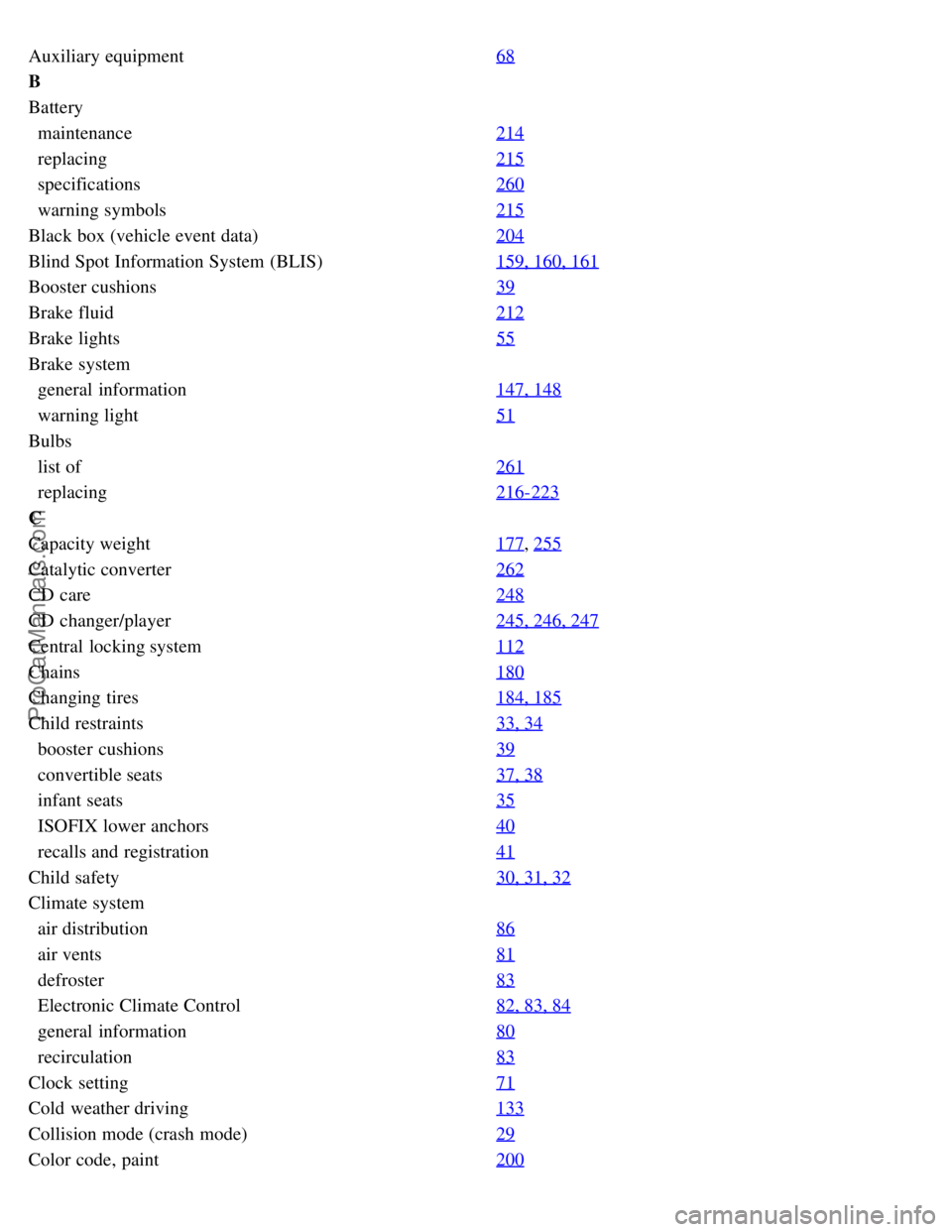
Auxiliary equipment68
B
Battery
maintenance214
replacing215
specifications260
warning symbols215
Black box (vehicle event data)204
Blind Spot Information System (BLIS)159, 160, 161
Booster cushions39
Brake fluid212
Brake lights55
Brake system
general information147, 148
warning light51
Bulbs
list of261
replacing216-223
C
Capacity weight177
, 255
Catalytic converter262
CD care248
CD changer/player245, 246, 247
Central locking system112
Chains180
Changing tires184, 185
Child restraints33, 34
booster cushions39
convertible seats37, 38
infant seats35
ISOFIX lower anchors40
recalls and registration41
Child safety30, 31, 32
Climate system
air distribution86
air vents81
defroster83
Electronic Climate Control82, 83, 84
general information80
recirculation83
Clock setting71
Cold weather driving133
Collision mode (crash mode)29
Color code, paint200
ProCarManuals.com
Page 243 of 246

Rear window defroster84
Rearview mirror68, 69
Recalls, child restraints41
Recirculation (climate system)83
Refueling136, 137, 138
Registering child restraints41
Remote control112
approach lighting113
functions113
key blade115
replacing the battery113
Reporting safety defects
Canada13
USA12
Retractable hard top94 - 99
Roadside assistance263
Roll-over protection system28
S
Safety defects, reporting
Canada13
USA12
Seat belts14
Automatic Locking Retractor/Emergency Locking Retractor32
reminder16
reminder light51
use during pregnancy15
Seats90 - 93
front91
Service locking117
Shiftlock6, 140
override146
Side impact protection airbags24
Sirius satellite radio241, 242, 243
Ski hatch109
Snow chains180
Snow tires180
Sound settings235
Spare tire183
Stability system149, 150
Start inhibitor112, 140
Starting the engine140
Steering wheel
adjustment64
keypad235
ProCarManuals.com
Page 244 of 246

lock139
Storage compartments102, 103, 104
Studded tires180
Supplemental restraint system (SRS)17
Surround sound235
T
Three-way catalytic converter262
Tire inflation pressure
Canadian models173
US models172
Tire pressure monitoring system192
Tires
age169
chains180
changing184, 185
designations174
improving economy169
inflation170, 171
rotation182
snow tires180
spare tire183
storing168
studded tires180
terminology176
tire pressure monitoring system192, 193
tread wear indicator168
uniform quality gradings179
Towing a trailer155, 156
trailer hitch157
Towing the vehicle151, 152, 153
Trailer hitch157
Trailer towing155, 156
trailer hitch157
Trailer weights255
Transmission
automatic144, 145
manual143
Transporting loads158
Tread wear indicator168
Trip computer58, 59
Trunk
12-volt socket108
divider95
driving with it open132
ProCarManuals.com